
Gemini CLI Sandbox Mode: Enable, Backends, YOLO Safety
The illustrated, no-fluff guide to sandboxing Gemini CLI: launch with -s, make it permanent, pick the right backend for your OS, and give YOLO mode a guardrail.
TL;DR
- Run gemini -s and the whole session — shell commands, file edits, network calls — executes inside an isolated sandbox; a sandbox chip appears in the footer so you can see it is active.
- Three ways to enable it, resolved in order of precedence: the -s / --sandbox flag, the GEMINI_SANDBOX environment variable, or "sandbox": true in the tools object of settings.json.
- Backends are per-OS: macOS Seatbelt profiles (permissive-open by default), Linux gVisor runsc for the strongest isolation, Docker or Podman containers everywhere else.
- YOLO mode (--yolo) skips every permission prompt — pair it with the sandbox. v0.61.0 (Sept 23, 2026) hardened the sandbox filesystem boundaries and isolated runtime state.
Gemini CLI Essentials – Full Course (sandboxing chapter)
Channel: freeCodeCamp.org3:49:40
Gemini CLI: Everything You Need To Know (Full Tutorial)
Channel: lustoykov42:54
Sandboxing in Gemini CLI — official documentation
Docs: google-gemini/gemini-cli (GitHub)
Frames come from the freeCodeCamp course's sandboxing chapter; flag names, settings and profiles were double-checked against the official sandbox documentation and the v0.61.0 release notes.
Screenshots credit: freeCodeCamp.org and lustoykov — recordings used as visual reference with attribution; all step text is ours.
Sandbox Gemini CLI, step by step
Launch your first sandboxed session
- 1
Know what the sandbox actually protects
Sandboxing isolates the operations that turn an AI agent dangerous — shell commands, file writes and network calls — from your host system. Gemini CLI v0.61.0 (September 23, 2026) hardened the sandbox filesystem boundaries and isolated runtime state, closing indirect prompt-injection routes through build files and untrusted flags.
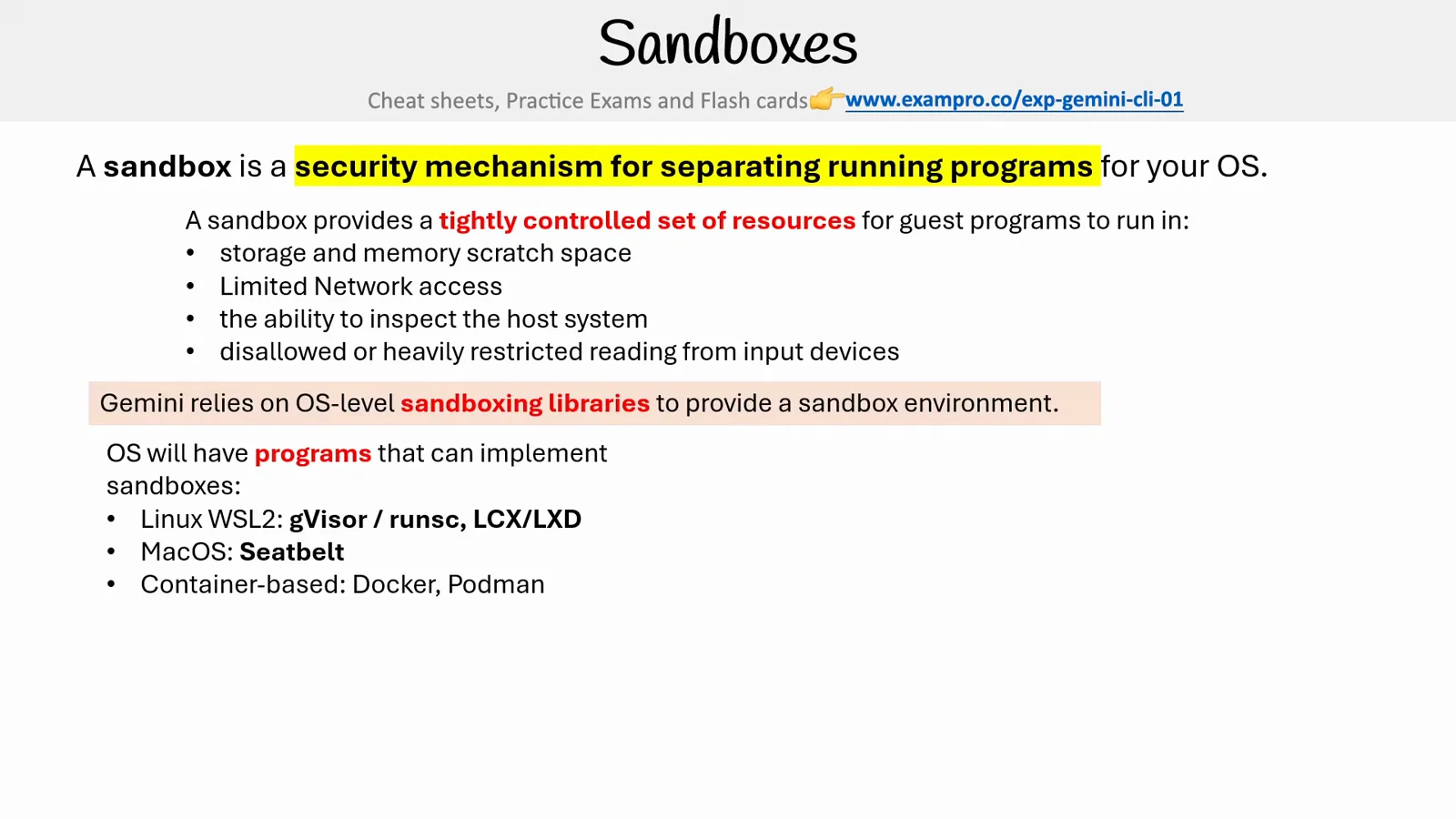
Where sandboxing sits: an OS-level isolation library picked per platform.Watch at 140:00 - 2
Launch straight into a sandbox with the flag
The quickest route is the command flag: run gemini -s (long form --sandbox). The first launch can take a minute because the sandbox image may need pulling. For one-shot runs, combine it with a prompt: gemini -s -p "analyze the code structure".
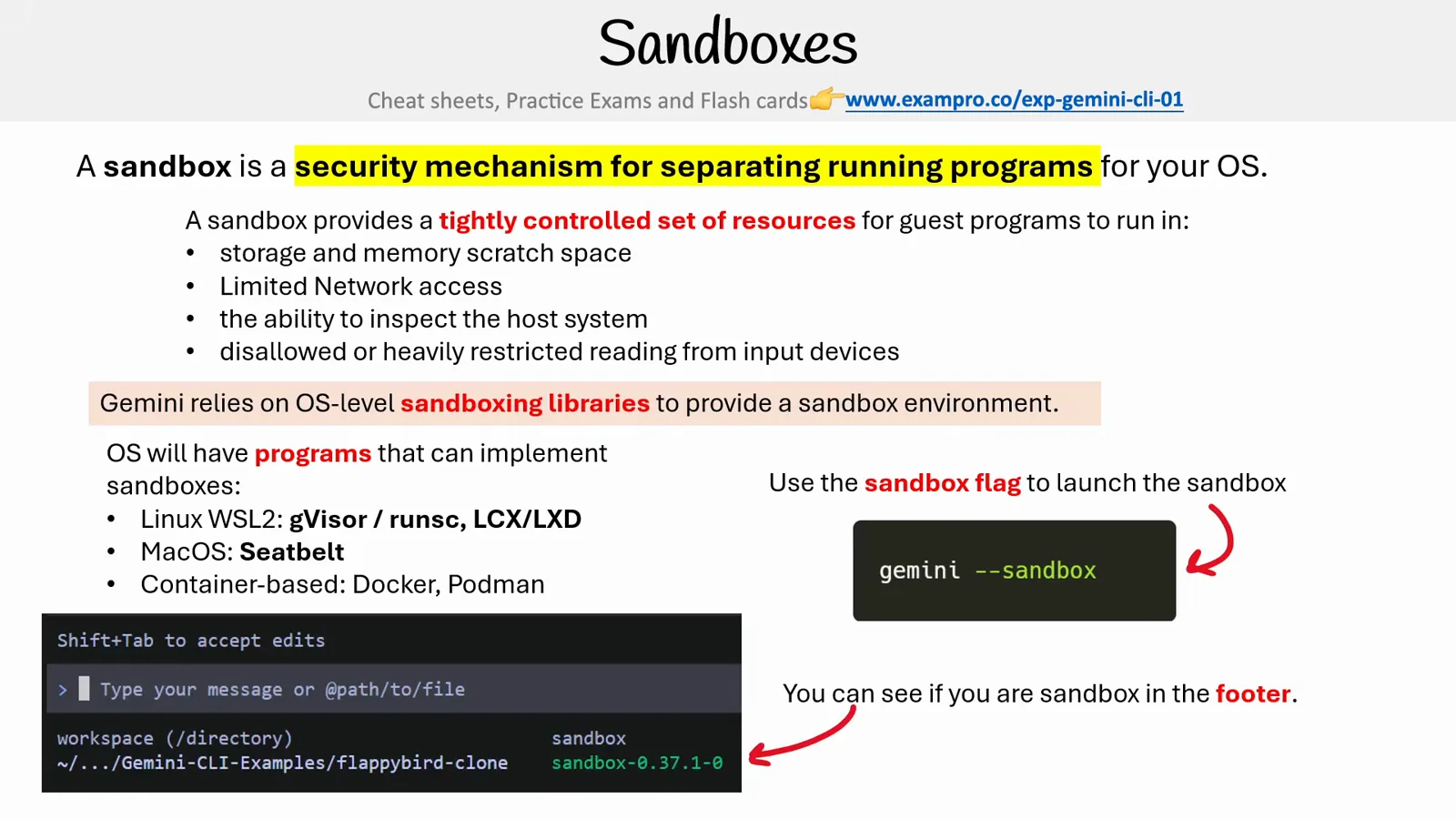
Flag on, footer chip on — the two-second sanity check.Watch at 140:50 - 3
Learn the three ways to enable it — and which one wins
Gemini CLI resolves sandboxing in order of precedence: first the -s / --sandbox command flag, then the GEMINI_SANDBOX environment variable (true, docker, podman, sandbox-exec, runsc or lxc), then the "sandbox" entry in the tools object of your settings.json.
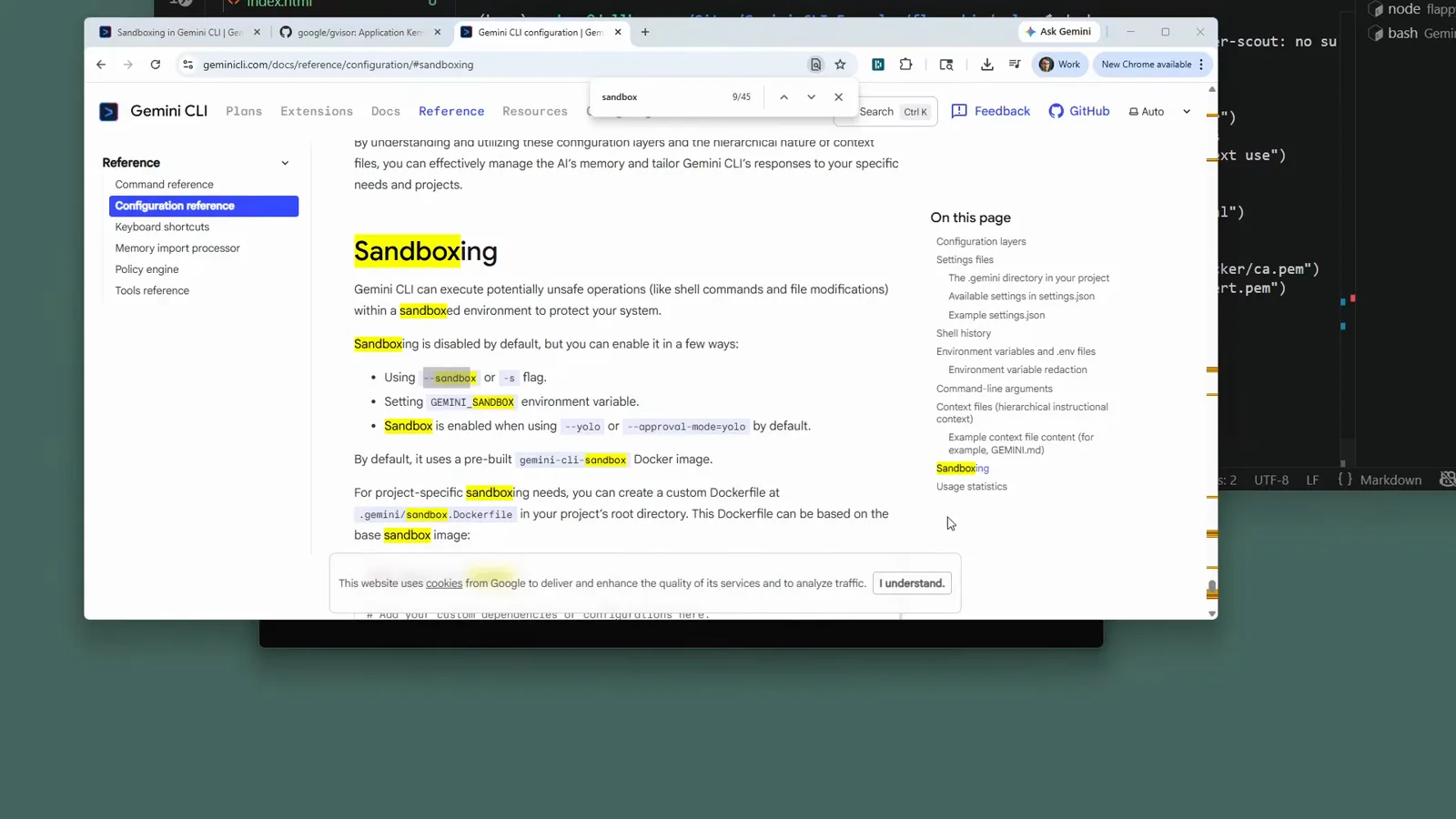
The official docs list all three enable routes in precedence order.Watch at 145:45 - 4
Confirm the session is sandboxed in the footer
Once the CLI is up, the status footer shows a sandbox chip with the sandbox component's version, right next to the model selector. No chip means no sandbox — go back and check which flag or setting you thought was enabling it.
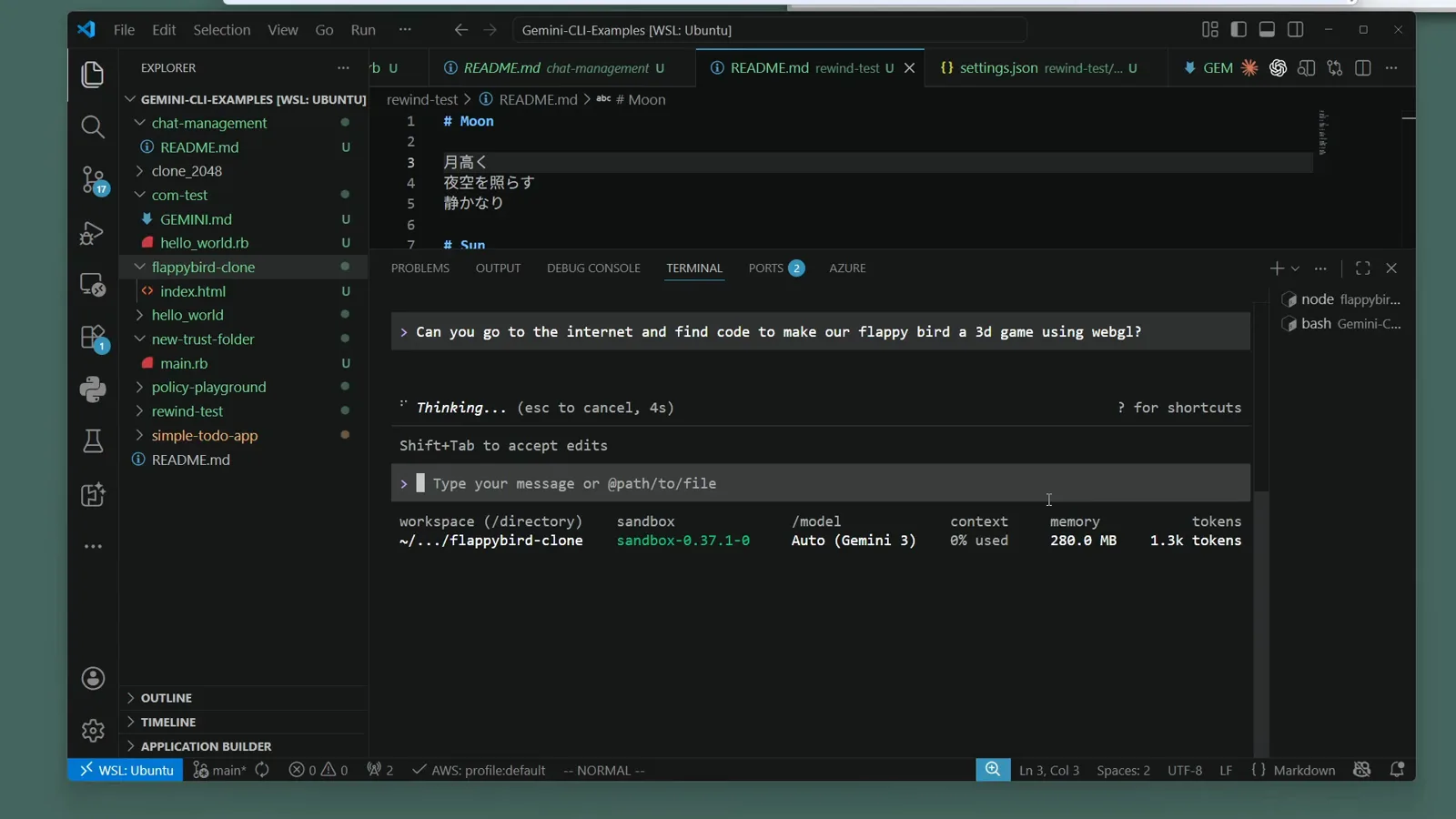
A live sandboxed session: the chip sits beside Auto (Gemini 3).Watch at 146:40
Pick the right backend for your OS
- 5
On macOS, ride the built-in Seatbelt
macOS needs no containers: Gemini CLI wraps the process with Seatbelt (sandbox-exec). The default profile, permissive-open, confines writes to the project directory while reads and network stay open. Harden it with the SEATBELT_PROFILE environment variable — permissive-proxied, restrictive-open, restrictive-proxied, strict-open or strict-proxied.
- 6
On Linux or WSL2, meet gVisor runsc
Google's gVisor — the runsc runtime — is the strongest isolation available: containers run against a user-space kernel that intercepts every system call. Select it explicitly with GEMINI_SANDBOX=runsc or "sandbox": "runsc" (it is never auto-detected) and Gemini CLI will launch docker run --runtime=runsc for you.
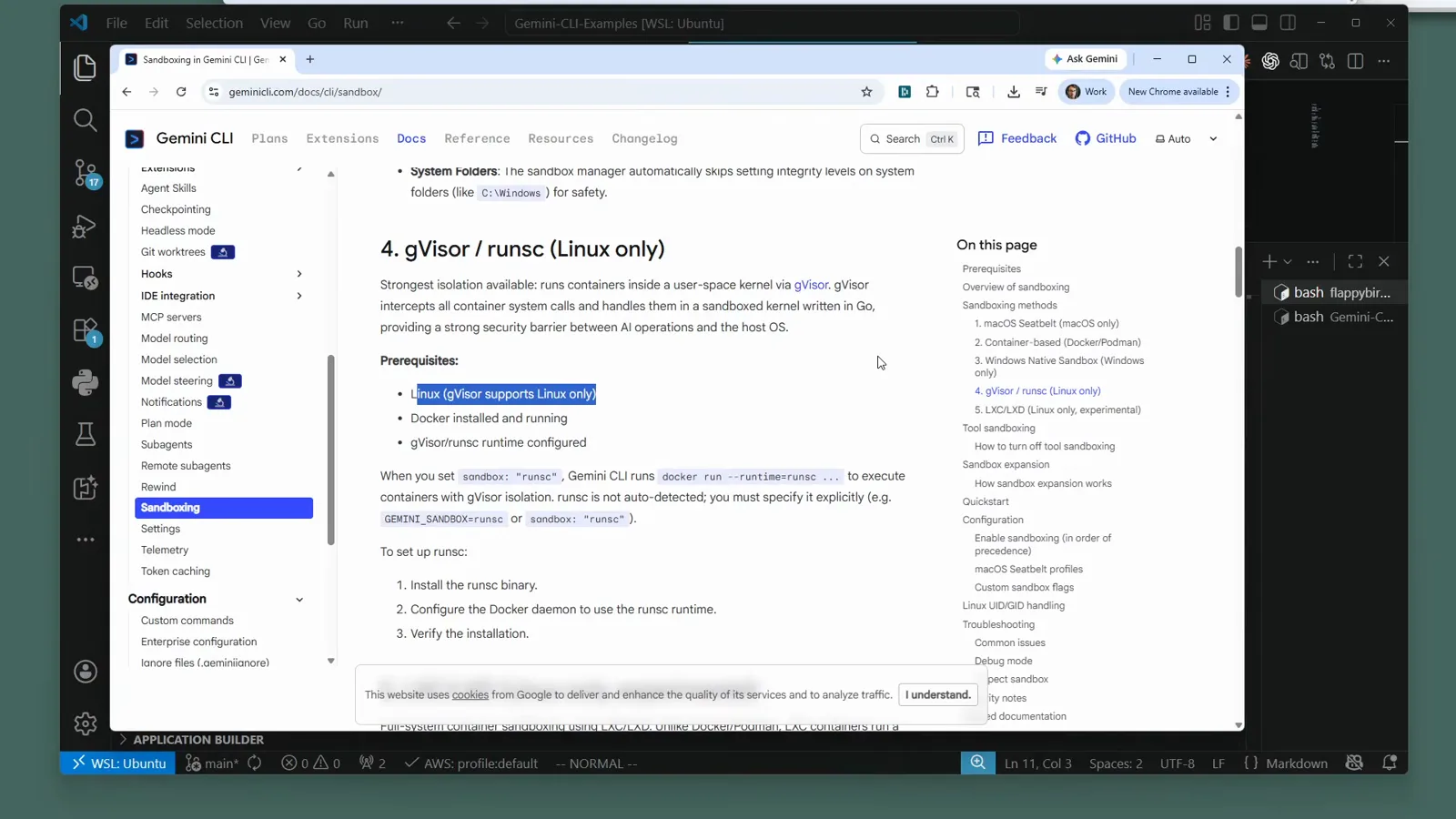
The docs position runsc as the strongest, Linux-only backend.Watch at 141:20 - 7
Install the runsc runtime
On Ubuntu — native or inside WSL2 — one apt command fetches the gVisor runtime: sudo apt get install runsc. You also need Docker installed and running, because Gemini CLI drives runsc as a Docker runtime rather than as a standalone tool.
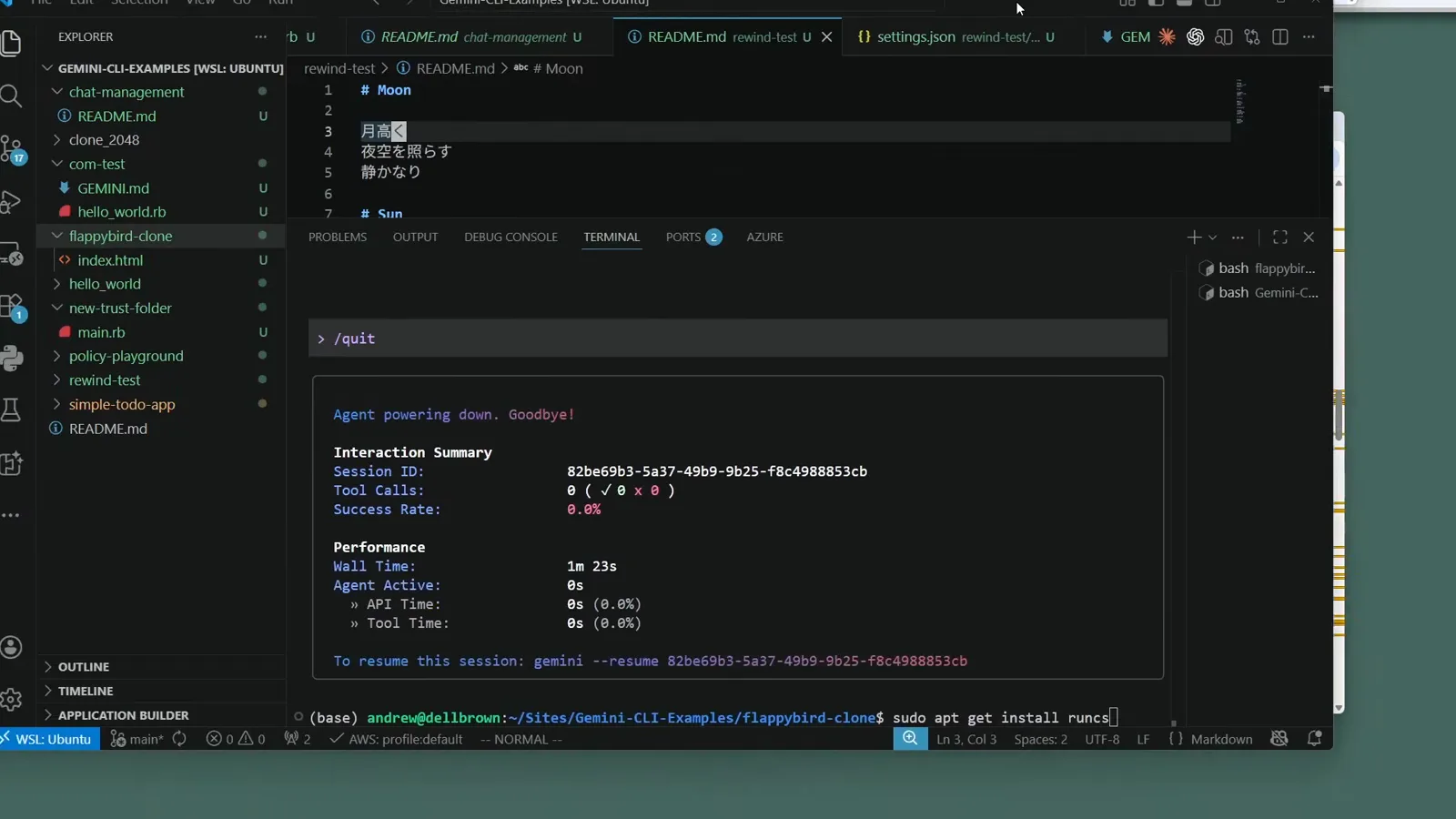
Typing the install command in a WSL2 Ubuntu terminal.Watch at 143:35 - 8
Check the install landed
apt unpacks runsc straight from Ubuntu's security updates repository — no extra PPA. If you skip this step, a later gemini -s on Linux fails or silently falls back to the container backend, so verify the package is present before your first sandboxed run.
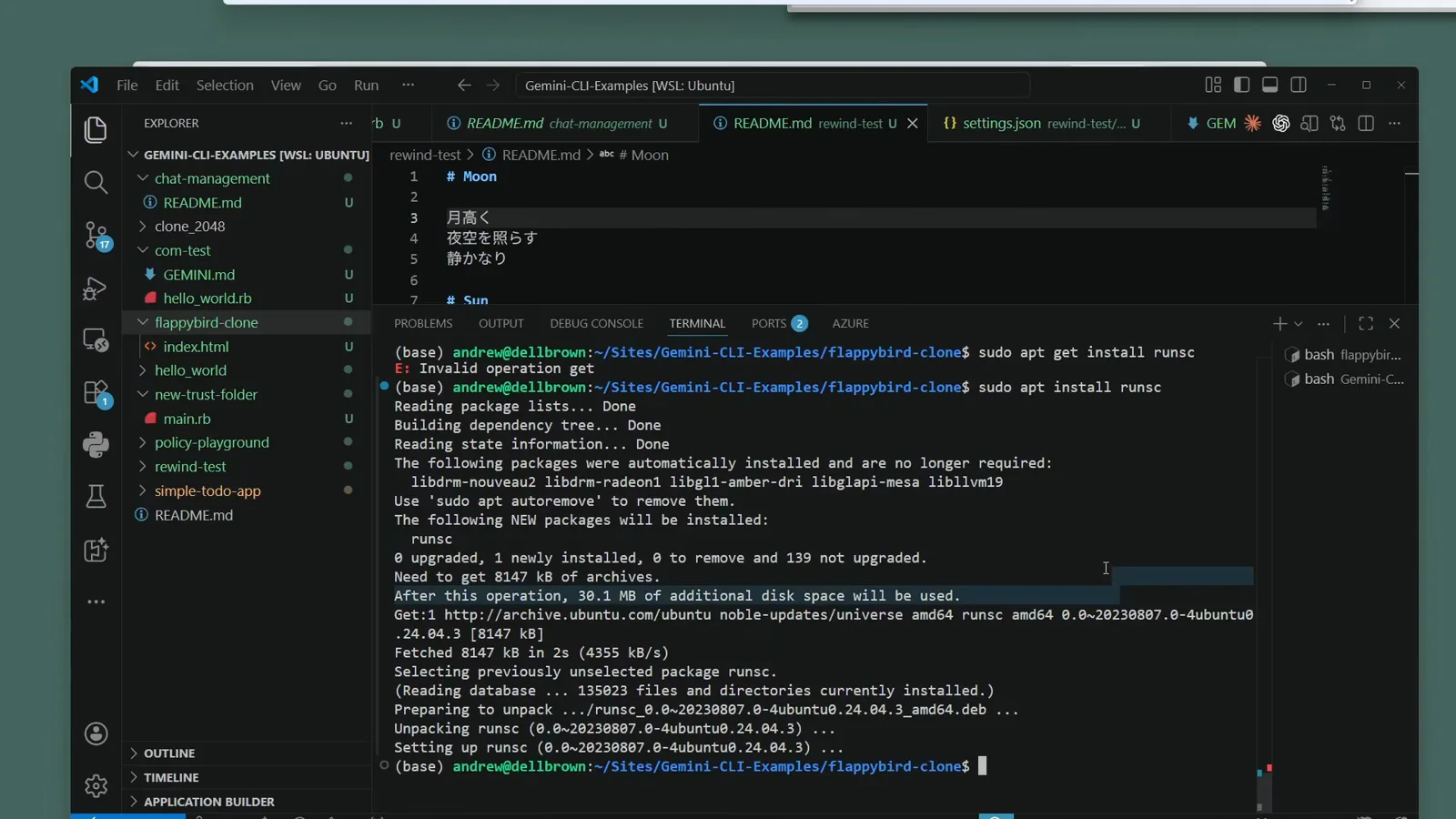
apt finishes unpacking runsc on Ubuntu 24.04.Watch at 144:15 - 9
Prefer containers? Docker or Podman on any OS
Container-based sandboxing works anywhere Docker or Podman runs, and both must be installed and running before you start — run docker once to confirm the CLI answers. The sandbox uses the ghcr.io/google/gemini-cli:latest image by default and mounts your working directory at the exact same absolute path inside the container.
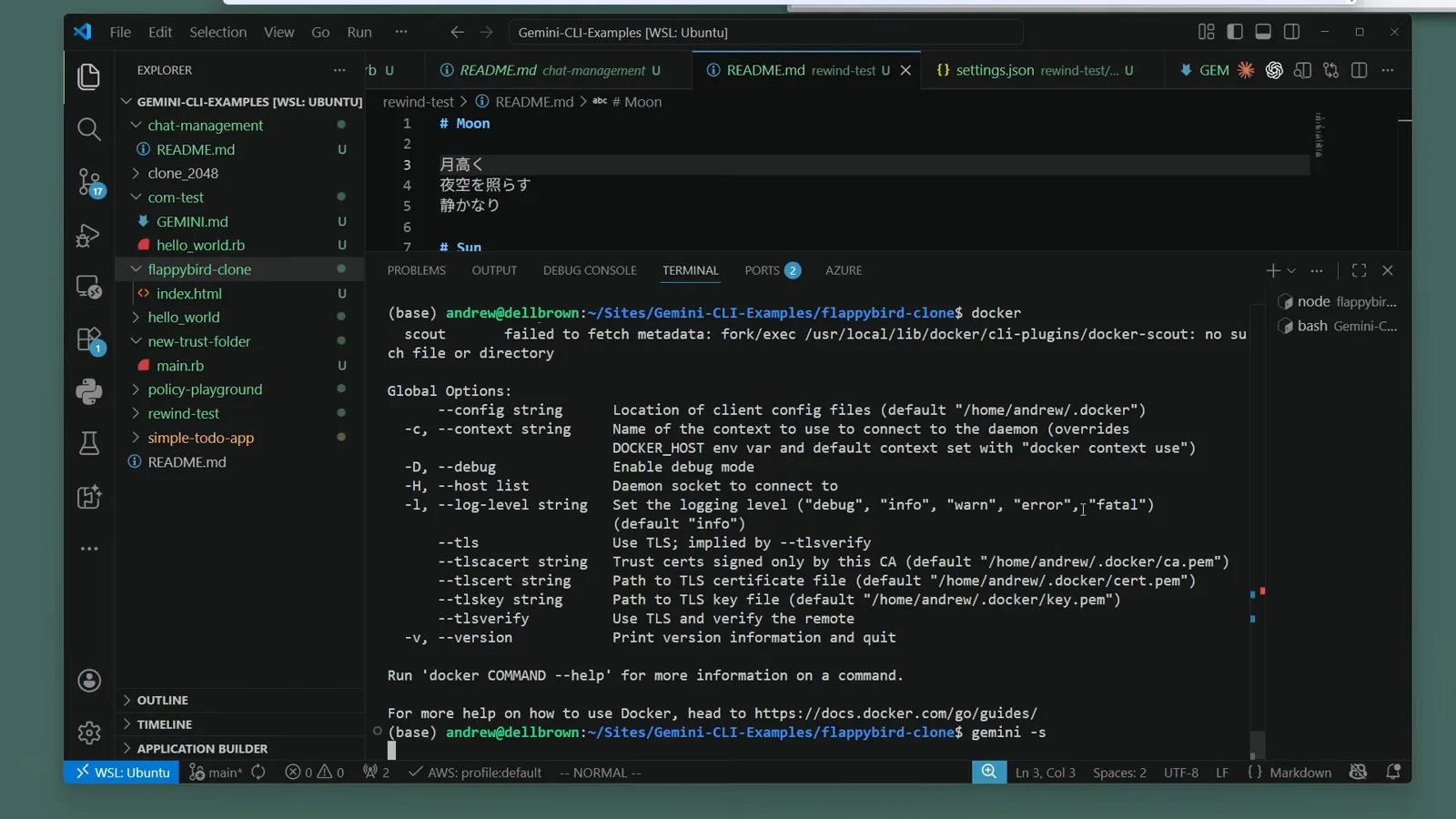
Running docker once to confirm the engine answers.Watch at 145:30
Run YOLO mode without the sweat
- 10
Pair the sandbox with YOLO mode
gemini --yolo (short for --approval-mode=yolo) dangerously skips every permission prompt — exactly what autonomous runs need, and exactly what a sandbox is for. Launch YOLO sessions with the sandbox flag so the skipped prompts still land inside the isolated environment.
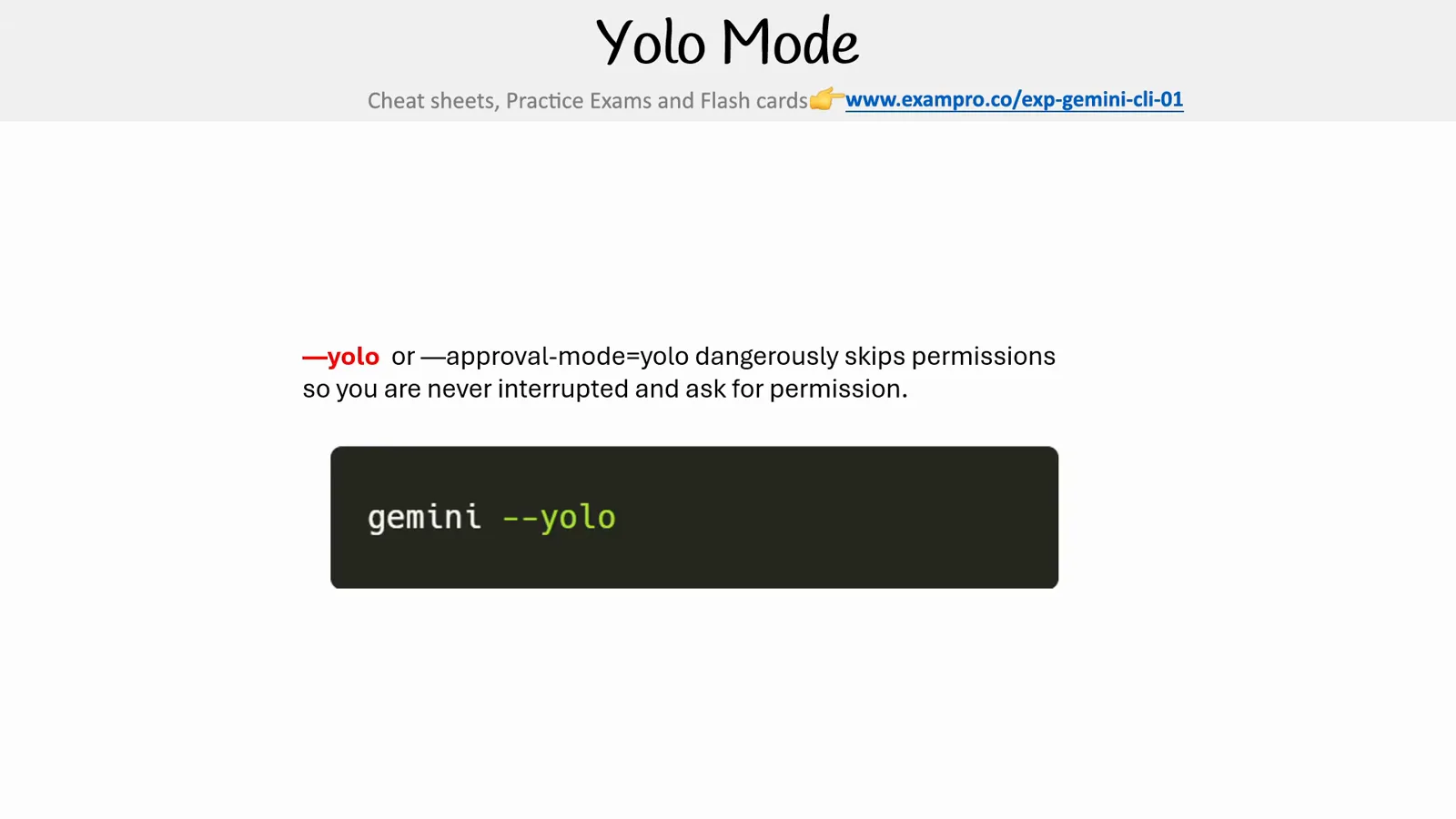
YOLO mode in one slide: no interruptions, all permissions skipped.Watch at 148:20 - 11
Verify autonomous runs stayed sandboxed
During YOLO sessions the footer swaps in a blue YOLO Mode badge — your cue that prompts are being skipped. After the run, the /stats interaction summary shows which tools fired, and the sandbox chip stays your proof the work happened inside the box.
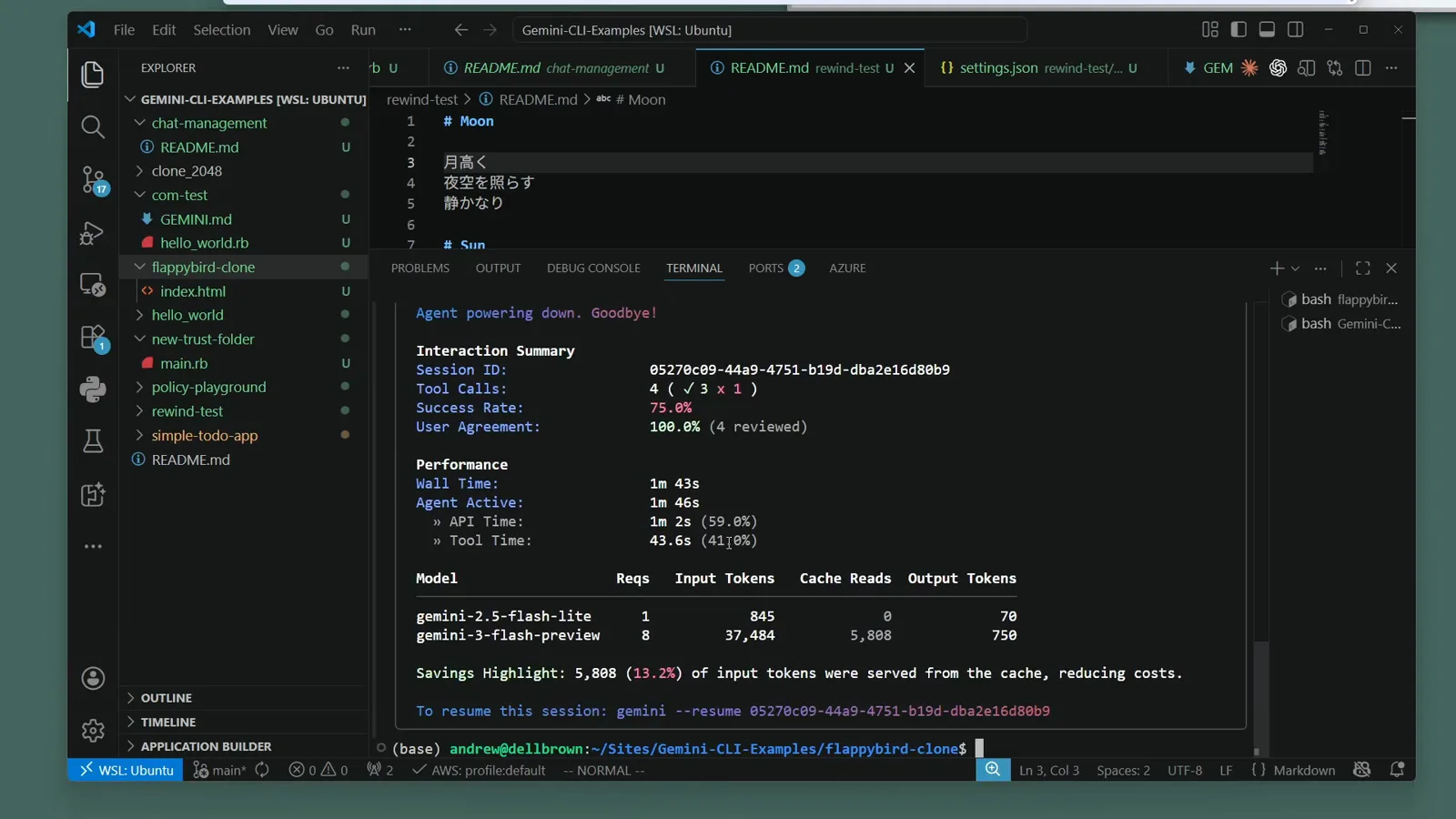
The YOLO Mode badge in the footer of a finished autonomous session.Watch at 147:40
Custom sandbox images and container flags
The default container image is fine for generic coding work. When your project needs its own toolchain — or your container setup fights you — Gemini CLI gives you four dials.
- 1Point at any image: set GEMINI_SANDBOX_IMAGE, or use the object form in settings.json — "sandbox": "command": "docker", "image": "..." (a JSON object). Any Docker or Podman image that ships bash works.
- 2Build your own: drop a .gemini/sandbox.Dockerfile in the project root and run with BUILD_SANDBOX=1 — Gemini CLI builds the image automatically. Automatic builds only work when running the CLI from source; npm installs should reference a prebuilt image.
- 3Tune the container command: SANDBOX_FLAGS injects extra docker/podman flags — for example export SANDBOX_FLAGS="--security-opt label=disable" cures SELinux volume-mount denials on Podman.
- 4Fix file ownership on Linux: the sandbox maps user permissions automatically, but SANDBOX_SET_UID_GID=true forces the host UID/GID when generated files come out owned by the wrong user.
Running Gemini CLI itself inside a container and want to sandbox within? Mount /var/run/docker.sock so the CLI can spawn sibling containers through the host daemon, and make the workspace path match the host's absolute path exactly — the host daemon resolves volume mounts, not the container.
Troubleshooting: errors, file access, disabling
Most sandbox trouble reduces to five patterns. Before anything else, reproduce with debug output: DEBUG=1 gemini -s -p "your prompt".
- 1"Operation not permitted" — the command needs access outside the sandbox. Move to a more permissive profile (macOS: SEATBELT_PROFILE) or add the required mount points.
- 2Missing commands inside the sandbox — bake your tools into a custom image, or install them via sandbox.bashrc. Remember BUILD_SANDBOX automation is for source checkouts only.
- 3Network failures — check the active profile allows network at all, and verify proxy configuration; the -proxied profiles route traffic through the sandbox proxy.
- 4Files created with the wrong owner on Linux — flip SANDBOX_SET_UID_GID (true forces the host UID/GID, false disables the mapping).
- 5Windows left files marked Low integrity — the native sandbox uses icacls to mark writable paths; reset them with icacls "C:\path\to\dir" /setintegritylevel Medium.
To see what the sandbox can reach, ask the CLI itself: gemini -s -p "run shell command: env | grep SANDBOX" lists sandbox environment variables, and mount | grep workspace shows the mounts. Files need no export step — container sandboxes mount your project at the same absolute path, so edits land in your folder directly. To disable: drop the -s flag, unset GEMINI_SANDBOX, or remove the "sandbox" entry from settings.json; tool-level sandboxing has its own switch, "security": "toolSandboxing": false (restart required).