
Claude Code Permissions: Allow, Deny and Ask Rules, Explained
A frame-by-frame walkthrough of how Claude Code asks permission: the three prompt options, the allow rules saved into settings.local.json, the deny-first evaluation order, the permission modes, and the recipes that make everyday coding and CI prompt less — with the official docs filling every gap the video leaves.
Claude Code permissions in 60 seconds
- Claude Code prompts before Bash, Edit, WebFetch and Write; Read, Glob, Grep and LS run without asking.
- “Yes, and don't ask again” saves a rule like Bash(git add:*) into .claude/settings.local.json — your personal, git-excluded rulebook for that repo.
- Rules evaluate deny → ask → allow: a deny from any settings file wins, and no allow rule can carve an exception into it.
- Modes scale trust: acceptEdits (alt+m) for edit-heavy work, plan for read-only recon, bypassPermissions for CI via --permission-mode — and defaultMode values auto and bypassPermissions only take effect from user or managed settings.
Claude Code Tutorial #4 - Tools & Permissions
Channel:The Net Ninja4:55
Permission Modes Head to Head
Channel:ttywood6:20
Permissions — Claude Code documentation
Docs:code.claude.com
Settings files — Claude Code documentation
Docs:code.claude.com
Every still comes from the Net Ninja recording, a clean screen capture with no camera or overlays. The ttywood episode comparing permission modes head to head served as a cross-check for the mode and recipe sections but contributed no frames — its frames carry burned-in captions. Rule syntax, evaluation order, mode behavior and settings-file precedence are verified against the two official documentation pages.
Videos © The Net Ninja and ttywood, linked only. Documentation © Anthropic. Screenshots are referenced in this guide for commentary.
Configure Claude Code permissions, step by step
What Claude Code asks before it acts
- 1
See which tools trigger a permission prompt
Claude Code picks its own tools — Read for opening files, Edit for changing them, Bash for shell commands. Anthropic's settings docs give each one a Permission Required column: Bash, Edit, WebFetch and Write stop and ask, while Read, Glob, Grep and LS just run. You never type tool names yourself; the point is knowing in advance which actions will pause for you.
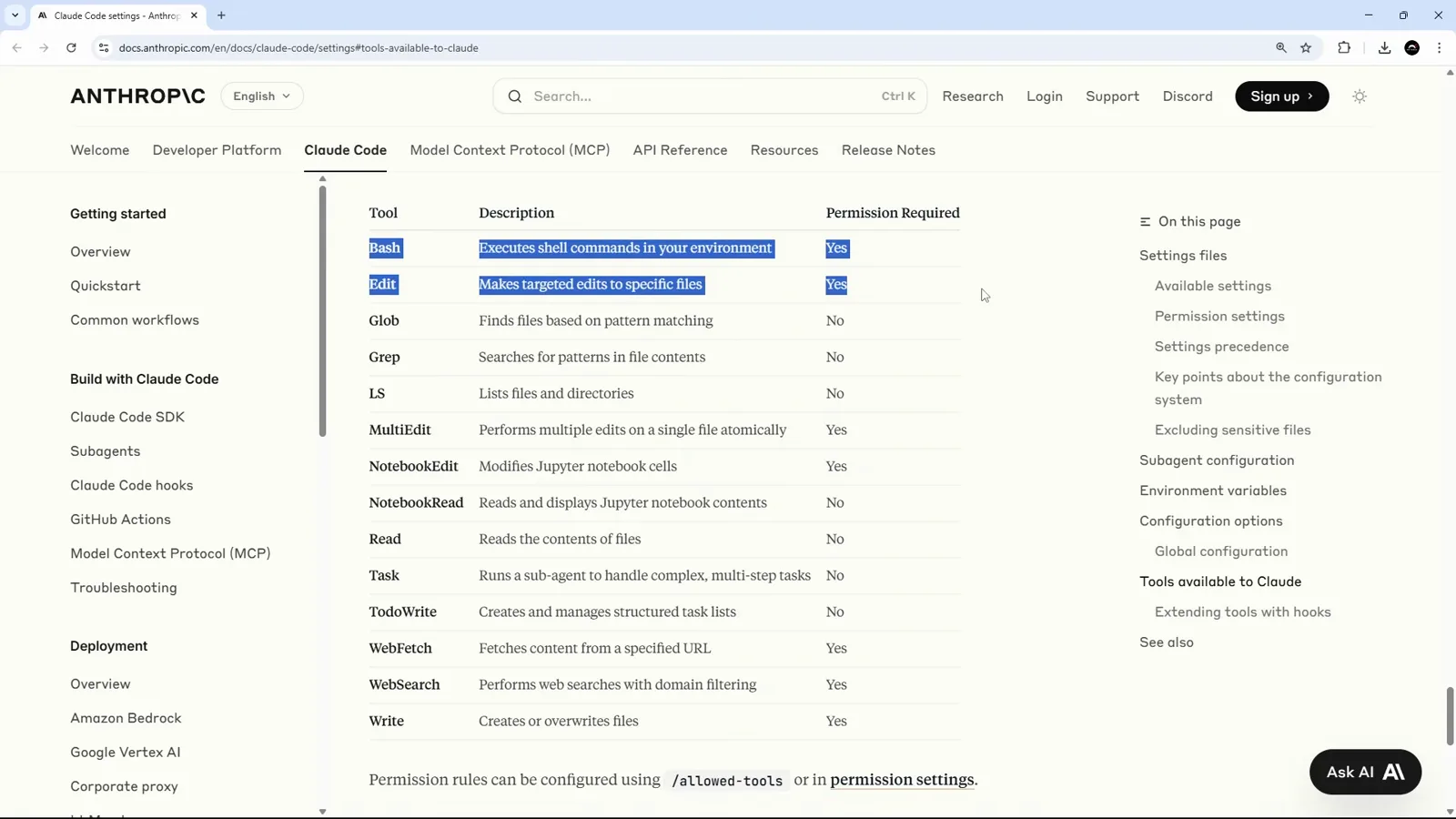
The Claude Code settings docs list every built-in tool with its Permission Required verdict.Watch at 1:05 - 2
Ask for an edit and watch it read first
In the video the request is deliberately small: add a pastel-yellow --highlight variable to src/app/globals.css. Claude Code reads the file first — Read never needs permission — and only stops when it is about to change it. That split is the whole permission model in miniature: looking is free, touching asks.
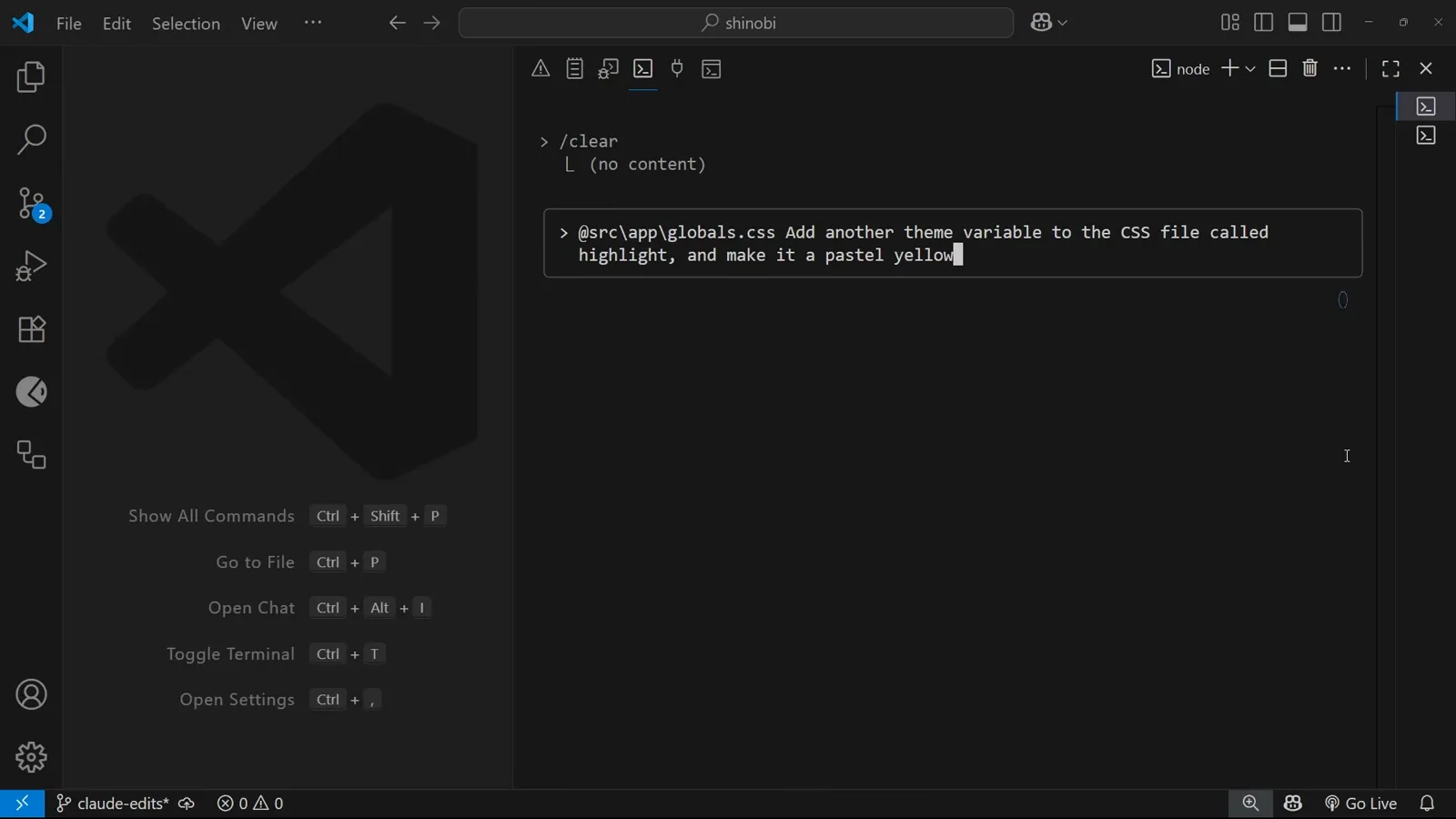
The highlight-variable request typed into the Claude Code input in VS Code.Watch at 1:45 - 3
Read the three options before you answer
Every edit prompt offers three answers. 1. Yes approves this single edit. 2. Yes, and don't ask again this session approves the rest of the session's edits (alt+m in the build shown). 3. No, and tell Claude what to do differently (esc) rejects the change and lets you steer. Option 3 is not a failure — it is how you correct course before code lands.
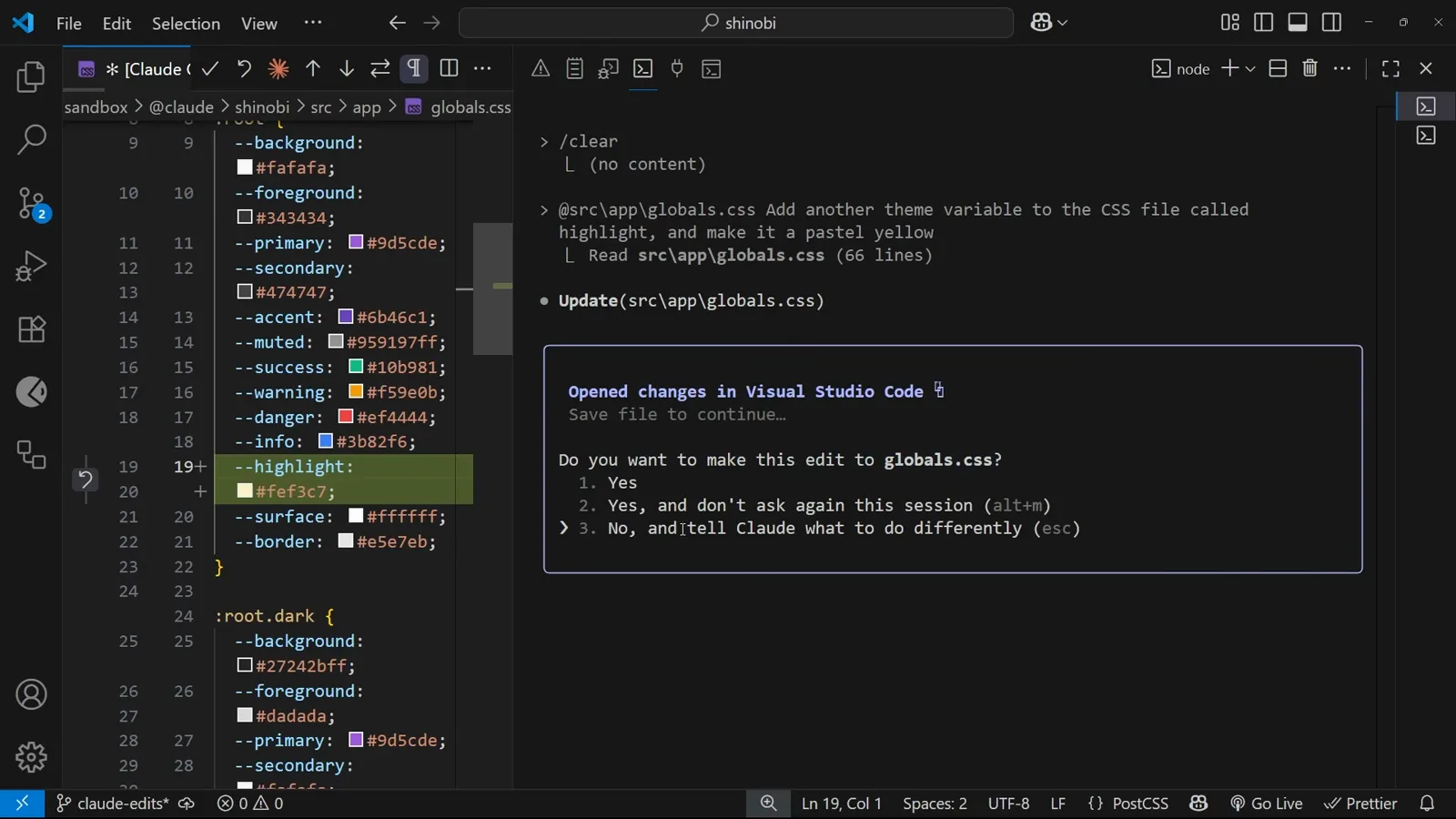
The edit prompt for globals.css with all three permission options visible.Watch at 2:17
Say yes once: save an allow rule
- 4
Expect one prompt per edit, not one per task
Approval does not carry over to the next change. The demo needed three Yes presses for three separate edits to the same file, and the next change prompted again. Grant-every-time works, but it scales badly past a two-line task — which is exactly why allow rules and modes exist.
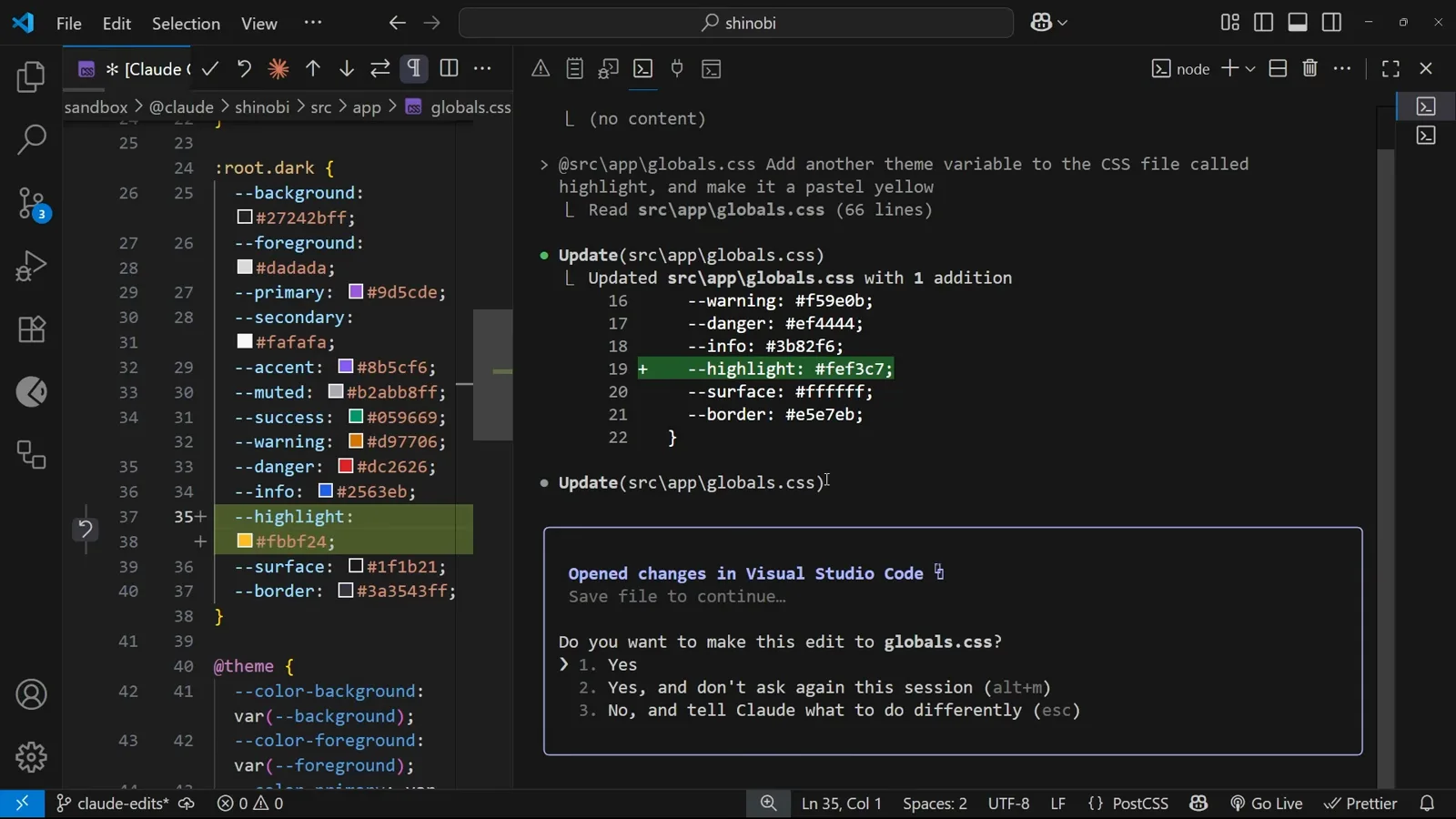
A second globals.css edit prompting again right after the first was approved.Watch at 2:32 - 5
Bash commands prompt separately
Shell commands get their own gate. When the demo asks Claude to make a commit, Bash(git add src/app/globals.css) sits in a Waiting state until you answer. A yes for one command is not a yes for the next — the git commit that follows prompts on its own terms.
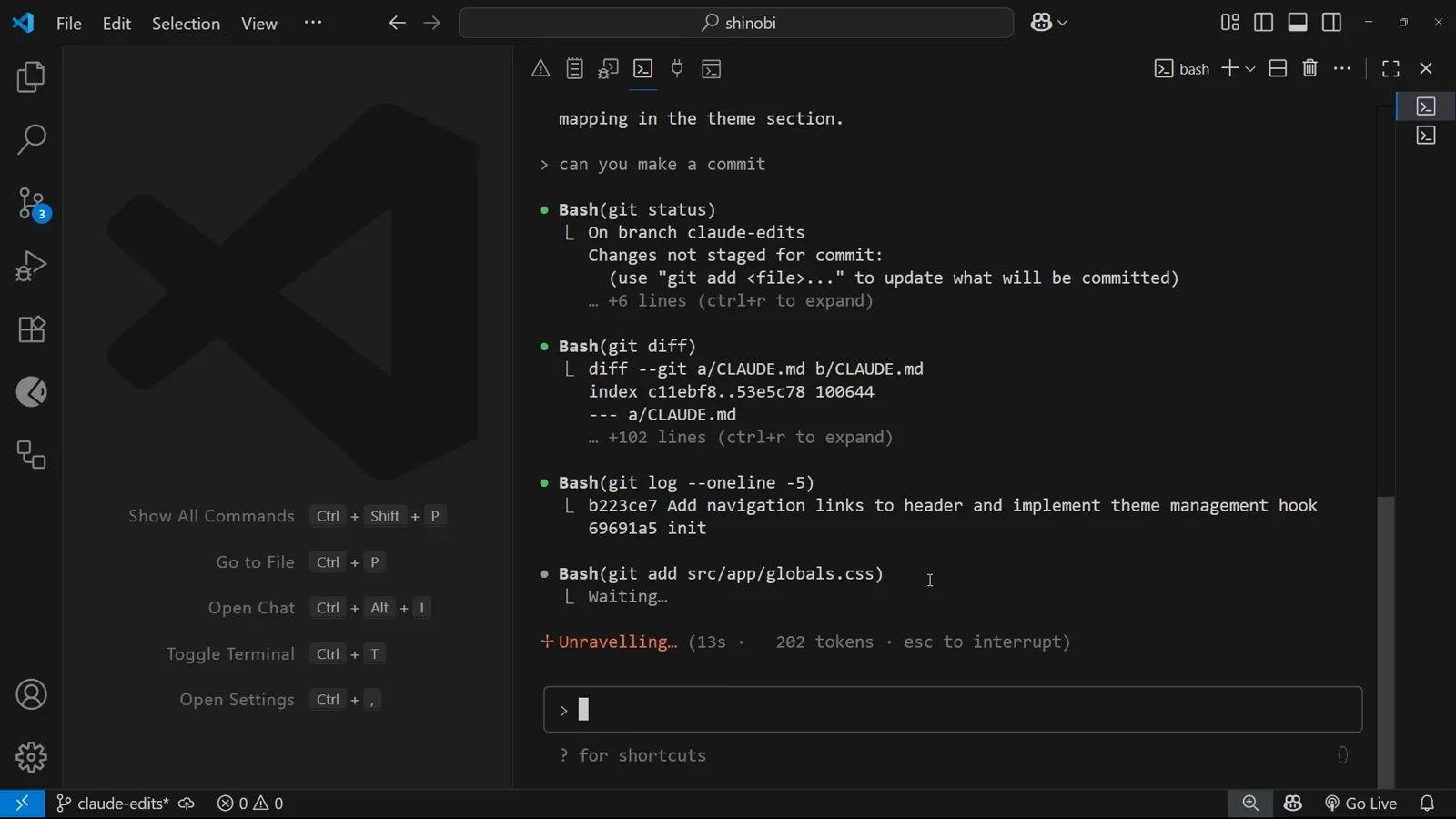
The git add command waiting for approval while earlier git output scrolls above.Watch at 3:16 - 6
Let “don't ask again” write the rule for you
Choosing Yes, and don't ask again for git add commands does two things at once: it unblocks the current command and saves a rule. The file it creates is .claude/settings.local.json at the repo root, holding a permissions object with an allow array — here "Bash(git add:*)" — plus empty deny and ask arrays. Every future git add in this project now runs without prompting.
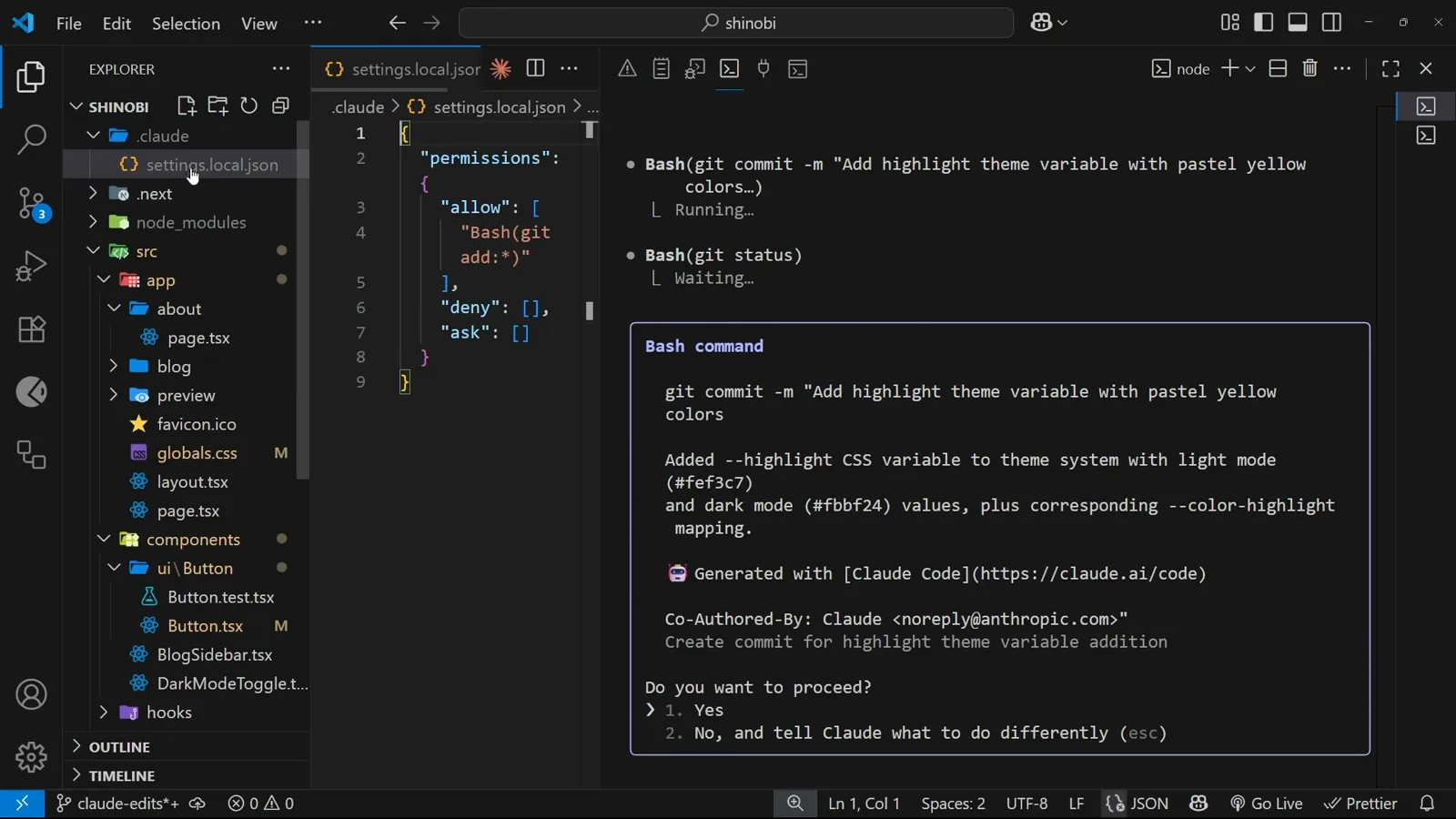
settings.local.json created under .claude with the Bash(git add:*) allow rule saved.Watch at 3:40 - 7
Edit the rules by hand when the dialog can't
The allow array is plain JSON, so you can add rules yourself. Use an exact string for a single command — Bash(npm run test) — and a trailing :* for everything that starts the same way — Bash(npm run test:*). The docs confirm :* is the shorthand for a trailing wildcard. Keep the file personal: Claude Code git-excludes settings.local.json automatically, and the video says the same — it is for your workflow, not for the repo.
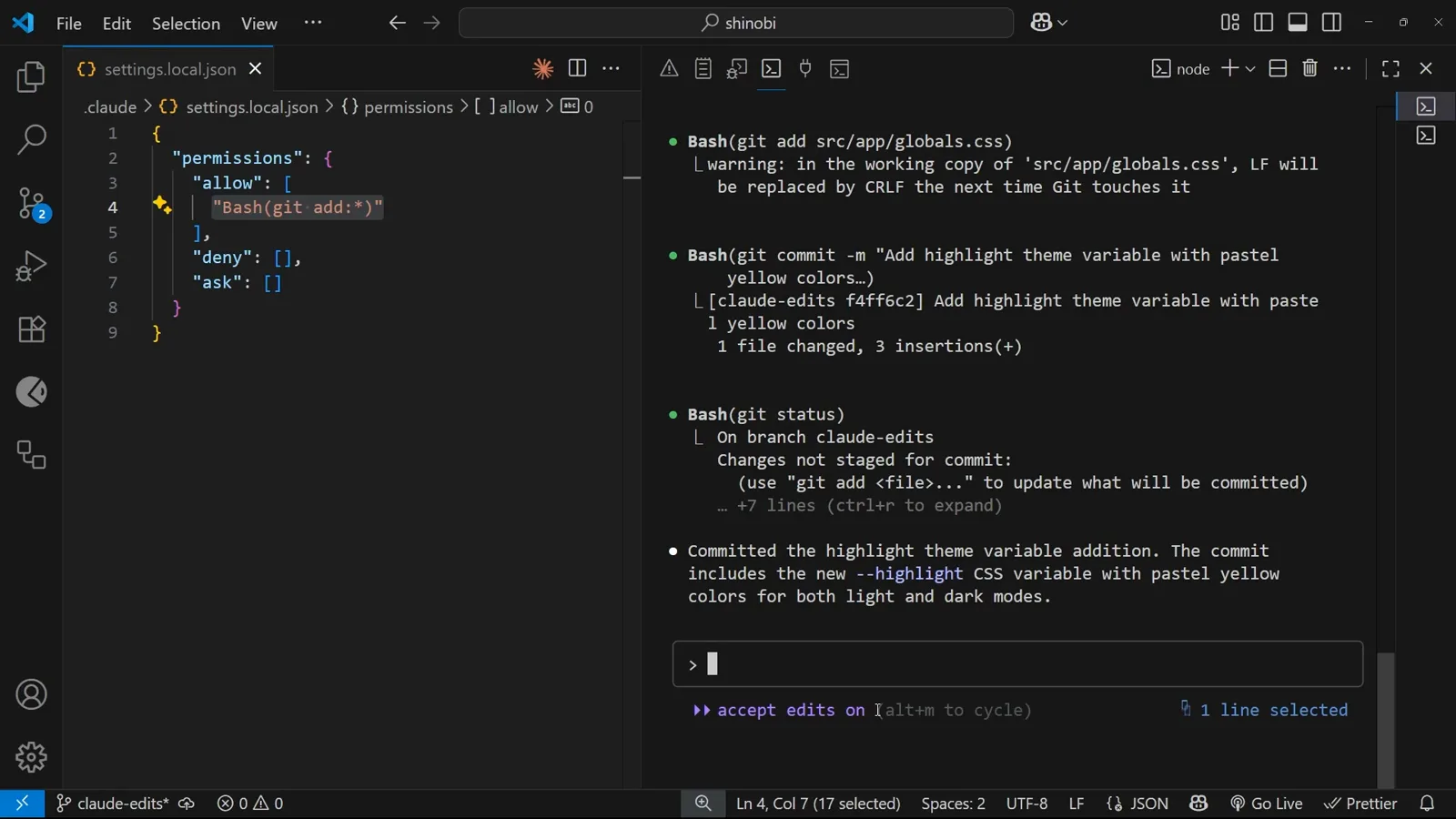
The saved rule selected inside permissions.allow while editing the file by hand.Watch at 4:22
Dial delegation up and down with modes
- 8
Switch to accept edits for edit-heavy stretches
alt+m (shift+tab cycles modes in current builds) flips the session badge to accept edits on. File edits now land without prompts, and the docs add that common filesystem commands — mkdir, touch, mv, cp — are auto-accepted too. The grace is session-scoped: start a new session and you are back to per-edit prompts until you opt in again.
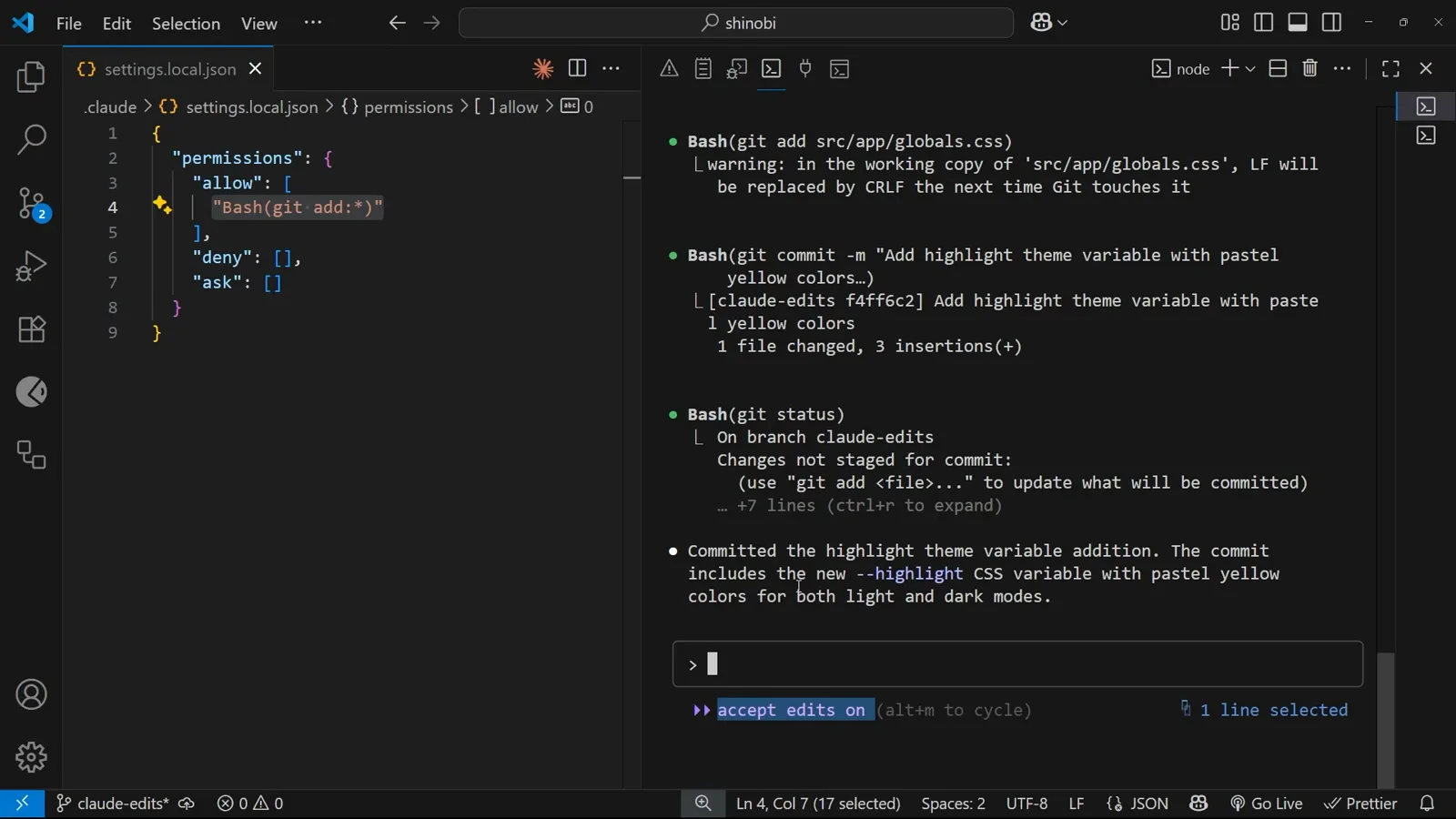
The accept edits on badge while the allowed git commands finish the commit.Watch at 4:35 - 9
Know the full mode ladder before you climb it
Modes set a session's default posture. default prompts on first use of each tool; plan is read-only exploration that edits nothing; acceptEdits auto-accepts file edits; dontAsk auto-denies anything that would otherwise prompt; auto approves tool calls with background safety checks; bypassPermissions skips prompts except for the small set of actions no mode may auto-approve. Pick one per session with --permission-mode, or persist it with permissions.defaultMode.
- 10
Put defaultMode in the right file
The settings docs are explicit: defaultMode values auto and bypassPermissions do not take effect from project or local settings — set them in user (~/.claude/settings.json) or managed settings, or pass --permission-mode for one session. Precedence runs managed settings → CLI --settings → .claude/settings.local.json → .claude/settings.json → user settings, and a deny at any level beats every allow below it.
Copy-paste recipes for real projects
- 11
Recipe: allow tests, deny destruction
In the team-shared .claude/settings.json, allow the test loop with "Bash(npm run test:*)" and fence off the dangerous parts with "Bash(rm -rf *)" and "Read(./.env)" so secrets are never readable. Web research pins down the same way: "WebFetch(domain:example.com)" for one domain, "WebFetch(domain:*.example.com)" for a whole subdomain. Because deny is evaluated first, no allow rule can carve an exception into it.
- 12
Recipe: skip prompts safely in CI
Non-interactive runs need a posture that is deliberate, not accidental: pass --permission-mode bypassPermissions on the CI job, or set defaultMode in user or managed settings — a project file cannot grant it. To make the guardrail permanent, set permissions.disableBypassPermissionsMode to "disable" in managed settings, and audit any machine with /permissions, which lists every active rule and the file it comes from.
deny → ask → allow: how rules are actually evaluated
The permissions docs state it flatly: rules are evaluated in order — deny, then ask, then allow — the first match decides the outcome, and rule specificity never changes that order. An allow rule cannot carve an exception out of a deny rule, no matter how precise it is.
Deny is also global across files. If user settings allow a command and project settings deny it, the deny wins, because deny rules from any scope are evaluated before allow rules — and a managed-settings deny cannot be overridden even by command-line flags. Denying a bare tool name like "Bash" goes further still: the docs say it removes the tool from Claude's context entirely.
The practical consequence: ship your safety rules — deny rm, deny .env reads, deny force-pushes — in the project .claude/settings.json that travels with the repo, and treat allow lists as conveniences that stack on top. Allow lists merge across scopes rather than override each other, so your personal settings.local.json can add allowances without weakening anyone's denials.
Three recipes worth stealing
Each recipe names the file it belongs in. One constant applies to all of them: deny wins everywhere, always.
Run tests freely, keep rm and .env locked
In .claude/settings.json: "permissions.allow": ["Bash(npm run test:*)"] (swap in "Bash(npx vitest:*)" or "Bash(uv run pytest:*)" for your stack), "permissions.deny": ["Bash(rm -rf *)", "Read(./.env)"]. Tests and their callbacks run hands-free; destructive deletes and secret reads are blocked before evaluation ever reaches your allow list.
Pin research to the domains you trust
For docs-heavy work: "WebFetch(domain:developer.mozilla.org)" and "WebFetch(domain:claude.com)" in allow, or "WebFetch(domain:*.example.com)" to cover a whole subdomain. Denying the bare "WebFetch" tool switches web reading off entirely — useful for reproducible runs that must live on local context.
Make CI headless without going rogue
Have the CI job pass --permission-mode bypassPermissions, or set "permissions.defaultMode": "bypassPermissions" in user or managed settings — project and local settings cannot grant it. To forbid the mode outright, "permissions.disableBypassPermissionsMode": "disable" in managed settings locks every repo and every flag out. Even then, bypassPermissions still blocks the short list of actions no mode may auto-approve.
Rule not working? Check these four things
Most “my allow rule is ignored” reports come down to which file the rule landed in and which file wins.
- 1Right rule, wrong file. Session approvals land in .claude/settings.local.json; team rules belong in .claude/settings.json; machine-wide rules in ~/.claude/settings.json. Run /permissions — it lists every active rule and the settings file each one comes from.
- 2A higher file denies it. Values override downward, but deny from any level is evaluated before allow, so a user-level allow never rescues a project-level deny — and managed settings beat everything, including command-line flags.
- 3The allow rule is waiting for trust. deny and ask rules apply immediately, but allow rules from a committed project file only take effect after you trust the workspace folder — a deliberate gate for cloned repos.
- 4Mode placed in the wrong file. defaultMode values auto and bypassPermissions are ignored from project and local settings (the docs note this changed in v2.1.257 — before that, bypassPermissions took effect from any file). Move them to user or managed settings, or use --permission-mode for a single session.