
Claude Code Prompt Audit Tutorial: /doctor prompt-audit Guide
How to audit your Claude Code setup for prompts written for older models: update to 2.1.283, run /doctor prompt-audit on a real project, read the nine-check report, and approve only the fixes you want.
Prompt audit in four lines
- The prompt audit is a subcommand of the /doctor setup checkup: run /doctor prompt-audit (or /checkup prompt-audit) inside a Claude Code session.
- It scans your CLAUDE.md files, skills, agents and commands for prompting patterns written for older models, and leads with stale paths, stale commands and contradicting instruction files.
- It arrived in Claude Code 2.1.283, so update first: an older build answers /doctor with an unknown-subcommand error instead of a report.
- The checkup reports first and asks before changing anything; if you only want a read-only pass, run claude doctor in a terminal instead.
Anthropic just dropped the new Checkup command (/doctor)
Channel:Software Engineer Meets AI2:18
Claude Code 2.1.283 — Prompt Audits & Windows Fix
Channel:Claude Code Updates1:02
Claude Code v2.1.283 — Advanced Model Control and Auditing
Channel:Claude Code Changelog2:10
Claude Code changelog — 2.1.283 adds /doctor prompt-audit
Docs:github.com/anthropics/claude-codeChangelog
Claude Code commands reference — /doctor, /checkup and /claude-api
Docs:code.claude.comDocs
The stills come from three recordings. Software Engineer Meets AI recorded a full /doctor checkup run on v2.1.205; the prompt-audit subcommand and its scope were announced in v2.1.283 and share that same checkup UI. Claude Code Updates and Claude Code Changelog supplied the v2.1.283 release frames. Every frame was checked by hand; the two slide frames were cropped to remove the channels' on-image wordmarks.
Screenshots remain the property of the channels above and are used to illustrate our own written instructions, with every step deep-linked to its timestamp.
Run the Claude Code prompt audit, step by step
Before you run it
- 1
Update Claude Code to 2.1.283 or newer
Run /doctor prompt-audit only on a build that has it. Check the version in your terminal with claude --version, then update with claude update if it is older than 2.1.283 — the release that added the audit. Inside a session, /doctor's own version check (Check 6) reports the installed version against your release channel.
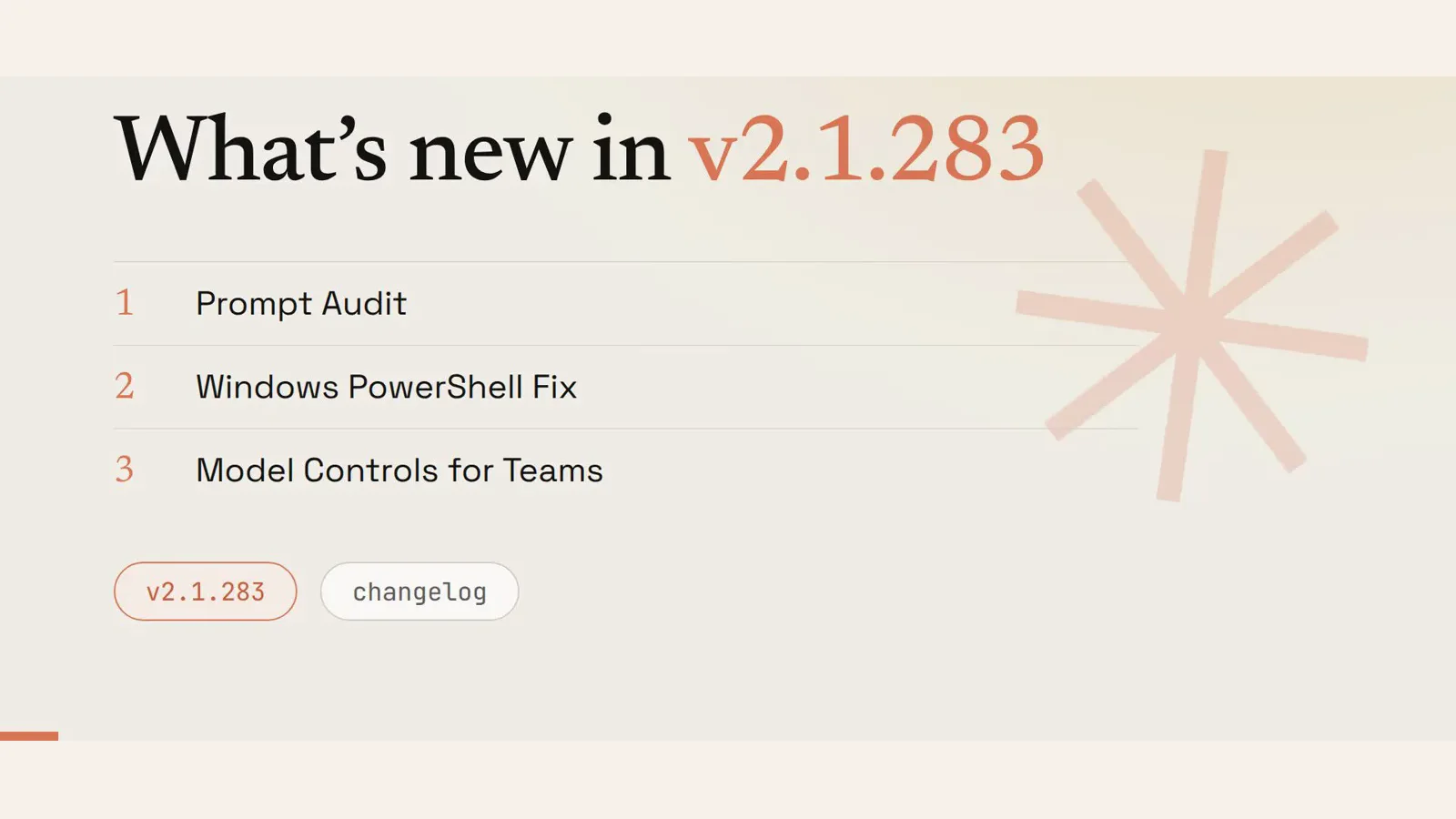
Prompt Audit is the first item in the 2.1.283 release, so a build without it cannot answer the command.Watch at 0:08 - 2
Understand why old prompt patterns need auditing
Instructions written for an earlier model accumulate in memory files, skills, agents and commands, and they keep shaping every session long after the model they were tuned for is gone. The audit exists to surface those stale patterns so you know exactly what to rewrite instead of guessing.
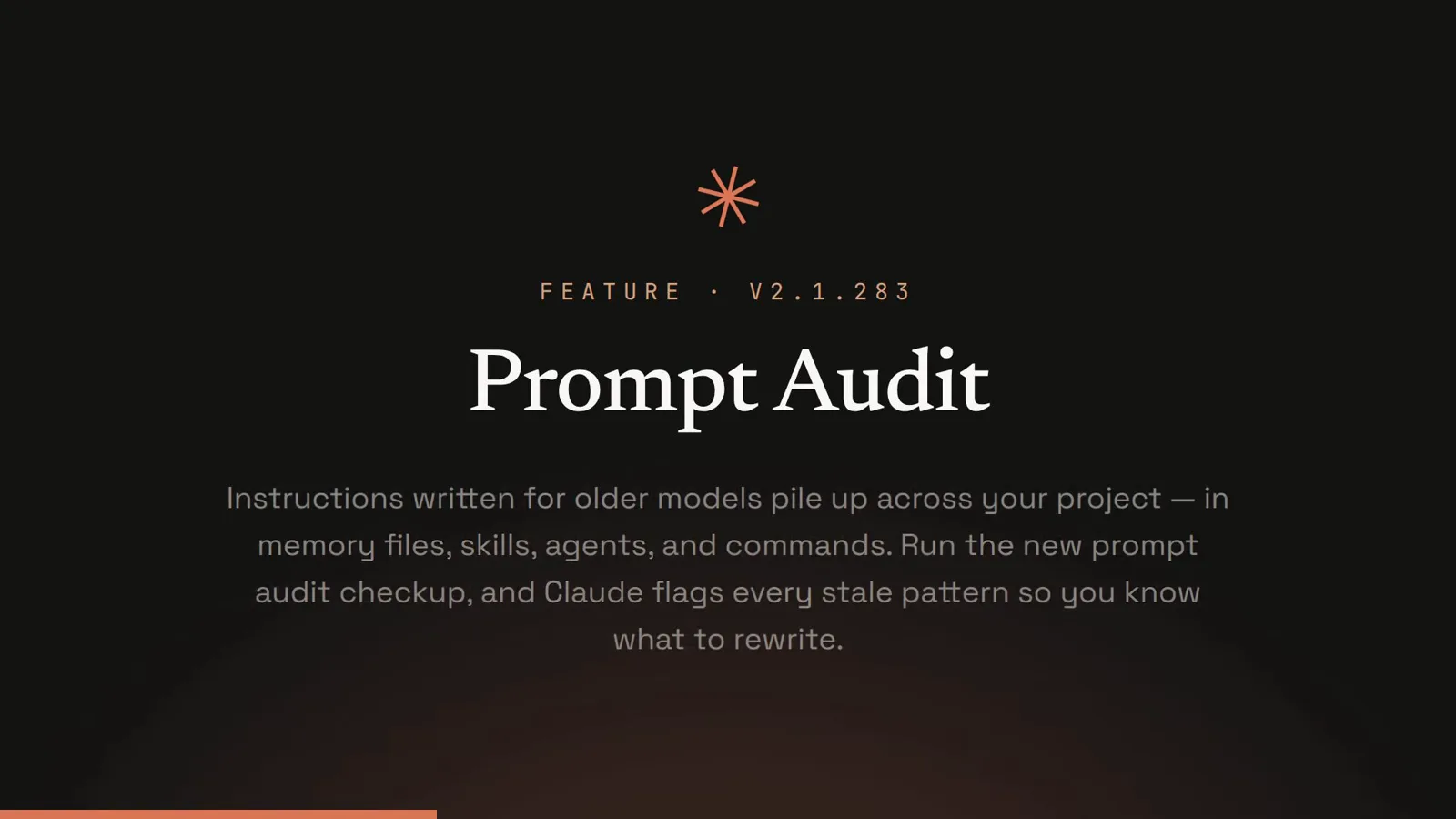
Stale guidance is invisible in day-to-day work — that is why it ships as an audit rather than a warning.Watch at 0:12 - 3
Learn the exact command and its scan scope
The command is /doctor prompt-audit, and /checkup prompt-audit is the same thing because /checkup is an alias of /doctor. Its scope is your Claude Code configuration: CLAUDE.md files, skills, agents and commands. It is a subcommand of the setup checkup, not a separate plugin or marketplace install.
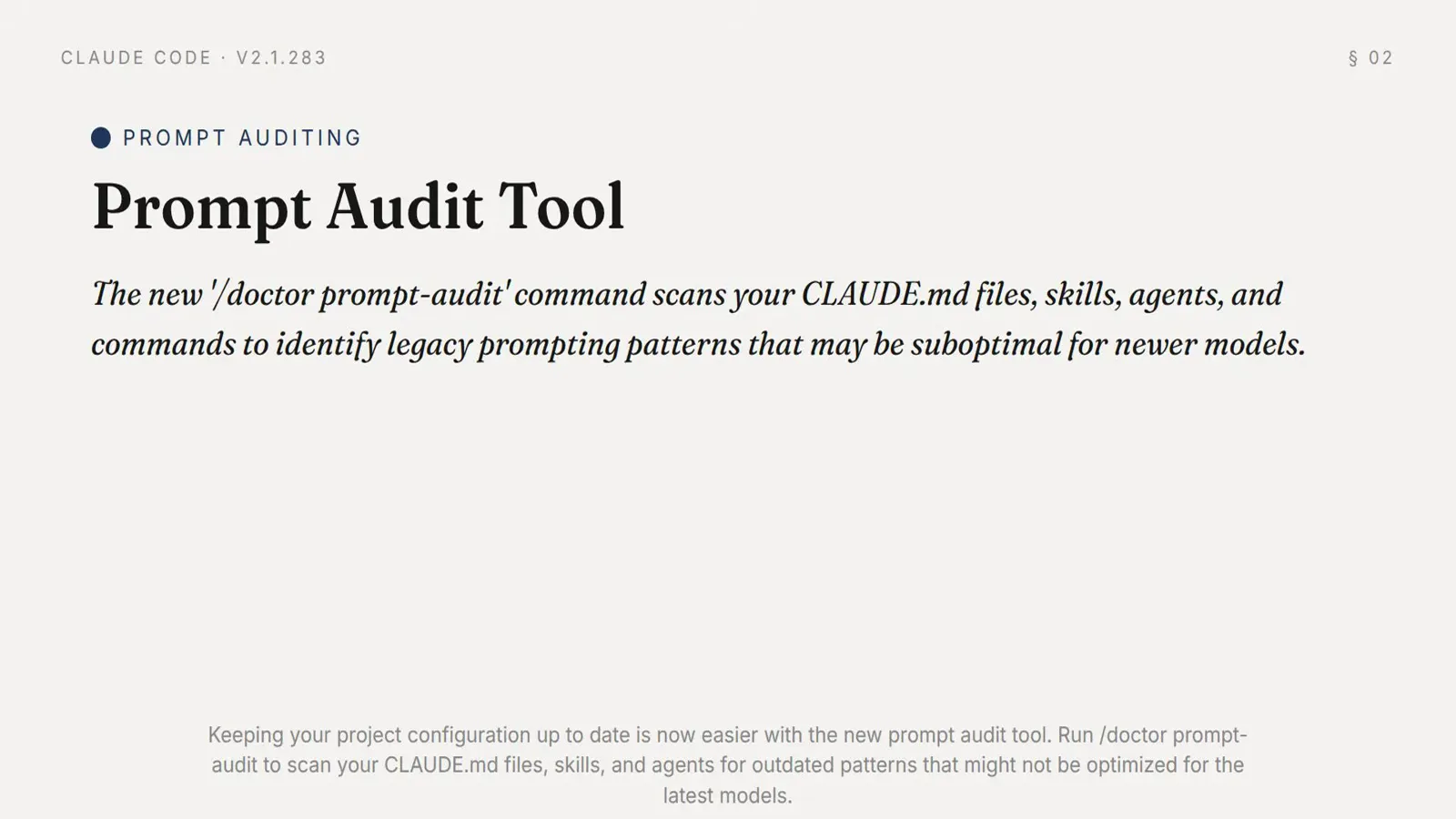
One argument on an existing command — there is nothing to install.Watch at 1:02
Run the audit in a live session
- 4
Open Claude Code in the project you want audited
Start the session in the project root. The audit reads the configuration that project actually loads, so a session opened in a parent folder will audit the wrong CLAUDE.md files. The header line confirms the directory and the model before you type anything.
The working directory in the session header is the scope of the audit.Watch at 1:00 - 5
Type the command and let it work read-only
Type /doctor prompt-audit at the prompt. The checkup states its method before it starts: it runs the health check read-only first and presents a report before changing anything. Expect several turns of file reads and shell commands while it gathers evidence — this is normal, not a hang.
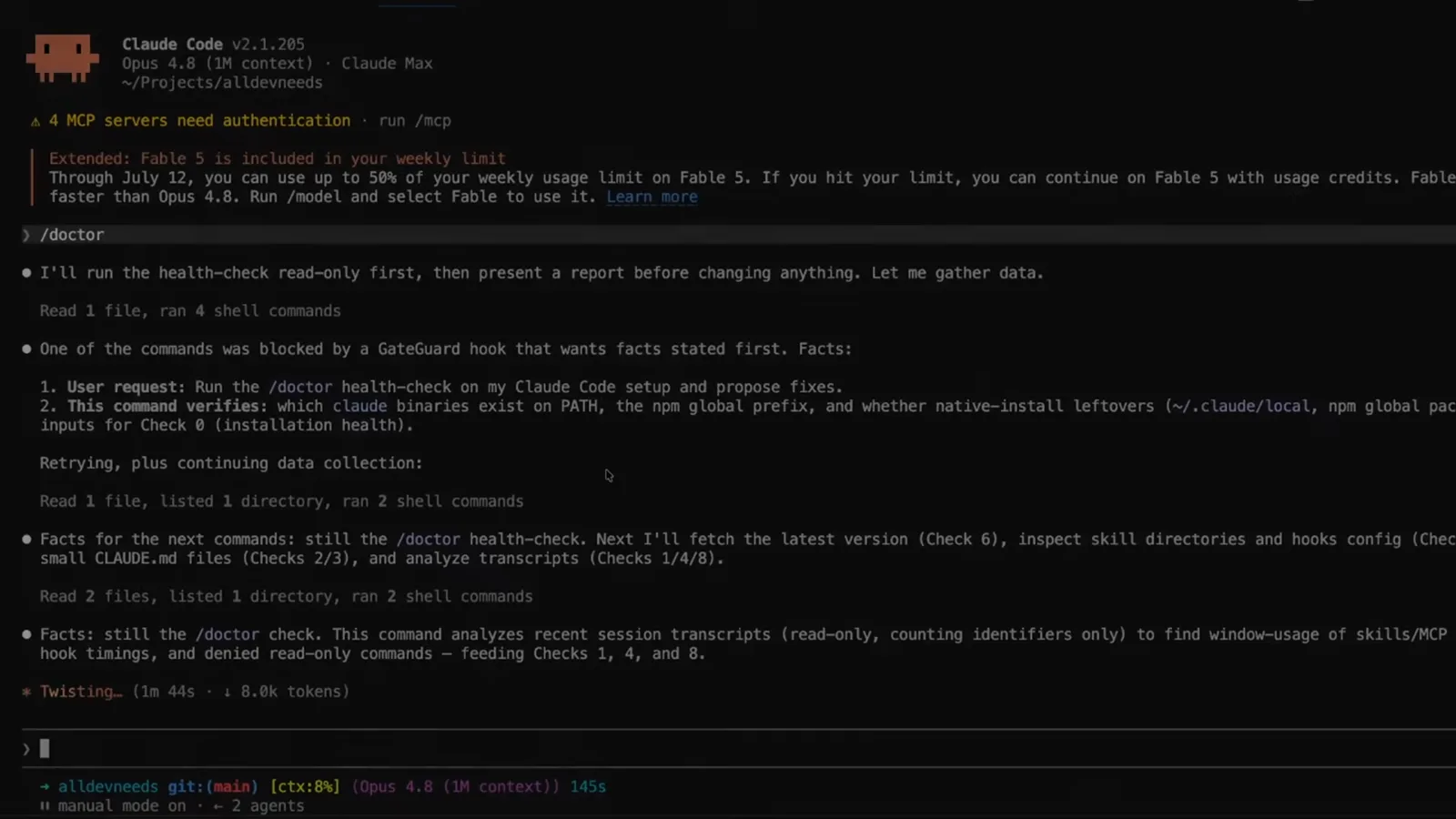
The read-only promise comes before any proposal, so nothing is written while it investigates.Watch at 0:30 - 6
Watch it gather facts for each check
The transcript shows which check each command feeds: the latest version for Check 6, skill directories and hook configuration for the extension checks, small CLAUDE.md files for Checks 2 and 3, and recent session transcripts for Checks 1, 4 and 8. If a hook blocks a command, the checkup restates the facts it needs and retries rather than failing.
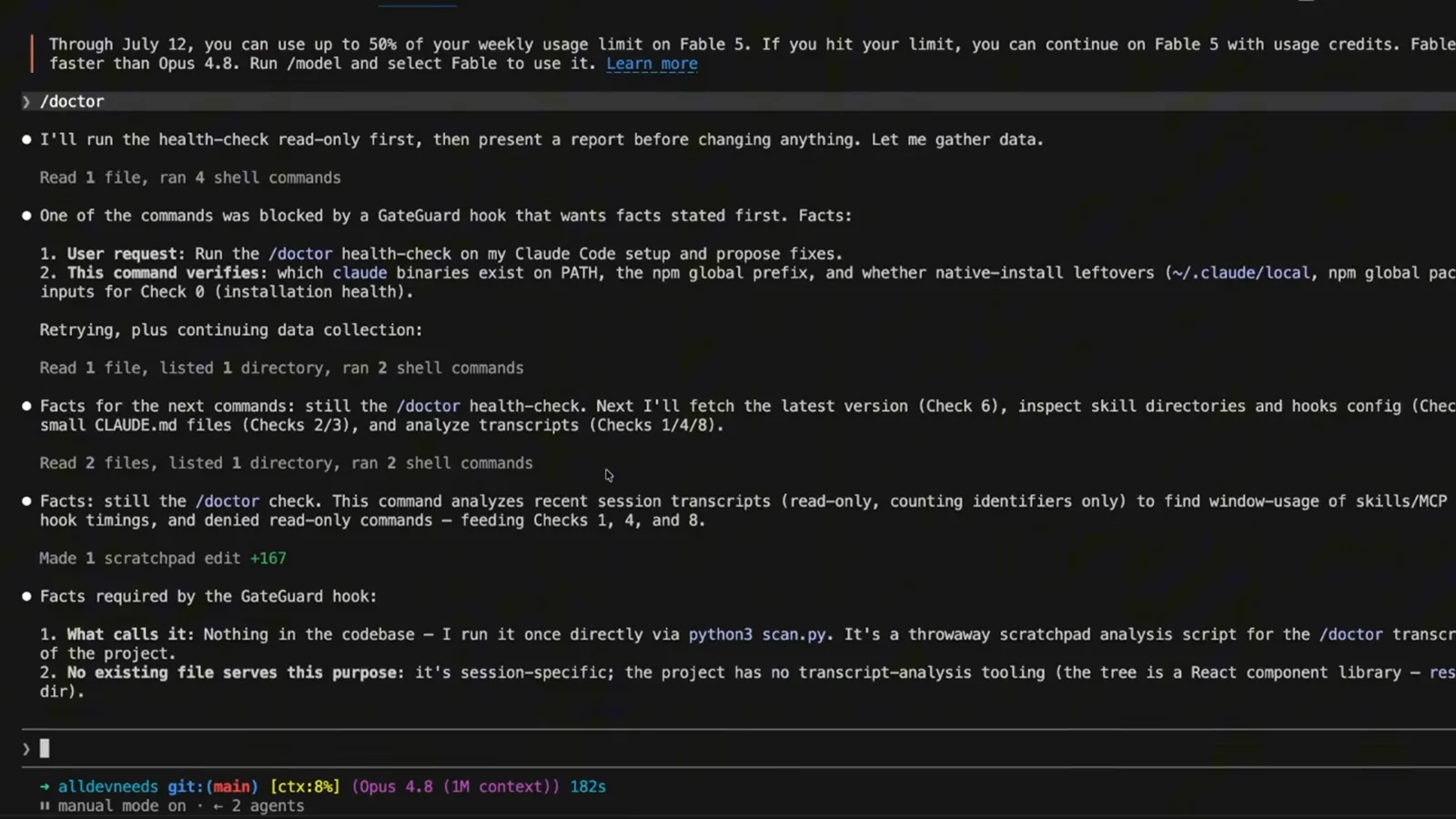
Every command it runs is accounted for against a numbered check.Watch at 0:36
Read the report
- 7
Know the nine checks the report can cover
Check 0 is setup health, Check 1 unused extensions, Check 2 LOCAL memory dedup, Check 3 migrating always-loaded content, Check 4 slow hooks, Check 5 context-heavy extensions, Check 6 version, Check 7 auto mode as the default permission mode, and Check 8 frequently denied read-only commands. For a prompt audit the instruction-file checks matter most: Check 2 finds personal notes that duplicate or contradict the team's checked-in guidance, and Check 3 moves rarely needed guidance out of the always-on context.
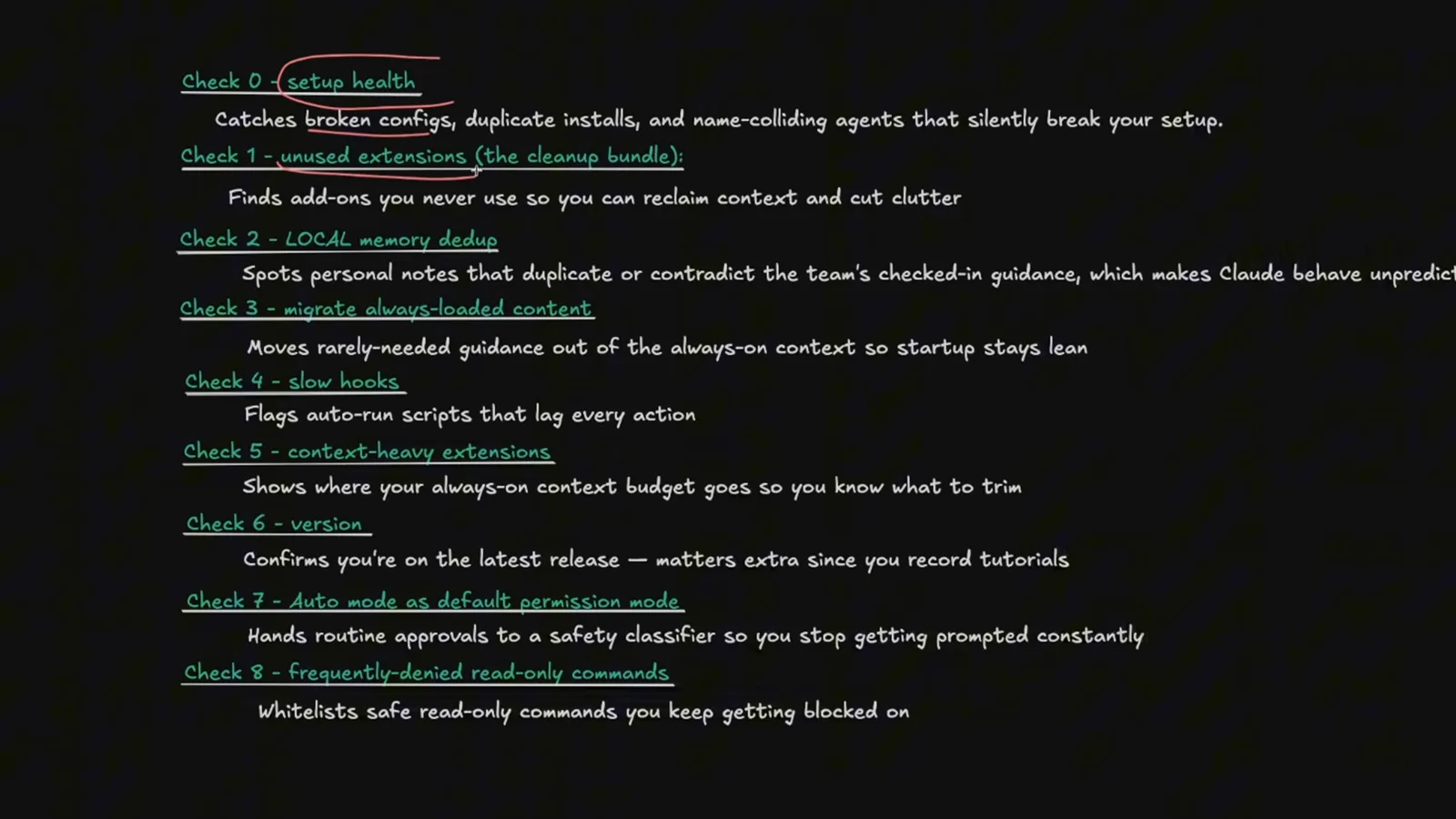
Checks 2, 3 and 5 are the ones that touch CLAUDE.md and other instruction files.Watch at 1:16 - 8
Read the Proposed actions section first
Proposed actions is the part of the report that would change files, and each entry names the file it edits and whether the change is reversible. A healthy check is marked and closed with No action, so you can see at a glance which of the nine checks found something and which found nothing.
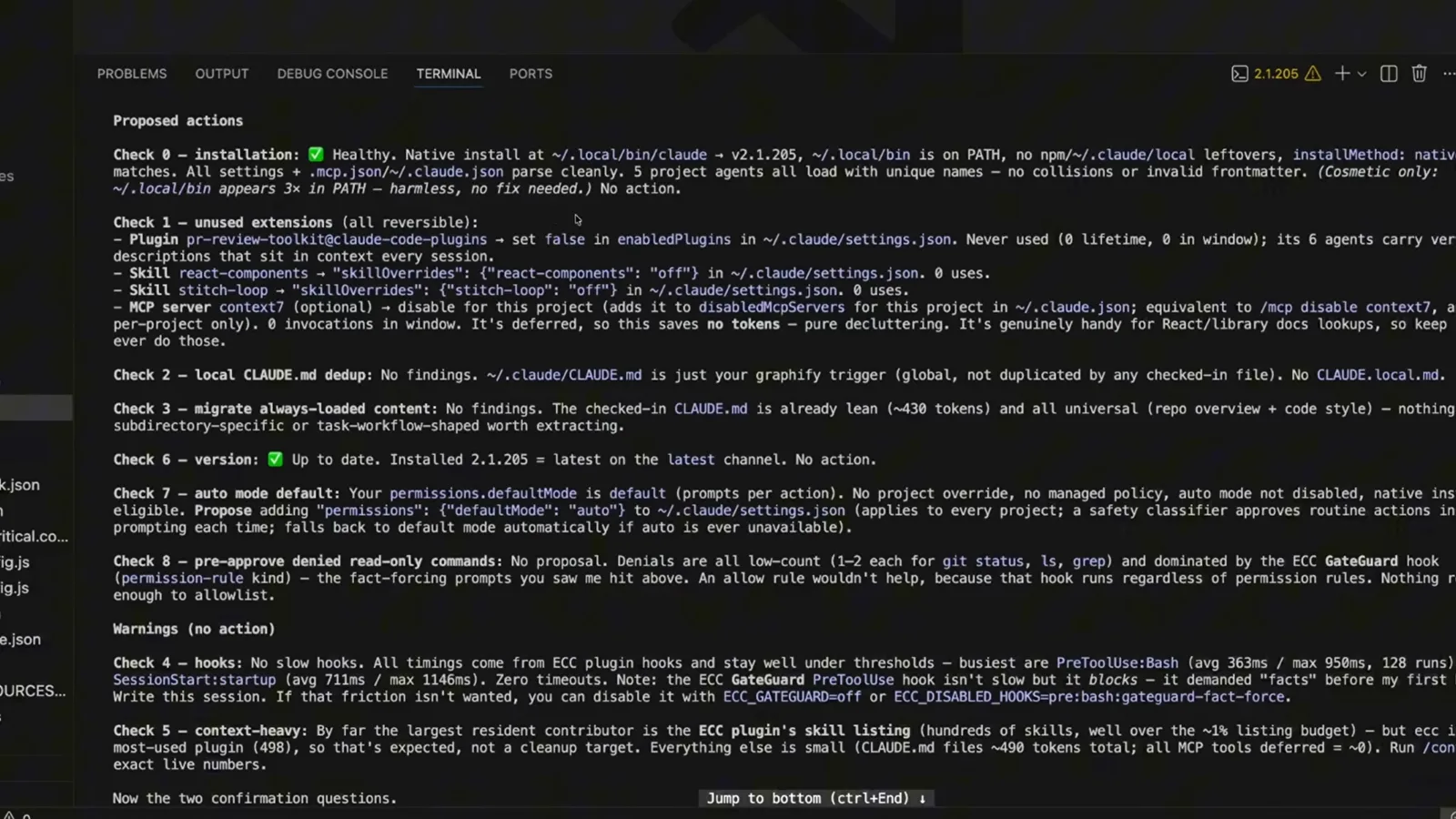
Read the file path in each proposal before you decide — that is where the edit lands.Watch at 0:40 - 9
Read the warnings and the two confirmation questions
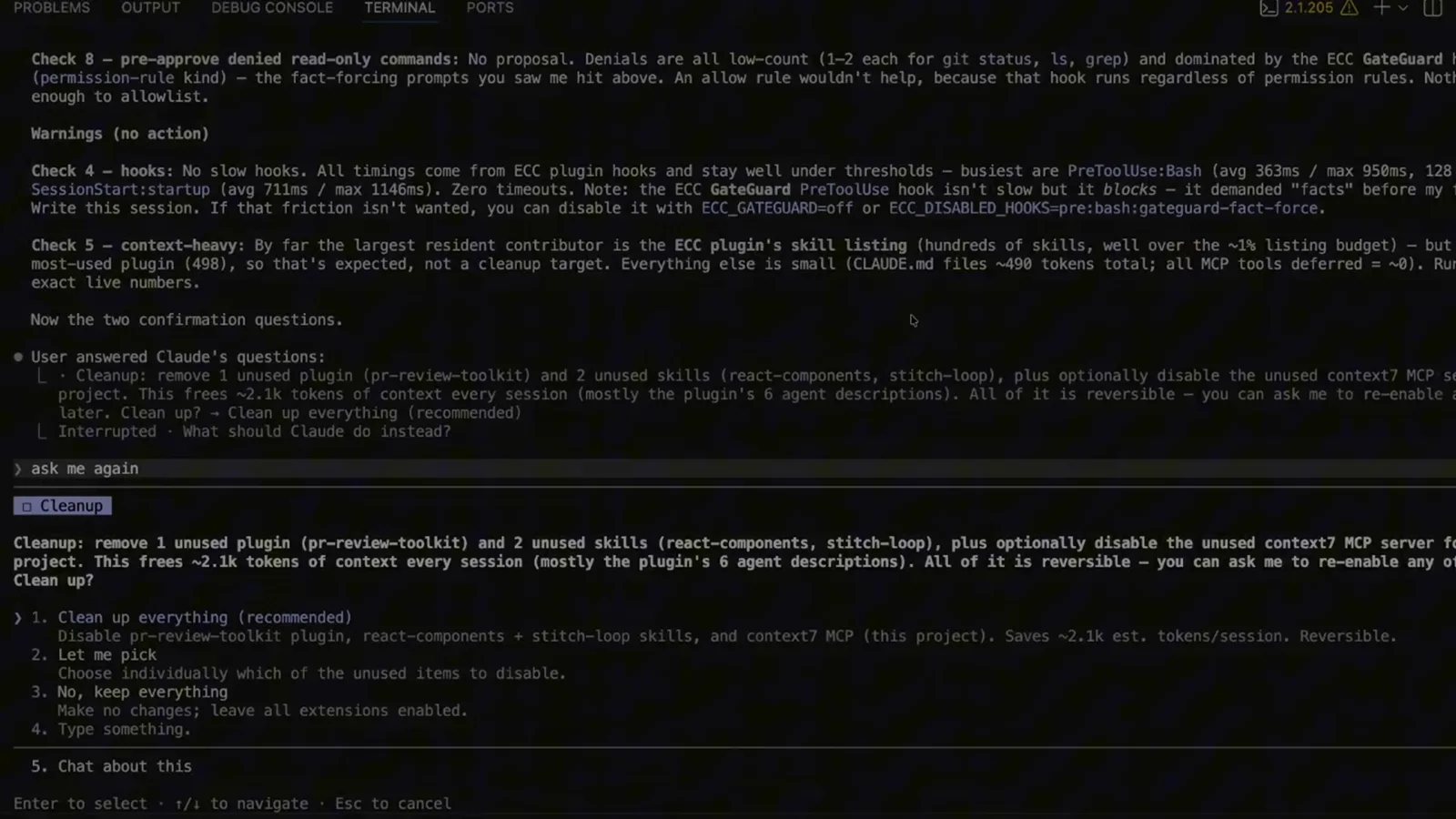
Below the proposals sits a Warnings (no action) block for what the audit measured but will not change — slow hooks and context-heavy extensions, with the measured numbers attached so you can judge them yourself. The report ends by putting its confirmation questions to you rather than assuming an answer.
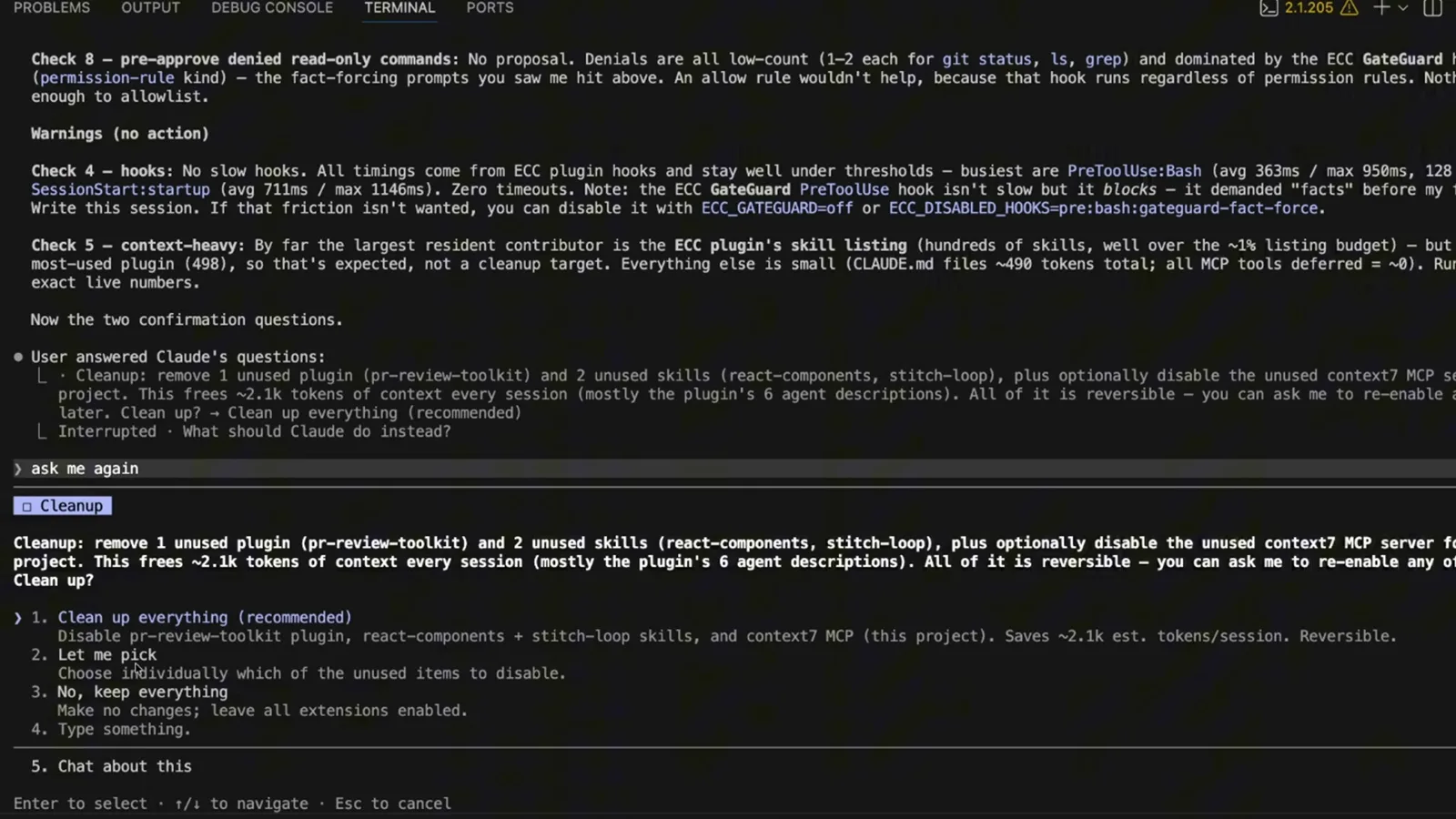
Warnings are measurements, not edits: they carry numbers, not proposals.Watch at 0:56
Approve and repeat
- 10
Approve, pick, or decline before anything is written
The checkup ends on a menu: clean up everything, let me pick, keep everything, type something, or chat about it. Choosing the recommended option applies every proposal, Let me pick walks the list item by item, and No, keep everything leaves every file untouched. Nothing is applied from the report alone.
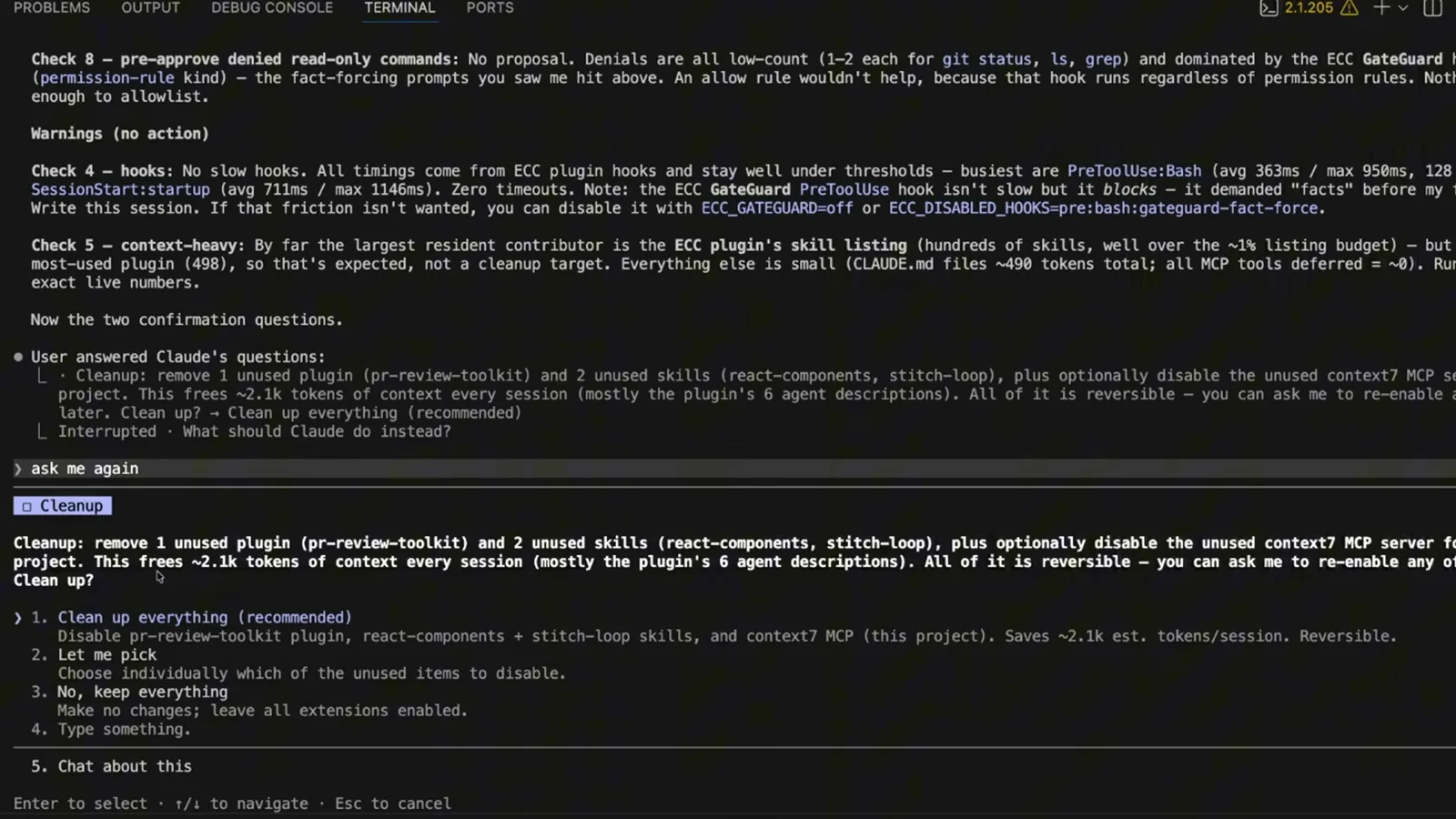
The default is a question, not an edit — that is the whole safety model.Watch at 0:52 - 11
Put the audit on a monthly reminder
The audit is cheap enough to repeat, but nothing in Claude Code will run it for you on a schedule: /schedule creates a cloud task and /loop only runs while the session is alive. The practical answer is a recurring calendar event that reminds you to run it again — monthly, or after a model upgrade that makes your old patterns obsolete.
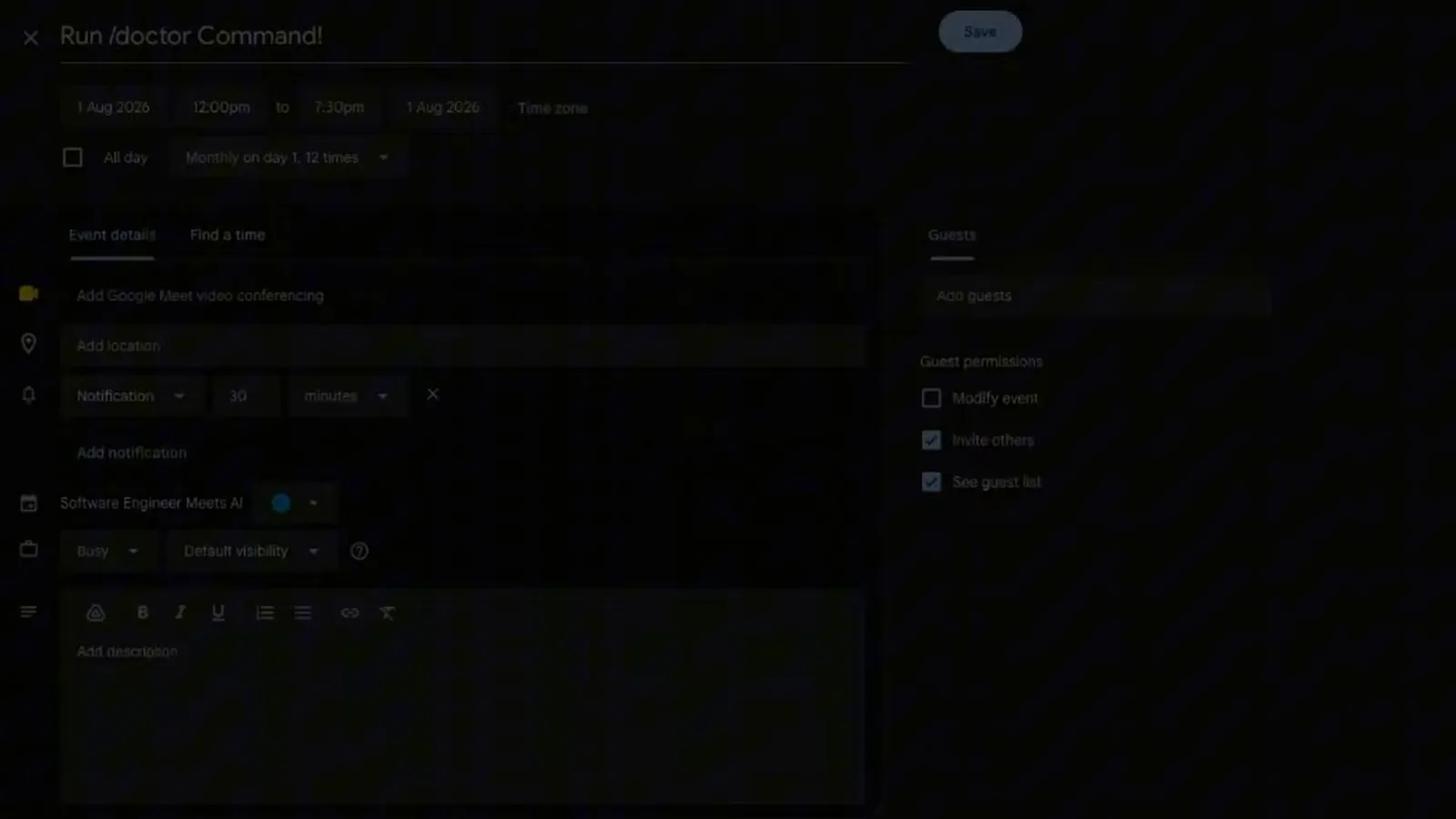
A monthly reminder is the only scheduler that survives restarts.Watch at 2:08
The five failures you will actually hit
Most reports of a broken prompt audit are one of these. Check them in order before assuming the command is missing.
- 1Unknown command or no prompt-audit entry — your build predates 2.1.283. Run claude --version, update with claude update, then start a fresh session so the new build loads.
- 2/checkup prompt-audit versus /doctor prompt-audit — these are the same command. /checkup is documented as the alias of /doctor, so either prefix reaches the same checkup skill.
- 3/claude-api prompt-audit is a different subcommand with a different target. It audits the prompts, skills and tool descriptions in your own Claude API application code and proposes fixes as a diff; it needs Claude Code 2.1.221 or later, not 2.1.283, and it will not look at your CLAUDE.md files.
- 4The audit reports nothing about your instruction files — either they really are lean, or they never loaded. Run /context to see which memory files and skills are actually in context, and confirm you started the session in the project root.
- 5You want a read-only pass with no session at all — run claude doctor in your terminal. It prints installation and settings diagnostics without starting a session, while the in-session /doctor is the version that can propose and apply fixes.