
Claude Opus 5.5 Prompts & Video Workflows
Curated collection of high-converting prompts for Claude Opus 5.5. Explore interactive HTML, single-file Canvas state machines, and code-driven video generation pipelines.
Browse by Category
Choose between code-driven artifact prompts and video generation motion pipelines.
Opus 5.5 — Code & Artifacts
Interactive explainers, Canvas/WebGL apps, SaaS demos, and architecture prompts built as single-file HTML or artifacts.
Opus 5.5 Video — Motion & Film
Motion graphics, UI morph loops, Manim explainers, and code-rendered films with Playwright, FFmpeg, and Remotion pipelines.
Featured Highlights
Most starred and highly reproduced community prompts.
Build a self-contained HTML lesson that animates token embeddings, multi-head attention weights, and feed-forward blocks with scrubbable timeline controls.
帮我使用 JavaScript 创建一个主题为「什么是 Transformer」的自包含交互讲解页面(可在浏览器中当作「视频式」分步播放,也可自由探索)。

要求:
1. 单个 HTML 文件,vanilla JS + Canvas 2D(必要时可用 SVG 叠层做文字),无外部图片/字体/视频模型。
2. 结构:输入句子 → Token 化 → Embedding + 位置编码 → 多头 Self-Attention(显示 Q/K/V 与 softmax 权重热力图)→ 残差与 LayerNorm → FFN → 输出 logits。每一步可点击或拖动时间轴 seek(t) 进入。
3. 交互:点击某个 token 高亮其对所有 token 的 attention 权重;切换 head 索引;显示数值矩阵的小窗(可缩放)。
4. 视觉:深色背景、高对比配色、等宽数字;动画用确定性函数计算,禁止 CSS transition 驱动核心数据。
5. 受众:有基础线性代数的大学生;附 3 条「看完应能解释」的学习目标。
6. 交付:完整源码 + 简短 README(如何本地打开、如何录屏导出 MP4 的建议帧率)。先渲染/预览前 20 秒等价的分步演示,检查公式与标签无溢出,再补全后续步骤。
One HTML file, one canvas, one draw(t): morph one element through 8–12 product UI states driven by a visible cursor with clicks, typing, and drag.

请先向我询问:
• 我的产品 + URL
• 8–12 个能讲述其产品故事的 UI 状态
• 每个状态中显示的真实数据(禁止编造指标)
• 品牌颜色 + 字体 + 强调色
• 所需格式(1:1, 16:9, 9:16)

然后交付:
一个 HTML 文件。一个 canvas。一个 draw(t) 函数。
无 CSS 过渡。无 setInterval 计时器。帧与帧之间不保留未在 draw(t) 中计算的隐藏状态。
单一形状,永不切割成多个独立图层:每个状态都是同一元素在改变大小、圆角和颜色,同时内部内容发生切换。
由光标驱动序列,包含真实的点击、输入和一次拖拽;光标位置与速度在最后一帧必须与第一帧完全一致(若做循环)。

技术约束:
- 所有几何与颜色由 seek(t) 闭式计算;弹簧用阶跃响应叠加,不用 bounce easing。
- 使用 Geist 或我提供的品牌字体栈;暖灰背景。
- 先输出分镜表(每状态 1 句核心信息 + 停留时长),再写代码。
- 先导出 5 秒低清预览,检查文字可读性与状态衔接,再完成全片。
Explain focus and depth of field by moving lens elements and the sharp plane through a scene via a focus-ring control.
请用 Opus 5.5 构建一个「交互式相机镜头实验室」单页应用,向摄影初学者解释对焦与景深。

功能:
1. 侧视简化的镜头组(多片透镜)+ 场景中有近、中、远三个物体(带尺寸标注)。
2. 对焦环(或滑块)连续可调:拖动时镜片间距/焦点位置变化,画面实时更新景深——只有落在焦平面上的区域清晰,其余呈现可理解的虚化(可用 CoC 近似,而非物理级 ray tracing)。
3. 显示辅助线:焦平面位置、hyperfocal 提示(可选开关)、当前 f-number 与焦距(可用预设档位)。
4. 无外部图片;图形用 Canvas 2D 绘制;所有状态由参数 t 或对焦距离 d 确定性计算。
5. 底部 3 条文字提示对应「对焦在近处/远处」时环应如何旋转;支持键盘左右微调。

交付 HTML + 内联 JS。先自测对焦环全行程无跳变,再在 390px 宽手机视口检查控件不重叠。
Staff-engineer system prompt for safe refactors: invariants, complexity budgets, test plans, and incremental PR slices.

我要重构以下模块 [粘贴路径/代码/性能问题描述]。请作为 Staff Engineer:

1. 用 5 条以内复述现状与目标(延迟、内存、可维护性)。
2. 列出必须保持的不变量与边界条件(含 3 个反例输入)。
3. 给出 2 种方案对比(复杂度、风险、测试成本),推荐其一。
4. 输出分 PR 的实施顺序,每个 PR 附测试清单与回滚方式。
5. 最后给出核心算法的伪代码与关键数据结构变更图(文字描述即可)。

禁止直接输出大段未解释的最终代码;先把计划写清楚,等我确认再写 Patch。
1440×1440 pure-time HTML UI loop: 8–12 states, closed-form springs, cursor-driven manipulation, NumPy beat grid, Playwright subframes + FFmpeg tmix.

Use the full template for a beat-synced UI morph loop rendered from a single HTML scene with Playwright and FFmpeg.

Inputs I will provide: 8–12 UI states, one accent color (or monochrome), and a royalty-free track near 120 BPM.

Visual rules:
- 1440×1440 warm-gray canvas, Geist typography.
- ONE continuously morphing shell (never cut into separate layers); content swaps inside with short blur only.
- Visible cursor causes EVERY click and drag; drags set values from cursor position while held, release springs from current state.
- Restrained springs and camera zooms; NO bounce easing, particles, glow, chrome gradients, mismatched icon weights, dead air, or template SaaS look.

Beat map (7 bars): button → loader → check → dynamic island → player play/pause → scrubber drag → overextended volume slider → toggle → liquid tab indicator → self-drawing chart + tooltips → command palette type/filter → Enter → toast → return to starting button.

Engine:
- Single HTML file; seek(t) computes ALL properties; no CSS transitions, no setInterval, no hidden frame state.
- Closed-form spring step responses with superposition for multi-step targets; independent edge springs for tabs/toggles.

Render:
- Analyze audio in NumPy; start on downbeat; UI clicks on measured peaks.
- Playwright: 4 subframes per output frame; FFmpeg tmix → 60fps motion blur.
- Before full render: one still per beat; fix off-grid timing and legibility; avoid will-change on camera-scaled nodes; separate in/out text timing; last frame MUST match first (cursor pos + velocity).
Résumé-quality 15s motion reel; creator gave full creative freedom—agent picks type, transitions, and music.
制作一段 15 秒的 dynamic motion-design showreel,用于设计师作品集。请尽情发挥(go all out):自主决定视觉系统、字体排印、转场语言和配乐(可用 Web Audio 生成或我提供的音轨)。

约束:
- 前两秒必须有强钩子;全程避免超过 0.4s 的静止。
- 结尾 1 秒留 memorable logo/type moment。
- 优先用代码渲染(Canvas/SVG/HTML),单文件或可复现渲染脚本。
- 先给 480p 预览 + 分镜表(时间码 + 画面描述),我确认后再出 1080p 母版。
All Prompts Library
Showing 30 prompts
Build a self-contained HTML lesson that animates token embeddings, multi-head attention weights, and feed-forward blocks with scrubbable timeline controls.
帮我使用 JavaScript 创建一个主题为「什么是 Transformer」的自包含交互讲解页面(可在浏览器中当作「视频式」分步播放,也可自由探索)。

要求:
1. 单个 HTML 文件,vanilla JS + Canvas 2D(必要时可用 SVG 叠层做文字),无外部图片/字体/视频模型。
2. 结构:输入句子 → Token 化 → Embedding + 位置编码 → 多头 Self-Attention(显示 Q/K/V 与 softmax 权重热力图)→ 残差与 LayerNorm → FFN → 输出 logits。每一步可点击或拖动时间轴 seek(t) 进入。
3. 交互:点击某个 token 高亮其对所有 token 的 attention 权重;切换 head 索引;显示数值矩阵的小窗(可缩放)。
4. 视觉:深色背景、高对比配色、等宽数字;动画用确定性函数计算,禁止 CSS transition 驱动核心数据。
5. 受众:有基础线性代数的大学生;附 3 条「看完应能解释」的学习目标。
6. 交付:完整源码 + 简短 README(如何本地打开、如何录屏导出 MP4 的建议帧率)。先渲染/预览前 20 秒等价的分步演示,检查公式与标签无溢出,再补全后续步骤。
One HTML file, one canvas, one draw(t): morph one element through 8–12 product UI states driven by a visible cursor with clicks, typing, and drag.
请先向我询问:
• 我的产品 + URL
• 8–12 个能讲述其产品故事的 UI 状态
• 每个状态中显示的真实数据(禁止编造指标)
• 品牌颜色 + 字体 + 强调色
• 所需格式(1:1, 16:9, 9:16)

然后交付:
一个 HTML 文件。一个 canvas。一个 draw(t) 函数。
无 CSS 过渡。无 setInterval 计时器。帧与帧之间不保留未在 draw(t) 中计算的隐藏状态。
单一形状,永不切割成多个独立图层:每个状态都是同一元素在改变大小、圆角和颜色,同时内部内容发生切换。
由光标驱动序列,包含真实的点击、输入和一次拖拽;光标位置与速度在最后一帧必须与第一帧完全一致(若做循环)。

技术约束:
- 所有几何与颜色由 seek(t) 闭式计算;弹簧用阶跃响应叠加,不用 bounce easing。
- 使用 Geist 或我提供的品牌字体栈;暖灰背景。
- 先输出分镜表(每状态 1 句核心信息 + 停留时长),再写代码。
- 先导出 5 秒低清预览,检查文字可读性与状态衔接,再完成全片。
Explain focus and depth of field by moving lens elements and the sharp plane through a scene via a focus-ring control.
请用 Opus 5.5 构建一个「交互式相机镜头实验室」单页应用,向摄影初学者解释对焦与景深。

功能:
1. 侧视简化的镜头组(多片透镜)+ 场景中有近、中、远三个物体(带尺寸标注)。
2. 对焦环(或滑块)连续可调:拖动时镜片间距/焦点位置变化,画面实时更新景深——只有落在焦平面上的区域清晰,其余呈现可理解的虚化(可用 CoC 近似,而非物理级 ray tracing)。
3. 显示辅助线:焦平面位置、hyperfocal 提示(可选开关)、当前 f-number 与焦距(可用预设档位)。
4. 无外部图片;图形用 Canvas 2D 绘制;所有状态由参数 t 或对焦距离 d 确定性计算。
5. 底部 3 条文字提示对应「对焦在近处/远处」时环应如何旋转;支持键盘左右微调。

交付 HTML + 内联 JS。先自测对焦环全行程无跳变,再在 390px 宽手机视口检查控件不重叠。
Fast, entertaining line-art recap of Chinese history with era beats, readable labels, and music-synced transitions.
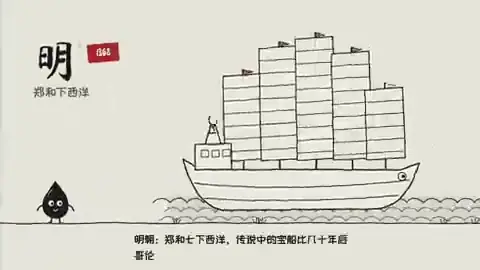
制作一支 engaging、light、entertaining 的 line-art 动画,快速回顾中华五千年历史,并配上合适的背景音乐(可使用 Web Audio 生成简单氛围或预留我提供的音轨接口)。

要求:
1. JavaScript + Canvas 2D,单 HTML;无外部插画素材。
2. 先给出时代大纲(朝代/时期 + 1 句关键词),再映射到时间轴镜头:每次时代切换有独特转场(卷轴、印章、河流等 metaphor 任选但需统一线宽)。
3. 字幕:中文为主,关键年代与人物名必须可读;禁止堆砌无法辨认的小字。
4. 事实:列出可能有争议或需我确认的 5 条史实假设;不要把未核对细节写成定论。
5. 输出可重复渲染的 draw(t) 或帧序列命令,并说明如何用 FFmpeg 从帧序列合成 MP4。
Self-contained pixel platformer at low logical resolution, integer scaling, fixed palette, pooled particles, 60 Hz fixed step.
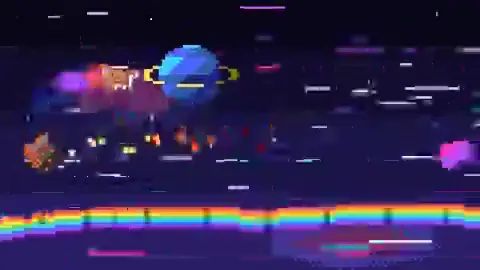
Create a self-contained retro pixel-art adventure platformer in one offline HTML file with vanilla JavaScript and Canvas 2D.

Specs:
- Logical resolution 160×90 (or 128×96); integer-scale to fit window; imageSmoothingEnabled = false; all drawing on integer coords.
- Fixed ~32-color palette; no gradients, rotation blur, or antialiasing cheats.
- Player: 12×8-ish sprite with idle/run/jump/fall cycles (quantized 8–12 fps feel on 60 Hz sim).
- One small dungeon level: tiles, crates, spikes, key-door, 2 enemy types with simple AI states.
- Physics: AABB grid collision, variable jump height, coyote time, jump buffer.
- Juice: screen shake, dust particles (pooled), hit stop 2 frames.
- UI: minimal hearts, coin count; restart on R.
- Deliver playable build + comment where to extend levels. Test Chrome desktop 1280×720. No external assets.
Marketing landing with animated hero background, feature cards reacting to pointer, and CTA wired to real product copy (no fabricated metrics).
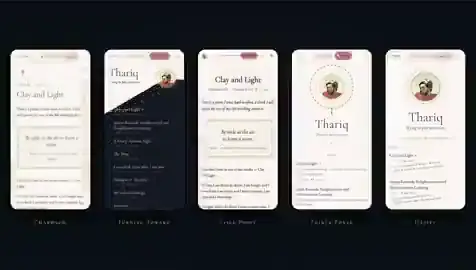
请根据我提供的 SaaS 产品说明 [粘贴名称、一句话定位、3 个真实功能、Logo 色] 制作一个现代 Landing Page(单 HTML 或 HTML+CSS+JS,可内联 Tailwind CDN)。

结构:
- Hero:动态背景(Canvas 2D 噪声网格或 CSS gradient animation),主标题 + 副标题 + 双 CTA(Primary/Secondary)。
- 3 张交互卡片:hover 时轻微 3D tilt(transform)与图标 loop 动画;内容必须对应真实功能,禁止虚构客户数/评分。
- Social proof 区:仅使用我提供的引用或留 placeholder 并标注「需替换」。
- Pricing teaser:链接到 #pricing 锚点。

约束:移动端优先;Lighthouse 友好;支持 prefers-reduced-motion 关闭动画;暗色模式 optional。
交付源码 + 列出仍需产品/法务核实文案。
Staff-engineer system prompt for safe refactors: invariants, complexity budgets, test plans, and incremental PR slices.
我要重构以下模块 [粘贴路径/代码/性能问题描述]。请作为 Staff Engineer:

1. 用 5 条以内复述现状与目标(延迟、内存、可维护性)。
2. 列出必须保持的不变量与边界条件(含 3 个反例输入)。
3. 给出 2 种方案对比(复杂度、风险、测试成本),推荐其一。
4. 输出分 PR 的实施顺序,每个 PR 附测试清单与回滚方式。
5. 最后给出核心算法的伪代码与关键数据结构变更图(文字描述即可)。

禁止直接输出大段未解释的最终代码;先把计划写清楚,等我确认再写 Patch。
Animated SVG + minimal JS dashboard: line/area/bar charts with scrubber, tooltips, and theme tokens—no charting CDN required.

构建一个单文件 HTML「动态 SVG 仪表盘」,展示我提供的 CSV 样例数据 [或生成可替换的 mock 数据,字段需文档化]。

必须包含:
1. 至少 3 种图表:折线(带 scrubber 竖线)、堆叠面积、横向条形图;全部 SVG 绘制,不用 Chart.js/ECharts。
2. 主题:CSS 变量(oklch 或 hsl)驱动颜色;暗色/亮色切换。
3. 动画:数据切换时 path 使用 interpolate(≤400ms);prefers-reduced-motion 时禁用。
4. 交互:hover 显示精确数值;点击图例过滤系列。
5. 布局:1280 宽桌面 + 375 宽单列折叠。

交付完整 HTML,并在注释中说明如何把 CSV 解析接入。
Orchestrator prompt defining roles, handoff JSON schema, shared memory, and conflict resolution for parallel subagents.
设计一个「多智能体协作」编排方案,用于完成 [项目目标,例如:从 Figma 到可部署 Next 站]。

输出:
1. 角色表:Researcher / Implementer / Reviewer / QA(可增减),每角色工具权限与禁止事项。
2. Handoff 协议:JSON schema(status, artifacts[], open_questions[], next_owner)。
3. 并行策略:哪些任务可并行、哪些必须串行;最大并行度 3。
4. 共享记忆:文件路径约定(docs/agent-state.json)与冲突合并规则。
5. 终止条件:Definition of Done + 必须通过的检查(typecheck, lint, e2e smoke)。

给 Orchestrator 的首条用户消息模板(可直接复制)和 2 个 failure 恢复剧本(agent 超时、结论互相矛盾)。
Educational animation template: assumptions, force diagrams, step-by-step algebra synced with labels—reuse atmospheric-circulation workflow shape.
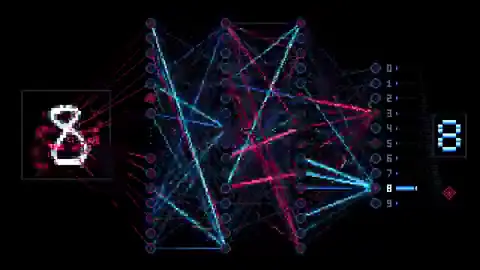
沿用「高中地理大气环流 line-art 讲解片」的制作方式,但主题换成以下物理竞赛题:

[粘贴完整题目与标准答案若已知]

要求:
1. 先列已知/未知/假设(显式写出近似条件)。
2. 受力图或几何图逐元素出现;每一步推导写清公式编号,动画与标注同步。
3. Canvas 2D 线稿风格,轻音乐;可选 TTS 接口占位(.env + TTS.md 模式,不读取密钥文件)。
4. 结尾 10 秒:数值代入与量纲检查;列出「人工必须复核」的步骤。
5. 输出源码 + 分镜时间轴 + 最终答案;手机竖屏检查公式可读性。
Standalone WebGL island with rigged dinosaurs, water volume, day/night, and user controls—Chrome-ready single HTML.

Create one standalone Three.js/WebGL HTML file: a polished miniature prehistoric island.

Include: varied terrain, forest, waterfall, pond, volcano, research station, nests, transparent underwater cross-section with seabed life.
Dinosaurs and pterosaurs with hierarchical rigs, stance/swing gait, terrain sampling, IK, weight shifts, obstacle-safe paths—no sliding or floating.
Water: deep visible volume, waves, Fresnel, caustics, foam; fix transparency sorting.
Controls: orbit/zoom/follow, feeding, drinking/resting, hatching demo, day/sunset/night, weather, pause/reset.
UI: compact responsive panel; audio only after user gesture.
Performance: instanced vegetation, restrained postprocessing.
Deliver index.html (+ inline or single bundle). Verify in desktop Chrome: console clean, all controls exercised.
Single HTML procedural underwater scene with caustics, ruins, and camera drift; refined through verification loops.
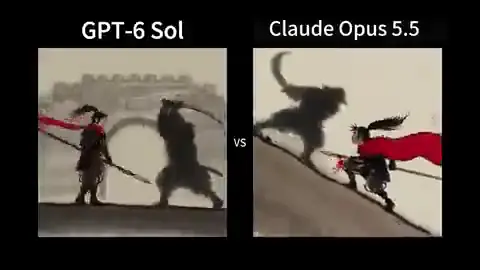
Generate a cinematic Antikythera underwater exploration scene entirely in one HTML file with Three.js.

Requirements:
- Procedural geometry for ruins, mechanisms, sand, bubbles; no external models.
- Volumetric-feel lighting: god rays, caustics animation, particulate matter.
- Slow camera dolly with parallax; optional mouse orbit limited ±15°.
- Procedural audio hum (Web Audio) gated by user click.
- Deterministic seed for replay; expose seed in query string.
Process: render 5 contact-sheet stills at different times; fix z-fighting and exposure; then deliver final HTML.
Turn a hand-drawn sketch into an interactive 2D physics toy: adjustable arm length, payload mass, and trajectory plot.
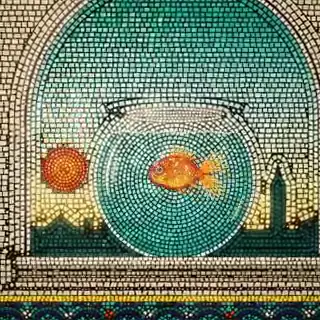
我会上传一张投石机/弹射器草图 [或描述结构]。请在单 HTML Canvas 2D 中重建可交互模拟:

- 可调参数:臂长、配重质量、发射角、摩擦系数(滑块 UI)。
- 物理:简化刚体 + 能量守恒检查;发射后绘制轨迹 dotted line 与落点标记。
- 「发射」按钮 + 重置;显示最大高度与射程估算。
- 视觉风格接近草图线稿但可交互;禁止外部图片。
- 列出简化假设与误差来源。先在 10 次随机参数下检查无 NaN。
Structured prompt to turn a paper abstract into Manim scenes with Kokoro/edge-tts narration and FFmpeg assembly.
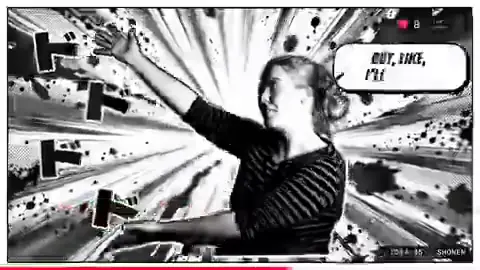
我提供一篇论文 PDF/链接 [粘贴]。请制作 3–5 分钟入门向 explainer 视频工程:

1. 先列 5 条核心 claim + 引用段落;标注需我确认的细节。
2. 选 Manim 做画面;旁白用 edge-tts 或 Kokoro(给出 install 命令);字幕来自同一份时间轴 SRT。
3. 分镜:motivation → method diagram → key equation step-by-step → limitation → takeaway。
4. 导出:manim 渲染命令、narration.wav、final.mp4 ffmpeg 命令。
5. 禁止把未经验证的公式当定论;公式动画每步停 1.5s 供阅读。
1440×1440 pure-time HTML UI loop: 8–12 states, closed-form springs, cursor-driven manipulation, NumPy beat grid, Playwright subframes + FFmpeg tmix.
Use the full template for a beat-synced UI morph loop rendered from a single HTML scene with Playwright and FFmpeg.

Inputs I will provide: 8–12 UI states, one accent color (or monochrome), and a royalty-free track near 120 BPM.

Visual rules:
- 1440×1440 warm-gray canvas, Geist typography.
- ONE continuously morphing shell (never cut into separate layers); content swaps inside with short blur only.
- Visible cursor causes EVERY click and drag; drags set values from cursor position while held, release springs from current state.
- Restrained springs and camera zooms; NO bounce easing, particles, glow, chrome gradients, mismatched icon weights, dead air, or template SaaS look.

Beat map (7 bars): button → loader → check → dynamic island → player play/pause → scrubber drag → overextended volume slider → toggle → liquid tab indicator → self-drawing chart + tooltips → command palette type/filter → Enter → toast → return to starting button.

Engine:
- Single HTML file; seek(t) computes ALL properties; no CSS transitions, no setInterval, no hidden frame state.
- Closed-form spring step responses with superposition for multi-step targets; independent edge springs for tabs/toggles.

Render:
- Analyze audio in NumPy; start on downbeat; UI clicks on measured peaks.
- Playwright: 4 subframes per output frame; FFmpeg tmix → 60fps motion blur.
- Before full render: one still per beat; fix off-grid timing and legibility; avoid will-change on camera-scaled nodes; separate in/out text timing; last frame MUST match first (cursor pos + velocity).
Résumé-quality 15s motion reel; creator gave full creative freedom—agent picks type, transitions, and music.
制作一段 15 秒的 dynamic motion-design showreel,用于设计师作品集。请尽情发挥(go all out):自主决定视觉系统、字体排印、转场语言和配乐(可用 Web Audio 生成或我提供的音轨)。

约束:
- 前两秒必须有强钩子;全程避免超过 0.4s 的静止。
- 结尾 1 秒留 memorable logo/type moment。
- 优先用代码渲染(Canvas/SVG/HTML),单文件或可复现渲染脚本。
- 先给 480p 预览 + 分镜表(时间码 + 画面描述),我确认后再出 1080p 母版。
Modern, slick, punchy launch video for an inference startup—hook, proof, payoff from real product assets.
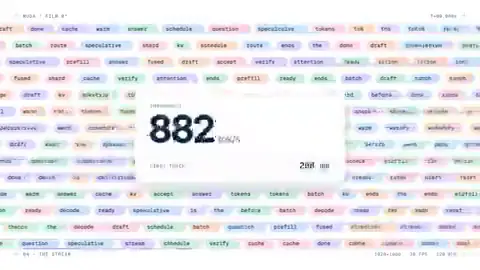
make a modern slick and punchy video for a modern startup that works on inference.

I will supply: product name, logo SVG/PNG, 3 UI screenshots, one-sentence value prop, brand colors.

Your tasks:
1. Turn this into hook (3s) → proof (latency/cost diagram, real UI) → payoff (CTA) for ~25s.
2. Do not invent customer logos, benchmarks, or compliance claims.
3. Render with Remotion or deterministic HTML/CSS animation; deliver MP4 + editable project if applicable.
4. Low-res preview first; list copy that legal must verify.
Manim + edge-tts derivative lesson; educational path with longest median preview among seven production routes.
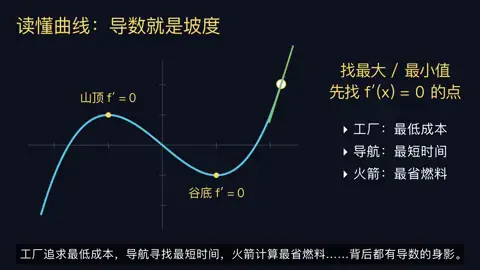
根据我提供的 [导数/积分] 课程提纲,做 3–5 分钟 Manim 微积分入门视频。

流程:
1. 列 3 项学习目标 + 引用来源;标注需确认的步骤。
2. 写逐镜讲稿:定义 → 几何直觉 → 极限式 → 求导法则示例 → 常见误区。
3. 用 Manim Community 渲染;旁白 edge-tts;生成 SRT 字幕与画面 lock。
4. 检查公式不被遮挡、字幕对齐、音轨不削波。
5. 交付:scene/*.py、render.sh、final.mp4、讲稿.md。若无法试听成片,标注「旁白需人工听审」。
Line-art lesson with music, bilingual subtitles, TTS via TTS.md + .env deny pattern—exportable final video.
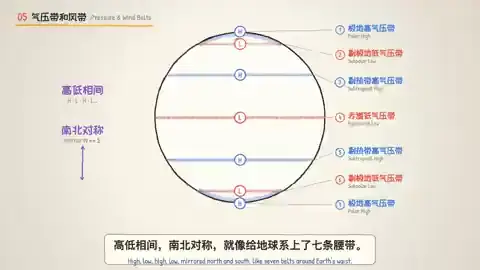
制作高中地理「大气环流」 engaging line-art 动画:轻松有趣、配乐、中英双语字幕、TTS 解说,最终可直接导出 MP4。

Setup:
- 我已将 TTS 接口文档放在 TTS.md;密钥在 .env(变量名 APIKEY, VOICE 等)。
- .claude/settings.json 含 "deny": ["Read(./.env)"] — 请用环境变量名调用 TTS,不要读取 .env 文件。

内容:三圈环流、信风、洋流示意;事实需准确;列出 3 条可能争议表述供我确认。
技术:JavaScript/Canvas 或 Remotion;旁白时间轴驱动字幕;接口支持时关闭 TTS 水印。
交付:源码、final.mp4、SRT、来源清单。
30s JS/HTML pour animation from empty glass; each ingredient and measurement appears as added.
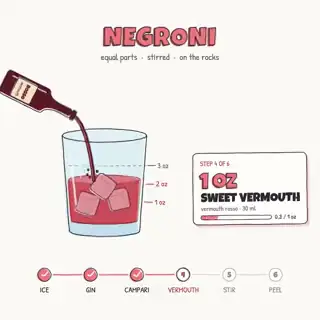
我会提供一张鸡尾酒参考图 + 精确配方(材料与 ml/oz)。

请用 JavaScript/HTML 做 30 秒 motion graphic:
- 从空杯开始;每加入一种原料,显示名称、用量与液体层动画(密度可分色)。
- 风格接近参考图的扁平/线面插画;无外部图片资源(程序化绘制)。
- 时间轴 seek(t) 可复现;给 render/capture 说明(Chrome headless 或 FFmpeg)。
- 核对倒入顺序与总量;先 720p 预览再 1080×1920 终版。
Résumé-quality reel from first president to present; broad creative freedom with surprise storyboard.

Create an impressive motion-graphics reel about Indonesia's history from its first president to the present — surprise me with the storyboard.

Requirements:
- Résumé-quality motion design; bold typography + archival-style abstract shapes (no unlicensed photos).
- Timeline with readable dates and president names; balance screen time across eras.
- Music-driven pacing; list factual claims for my review before final render.
- Deliver storyboard PDF/markdown, source project, and MP4.
4–5 min historically researched battle film in code; paintings as atmosphere reference; WebGL + narration pipeline.
Request a 4–5 minute cinematic film about the 1805 Battle of Austerlitz, rendered entirely in code.

Requirements:
- Deep research; historically accurate strategy narration; exceptional visuals—not a generic infographic or RTS look.
- I attach paintings for inspiration (scale, smoke, cavalry, formations, landscape chaos)—do NOT trace them literally.
- You control story structure, pacing, WebGL/Canvas visual language, terrain, troop movements, Kokoro (or similar) narration, synthesized SFX.
- Deliver repository: renderer, terrain data, ffmpeg pipeline, render README.
- Validate maneuvers timeline; 960×540 animatic before final 4K pass.
Keep audio, subtitles, duration; PiP speaker bottom-right; main frame replaced with concept-matched line-art B-roll (~30 shots).

Claude Code:safe mode,high effort,不加载外部 skill,不引入第三方素材。

输入:我提供的竖屏口播 MP4(唯一影像起点)。

要求:
- 原声、原字幕、总时长 100% 不变。
- 说话人缩到右下角圆形画中画,不得遮挡字幕。
- 主画面替换为 light humorous line-art B-roll,讲到什么概念画什么(Python 逐帧或矢量时间轴均可)。
- 按字幕切 ~30 镜头;每个切点检查对齐。
- 输出新文件名 MP4 + 改造计划表(时间段 → 原画面 → 新 B-roll 描述)。
公开说明:源片表演/声音仍来自原视频,不是从零生成。
Director + TECHNIQUE guides: brief, storyboard, deterministic Canvas/WebGL frames, timing, sound checks—MIT/CC BY pipeline.
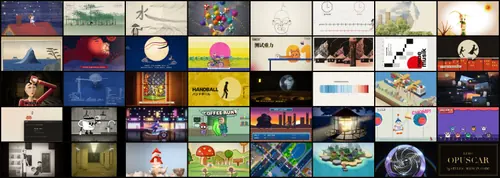
使用 lemo-opuscar 开源管线制作一支 code-rendered 短片(无视频生成模型像素)。

步骤:
1. 从 https://lemomo-ai.github.io/lemo-opuscar/ 选择一种 STYLE.md(说明视觉规则与 palette)。
2. 按 DIRECTOR.md 写 brief:受众、情绪、节拍、禁止元素。
3. 按 TECHNIQUE.md 建 storyboard → 时间轴 → 确定性 drawFrame(t) / WebGL pass;共享 timing 模块;音效峰值对齐 UI/切镜。
4. 参考 styles/*/demo/film.js 组织场景;输出 contact sheet 抽检。
5. 交付:film.js、assets 清单、MP4、署名与 LICENSE(MIT 代码 + CC BY 4.0 指南)。

主题我指定为:[填写 1 句话 logline]
Deterministic paper-cut engine: physics, rigs, offline render, contact sheets—snow/roofs/sea samples labeled Opus 5.5.

基于 Papermotion 引擎(https://github.com/francozanardi/papermotion)制作一支剪纸物理风定格动画短片,主题:[雪夜屋顶 / 海边纸浪 / 自选]。

要求:
- 使用仓库的 deterministic physics + character rigs;离线渲染帧序列。
- 分层纸材:阴影用 offset 层;关节用 pin 约束;风/重力参数可调。
- 生成 contact sheet 检查中间帧;运行 README 中的 sound check 流程。
- 输出 MP4 + 场景 JSON;在 credits 标明 Papermotion MIT 与素材来源。
- 参考 snow/roofs/sea 样片的 pacing,但不复制构图。
Real-time shallow-water WebGL capture; 3D/real-time graphics path—program capture vs video-model distinction.
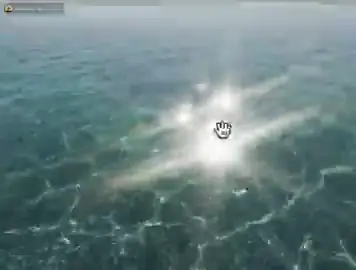
Create a "Clearwater" shallow-water simulation as a single HTML WebGL demo suitable for screen-recorded video.

Features:
- Height-field fluid step (stable timestep); reflective sky; caustics on floor; mouse click drops disturbances.
- Clean UI: pause, reset, viscosity slider.
- Optimize for 60fps on M1 GPU; no external textures (procedural noise).
- Include RECORD.md: recommended capture settings (OBS/Chrome flags), 10s hero shot storyboard.
- Public disclosure line: "Pixels from real-time WebGL program capture, not a video diffusion model."
Opus 5.5 asked for 90s motion-design demo with original piano score—composition left to agent per creator disclosure.

Ask Claude Opus 5.5 for a 90-second motion-design and sound-engineering demo with an original piano score.

Deliver:
- One continuous 90s MP4; visuals code-driven (vector/raster mix OK).
- Piano via Web Audio synthesis or rendered WAV stems; sidechain UI hits to piano rhythm.
- Chapters: intro typographic hit (0–8s) → rhythmic UI/audio visualizer (8–40s) → melodic bridge with spatial pans (40–70s) → finale logo + decay tail (70–90s).
- Mix to ~−14 LUFS integrated; document layers in mix.md.
- No external video models; list any sample packs if used.
128×96 integer-scaled wizard; IDLE→CHARGE→CAST→RECOVER; pooled particles; seamless loop—public X prompt specs.
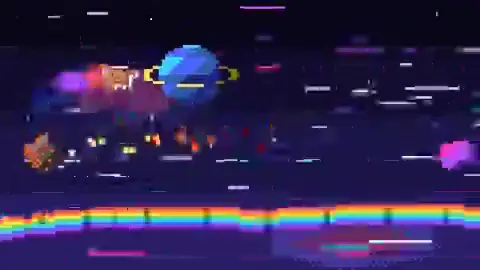
Create a self-contained pixel-art wizard animation in HTML with vanilla JavaScript and Canvas 2D.

Specs (from public creator prompt):
- Draw at 128×96 offscreen; integer-scale to window; smoothing off; integer coords; fixed ~24-color palette.
- Procedural ~24×32 wizard (hat, beard, robe, staff, gem); pose params interpolated then quantized to 8–12 fps sprite feel.
- Seamless state machine IDLE → CHARGE → CAST → RECOVER with staff motion, spiraling sparks, projectile, 1–2px shake.
- Preallocated particle pool; 60Hz update; zero allocations in loop.
- Minimal night scene + rim light; record 4s loop MP4 via capture instructions.
160×90 orange sprite on seven-color sinusoidal road; meteors/beams; near-miss dodge loop to BOOST→WARP seam.
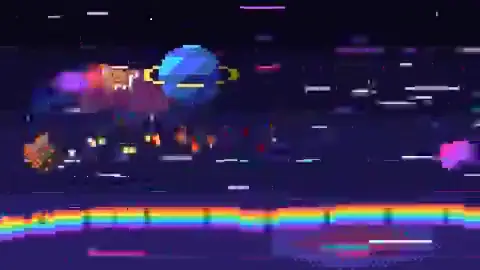
用 JavaScript + Canvas 2D 制作一支 [45] 秒、[16:9] 的 pixel 短片:橙色四足角色在 cosmic rainbow road 上躲避 meteor 与 laser(可 loop 为无缝片头)。

硬规格:
- 单个离线 HTML;160×90 逻辑分辨率;整数倍放大;关闭平滑;整数坐标;~32 色固定色板;禁止渐变/旋转模糊/抗锯齿。
- 12×8 橙色精灵;四帧 run cycle;七色 sin 道路 + 三层视差星空。
- 确定性攻击序列:jump / double-jump / slide / rainbow dash;near-miss 定格 + 轻 shake。
- 状态机 RUN→WARN→DODGE→NEAR_MISS→…→BOOST→WARP 接回第一帧;粒子池 + 60Hz 固定步进;循环零分配。
- 先渲染 5 秒样片检查轮廓与循环缝,再整段导出 MP4。
Reusable survey template from awesome-opus-5-5-videos path #1: storyboard, deterministic frames, 5s sample first.
用 JavaScript + Canvas 2D 制作一支 [45] 秒、[9:16] 的短片,主题是 [主题],面向 [受众]。

不要使用外部图片、视频、字体或视觉模型;可用的音效来源仅为 [自己生成的 Web Audio / 我提供并有权使用的音频列表]。

先给我 6–8 个镜头的分镜,每镜写明开始/结束时间、画面主体、动作、字幕和转场。确定一个角色造型与有限配色,在全片保持一致。

把画面绘制为确定性帧,输出一个可重复渲染的源文件和 MP4。先渲染前 5 秒样片,检查文字溢出、角色连续性和运动速度;修正后再渲染整片。最后列出确实使用的素材、代码文件、音轨和人工尚需复核的问题。
Build & Preview Artifacts Immediately
Take any prompt from this directory and test it in our interactive builder. Generate full-stack React components or preview Claude/DeepSeek single-file artifacts with one click.
Frequently Asked Questions
Everything you need to know about using Claude Opus 5.5 prompts and video pipelines.
What makes Claude Opus 5.5 exceptional at code-driven animations and HTML videos?
Opus 5.5 excels at spatial reasoning and closed-form mathematical state functions. Instead of hallucinating unrenderable styling, it can produce single-file HTML state machines using seek(t) functions, direct Canvas 2D frame drawing, and deterministic spring physics without external dependencies.
How should I structure prompts to prevent UI bugs and timing drift?
Specify constraints explicitly: 1) Require a single continuous HTML file with a Canvas element; 2) Prohibit CSS transitions, timers, and carried state between frames; 3) Mandate that every scene property is computed deterministically from time t; 4) Ask for a 5-second low-resolution preview before rendering the full sequence.
How do I export the resulting HTML or Canvas animation to an MP4 video?
Use headless browser automation (Playwright/Puppeteer) to step through time increments, snapshot subframes, and combine them with FFmpeg (e.g. ffmpeg -framerate 60 -i frame_%04d.png -filter_complex tmix output.mp4) for natural motion blur and audio synchronization.