
Claude Code Sandbox Tutorial: /sandbox Setup Guide
Run /sandbox, choose auto-allow, and put every bash command inside an OS-enforced boundary — with the real settings keys, not folklore. 12 steps verified against the official docs.
TL;DR
- The /sandbox command opens a panel with Mode, Overrides and Config tabs. Auto-allow mode runs sandboxed bash commands with no permission prompt; regular permissions keeps every prompt.
- The boundary is enforced by the kernel, not by prompts: Seatbelt on macOS, bubblewrap on Linux and WSL2. Native Windows and WSL1 are not supported.
- Sandboxed commands can write only to your working directory, a per-user temp directory, and --add-dir paths. Network traffic goes through a proxy that pre-allows no domains.
- Reads are not blocked by default — ~/.ssh and ~/.aws stay readable until you add sandbox.credentials rules. The VS Code Sandbox dialog shipped in v2.1.280.
Claude Code Sandbox Explained
Channel:The Art of Vibe Coding4:29
How auto mode works with Claude Code
Channel:Claude5:42
Configure the sandboxed Bash tool (official docs)
Docs:code.claude.com
The first video is a motion-graphics explainer — its frames on this page are stylized illustrations, not screenshots, and a few of its claims are corrected in the steps below (credentials are readable by default; its sample settings keys don't match the real ones). The second video is Anthropic's official recording; only its real terminal and settings UI is used.
Facts checked against code.claude.com/docs/en/sandboxing and the anthropics/claude-code CHANGELOG (v2.1.280–2.1.283). Stills quote brief excerpts from the recordings for commentary.
Set up the Claude Code sandbox in 12 steps
Understand the boundary
- 1
Recognize the approval-fatigue problem
Without the sandbox, every suggested command stops for a y/n: npm install, git status, then the next one. Anthropic measured that 97% of Claude Code permission requests get approved, which is exactly why the sandbox moves the check out of each command and into a boundary you configure once.
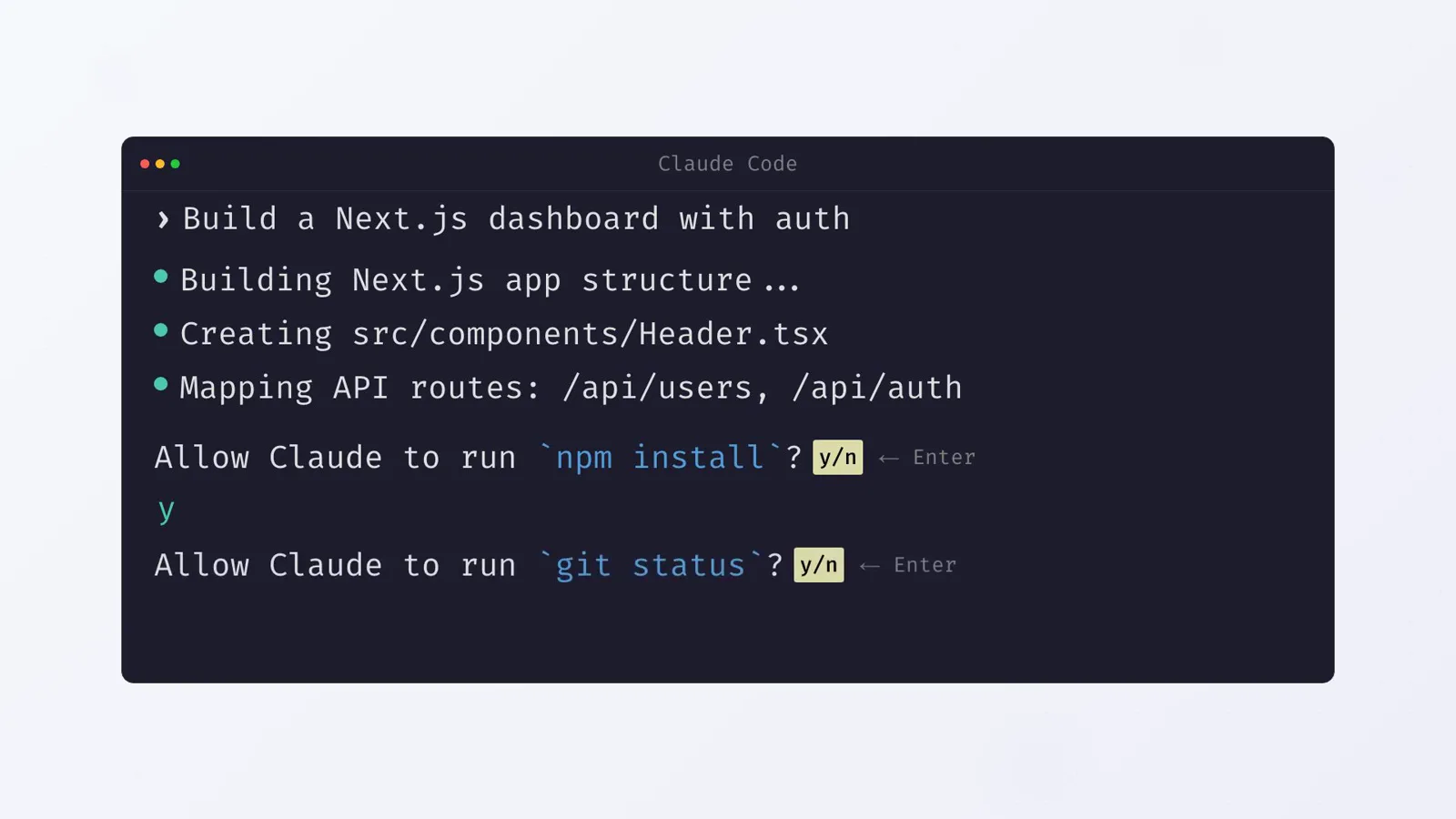
A recreation of the per-command y/n loop that the sandbox replaces — press Enter 47 times and you stop reading.Watch at 0:22 - 2
Start Claude Code on a supported platform
Open a session in your project. Sandboxing is built in on macOS, where Seatbelt ships with the OS and nothing needs installing. On Linux and WSL2, install bubblewrap and socat with your package manager first. Native Windows and WSL1 are unsupported — Windows users run Claude Code inside a WSL2 distro.
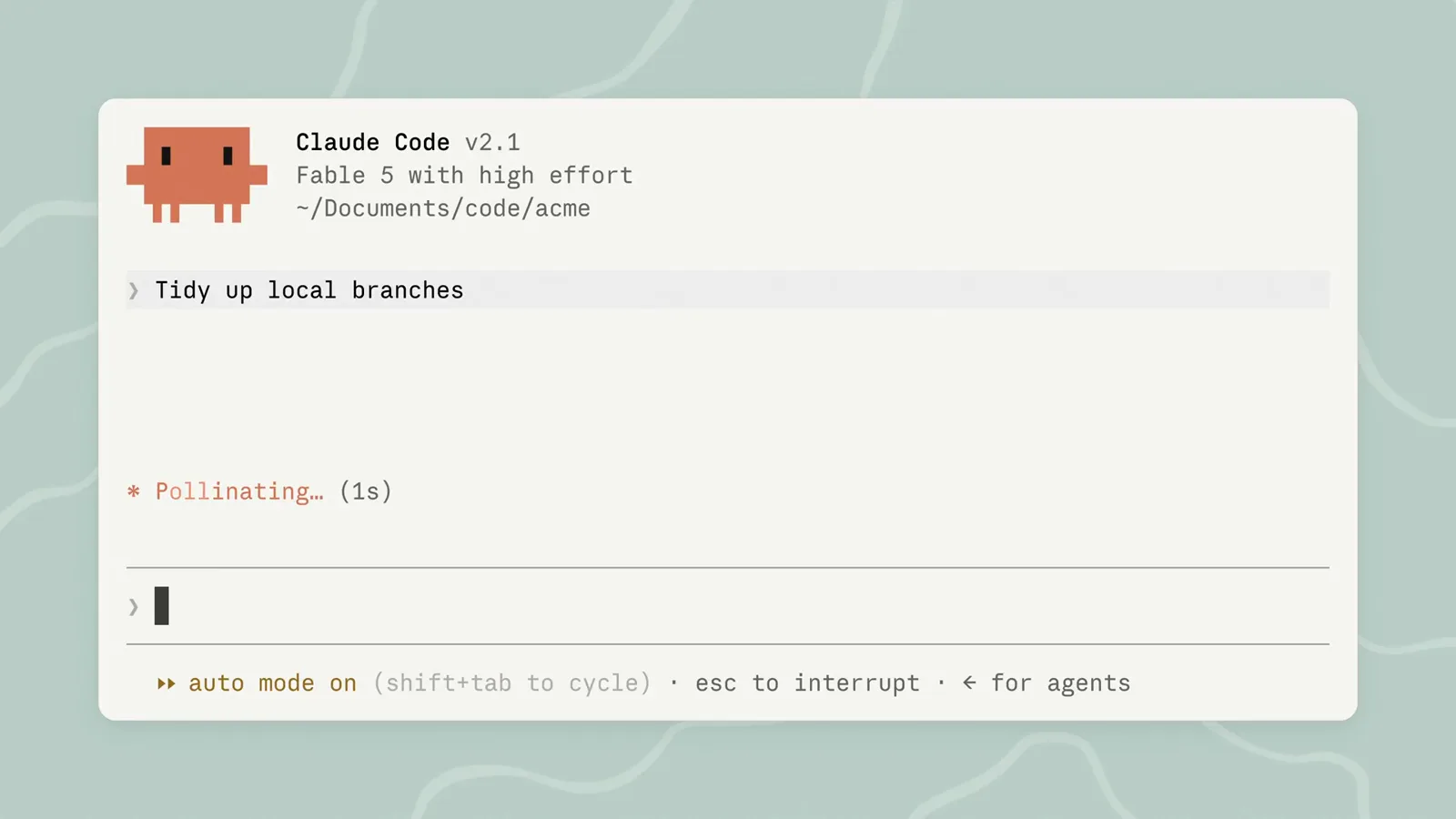
A session in ~/Documents/code/acme — that working directory is what the sandbox will treat as writable.Watch at 0:35 - 3
Run /sandbox and read the panel
Type /sandbox in the session. The panel has three tabs: Mode (how sandboxed commands are approved), Overrides (whether failing commands may retry unsandboxed — the allowUnsandboxedCommands setting) and Config (the fully resolved sandbox settings). Linux adds a Dependencies tab listing anything missing, such as bubblewrap, socat or the optional seccomp filter. Since v2.1.281 you can switch tabs with the arrow keys, and VS Code gained a Sandbox dialog for the same settings in v2.1.280.
Turn it on
- 4
Choose auto-allow or regular permissions
On the Mode tab, auto-allow runs sandboxed commands without prompting, while regular permissions keeps the prompts even for sandboxed commands. The choice is saved to the project's .claude/settings.local.json, which Claude Code gitignores for you. To cover every project, set "sandbox": undefined in ~/.claude/settings.json; for a single session, pass it with --settings instead.
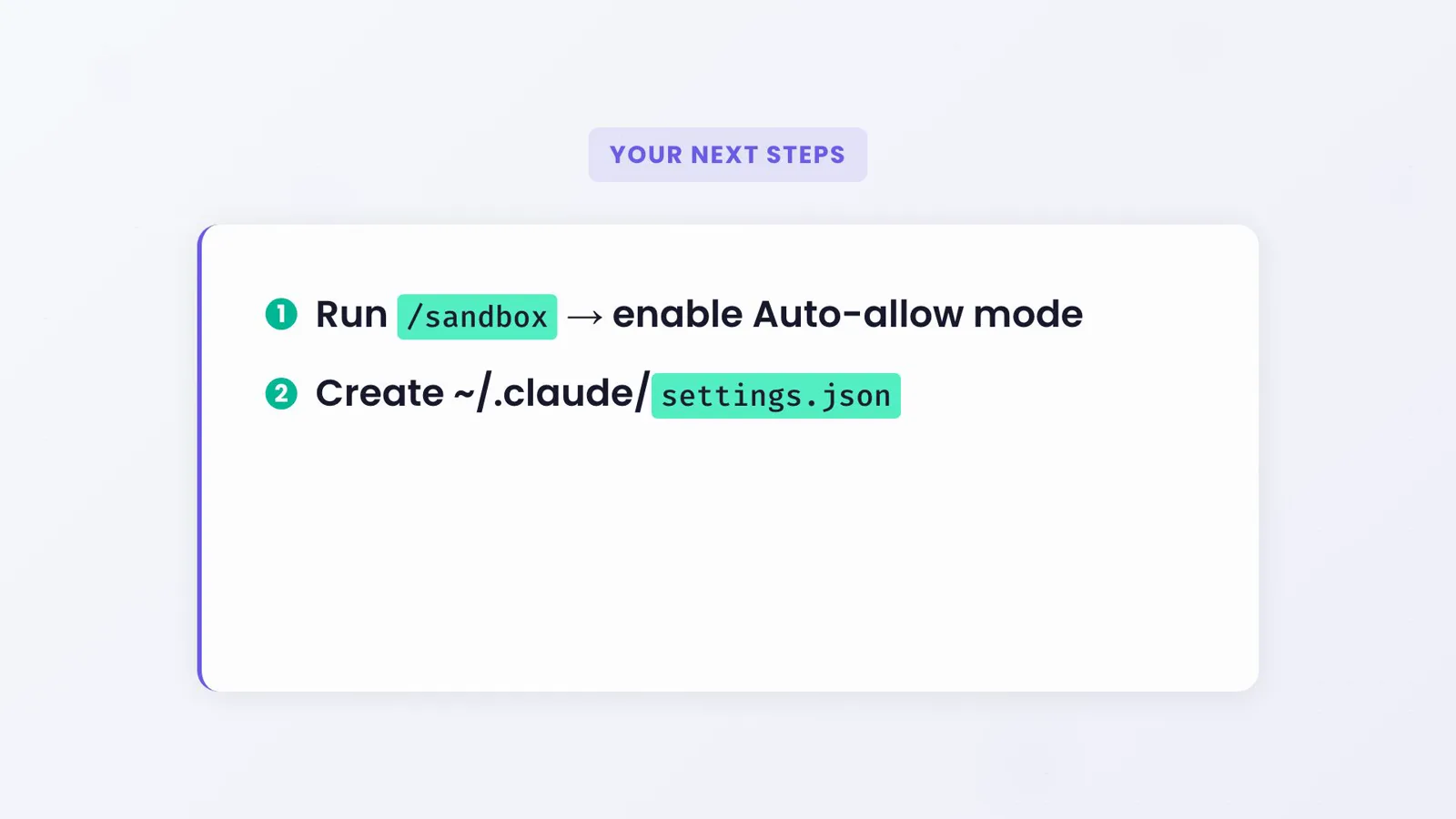
The two-step quick start: /sandbox picks the mode, settings.json holds everything durable.Watch at 4:00 - 5
Know what auto-allow still asks about
Auto-allow is not a mute button. Explicit deny rules always win, rm or rmdir aimed at critical paths still prompts, and content-scoped ask rules such as Bash(git push *) still force a confirmation. Commands that cannot run sandboxed fall back to the regular flow with a prompt titled "Bash command (unsandboxed)". Auto-allow also works independently of your permission mode — sandboxed bash runs without prompts even in Manual mode.
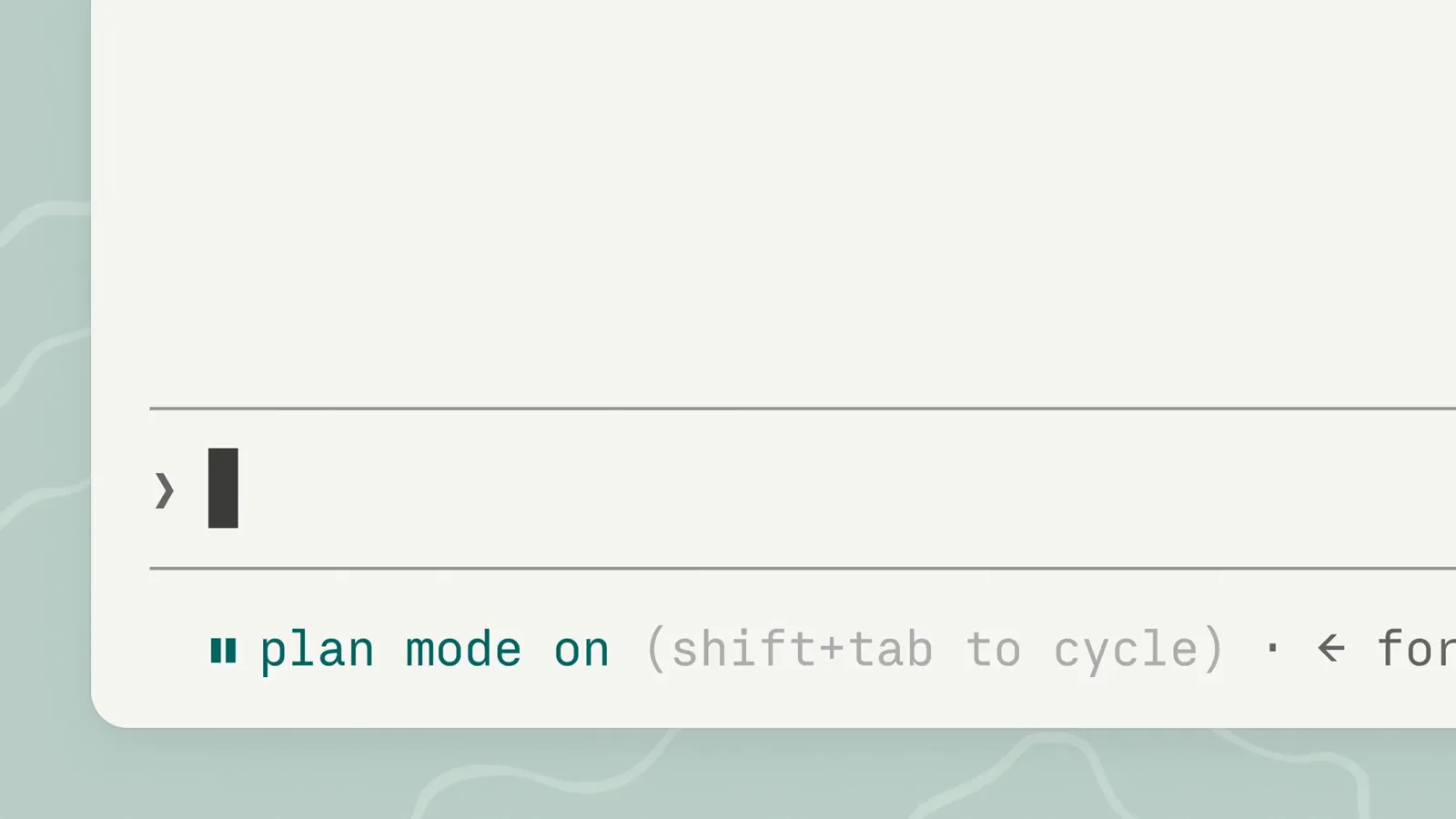
shift+tab cycles permission modes — a separate control from the sandbox's auto-allow.Watch at 0:28 - 6
See how the OS draws the boundary
The restrictions are kernel-enforced, not polite suggestions: macOS uses Seatbelt, Linux and WSL2 use bubblewrap. A prompt-injected command that tries to read ~/.ssh or phone home hits the same wall, because the rules bind the running process and every child it spawns — the model cannot talk its way past the kernel.
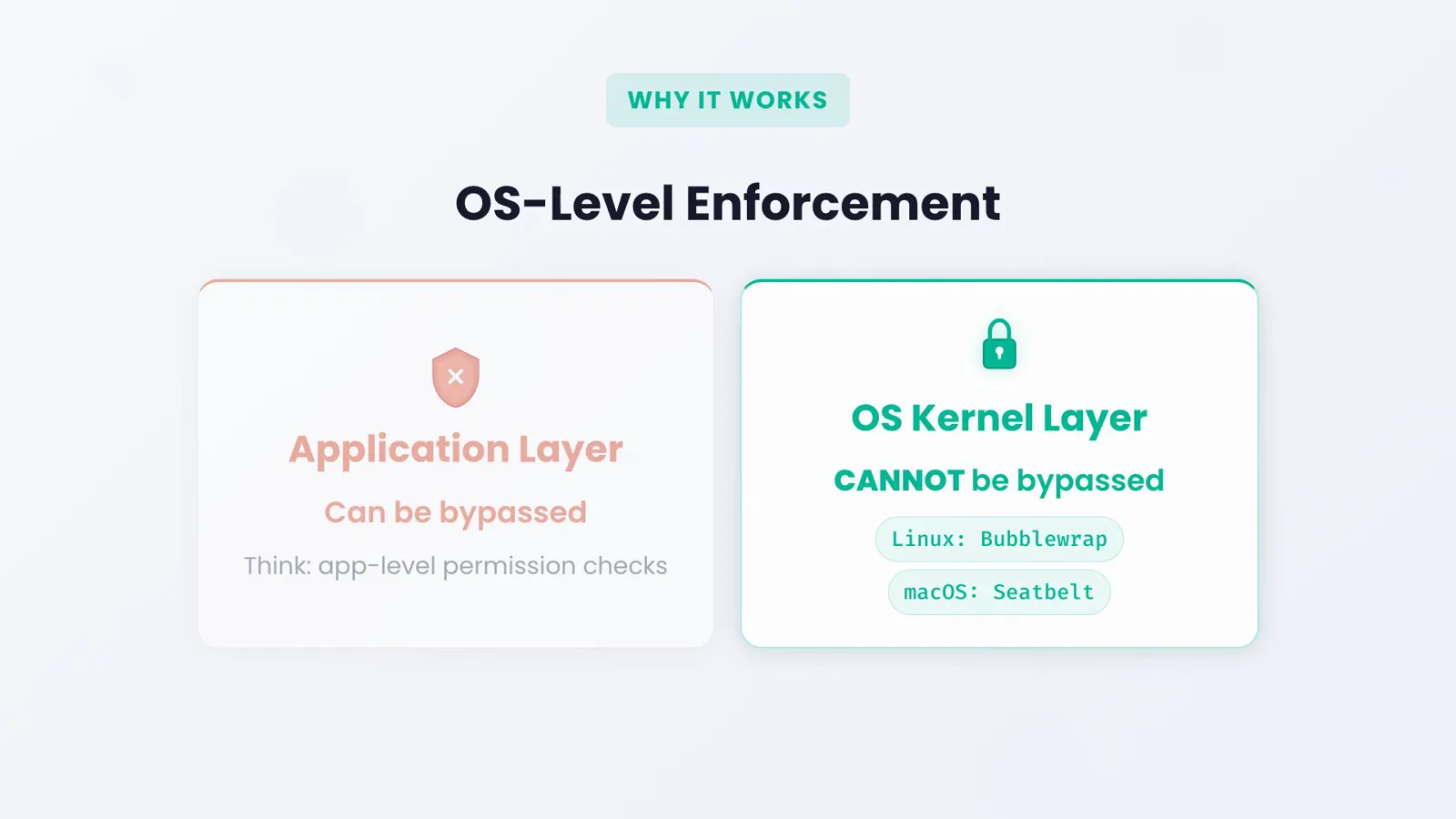
Application-level permission checks can be bypassed; the kernel layer cannot.Watch at 2:07
Filesystem, credentials and network
- 7
Understand filesystem defaults — and the read caveat
Sandboxed commands can write to the working directory and its subdirectories, a per-user temp directory, and any folders added with --add-dir or permissions.additionalDirectories. Reads are open by default: the whole disk is readable, including ~/.aws/credentials and ~/.ssh, until you block it. Explainer videos often say credentials become "invisible" — the docs are blunt that protecting them is your job, with sandbox.credentials or denyRead rules.
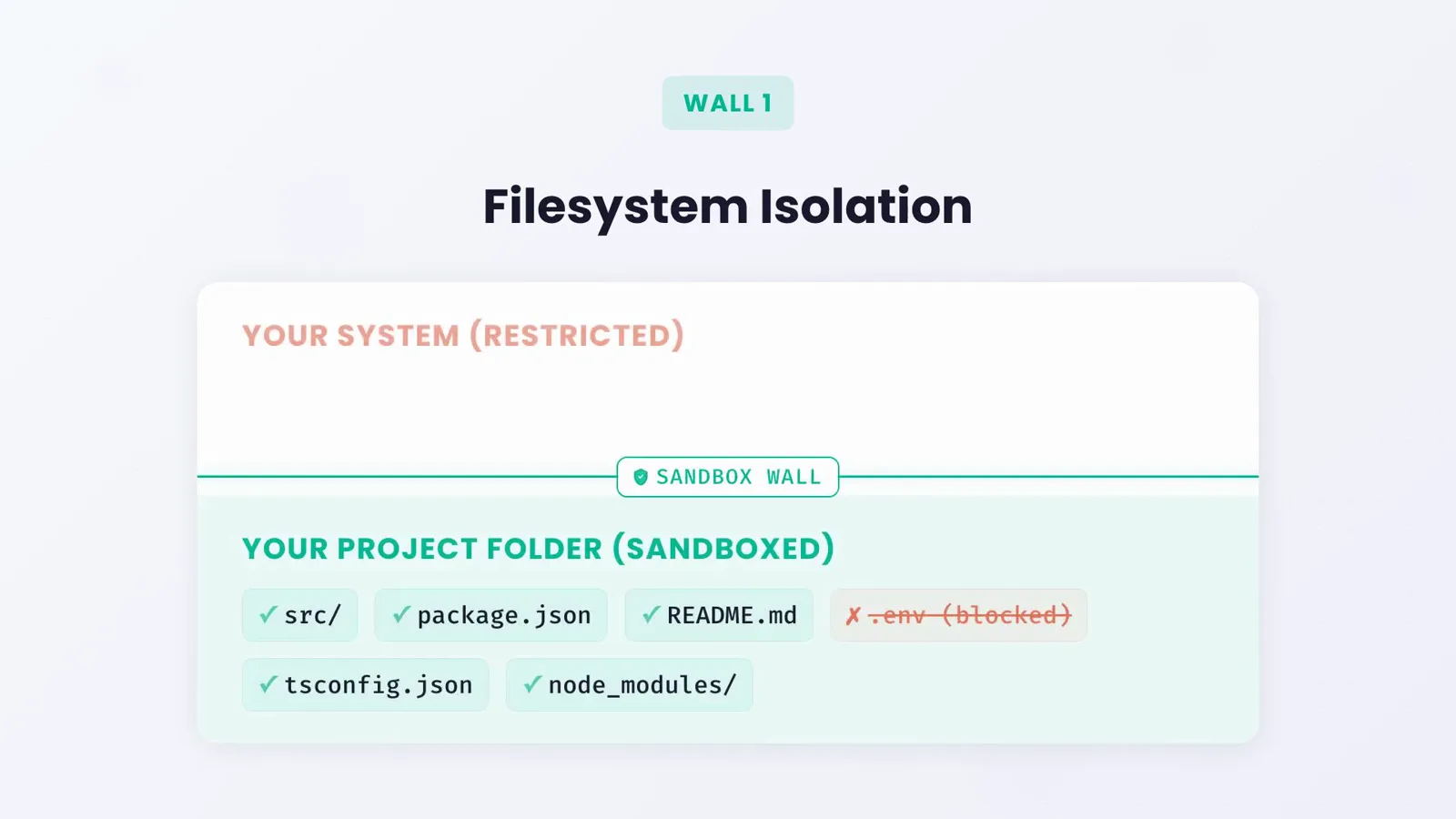
Writes stop at the sandbox wall; reads stay open until you close them in the next step.Watch at 1:30 - 8
Protect credentials before going autonomous
Add a sandbox.credentials block: list files like ~/.ssh or ~/.aws/credentials with "mode": "deny", and secret environment variables such as GITHUB_TOKEN so they are unset inside every sandboxed command. Mask mode goes further — the command sees a sentinel value and the sandbox proxy swaps in the real one only on hosts you allow. permissions.deny Read rules cover the file tools on top.
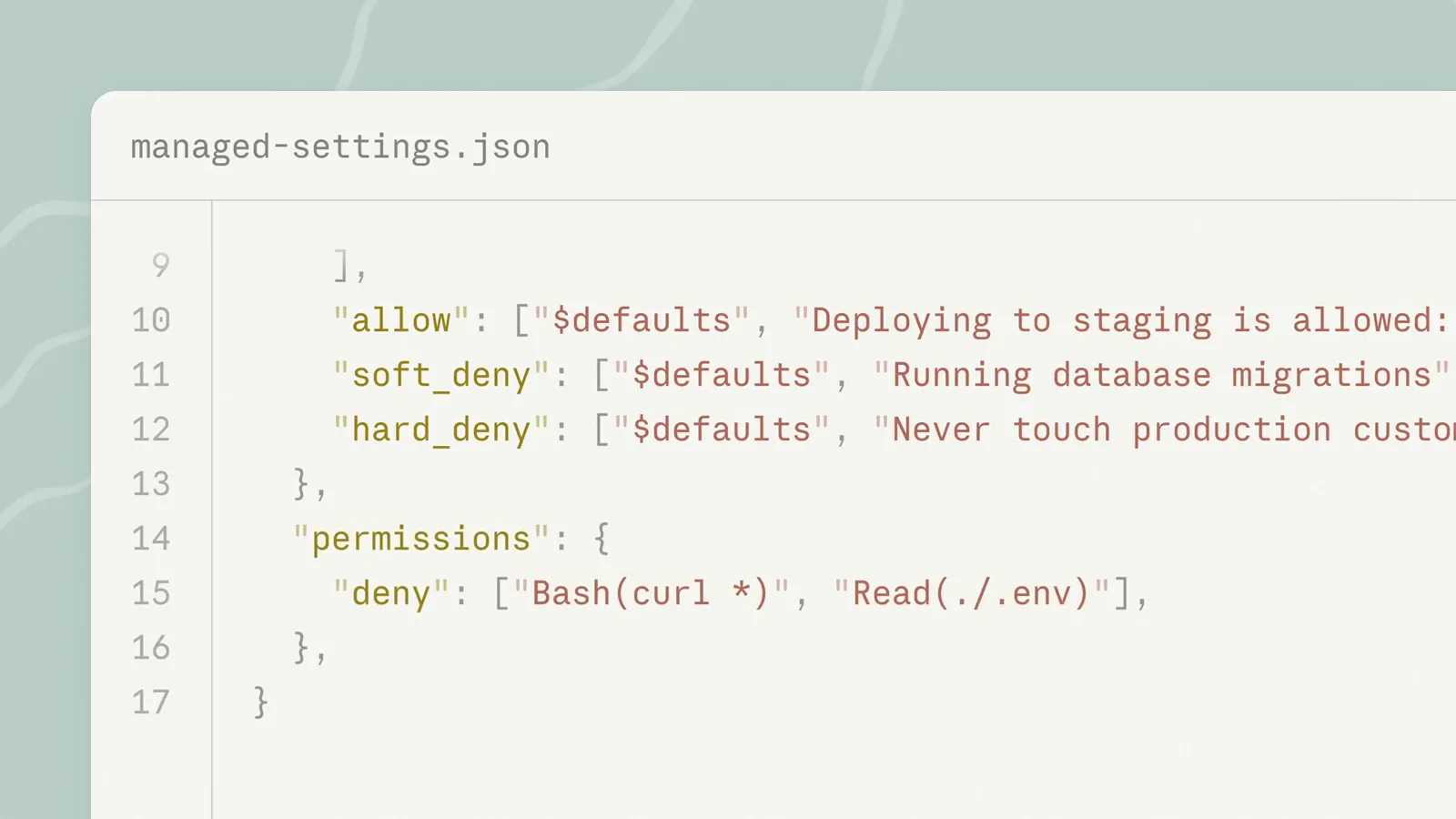
Deny rules for curl and .env reads — the same settings file carries your sandbox block.Watch at 4:35 - 9
Allow the network domains your stack needs
All sandboxed traffic routes through a proxy, and no domains are pre-allowed. The first time a command needs a host, Claude Code prompts; answer "Yes, and don't ask again" and it saves a WebFetch(domain:...) allow rule for future sessions. Pre-allow registries with sandbox.network.allowedDomains, block specific hosts with deniedDomains, and set strictAllowlist to make the list a hard ceiling instead of a prompt list.
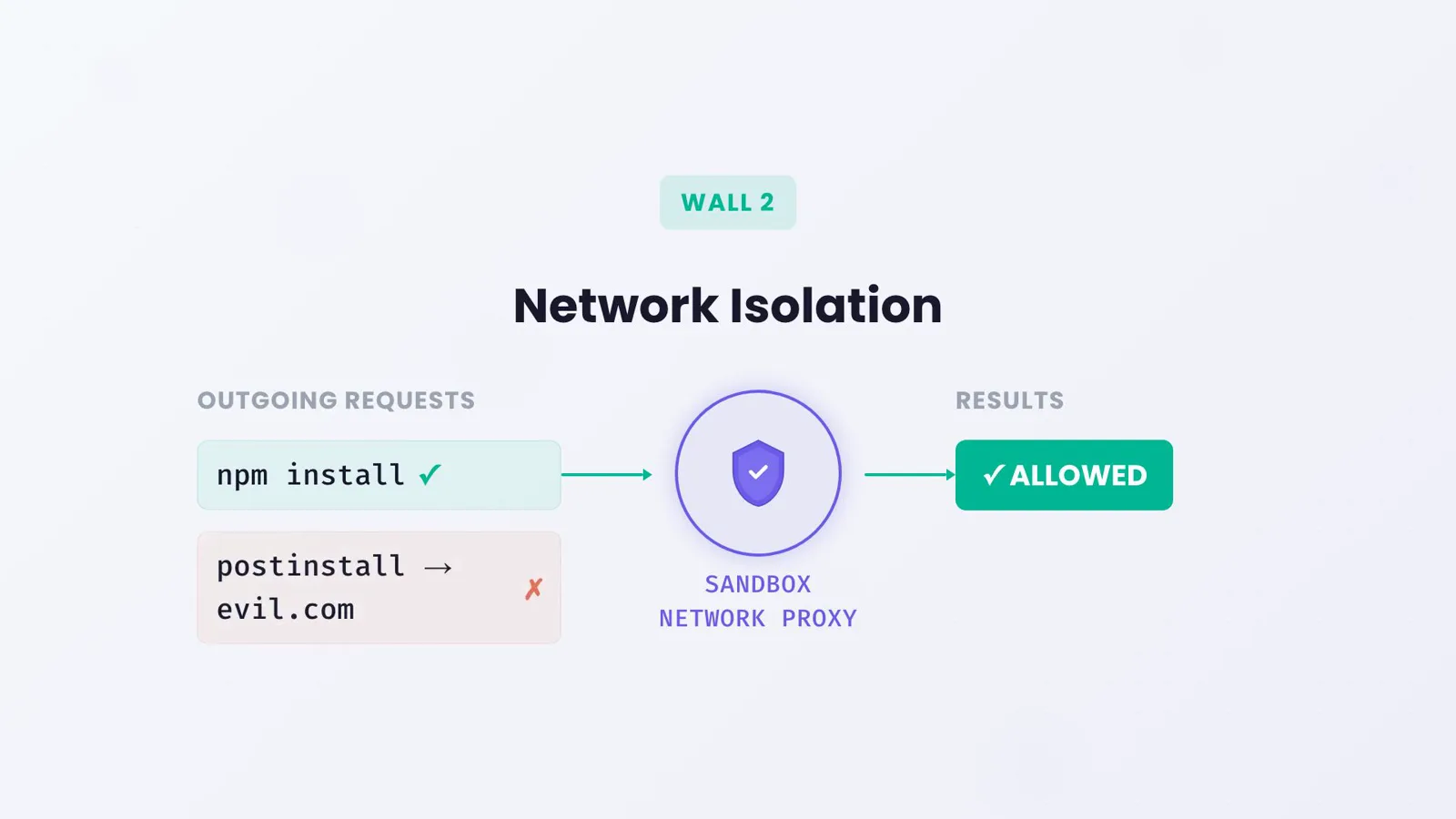
Registry fetches pass the proxy; a postinstall script phoning home to evil.com does not.Watch at 1:51 - 10
Scope the config: project, user or managed
Project settings in .claude/settings.json can add writable paths and domains, but they cannot disable filesystem isolation or enable Apple Events — those keys are honored only from user settings, managed settings or the --settings flag, so a checked-out repo cannot weaken your sandbox. Teams enforce the sandbox through managed settings with enabled, failIfUnavailable and allowUnsandboxedCommands set to true/false/false.
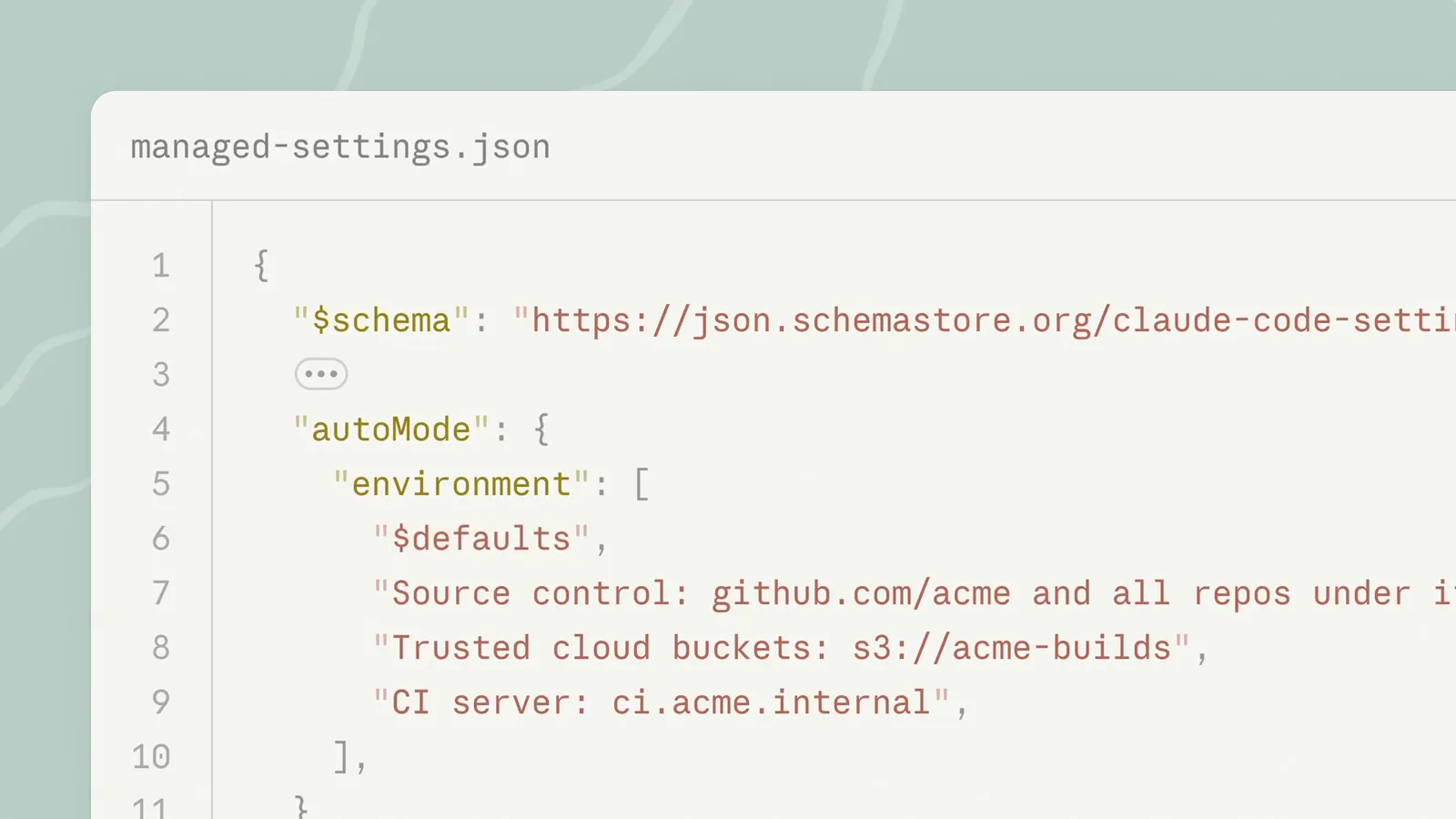
A managed settings file describes the org's trusted environment — admins set it, developers inherit it.Watch at 4:10
Verify and fix
- 11
Verify with a real task
Ask for a build or a test run. Sandboxed commands execute without prompting, and when something is blocked, the violation names the path or host in the command's result so Claude can adapt. Open the Config tab of /sandbox to read every resolved rule, including the protected paths no setting can override. For a one-off strict trial, launch with: claude --settings 'undefined}'.
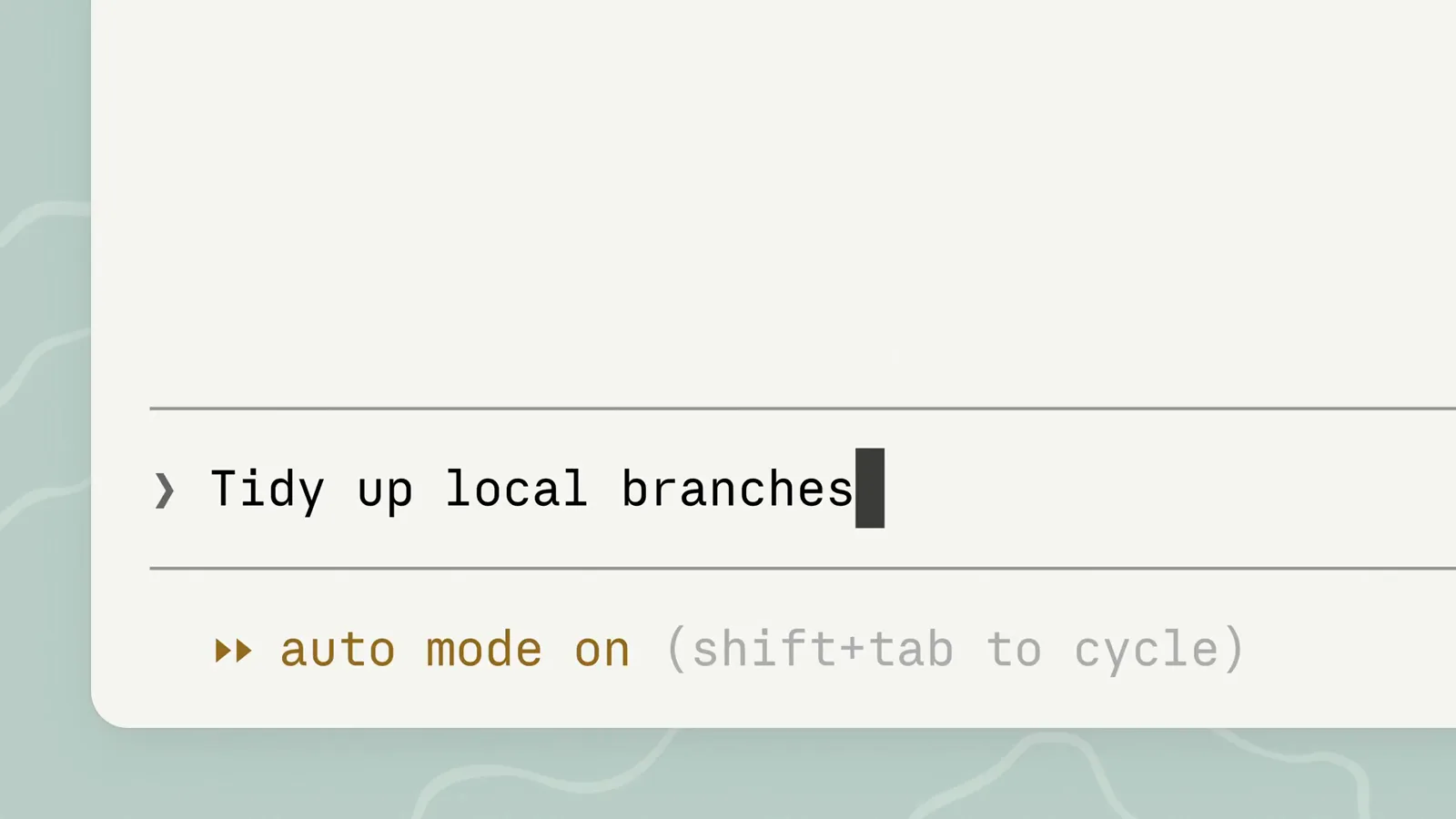
One typed task, no per-command prompts — the boundary holds without you.Watch at 0:32 - 12
Troubleshoot the usual failures
jest hangs — watchman is incompatible, run jest --no-watchman. docker fails — it cannot run sandboxed, add "docker *" to excludedCommands. open or osascript fails with error -600 on macOS — Apple Events are blocked unless allowAppleEvents is true. git merge or checkout fails with "unable to unlink old" — a protected path or denyWrite rule is in the way, so approve the unsandboxed retry or run the command yourself. bwrap reports Operation not permitted inside a container — set enableWeakerNestedSandbox. Clipboard pipes miss — use /copy instead of pbcopy.
The sandbox settings that matter
The /sandbox panel writes the basics, but the real leverage is in settings.json. These are the keys the official sandboxing reference documents — all of them live under a "sandbox" block (the last one under "permissions").
- 1sandbox.enabled — off until you flip it. true in ~/.claude/settings.json covers all your projects; the /sandbox panel writes the project-local copy to .claude/settings.local.json.
- 2sandbox.autoAllowBashIfSandboxed — the auto-allow switch, true by default. Set it false to keep permission prompts even for commands running inside the sandbox.
- 3sandbox.allowUnsandboxedCommands and sandbox.failIfUnavailable — false on the first key kills the dangerouslyDisableSandbox retry (shown as Strict sandbox mode in the Overrides tab); true on the second turns missing dependencies into a hard startup failure instead of a warning.
- 4sandbox.filesystem — allowWrite for outside-the-project paths tools need ("~/.kube", "/tmp/build"), denyRead plus allowRead for secret places, and disabled (v2.1.216+) to drop the filesystem layer while keeping network isolation.
- 5sandbox.network — allowedDomains and deniedDomains, strictAllowlist (v2.1.219+) to forbid anything unlisted, allowLocalBinding so dev servers can bind ports, and tlsTerminate for credential masking at the proxy.
- 6sandbox.credentials — files and envVars entries with deny or mask modes; masks require tlsTerminate and are honored only from user, managed or --settings sources. Pair it with permissions.blockReadsOutsideWorkingDirectories to cut all reads outside your working directories.
Seatbelt vs bubblewrap: platform differences
macOS uses Seatbelt, which is built into the OS — there is nothing to install. The rough edges are specific: Go-based CLIs such as gh, gcloud and terraform can fail TLS verification under Seatbelt, so list them in excludedCommands; open, osascript and browser auth flows fail with error -600 until you set allowAppleEvents, which weakens isolation and is ignored in project settings.
Linux and WSL2 use bubblewrap plus socat, installed with your package manager. The optional seccomp filter (npm install -g @anthropic-ai/sandbox-runtime) adds Unix domain socket blocking and is what lets WSL2 keep Windows binaries out. Ubuntu 24.04 and newer ship an AppArmor policy that stops bubblewrap from creating user namespaces — add the bwrap profile from the docs and reload AppArmor. Inside an unprivileged container, set enableWeakerNestedSandbox so bubblewrap bind-mounts the existing /proc.
WSL1 is not supported at all — bubblewrap needs kernel features only WSL2 has. Performance overhead is minimal, though some filesystem operations run slightly slower. Subagents run in the same process as the parent session and inherit its sandbox configuration, so background bash inside an agent is sandboxed too.
Sandbox handling is still moving between releases: v2.1.280 added the VS Code Sandbox dialog, v2.1.281 improved /sandbox tab navigation and the allowLocalBinding hint for dev servers, and v2.1.282–2.1.283 fixed excludedCommands matching, TMPDIR writes and managed-settings parsing. Skim the CHANGELOG before relying on edge-case behavior.