
Claude Code /insights: a checkup for your coding habits
One slash command reads your recent sessions and returns an HTML report: what you work on, where friction happens, and which fixes to ship first. Twelve illustrated steps from two real terminals.
TL;DR
- Type /insights in any Claude Code session — it analyzes up to 200 sessions on this machine and skips very short ones.
- About a minute later you get an HTML report at ~/.claude/usage-data/report.html; every run also saves a timestamped copy.
- The report covers what you work on, how you use Claude Code, friction points, and features to try — each with links or copy-paste prompts.
- Ask the same session to distill the report ('top 3 actionable pieces of advice'), then let Claude write the fixes into your CLAUDE.md and hooks.
Claude Code Course 15 - The /insights Report
Channel: Code Playbook5:09
Claude Code: 5 New "Minor" Features You May Have Missed
Channel: AI Coding Daily6:31
Analyze your usage patterns (official docs)
Docs: code.claude.com
Facts on this page are cross-checked against the official Claude Code changelog and docs: /insights analyzes up to 200 previously unseen sessions on your machine, skips very short ones, and writes report.html plus a timestamped copy to ~/.claude/usage-data/ (cleaned up after cleanupPeriodDays — 30 days by default).
Screenshots come from the two creator recordings above, with their camera overlays cropped out; each step deep-links to the exact second in the source video.
Run /insights, read the report, ship the fixes
Run the command (steps 1–3)
- 1
Know what /insights does before you run it
Anthropic announced /insights as a command that reads your message history from the past month, summarizes your projects and how you use Claude Code, and suggests workflow improvements. It reports on how you work — not how many tokens you burned.
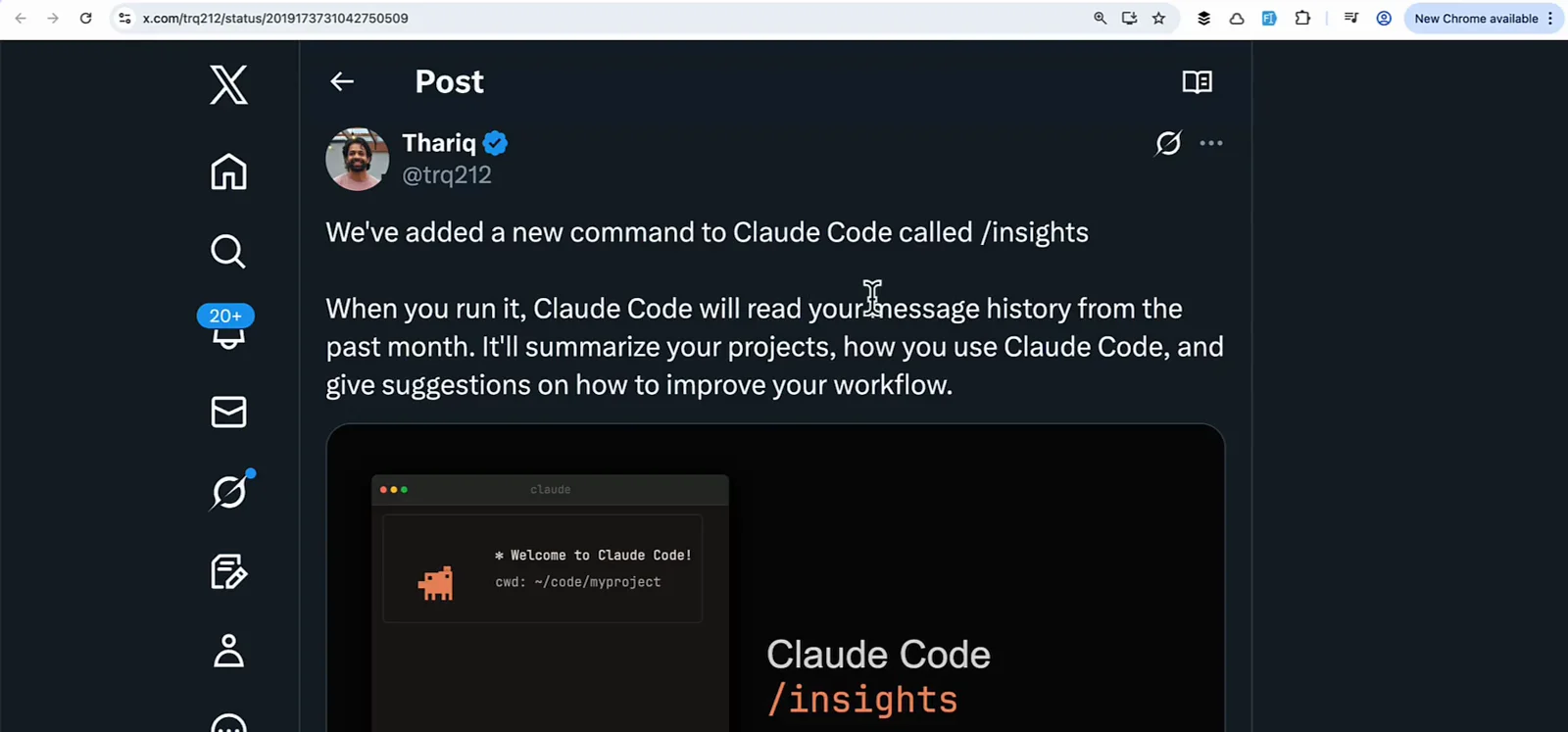
The official announcement post, shown in the AI Coding Daily video.Watch at 0:35 - 2
Type /insights in any project
Open Claude Code in any folder and run /insights. The analysis covers all your recent sessions on this machine, not just the current project. A spinner runs while Claude reads your history — expect about a minute.
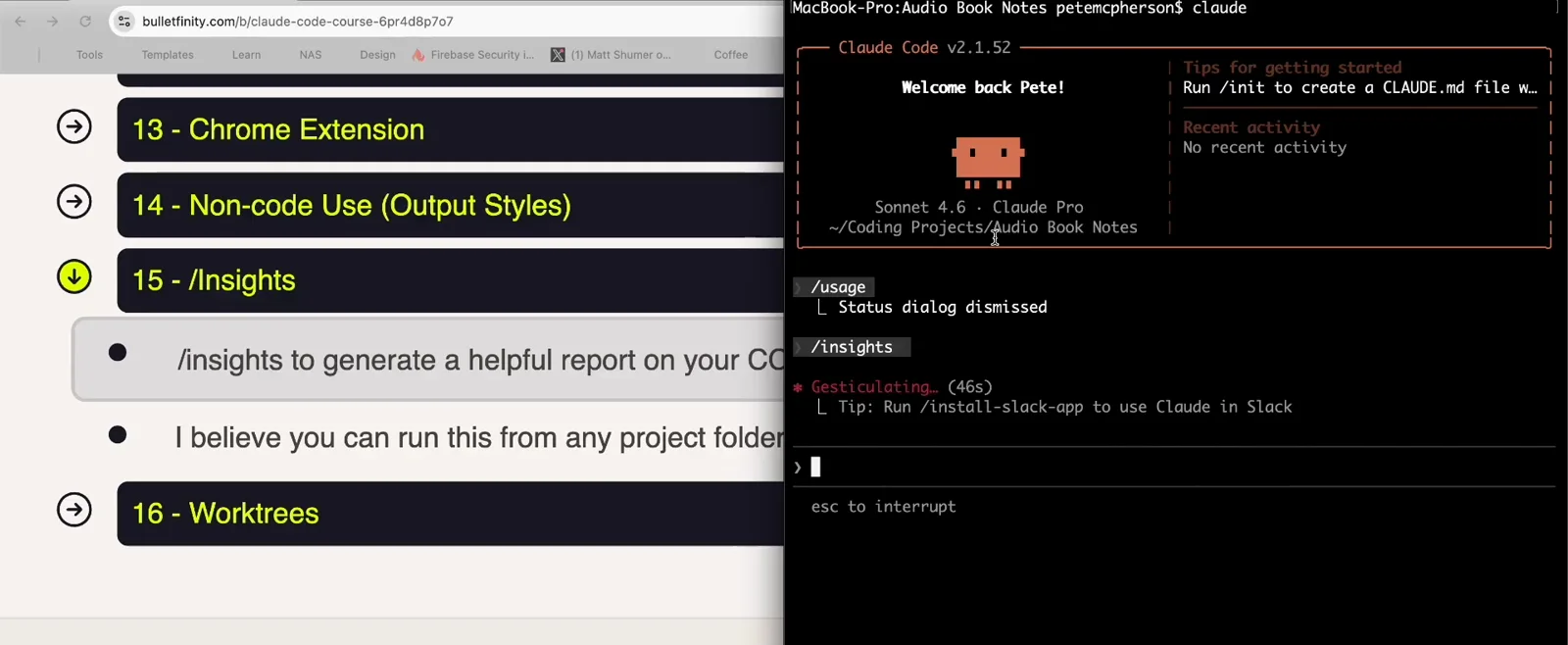
/insights running in the Code Playbook recording; the spinner counts while sessions are analyzed.Watch at 0:50 - 3
Wait for the 'report is ready' message
When it finishes, Claude Code prints the path to the report: ~/.claude/usage-data/report.html. It also asks whether you want to dig into a section or try one of the suggestions — answer right in the session.
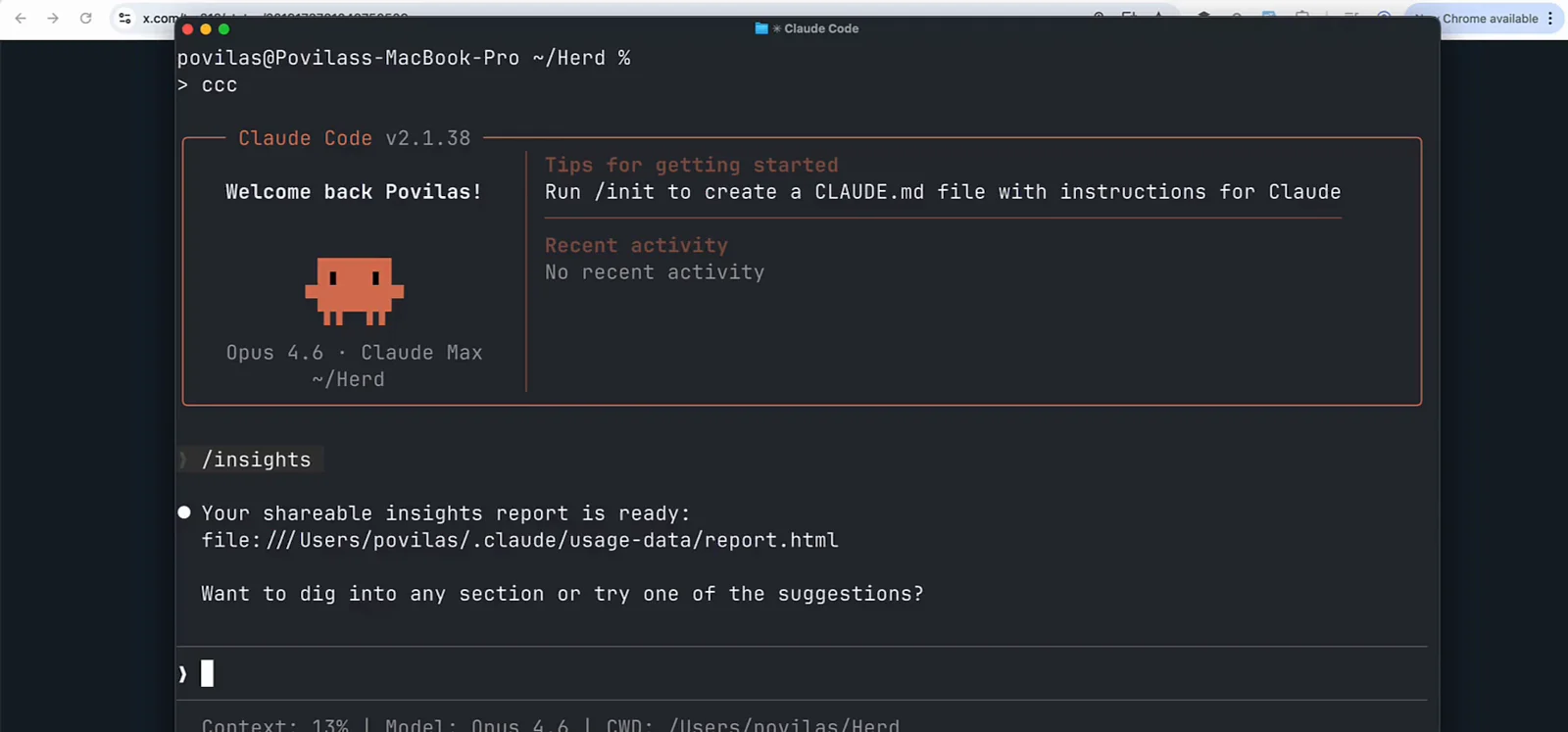
The completion message with the report.html path, from the second recording.Watch at 0:45
Read the report (steps 4–8)
- 4
Open report.html and start at the header
The report is a single local HTML file. The header shows your totals — messages, lines added and removed, files touched, active days, messages per day — and eight section pills from What You Work On to Team Feedback.
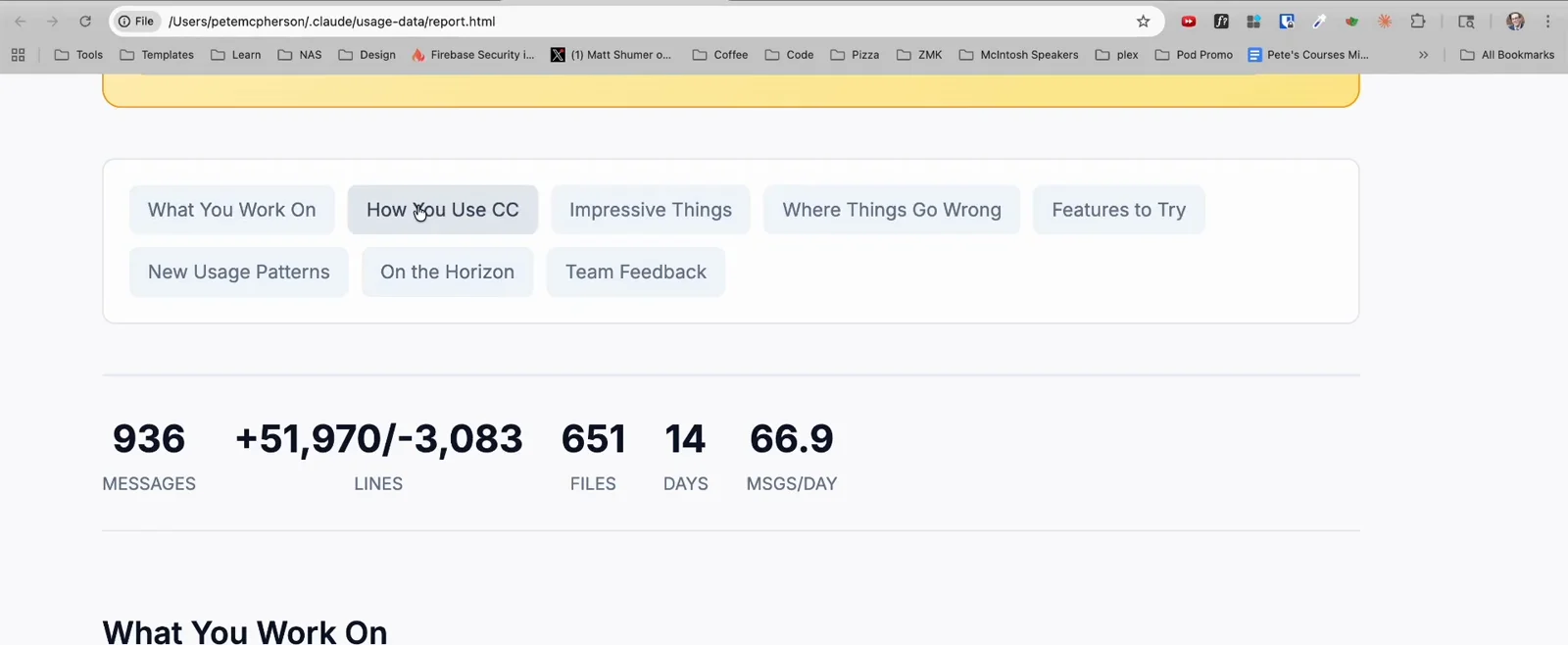
Header stats from a 176-session analysis: 936 messages across 14 active days.Watch at 2:10 - 5
Read the At a Glance card first
The opening card sums up the whole report in four paragraphs: what's working, what's hindering you, quick wins to try, and ambitious workflows. Here Claude flags repeated syntax friction and suggests CLAUDE.md conventions plus a build-checking hook.
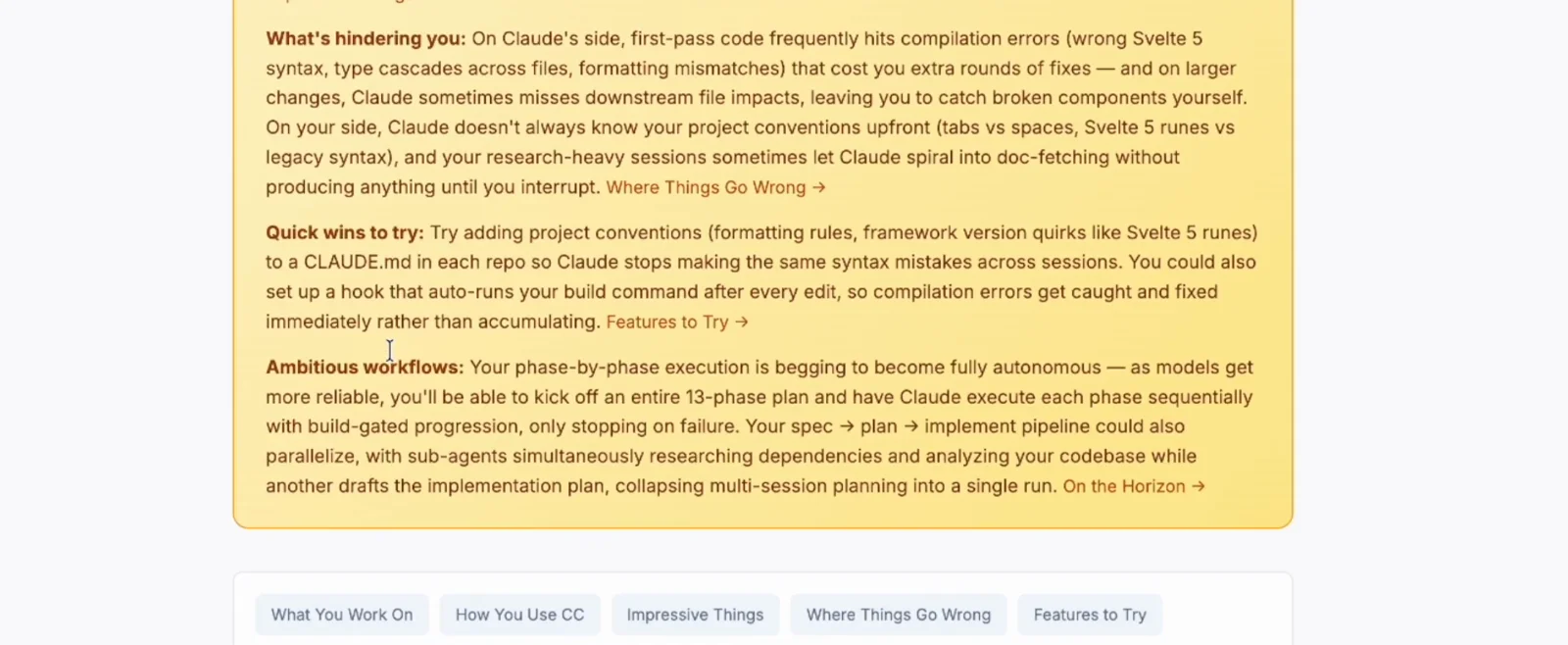
The At a Glance summary — the fastest way to decide what to act on.Watch at 1:48 - 6
See how you actually use Claude Code
The How You Use CC section charts what you asked for, which tools Claude used (Read, Edit, Bash…), your languages, and session types like single task or iterative refinement. The creator above learned his plan-then-execute workflow was his biggest win.
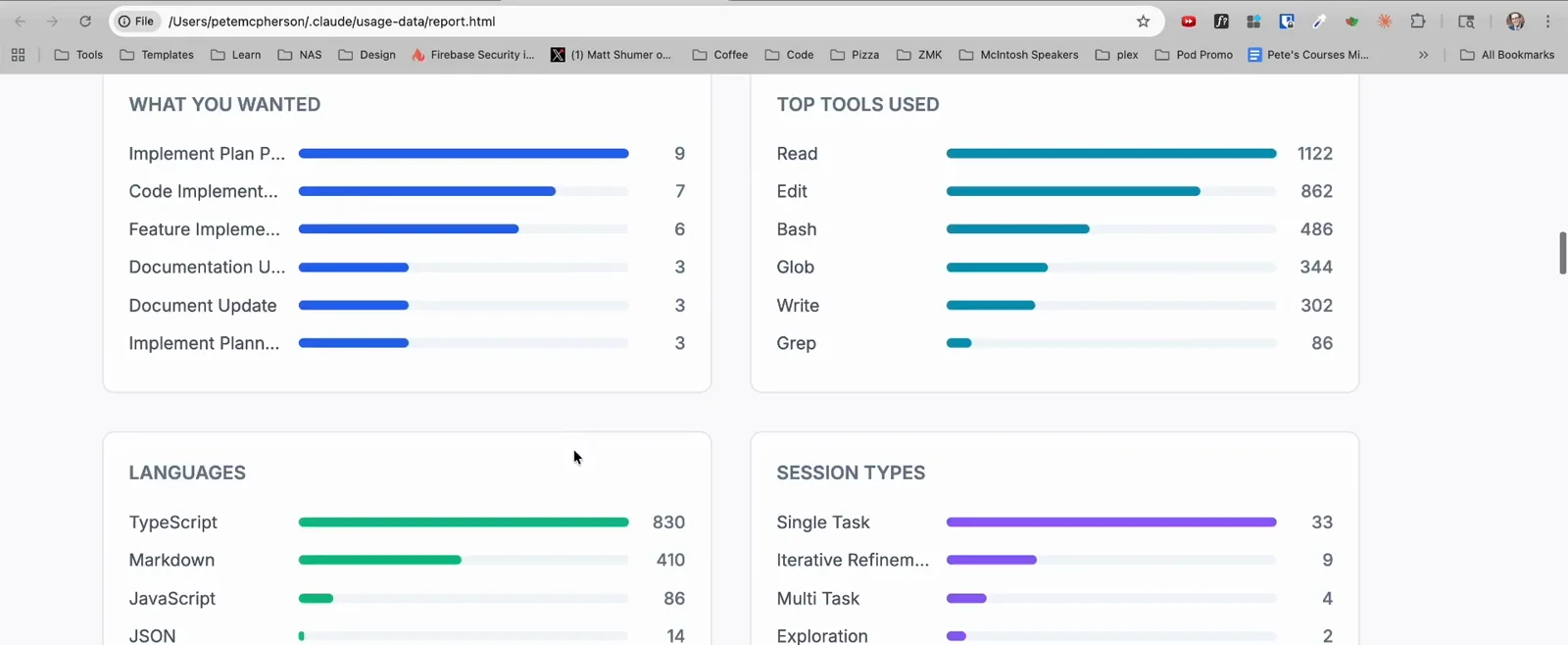
Usage charts from the report: top tools, languages and session types.Watch at 2:18 - 7
Check the per-project breakdown
What You Work On lists your recent projects with a description of what you built in each and how many sessions it took — a quick way to spot which project consumed the most back-and-forth.
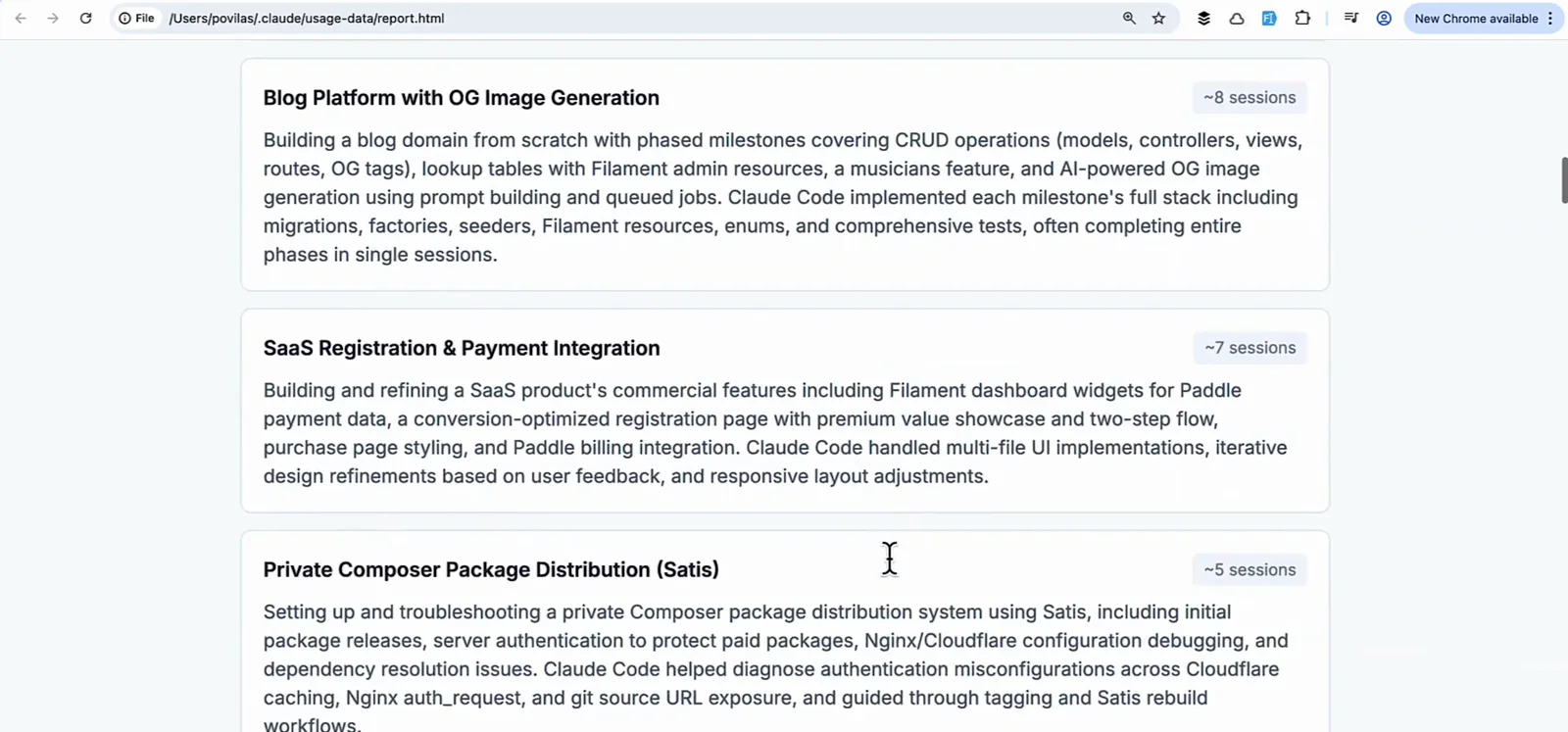
Project cards with session counts, from the second recording.Watch at 1:25 - 8
Face the friction section
The report quantifies what went wrong: primary friction types like buggy code or wrong approaches, and a model-estimated satisfaction score. Below it, Existing CC Features to Try suggests concrete additions — CLAUDE.md rules, hooks, even a custom /plan skill.
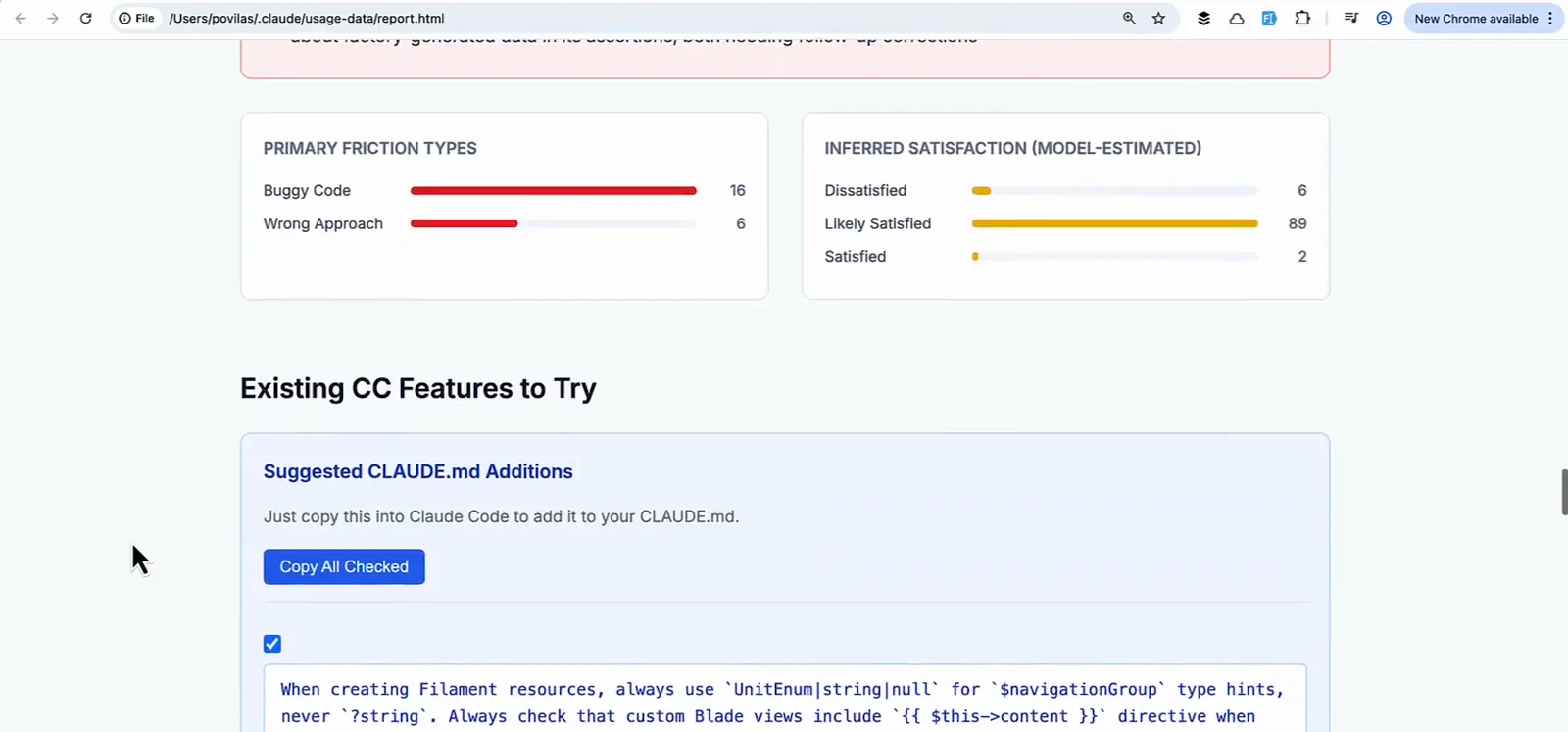
Friction types, satisfaction estimate and the features-to-try suggestions.Watch at 1:40
Turn findings into fixes (steps 9–11)
- 9
Use the PASTE INTO CLAUDE CODE blocks
Many suggestions ship as ready-made prompts. This one defines a build-verify-fix cycle: after every edit run the typecheck, parse the errors, fix all of them, rebuild, and grep every usage of a changed type. Hit Copy and paste it into a session.
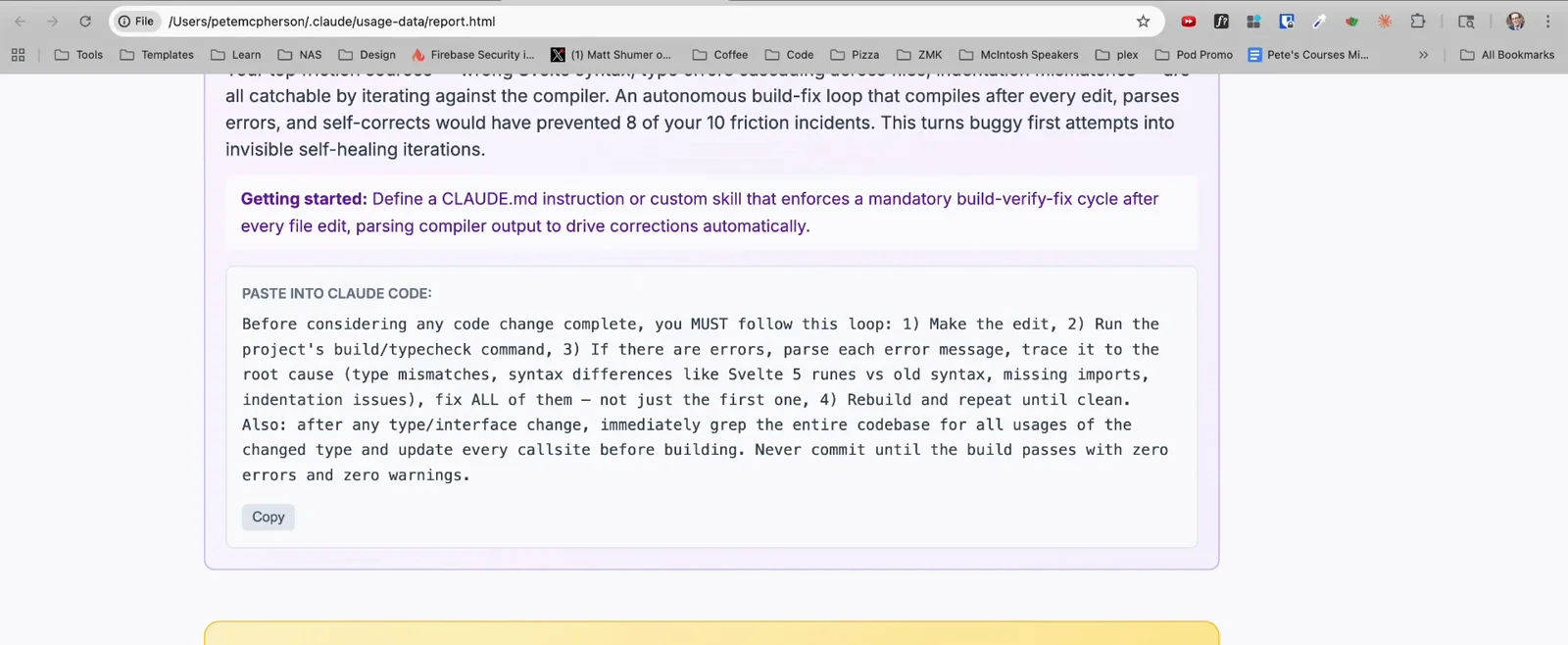
A copy-paste prompt generated by the report — no prompt engineering needed.Watch at 2:35 - 10
Ask the same session to distill it
The report is long. Ask Claude in the same session: 'give me the top 3 actionable pieces of advice, summarized in less than 200 words.' You get a short list pulled from the report — and can keep asking for more.
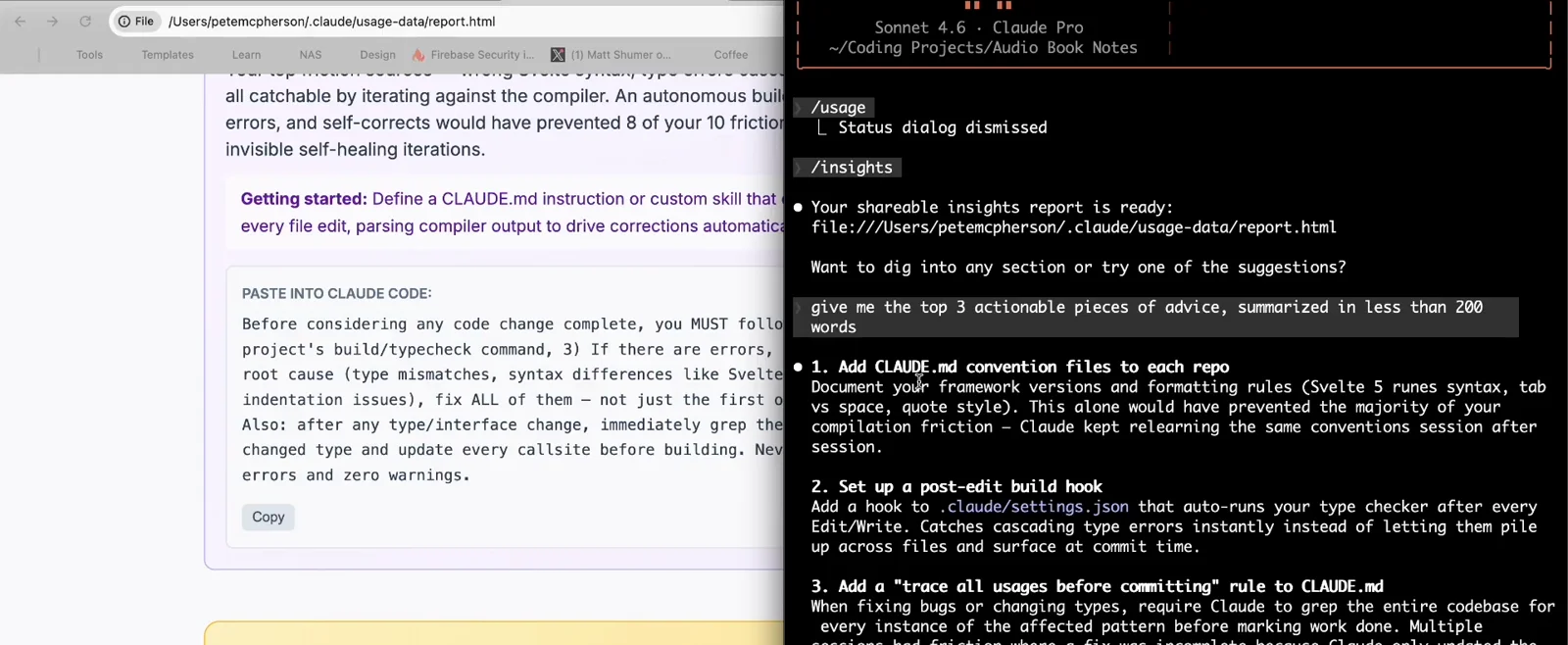
Asking for the top three takeaways right after the report finished.Watch at 2:55 - 11
Let Claude implement the fixes
Typical top-three output: add CLAUDE.md convention files to each repo, set up a post-edit build hook in .claude/settings.json, and add a trace-all-usages-before-committing rule. Say yes and Claude writes the CLAUDE.md entries and hook config for you.
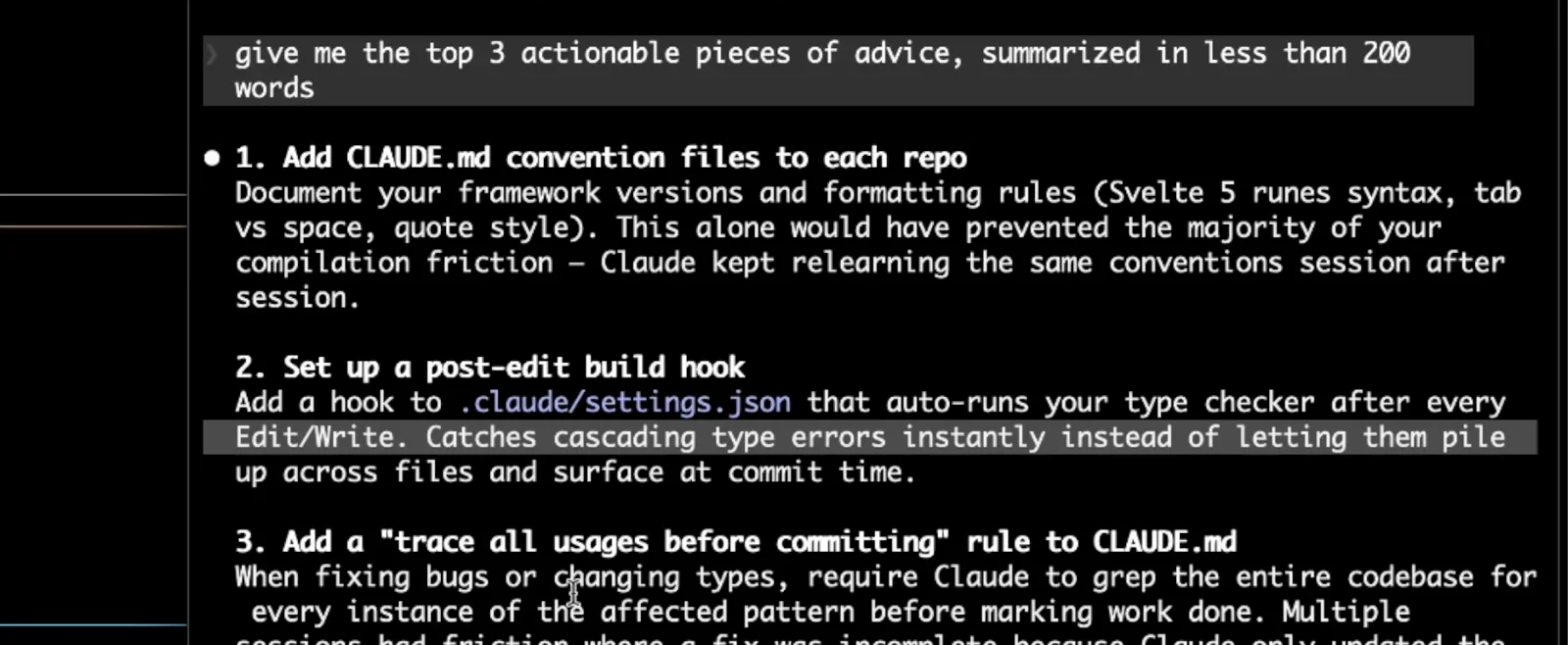
The three suggested fixes — each one Claude can apply directly.Watch at 3:45
Keep and share the report (step 12)
- 12
Keep or share the HTML file
report.html is a self-contained local file — reopen it in your browser any time or send it to a teammate. Each run saves a fresh timestamped copy so old reports survive, and cleanup removes anything older than cleanupPeriodDays (30 days by default).
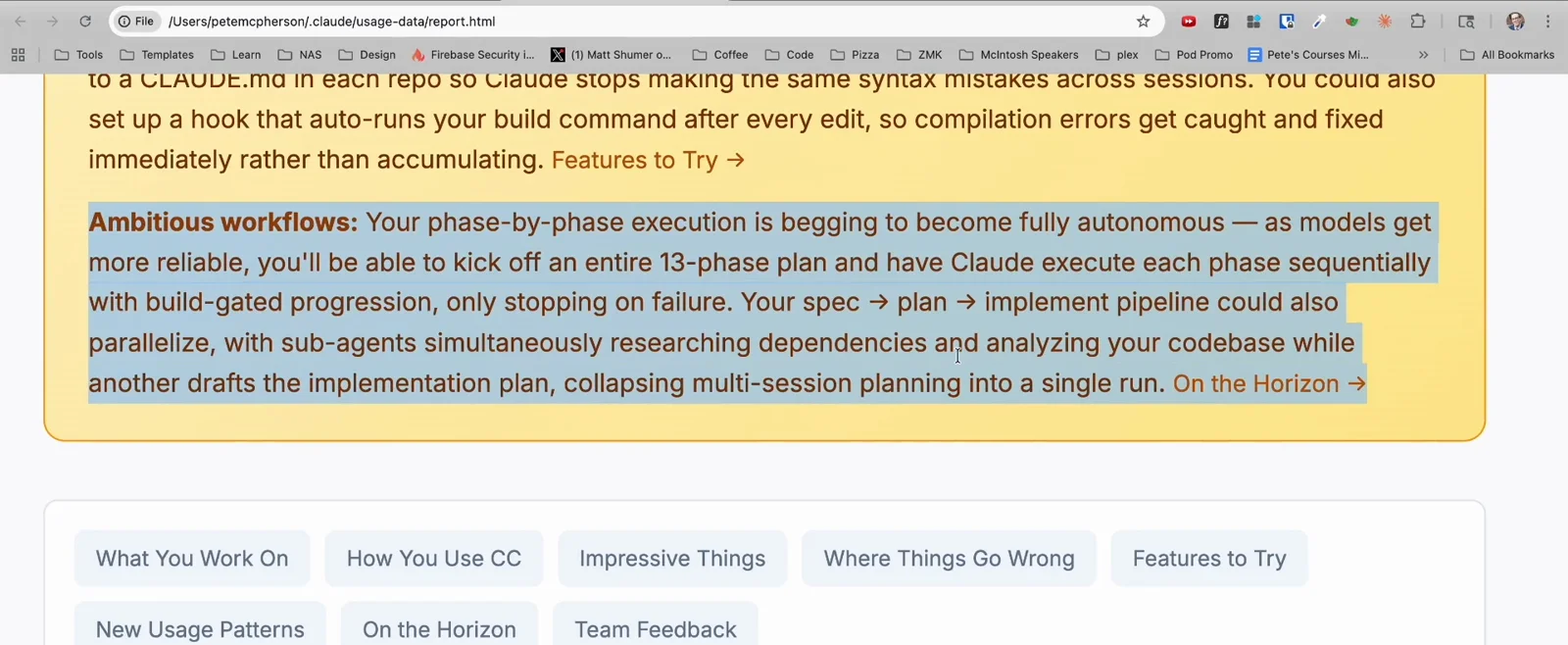
The report living at a plain file:/// URL — it works offline.Watch at 2:06
New in v2.1.281: the auto mode recommendation
The Claude Code v2.1.281 changelog added an auto mode recommendation to /insights: the report now estimates how many permission prompts auto mode could have handled in your recent sessions. If you spend your day approving prompts, update, re-run /insights, and see how many the report thinks auto mode would absorb.
Read the v2.1.281 changelog entry