
Claude Code Agent Teams Tutorial: 15 Steps From Setup to Shutdown
Agent teams give every teammate its own Claude Code session, a shared task list and direct chat with each other. This screenshot walkthrough covers the settings.json flag, your first spawn, steering, shutdown — and the limits nobody tells you about.
The short version
- Agent teams are experimental and off by default: add "CLAUDE_CODE_EXPERIMENTAL_AGENT_TEAMS": "1" to the env block of settings.json, then run Claude Code v2.1.32 or newer.
- You must say the words — ask Claude to "create an agent team" and name the teammates or the model, or it will quietly spawn ordinary subagents instead.
- Teammates never inherit your conversation history — hand them a context file and keep every task small enough to produce one clear deliverable.
- Every teammate is a separate Claude Code instance with its own context window, so tokens multiply — downgrade teammates to Sonnet or Haiku when the task allows and check /cost after each run.
Claude Code Agent Teams (Full Tutorial): The BEST FEATURE of Claude Code is HERE!
Video:AICodeKing13:58
Agent teams — Orchestrate teams of Claude Code sessions
Docs:code.claude.comDocs
Agent teams are experimental: expect rough edges around session resumption, task status and shutdown timing. Every command, settings key and shortcut on this page was re-checked against the official agent teams docs before publishing.
Screenshots come from AICodeKing's screen recording; the walkthroughs by Bart Slodyczka and Simon Scrapes supplied additional hands-on facts. All sources are credited and linked, and every step deep-links back to the exact moment in the video.
From a cold terminal to a shut-down team
1. Enable agent teams and verify your setup
- 1
Find the agent teams docs and read the experimental warning
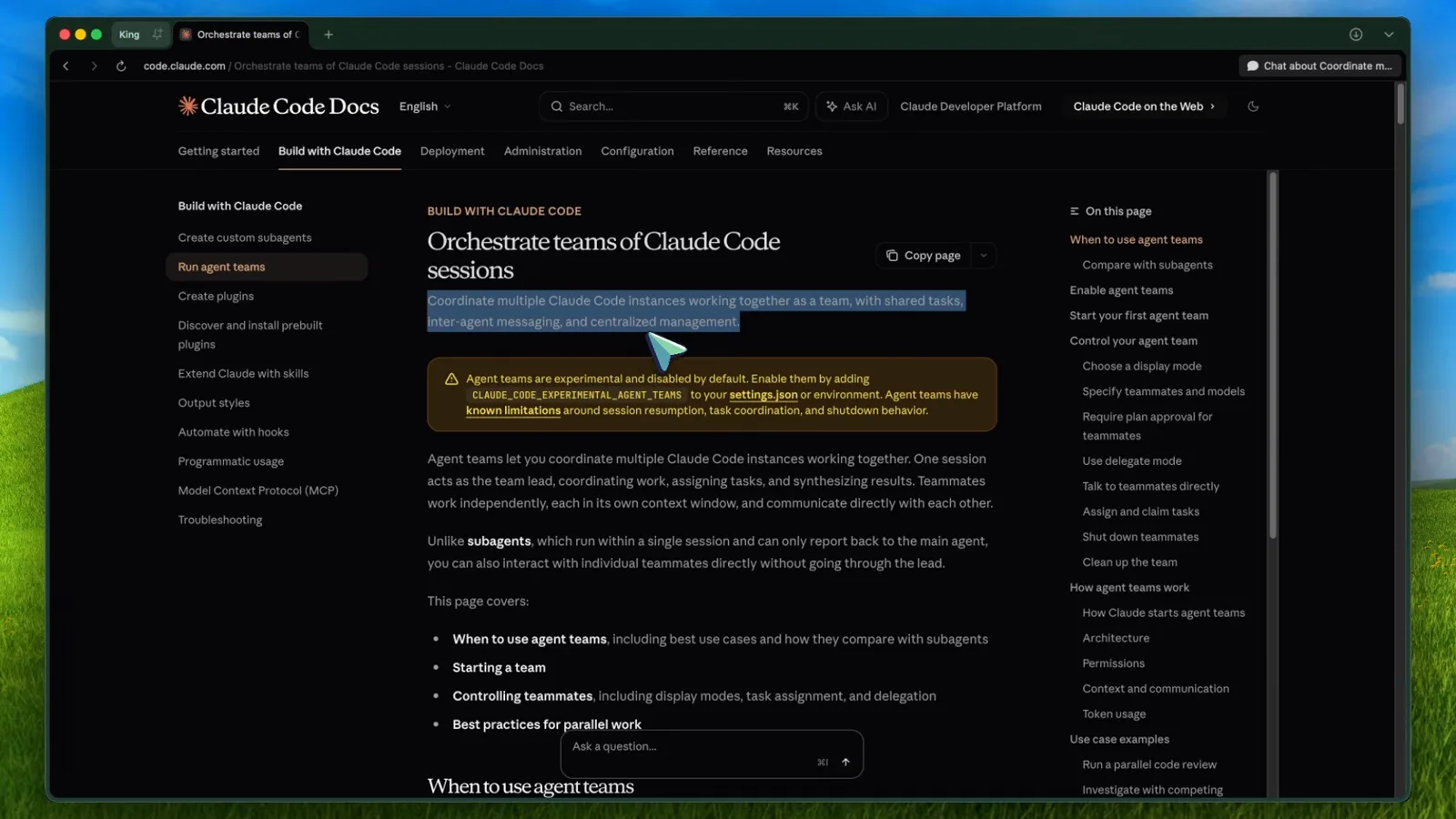
Agent teams live in the Build with Claude Code section of the official docs. The page opens with an orange banner: the feature is experimental, disabled by default, and has known limitations around session resumption, task coordination and shutdown. Read that banner before you flip any flags.
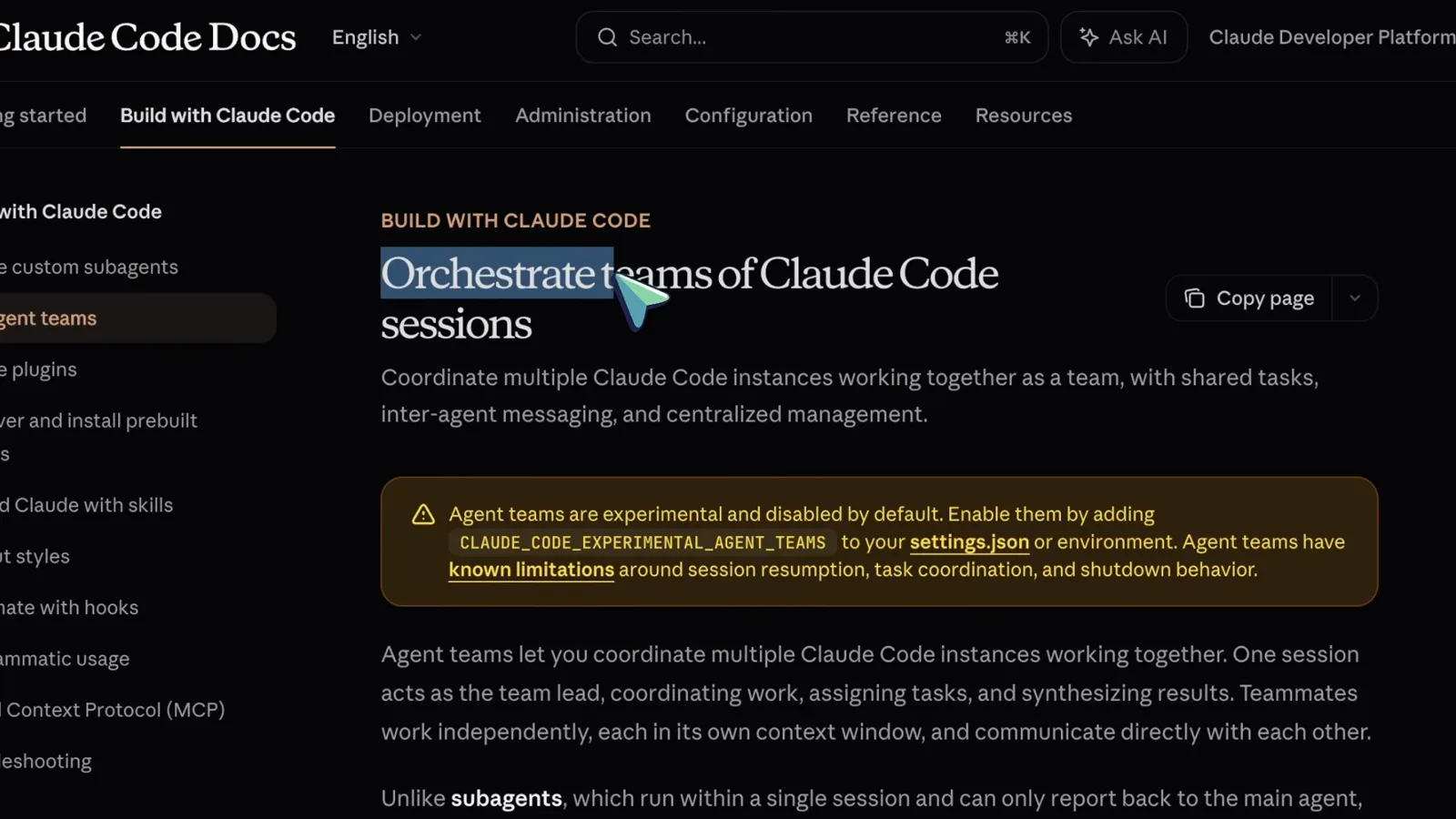
The official agent teams page and its experimental-feature banner.Watch at 0:20 - 2
Decide between subagents and agent teams
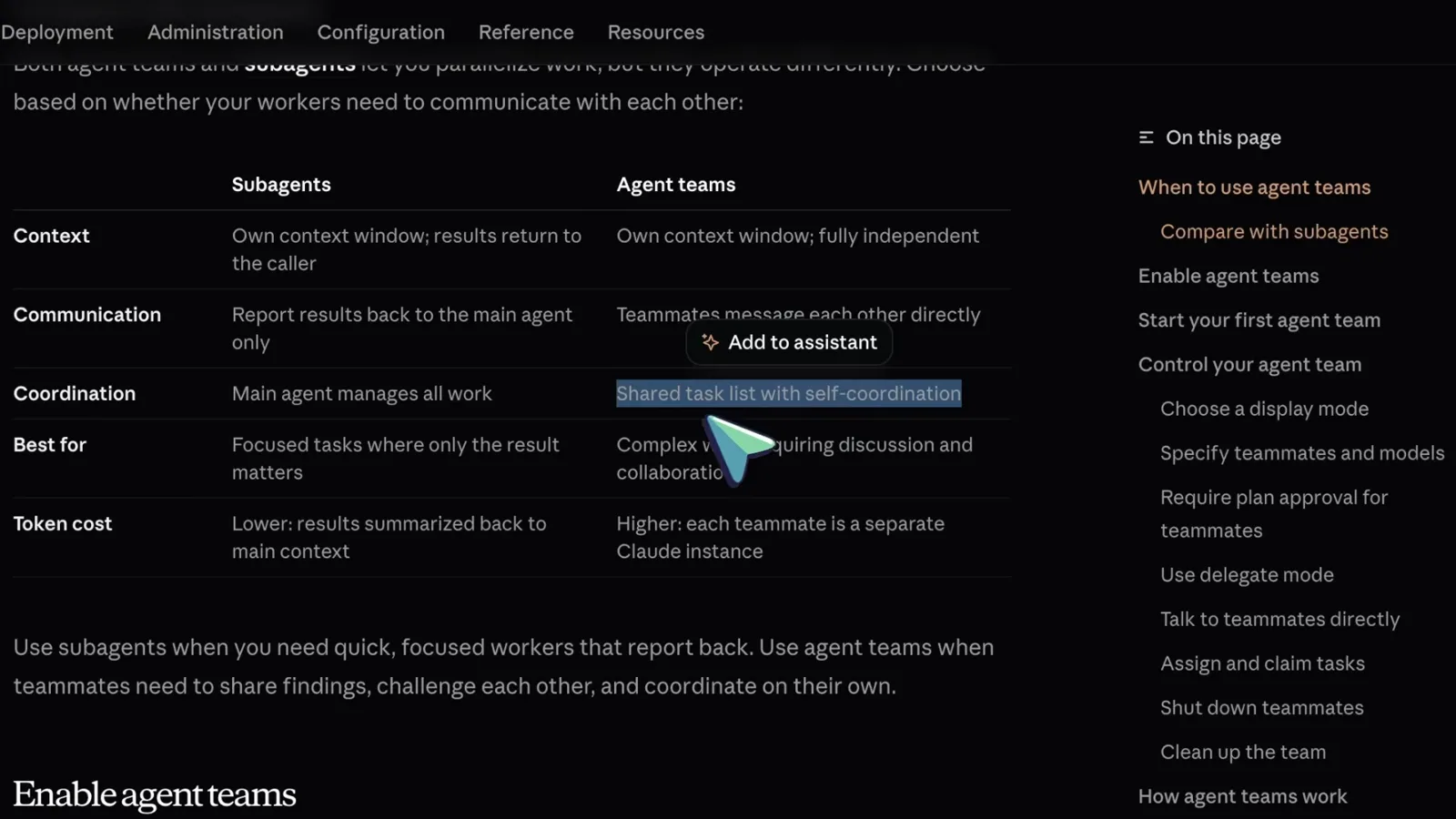
The docs include a comparison table. Subagents run inside a single session, report results back to the caller and cost fewer tokens. Teammates are independent Claude Code instances that message each other directly and share a task list — you pay more tokens for real collaboration. Use subagents when only the result matters; use a team when workers need to challenge each other.
Subagents vs agent teams, straight from the official comparison table.Watch at 1:00 - 3
Enable the flag in settings.json
Open (or create) ~/.claude/settings.json and add an env block with "CLAUDE_CODE_EXPERIMENTAL_AGENT_TEAMS": "1". Project-level and local settings files can enable it too, and a shell export works — but a "0" in user settings overrides the shell export. The change applies to a running session without a restart.
The env block that turns agent teams on.Watch at 2:00 - 4
Update Claude Code, launch, and ask for a team in plain words
Run claude update first — teams need a recent build (2.1.32 or newer), and older versions silently ignore the flag. Start Claude, check the model picker (the video uses Opus 4.6 on Claude Max), then type a prompt that says the magic words: "Use the agent teams feature." Without that phrase Claude spawns ordinary subagents instead.
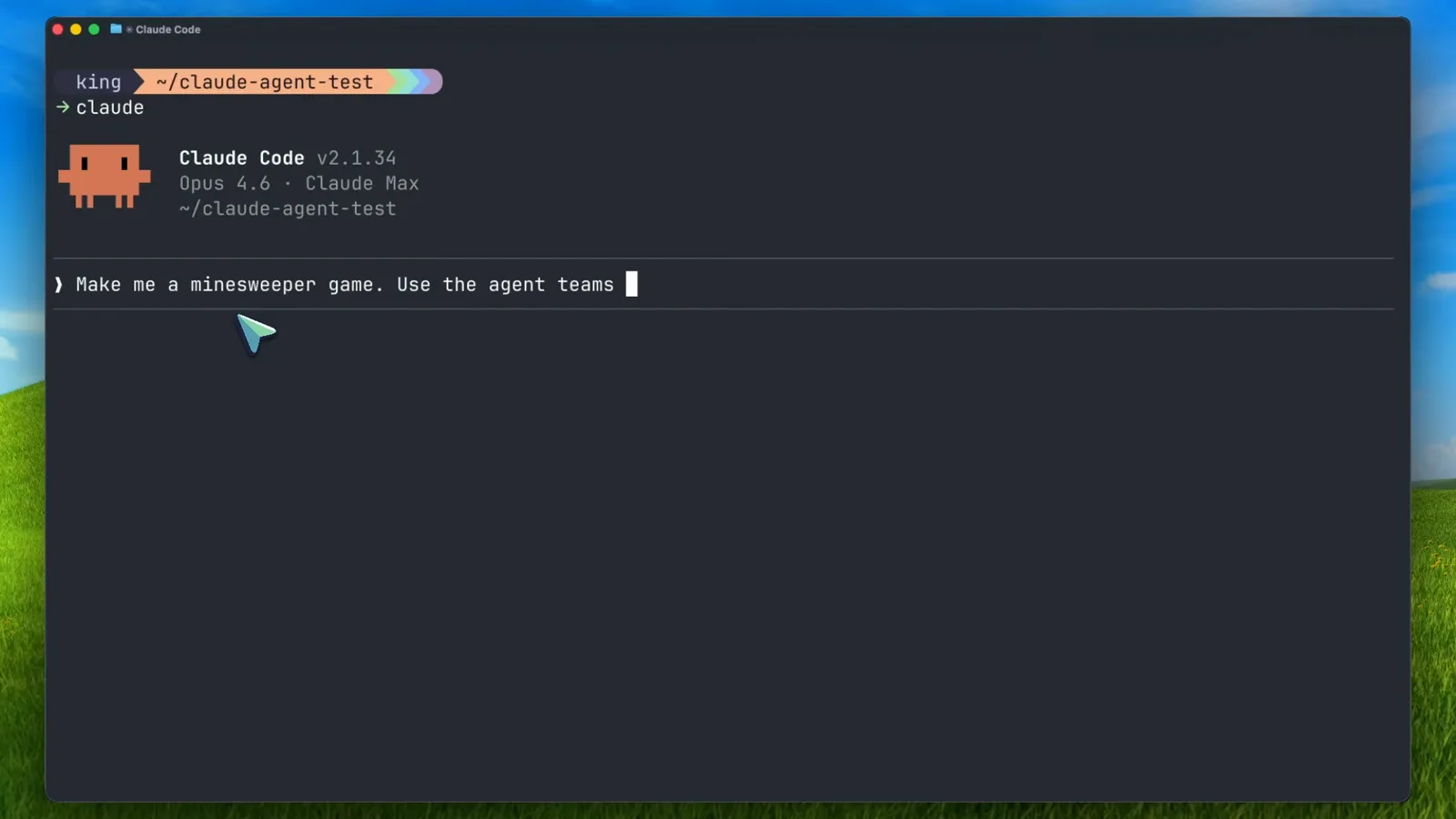
Claude Code v2.1.34 receiving the agent-teams prompt.Watch at 3:30
2. Spawn your first team
- 5
Watch the lead break the work into a shared task list
The lead turns your prompt into tasks, then spawns teammates. Each teammate's entry shows its task and "shift+↑ to manage". Notice the dependency marker: "Build UI, styling, and user interaction > blocked by #1" — the UI teammate cannot claim its task until the engine teammate finishes, which is how the shared task list prevents duplicated work.
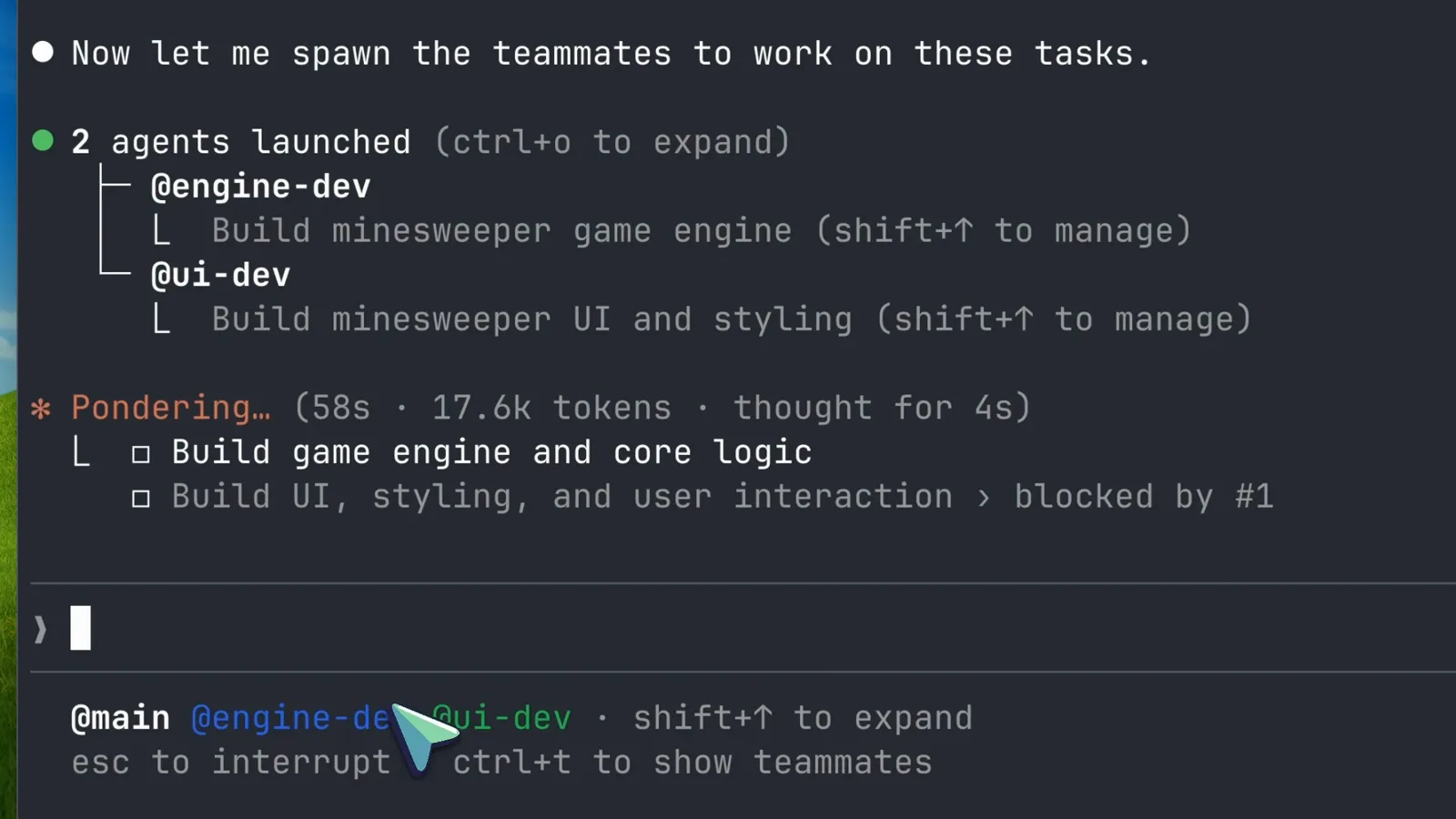
Two teammates launched, with task #2 blocked by task #1.Watch at 4:30 - 6
Let them run and read the live progress
Teammates work in parallel in their own sessions. The lead narrates the state — "Both agents are working" — while each task line carries the teammate's name, elapsed time and token spend. Press ctrl+o to expand an entry and ctrl+t to show or hide the teammates panel at any time.
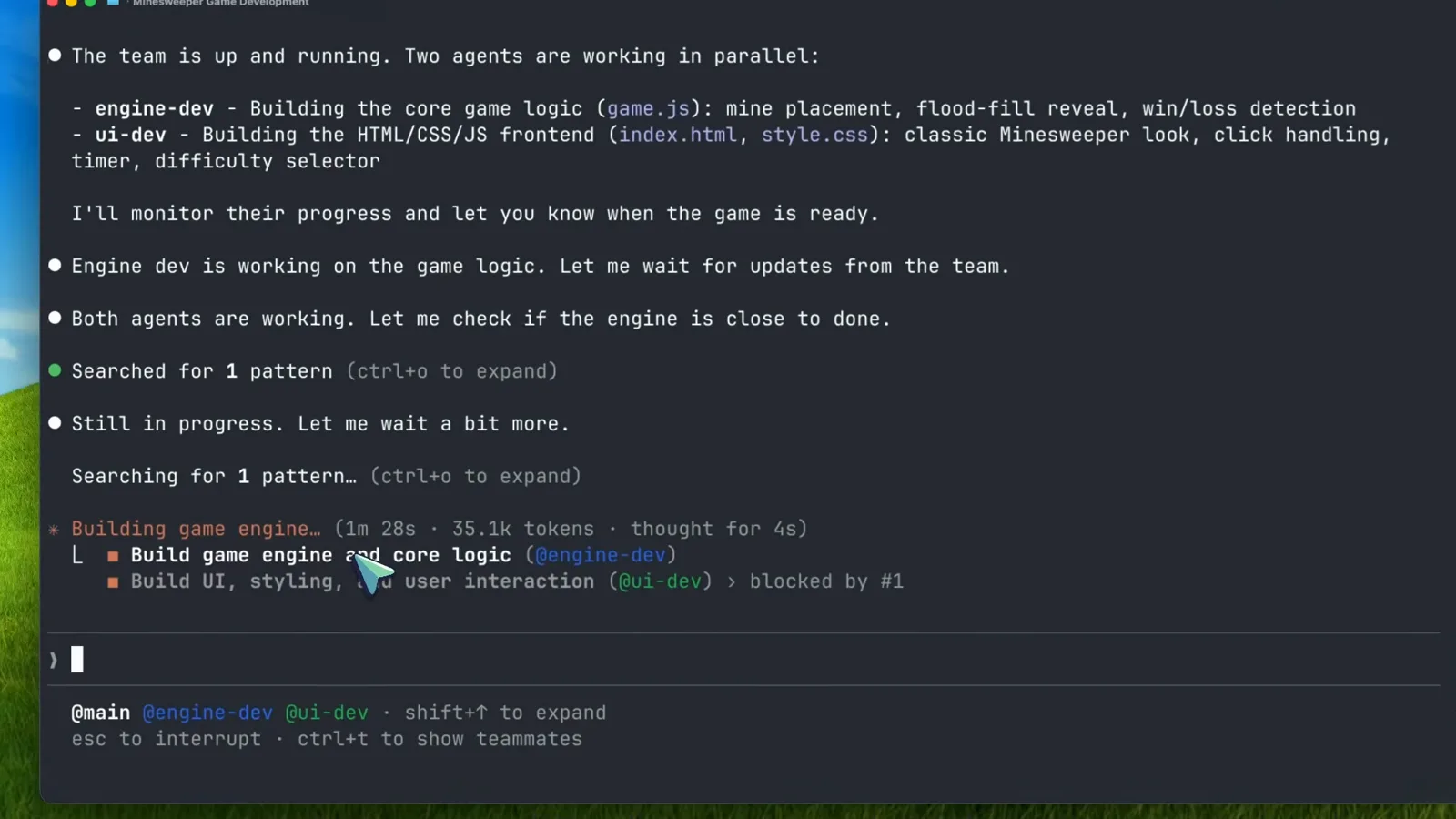
Parallel work with per-task token and time accounting.Watch at 5:00 - 7
Optional: pin the teammate count and their model
You can specify exactly what you want: "Create a team with 4 teammates to refactor these modules in parallel. Use Sonnet for each teammate." Naming a cheaper model per teammate is the single best cost lever — routine work doesn't need Opus. For risky tasks, also require plan approval so a teammate's plan waits for your sign-off before any code is written.
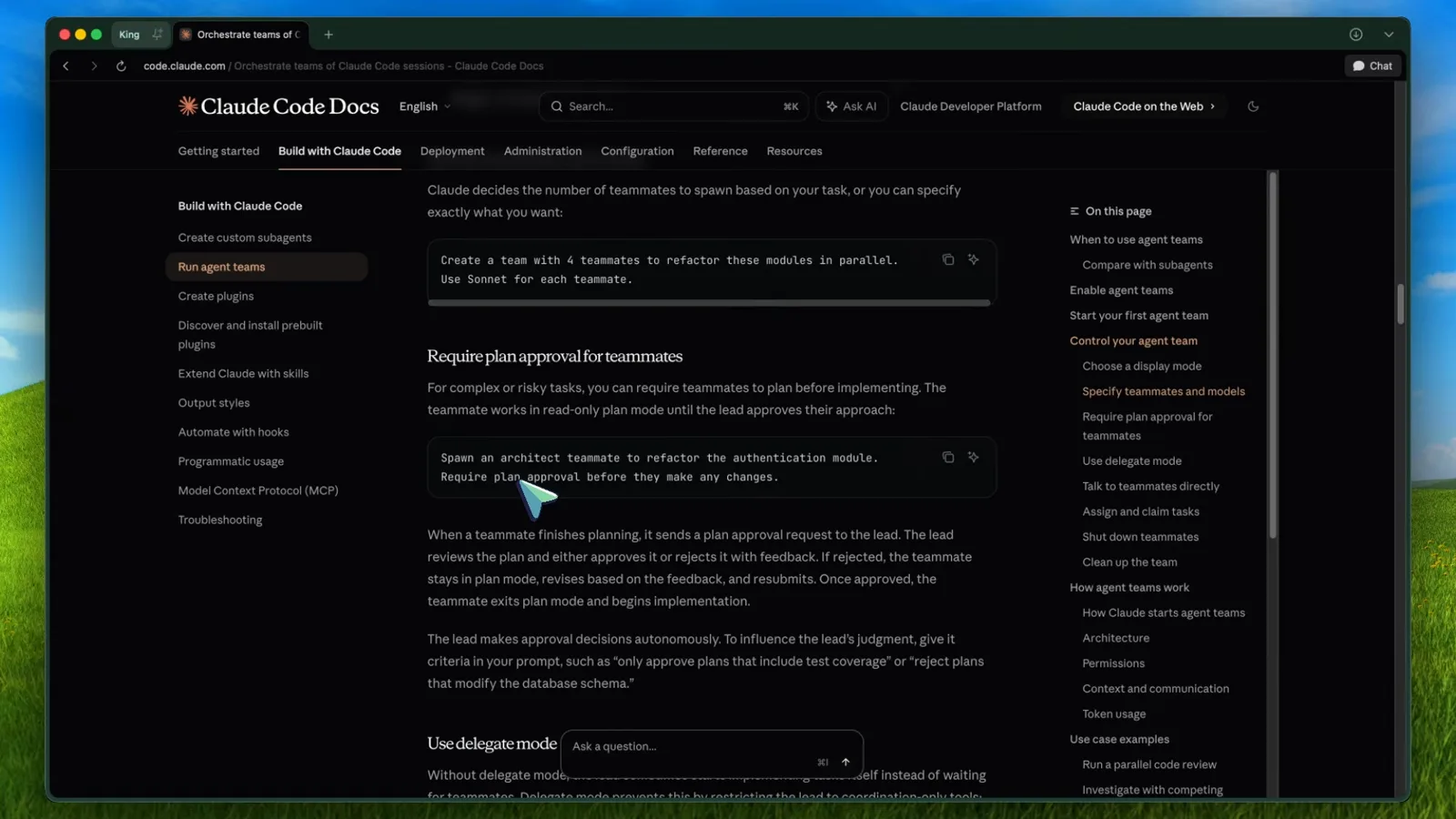
The docs' own example for specifying teammates and models.Watch at 6:30
3. Steer, verify and iterate
- 8
Follow the dependency hand-off and the lead's review
When the engine teammate finishes, task #2 flips to unblocked and the UI dev picks it up. The lead then reads the changed files itself — "Let me shut down the teammates and do a final review of the code to make sure everything integrates properly." You intervene only if something looks wrong.
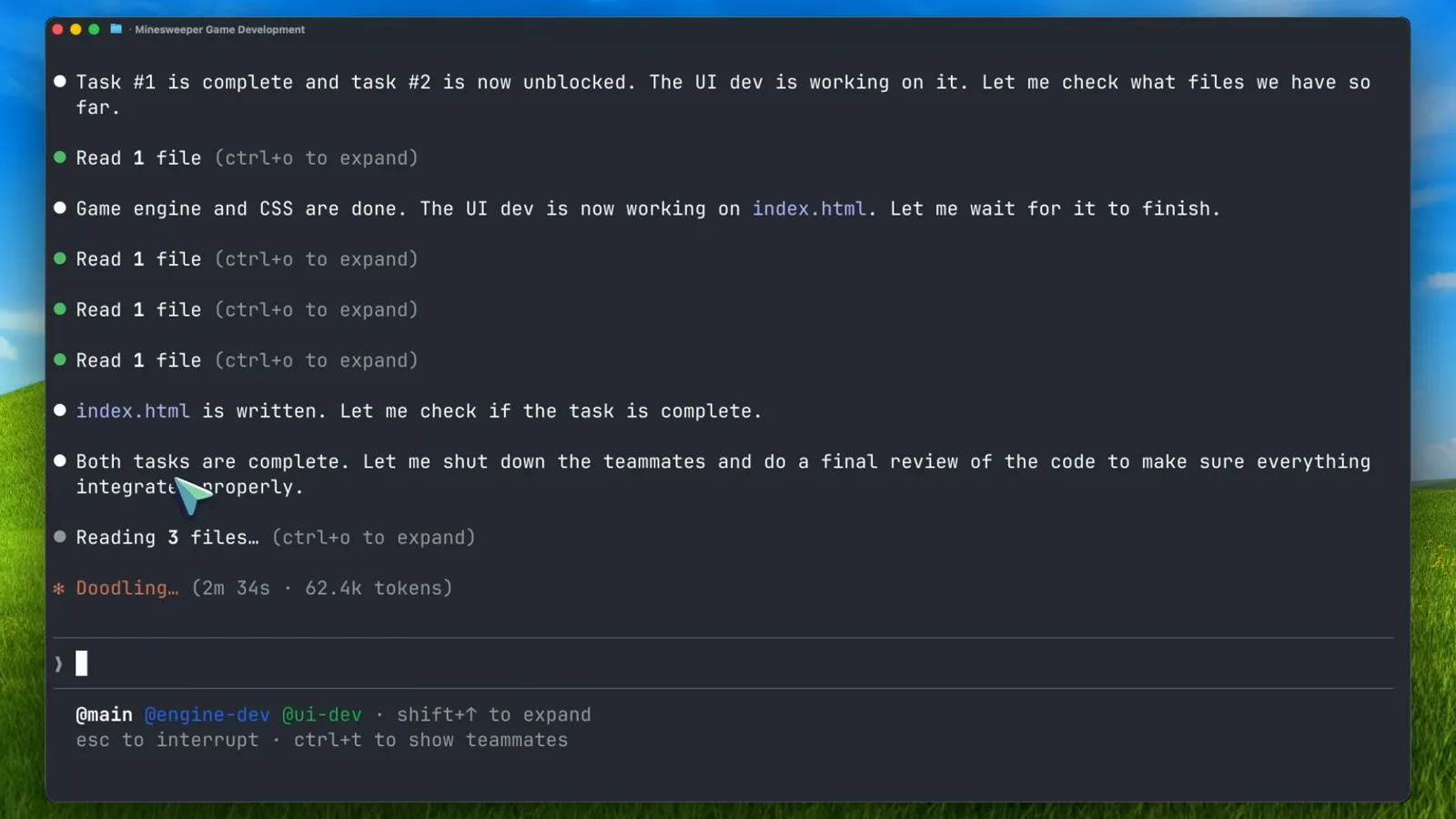
Task #1 complete, task #2 unblocked, final review starting.Watch at 7:30 - 9
Open the deliverable and verify it yourself
The team's output lands as ordinary files in your project — here a Minesweeper game with three difficulty levels, flood-fill reveal and a safe first click. Open it in the browser and actually use it before you let the team go: agents verify their own code, but you own the acceptance test.
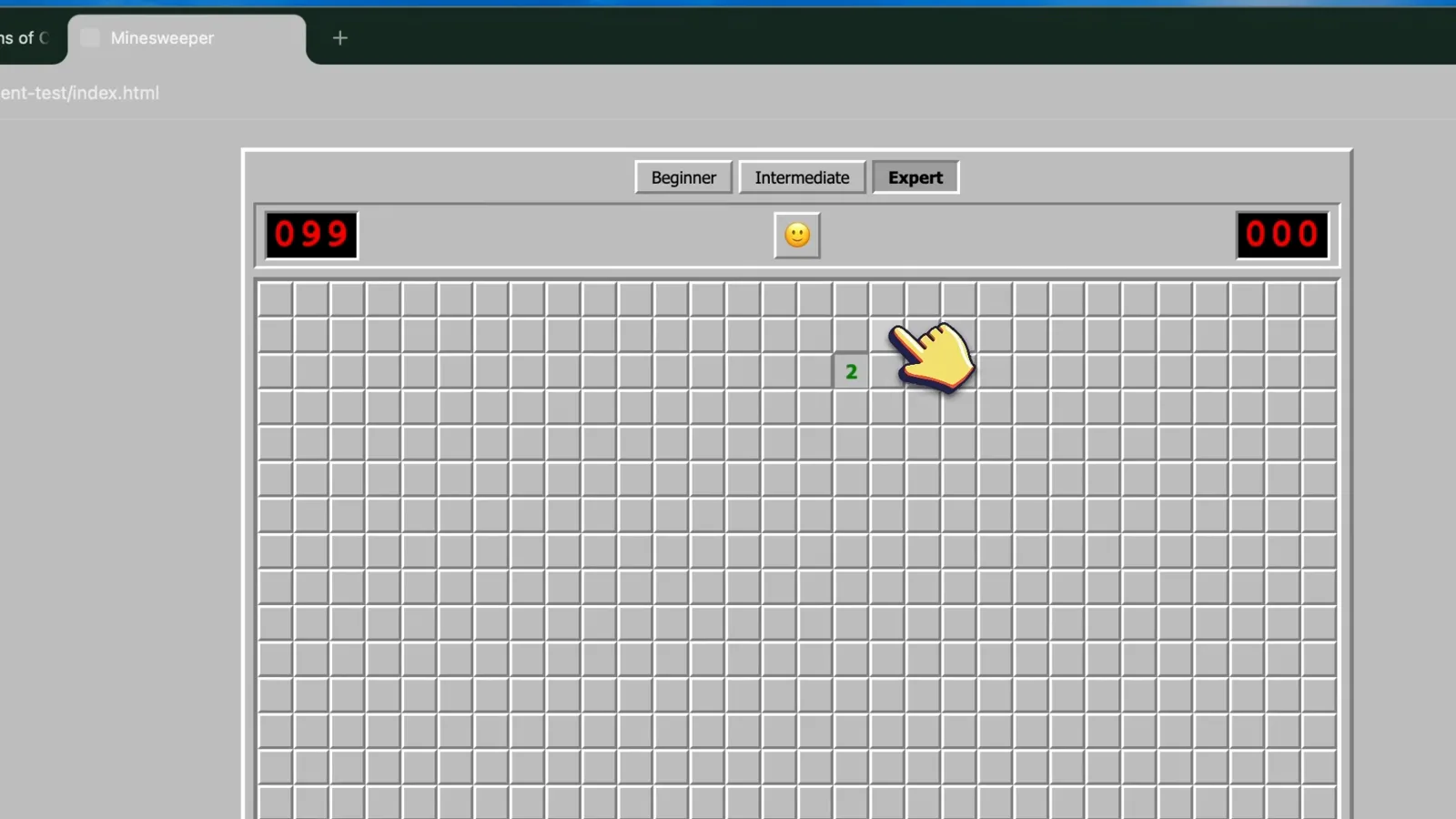
The team's deliverable: a working Minesweeper clone.Watch at 9:00 - 10
Iterate by prompting the same team
The feature list checks out, so the video goes again: "Add more themes to it. Use team." For coding tasks the lead often keeps teammates idling instead of shutting them down, so your follow-up lands with full context of what was already built. Note the status bar: accept edits on (shift+tab to cycle).
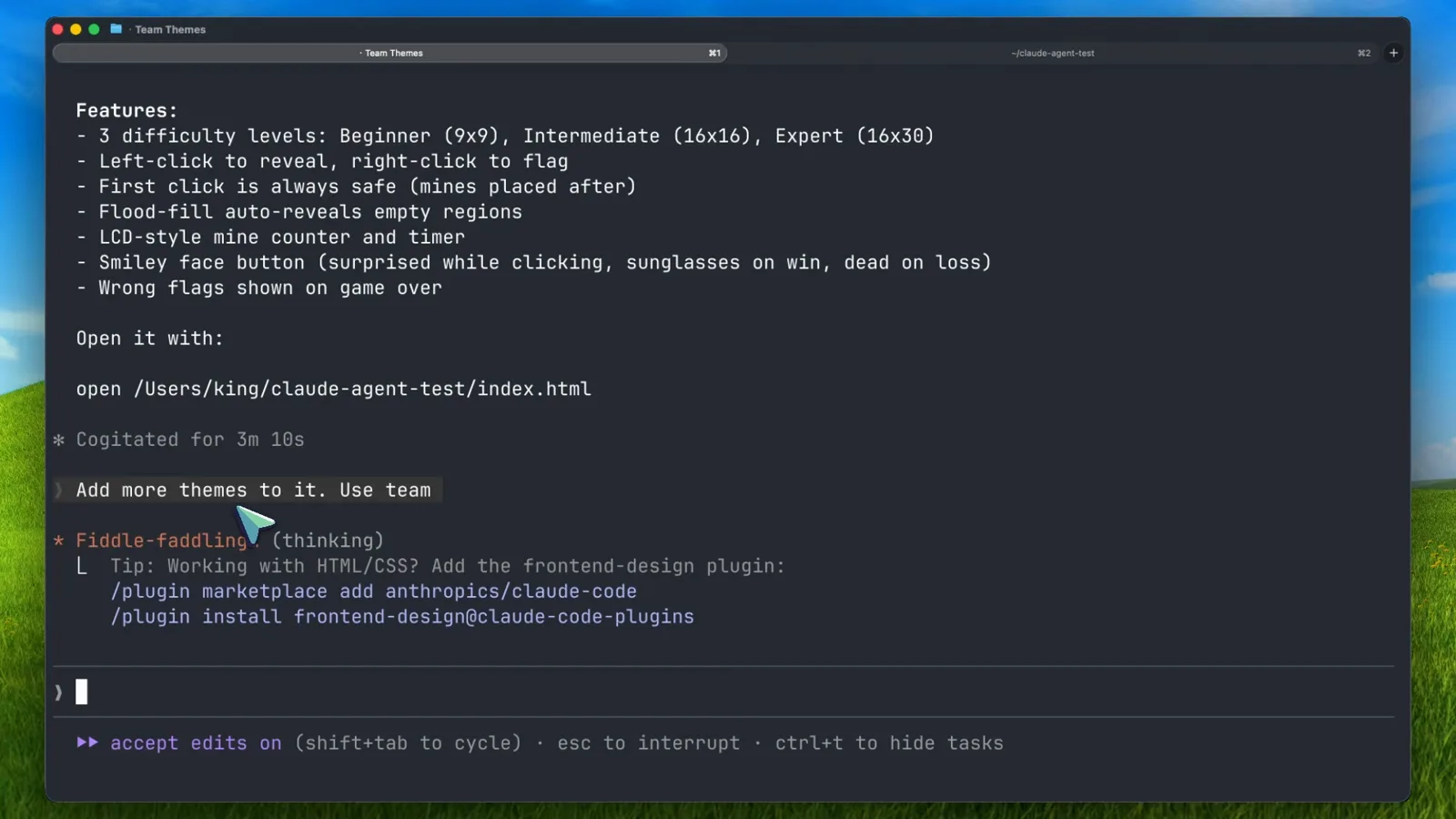
The delivered feature list and the second-round prompt.Watch at 10:00 - 11
Steer individuals from the teammates panel
In a bigger team (the video's second demo runs six teammates), the panel shows each teammate's name, a live status word and its token count. shift+↑ / shift+↓ selects a teammate, Enter opens its transcript, and the message box accepts @-mentions like "Message @infra-dev…" to reach one teammate without going through the lead.
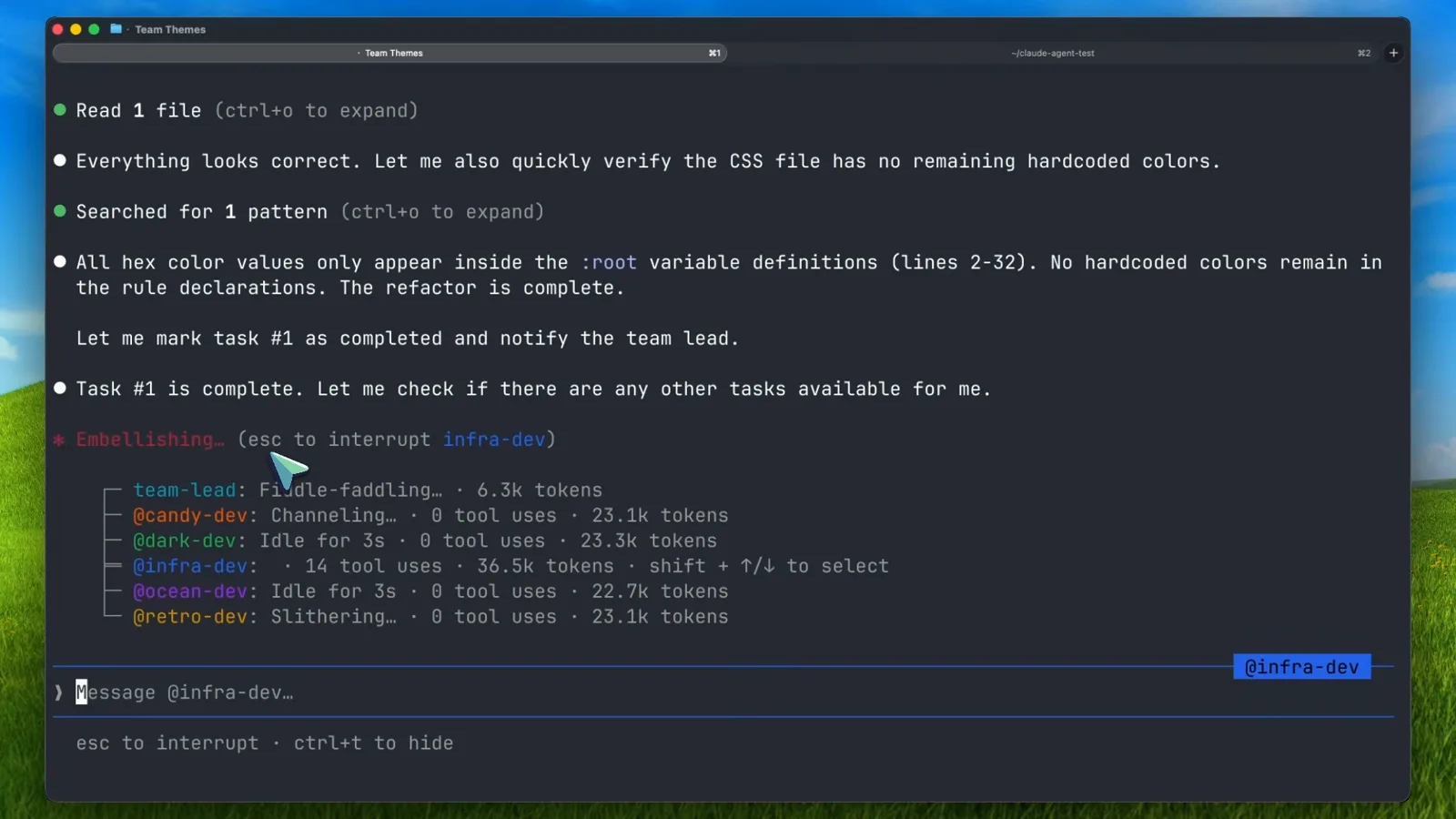
Six teammates, live token counts, and an @-mention message box.Watch at 13:30 - 12
Shut teammates down gracefully
Ask the lead by name — "Ask the ui-dev teammate to shut down" — and the teammate approves, finishing its current tool call first. A teammate that believes its work is mission-critical can reject the request with an explanation. When everything is done, "clean up the team" closes the shared sessions and the panes collapse back into one.
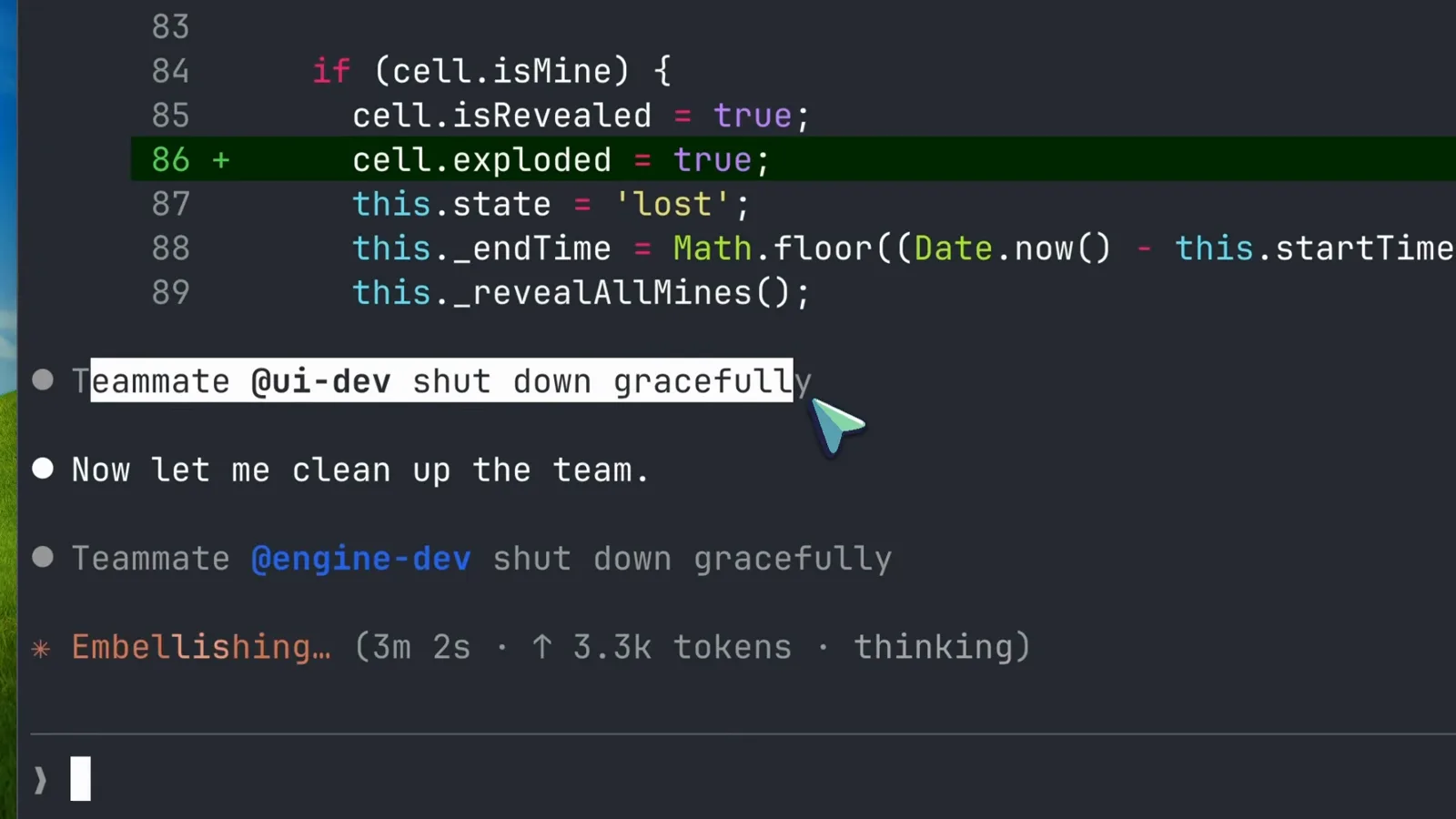
Both teammates shut down gracefully during cleanup.Watch at 8:00
4. Know the limits before you scale
- 13
Know the context rule before you scale up
Teammates load CLAUDE.md, MCP servers and skills automatically, but they never inherit the lead's conversation history. Hand context over explicitly — the docs' example spawns a security reviewer with the exact files, focus areas and reporting format in the prompt. And size tasks honestly: too small wastes coordination, too large risks wasted effort, just right is one self-contained deliverable.
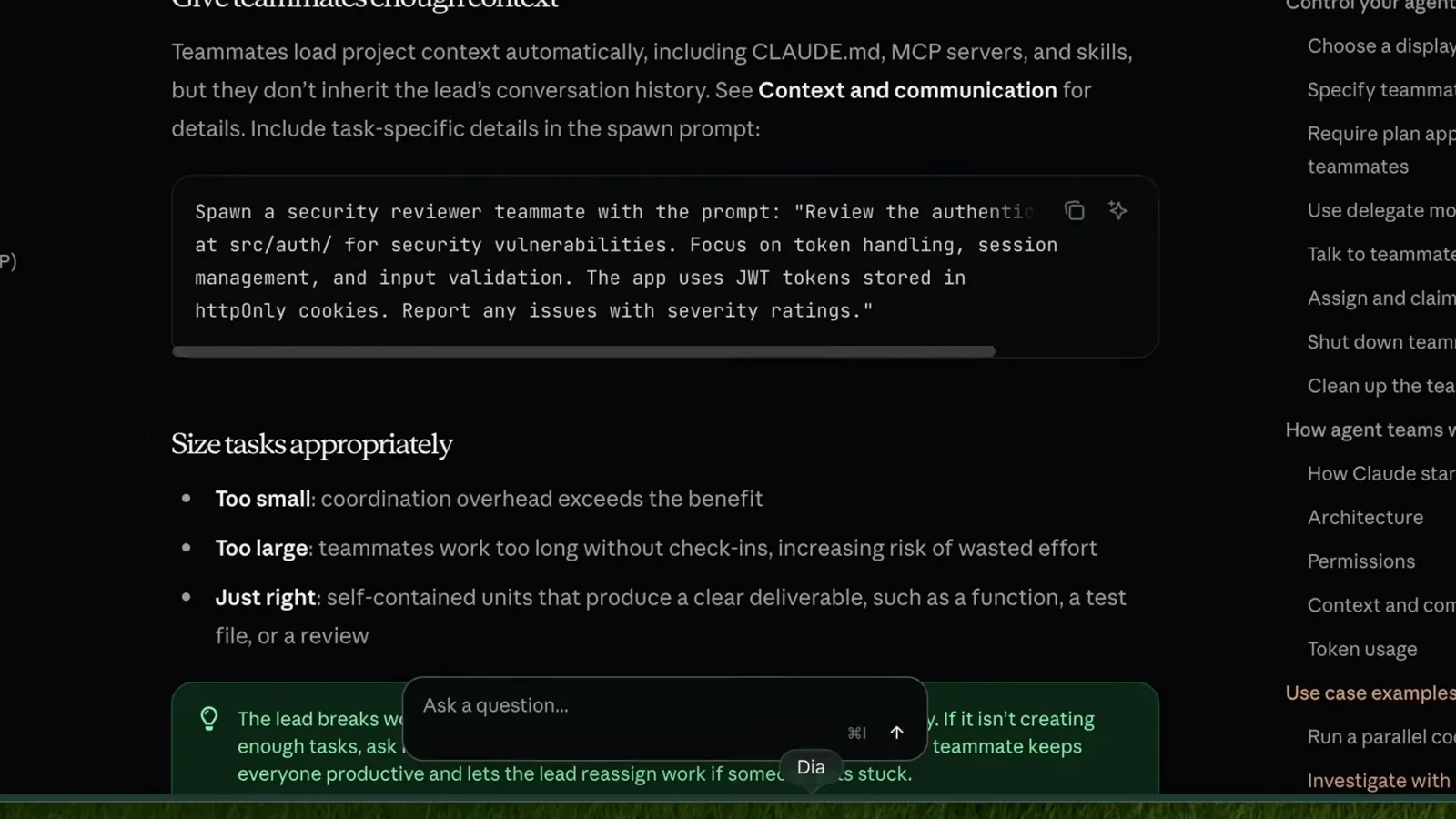
The context-inheritance rule and the task-sizing checklist.Watch at 10:15 - 14
Accept that teams don't resume
The limitation that surprises most people: /resume and /rewind do not restore in-process teammates. After resuming a session the lead may try to message teammates that no longer exist — when that happens, tell the lead to spawn new teammates. Also expect task status to lag: if a task looks stuck, check whether the work is actually done and update it manually.
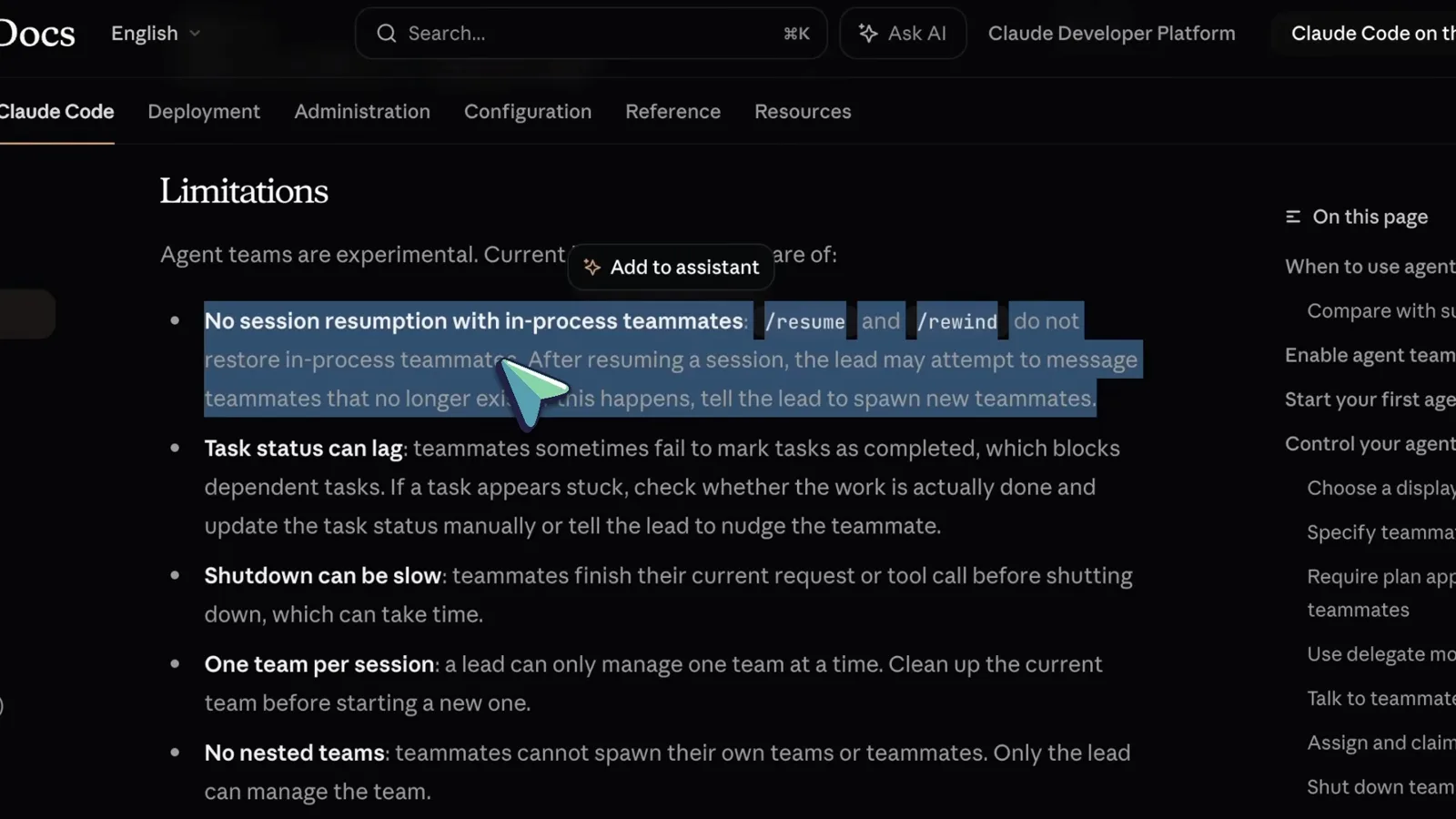
No session resumption, plus the task-status caveat.Watch at 10:30 - 15
Check the remaining limitations, then pick real work
Three more rules from the docs: the lead is fixed (you can't promote a teammate), permissions set at spawn propagate — --dangerously-skip-permissions flows to every teammate, so change a reviewer's mode afterwards if it shouldn't edit — and split panes require tmux or iTerm2, because VS Code's integrated terminal, Windows Terminal and Ghostty are unsupported. Then start with 3-5 teammates on genuinely collaborative work.
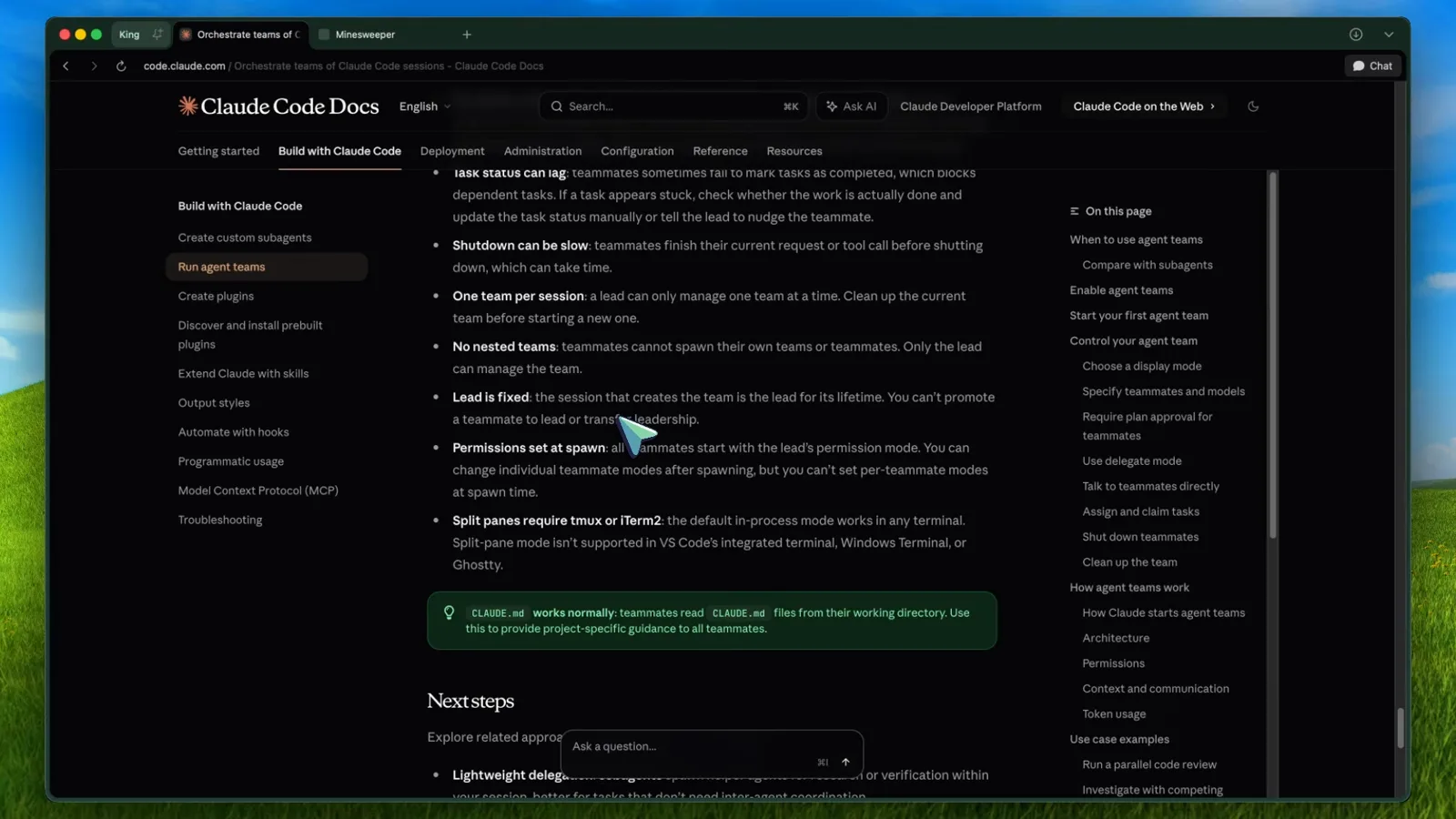
Lead is fixed, permissions propagate, split panes need tmux.Watch at 11:30