
Claude Code Router Tutorial: Route Claude Code to DeepSeek, Gemini or Any Model
The open-source router keeps the Claude Code experience you like but sends each request to cheaper models — DeepSeek, Kimi, Gemini or a local Ollama model. Install it with npm, wire providers in the ccr ui console, set per-scenario routes, then run a real task to prove it works. 15 steps with screenshots.
TL;DR — what Claude Code Router does
- Claude Code Router (CCR) is a free, open-source proxy: Claude Code keeps its UI, system prompt and tools, but the model calls go to whatever you configure — DeepSeek, Kimi K2, Gemini, OpenRouter or a local Ollama model.
- Install is one npm command (npm install -g @musistudio/claude-code-router) and the ccr ui web console edits ~/.claude-code-router/config.json for you — no hand-editing JSON required.
- Routing is per scenario: the default, background, think (Plan Mode reasoning), longContext (auto-engages past a 60,000-token threshold) and webSearch slots each get their own model.
- ccr code starts a routed session with the base URL pointed at http://127.0.0.1:3456; plain claude still works untouched. Known quirk: /cost stays at $0, so track spend in your provider dashboard.
Claude Code Router: Use Gemini 2.5 Pro FREE API in Claude Code
Video walkthrough:AI With Nathan10:52
claude-code-router — official README
Product facts:musistudio on GitHubDocs
Steps and screenshots follow the video walkthrough; config.json field names, router roles and transformer behavior are cross-checked against the official README.
Frames are credited screenshots from the source video, each deep-linked to its timestamp. This guide's text is original — not a transcript.
Set up Claude Code Router, step by step
1 · Point Claude Code at cheaper models
- 1
See why Claude Code needs a router
Claude Code is tied to Claude models, and they are pricey: Opus 4.1 lists at $15 per million input tokens and $75 per million output. Claude Code Router (CCR), an open-source project, keeps the Claude Code experience but routes each request to a model you choose — DeepSeek, Kimi, Gemini or a local Ollama model.
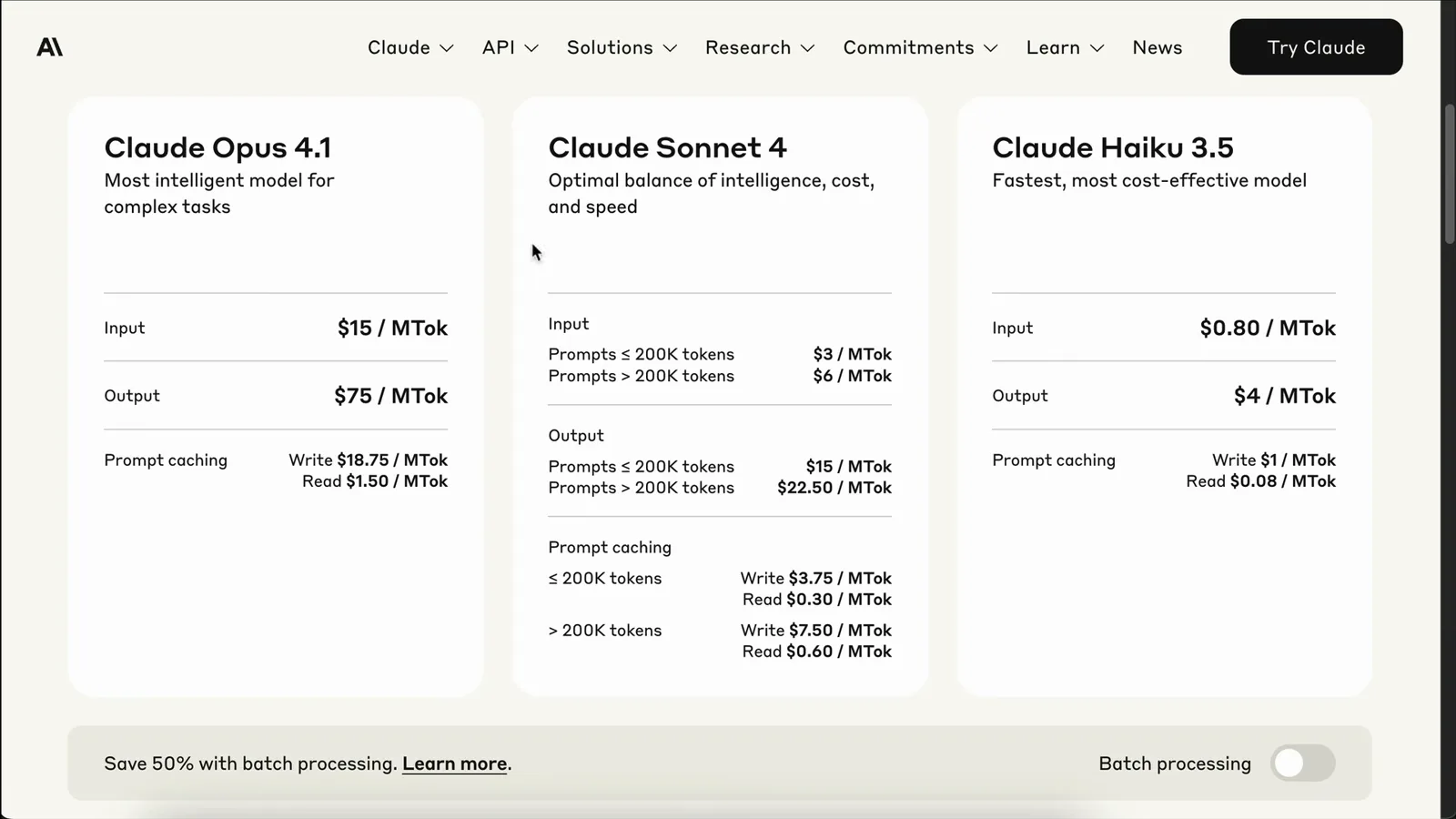
Anthropic's list pricing before the switch — this is the bill CCR avoids.Watch at 0:30 - 2
Install Claude Code, then the router
CCR assumes Claude Code is already installed: npm install -g @anthropic-ai/claude-code. Then install the router: npm install -g @musistudio/claude-code-router. Your provider config will live in ~/.claude-code-router/config.json.
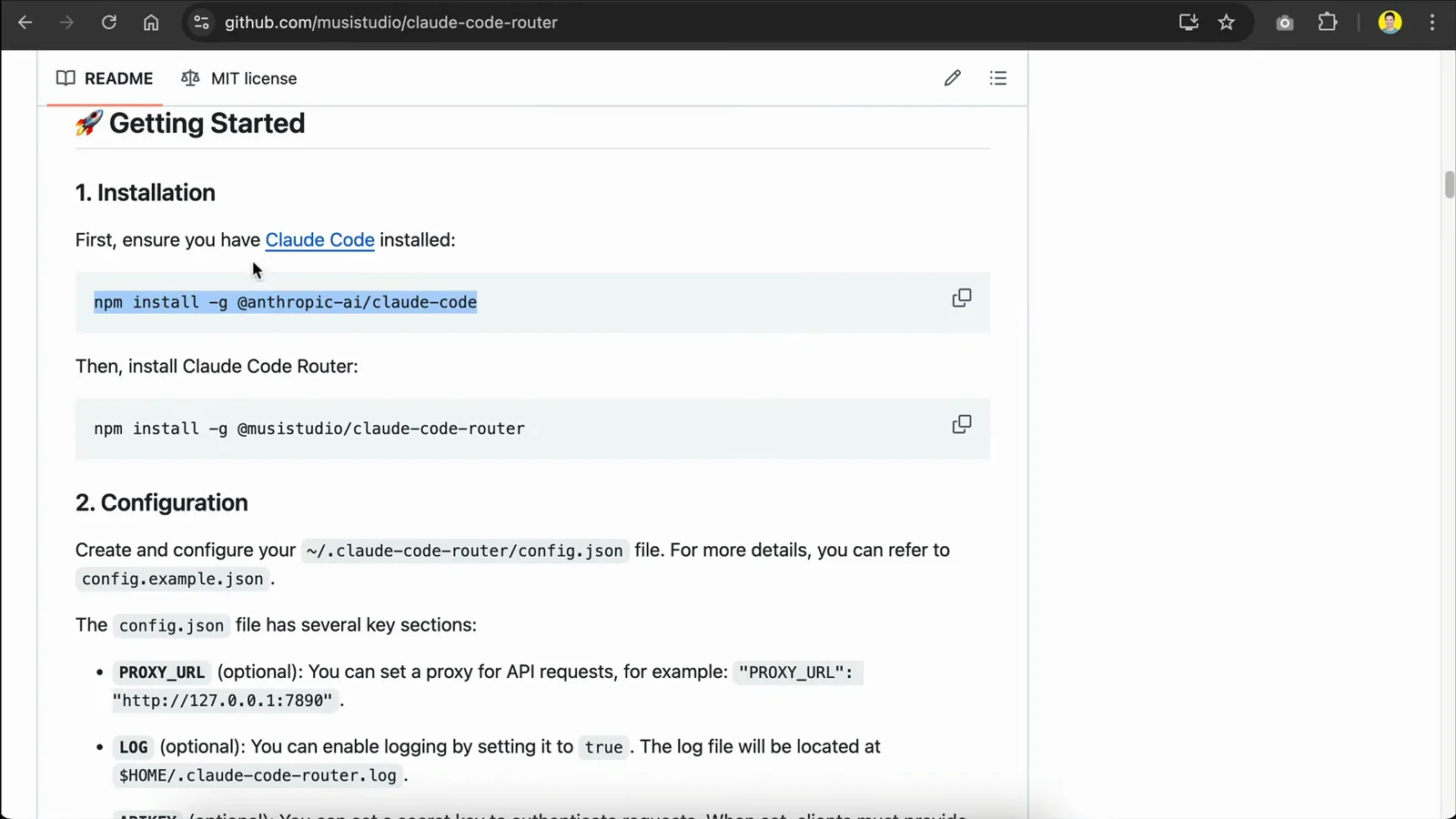
The two npm installs from the official README — the router never replaces Claude Code.Watch at 3:36 - 3
Let npm finish the global install
npm pulls the router's dependencies (a node-domexception deprecation warning is normal to see). When it finishes you have the ccr command available everywhere.
npm fetching packages during the global @musistudio/claude-code-router install.Watch at 3:49
2 · Add providers in the ccr ui console
- 4
Open the config console with ccr ui
Instead of editing JSON by hand, run ccr ui. A browser tab opens on 127.0.0.1:3456: providers are managed on the left, the Router section on the right assigns models to scenarios, and Custom Transformers sits below.
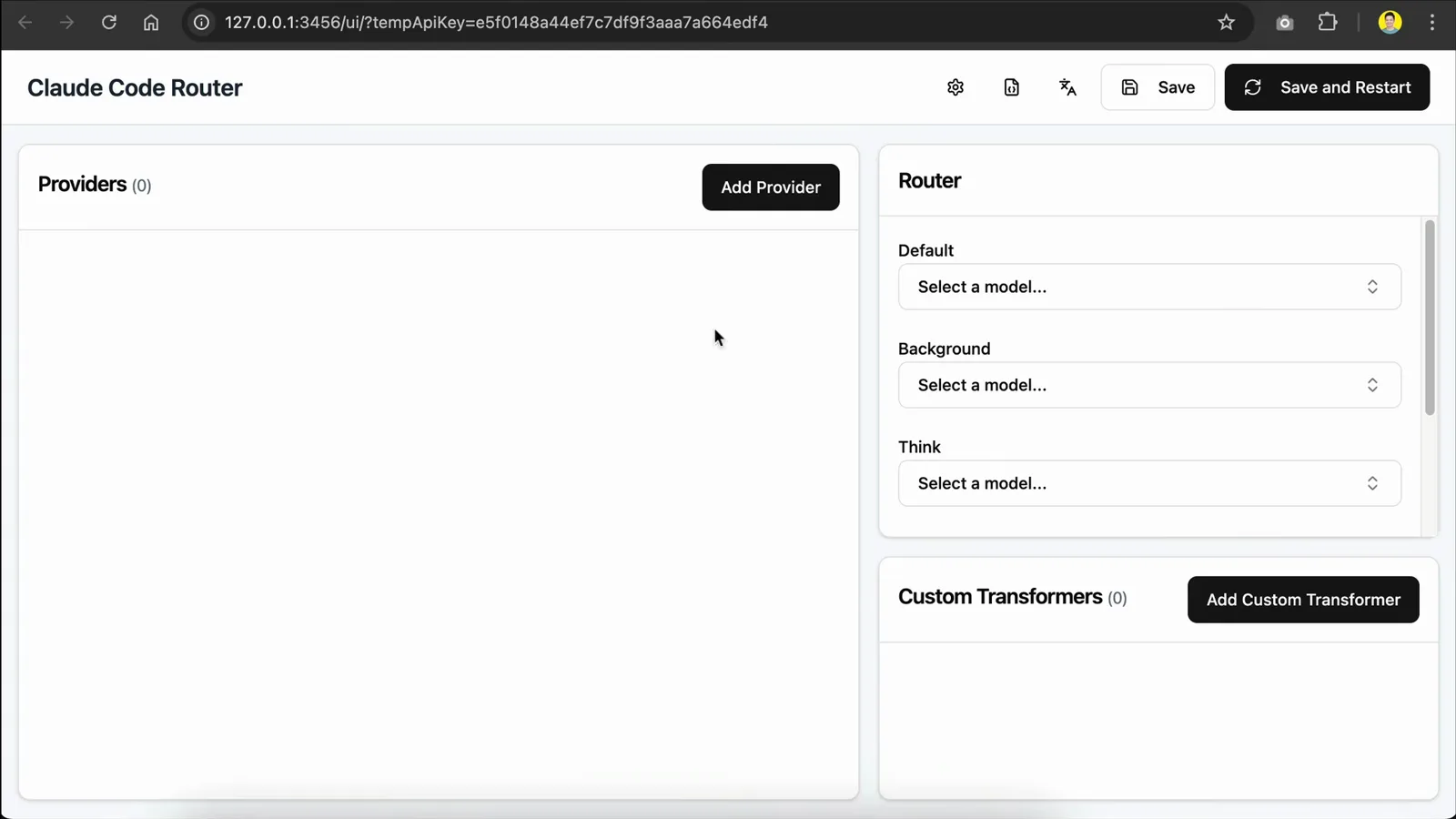
First launch of the ccr ui console — Providers empty, router slots waiting.Watch at 4:08 - 5
Add a provider from a template
Click Add Provider and pick a template — the video uses OpenRouter, and presets exist for deepseek, gemini, dashscope, modelscope, siliconflow and volcengine too. The template pre-fills the API URL and a default model list, and you can leave the transformer empty.
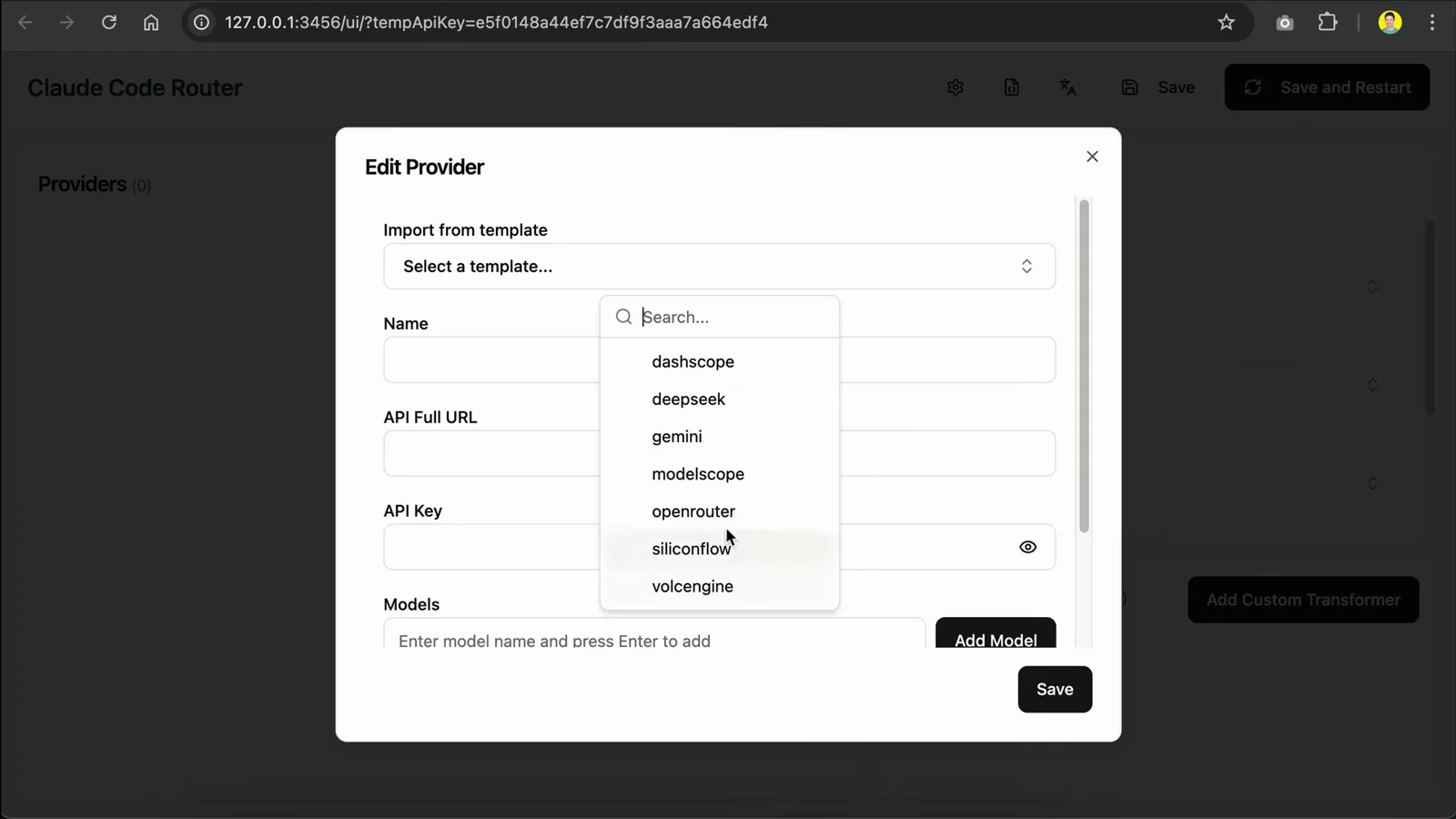
Provider templates in ccr ui — pick one and the URL plus models fill in automatically.Watch at 4:30 - 6
Paste the API key and pick your models
Three fields really matter: the API URL (already pre-filled), the secret key, and the models list. The walkthrough adds DeepSeek R1 and Kimi K2 under OpenRouter, then saves — the provider appears in the left panel ready to assign.
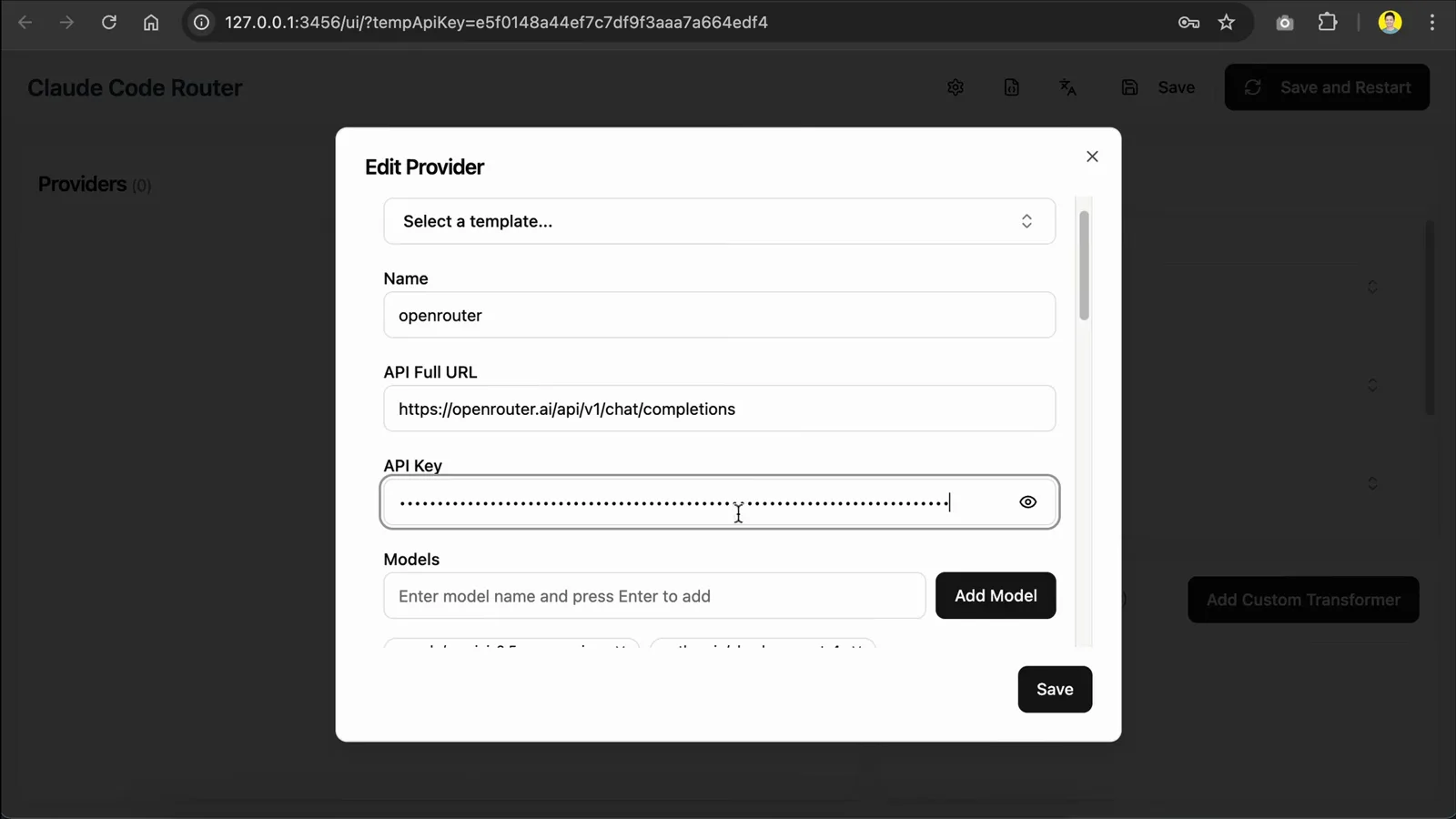
The Edit Provider form: URL, key, models — everything else can stay default.Watch at 4:53 - 7
Let transformers handle API differences
Transformers rewrite request and response payloads so third-party APIs stay compatible with Claude Code. CCR ships sensible defaults — for example a deepseek transformer for api.deepseek.com and a tooluse transformer for deepseek-chat — so you rarely write your own.
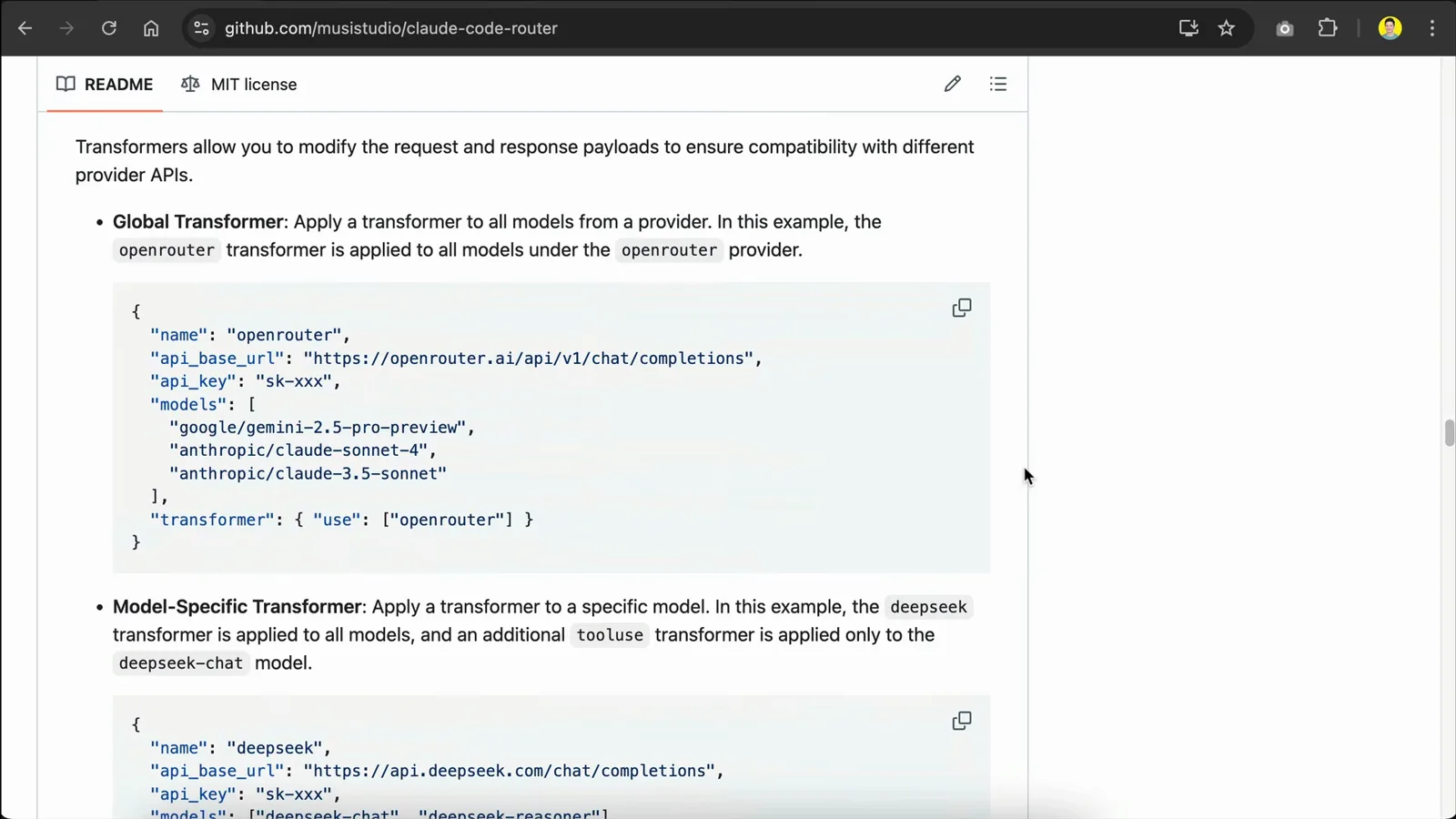
Global and model-specific transformer examples from the README, including the DeepSeek preset.Watch at 3:54 - 8
Add a free Gemini key for reasoning tasks
Add a second provider from the Gemini template and create a free API key in Google AI Studio (Get API key → Create API key). Paste it, save — you'll assign this provider to the thinking, long-context and web-search slots shortly.
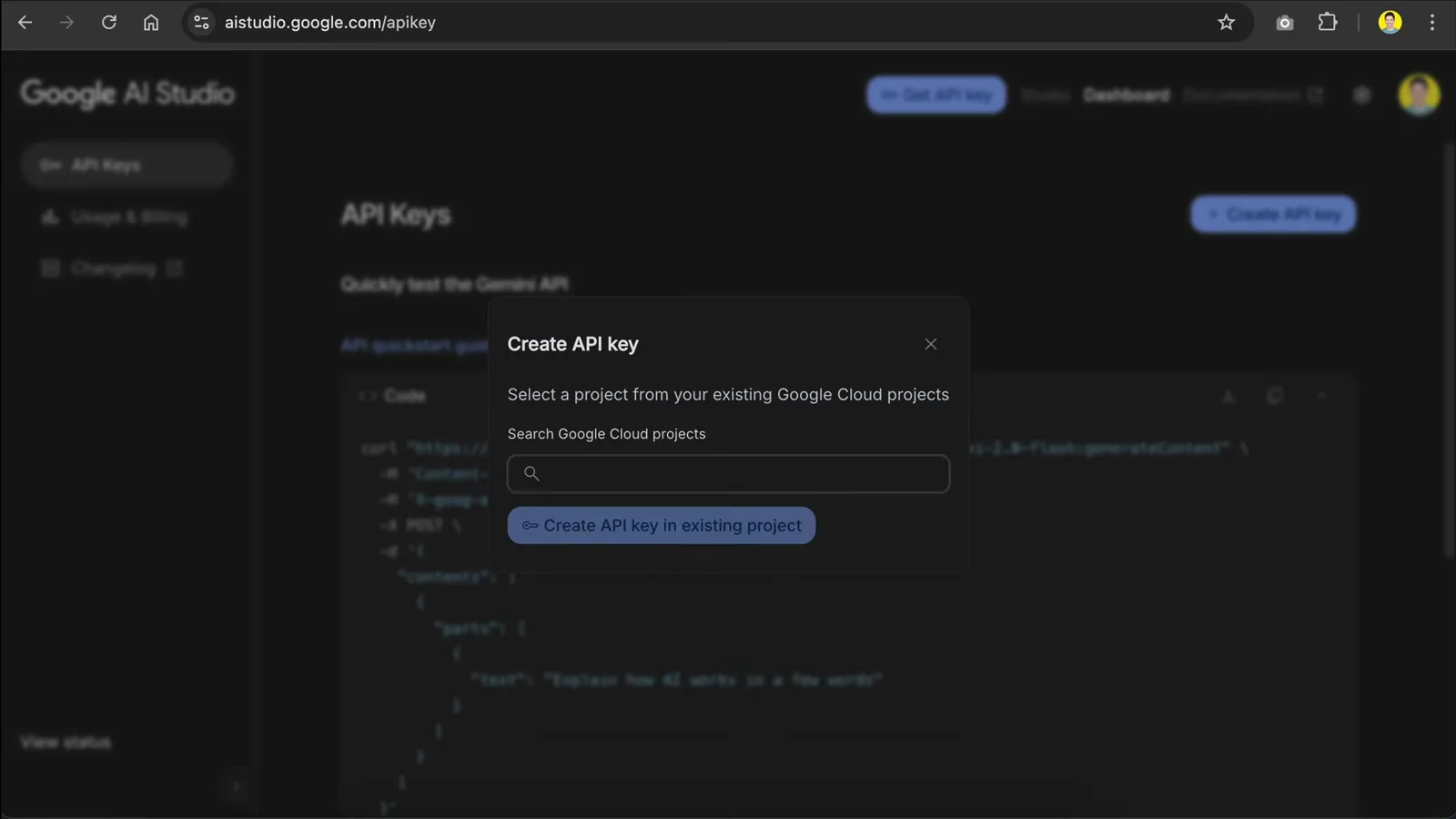
Creating the free Gemini API key in Google AI Studio for the CCR provider.Watch at 5:45
3 · Set the routing rules
- 9
Understand the five router roles
default handles general tasks (and everything you don't assign). background runs background jobs — a small or local model saves cost here. think covers reasoning-heavy work like Plan Mode. longContext engages automatically past longContextThreshold (60,000 tokens by default), and webSearch needs a model that supports the feature — on OpenRouter, append :online to the model name. /model switches models mid-session.
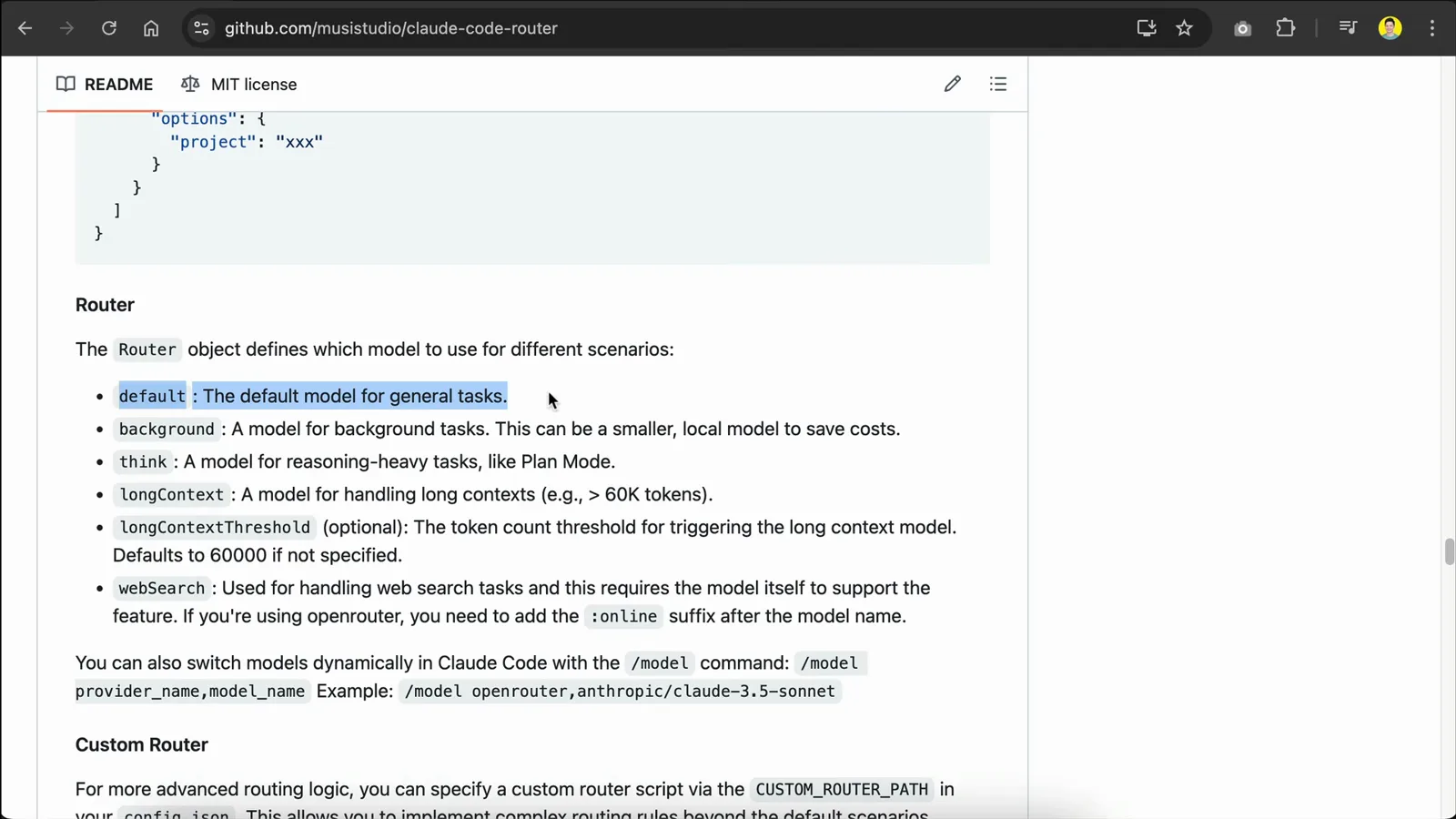
The Router object in the README: every role, the 60K threshold, and the :online suffix.Watch at 1:06 - 10
Assign a model to every scenario
In the Router section, pick from your saved providers' models: the video sets DeepSeek R1 as default, Kimi K2 for general use, Gemini 2.5 Pro (1M context window) for longContext, and fast Gemini Flash for webSearch. Hit Save and Restart in the top right when done.
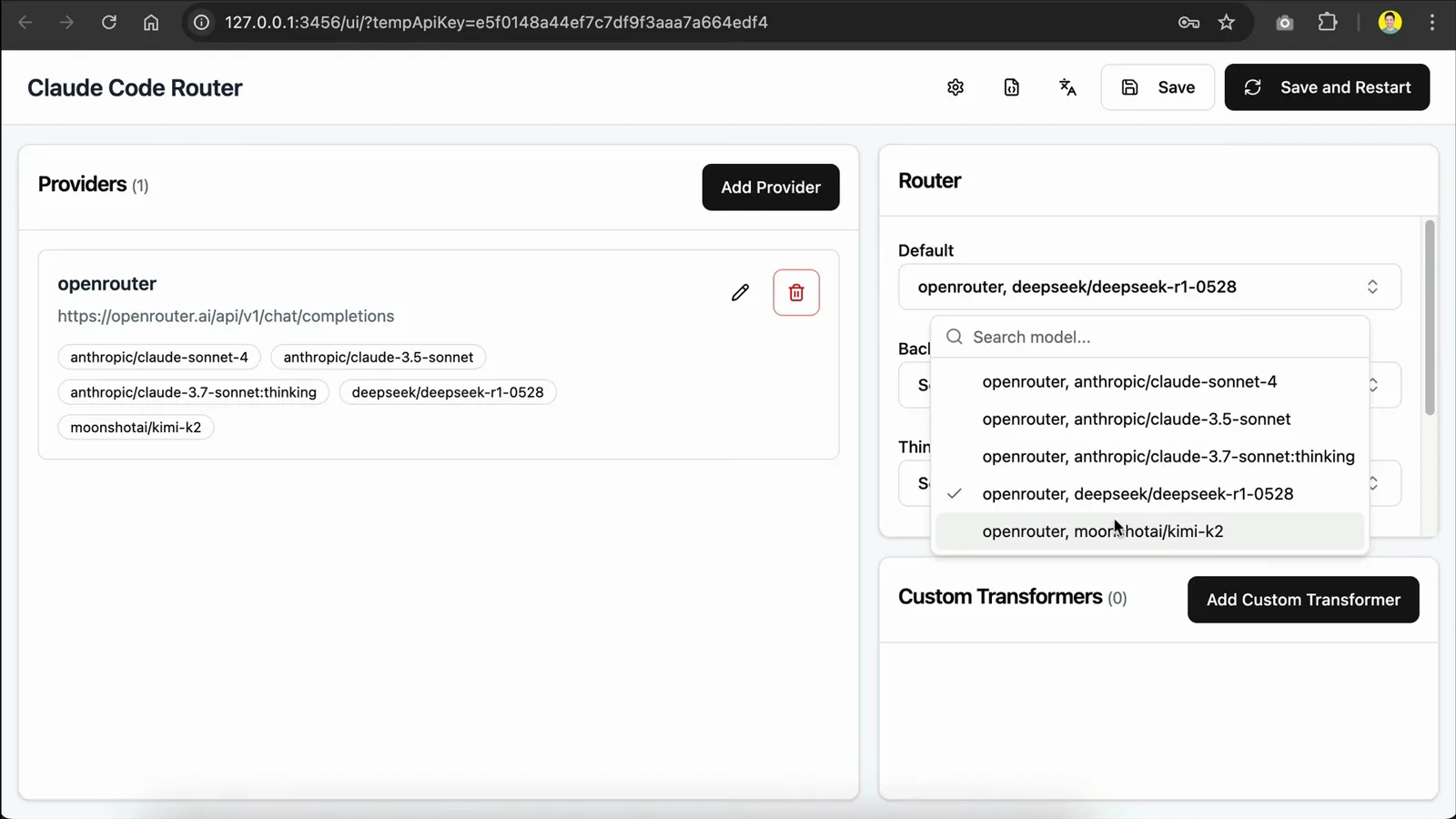
Filling the Default slot with deepseek/deepseek-r1-0528 from the saved provider.Watch at 5:15 - 11
Start the routed session with ccr code
Back in the terminal, run ccr code. The Claude Code welcome screen lists Overrides (via env) — API Base URL http://127.0.0.1:3456 — proving requests now flow through the router. The plain claude command still starts an unrouted session, no uninstall needed.
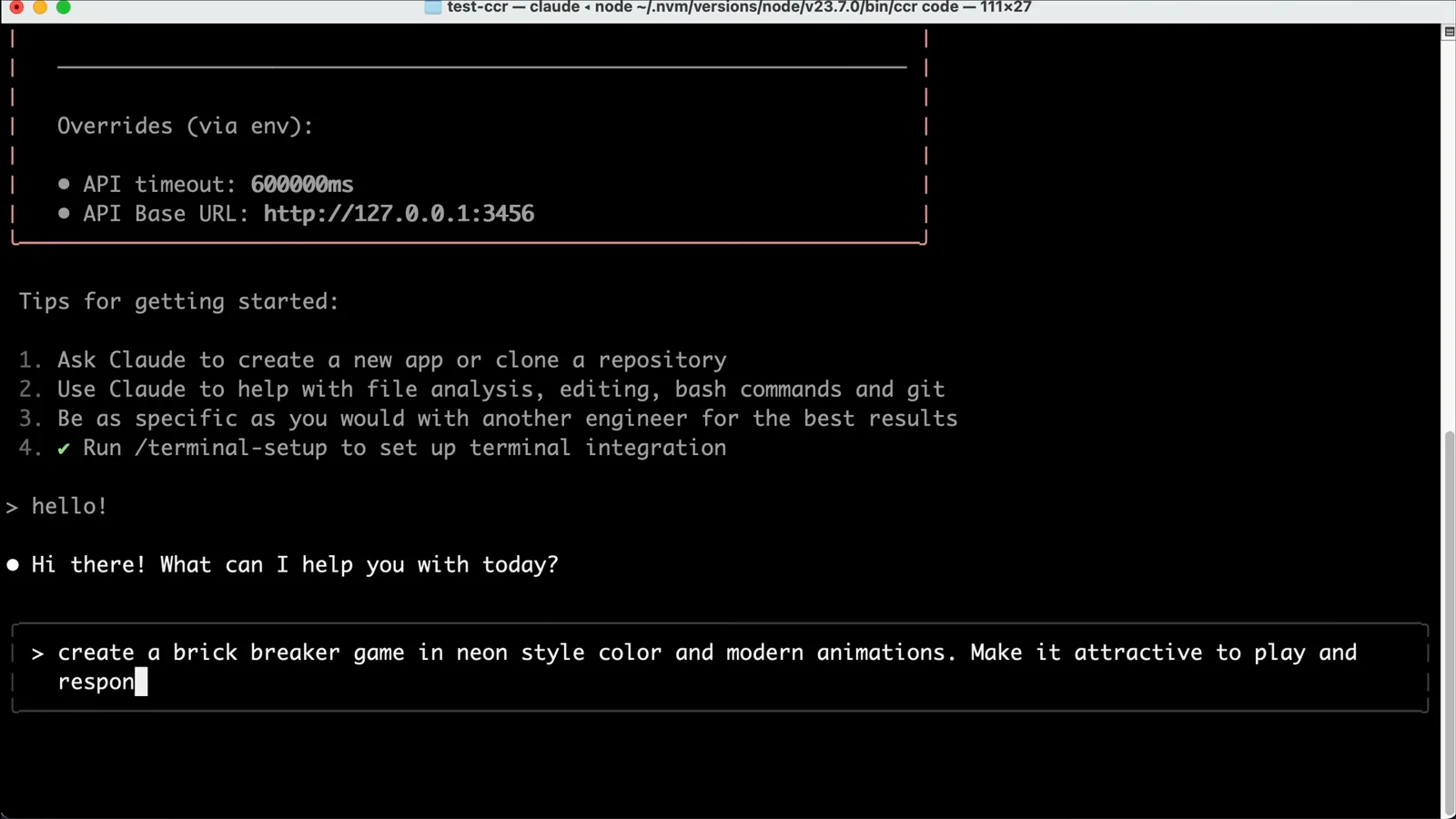
The Overrides block on the welcome screen: your traffic now goes through CCR's local proxy.Watch at 6:45
4 · Run a real task and verify
- 12
Give it a real coding task
Prompt as usual — the video asks for a neon brick breaker game with modern animations. Claude Code plans a todo list and executes it step by step through the routed models. Expect cosmetic quirks: the input-token counter may sit at zero.
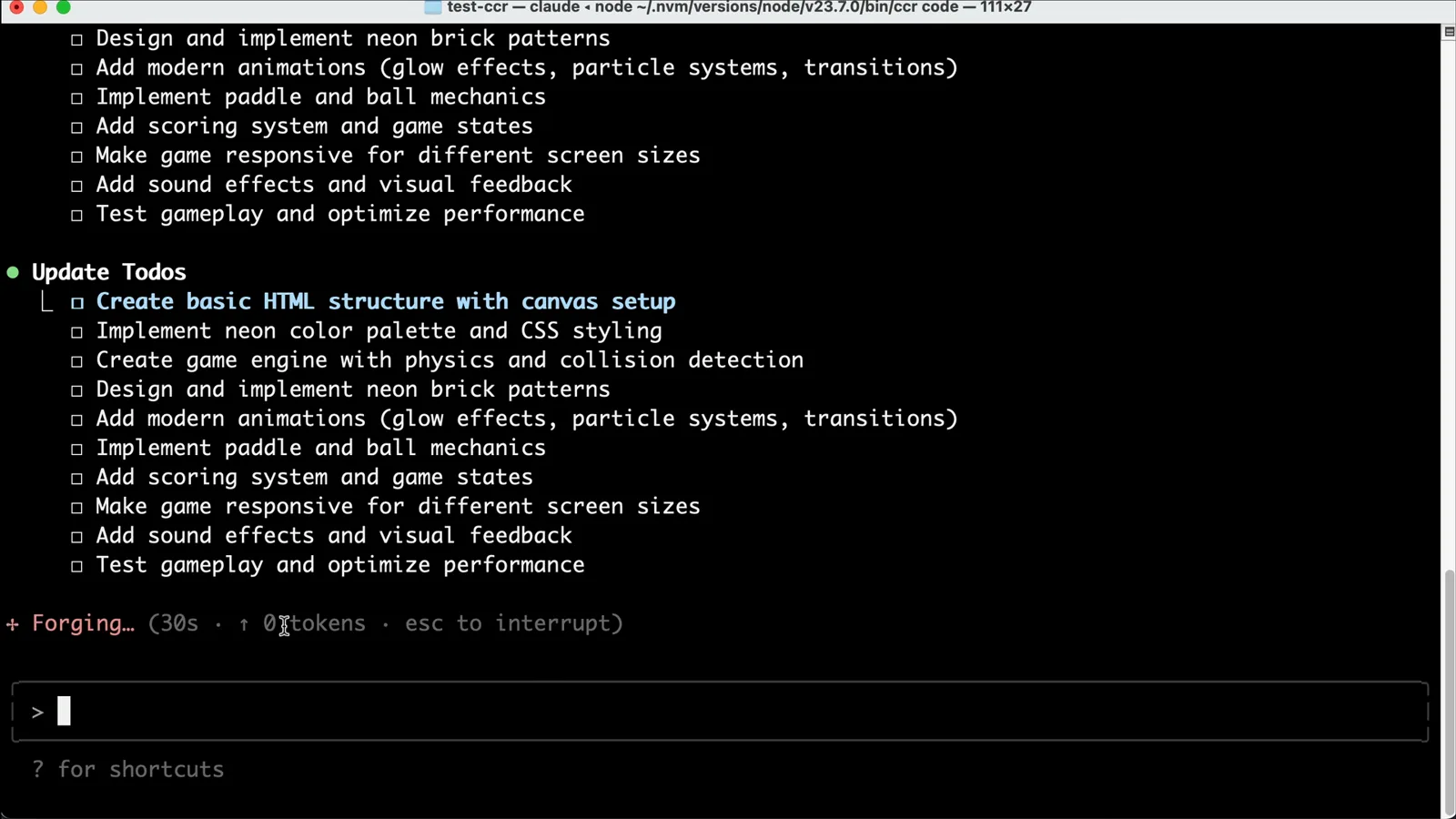
Claude Code working through its todo list while CCR routes the model calls.Watch at 7:06 - 13
Review the finished result
The agent wraps up with a feature summary — visual effects, responsive design, controls, game mechanics — and the files land in your project (index.html, style.css, script.js). Open the HTML in a browser to test the result yourself.
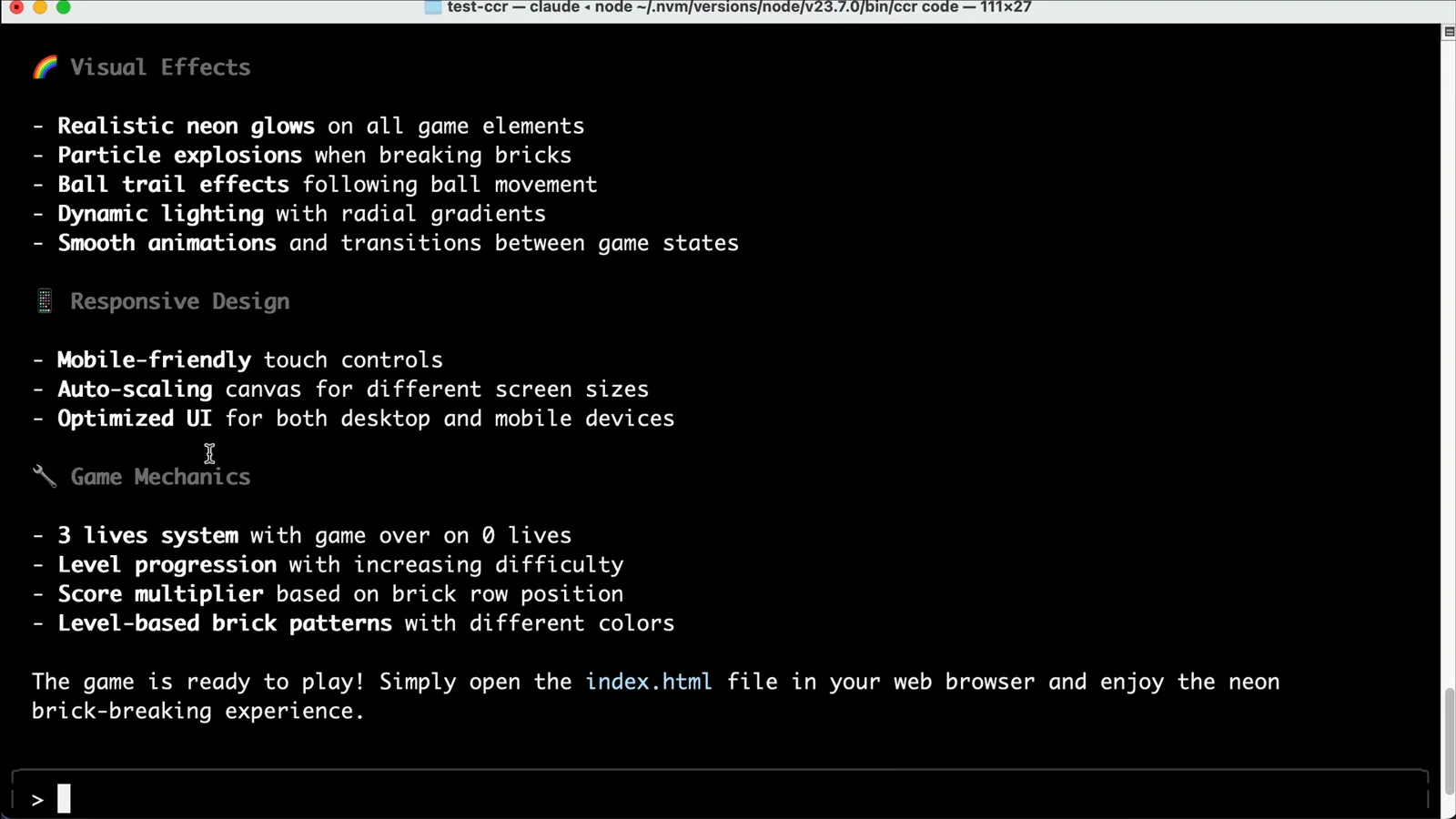
Claude Code's completion summary for the neon brick breaker game.Watch at 7:30 - 14
Verify real usage in the provider dashboard
OpenRouter's Your Activity page is the source of truth: it shows the routed calls — repeated Kimi K2 requests and the DeepSeek call — with token counts and spend. That's how you confirm CCR is actually using your cheaper models.
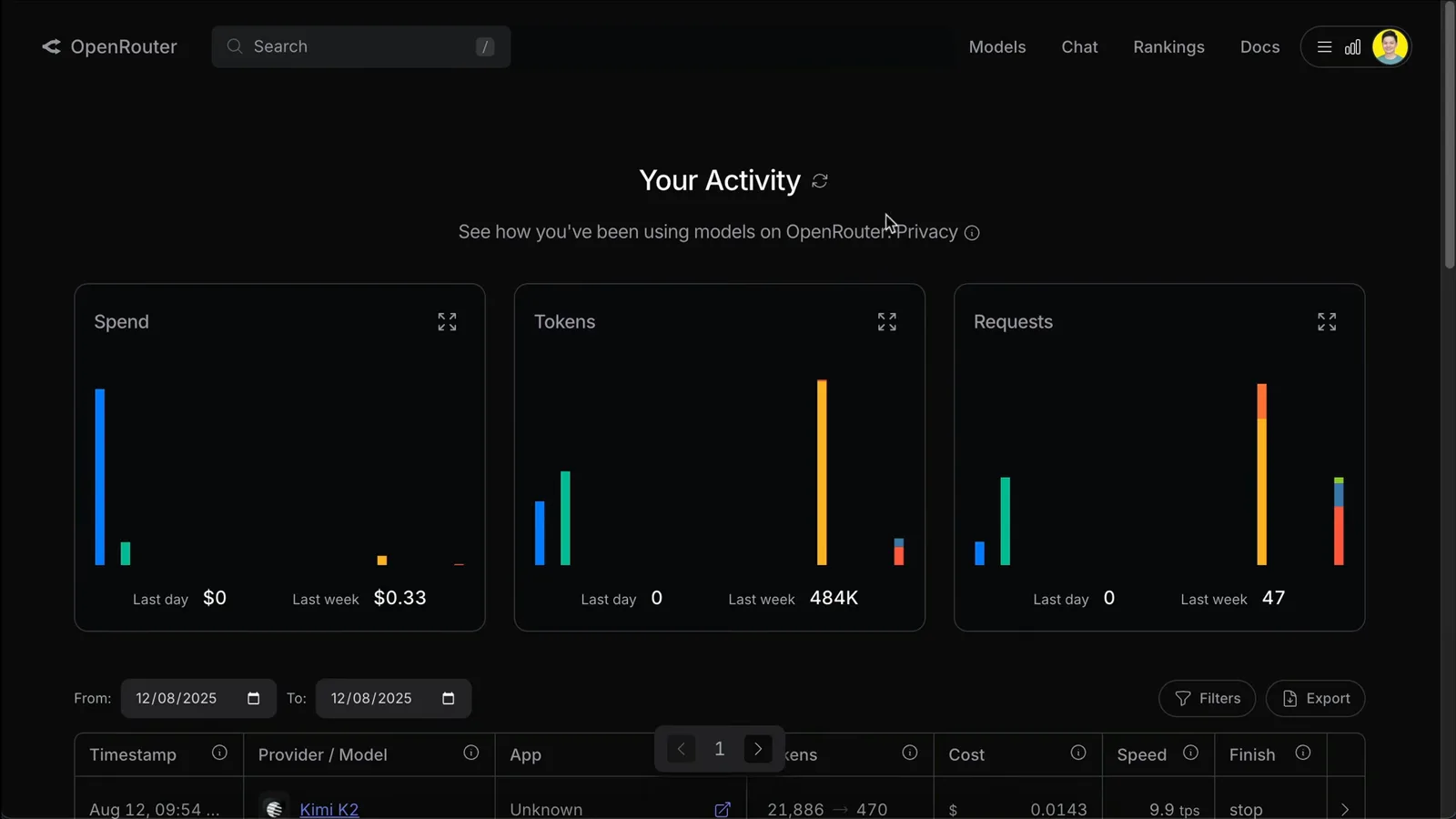
OpenRouter usage after the session: the routed models show up with real request counts.Watch at 7:45 - 15
Know the rough edges before you rely on it
Run /cost in a routed session and it reports $0.0000, with usage-by-model showing claude-sonnet at zero — cost accounting isn't wired to external providers yet. Routing itself works fine; just track spend in your provider dashboard for now.
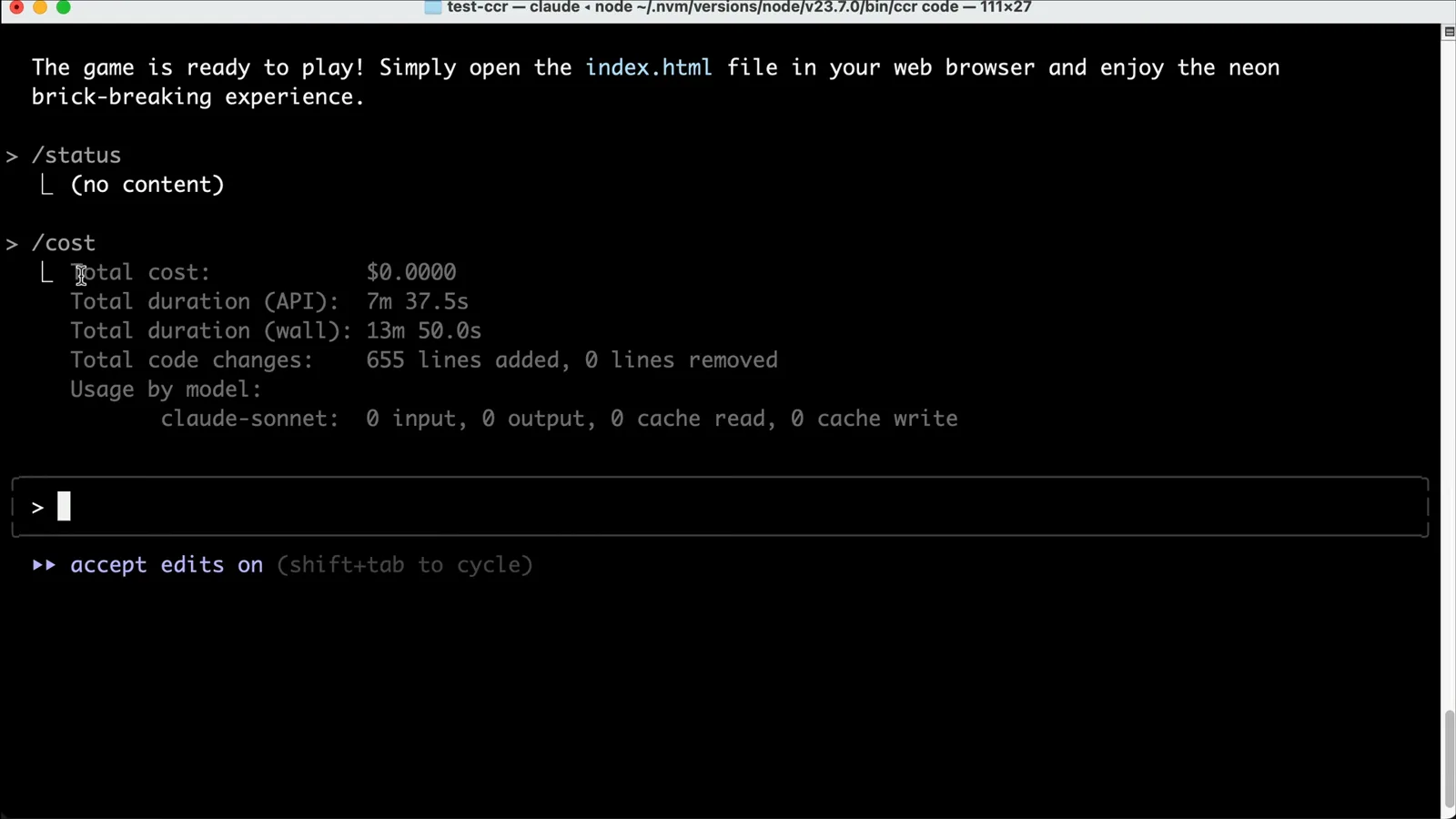
The known /cost gap in routed sessions — provider dashboards are your real meter.Watch at 9:25