
Claude Cowork + DeepSeek: the illustrated setup guide
Point the Claude Cowork desktop agent at the DeepSeek API and delegate real work — files, dashboards, Google Drive and Zapier MCP — without paying for a Claude subscription.
TL;DR
- DeepSeek's API speaks the Anthropic protocol natively, so Cowork can run on it: base URL https://api.deepseek.com/anthropic, your DeepSeek API key, and model names deepseek-flash or deepseek-v4-pro.
- Cowork is a delegate-the-task agent: give it a folder, a connector and one clear brief, and it works through the files itself instead of just answering questions.
- The full loop from the videos: connect a folder of mixed sales files, get a dashboard artifact back, update it from Google Drive, then save the workflow as a skill that runs every Monday morning.
- Cowork proposes a plan and waits for your approval before touching files — you stay the reviewer. Sessions stay on your machine, and the desktop app must stay open while it works.
Claude Cowork Tutorial for Beginners
Video walkthrough:Kevin Stratvert9:42
Getting started with Claude Cowork
Official walkthrough:Anthropic4:17
Frames come from these two recordings; every configuration value in the steps is cross-checked against DeepSeek's official documentation.
Screenshots courtesy of Kevin Stratvert (Claude Cowork Tutorial for Beginners) and Anthropic (Getting started with Claude Cowork), each linked and timestamped at every step. DeepSeek configuration values reference the official docs at api-docs.deepseek.com.
Run Cowork on DeepSeek, step by step
- 1
Install the Claude desktop app and open the Co-work tab
Claude Cowork ships inside the Claude desktop app for macOS and Windows — the web version can upload files but can't work on local folders. Install the app from your profile menu, sign in, and switch the composer from Chat to Co-work: chat answers questions, Co-work finishes tasks. The left rail becomes your mission control with New task, Projects, Scheduled and Live artifacts.
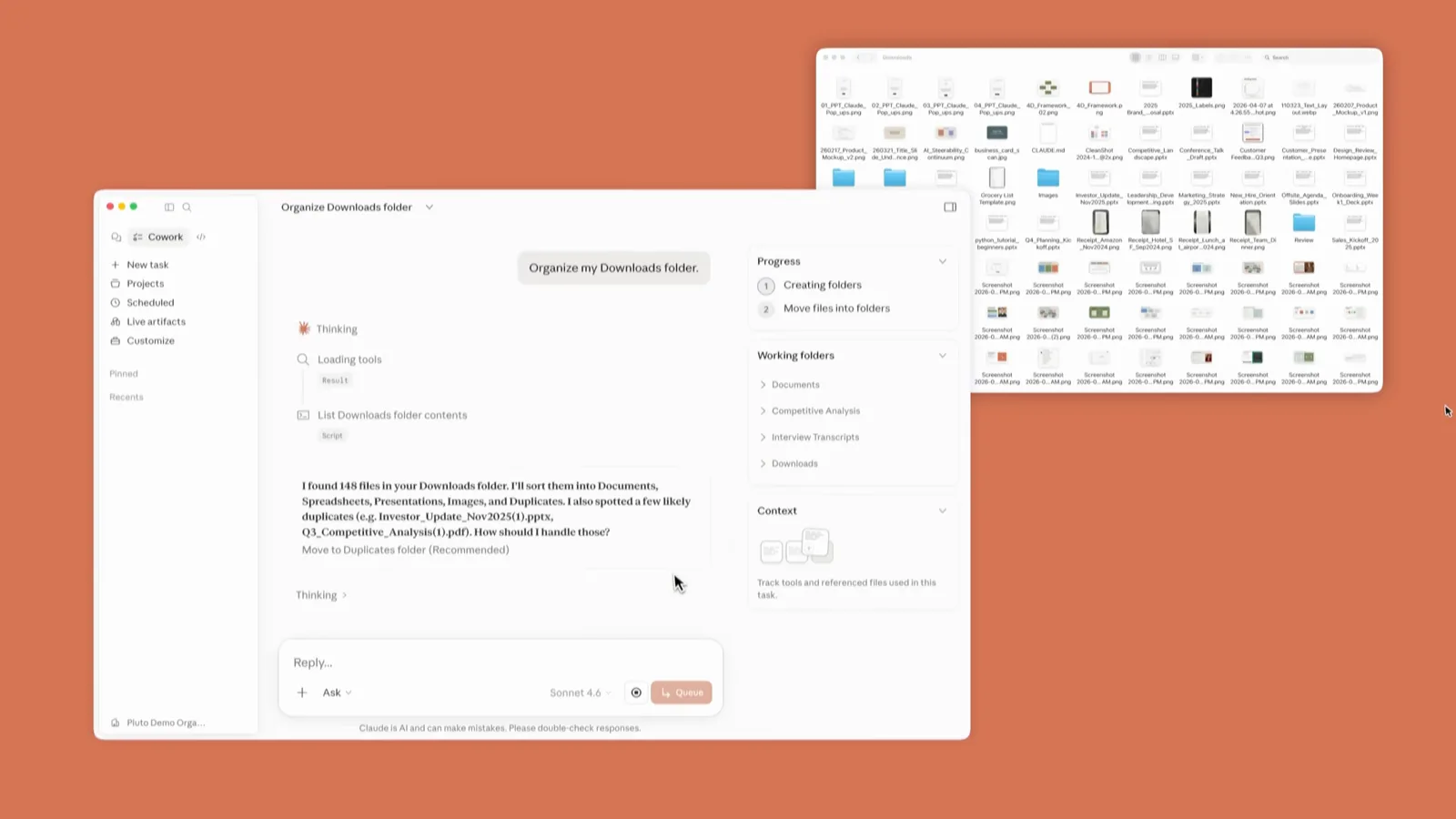
The Co-work home screen, with Skills, Connectors and Plugins one click away.Watch at 0:30 - 2
Point Cowork's model gateway at DeepSeek
In Settings, open the Cowork section and configure the inference gateway with your DeepSeek credentials: base URL https://api.deepseek.com/anthropic, your DeepSeek API key as the auth token, and deepseek-flash as the model name (deepseek-v4-pro if you want the flagship everywhere). DeepSeek's API implements the Anthropic protocol, so requests naming claude-sonnet or claude-opus models map automatically — opus to deepseek-v4-pro, sonnet and haiku to deepseek-flash. While you're here, put standing preferences into Global instructions; they apply to every Cowork session.
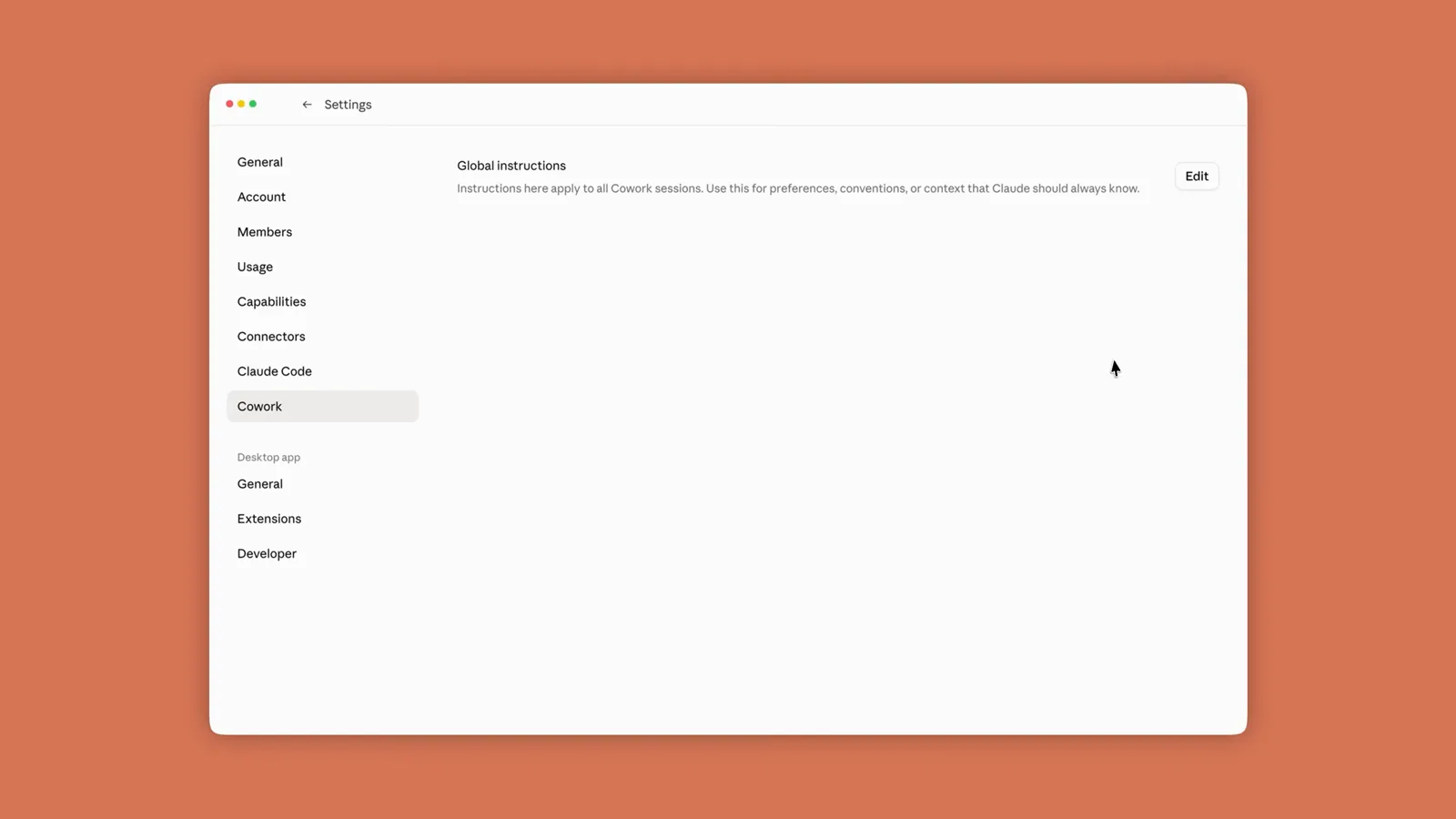
The Cowork settings pane, where gateway credentials and global instructions live.Watch at 1:45 - 3
Give Cowork access to a working folder
Click the folder control in the composer and pick the directory Cowork should operate in — in the video that's a Sales Weeks 1 folder holding twelve weeks of cookie-company sales as text files, PDFs and spreadsheets. Confirm with Select Folder, then Allow when Cowork asks permission to act there. It can now read, create and edit files in that folder, and you can favorite the folders you use most or connect several at once.
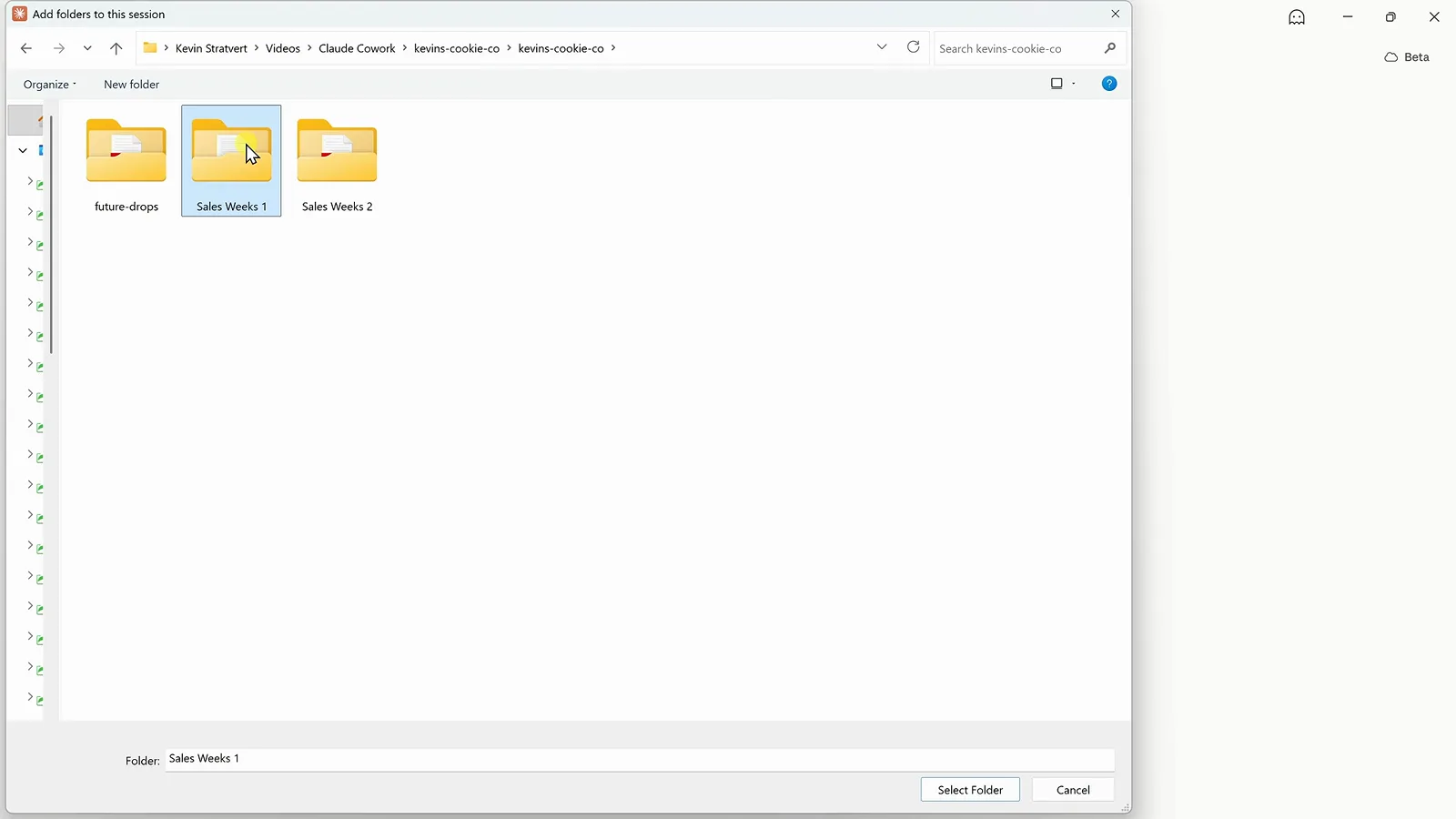
Choosing Sales Weeks 1 in the Add folders to this session dialog.Watch at 2:14 - 4
Brief the whole task in one prompt
Write the outcome, not the click-path. The demo prompt: "Analyze all of the sales data in this folder and create an interactive dashboard that shows how the business is performing. Include the most important KPIs, trends, and insights." Note the Cowork toggle selected next to Chat, and the folder path attached under the prompt box — that combination is what turns a question into a delegated job.
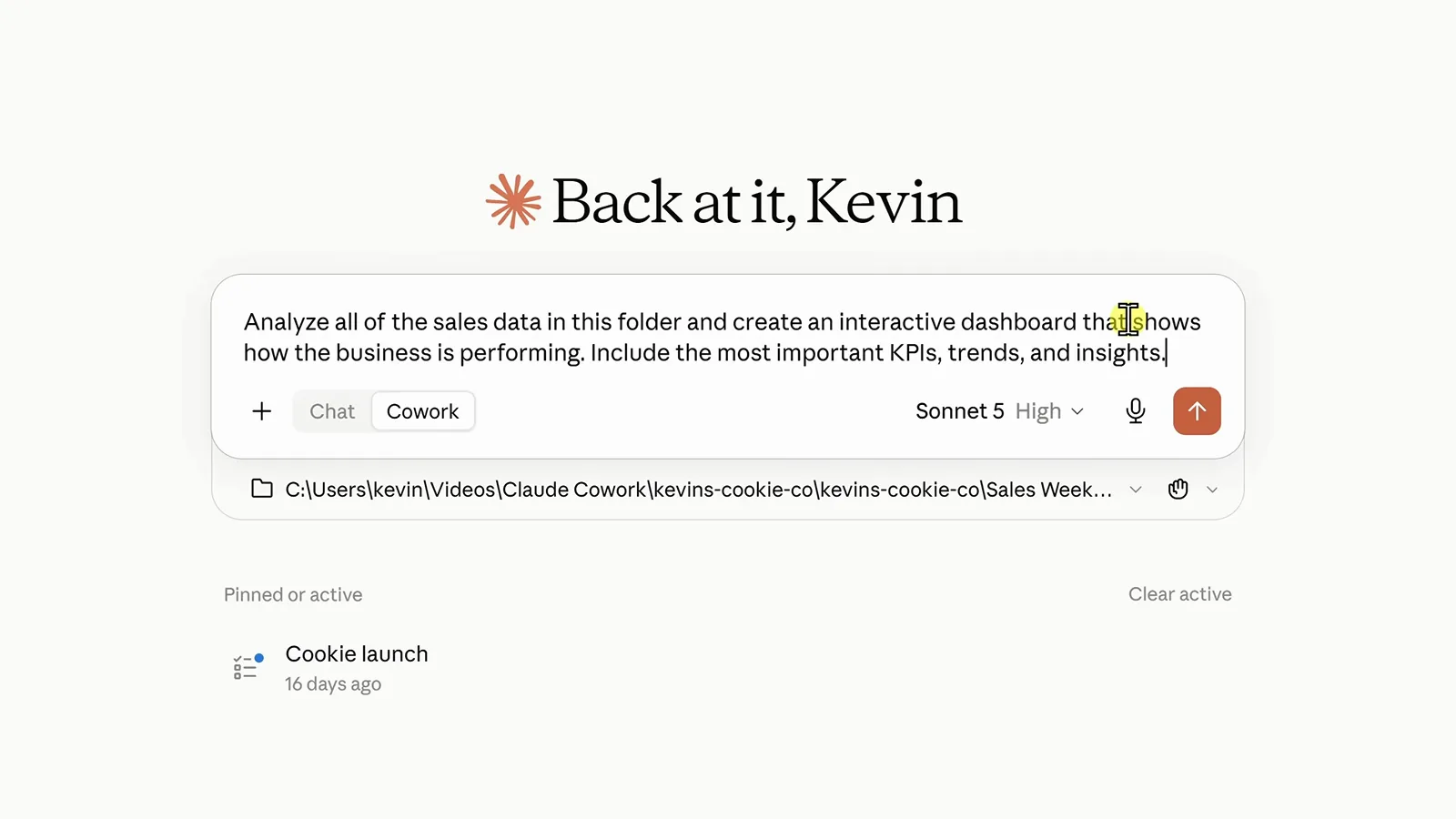
One prompt, one folder, the Cowork toggle on — ready to send.Watch at 2:30 - 5
Watch Cowork work the plan
Cowork opens every report itself, combines the numbers and shows its progress on the right — click any step to see details. When it has a result it proposes saving it as an artifact: an interactive page that lives in the sidebar. Approve with Create, or steer first; that plan-then-approval loop is the core safety rail.
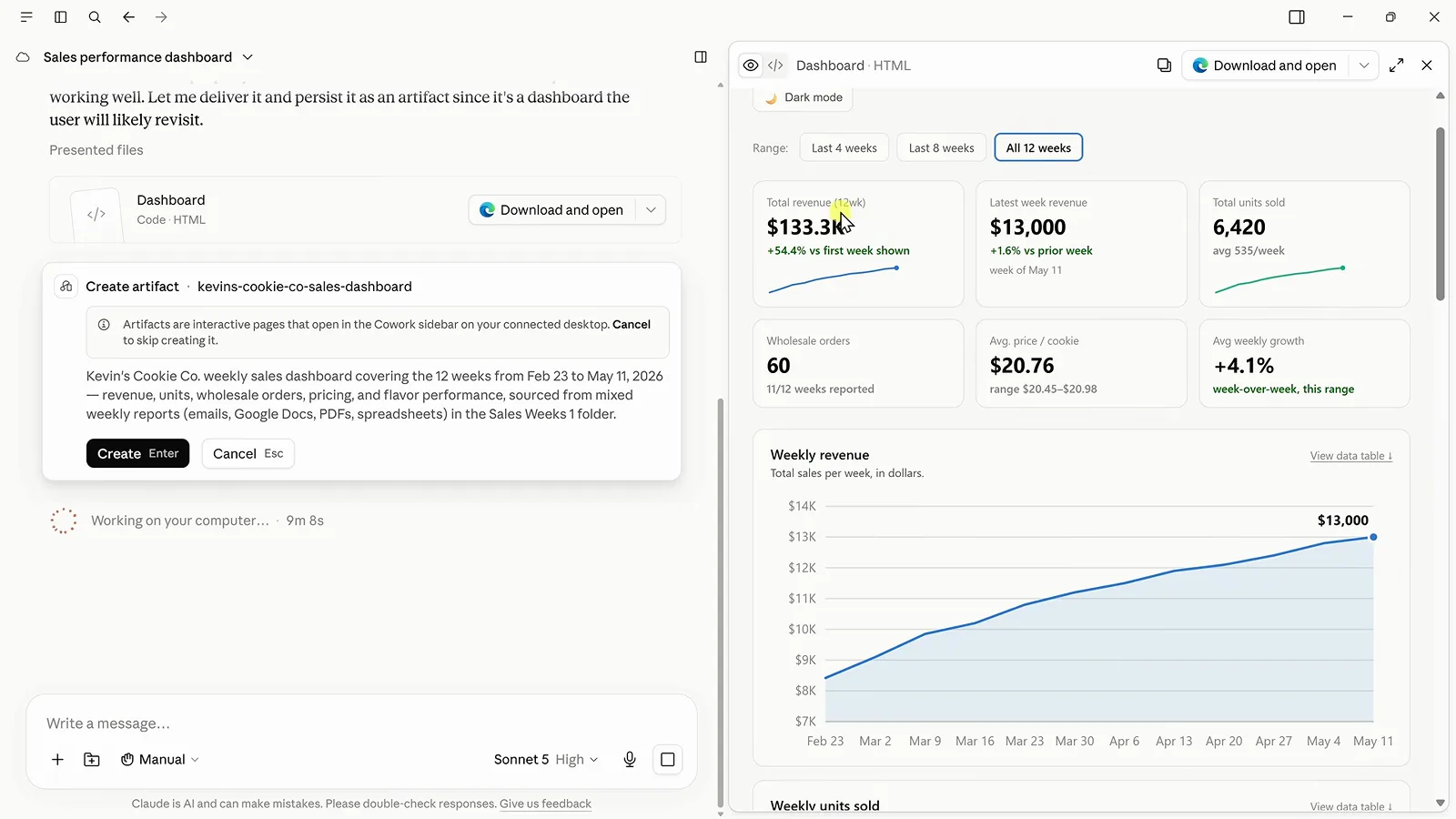
The Create artifact card describing the dashboard it just assembled.Watch at 3:00 - 6
Inspect the dashboard and its insights
The finished artifact carries six KPI cards, a weekly revenue trend and a written insights block. Read the insights: Cowork flagged that the Apr 27 report labels its figure "Gross Sales" instead of "Total Revenue" and that the May 11 report is missing a wholesale count entirely, rather than silently mixing them in. Everything is exportable too — Download and open saves the HTML so you can keep it outside Claude.
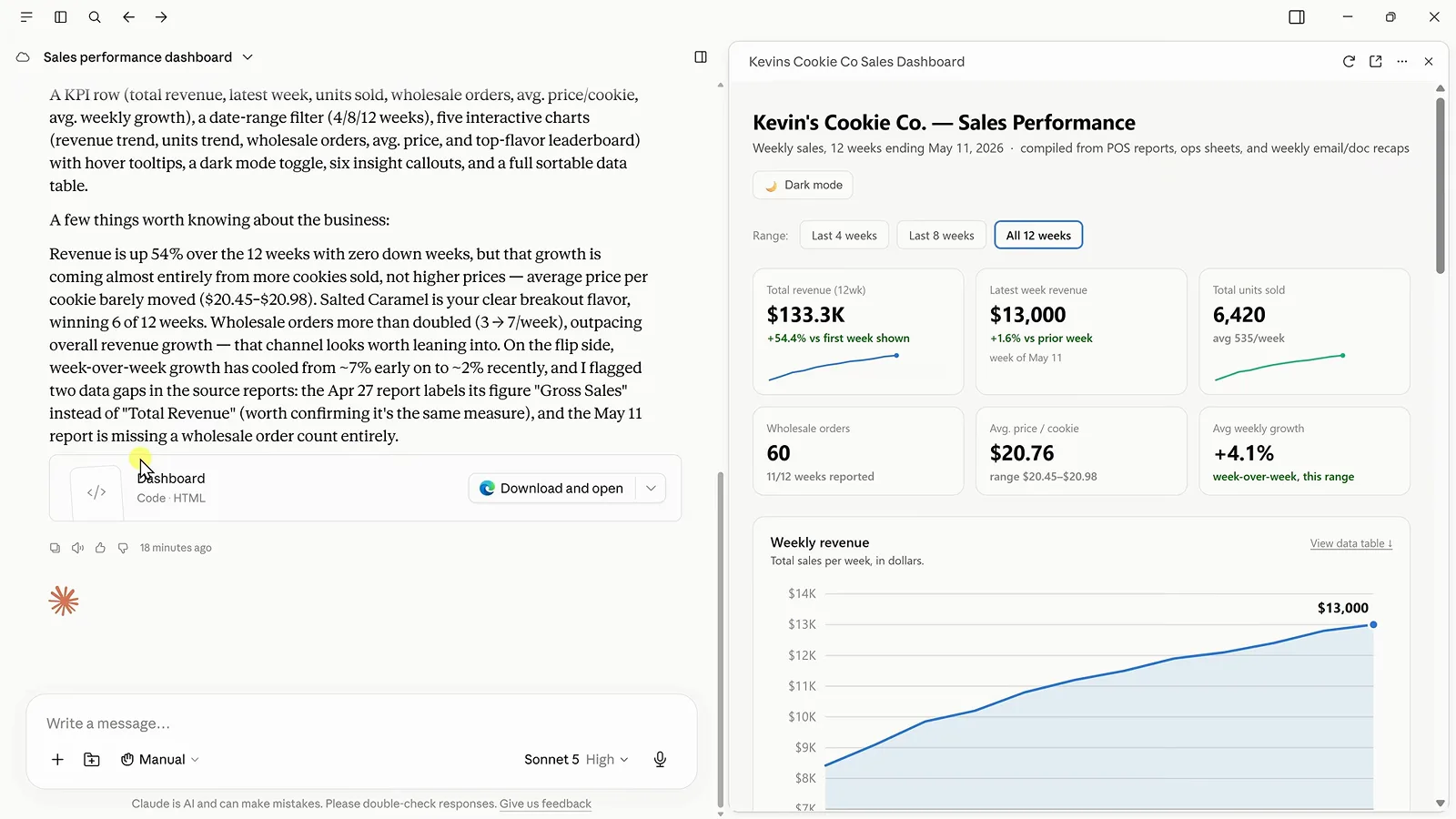
The dashboard artifact beside the chat's summary and flagged data gaps.Watch at 3:30 - 7
Connect Google Drive for the cloud half
The rest of the year's data lives in Google Drive, so open the sidebar menu, choose Customize, then Connectors. The Popular row puts Google Drive, Slack and Google Calendar one Connect click away, and the list below shows what's already wired up — Gmail was, Zapier wasn't yet. Connect Drive once and every future session can use it.
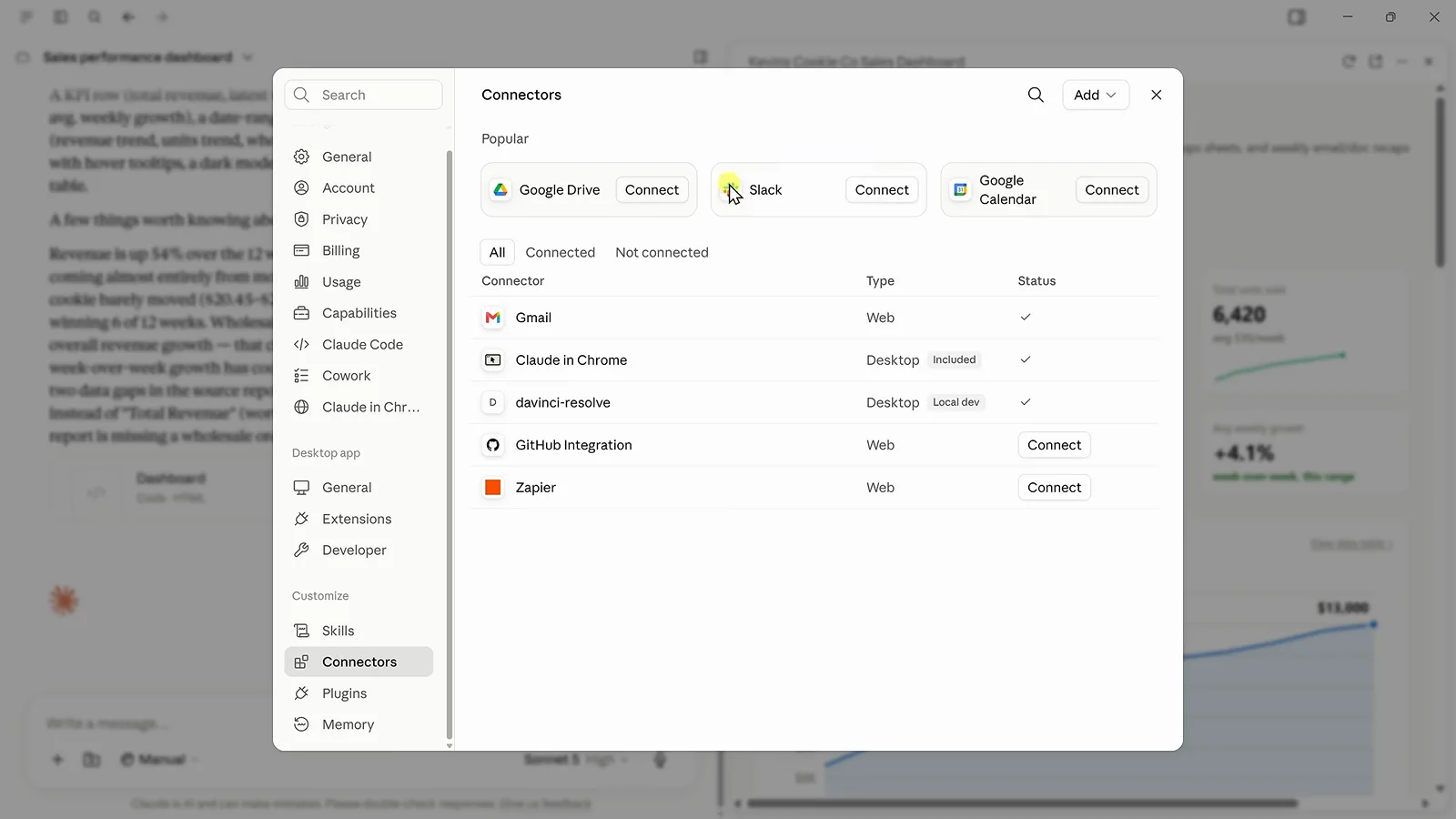
The Connectors dialog with Google Drive in the Popular row.Watch at 4:43 - 8
Pull cloud files into the same artifact
Back in the conversation: "Find the remaining Kevin Cookie Company sales data in Google Drive and use it to update our dashboard with the remaining 12 weeks of data." Cowork searches Drive itself, finds the right folder, merges the new weeks and refreshes the KPIs, charts and insights in place — the dashboard grows from 12 to 24 weeks without you touching a file.
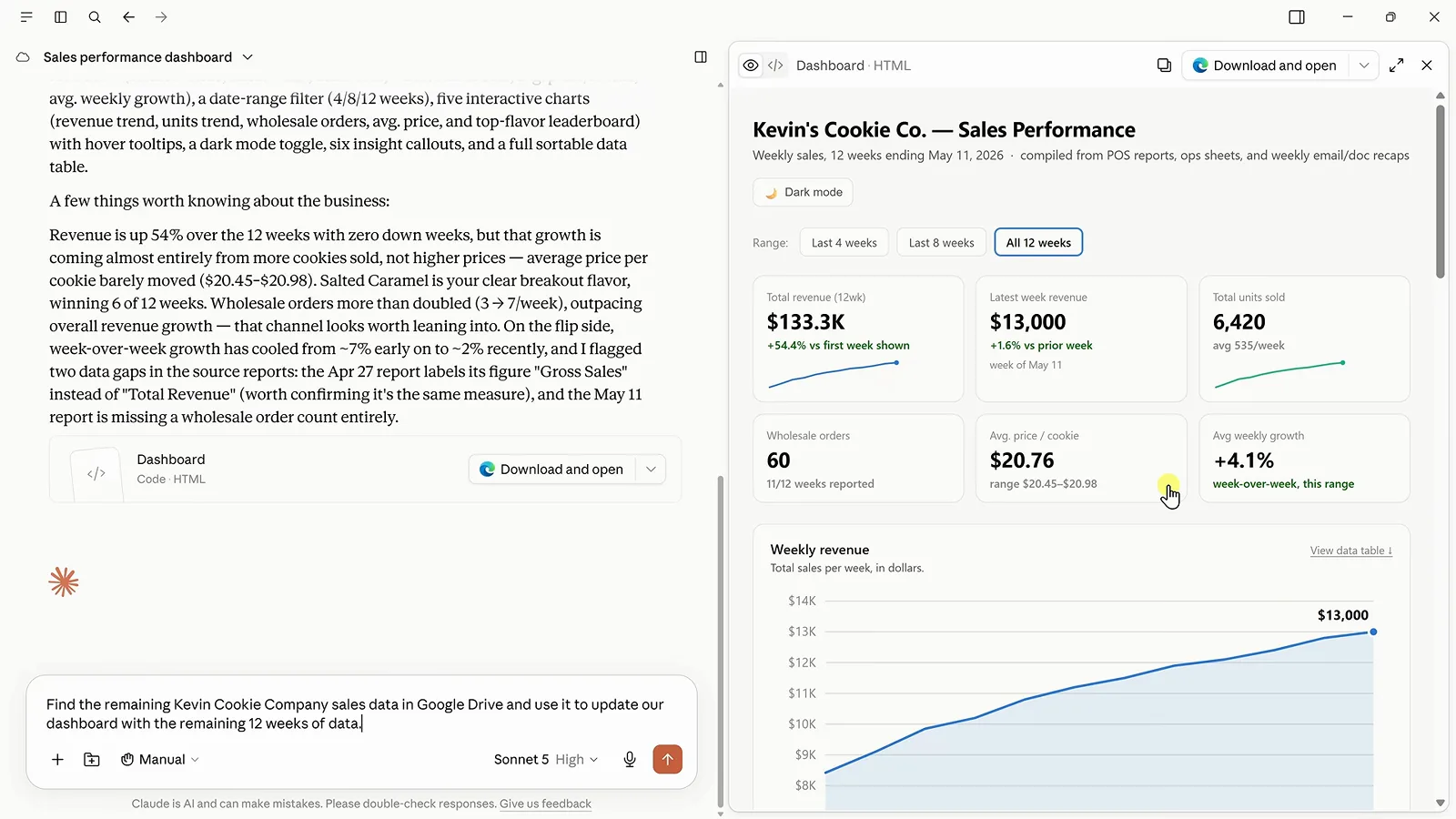
The Drive-hunting prompt sent while the 12-week dashboard waits.Watch at 5:08 - 9
Refine the result with follow-up prompts
The dashboard works but isn't on-brand, so: "Update the dashboard to use our brand colors of blue and maize." The reply is worth reading — Cowork picked a deep goldenrod maize because brighter tones failed its colorblind-safety check on light backgrounds, and highlighted the leading flavor in blue instead of rainbow-coloring every bar. Iterate the same way on layout, copy or chart types.
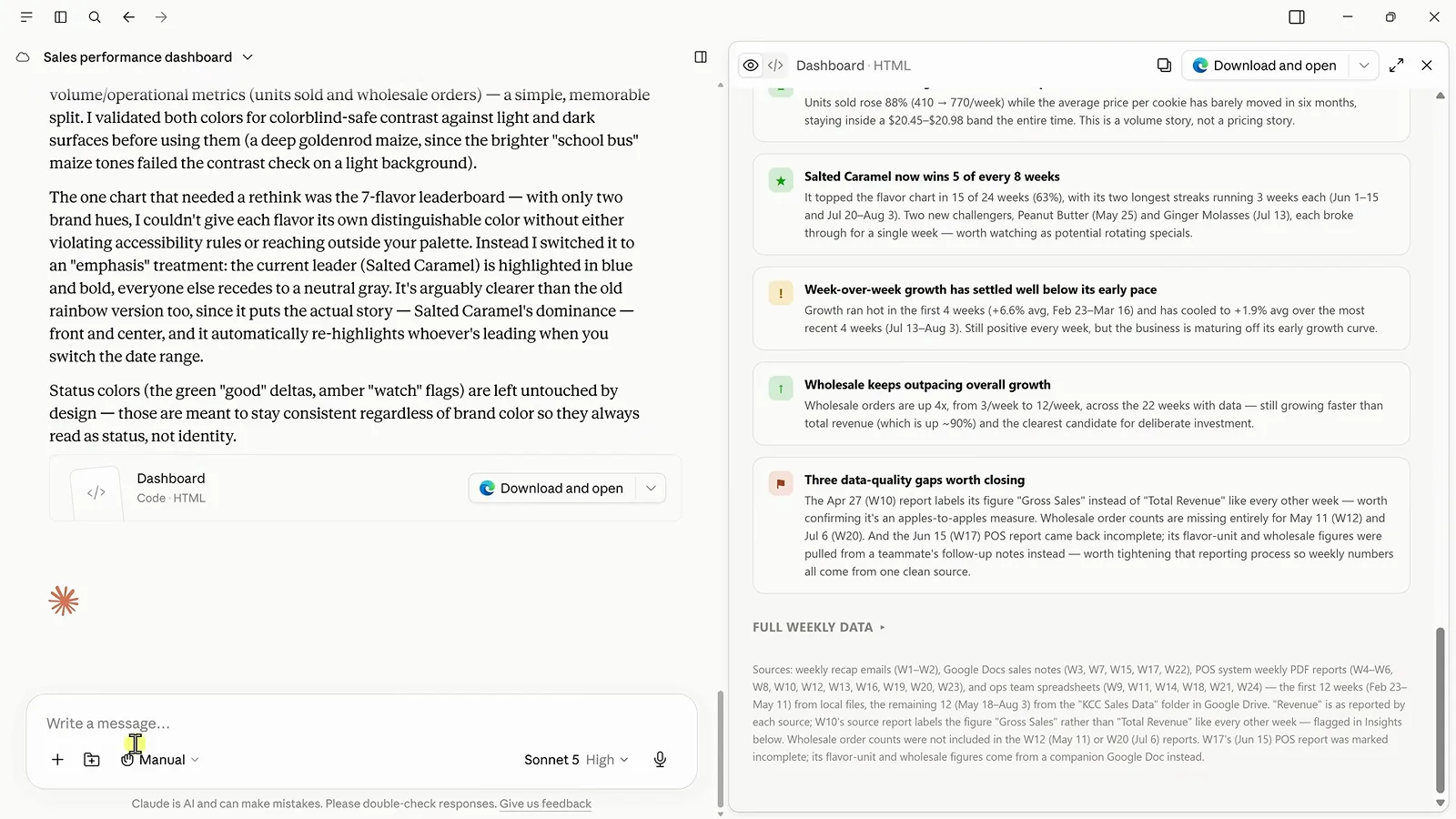
Cowork explains the accessible blue-and-maize redesign it applied.Watch at 6:28 - 10
Turn the workflow into a reusable skill
A skill teaches Cowork how you want this job done every time. Ask for it in plain words — "create a skill that checks for new sales data, compares it with the previous week, pulls out the most important insights, and updates our dashboard" — and Cowork writes the SKILL.md for you. Review it, refine by replying, then save; the saved skill even documents where each week's data hides, from Gmail recap emails to Drive folders.
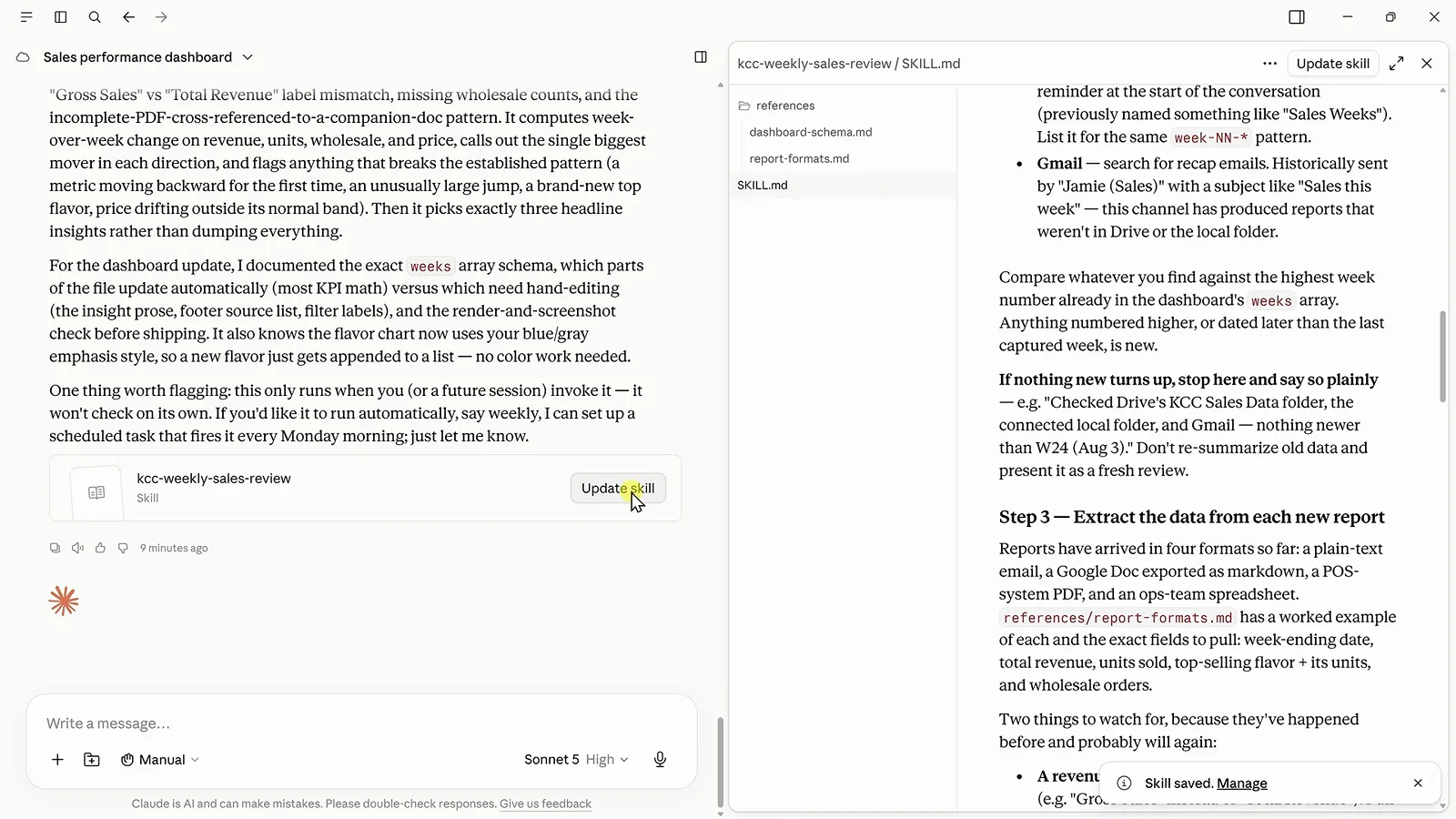
The saved kcc-weekly-sales-review skill, editable as SKILL.md.Watch at 7:00 - 11
Put the skill on a weekly schedule
Run it once on the latest data — "run my weekly sales review skill using the latest sales data" — then schedule it: Cowork confirms "Created scheduled task: Weekly Sales Review … At 09:00 AM, only on Monday", and the dashboard now covers all 27 weeks. One caveat the video calls out: the local-folder check only runs if the desktop app is open and connected at that hour; it falls back to Drive and Gmail rather than failing.
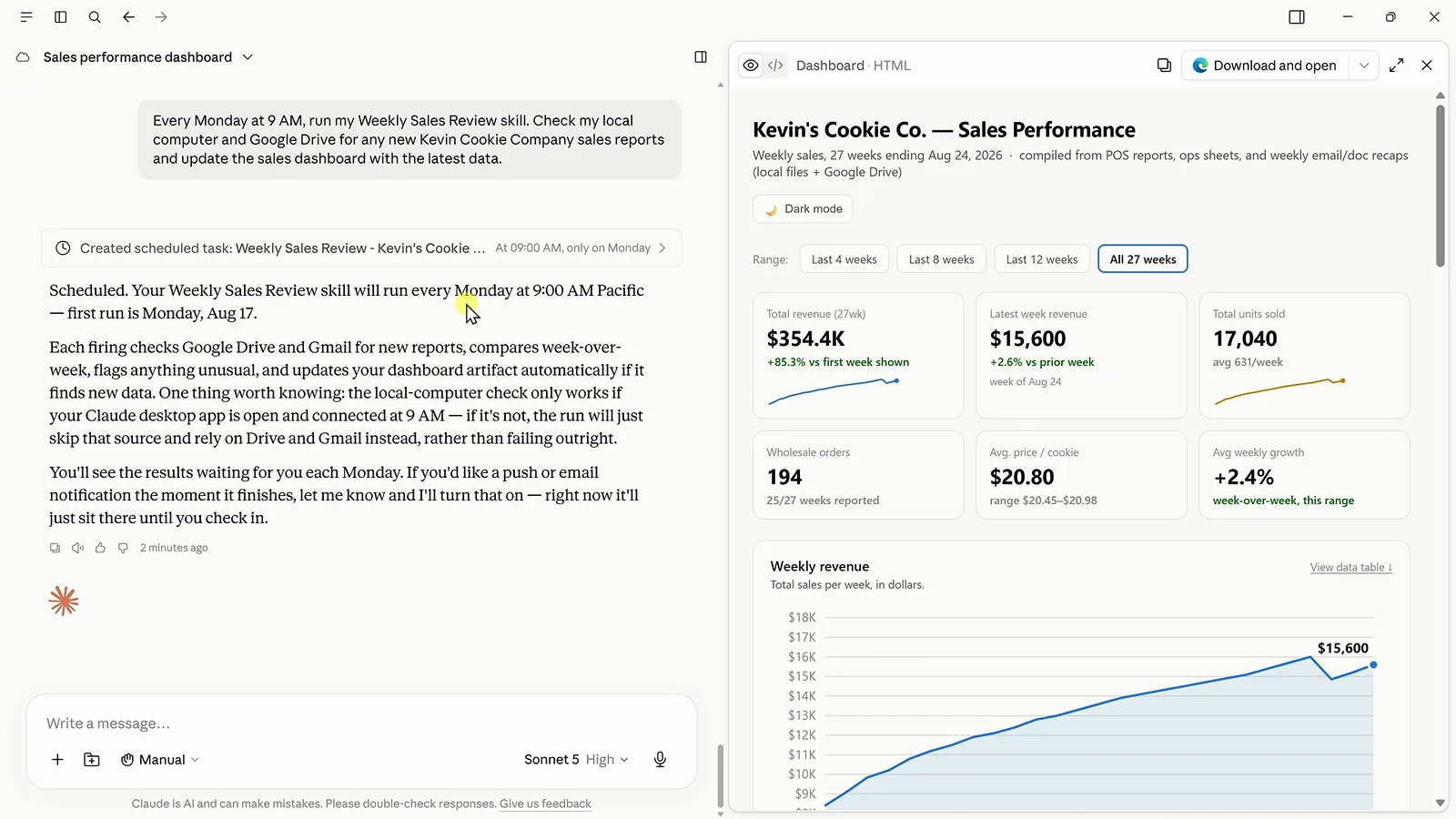
Scheduled for Mondays at 9, with the dashboard refreshed to 27 weeks.Watch at 7:48 - 12
Wire up Zapier MCP for thousands of apps
Built-in connectors cover the big services; Zapier MCP covers the long tail. Create a free Zapier account, open MCP Servers — MCP stands for Model Context Protocol, a standard way for AI tools to call other apps — pick Claude, and paste the generated prompt into Cowork. Back in Zapier you choose exactly which apps and actions Cowork may use, so the blast radius stays yours to define.
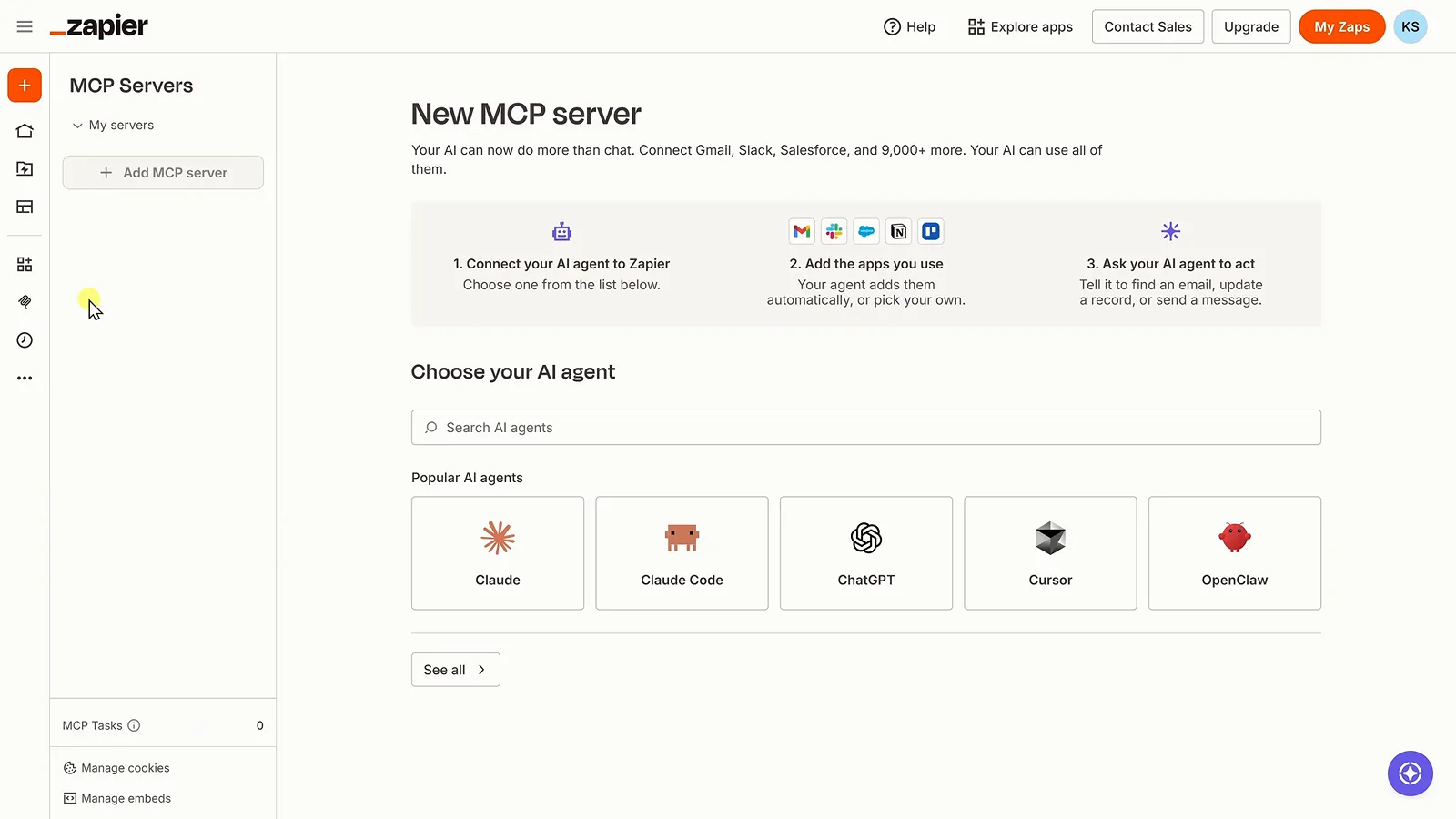
Zapier's MCP server setup, with Claude among the popular agents.Watch at 8:32 - 13
Delegate an action, not just an answer
Now the payoff prompt: "Analyze our sales and create a marketing task in Trello." Cowork works out that Snickerdoodle has gone 24 weeks without being the top flavor, then opens a card with that story, a due date and a recommended action plan. Analysis becomes a done task — and because DeepSeek is metered per API call rather than billed as a subscription, the whole loop costs only what you use.
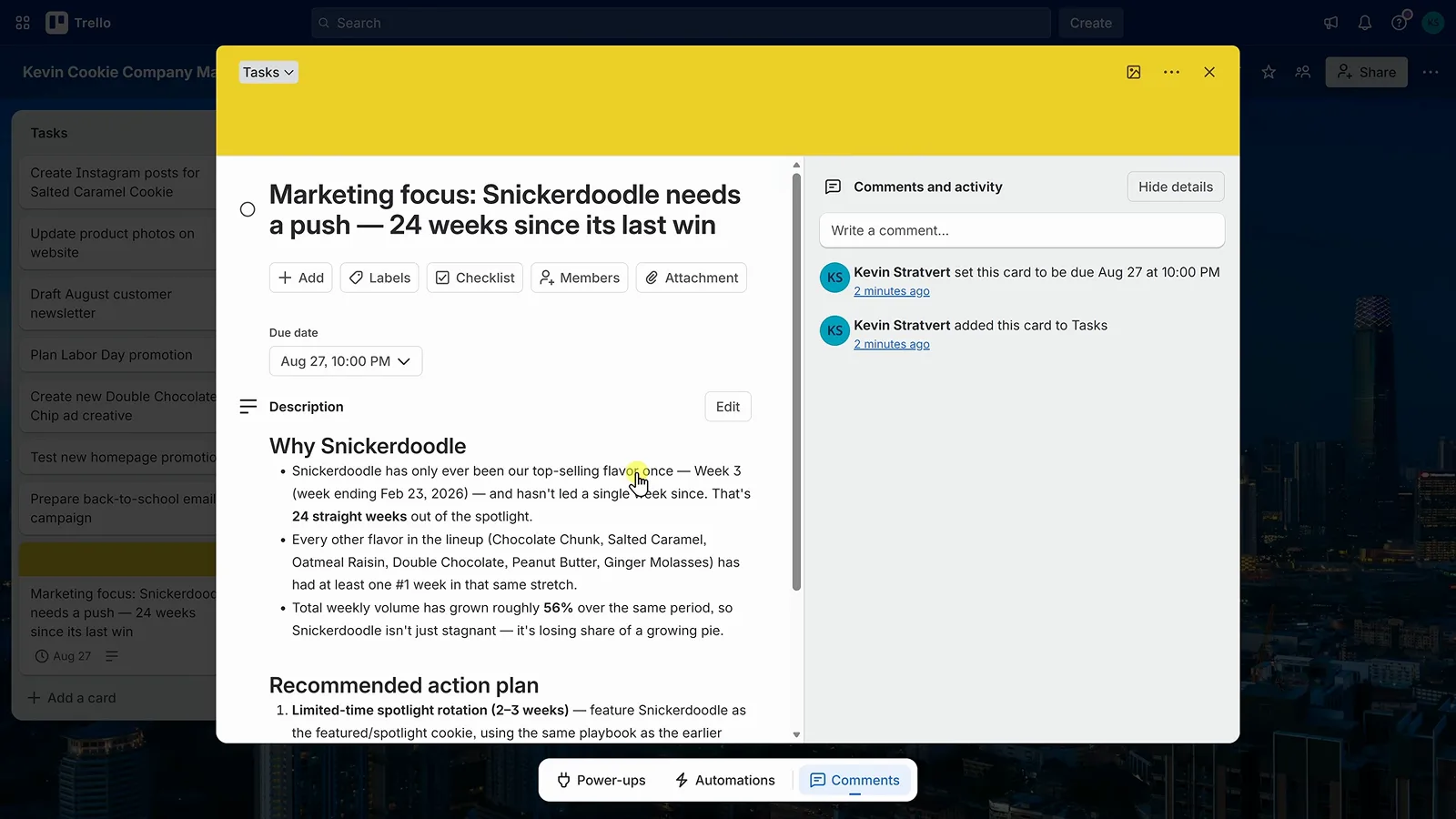
The Trello card Cowork created from the sales analysis.Watch at 9:30