
Claude Code Settings: The settings.json Field Guide
Every settings.json key that matters: the four config files and their precedence, model and effort, permissions allow/deny rules, the env block, and a real settings.local.json cleanup workflow — verified against the official docs.
TL;DR
- Four files, one hierarchy: managed-settings.json beats command line beats .claude/settings.local.json beats .claude/settings.json beats ~/.claude/settings.json. Allow lists merge across files instead of overriding.
- settings.json is strict JSON: no comments, no trailing commas. Add the "$schema": "https://json.schemastore.org/claude-code-settings.json" line and your editor will autocomplete every key.
- Deny rules always win. A deny rule at any level overrides every allow rule — start with Read(./.env) and Bash(git push:*) and you have protected your secrets and your remote in two lines.
- settings.local.json is your machine-only sandbox: it wins over shared project settings and is auto-gitignored, so personal paths and experiments never leak into the repo.
Claude Code Configuration EP1: The Global Files Decoded (settings.json, CLAUDE.md, skills)
Channel: Terminode AI2:31
Learning In Public: Cleaning Up Claude Code Settings
Channel: Ben Nadel5:26
Settings — official documentation
Official docs: code.claude.com/docs
Settings reference — the full key table
Official docs: code.claude.com/docs
Environment variables — official reference
Official docs: code.claude.com/docs
Facts on this page are verified against the official settings documentation; the two videos above are the visual sources and the inspiration for the audit workflow.
Screenshots are attributed to their creators with deep links to the exact timestamps. No face-cam frames are used.
Configure Claude Code settings.json, step by step
Part 1 — Map the config landscape
- 1
Know the four settings files
Claude Code reads settings from four scopes: ~/.claude/settings.json (you, every project), .claude/settings.json (shared with the team, commit it), .claude/settings.local.json (you, this project only) and managed-settings.json (your organization). Everything inside ~/.claude — CLAUDE.md, projects, skills, agents, plugins — is part of the same landscape.
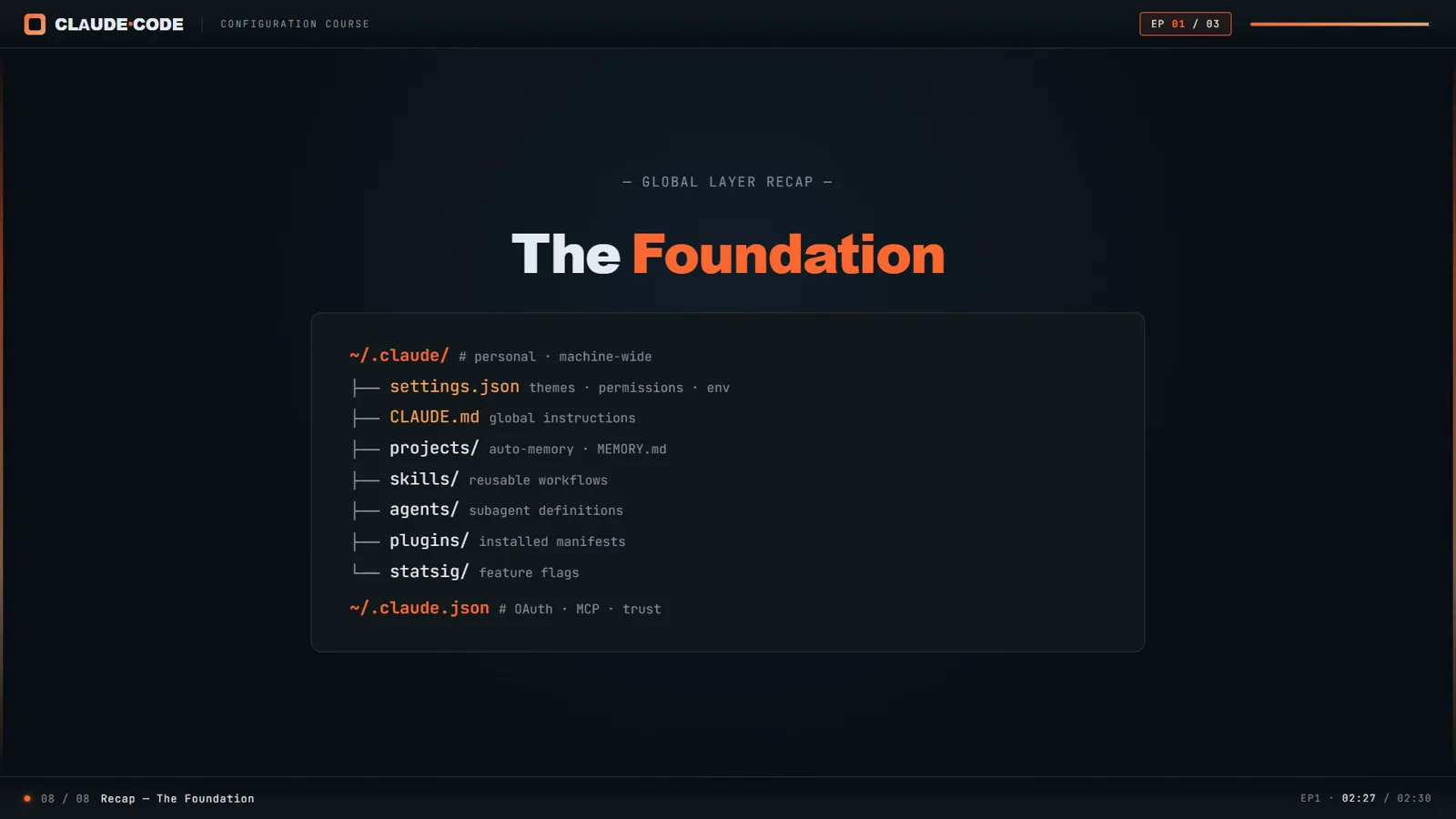
The global layer at a glance: every file Claude Code reads from ~/.claude when a session starts.Watch at 2:28 - 2
Open or create ~/.claude/settings.json
On Mac and Linux the file lives at ~/.claude/settings.json; on Windows it is %USERPROFILE%\.claude\settings.json. Create it if it does not exist — Claude Code picks it up on the next session. Set CLAUDE_CONFIG_DIR if you want the whole config folder somewhere else.
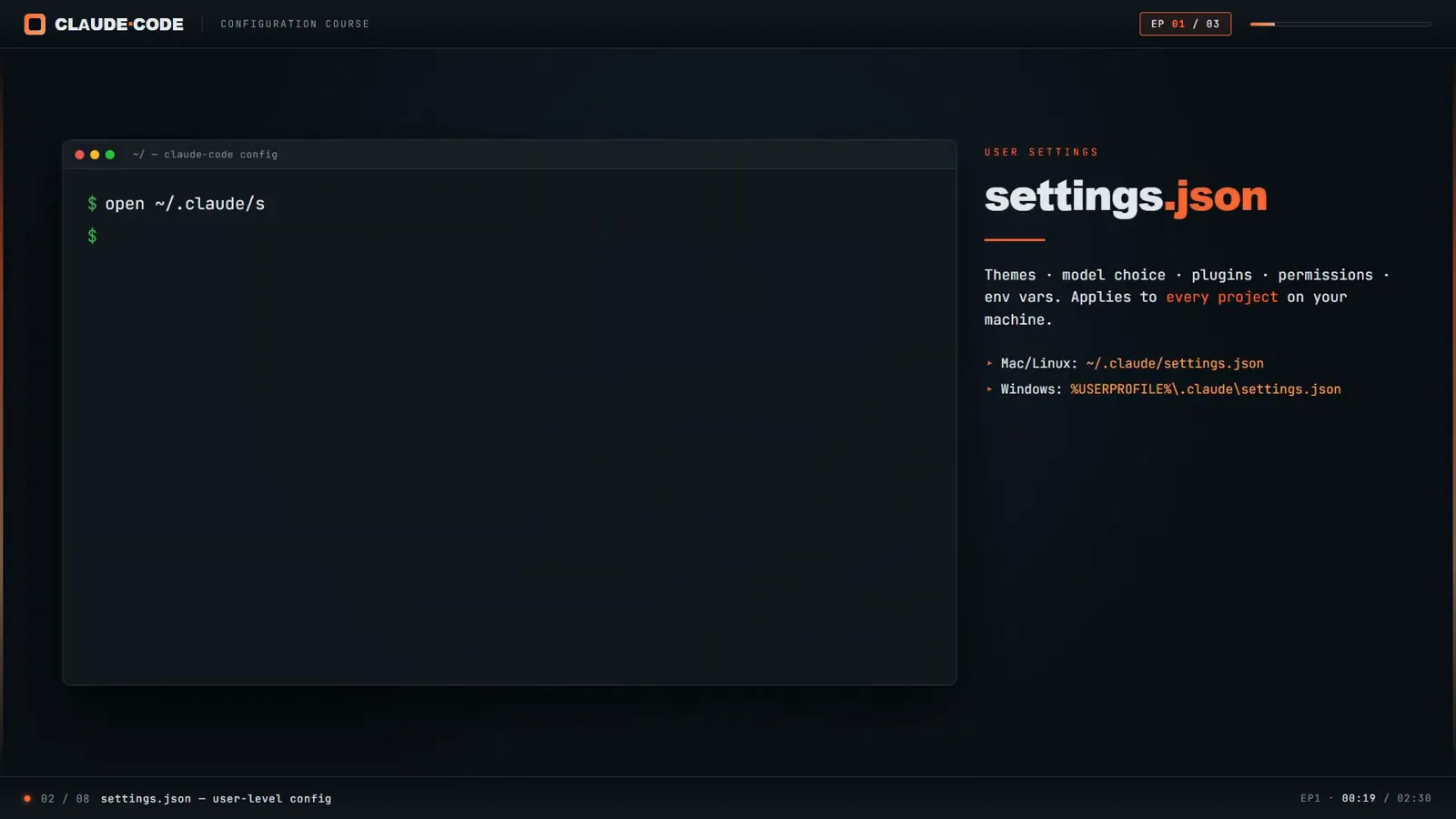
settings.json controls themes, model choice, plugins, environment variables and permissions across every project on your machine.Watch at 0:20 - 3
Pin your model and effort level
Set "model" to a specific model or "opusplan" (Opus plans, Sonnet executes) and it becomes the default for every new session — the same choice /model makes interactively. Pair it with "effortLevel" to cap how hard Claude thinks by default, and modelSettings for per-model overrides.
- 4
Allow the commands you trust
Inside the permissions block, "allow" lists tool rules that skip the approval prompt: "Bash(npm run lint)", "Bash(npm run test *)", "Read(~/.zshrc)". Rules are tool-scoped patterns — the * wildcard needs a space before it ("Bash(git push:*)") so it does not swallow longer command names.
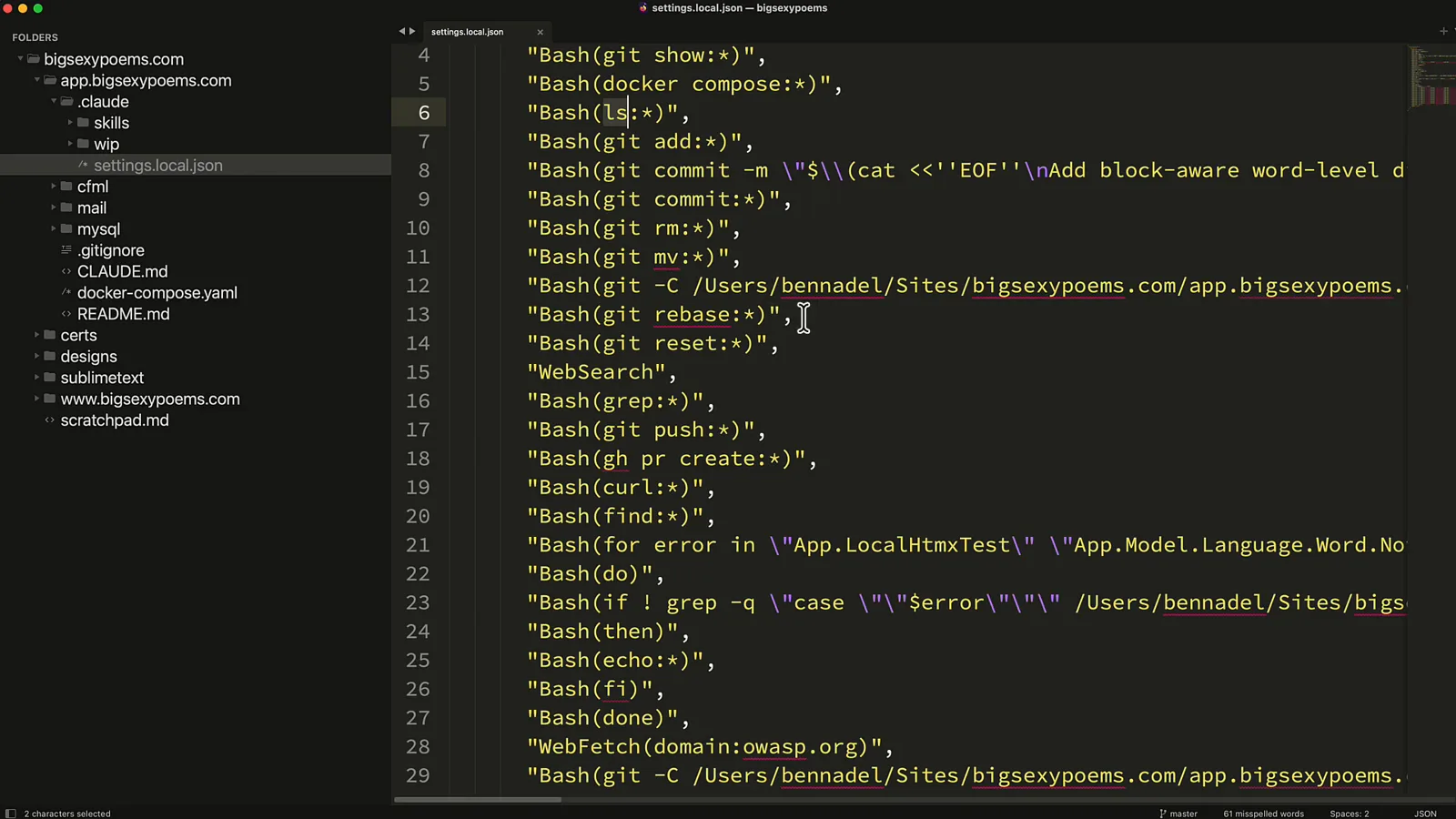
A real settings.local.json allow list: every entry here was one approval prompt that will never appear again.Watch at 0:50
Part 2 — Permissions, env and overrides
- 5
Protect secrets with deny rules
Deny rules are evaluated first and nothing at any level can override them. Start with "Read(./.env)" and "Read(./.env.*)" so API keys never enter context, plus "Bash(git push:*)" so publishing to the remote stays a human decision. Then let ask rules catch the gray zone.
- 6
Keep machine-local overrides in settings.local.json
When Claude Code writes a permission for you, it lands in .claude/settings.local.json — which it also auto-gitignores. Use that file for personal paths, experiment flags and anything you do not want to impose on teammates. Shared, deliberate rules belong in .claude/settings.json.
- 7
Put secrets and toggles in the env block
The "env" object applies environment variables to every session: "ANTHROPIC_API_KEY", "DISABLE_TELEMETRY": "1", "DISABLE_NON_ESSENTIAL_MODEL_CALLS": "1", or CLAUDE_CODE_MAX_OUTPUT_TOKENS. A handy heuristic from the docs: keys in ALL_CAPS inside settings.json almost always belong in env.
- 8
Do not confuse ~/.claude.json with settings
~/.claude.json is state, not configuration: OAuth tokens, MCP server registrations, per-project trust decisions and global toggles live there. Edit settings.json for intent; let Claude Code manage .claude.json on its own — and back both up, because cleanupPeriodDays also governs how long transcript history survives.
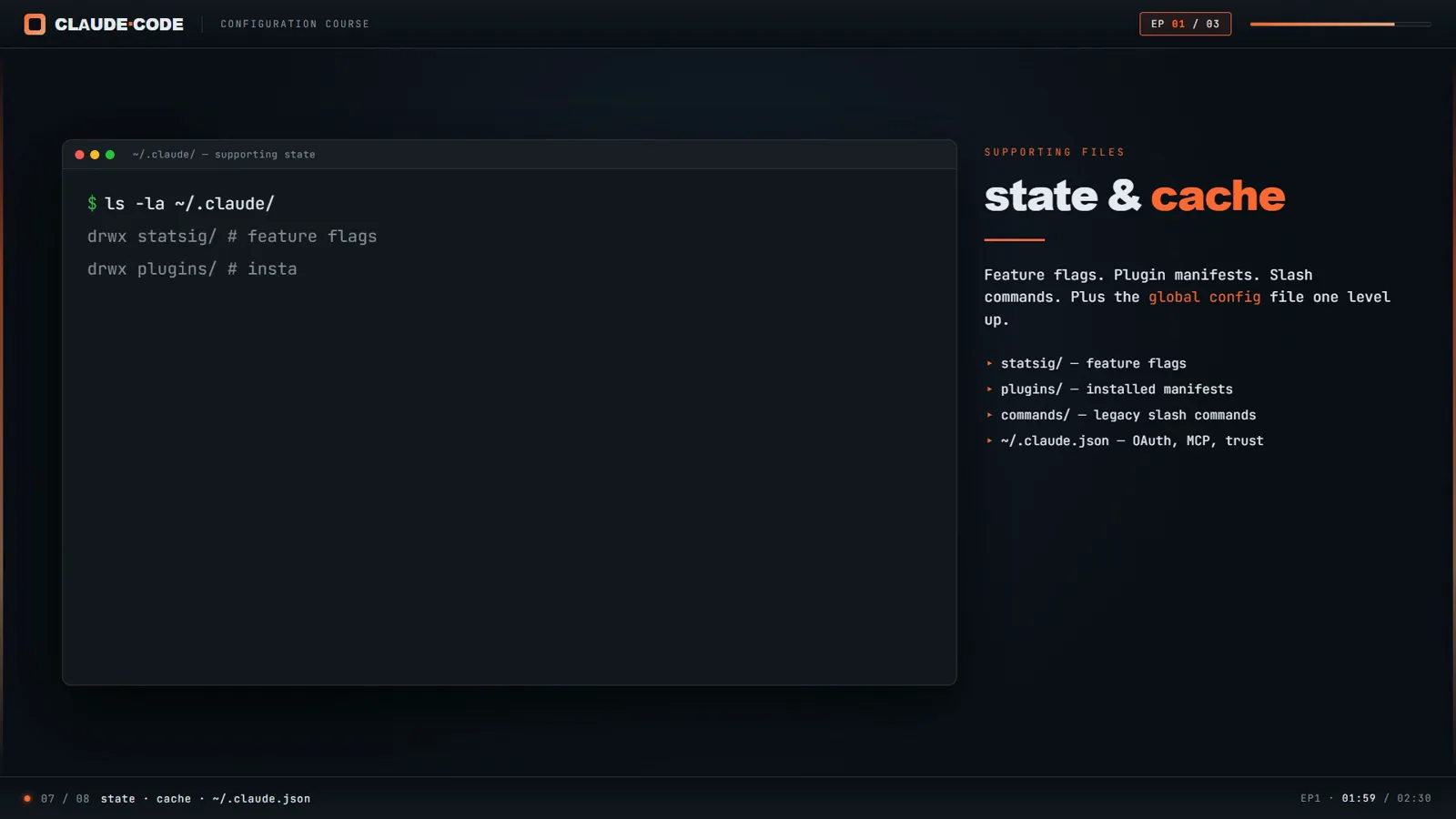
Inside ~/.claude: feature flags, plugins, shell snapshots and the .claude.json state file that is easy to mistake for a settings file.Watch at 2:00
Part 3 — Keep it clean over time
- 9
Know what else lives in ~/.claude
CLAUDE.md is your global instructions file, read at the start of every session. projects/ stores per-repo conversation history and auto-memory, skills/ holds on-demand SKILL.md workflows, agents/ defines subagents, plugins/ tracks installed plugins and statsig/ caches feature flags. Settings.json orchestrates all of them.
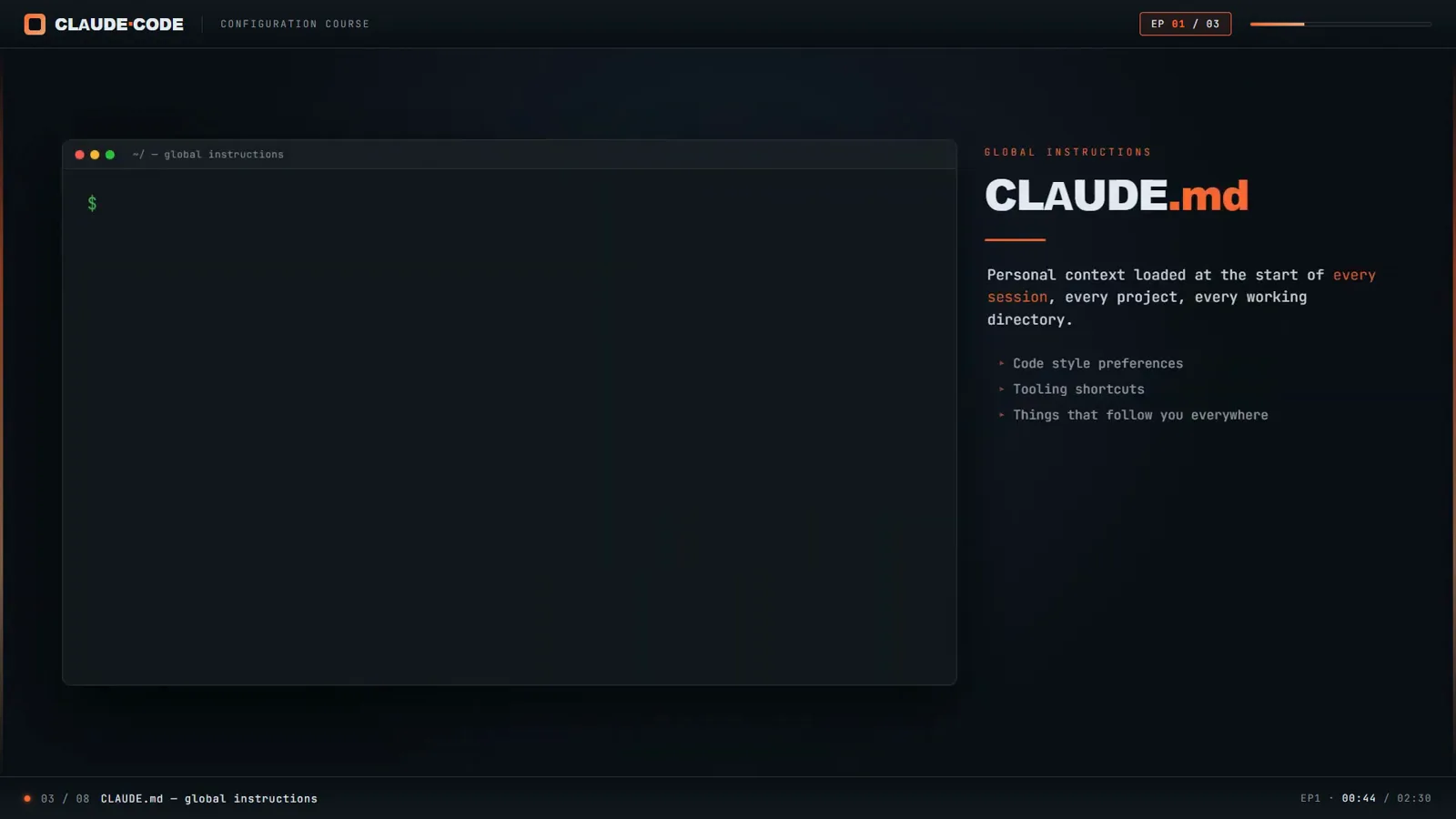
CLAUDE.md is the sibling file people mistake for settings: it carries preferences and conventions, not configuration keys.Watch at 0:45 - 10
Ask Claude to audit your allow list
Allow lists grow one prompt at a time until nobody remembers what is in them. Open Claude Code and ask it to review .claude/settings.local.json for redundant, unnecessary and risky entries — Claude knows which tools it has built in and which rules overlap.
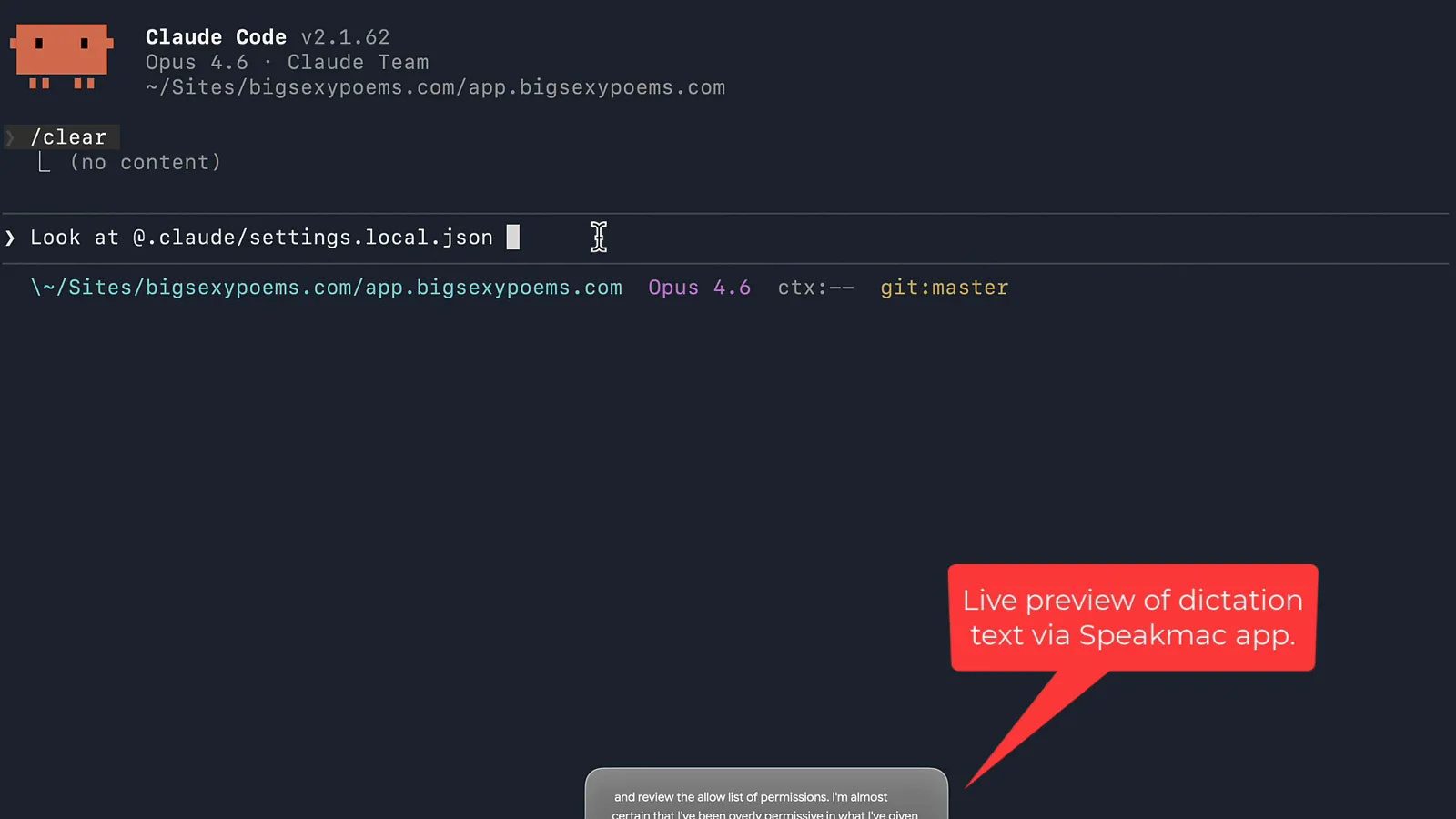
The audit prompt: review the allow list, flag what is redundant, what duplicates built-in tools, and what is outright risky.Watch at 1:40 - 11
Read the verdict like a reviewer
In the real audit this page screenshots, Claude found 41 entries and sorted them: ls, grep, find, echo and cd duplicate built-in tools; wildcard entries already covered explicit commands; local absolute paths were unnecessary because Claude knows its working directory; curl was the one flagged as genuinely over-permissive.
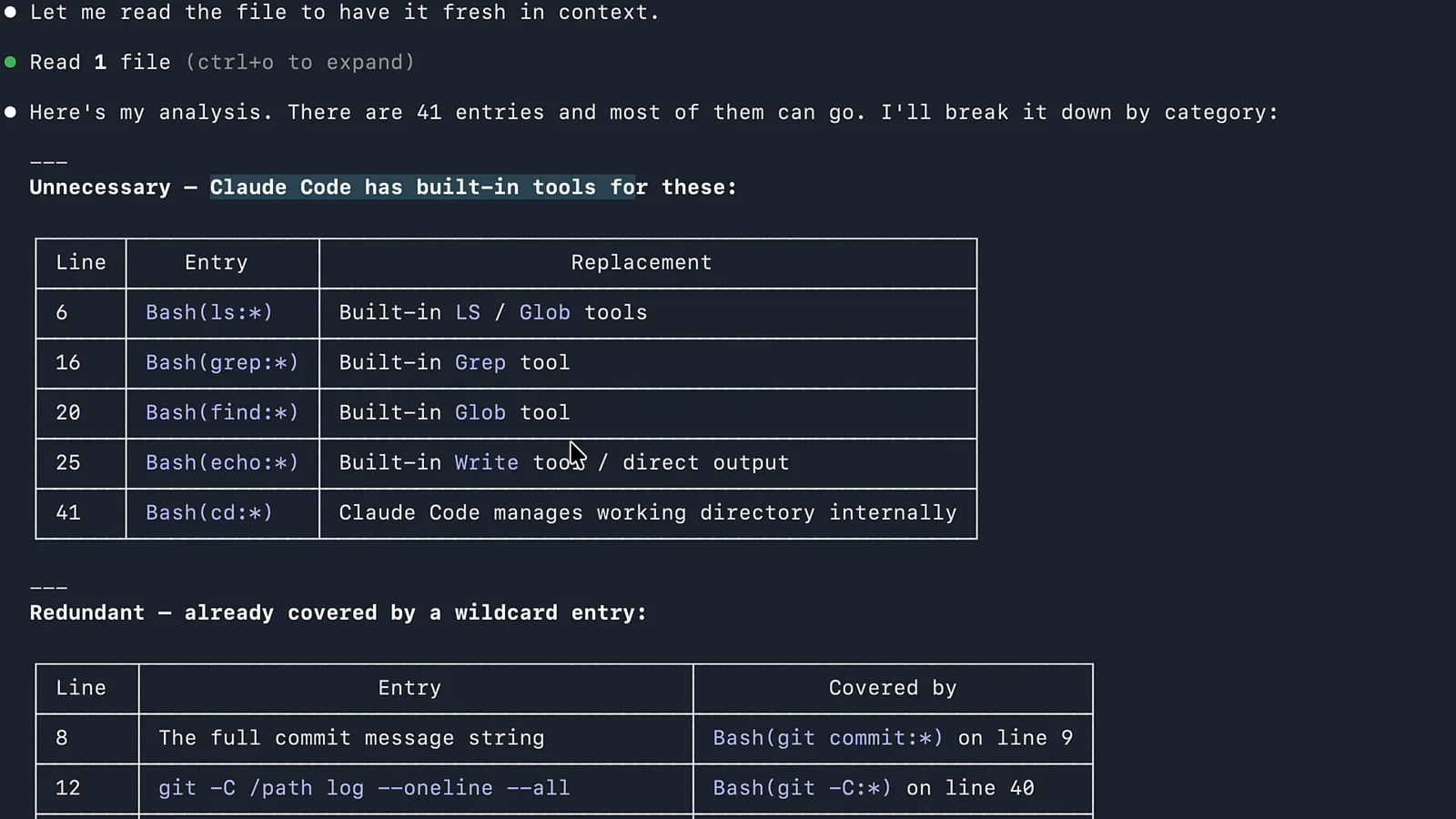
The verdict: 41 entries sorted into unnecessary, redundant and risky — with the replacement for each line.Watch at 3:05 - 12
Apply the cleanup and re-check monthly
Approve the proposed edits and the file shrinks from 41 entries to 15. Make it a habit: an allow list you cannot read is an attack surface you cannot see. Re-run the audit after big projects, and prefer scoped rules like Bash(git diff:*) over blanket approvals.
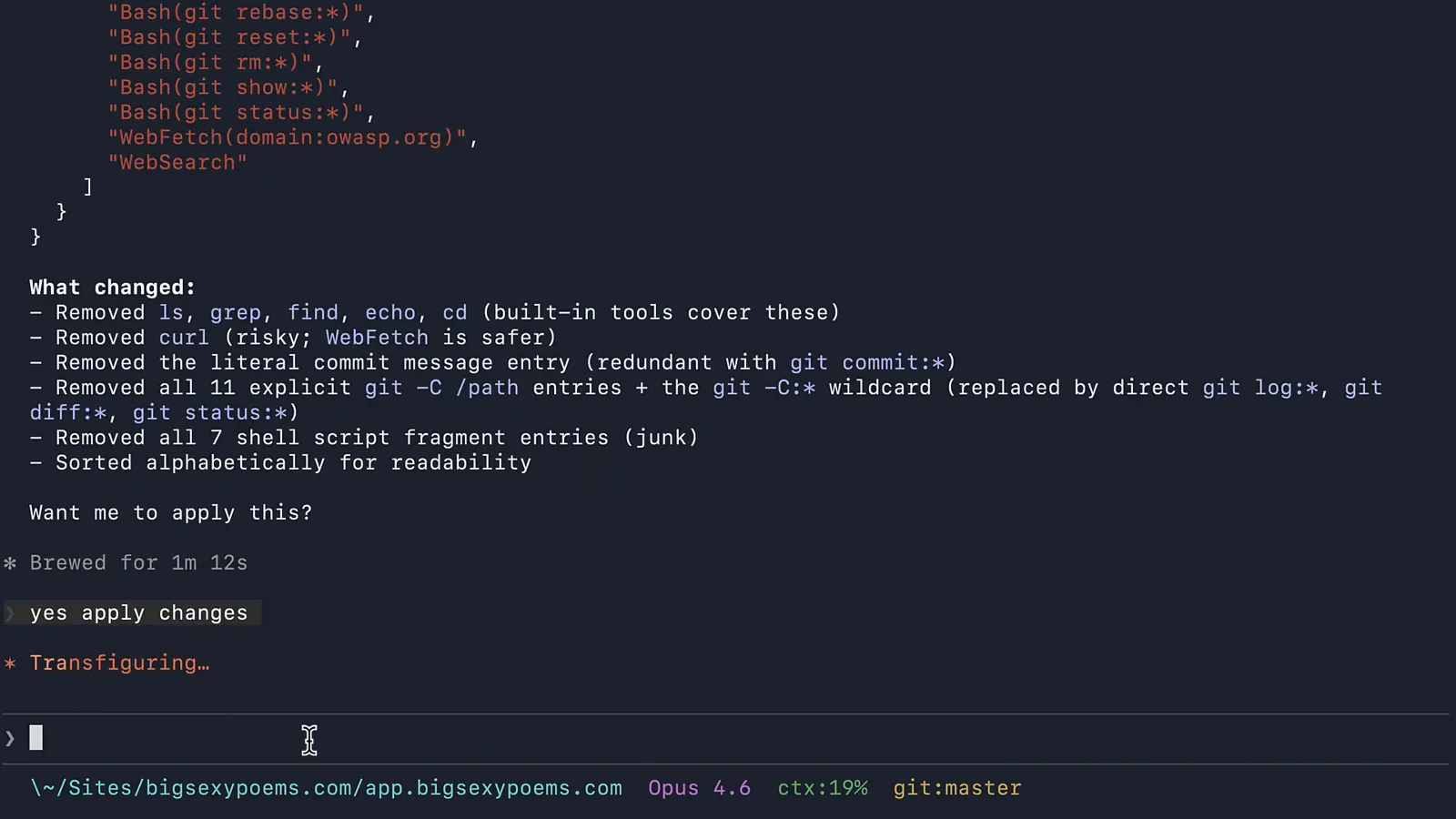
The applied cleanup: curl, explicit home paths and one-off shell scripts removed from the allow list.Watch at 4:50
settings.json vs CLAUDE.md vs ~/.claude.json vs /config
Four surfaces all feel like "Claude Code settings" — they are not interchangeable. Which file owns what:
- 1settings.json (all scopes) — declarative configuration: model, effort, permissions, env, hooks, statusLine, plugins. Strict JSON, schema-validated, safe to commit (except the .local one).
- 2CLAUDE.md — natural-language instructions and conventions. It shapes behavior, not configuration; there is no key-value contract and it is read every session.
- 3~/.claude.json — machine state: OAuth/session data, MCP registrations, per-project trust, onboarding flags. Claude Code writes it; you should not hand-edit it.
- 4/config — the interactive panel. It is a UI over the same keys: most toggles write to ~/.claude/settings.json, a few (like Show tips) go to settings.local.json, and global options land in ~/.claude.json.
- 5managed-settings.json — the organization layer. It overrides everything (with a few security exceptions where the stricter value wins), which is why your local model choice may silently lose on a work machine.
Rule of thumb: behavior goes in CLAUDE.md, configuration in settings.json, and if a value seems to ignore you, check whether ~/.claude.json or a managed file already made the decision.
Settings not applying? First aid
Most settings.json problems reduce to five causes. Work through them in order:
- 1JSON syntax errors. settings.json is strict JSON — one trailing comma or a // comment and the whole file is rejected. Paste it into a validator, or add the $schema line so your editor flags mistakes while you type.
- 2A stricter rule above you. Managed settings and security-sensitive keys (like disableClaudeAiConnectors or useAutoModeDuringPlan) win over your file no matter what. Check whether a work machine is overriding you.
- 3Wrong file, wrong scope. Rules in .claude/settings.json only apply inside that project; defaultMode values auto and bypassPermissions are ignored from project-level files by design.
- 4Env values in the wrong place. ALL_CAPS keys belong in the env block, not the top level. If ANTHROPIC_API_KEY or DISABLE_TELEMETRY seem ignored, they are probably sitting one level too high.
- 5Silently rejected entries. Run claude doctor to list settings entries that failed validation, and /status in a session to see which files actually loaded.
Still stuck? Delete your last edit, confirm the file loads with /status, then re-apply the change one key at a time — bisecting the file beats staring at it.