
Claude Code Hooks: settings.json, the 5 Events & Exit-Code Blocking
Hooks are the deterministic layer of Claude Code: they always run, no prompting required. This illustrated walkthrough uses Anthropic's own hooks video for the visuals — the five events, a PreToolUse block script, structured deny JSON, and a full PostToolUse formatting config.
TL;DR — what Claude Code hooks are
- Hooks are deterministic: they run at fixed points in Claude Code's lifecycle every single time. A CLAUDE.md instruction like “run Prettier after every edit” works most of the time — a hook works always.
- There are five events: UserPromptSubmit (before your prompt is processed), PreToolUse (before a tool call), PostToolUse (after a tool completes), Notification, and Stop (when Claude finishes responding).
- A PreToolUse hook that exits with code 2 blocks the tool call, and the stderr message is fed back to Claude so it knows why. Exit code 0 lets the call proceed.
- Hooks live in settings.json — an event, an optional tool matcher, and a command. Keep them in the project's .claude/settings.json and commit it, and your whole team inherits the same guarantees.
Hooks in Claude Code
Channel:Claude (official Anthropic channel)3:22
Claude Code Hooks, Explained Simply
Channel:Agentic Lab8:32
Claude Code - Getting Started with Hooks
Channel:Greg Baugues11:53
Hooks reference — Claude Code documentation
Docs:code.claude.com
Frames in this guide come from Anthropic's official hooks explainer; the walkthrough text was written independently and cross-checked against the official hooks reference.
Screenshots remain the property of their creators and are used with attribution as visual documentation. Each step deep-links back to the exact moment in the source video.
Set up Claude Code hooks, step by step
1 · What hooks look like in the wild
- 1
Watch a hook fire at the end of a response
The status line reads “Running stop hook · 39s · 484 tokens” — Claude Code is executing a Stop hook before it hands the turn back to you. That is the whole idea in one screenshot: a command you registered runs at a fixed point in the lifecycle, on every matching occurrence, with no reliance on the model remembering to do something.
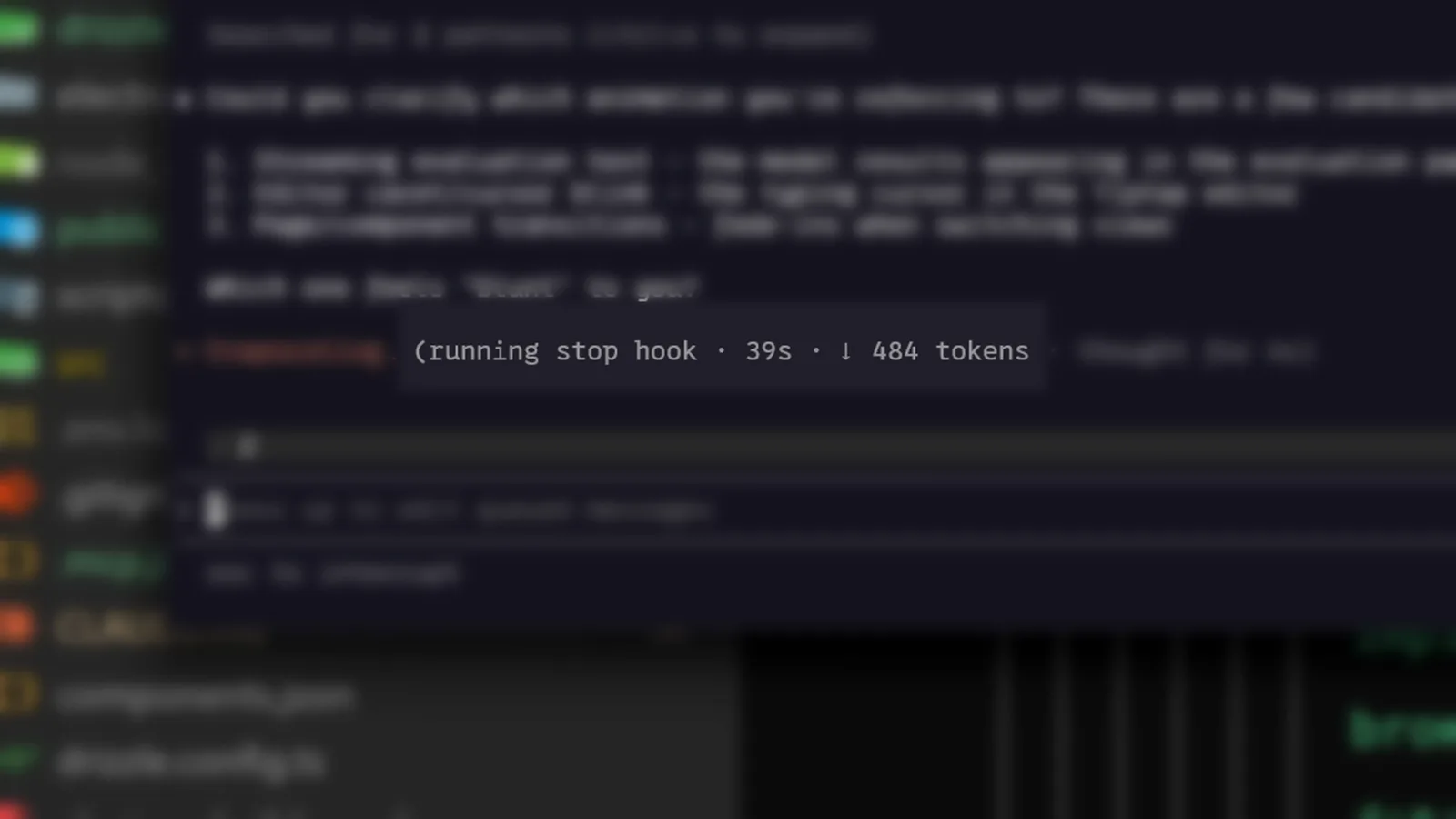
A Stop hook executing after Claude's answer — 39 seconds in, 484 tokens spent.Watch at 0:10 - 2
Learn the five hook events
UserPromptSubmit runs the moment you submit a prompt, before Claude processes it. PreToolUse runs before each tool call. PostToolUse runs after a tool call completes. Notification fires when Claude sends a notification, and Stop runs when Claude finishes responding. Every hook you write attaches to exactly one of these five points.
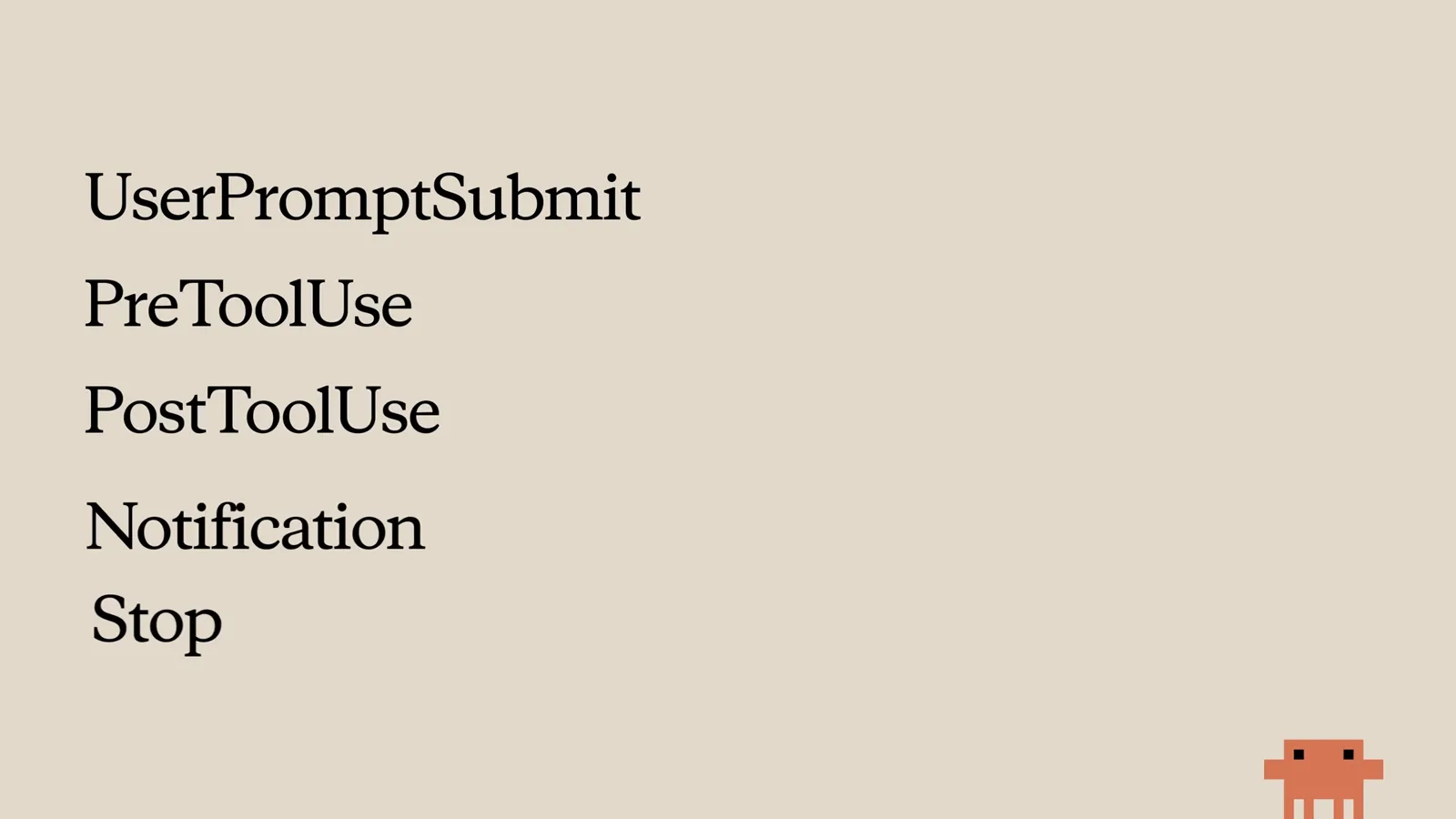
The five events, from Anthropic's official hooks video — everything else hangs off this list.Watch at 1:04
2 · Write your first hooks
- 3
Add a hooks block to settings.json
A hook is three things in settings.json: the event name, an optional matcher that narrows which tool it applies to, and the command to run. In the screenshot the PreToolUse matcher is being completed with Edit — that hook will only fire on file-edit tool calls. The /hooks menu edits the same config interactively if you'd rather not touch JSON.
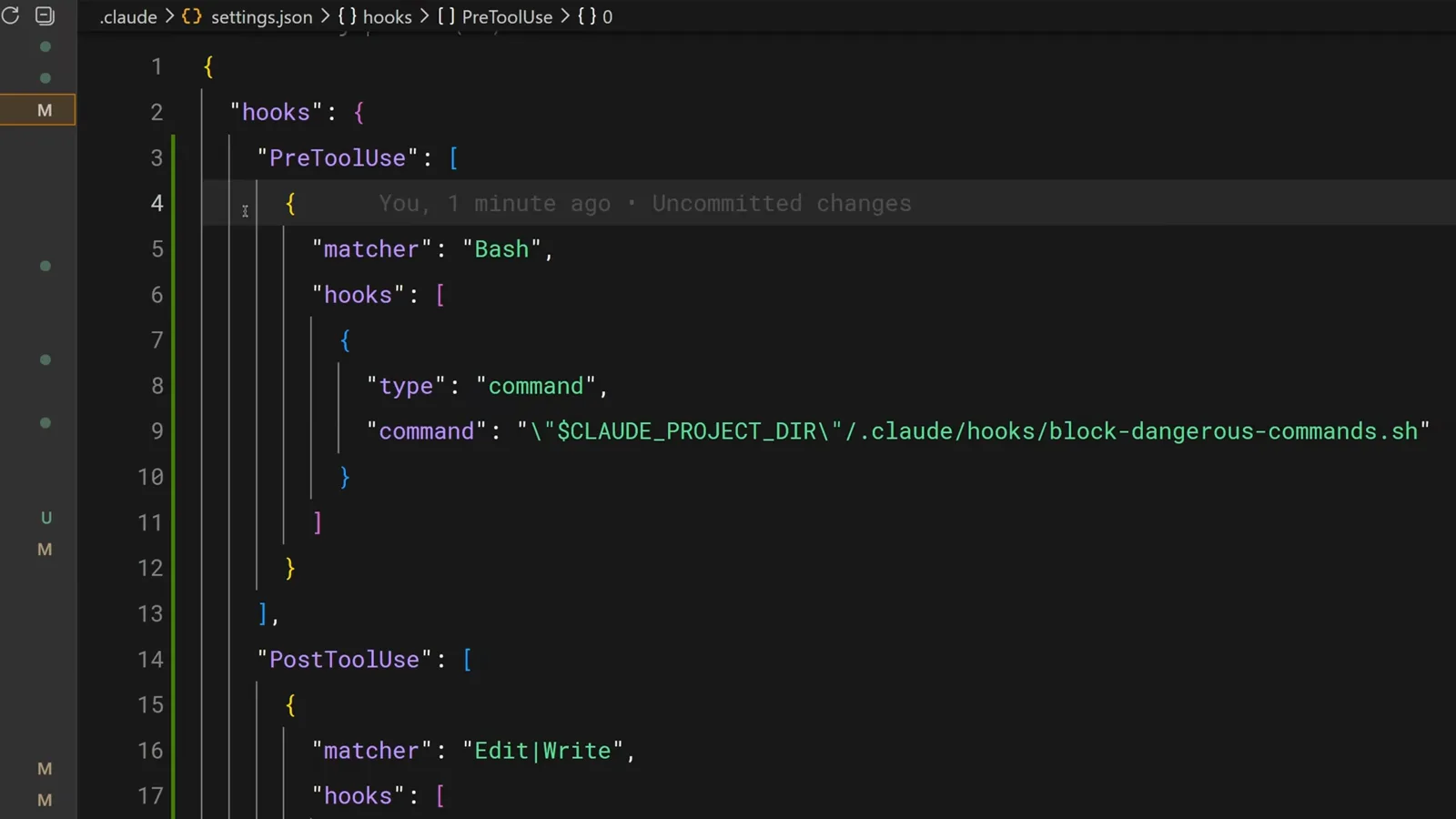
The matcher autocompletes Edit, scoping a PreToolUse hook to file edits only.Watch at 0:14 - 4
Block dangerous commands with exit code 2
A PreToolUse hook receives the tool name and its input as JSON on stdin. This script pipes it through jq to grab .tool_input.command, greps for destructive patterns — rm -rf, git push --force — and on a match echoes the reason to stderr and exits 2. Exit code 2 blocks the call; the stderr text is fed back to Claude as feedback, so the model knows why it was blocked and can adjust.
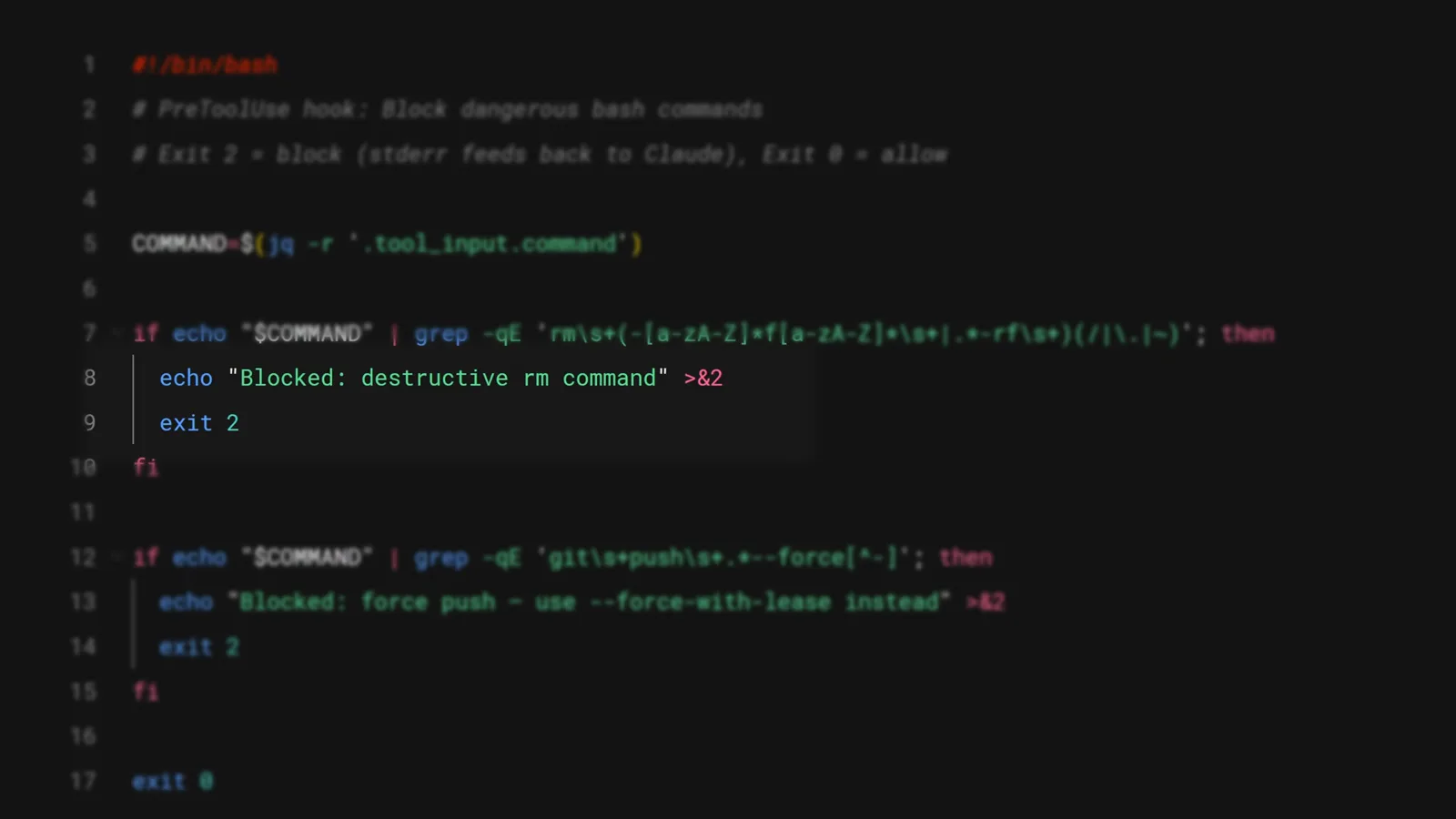
jq reads the command from stdin; a match on rm -rf or --force prints to stderr and exits 2.Watch at 2:02 - 5
Send a structured denial instead of an exit code
For finer control, a hook can print a JSON decision instead of relying on exit codes. Here a PreToolUse hook catches DROP TABLE, and the hookSpecificOutput carries permissionDecision “deny” plus a reason — “use a migration instead” — that lands in the model's context. Same hard guarantee, but with an actionable instruction attached.
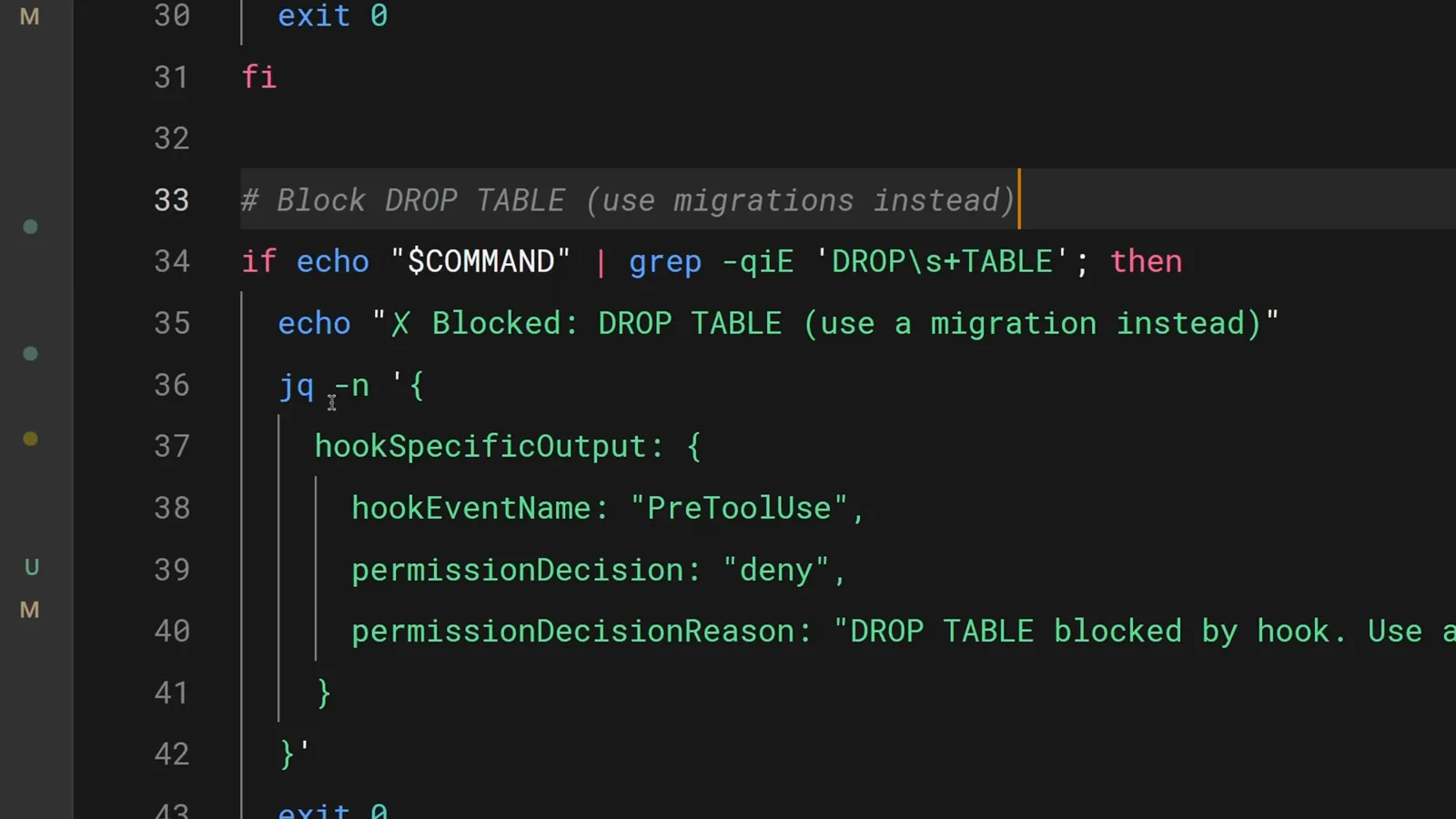
A permissionDecision of deny blocks the SQL command and tells the model what to do instead.Watch at 2:16 - 6
Keep hooks in the repo so the team gets them
Hooks configured in the project's .claude/settings.json are project-level and can be committed. Everyone who clones the repo runs the same hooks automatically — including the blocking ones. Store helper scripts in .claude/hooks/ and reference them with the CLAUDE_PROJECT_DIR environment variable so the paths resolve no matter where Claude's current working directory is.

The project's .claude folder holds settings.json plus a hooks/ directory of shared scripts.Watch at 0:17 - 7
Copy a complete, real hooks config
This config does two jobs at once. The PostToolUse block matches Edit|Write|MultiEdit and runs .claude/hooks/auto-format.sh with a 30-second timeout, so every file Claude touches gets formatted. Below it, a second hook matches Bash and logs every executed command — the compliance pattern. The timeout and async fields keep slow formatters from stalling the session.
PostToolUse auto-formatting with a 30s timeout, plus a Bash hook logging every command.Watch at 2:46
3 · Run them like a team
- 8
Know the exit-code contract cold
Exit code 0 means proceed. Exit code 2 means block — and stderr is fed to Claude as feedback it can act on. Any other exit code shows stderr to you, the user, but the tool call continues; use that for warnings you want to see without hard-blocking the agent.
- 9
Register hooks from the /hooks menu and pick your recipes
The /hooks command opens the same configuration interactively — useful for verifying which hooks are registered at which scope. From here the four workhorse recipes: auto-format after edits (PostToolUse), log all executed commands (PostToolUse on Bash), block dangerous operations (PreToolUse with exit 2), and send yourself a notification when Claude finishes (Stop). If something must happen every time without fail, don't put it in a prompt — put it in a hook.
The exit-code contract, in one table
Every hook command communicates through its exit code. Three cases cover everything you need:
- exit 0Proceed. The tool call runs as normal. stdout from the hook is visible in transcript mode (Ctrl-R).
- exit 2Block. The tool call is rejected and the hook's stderr is fed back to Claude as feedback, so the model can correct course — that's what makes exit-2 hooks teachable rather than just fatal.
- exit 1Any other code: warn, don't block. stderr is shown to you but the tool call continues. Use it for advisory hooks — “this file is usually generated, are you sure?”
One more upgrade path: instead of exit codes, a hook can print a JSON decision (hookSpecificOutput with permissionDecision) to deny with a structured reason, as in step 5. Exit codes are the simple contract; JSON decisions are the typed one.
Four recipes worth committing today
The official video calls out four use cases; here they are as copy-paste intent:
- 1Auto-format after edits — a PostToolUse hook matching Edit|MultiEdit that checks the file extension and runs the right formatter: Prettier for TypeScript, gofmt for Go, Ruff for Python.
- 2Log every executed command — a PostToolUse hook on Bash appending each command to a file. Compliance teams love this one; future-you debugging last Tuesday will too.
- 3Block dangerous operations — a PreToolUse hook with exit 2 guarding production config directories, rm -rf patterns, or commits to main. These become guarantees, not suggestions.
- 4Notify when the task finishes — a Stop or Notification hook that triggers a desktop notification or sound, so long agent runs don't need babysitting.
All four fit in one .claude/settings.json. Start with the formatter — it's the hook you'll feel every single save.