
Claude Code Resume Session: --resume, --continue & Fixes
How to reopen a past Claude Code conversation with claude --continue, the claude --resume picker, or a session ID — plus where sessions are stored, how naming works, and what to do when resume finds nothing.
TL;DR
- claude --continue (claude -c) reopens the most recent conversation in the current folder — no questions asked. claude --resume (claude -r) opens an interactive picker of past sessions, or jumps straight to one by session ID or name.
- Every session lives on disk as a plaintext .jsonl transcript under ~/.claude/projects/<project-folder>/<session-id>.jsonl, kept for 30 days by default (the cleanupPeriodDays setting).
- Name a session while it is open with /rename (or --name at launch), then resume it with claude --resume <name> — the name must match exactly, characters included.
- "No sessions match" almost always means the wrong folder or a mistyped name: sessions are scoped to the directory they started in. Update Claude Code too — v2.1.288 alone fixed four resume bugs.
How to Resume an Old Session in Claude Code
Channel: Prompt & Flow2:37
Resume Claude Code Conversations FAST with One Simple Command
Channel: Vinod Sharma1:33
Save and Resume Any Claude Code Session | Next Session Prompt Skill
Channel: Kyle Chalmers | Data + AI4:27
CLI reference — official documentation
Official docs: code.claude.com/docs
Every flag, path and picker state on this page was checked against the official CLI reference and data-usage docs. The terminal recording is the visual source — including the full recovery flow after a forgotten session name; the two facecam videos contribute facts only: the resume-flow rundown and the markdown handoff workflow for moving sessions between machines.
Screenshots belong to their creators and deep-link to the matching timestamp; no facecam frames are used.
Resuming a Claude Code session, step by step
Part 1 — Resume with claude --resume
- 1
Name the session before you close it
A session is easy to resume when it is easy to identify. In the recording, the creator has Claude Code name the open conversation, runs /rename [open session 1], and gets the confirmation "Session renamed to: [open session 1]" — the name badge shows up next to the input box. Then /exit closes the session. Nothing is deleted: the transcript stays on disk.
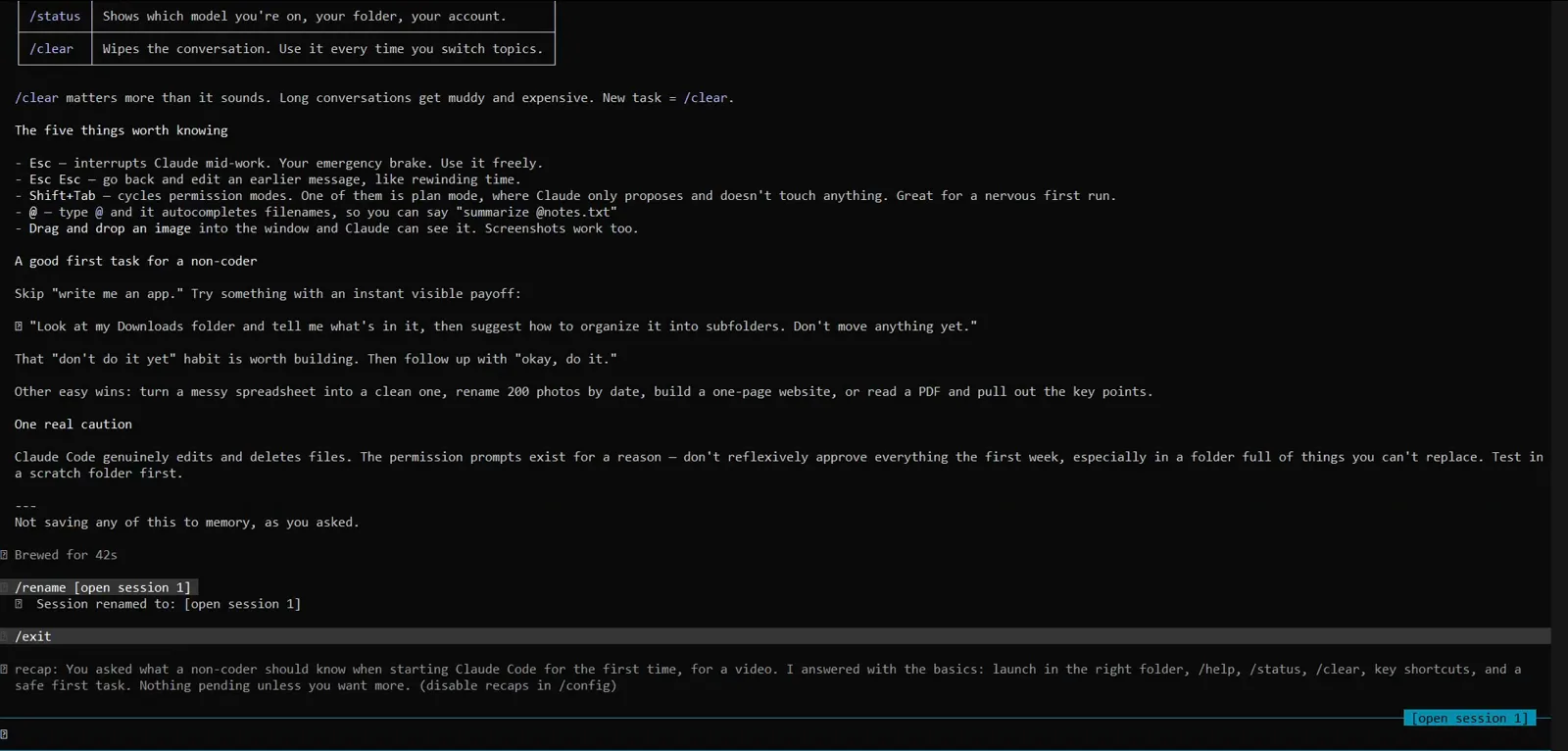
/rename [open session 1] confirmed with "Session renamed to: [open session 1]", then /exit — the transcript survives the close.Watch from 0:27 - 2
Run claude --resume from your project folder
In a fresh terminal, type claude --resume (short form claude -r). With no argument it opens a picker of past sessions; with an argument it goes straight to the session whose ID or name matches — here claude --resume [session 1]. The catch the recording is about to demonstrate: run it in the folder where the original session started. This one is launched from C:\Users\Z, the home directory.
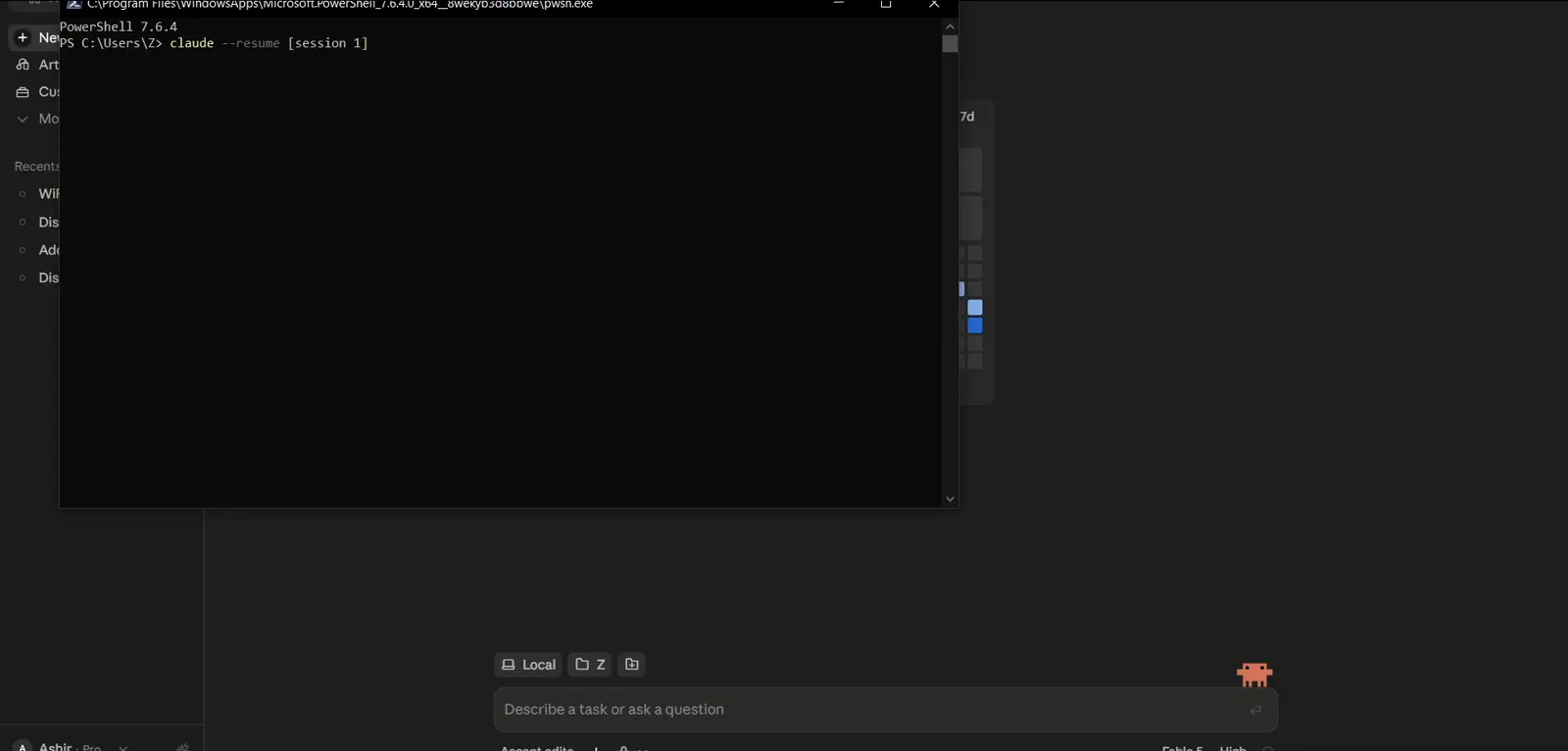
claude --resume [session 1] typed in PowerShell — from the home directory, which is about to matter.Watch from 1:04 - 3
Approve the folder trust prompt
The first time Claude Code opens a folder it runs a quick safety check: "Is this a project you created or one you trust?" Pick "1. Yes, I trust this folder" and press Enter. This prompt is about file access, not sessions — it appears because the folder has not been trusted yet, and it precedes the resume flow either way.
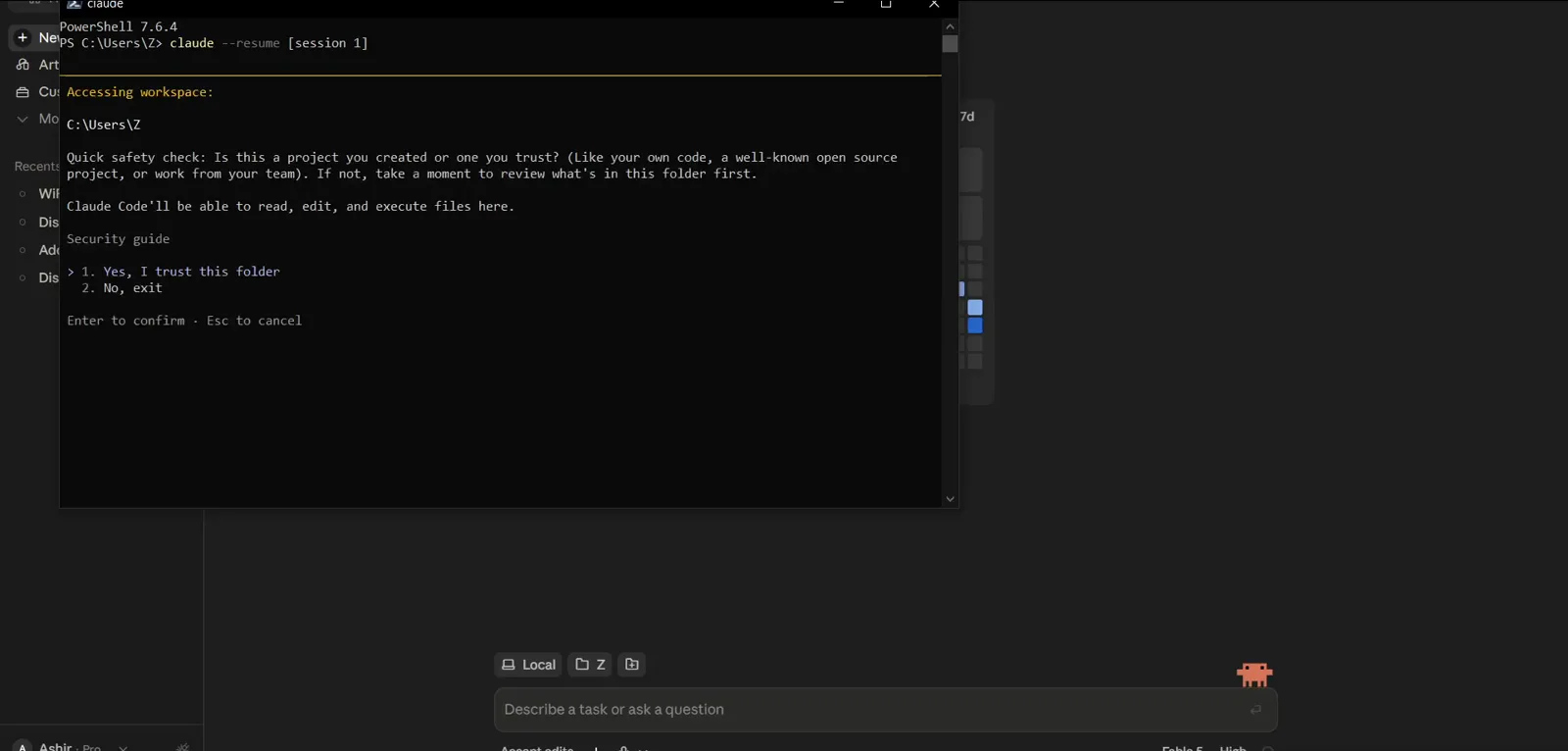
"Quick safety check" — 1. Yes, I trust this folder / 2. No, exit — before Claude Code opens the folder.Watch from 1:12 - 4
Search the Resume session picker
With no exact match, claude --resume opens the interactive picker titled "Resume session": a search box over the current project's session list. Type to filter, Enter to select, Esc to clear or cancel. Passing a name pre-fills the search — here [session — and the list updates as you type.
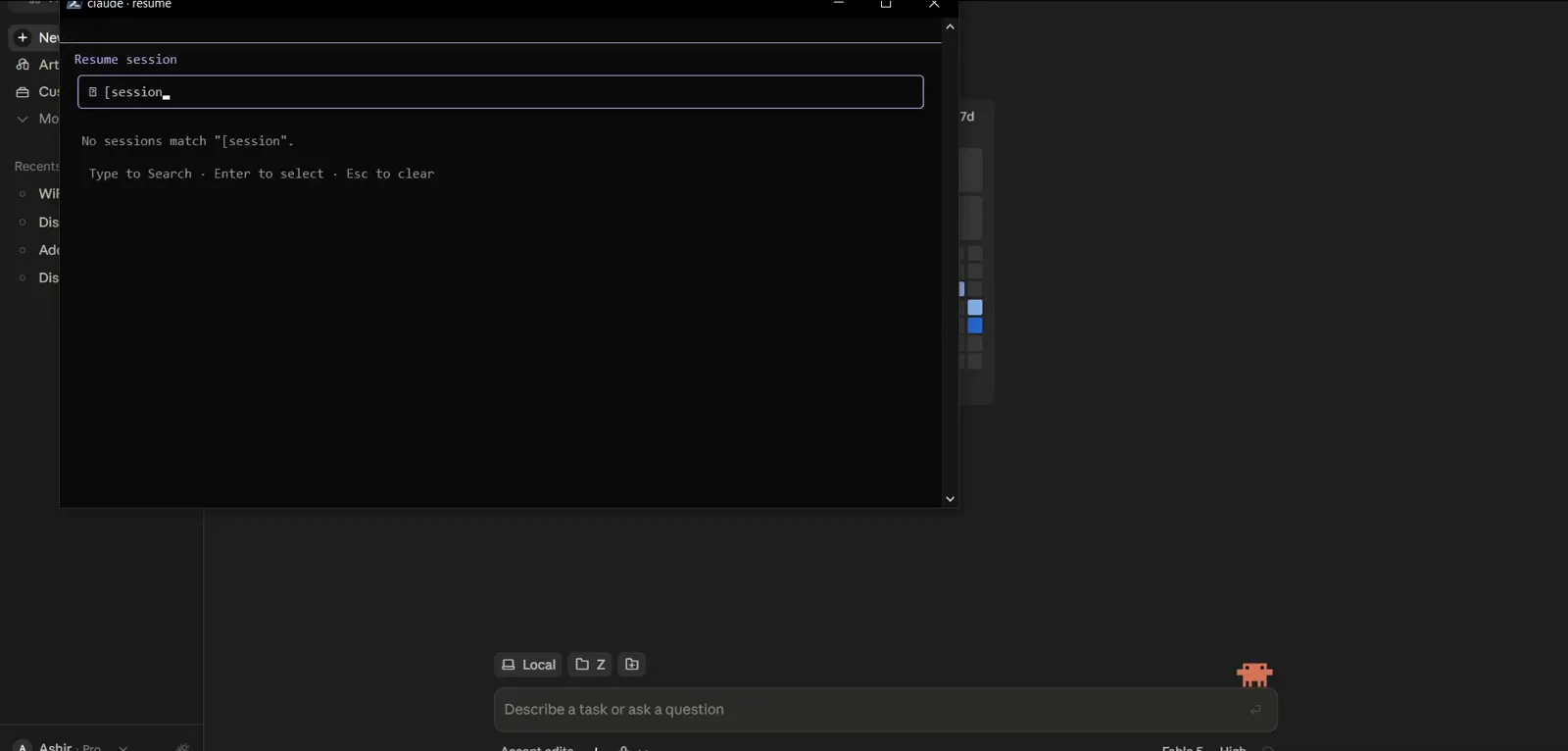
The "Resume session" picker filters as you type — Enter selects, Esc clears the search.Watch from 1:16
Part 2 — When the picker finds nothing
- 5
"No sessions match" — you are in the wrong directory
The recording's central lesson: the picker answers "No sessions match "[session 1]"." even though the session exists, because sessions belong to the folder they were started in and the picker scopes itself to the current project first. The hint line offers the escape hatch — "Ctrl+A to show all projects" — and versions from v2.1.223 also search your other projects automatically; the v2.1.220 build in the video predates that.
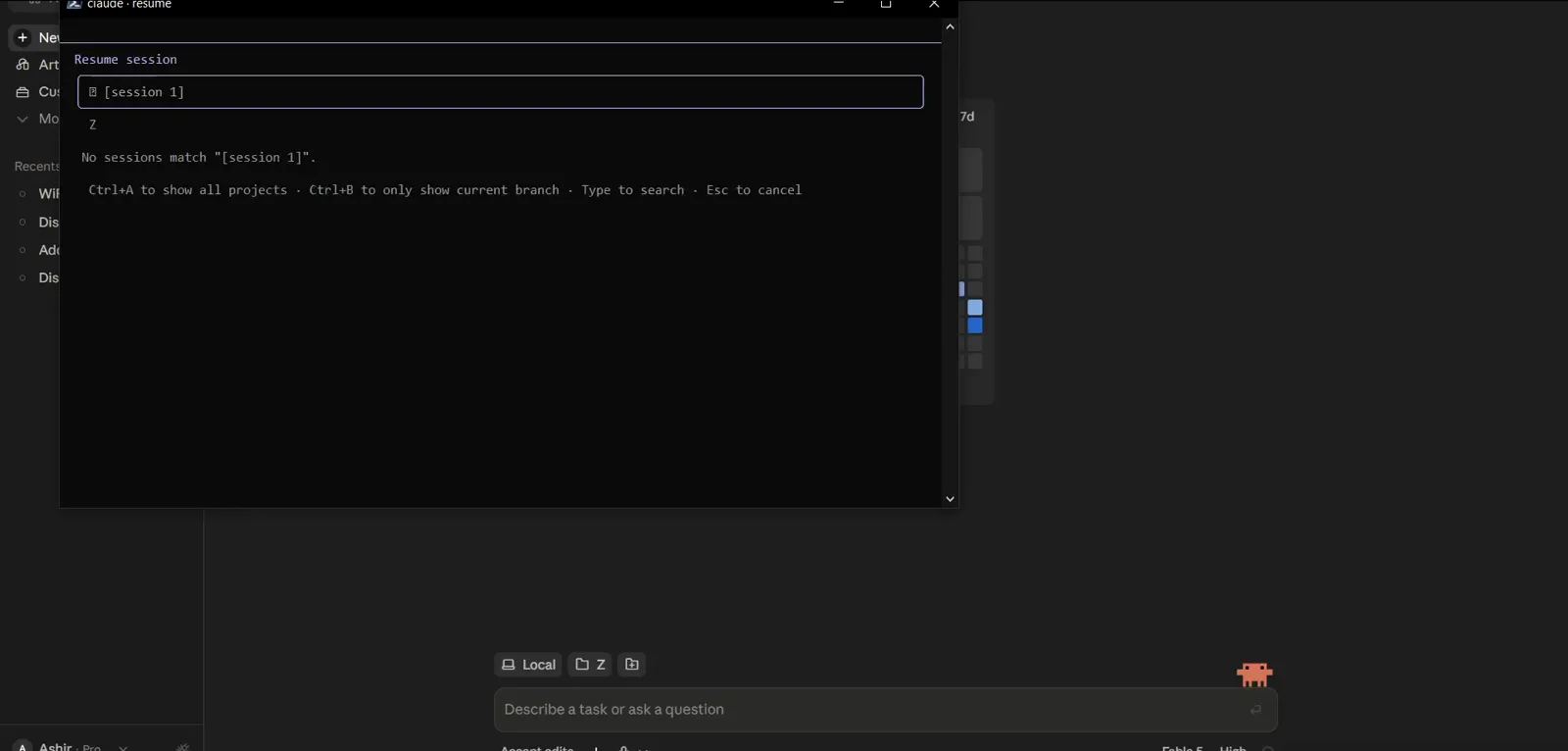
"No sessions match "[session 1]"." — the session exists, but the picker is scoped to the home directory.Watch from 1:22 - 6
Start a plain claude session to investigate
To recover the conversation by content instead of guessing at names, start a normal claude session. The welcome banner in the recording even flags the earlier mistake — "Note: You have launched claude in your home directory" — confirming the empty picker was a directory problem, not a missing session.
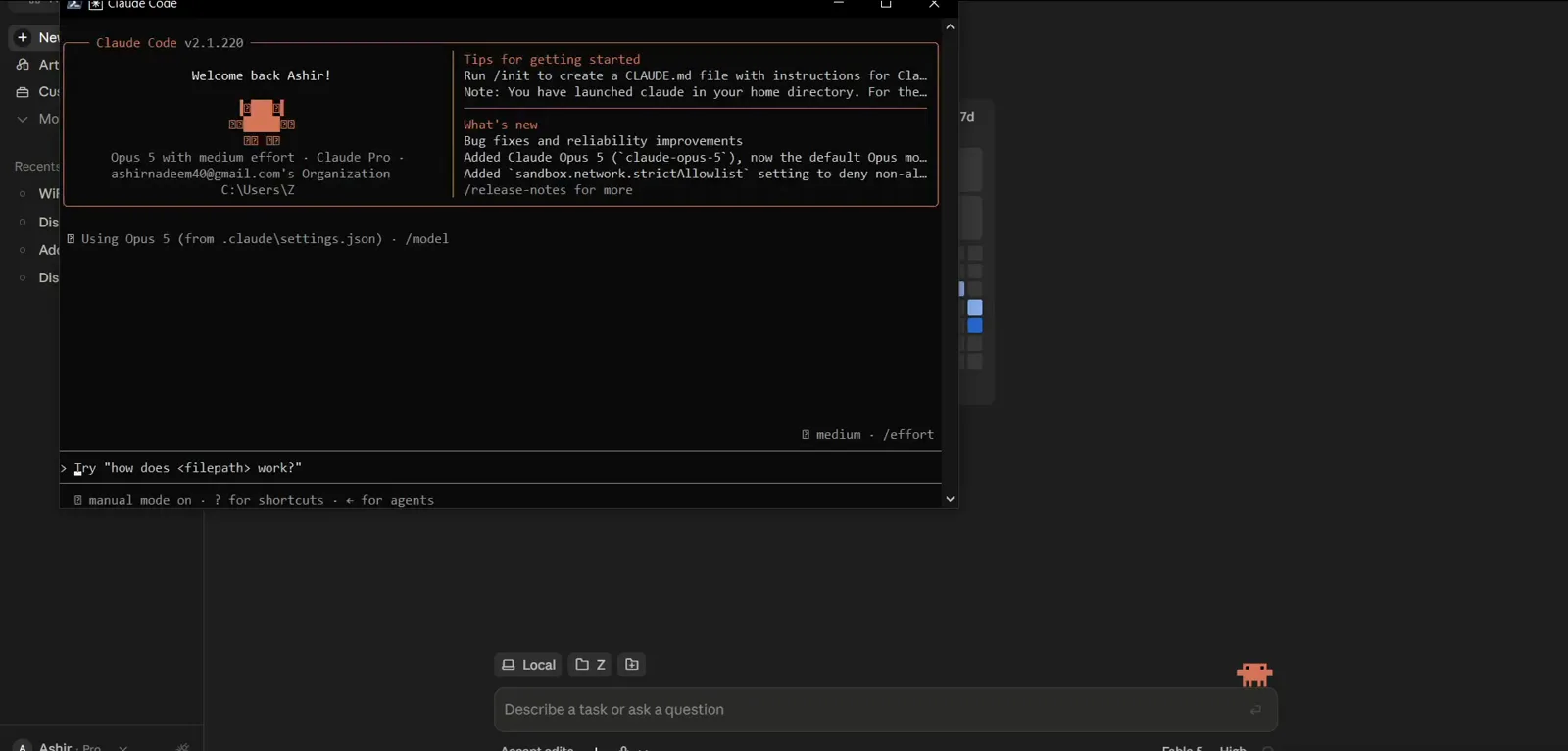
Claude Code v2.1.220 welcome banner in C:\Users\Z — the home-directory note explains the empty picker.Watch from 1:33 - 7
Ask Claude to find your last session
Inside the fresh session, describe what you want in plain language: "I forgot the name of my last session. Name it so I can resume it." Claude Code can read its own transcript history from disk, so this works even when the picker could not help.
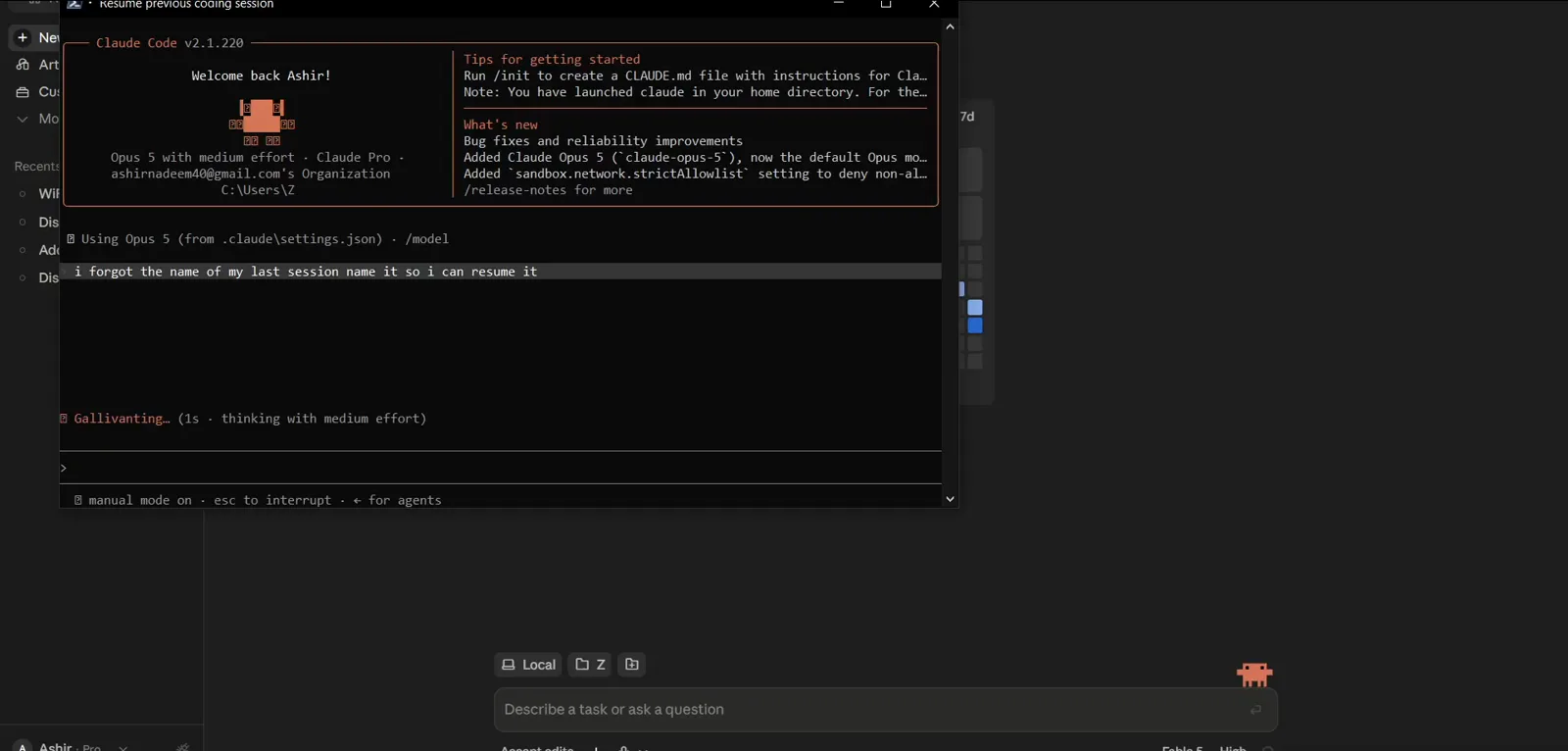
"i forgot the name of my last session name it so i can resume it" submitted — Claude starts digging.Watch from 1:50 - 8
Claude lists ~/.claude/projects by recency
Claude answers by running a shell command over its own storage: Get-ChildItem "C:\Users\Z\.claude\projects" -Recurse -Filter *.jsonl | Sort-Object LastWriteTime -Descending. That is the documented layout — every conversation is a .jsonl transcript under ~/.claude/projects, grouped in a per-project subfolder, kept for 30 days by default.
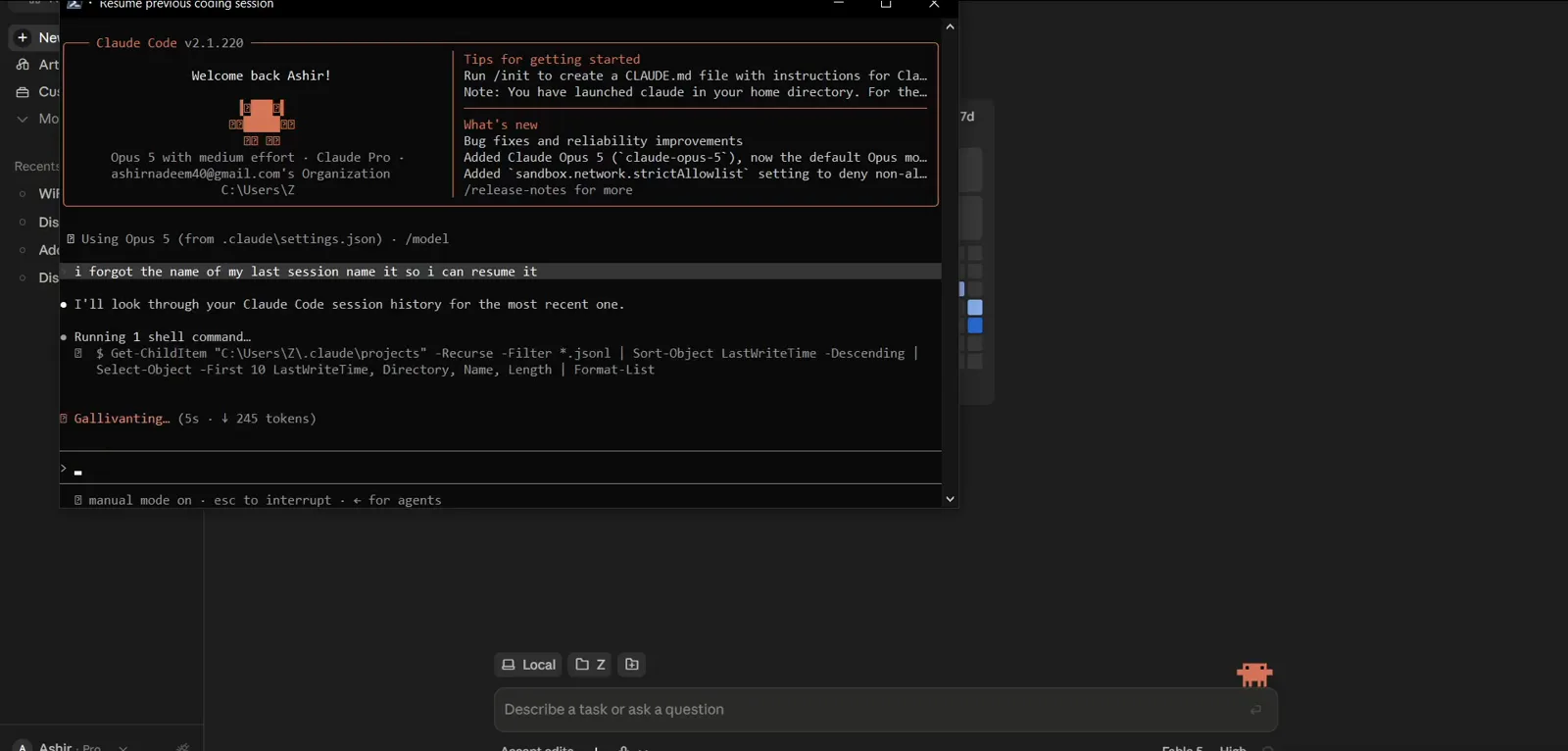
Get-ChildItem over C:\Users\Z\.claude\projects, *.jsonl only, newest first — where sessions actually live.Watch from 1:54
Part 3 — Recover it by session ID
- 9
Claude identifies each transcript by its first message
The newest transcript is the current session, so Claude pulls the first user message from each recent one — files like C:\Users\Z\.claude\projects\C--Users-Z\<session-id>.jsonl — to name them: a WiFi-signal research project, a "lets go to phase 2" run, a WhatsApp project setup. First messages are a reliable way to tell same-project sessions apart.
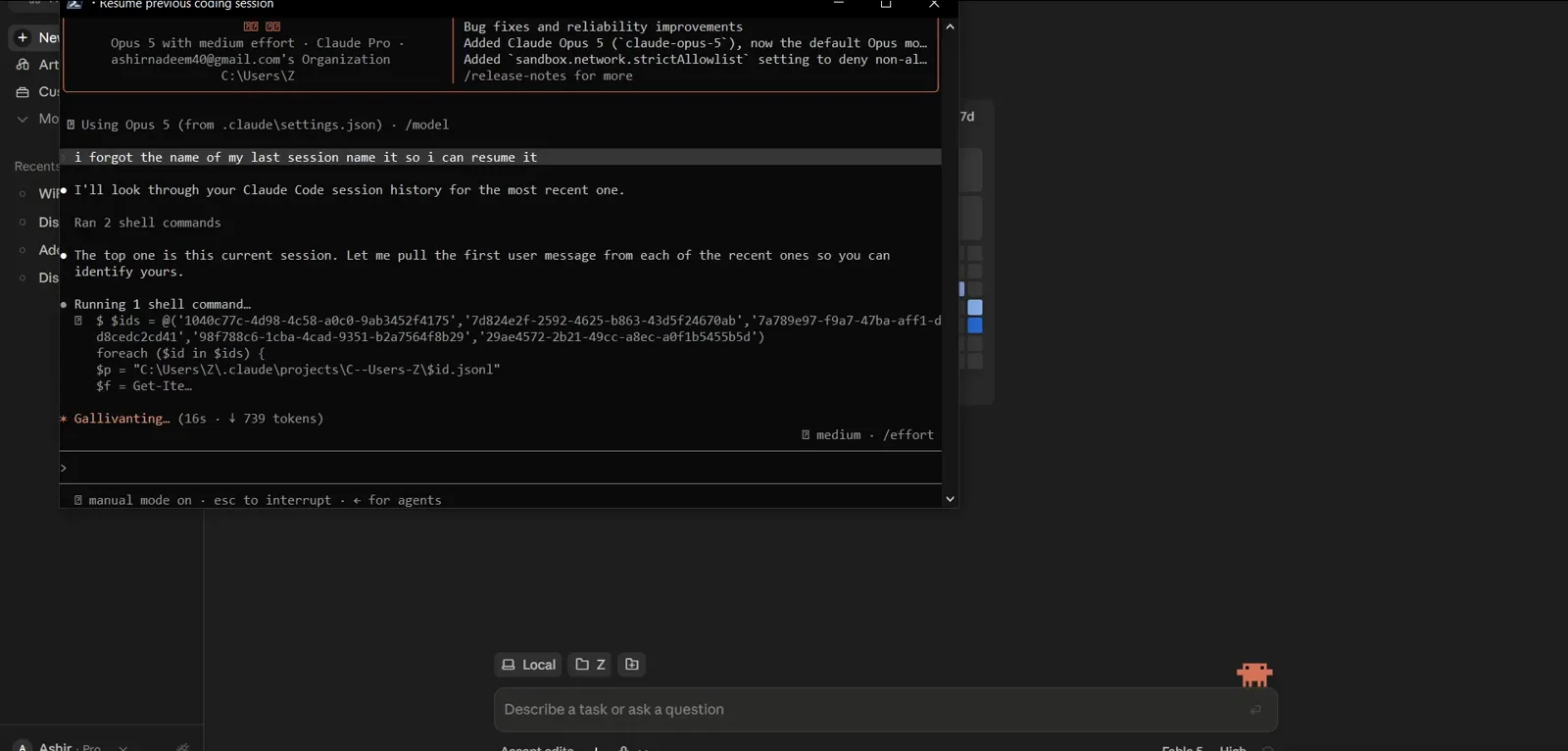
Pulling the first user message from each .jsonl under projects\C--Users-Z so the sessions can be told apart.Watch from 2:07 - 10
Claude answers: resume it with claude --resume <id>
The reply names the winner and prints the exact command — "Resume it with: claude --resume 7d824e2f-2592-4625-b863-43d5f24670ab" — then a table of the other recent sessions with Session ID, Last active and Opened with columns, and a note that one ID was an empty, aborted start not worth resuming.
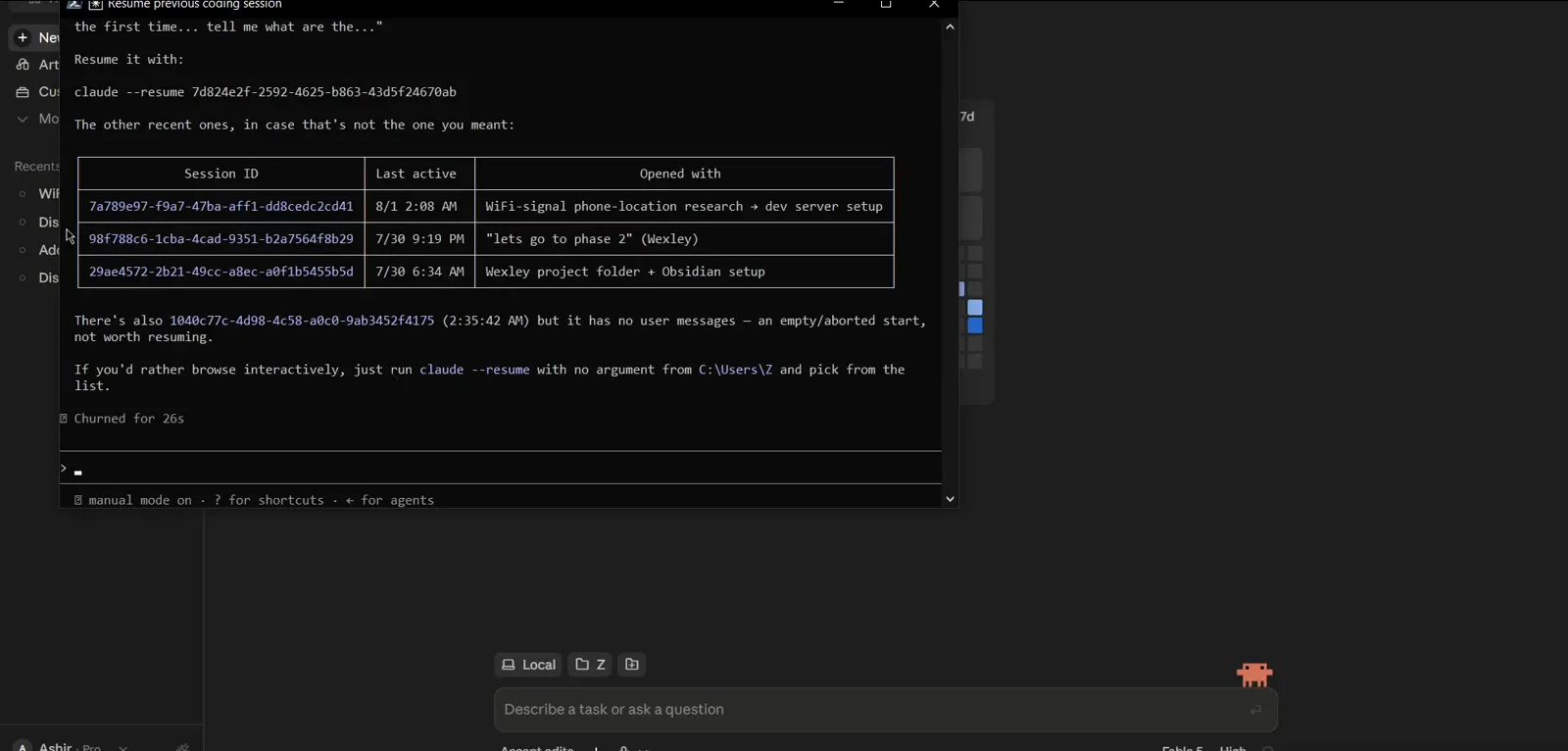
"Resume it with: claude --resume 7d824e2f-…" plus a table of Session ID, Last active, Opened with.Watch from 2:18 - 11
Resume the session by its ID
The session ID is the handle. Close this helper session, cd into the project folder and run claude --resume <session-id> — or pass the absolute path to the .jsonl transcript. Add --fork-session to branch a fresh session ID instead of continuing the original. The conversation reopens with its full context.
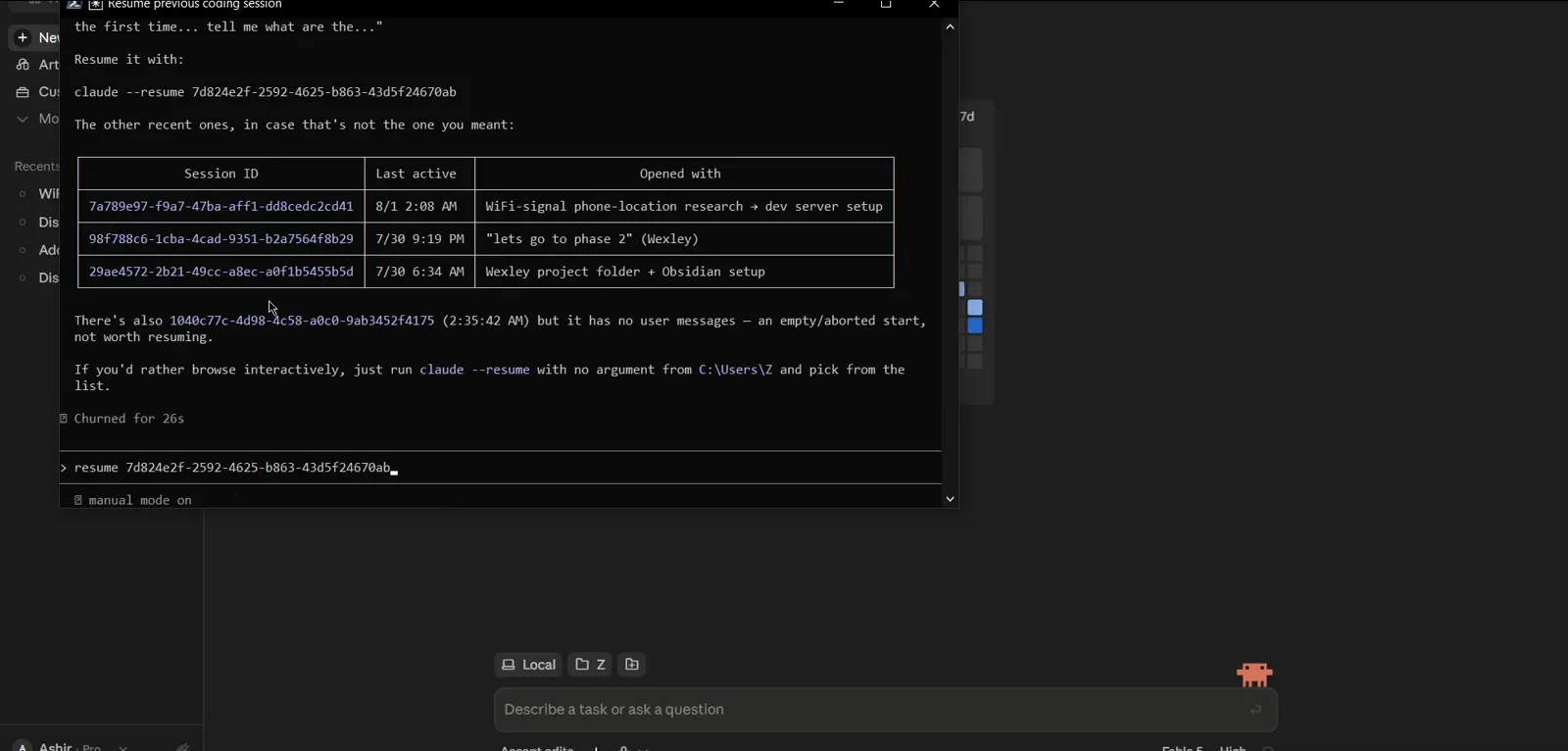
The session ID typed at the prompt — claude --resume <id> reopens that exact conversation.Watch from 2:32
--resume vs --continue vs the session picker
Claude Code ships several overlapping ways back into a conversation. They differ in how much they make you decide:
- 1claude --continue (claude -c) — zero decisions. Reopens the most recent conversation in the current directory, including a finished background session since v2.1.257. For "I just closed the wrong window".
- 2claude --resume (claude -r) with no argument — the interactive picker. Lists this project's sessions (live background ones marked bg); Ctrl+A widens to all projects, Esc cancels. Best when a folder holds several sessions.
- 3claude --resume <id | name | path> — straight in. Accepts a session ID, an exact name set with /rename or --name, or the absolute path to a .jsonl transcript. Since v2.1.223 it also searches your other projects when the ID is not in this one.
- 4/resume and /rename inside a session — switch conversations without leaving the REPL, and label the current one so tomorrow's claude --resume <name> lands on it. Names are unique; a clash gets a variant suffix.
- 5claude --resume <id> --fork-session — branch instead of continue. Reuses the transcript but mints a new session ID, leaving the original session's history frozen as a checkpoint.
- 6claude attach <id> — for sessions still running in the background. The picker marks live ones bg; attaching turns your next prompt into that session's next turn.
The recording only exercises --resume, and --continue appears in none of its frames — that is the video's scope, not the feature set. The official CLI reference documents both flags side by side; where the video is silent, the comparison above follows the docs.
Claude Code resume session not working — fixes that work
Most "resume does nothing" reports reduce to one of these. Work down the list:
- 1Wrong directory. The picker only sees the current project's sessions — the recording fails exactly this way from C:\Users\Z. cd into the folder where the session started; since v2.1.223 --resume also searches other projects, but the right folder is still the fastest path.
- 2Old version. v2.1.288 alone fixed --resume dropping files a compaction had just restored, a resumed session not saving the last response of a turn (the next resume showed the prompt as unanswered), transcripts loading cut short, and thinking lost when resuming sessions from 2.1.286 or earlier. v2.1.290 fixed --resume <session-id>; v2.1.292 restored plan mode in the picker.
- 3The session expired. Transcripts are kept 30 days by default — the cleanupPeriodDays setting changes the window — and headless -p runs do not persist sessions at all. claude rm only removes a session from the list, but nothing can resume a transcript that was cleaned up.
- 4The name does not match. --resume matches names exactly. The recording's claude --resume [session 1] fails twice over: the real name was "open session 1", and the brackets became part of the search string. Drop the brackets and quote names containing spaces.
- 5--continue grabs the wrong thing. It skips print-mode (-p)/SDK and /loop sessions, and only looks at the current directory — if another session has touched the folder since, skip it and resume by ID instead.
- 6Another computer. ~/.claude/projects is local, so a session created on your laptop does not exist on your desktop. Copy the project's folder across machines keeping the same layout, or adopt the markdown handoff: have Claude write the session's state, decisions and next steps to a file, sync it, and continue from it on the other machine.
Nothing above helps? Open ~/.claude/projects and check the .jsonl file's timestamp. If it is there, claude --resume with its absolute path is the brute-force way in; if it is not, the conversation never made it to disk.