
Claude Code Headless Mode: -p, CI & the GitHub Action
Script Claude Code like a Unix tool: one-shot prompts with claude -p, pipe files in, parse JSON out, resume sessions by id, go --bare for CI, and let the @claude GitHub Action build features from an issue — straight from Anthropic's own walkthrough.
TL;DR
- claude -p "prompt" runs one shot and prints the result — no interactive session. It composes like any Unix tool: pipe in, pipe out, chain in scripts and CI steps.
- --output-format json returns the result plus session_id, costs and metadata; stream-json emits newline-delimited events for real-time consumers. Parse with jq and build on it.
- Headless runs with no edit or destructive permissions by default. Grant exactly what's needed with --allowedTools "Bash(git diff *),Edit" — permission-rule syntax, prefix matching.
- The @claude GitHub Action is headless mode with a frontend: tag @claude on an issue or PR and it reads code, creates PRs and commits, answers questions and reviews code — on your own GitHub runners.
Building headless automation with Claude Code | Code w/ Claude
Channel: Anthropic20:59
Headless mode — official documentation
Official docs: code.claude.com/docs
Claude Code GitHub Action — official docs
Official docs: code.claude.com/docs
Flags, limits and behaviors on this page are verified against the official headless documentation; the talk above is Anthropic's own walkthrough and the visual source for the screenshots.
Screenshots are attributed to their creators with deep links to the exact timestamps. Speaker and audience shots are not used.
Run Claude Code headless, step by step
Part 1 — Headless basics
- 1
What headless mode is
Headless mode is Claude Code without the interactive UI: the same agent, driven programmatically. Anthropic frames it as a simple building block for agentic applications — use it like a Unix tool in scripts and pipelines, for CI automation, remote environments, or as the engine behind a web chat interface.
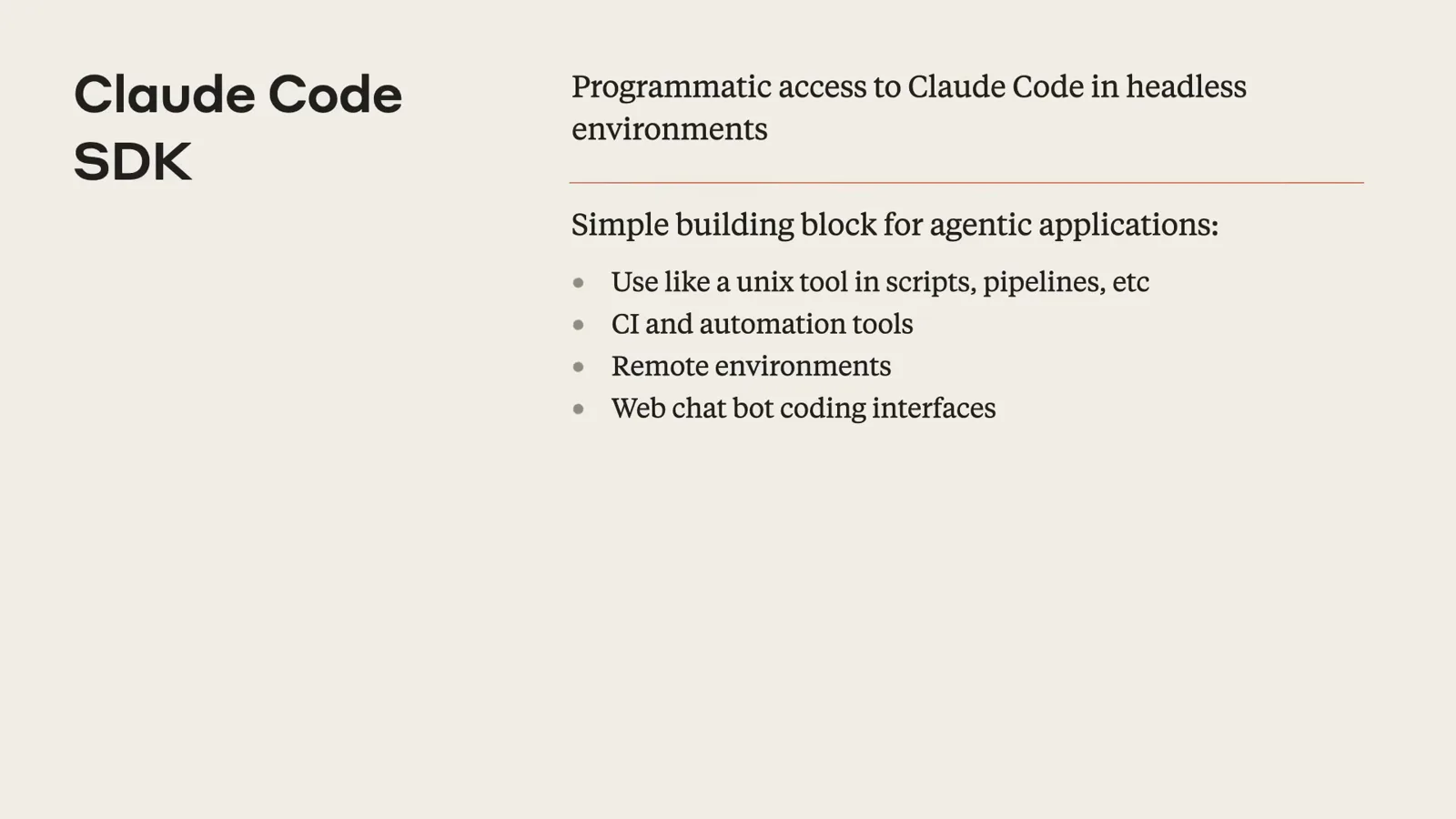
Anthropic's own framing: the SDK is programmatic access to Claude Code in headless environments.Watch at 2:10 - 2
One-shot prompts with claude -p
The -p (or --print) flag runs a single prompt and exits: claude -p "Write me a function that calculates the Fibonacci sequence". Nothing is held open — you get the output on stdout and an exit code your scripts can check. Pair it with --allowedTools to grant write access up front.
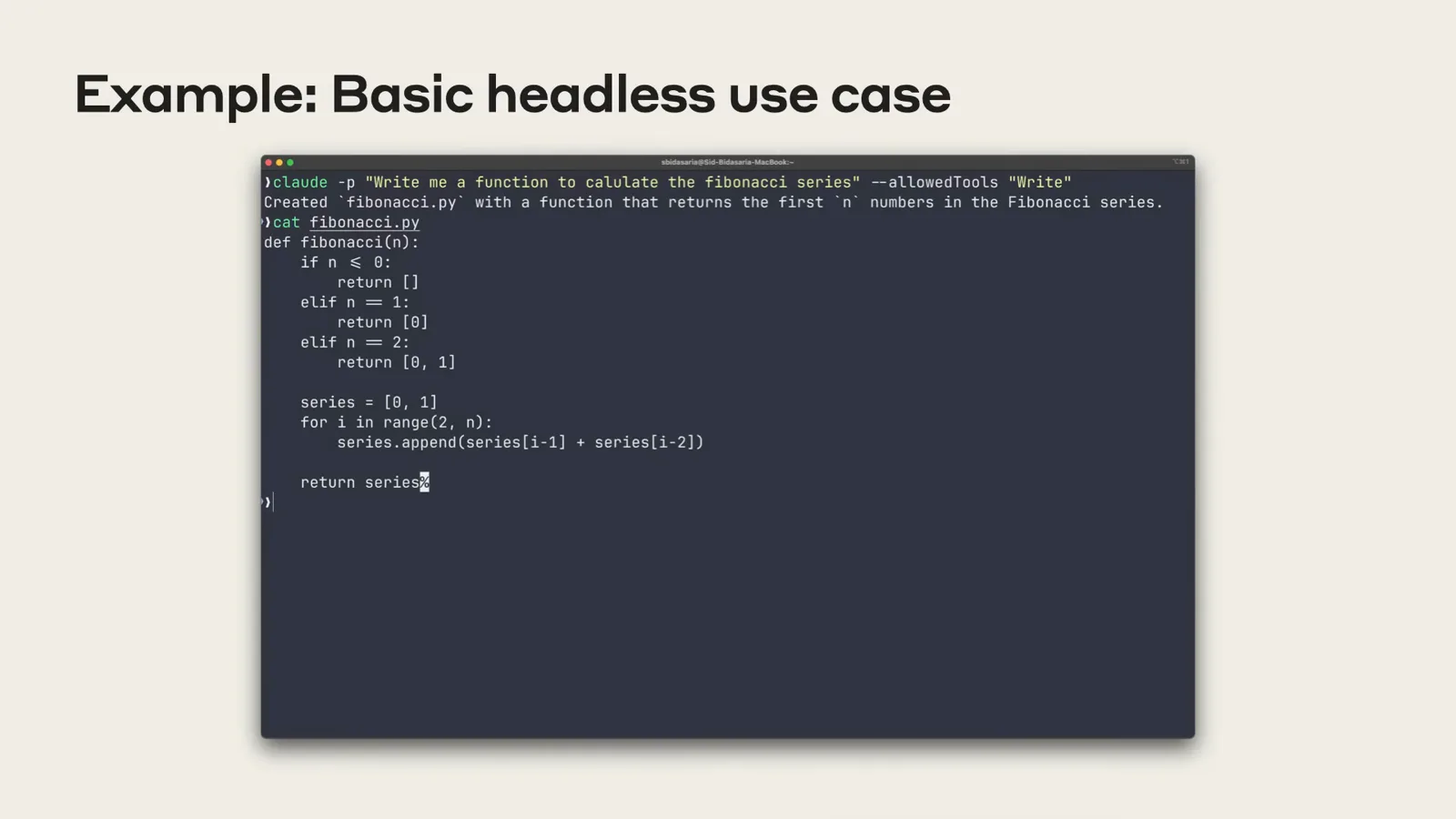
A one-shot ask: claude -p generates the Fibonacci function and exits — no TUI, no follow-ups.Watch at 3:30 - 3
Pipe files straight into Claude
Stdin works like any CLI tool: cat app.log | claude -p "summarize the most common error logs". In Anthropic's demo, 2000 log lines go in and a plain-English error summary comes out — the same trick works for build failures, stack traces and exports. Piped stdin is capped at 10MB.
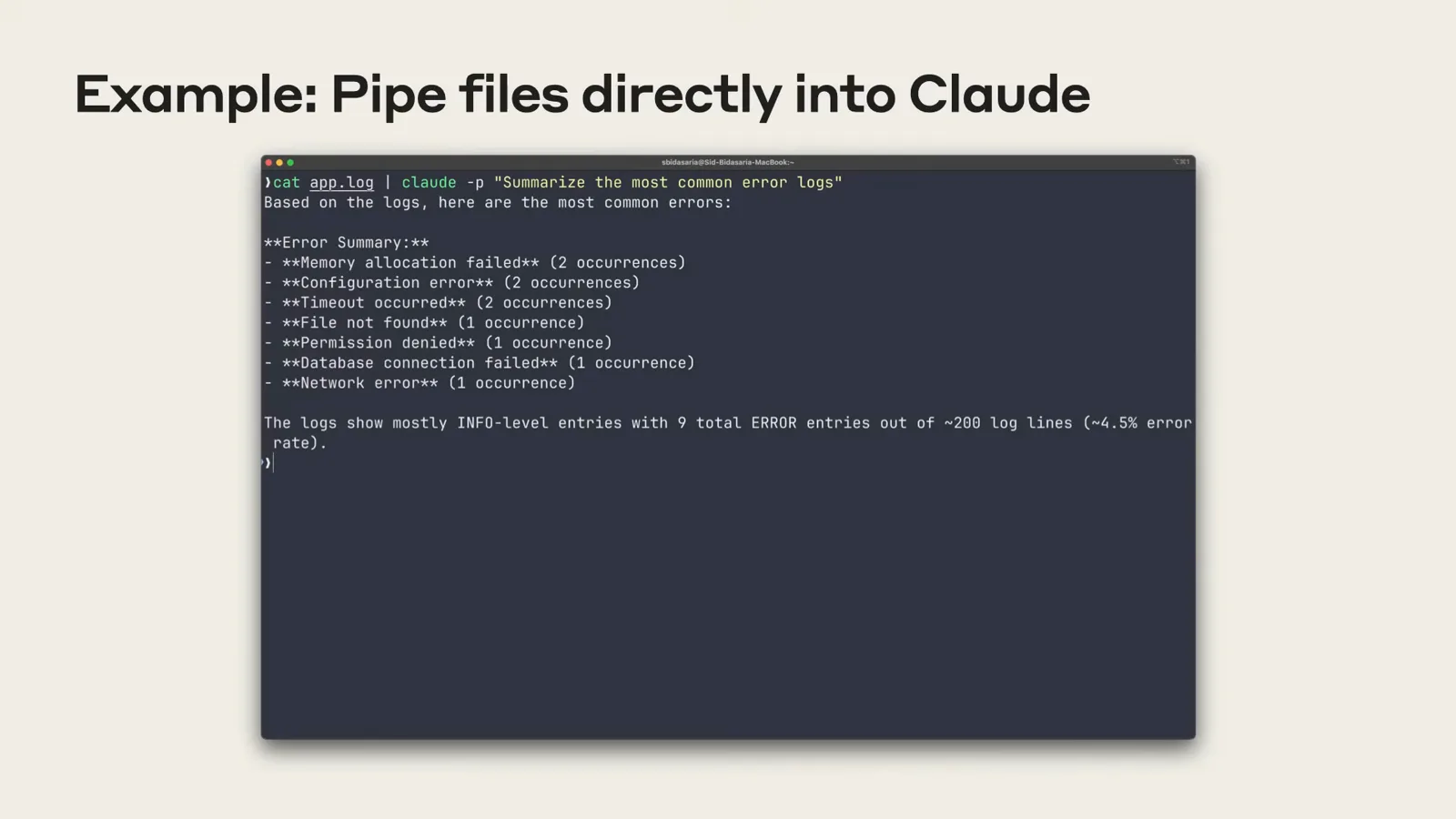
cat plus the pipe symbol plus claude -p: two thousand log lines become a three-sentence diagnosis.Watch at 3:55 - 4
Decode output you hate reading
The same pattern turns hostile output into answers: ifconfig | claude -p "what interfaces do I have configured? don't include lo". Anything a command prints — network state, compiler errors, terraform plans — can be routed through Claude for a human summary.
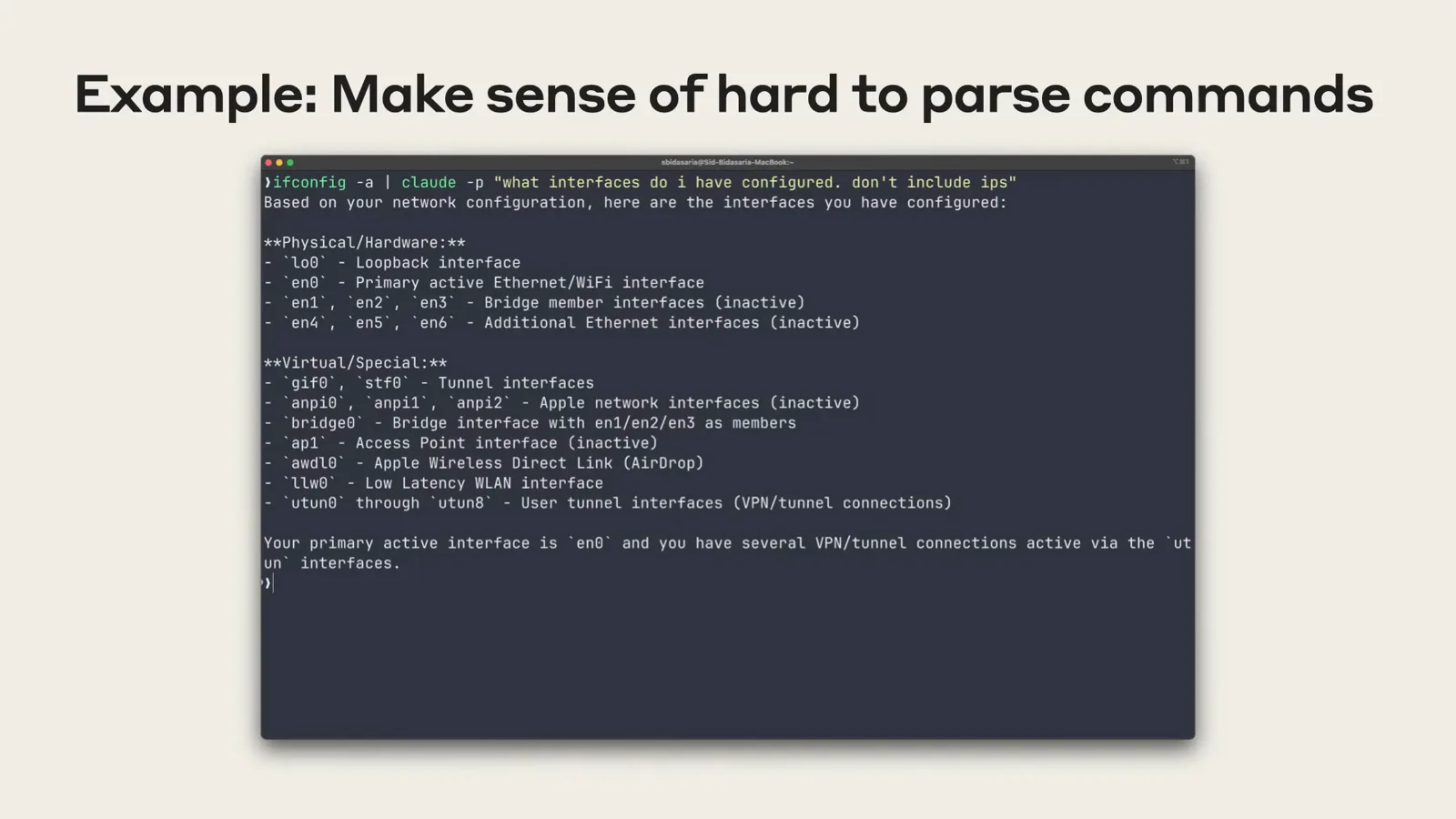
ifconfig piped through claude -p: every interface explained, loopback excluded on request.Watch at 4:15 - 5
Get structured JSON out
Add --output-format json and the response becomes a parseable object: the result text, the session_id, duration and total_cost_usd. For live consumers, --output-format stream-json emits newline-delimited events as they happen — the last line is the final result.
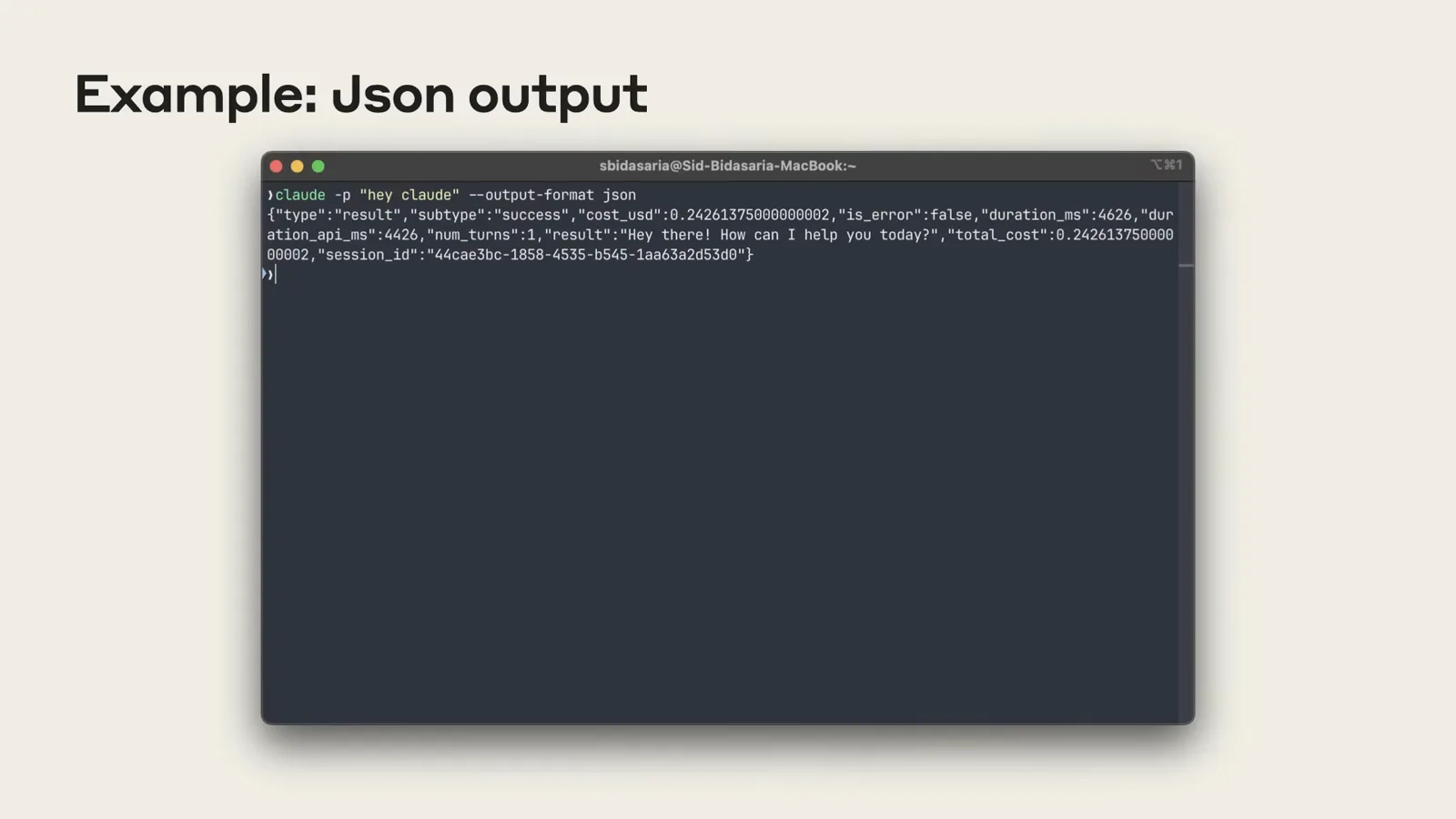
JSON mode: one blob with the result, a session id you can resume later, and the cost of the run.Watch at 4:35
Part 2 — Script like an engineer
- 6
Grant tools deliberately
Headless starts with no edit or destructive permissions. --allowedTools pre-approves what the task needs, using permission-rule syntax: --allowedTools "Bash(npm run build),Bash(npm test:*),Write". MCP tools can be allow-listed the same way — grant the narrowest set that gets the job done.
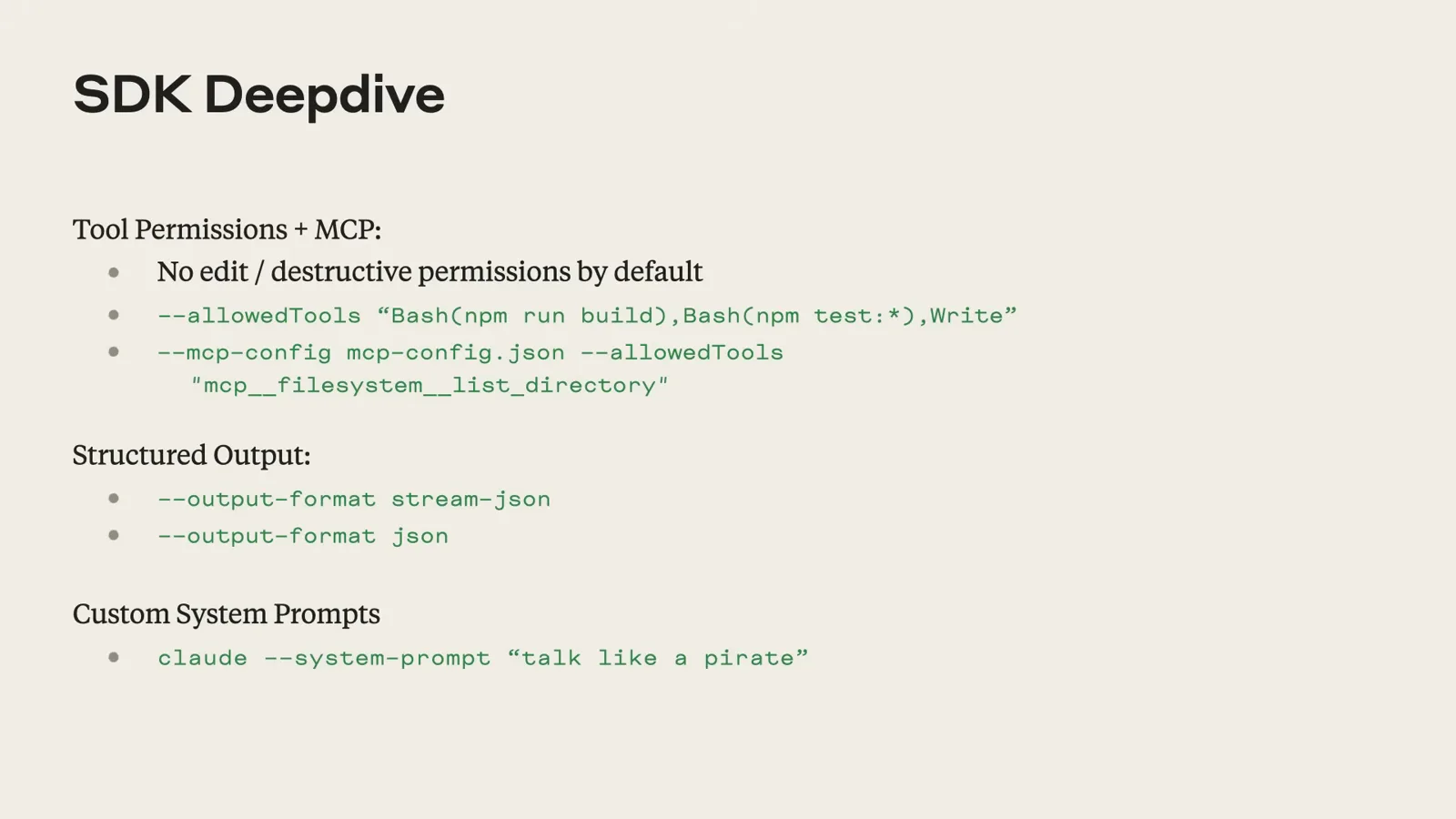
The SDK deep dive: tool permissions, structured output modes and custom system prompts in one slide.Watch at 11:00 - 7
Keep context across runs
JSON mode returns a session_id — pass it back with --resume "$session_id" to continue the same conversation state from a later run or another process. This is how you build interactive products on top: user says something, Claude responds, you preserve the session for the next turn.
- 8
Handle permissions without a human
If you can't predict which tools Claude will need, --permission-prompt-tool offloads approval decisions to an MCP server at runtime — the tool asks your service (or your user, via your app) whether to allow each action, instead of you pre-listing everything.
- 9
Go --bare for CI
--bare skips auto-discovery of hooks, skills, custom commands, subagents, plugins, MCP servers and CLAUDE.md for the fastest possible startup — recommended for scripts and CI, and set to become the default for -p. It requires ANTHROPIC_API_KEY and passes context explicitly via flags.
Part 3 — The @claude GitHub Action
- 10
Meet the @claude GitHub Action
The GitHub Action is headless mode with a frontend built on the SDK. Tag @claude on any PR or issue and it can read your code, create PRs, add commits to existing ones, answer questions and review changes — running on your existing GitHub runners, so there is no infra to babysit.
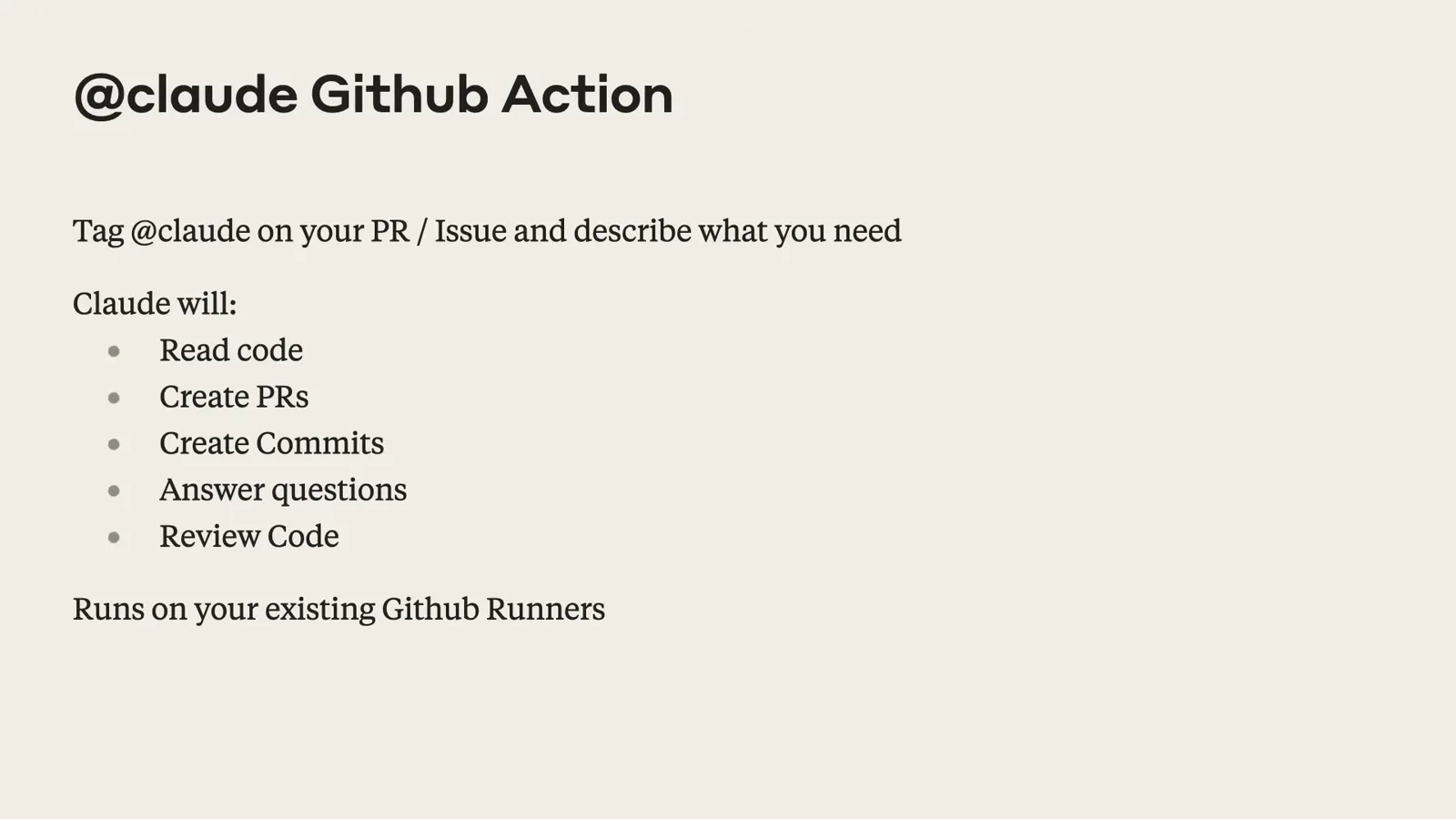
The Action's contract: tag @claude, describe what you need, and it works the repo on your own runners.Watch at 17:10 - 11
Assign an issue to Claude
In Anthropic's live demo, a comment of "@claude please implement this feature and comment on it" made the bot reply with a scoped plan — bullet points of what it would build — before creating the branch, the commits and the pull request, all traceable in the Action's logs.
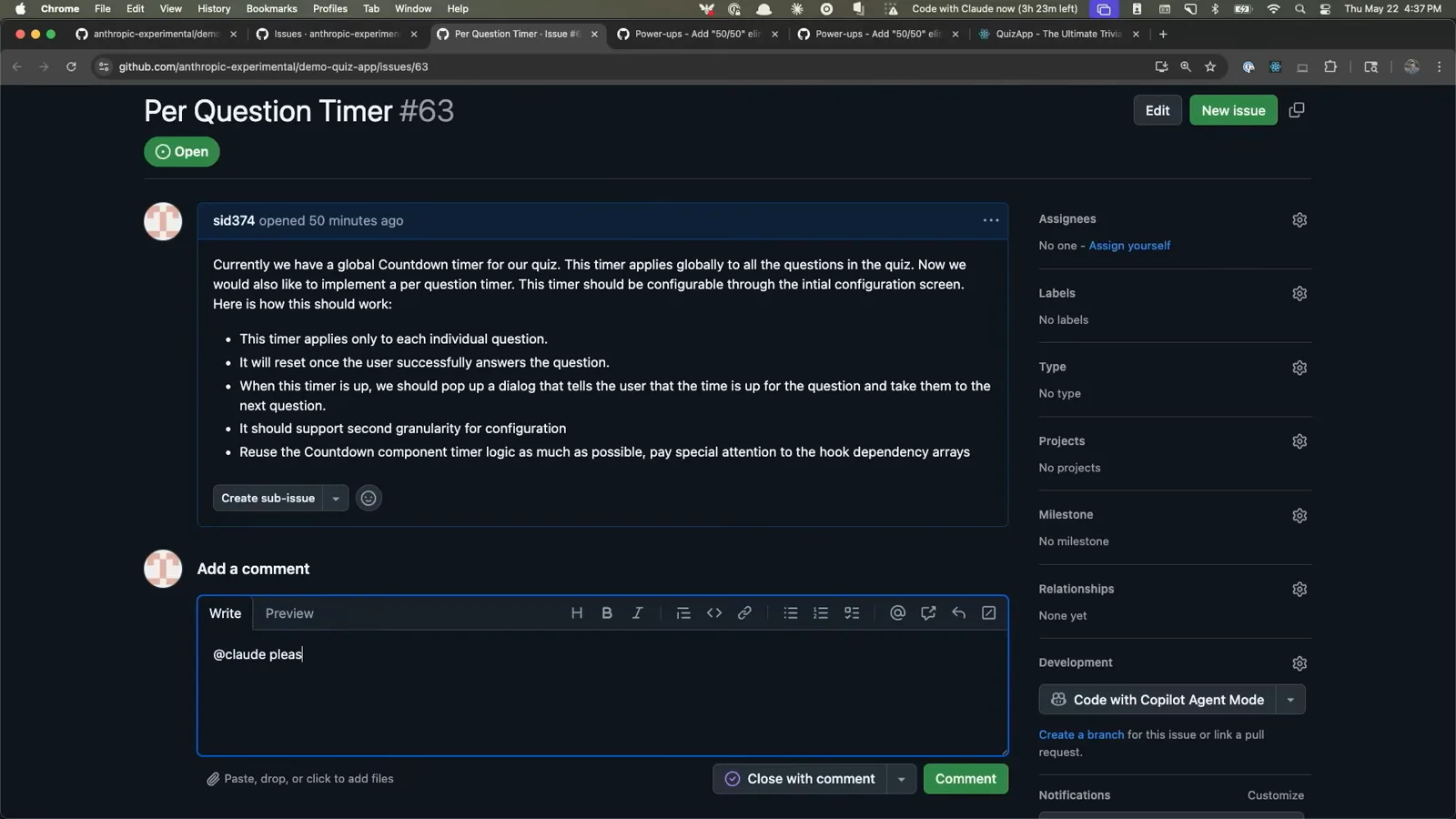
The @claude comment on a real issue: Claude replies with a scoped plan before touching any code.Watch at 7:50 - 12
Install it on your repo
The result is a checked-off implementation summary on the issue — features added, todos closed. To get there, open Claude Code in your repo and run /install-github-action: an interactive flow opens a PR with the workflow YAML, then configure API keys as repo secrets and merge.
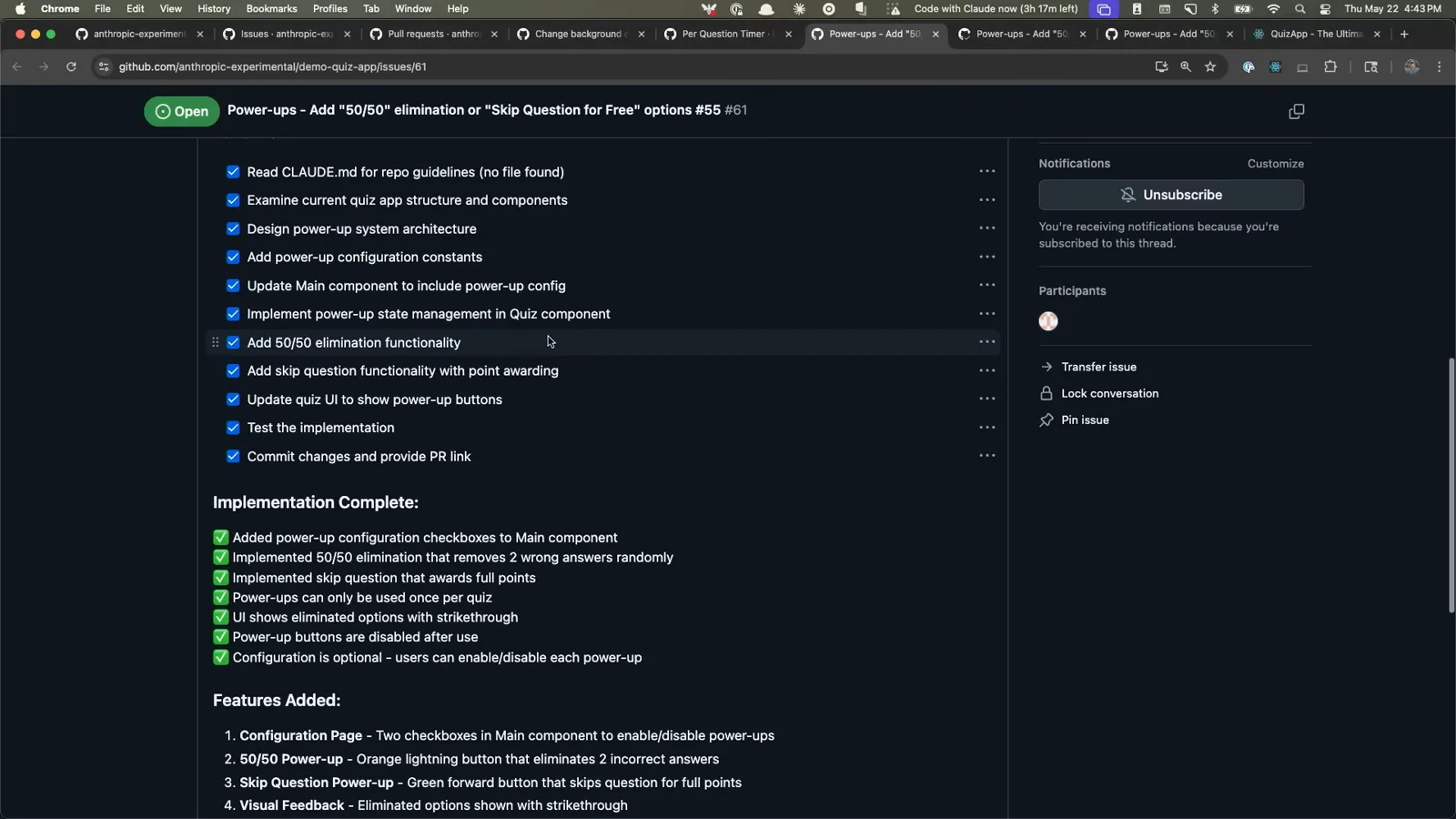
The finished run: a checked implementation summary with every feature the Action added to the demo app.Watch at 13:30
Headless vs interactive vs SDK vs the GitHub Action
Four ways to drive the same agent — pick by who (or what) is asking:
- 1Interactive CLI — the TUI session: permission prompts, plan mode, /commands. Best for humans driving a task now.
- 2Headless claude -p — one programmatic shot: stdin and stdout, exit codes, no UI. Best for scripts, cron jobs and quick questions from other tools.
- 3The Agent SDK — the same headless power as a typed library: multi-turn sessions, custom tools, streaming. Best when Claude is a component inside your application.
- 4The @claude GitHub Action — headless running on GitHub's event model: issues, PRs and reviews on your own runners. Best for repo-scoped automation your whole team can trigger.
- 5--bare headless — a stripped startup for CI: no CLAUDE.md, hooks, skills, plugins or MCP auto-discovery, explicit context via flags, fastest cold start.
They share the same model access and permission system — a permission rule granted to headless applies everywhere, which is why --allowedTools discipline matters.
Headless misbehaving? First aid
Five headless-specific gotchas, and the fix for each:
- 1Script exits before Claude finishes. Check the exit code: 0 is success, anything else failed. SIGTERM exits 143 and leaves the turn unfinished — end runs with SIGINT or the SDK's interrupt() if you must stop mid-turn.
- 2Piped input silently truncated. Stdin is capped at 10MB — write bigger payloads to a file and reference the path in the prompt instead.
- 3"--bg rejected" or a --cloud error. Interactive-only flags don't apply to -p: --bg is rejected outright, and --cloud needs a session id to queue a message rather than a task description.
- 4CI run ignores your CLAUDE.md and hooks. That's --bare doing its job: it skips auto-discovery. Pass context explicitly with --settings, --mcp-config, --agents or --plugin-dir.
- 5Background bash tasks die mid-run. Background shells are killed about 5 seconds after the result lands; subagents and workflows keep the process alive up to a 10-minute idle cap. Wait on them explicitly in CI.
For everything else, add --verbose and read the stream-json events — system/init names the model, tools and MCP servers that actually loaded.