
Claude Code Memory: /init, CLAUDE.md & the # Shortcut, Illustrated
Claude Code forgets each session unless you give it memory. This walkthrough runs /init on a real Next.js project, reads the CLAUDE.md it generates, adds a rule from chat with the # shortcut, and verifies Claude actually follows it — every step screenshot-checked.
TL;DR — Claude Code memory in four lines
- Run /init once per project: Claude scans the repo — folder structure, scripts, state management — and writes a structured CLAUDE.md at the root.
- That file is added to every session's context automatically, so guidance you write there shapes all future code generation.
- Type # plus a rule in chat to memorize it on the spot, then pick where it lives: project memory (committed), local project memory, or user memory (~/.claude/CLAUDE.md).
- Keep the file updated when your structure or stack changes — stale memory steers Claude in the wrong direction — and reopen any memory file with /memory.
Claude Code Tutorial #2 - CLAUDE.md Files & /init
Channel:Net Ninja12:18
The CLAUDE.md file
Channel:Claude (official Anthropic channel)3:01
Claude Code's Memory System: The Full Guide
Channel:DIY Smart Code5:05
Manage Claude's memory — Claude Code documentation
Docs:code.claude.com
Frames come from Net Ninja's CLAUDE.md lesson (a clean VS Code recording); the walkthrough text was written independently and cross-checked against Anthropic's memory documentation and the official CLAUDE.md explainer.
Screenshots remain the property of their creators and are used with attribution as visual documentation. Each step deep-links back to the exact moment in the source video.
From zero memory to a project Claude knows
1 · Generate CLAUDE.md with /init
- 1
Start with /init
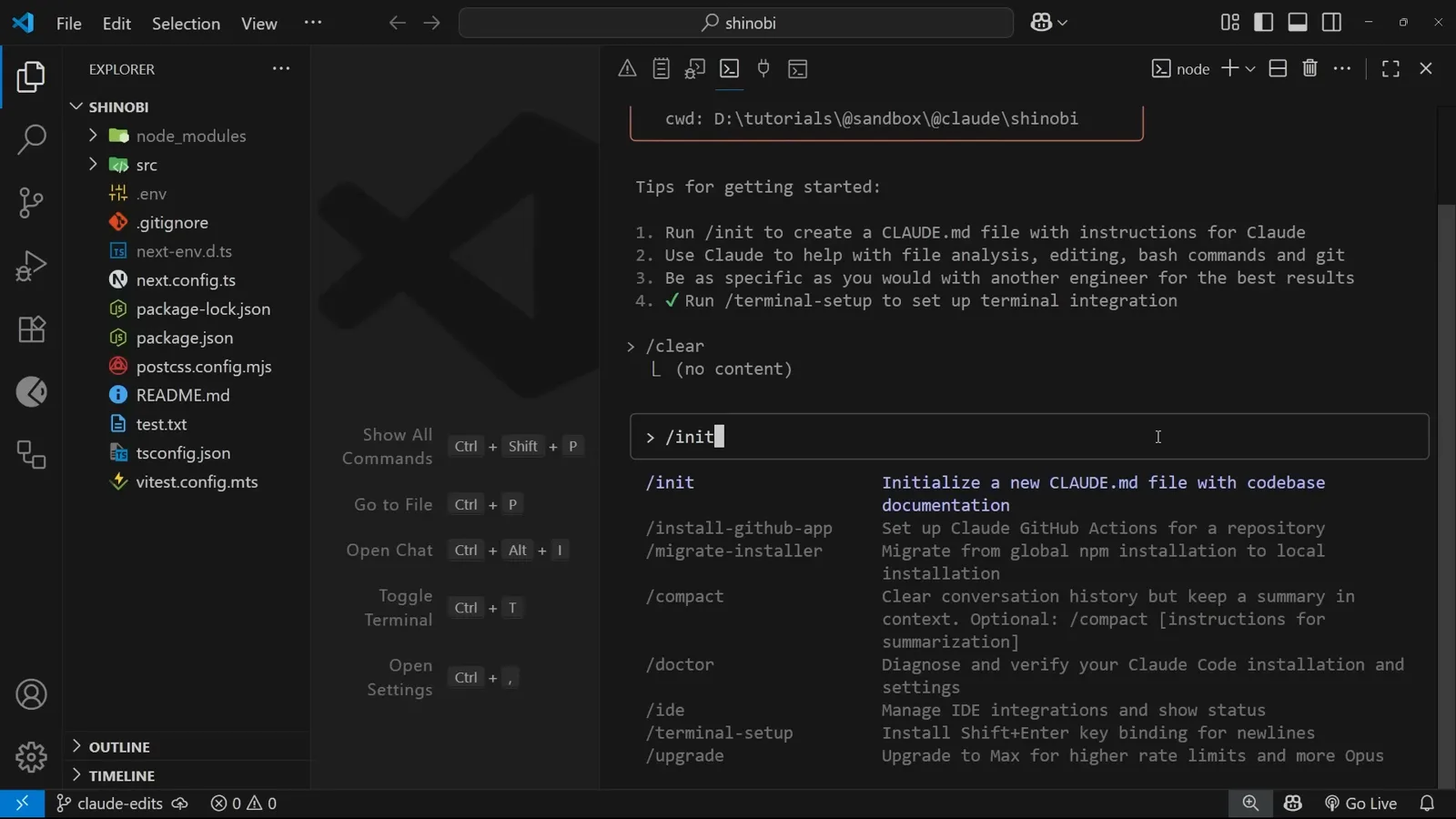
When you first bring Claude Code into a project, run /init before asking for any code. The tooltip says exactly what it does: initialize a new CLAUDE.md file with codebase documentation. Claude is about to read your project so future sessions don't have to.
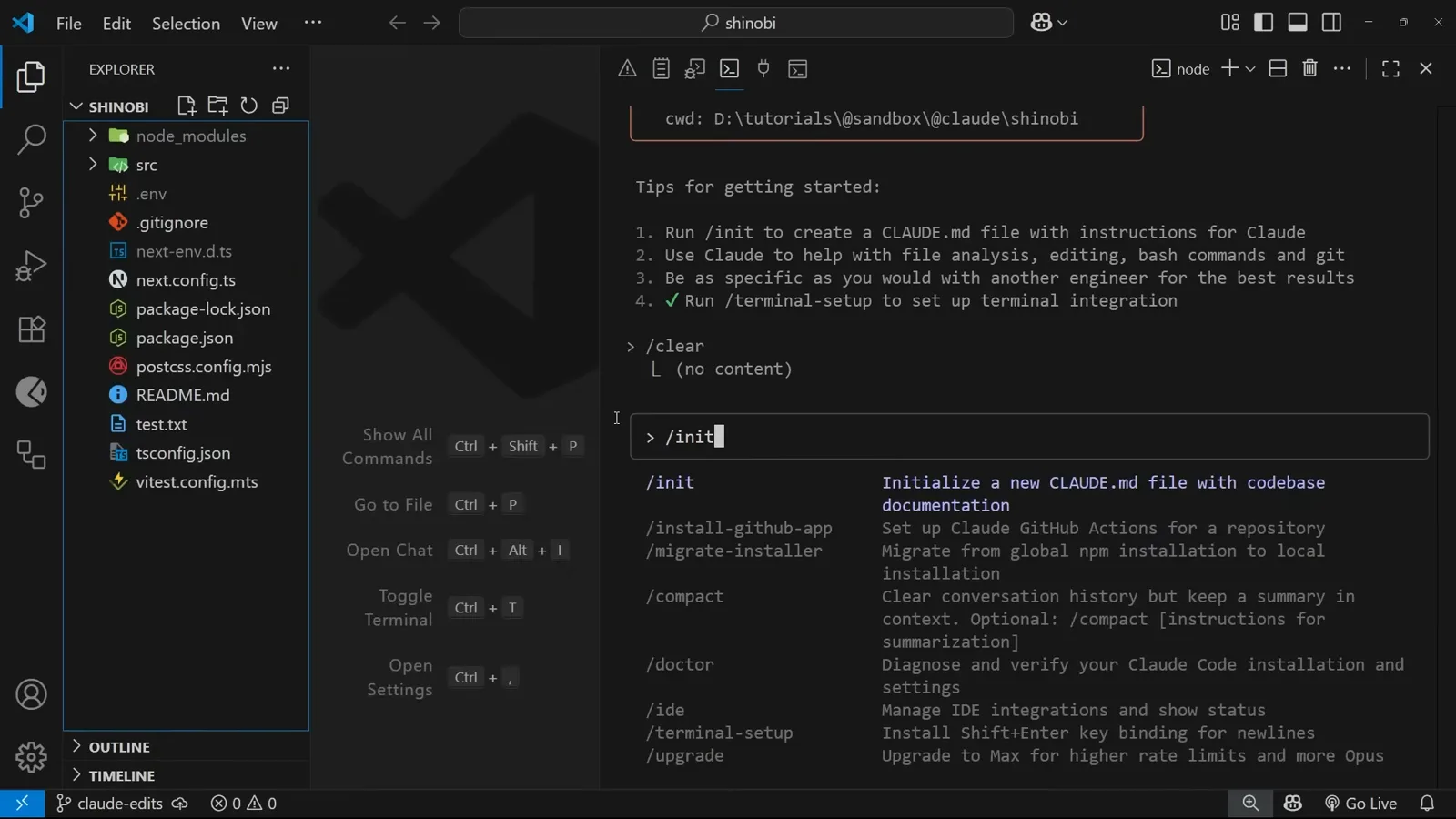
/init — the one command to run before anything else in a new repo.Watch at 0:30 - 2
Watch Claude explore before it writes
Rather than guessing, /init builds its own todo list: explore the repository structure, analyze package.json and the source code, check for existing documentation, then create CLAUDE.md with findings. You see each item ticked off in real time — the file is a summary of what was actually read, not a template.
The Update Todos list during initialization — explore, analyze, then write.Watch at 1:42 - 3
Read the guidance header and commands it wrote
The generated file opens with a guidance header for Claude Code, then Development Commands pulled straight from package.json — dev, build, lint, start. This is the section that stops Claude from inventing its own workflow: the real scripts are now in its context.
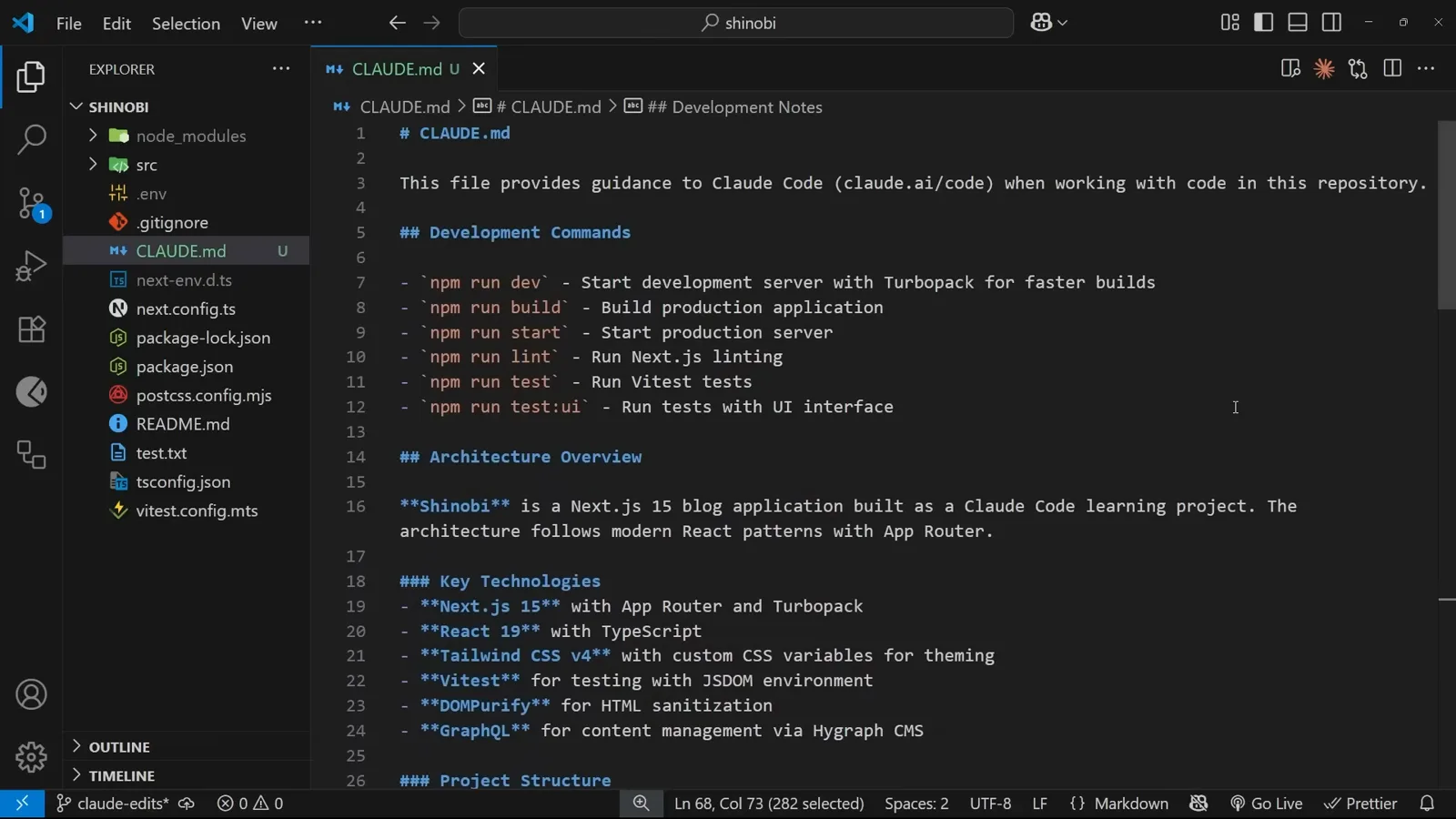
The file's opening: guidance for Claude Code plus the project's real npm scripts.Watch at 2:56 - 4
Check the architecture and structure sections
Scroll down and the file documents the architecture overview (this project: a Next.js 15 blog with React 19 and Tailwind), a Project Structure map showing where new files belong, and Data Persistence notes for the Hygraph CMS layer. New sessions inherit all of it without re-reading your repo.
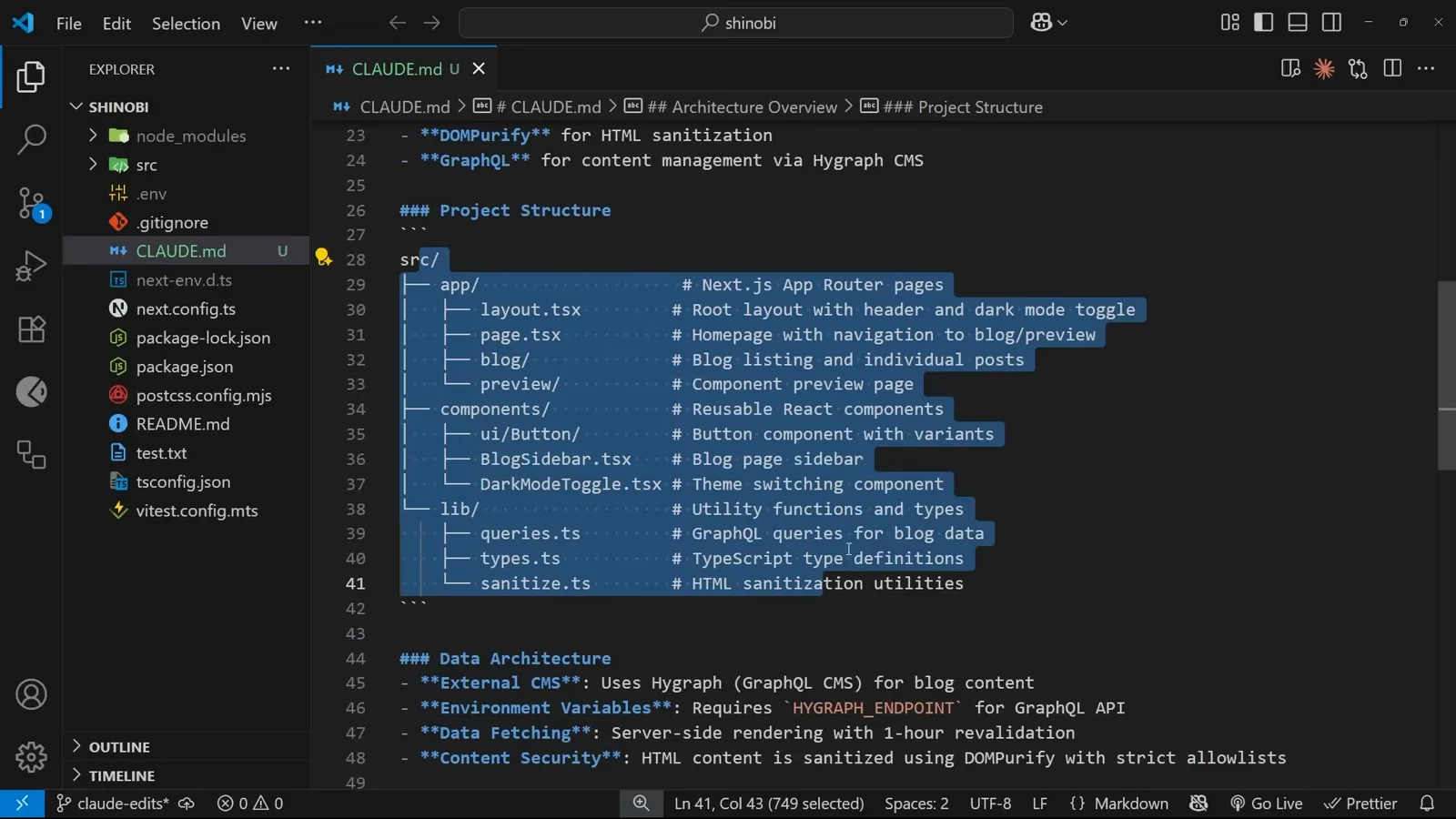
Project Structure with paths selected, plus the Hygraph data-persistence note.Watch at 2:30
2 · Add memories and prove they stick
- 5
Prove memory changes behavior
The test: after adding “all reusable hooks go inside this hooks folder” to the file, the prompt asks for a theme-preference hook — and explicitly says don't use it anywhere yet. Claude's todo shows it creating the hook at src/hooks/use-theme, and it ends with “the hook is ready to use but hasn't been integrated anywhere yet, as requested.” Memory in, behavior out.
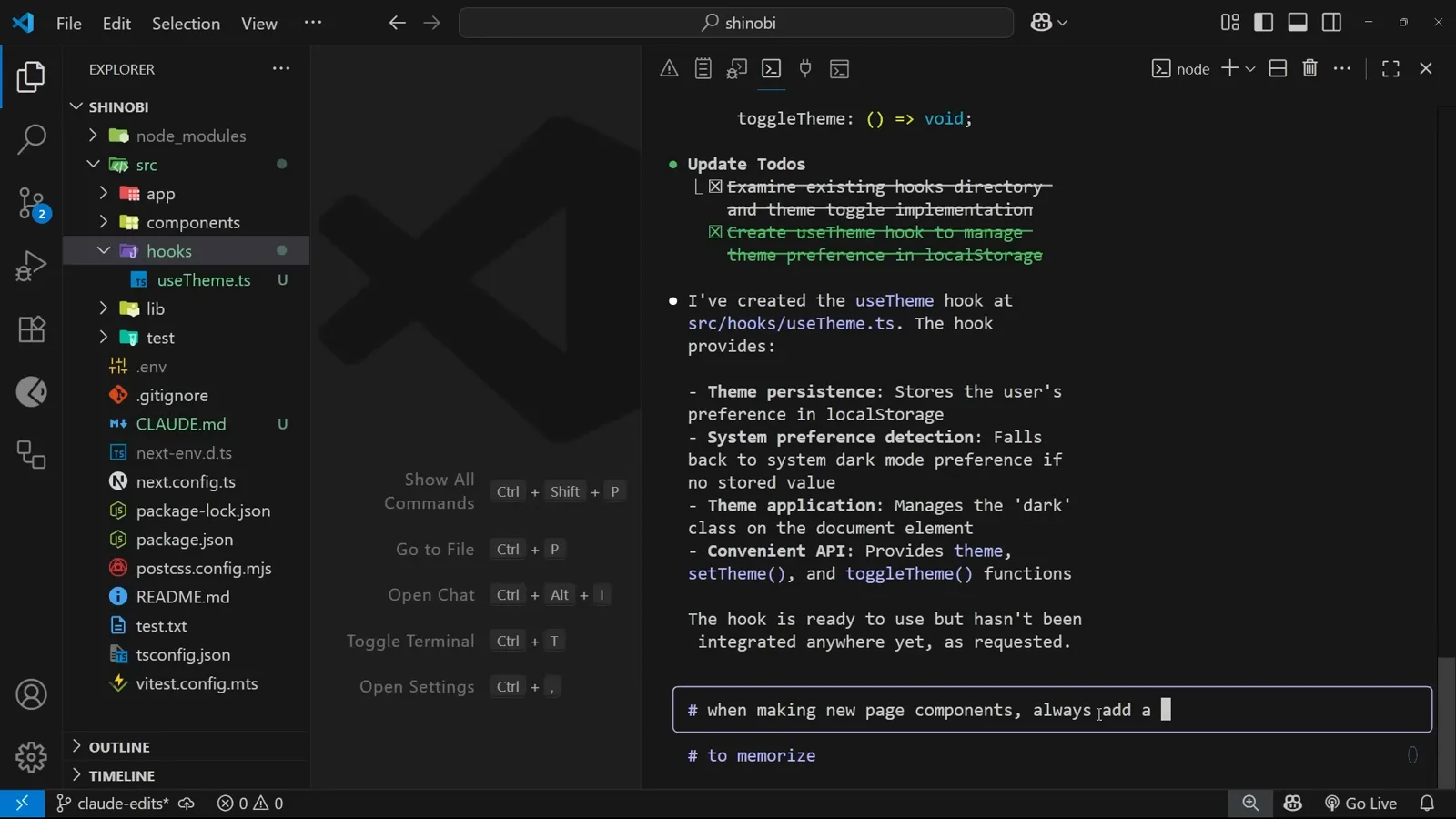
The hook lands in the folder the memory file named — and respects the “don't wire it up” instruction.Watch at 6:40 - 6
Memorize a new rule with # from chat
You don't have to edit the file by hand. Start a message with # — for example “# when making new page components, always add a link to that page in the header” — and Claude Code recognizes it as a memory to store, then asks where it should live: project memory, local project memory, or user memory.
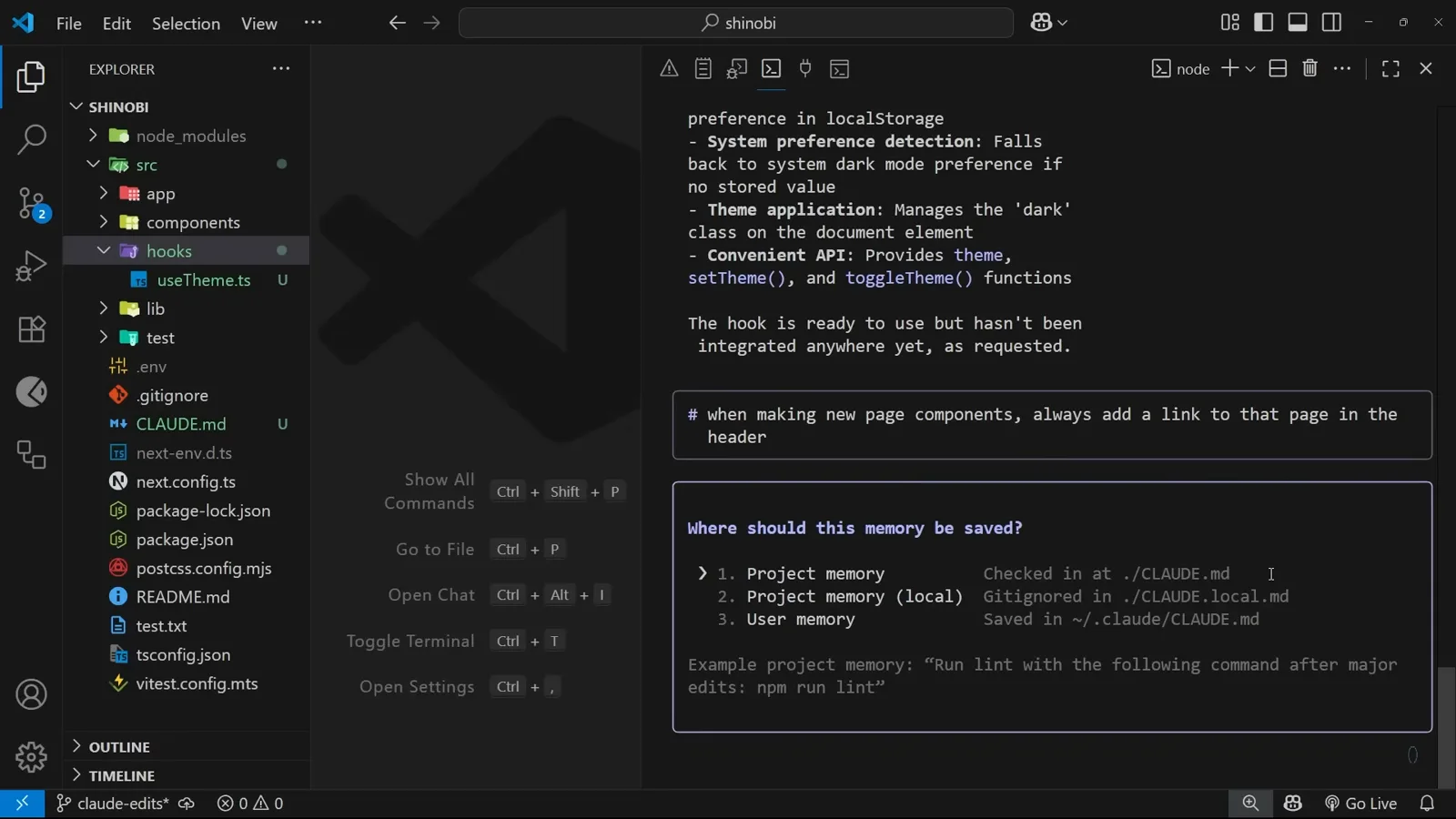
The # shortcut and the three-destination picker it opens.Watch at 7:30 - 7
Know the four memory types
Anthropic's documentation table is the map: enterprise policy memory for organizations, project memory (./CLAUDE.md, checked in and shared with the team), user memory (~/.claude/CLAUDE.md, your personal global preferences), and local project memory (./CLAUDE.local.md, personal and untracked) — which the docs flag as deprecated in favor of importing untracked files from project memory, though the option still appears in the picker.
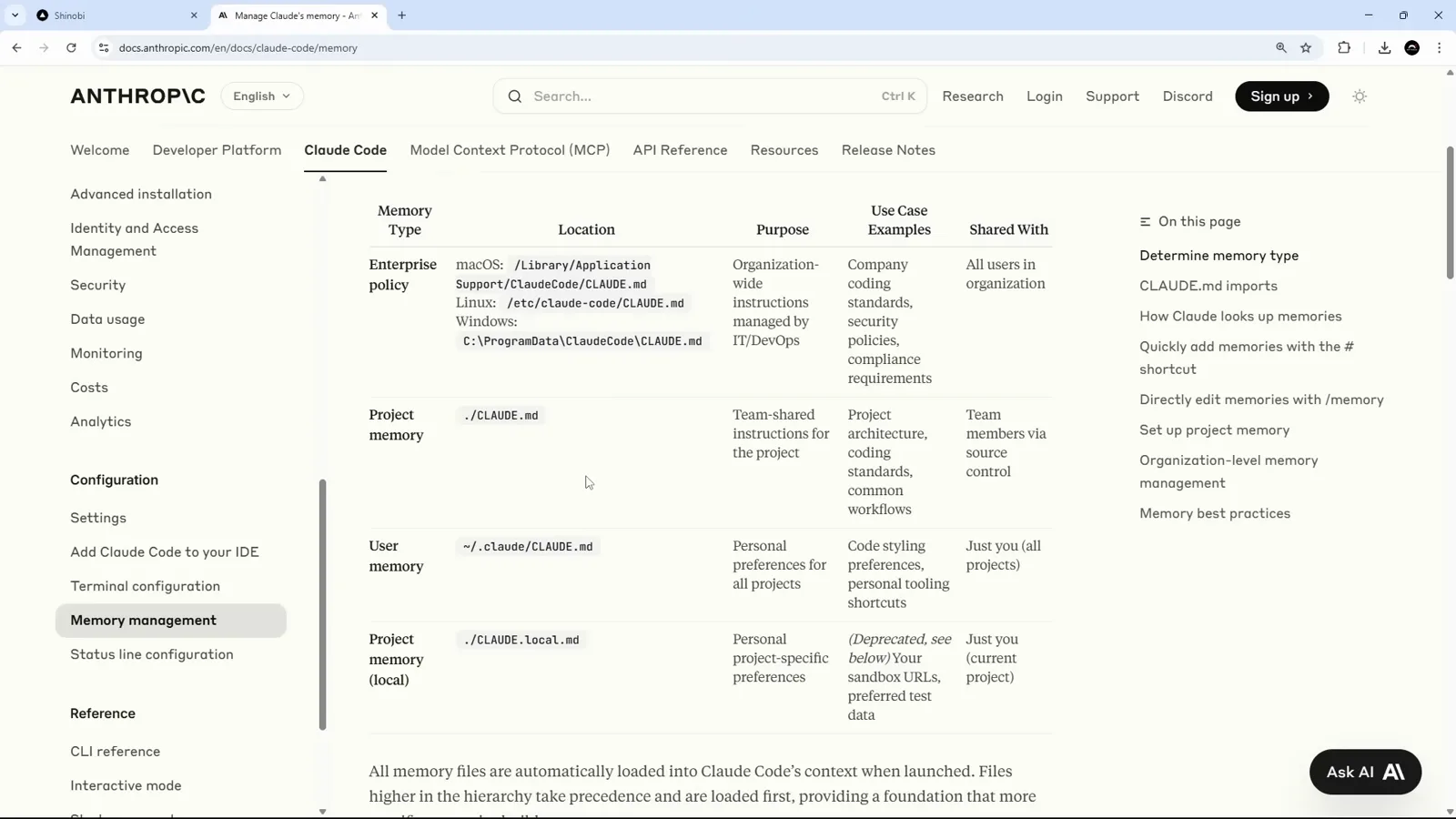
The official memory-type table: location, purpose, and who shares each file.Watch at 10:50 - 8
Confirm the rule landed in the file
Choosing project memory appends the rule to the project's CLAUDE.md, and there it is at the bottom of the file: “when making new page components, always add a link to that page in the header.” From the next session onward, this line rides along in context automatically.
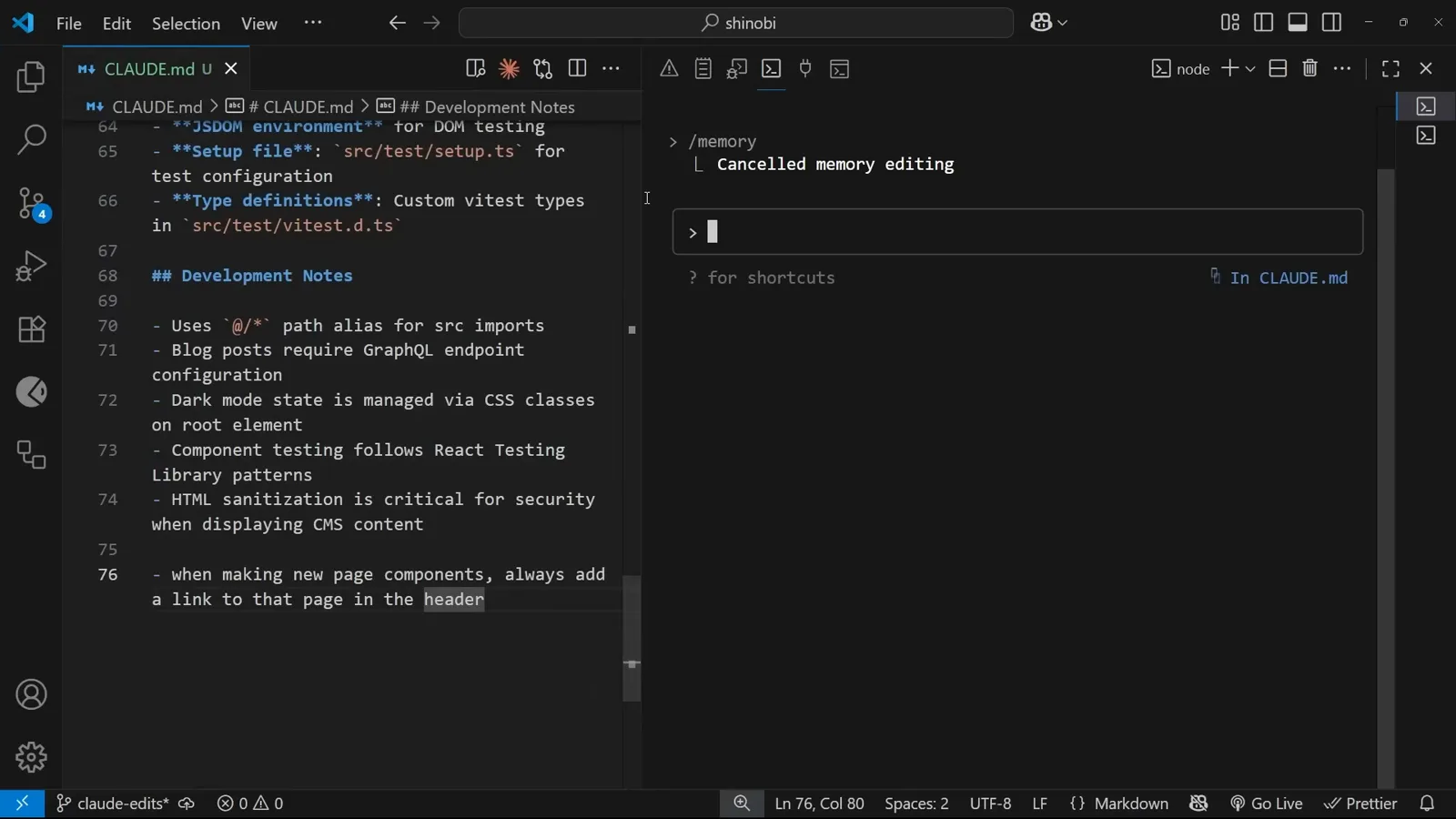
The new rule, saved at the bottom of the committed CLAUDE.md.Watch at 11:48
3 · Manage memory files day to day
- 9
Verify memory in a fresh task
Now ask for an About page and watch the plan: “I'll create a new About page and add a link to it in the header as per your memory instruction,” with “Add About page link to header navigation” as its own todo item. The # rule from two steps ago is steering a task it was never repeated in. (Fair warning from the video: Claude may also add links for pages you didn't mention — scope creep you can tame with a line in the same file.)
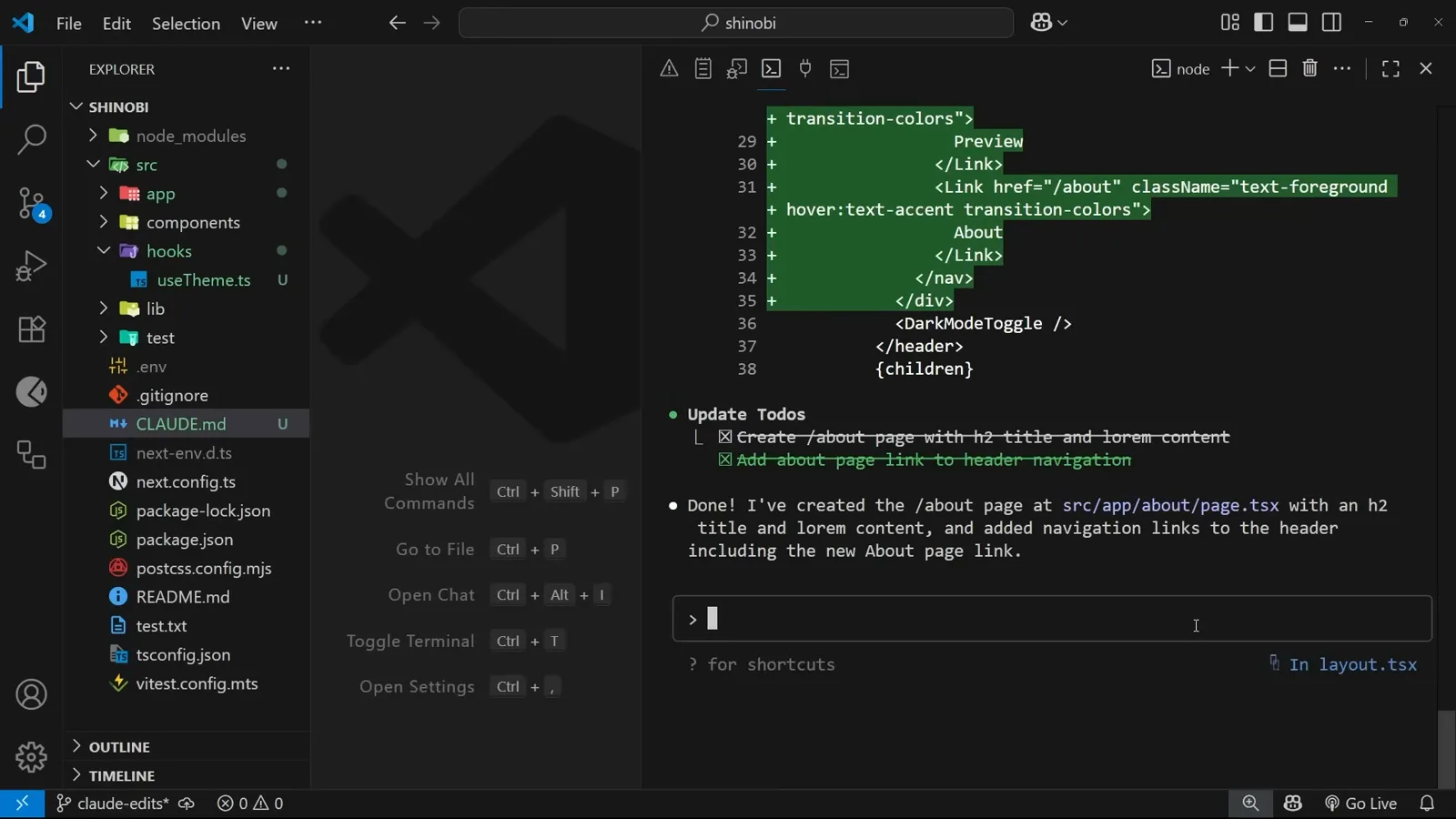
“…as per your memory instruction” — the todo list proves the rule is active.Watch at 9:37 - 10
Reopen any memory file with /memory
The /memory command lists every memory file with its location: project memory checked in at ./.CLAUDE.md, gitignored local memory at ./.CLAUDE.local.md, and your global user file at ~/.claude/CLAUDE.md. Pick one and it opens in your editor — 11 memories counted in this project's file.
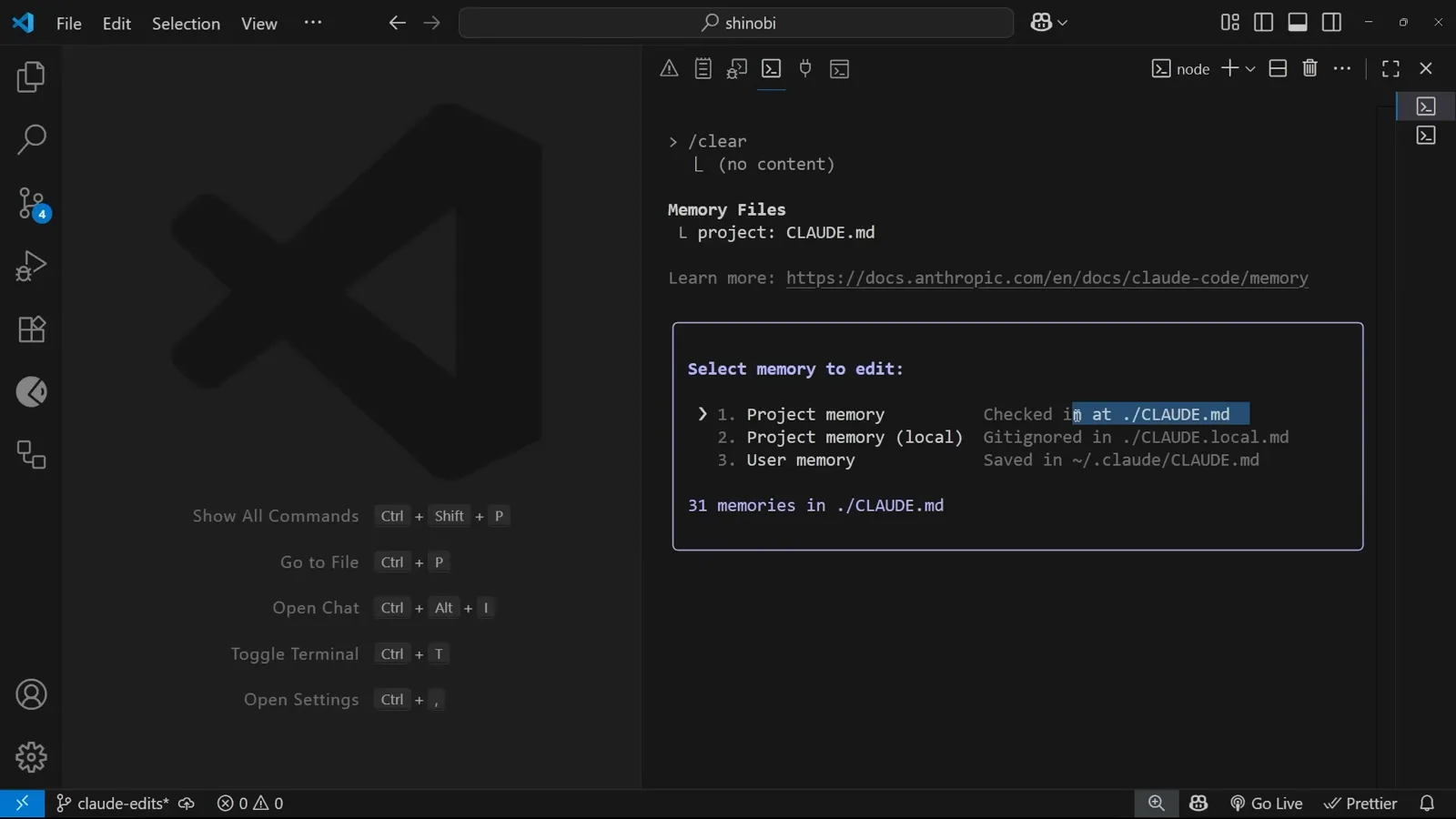
Select memory to edit — all three scopes, one picker.Watch at 11:22 - 11
Edit it like any other file
Claude Code confirms “Opened project memory at ./.CLAUDE.md” and opens it in VS Code, with a tip: set the $EDITOR or $VISUAL environment variable to choose a different editor. From /init to day-to-day upkeep, memory is just a markdown file you keep honest.
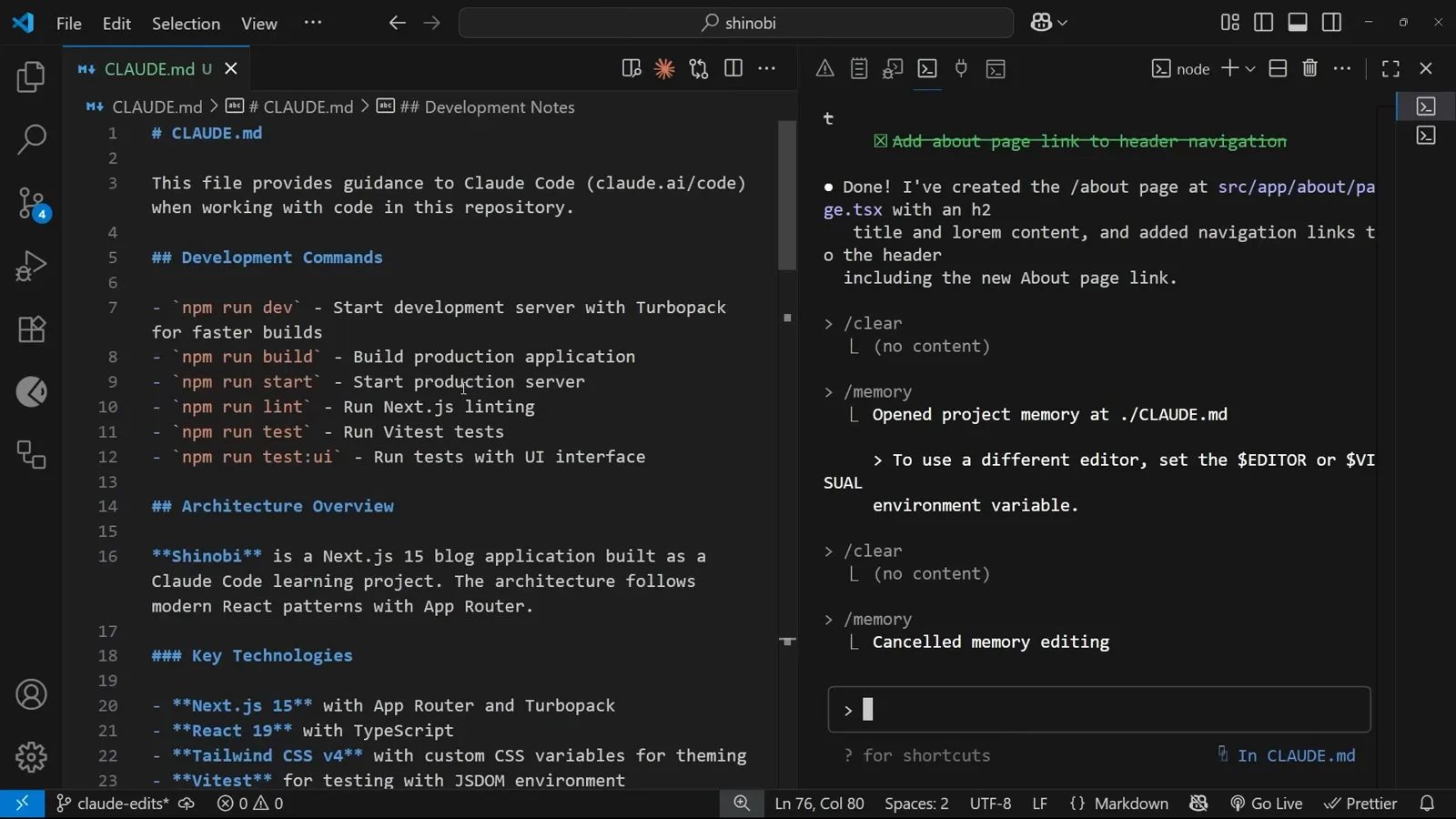
“Opened project memory at ./.CLAUDE.md” — edit and keep it current.Watch at 12:06
The memory layers, and where each file lives
Four files, four scopes — pick the right one and Claude Code memory stops being a guessing game:
- 1Project memory — ./CLAUDE.md at the repo root. Tracked in git, shared with every developer on the project. Keep it about the project: structure, conventions, commands, frameworks.
- 2Local project memory — ./CLAUDE.local.md. Personal notes for this repo (your tooling, your shortcuts) that stay untracked. Deprecated per the docs — the recommended pattern is importing untracked files from project memory — but still offered in the # picker at recording time.
- 3User memory — ~/.claude/CLAUDE.md in your home directory. Your global preferences across every project on the machine: code style, response language, personal workflows.
- 4Beyond CLAUDE.md — newer Claude Code builds add an auto memory system (MEMORY.md and topic files under ~/.claude/projects/) that Claude maintains itself, separate from the instruction file, and @ imports to pull other docs into context. Disable with CLAUDE_CODE_DISABLE_AUTO_MEMORY=1 if you want instruction files only.
Whichever layer you use, the habit from the video is the same: memory is not create-and-forget. When your structure, packages or conventions change, update the file — stale memory is worse than none, because Claude will confidently follow it.