
How to Reduce Token Usage in Claude Code
A 12-step, frame-by-frame walkthrough of /context, /compact and /clear, a lean CLAUDE.md, fewer MCP servers, subagent delegation — and cheaper models via DeepSeek.
TL;DR
- Run /context first — it shows exactly how many tokens the system prompt, tools, MCP servers and messages eat before you cut anything.
- /compact when you keep going, /clear when you start something new; long-term facts belong in CLAUDE.md, not in the conversation.
- Trim what loads at startup: fewer MCP servers and a lean CLAUDE.md — every installed skill and agent still pays its description into context.
- Give answer-only questions to subagents and cheap work to cheap models — lower effort, or bill the CLI at DeepSeek prices.
Context Management in Claude Code
Channel: Claude — official YouTube channel3:31
How to Optimize Token Usage in Claude Code
Channel: Greg14:59
Managing context — official Claude Code docs
Docs: code.claude.com/docs
7 Ways To Cut Your Claude Code Token Usage In Half
Channel: Sean Kochel28:13
How to Reduce Token Usage in Claude Code (2026)
Channel: The Code City5:09
Frames come from the official context-management walkthrough and a clean pricing-slide recording; the step text follows those videos and the official docs on managing costs and context.
Community fact sources, credited with no frames taken: 7 Ways To Cut Your Claude Code Token Usage In Half by Sean Kochel, and How to Reduce Token Usage in Claude Code (2026) by The Code City. Screenshots remain the property of their creators and are deep-linked to the exact timestamp.
The 12-step token diet
See where tokens go
- 1
Know what a token costs
Models bill by the million tokens, for input and output alike. Every wasted token you send — a bloated system prompt, a re-read file, a rambling answer — is real money at Opus-class pricing.
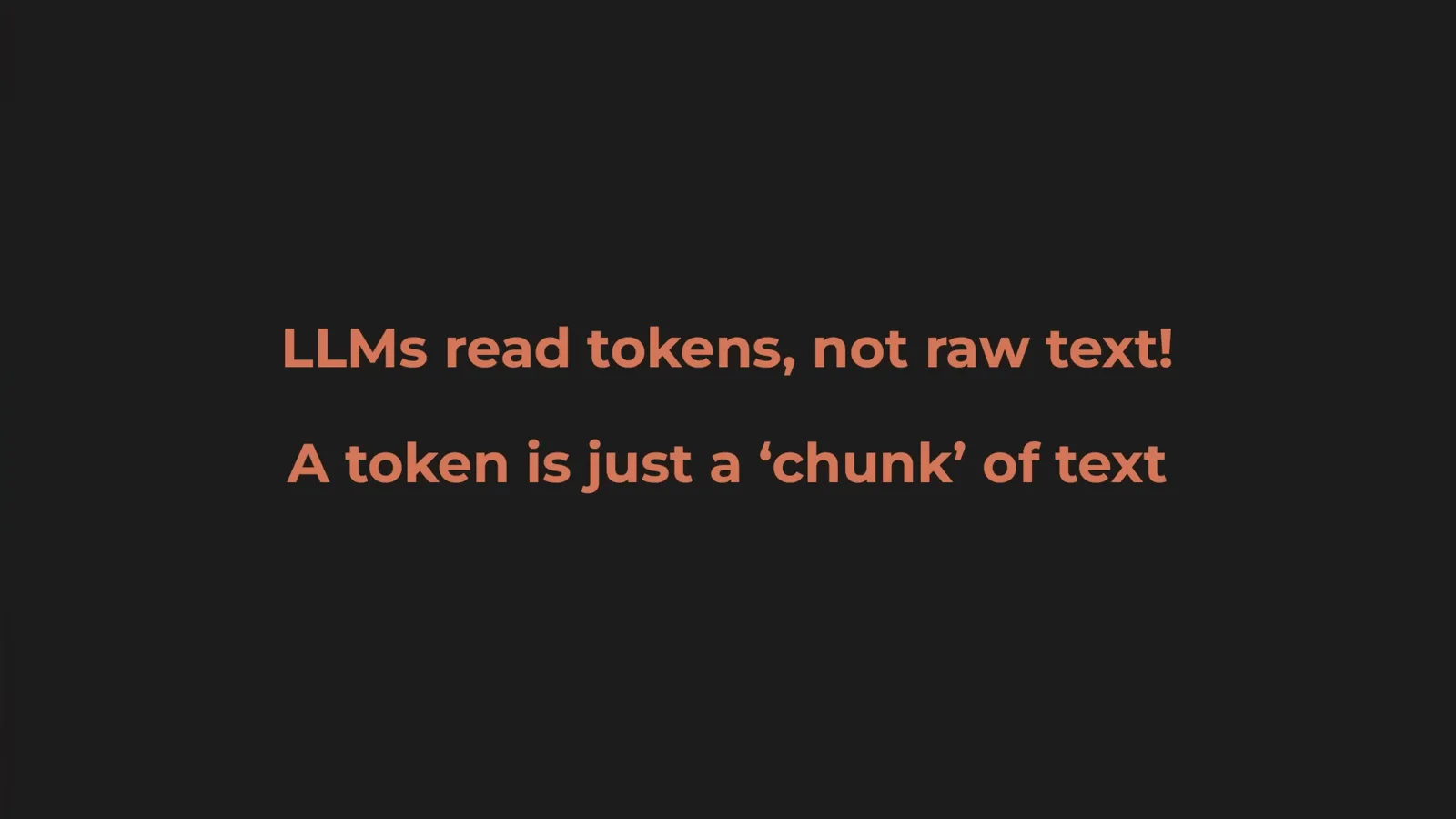
Opus 4 lists at $15 per million input tokens, so a few thousand wasted tokens per session adds up fast.Watch at 1:20 - 2
See what loads before you type
At session start Claude Code loads the name and description of every custom agent and skill you have installed. In this session alone, code-reviewer costs 355 tokens and doc-helper 68 — before the first prompt.

Every agent and skill on this list pays an entry fee from turn one.Watch at 1:00 - 3
Open the /context dashboard
Type /context for the full breakdown: how much the system prompt, system tools, MCP servers and messages each consume, and how much of the window is still free.
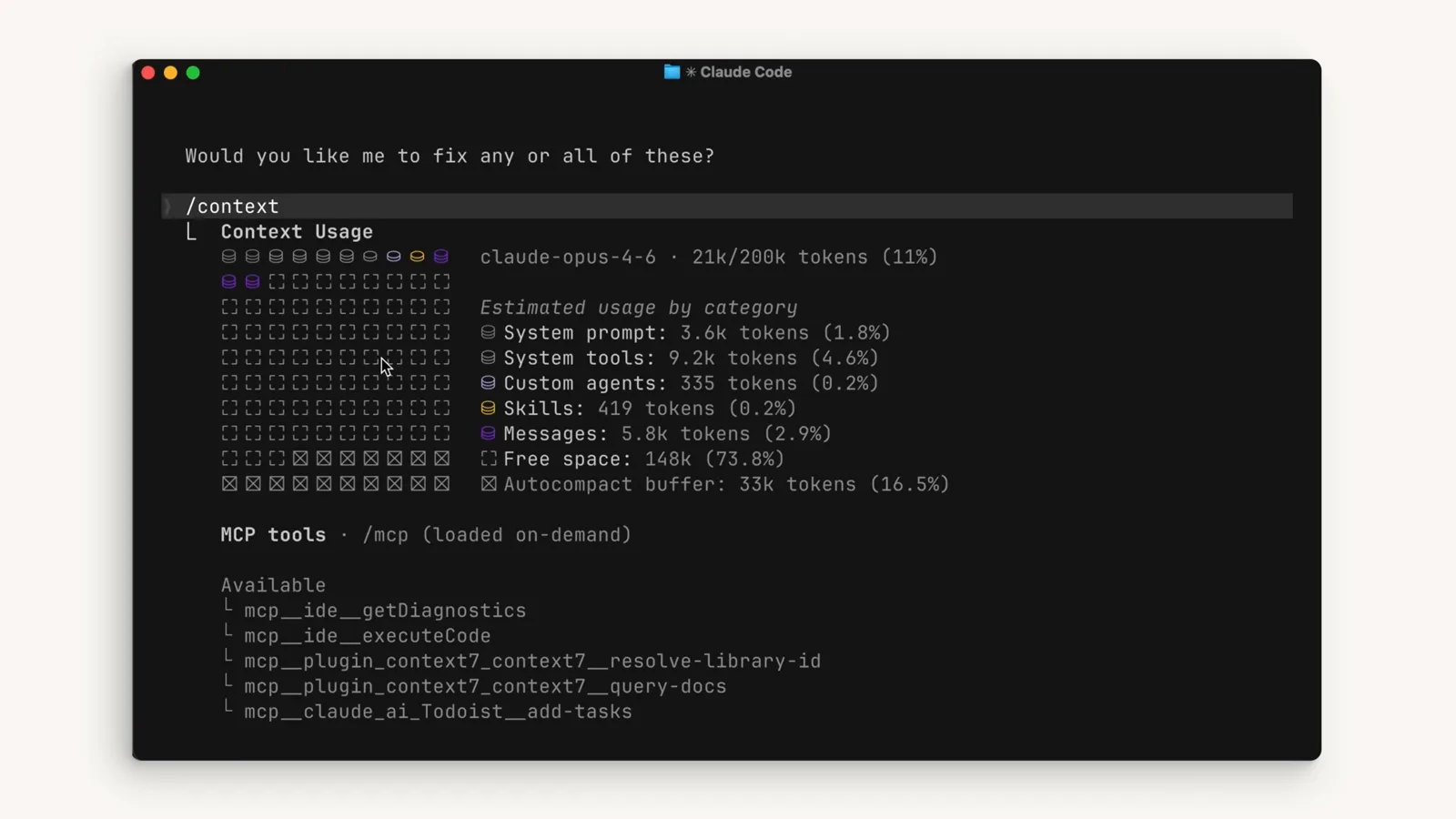
21k of 200k tokens used at 11 percent — and the session has barely started.Watch at 1:30
Cut the dead weight
- 4
Compact a long session with /compact
Claude Code auto-compacts when the session nears the context limit, but you do not have to wait: typing /compact compresses the conversation into a summary immediately.
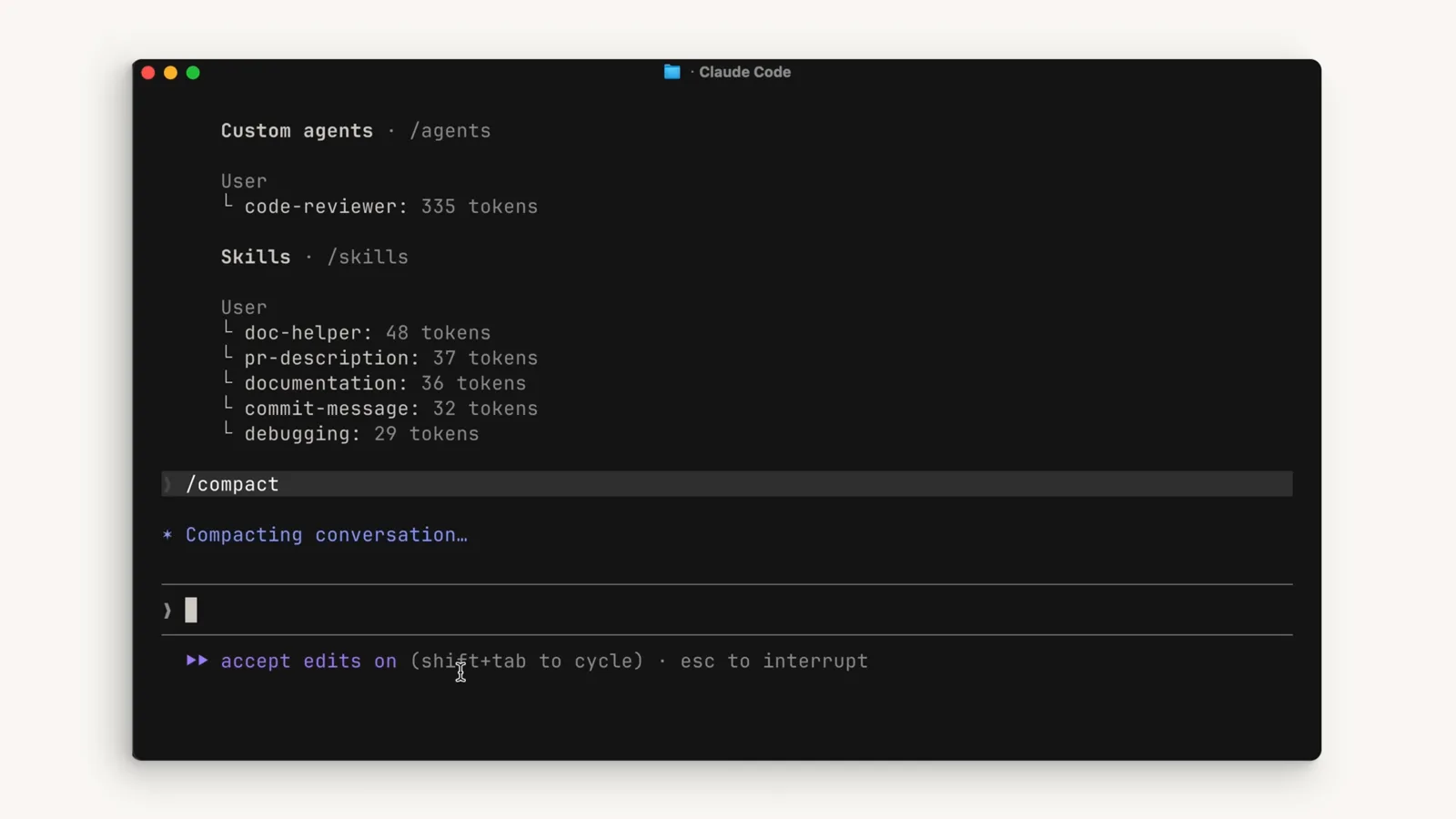
/compact squeezes the whole conversation into a summary on demand.Watch at 1:08 - 5
Keep working after the compact
The summary keeps the details that matter — files read, decisions made, what still needs to be done — and drops the redundant tool output that was eating the window.
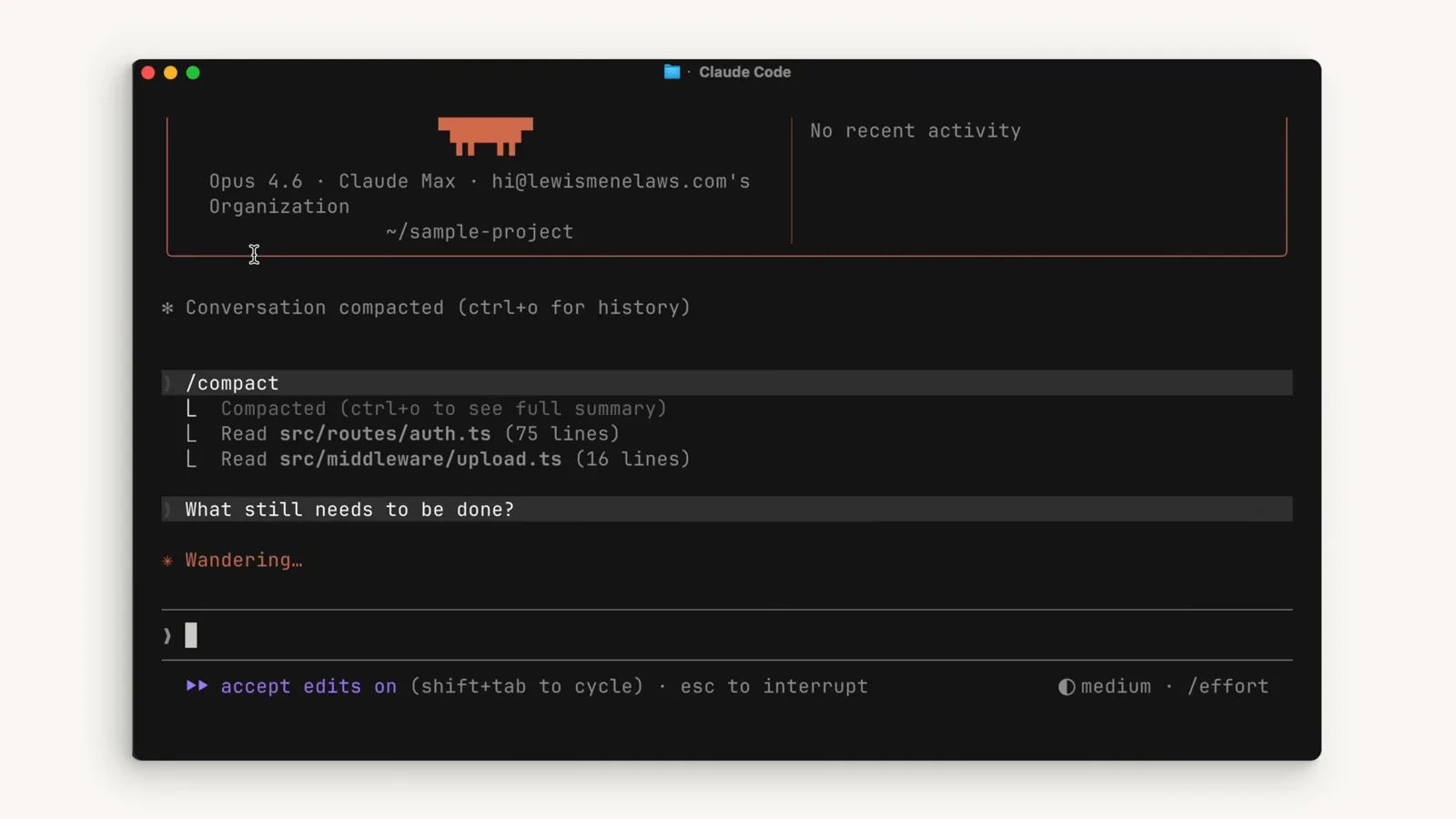
Right after compacting, the plan and open questions survive; the noise does not.Watch at 1:45 - 6
Clear between tasks with /clear
Rule of thumb: staying on the current feature, /compact; starting a new feature, /clear wipes the history and frees the whole window. Anything you want remembered long-term belongs in CLAUDE.md.
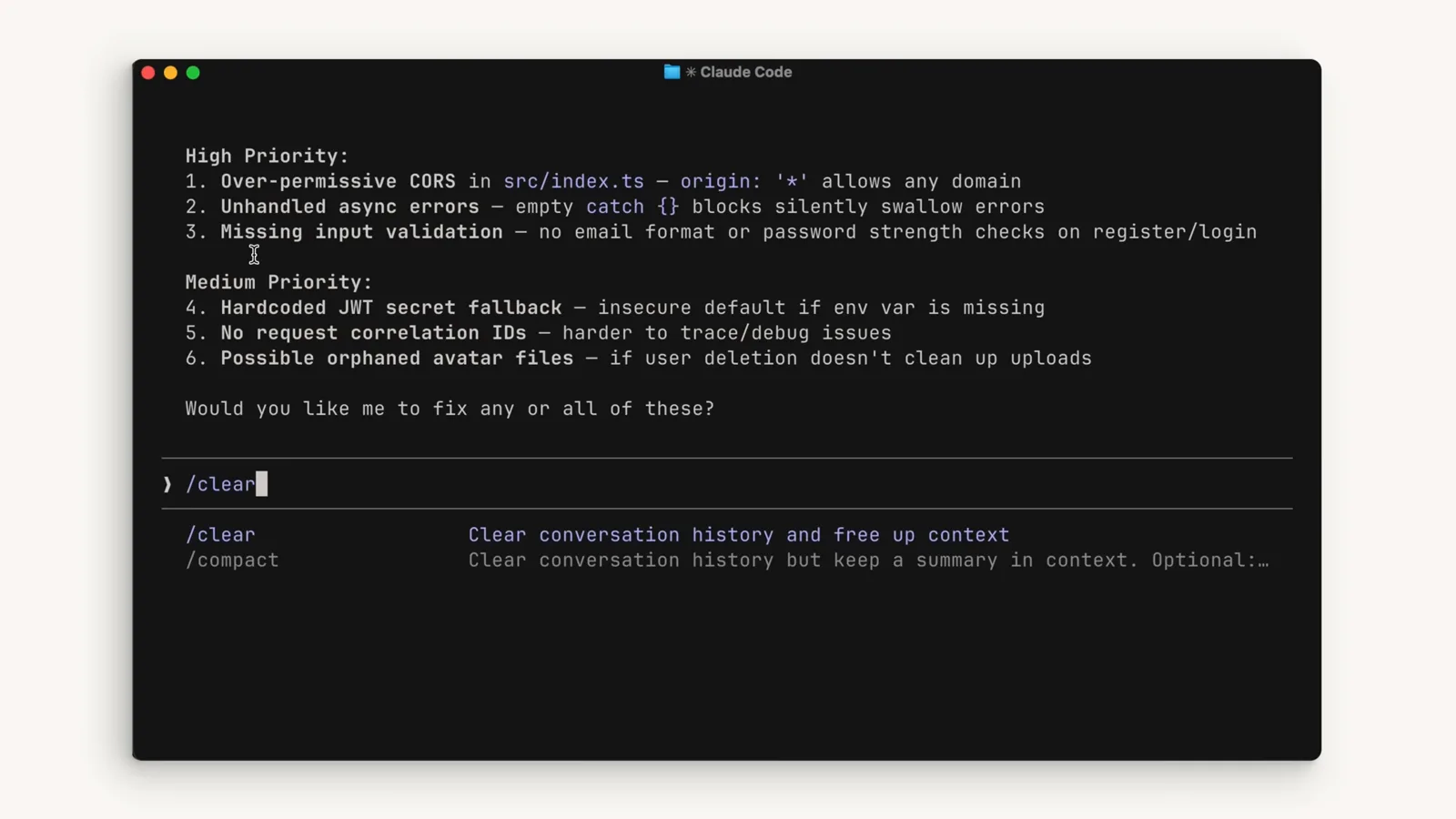
/clear's own description says it: clear history and free up context.Watch at 1:18
Change how you prompt
- 7
Hand research to a subagent
Questions that only need an answer — like “Where are the authentication endpoints located?” — send to a subagent instead of exploring in the main thread.
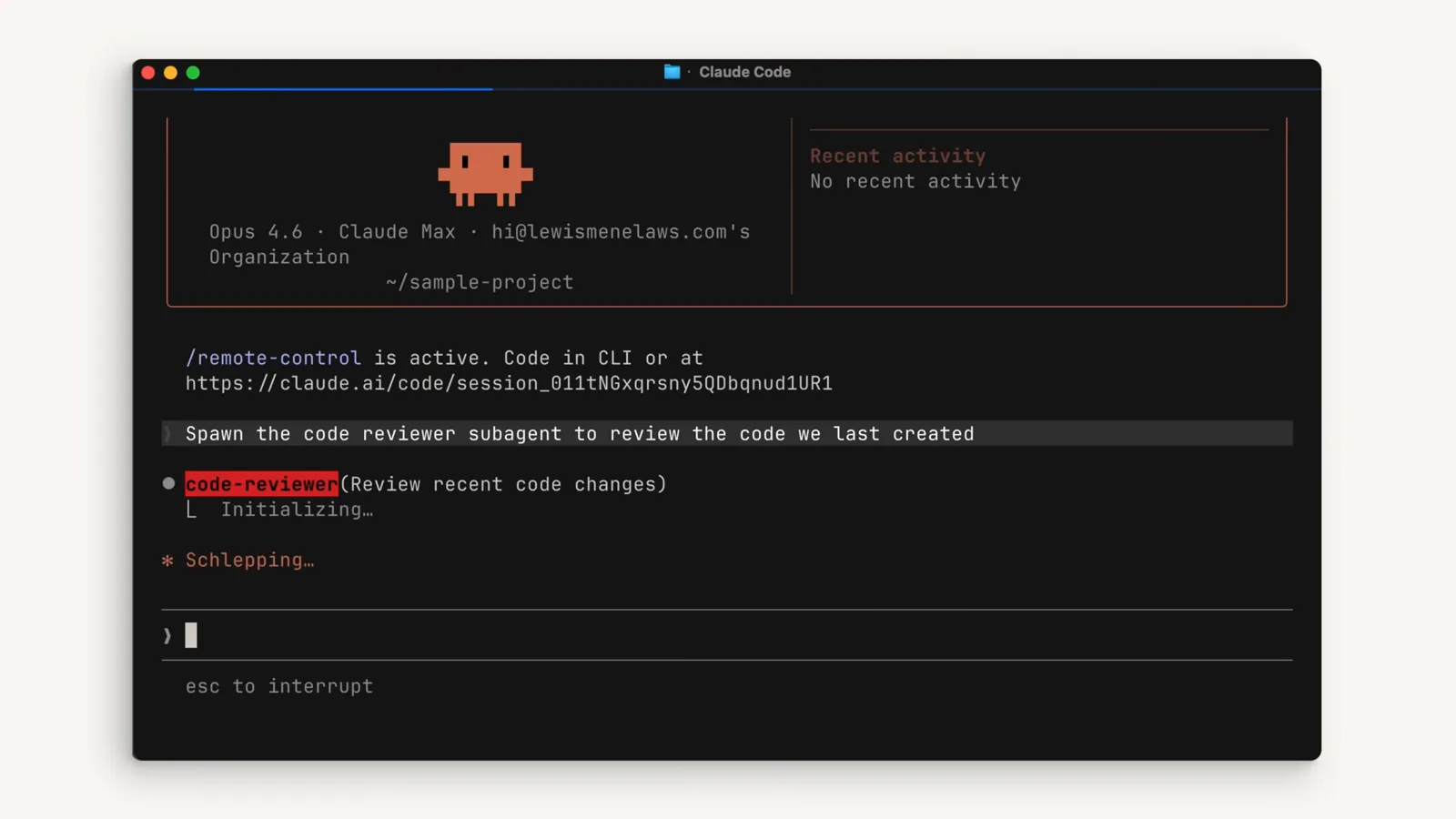
The code-reviewer subagent reviews the new code while a git diff runs in the background.Watch at 2:50 - 8
Why subagents save tokens
A subagent runs in its own isolated context window: it reads, greps and explores as much as it needs, and only the final answer flows back into your main thread.
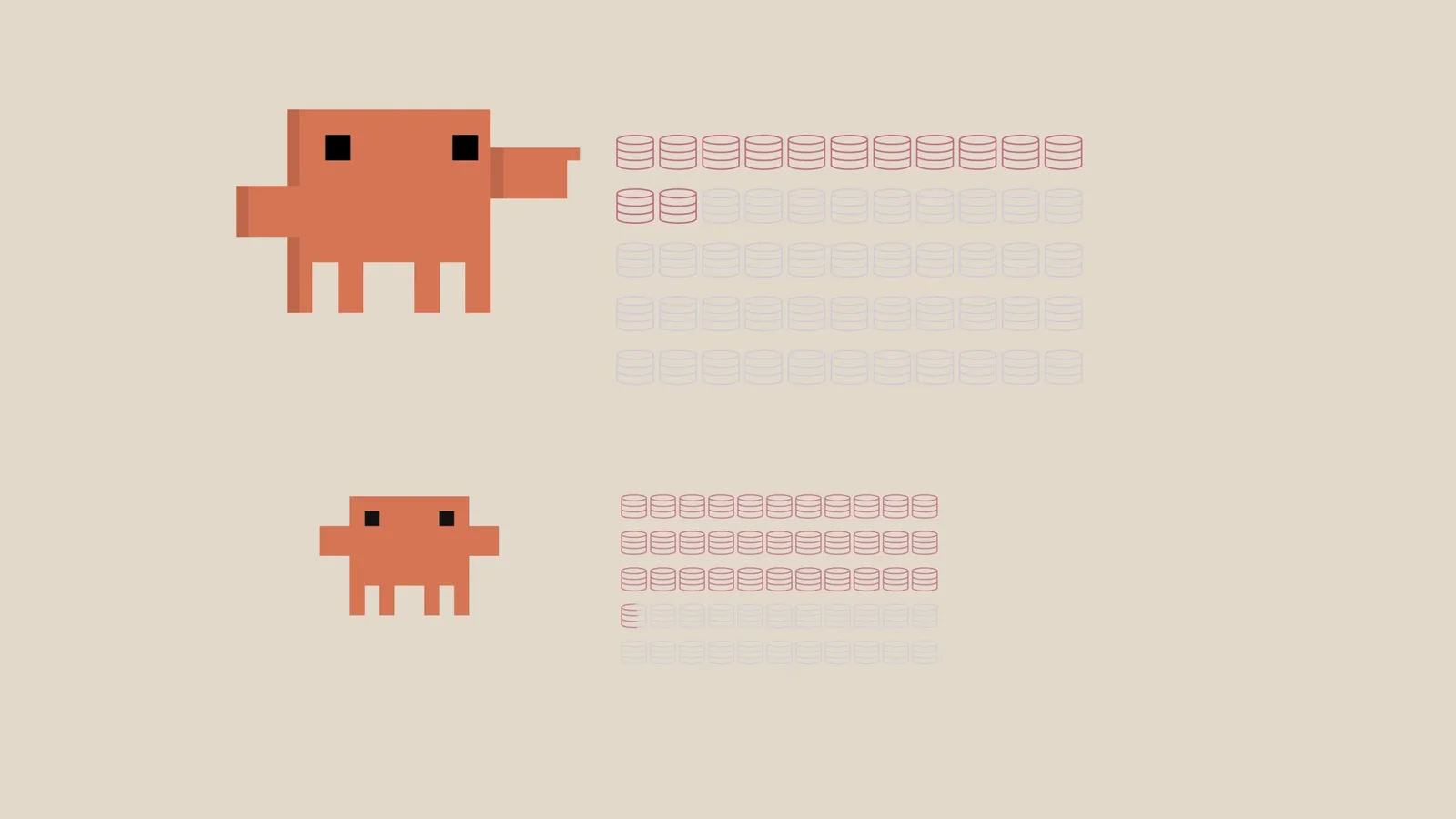
Main agent and subagent each hold their own context — only the answer crosses back.Watch at 2:55 - 9
Say it once, say it precisely
Name the files and the scope of the change in your first prompt. Vague prompts force the model to hunt across the whole codebase, and every extra exploration round burns more tokens.
Trim what loads and what replies
- 10
Unplug MCP servers you don't use
Every enabled MCP server loads its full tool definitions into context whether you touch them or not. Disable the ones a project doesn't need — for lighter needs, skills are a cheaper alternative.
- 11
Keep CLAUDE.md on a diet
A lean CLAUDE.md holds a one-line project positioning, non-obvious tool constraints, verifiable rules, anti-patterns to avoid, and pointers to deeper docs. A bloated one is a slow token bleed on every single turn.
- 12
Let cheap models do cheap work
Drop the effort level for simple tasks — see the effort guide — or point the whole CLI at a DeepSeek endpoint so every prompt bills at DeepSeek prices, as in the DeepSeek-in-Claude-Code guide.
Community tools and plugins that trim tokens
Beyond the built-ins, the plugin marketplace and a few community CLIs target token burn directly. Everything below comes from community walkthroughs, not official docs — treat them as pointers, not endorsements.
- 1Audit plugins such as Token Optimizer run a panel of audit subagents that inventory what your skills, MCP servers and CLAUDE.md cost per session — a one-time X-ray of your setup. (Source: Sean Kochel's walkthrough.)
- 2Output-compression skills such as Matt Pocock's Caveman strip the narration and keep the technical substance: its README claims 75% savings, Sean Kochel measured 30-40% in practice — both numbers are worth knowing. (Source: Sean Kochel's walkthrough.)
- 3Handoff skills package the conclusions of a research session into a handoff document you can carry into a fresh /clear'd session, instead of keeping the whole exploration in context. (Source: Sean Kochel's walkthrough.)
- 4Output-proxy CLIs such as RTK sit between your tools and Claude, filtering verbose output like git status and git diff down to the lines that matter before they ever become input tokens. (Source: Sean Kochel's walkthrough.)
- 5Nested-instruction tools such as Intent Layers generate directory-level CLAUDE.md/AGENTS.md files, so a session only loads the instructions for the directory it works in — aimed at directories whose instructions exceed 20k tokens. (Source: Sean Kochel's walkthrough.)
One caveat: these tools spend tokens too. An audit runs subagents; a proxy adds its own processing. A one-time audit pays for itself; a permanent resident in your setup may not. Run /context first, then decide what earns its keep.