
Claude Code Output Styles: the 5 Built-ins & Custom Styles, Illustrated
When the model gets smarter but the answers get harder to read, don't switch models — switch the style. This walkthrough covers the five built-in output styles, the ~/.claude/output-styles folder, keep-coding-instructions, and role-specific team styles, one screenshot at a time.
TL;DR — output styles at a glance
- An output style reshapes how Claude Code communicates in every response of a session — role, tone, and format. It changes the system prompt, not the model.
- Five built-ins ship with Claude Code: Default, Proactive, Concise, Explanatory, and Learning. Switch with /output-style or /config → Output style.
- Custom styles are markdown files in ~/.claude/output-styles (user) or .claude/output-styles (project). By default they replace the built-in coding instructions — set keep-coding-instructions: true to keep them.
- The pro move from the video: design styles per audience using ASD-STE100 rules — one word, one meaning; short sentences — so PMs, translators, and engineers each get answers they can read.
Claude Code Output Styles Made Opus 5 Readable Again
Channel:Eric Tech15:40
Opus 5 Is Exhausting. Anthropic Reveals The Fix.
Channel:Ray Amjad5:56
You Think Claude Got Dumber? You Are Actually Just Missing This Setting
Channel:Gary Chen11:41
Output styles — Claude Code documentation
Docs:code.claude.com
Frames come from Eric Tech's output-styles deep dive; the walkthrough text was written independently and verified against the official output styles documentation, including the built-in style list and the keep-coding-instructions behavior.
Screenshots remain the property of their creators and are used with attribution as visual documentation. Each step deep-links back to the exact moment in the source video.
Change how Claude talks, step by step
1 · The problem and the fix
- 1
Recognize the problem: smart but unreadable
The video opens with the community's complaint in one sketch: the models work — the task gets done — but the answers have become walls of jargon. Matt Pocock publicly flagged the same after trying Opus 5 and having no idea what it was telling him. If that's your week too, the fix isn't a different model.
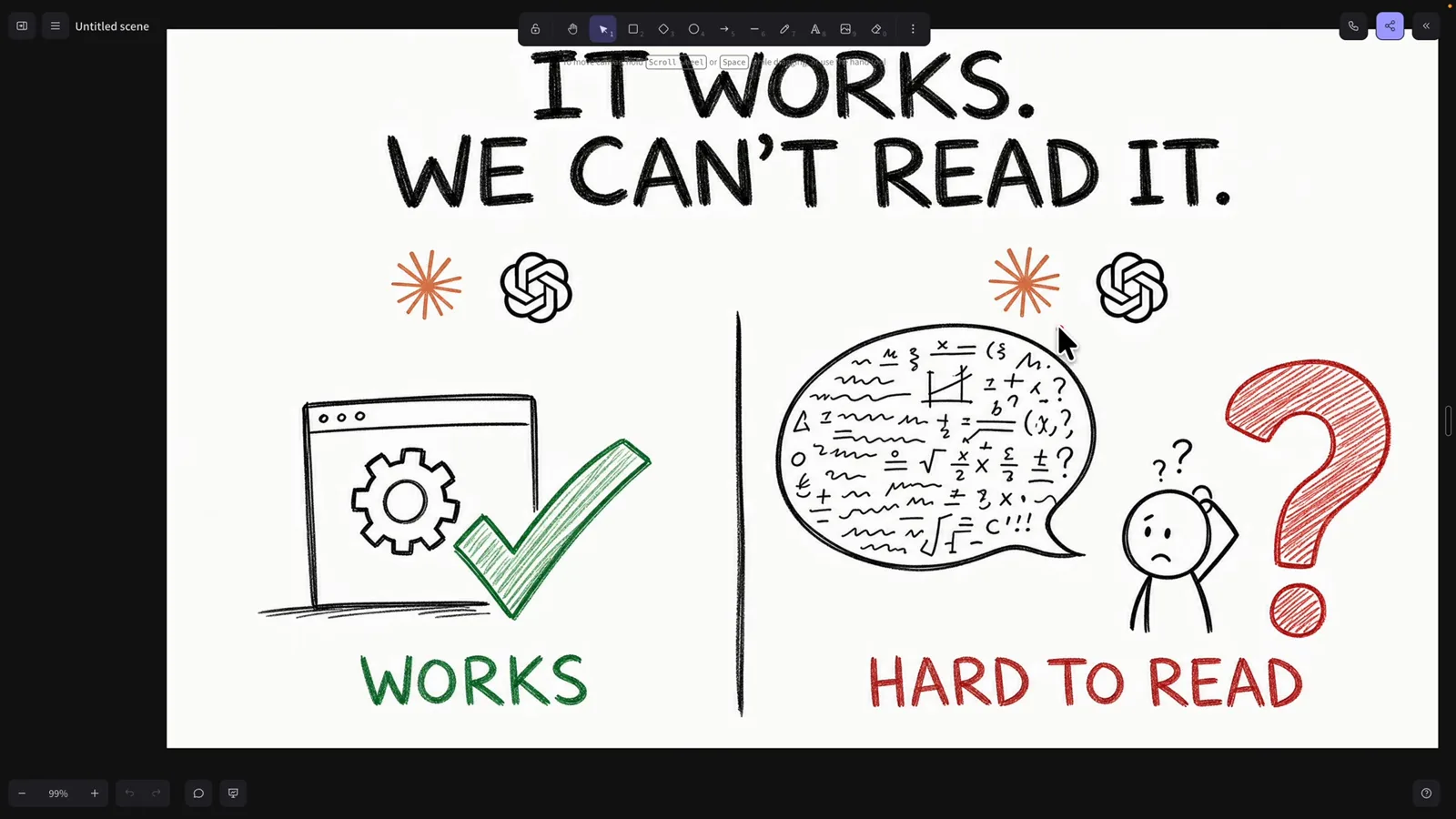
“It works. We can't read it.” — the reason output styles exist.Watch at 0:20 - 2
Get the fix from an Anthropic engineer
Lydia Hallie's post is the whole mechanism in two lines: drop style instructions into ~/.claude/output-styles, then run /config and pick the style. She shares her own favorite for post-work browsing — an “explain it like I'm 5” style that we'll read in full next step.
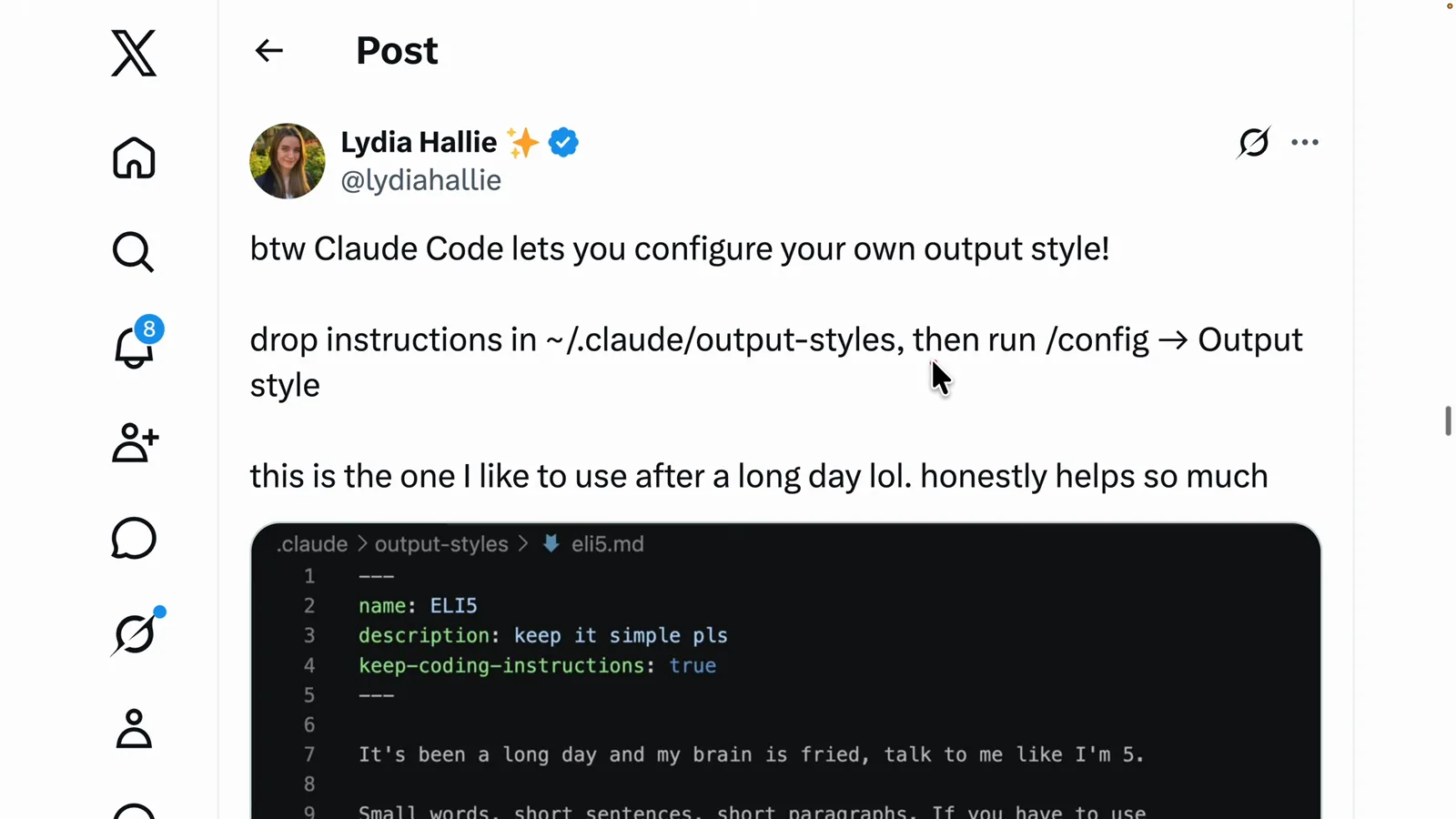
The original post: instructions in ~/.claude/output-styles, then /config → Output style.Watch at 2:00 - 3
Read a real style file front to back
A style file is markdown: frontmatter with name, description, and keep-coding-instructions: true — the flag that keeps Claude's coding instructions instead of replacing them — followed by plain instructions. This one sets the contract for a tired reader: small words, short sentences, two options max when a decision is needed, and exact paths and commands because “I have no brain cells left for the rest.”
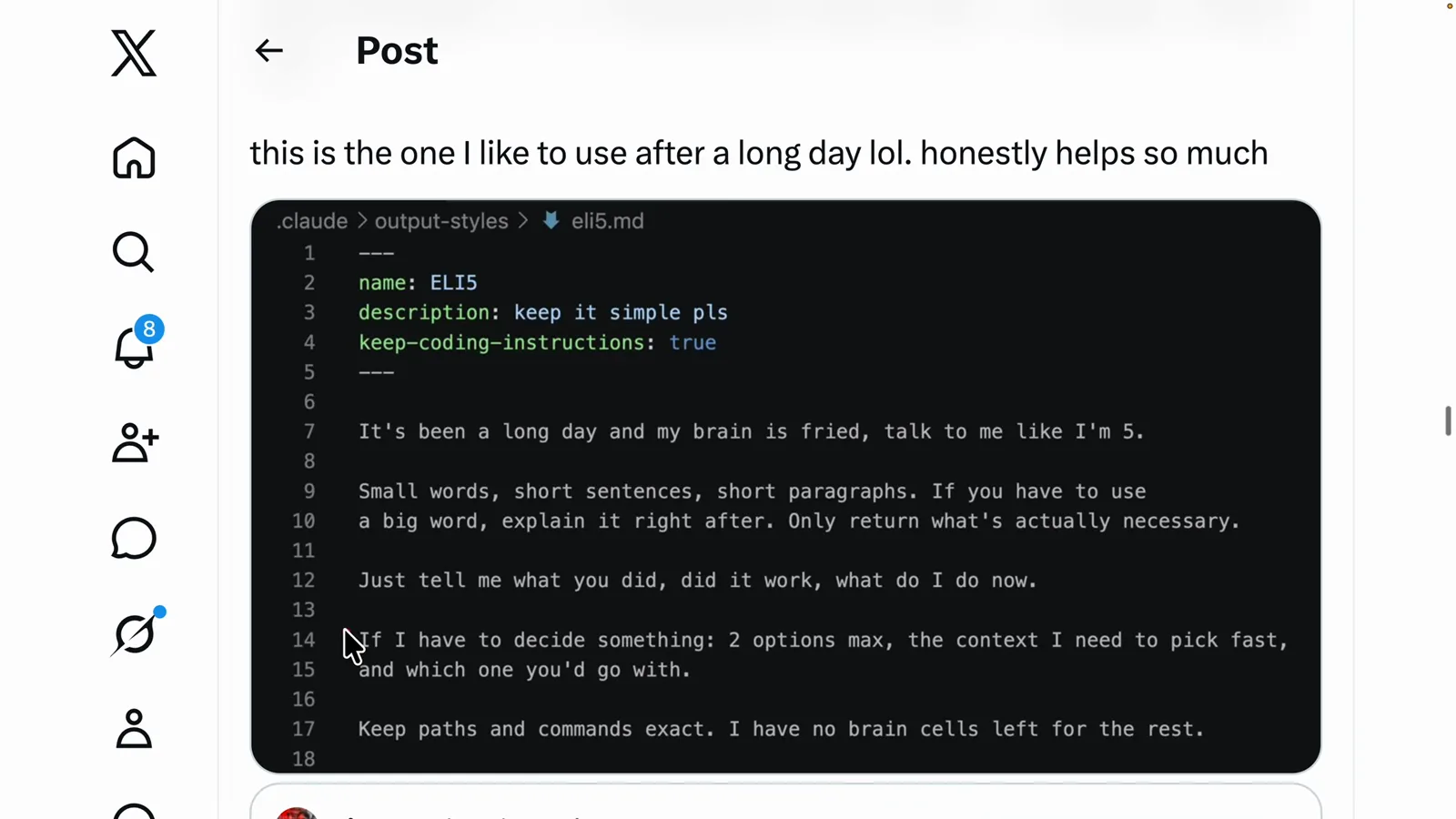
The ELI5 style: frontmatter plus rules a tired human can follow.Watch at 2:20
2 · Built-ins and your first custom style
- 4
Meet the five built-in styles
Open /config → Output style and Claude Code lists what ships by default, each with its contract: Default completes tasks efficiently with concise responses; Proactive executes immediately, minimizing interruptions; Concise responds tersely, leading with results; Explanatory explains implementation choices and codebase patterns; Learning pauses and asks you to write small pieces of code for hands-on practice.
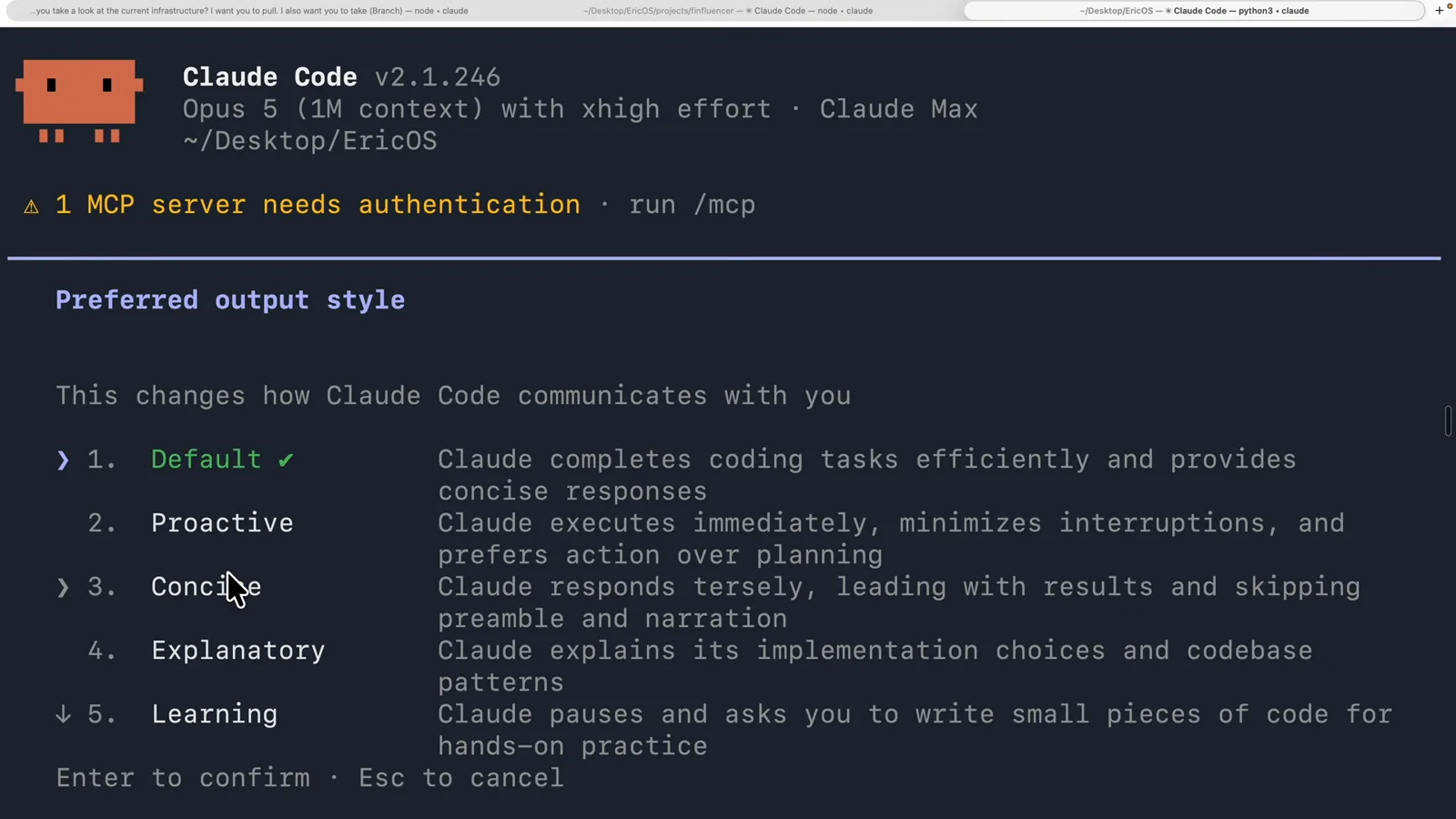
The preferred-output-style menu — every built-in with its one-line description.Watch at 5:20 - 5
Draft a custom style with Claude's help
You don't have to write styles from scratch. The video's workflow: when an output disappoints you, ask Claude to generate three or four variations of the same answer, pick the one that reads best, then have Claude turn that winner into a reusable output style saved on your machine.
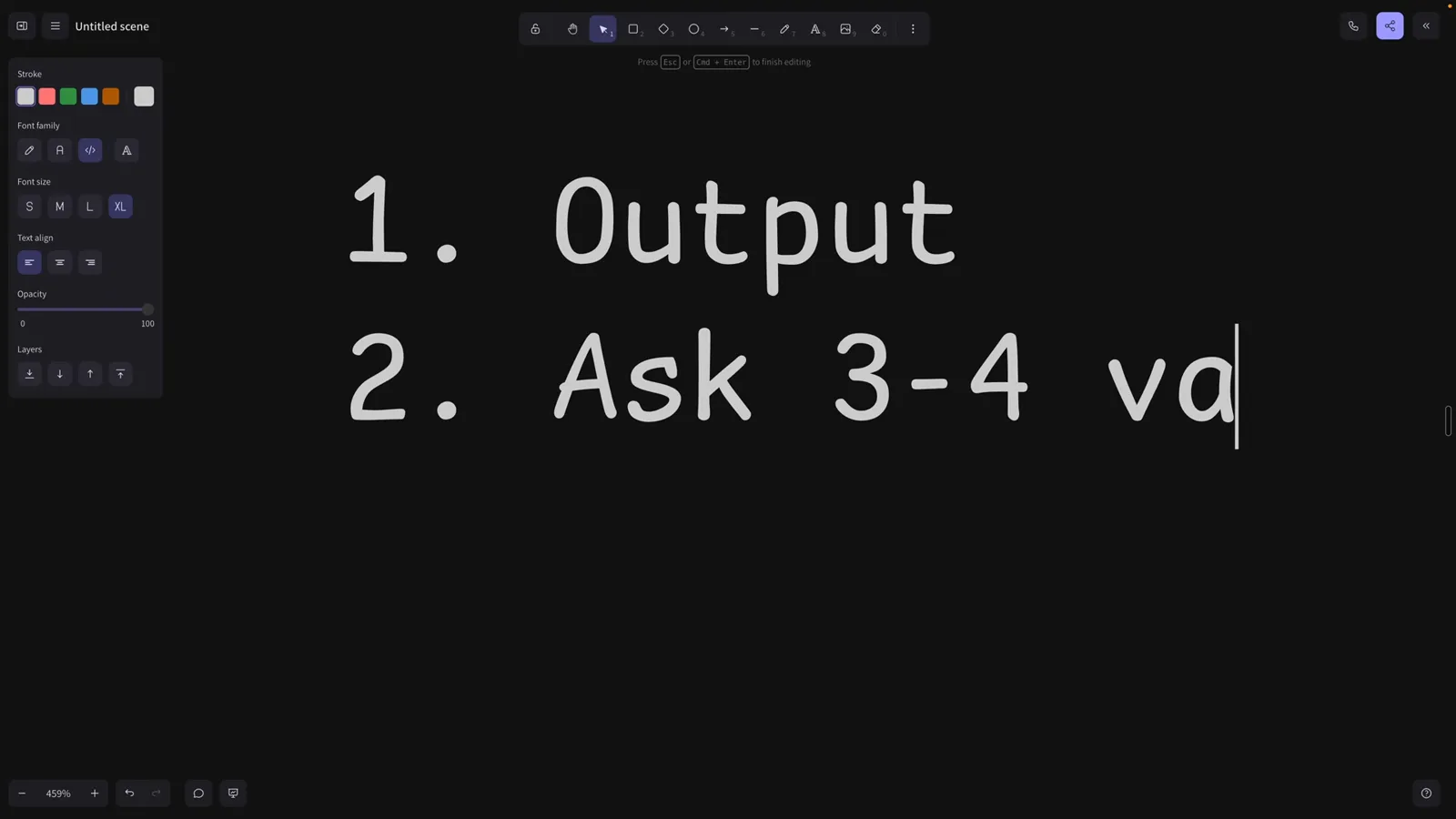
The recipe: output → 3-4 variations → save the best as a style.Watch at 4:20 - 6
See where a custom style lives
Here's a real one: “Map First,” a style that opens every explanation with an architecture diagram. The file lives in the project's .claude/output-styles folder and is symlinked into ~/.claude/output-styles so it's available in every project — a neat pattern for sharing styles with a team via the repo.
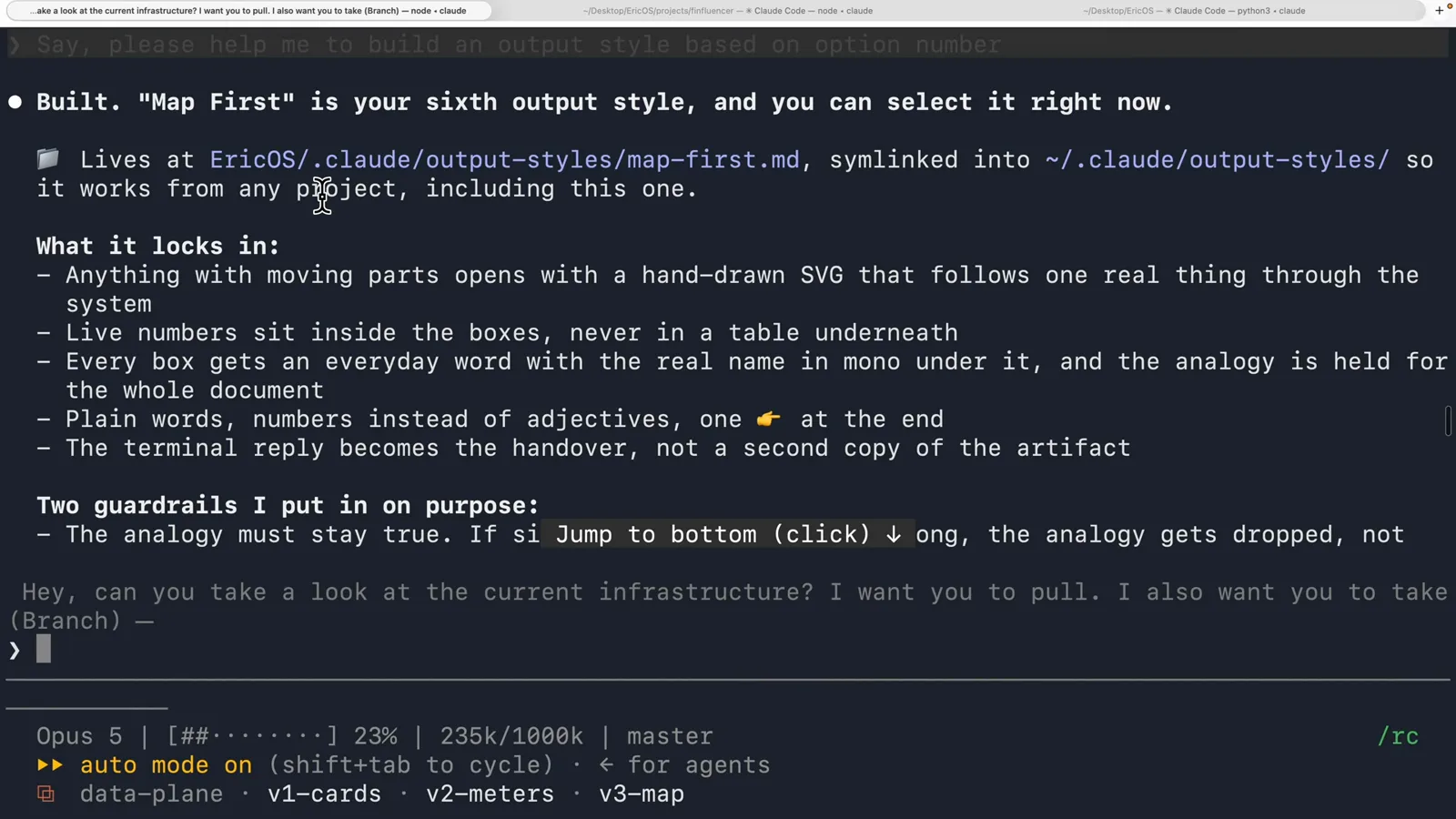
Map First: project folder as the source of truth, symlinked to the user directory.Watch at 5:00 - 7
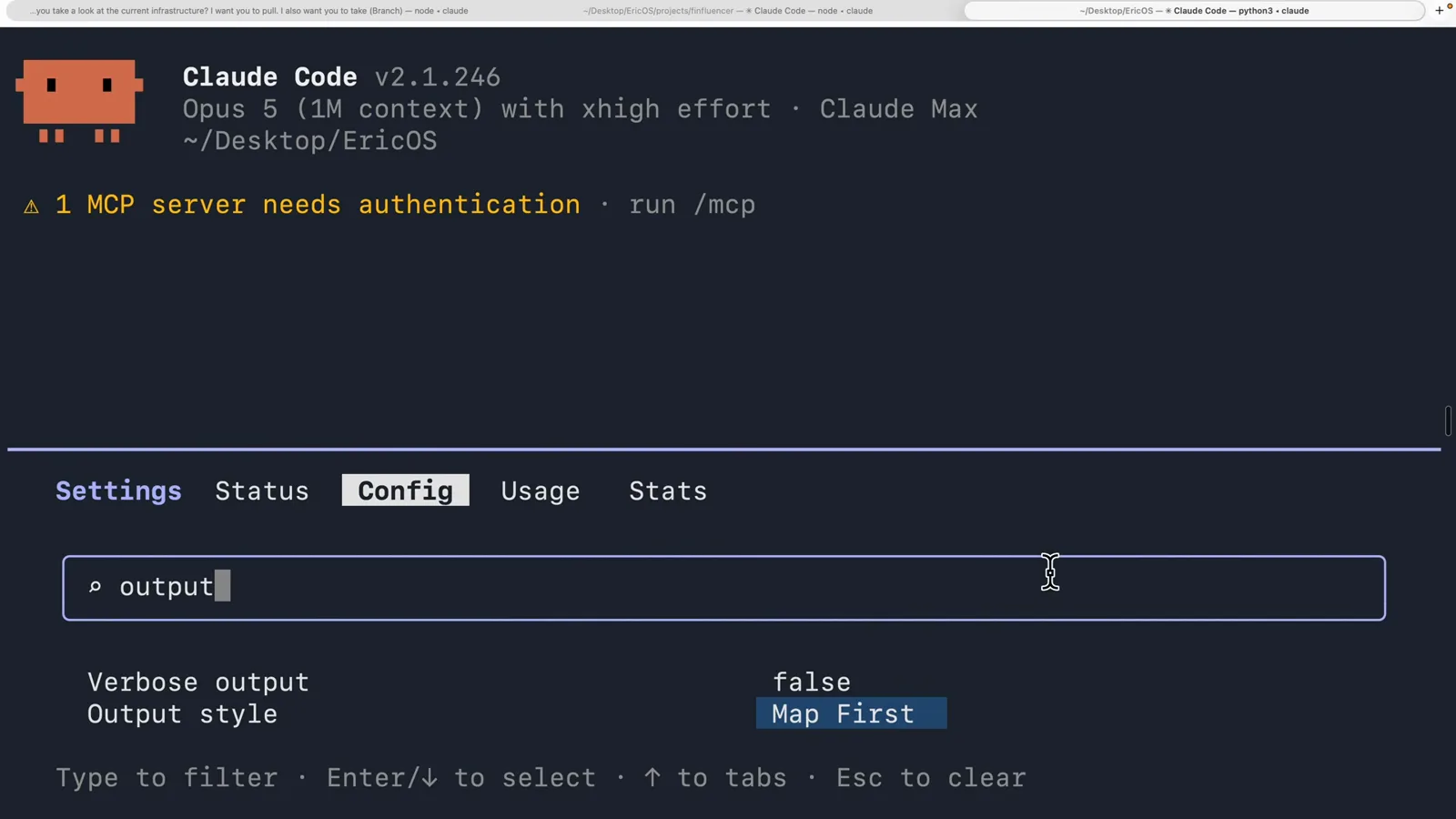
Select it and make it stick
In /config, filter for “output” and the Output style setting is right there — switched to Map First. Set once, it survives restarts: new sessions open already speaking in that style. You can also switch on the fly with /output-style <name>, or set an “outputStyle” field in settings for a cross-project default.
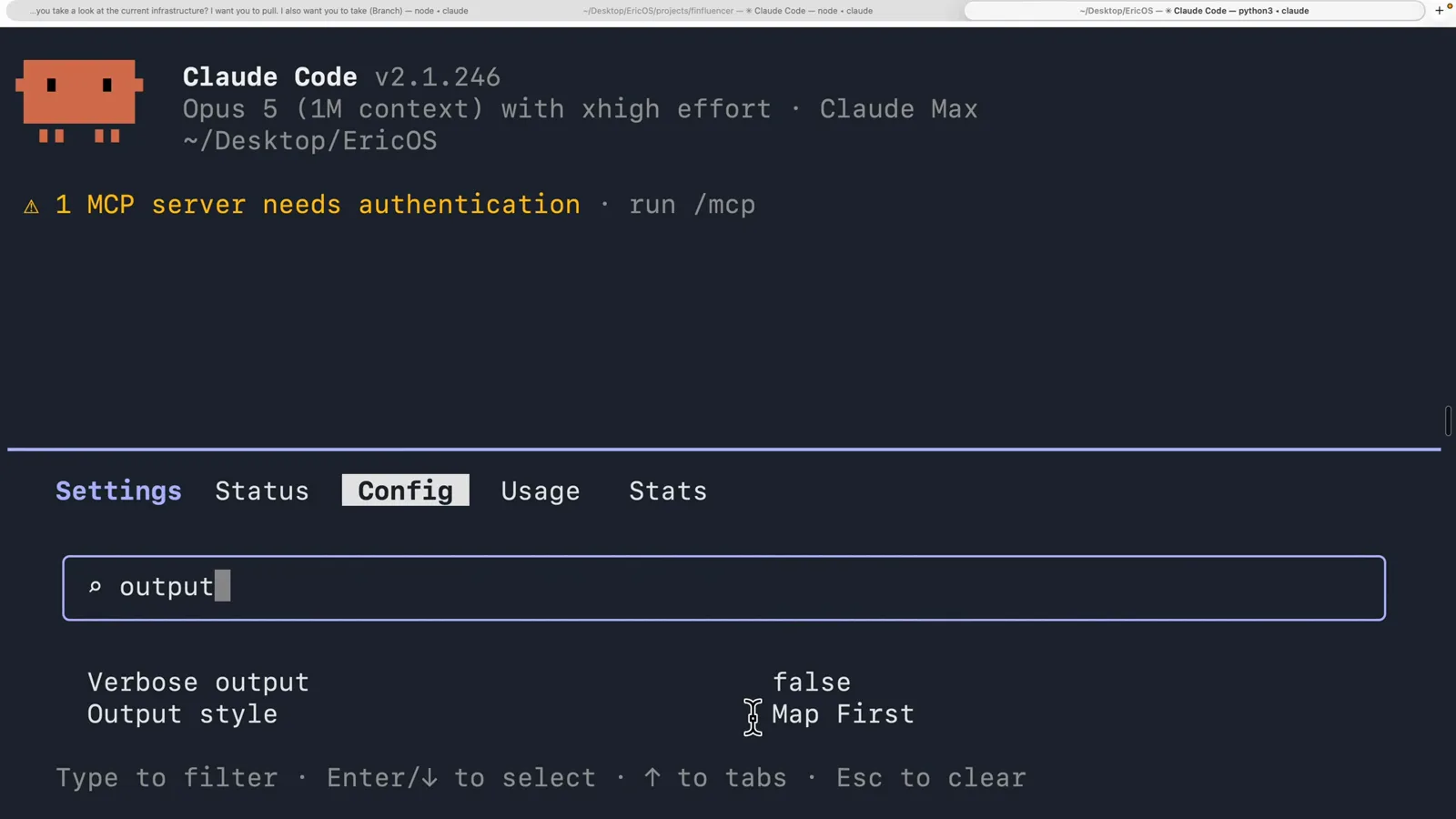
Output style: Map First — set once, every session after.Watch at 5:48
3 · Design styles like a pro
- 8
Know the difference between a style and a skill
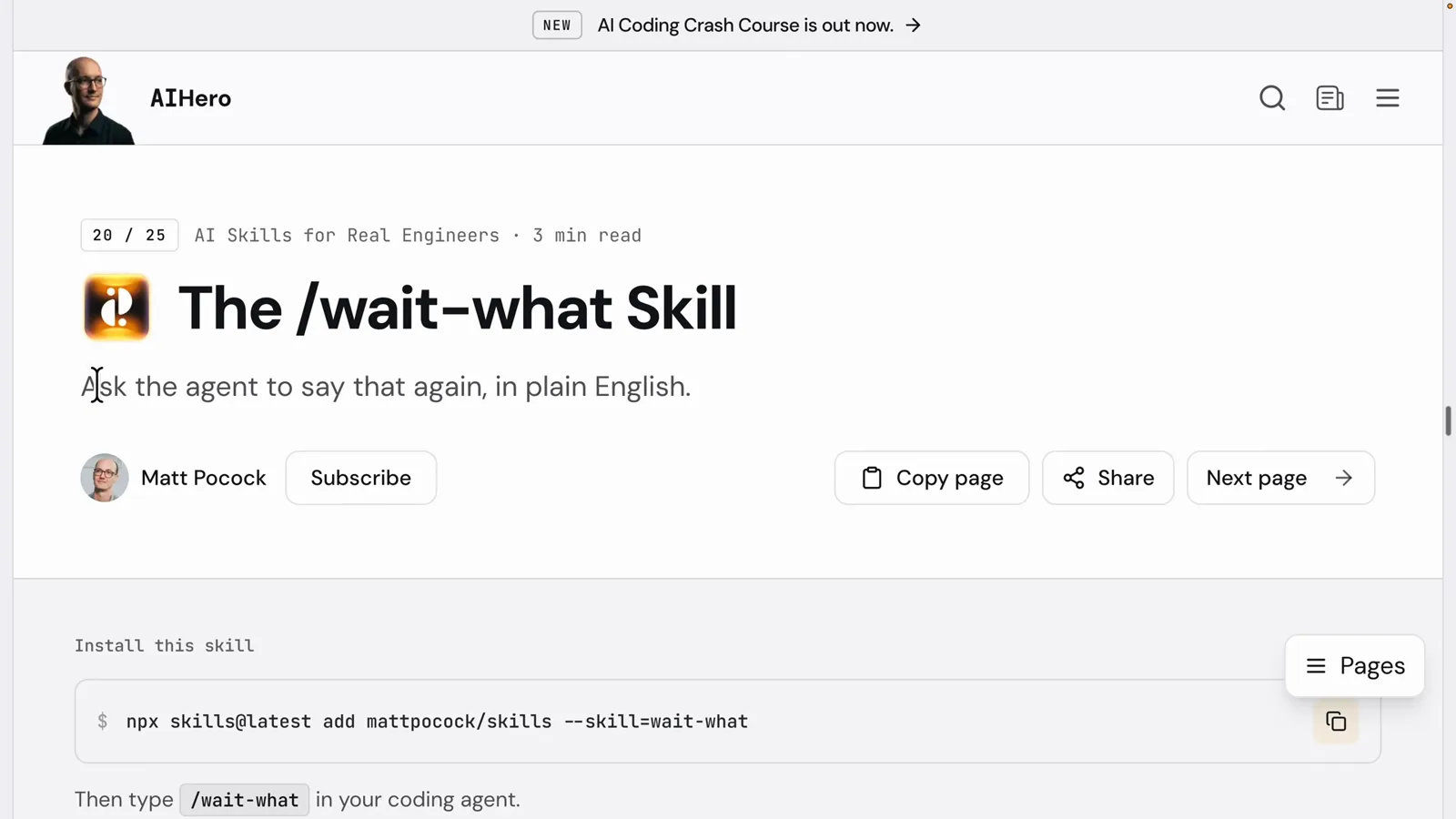
Matt Pocock's /wait-what skill makes the agent repeat its last message in plain English — on demand, when you invoke it. An output style is the opposite contract: it's active from the first token of every response, shaping tone and format without being asked. Skills are tools you pick up; styles are the voice you speak with.
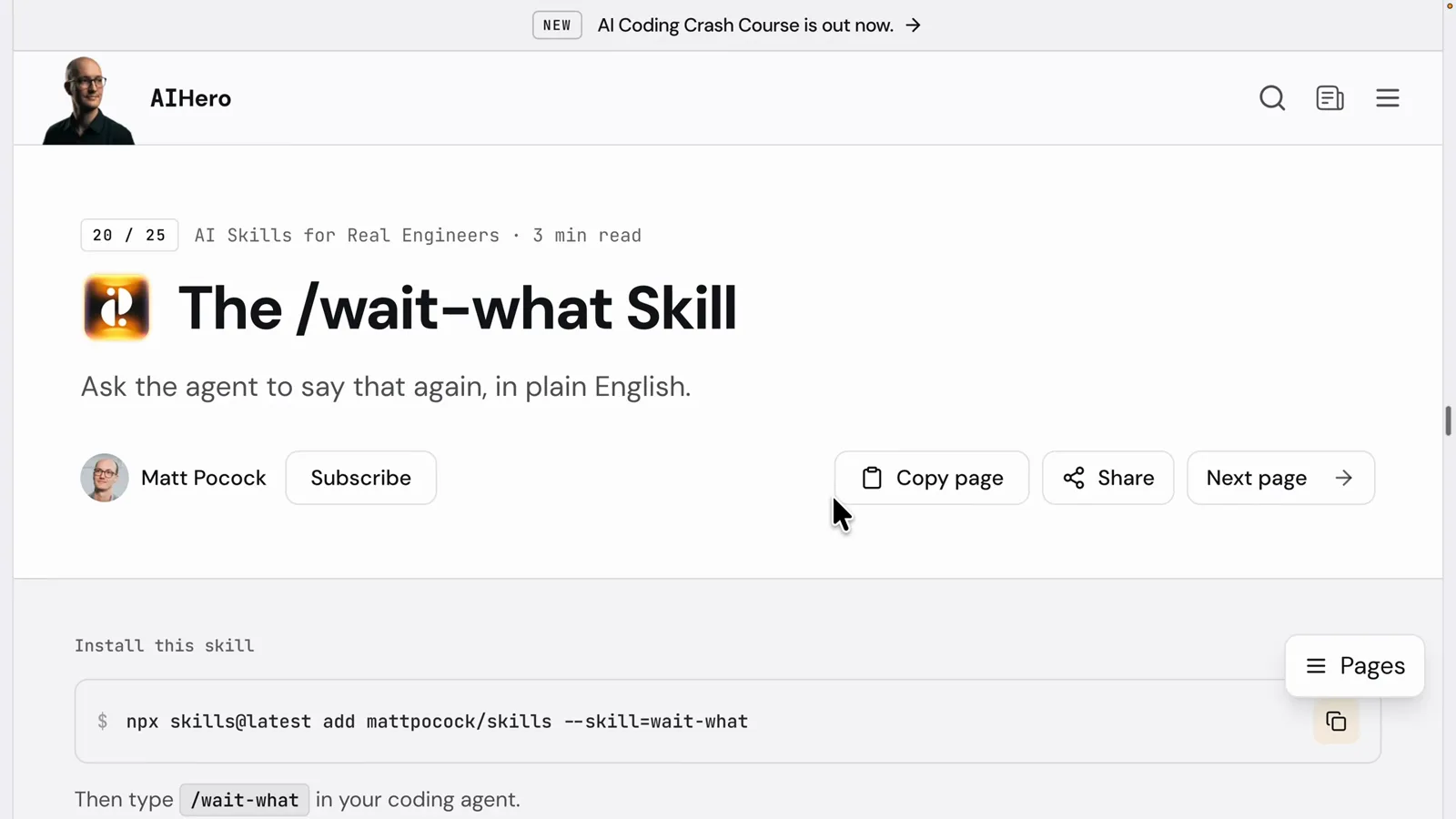
/wait-what — a skill runs when invoked; a style is always on.Watch at 6:09 - 9
Steal a 1980s aviation standard for your style
The best style-writing advice in the video comes from ASD-STE100, Simplified Technical English — written so aircraft mechanics could never misread a maintenance step. Its rules: one word has exactly one meaning, no synonyms (pick one approved word for “start” and stick to it), instruction sentences stay under 20 words, and one action per sentence. Precisely the contract a good output style needs.
STE100: one meaning per word, no synonyms, ≤20-word instructions.Watch at 6:20 - 10
Roll out styles per role
The author's team ships a style per persona, and they show up right in the menu: TPM for technical project managers who know APIs, frontend, backend, and databases but don't code — assumptions stated, one decision presented as a trade-off with a recommendation; Technical Translator for zero-technical readers, one everyday analogy per reply and dangerous operations gated behind a checkpoint; SDE for engineers who want the fluff trimmed.
The menu grows: TPM, Technical Translator, SDE — one voice per role.Watch at 6:00 - 11
Switch styles like you switch modes
Output style: TPM — selected in /config and active from the next hello. The payoff, per the video: match the style to the job (Explanatory when you're learning a codebase, Proactive for overnight runs, Concise when you just want the result) and you get answers your whole team can read — often with fewer tokens, because the style forbids the filler.

Output style: TPM — the team's non-coders get their own voice.Watch at 11:04
The five built-in styles, precisely
Per the official docs, five styles ship with Claude Code — Default plus four add-ons:
- 1Default — no style instructions added; Claude uses the standard software engineering system prompt. Efficient task completion, concise responses.
- 2Proactive — starts work right away and makes reasonable assumptions instead of asking about routine decisions; still checks before destructive or production-affecting actions.
- 3Concise — responses lead with the result and skip preamble, narration, and recaps. Requires Claude Code v2.1.237 or newer.
- 4Explanatory — adds short Insight blocks explaining design choices as it works (they stay in the chat, not written into your files).
- 5Learning — same Insight blocks, plus it leaves small pieces of code for you to write, marked with a TODO(human) comment, and waits for you to finish.
Switch any time with /output-style <name> (no argument lists them), via /config → Output style, in the VS Code / menu, or permanently with an "outputStyle" field in settings. One caution from the docs: subagents run with their own system prompts, so your style shapes the main conversation, not subagent output.