
What is GPT-6 Astra? How to use OpenAI's new flagship
GPT-6 Astra is OpenAI's most aligned frontier model — in ChatGPT since September 3, 2026 and generally available in GitHub Copilot since September 4. Here is what it can do, and how to switch it on everywhere.
TL;DR
- GPT-6 Astra is OpenAI's new frontier flagship: state-of-the-art at computer use and long-horizon agent work, and the first OpenAI model rated Critical for cybersecurity capability.
- It began rolling out to ChatGPT Pro on September 3, 2026, reached GitHub Copilot general availability on September 4, and ships as gpt-6-astra in Codex and the API.
- API pricing is $10.00 per million input tokens and $50.00 per million output tokens, with cached input at $1.00. In ChatGPT, Pro has no daily caps while Business and Enterprise launch at 30 messages a week.
- Pick it in the ChatGPT model picker (or the GPT-6 Astra High chip in ChatGPT Work), in the Codex /model picker, and via model policy in GitHub Copilot.
Introducing GPT-6 Astra
Video:OpenAI2:43
Introducing GPT-6 Astra for developers
Video:OpenAI3:24
ChatGPT Work, now powered by GPT-6 Astra
Video:OpenAI0:57
GPT-6 Astra: A new generation of intelligence
Official page:OpenAI
Every screenshot below comes from OpenAI's official launch videos, and each step deep-links back to the exact second of the recording it was taken from.
The three videos are © OpenAI. Frames are used as documentation with attribution; the explanations and captions are ours.
GPT-6 Astra, step by step
What GPT-6 Astra is
- 1
See what ChatGPT Work on Astra delivers
ChatGPT Work is now powered by GPT-6 Astra for Pro, Business and Enterprise plans. One prompt — a UK payments-launch strategy deck with customer data pulled in — comes back as a finished presentation after about seven and a half minutes of agent time.
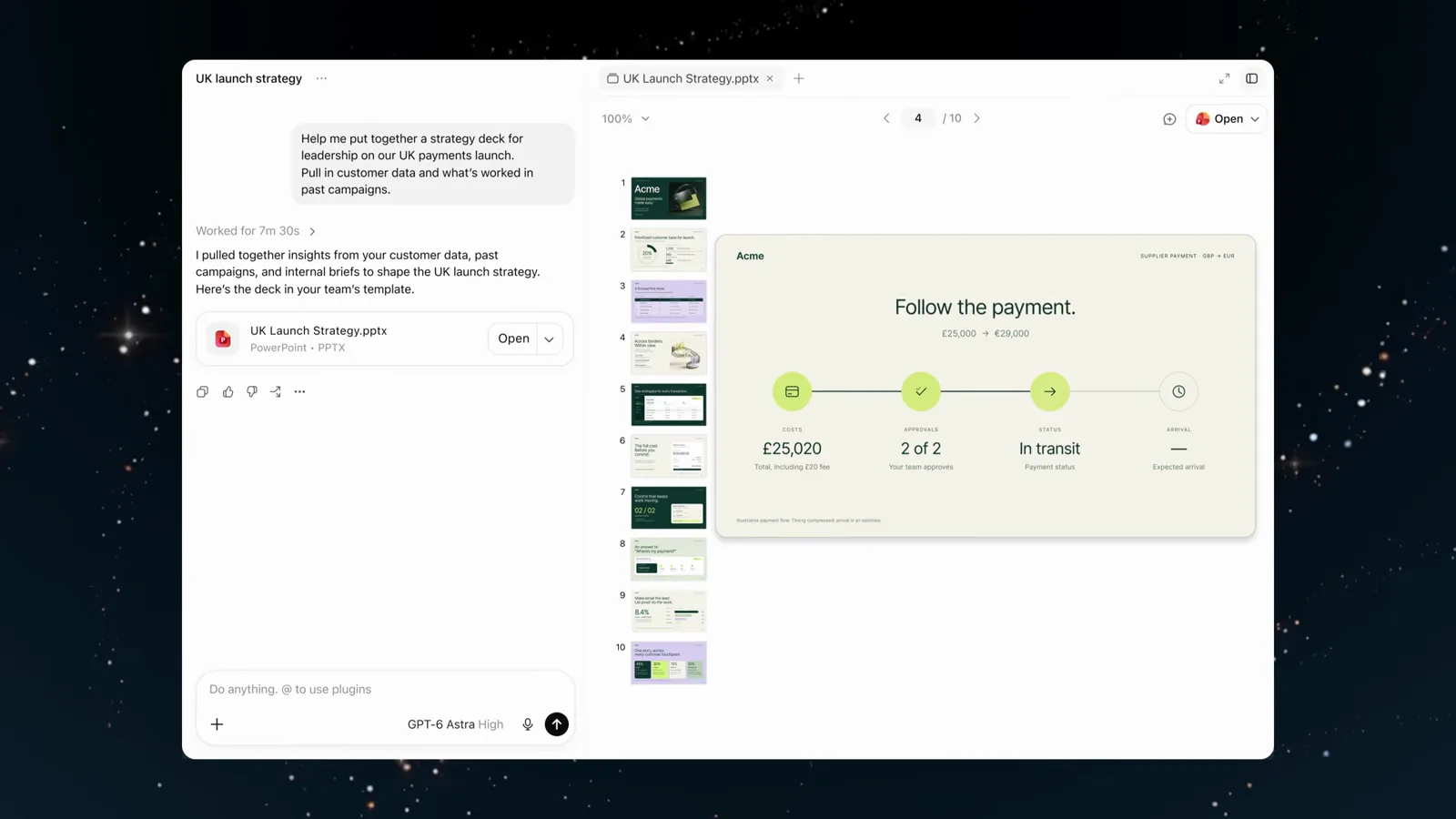
The chat pane keeps the prompt, the .pptx card and the deck preview in one workspace.Watch at 0:35 - 2
Watch a one-line prompt become a polished illustration
In OpenAI's launch film, a request as small as "draw a yellow circle" turns into a spaceship porthole, then a detailed cartoon rocket — each refinement applied to the same canvas without losing the earlier work.

Astra refines earlier work on the canvas instead of starting over.Watch at 0:31 - 3
Note the 3D generation step in Blender
The same film follows "make a 3D model of this in Blender": the rocket is built as real geometry on the grid, not a flat mock-up. OpenAI's developer video calls 3D modelling one of Astra's strongest new abilities.
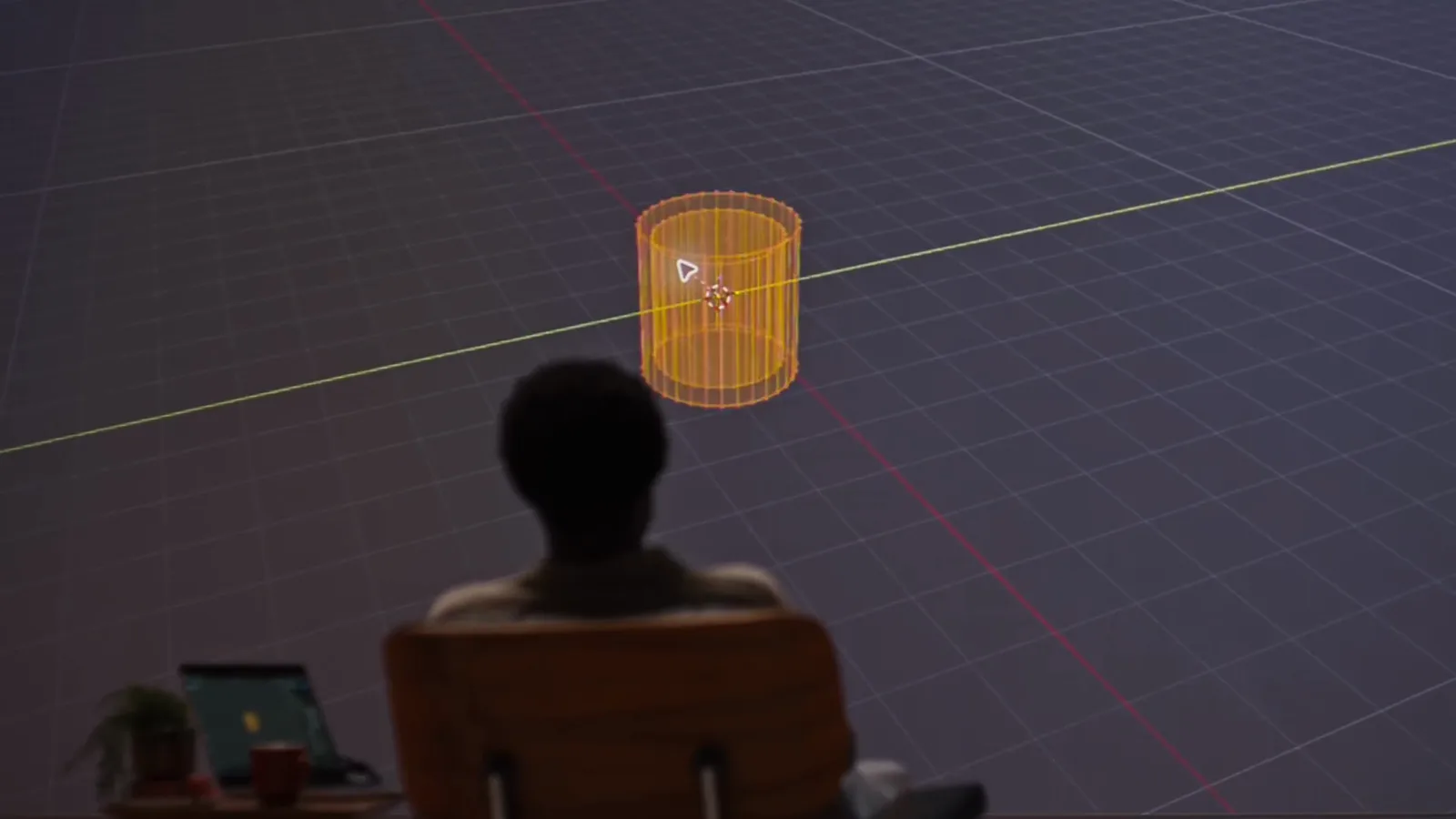
The mesh on the grid is Astra building actual geometry in Blender.Watch at 0:38
Use Astra in ChatGPT and ChatGPT Work
- 4
Ask ChatGPT Work for a multi-source deliverable
"Help me put together a strategy deck for leadership on our UK payments launch. Pull in customer data and what's worked in past campaigns." Astra splits this into comparing campaign results, reviewing UK sales feedback and reading past campaign briefs before it writes anything.
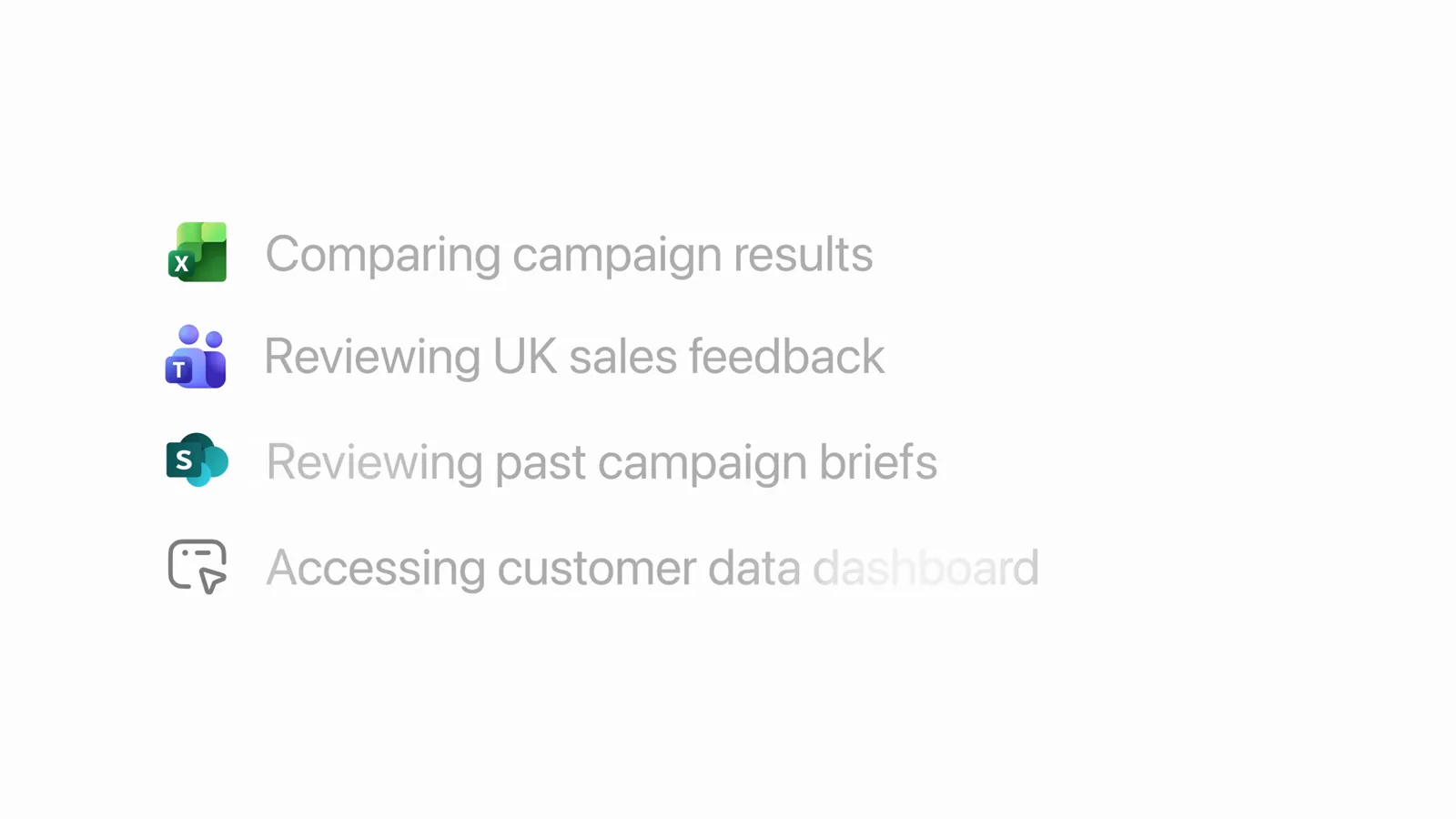
The plan appears as live task rows, each tied to the app it touches.Watch at 0:21 - 5
Collect the finished .pptx from the file card
When the run finishes, Astra reports "Worked for 7m 30sec" and attaches UK Launch Strategy.pptx with an Open button. Deliverables land as real files you can forward, not screenshots of slides.
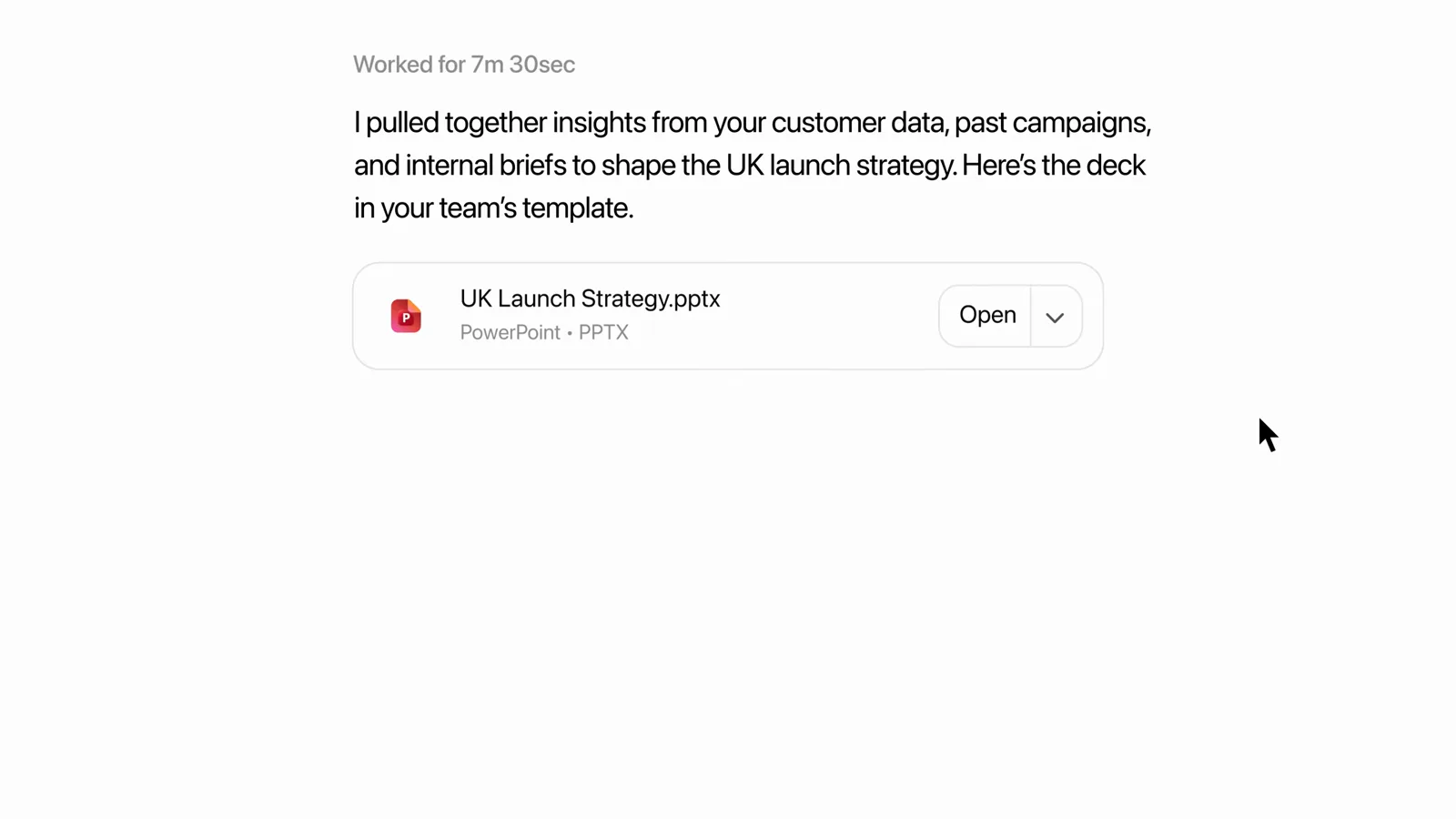
The deck arrives as a downloadable PowerPoint file inside the conversation.Watch at 0:25 - 6
Refine the result with a follow-up instruction
With the "Across borders. Within view." slide open, the follow-up "Animate this process." goes straight into the same composer. Astra edits its own previous output — no need to re-explain the task.
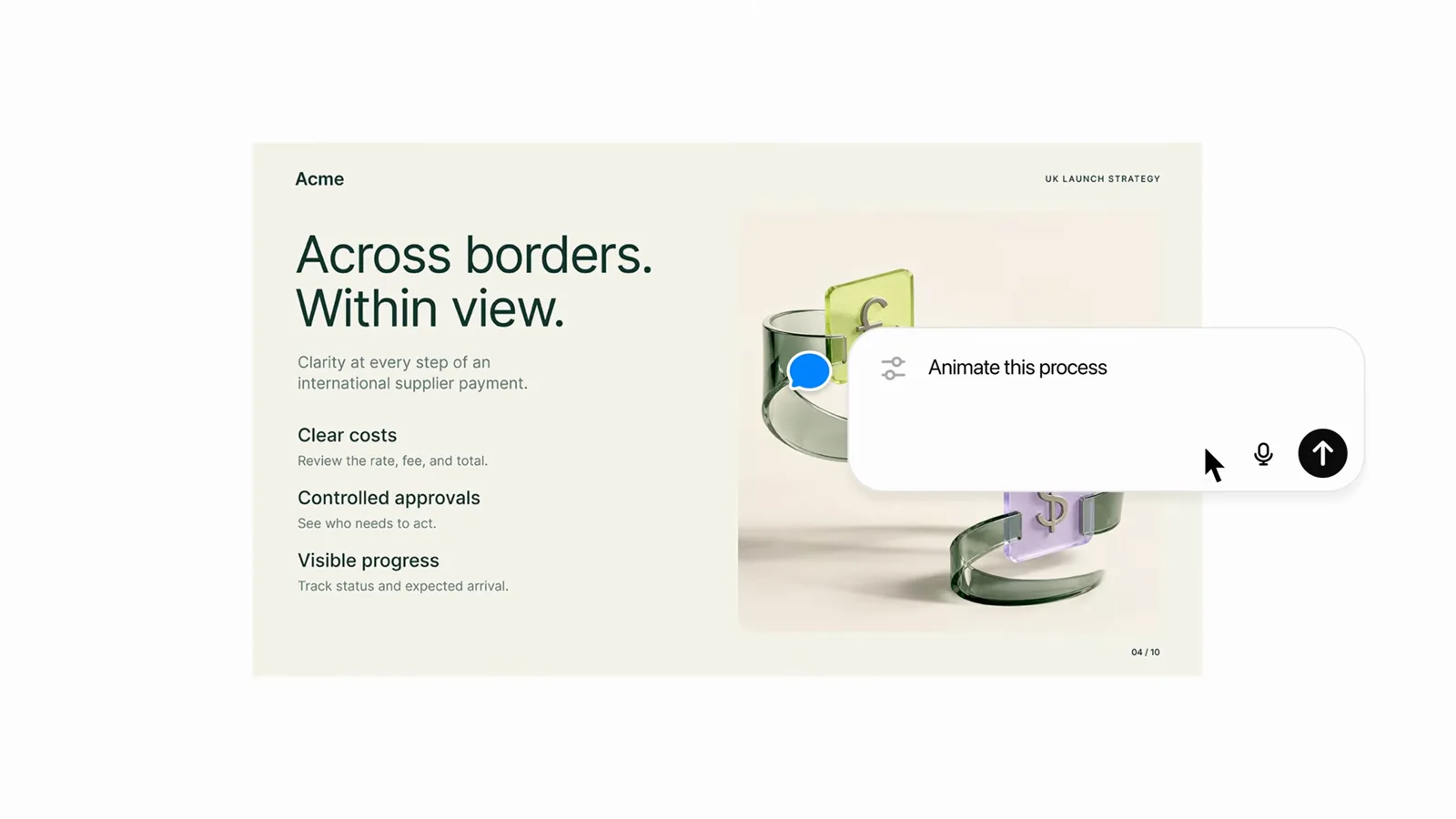
Follow-ups apply to the deck Astra just produced, in the same thread.Watch at 0:31 - 7
Switch on computer use with the GPT-6 Astra High chip
The @Computer prompt — update the project tracker, build out the campaign budget, schedule the kickoff, draft the vendor brief — runs with the GPT-6 Astra High model chip selected next to the send button, with Dashboard and Plugins available below.
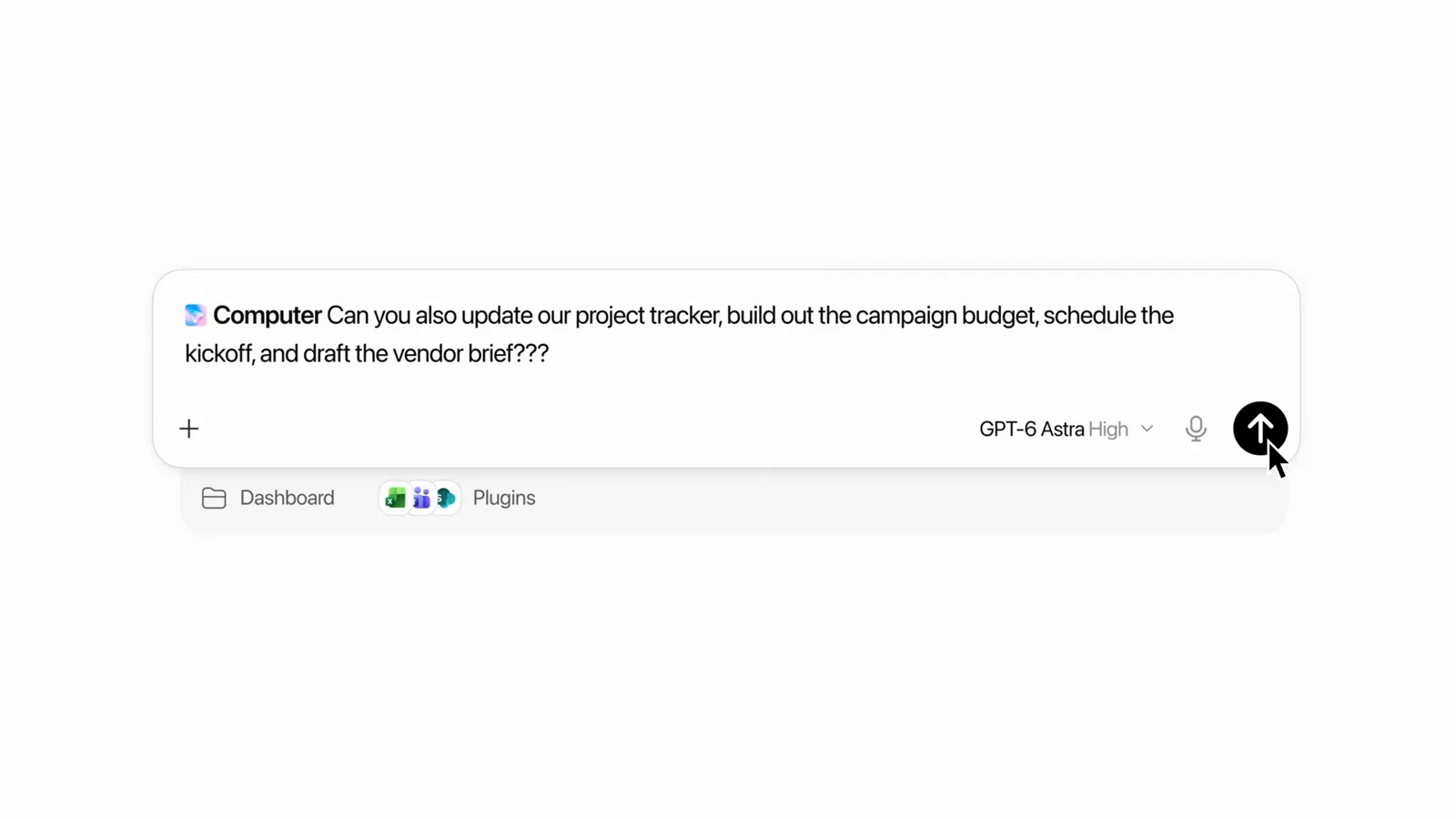
The model chip next to the send arrow is where you pin Astra for agentic runs.Watch at 0:42 - 8
Let Astra finish the job across your desktop apps
Computer use carries the task from the spreadsheet — a £150,000 UK Campaign Budget — into Word, where Astra draws the "Budget scenarios and returns" bar chart. You watch the cursor work in the real apps.
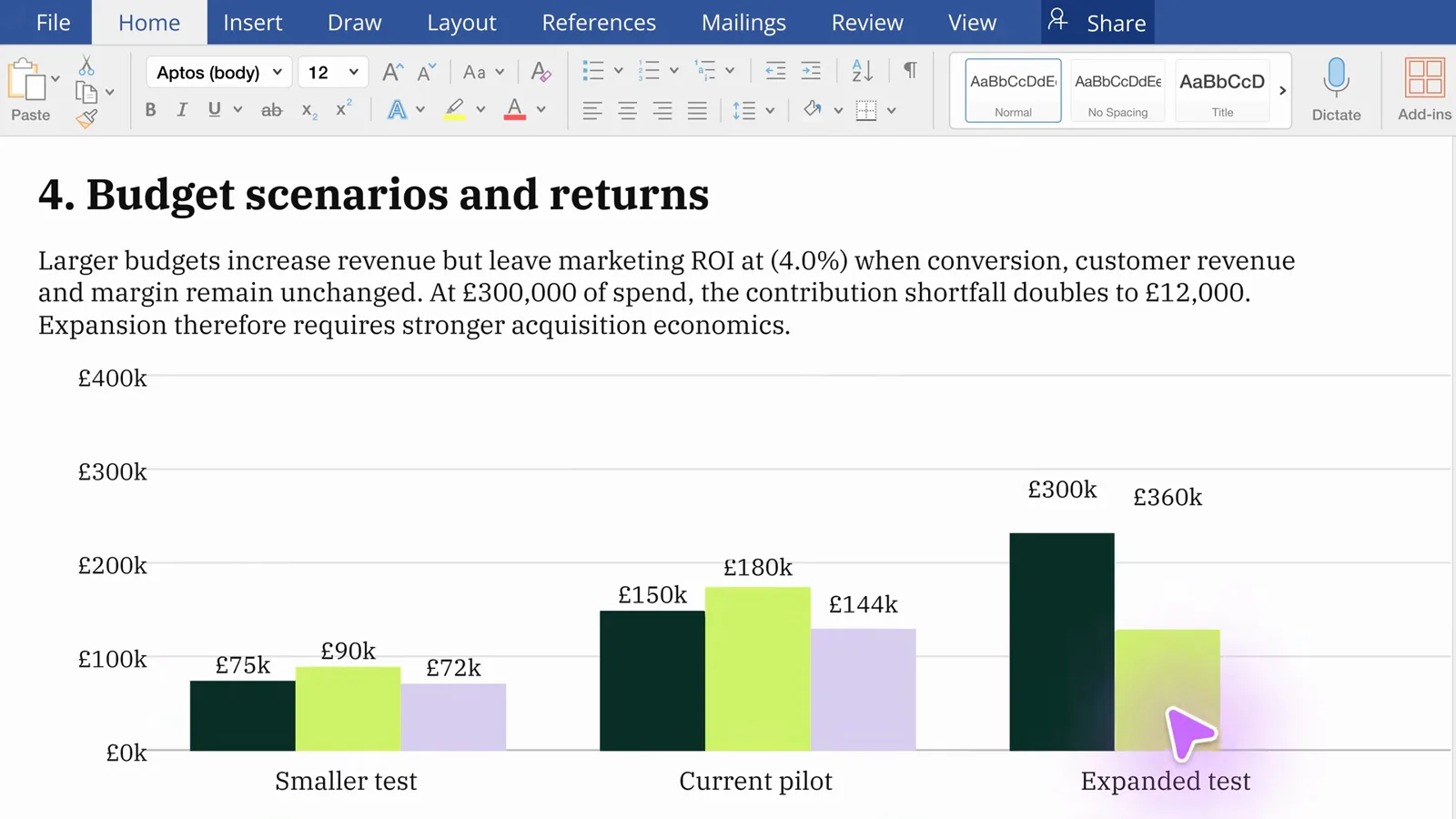
The bars are drawn by Astra inside Word — the last mile of the tracker request.Watch at 0:48
Astra's computer use on everyday apps
- 9
Recognize the same pattern on everyday apps
In the launch film, Astra cleans up a photo of a flea-market table in the eBay Edit photo dialog — cropping the shot so the orange table fills the frame before it ever reaches the listing.
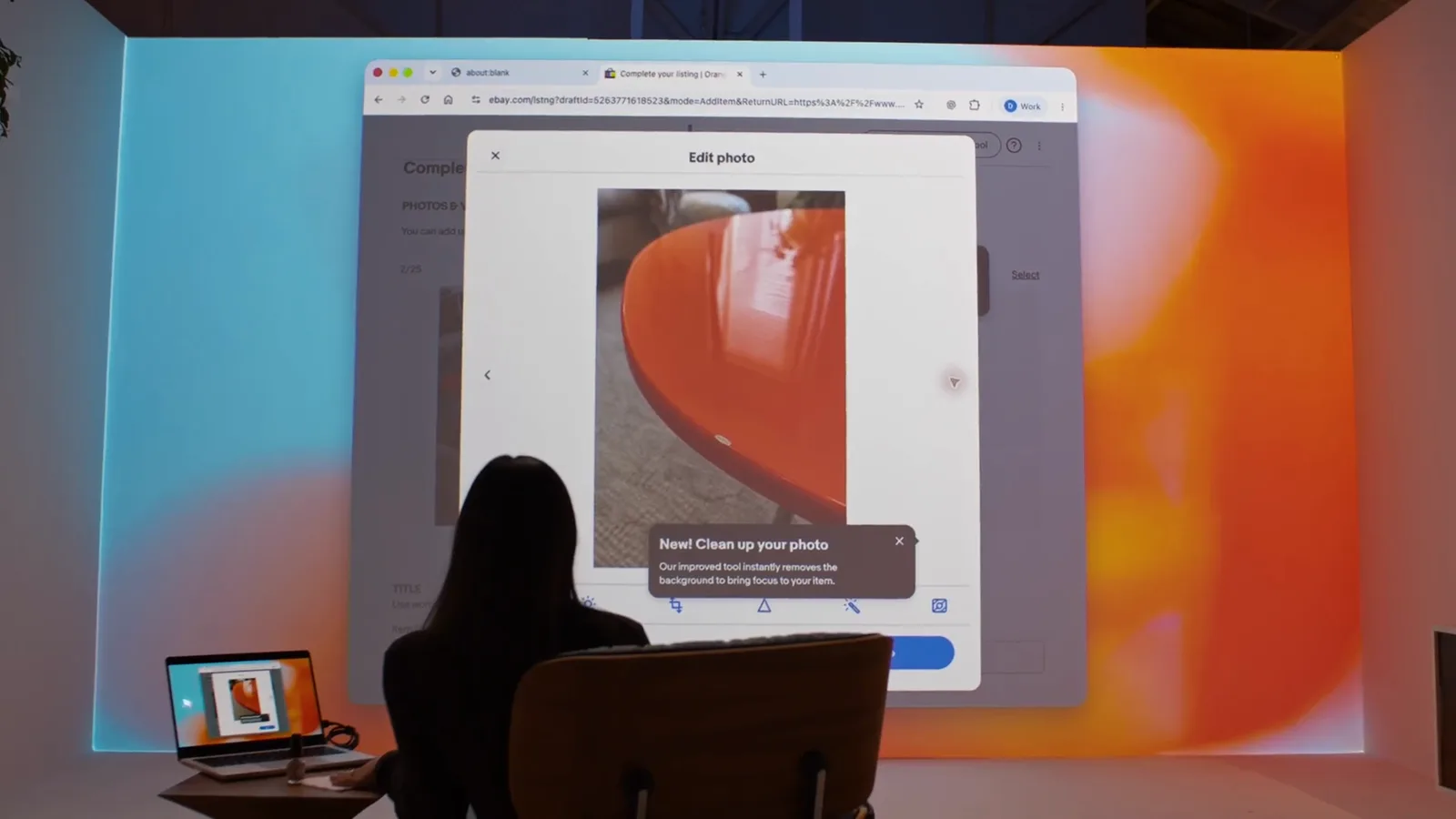
The Edit photo dialog is the real eBay page, driven by Astra.Watch at 1:48 - 10
Watch the listing form fill itself in
Next Astra opens Complete your listing, attaches the cleaned-up photo under Photos & video and — on request — notes in the description that the table is slightly damaged. Details from the conversation carry into the form.
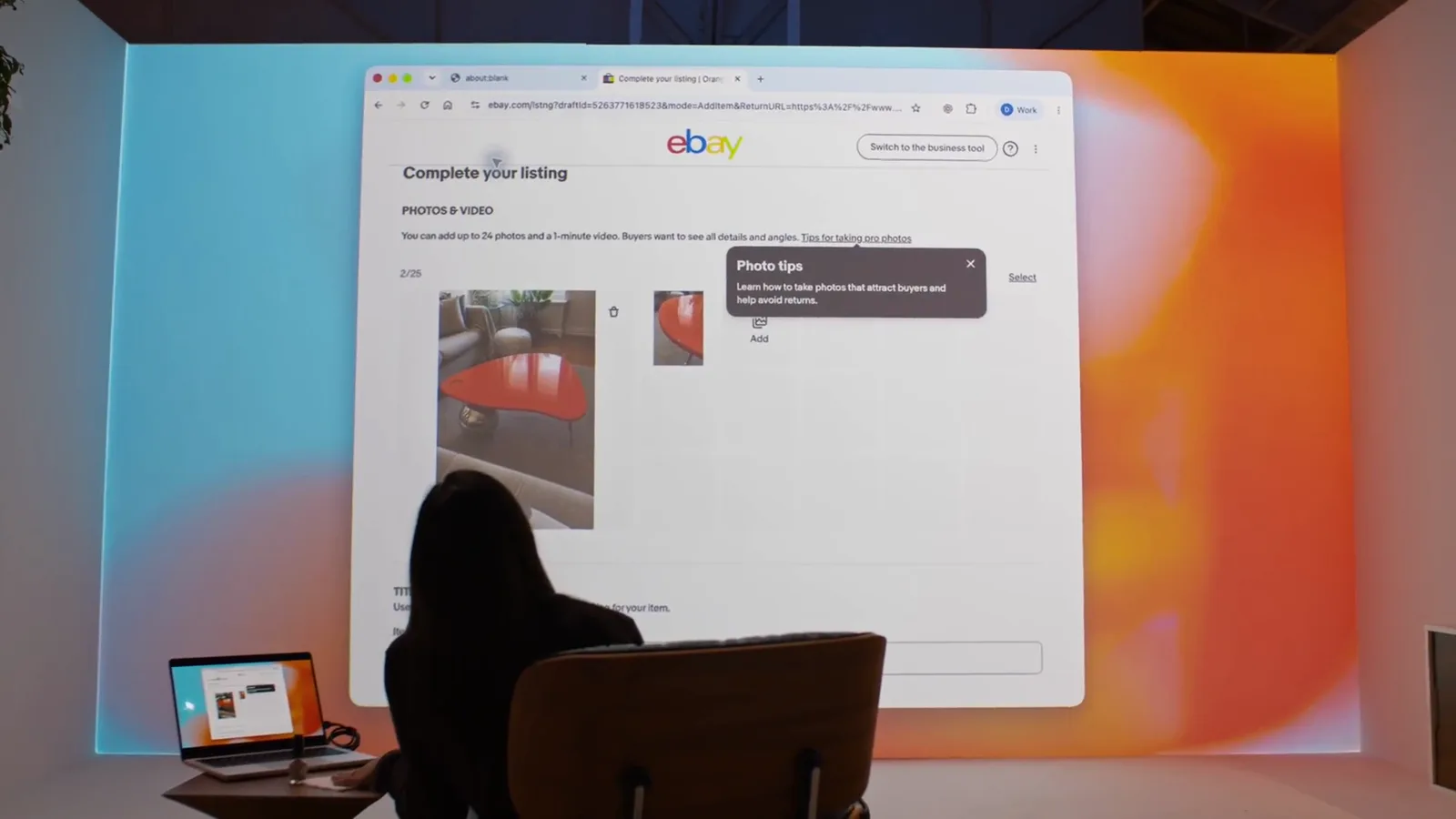
"Slightly damaged" reaches the description because the owner asked for it.Watch at 1:52 - 11
See styling requests handled in the Background popover
"Can you change the background color to match the raincoats?" ends with the Background popover open in the slide editor and a new color applied — styling edits made in the app's own UI, not a separate design tool.
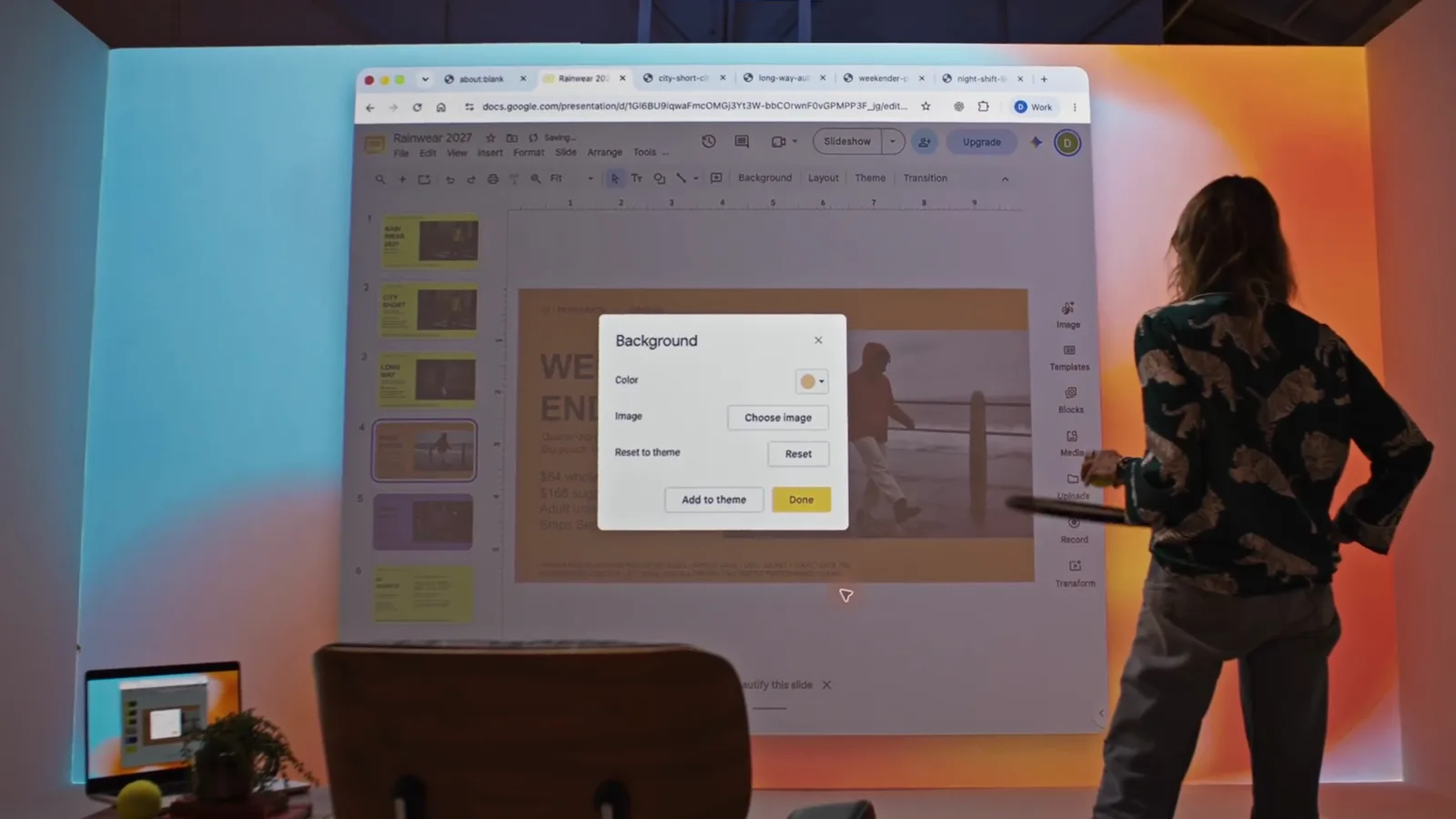
The Background popover is the slide app's own UI; Astra drives it.Watch at 2:16
Astra in Codex for developers
- 12
Steer a running task in Codex
While Astra builds a Three.js Japanese garden, the developer types "Set the scene at night" into the live task. Astra answers with a revised plan — cool moonlight, glowing lanterns, reflections on the pond — and keeps the running renderScene tool going.
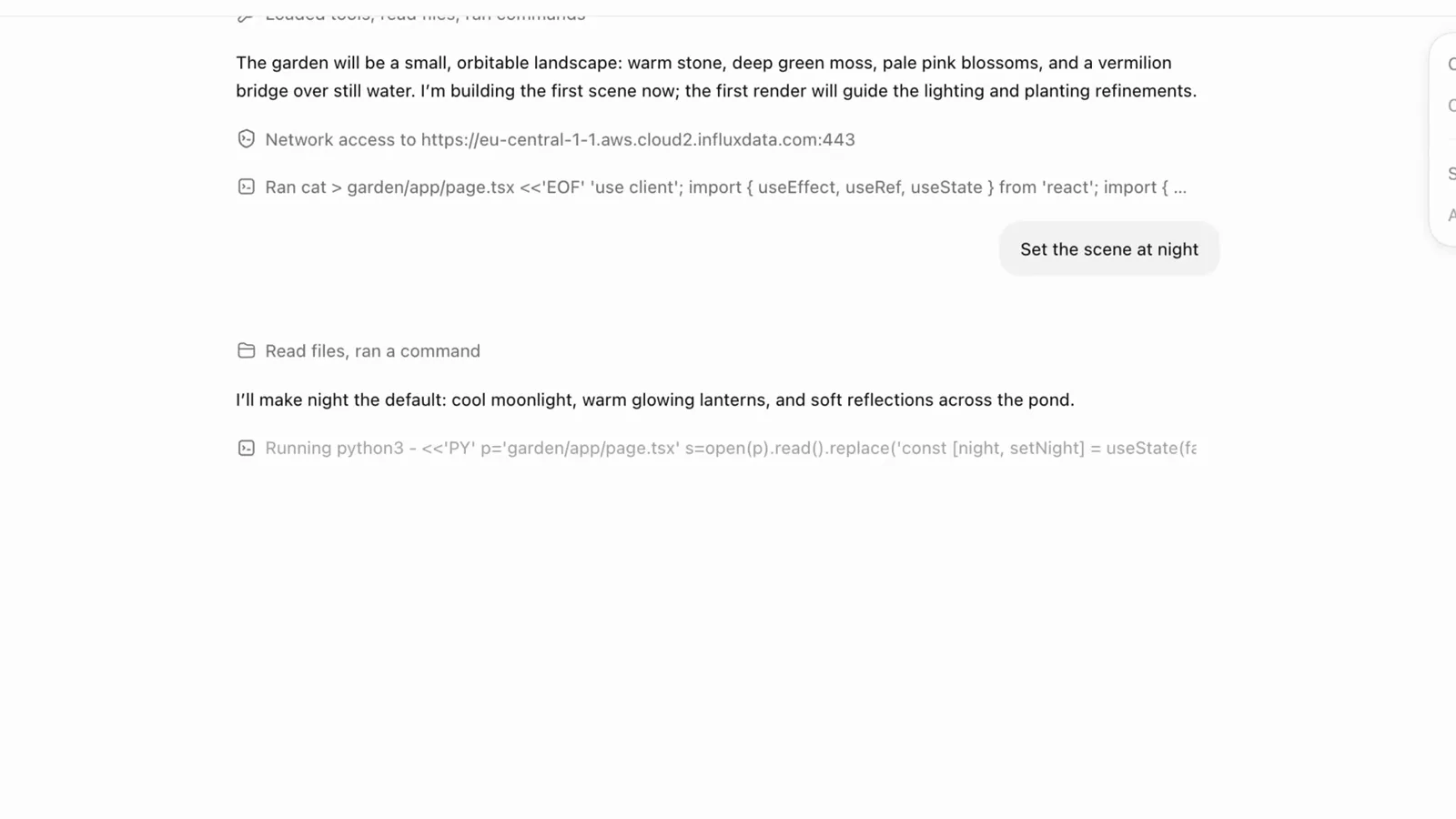
The steering message lands mid-task; the running tool is never cancelled.Watch at 2:50 - 13
Confirm the steer was folded into the run
The console shows accepted · awaiting continuation and a response.steer.accepted event after a second nudge — "Actually, let's make the trees red." — while render_scene r1 is still at 128 of 768 tiles. Changing direction costs no restart.
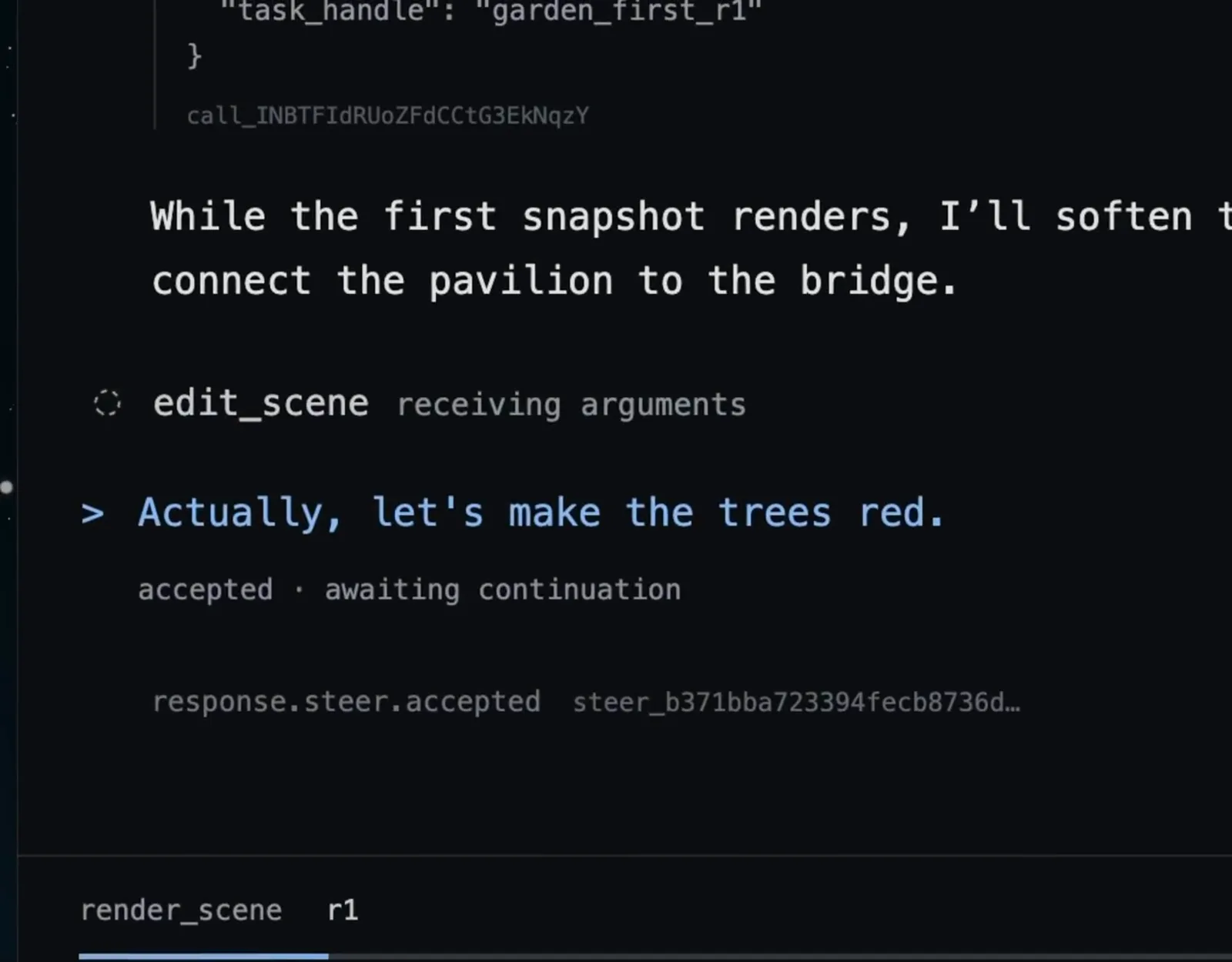
render_scene keeps streaming (128/768) after the steer is accepted.Watch at 2:58 - 14
Judge the finished long-horizon output
The result: red trees, a vermilion bridge over a koi pond, stone lanterns on a green baseplate — every constraint from both prompts present in one render. Long-horizon tasks like this are where OpenAI says Astra pulls away from earlier models.
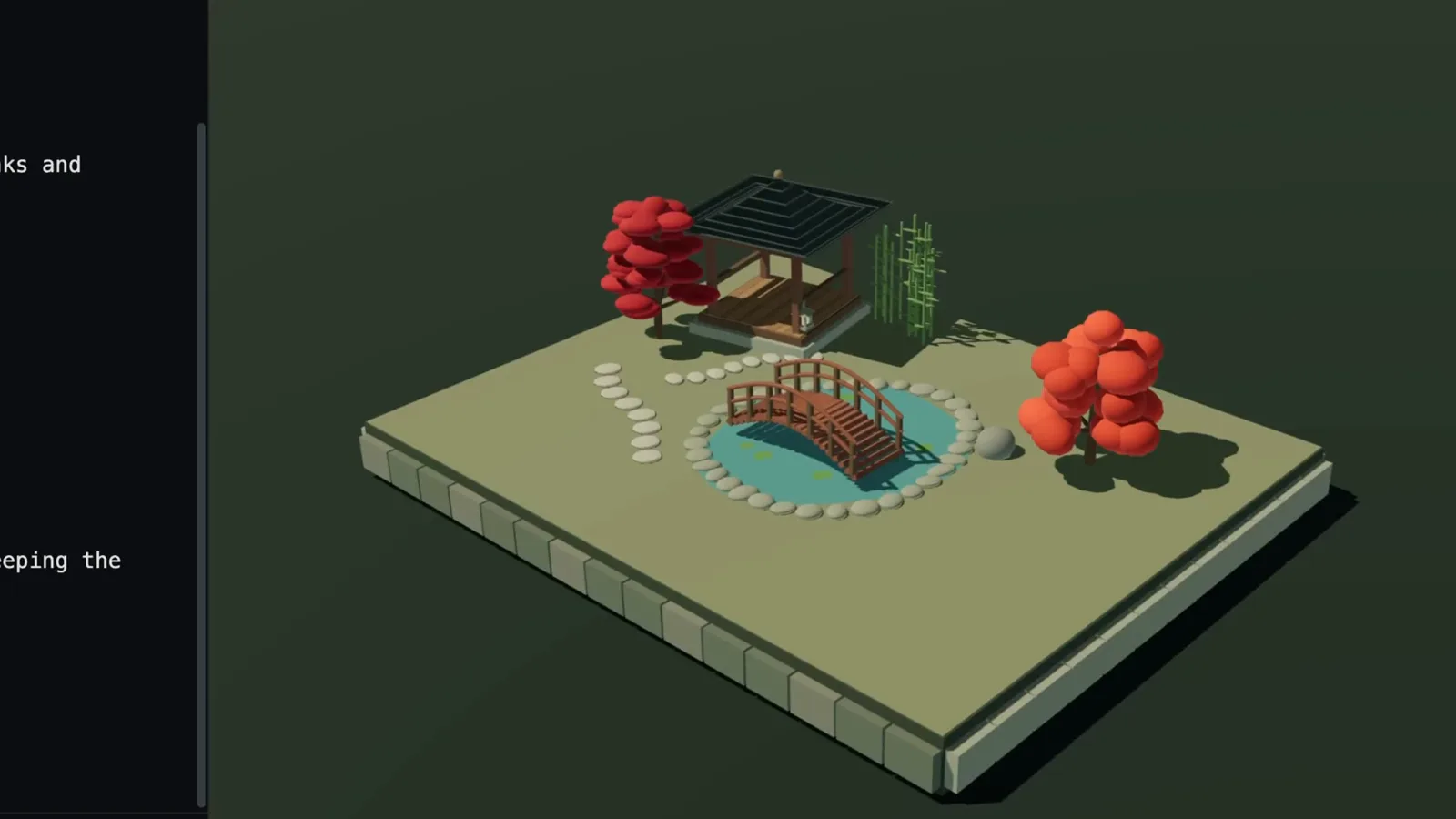
One render, two rounds of steering, zero restarts.Watch at 3:02
Astra in the API
- 15
Define async tools in the API
Astra's tool calls can run asynchronously: define the tool as usual (type: "function", name: "render_scene", strict: true) and add async: true. The model keeps reasoning while the tool works and consumes the result when it lands.
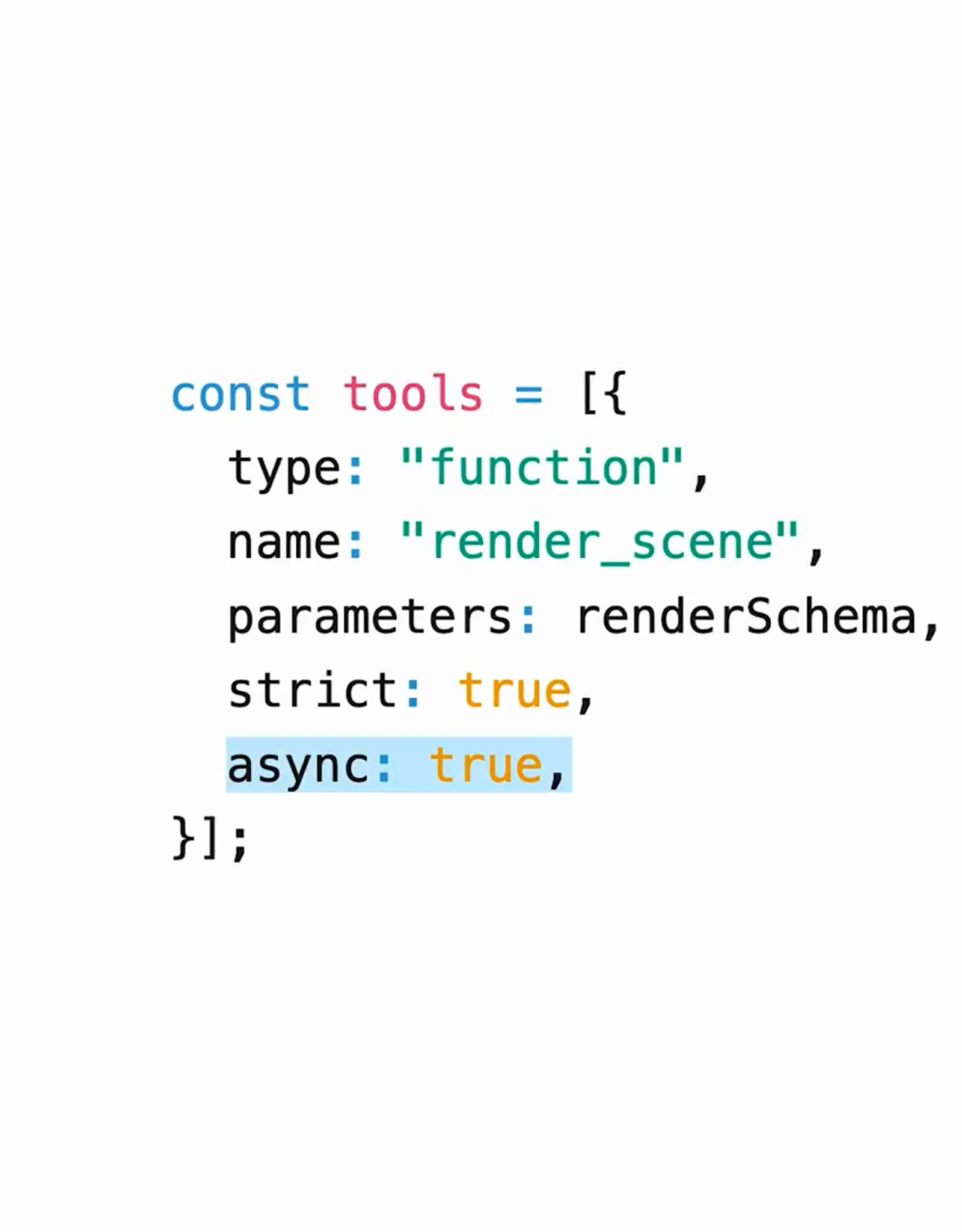
async: true is the one-line change that unlocks parallel tool work.Watch at 2:34 - 16
Redirect a live response with response.steer
Send socket.send(JSON.stringify(undefined)) to inject new context while the model is still generating — the same controls Codex uses, available over the API.
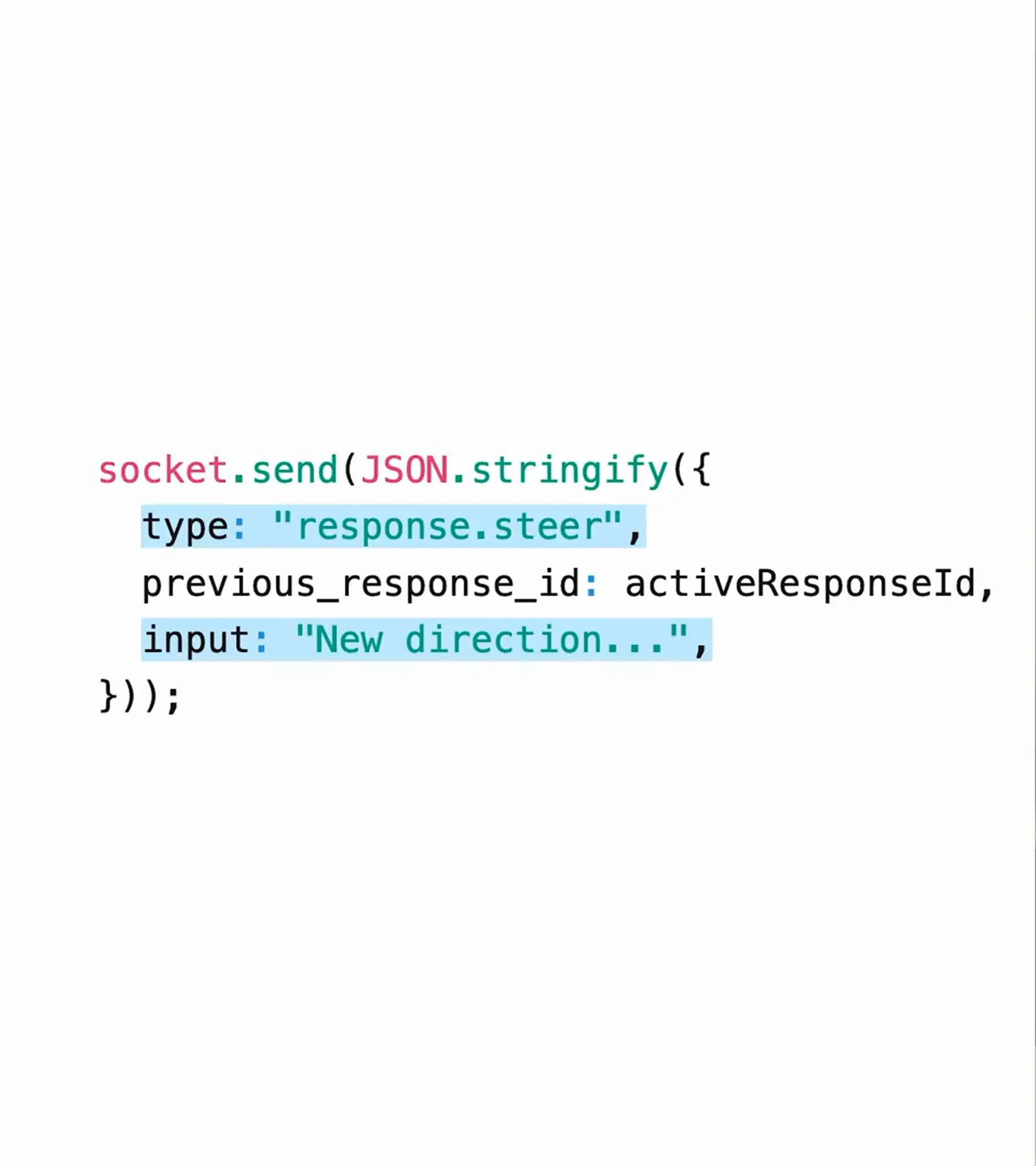
previous_response_id ties the steer to the response in flight.Watch at 2:44