
Codex worktrees: managed Git worktrees, step by step
Enable the worktrees feature, run a chat in a managed Git worktree, turn the result into a branch with Work here, and launch codex --worktree straight from the terminal — 10 steps from a clean screen recording.
TL;DR
- A Git worktree is a second checkout of the same repository — every worktree has its own files but shares the .git folder, so parallel Codex chats never overwrite each other.
- Worktrees are gated behind a feature flag: run codex features enable worktrees in a terminal, restart the app, and the New local worktree option appears in the composer.
- A finished worktree becomes a branch in two clicks — Create branch names it codex/your-branch, then the commit sheet pushes it and you open the PR without leaving the worktree.
- Managed worktrees live in $CODEX_HOME/worktrees as hash-named folders. Codex keeps the 15 most recent, saves a snapshot before cleanup, and can restore it from the chat. The create/list tools shipped with Codex 0.162.0.
Codex Worktrees: The Best Feature Most Developers Ignore
Channel: Software Engineer Meets AI4:56
Worktrees — official Codex documentation
Docs: developers.openai.com/codex
Frames come from a clean screen recording; commands and UI labels were cross-checked against the official Codex worktrees documentation. The managed-worktree tools shipped in Codex 0.162.0 (October 2026): "Add tools for creating and listing managed Git worktrees from trusted local projects when the worktrees feature is enabled."
Video copyright its creator and is linked for attribution. Product names and interface elements belong to OpenAI.
How Codex worktrees work, step by step
Enable worktrees and start one
- 1
Know what a worktree is before you enable anything
A Git worktree is a full second checkout of your repository in its own folder — every worktree has its own copy of every file, but all of them share the same .git metadata. That is why several parallel Codex chats can each edit their own folder without stumbling over each other's uncommitted changes. Worktrees are a plain Git feature; Codex just automates the chores around them.
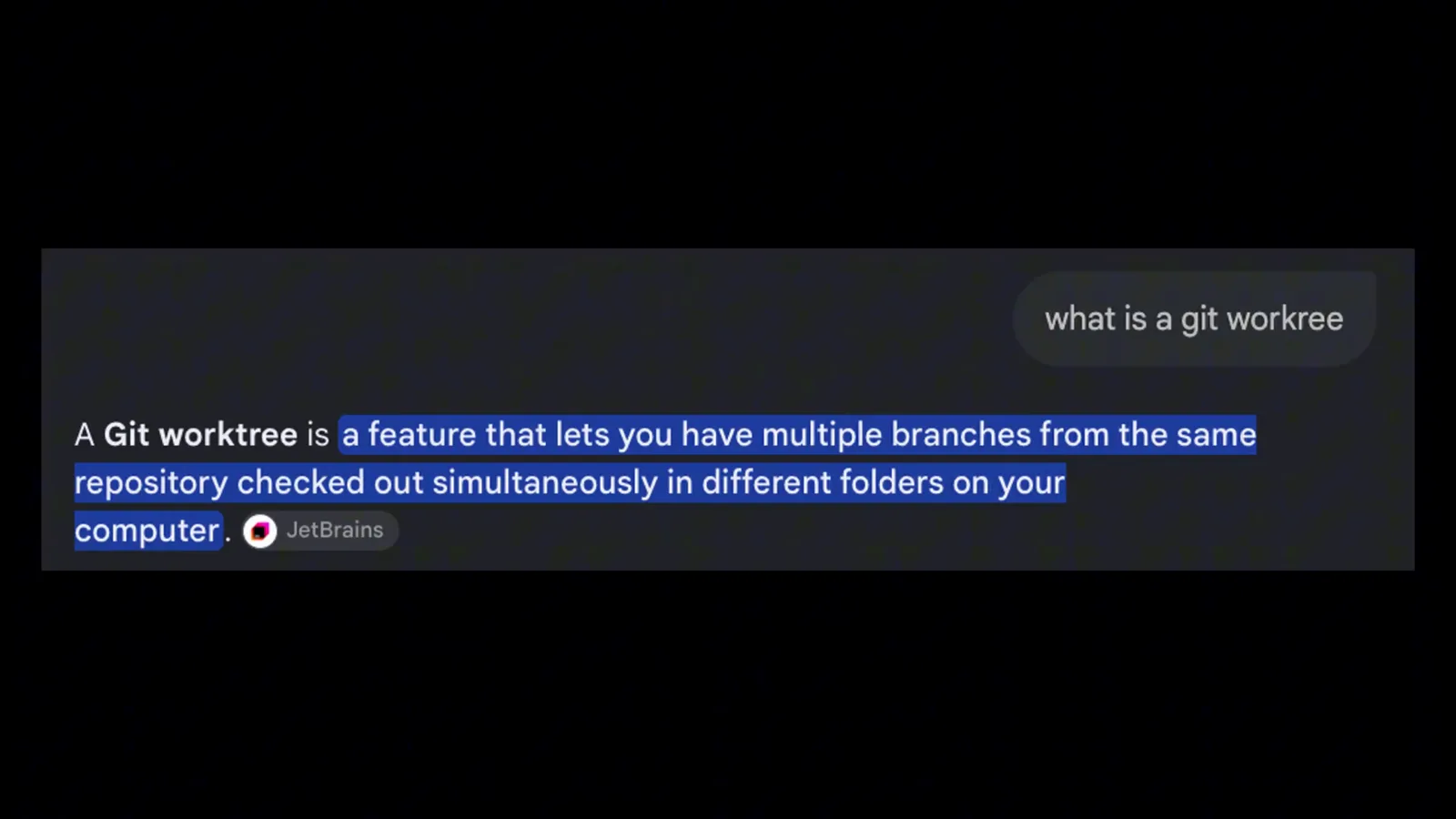
The recording opens with the one-sentence definition: multiple branches of one repo checked out in different folders at the same time.Watch at 0:28 - 2
Enable the worktrees feature once
Worktrees are still gated in Codex, so the first step happens in a terminal. As shown in the recording, the presenter opens the app's built-in terminal and runs codex features enable worktrees, which flips the flag in config.toml — then restarts the application. After the restart, the New local worktree option appears in the composer.
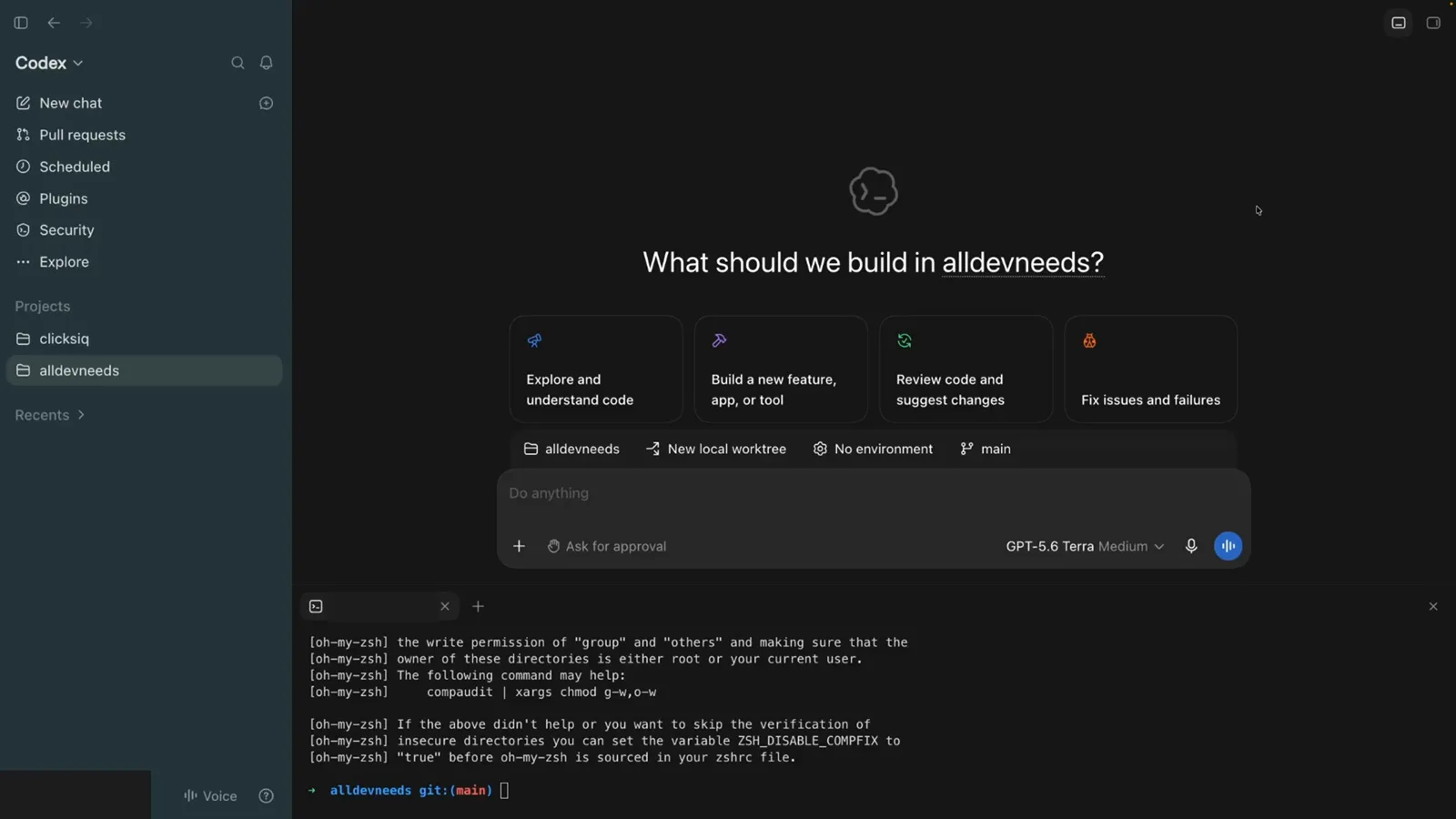
The Codex app with a terminal panel open under the composer, right where the enable command runs before the restart.Watch at 1:58 - 3
Start a chat on a New local worktree
In a new chat the composer chips read: project name, New local worktree, No environment, main — worktree mode and the branch the worktree starts from. Keep New local worktree selected and main as the starting branch, type your task (here, "change the background color to be blue"), and send it.
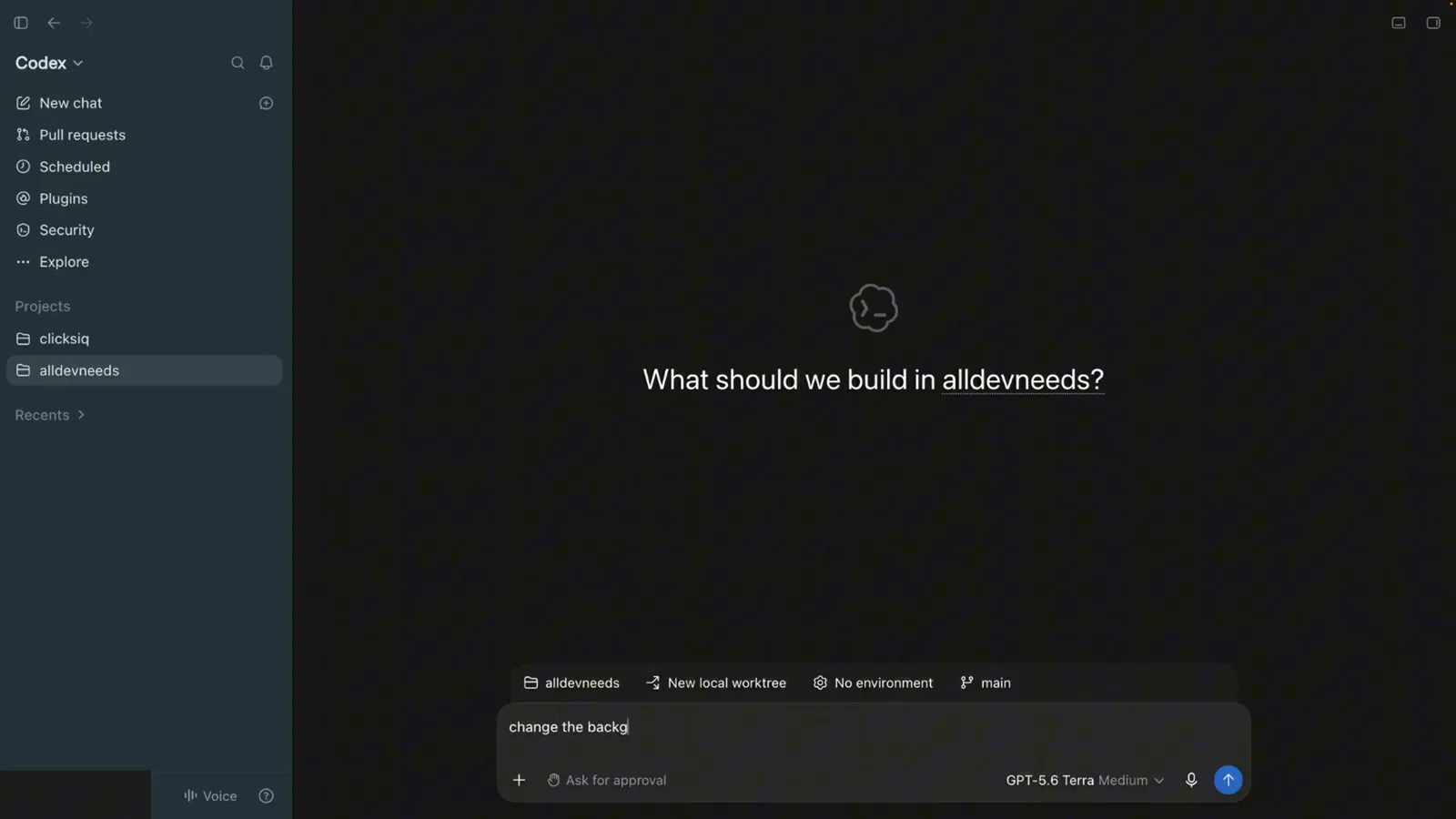
The composer with New local worktree and main selected while the prompt is typed.Watch at 3:00 - 4
Let the agent work inside its worktree
Codex replies "Worktree created" and starts working in the isolated copy — the thread shows it running npm run type-check && git diff --check while you keep using the app for other chats. Your main checkout stays untouched, and the Changes counter (+2 -2 in the recording) tracks what the agent edits inside the worktree.
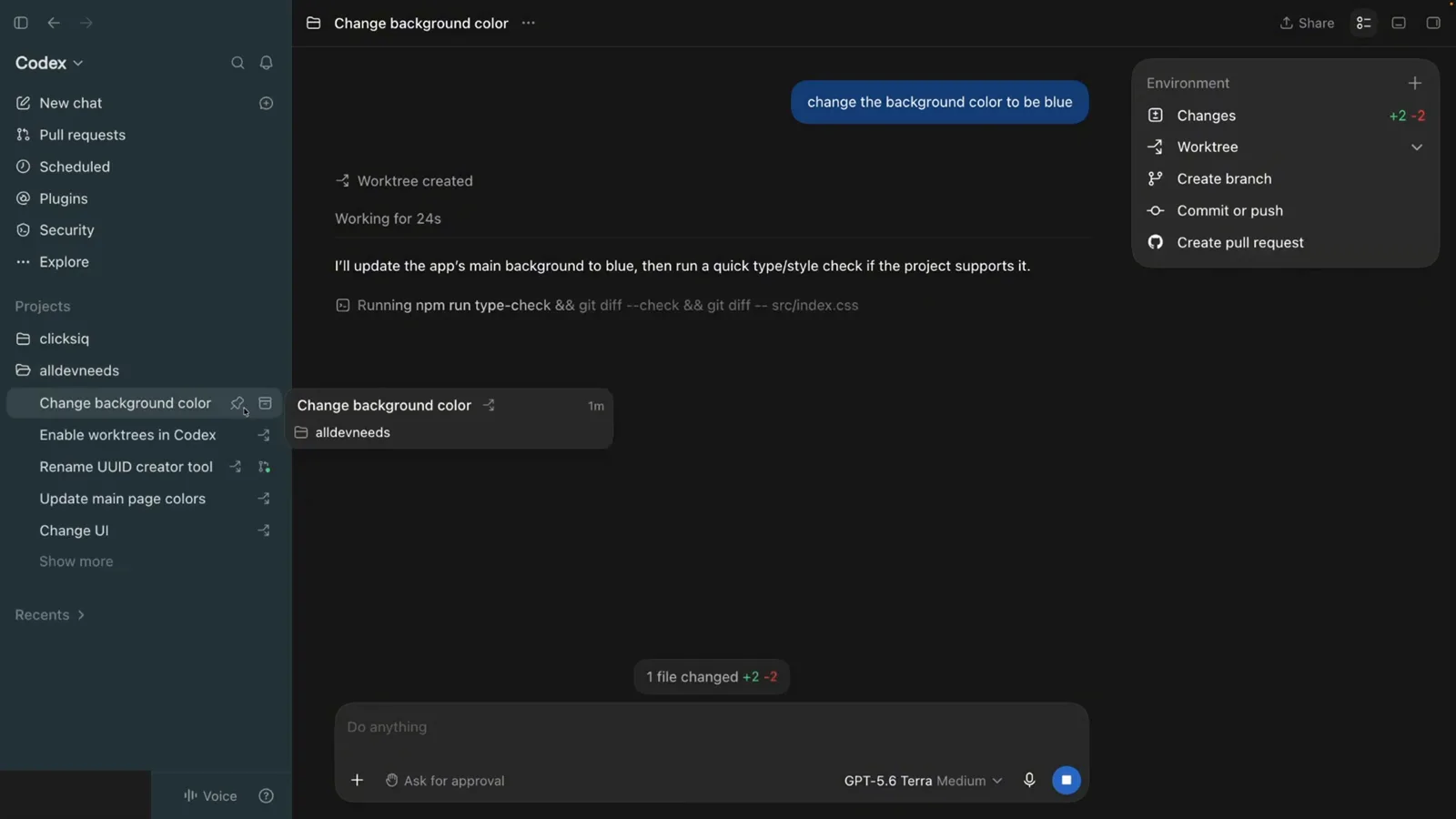
The thread header shows Worktree created while the agent runs type-check and diff commands inside the worktree.Watch at 3:17
Turn the worktree into a branch and a PR
- 5
Find where Codex keeps the worktrees
Managed worktrees are not dropped next to your project. The official docs put them in $CODEX_HOME/worktrees, and the recording confirms it: after cd into .codex/worktrees, ls prints one hash-named folder per worktree (09bd, 09ec, 7b3a, d021, dd4e). You can relocate the root in Settings > Worktrees via the Worktree root setting.
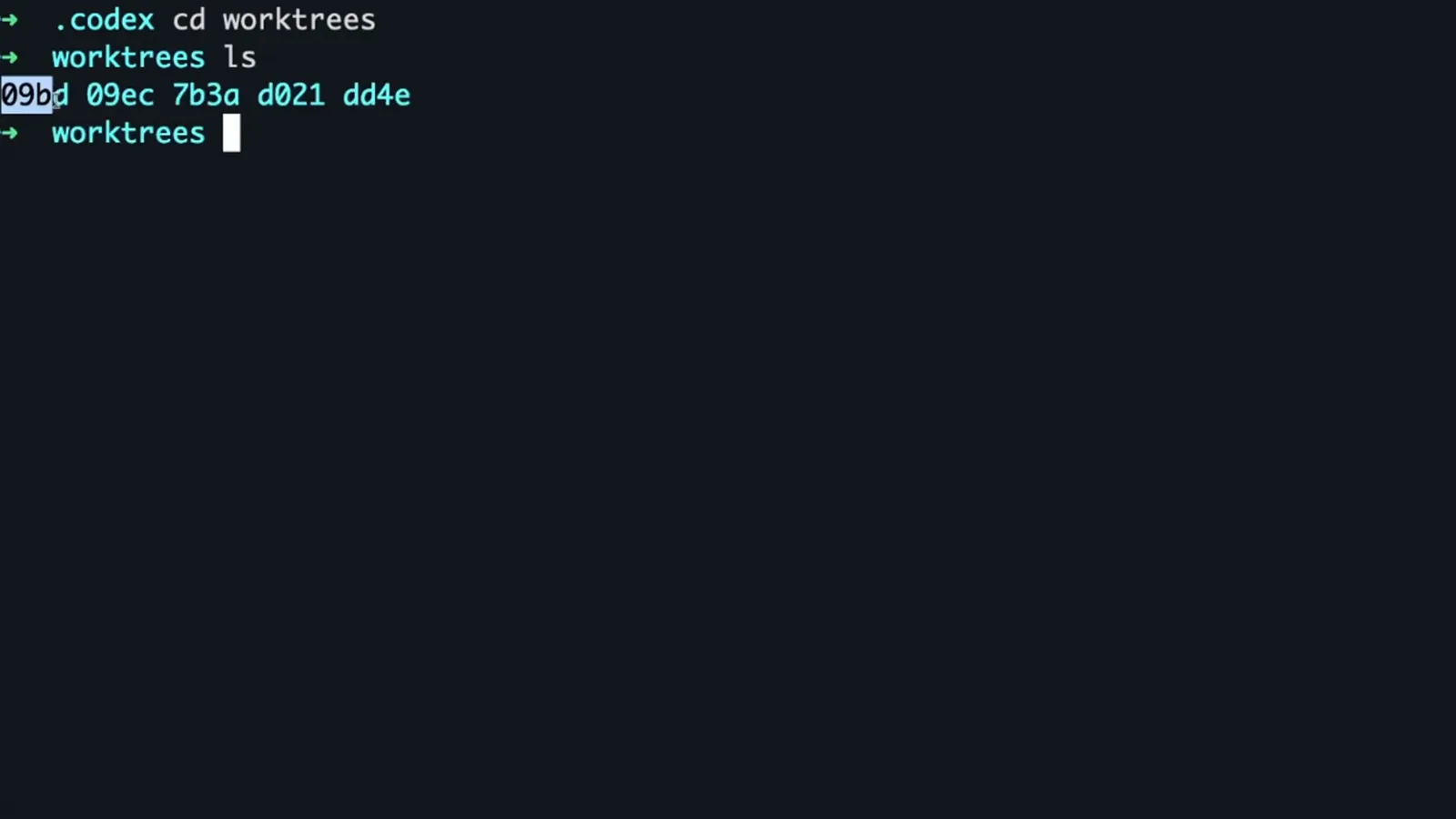
Terminal inside .codex/worktrees listing five hash-named worktree folders.Watch at 3:41 - 6
Open the thread menu and create a branch
A new worktree starts detached — Codex creates it without a branch attached. To keep the work, open the Environment menu on the thread: Changes (+2 -2), Worktree, Create branch, Commit or push, and Create pull request. Create branch is the action that turns this folder into a real, named branch.
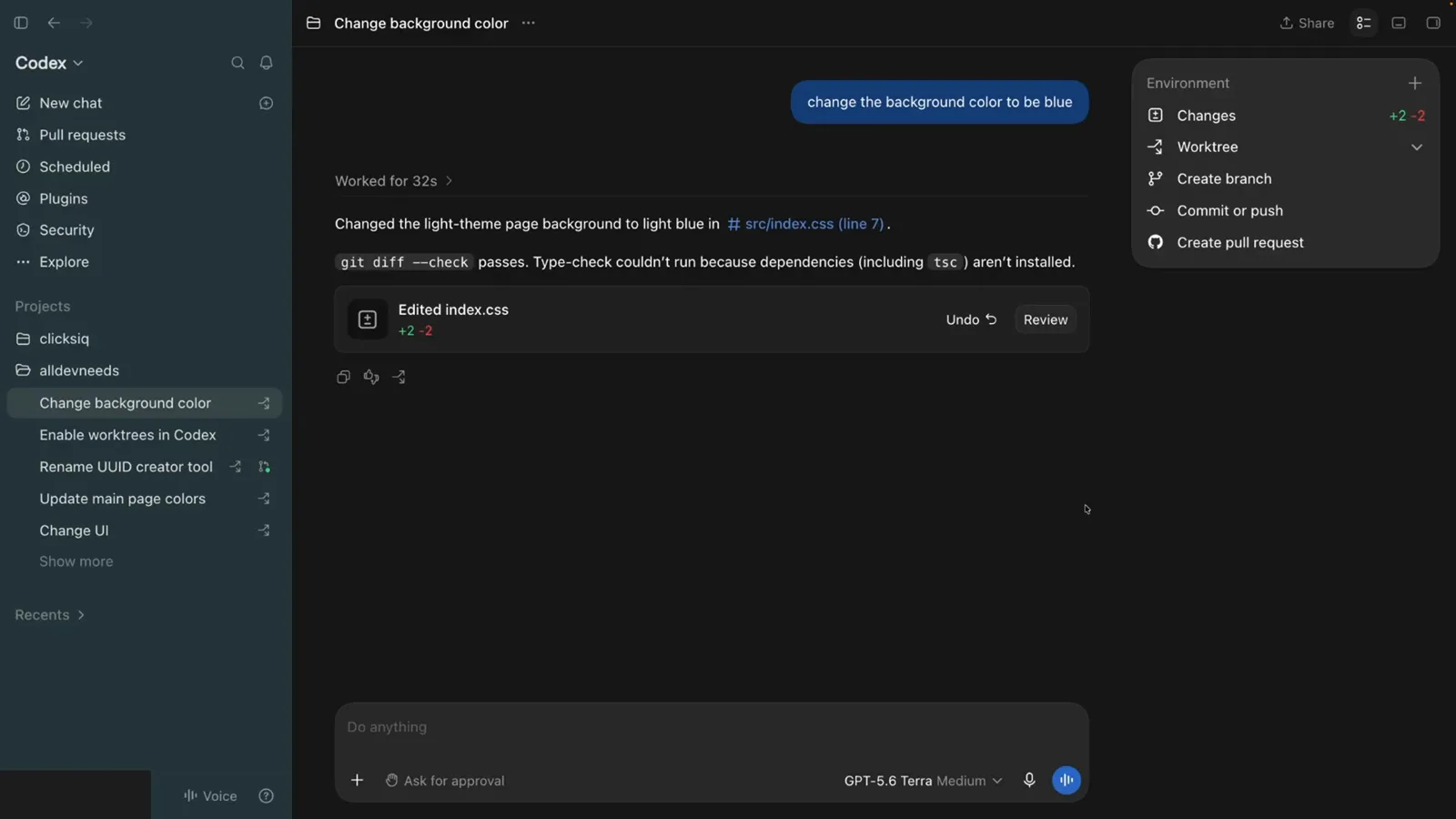
The thread's Environment menu with Changes, Worktree, Create branch, Commit or push and Create pull request.Watch at 3:25 - 7
Confirm the branch in the Work here dialog
Create branch opens the Work here dialog: "Create a branch to commit changes, push, and create a PR from this worktree." The Branch name field comes prefilled with a codex/ prefix — codex/change-background-color in the recording — so click Create and the branch attaches to the worktree. Git only allows a branch to be checked out in one worktree at a time, which is exactly why Codex tracks the pairing for you.
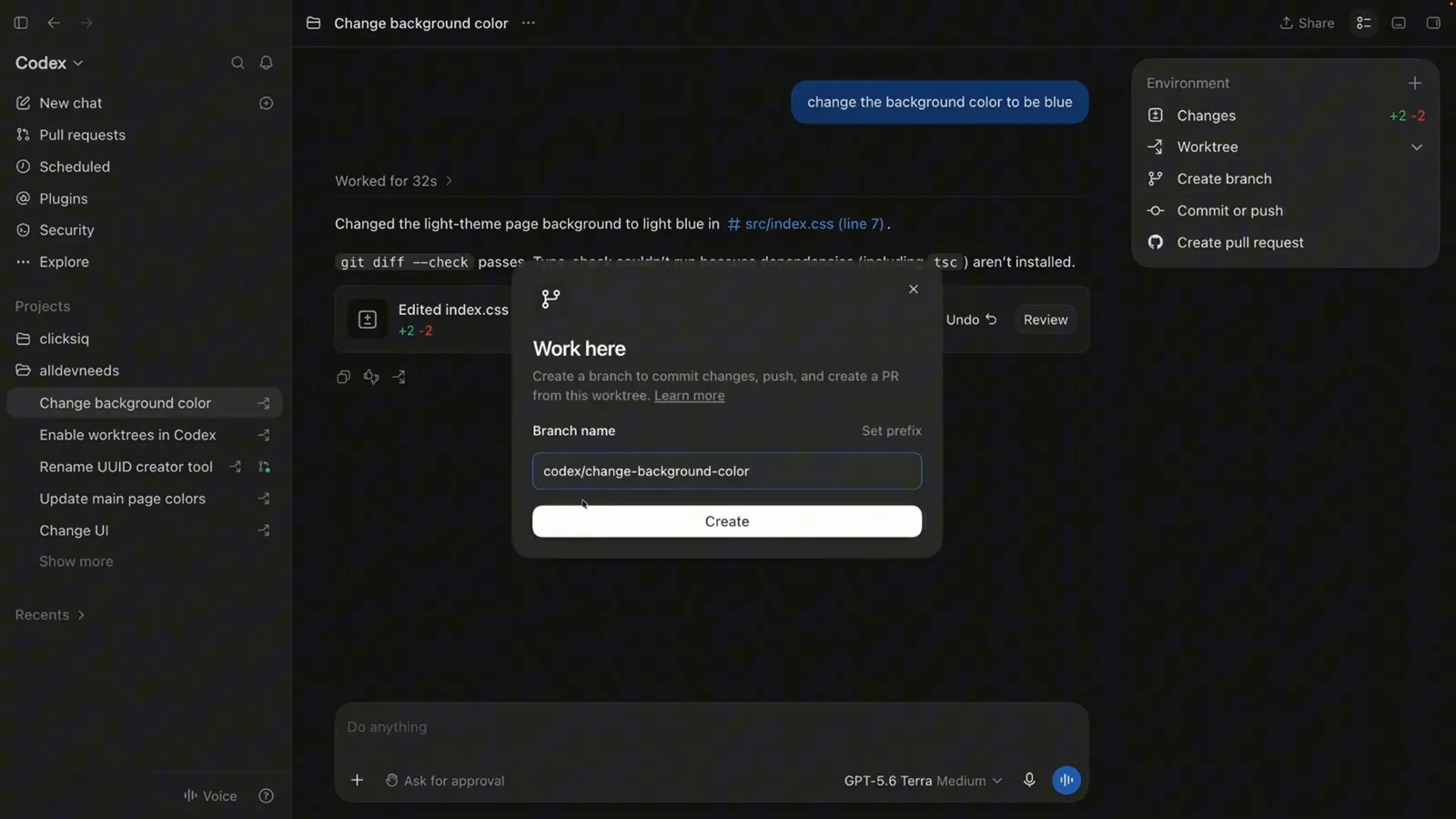
Work here dialog with the prefilled codex/change-background-color branch name and the Create button.Watch at 3:52 - 8
Commit and push from the worktree
Back in the thread, Commit or push opens a commit sheet on the codex/change-background-color branch: type a message, keep Include unstaged changes checked (+2 -2), and choose Commit, Commit and push, or Push. The recording then creates the pull request into main — the whole flow never left the worktree folder.
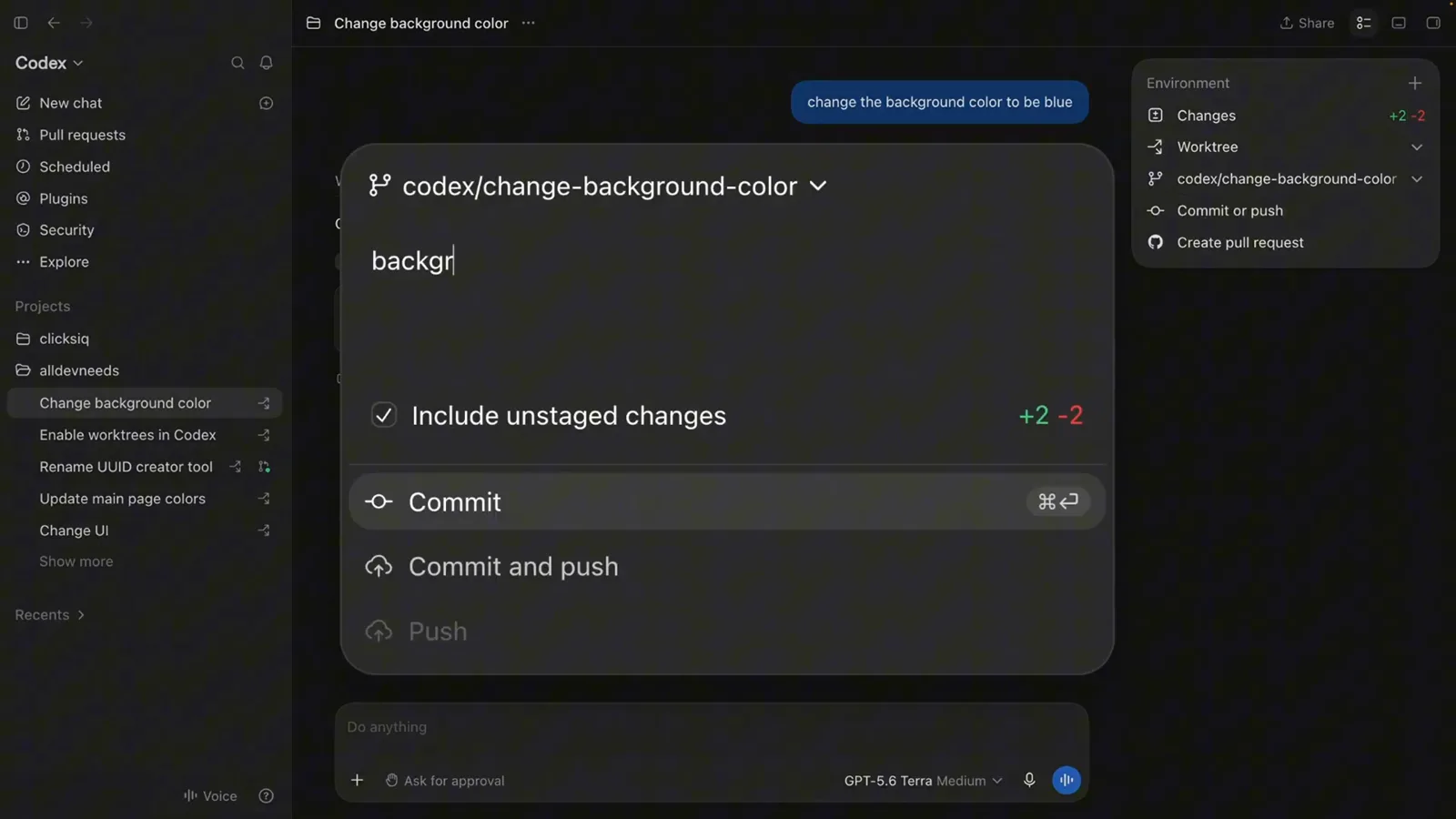
Commit sheet on the codex/change-background-color branch with Include unstaged changes and Commit and push options.Watch at 4:04
The CLI path and the rules that bite
- 9
Skip the app: launch a worktree from the CLI
The same feature works headless. In the recording the presenter types codex --worktree "Implement the new feature" at the zsh prompt inside the repo — Codex creates a managed worktree for that chat and runs the task there, just like the app does. These create and list tools shipped in Codex 0.162.0 for trusted local projects.
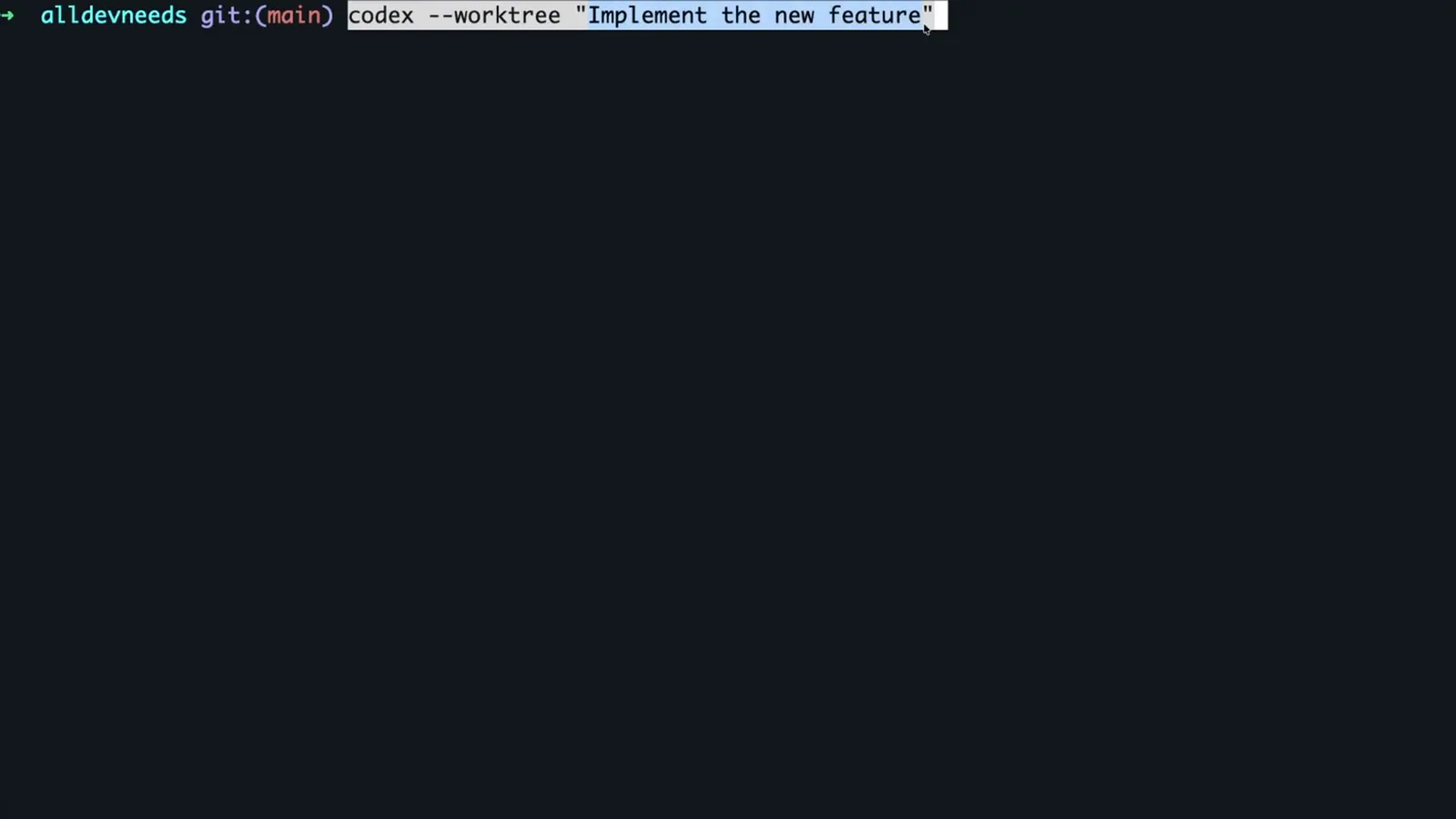
Terminal at the repo's main branch running codex --worktree "Implement the new feature".Watch at 4:38 - 10
Know the cleanup rules and the one-branch limit
Codex keeps your 15 most recent managed worktrees and prunes older ones as new ones arrive — never a pinned chat, an in-progress chat, or a permanent worktree, and always after saving a snapshot you can restore from the chat. Two hard edges from the docs: a branch can be checked out in only one worktree at a time (use Handoff instead of a second checkout), and ignored files like .env do not travel into worktrees unless you list them in a .worktreeinclude file.
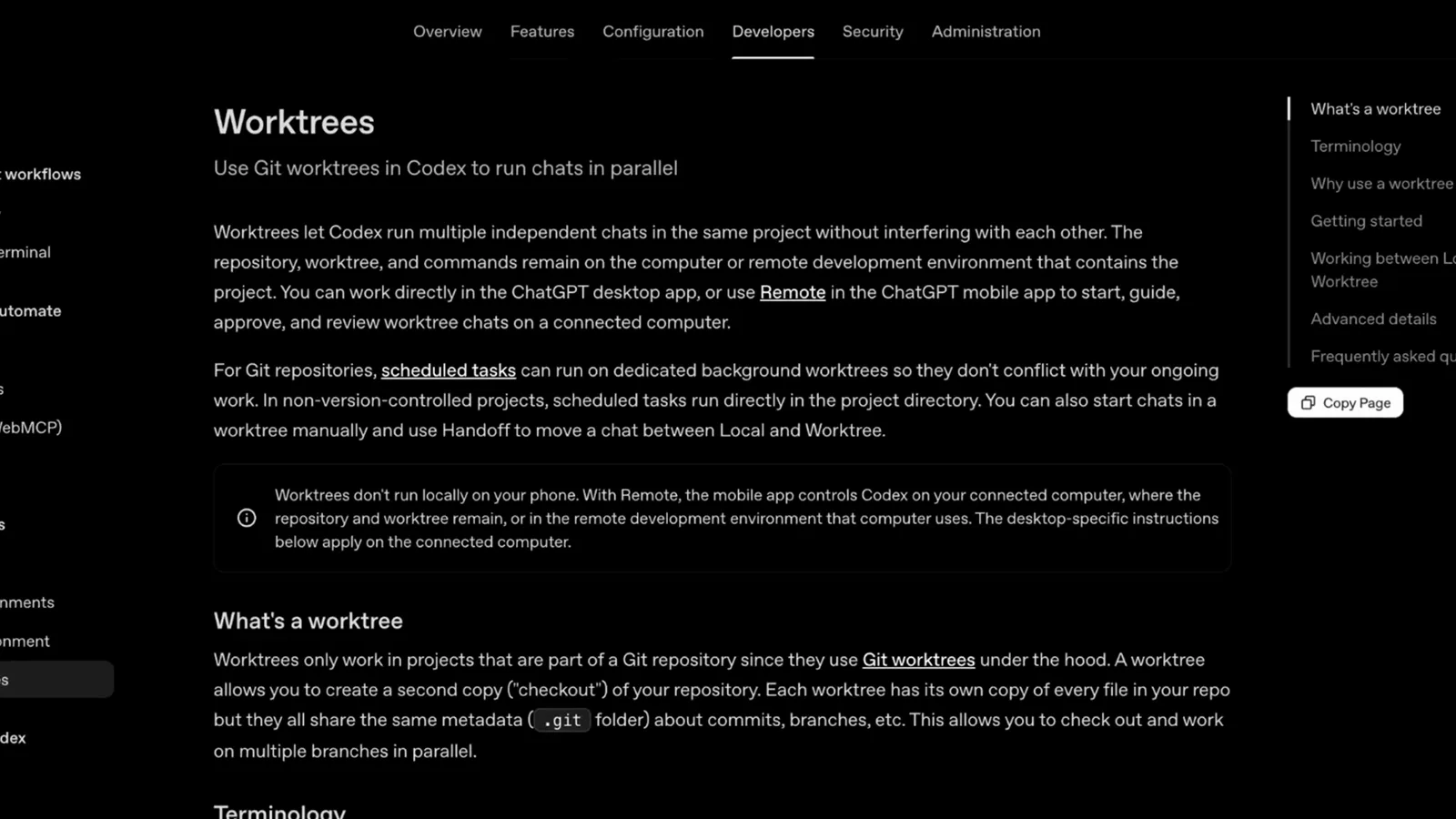
Official Worktrees documentation: what a worktree is, terminology, and cleanup behavior.Watch at 4:47
Codex worktree not working? Check these first
Most worktree failures are setup, not Git. The recording and the official docs point at the same short list — walk it top to bottom before touching .git by hand.
- 1Feature flag off. Worktrees are gated: run codex features enable worktrees in a terminal, then fully restart the Codex app. A missing New local worktree option in the composer almost always means this step — or the restart — never happened.
- 2The project isn't a Git repository. Worktrees only work in projects that are part of a Git repository, and the 0.162.0 release notes scope the tools to "trusted local projects" — a plain folder or an untrusted new repo won't offer the worktree option.
- 3The starting branch is already checked out elsewhere. Git allows one worktree per branch, so picking an occupied branch fails with fatal: 'branch' is already used by worktree at .... Start from main or another free branch, or use Handoff to move the chat instead.
- 4Your env files didn't appear in the worktree. Git doesn't track .env and friends, so they don't get copied. List them in a .worktreeinclude file at the repo root (one path per line) and Codex copies them into new worktrees.
- 5An outdated app. The recording opens with "make sure you update yours to the latest version" — managed-worktree tools only exist in recent builds (0.162.0 or newer for the CLI create/list tools). Update, enable the flag, restart, and retry.
If a worktree is already gone but the work mattered, open its chat first — Codex saves a snapshot before cleaning a worktree up and can restore it. And if the whole model feels heavy, plain git worktree add still works: Codex just automates the same underlying Git feature.