
Antigravity Subagents Tutorial: Cards, @ Syntax & Browser Fixes
Reddit asks why Antigravity doesn't have subagents — it does. The docs ship research, browser and self, v2.16.0 makes every invocation a live card, and CLI 1.2.9 lets you message subagents with @. Twelve verified steps, plus the fix list for a browser subagent that's not working.
TL;DR
- Antigravity subagents already exist: research, browser and self ship built in, and a custom one is one Markdown file away. The "there are no subagents" posts are outdated — but the pain was real: before v2.16.0 they ran invisibly.
- v2.16.0 (September 22, 2026) turns every subagent invocation into a live card: running, waiting and completed status, a hover control to stop it, and one-click navigation into its conversation.
- CLI 1.2.9 (September 23, 2026) adds the @ syntax: type @, pick a running or completed subagent from autocomplete, and your message lands directly in its conversation. Idle subagents re-awaken with their context intact.
- "Browser subagent not working" is usually the Browser Tools toggle, an organization tool-server policy, or a misspelled tool name hanging the run — the five-check fix list below covers all of them.
How to better understand, follow, and collaborate with the agent
Channel:Google Antigravity1:32
The Liftoff Series - Developing with parallel agents
Channel:Google Antigravity1:17
How to Use Antigravity Subagents Like a Pro (Step-by-Step Guide)
Channel:The Next Signal13:59
Antigravity changelog & subagents docs
Official source:antigravity.google
Both official videos predate 2.16.0: they show launch-era UI with no subagent cards. We use them only to illustrate the artifact system that still works the same way (Implementation Plan, task list, walkthrough); behavior facts follow the official subagents documentation and changelog at antigravity.google. The third video contains a face-cam overlay — no stills were taken from it, and it serves as a fact reference only.
Stills from "How to better understand, follow, and collaborate with the agent" and "The Liftoff Series - Developing with parallel agents" by Google Antigravity, plus one still from "Turn Antigravity Into AN AI Autonomous Engineering Team!" by WorldofAI (YouTube). Facts cross-checked against "How to Use Antigravity Subagents Like a Pro" by The Next Signal and antigravity.google/changelog. Timestamps deep-link to the source videos.
Use Antigravity subagents in 12 steps
Find the subagent system
- 1
Open the Agent Manager
Launch Antigravity and open the Agent Manager — the mission-control view where every conversation and background agent lives. In the IDE it's a dedicated panel; in the terminal, type /agents for the same live checklist of active, completed, killed or failed runs.
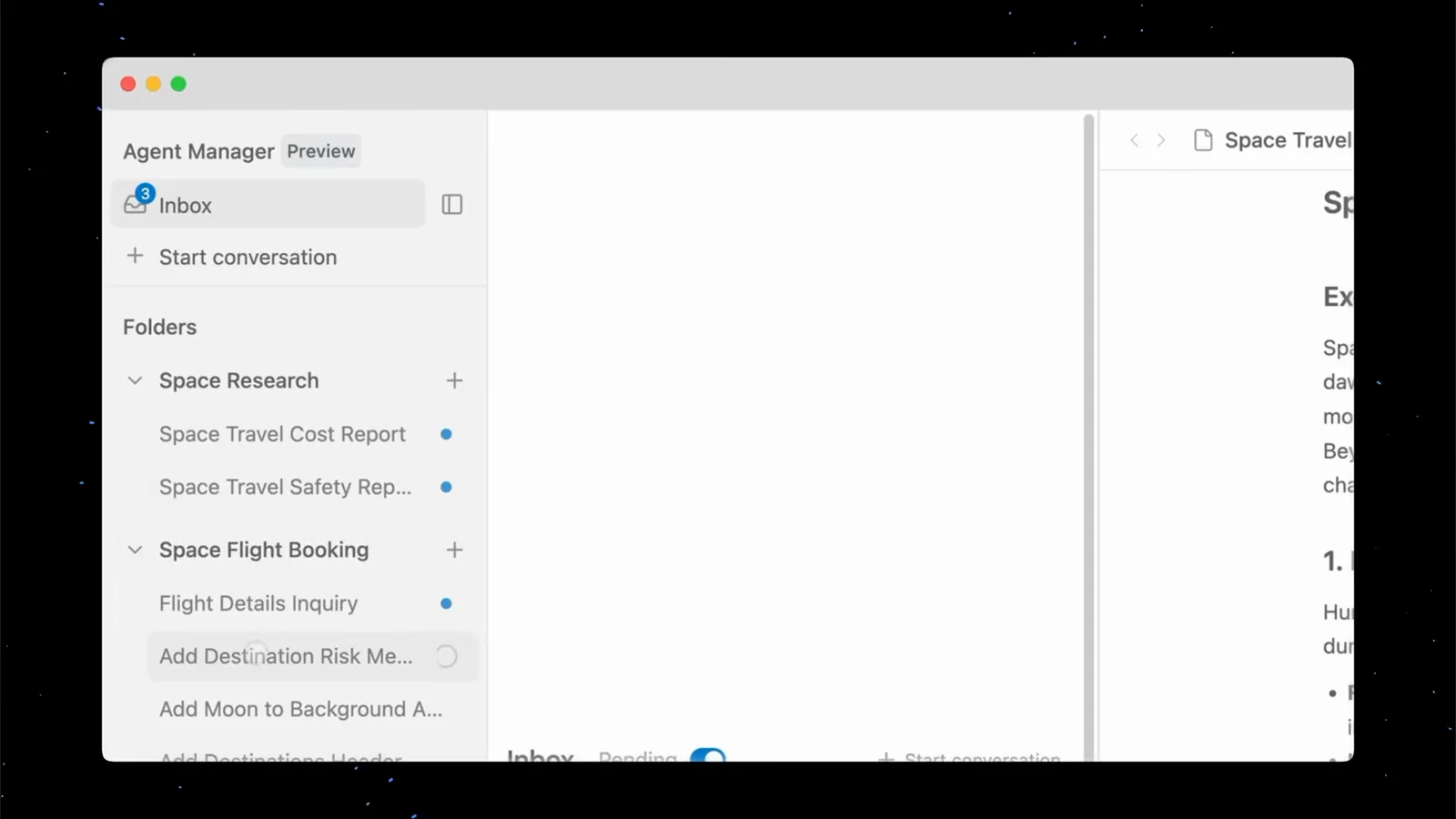
The Agent Manager Preview panel: an Inbox, a Start conversation button and folders for two workspaces.Watch at 0:54 - 2
Know who works for you: research, browser, self
Antigravity ships three built-in subagents: research for codebase exploration and file navigation, browser for driving a sandboxed Chrome, and self — a direct clone of the calling agent. Custom subagents are Markdown files with YAML frontmatter. The parent spawns them all with the invoke_subagent tool.
- 3
Brief the parent with a delegable task
Start a conversation in the workspace that matches the job and describe the outcome, not the file to edit — "research this and write it up", "build and test this feature". Multi-part work is what triggers the agent to split a task across subagents.
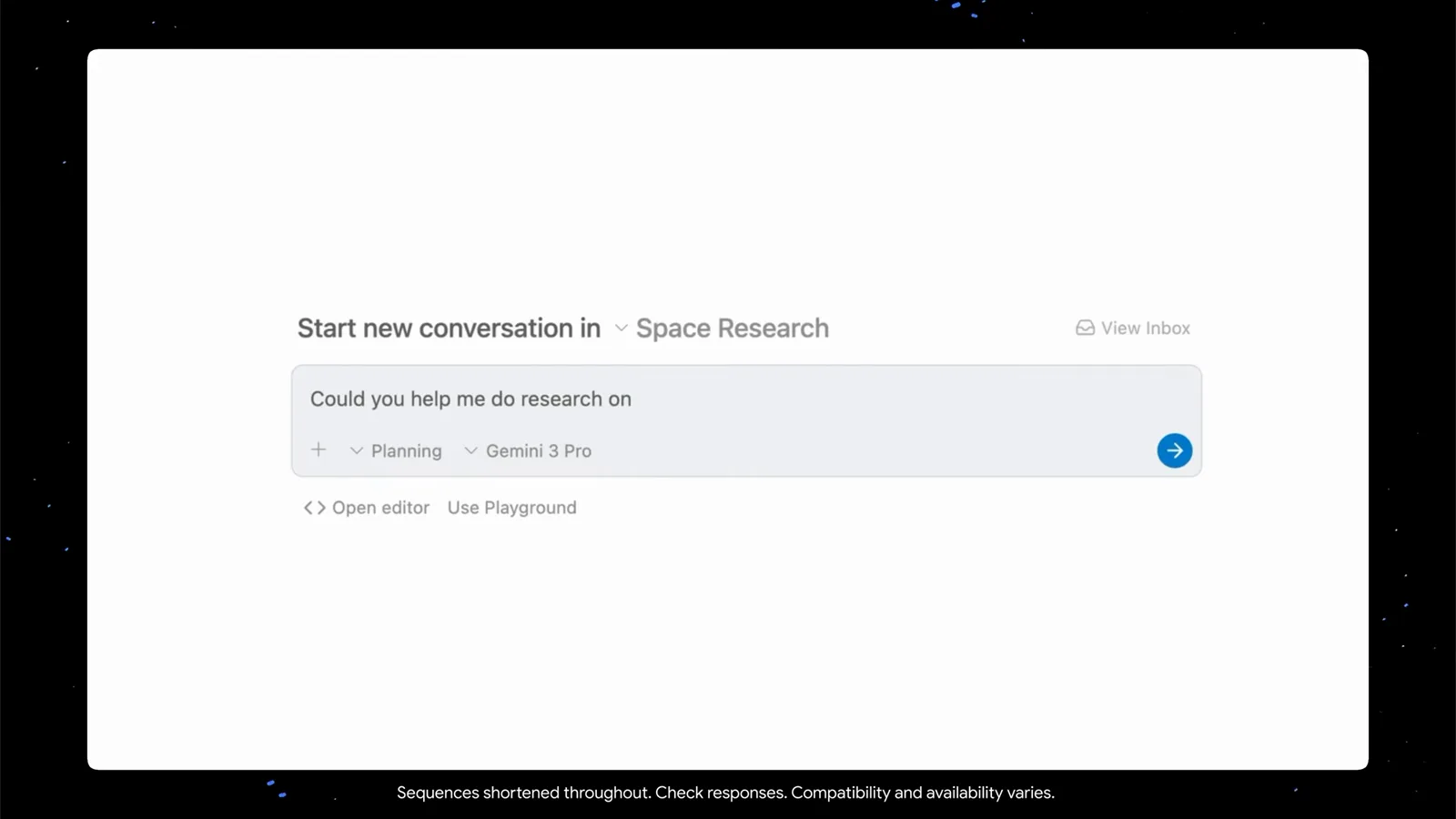
A new conversation in the Space Research workspace, with Planning mode and the model chip set before sending.Watch at 0:38 - 4
Read the Implementation Plan before any code
The parent first drafts an Implementation Plan artifact — goal, proposed changes, verification plan. Subagents don't inherit the parent's conversation history, so this plan is the contract that keeps every spawned agent aligned. Push back now: it's the cheapest moment to change course.
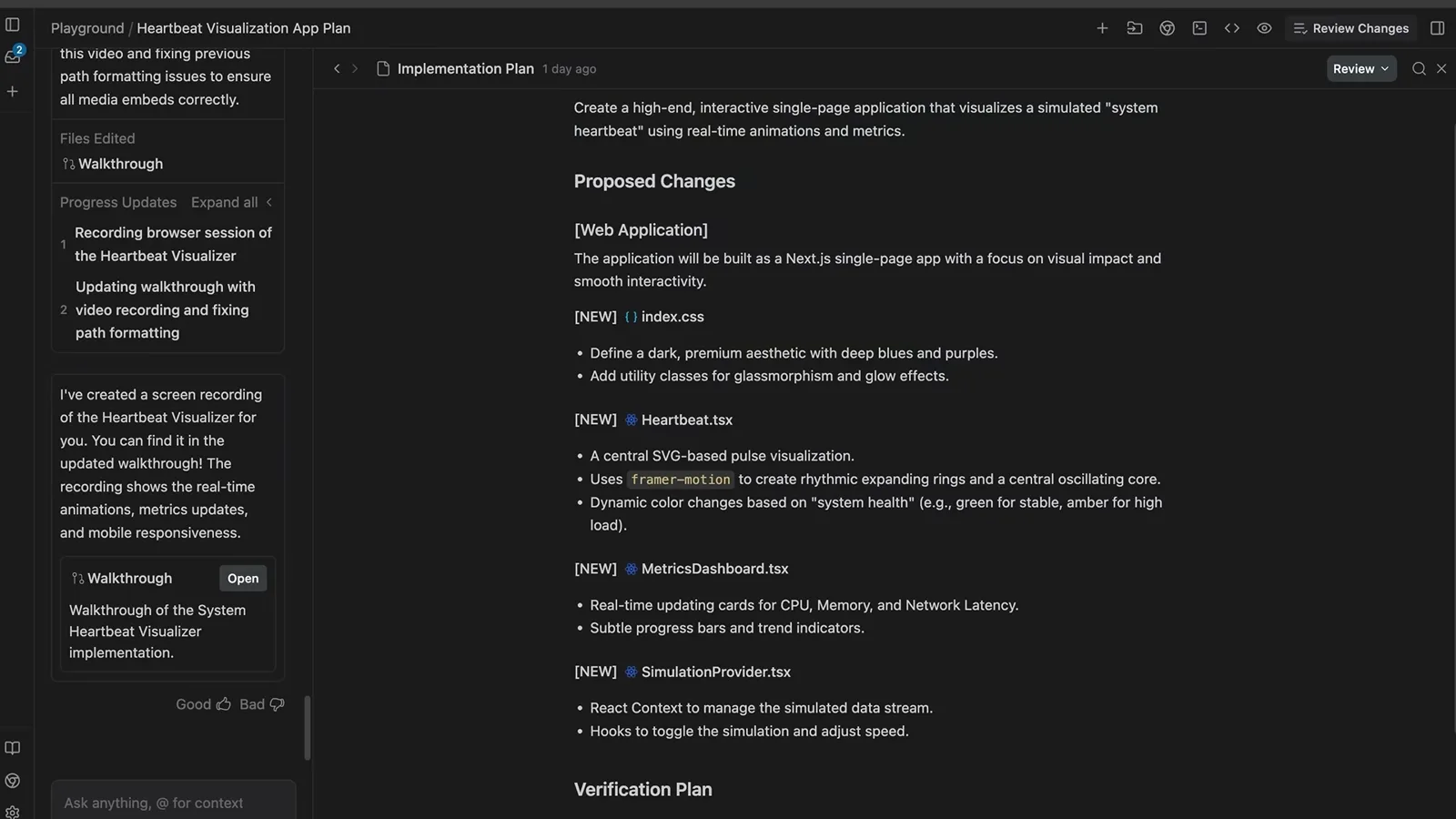
An Implementation Plan artifact with Proposed Changes and a Verification Plan — before a line of code exists.Watch at 0:22
Watch the subagents work
- 5
Follow the live task list
As work starts, the plan becomes a task list that checks itself off in real time — planning, implementation, polish, verification. Subagents update it as they finish each step, so glance here before interrupting with a question; the progress usually answers it.
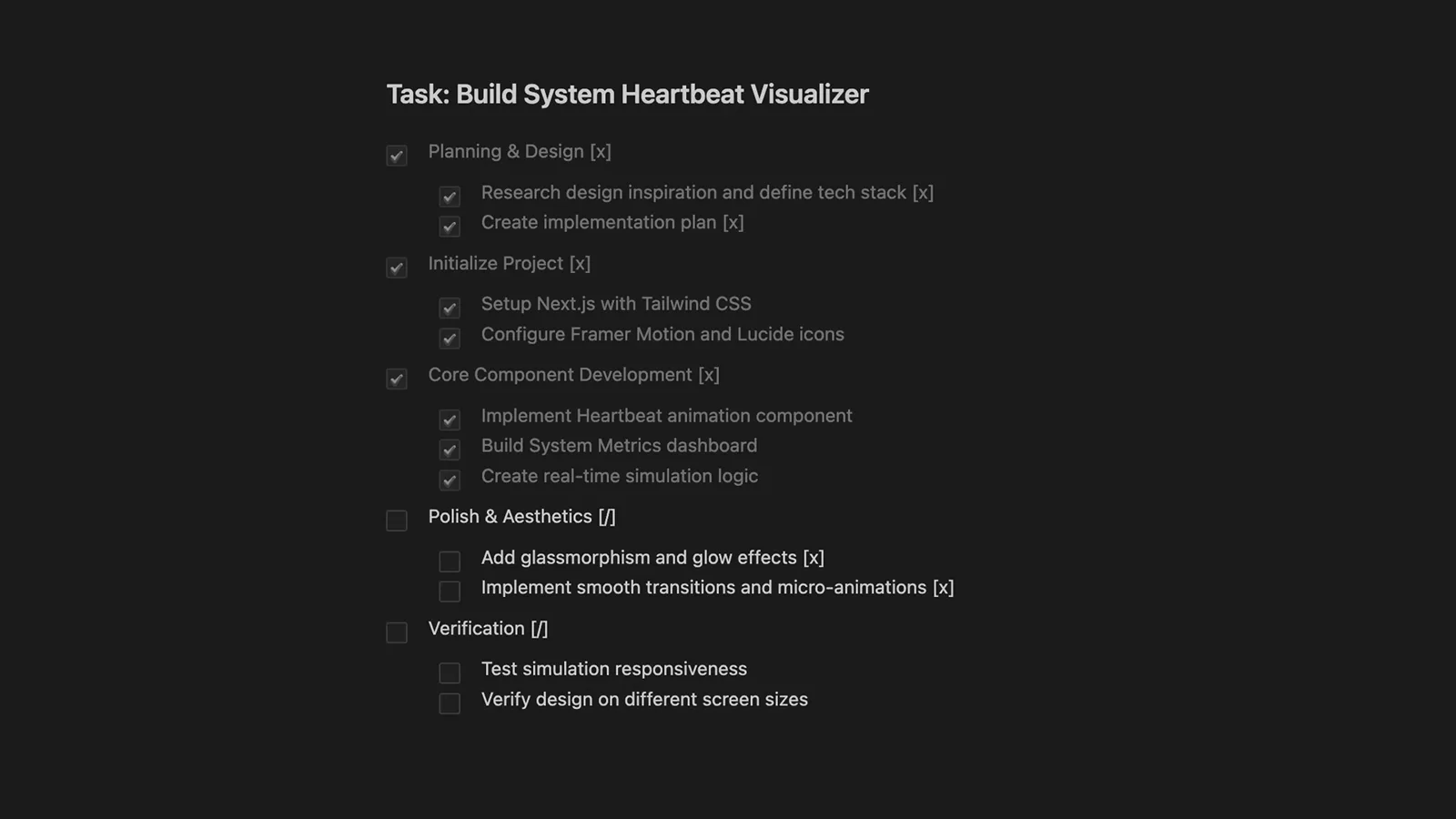
The task list mid-run: planning and implementation checked, polish and verification still open.Watch at 0:42 - 6
Track every running agent from the Inbox
Since v2.16.0 (September 22, 2026) subagent invocations render as dedicated cards with live running, waiting and completed status, a hover control to stop them, and one-click navigation to their conversation. The Inbox aggregates runs across workspaces — parallel agents sit in parallel rows, each with its own status.
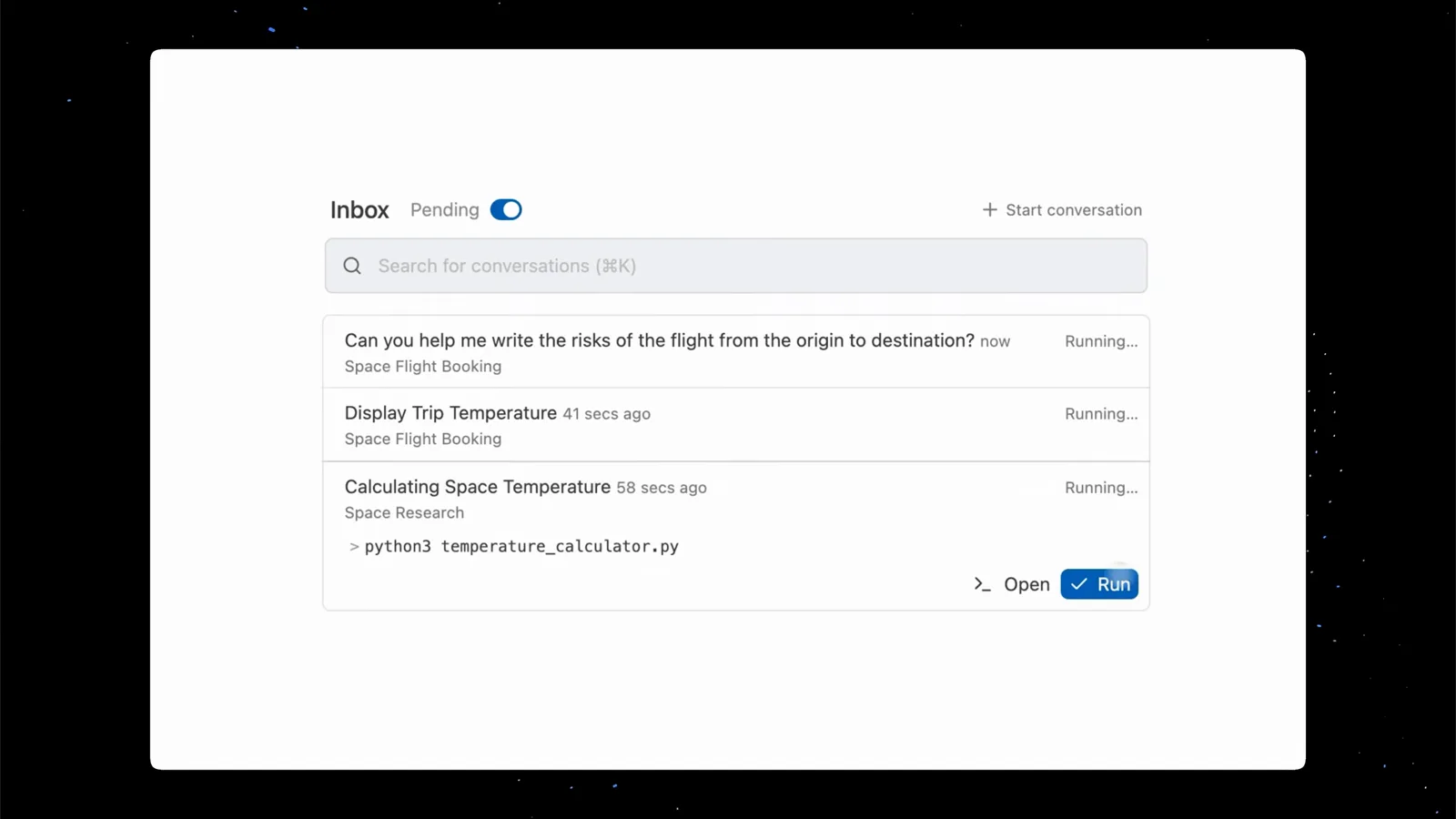
Three conversations running in parallel, each with its own status and workspace.Watch at 0:50 - 7
Jump into a subagent's own conversation
Every subagent keeps a conversation of its own, one click away from its card or the manager's sidebar. Open it to read the subagent's private thread and reply directly — messaging an idle subagent automatically re-awakens it, with all context from its prior turns intact.
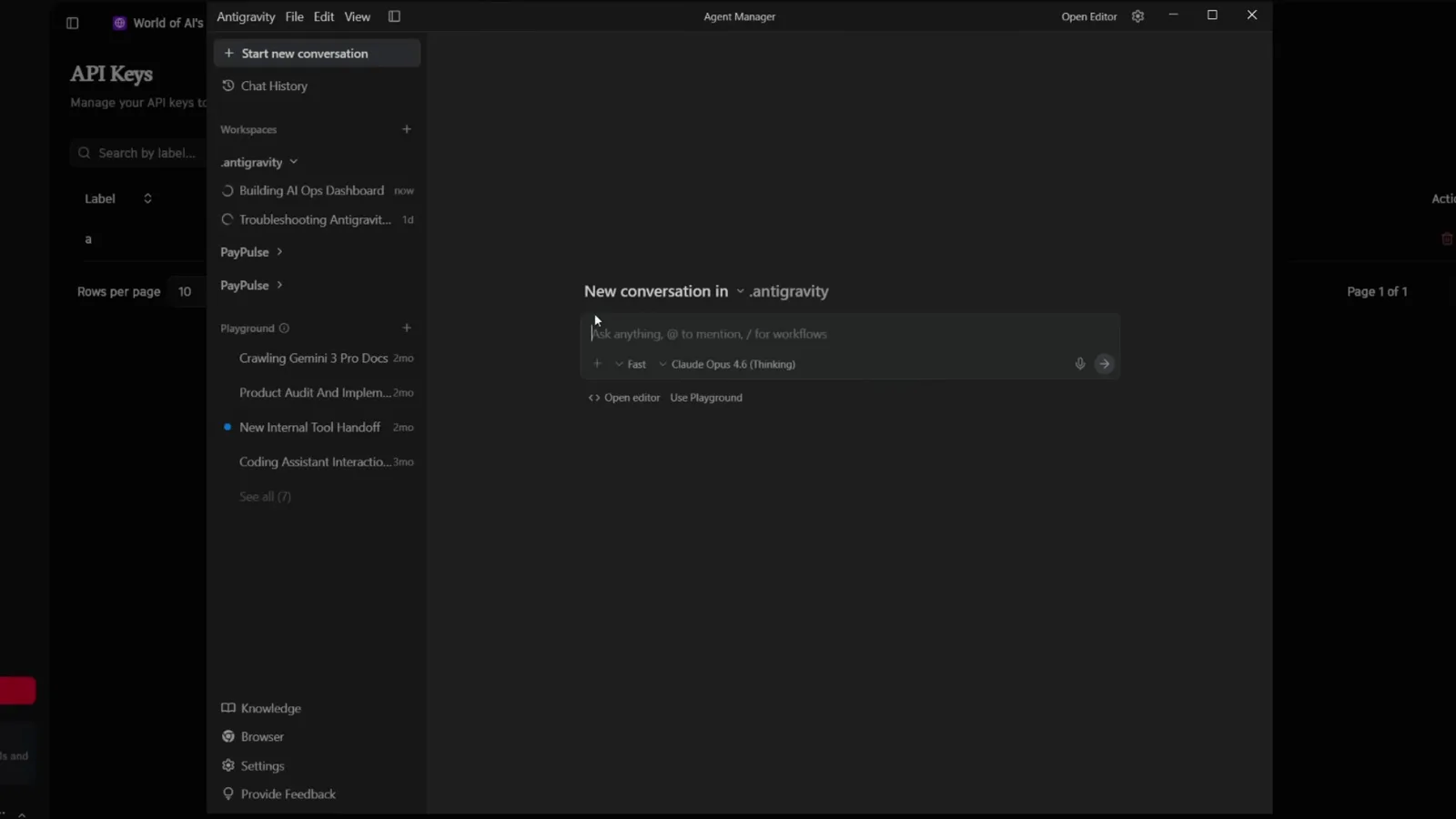
The Agent Manager sidebar groups conversations per workspace; the spinner marks the run in progress.Watch at 9:40 - 8
Verify the walkthrough — with proof
When the work finishes, the agent generates a walkthrough artifact reporting what it did, and browser work arrives with screenshots or a screen recording as evidence. Read it before accepting: it's the fastest way to spot the gap between "done" and "done right".
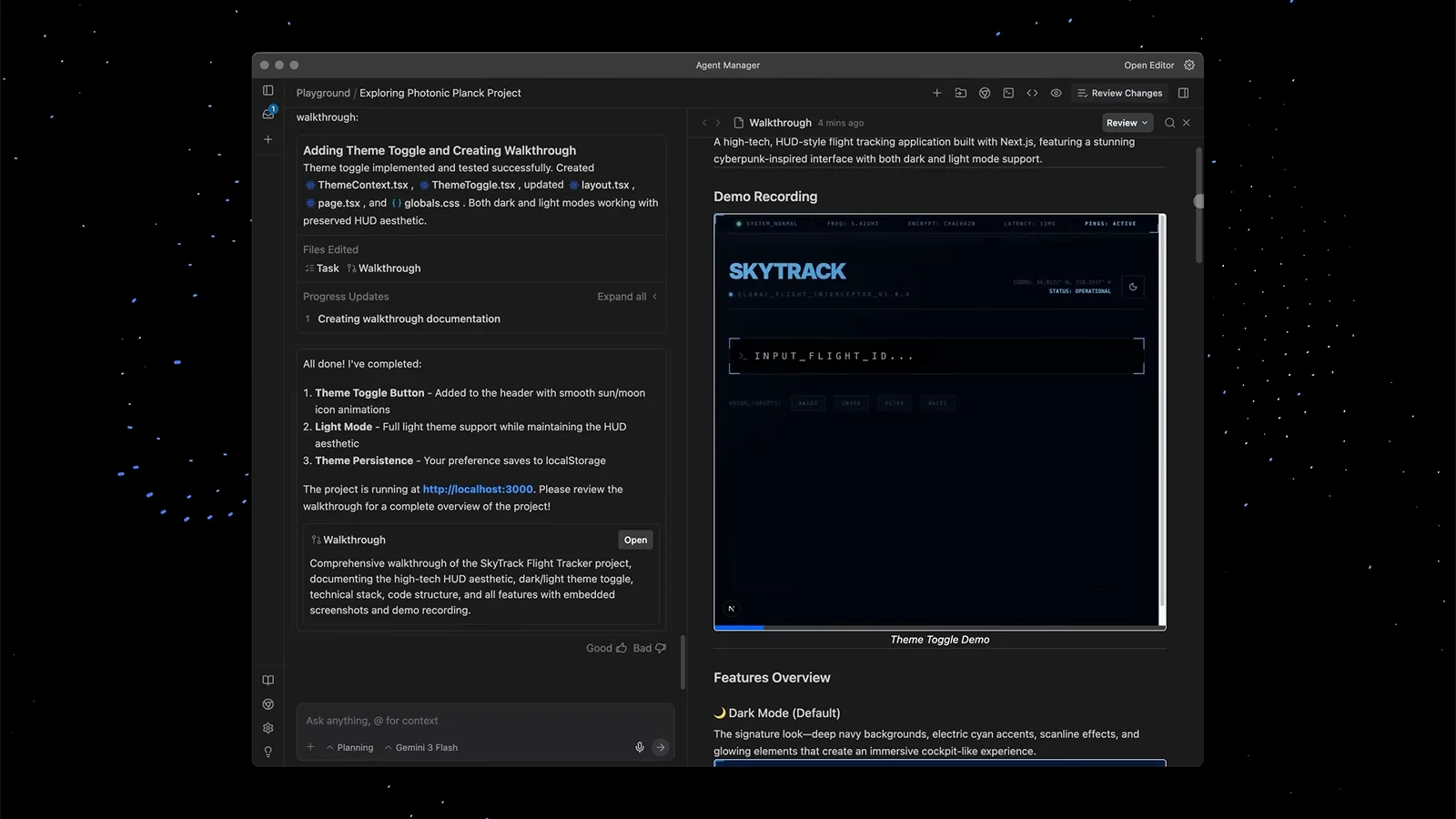
The walkthrough lists completed items beside a demo recording of the finished app.Watch at 0:50
Steer, parallelize and verify
- 9
Steer by commenting on artifacts
No need to re-prompt from scratch. Leave a comment directly on an implementation plan, a walkthrough, or specific lines of code — the agent reads the feedback loop and adjusts. Artifacts become the shared source of truth between you and the agent.
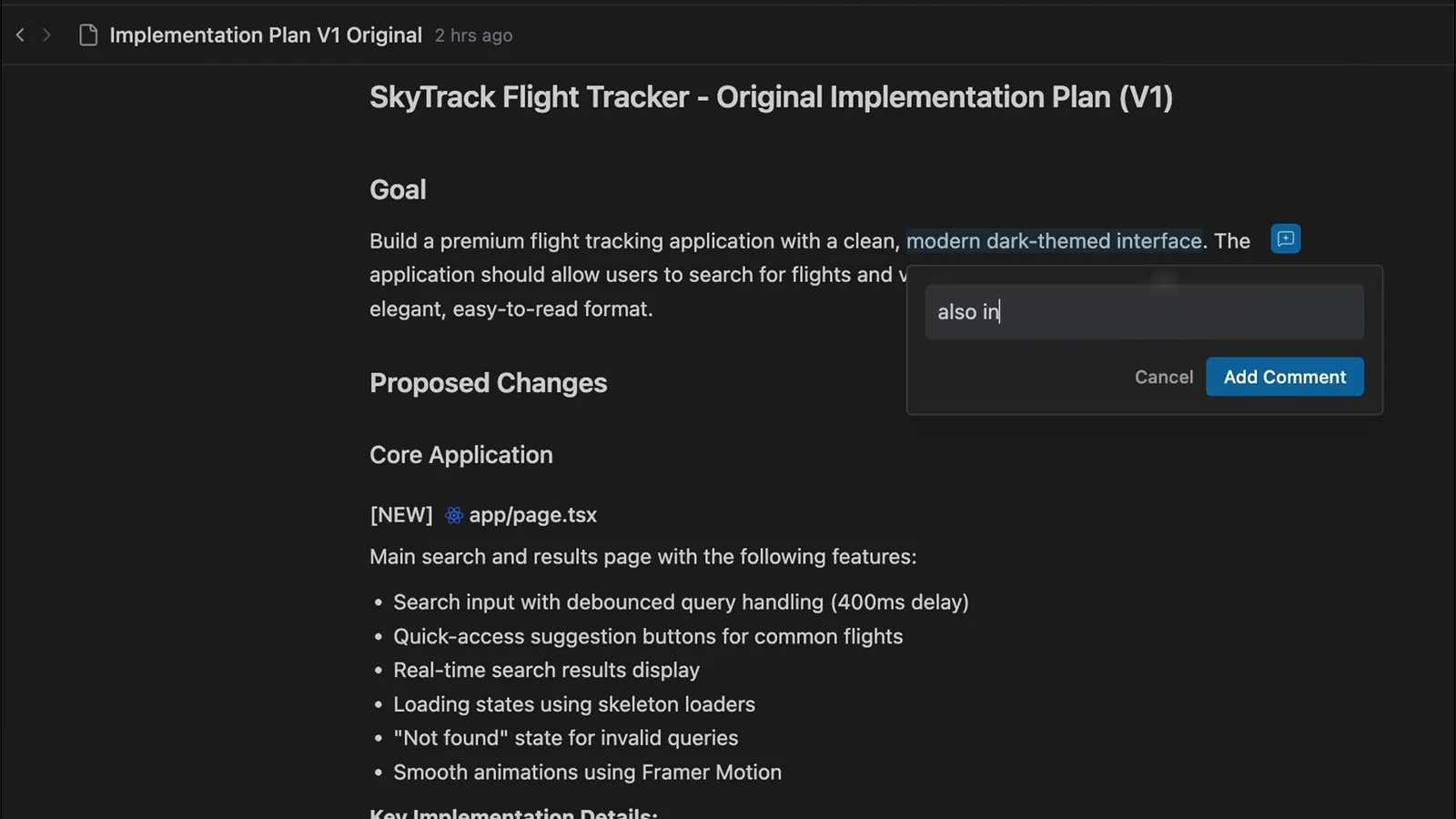
Typing a comment straight onto the implementation plan's goal paragraph.Watch at 1:06 - 10
Drag-select a screenshot for pixel-precise feedback
For visual work, drag a selection on any screenshot inside an artifact and comment on exactly that region — "this padding", "swap these colors". The subagent gets coordinates instead of a vague description, which kills whole rounds of back-and-forth.
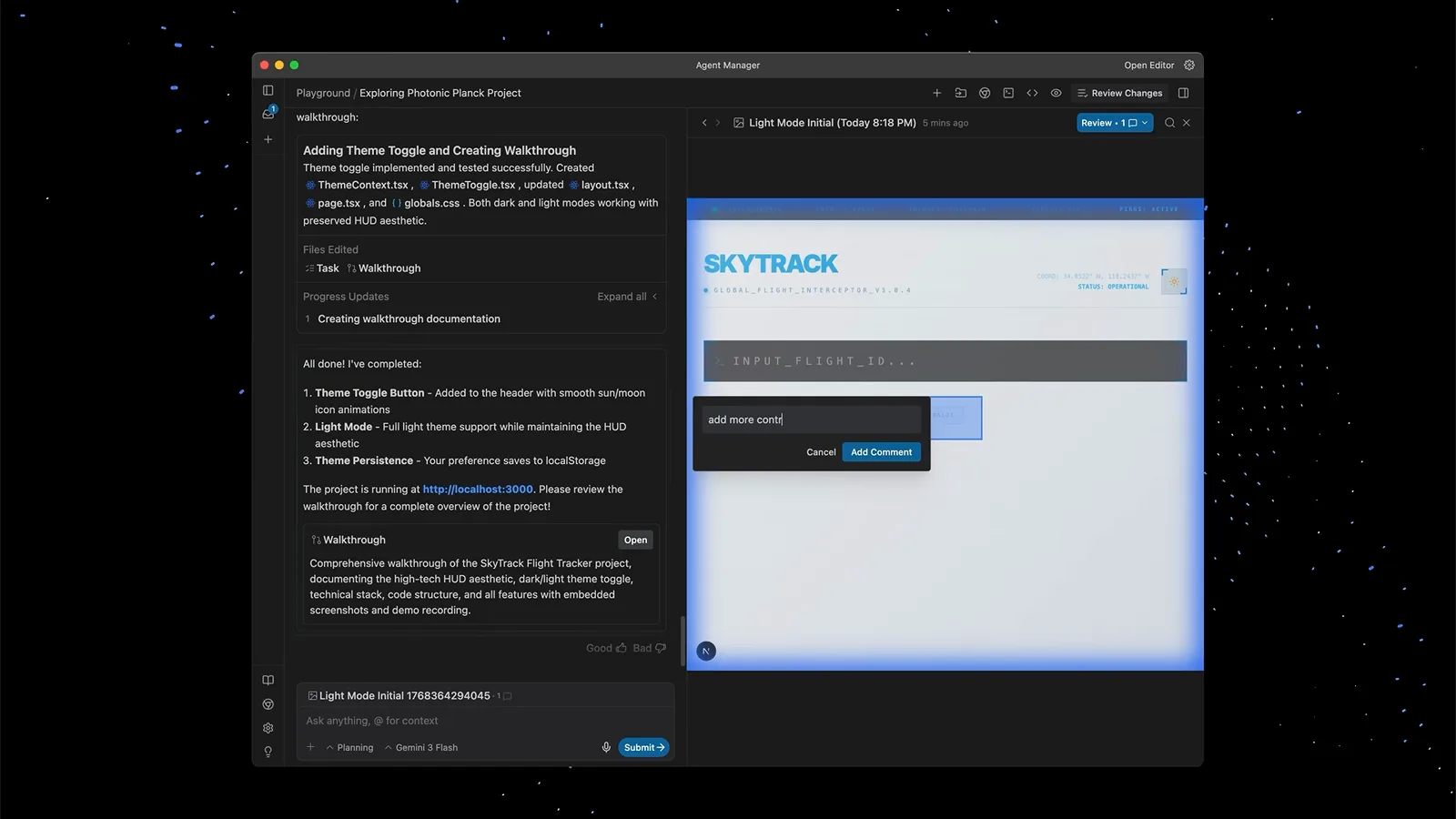
A drag-selected region on the browser screenshot with an inline comment attached.Watch at 1:17 - 11
Preload a second workspace for parallel work
Context switching kills flow. Keep a second workspace preloaded in the Agent Manager, delegate the interrupting task to a background agent there, and keep your own workspace untouched — the agent only comes back when it needs review or approval.
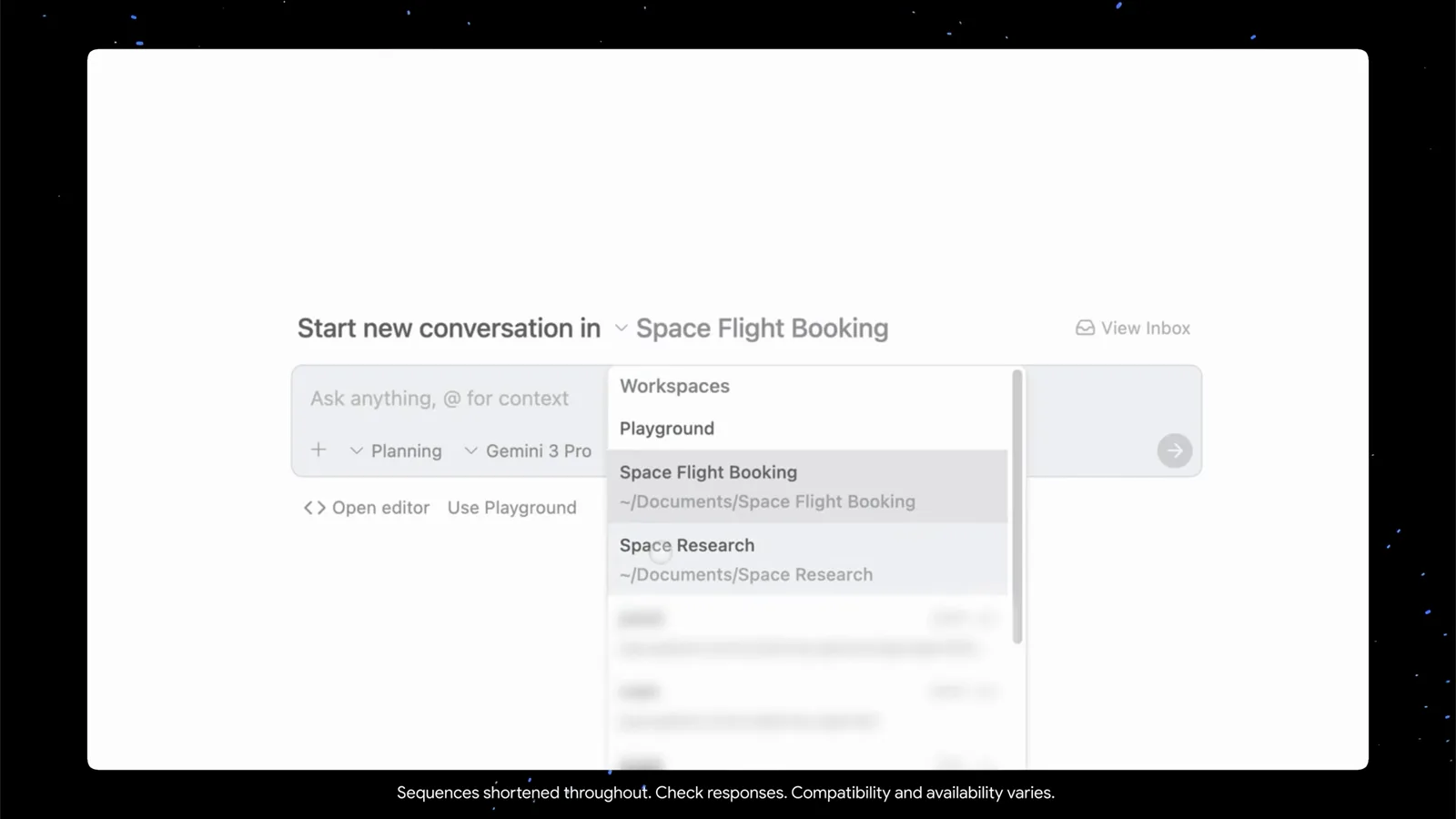
The workspace switcher lists Playground, Space Flight Booking and Space Research.Watch at 0:34 - 12
Let the browser subagent test the UI
Invoke the browser subagent with the /browser slash command — the docs are explicit that this is its only door. It operates a sandboxed Chrome in a separate profile, captures screenshots and action recordings as artifacts, and exercises your app like a QA engineer. If /browser does nothing, suspect the Browser Tools setting or your organization's tool-server policy.
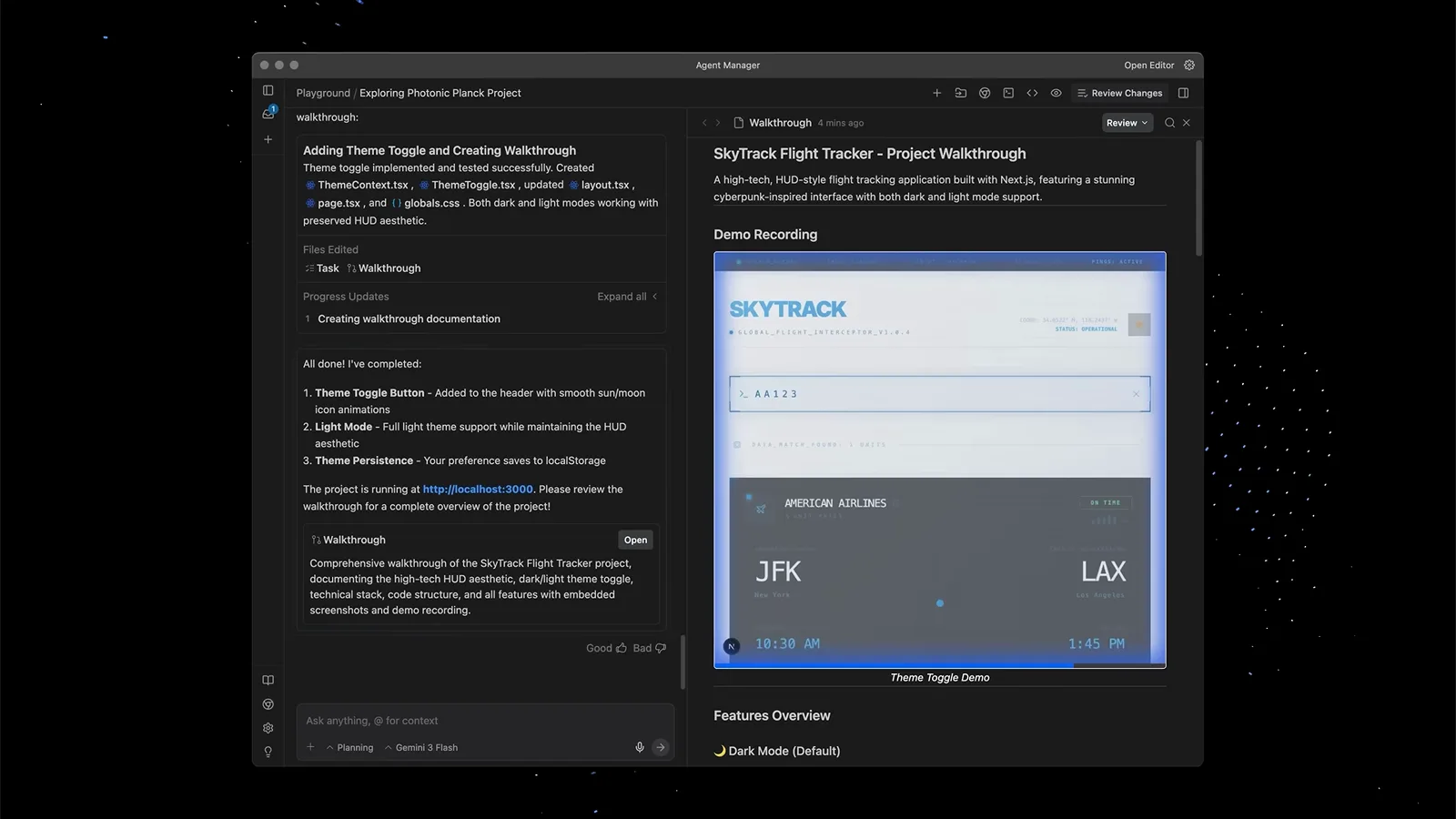
The browser subagent's recording plays inside the walkthrough — dark mode verified on the real page.Watch at 0:46
Where subagents live: Agent Manager, CLI and the @ syntax
Subagents run on both surfaces. In the IDE they are the cards and artifacts inside the Agent Manager; in the terminal, the CLI's /agents opens the same mission control as a live checklist — arrow keys to highlight a run, Enter for its detail view with private thoughts, tool calls and outputs, Alt+J to jump to the next subagent awaiting approval, and k to cancel the highlighted one.
The @ syntax is CLI-first, shipped in CLI 1.2.9 (September 23, 2026): type @ in the prompt and autocomplete lists running and completed subagents, then your message goes straight into that subagent's conversation. Messaging an idle subagent re-awakens it with context intact. The IDE composer's "Ask anything, @ to mention, / for workflows" hint is the older @-mention that pulls context into a prompt — related, but not the same mechanism.
Under the hood the parent calls invoke_subagent with a role and an initial prompt, plus a workspace mode: inherit (same workspace), branch (isolated Git worktree) or share (shared directory). Nesting is capped at 10 levels, and since v2.6.0 stopping a subagent also stops everything it spawned. Want your own specialists? Our Antigravity custom agents tutorial covers the Markdown + YAML frontmatter format.
Browser subagent not working? Fix it in five checks
Most "the browser subagent doesn't work" reports collapse into one of the five below. Work top to bottom.
- 1Update first. Subagent cards with running/waiting/completed status only exist since v2.16.0 (September 22, 2026); on older builds subagents ran invisibly in the background. Bring the desktop app — and the CLI to 1.2.9 or newer — before concluding anything is broken.
- 2Check the Browser Tools toggle. Antigravity's browser tools can be switched off entirely from the Browser section of User Settings. If /browser does nothing or the agent claims it cannot use a browser, confirm the toggle is on — the official docs document the switch but publish no deeper troubleshooting matrix.
- 3An empty, unfamiliar Chrome window is by design. The browser subagent operates a separate Chrome profile to protect your personal data, so expect no extensions, logins or bookmarks. If a task needs a signed-in session, tell the agent how you want credentials handled instead of waiting for your profile to appear.
- 4Managed machines: v2.6.0 fixed "the built-in browser inspection tool being wrongly blocked when your organization restricts which tool servers can run." If browser actions get blocked on a company-managed device, that changelog entry — or a policy exception — is the likely culprit.
- 5Hangs with no output: the official subagents docs flag a known issue where an unmapped or misspelled tool name in a subagent's tools list may cause the subagent process to hang during execution. A subagent stuck on running with zero tool calls matches this signature — check every tool name's spelling (a schema-validation fix is promised).
Still stuck? The official docs don't publish a broader troubleshooting matrix. Reproduce the issue with the walkthrough recording attached, then use Provide Feedback in the app — and note that community threads on the same symptom keep circling back to the five causes above.