
Antigravity Skills Tutorial: Install, Create & Manage Agent Skills
What Antigravity skills are, how to install a 1,300+ skill library from GitHub with one command, how to write your own SKILL.md, and how to chain skills into workflows — every step verified against real screen recordings.
Antigravity skills in 30 seconds
- A skill is a folder with a SKILL.md inside .agents/skills (workspace) or your global skills directory. The agent reads only the name and description at first and loads the full instructions when the task needs them.
- The open-source antigravity-awesome-skills repo ships 1,328+ ready-made skills. One command — npx antigravity-awesome-skills — installs them into your skills folder.
- Create your own skill by adding a folder plus SKILL.md with name and description frontmatter; drop a Python or shell script into a scripts/ subfolder when you need deterministic checks.
- Bundles tell you which skills fit your role; workflows chain skills in order — the Ship a SaaS MVP workflow runs from brainstorming to security review.
Antigravity Skills Kit: Use 1,239+ Agent Skills in One Command
Channel:AI Stack Engineer9:13
How to Create Agent Skills in Google Antigravity (2026)
Channel:The Code City5:21
Intro to Agent Skills
Channel:Google Antigravity4:06
Every step below was verified frame-by-frame against these recordings; the timestamp on each screenshot deep-links to the exact moment in the video. Facts about SKILL.md frontmatter and skill folders are cross-checked with Google's official Intro to Agent Skills explainer.
Screenshots come from the creators' recordings and are credited above; the walkthrough text is our own. Frame sources: AI Stack Engineer (repository and docs), The Code City (skill creation in the IDE).
How to install, create and manage Antigravity skills
Understand what Antigravity skills are
- 1
Know what a skill is: a SKILL.md with a name and a description
A skill is a folder containing a SKILL.md file. The frontmatter carries a name and a description, and the body holds instructions, best practices and optional scripts. When a conversation starts, Antigravity sees only each skill's name and description and reads the full file when the task matches — so skills add expertise without permanently consuming context.
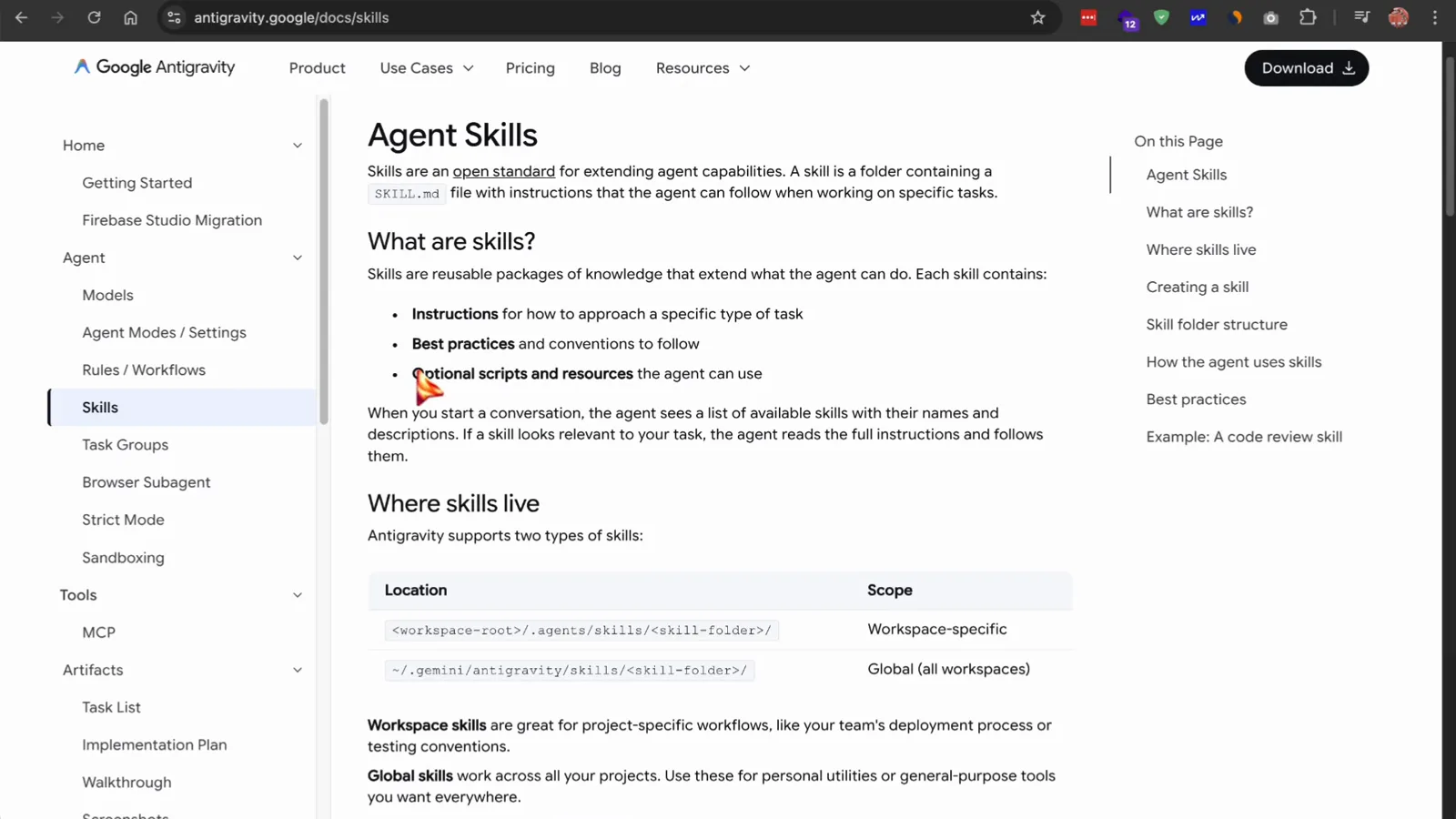
The official docs define the three parts of a skill package.Watch at 1:15 - 2
Choose where skills live: workspace or global
Antigravity supports two scopes. Workspace skills live in your project's .agents/skills folder and are great for team conventions like deployment processes or testing rules. Global skills work across every project and suit personal utilities. The docs note that Antigravity now defaults to .agents/skills, with .agent/skills kept for backward compatibility.
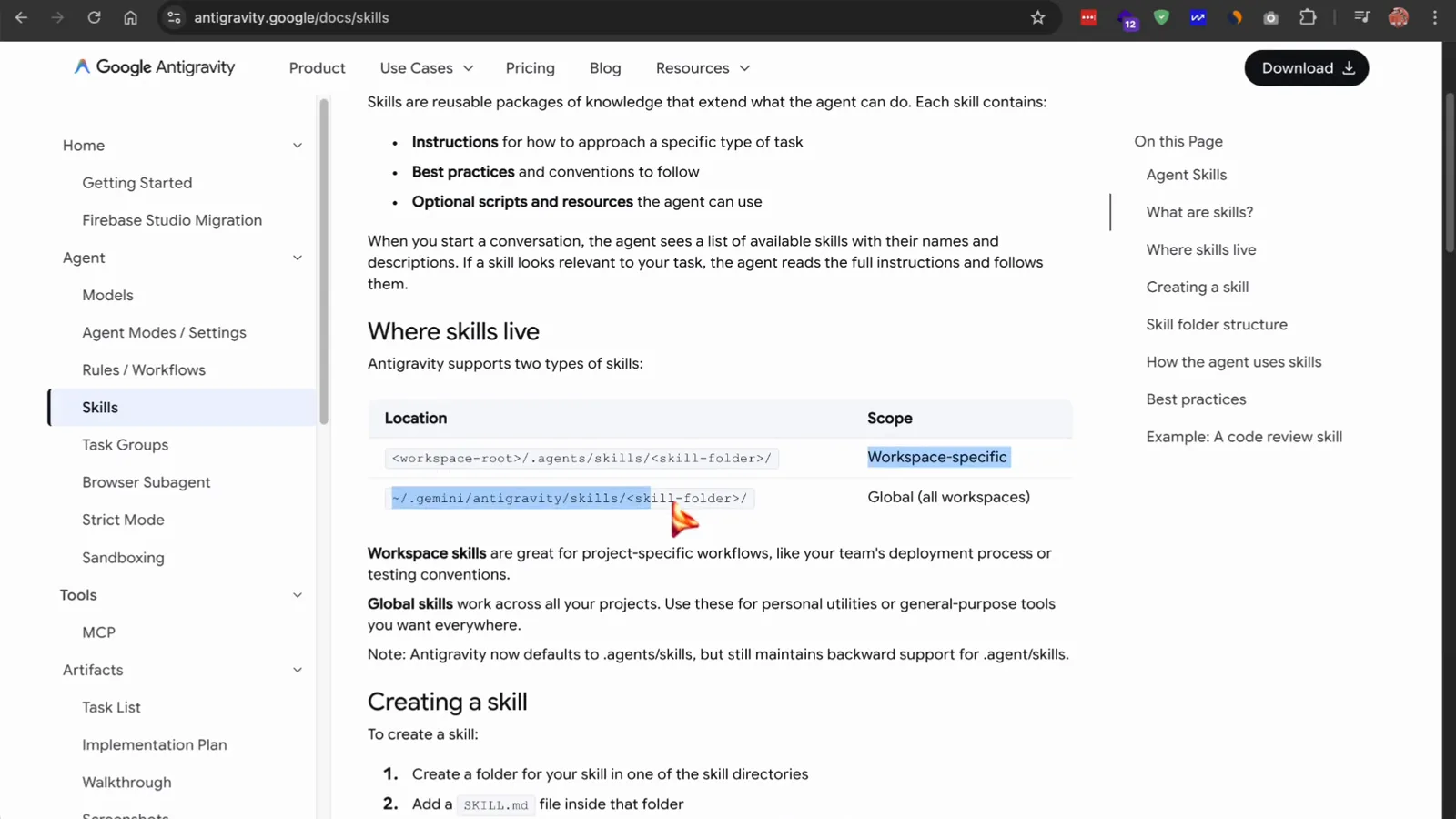
Two scopes, one convention: pick the folder that matches how widely the skill should apply.Watch at 1:18
Install a skills library from GitHub
- 3
Open the antigravity-awesome-skills library on GitHub
The biggest community collection is the antigravity-awesome-skills repository: 1,328+ ready-made skills for planning, coding, testing, security and product work, covering Claude Code, Gemini CLI, Cursor, Copilot, Antigravity and other agents. Browse the README and the catalog before installing anything.
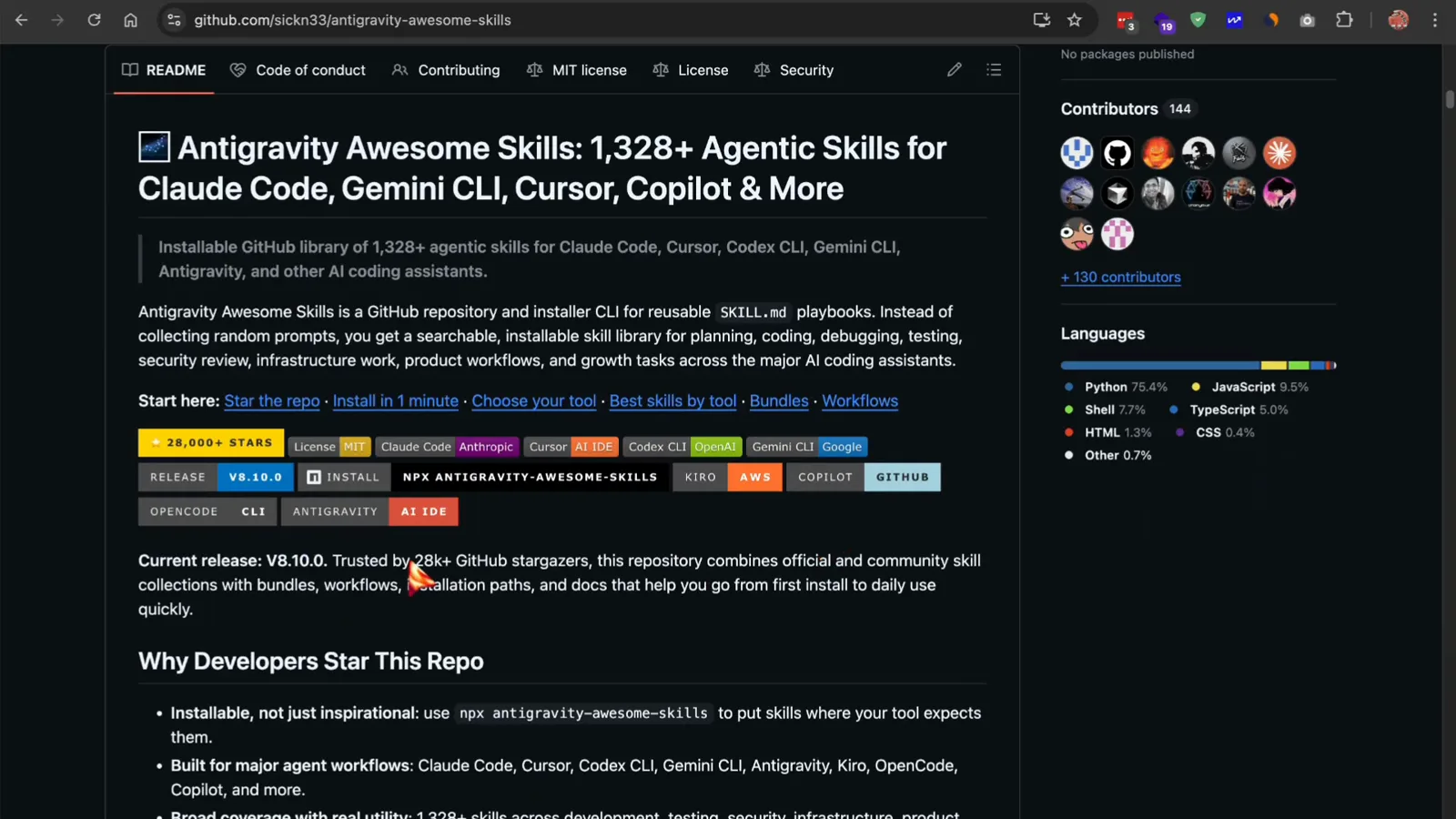
The repo landing page shows the collection size and the current release.Watch at 8:50 - 4
Install the library with one npx command
Run npx antigravity-awesome-skills in a terminal. The installer drops the SKILL.md files into your skills folder — Antigravity's global skills path by default. Flags target other tools (--cursor, --claude, --codex, --gemini, --agents and more), and --path points at a custom directory. Add --help to list every option.
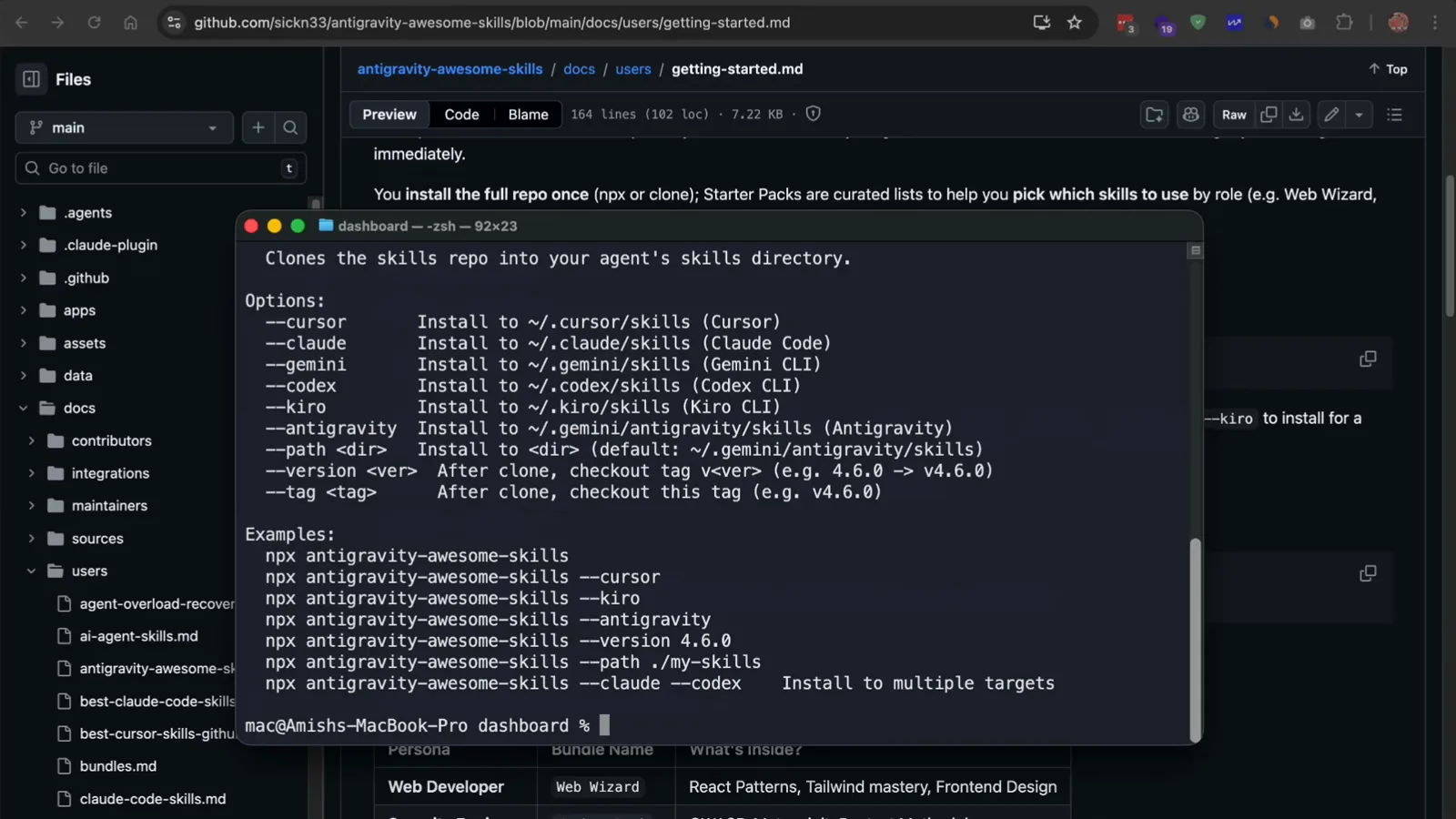
The installer lists one flag per supported agent and IDE.Watch at 2:10 - 5
Pick a starter bundle instead of scrolling 1,328 skills
The repo's bundles.md curates skills by role. Web Wizard focuses on React patterns, Tailwind and front-end design; Hacker Pack covers penetration-testing methodology and vulnerability scanning; Product Pack bundles brainstorming, planning and SEO; Essentials collects clean-code, planning and validation basics. A bundle is a reading list that tells you which installed skills matter for your work.
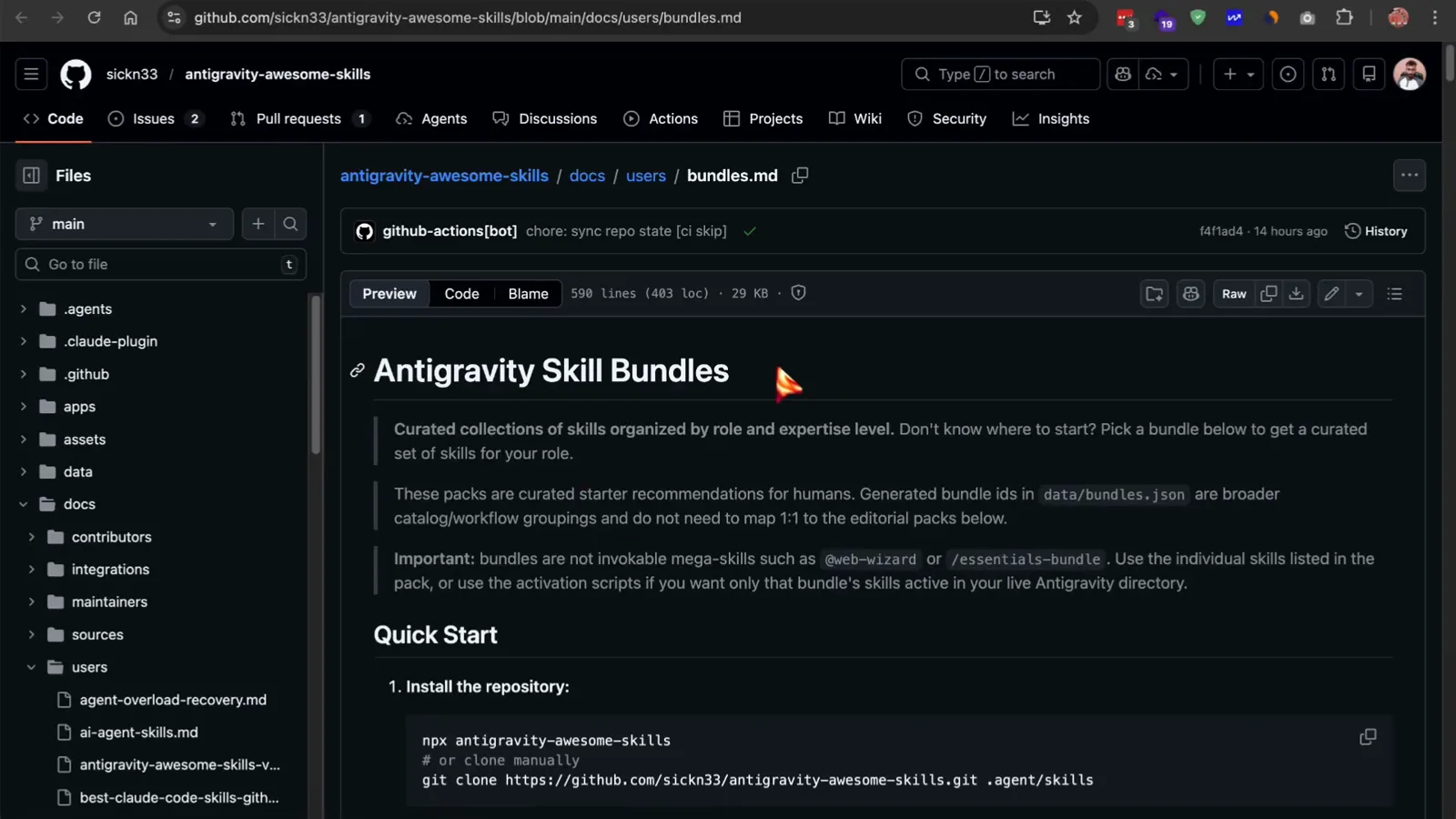
Quick Start: install the repo once, then follow the bundle that matches your role.Watch at 2:35 - 6
Check the official sources and trust tiers before running
Not all skills carry the same trust level. Official skills come straight from vendors such as Anthropic, Google, OpenAI, Vercel and Supabase. Community contributions are classified as safe (read-only or planning-focused) or risky (they modify systems or run security tests). Everything is MIT-licensed and readable, so open a skill's SKILL.md and check what it does before you let the agent use it.
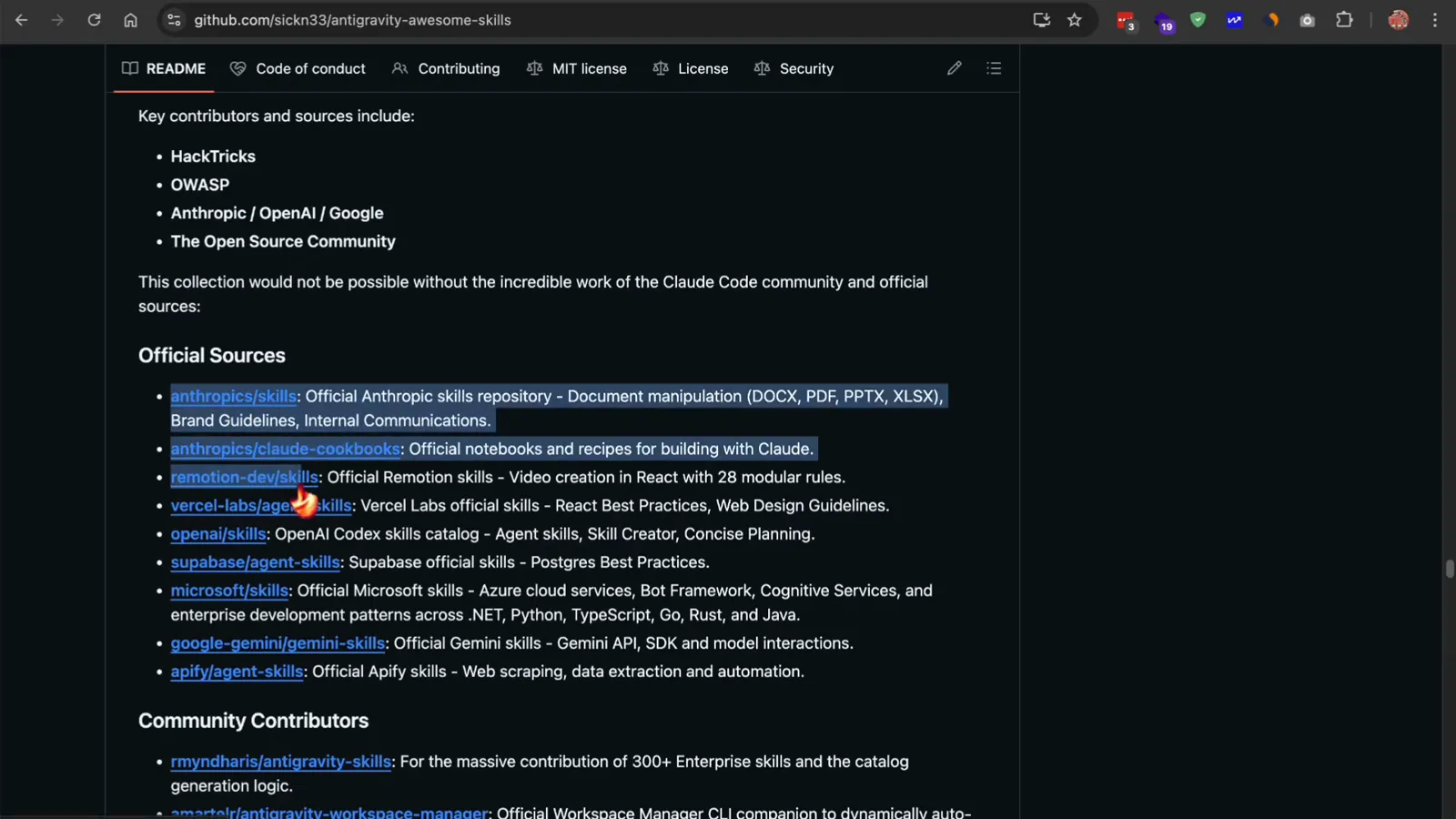
The README credits the official collections the library builds on.Watch at 4:52
Create your own skill in the IDE
- 7
Create the .agents/skills folder in your project
Inside Antigravity, right-click your project root in the Explorer and choose New Folder. Create .agents, then a skills folder inside it, then one folder per skill — for example code-reviewer, deployer or sql-reviewer. Workspace skills discovered here are available to the agent in this project.
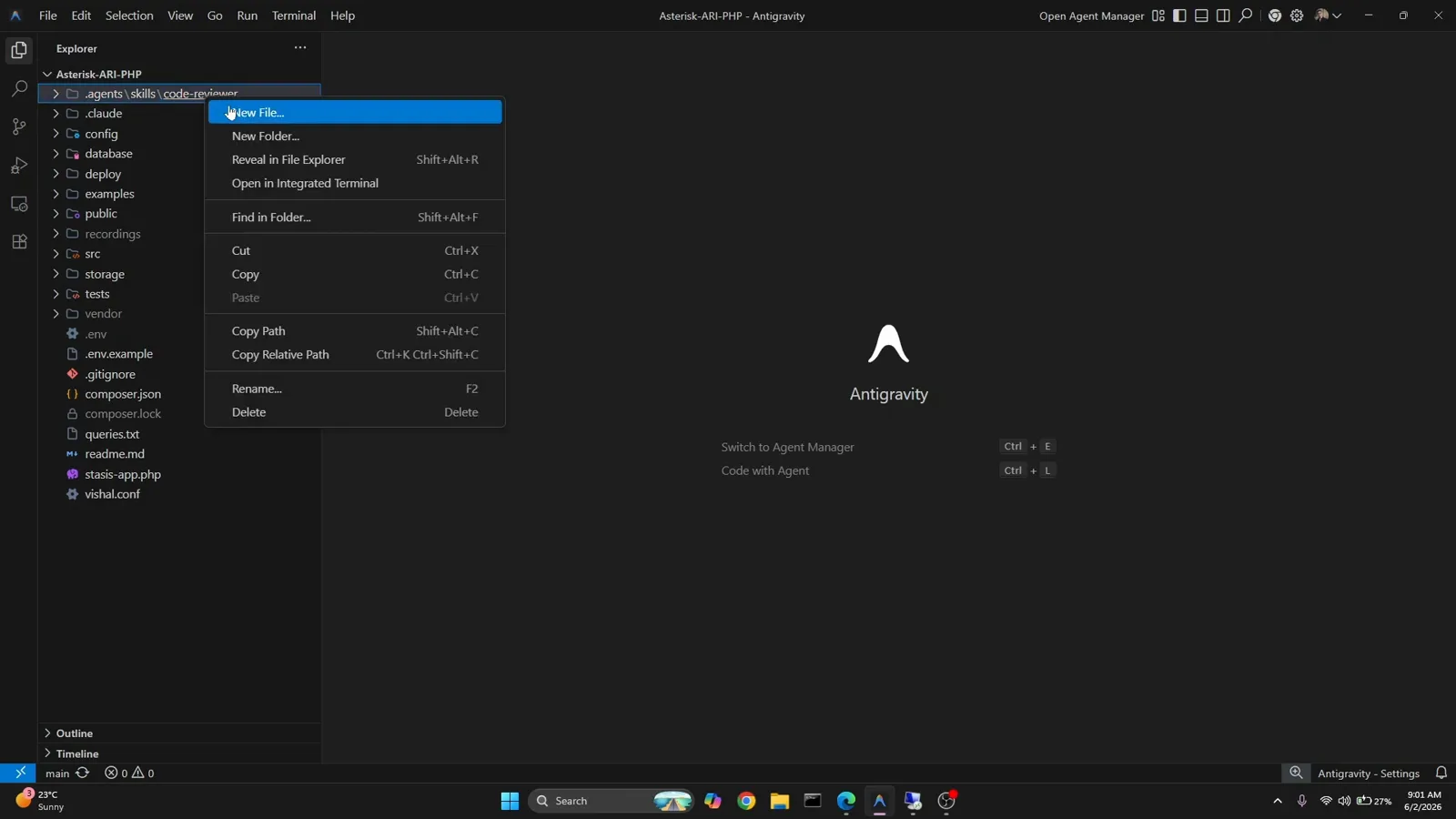
Right-click → New Folder is all it takes to start the skill tree.Watch at 0:58 - 8
Follow the official two-step skill convention
Google's docs keep it deliberately simple: create a folder for your skill inside a skills directory, then add a SKILL.md file inside that folder. The SKILL.md needs YAML frontmatter at the top — a name and a description that says what the skill helps with and when to use it — followed by detailed instructions for the agent.
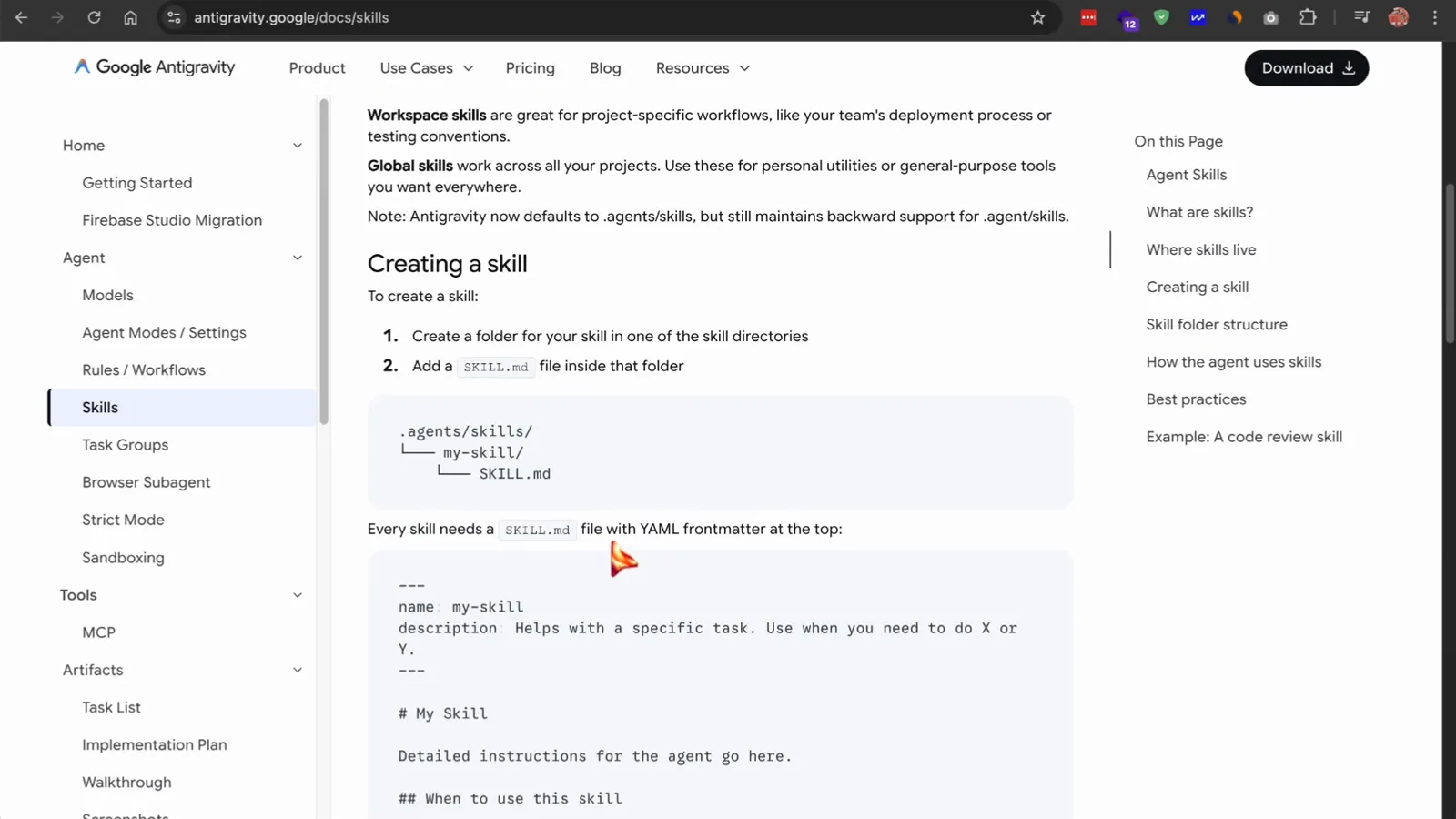
The docs show the .agents/skills/my-skill/SKILL.md tree and the required frontmatter.Watch at 1:20 - 9
Write the name and description the agent reads first
Antigravity reads only the frontmatter at first, so the description decides when your skill loads. Keep it specific: name: code-review, description: Reviews code changes for bugs, style issues, and best practices. Use when reviewing PRs or checking code quality. A vague description means the skill never triggers; a precise one fires exactly when needed.
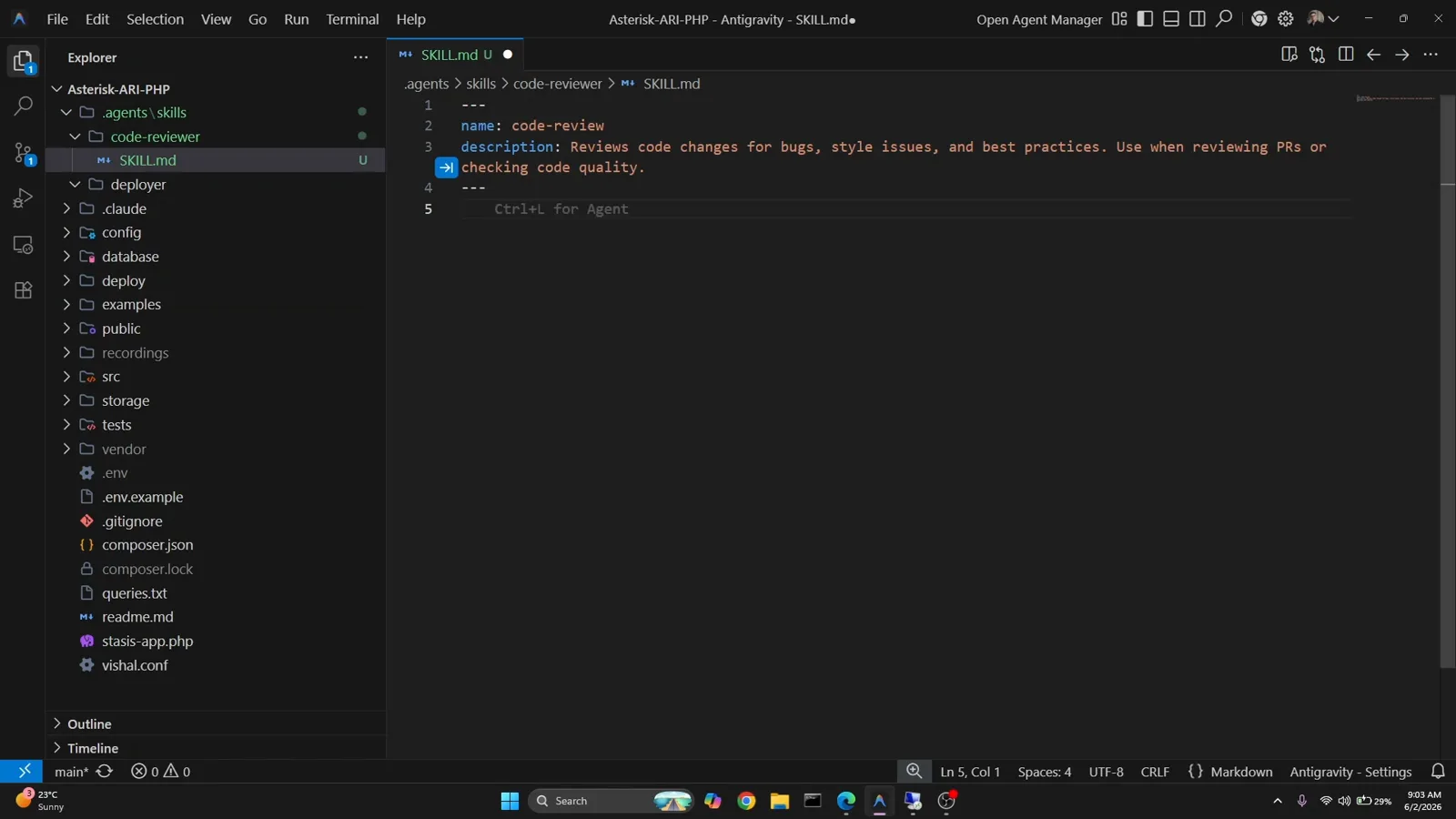
Only these first lines are scanned at conversation start — write them for the router, not the reader.Watch at 1:36 - 10
Add the policies your skill enforces
Below the frontmatter, write the rules as markdown. A sql-reviewer skill might enforce: no DROP TABLE statements, snake_case table names, and an id column as PRIMARY KEY on every table. Structure the body as Policies Enforced plus Instructions so the agent knows both the rules and the procedure — and only loads these details when a SQL task appears.
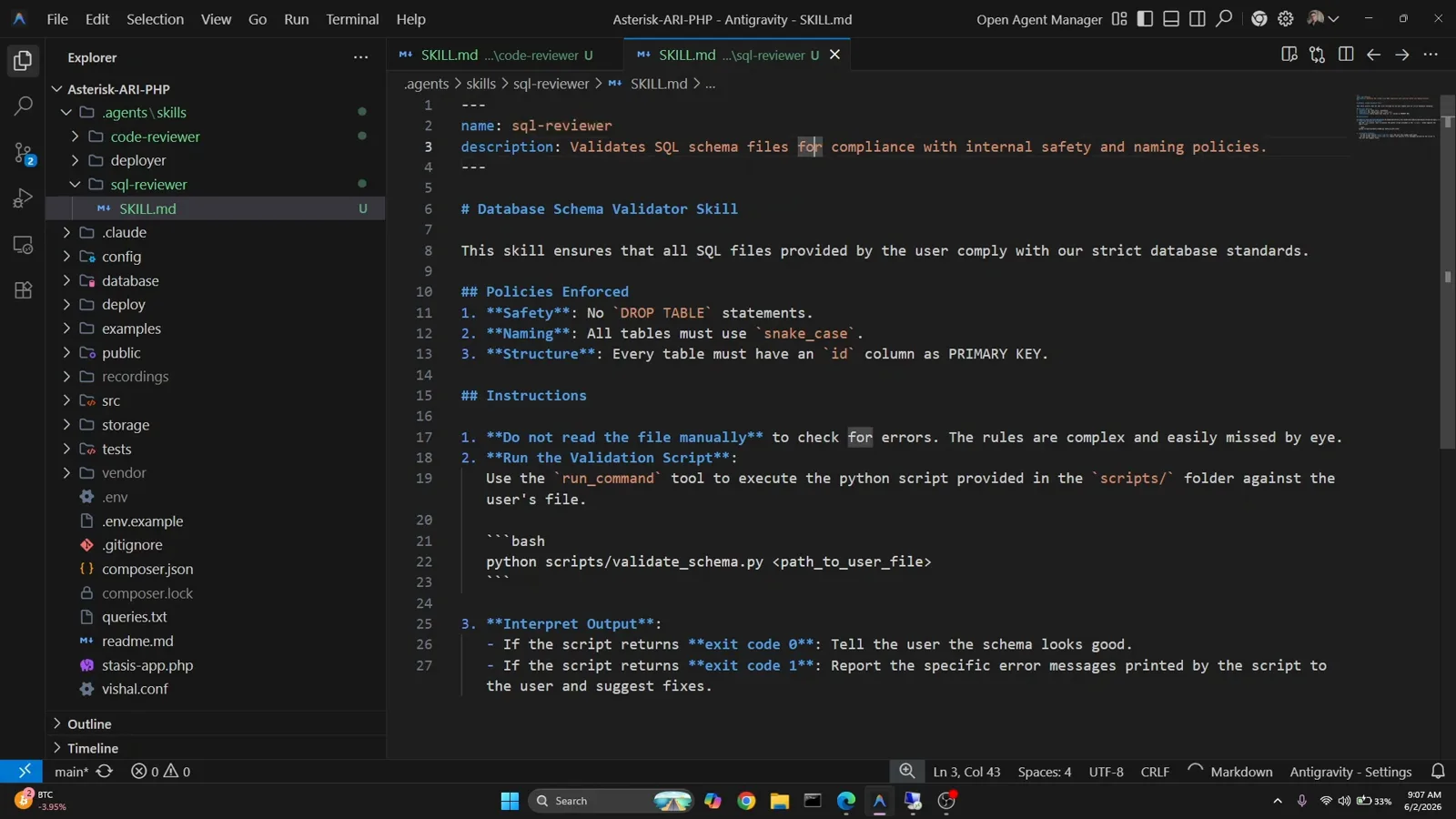
Team conventions become enforceable rules once they live in the skill.Watch at 2:55 - 11
Give the skill a script for deterministic checks
Rules that a model might miss by eye are better enforced by code. Add a scripts/ folder beside the SKILL.md — here validate_schema.py checks each table for the id primary key and snake_case names. The SKILL.md tells the agent to run the script with the run_command tool instead of reading files manually, then interpret the exit code: 0 means the schema looks good, 1 means report the printed errors.
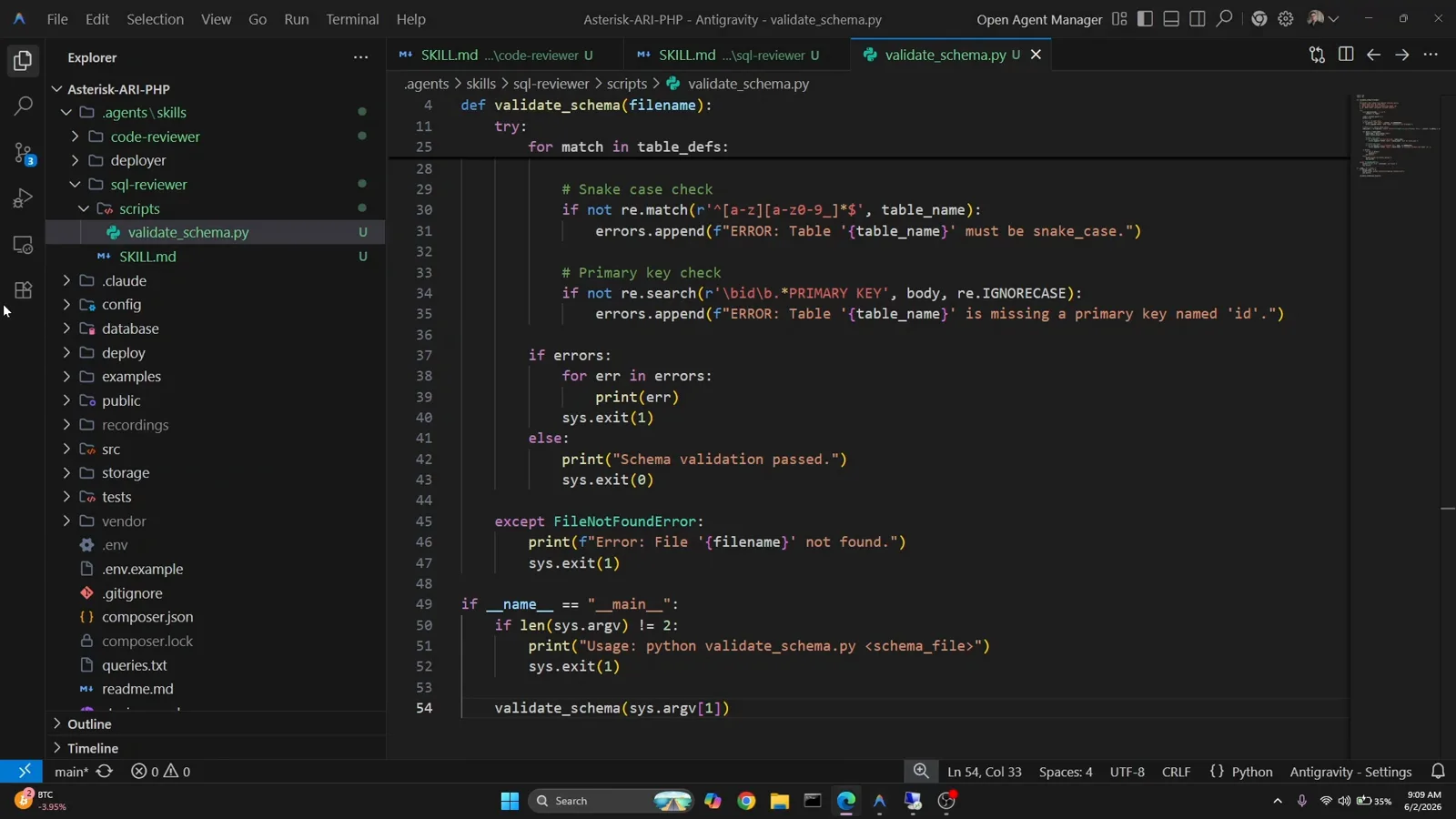
The script does the grepping; the agent only runs it and relays the verdict.Watch at 3:56 - 12
Run the skill with a real prompt
Ask the agent: validate @my_schema.sql. Antigravity finds the sql-reviewer skill from its description, reads the full SKILL.md, runs validate_schema.py and relays the result. On the test file it reports ERROR: Table 'users' is missing a primary key named 'id' and suggests the corrected CREATE TABLE — exactly the review the skill was written to produce.
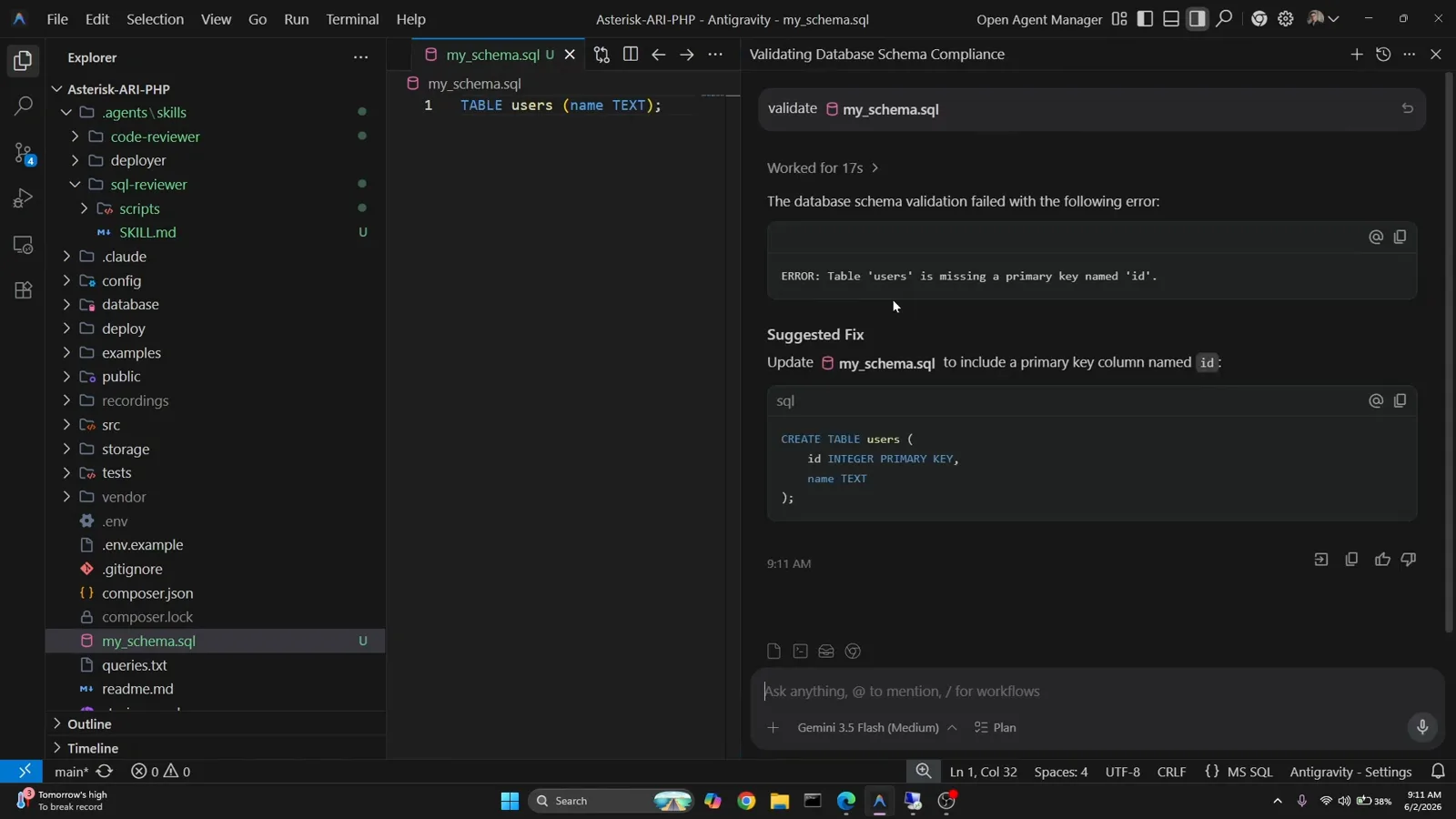
The agent surfaces the skill's verdict plus a suggested fix in chat.Watch at 4:34
Browse, chain and verify
- 13
Browse the catalog by category
The library groups its 1,328+ skills into Architecture, Business, Data & AI, Development, General, Infrastructure, Security, Testing and Workflow, with a catalog.json for search. If nothing fits your team's internal conventions, prompt @skillcreator — it interviews you and generates a proper skill.md you can drop into your skills folder.
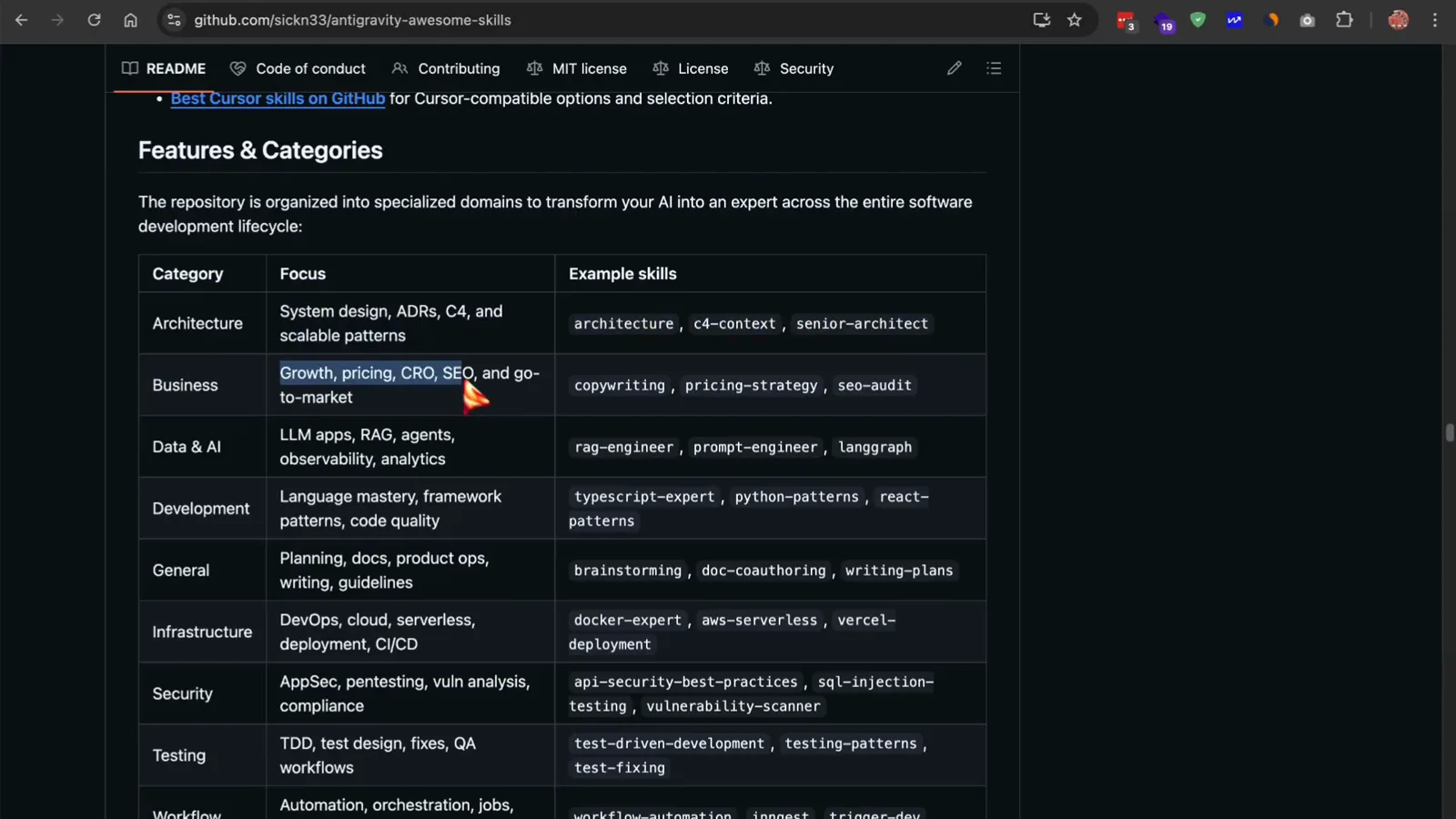
Nine categories cover the catalog; skillcreator fills the gaps.Watch at 4:05 - 14
Chain skills with a workflow
Bundles say which skills matter for a role; workflows say what order to use them in. The Ship a SaaS MVP workflow runs Find the scope (brainstorming, PRD writer), Build backend and API, Build frontend and onward, each step naming its skills and a sample prompt. Invoke it by asking the agent to run the workflow for your project idea.
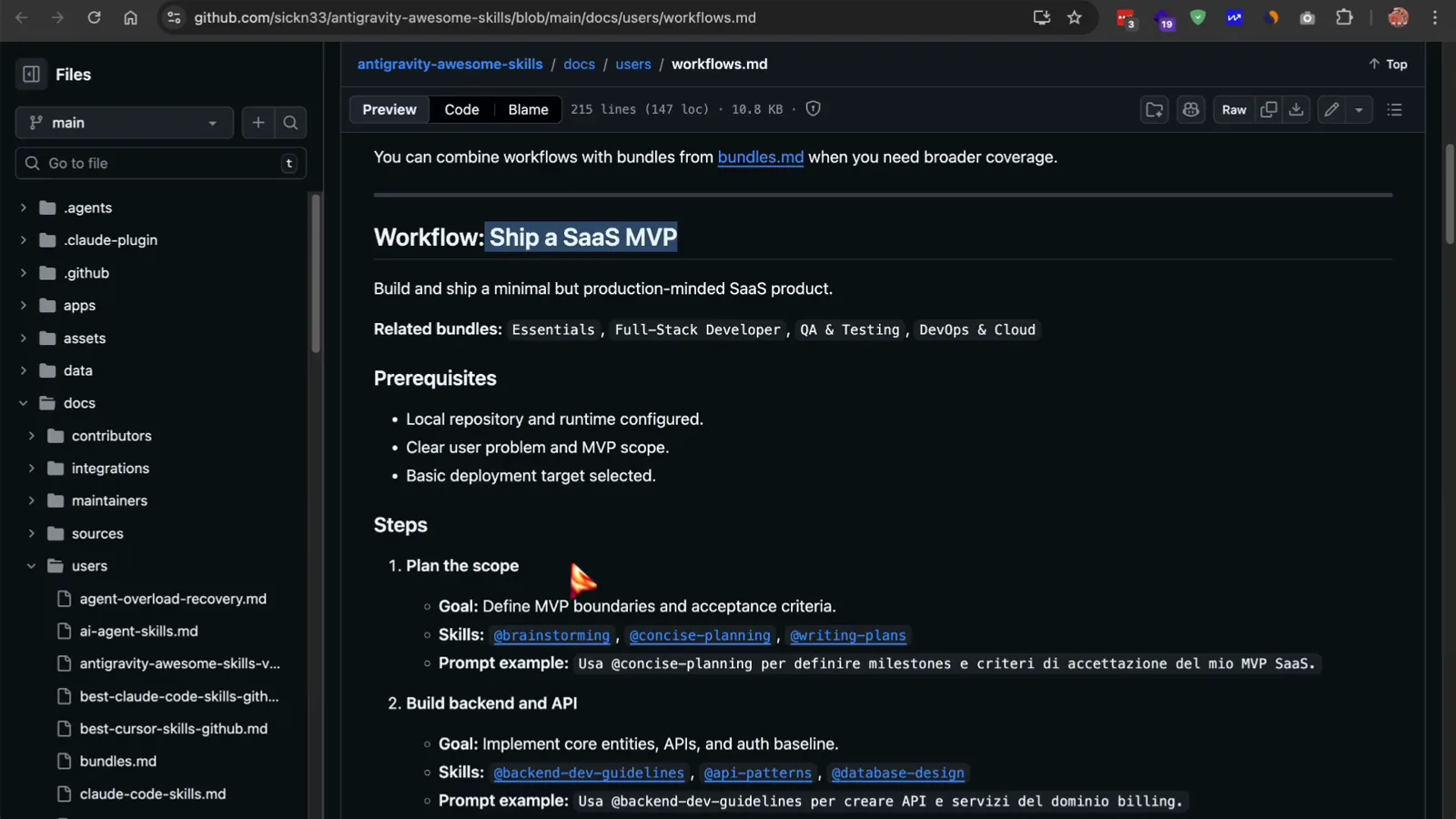
One workflow file sequences the skills from plan to shipped product.Watch at 3:45 - 15
Verify the result: three skills, one dashboard
In the repo's demo, @brainstorming asks structured questions — standalone page or app, mocked or real data, responsive behavior — before generating a planning document. @frontend-design and @react-patterns then build a sidebar, typed metric-card components, a recharts line chart and an activity feed that matches the plan. That is the whole point of skills: a contract the output can be checked against.
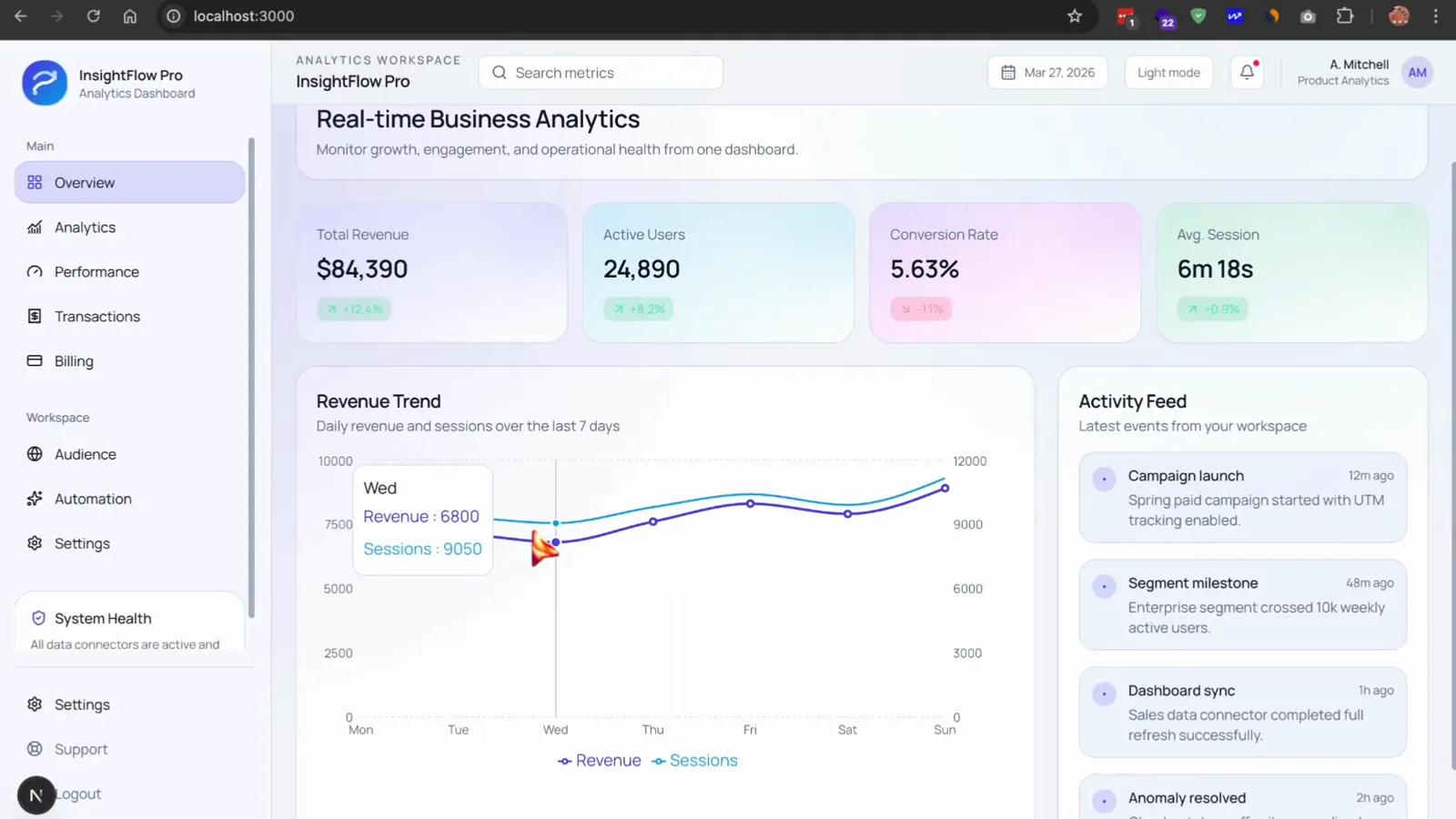
The finished analytics dashboard — structured output instead of a one-shot guess.Watch at 6:30