
Codex default model: set, change & pin it in config.toml
How to see the model Codex CLI starts with, change it for one session with /model, set a persistent default with model and model_reasoning_effort in ~/.codex/config.toml, override it per project — and what the 0.161.0 release changed on October 7, 2026.
Quick answers
- Check the current default without editing anything: the welcome banner prints the active model when Codex starts, /status shows it inside a session, and codex doctor --summary reports which config files loaded.
- Change the model for this session only with the /model slash command — the switch dies when the session ends and your config.toml default returns.
- Set the model permanently in ~/.codex/config.toml with model = "gpt-6.1-sol" and pair it with model_reasoning_effort = "high" to control how hard it thinks.
- A trusted project can carry its own .codex/config.toml that overrides your user default, and a nested folder can override again — the CLI flag or -c override always wins. The video proves the whole stack with a scope table.
- Codex CLI 0.161.0 (October 7, 2026) made GPT-6.1 Sol the default model in the bundled and Amazon Bedrock catalogs — upgrade and your default may have quietly changed under you.
Codex CLI Setup & Configuration: Which Setting Wins?
Channel:Coding With Chuck10:12
Config reference — official documentation
Docs:developers.openai.com/codex
Release rust-v0.161.0 — default model swap
Release:github.com/openai/codex
The recording uses gpt-5.6-terra, gpt-5.6-sol and gpt-5.6-luna as example values inside a disposable CODEX_HOME lab; the keys it demonstrates — model, approval_policy, sandbox_mode, projects trust_level — are the real config.toml keys from the official reference. The in-session /model and /status commands come from the official slash-command docs.
Video frames remain the property of Coding With Chuck and are embedded here as step-by-step documentation with attribution and deep links.
Set the Codex default model step by step
See which model you're actually running
- 1
Install or open Codex from the official hub
Everything starts at chatgpt.com/codex — the recording opens the hub and its Download button before touching the terminal. If you already have the CLI, skip ahead; if your default model seems to have changed by itself, check your version first, because bundled catalogs move between releases.
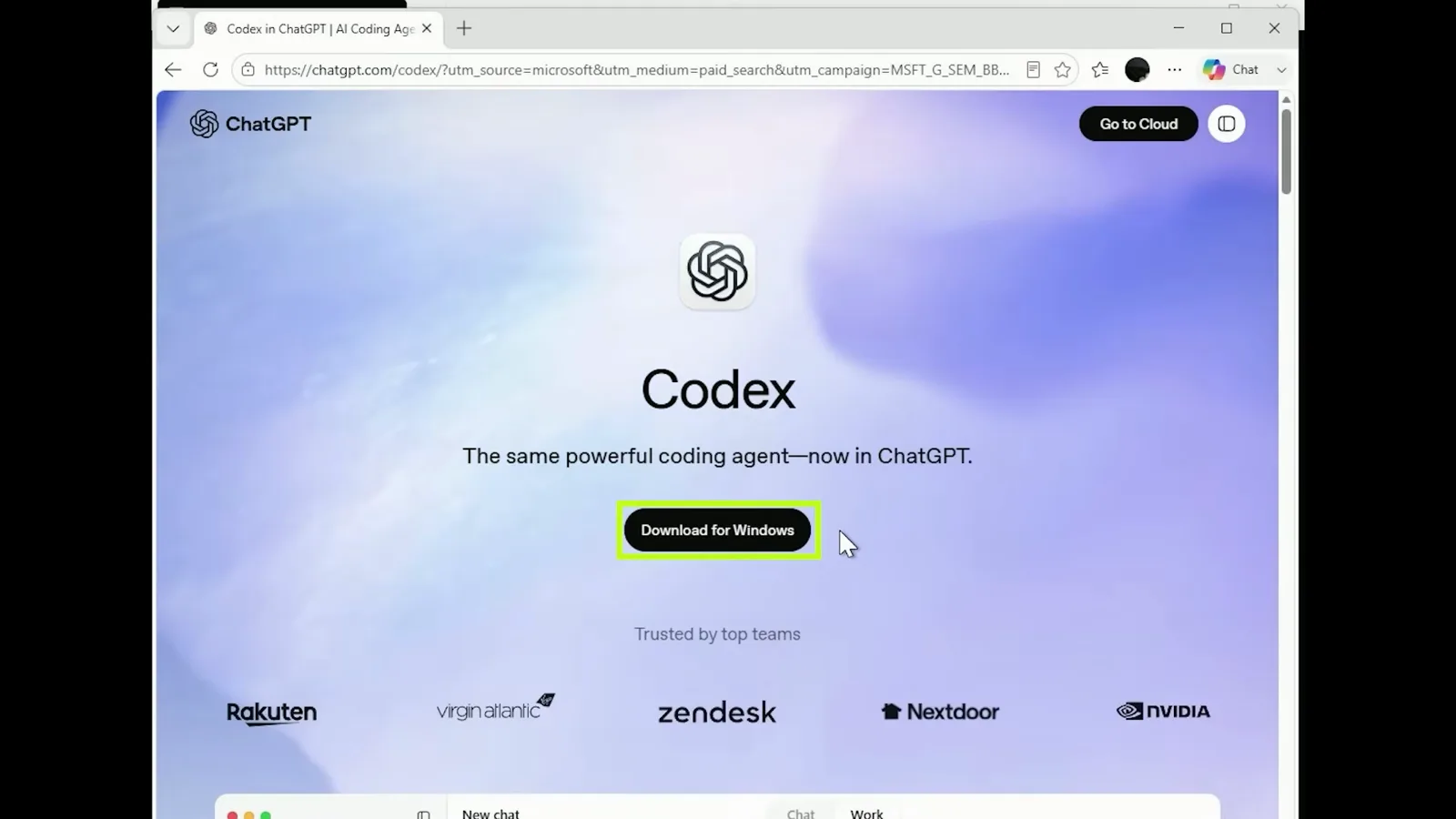
The chatgpt.com/codex hub with the Download for Windows buttonWatch at 1:30 - 2
Confirm which codex your shell runs
Before blaming the config, make sure you are running the Codex you think you are. In PowerShell, Get-Command codex resolves to codex.ps1 and shows its install path; on macOS or Linux, which codex does the same. Multiple installs (npm plus a standalone binary) are a classic reason an edited config seems ignored.
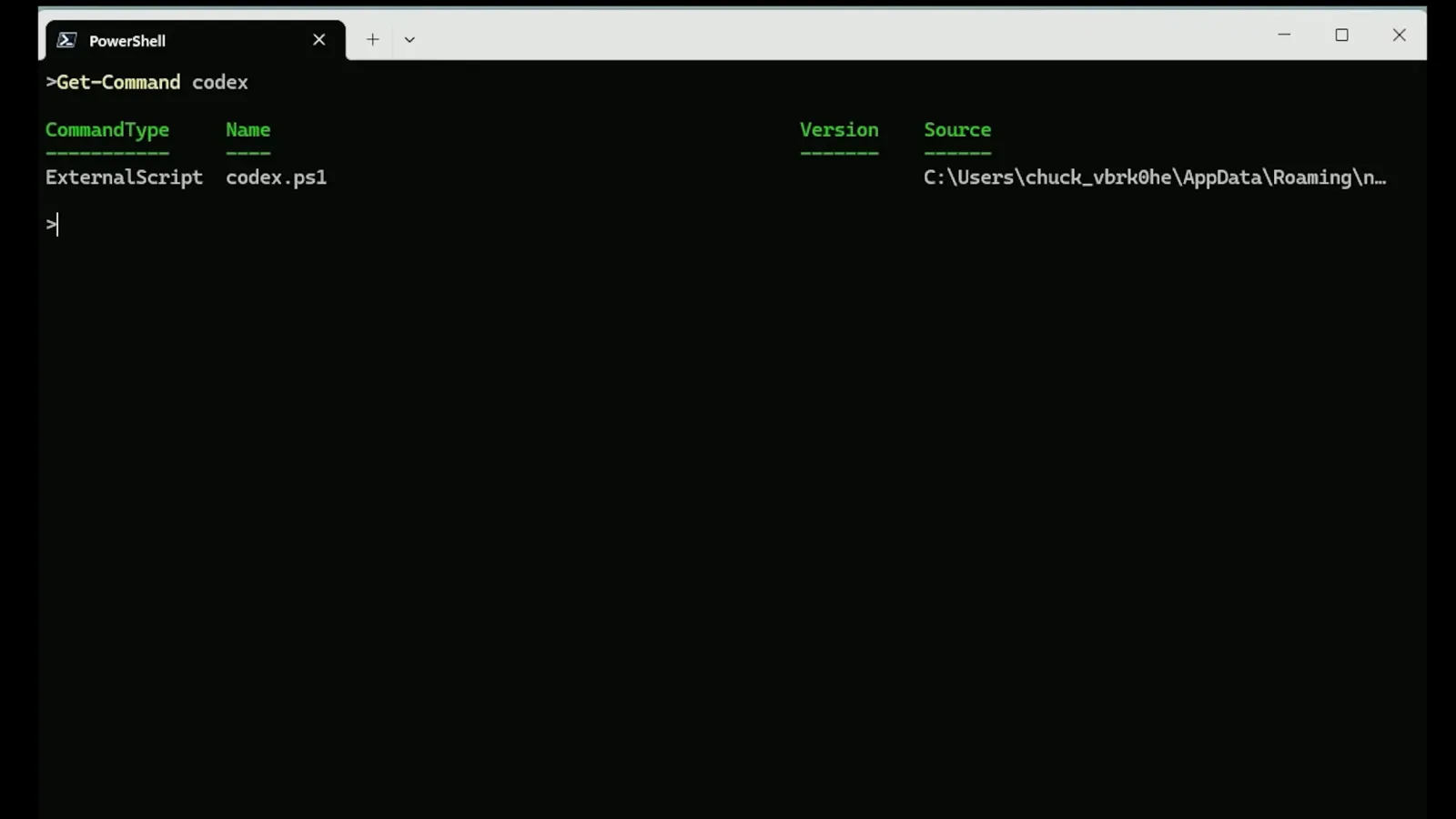
Get-Command codex resolving the launch script and source pathWatch at 2:00 - 3
Check the version and sign-in state
Run codex --version, then codex login status. The recording reports codex-cli 0.146.1 and "Logged in using ChatGPT". Version matters here: the default model ships with the CLI's bundled catalog, so two machines on different versions can disagree about what the default even is.
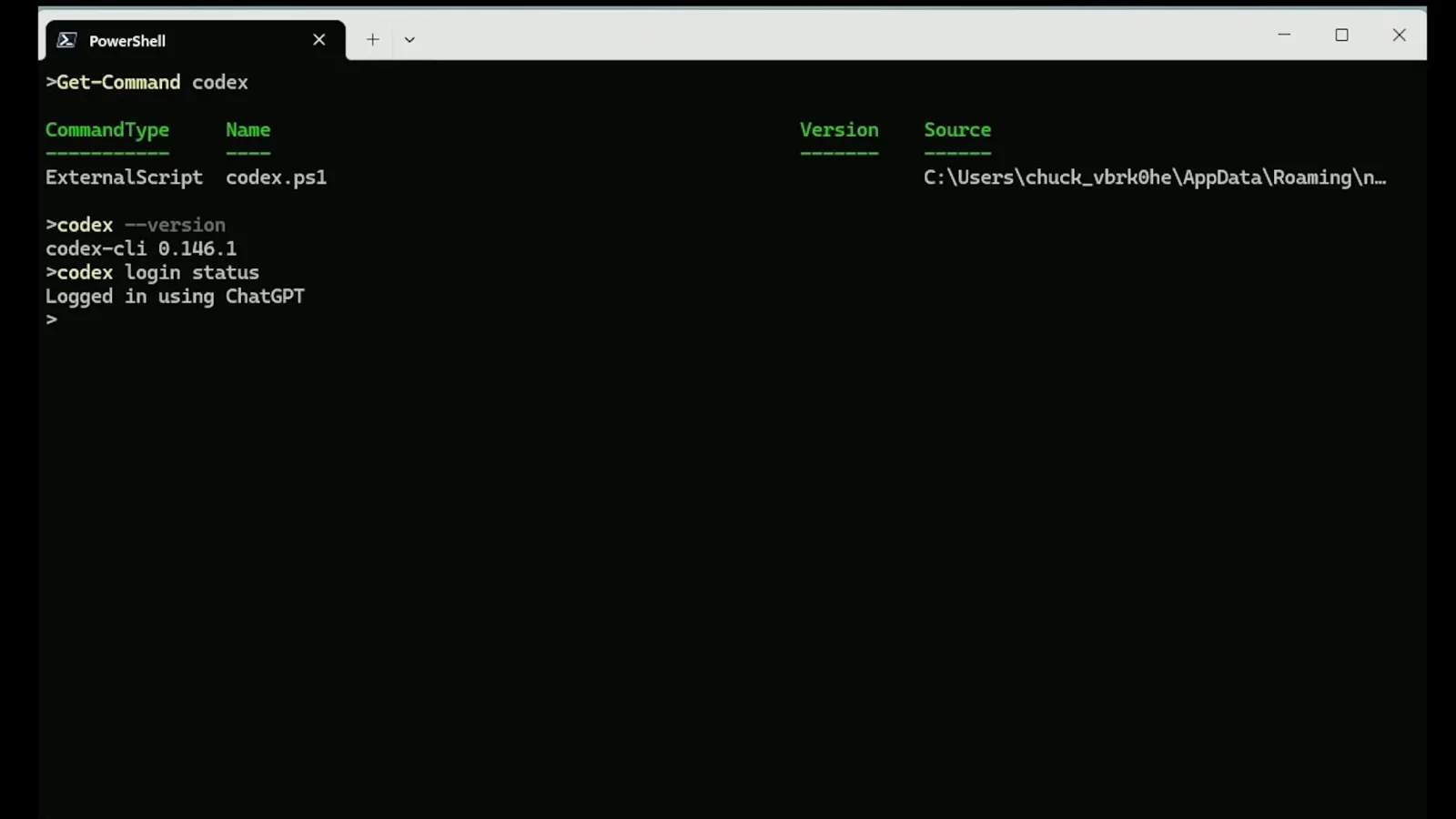
codex --version and codex login status in one screenWatch at 2:40 - 4
Inspect the effective configuration with codex doctor
codex doctor --summary prints a health report: the recording shows a "mixed auth signals" note (ChatGPT login plus an API-key env var), green checks for runtime, install, git and terminal, and a Configuration section confirming config loaded. This is the fastest way to see whether your config file is being picked up at all.
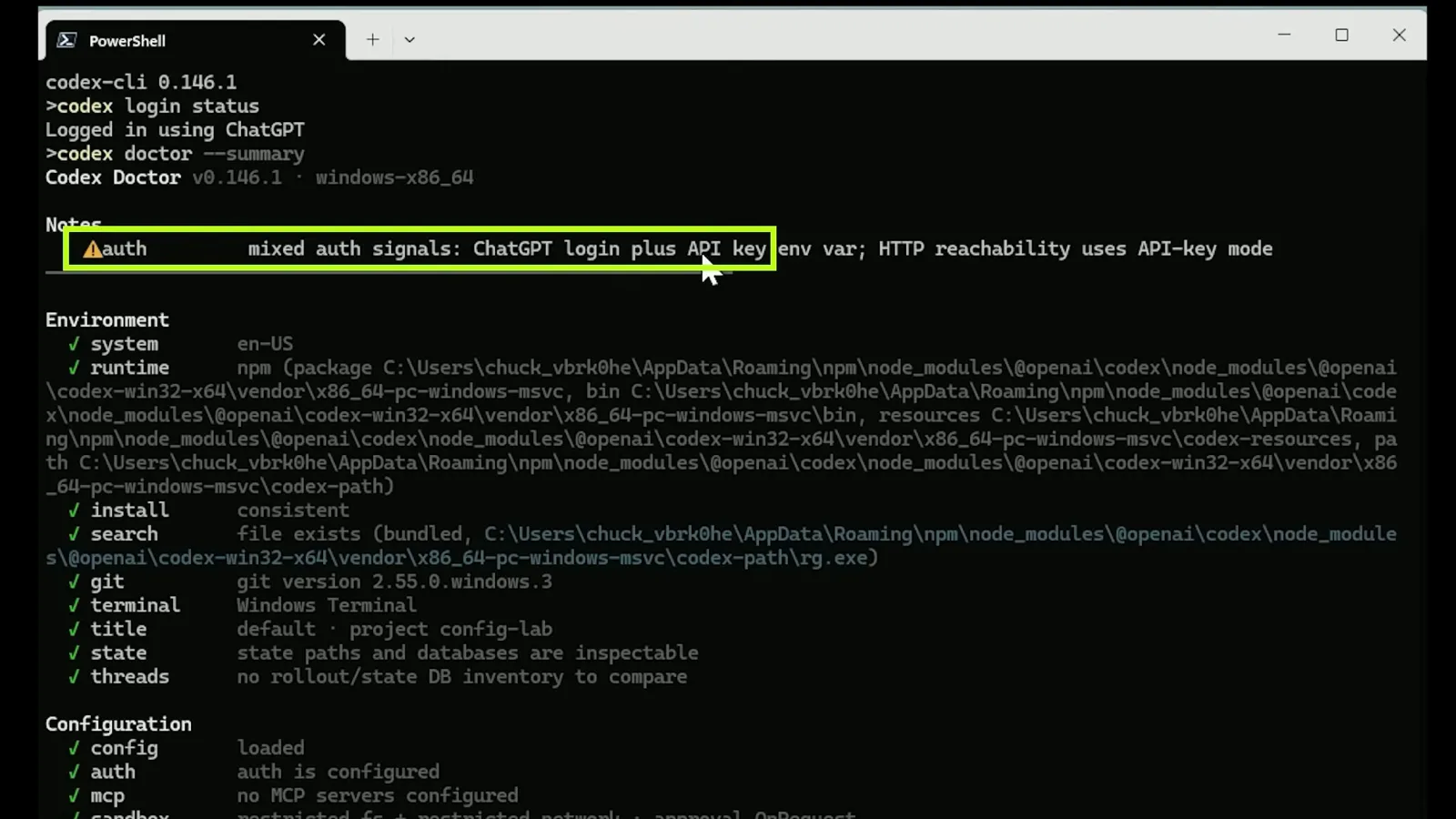
The doctor report with its auth note and green environment checksWatch at 3:00
Set the default in config.toml — user, project, subfolder
- 5
Locate your Codex home
User-level settings live in ~/.codex, and the CODEX_HOME environment variable can point Codex somewhere else entirely — the recording deliberately builds a disposable lab folder and sets CODEX_HOME to it. If a teammate or a script ever set CODEX_HOME, your edits to ~/.codex/config.toml would land in a file Codex never reads.
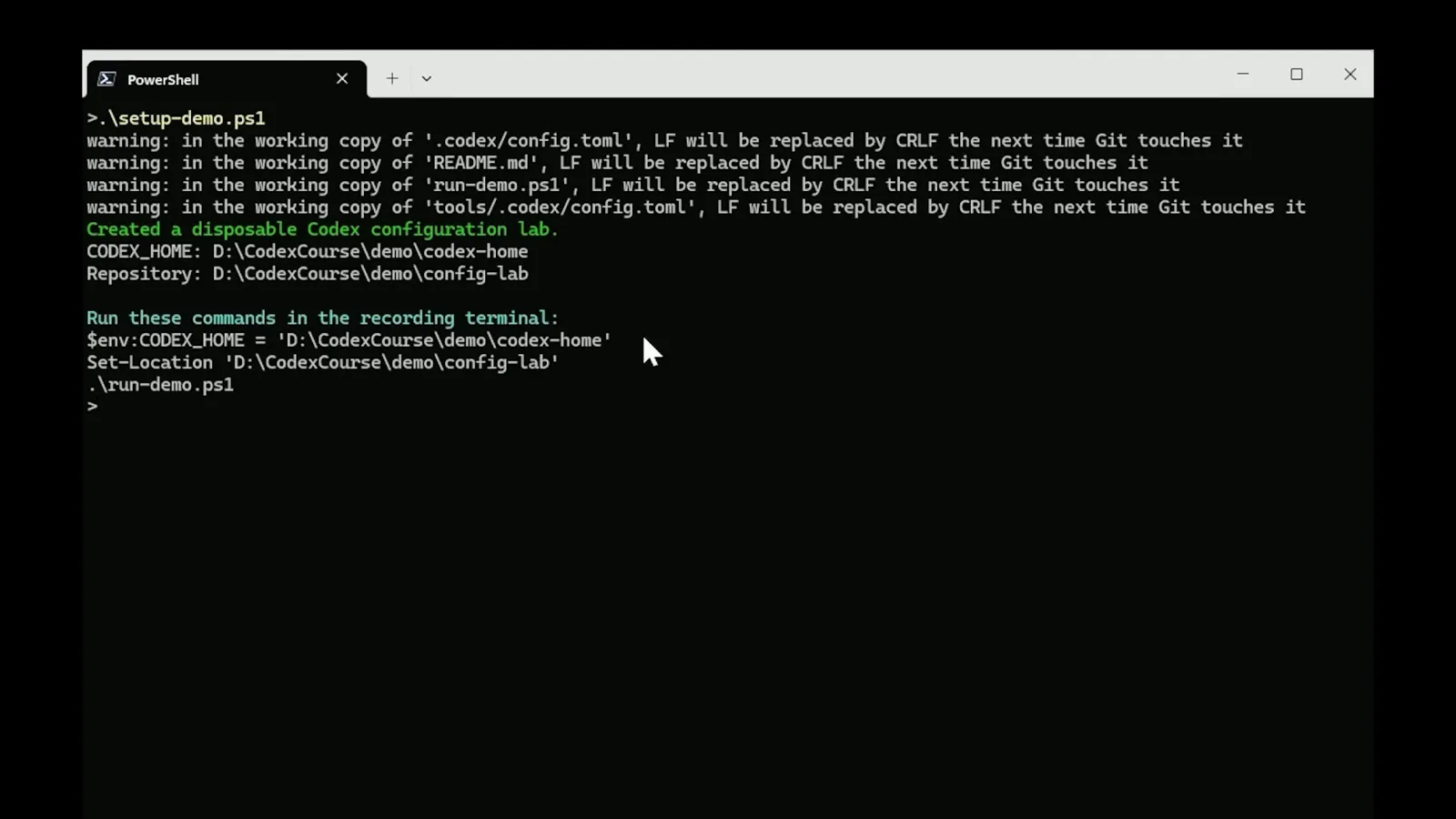
The setup script announcing the isolated CODEX_HOME labWatch at 4:30 - 6
Open the user-level config.toml
Inside the Codex home sits config.toml — the file the official config reference documents. The recording expands the codex-home folder in VS Code and selects config.toml. On a normal machine that is ~/.codex/config.toml; create it if it does not exist yet, and keep the TOML syntax (quoted values, no commas).
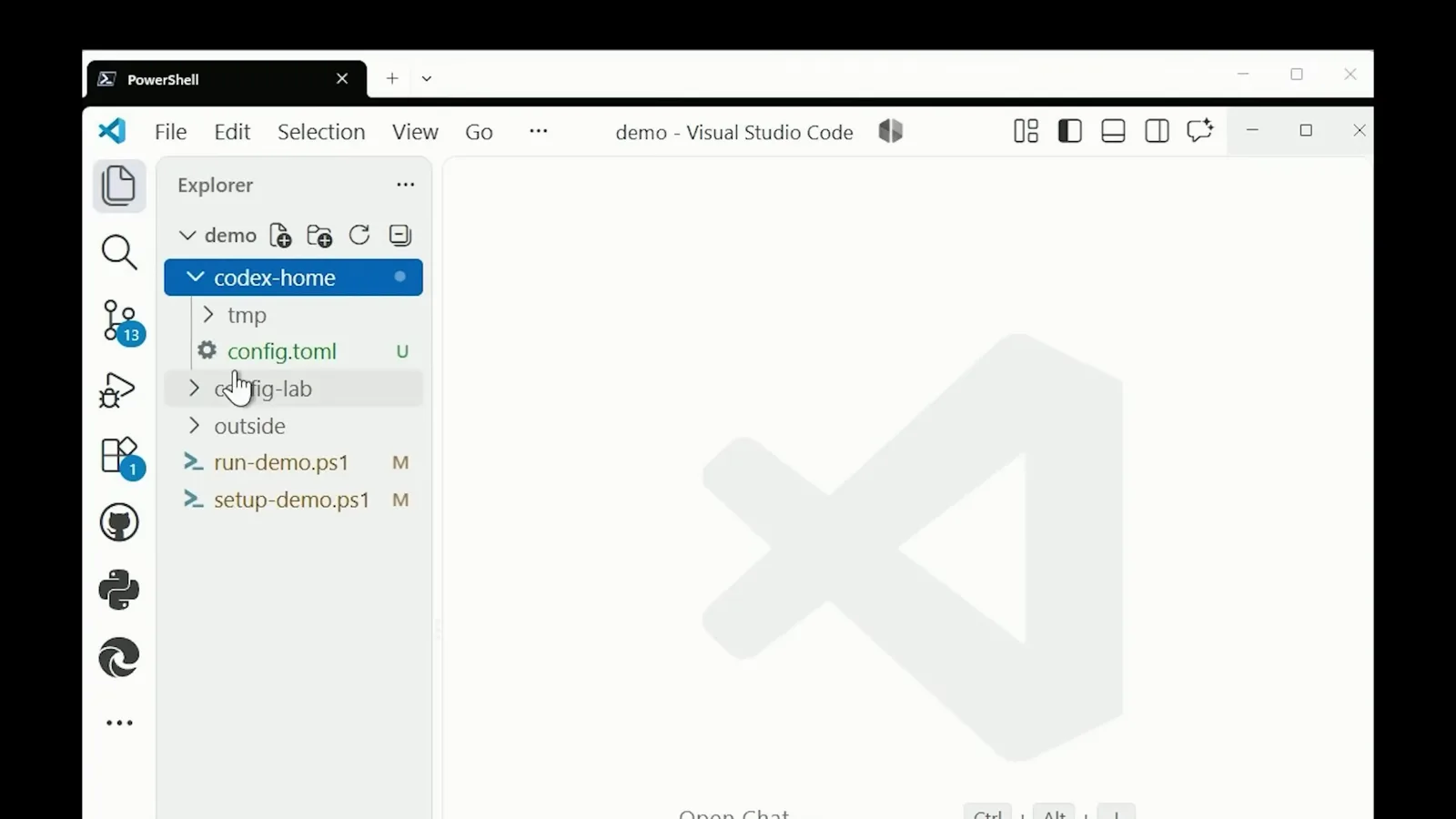
The codex-home folder with its config.toml selected in VS CodeWatch at 4:53 - 7
Set the default model at user level
Add model = "gpt-5.6-terra" — the recording's example, using one of the catalog models of that era; today the bundled default is gpt-6.1-sol, so use the exact ID you saw in /model. The same file carries approval_policy = "on-request" and sandbox_mode = "workspace-write", plus a [projects.'D:\...\config-lab'] trust_level = "trusted" block marking which folders may load their own project config.
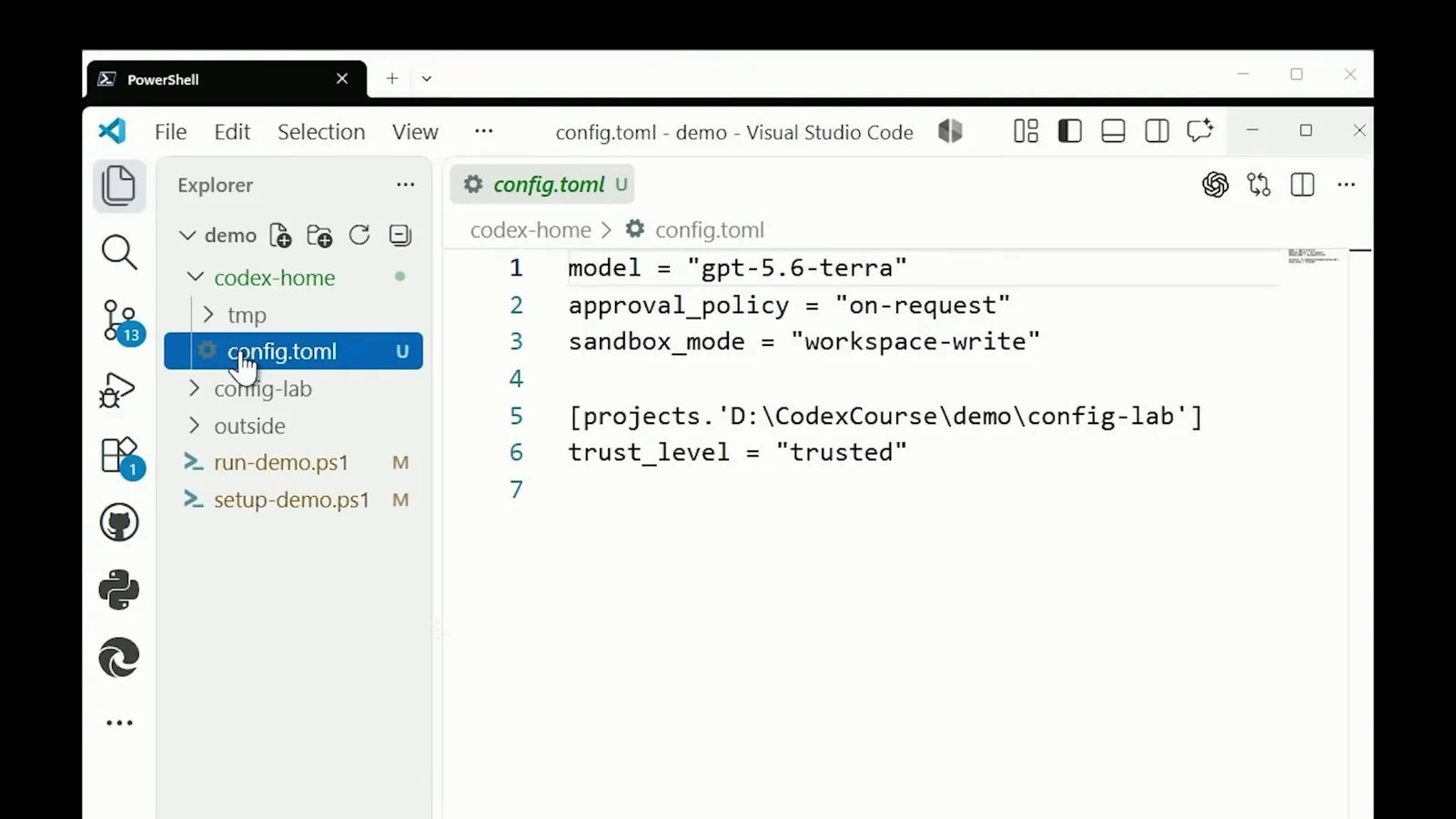
model, approval_policy, sandbox_mode and the trusted projects blockWatch at 5:00 - 8
Override the model per project
A trusted repository can carry its own .codex/config.toml. The recording adds one at the root of config-lab with model = "gpt-5.6-sol" and the comment "Trusted repository default for this demonstration" — from now on, sessions started in that repo use Sol while everywhere else keeps Terra. Remember the docs' rule: project files can't override machine-local keys like model_provider, so keep provider config at user level.
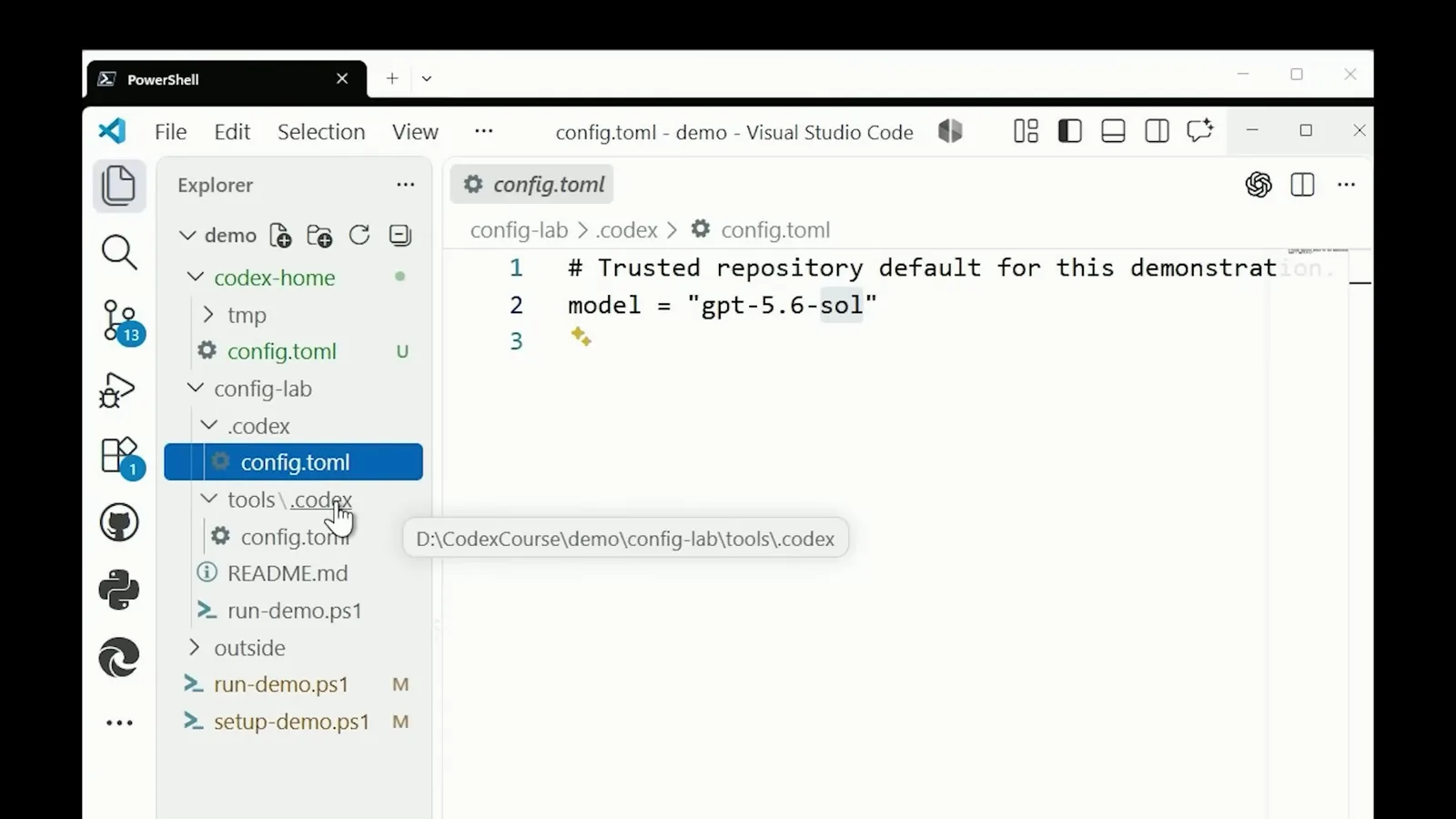
The project's .codex/config.toml pinning gpt-5.6-solWatch at 5:25 - 9
Nest an override for a subfolder
Go one level deeper: config-lab/tools gets its own .codex/config.toml with model = "gpt-5.6-luna" and the comment "More specific setting for work launched under tools/". Trusted project configs apply from the repository root down to the working directory, so the most specific folder you launch from sets the model.
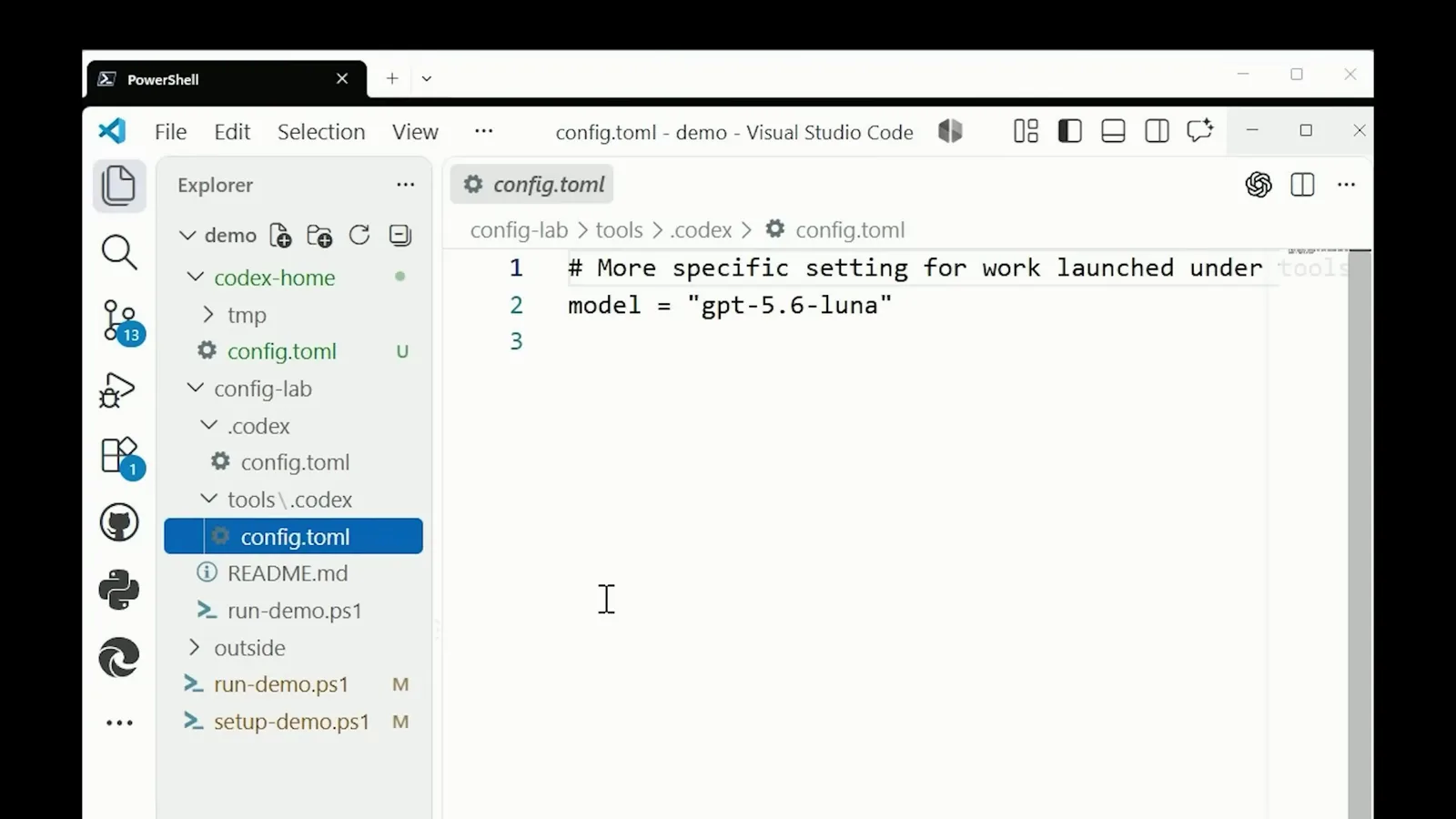
tools/.codex/config.toml pinning gpt-5.6-luna for that subtreeWatch at 5:50 - 10
Prove which layer won
The recording closes the loop with a run-demo script that prints an "Effective model" table: user → terra, project-root → sol, nested-project → luna, cli-override → terra. That is the whole priority stack in one screen — command-line flags and -c overrides beat nested folders, which beat project roots, which beat your user config.
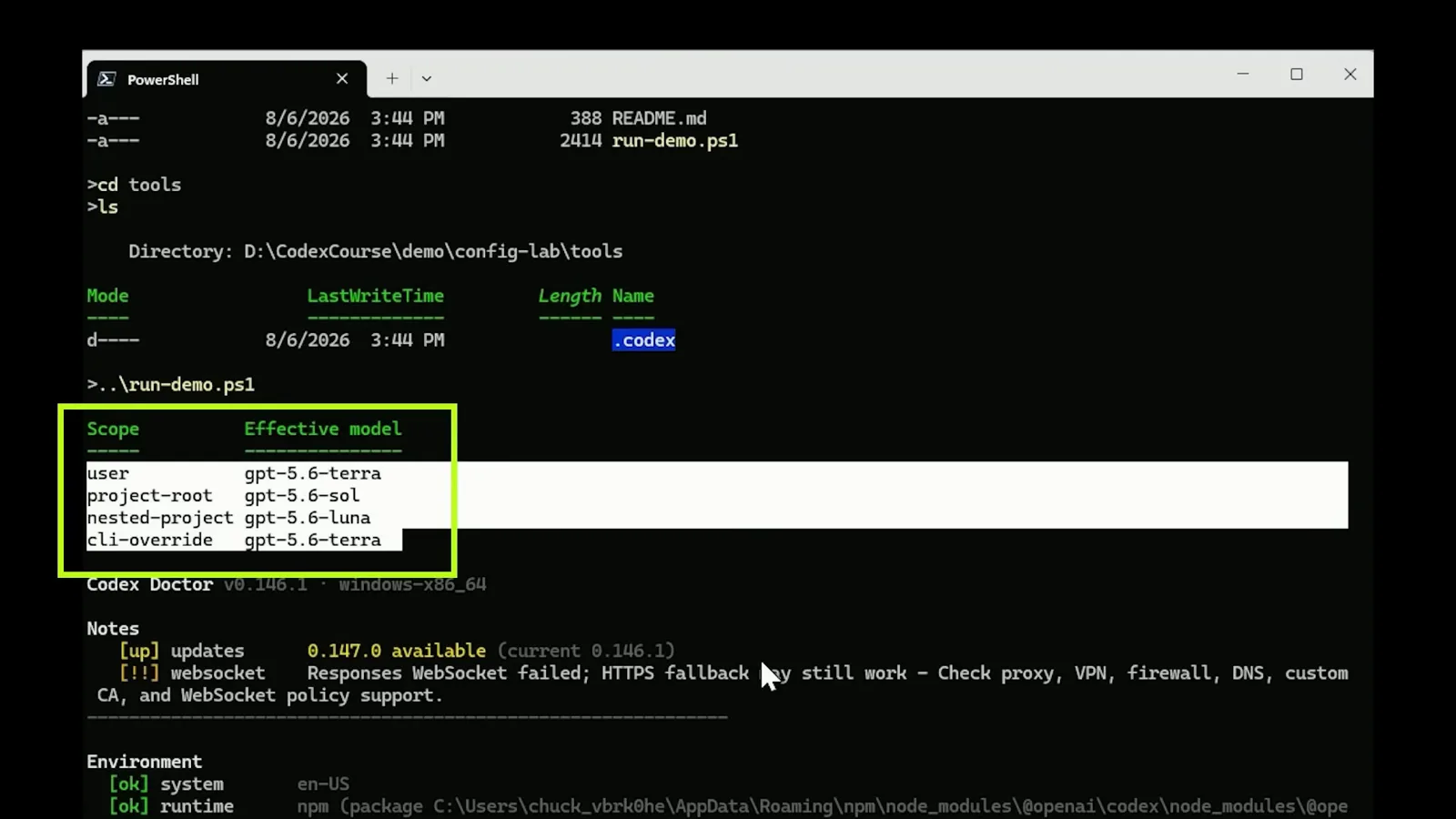
The scope-by-scope effective model table with doctor notes belowWatch at 6:00
Session switches, reasoning effort & the 0.161.0 swap
- 11
Switch models for one session with /model
Inside a session, /model opens the picker to switch models on the fly, and /status reports the model and reasoning effort currently in force. Session switches are temporary by design — quit and relaunch, and the config.toml default takes over again, which makes /model the safe way to audition a model before pinning it.
- 12
Know the 0.161.0 default swap (2026-10-07)
Codex CLI 0.161.0, released October 7, 2026, states: "GPT-6.1 Sol is now the default model in the bundled and Amazon Bedrock catalogs." If you never set a model key, an upgrade silently moves you to it. To keep an older default, write it explicitly in ~/.codex/config.toml, and tune depth with model_reasoning_effort ("high" in the docs' example). Teams should also know agents.default_subagent_model sets the default model for spawned agents, and review_model overrides the model used by /review.
When the default model won't stick
You edited a config file and Codex still starts on the old model. Before re-editing, walk this list — the cause is almost always a second config layer outranking yours.
- 1Wrong file for the scope you launch from — a project .codex/config.toml overrides your user ~/.codex/config.toml, and a nested one outranks the project root. Run codex doctor in the exact folder you launch from and check which configs it reports loading.
- 2A CLI flag or one-time -c override beats every file — if a wrapper script, alias or IDE extension launches codex with --model or -c model=..., your config never gets a vote. Inspect how the command is actually invoked.
- 3CODEX_HOME points somewhere else — edits to ~/.codex/config.toml do nothing when the CODEX_HOME environment variable relocates the home directory, which is exactly what the video's lab does. Echo the variable before blaming the parser.
- 4The project isn't trusted — a .codex/config.toml in an untrusted folder is skipped entirely. Trust is granted through the projects.'<path>'.trust_level = "trusted" entry in your user config, as shown in the recording's user file.
- 5Machine-local keys in a project file — model_provider, model_providers, profile and profiles are ignored in project-local configs by design. If you tried to attach a custom provider per project, move it to the user level and only override the model id locally.
- 6Typo'd or renamed model id — the model value must match the catalog exactly (the 0.161.0 release reshuffled bundled and Bedrock catalogs). Open /model to copy the exact id, then paste it into config.toml rather than typing it from memory.
Once the file layers make sense, the behavior is fully predictable: user default, then profile, then trusted project configs root-to-directory, then CLI flags. The recording's scope table is worth reproducing on your own machine — predict all four rows before running it, and you will never wonder which model Codex will use again.