
DeepSeek Cline 教程:免费模型与 API 接入
Cline 是一个开源编码代理,既能装进 VS Code,也能跑在终端里。本图文攻略跟着一次真实配置走:装扩展、从免费模型列表里选 DeepSeek V4 Flash(或接入你自己的 API Key),最后以 $0.00 交付一个完整的作品集网站。
太长不看
- Cline 是免费开源的编码代理,覆盖 VS Code、JetBrains、Cursor、Windsurf 和终端——一次安装,无需订阅。
- DeepSeek V4 Flash 位于 Cline 的免费模型档位,带 100 万 token 上下文;视频里的 hello 测试和 71,049 token 的作品集构建都只计费 $0.00。
- 想用自己的 Key?在 platform.deepseek.com 创建密钥,在 Cline 设置里选择 DeepSeek 提供商,base URL 填 https://api.deepseek.com,模型用现行名称 deepseek-flash 或 deepseek-v4-pro。
- 旧模型名 deepseek-chat 和 deepseek-reasoner 已于 2026 年 7 月 24 日停用——看到还在用旧名的教程,换成现行名称即可。
Cline: FREE AI Coding Agent | DeepSeek, GLM, LongCat & Laguna
演示视频:Code With Yousaf08:49
DeepSeek provider configuration — official Cline docs
官方文档:docs.cline.bot
这份演示录制于 Cline 当前的免费档位:DeepSeek V4 Flash 的列表项和 deepseek/deepseek-v4-flash 模型 ID 都在屏幕上实时可见。API Key 路线的取值以 2026 年 9 月的 Cline 与 DeepSeek 官方文档为准。
截图来自上方视频的单帧画面,均附来源并回链到精确时间戳;分步文字全部为本站原创。
在 Cline 里使用 DeepSeek:分步图文
1 · 认识 Cline:开源编码代理
- 1
在 cline.bot 认识 Cline
Cline 是一个开源编码代理,有三种形态:终端里的 CLI、VS Code/JetBrains/Cursor/Windsurf 的 IDE 扩展,以及 SDK。官网首页就是本攻略两条路线的起点。
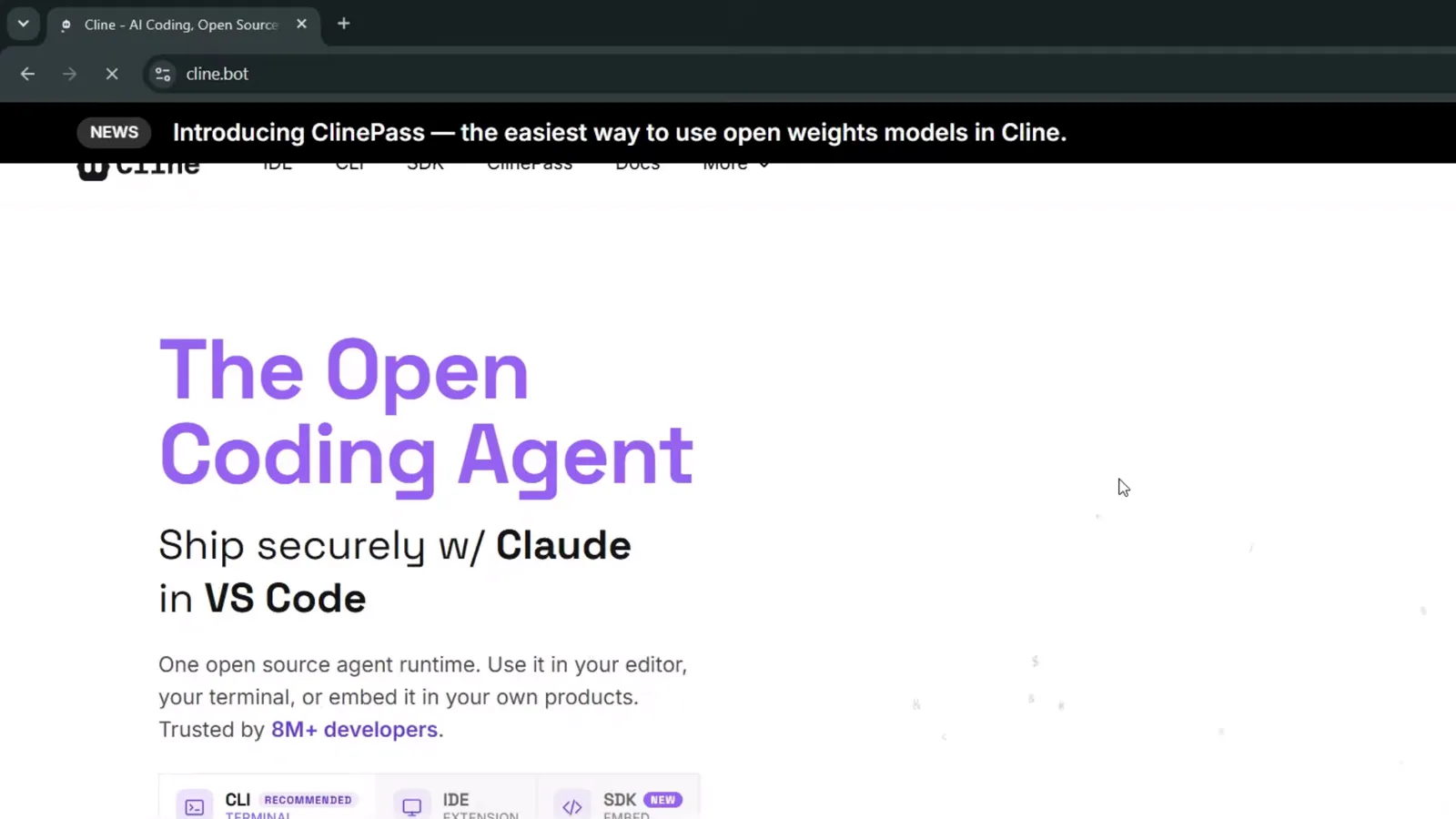
「开放编码代理」首页:一次安装,CLI、IDE 扩展、SDK 全都有在 0:52 处观看 - 2
选路线:CLI 命令或 IDE 扩展
安装区把两条路并排放在一起:终端党复制 npm i -g cline 命令(macOS、Windows、Linux 都支持);VS Code 党切到 IDE Extension 标签。本攻略先走扩展路线,构建演示再回到 CLI。
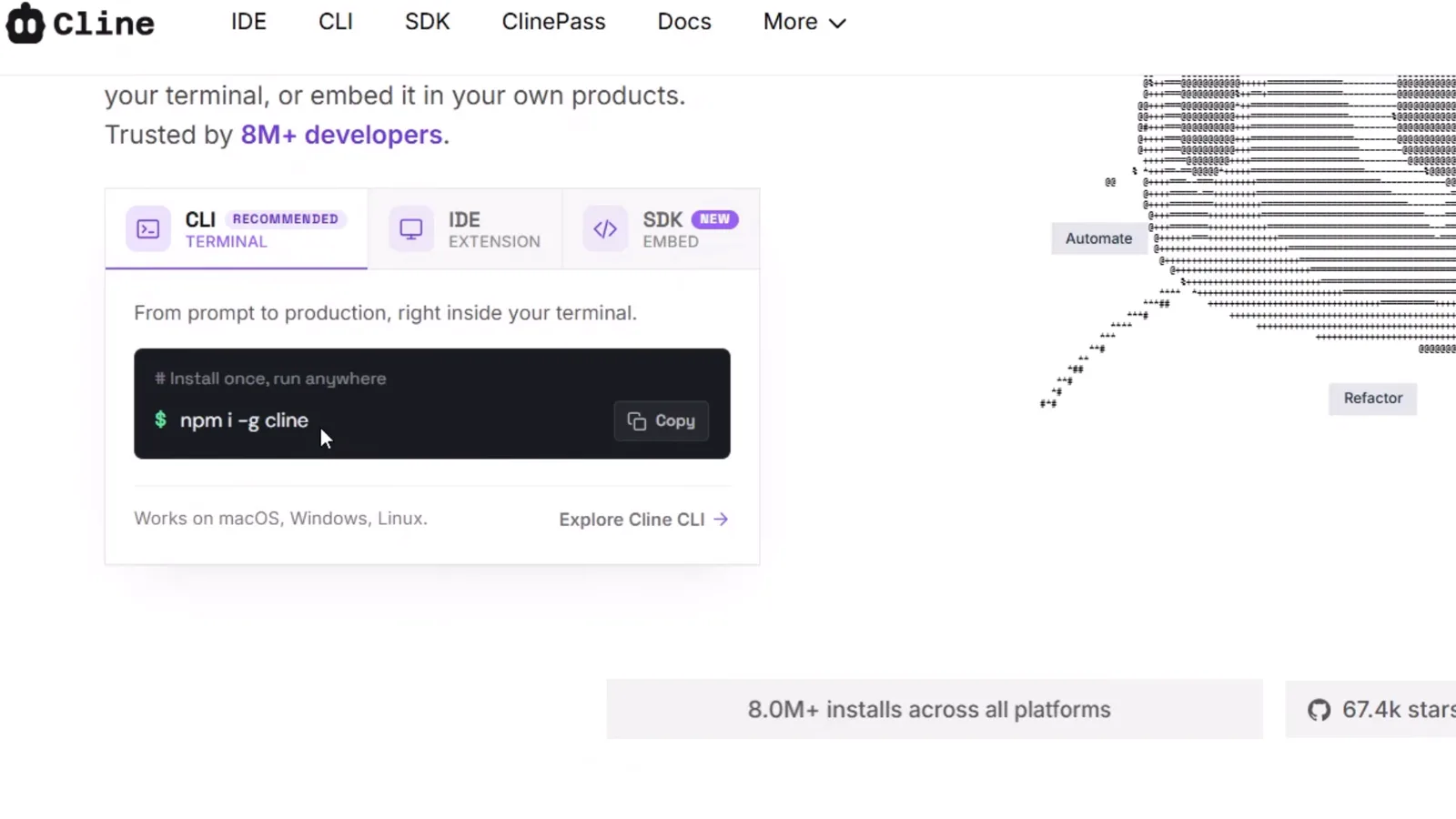
一个安装区,两条路线:npm 命令和扩展入口在 1:20 处观看 - 3
在 CLI 免费模型列表里看到 DeepSeek
在任意文件夹启动 cline,欢迎屏的状态行就会显示当前模型。开箱即用走 Cline 自己的计费,DeepSeek V4 Flash 就在免费档里——不用 API Key 就能开工。
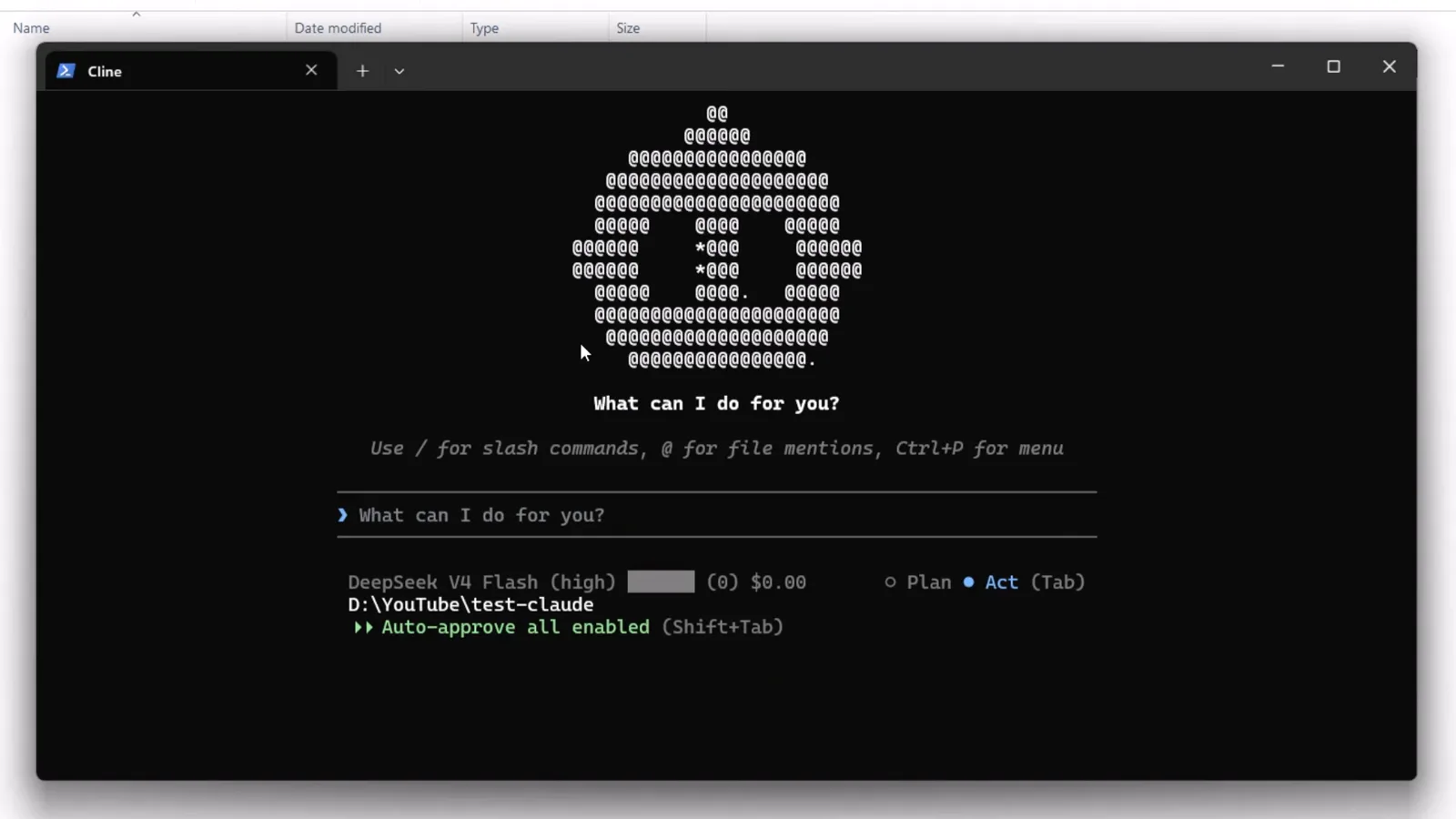
CLI 状态行显示 DeepSeek V4 Flash (high)、$0.00——首次启动就免费在 2:30 处观看
2 · 在 VS Code 里安装 Cline
- 4
打开 VS Code 的扩展视图
在 VS Code 里从活动栏打开扩展视图,就能在已安装列表里看到 Cline(全新安装的话,在市场里搜「Cline」)。
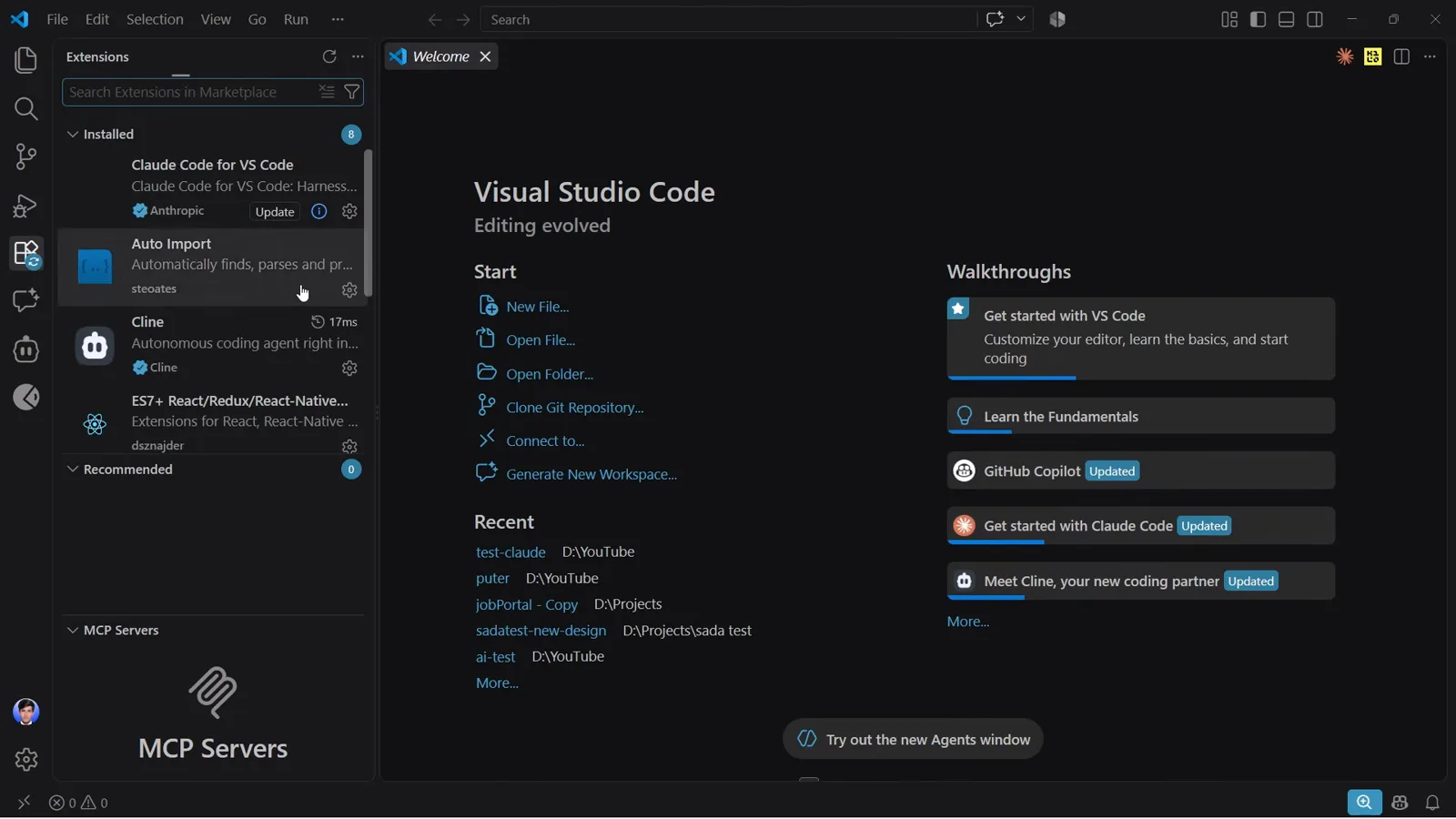
扩展视图里,Cline——自治编码代理——已经装好在 3:28 处观看 - 5
配置之前先核对扩展
扩展详情页能确认你装的是正品:发布者是 cline.bot,安装量超过 500 万。如果按钮显示 Disable 和 Uninstall 而不是 Install,说明扩展已经在运行。
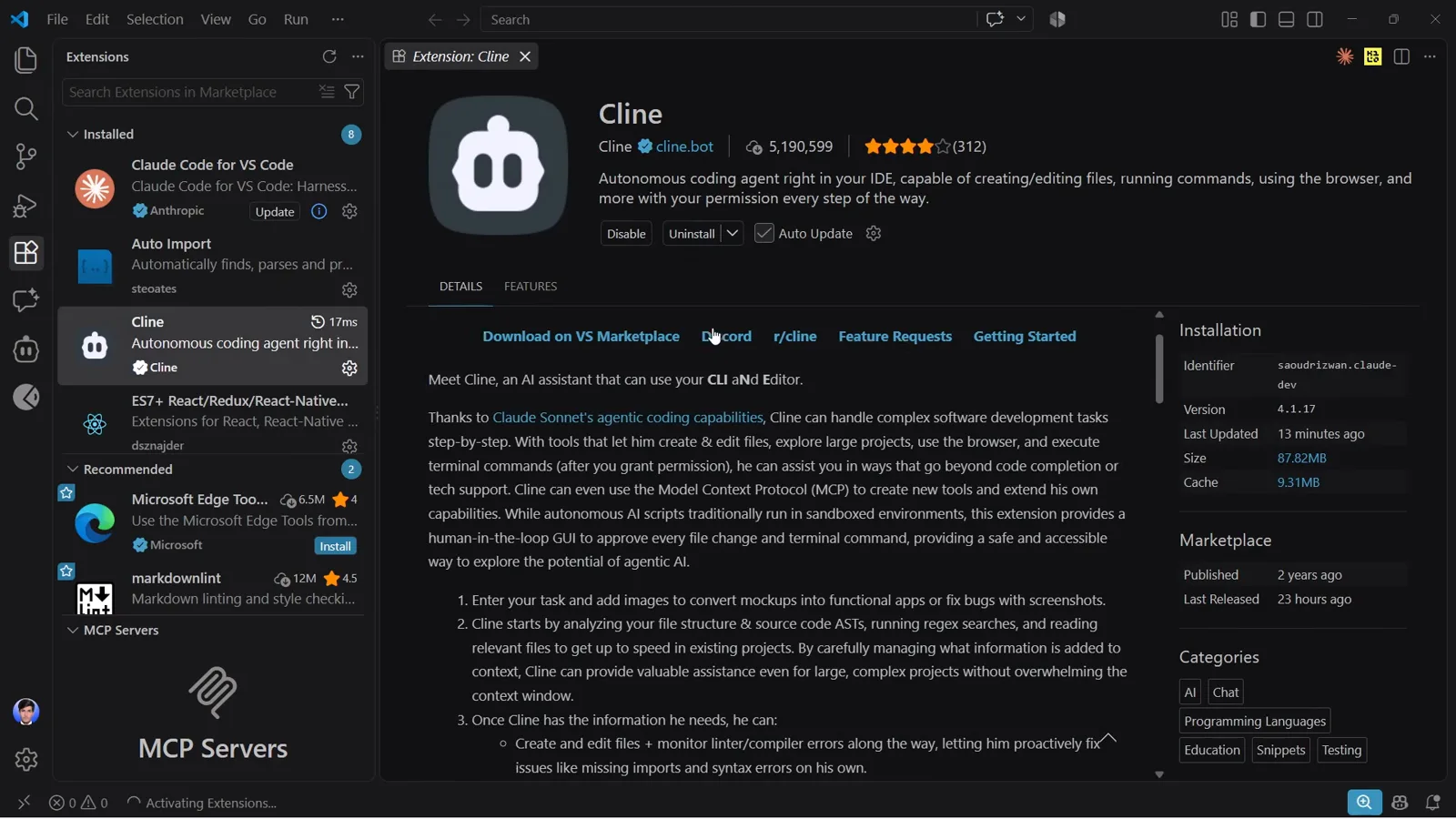
Cline 的市场页面:cline.bot 发布,519 万安装,已安装在 3:34 处观看 - 6
打开 Cline 面板
点活动栏里的 Cline 图标。面板打开后是 What can I do for you? 任务框,底部有 Plan/Act 切换,最近任务连同费用一起列出——这套配置下每个历史会话都是 $0.00。
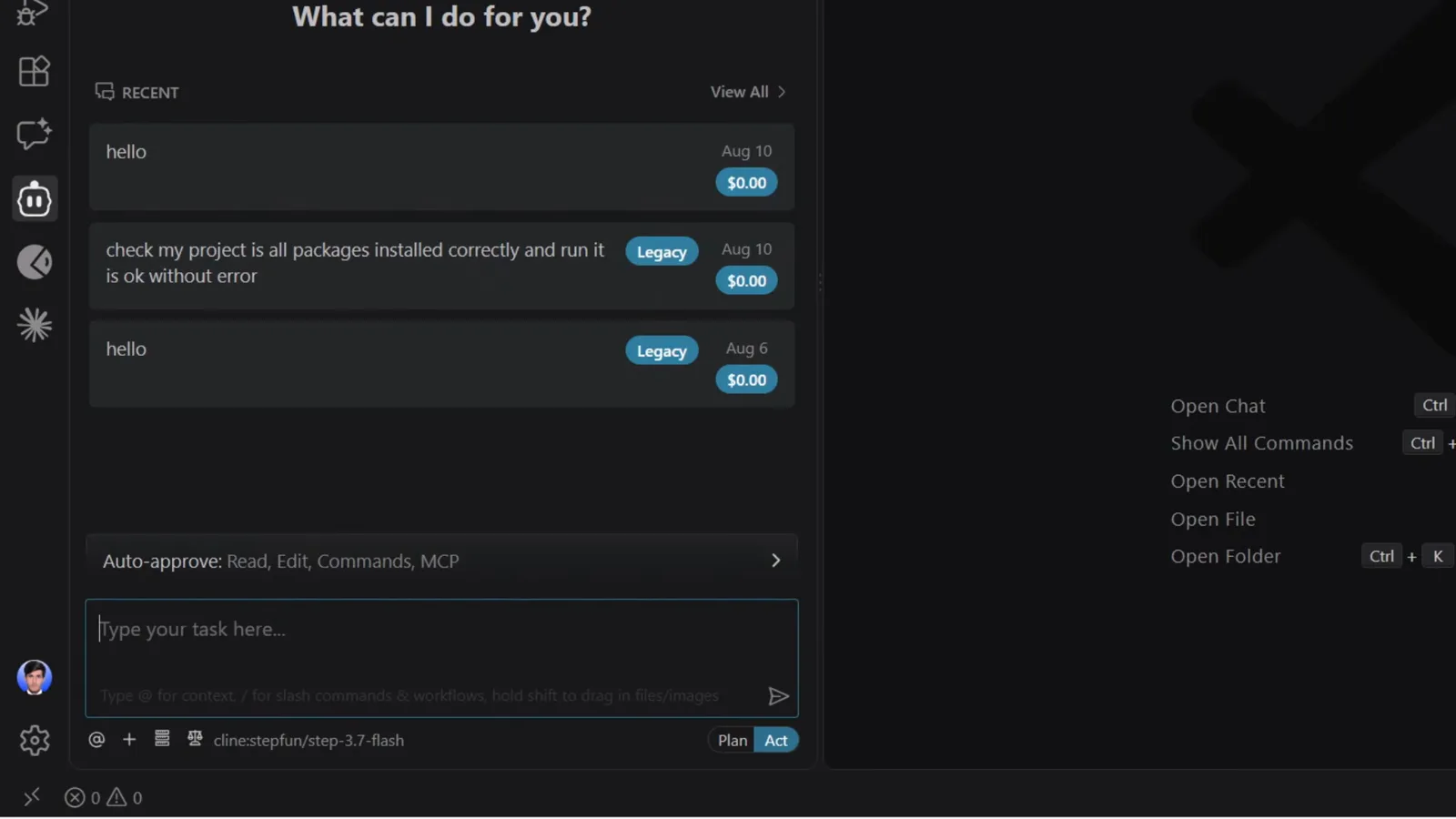
任务框、Plan/Act 切换,Recent 列表里每条任务都是 $0.00在 3:50 处观看
3 · 接入 DeepSeek(免费档或自己的 Key)
- 7
检查设置里的 API 提供商
点齿轮图标打开 Cline 设置。API Provider 下拉框选的是 Cline Usage-Billing——Cline 自己的计费,免费档全靠它。想自带 Key 的话,就在这里换成 DeepSeek 提供商(详见文末 FAQ)。
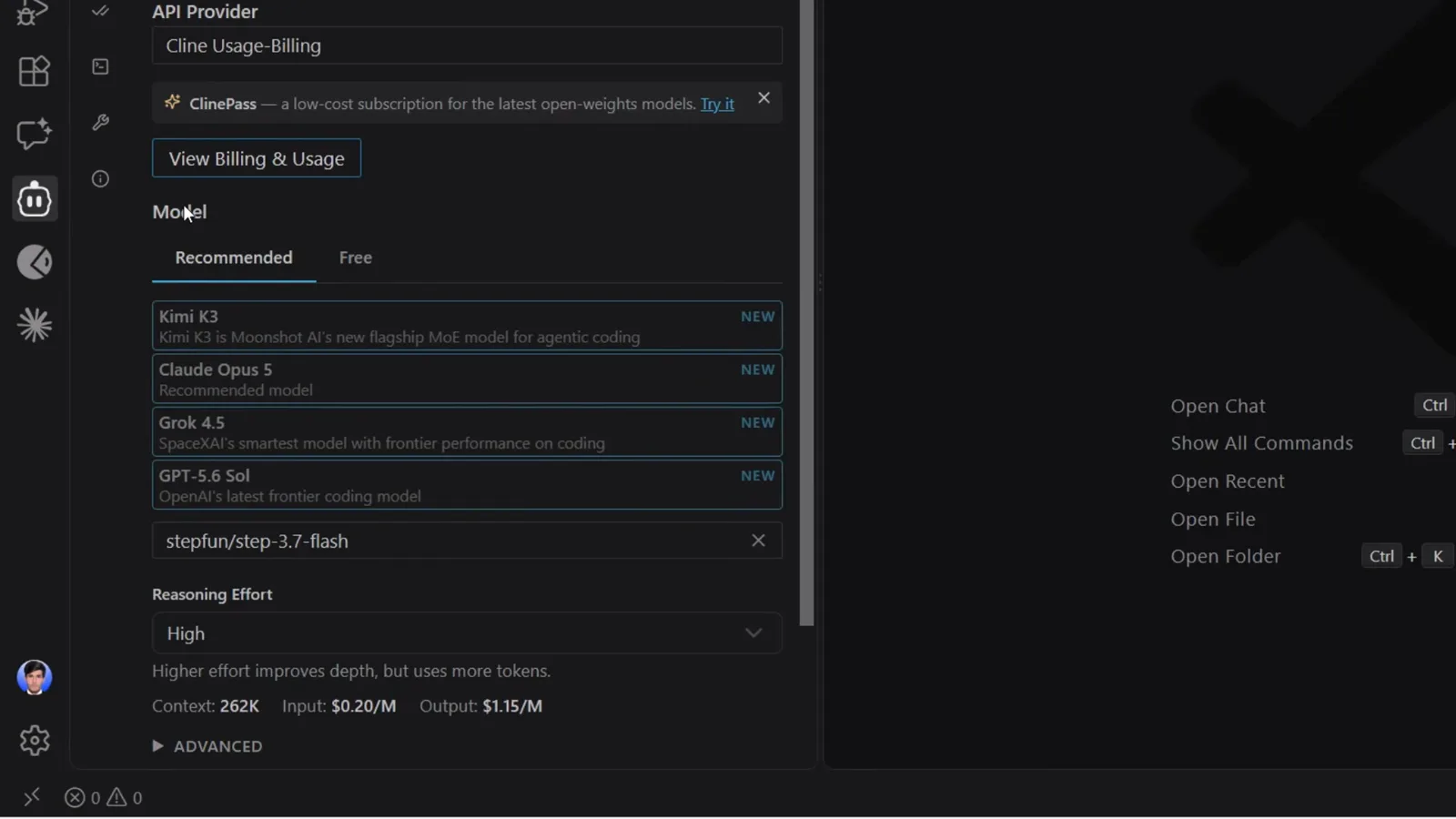
设置 → API Provider:Cline Usage-Billing,账单用量一键可查在 4:02 处观看 - 8
打开模型选择器的 Free 标签
Model 下有两页:Recommended 和 Free。Free 页列出 DeepSeek V4 Flash、GLM-5.3-Flash、LongCat 2.0 和 Laguna S 2.1——每个都带 FREE 标。要 100 万 token 上下文,就选 DeepSeek V4 Flash。
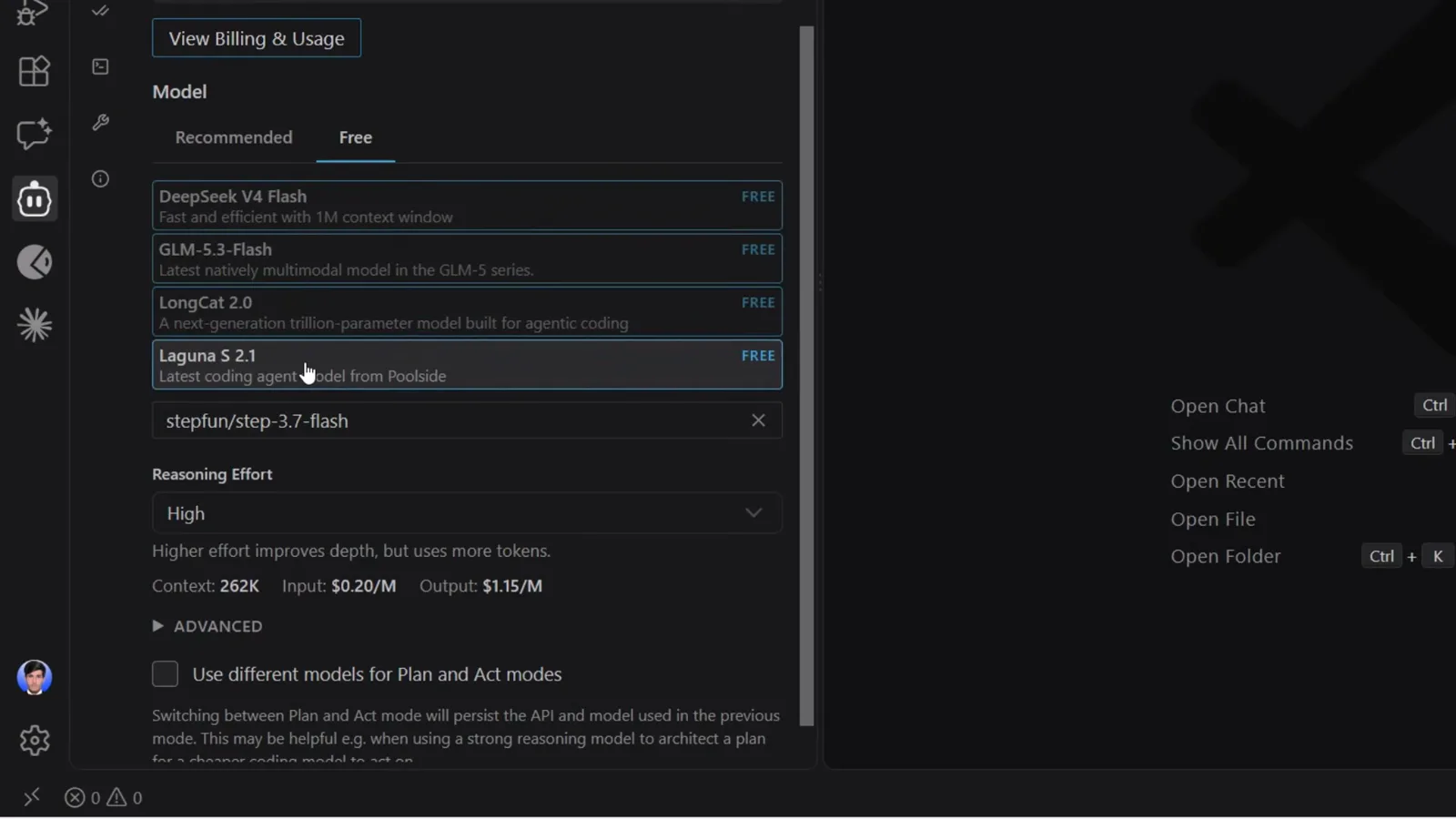
四个免费模型,全部带 FREE 标——DeepSeek V4 Flash 领衔在 4:22 处观看 - 9
选中 DeepSeek V4 Flash 并确认模型 ID
选中 DeepSeek V4 Flash 后,设置里会显示模型 ID deepseek/deepseek-v4-flash、1.0M 上下文窗口和 Free 的输入/输出价格。Reasoning Effort 默认 High;Plan 和 Act 两种模式还可以用不同模型——比如让便宜模型去执行计划。
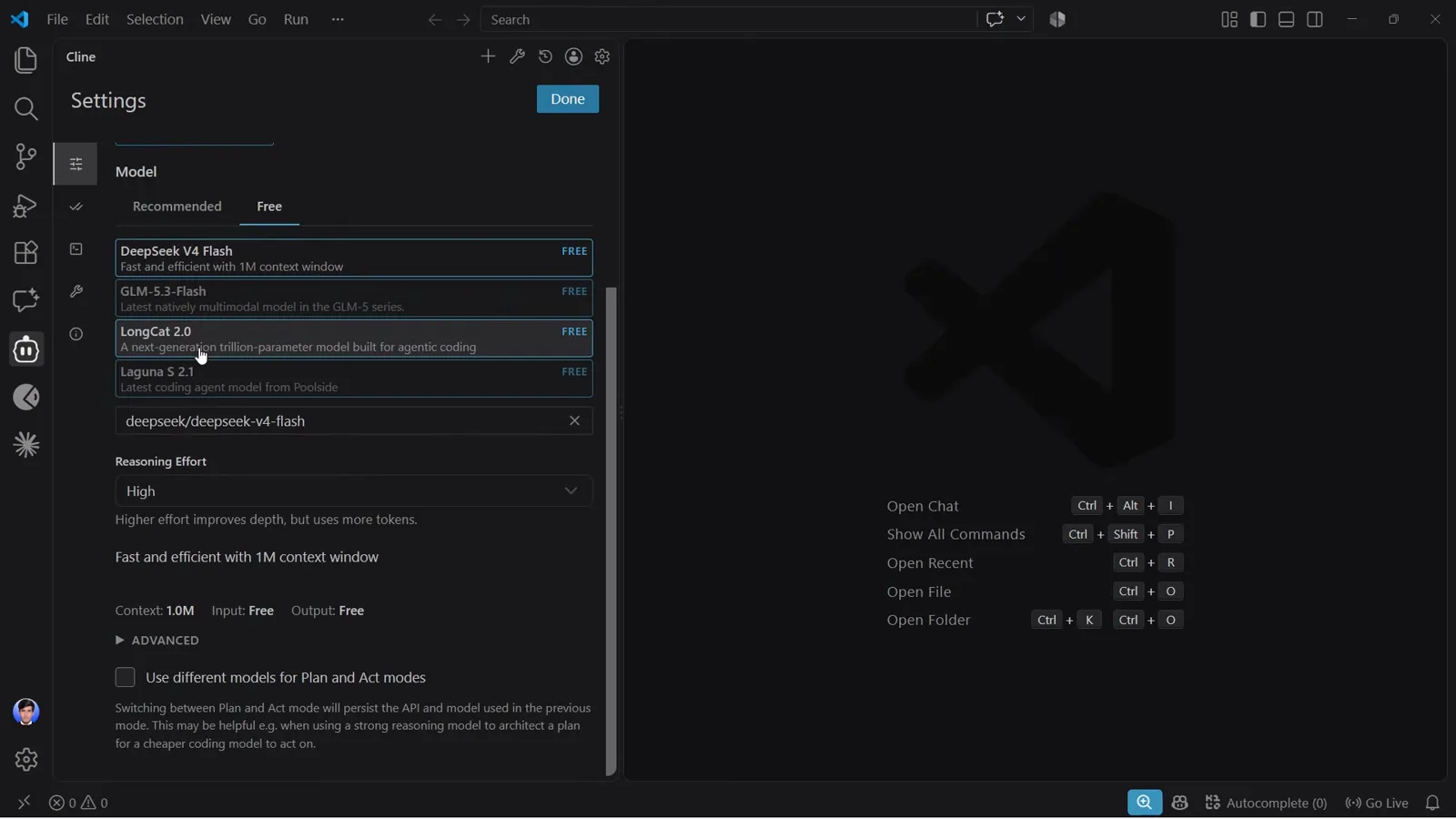
deepseek/deepseek-v4-flash 已选中:1.0M 上下文,输入输出全免费在 4:44 处观看 - 10
发一条 hello 测试
在任务框里输入 hello。片刻之后回复落地,带绿色 COMPLETED 标记和 $0.0000 的费用徽章。(视频作者把四个免费模型轮番试了一遍——底部模型芯片会告诉你这次是谁在回答。)
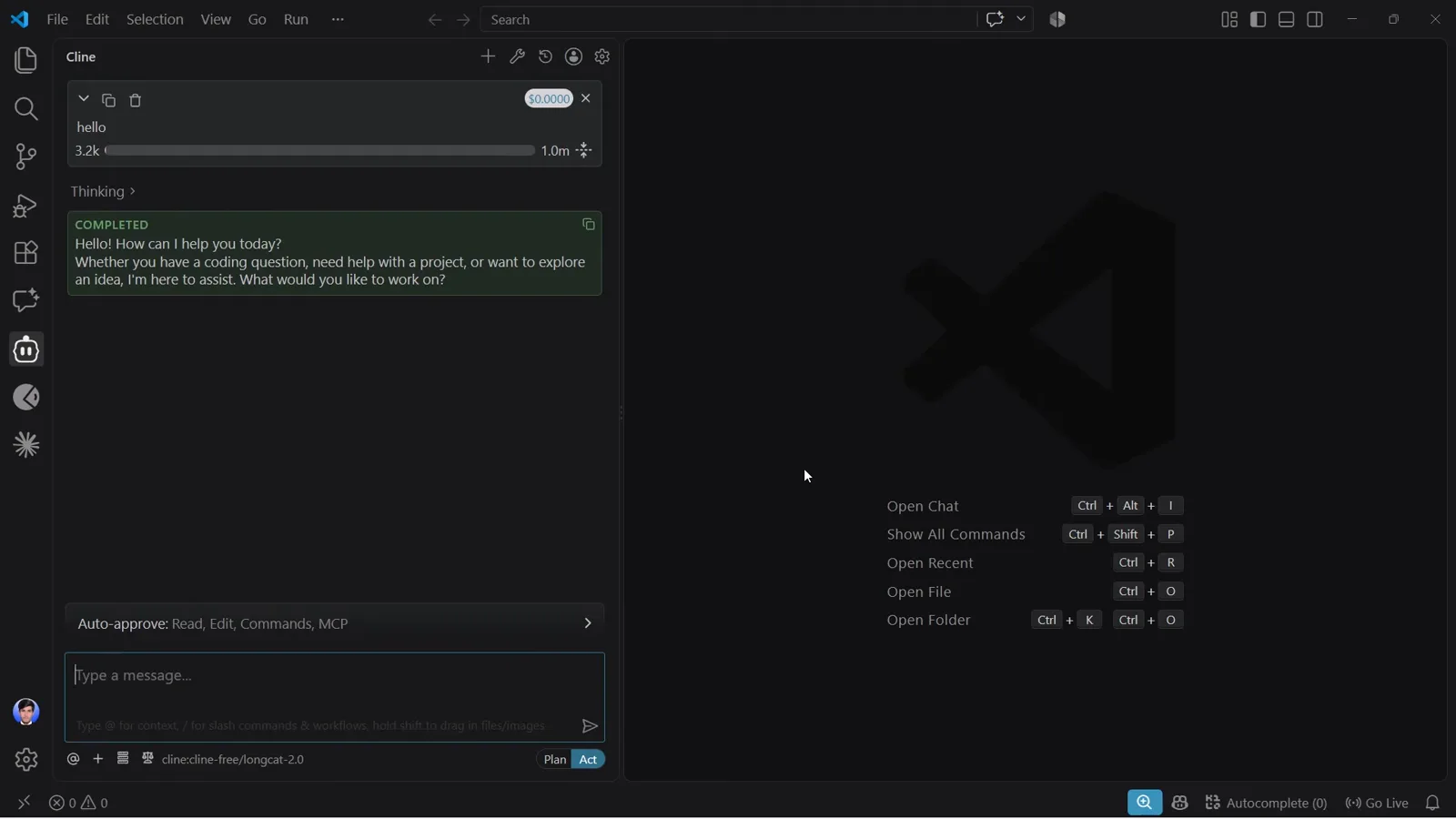
首次对话:$0.0000 完成,回答模型显示在芯片里在 5:04 处观看
4 · 以 $0.00 交付一个真实项目
- 11
给 Cline 一个真实的构建需求
回到 CLI,作者发了一段完整需求:暗色高级感作品集、平滑滚动动画、悬停特效、动画代码片段,全部收进一个内嵌 CSS 和 JavaScript 的 index.html。这次构建他换成了 LongCat 2.0——同样在免费列表里;无论选哪个免费模型,步骤都一样。
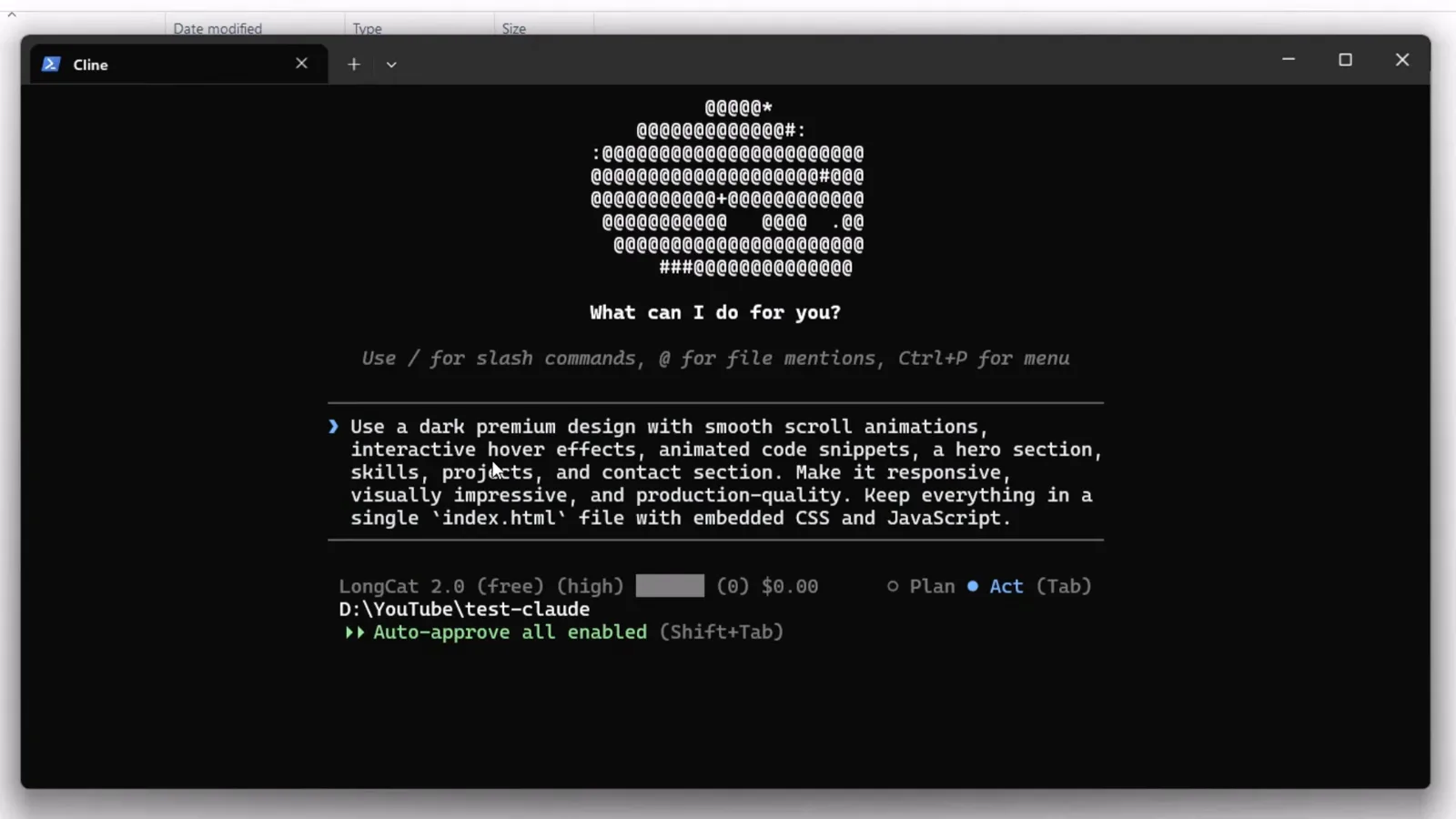
一段完整的单文件作品集需求,粘贴进 Cline CLI在 5:53 处观看 - 12
盯着过程,也盯着账单
Cline 流式输出计划、写入文件,最后给出功能清单:预加载动画、自定义光标、动态背景、导航、Hero、技能、项目、联系区和页脚。状态行合计 71,049 token,$0.00。
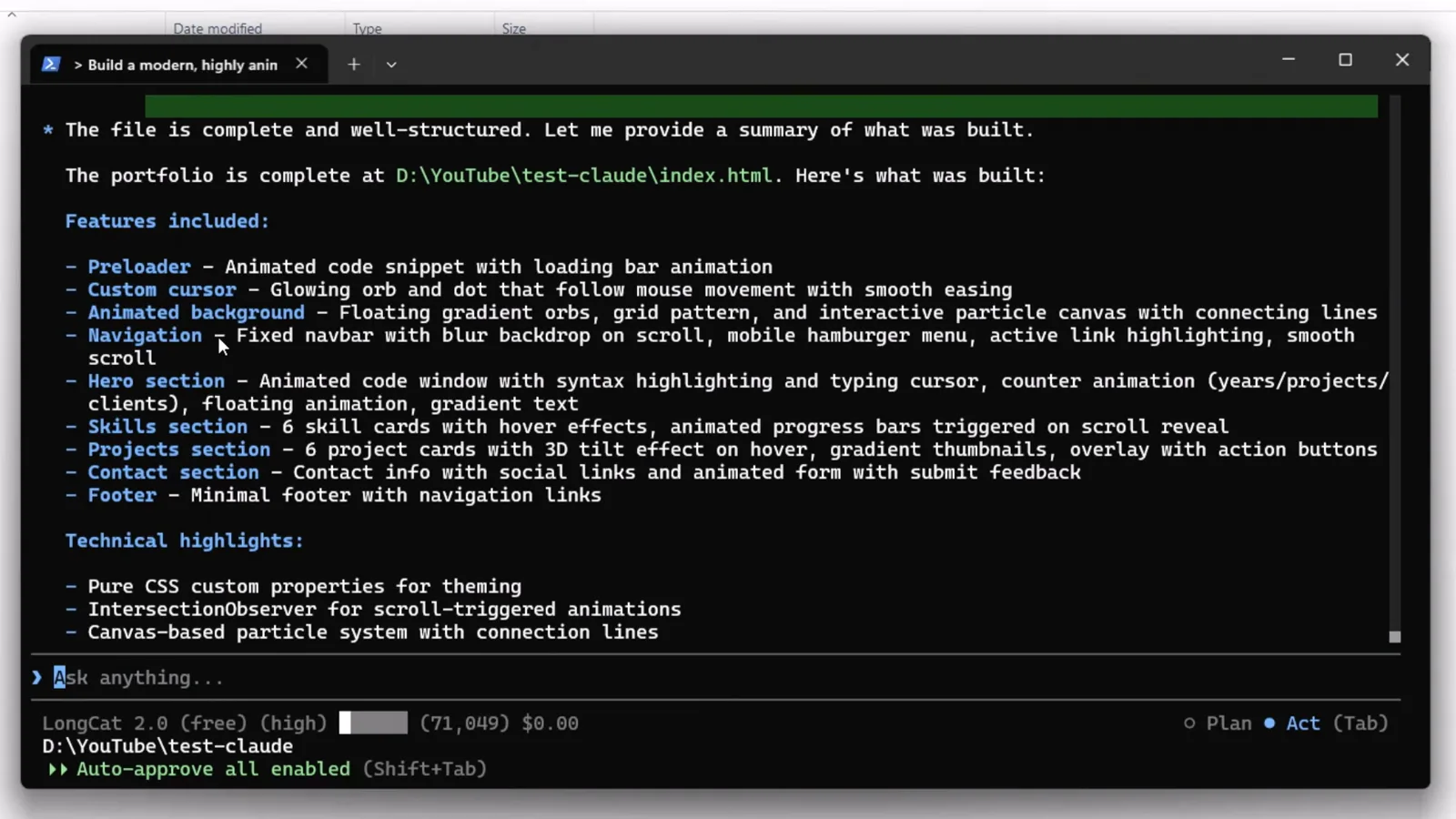
构建总结——九个区块交付,71,049 token,$0.00在 6:37 处观看 - 13
在浏览器里打开成品
生成的 index.html 直接在浏览器打开:I craft digital experiences 的 Hero 配动画代码卡片、项目网格和联系表单。哪里不顺眼,用大白话描述修法——作者就是嫌导航栏不居中,让 Cline 改好——Cline 会直接改文件。
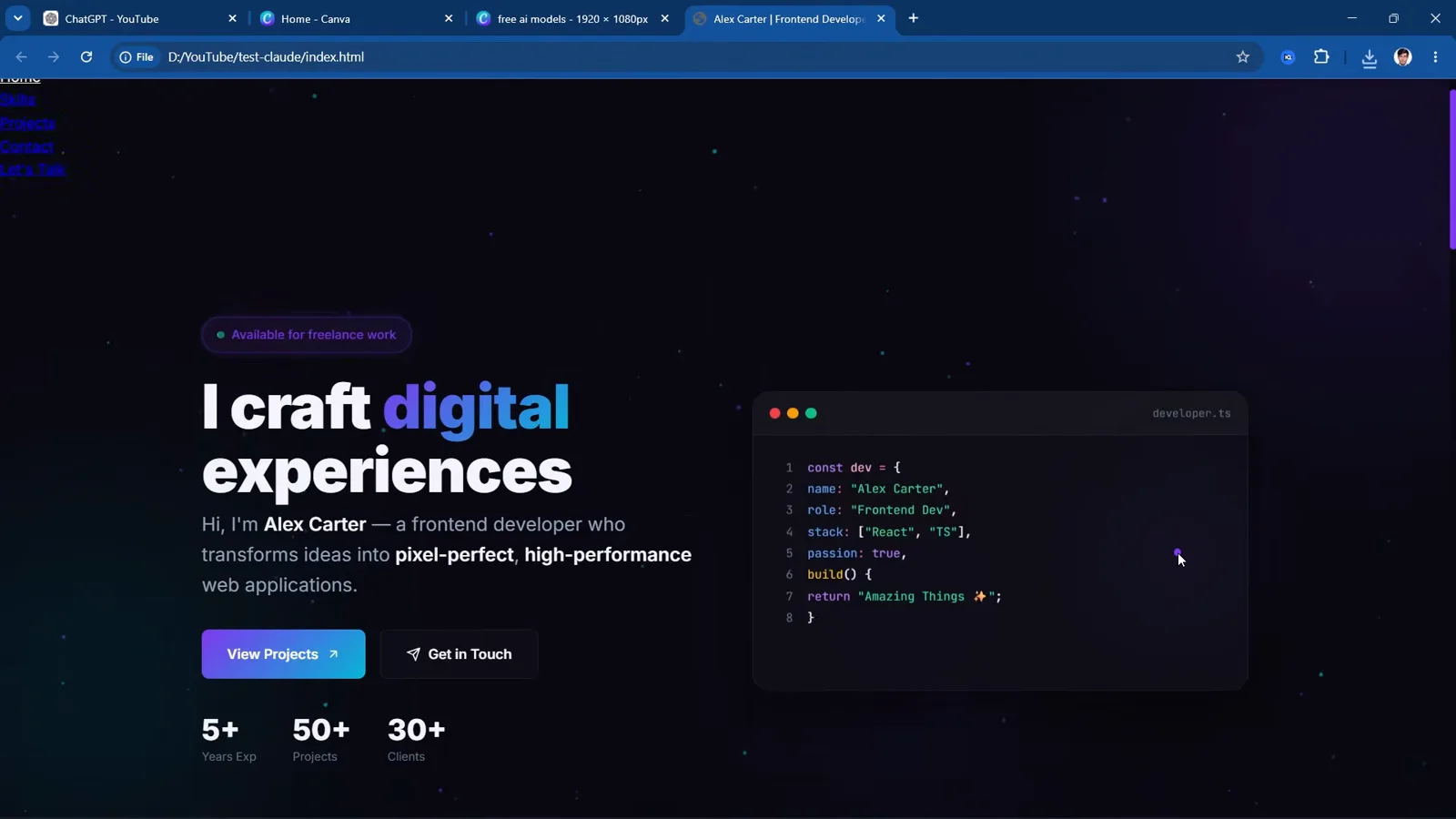
成品作品集,由单个生成的 index.html 直接驱动在 7:09 处观看