
一句话总结:Cline Desktop 是什么
- Cline Desktop 是 Cline 编码 Agent 的原生应用版——从 cline.bot/desktop 下载 Mac 或 Windows(Beta)版,登录 Cline 账号或填 API Key,还可以顺手导入 Claude Code 和 Codex 的旧会话。
- 免费路线:打开模型选择器,在 FREE 区("Try with limited usage at no cost")选 DeepSeek V4.1 Flash——免费阵容会变,以你账号实际显示为准。
- 包月路线:ClinePass $9.99/月,官方称套餐内开放权重模型(DeepSeek、GLM、Kimi 等)用量约为标准 API 价格的 2-5 倍——套餐会调整,下单前核对 ClinePass 页面;通过 OpenRouter 或 OpenAI Compatible 自带 Key 也行。
- 桌面端专属流程:选一个真实文件夹、下达需求、批准写权限——它就在这个文件夹里写码、跑命令、自测。录屏全程用免费档建好并调通了一个记账本应用。
I Tested Cline Desktop: Build Apps with Free AI Models
视频演示:Code With Yousaf9:49
Cline Docs — Cline Desktop (beta)
产品事实:docs.cline.botDocs
全部截图来自 Code With Yousaf 在 Windows 上录制的 Cline Desktop 演示;模型名称与 Provider 标签取自该录屏,套餐价格与平台状态取自 Cline 官方页面和发布记录。
截图均已标注来源视频,每一步都能跳到对应的视频时间点。本文文字为原创撰写,产品事实对照 Cline 官方文档与 Desktop 发布说明核实。
Cline Desktop 分步图解
1 · 下载并装好 Cline Desktop
- 1
从 cline.bot 下载 Cline Desktop
cline.bot 顶部导航并列着 Desktop、IDE、CLI、SDK 四个入口,Desktop 页标题是 "Cline for Desktop (Beta)"——把编码 Agent 做成原生应用,不再依赖编辑器。点 Download for Mac 或 Download for Windows(录屏用的是 Windows)。录制时那页还写着 v0.0.27,而 Cline 在 9 月 18 日已经发布 Desktop v0.0.32,所以安装前把版本行和 Release notes 都看一眼。
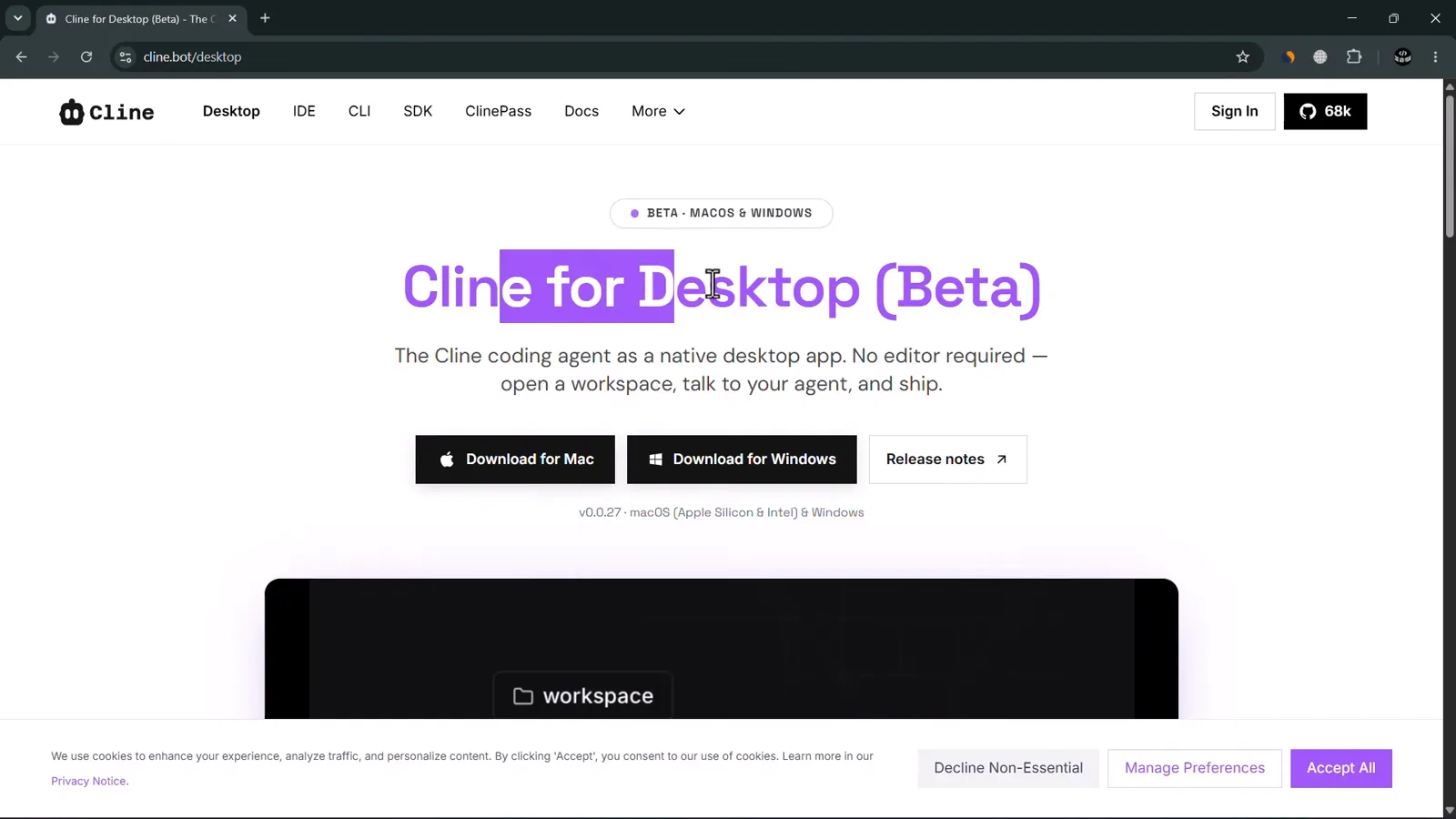
官方 Cline for Desktop (Beta) 页面,提供 Mac 与 Windows 安装包。看视频 1:31 处 - 2
像装普通桌面应用一样安装
Windows 上是标准安装向导:一路点到 Completing Cline Setup,保持 Run Cline 和 Create desktop shortcut 两个勾选,点 Finish。macOS 则把应用拖进 Applications。整个安装用不了一分钟。
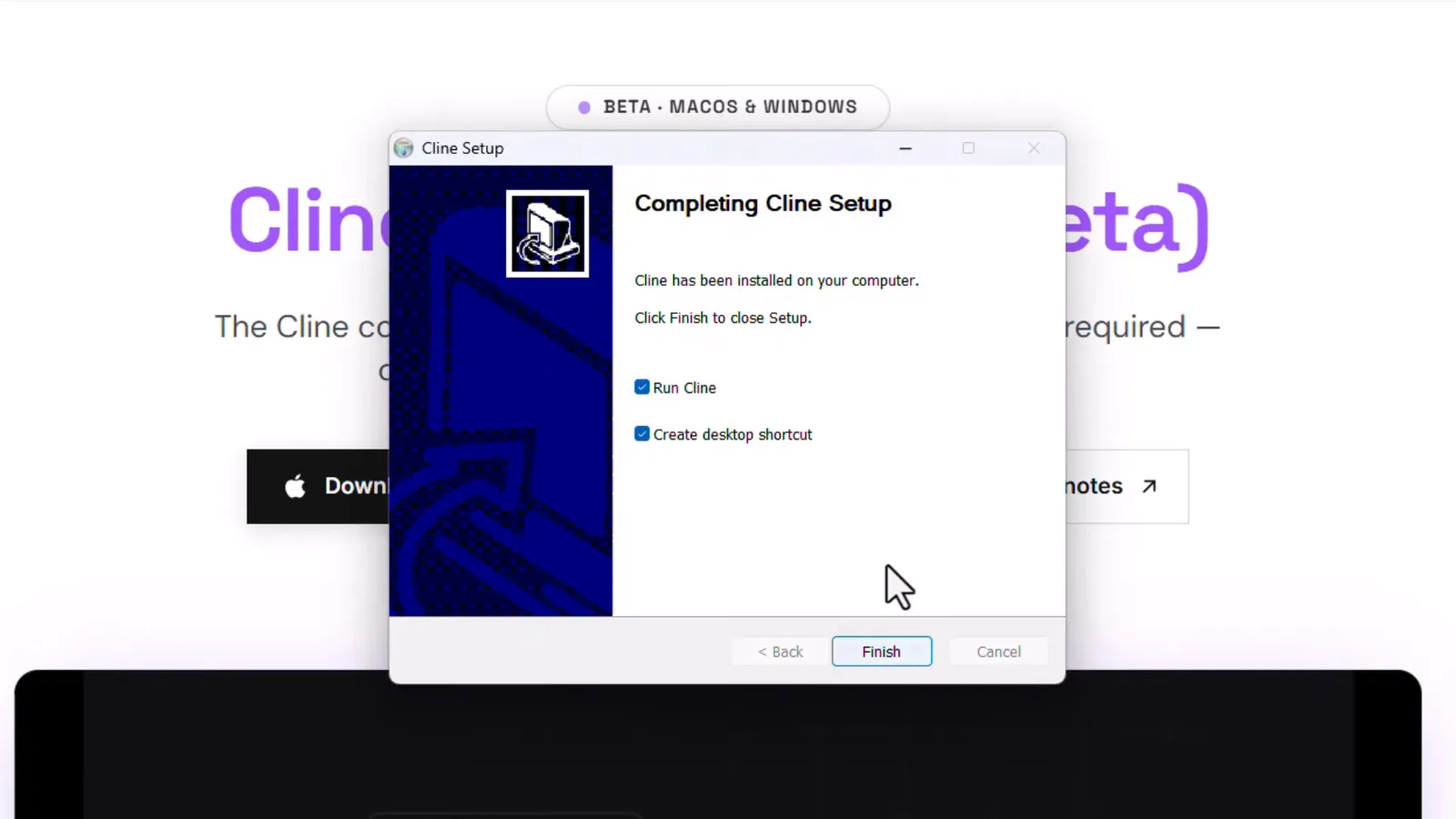
Completing Cline Setup 页,勾着 Run Cline 与 Create desktop shortcut。看视频 2:06 处 - 3
登录——或者填自己的 API Key
首次启动要选模型接入方式。Sign in with Cline (Recommended) 是免 Key 路线:最新模型加定期免费额度,不用 API Key;Use your own API key 则接受 Anthropic、OpenAI、OpenRouter 等供应商——之后随时能在 Settings 里加,现在不用纠结。
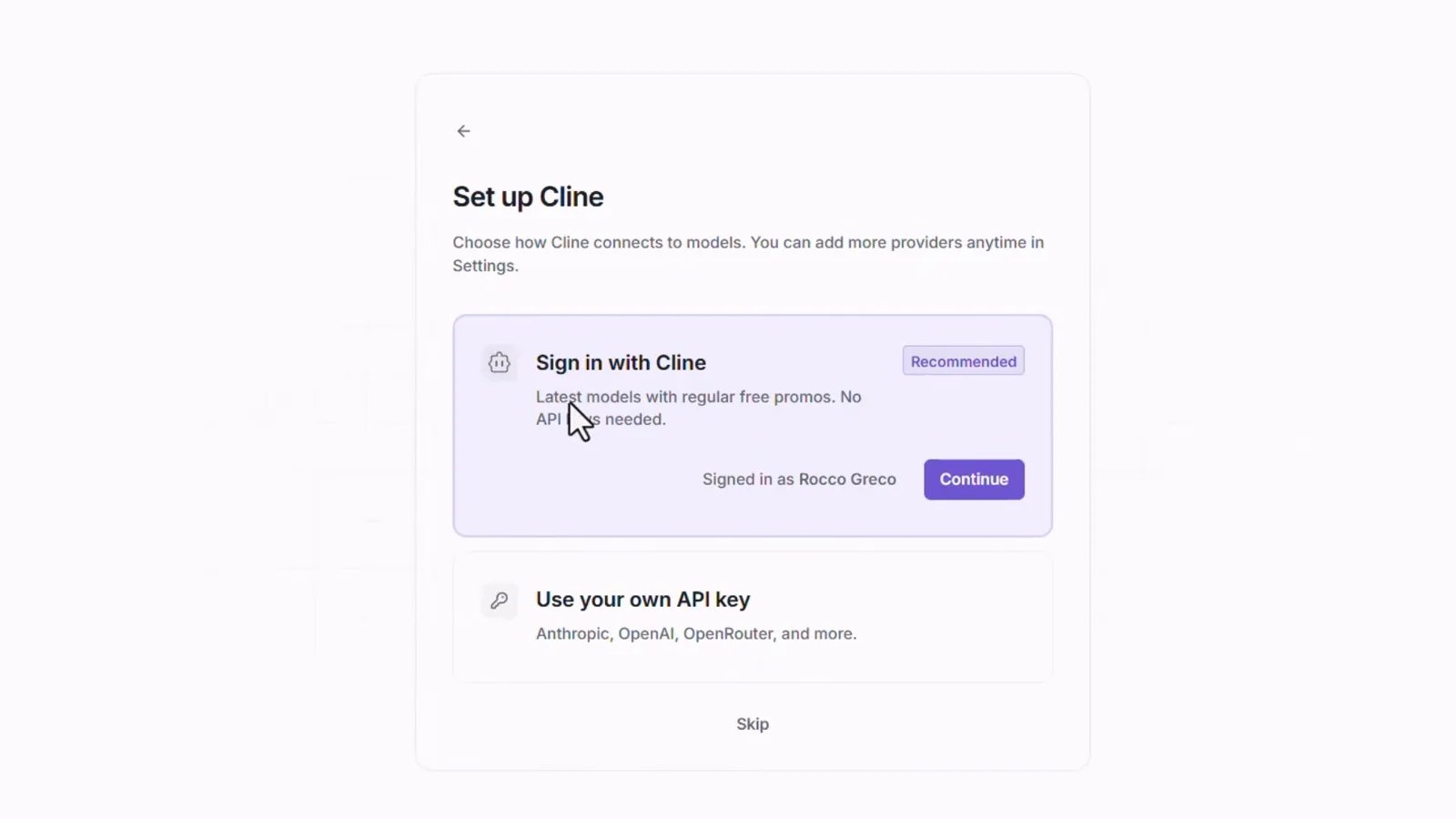
Set up Cline:登录账号,或填自己的 Provider Key。看视频 2:27 处 - 4
导入旧会话(或者跳过)
用 Cline 账号登录后,Desktop 会扫描本机上 Claude Code、Codex 和 opencode 的会话——录屏里找到了 54 个——询问是否导入,让过去的对话在这里继续。点 Choose sessions + import 或 Skip for now 都行,之后都会落到一个空工作区,随时开建。
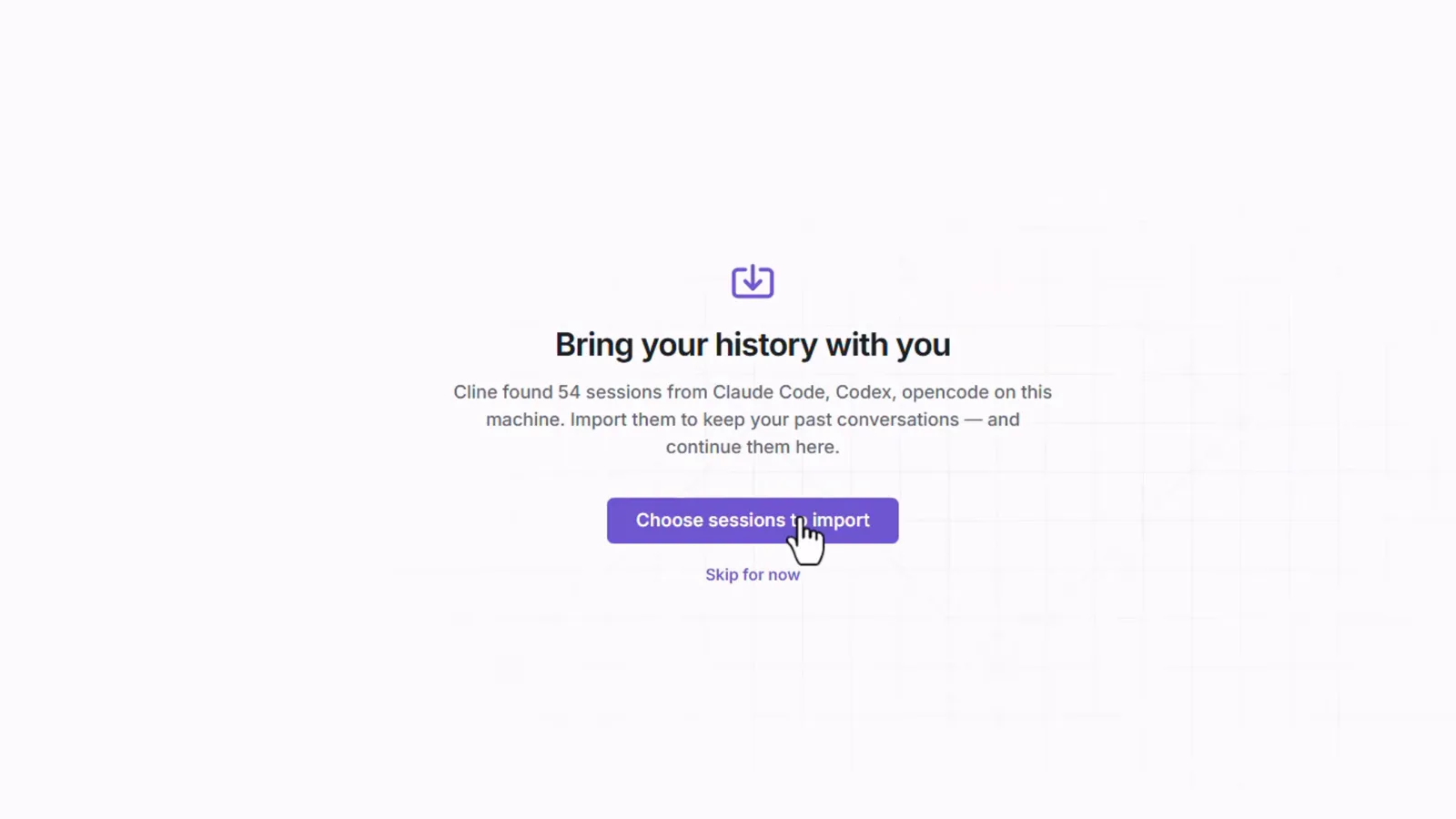
Desktop 扫到 54 个来自 Claude Code、Codex 和 opencode 的会话等待导入。看视频 2:43 处
2 · 连接模型——免费 DeepSeek、ClinePass 或自带 Key
- 5
认识桌面端工作区
左侧栏是 Session、Schedule 和 Customize,当前停在 Session,列表里能看到历史会话(其中一条叫 "Build a modern, highly animate…")。输入框提示写着 "Ask to make changes, @mention files, reference #PRs, or run /commands.",下面依次是 Provider、模型、推理力度三个选择器,输入框上方的文件夹标签仍显示 Cline。这就是脱离编辑器的 Cline——不需要 VS Code。
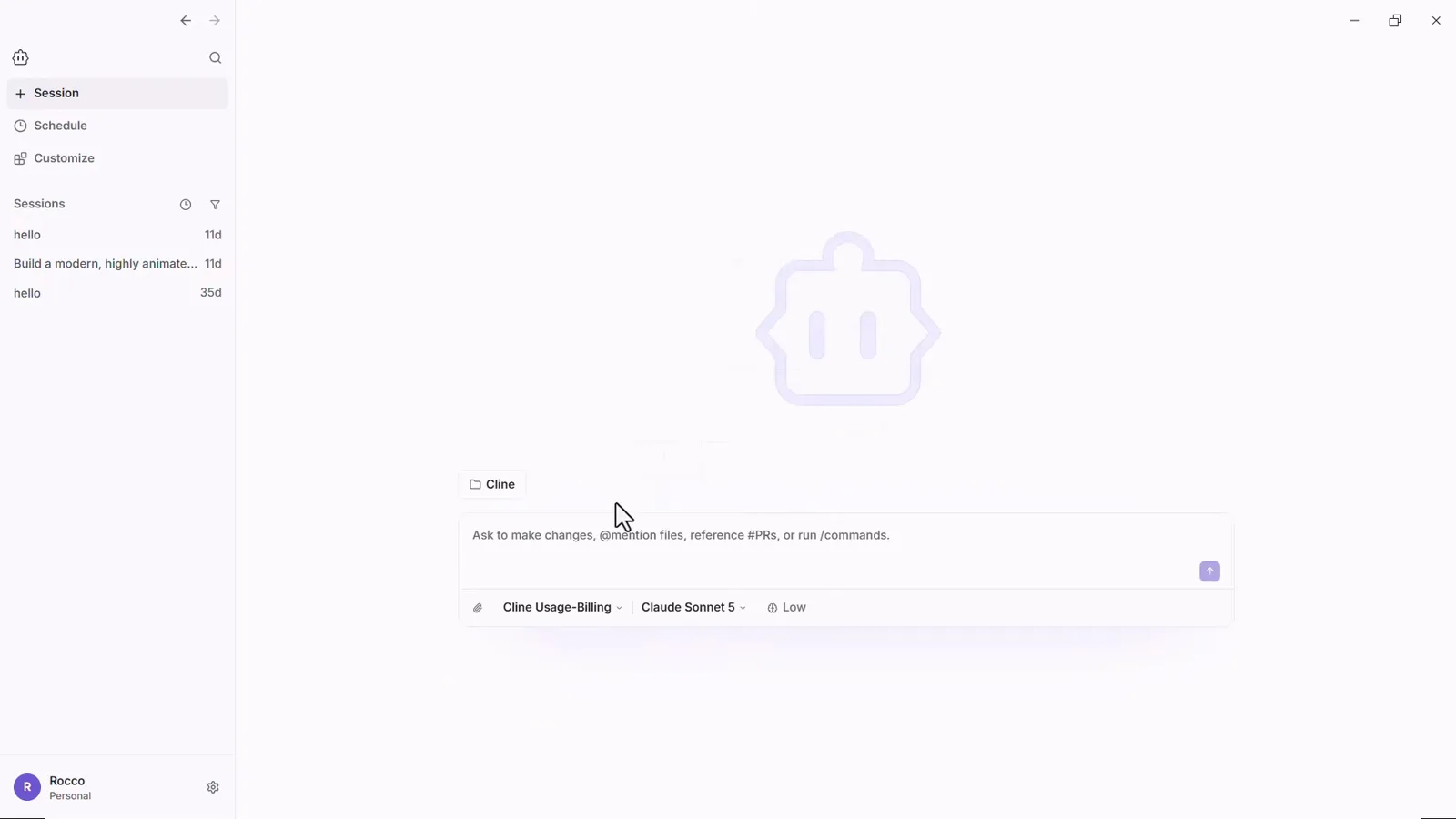
第一眼:左侧 Session、Schedule、Customize,底栏是 Provider-模型-力度。看视频 2:57 处 - 6
打开模型选择器
点底栏的模型段会弹出 Search models 框,覆盖整个模型目录:按字母排开、几百个条目,从 Aion、Claude 各系列到 GPT、GLM、Solar,再到 Step、Trinity、Voxtral。这一区全部按 token 计费。别停:免费入门的关键在同一个下拉框的上一区。
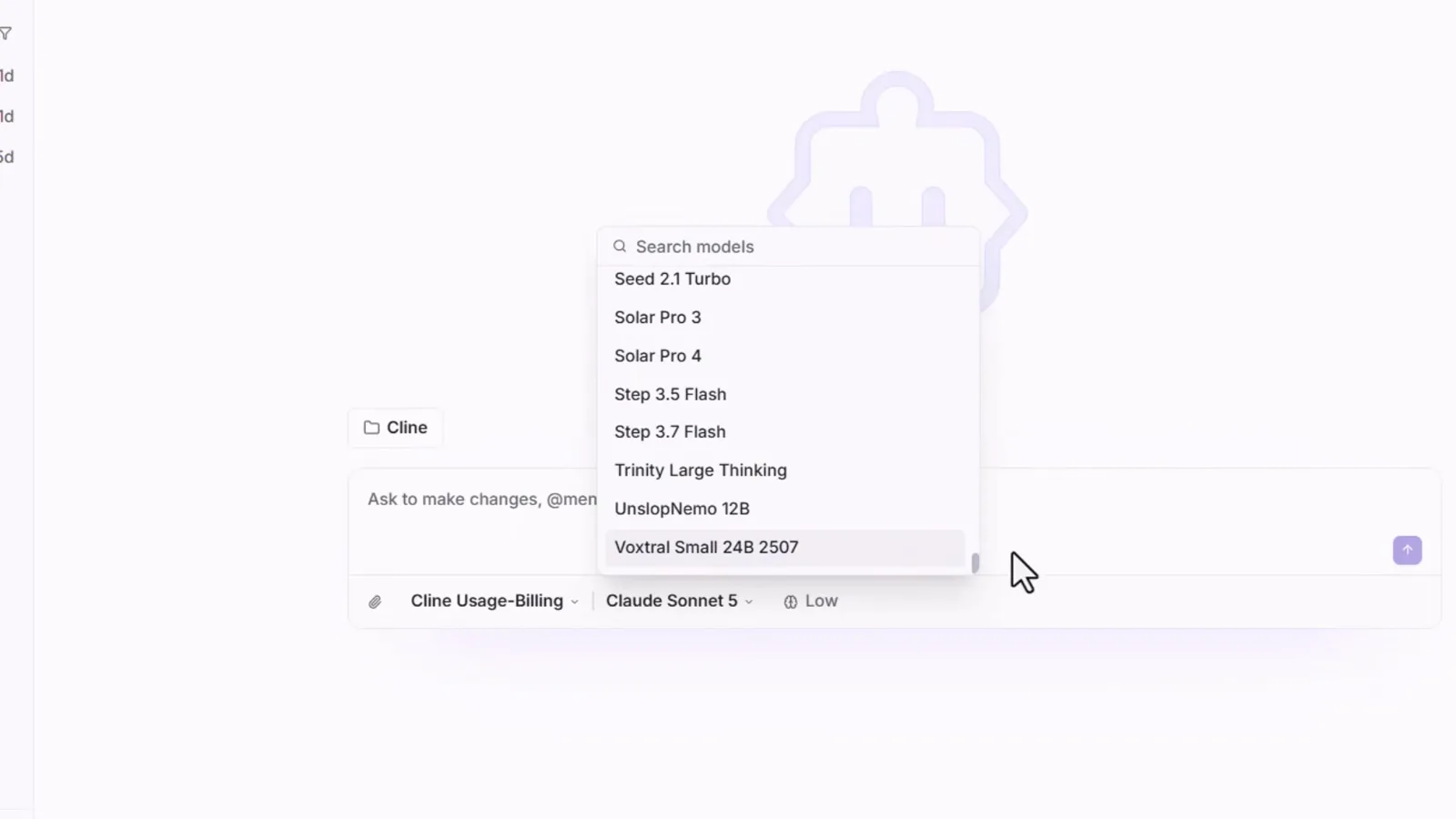
完整模型目录从底栏的模型段打开。看视频 3:16 处 - 7
在 FREE 区选中 DeepSeek V4.1 Flash
选择器顶部是 FREE 区,标注 "Try with limited usage at no cost"。录屏里第一项就是 DeepSeek V4.1 Flash (free)——"Fast and efficient with 1M context window"——旁边还有 Muse Spark 1.3 Contributor (free)、GLM 5.3 Flash 和 Solar Pro 4 (free)。免费阵容会轮换,以你账号当天显示为准,但本教程的主角就是 DeepSeek 免费档。
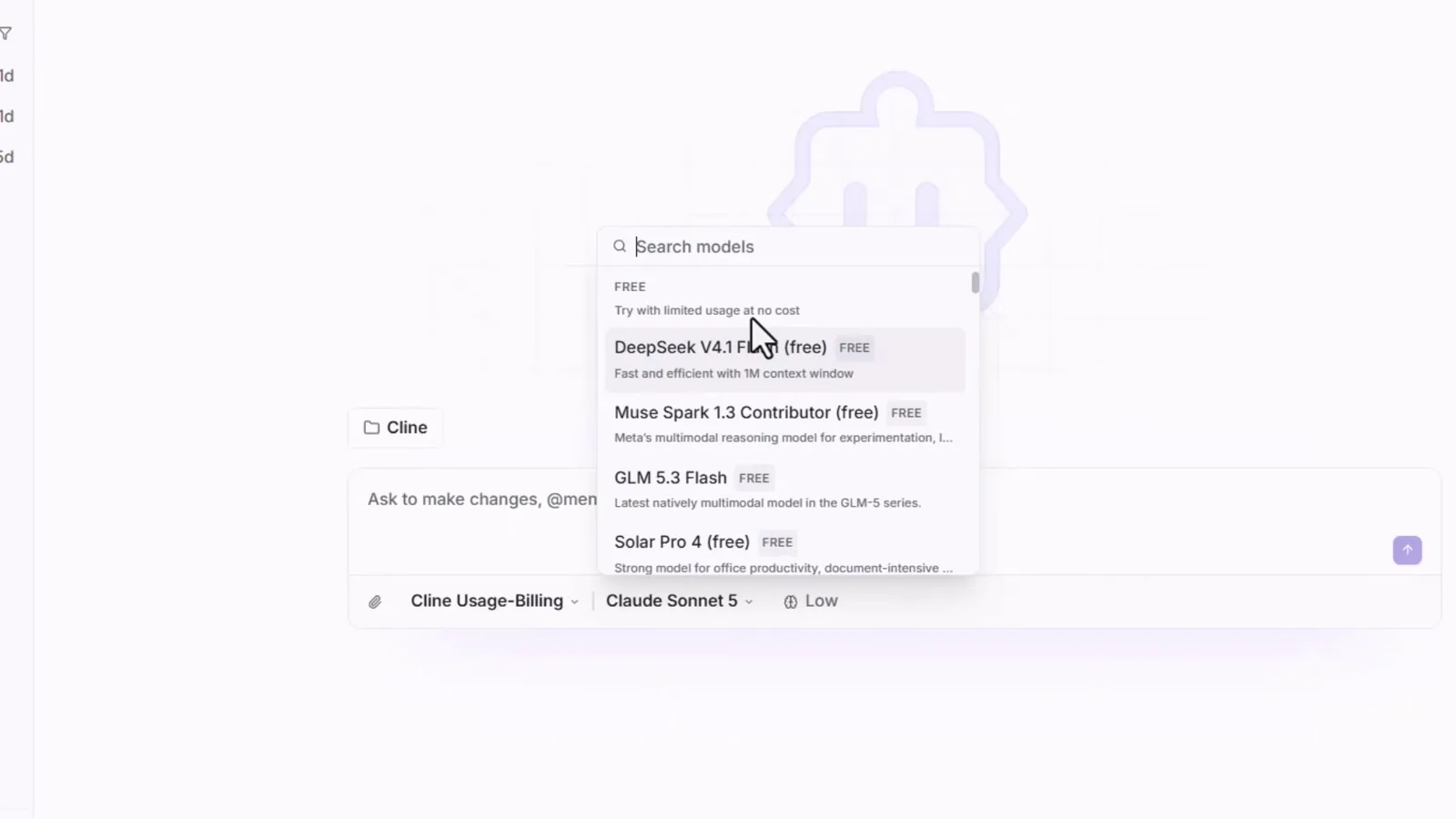
FREE 区:DeepSeek V4.1 Flash 排在免费模型第一位。看视频 3:35 处 - 8
把推理力度调到 High
底栏最后一段控制模型每条消息思考多深:None、Low、Medium、High。录屏在发出第一条提示前把 Low 调成了 High——每步思考更多,但仍在免费额度内。免费用量有限且限额会变,撞到上限就把这个旋钮调回去。
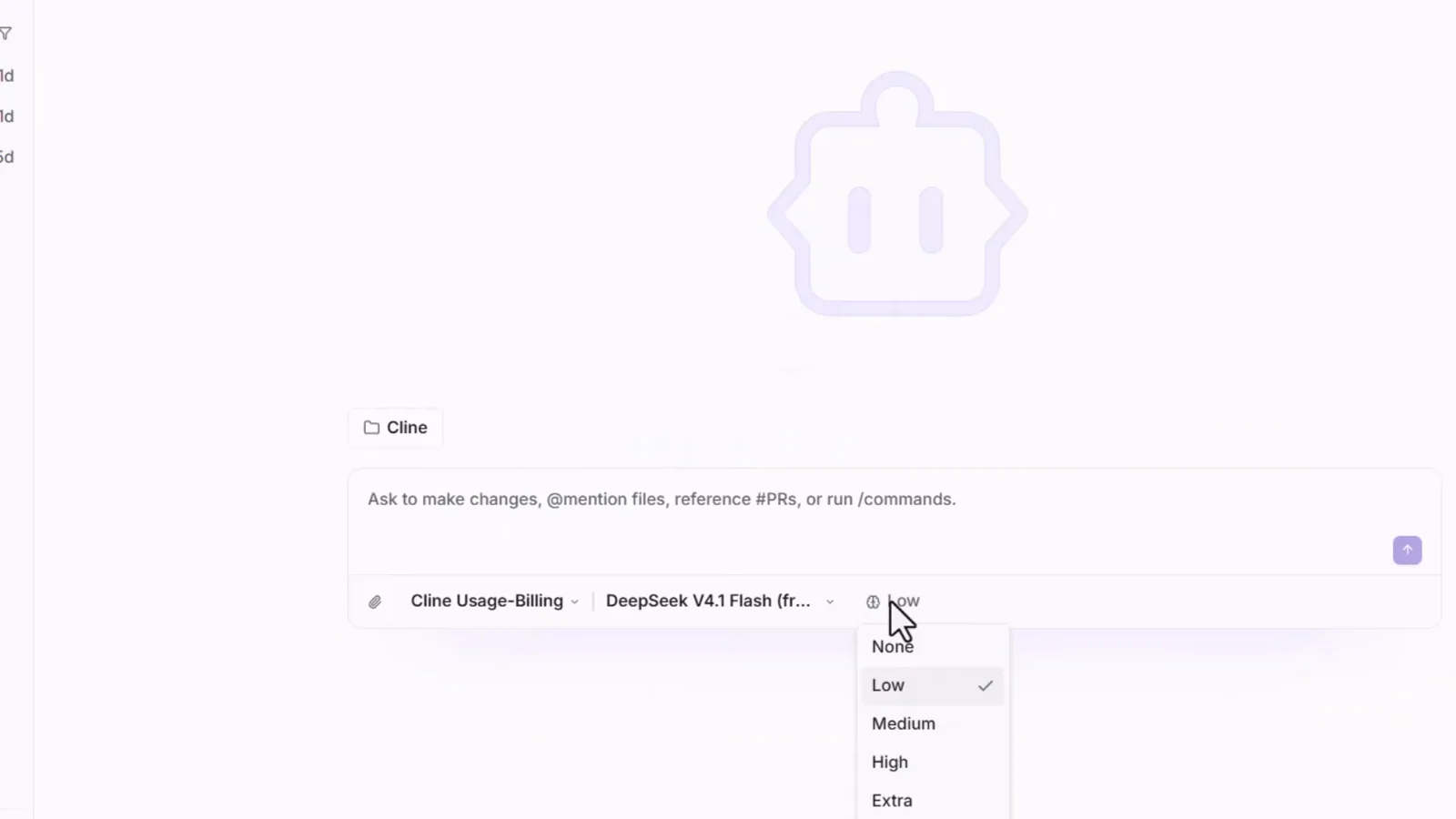
开建前把推理力度从 Low 调到 High。看视频 4:16 处 - 9
搞清楚三种付费方式(以及免费那种)
Provider 菜单依次列出 Cline Usage-Billing(按量付费)、ClinePass、Anthropic、OpenRouter、Google Gemini、OpenAI Compatible、SAP AI Core 和 Set up another provider。ClinePass 是替代按 token 计费的包月方案——撰写时为 $9.99/月,官方宣称套餐内开放权重模型(DeepSeek、GLM、Kimi 等)的用量约为标准 API 价格的 2-5 倍。套餐和阵容都会调整,下单前请在 ClinePass 页面核对。想继续免费?保持 Cline Usage-Billing 不动,FREE 区不要求任何套餐。
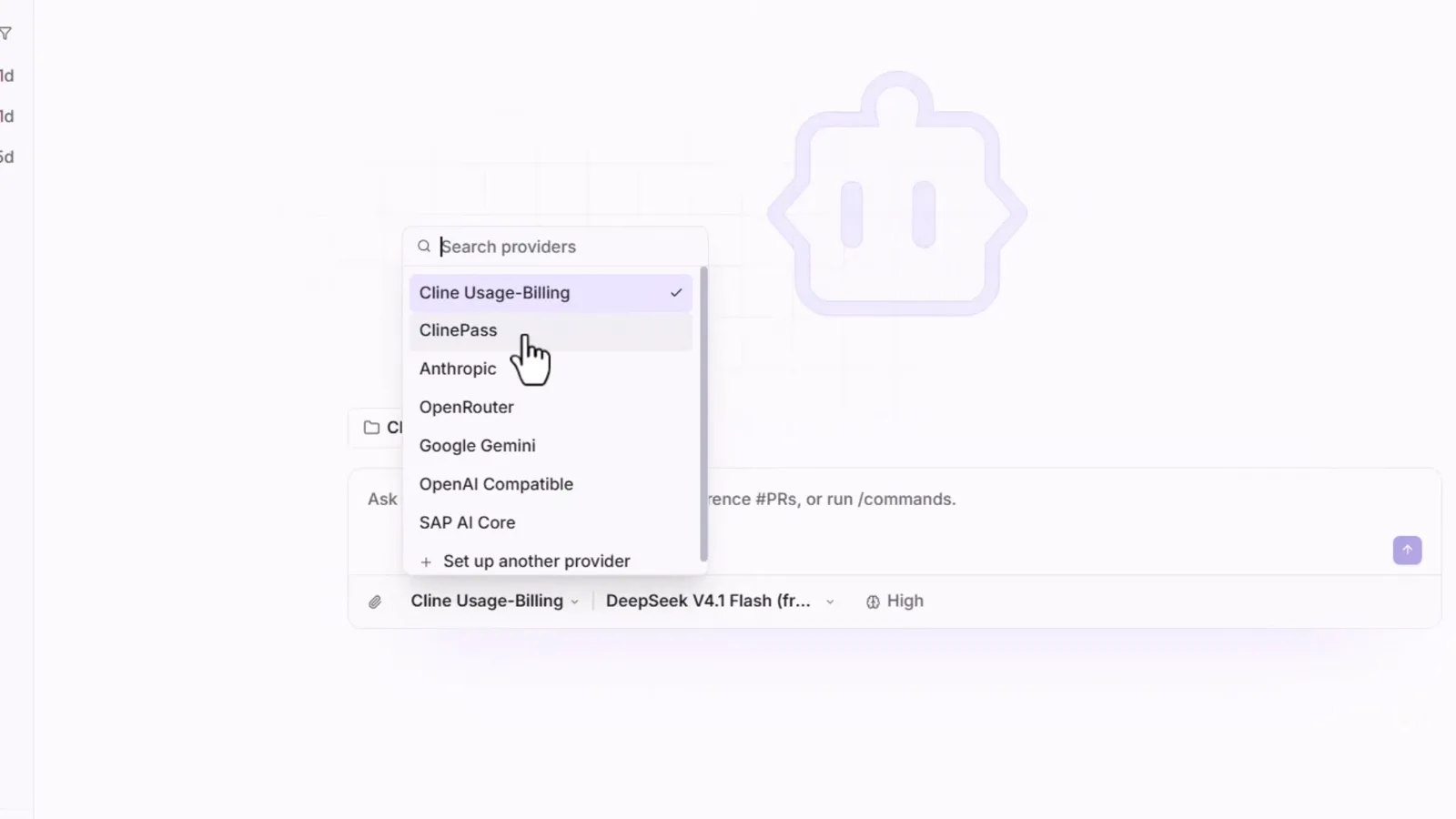
Provider 菜单:Usage-Billing、ClinePass 或自带 Key,按任务选择。看视频 4:27 处
3 · 选文件夹、写需求、开建
- 10
给 Cline 指定一个真实文件夹
输入框上方的文件夹胶囊会打开工作区选择器——录屏通过系统 Open 对话框选了 ai-test 目录。Desktop 会把文件直接写进这个文件夹,和扩展在你的仓库里干活一模一样。练手建议选空目录;选完之后胶囊上会一直显示当前工作区名。
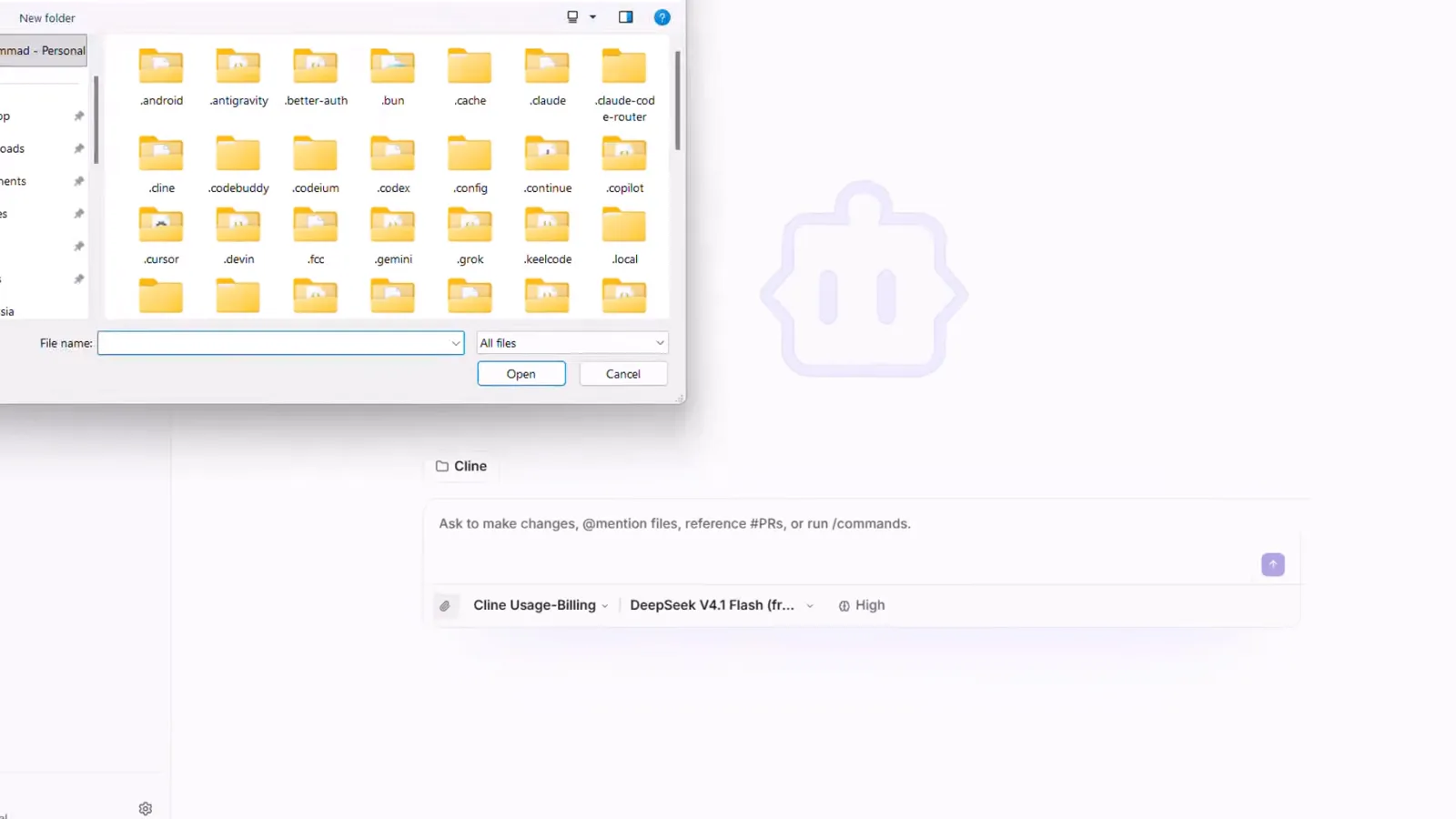
Cline Desktop 弹出的 Windows 打开对话框,用来选定工作区文件夹。看视频 4:52 处 - 11
像写产品需求一样下达任务
一段清楚的需求就够了。录屏里的原文:"Build a beautiful expense tracker in a single HTML file. Let users add expenses, choose categories, and see their total spending. Make it responsive and use a clean dark design." 回形针可以附文件补上下文。发送后,Cline 请求往文件夹里写文件时把权限弹窗批了。
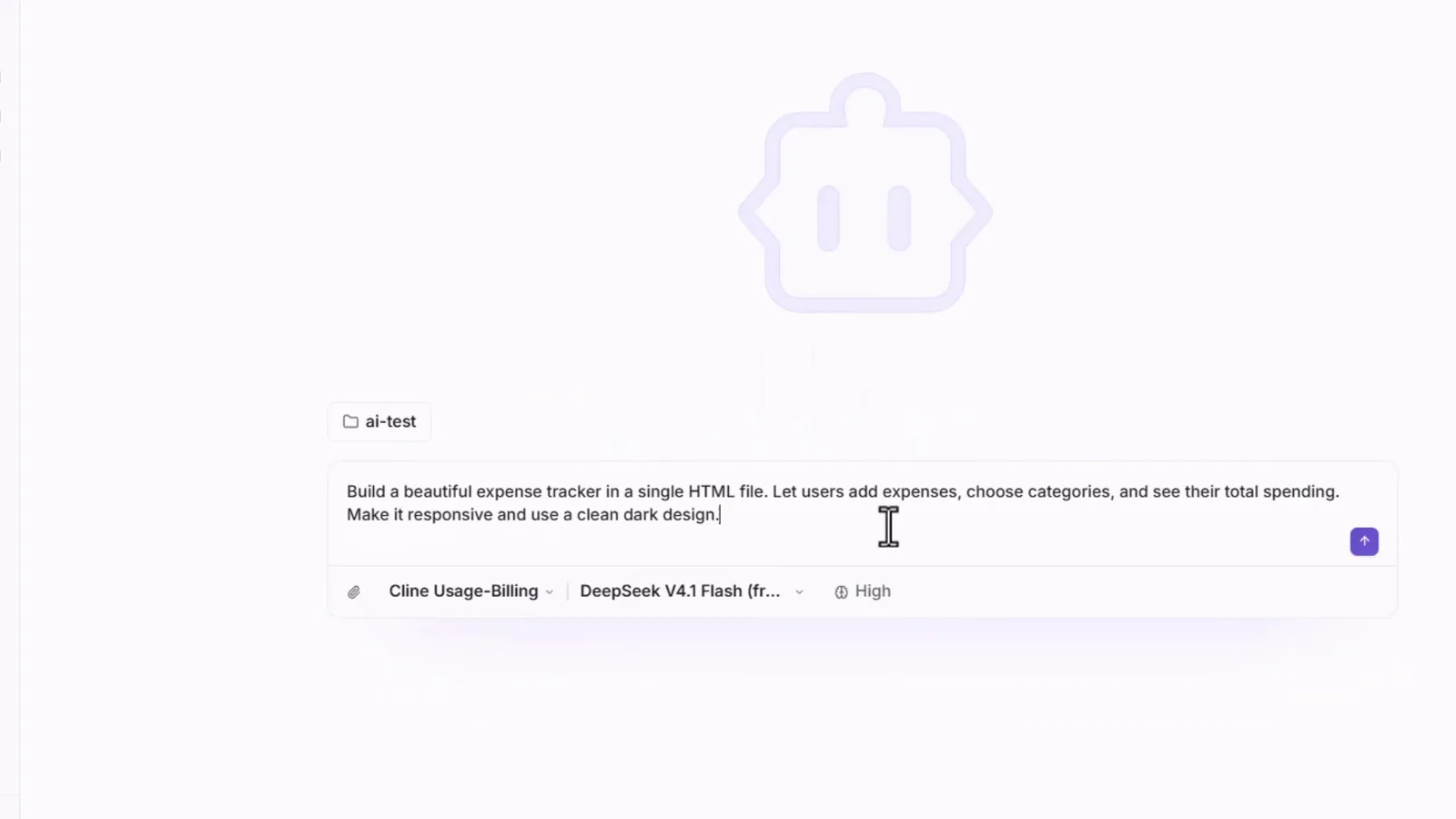
完整的记账本提示词,工作区 ai-test、力度 High。看视频 5:37 处 - 12
看它规划、写码、跑命令
Agent 先读工作区,然后写 HTML/JS——货币切换、合计统计、localStorage 持久化在内置编辑器视图里一行行出现——同时跑命令自测输出。它干活时输入框会排队你的下一条消息,不用打断。
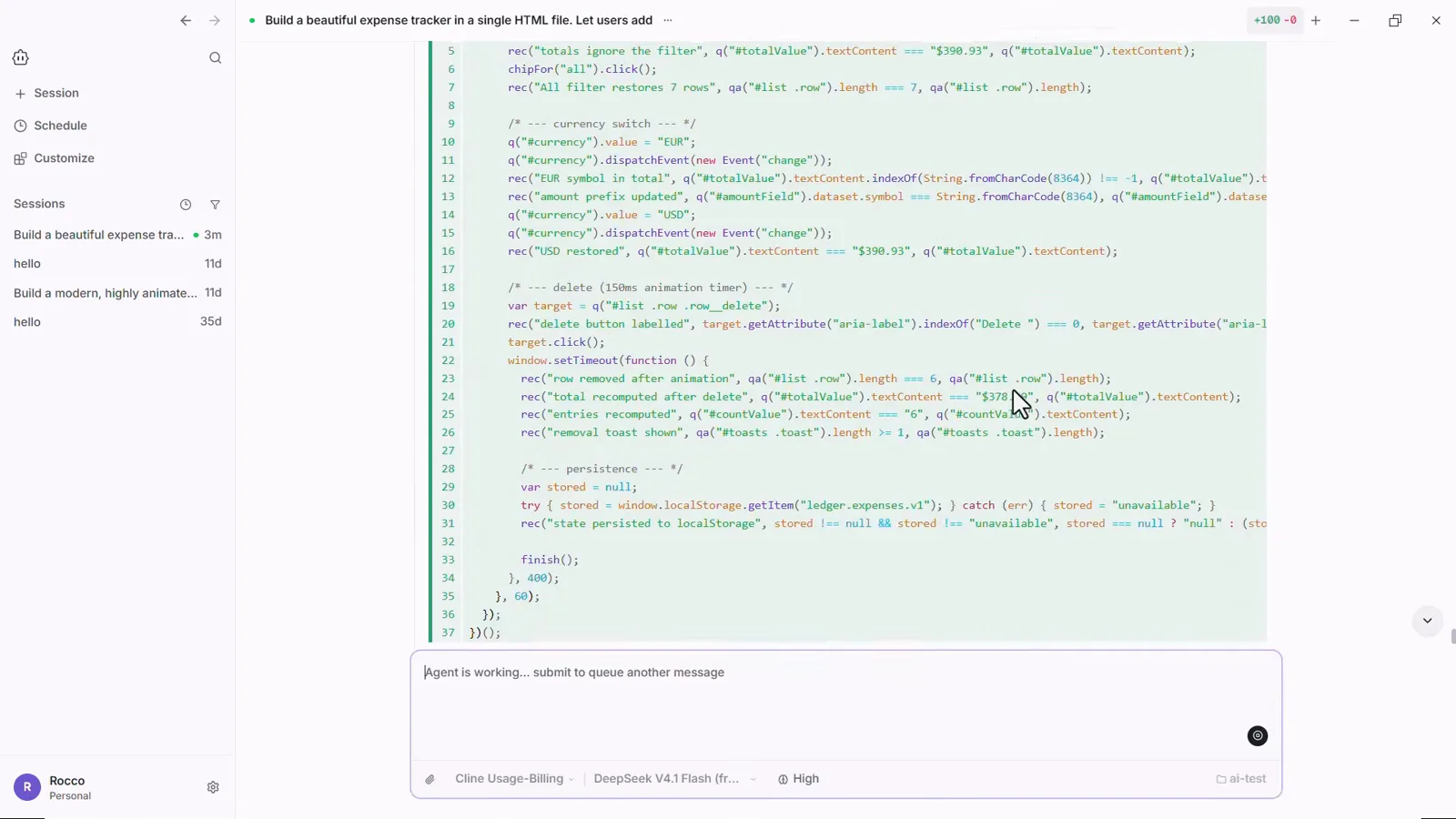
生成的 JavaScript 正逐行输出到 Cline 的编辑器视图,新增行标绿,输入框显示 Agent is working。看视频 6:25 处 - 13
读它的自测报告
它不会直接宣布完工,而是交一份 "Verification performed (not just written — actually run)" 的总结:逐条列出真正跑过的检查——Headless Edge 功能测试套件带通过数、刷新还原的持久化测试、布局诊断、桌面与手机截图核对、标签完整性检查——接着是 "Two real bugs I found and fixed during testing" 和一份 Notes / limitations。正是这种自测习惯,让免费模型干出了付费的活。
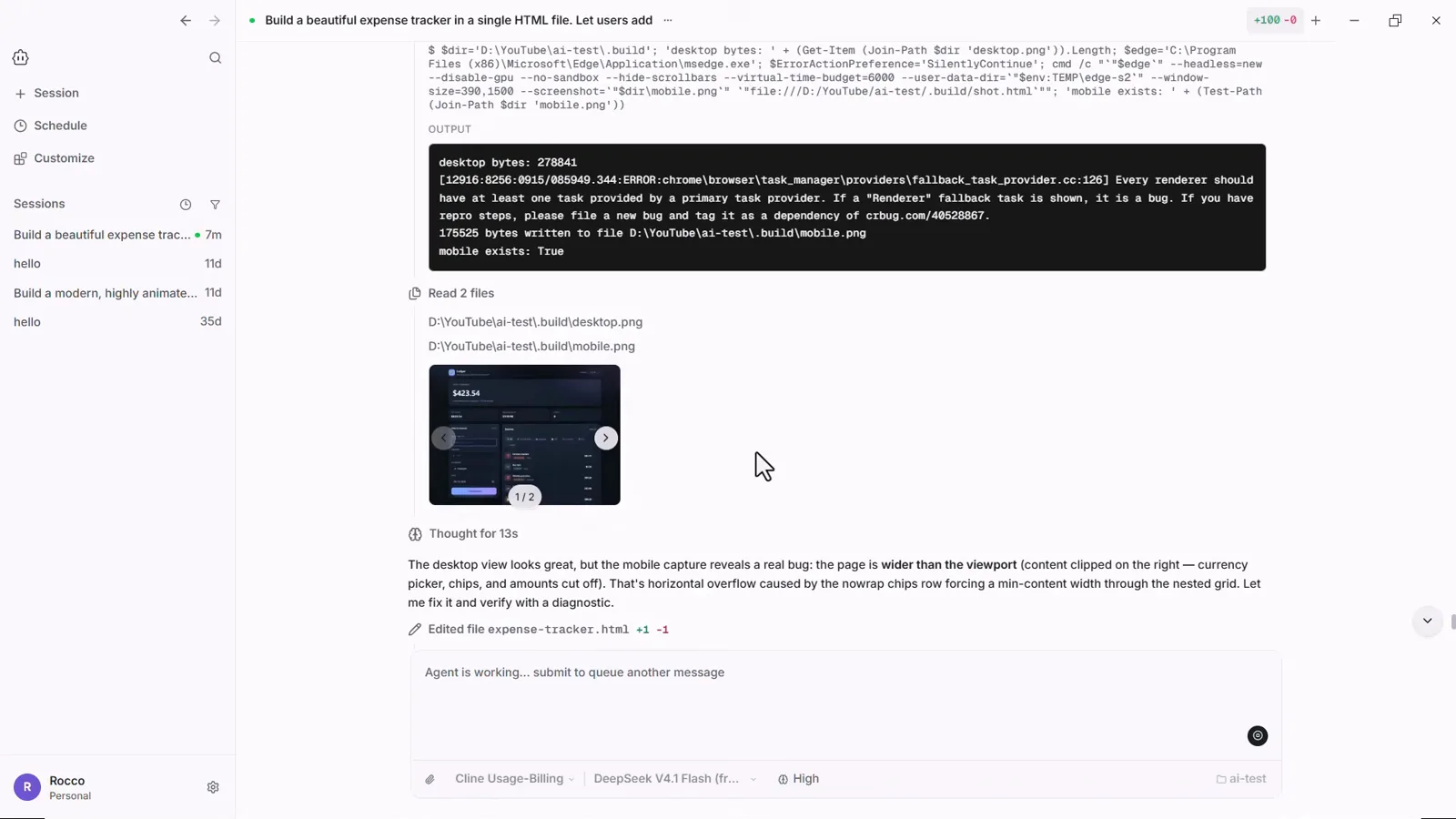
Agent 自己的报告:测试跑过、bug 修掉、截图附上。看视频 9:20 处
4 · 测试、迭代、随时换模型
- 14
打开它做的应用——然后在对话里迭代
文件直接落在你的文件夹里——ai-test 下的 expense-tracker.html,这里用 Chrome 打开。这是一个能用的 Ledger 应用:录入一笔 Coffee $5(Food & drink 类),总额、最大单笔和分类占比全部联动更新。有不满意的地方?回到 Cline Desktop 在同一会话里描述修法或下一个功能,它会再改这个文件。
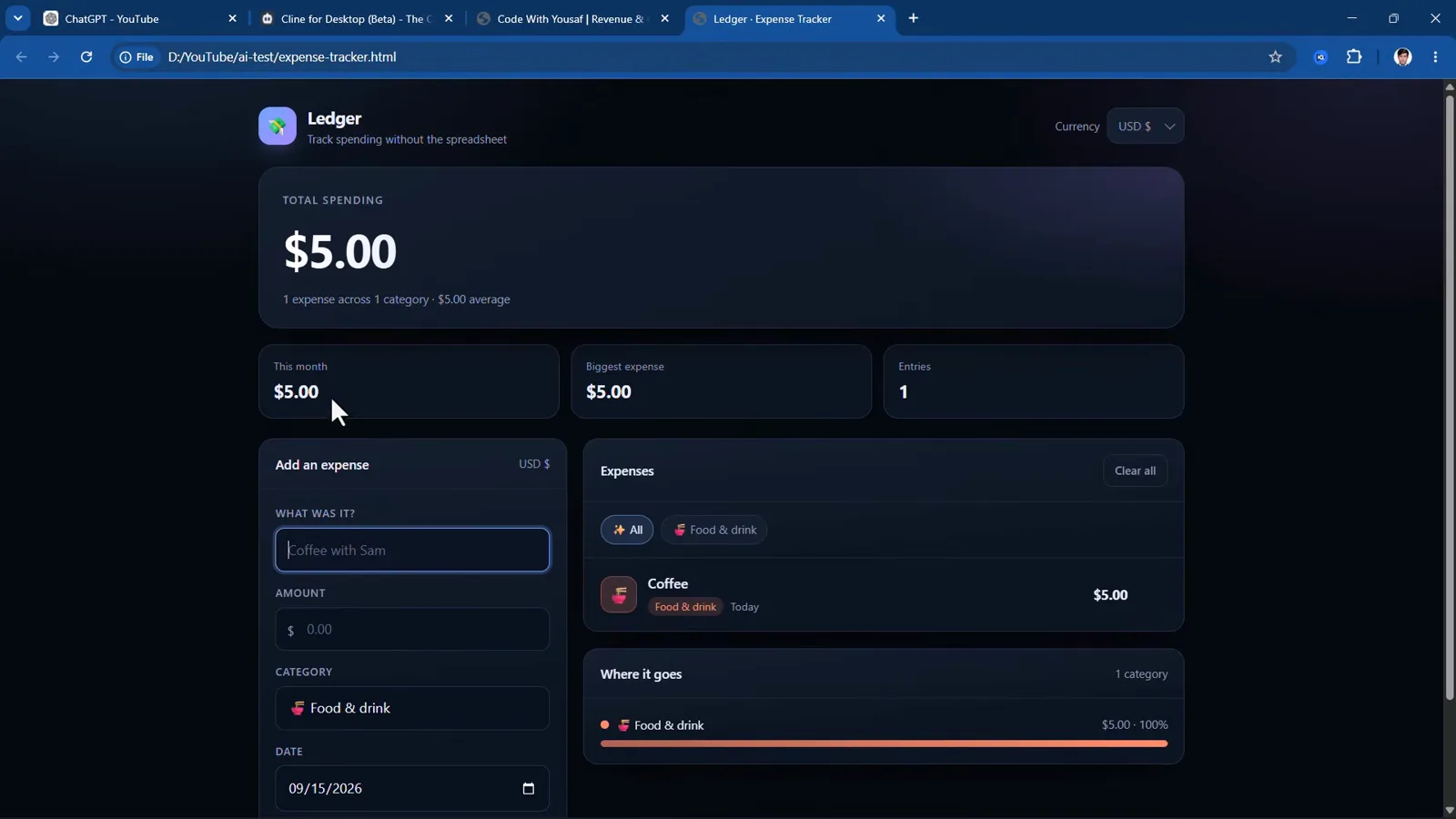
做好的 Ledger 记账本在 Chrome 里运行,全程一条提示词。看视频 7:35 处 - 15
随时切换模型
开任务用的模型不是铁打的。会话中途重新打开选择器,付费目录就在眼前——录屏里是 Claude Opus 4.5 到 Claude Sonnet 4.6——往上一滑就是 FREE 区(DeepSeek V4.1 Flash、Muse Spark 1.3、GLM 5.3 Flash、Solar Pro 4、Laguna S 2.1)。免费 DeepSeek 起草、难点换更强的模型,或者任务超出免费额度时,把 Provider Key 填进 OpenRouter 或 OpenAI Compatible。
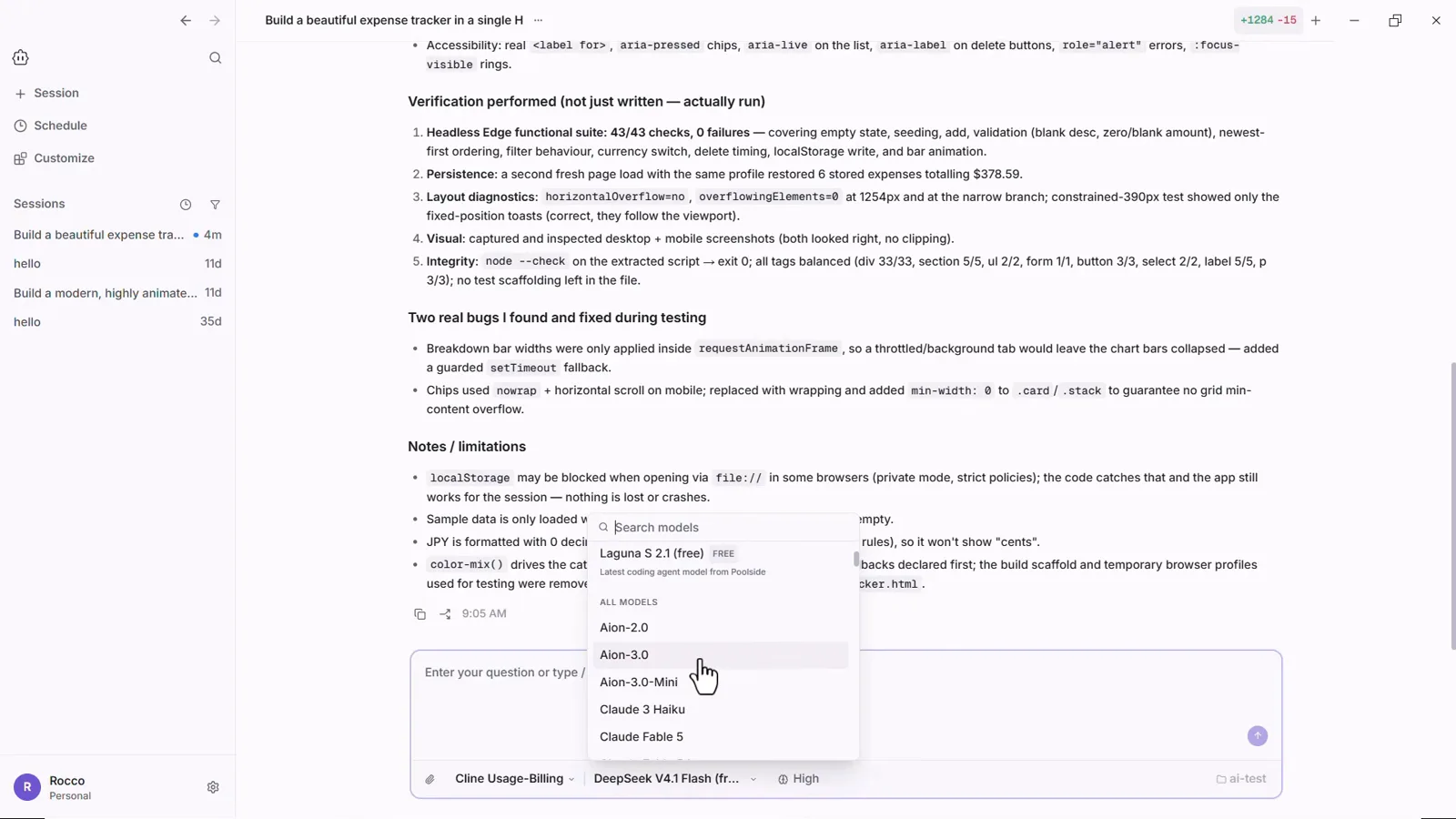
会话中途的选择器:付费 Claude 目录在前,免费区一滑即达。看视频 9:13 处