
在 Cursor 里用上 DeepSeek:自己的 API Key 就够了
九步带图走完 DeepSeek 接入 Cursor:注册账号、创建 API Key、添加 deepseek-coder 自定义模型、填好 OpenAI 兼容端点并验证——按量付费几分钱就能开聊,不用订阅。
太长不看版
- Cursor 自带模型里没有 DeepSeek——去 Settings → Models 添加 deepseek-coder 自定义模型,再把 OpenAI 兼容 Base URL 指到 https://api.deepseek.com。
- 一个 DeepSeek 账号全搞定:聊天、API 平台、Key 都用它。Key 只在创建时显示一次,生成后立刻复制保存。
- DeepSeek 官方集成文档给的做法就三步:关掉 Cursor 所有内置模型、添加 deepseek-coder、贴上你的 Key——完事。
- 算笔账:Cursor Pro 每月固定 $20;DeepSeek API 按量计费,约 $0.27–$0.30 / 百万输入 tokens、$1.10–$1.20 / 百万输出 tokens。
How To Add Deepseek To Cursor Tutorial
频道: Genix2:07
截图取自上方视频(2025 年 2 月录制——DeepSeek 官网此后改过版,但 Cursor 侧流程没变)。模型名、Base URL 与现价已于 2026 年 9 月对照 DeepSeek 官方文档(api-docs.deepseek.com)核实:当前服务端模型 ID 为 deepseek-flash 与 deepseek-v4-pro,OpenAI 兼容 Base URL 为 https://api.deepseek.com。
视频来自 YouTube 的 Genix 频道,本文以静帧加时间深链的形式引用。DeepSeek 和 Cursor 均为各自所有者的商标。
一步步把 DeepSeek 接进 Cursor
- 1
在 deepseek.com 注册 DeepSeek 账号
打开 deepseek.com,点 Start Now。没有账号就是注册,有账号同一个按钮就是登录。一个账号通吃:聊天、API 平台、后面给 Cursor 用的 Key,全在它名下。
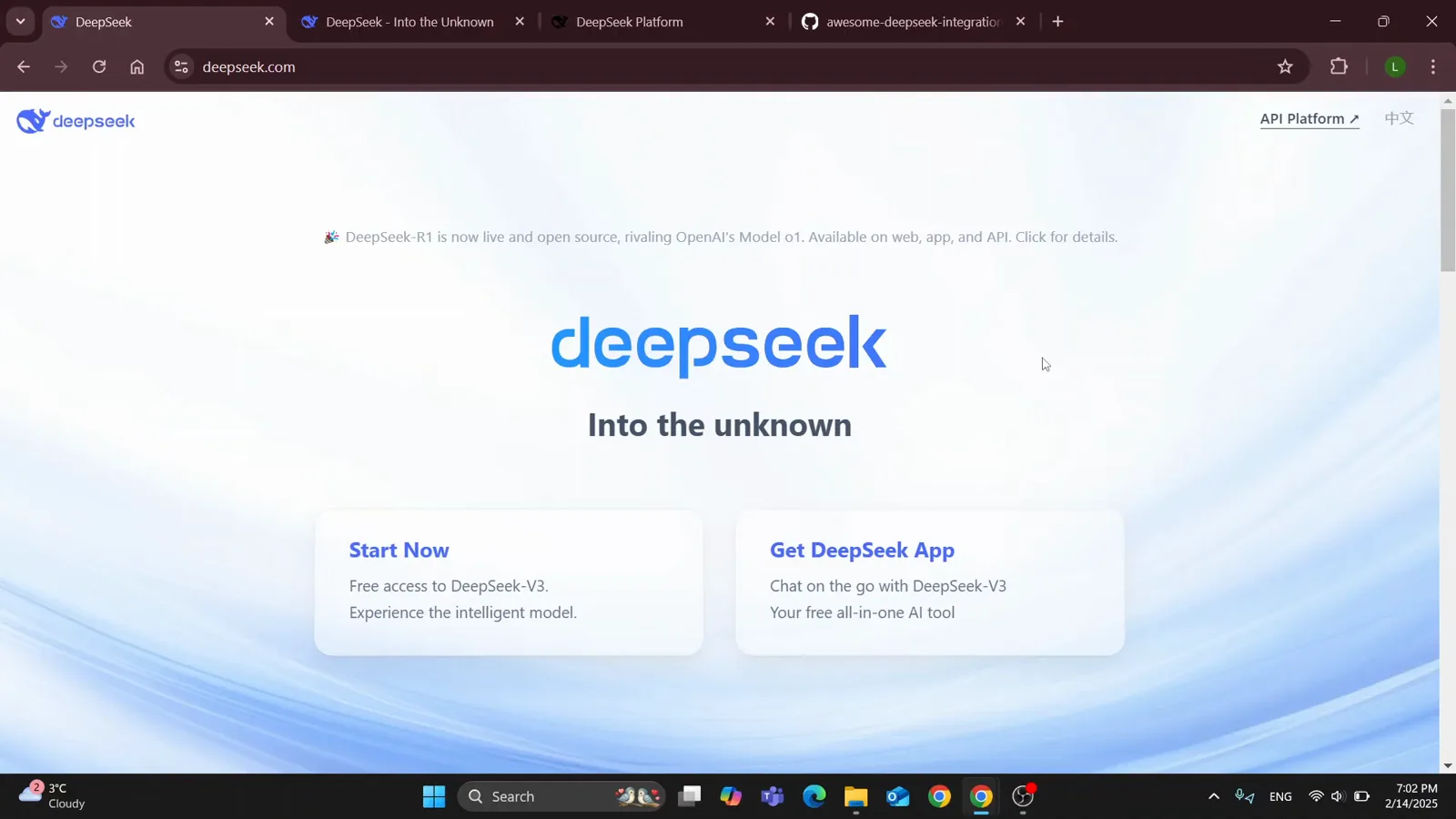
deepseek.com 首页——Start Now 同时承担登录和注册。视频 0:20 处 - 2
登录后确认进入聊天界面
视频里登录后直接落到 chat.deepseek.com,看到 "Hi, I'm DeepSeek" 的问候和空输入框。这里没东西可配——这一步只是确认账号能用。同一套凭证待会儿要登 platform.deepseek.com,Cursor 用的 Key 就在那里。
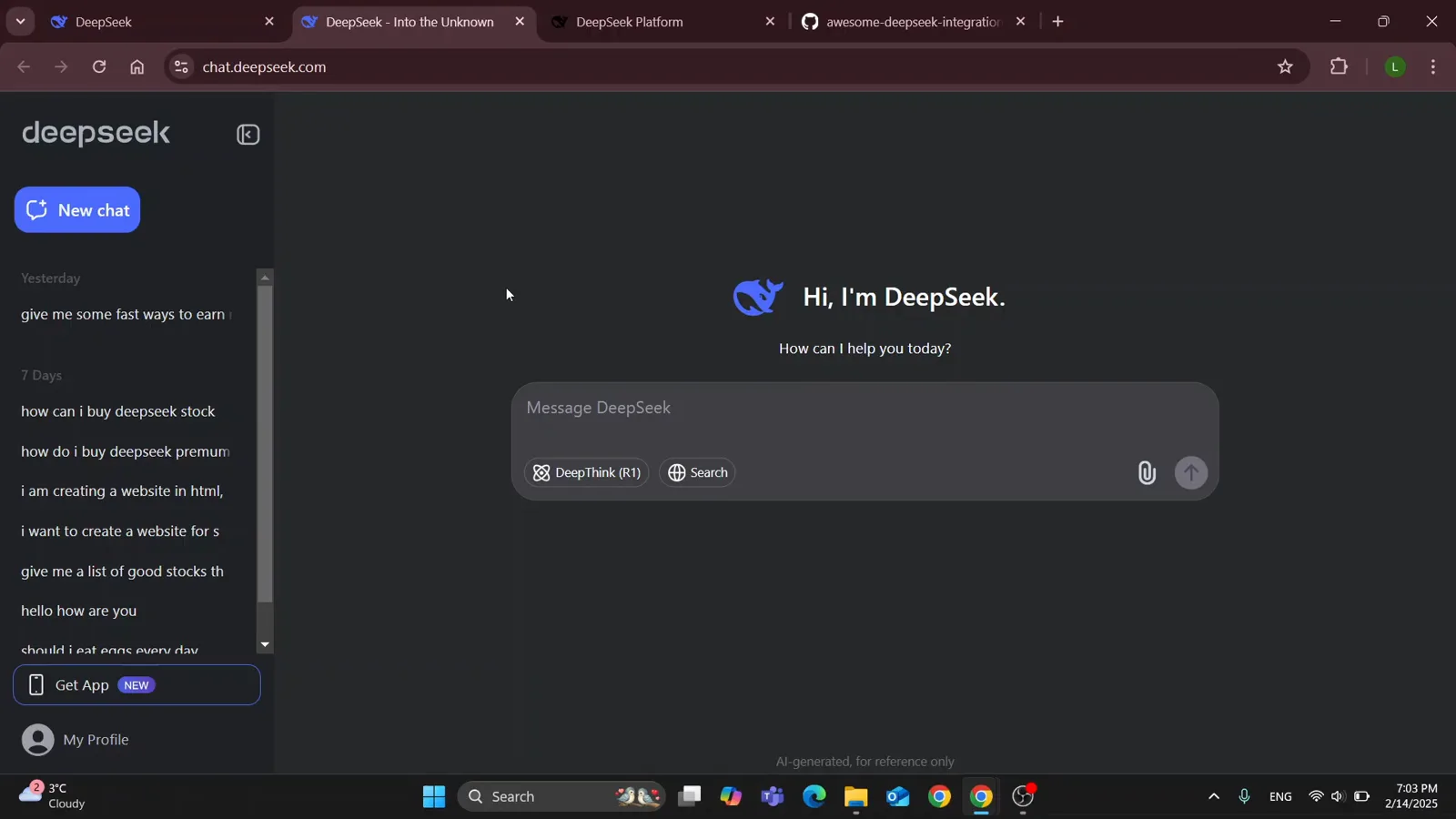
登录后的全新会话——账号就绪。视频 0:52 处 - 3
打开 DeepSeek 官方的 Cursor 集成文档
视频跟着的是 DeepSeek 在 GitHub 维护的 awesome-deepseek-integration 仓库里的 docs/cursor 目录。建议把它和 Cursor 并排开着,模型名和 URL 直接复制,别凭记忆敲。
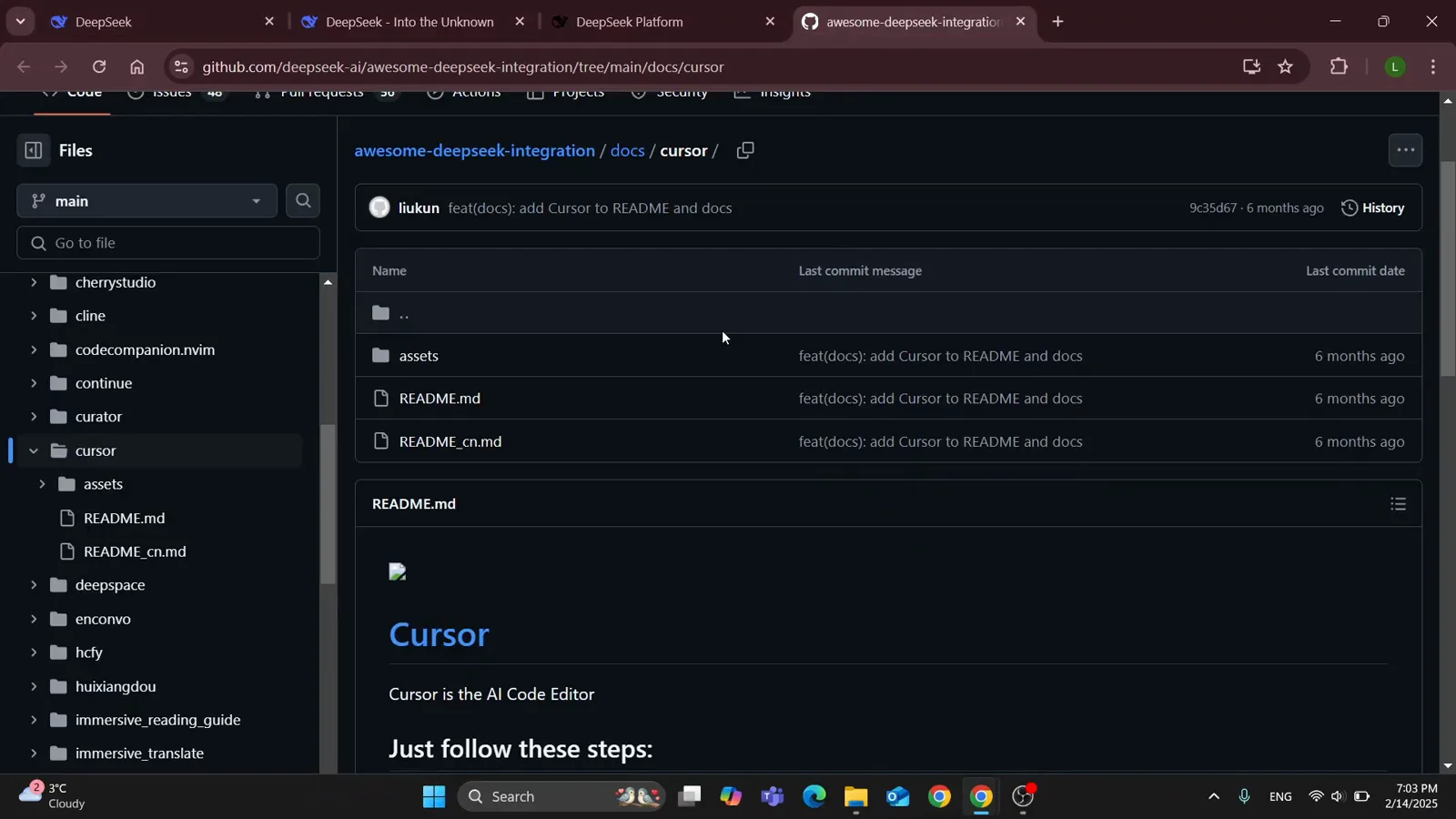
DeepSeek 为每个编辑器都维护了集成文档,Cursor 这节很短,适合照抄。视频 0:58 处 - 4
照做文档里的三步
官方 README 把全部步骤压缩成三行:1) 在 Cursor Settings 里禁用所有模型;2) 添加 deepseek-coder 作为新模型;3) 在 OpenAI API Key 一栏填 DeepSeek 的 URL 并贴上你的 Key。文档里印的是 https://api.deepseek.com/beta;当前 API 文档给的 OpenAI 兼容地址是 https://api.deepseek.com——两个都通向同一个服务。
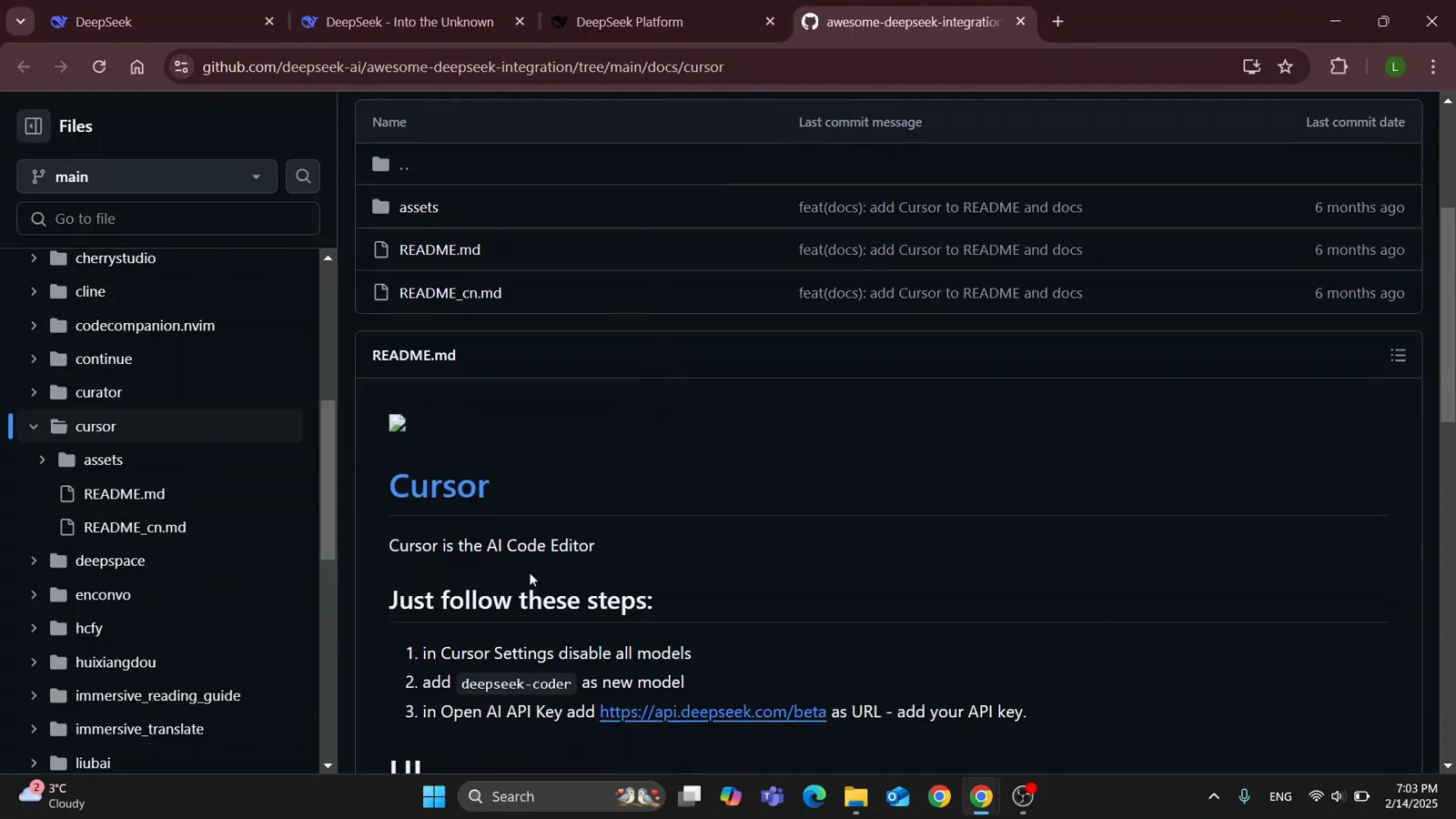
整个接入就三件事:关、加、连。视频 1:02 处 - 5
Cursor Settings → Models,把内置模型全关掉
打开 Cursor 的 Settings,进 Models。Model Names 列表列出 Cursor 提供的每个模型,各带一个开关。从上往下逐个关掉——红色代表 Cursor 不会把请求发过去。文档内嵌截图正拍到这里:gpt-3.5-turbo 正被关掉。
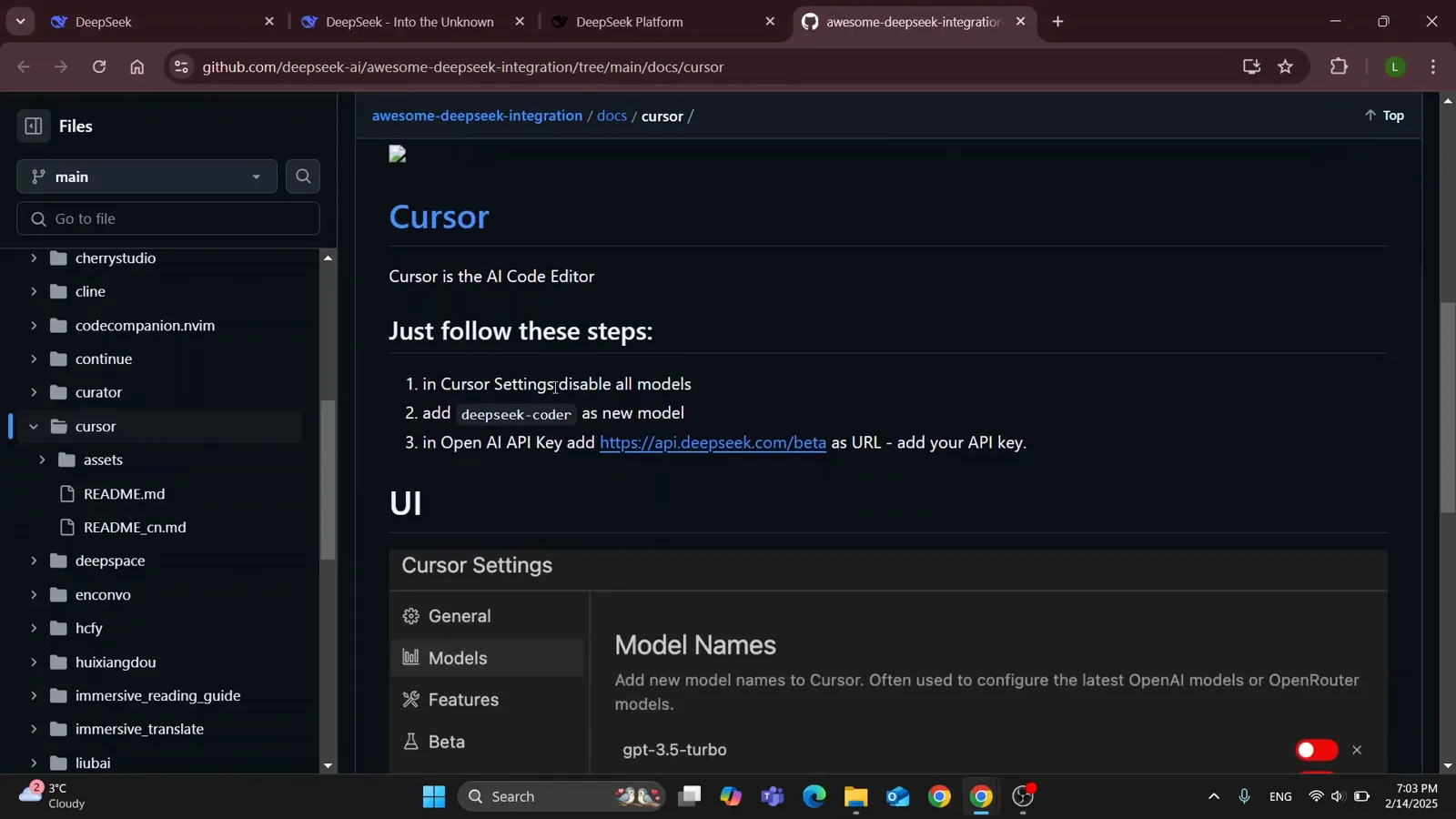
每一个红色开关,都是你暂时请出局的内置模型。视频 1:10 处 - 6
添加 deepseek-coder,让它当唯一的启用模型
点 + Add model,按文档原样输入 deepseek-coder,再把开关打开。完成后列表应该全红只剩一绿——正是教程里展示的状态。只留一个启用模型,Cursor 除了 DeepSeek 无路可走。
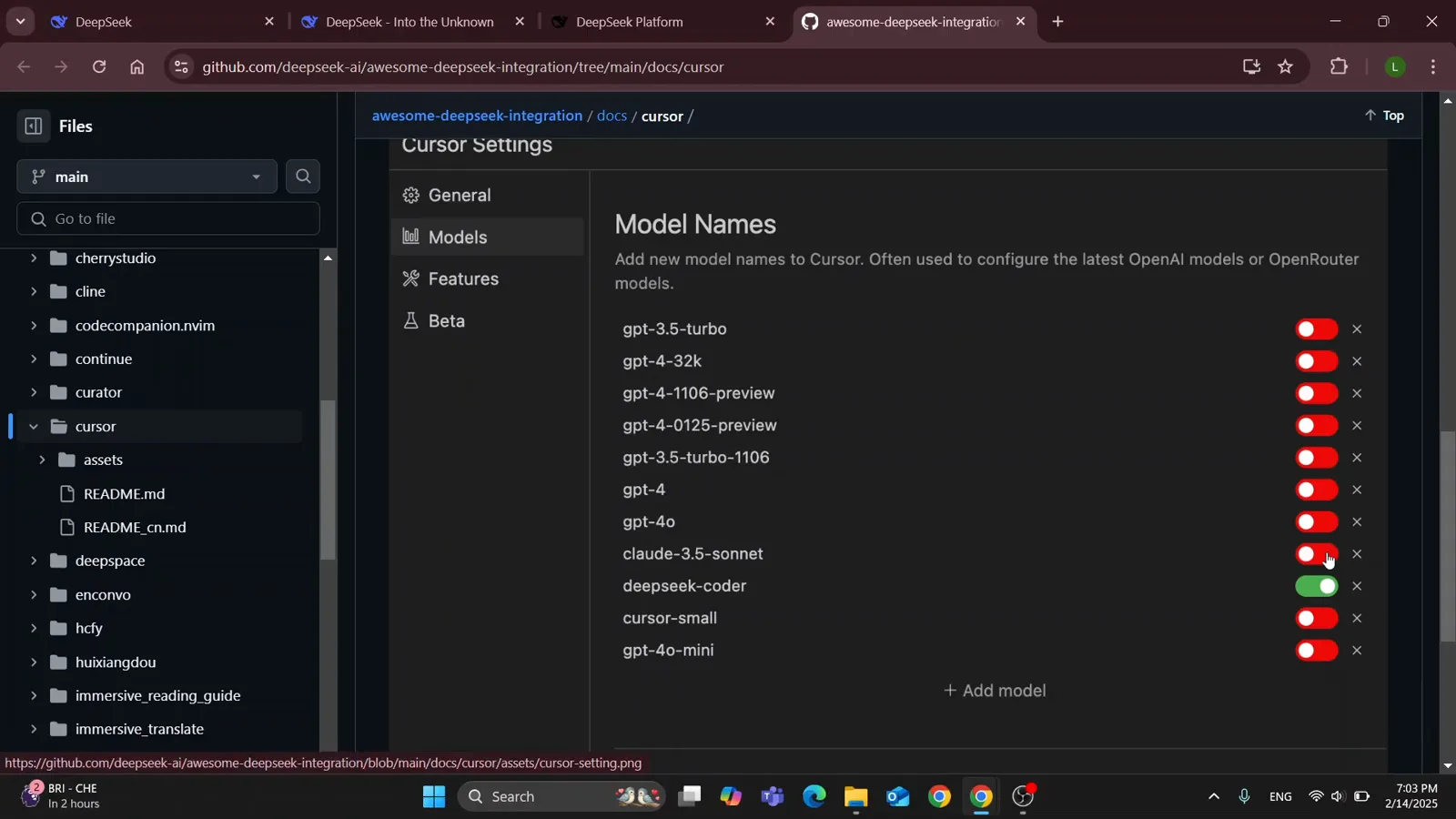
万红丛中一点绿:deepseek-coder 成了 Cursor 唯一在用的模型。视频 1:14 处 - 7
到 DeepSeek 平台创建 API Key
回到 deepseek.com,点右上角的 API Platform,用同一账号登录。平台左侧栏打开 API keys,点 Create new API key。sk- 开头的 Key 只在创建时显示一次——关掉弹窗前先复制保存好。
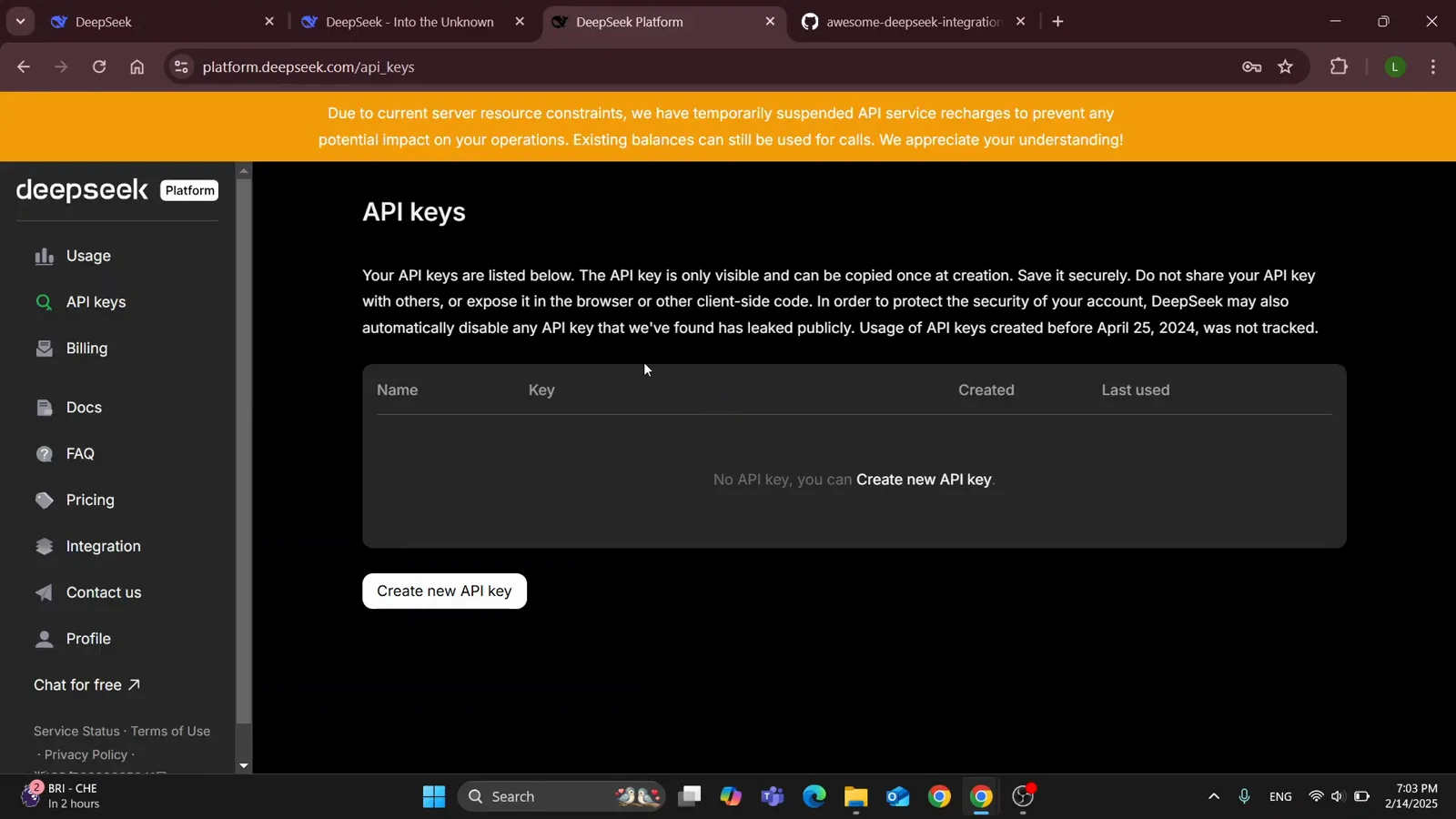
还没有任何 Key 的 API keys 页——一个按钮就能开始。视频 1:34 处 - 8
第一次调用前,先看余额、看清价格
视频还路过了平台的 Usage 页:充值余额、赠款余额、本月消费在付款前都是 $0.00。API 按量计费:录制时 DeepSeek 自家的横幅写着 deepseek-chat 每百万输入 tokens $0.27、输出 $1.10;2026 年 9 月的文档里 deepseek-flash 为每百万输入 $0.30 / 输出 $1.20(峰值价,错峰减半)。对着 Cursor Pro 每月 $20 的固定价,轻度使用便宜得不是一星半点。
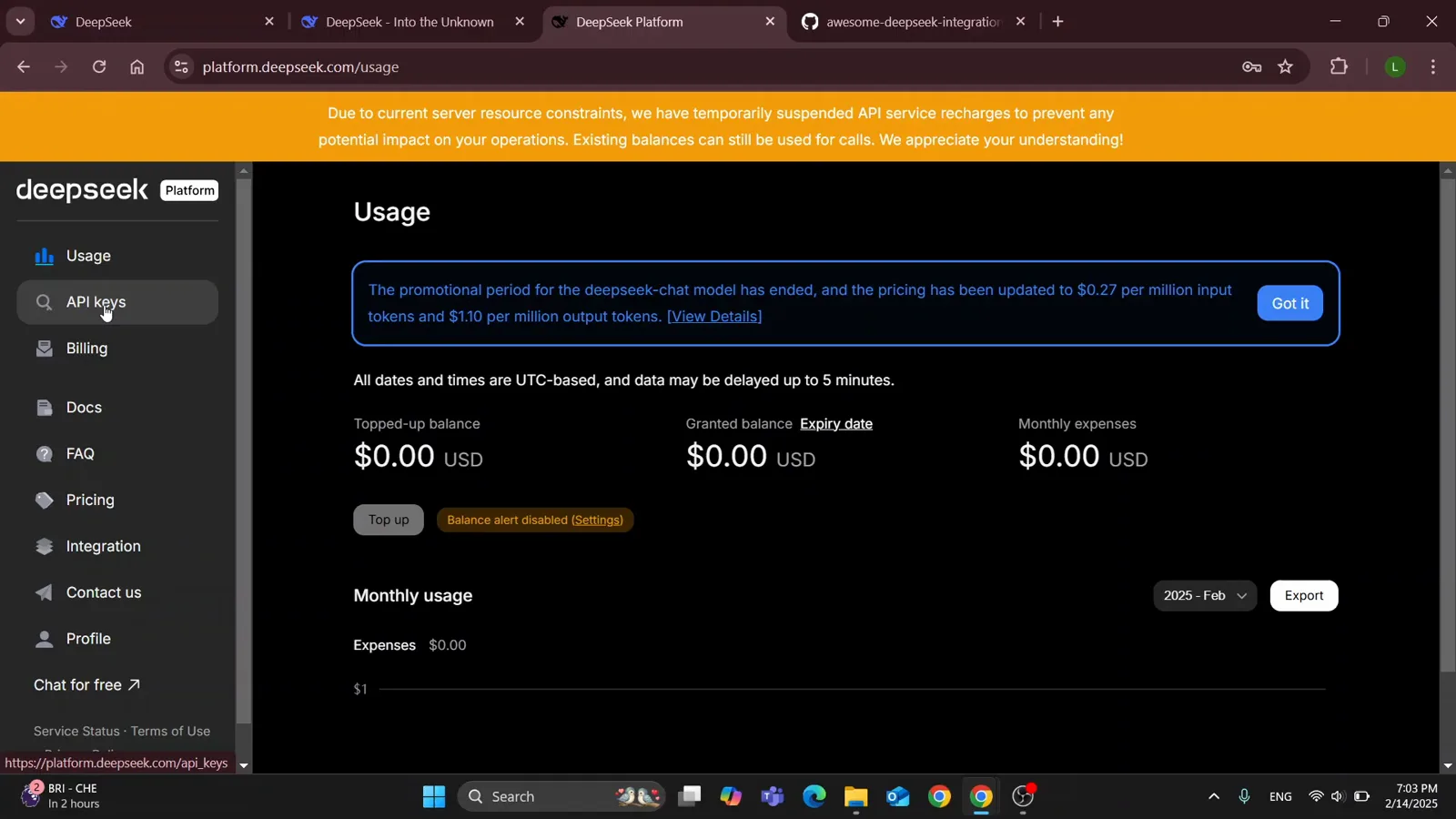
余额为零也一目了然:充值和消费都在 Usage 页。视频 1:42 处 - 9
把 Key 填回 Cursor,选中你的模型
回到 Cursor Settings → Models,找到 OpenAI API Key 一节:启用后贴入 sk- Key,Override Base URL 填 https://api.deepseek.com(文档里的 /beta 形式也可以)。从此 Cursor 的模型调用都走 DeepSeek——图中那行绿色的 deepseek-coder 就是教程的终点状态。之后在编辑器的模型选择器里,无论是 Chat、Agent 还是行内编辑,选 deepseek-coder 就行。
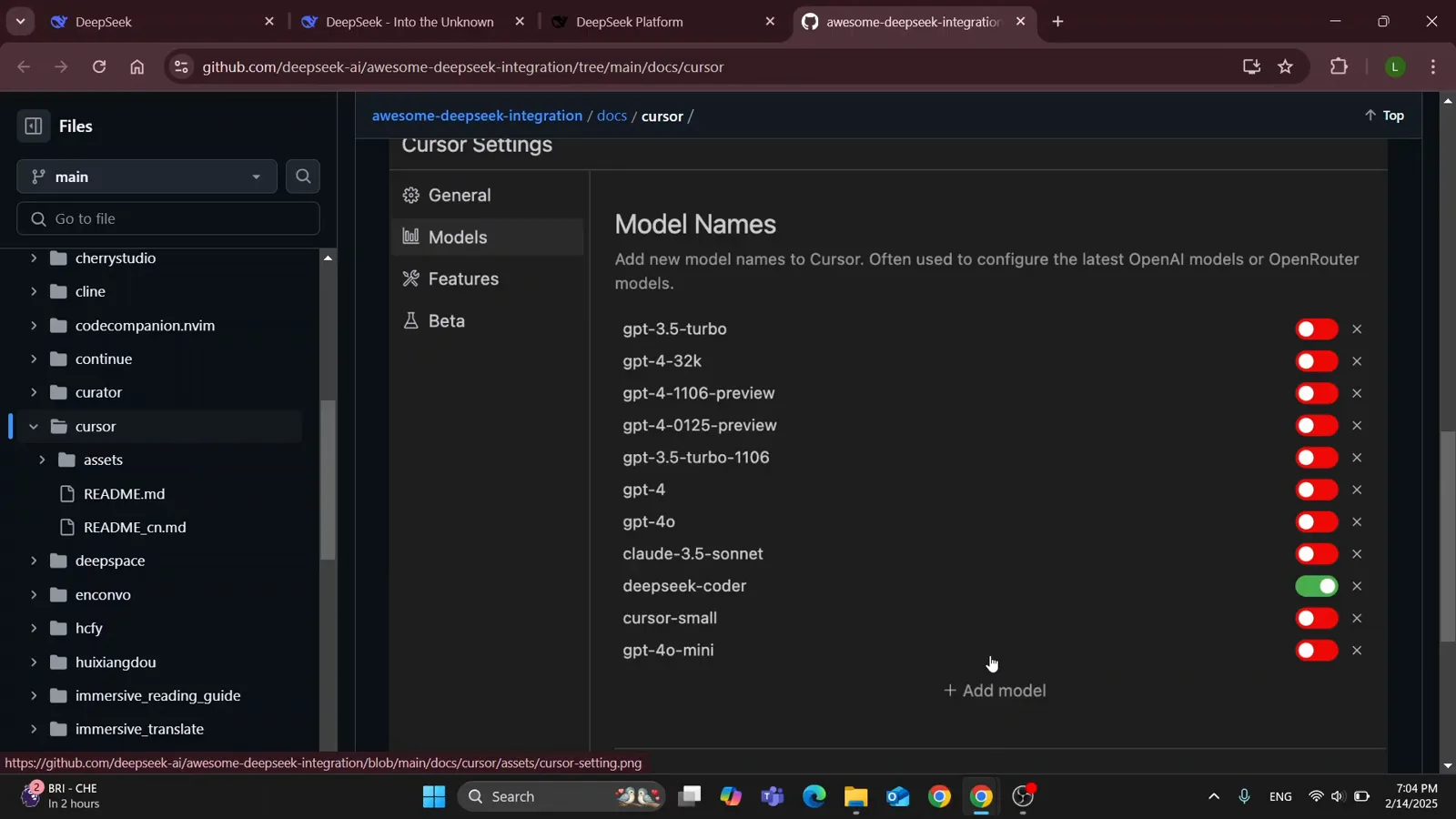
教程的收尾状态:deepseek-coder 启用,其余全灭。视频 1:54 处