
Claude Cowork + DeepSeek:手把手接入指南
把 Claude Cowork 桌面代理接到 DeepSeek API 上,白嫖代理级执行力——本地文件、仪表盘、Google Drive、Zapier MCP 全都能派活,不用为 Claude 订阅掏一分钱。
太长不看版
- DeepSeek API 原生兼容 Anthropic 协议,Cowork 可以直接跑在上面:base URL 填 https://api.deepseek.com/anthropic,鉴权用你的 DeepSeek API Key,模型名填 deepseek-flash 或 deepseek-v4-pro。
- Cowork 是「派活型」代理:给它一个文件夹、一个连接器、一段清晰的任务描述,它会自己翻文件干活,而不是回你一段文字就完事。
- 视频里的完整闭环:接入混合格式的销售数据文件夹,拿到仪表盘 artifact,再从 Google Drive 补数据,最后存成每周一早上自动运行的 skill。
- Cowork 动手前会先给方案、等你点头——审核权始终在你手里。会话数据留在本机,干活期间桌面 App 得保持在线。
Claude Cowork Tutorial for Beginners
视频演示:Kevin Stratvert9:42
Getting started with Claude Cowork
官方演示:Anthropic4:17
截图画面来自上面两支视频;步骤里的每个配置值都已对照 DeepSeek 官方文档核实。
截图出自 Kevin Stratvert(Claude Cowork Tutorial for Beginners)与 Anthropic 官方(Getting started with Claude Cowork),每一步都附原视频时间戳深链。DeepSeek 配置值参考 api-docs.deepseek.com 官方文档。
一步步把 Cowork 跑在 DeepSeek 上
- 1
装 Claude 桌面版,切到 Co-work 标签
Claude Cowork 内置于 macOS 和 Windows 的 Claude 桌面 App——网页版只能传文件,碰不了本地文件夹。从头像菜单装好 App、登录后,把输入框从 Chat 切到 Co-work:Chat 负责答疑,Co-work 负责把活干完。左侧栏是你的任务中枢:New task、Projects、Scheduled、Live artifacts。
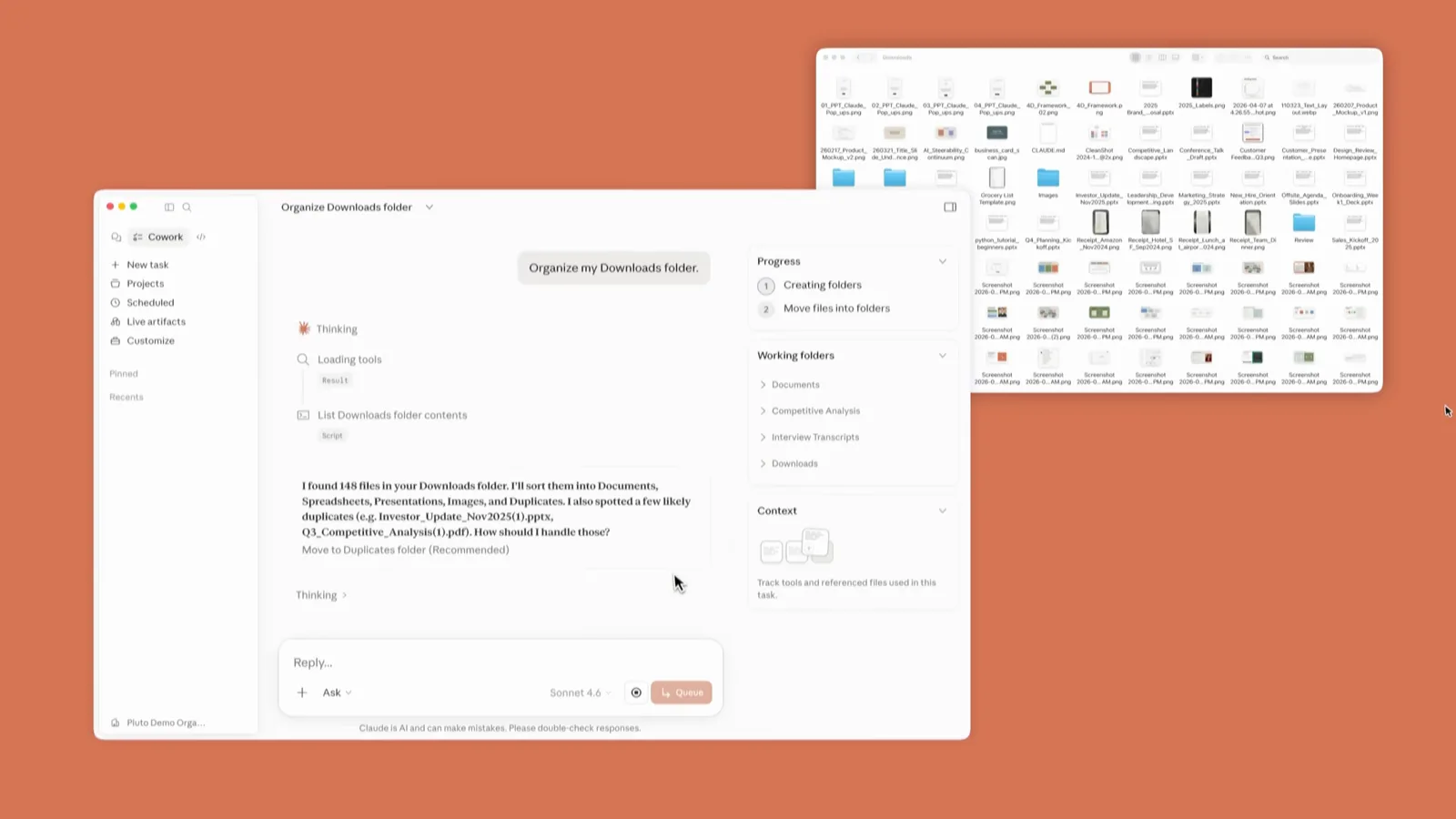
Co-work 主界面,Skills、Connectors、Plugins 都在一步之内。定位到 0:30 - 2
把 Cowork 的模型网关指向 DeepSeek
在 Settings 里打开 Cowork 分区,给推理网关配上 DeepSeek 凭据:base URL 填 https://api.deepseek.com/anthropic,鉴权令牌填你的 DeepSeek API Key,模型名填 deepseek-flash(想全程用旗舰就填 deepseek-v4-pro)。DeepSeek API 原生实现了 Anthropic 协议,请求里写 claude-sonnet、claude-opus 也会自动映射——opus 走 deepseek-v4-pro,sonnet 和 haiku 走 deepseek-flash。顺手把常用偏好写进 Global instructions,对所有 Cowork 会话生效。
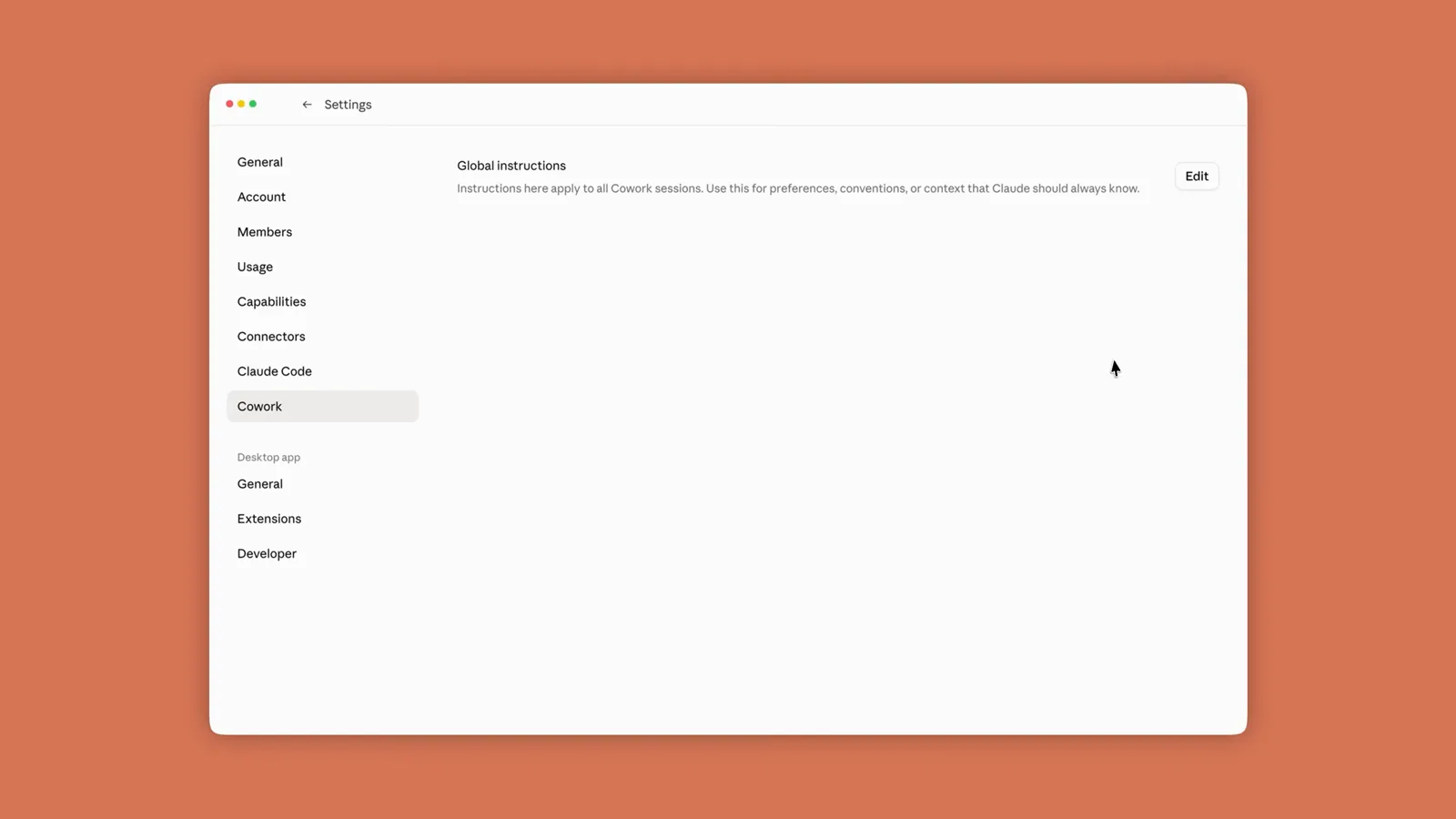
Cowork 设置面板:网关凭据和全局指令都在这里。定位到 1:45 - 3
给 Cowork 授权一个工作文件夹
点输入框里的文件夹控件,选择让 Cowork 干活的目录——视频里是一个 Sales Weeks 1 文件夹,装着十二周的销售数据,格式混杂:文本、PDF、表格都有。点 Select Folder 确认,Cowork 请求权限时点 Allow。之后它就能读写这个文件夹里的文件;常用的文件夹可以收藏,也能一次挂多个。
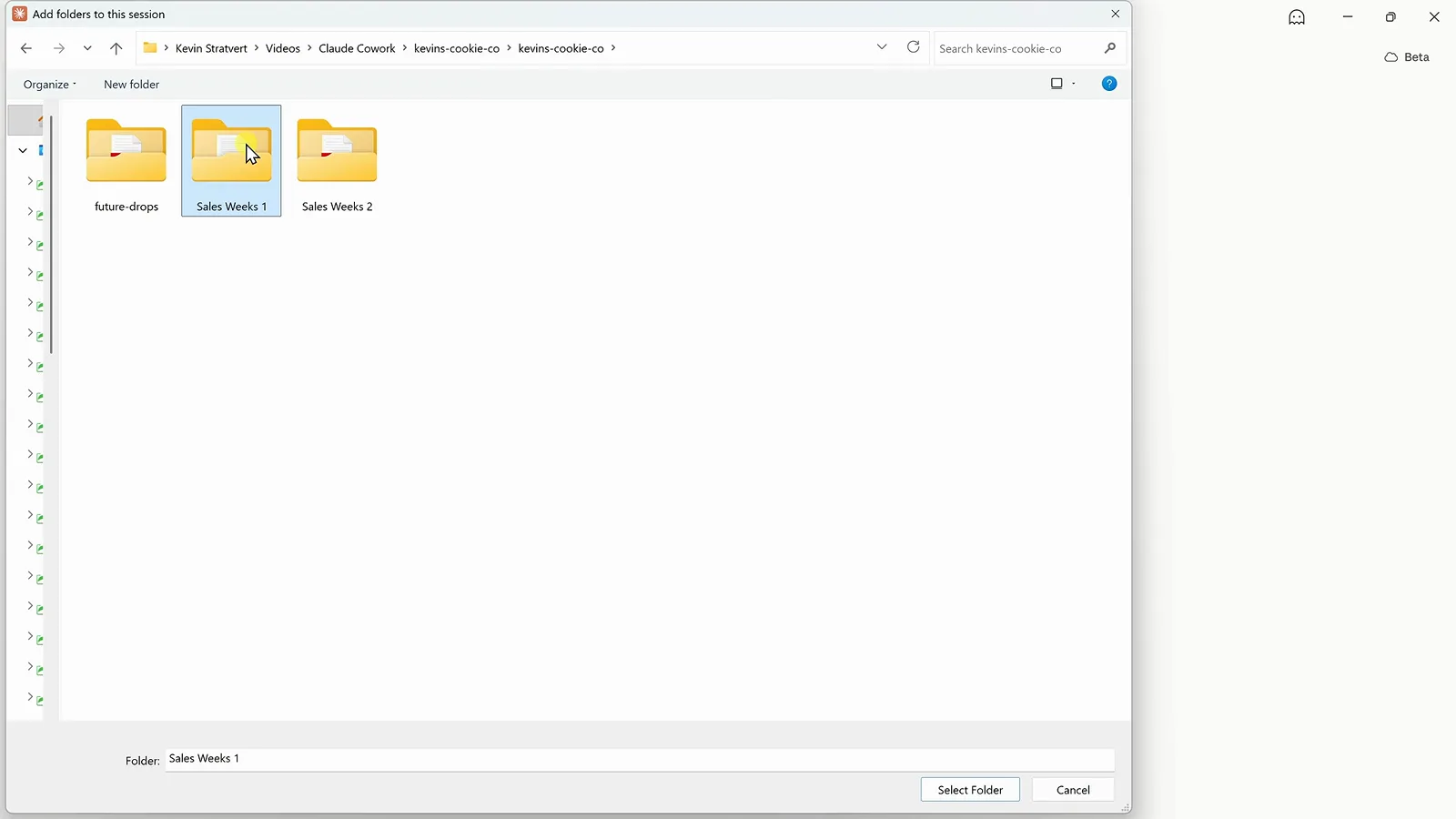
在 Add folders to this session 对话框里选中 Sales Weeks 1。定位到 2:14 - 4
一段提示词把任务说完整
描述结果,别描述操作步骤。演示提示词是:「Analyze all of the sales data in this folder and create an interactive dashboard that shows how the business is performing. Include the most important KPIs, trends, and insights.」注意 Chat 旁边选中的是 Cowork 开关,文件夹路径就挂在输入框下方——这个组合才能把「提问」变成「派活」。
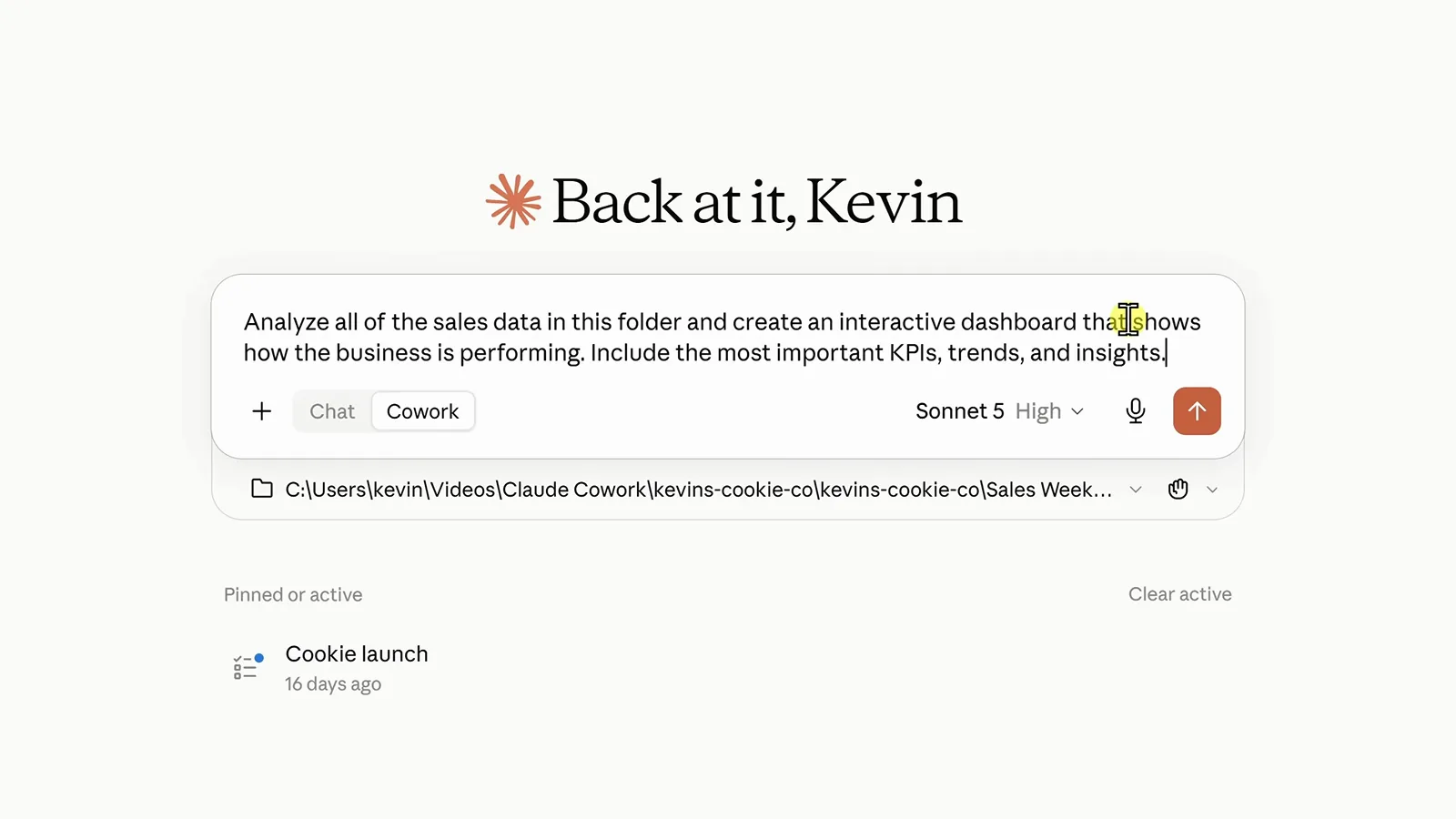
一段提示词、一个文件夹、Cowork 开关打开,直接发送。定位到 2:30 - 5
看 Cowork 按计划干活
Cowork 会自己打开每一份报表、汇总数字,右侧实时滚动进度,点任意一步都能看细节。出结果后它会提议存成 artifact——一个留在侧边栏里的交互页面。点 Create 放行,或者先提修改意见;「先给方案、批准后再动手」就是核心安全带。
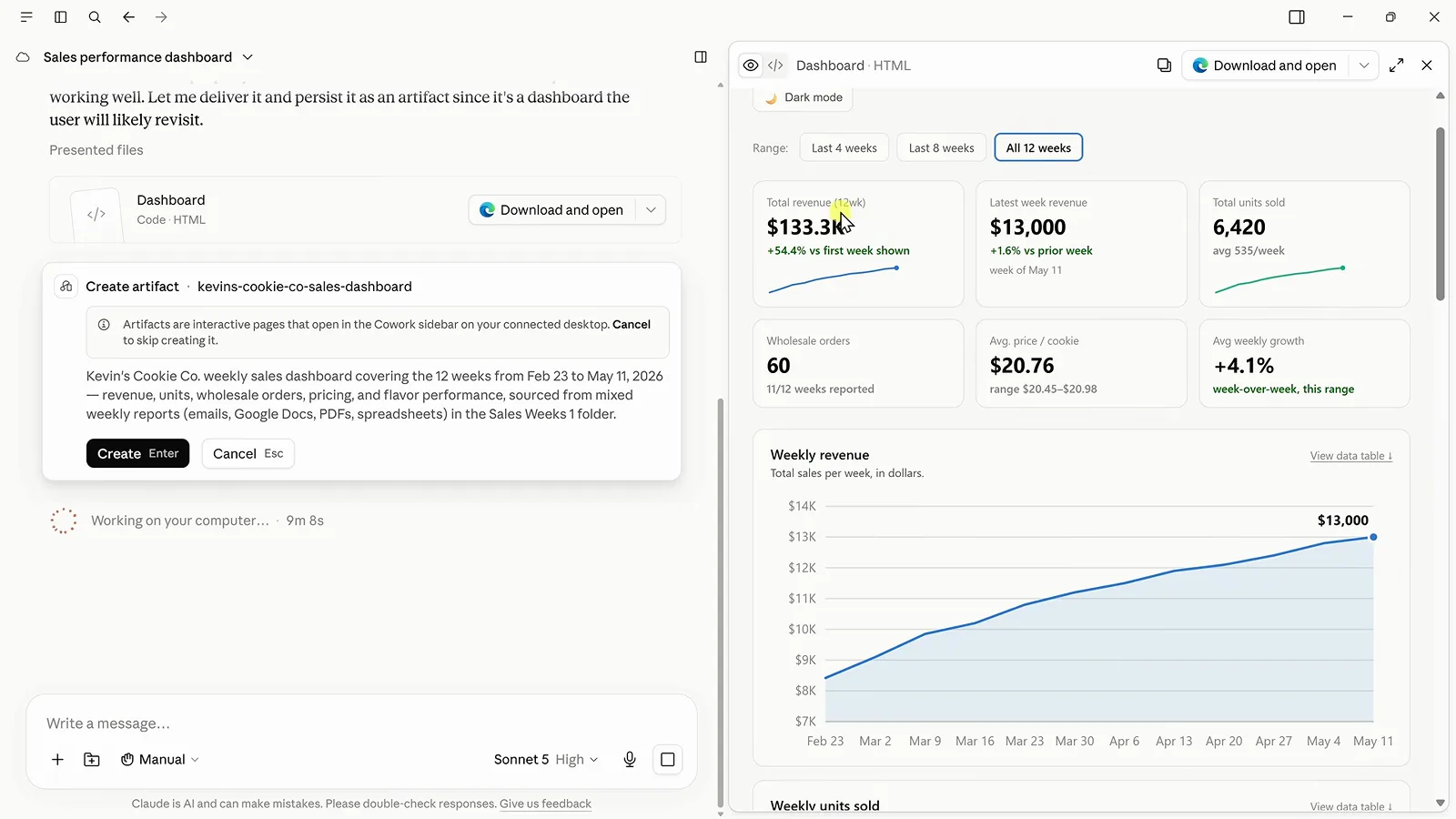
Create artifact 卡片,写明了它刚拼装的仪表盘内容。定位到 3:00 - 6
检查仪表盘和它给出的洞察
成品 artifact 里有六张 KPI 卡、一条周收入趋势线,还有一段文字洞察。洞察值得细读:Cowork 主动标出 4 月 27 日的报表把数字标成了「Gross Sales」而不是「Total Revenue」,5 月 11 日的报表干脆缺了批发订单数——它没有悄悄混用。所有内容都能导出,Download and open 会存成 HTML,脱离 Claude 也能用。
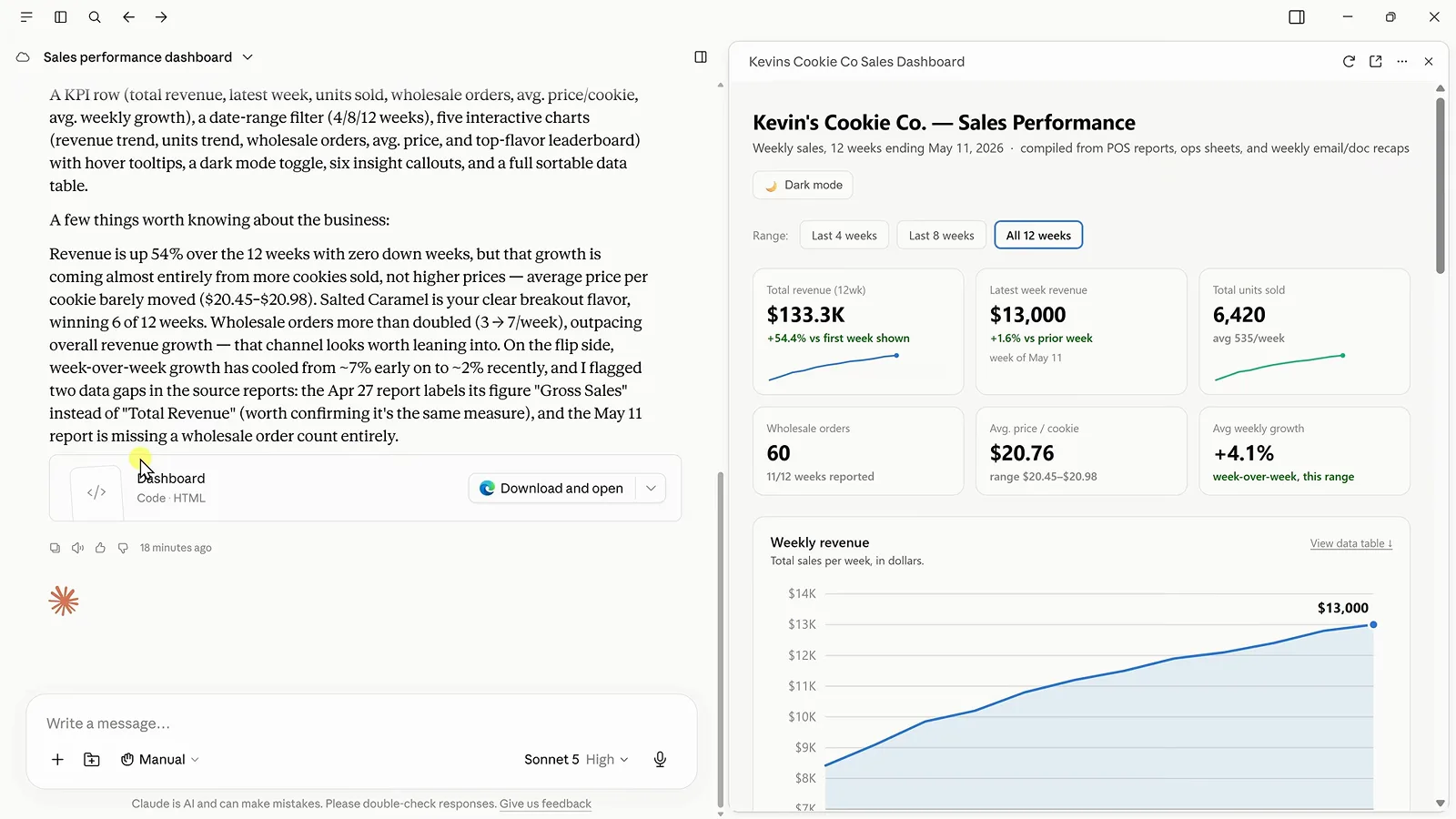
仪表盘 artifact,旁边是聊天区的汇总和被标记的数据问题。定位到 3:30 - 7
接上 Google Drive,补齐云端那半份数据
下半年数据在 Google Drive 里,打开侧边栏菜单,选 Customize → Connectors。Popular 一行里 Google Drive、Slack、Google Calendar 都是点一下 Connect 的事,下方列表显示已接好的服务——Gmail 已连,Zapier 还没连。Drive 连一次,之后所有会话都能用。
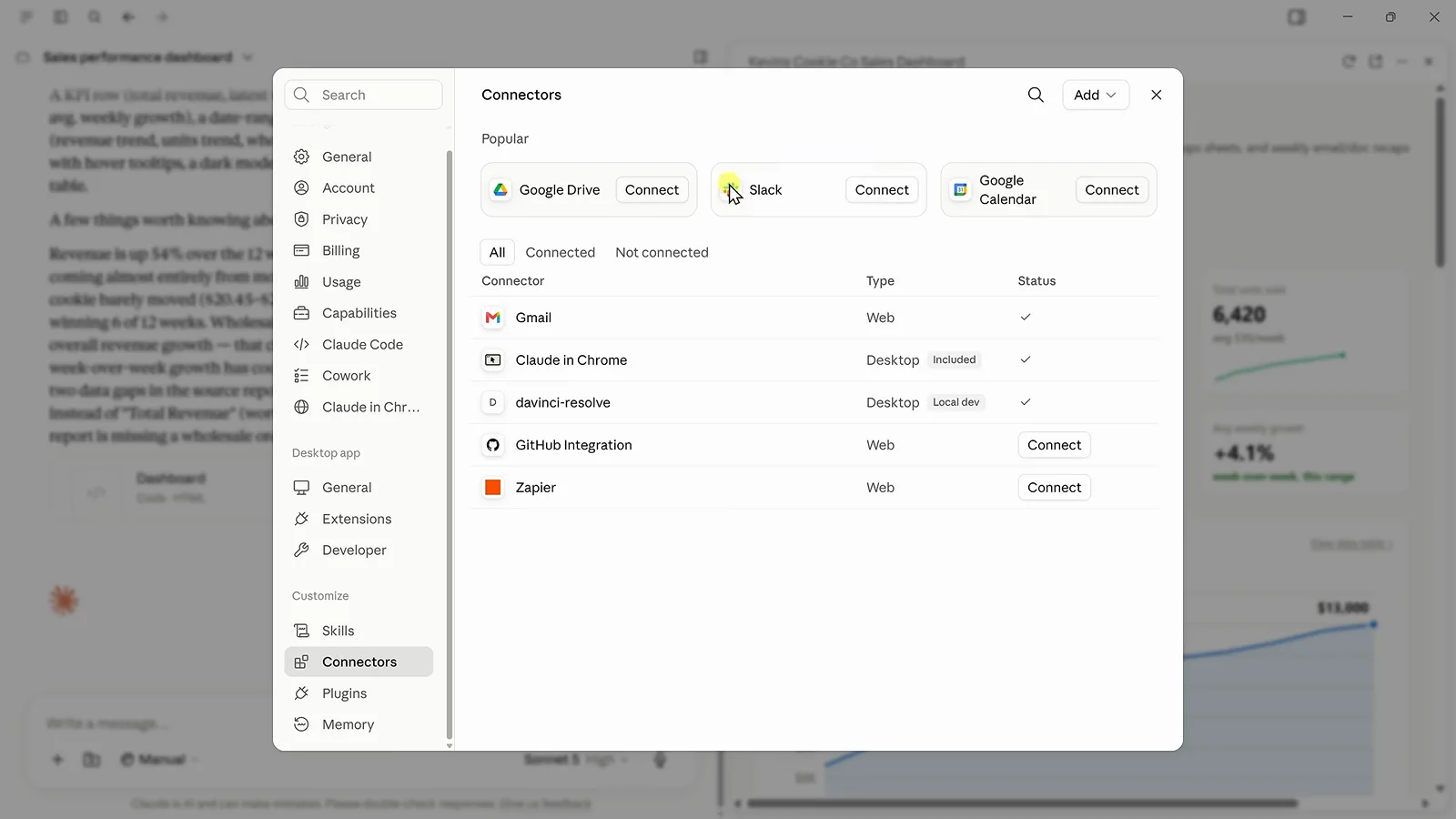
Connectors 对话框,Google Drive 就在 Popular 行。定位到 4:43 - 8
把云端文件并进同一个 artifact
回到对话,直接说:「Find the remaining Kevin Cookie Company sales data in Google Drive and use it to update our dashboard with the remaining 12 weeks of data.」Cowork 自己翻 Drive、找到对应文件夹、合并新数据,KPI、图表、洞察原地刷新——仪表盘从 12 周长到 24 周,你一个文件都没碰。
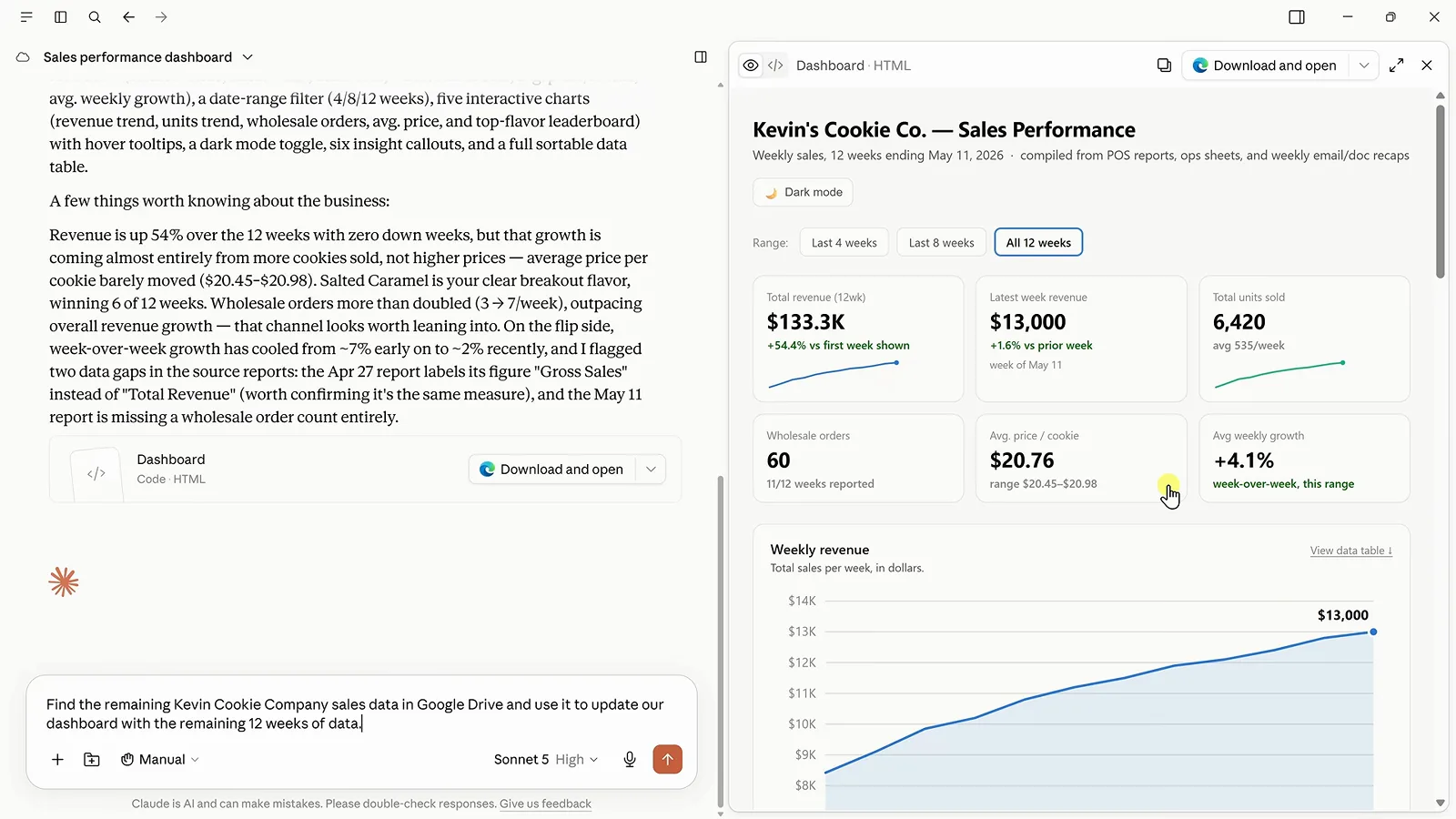
去找 Drive 数据的提示词已发出,12 周的仪表盘在旁边待命。定位到 5:08 - 9
用追加提示词打磨结果
仪表盘能用,但不是品牌色,那就说:「Update the dashboard to use our brand colors of blue and maize.」回复值得一读——Cowork 选了深金黄玉米色,因为更亮的色调过不了它在浅色背景上的色盲安全检查;领先口味用蓝色加粗,而不是给每根柱子涂彩虹色。布局、文案、图表类型都可以这样迭代。
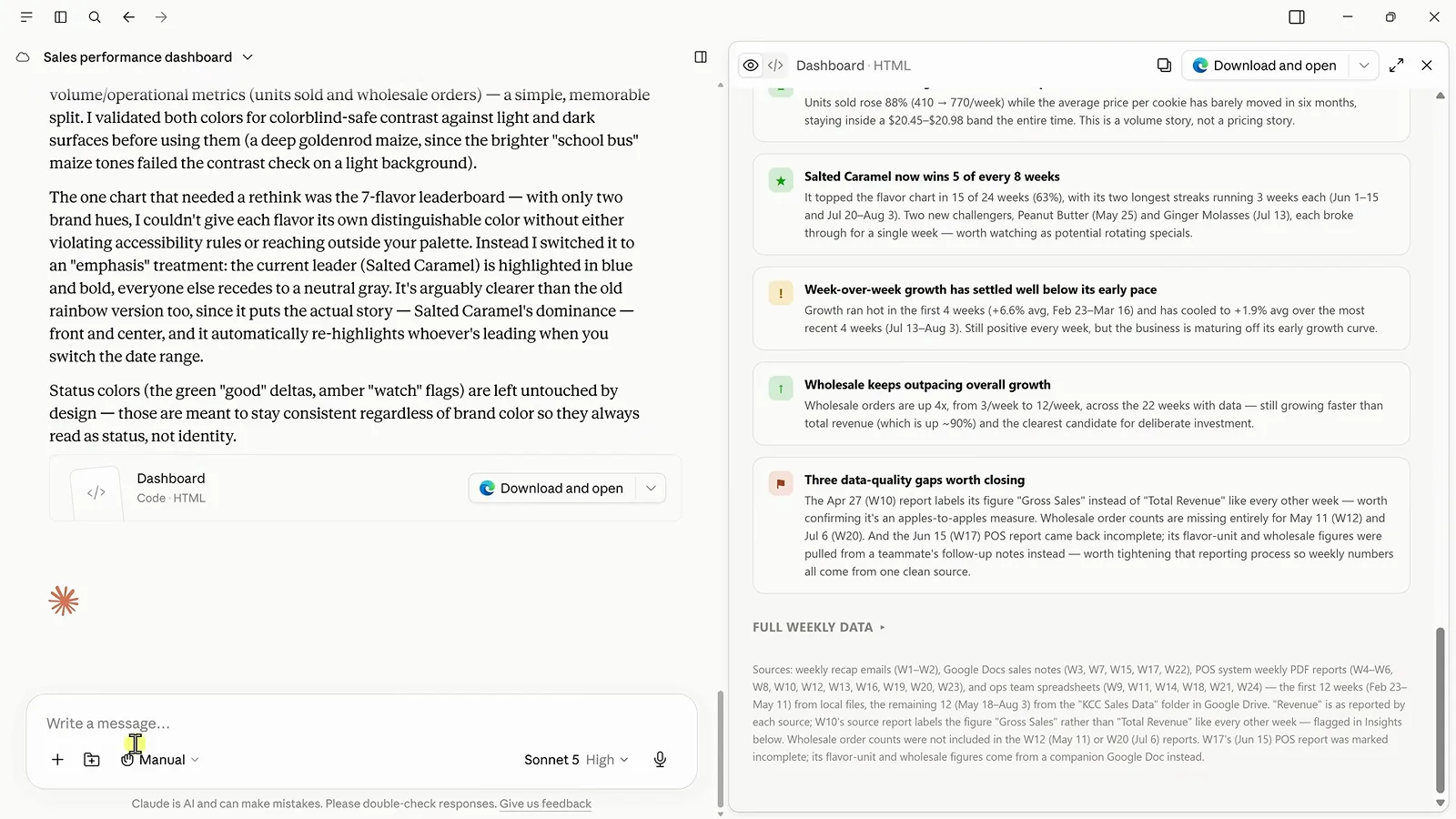
Cowork 解释它做的那套无障碍蓝金配色方案。定位到 6:28 - 10
把工作流沉淀成可复用的 skill
skill 就是教 Cowork「这类活以后都这么做」。用大白话提需求——「create a skill that checks for new sales data, compares it with the previous week, pulls out the most important insights, and updates our dashboard」——Cowork 会替你写好 SKILL.md。审一遍、回复修改、保存;存好的 skill 连每周数据藏在哪都写清楚了,从 Gmail 周报邮件到 Drive 文件夹。
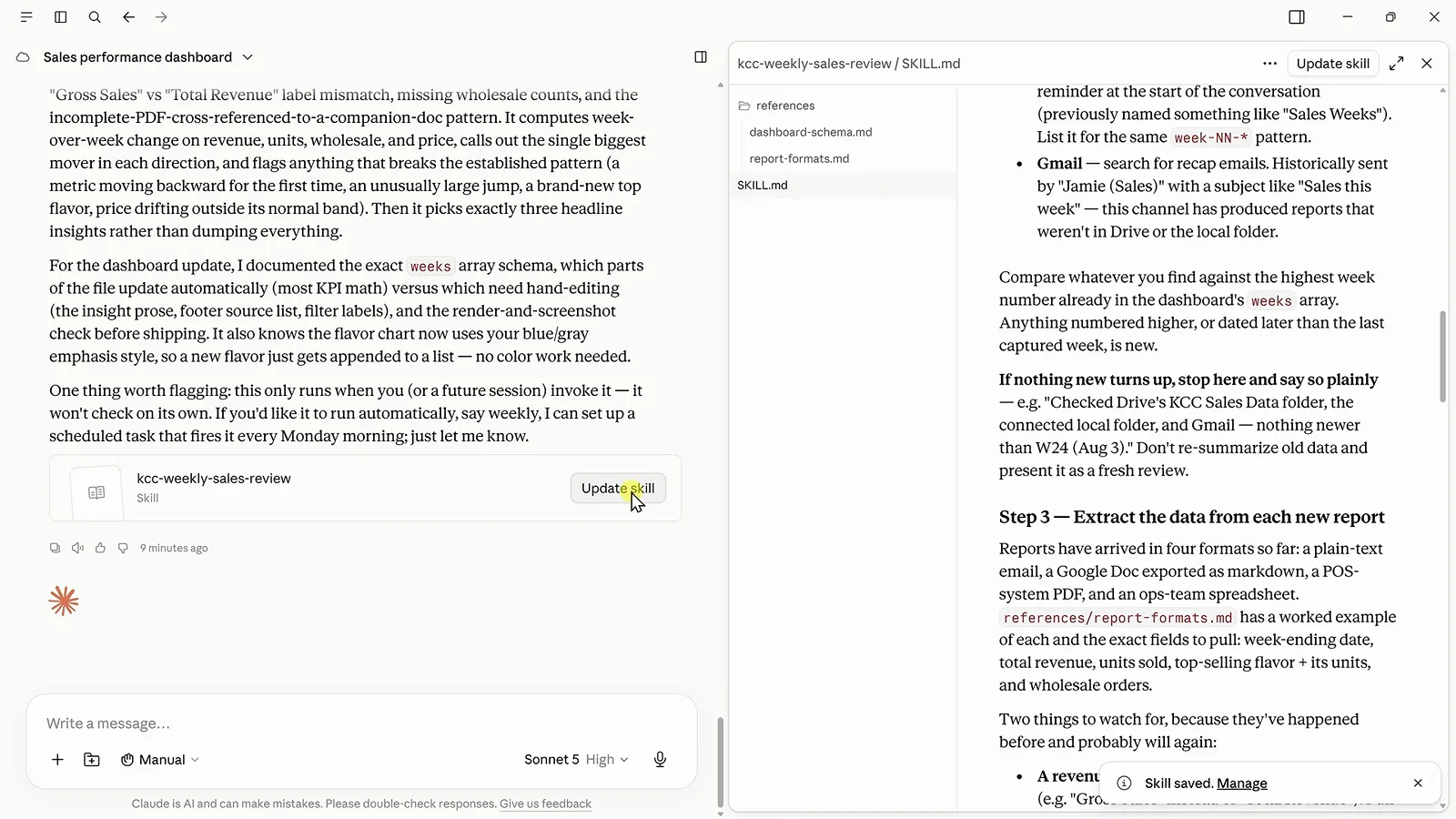
保存好的 kcc-weekly-sales-review skill,以 SKILL.md 形式可编辑。定位到 7:00 - 11
给 skill 排个每周计划
先用最新数据跑一遍——「run my weekly sales review skill using the latest sales data」——然后再排期:Cowork 确认「Created scheduled task: Weekly Sales Review … At 09:00 AM, only on Monday」,仪表盘随即覆盖全部 27 周。视频里特别提醒了一点:到点时桌面 App 必须开着且在线,本地文件夹检查才会执行,否则它会退回 Drive 和 Gmail,不会直接报错。
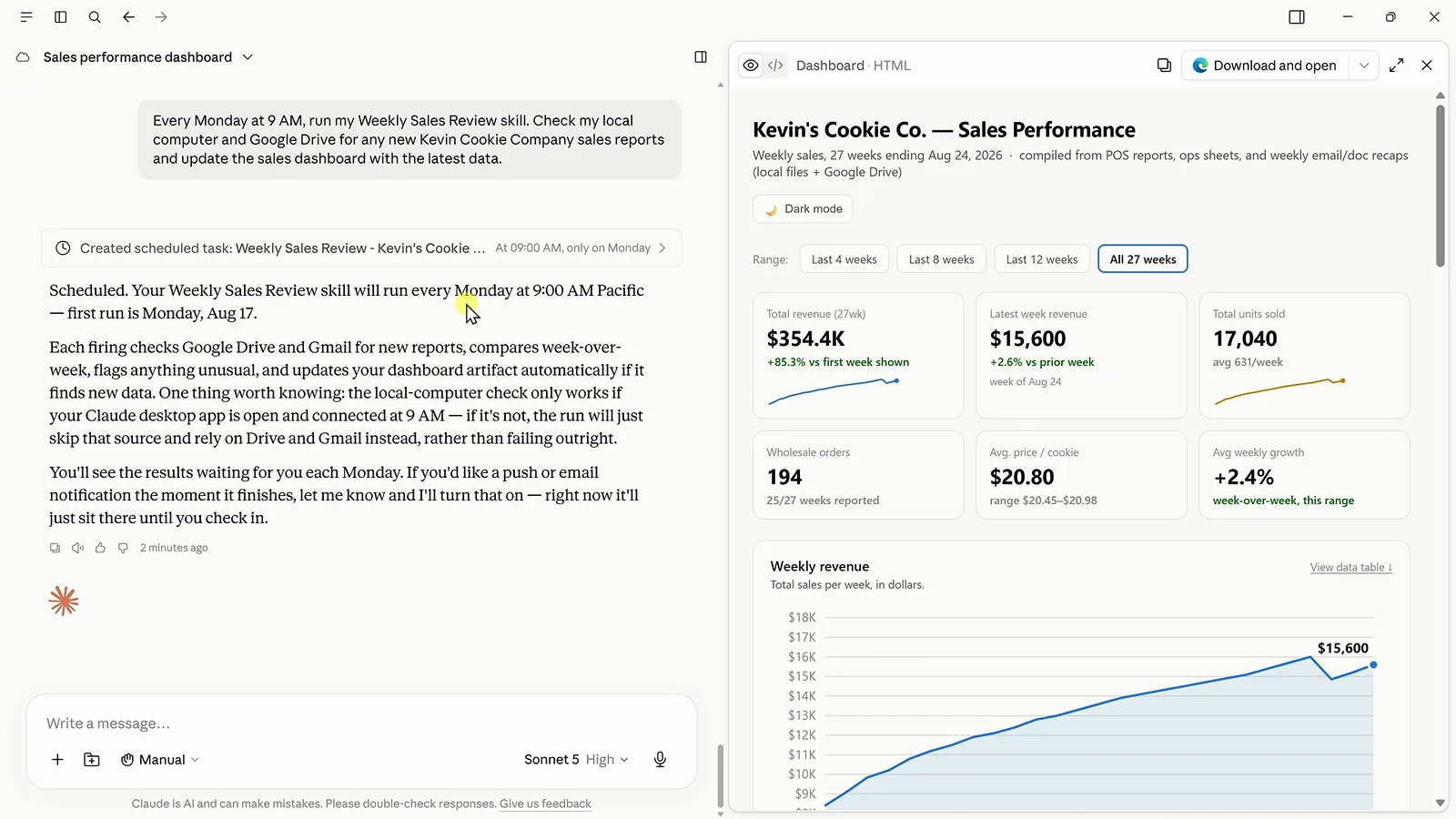
每周一早上 9 点定时跑,仪表盘已刷新到 27 周。定位到 7:48 - 12
接上 Zapier MCP,打通上千款应用
内置连接器覆盖主流服务,长尾就交给 Zapier MCP。注册一个免费 Zapier 账号,打开 MCP Servers——MCP 全称 Model Context Protocol,AI 工具调用外部应用的标准协议——选 Claude,把生成的提示词粘进 Cowork。回到 Zapier 里精确勾选允许 Cowork 用哪些应用和动作,影响半径由你说了算。
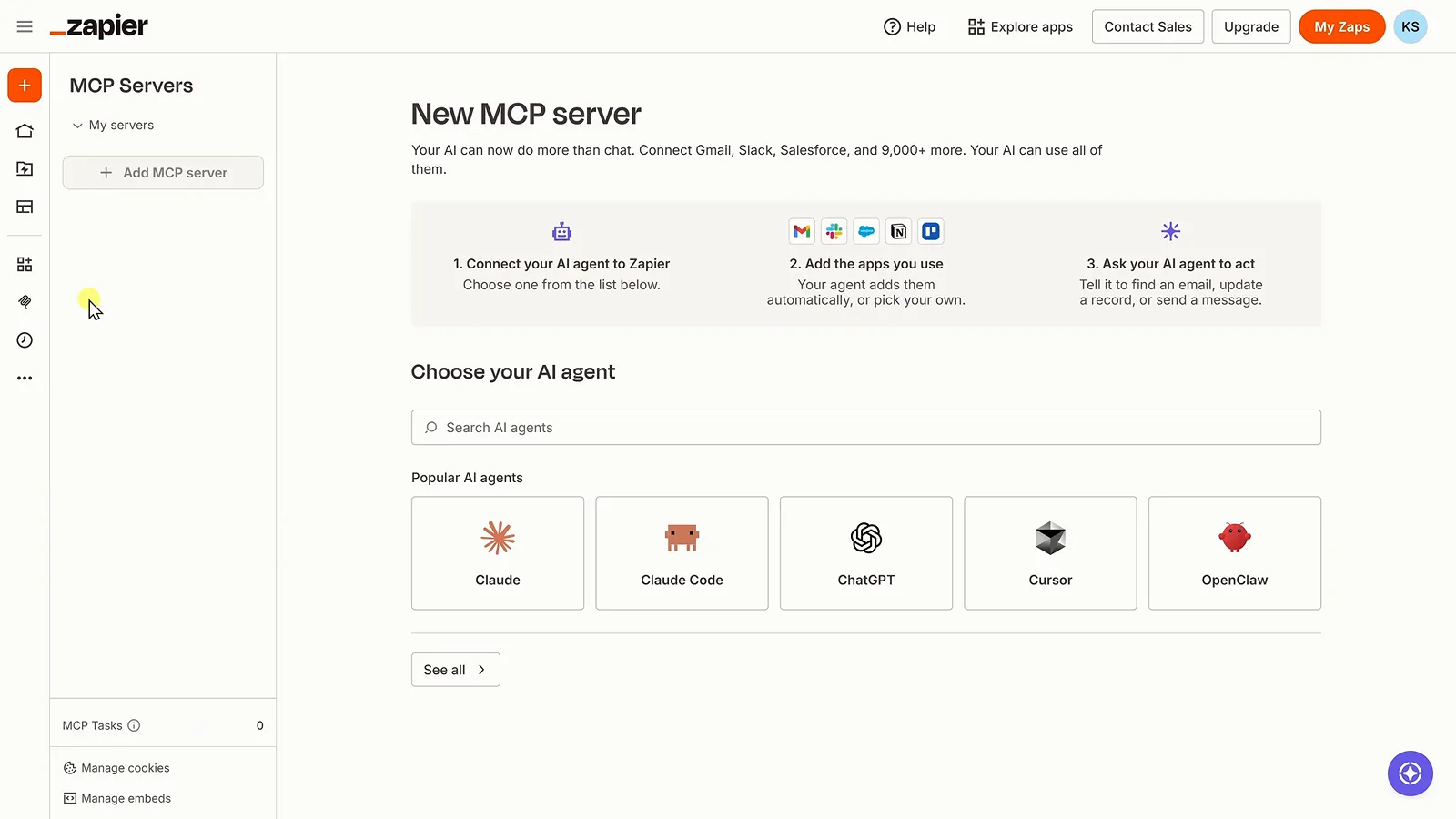
Zapier 的 MCP 服务器设置页,Claude 在热门代理之列。定位到 8:32 - 13
派一个动作,而不只是要一份分析
验收提示词来了:「Analyze our sales and create a marketing task in Trello.」Cowork 算出 Snickerdoodle 已经 24 周没当过销量冠军,然后开了一张卡片,写清来龙去脉、截止日期和建议行动方案。分析变成了干完的活——而且 DeepSeek 按 API 调用计费、不走订阅制,整个闭环的成本就是你用到的那一点。
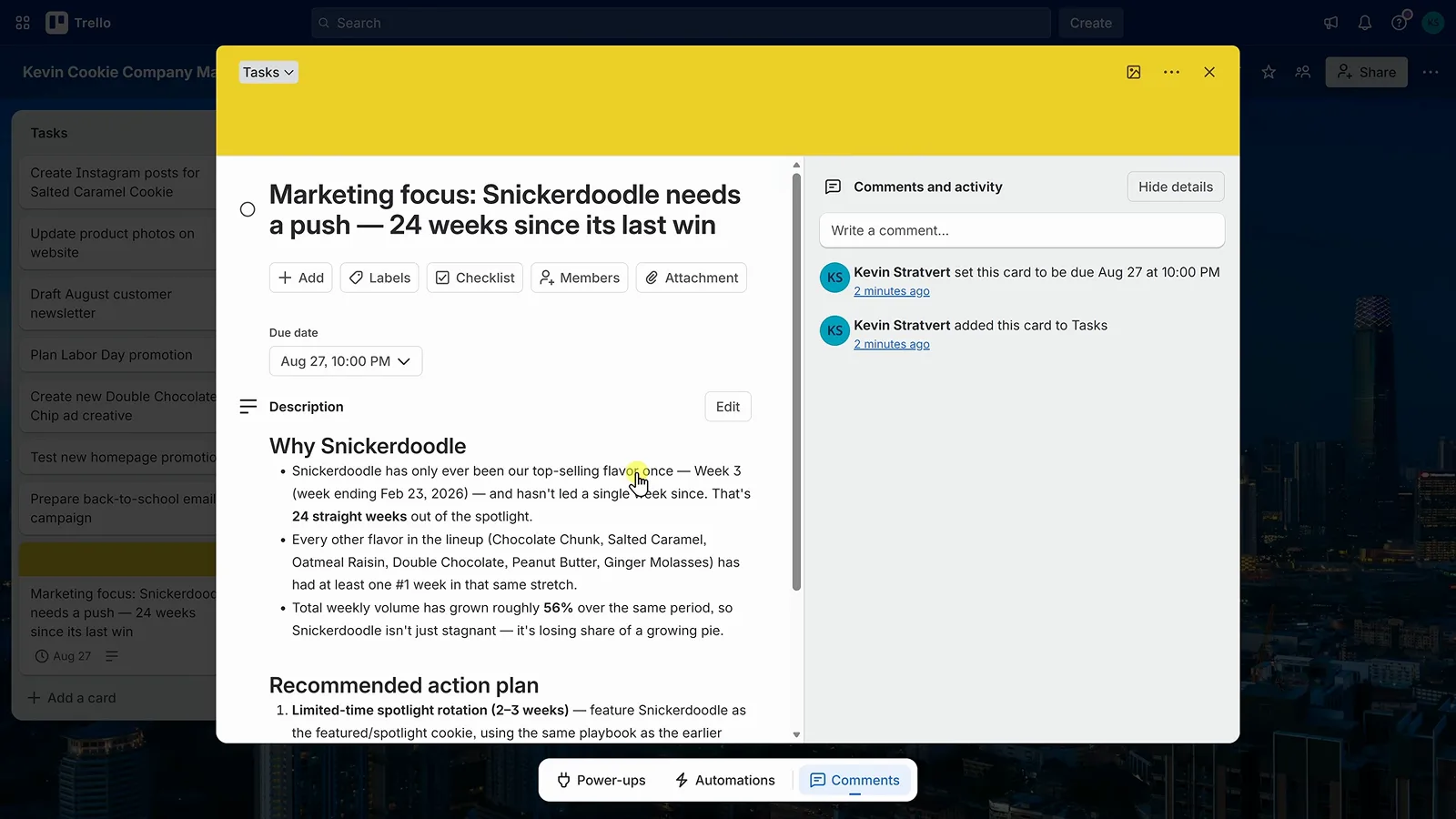
Cowork 根据销售分析建好的 Trello 卡片。定位到 9:30