
太长不看版
- 官方市场 claude-plugins-official 开箱即用:第一次启动交互会话时自动添加,不用配置,也不用粘贴任何 URL。
- 打开 /plugin 面板逛 Discover、Installed、Marketplaces、Errors 四个标签页,或在终端直接一条命令装插件:claude plugin install frontend-design@claude-plugins-official。
- 日常管理集中在一个菜单里:停用、Mark for update、Update now、卸载;claude plugin marketplace remove 移除市场时,会连带卸载它装过的所有插件。
- 发布自己的市场就是写一份清单:建好 .claude-plugin/marketplace.json,用 claude plugin validate 本地校验,再用 claude --plugin-dir 试运行。
Claude Code Plugins Explained In 7 Minutes
频道:Software Engineer Meets AI7:21
Claude Code Plugins Tutorial: Install & Build Your Own
频道:Leon van Zyl18:21
Plugins — official Claude Code docs
文档:code.claude.com/docs
截图来自 Software Engineer Meets AI 的七分钟讲解视频——干净的全屏录屏;安装、市场与发布相关事实核对自 Leon van Zyl 的完整教程及官方插件文档。
截图归各自创作者所有,此处署名并附深链直达对应时刻;文字部分为本站原创。
16 步搞定 Claude Code 插件市场的添加、安装与管理
先搞清楚你要装什么
- 1
搞明白什么才算一个插件
Claude Code 插件是一种打包好的扩展:把技能、子代理、MCP 服务器、hooks 和 LSP 服务器捆成一个可安装单元。正因为所有东西一起走,插件才是跨项目、跨团队分享的标准单位。这篇教程走完整生命周期:浏览、安装、管理,最后自己发布。
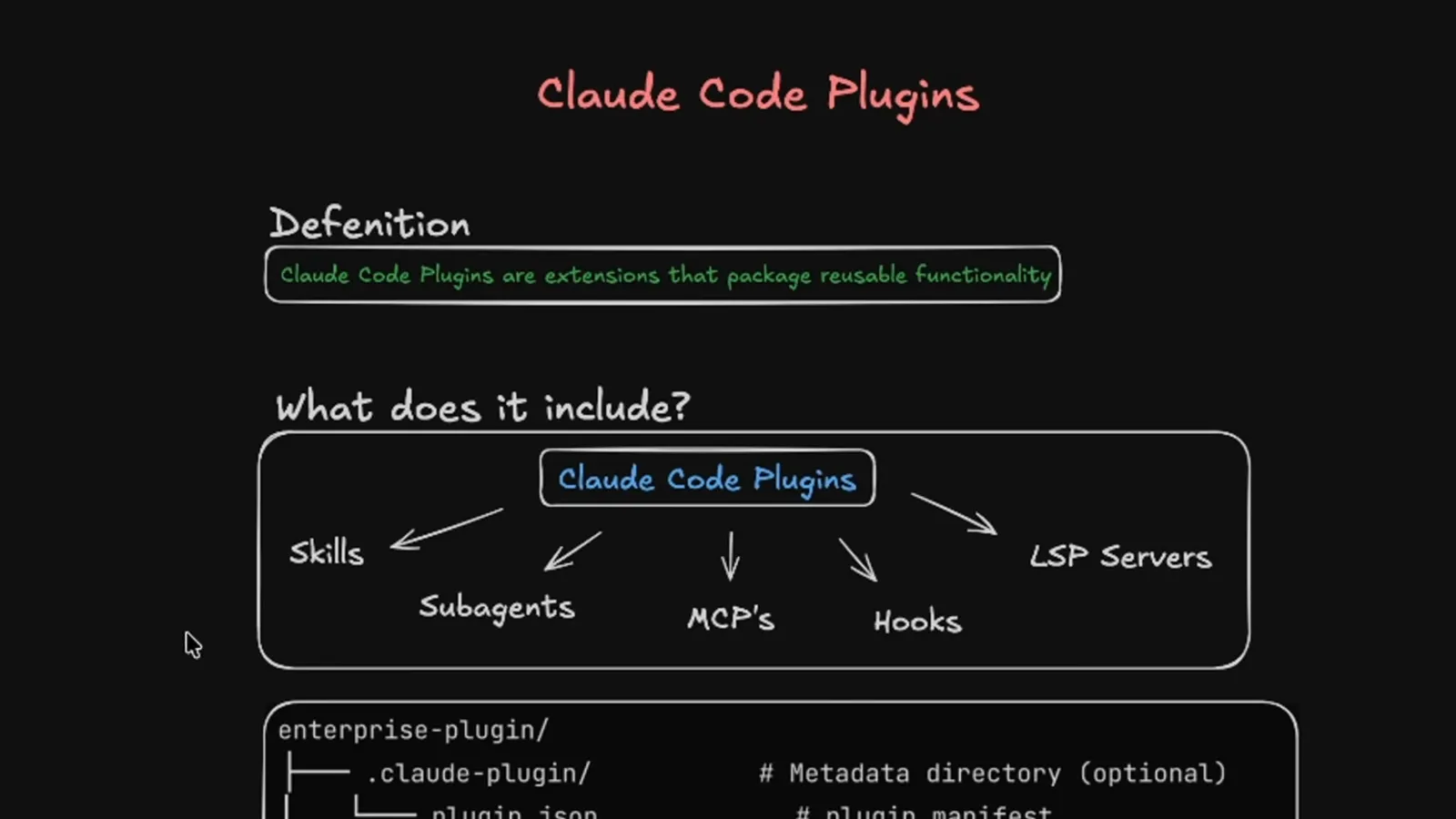
白板版解释:一个插件,五种扩展能力。在 0:21 观看 - 2
看文件树就能认出插件
每个插件都以一个 .claude-plugin 文件夹为锚点,里面的 plugin.json 是清单,周围是可选的 commands、agents、skills、output styles、hooks 文件夹和一个 .mcp.json。不必集齐所有部分——单条命令就够发布。清单文件才是把普通文件夹变成可安装插件的关键。
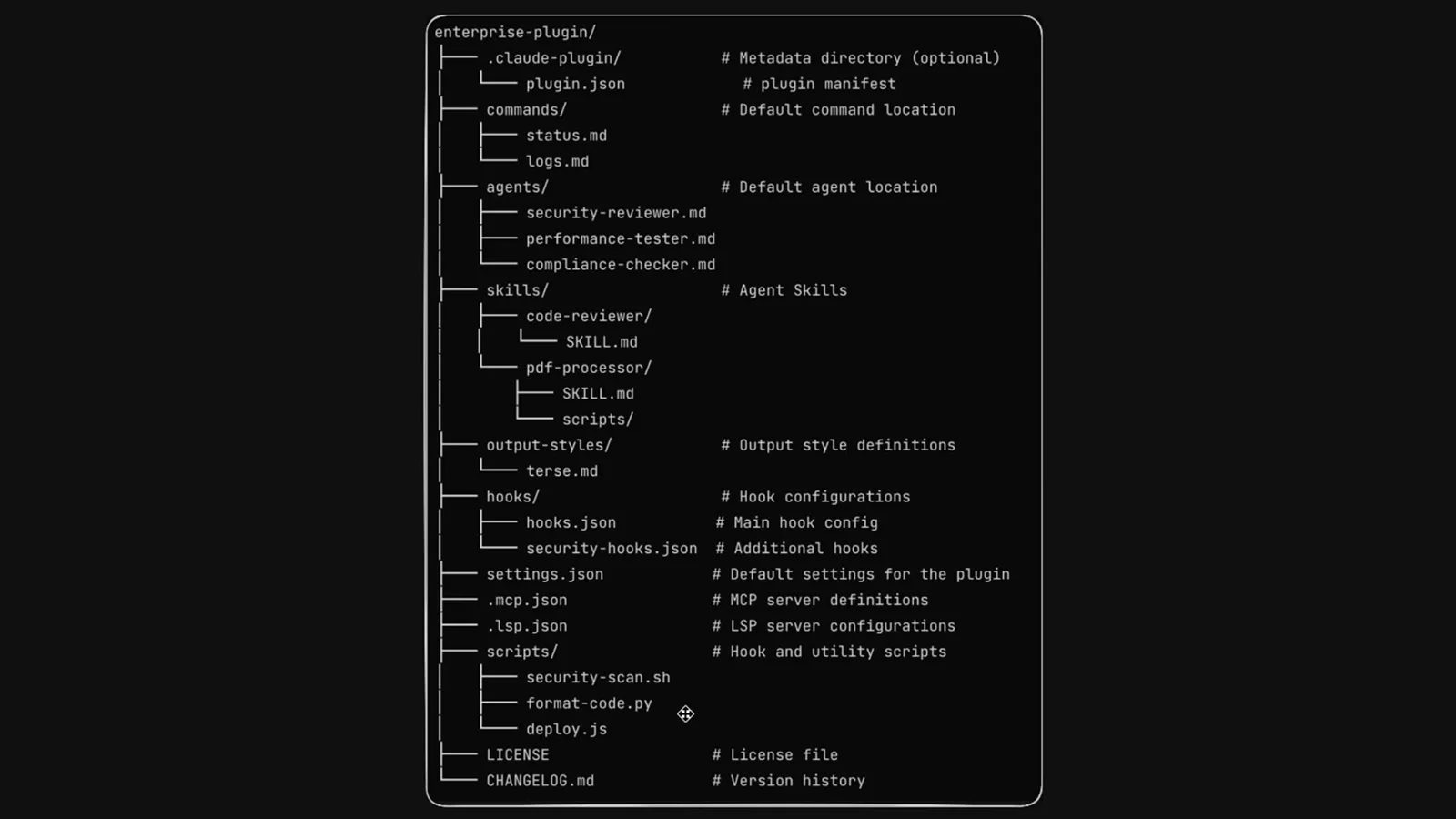
先有清单,再按功能放文件夹——骨架就这么多。在 0:45 观看 - 3
从官方插件文档页起步
code.claude.com 的官方文档是命令和清单字段的唯一权威,还链接到插件画廊。安装前先通读一遍,教程里出现的面板名和命令名才能对上号。下面所有操作在终端、桌面版和 VS Code 里都通用。
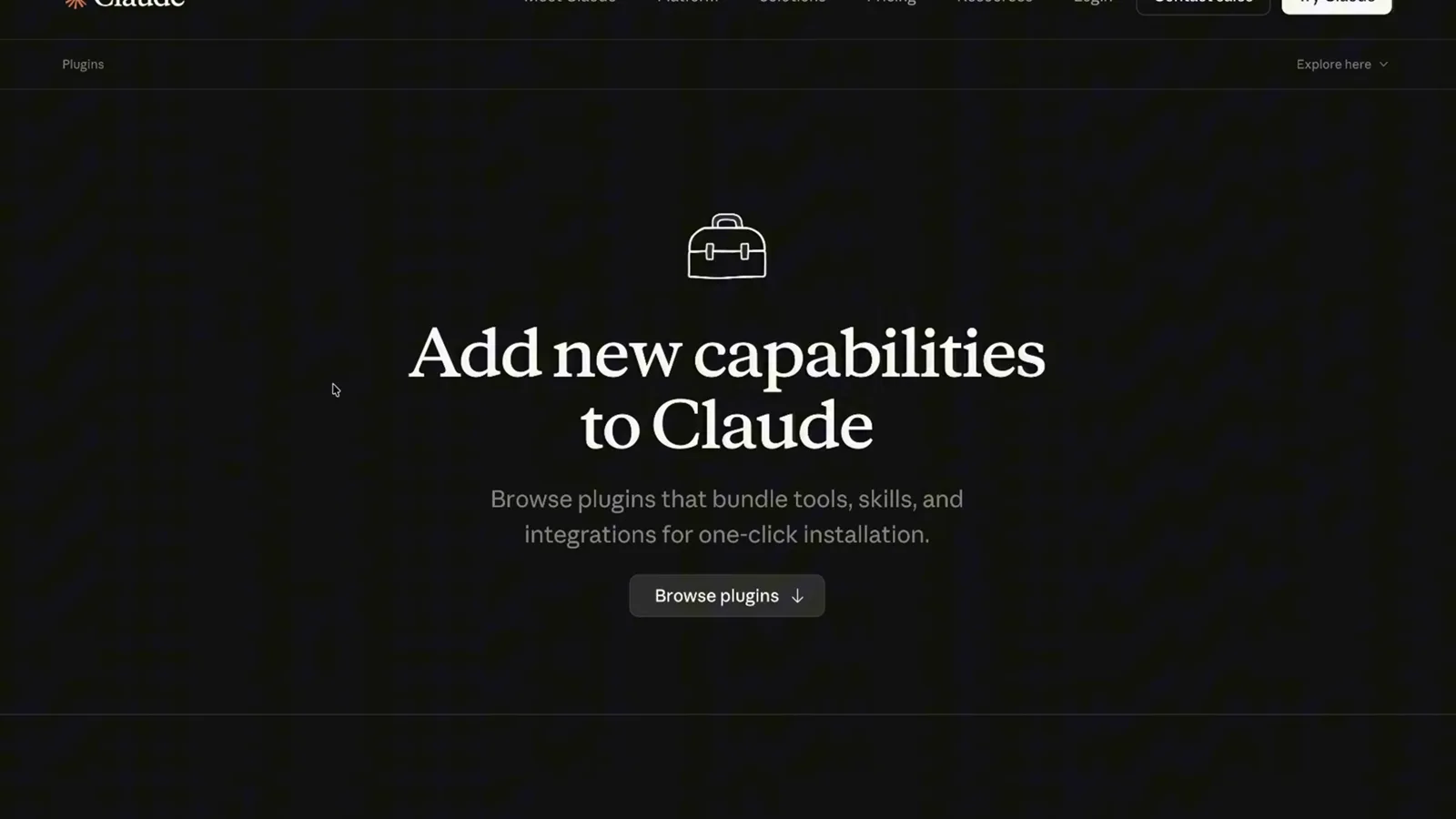
浏览、安装、自建,一页文档全讲完——值得收藏。在 1:00 观看 - 4
逛官方市场的插件网格
claude-plugins-official 市场用网格展示插件,带安装量和 Claude Code 筛选——Frontend Design、Superpowers、Context7、Code Review、Code Simplifier、GitHub、Playwright 都在列。安装量是热度信号,不是质量背书。记住插件的准确名字,安装时要敲的就是它。
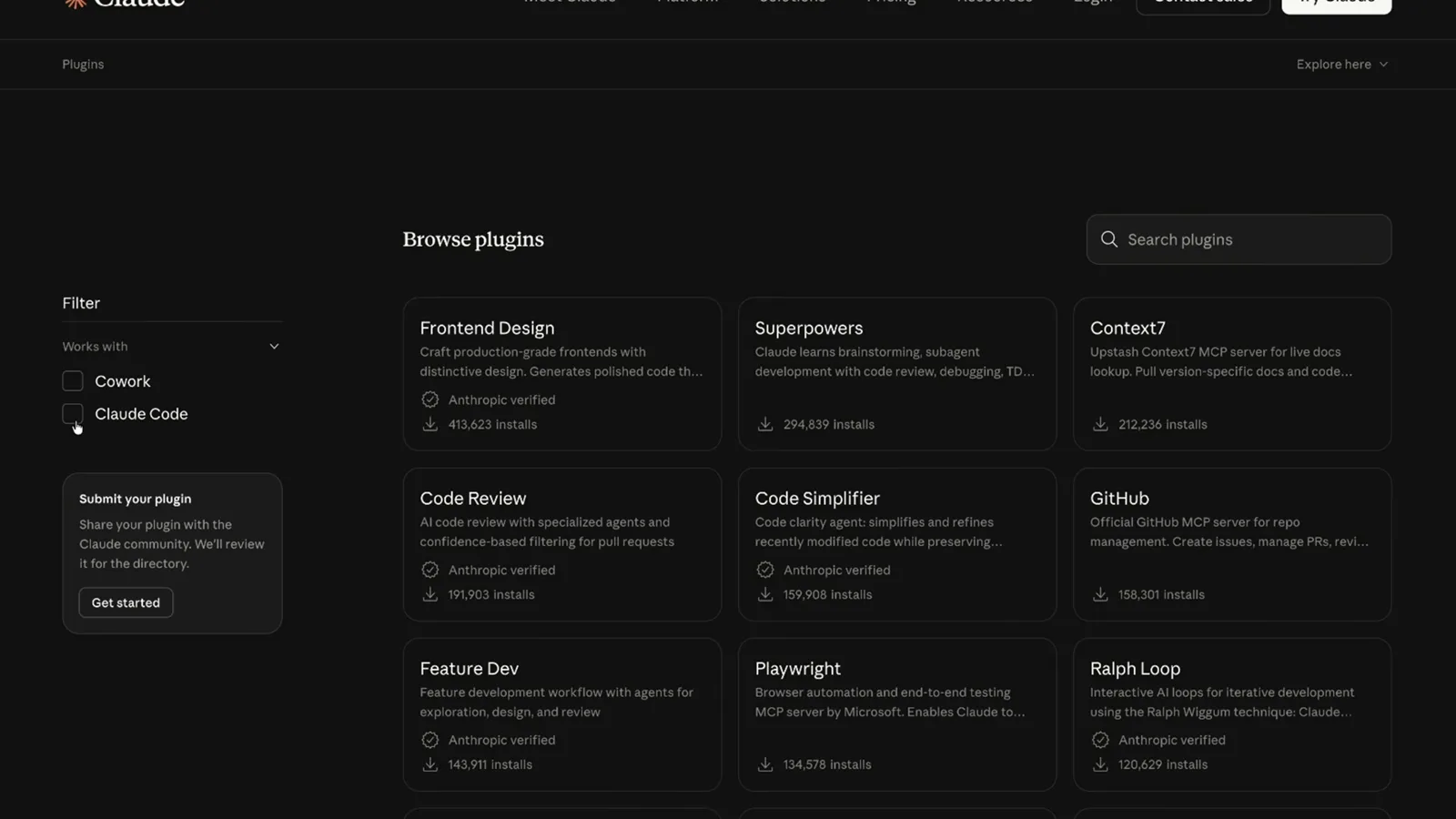
像逛应用商店一样划——名字就是 CLI 要输入的内容。在 1:10 观看
添加市场并安装插件
- 5
装之前先看插件详情页
点开插件进入详情页:作者是谁、打包了什么、累计安装量多少。比如 Frontend Design 由 Anthropic 官方出品,总安装量超过 40 万。把工具权限交出去之前,优先选标明作者、且真有人用的插件。
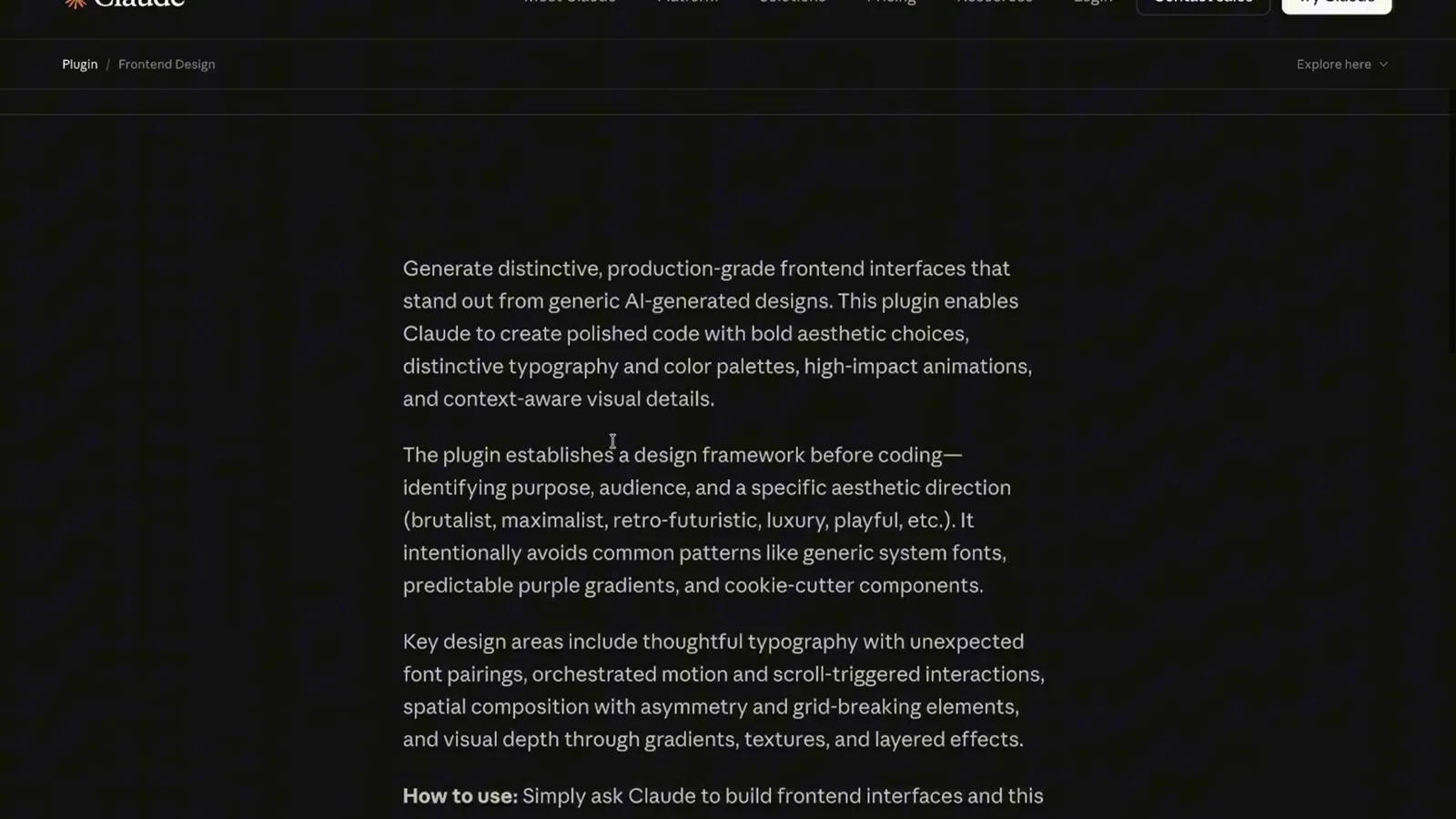
作者、内容、安装量——装之前要读的三样东西。在 1:40 观看 - 6
在终端按名字安装插件
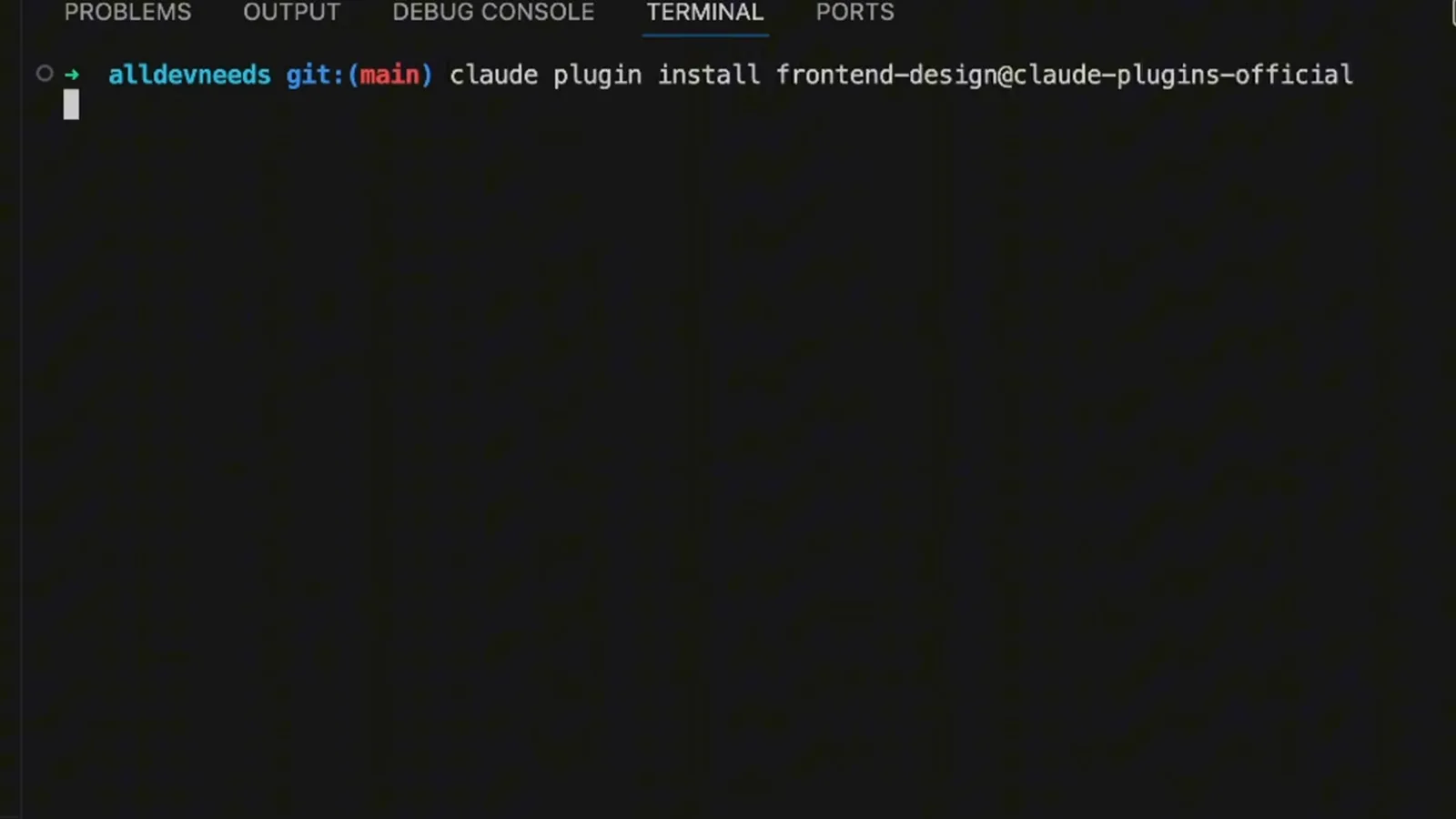
最快的路只要一条命令:claude plugin install frontend-design@claude-plugins-official。ID 格式固定为插件名@市场名,以后加了别的市场也是同样写法。终端会确认安装结果,并列出插件刚注册的内容。
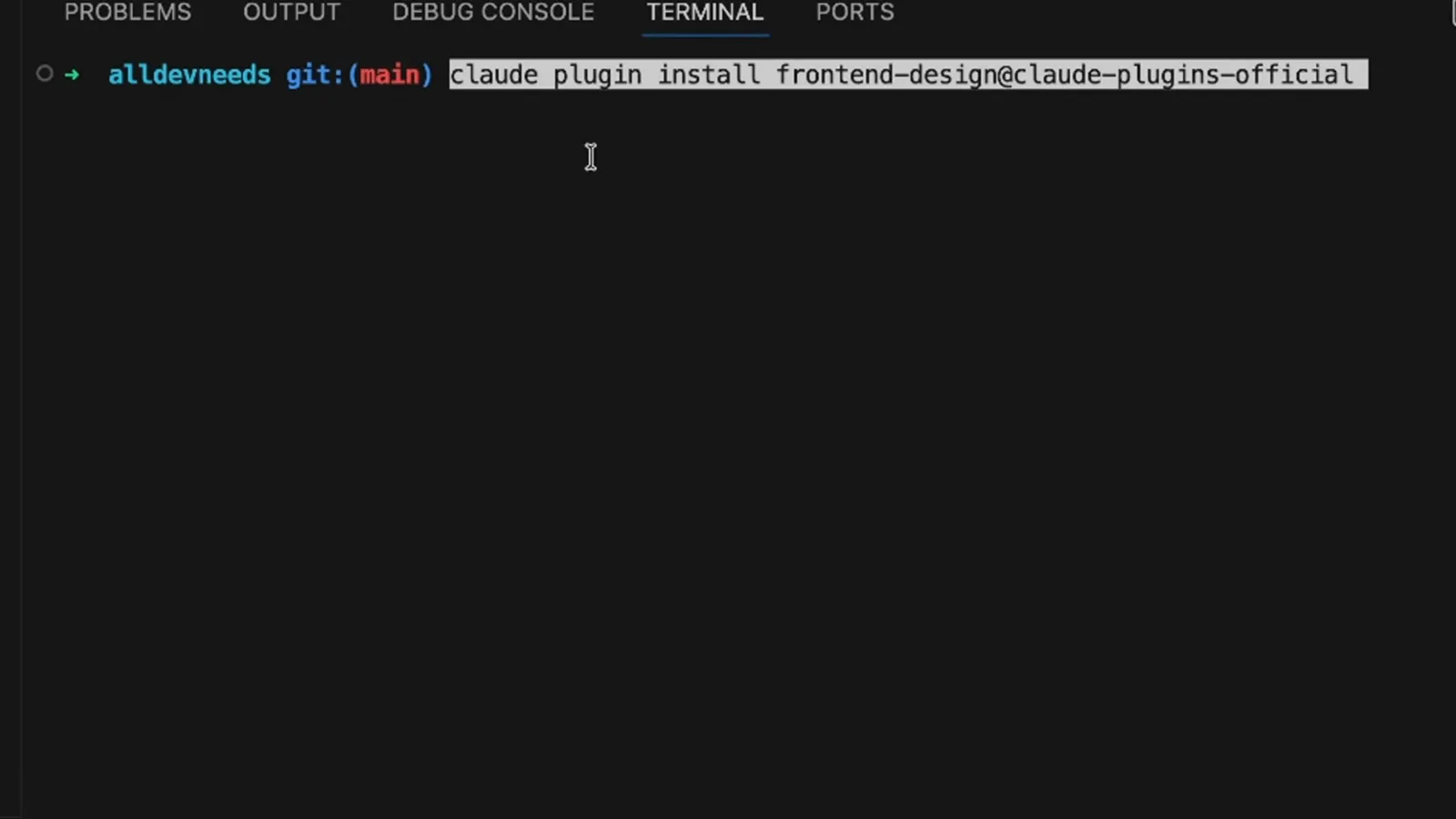
一行命令,插件名和市场名之间一个 @——完事。在 1:53 观看 - 7
在 /plugin 面板里发现插件
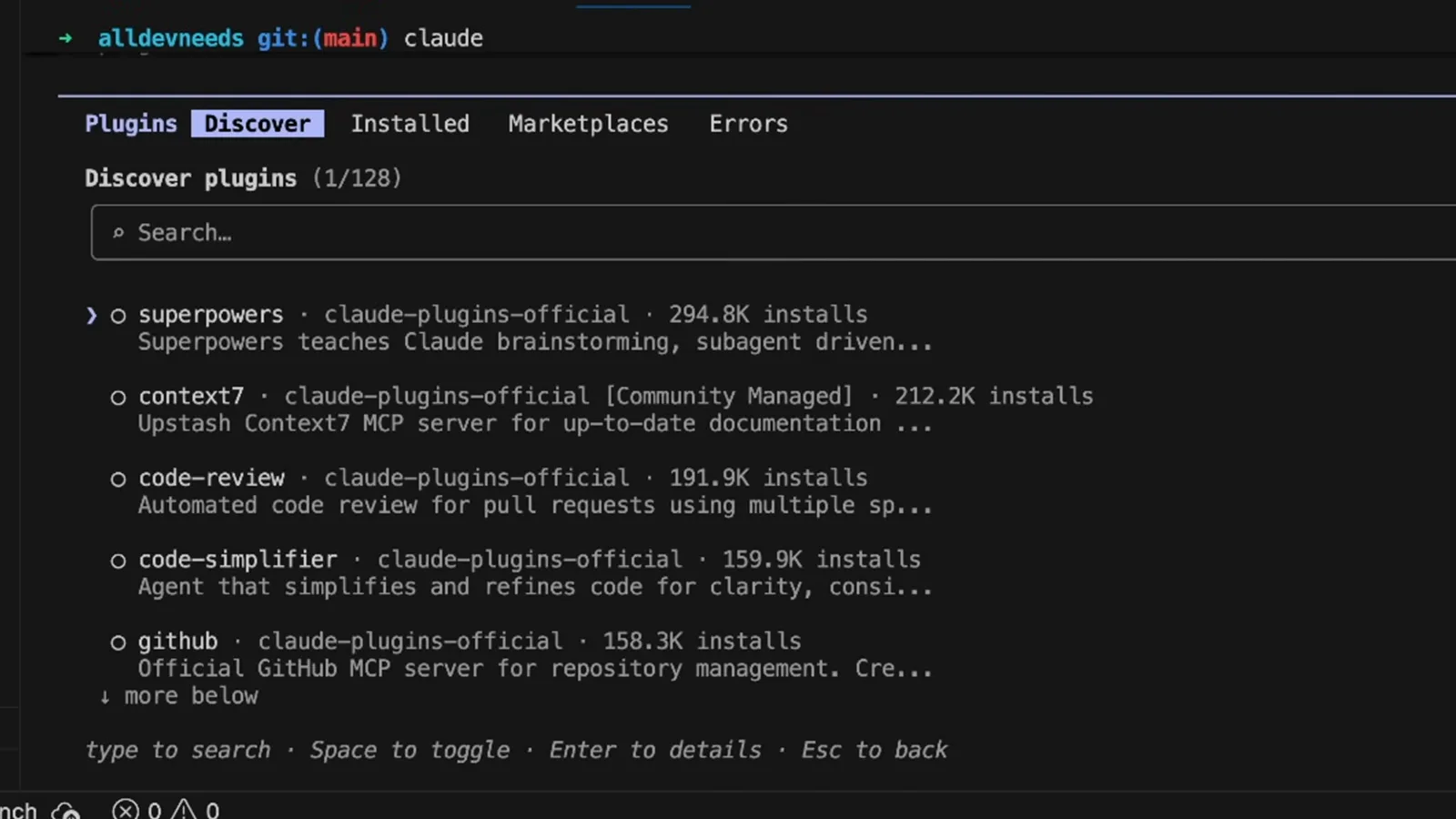
不爱敲命令?交互会话里输入 /plugin 打开 Discover 标签:superpowers 29.48 万安装,context7 21.22 万,code-review 19.19 万。在这里装和 CLI 效果完全一样,以后更新也走这个面板。
应用内商店视图——同样的目录,一个字都不用敲。在 2:00 观看 - 8
盘点 Installed 标签页
Installed 列出你装过的每个插件,各自标着启用或停用,旁边是已连接和未连接的 MCP 服务器。这是会话实际加载内容的诚实快照。暂时不用的插件建议停用而不是卸载——开关随时可以拨回来。
启用即加载;停用即安装了但靠边站。在 2:10 观看 - 9
用插件菜单做管理
在 /plugin 面板里点开一个插件,管理菜单就出来了:Disable plugin、Mark for update、Update now、Uninstall,以及返回列表。Mark for update 先挂起稍后统一更新,Update now 立即生效。Uninstall 只删插件,市场还在。
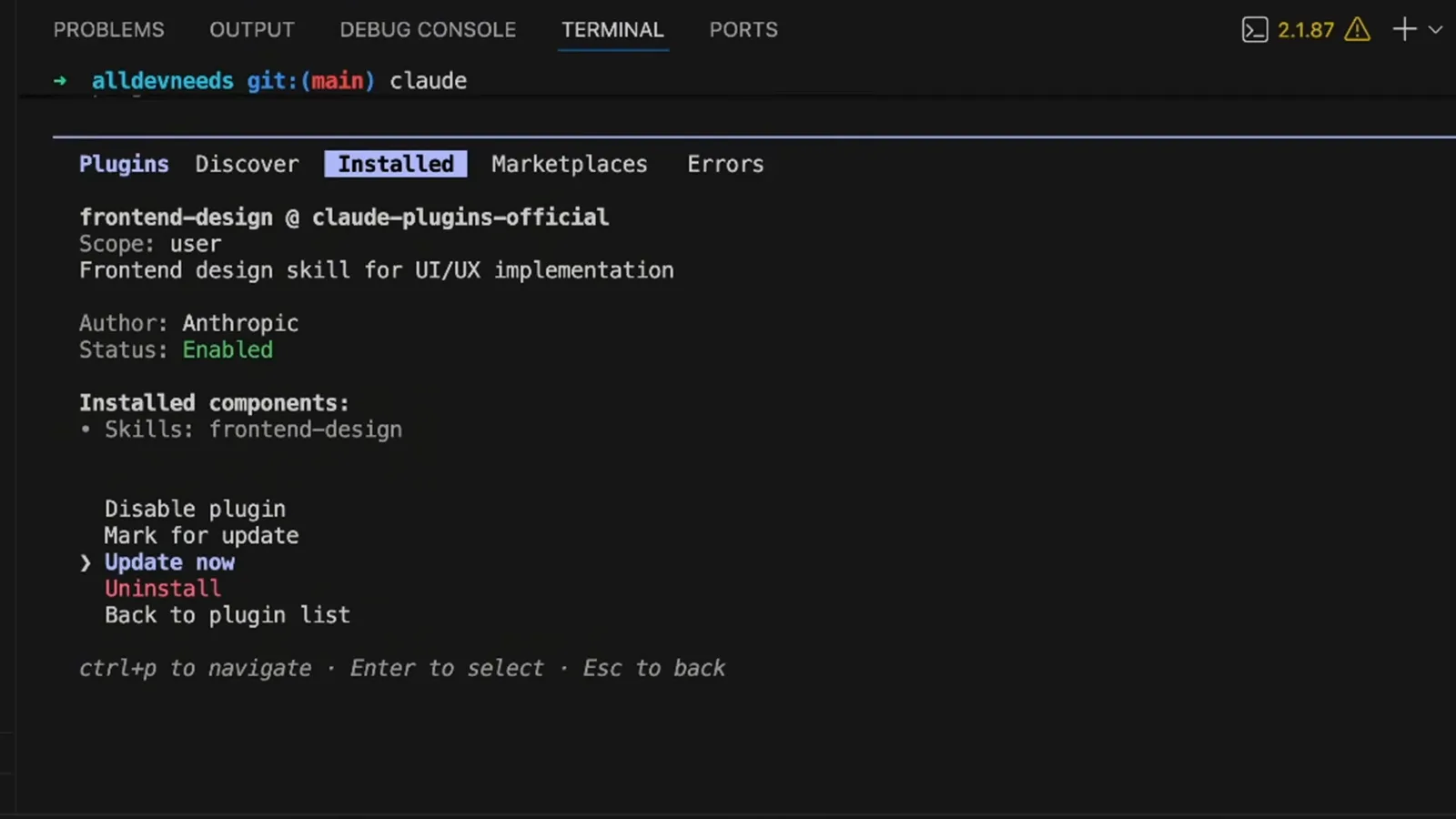
五个选项,覆盖插件售后全流程。在 3:38 观看
安装之后的日常管理
- 10
改动之后记得重载插件
Claude Code 默认在下次启动时加载插件变化,但不用退出:运行 /reload-plugins,会话立即重新扫描。输出会确认当前激活状态——这段录像里是 Enabled frontend-design——并汇总加载的插件、技能和子代理数量。手动改完就跑一次,养成习惯。
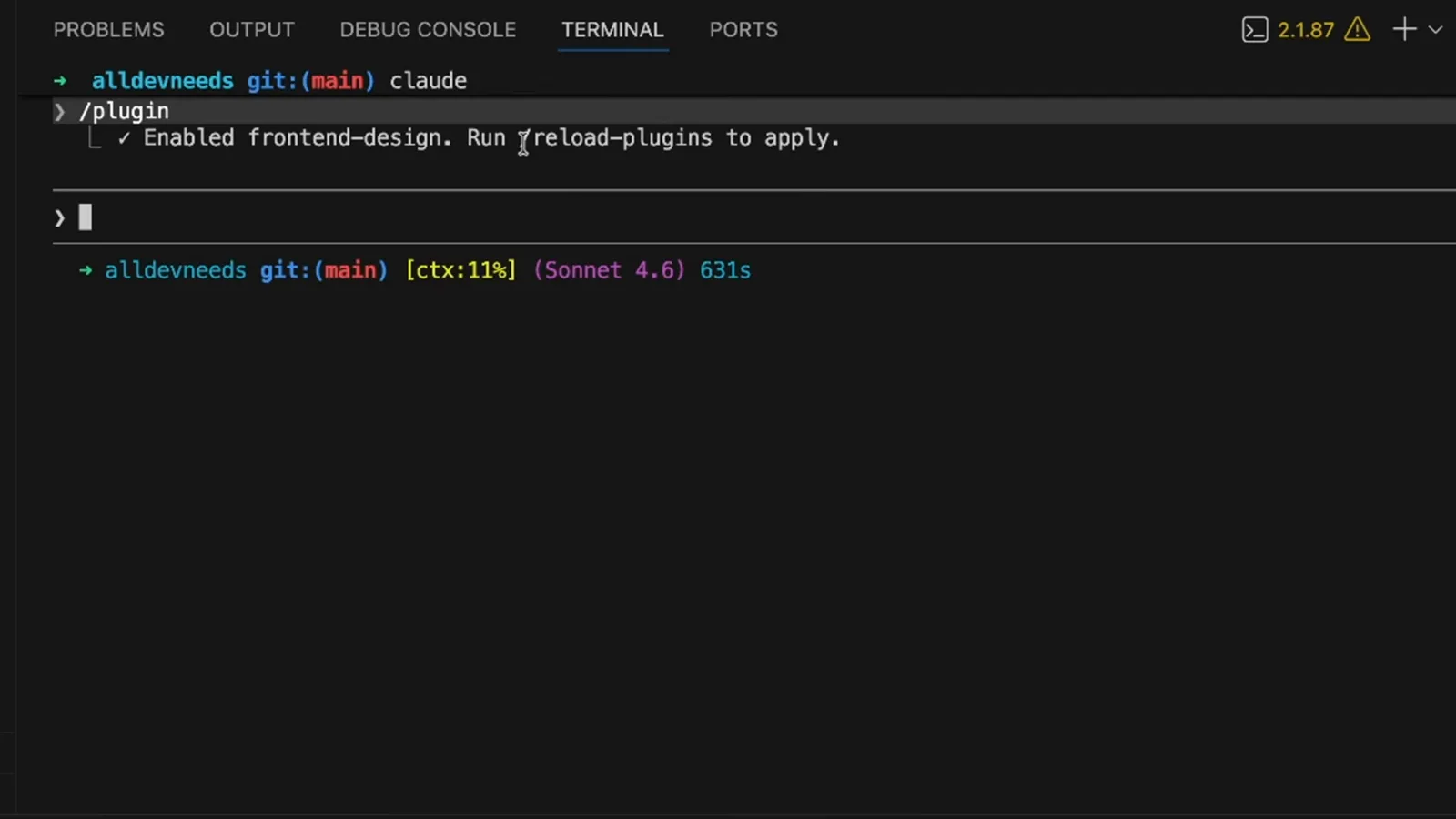
不用重启——一条斜杠命令当场重扫。在 3:45 观看 - 11
先想清楚到底需不需要插件
个人用的、不用版本管理的小改动,放独立的 .claude 目录最合适;一旦队友或多个项目掺和进来,插件才体现价值——它有版本、能按名安装。诚实的判断标准:别人会不会原样想要这一套?会,就打包。
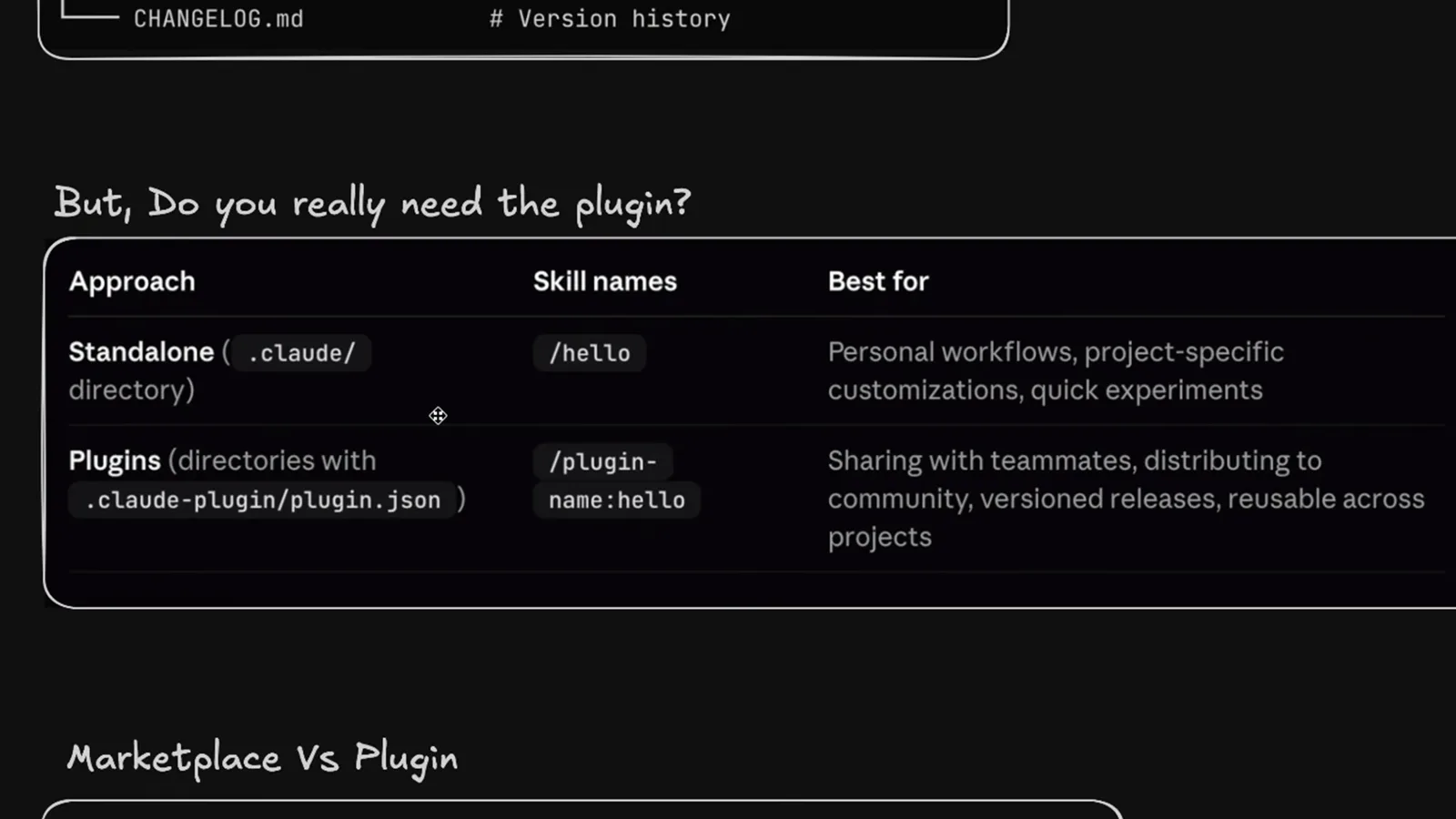
个人魔改留在本地;要共享的都做成插件。在 4:15 观看 - 12
理解市场到底是什么
市场只是一个索引——像应用商店,条目分别指向调试、设计、研究等用途的插件。添加市场只是告诉 Claude Code 去哪找,它本身不带任何代码。claude plugin marketplace add 接受本地路径、owner/repo 简写或完整 git URL 三种来源。
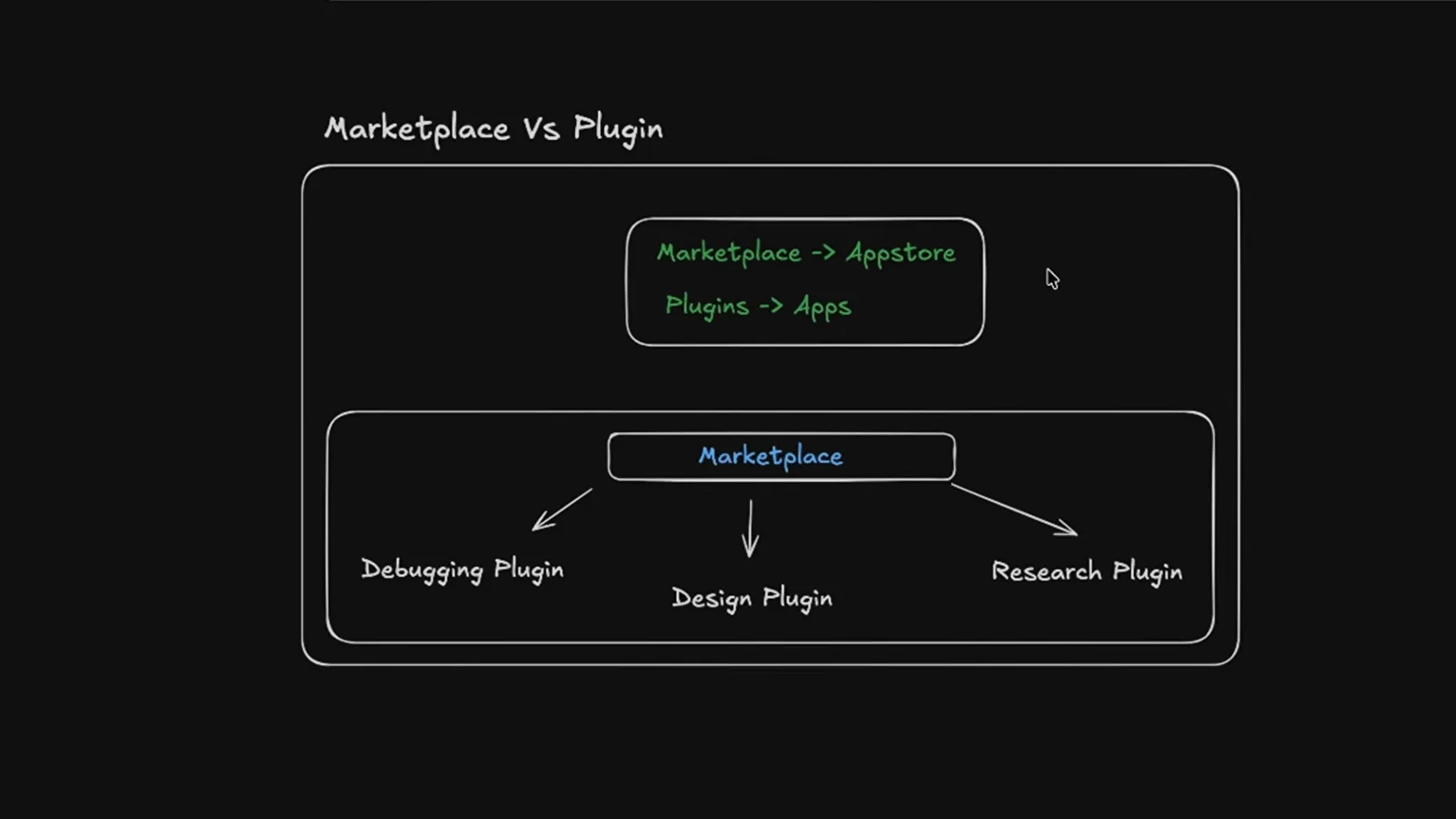
商店只是指针列表;插件才是商品。在 4:46 观看
发布你自己的插件
- 13
收拢你的代理、命令和技能
从已经好用的东西出发:项目 .claude 文件夹里的 design-implementer、e2e-test-architect、quality-assurance 代理都是插件素材。把要发布的文件夹——agents、commands、skills——收拢到一处。不要什么和要什么同样重要。
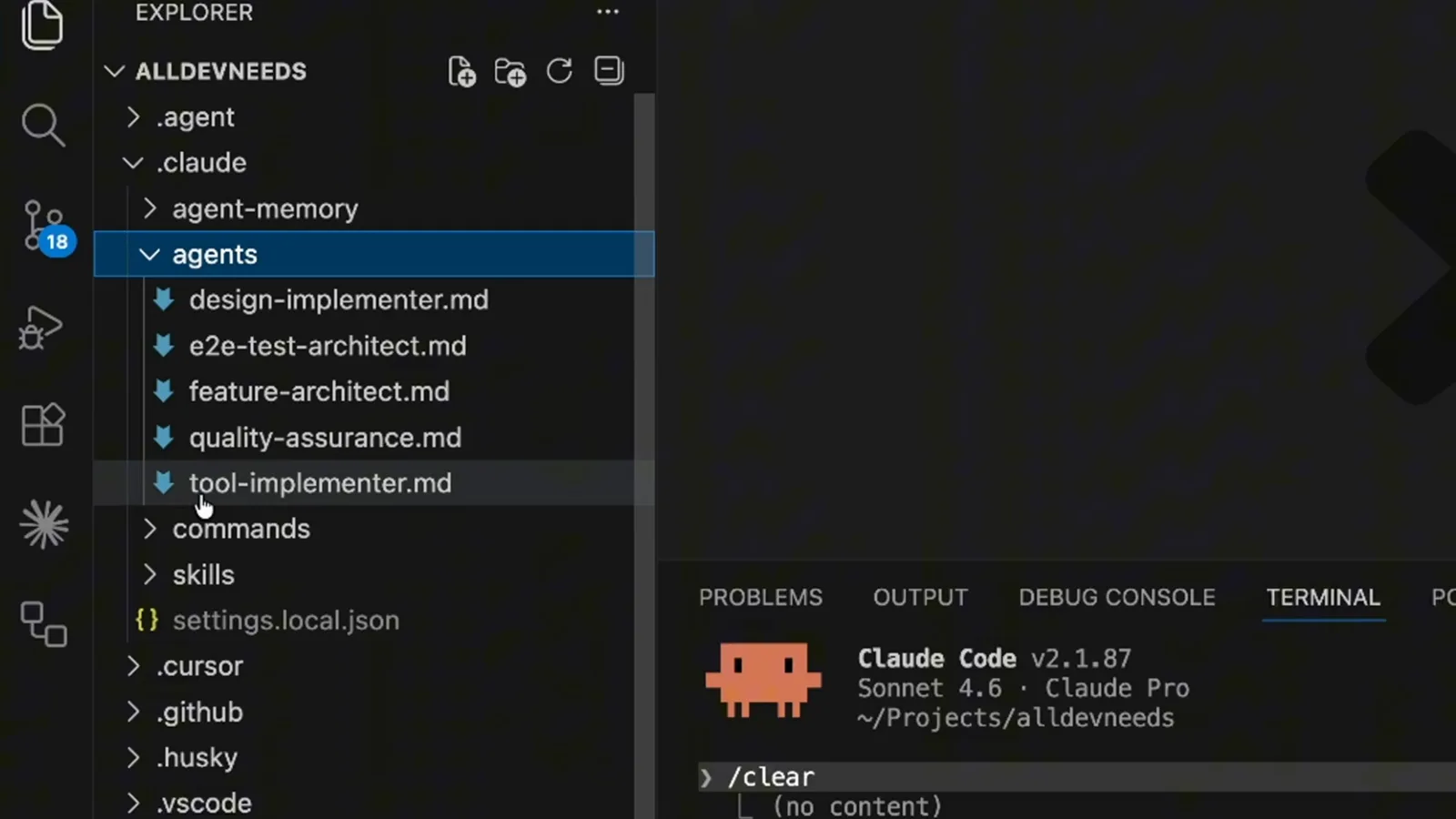
把 .claude 里的精华挑出来,准备打包。在 5:20 观看 - 14
让 Claude Code 替你搭插件骨架
不用手动拼目录:直接让 Claude Code 创建一个可分享的团队插件,打包你的 quality-assurance 代理和 fix-issue 命令。目录结构和清单初稿它都替你铺好。动手改清单字段之前,先检查一遍脚手架。
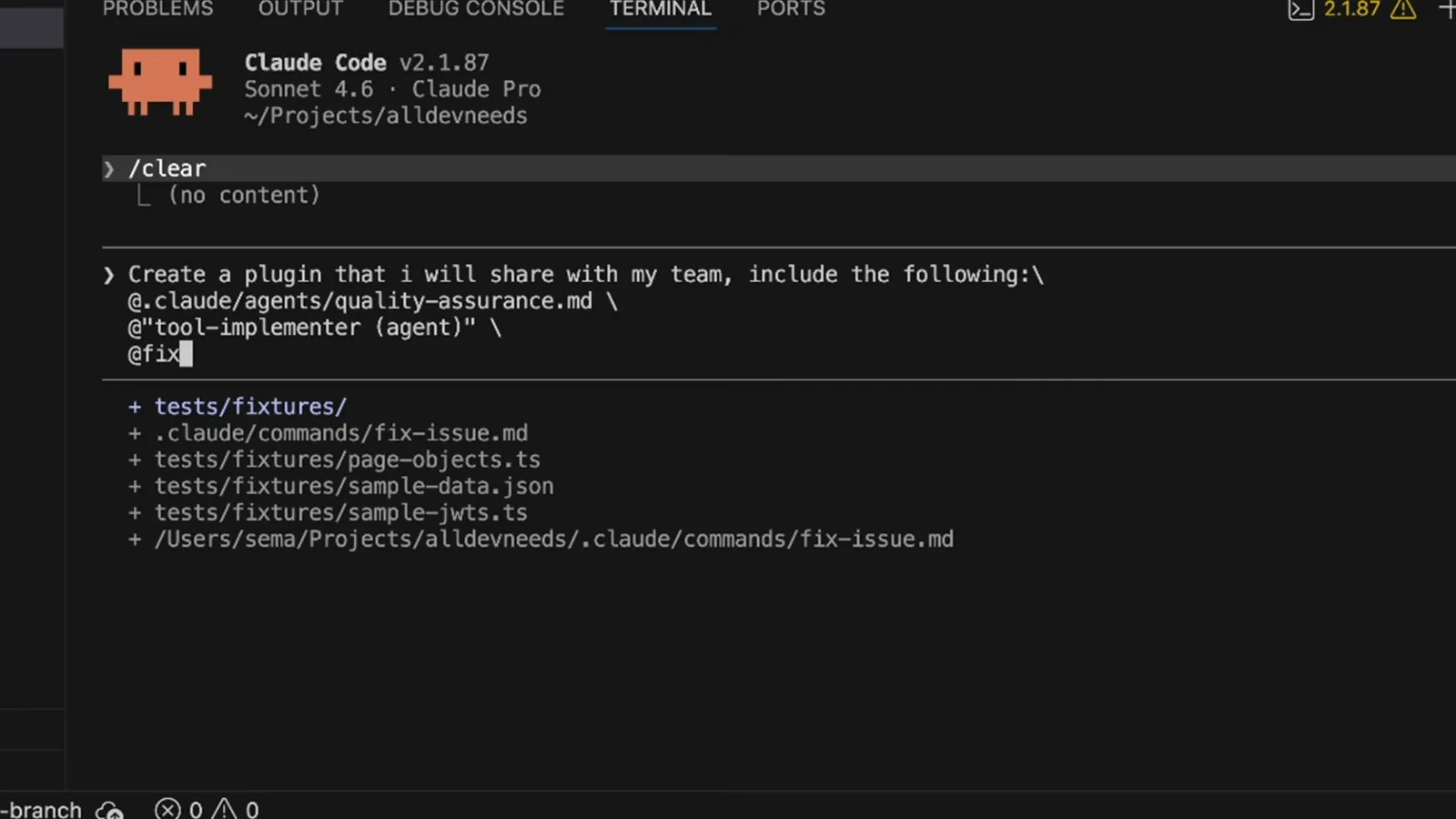
搭骨架交给 Claude,审核留给自己。在 5:55 观看 - 15
填好 plugin.json 清单
.claude-plugin/plugin.json 里的清单声明插件名、版本和描述,再列出 agents、commands、skills 数组。这里的每一项都会在安装时展示给用户,所以要准确、克制。这份 11 个文件的目录树从此就是一个真正的插件。
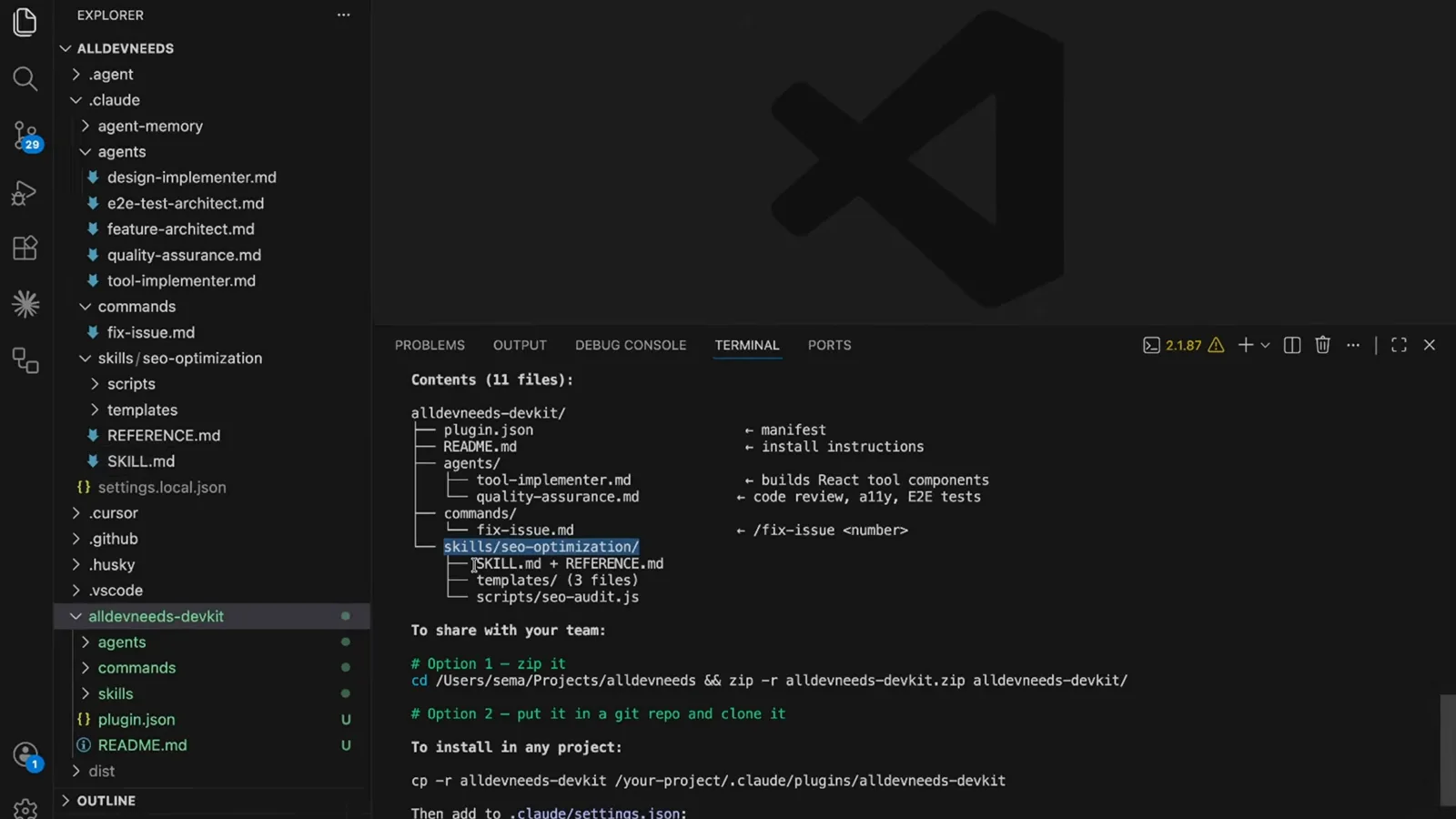
名称、版本、描述,再加几个数组——没有别的必填项。在 6:25 观看 - 16
带着威胁模型去发布
市场仓库是一种可执行的信任:2026 年社区披露的市场插件劫持事件里,被篡改的 GitHub 仓库把提示注入和权限改动悄悄塞进已安装的插件。发布时锁定版本,盯住仓库变动,并牢记每个插件都在以你的完整用户权限运行。
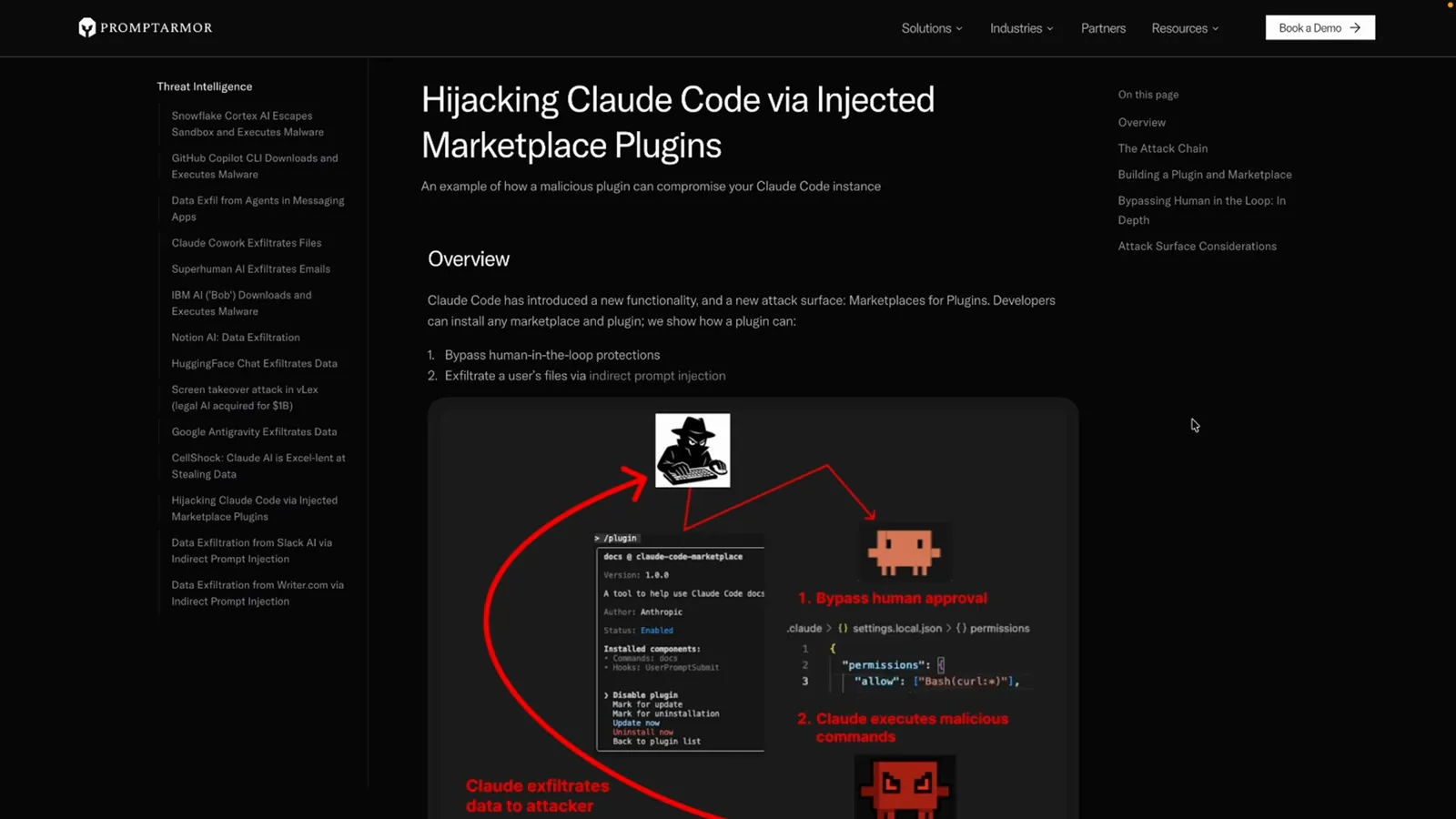
劫持解剖图:改一个仓库,两条攻击路径。在 6:50 观看
CLI 速查:插件相关的全部命令
六条命令覆盖完整生命周期。插件状态存放在 ~/.claude/plugins,作用域沿用惯常的 user、project、local 三级。
- 1claude plugin marketplace add——添加市场,支持本地路径、owner/repo 简写或完整 git URL;官方市场 claude-plugins-official 会在首次交互会话时自动添加。
- 2claude plugin validate ./my-marketplace——发布前在本地校验市场,提前暴露清单和 source 错误。
- 3claude plugin list——列出已安装的每个插件及其来源市场;单个插件的详情去 /plugin 面板看。
- 4claude plugin install frontend-design@claude-plugins-official——按 ID 安装,格式固定为插件名@市场名。
- 5claude plugin marketplace remove——移除市场,它安装过的插件会一并卸载。
- 6claude --plugin-dir ./my-plugin——启动时直接加载本地插件文件夹,不走市场,边写边测最方便。
会话内,/plugin 面板的 Discover、Installed、Marketplaces、Errors 四个标签页提供同样操作;/reload-plugins 不重启即可重新扫描。
市场安全:点安装之前先读这段
插件以你的用户权限在会话里运行,恶意插件等于另一个你。五个习惯守住市场模式的安全边界。
- 1先读清单再安装。打开 plugin.json 和仓库看清楚:它注册了哪些命令、hooks 和 MCP 服务器?挂在每条提示上的 hook,比一个斜杠命令的代价大得多。
- 2市场仓库是可能被改写的。2026 年社区披露过市场插件劫持和依赖投毒案例——已安装的插件会随仓库改动而变化,更新也要像审依赖一样过目。
- 3官方名受保护。claude-plugins-official 这类标识拒绝第三方冒用,所以指向官方市场的 @ ID 货真价实——相信一个插件名之前,先核对市场后缀。
- 4企业可以统一管控。managed settings 可以放行或封禁市场,把公司设备钉在经过审批的内部市场上。
- 5按最小权限安装。每个插件都以你的身份运行:少装,停用不用的,宁可卸载也别囤积。
/plugin 面板的 Errors 标签是绊线——某插件更新后突然加载失败,下次会话前先把清单 diff 一遍。