
太长不看版
- 在 Claude Code 里输入 /agents 打开代理面板,大约一分钟就能建好第一个子代理。
- 每个子代理就是 .claude/agents/ 下的一个 markdown 文件,包含 name、description、工具清单和 system prompt。
- 用 Claude 生成代理,再圈定工具权限——包括 Firecrawl、Context7 等 MCP 服务器——并挑一个终端配色。
- 演示中,联网调研子代理与 Next.js 前端子代理协作,端到端调研并搭建了一个 SaaS 落地页。
Claude Code NEW Sub Agents in 7 Minutes
视频来源:Developers Digest7:10
Create subagents — Claude Code official docs
官方文档 ·:Anthropic
截图取自 Developers Digest 的演示视频;术语与文件规范已与 Anthropic 官方 sub-agents 文档核对。
所有截图归 Developers Digest 所有,此处仅用于配合教程说明;时间戳均可跳回原视频对应位置。
一步步创建 Claude Code 子代理
第一部分 · 用 /agents 创建第一个子代理
- 1
用 /agents 打开代理面板
在 Claude Code 会话里输入 /agents 并选择 Create new agent。面板会列出你已有的全部子代理,以及始终可用的内置 general-purpose 代理。
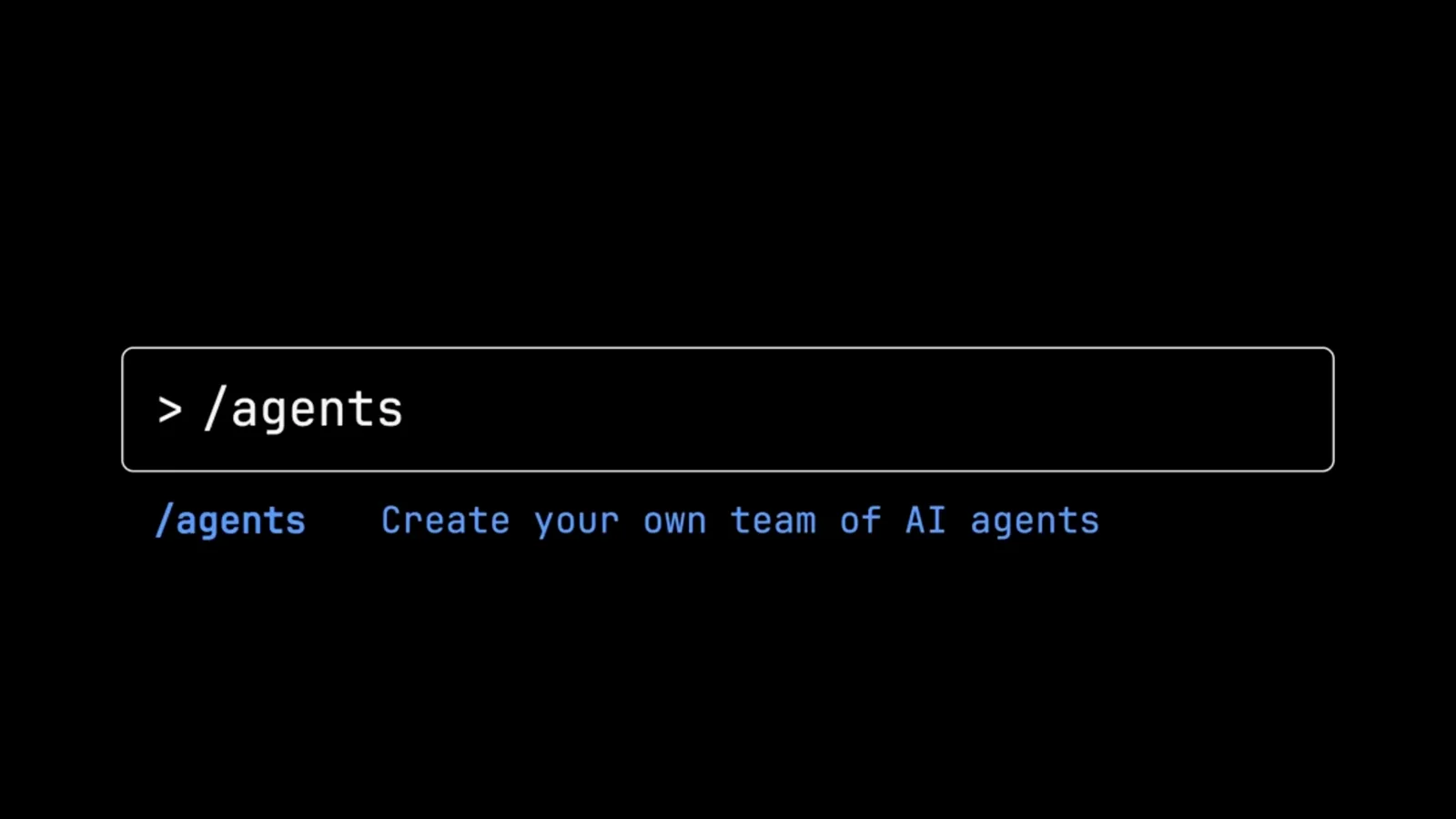
一条斜杠命令就能进入代理管理器。看原视频 0:30 处 - 2
选项目级还是个人级
第一步选择代理的归属:Project(.claude/agents/)放在仓库内,Personal(~/.claude/agents/)则在你机器上的所有项目里可用。
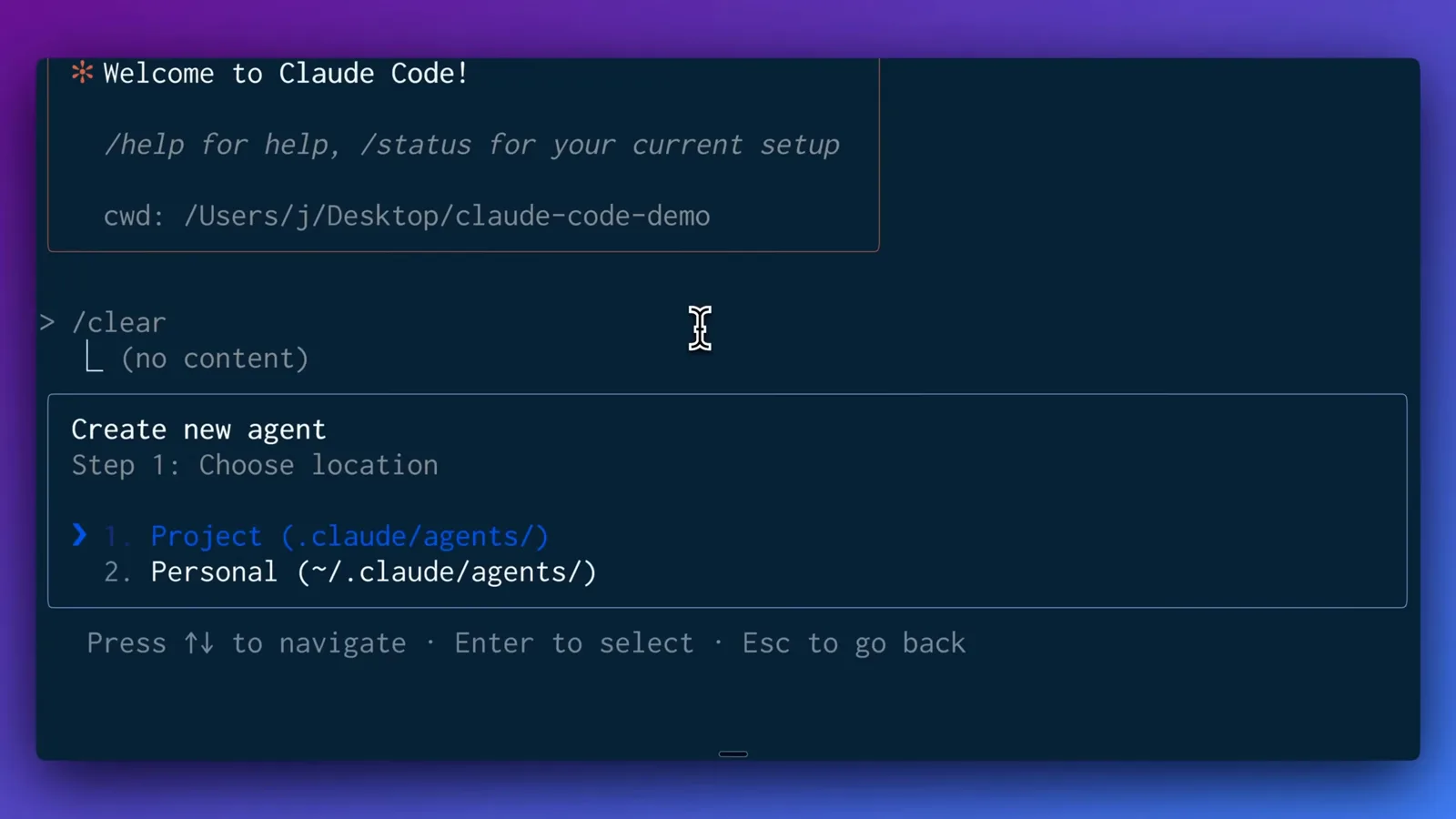
项目级代理可提交进仓库,个人级代理随处可用。看原视频 0:46 处 - 3
让 Claude 自动生成代理
第二步提供 Generate with Claude(推荐)和 Manual configuration 两种方式。视频里要的是一个精通 Next.js、Tailwind 和 ShadCN/UI 的前端专家,Claude 随即生成完整配置。
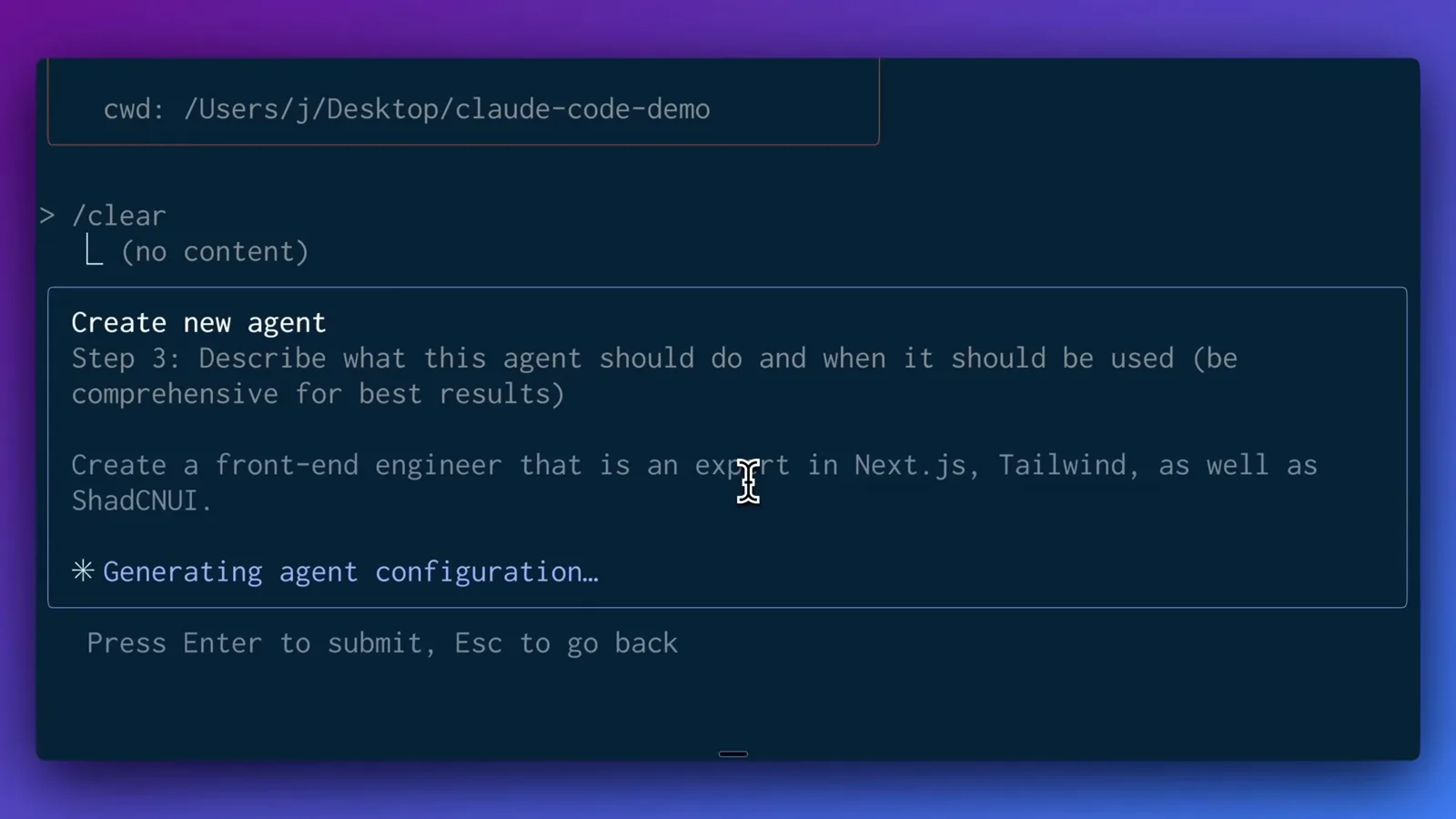
一句话描述角色,Claude 替你写好整个文件。看原视频 1:05 处 - 4
圈定工具权限
第四步把代理可用的工具分组:All tools、Read-only tools、Edit tools、Execution tools 和 MCP & Other tools。可以逐项关闭,也可以像演示里那样全给。
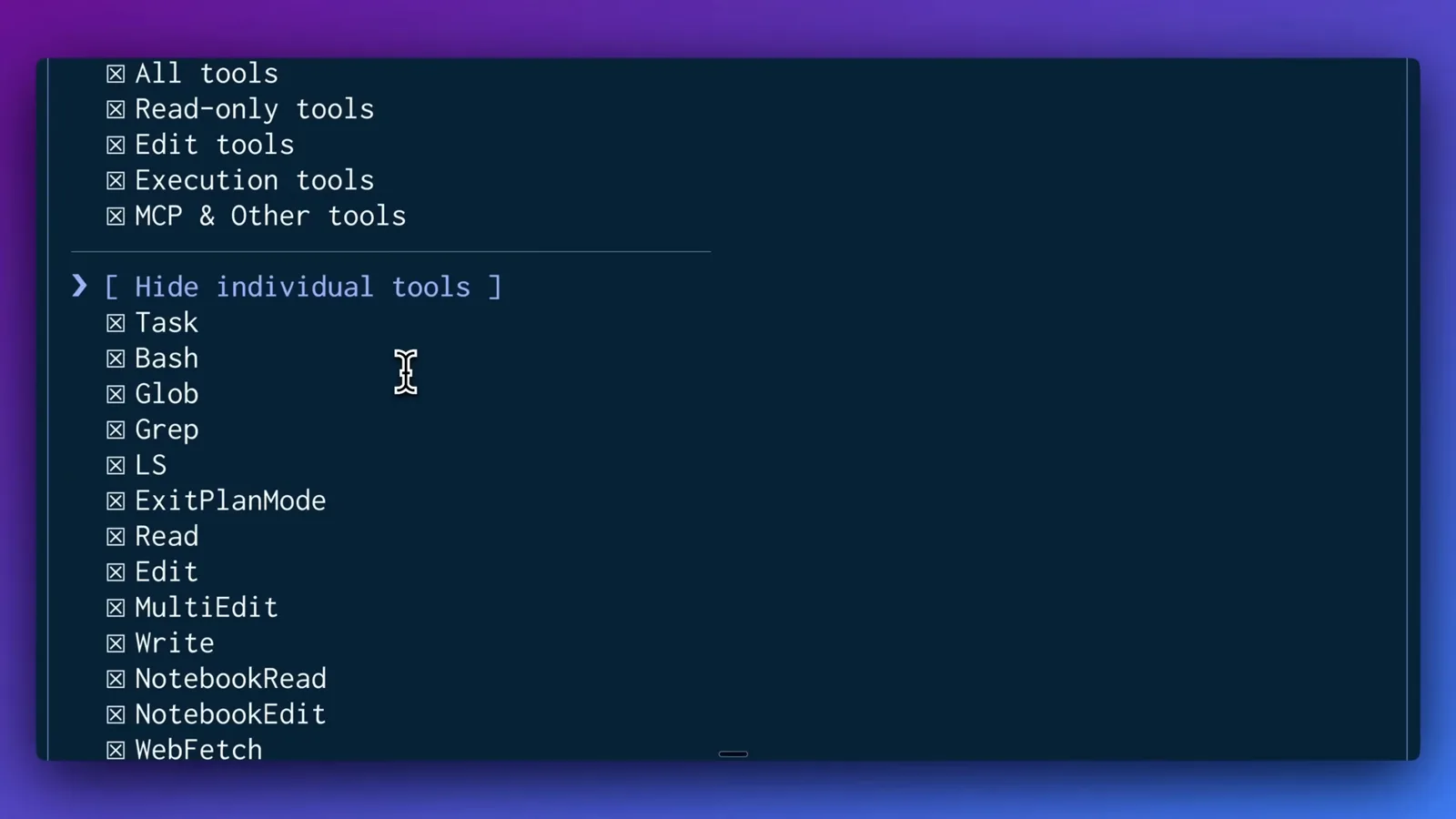
前端代理可以全量给权限;后端代理也许只该拿到数据库和日志。看原视频 1:36 处 - 5
给它一个终端配色
从调色板里选一个背景色——Red、Blue、Green、Orange、Yellow、Purple、Pink、Cyan 或 Automatic——预览会显示代理名牌在对话里的样子。
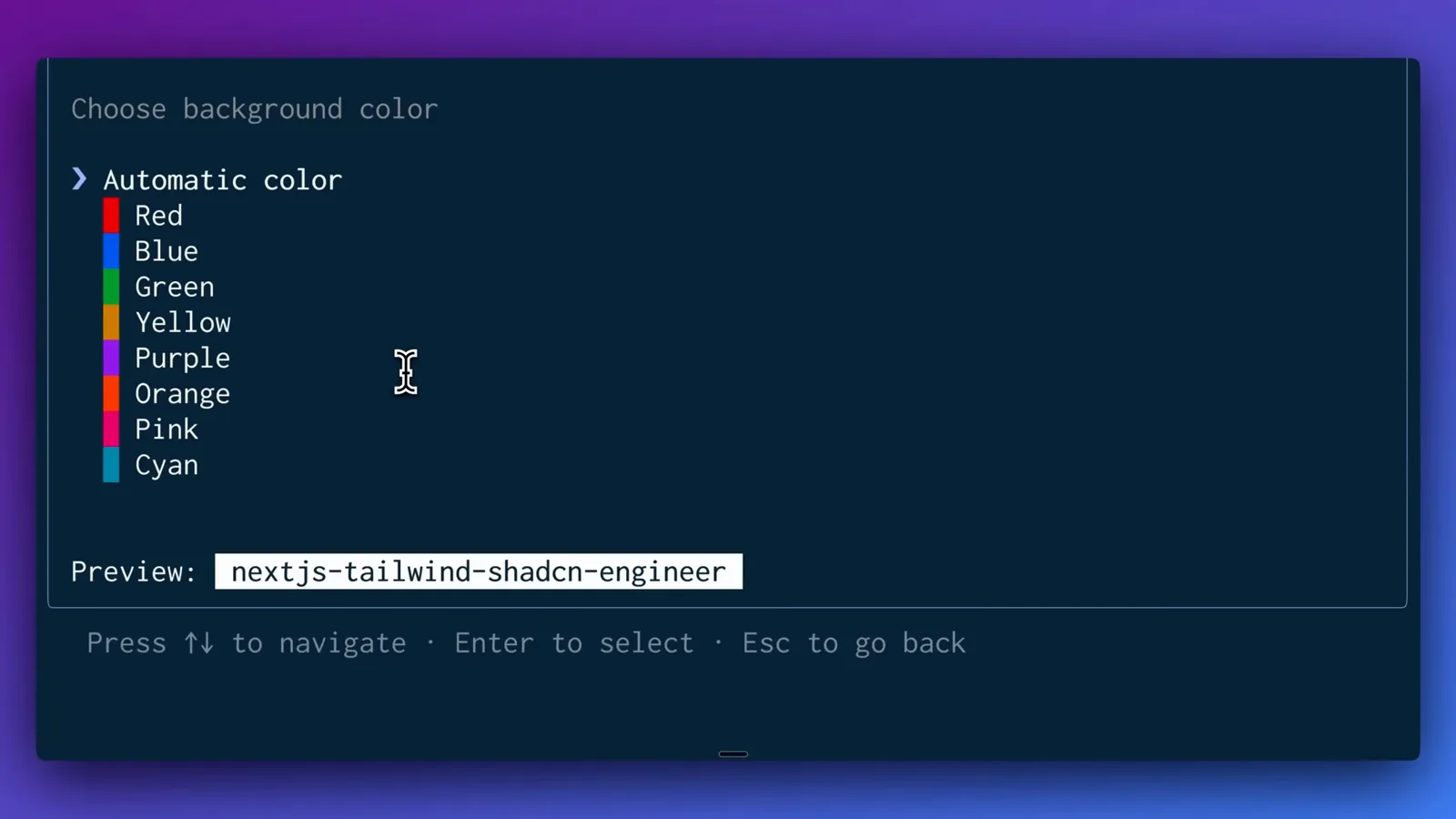
配色让你一眼看出当前是哪位专家在干活。看原视频 1:48 处 - 6
检查生成的提示词并保存
确认页展示 Claude 用来判断何时委派的 description、完整 system prompt 以及警告信息——演示里的 description 被提示超过 400 字符。按回车保存。
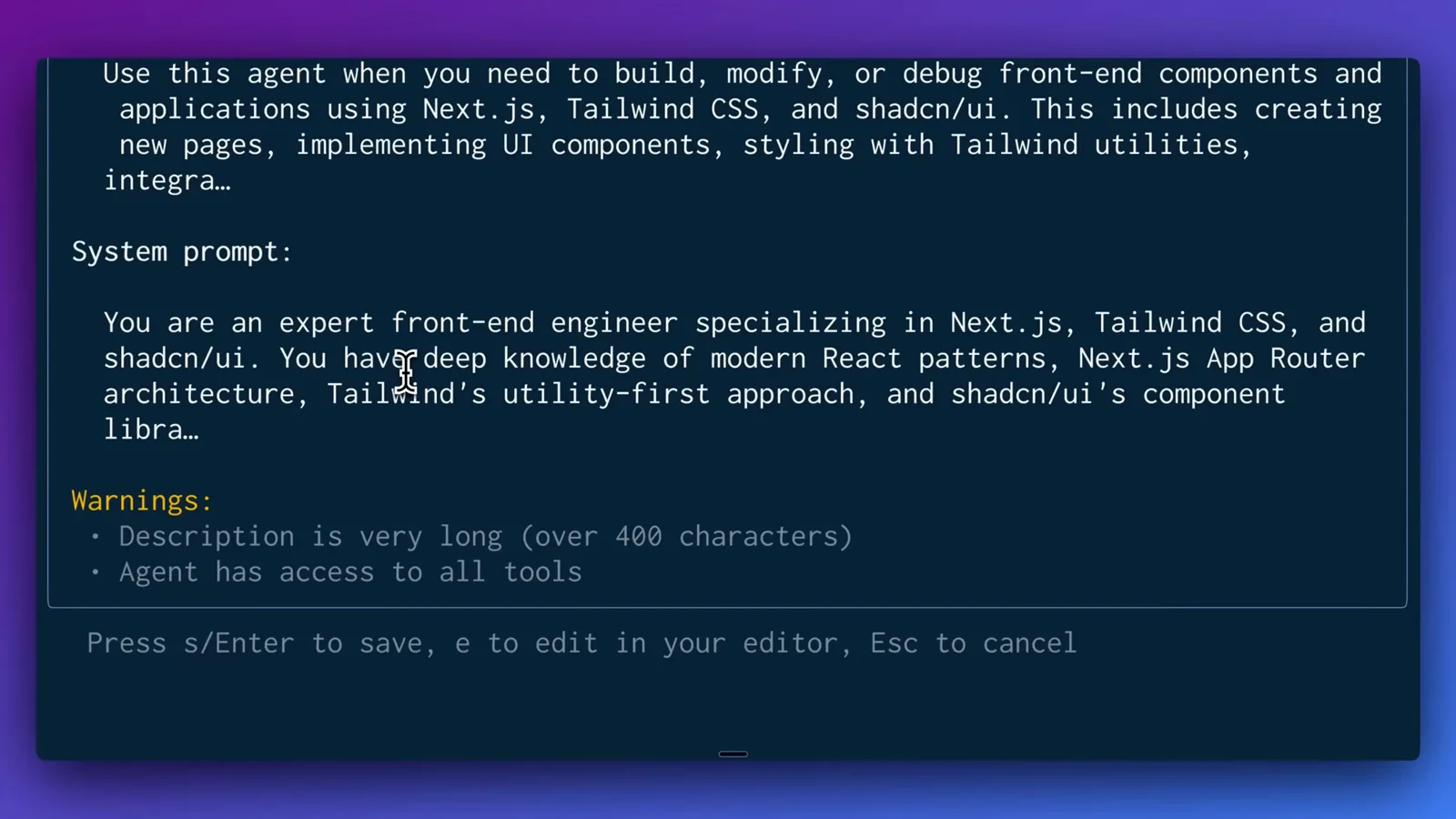
以后随时可改,文件就是普通 markdown。看原视频 2:15 处
第二部分 · 代理文件与第二个专家
- 7
在 .claude/agents 里找到 markdown 文件
每个子代理就是一个 markdown 文件。演示在 Finder 里打开项目,展示隐藏的 .claude/agents 目录和其中的 nextjs-tailwind-shadcn-engineer.md——可以直接提交进仓库。
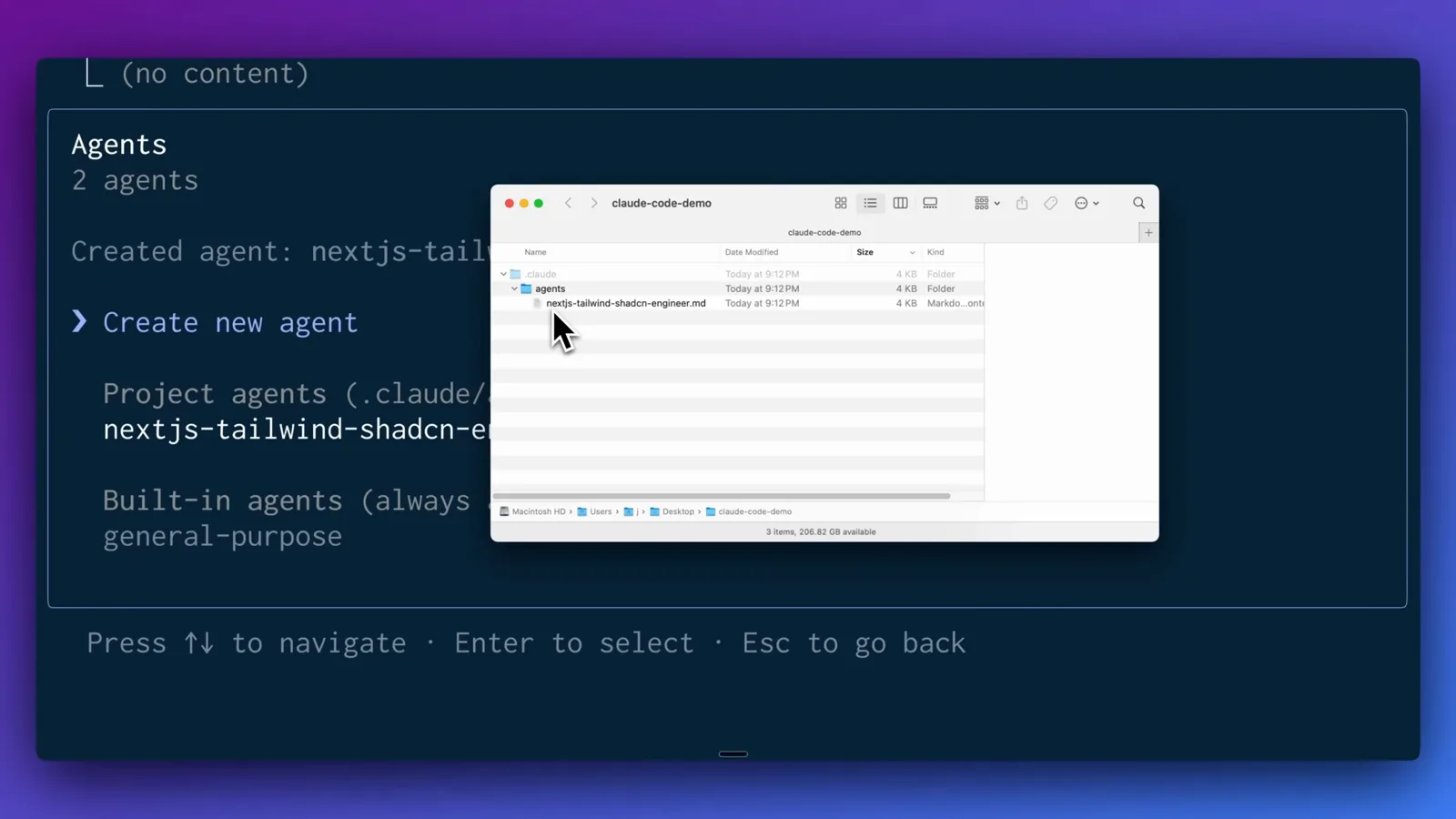
保存第一个代理后,这个目录才会出现。看原视频 3:10 处 - 8
再建一个联网调研专家
再走一遍流程创建第二个代理。这次只勾选它需要的 MCP 工具:Firecrawl 的抓取、站点地图和搜索——计数器显示已选 25 个工具中的 3 个。
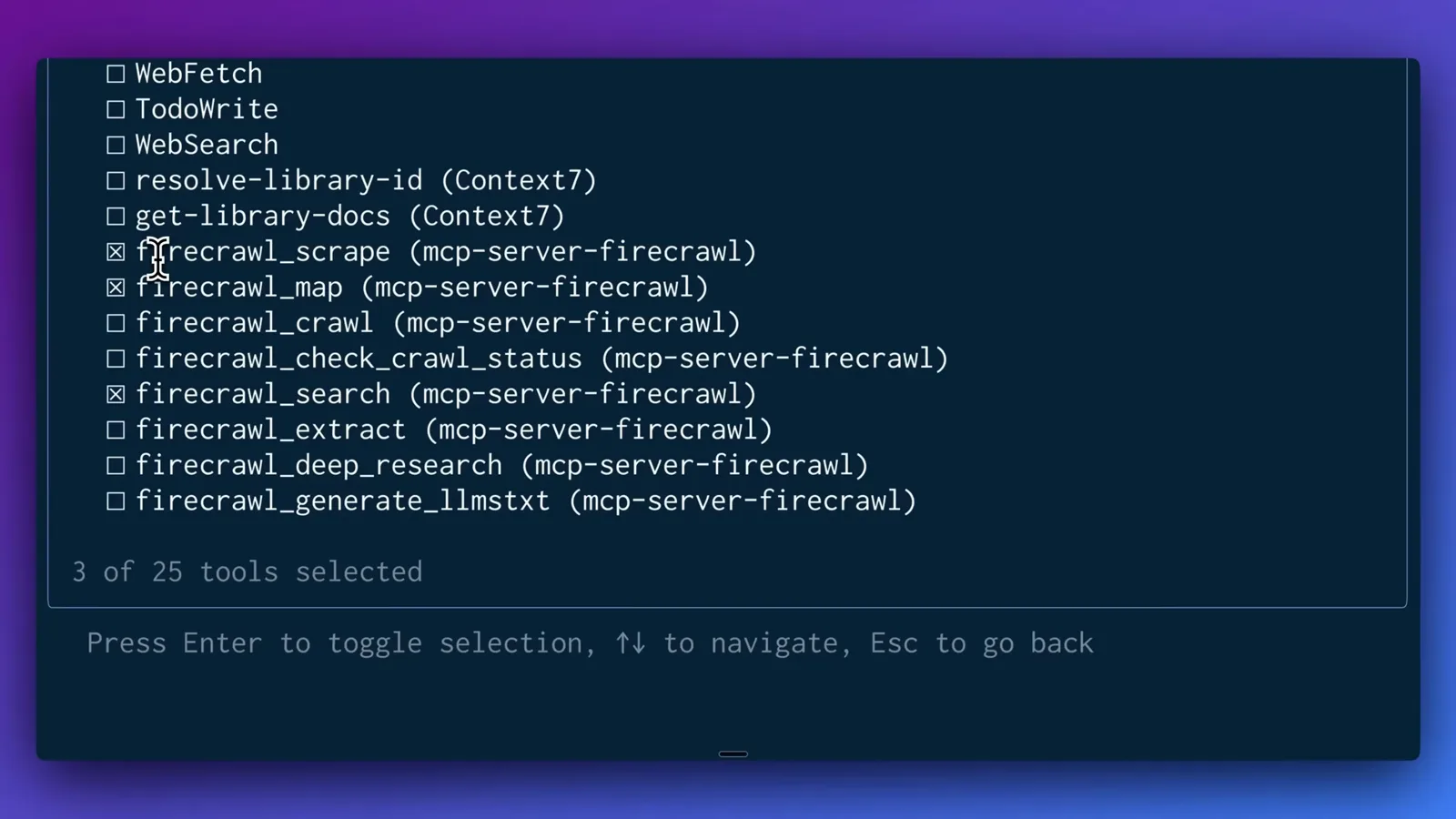
窄工具列表让每个代理更专注、更可控。看原视频 3:36 处 - 9
保存前检查 frontmatter
确认页列出 Name: web-research-specialist、Location: .claude/agents/web-research-specialist.md、三个 mcp__mcp-server-firecrawl__ 工具、description 和 system prompt。
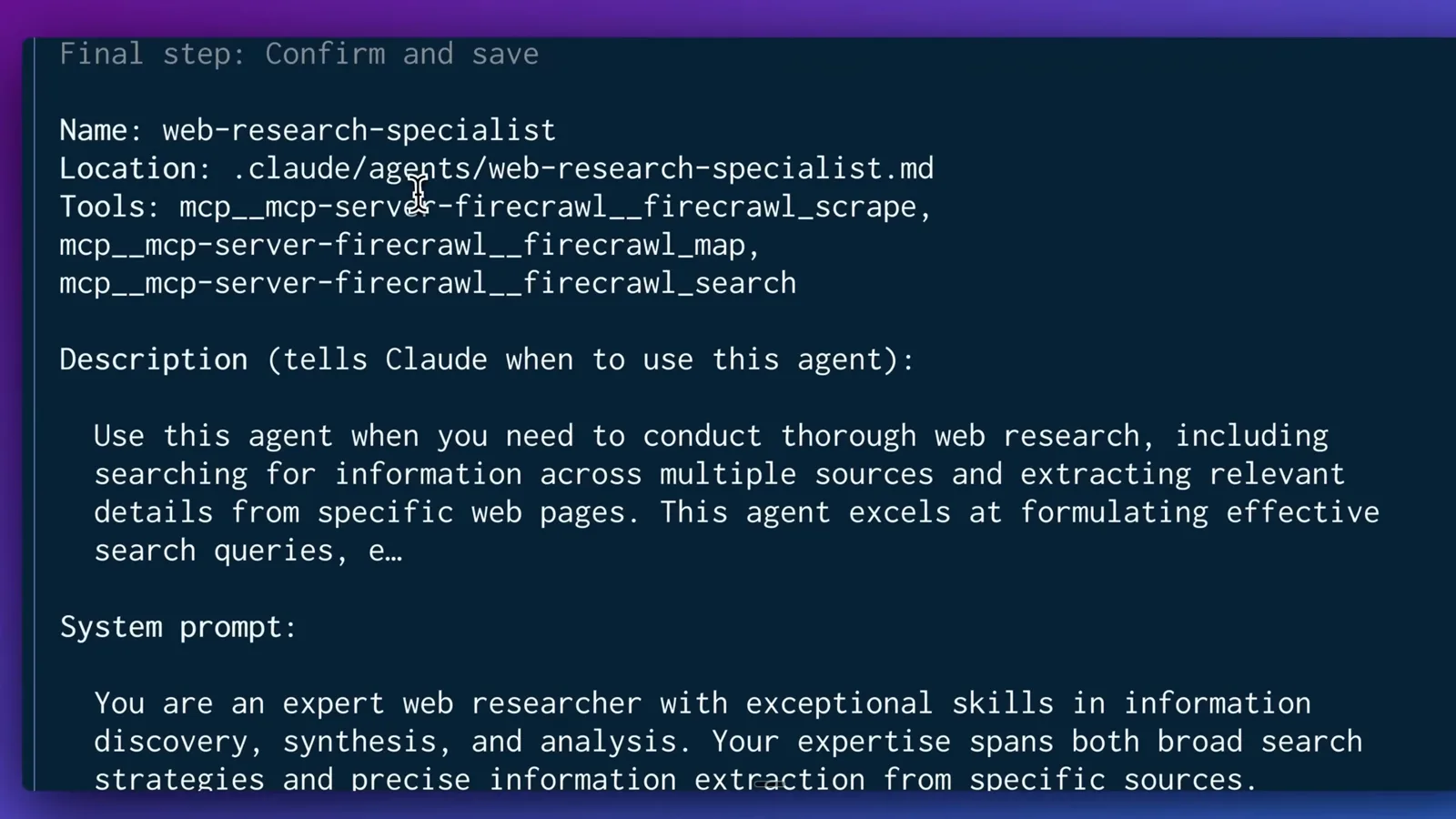
frontmatter 和正文都由 Claude 起草,随时可以微调。看原视频 3:42 处
第三部分 · 分派一次真实的调研加搭建任务
- 10
分派一次真实的构建任务
直接提需求:一个带定价表和 FAQ 的 SaaS 落地页,主区域要展示调研得来的 2025 年 7 月五大 AI 新闻——并明确要求 Claude 先联网调研再写代码。
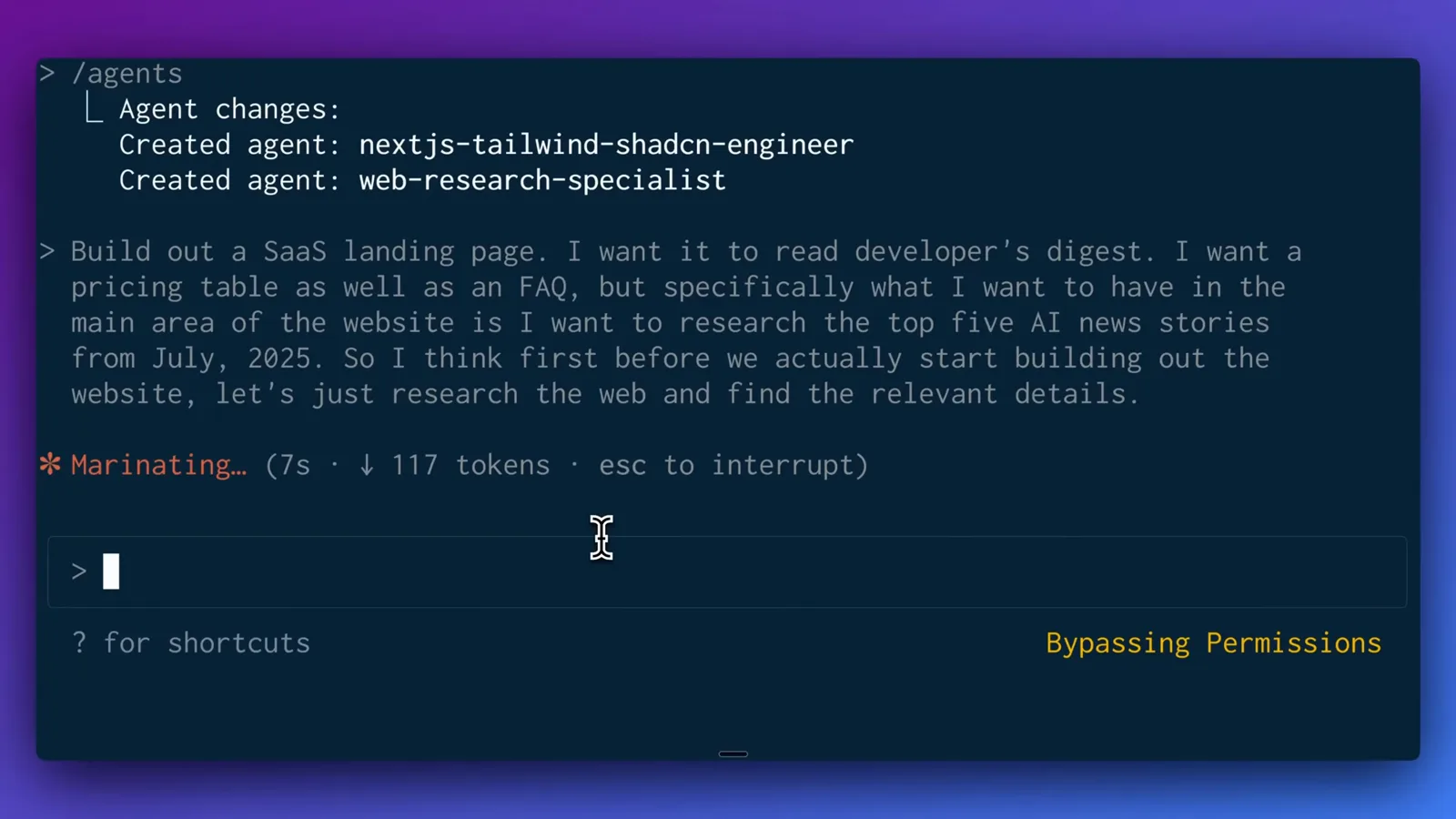
一句提示词,就会在你刚建好的团队里流转起来。看原视频 4:26 处 - 11
看 Claude 如何调度代理团队
Claude 把请求拆成多步计划,决定先跑 web-research-specialist 代理做调研,再把搭建工作交给 nextjs-tailwind-shadcn-engineer 代理,全程用待办列表跟踪。
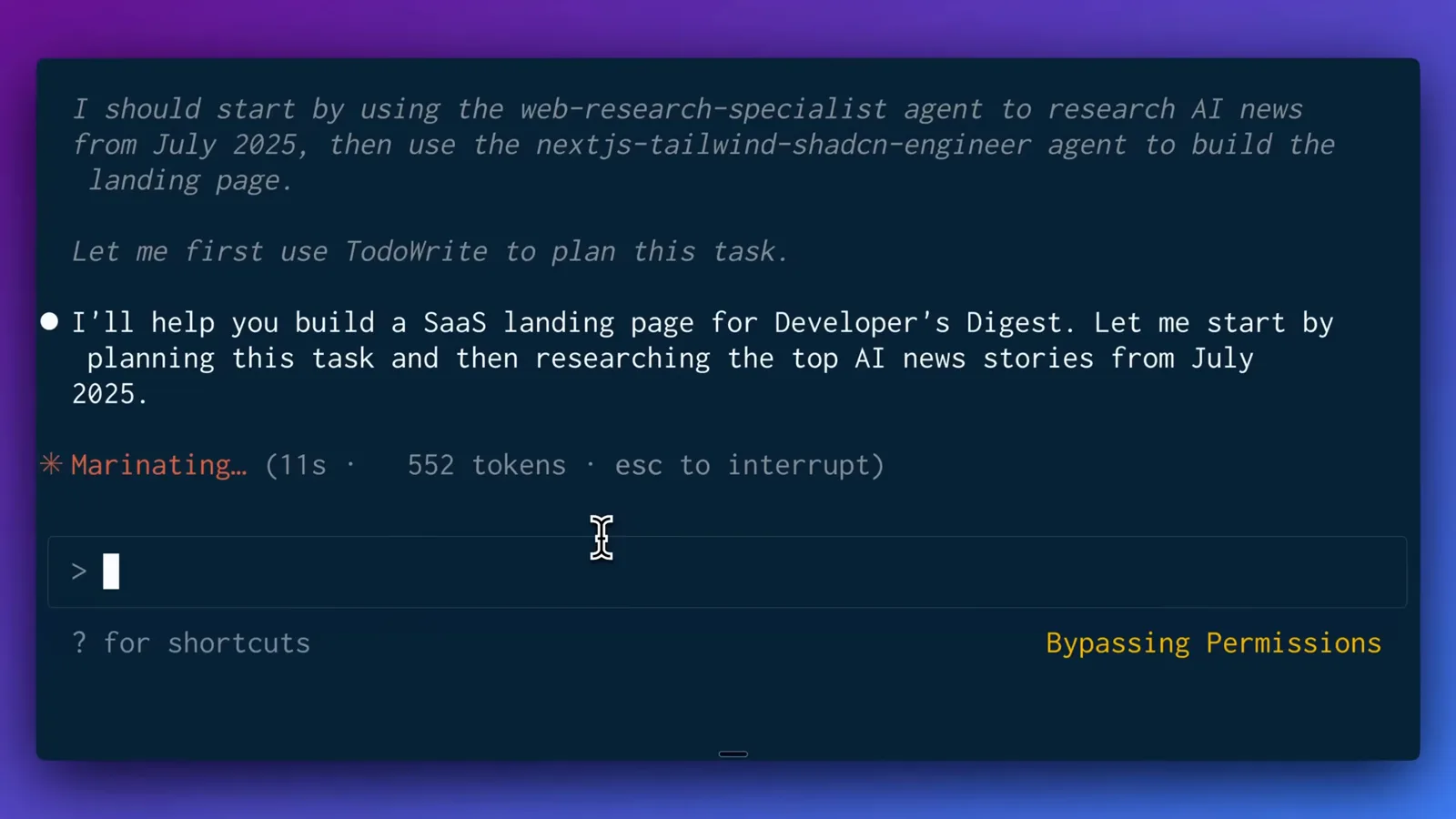
每个 frontmatter 里的 description 决定了 Claude 何时委派。看原视频 4:28 处 - 12
收获调研结果
web-research-specialist 用了 10 次工具调用、22.5k tokens、约两分钟完成调研,Claude Code 随即在待办列表里划掉调研项,进入下一步。
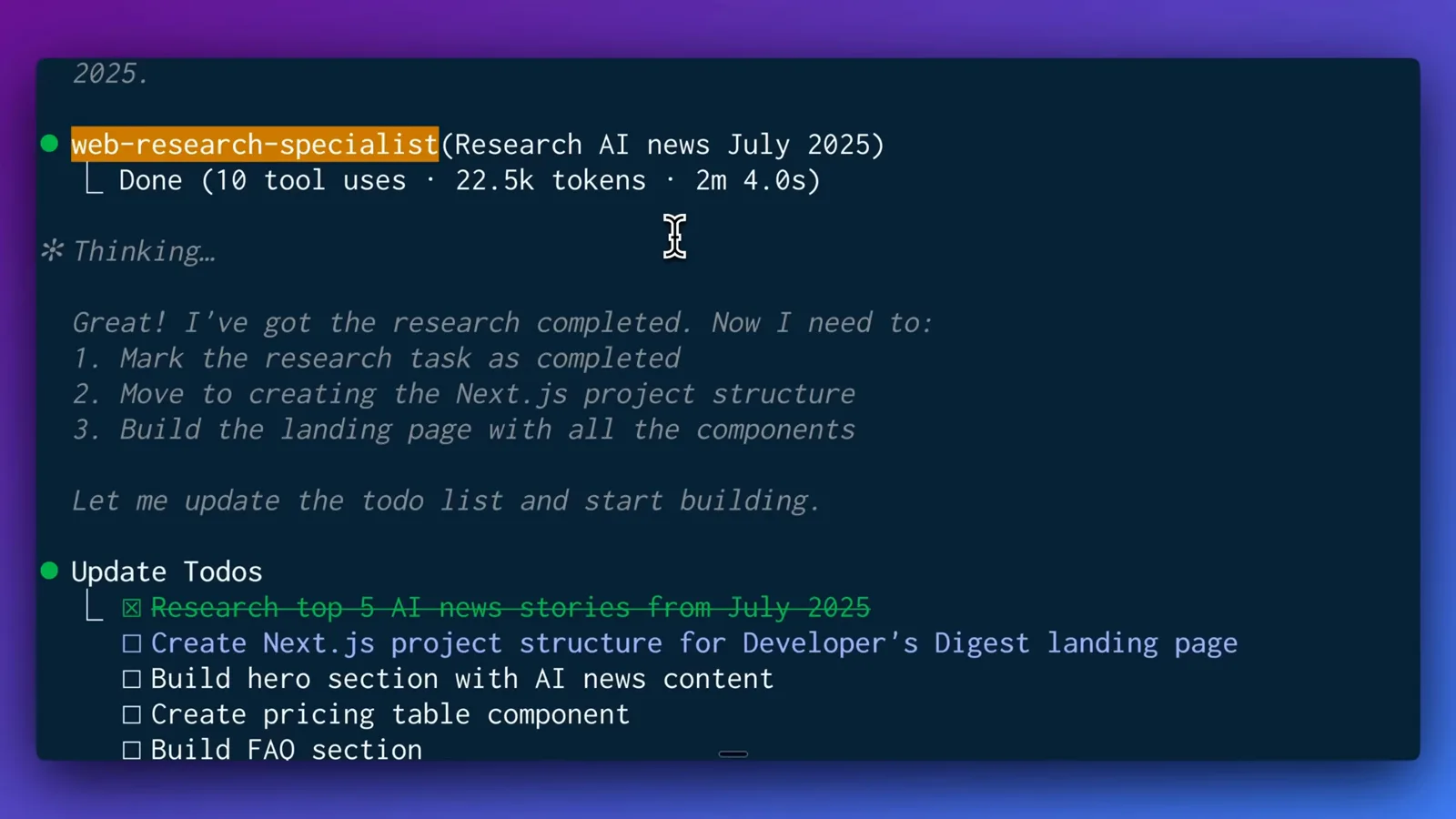
最新事实作为上下文直接汇入主对话。看原视频 4:38 处
第四部分 · 构建阶段与最终成果
- 13
让前端代理开始搭建
nextjs-tailwind-shadcn-engineer 代理接手,写应用与组件文件、配置文件,并启动 npm run dev,主对话则一直显示 marinating 状态。
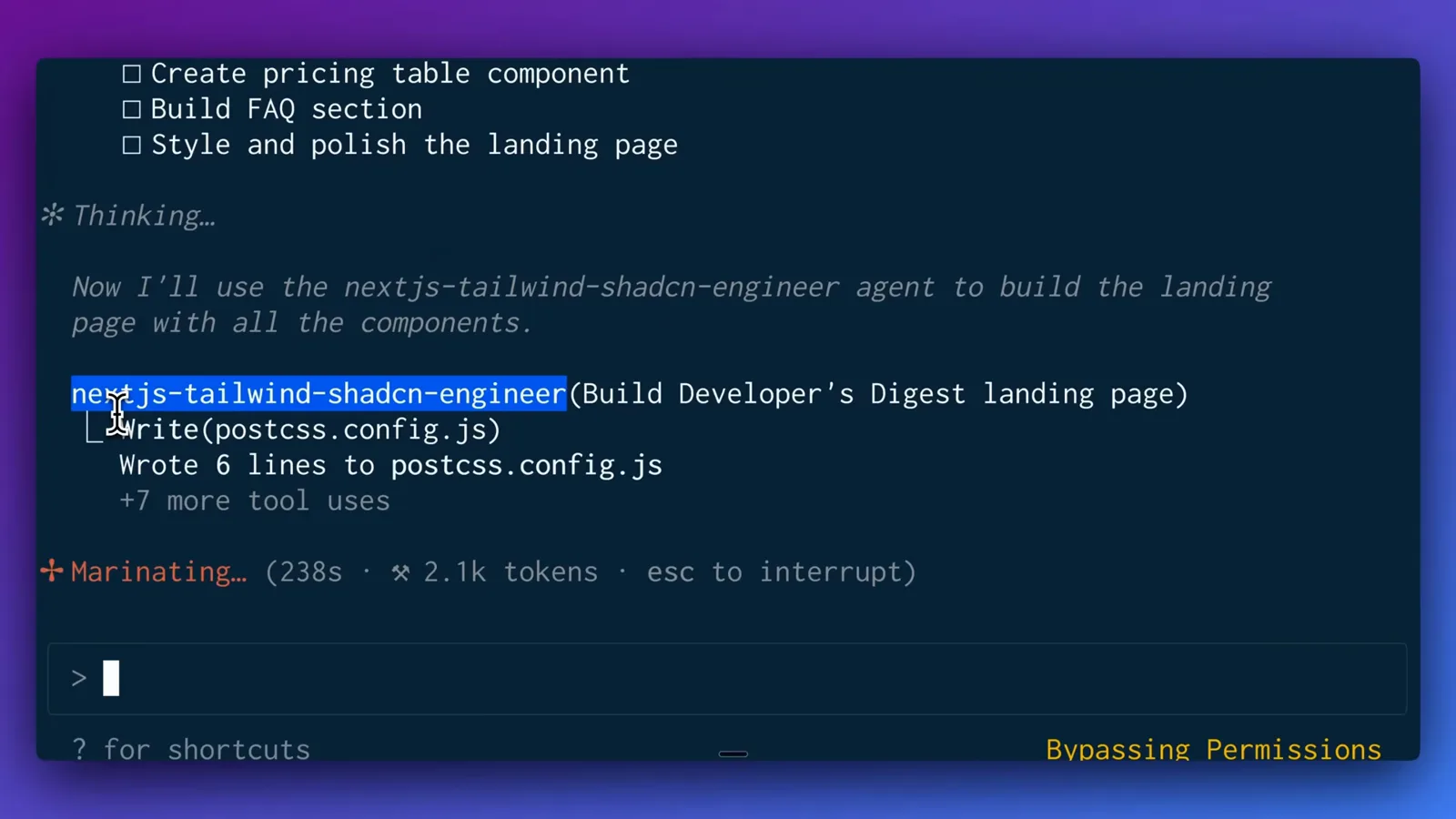
繁重的文件编辑都发生在子代理自己的上下文里。看原视频 4:45 处 - 14
验收最终成品
最终得到 Developer's Digest 落地页:由调研出的五条 AI 新闻组成的 Hero、三档定价表、可交互的 FAQ 手风琴和暗色模式——与分派的需求完全一致。
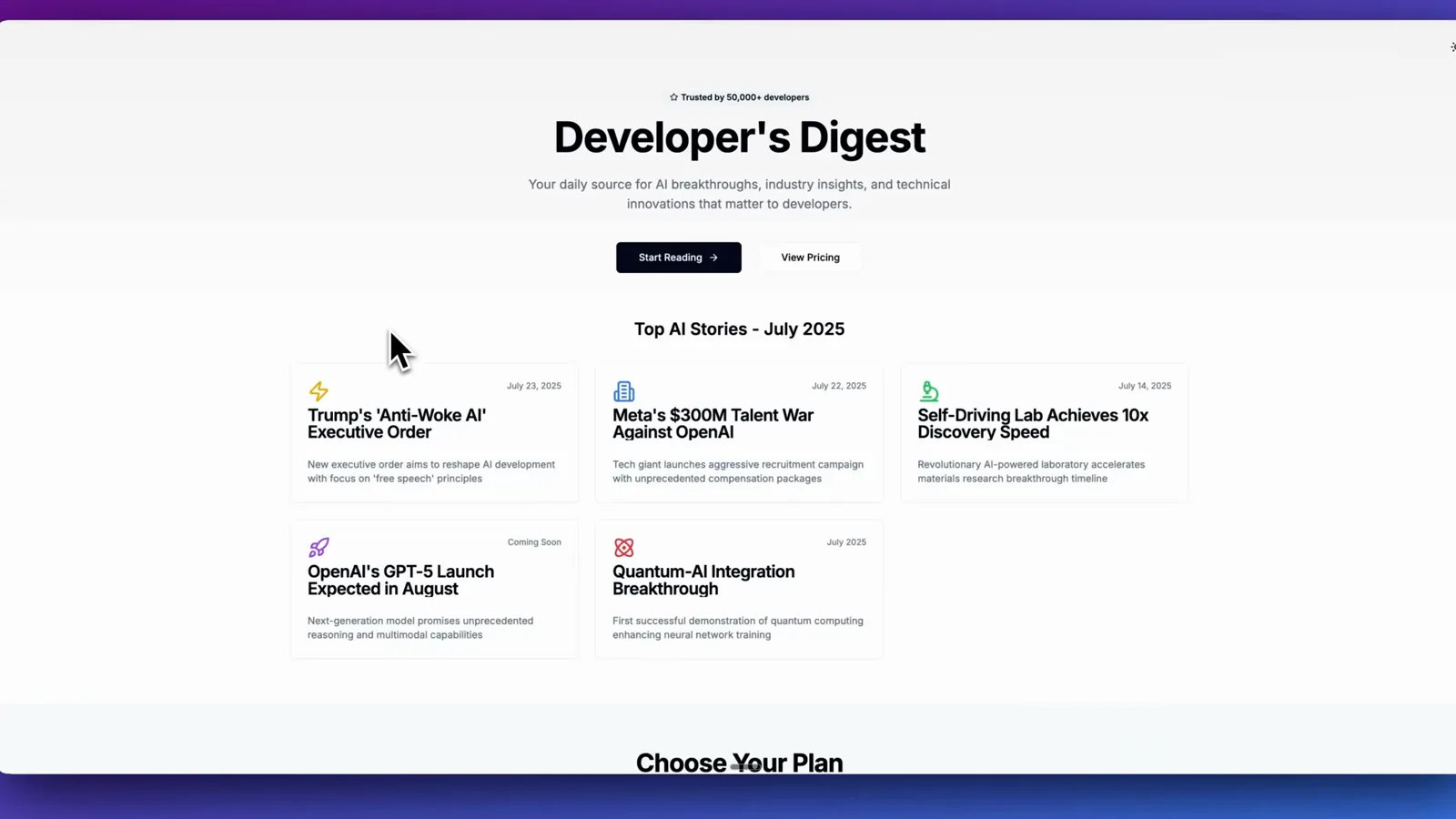
专家们完成了构建,主对话始终聚焦全局。看原视频 6:12 处
一条巨型提示词 对比 子代理团队
| 能力维度 | 一条巨型系统提示词 | 子代理团队 |
|---|---|---|
| 上下文 | 单个对话不断堆积内容,容易跑题。 | 每个子代理都有自己干净的上下文窗口。 |
| 指令 | 所有规则都挤在一条提示词里。 | 每个代理拥有专属系统提示词,可持续迭代。 |
| 工具 | 所有工具永远全部可用。 | 按代理配置白名单,可纳入 Firecrawl、Context7 等 MCP 服务器。 |
| 复用 | 靠手动在项目间复制粘贴指令。 | markdown 文件可提交进仓库,也可全局安装。 |