
速览版
- Agent teams 是实验特性,默认关闭:在 settings.json 的 env 块里加上 "CLAUDE_CODE_EXPERIMENTAL_AGENT_TEAMS": "1",并用 v2.1.32 以上的 Claude Code 运行。
- 必须把话说出口——让 Claude「create an agent team」,点名 teammate 或模型;否则它只会悄悄起几个普通 subagent。
- Teammate 永远继承不到你的对话历史——把上下文写进文件递给它,并让每个任务都小到能交付一件明确的产物。
- 每个 teammate 都是独立实例、各有一份上下文窗口,token 会成倍烧——例行任务降级到 Sonnet 或 Haiku,每次跑完看一眼 /cost。
Claude Code Agent Teams (Full Tutorial): The BEST FEATURE of Claude Code is HERE!
视频:AICodeKing13:58
Agent teams — Orchestrate teams of Claude Code sessions
官方文档:code.claude.comDocs
Agent teams 仍是实验特性:会话恢复、任务状态、收队时机都可能不顺手。页面上每一条命令、配置键和快捷键在发布前都对照官方 agent teams 文档逐一核实过。
截图来自 AICodeKing 的录屏;Bart Slodyczka 与 Simon Scrapes 的实测讲解补充了部分事实。所有来源均已署名并附链接,每一步都能深链回视频对应的时刻。
从一个空终端到一支收队的队伍
一、开启 Agent Teams 并确认环境
- 1
找到 agent teams 官方文档,先读实验特性警告
Agent teams 的文档在官方 docs 的 Build with Claude Code 分区。页面顶部是一条橙色横幅:该特性为实验性质、默认关闭,且在会话恢复、任务协同与收队时机上有已知限制。动任何开关之前,先把这条横幅读完。
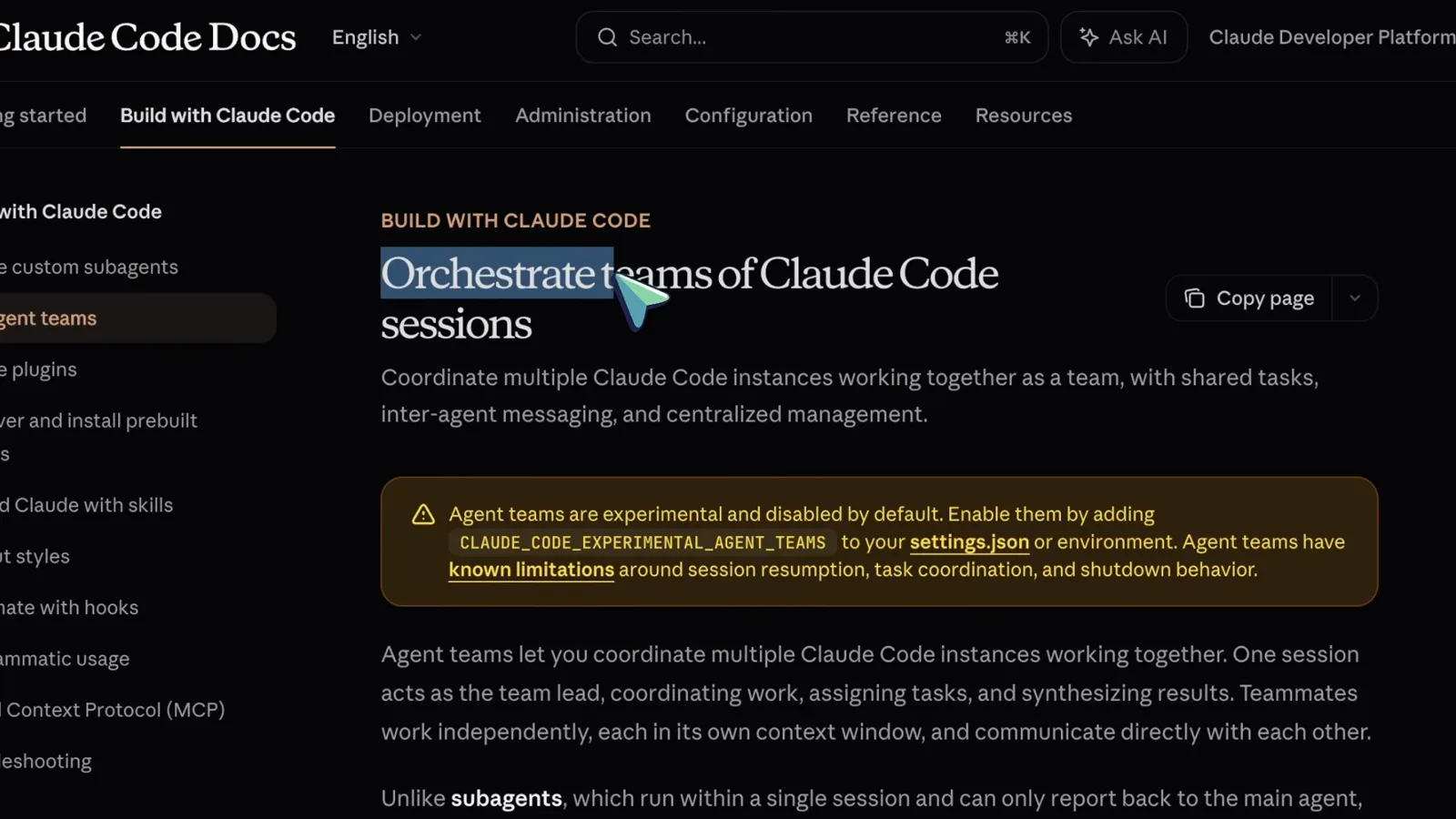
官方 agent teams 页面与其实验特性警告横幅。看视频 0:20 处 - 2
想清楚:用 subagents 还是 agent teams
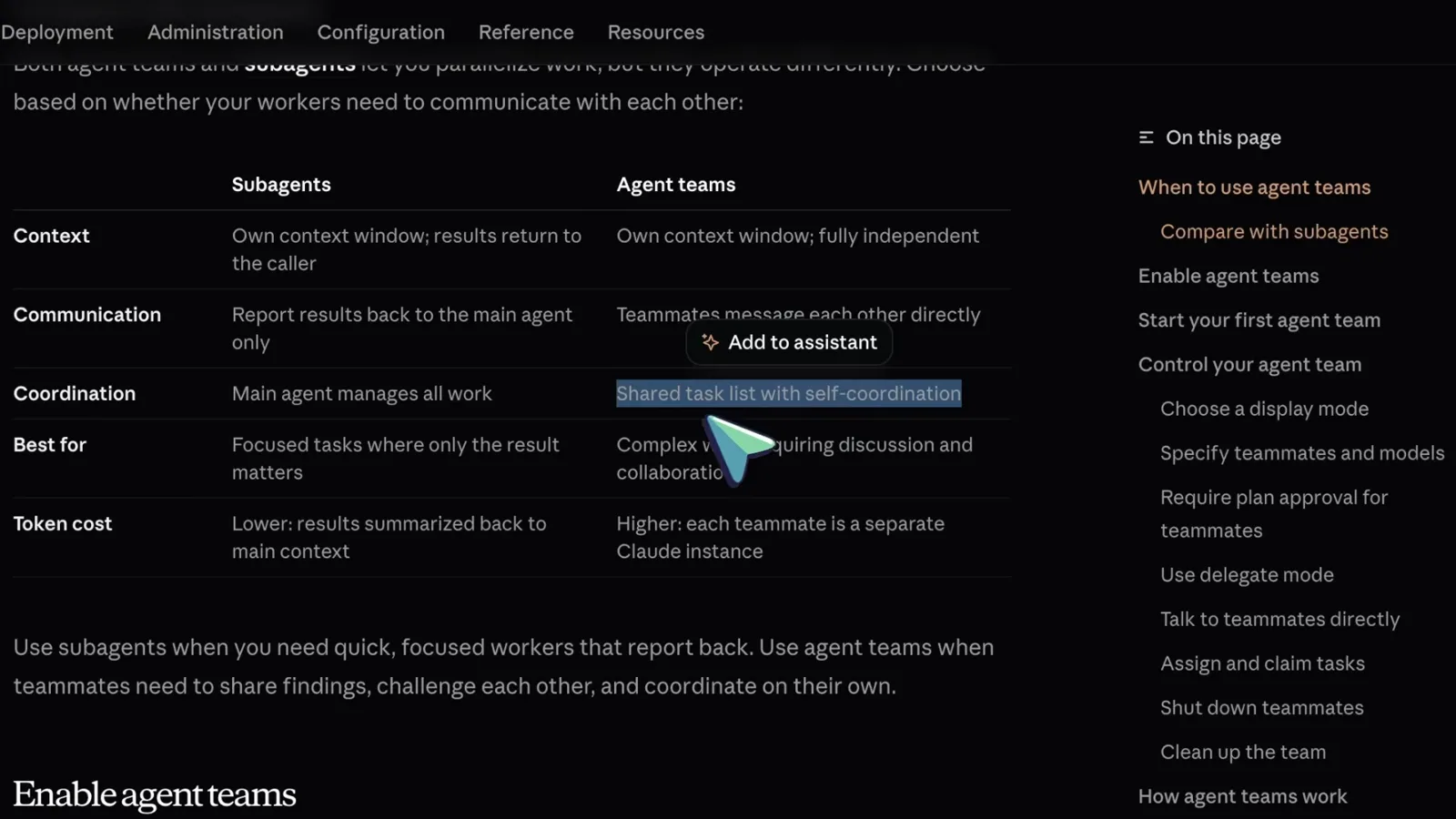
官方文档给了对比表。Subagent 跑在同一个会话里,把结果汇报给主 agent,token 更省。Teammate 则是独立的 Claude Code 实例,彼此直接通信、共享任务清单——为真正的协作多付 token。只看结果的任务用 subagent;需要互相挑战、来回讨论的活才上团队。
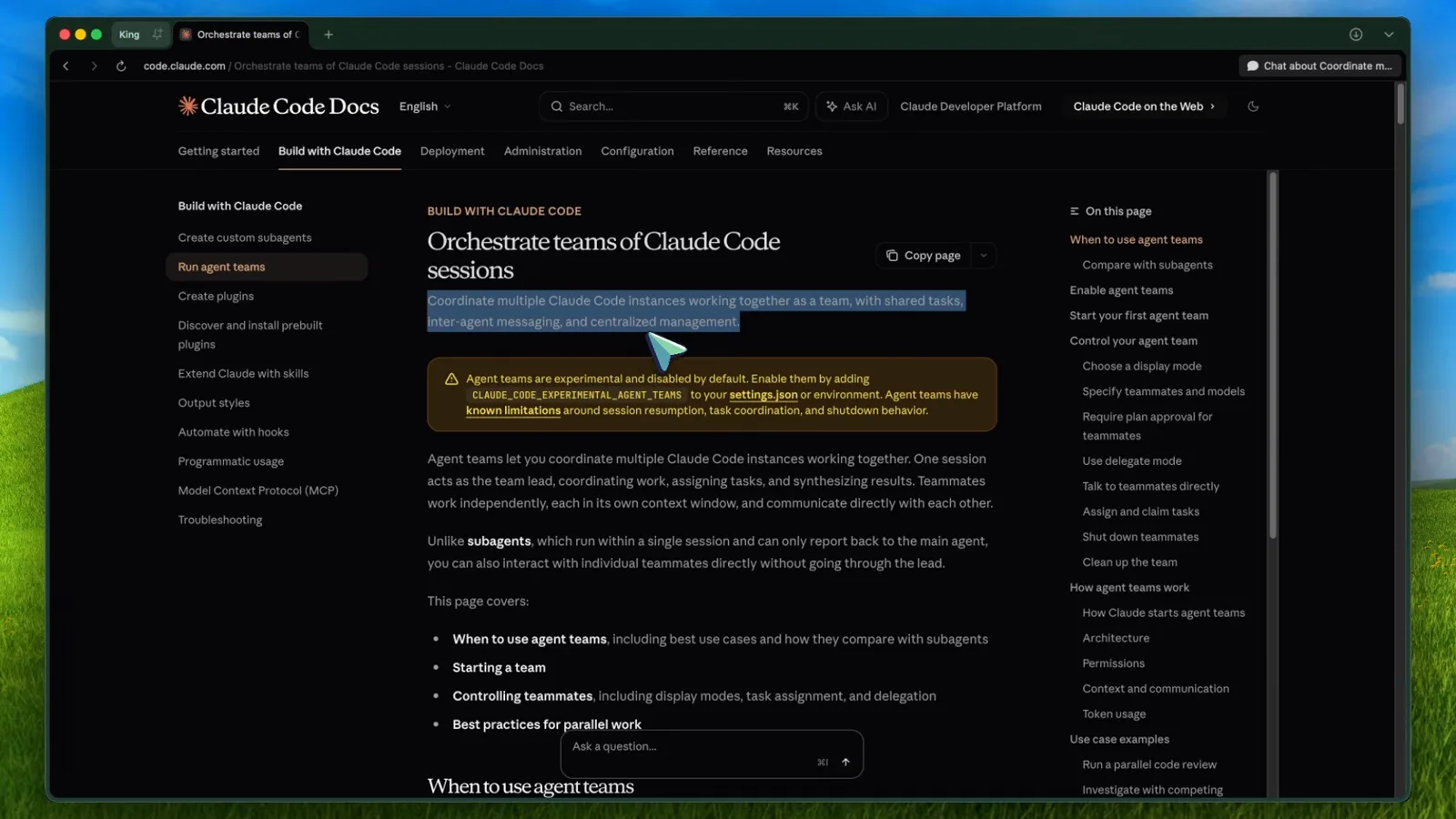
Subagents 与 agent teams 的官方对比表。看视频 1:00 处 - 3
在 settings.json 里打开开关
打开(或新建)~/.claude/settings.json,在 env 块里加 "CLAUDE_CODE_EXPERIMENTAL_AGENT_TEAMS": "1"。项目级和本地 settings 文件同样可以开启,shell 导出环境变量也行——但用户级设置里的 "0" 会压过 shell 导出。这项改动对运行中的会话即时生效,无需重启。
开启 agent teams 的那段 env 配置。看视频 2:00 处 - 4
升级 Claude Code,启动,然后用大白话要一支团队
先跑 claude update——团队功能需要较新版本(2.1.32 以上),旧版本会无声忽略这个开关。启动 Claude,确认模型选择(视频里用的是 Claude Max 上的 Opus 4.6),然后输入带咒语的提示词:「Use the agent teams feature.」少了这句,Claude 只会起普通 subagent。
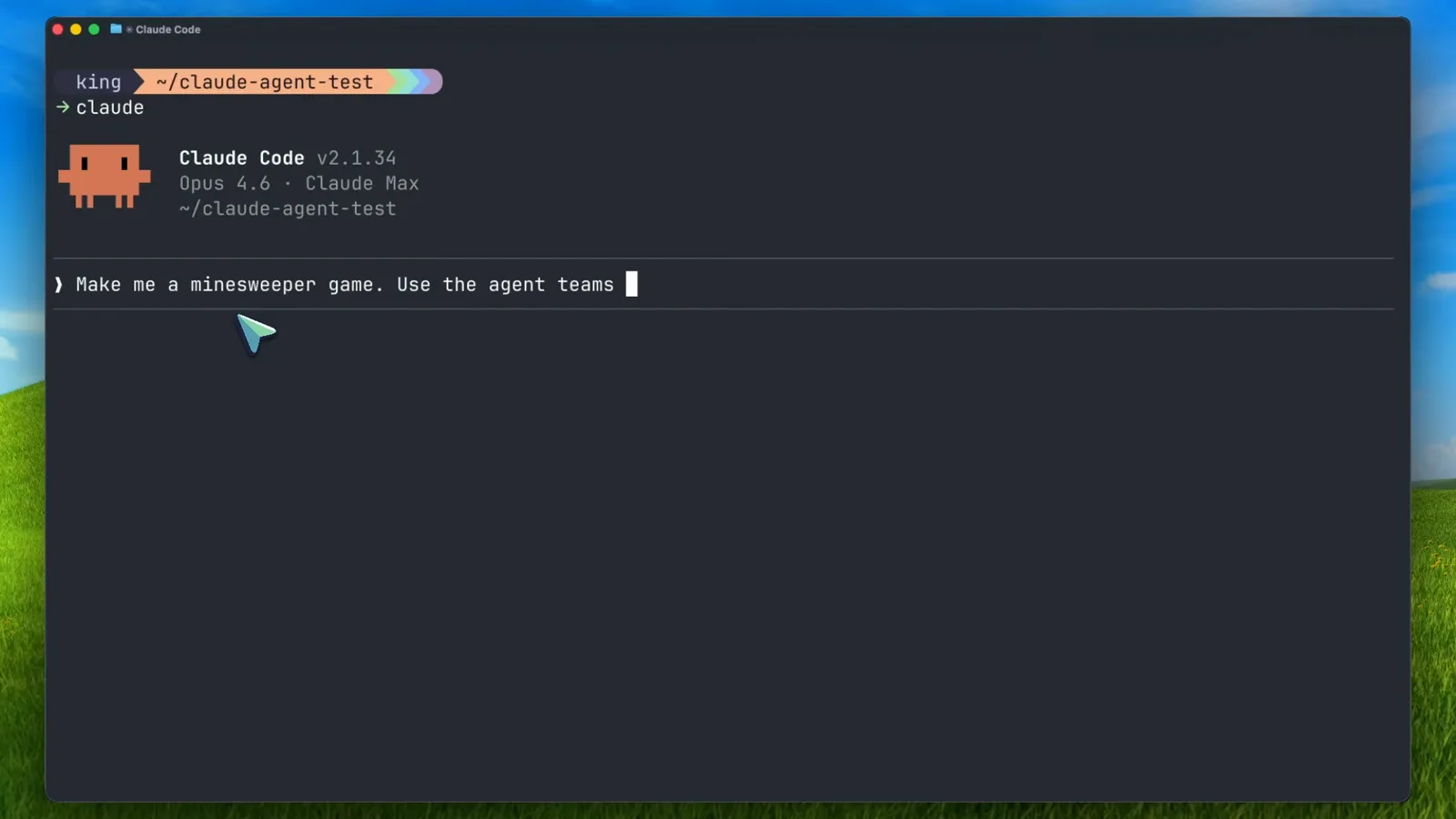
Claude Code v2.1.34 正在接收 agent teams 提示词。看视频 3:30 处
二、拉起你的第一支团队
- 5
看 lead 如何把需求拆成共享任务清单
Lead 先把你的提示词拆成任务,再拉起 teammate。每个 teammate 条目显示它的任务和「shift+↑ to manage」。注意依赖标记:「Build UI, styling, and user interaction > blocked by #1」——引擎 teammate 没完成之前,UI teammate 领不到这个任务,共享任务清单就是靠这个防止重复劳动。
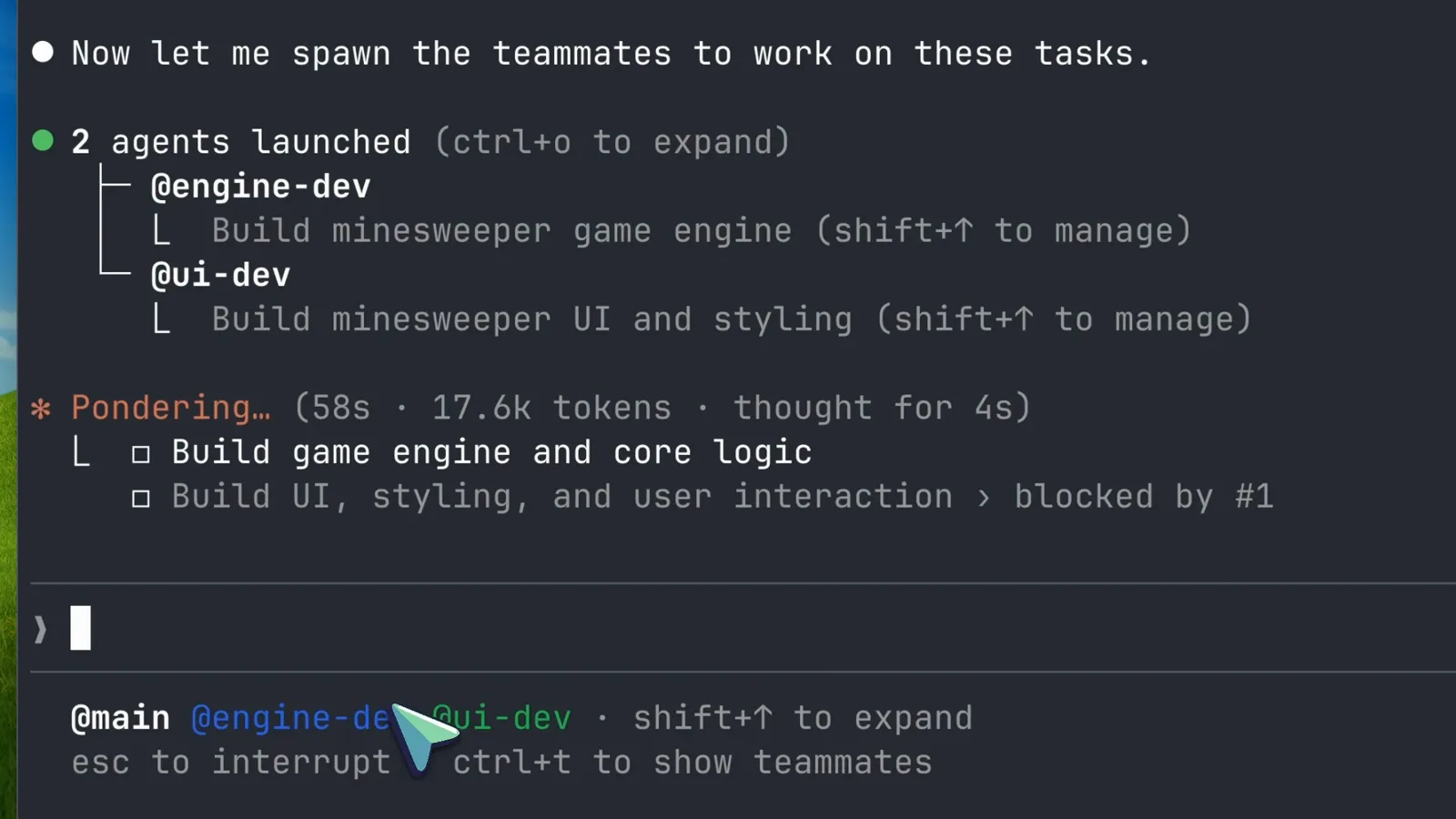
两个 teammate 已启动,任务 #2 被任务 #1 阻塞。看视频 4:30 处 - 6
让它们跑起来,读懂实时进度
Teammate 在各自的会话里并行工作。Lead 会播报状态——「Both agents are working」——每行任务都带着 teammate 名字、耗时和 token 消耗。按 ctrl+o 展开条目,按 ctrl+t 随时呼出或收起 teammates 面板。
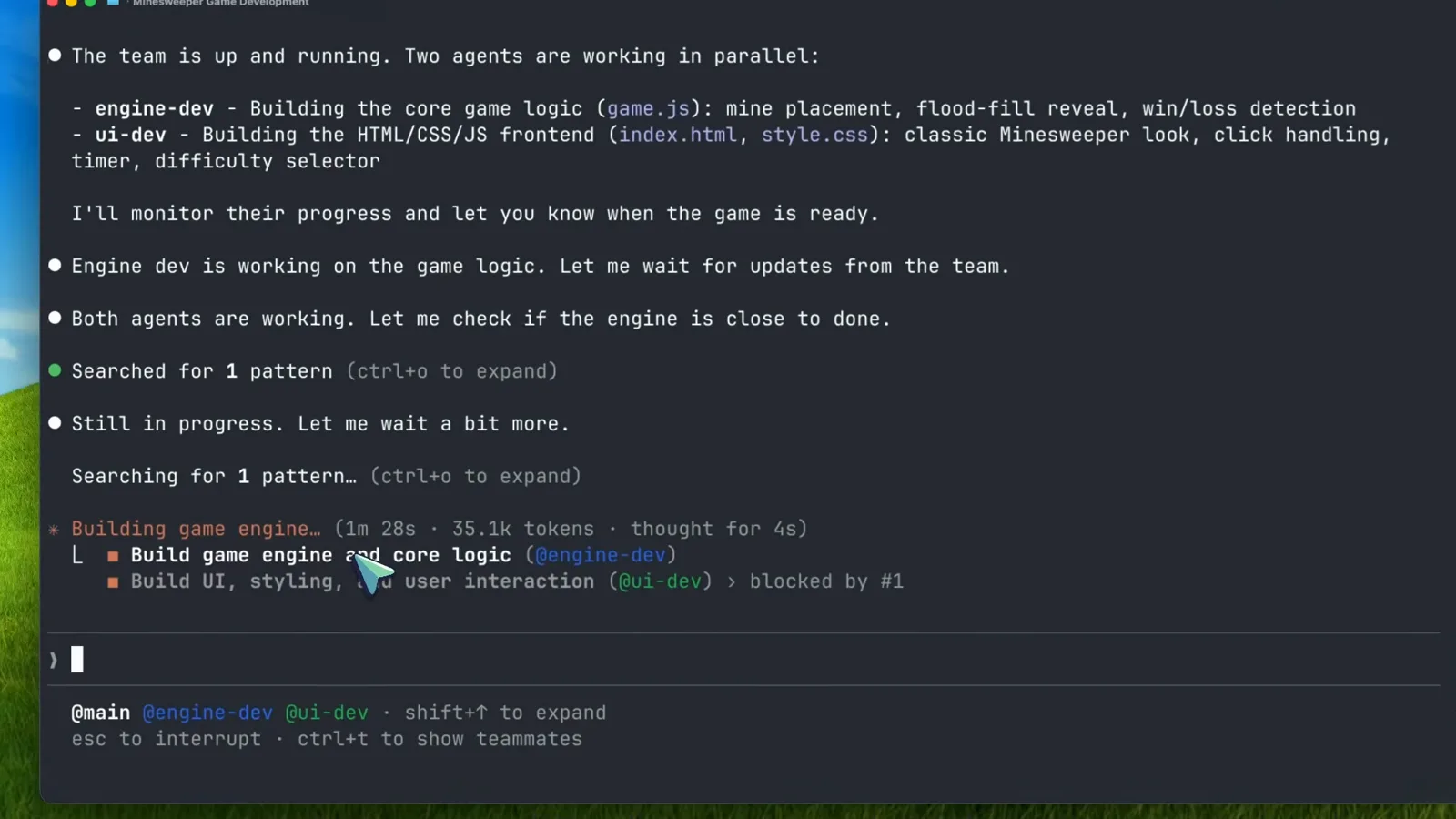
并行工作,每个任务都有 token 与耗时账单。看视频 5:00 处 - 7
进阶:指定 teammate 数量与模型
你可以说得更具体:「Create a team with 4 teammates to refactor these modules in parallel. Use Sonnet for each teammate.」给 teammate 点一个更便宜的模型是最有效的省钱手段——例行工作用不上 Opus。高风险任务再加一句要求 plan approval,让 teammate 的计划先等你签字再动代码。
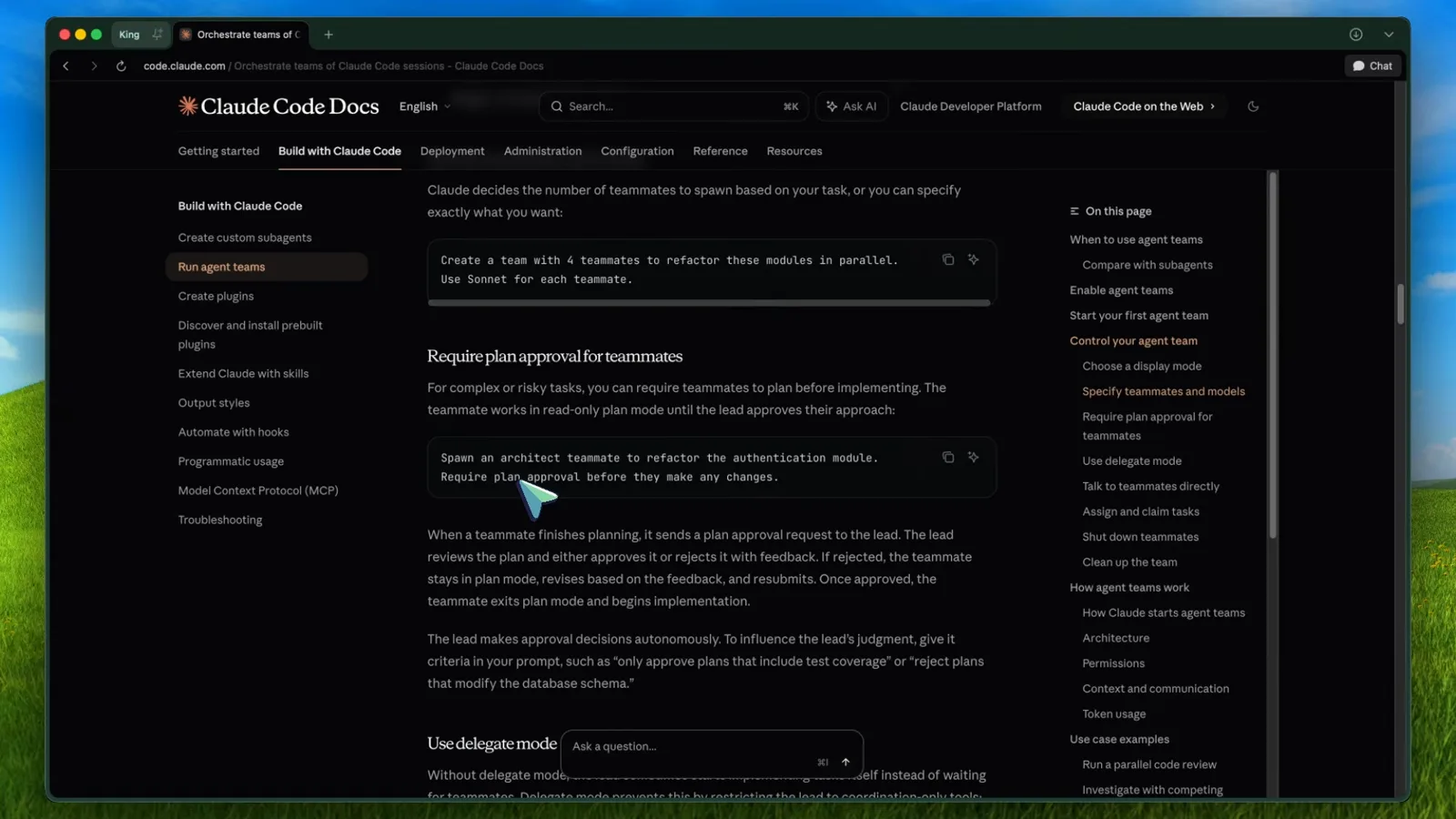
官方文档里指定 teammate 与模型的示例。看视频 6:30 处
三、指挥、验收与迭代
- 8
盯住依赖交接与 lead 的收尾审查
引擎 teammate 完成后,任务 #2 解锁,UI dev 立刻接手。随后 lead 会亲自读改动过的文件——「Let me shut down the teammates and do a final review of the code to make sure everything integrates properly.」你只需要在看起来不对劲时出手。
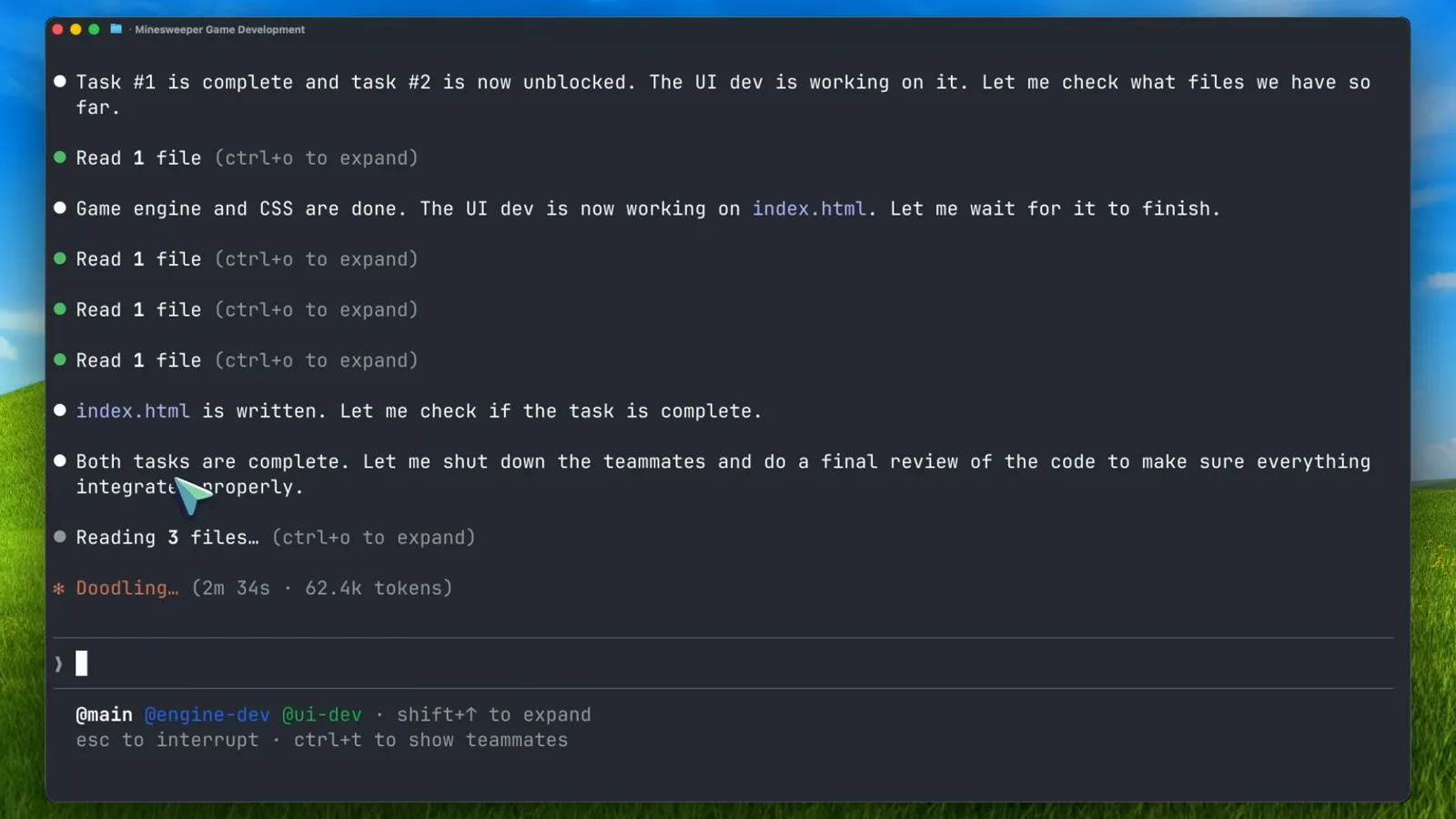
任务 #1 完成,任务 #2 解锁,最终审查开始。看视频 7:30 处 - 9
打开交付物,亲手验收
团队的产出就是项目里的普通文件——这里是一款扫雷游戏:三档难度、flood-fill 展开、首次点击必安全。收队之前先在浏览器里真正玩两把:agent 会自证代码没问题,但验收权在你手里。
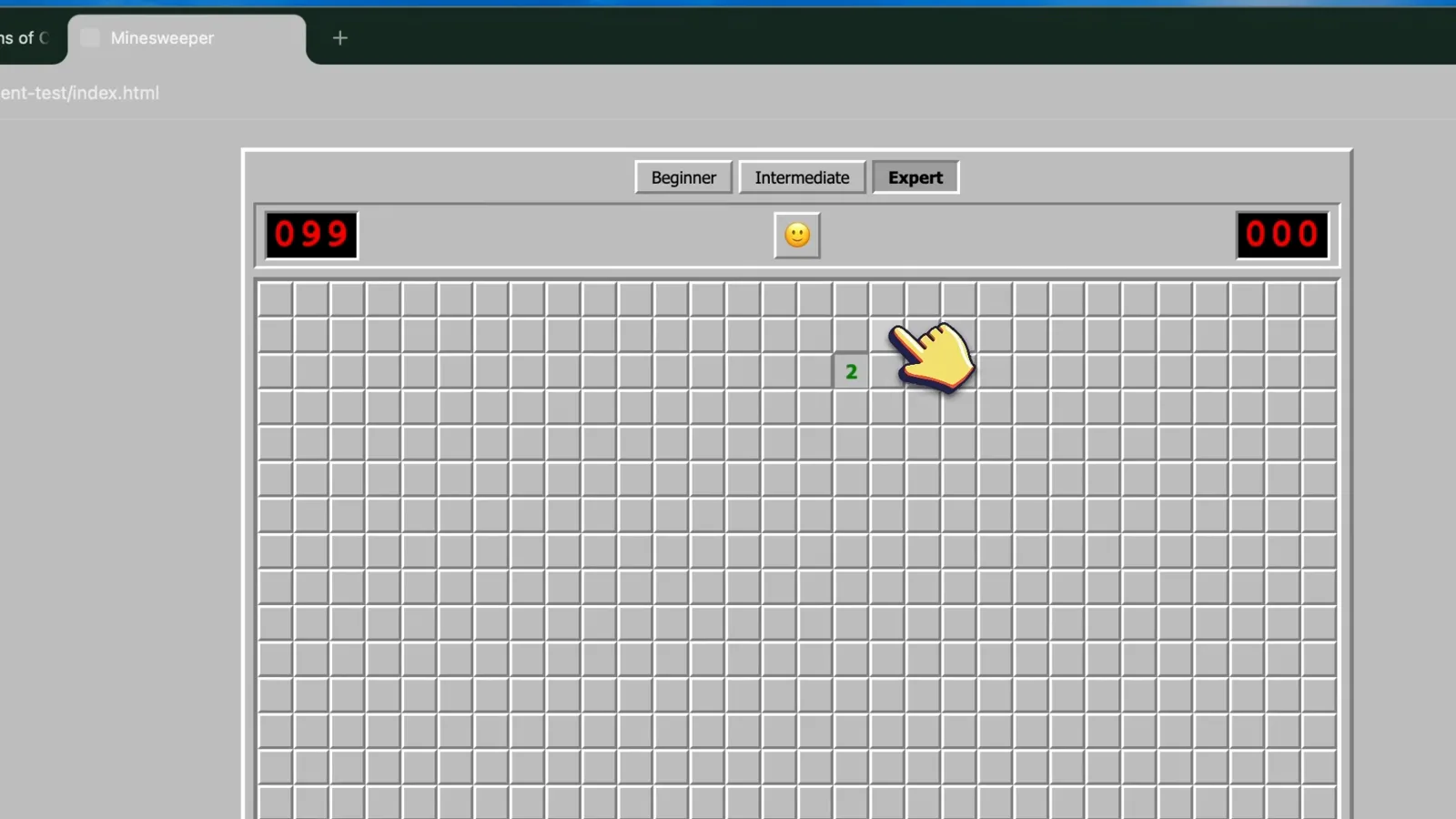
团队交付物:一个能玩的扫雷。看视频 9:00 处 - 10
对着同一支团队继续迭代
特性清单全部过关,于是视频里又来了一轮:「Add more themes to it. Use team.」写代码的任务里,lead 常会让 teammate 待命而不是急着解散,你的下一句提示词带着完整上下文直接落地。注意状态栏:accept edits on(shift+tab 切换)。
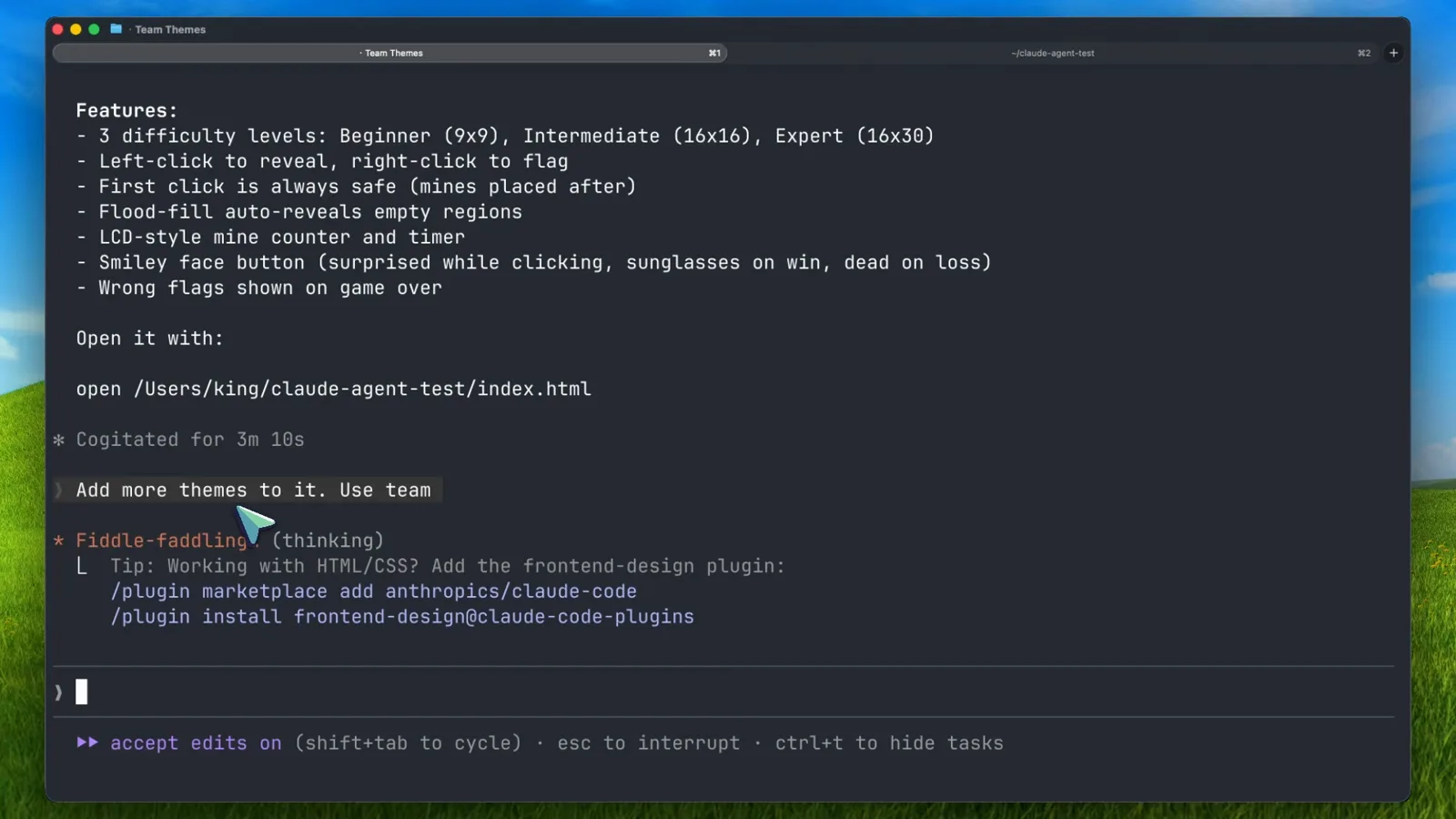
交付的特性清单与第二轮提示词。看视频 10:00 处 - 11
在 teammates 面板里单点指挥
团队更大时(视频第二个 demo 跑了六个 teammate),面板会显示每个 teammate 的名字、实时状态词和 token 消耗。shift+↑ / shift+↓ 选中某个 teammate,Enter 打开它的会话记录,输入框支持 @ 提及——比如「Message @infra-dev…」,跨过 lead 直接喊话某个人。
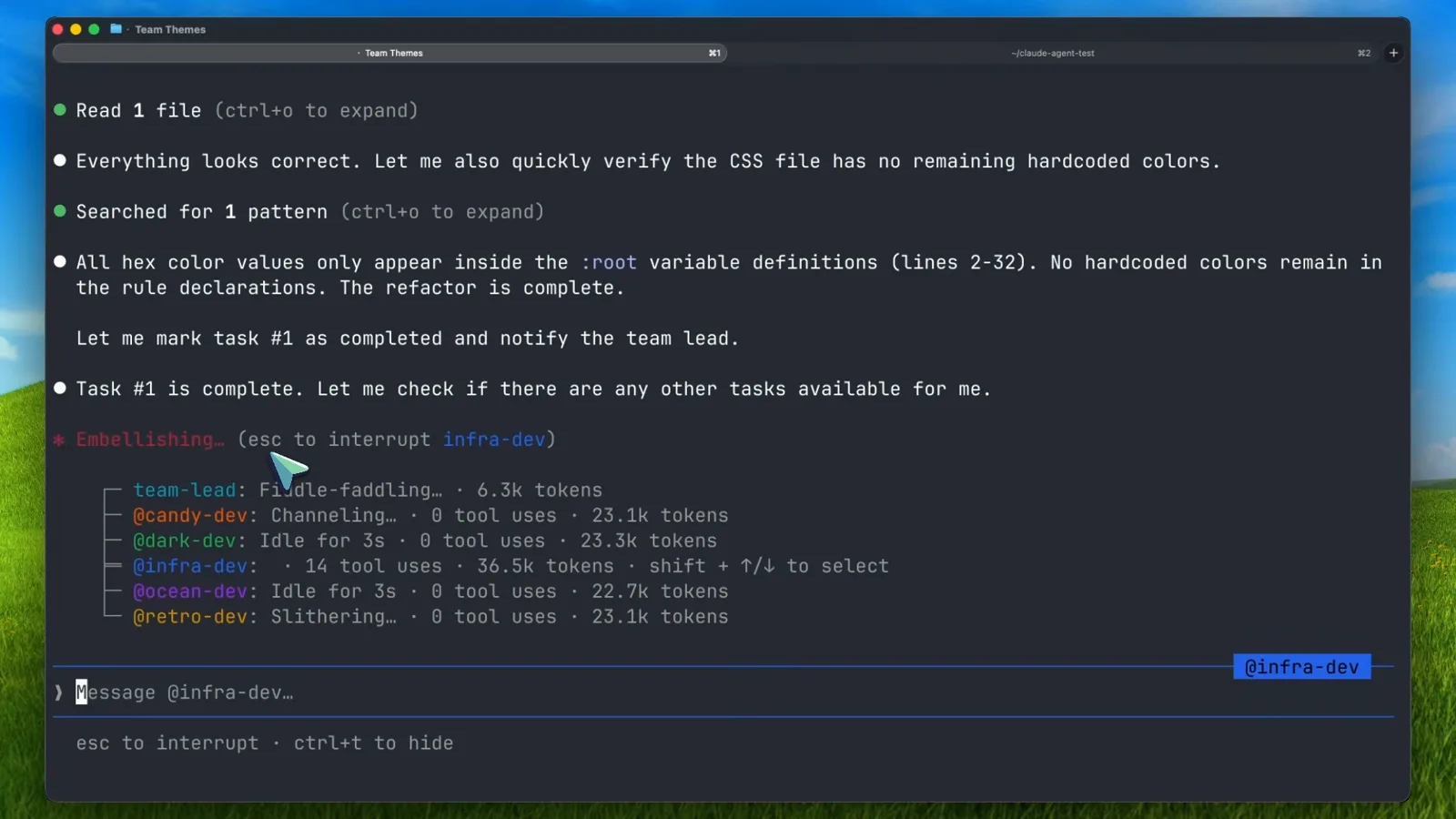
六个 teammate、实时 token 账单与 @ 直达消息框。看视频 13:30 处 - 12
让 teammate 体面下线
按名字向 lead 提出请求——「Ask the ui-dev teammate to shut down」——teammate 会先跑完手头的工具调用再批准退出。如果它认为自己的活事关全局,也可以拒绝并给出理由。全部收尾时说一句「clean up the team」,共享会话关闭,分屏合回一个。
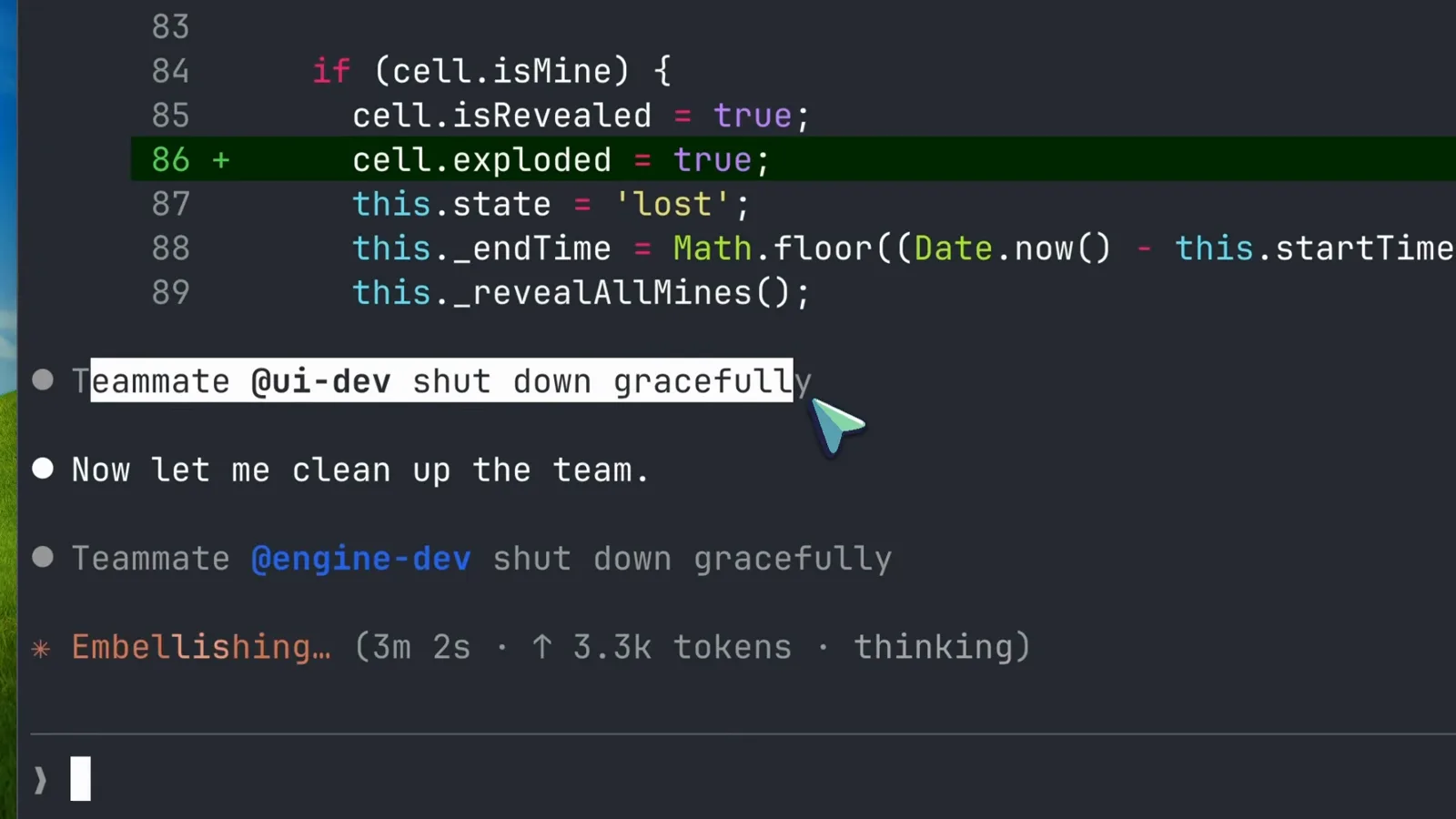
收队过程中两个 teammate 先后体面下线。看视频 8:00 处
四、规模化之前先认清边界
- 13
规模化之前,先搞懂上下文规则
Teammate 会自动加载 CLAUDE.md、MCP 服务器和 skills,但永远继承不到 lead 的对话历史。上下文要显式交接——文档示例在提示词里直接写明安全审查员要看的文件、关注点和汇报格式。任务大小也要诚实评估:太小白费协同,太大风险失控,刚刚好 = 一件自洽的交付物。
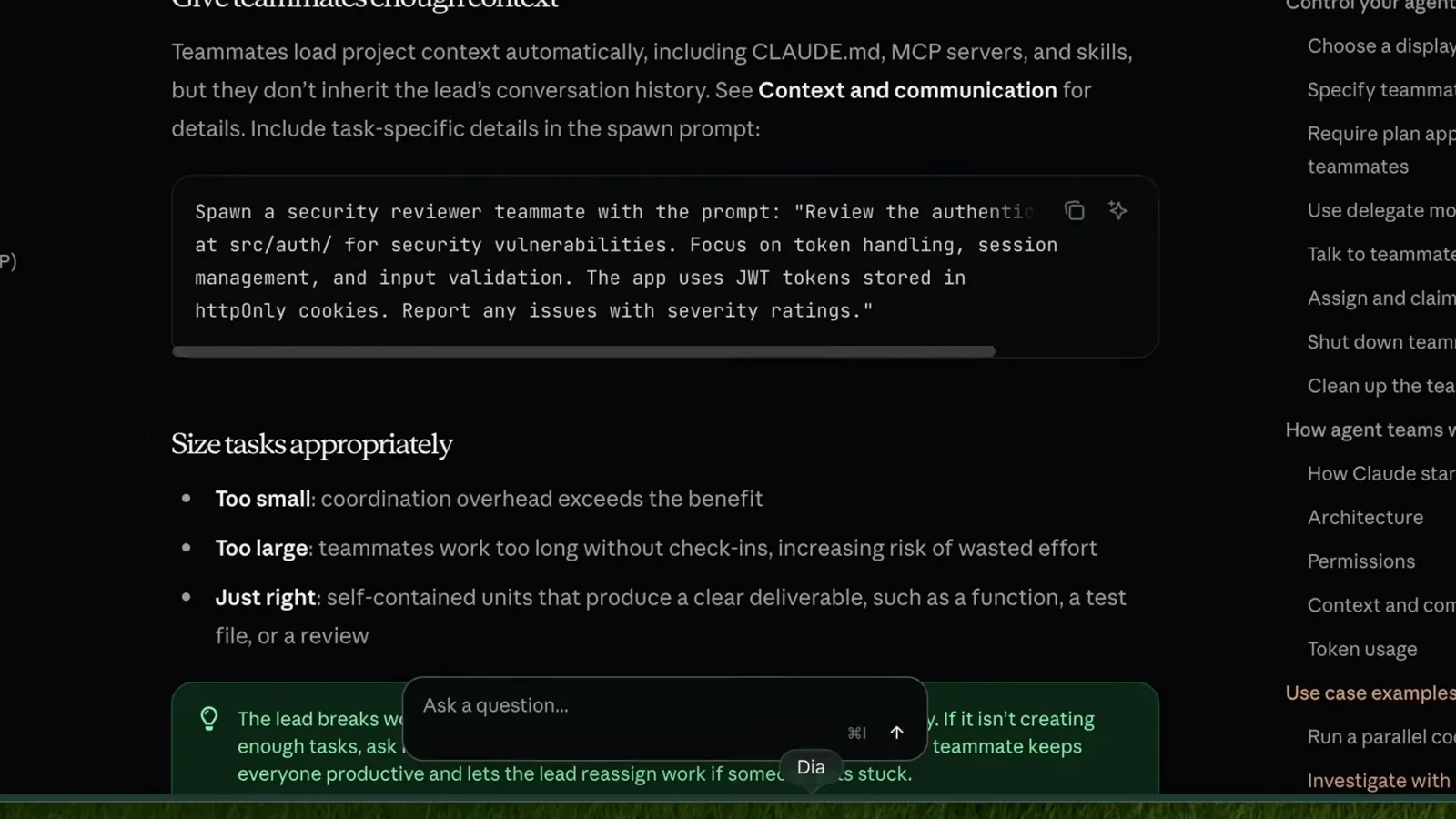
上下文继承规则与任务大小清单。看视频 10:15 处 - 14
接受一个事实:团队不能恢复会话
最出乎意料的一条限制:/resume 和 /rewind 无法恢复 in-process teammate。恢复会话后 lead 可能试图联系已不存在的 teammate——遇到这种情况,直接让 lead 重新拉人。任务状态也可能滞后:看到任务卡住,先确认工作是否实际完成,必要时手动更新状态。
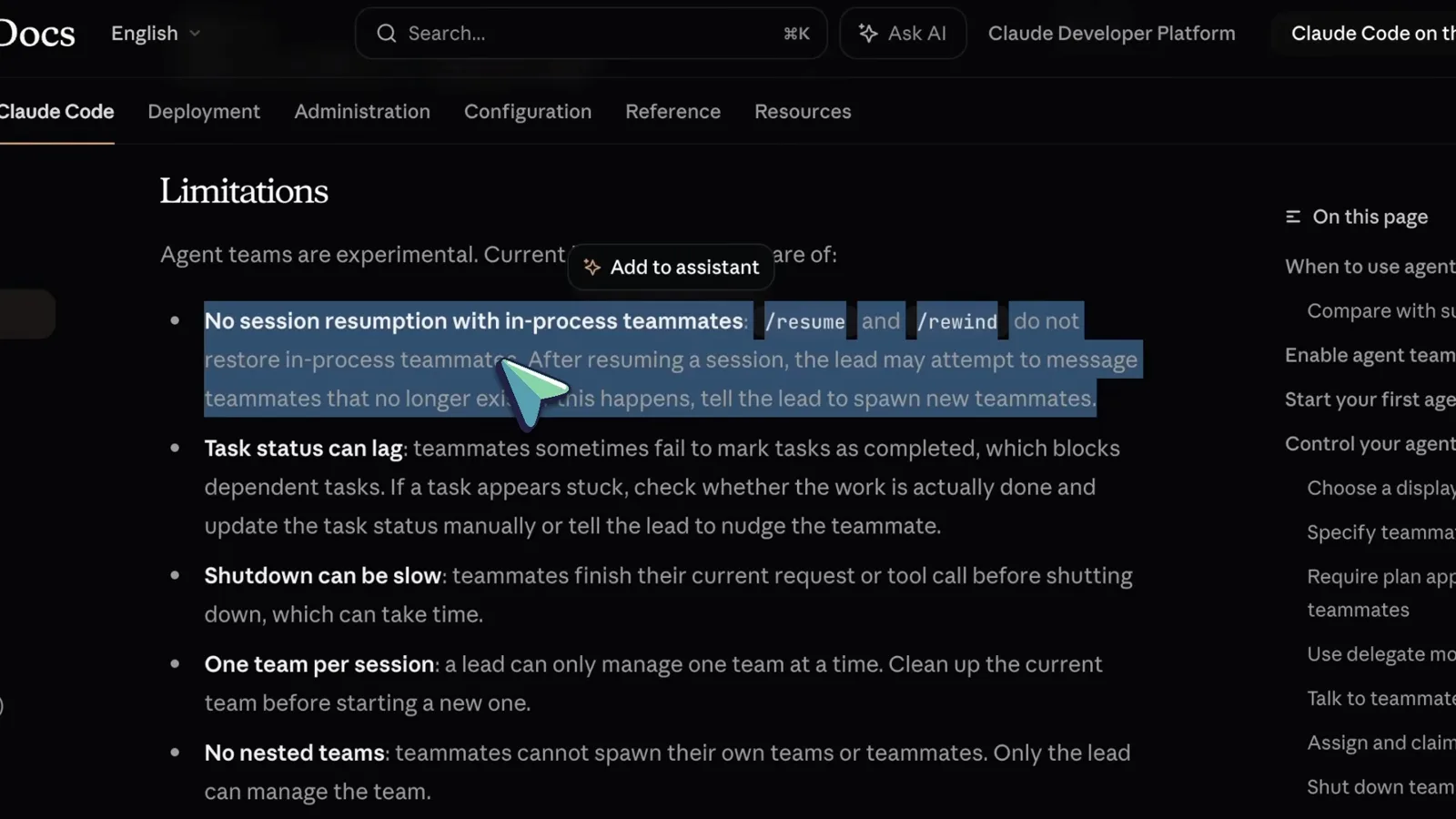
会话不可恢复,外加任务状态滞后提醒。看视频 10:30 处 - 15
读完剩余限制,再挑真正值得的活
文档还有三条规则:lead 不可更换(无法把 teammate 升职为 lead);spawn 时设定的权限会向下传播——--dangerously-skip-permissions 会流向每个 teammate,不想让审查员改代码就事后单独改它的模式;分屏需要 tmux 或 iTerm2,VS Code 内置终端、Windows Terminal 和 Ghostty 都不支持。然后从 3-5 个 teammate 起步,挑真正需要协作的活。
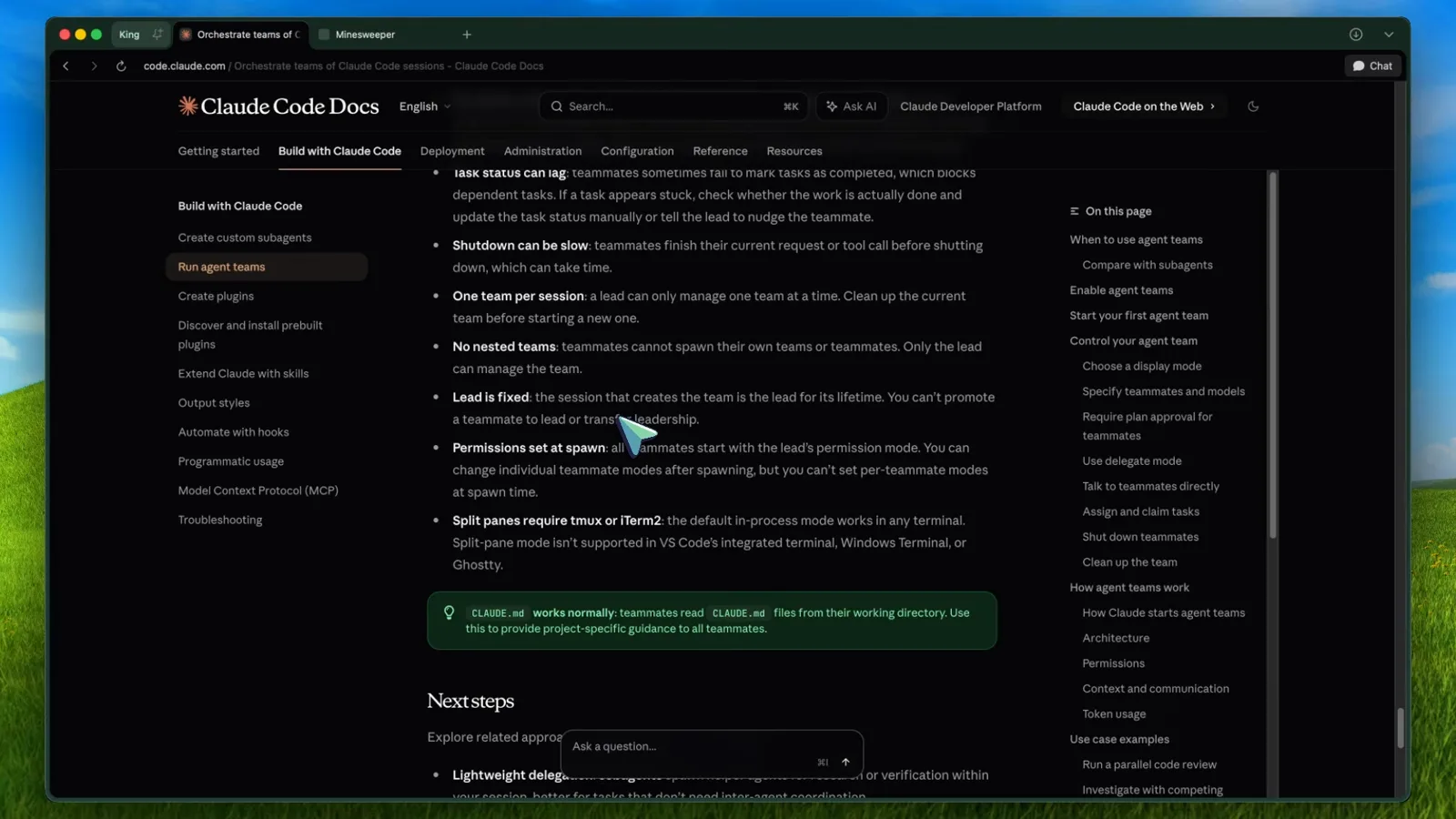
Lead 固定、权限传播、分屏依赖 tmux。看视频 11:30 处