
Antigravity Subagents 实战教程:实时卡片、@ 语法与浏览器排障
Reddit 上总有人问 Antigravity 为什么没有 subagent——其实一直都有:官方内置 research、browser、self 三类,v2.16.0 把每次调用变成实时卡片,CLI 1.2.9 用 @ 直达 subagent 会话。12 步实测截图,外加一份「浏览器 subagent 不工作」的五步排障清单。
TL;DR
- Antigravity 的 subagent 早已存在:内置 research、browser、self,自定义的只差一个 Markdown 文件。「没有 subagent」的帖子过时了,但吐槽的痛点是真的——v2.16.0 之前它们在后台隐身运行。
- v2.16.0(2026-09-22)把每次 subagent 调用变成实时卡片:running/waiting/completed 状态、悬停即可停止、一键进入它的会话。
- CLI 1.2.9(2026-09-23)带来 @ 语法:敲 @,从自动补全里选运行中或已完成的 subagent,消息直达它的会话;空闲的 subagent 会被带着完整上下文唤醒。
- 「浏览器 subagent 不工作」多半是 Browser Tools 开关被关、组织的 tool-server 策略拦截,或拼错的工具名把运行挂起——下面的五步排障逐条覆盖。
How to better understand, follow, and collaborate with the agent
频道:Google Antigravity1:32
The Liftoff Series - Developing with parallel agents
频道:Google Antigravity1:17
How to Use Antigravity Subagents Like a Pro (Step-by-Step Guide)
频道:The Next Signal13:59
Antigravity changelog & subagents docs
官方来源:antigravity.google
两支官方视频都摄于 2.16.0 之前:画面是上线初期的 UI,没有 subagent 卡片。它们只用于演示至今未变的工件体系(Implementation Plan、任务清单、walkthrough);行为事实以 antigravity.google 的 subagents 官方文档与 changelog 为准。第三支视频含人脸画中画,未截取任何画面,仅作事实参照。
截帧来自 Google Antigravity 官方视频「How to better understand, follow, and collaborate with the agent」与「The Liftoff Series - Developing with parallel agents」,另有一帧来自 WorldofAI 的「Turn Antigravity Into AN AI Autonomous Engineering Team!」(YouTube);事实核对参考 The Next Signal 的视频与 antigravity.google/changelog。时间戳可深链回源视频。
12 步用透 Antigravity subagent
先找到 subagent 系统
- 1
打开 Agent Manager
启动 Antigravity,进入 Agent Manager——所有会话与后台 agent 的指挥舱。IDE 里它是独立面板;终端里输入 /agents,同样的实时清单就位:运行中、已完成、已终止、失败,一目了然。
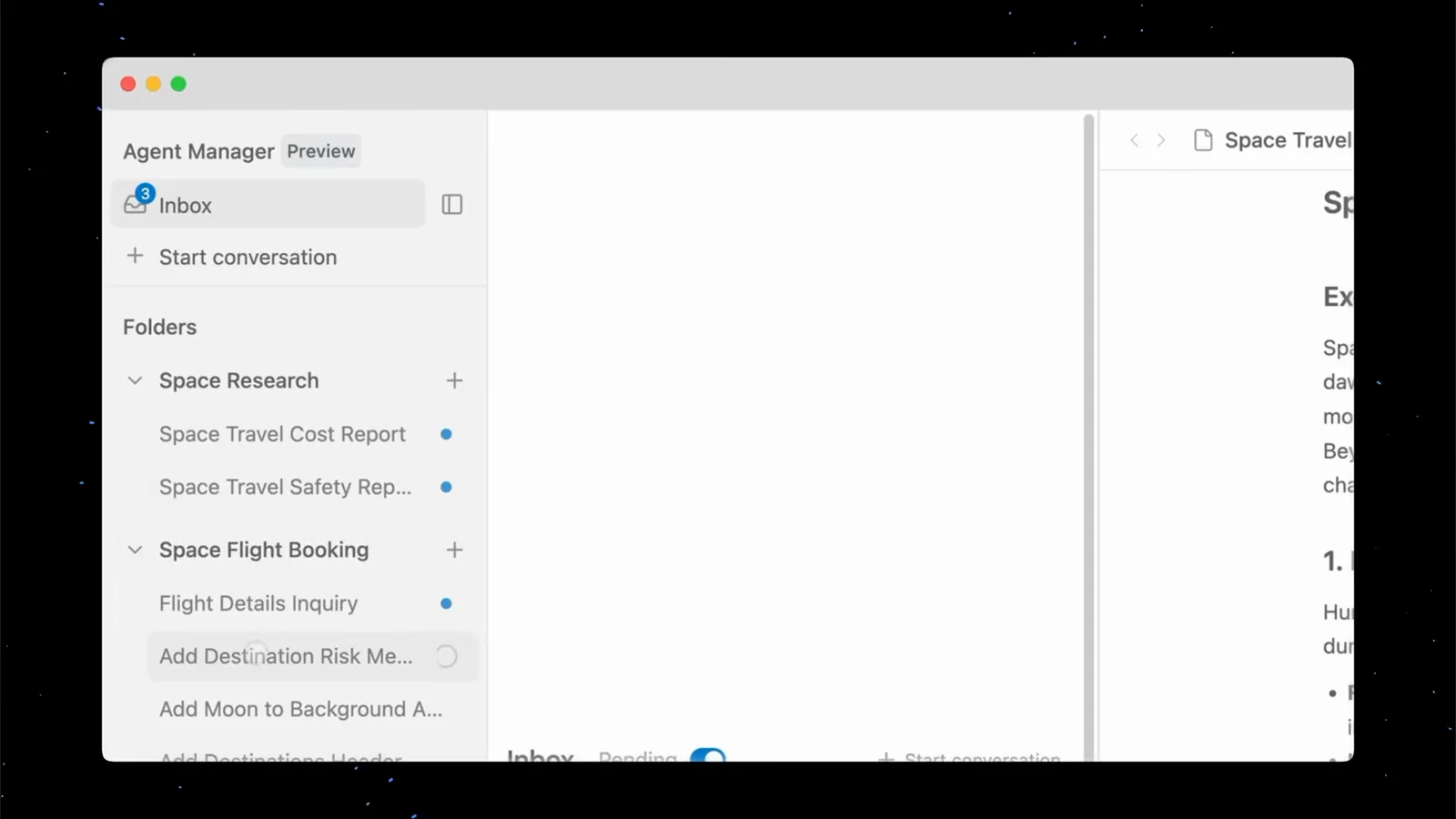
Agent Manager Preview 面板:收件箱、Start conversation 按钮与两个工作区的文件夹。在 0:54 观看 - 2
认识你的三个帮手:research、browser、self
Antigravity 内置三类 subagent:research 负责代码库探索与文件导航,browser 负责驱动沙箱化的 Chrome,self 则是调用者的直接克隆。自定义 subagent 是带 YAML frontmatter 的 Markdown 文件。它们都由父 agent 通过 invoke_subagent 工具派生。
- 3
给父 agent 一个值得委派的简报
在与任务匹配的工作区里开一个会话,描述目标结果而不是要改哪个文件——「调研 X 并整理成文」「把这条功能做出来测一遍」。多环节的任务才会触发 agent 把工作拆给 subagent。
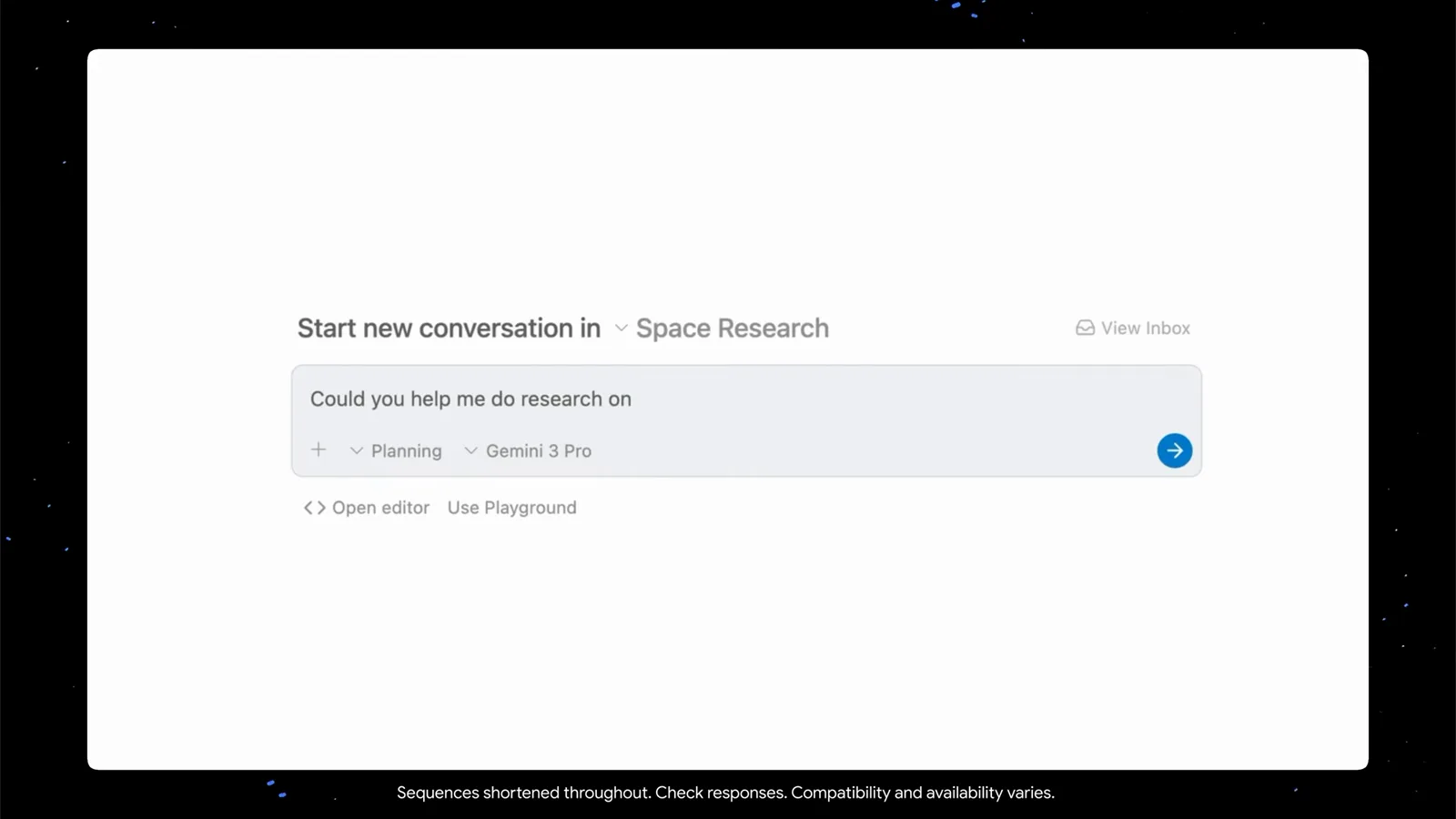
在 Space Research 工作区发起新会话,发送前选好 Planning 模式与模型芯片。在 0:38 观看 - 4
动代码之前先读 Implementation Plan
父 agent 会先起草 Implementation Plan 工件——目标、改动提案、验证计划。subagent 不继承父会话的历史,这份计划就是让所有派生 agent 对齐的契约。有异议现在就提:这是改方向成本最低的时刻。
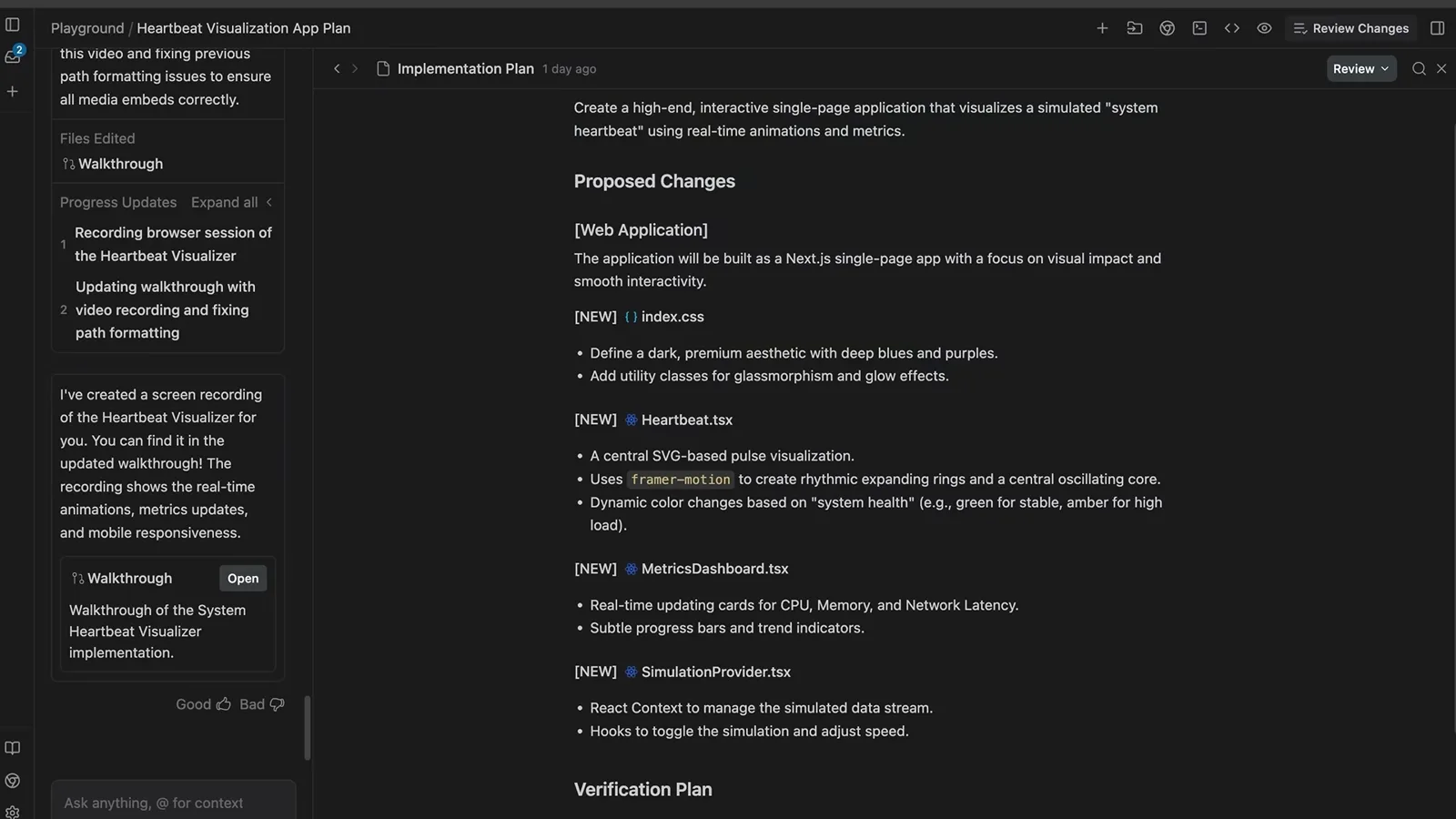
Implementation Plan 工件:Proposed Changes 与 Verification Plan 齐备,一行代码还没动。在 0:22 观看
看 subagent 干活
- 5
盯着实时任务清单
开工后计划会变成一张实时打勾的任务清单——规划、实现、润色、验证。subagent 每完成一步都会更新它;想插手提问前先看这里,进度通常已经给出答案。
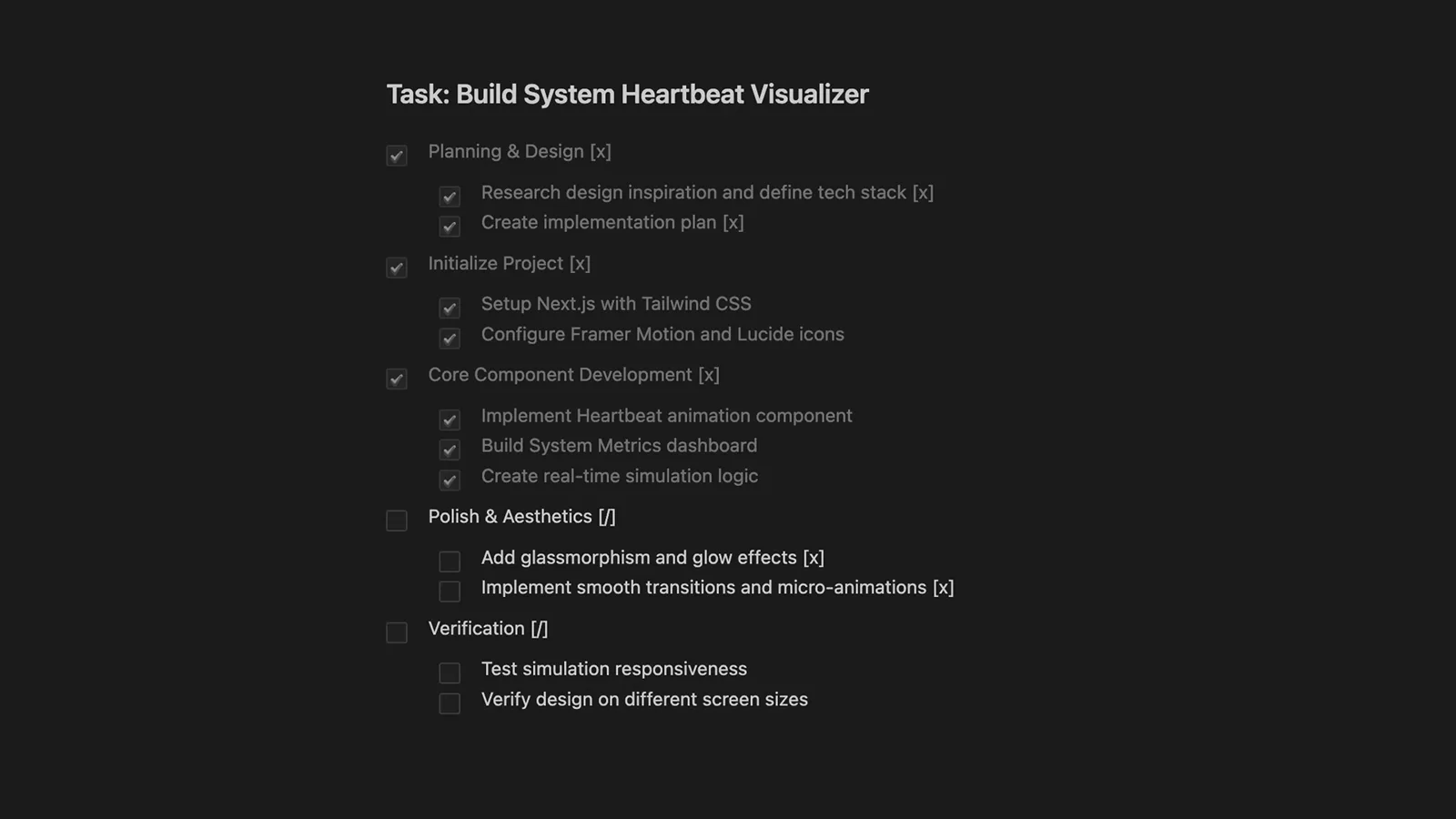
任务列表进行中:规划与实现已勾完,润色和验证还挂着。在 0:42 观看 - 6
从 Inbox 总览所有运行中的 agent
自 v2.16.0(2026-09-22)起,subagent 调用以独立卡片呈现:running/waiting/completed 实时状态、悬停即停、一键跳进它的会话。Inbox 汇总各工作区的运行——并行的 agent 并排各占一行,状态各自独立。
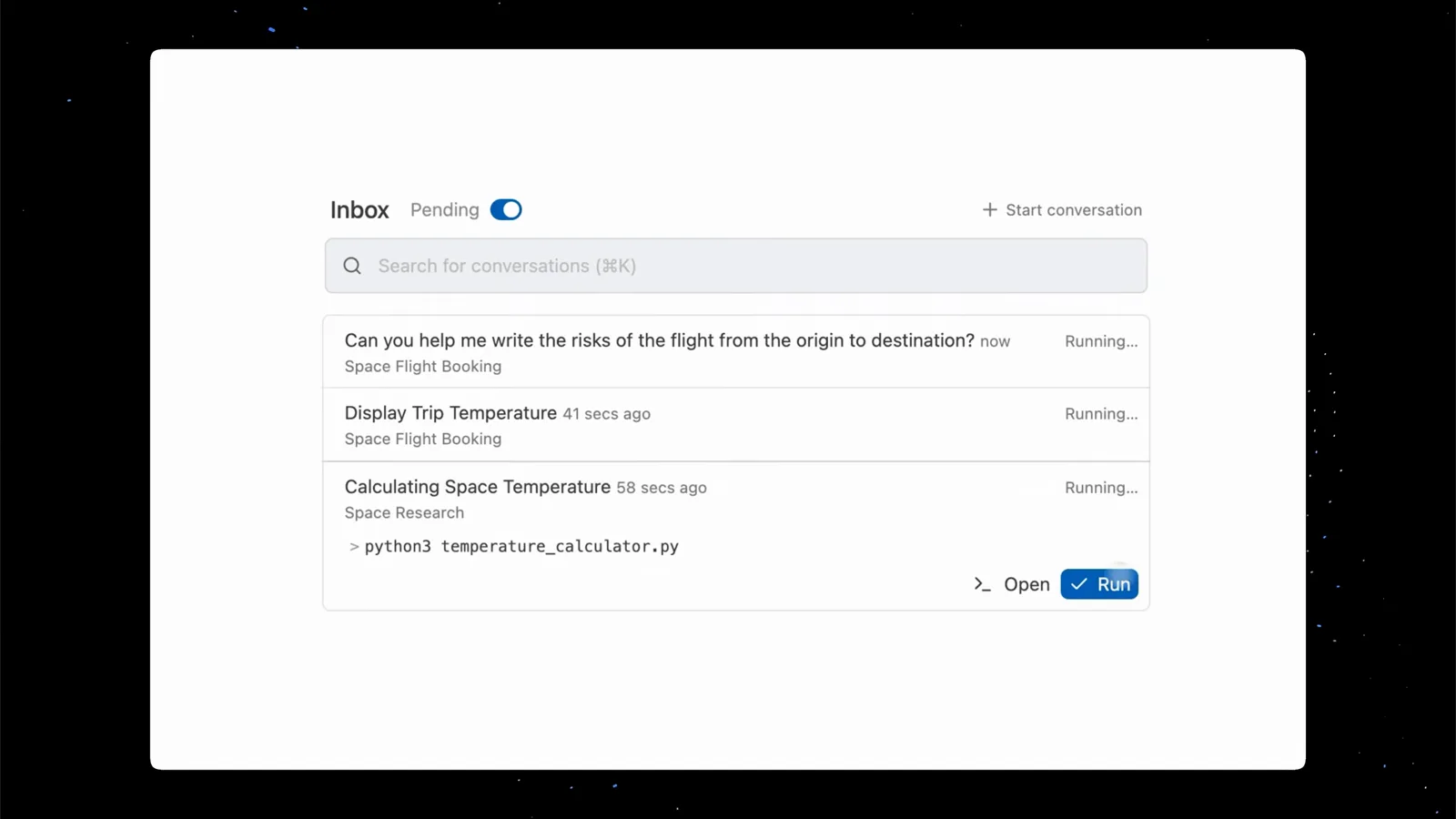
三个会话并行运行,各自带状态与所属工作区。在 0:50 观看 - 7
钻进 subagent 自己的会话
每个 subagent 都有独立会话,从卡片或管理器侧栏一键进入。里面能读它的私有线程,也能直接回话——给空闲(idle)的 subagent 发消息会自动把它唤醒,此前每一轮的上下文原样保留。
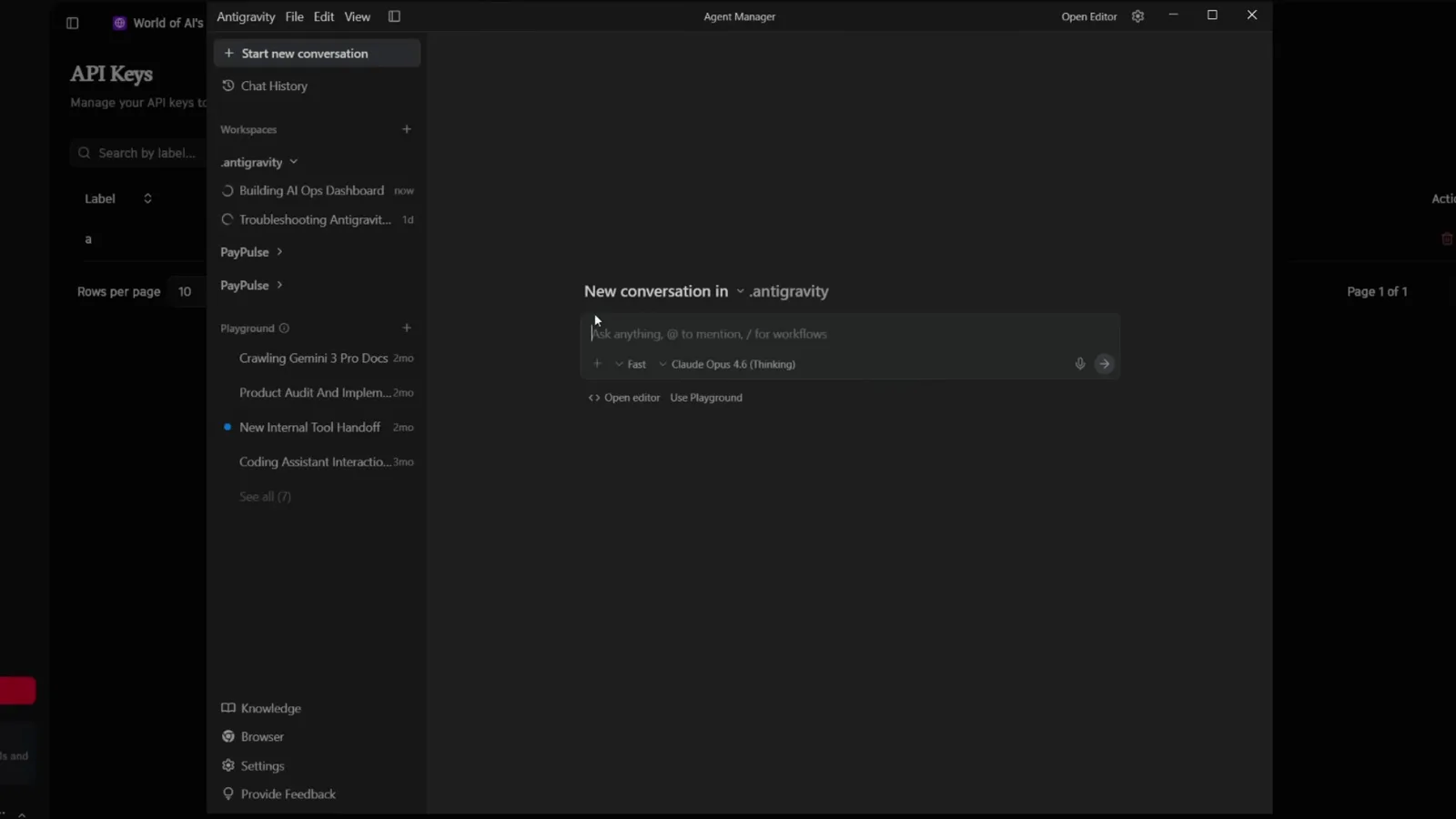
Agent Manager 侧栏按工作区分组会话,转圈图标标记运行中的任务。在 9:40 观看 - 8
验收 walkthrough——看证据
收尾时 agent 会生成 walkthrough 工件汇报做了什么,浏览器操作还会附截图或录屏作证。接受之前先读一遍:这是发现「做完了」和「做对了」之间差距的最快方式。
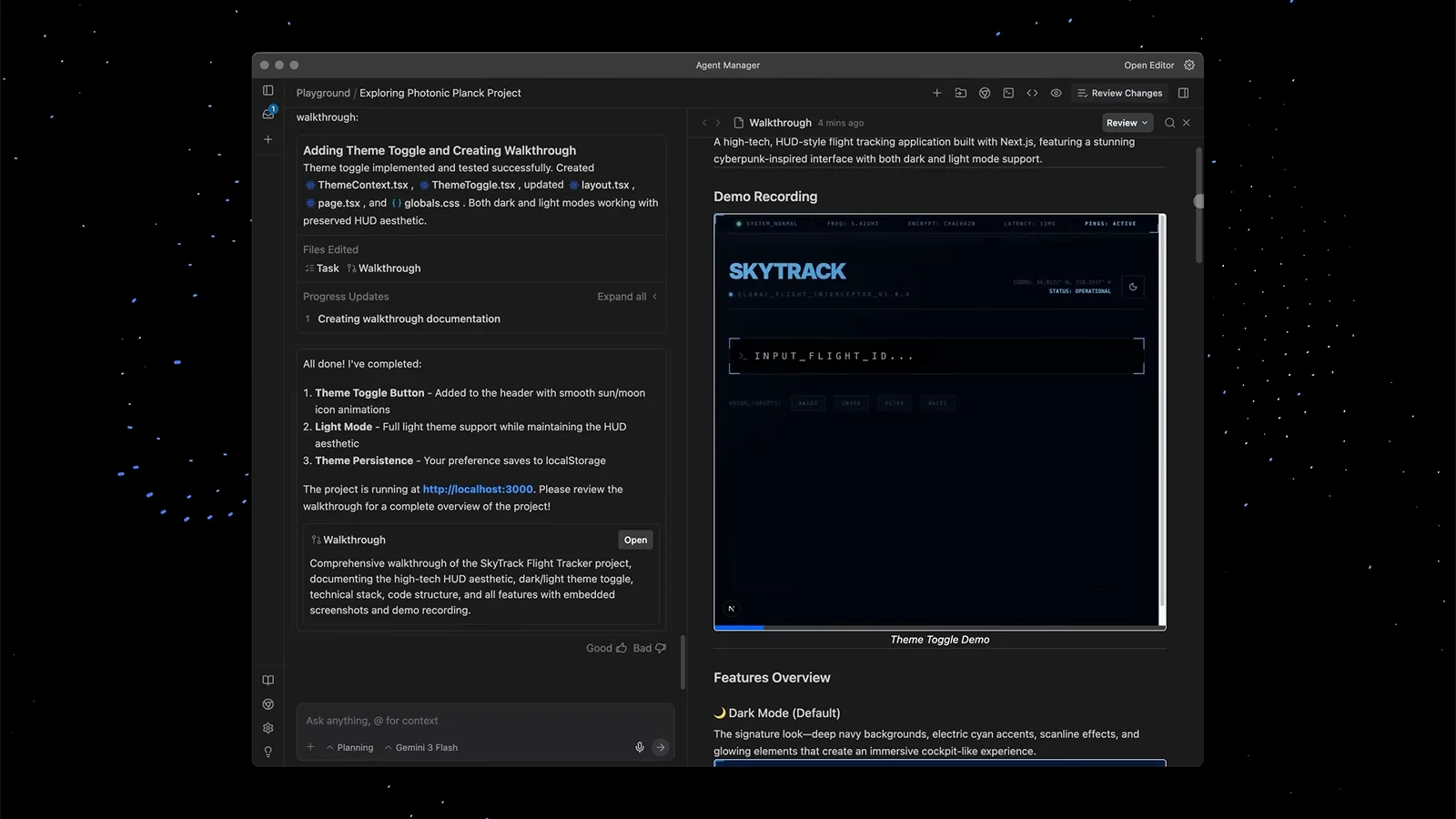
Walkthrough 列出已完成项,旁边是成品应用的演示录屏。在 0:50 观看
纠偏、并行与验收
- 9
用工件评论来纠偏
不必推倒重问。直接在 implementation plan、walkthrough 或具体代码行上留评论,agent 会读进反馈回路并调整。工件就是你与 agent 之间的共享事实源。
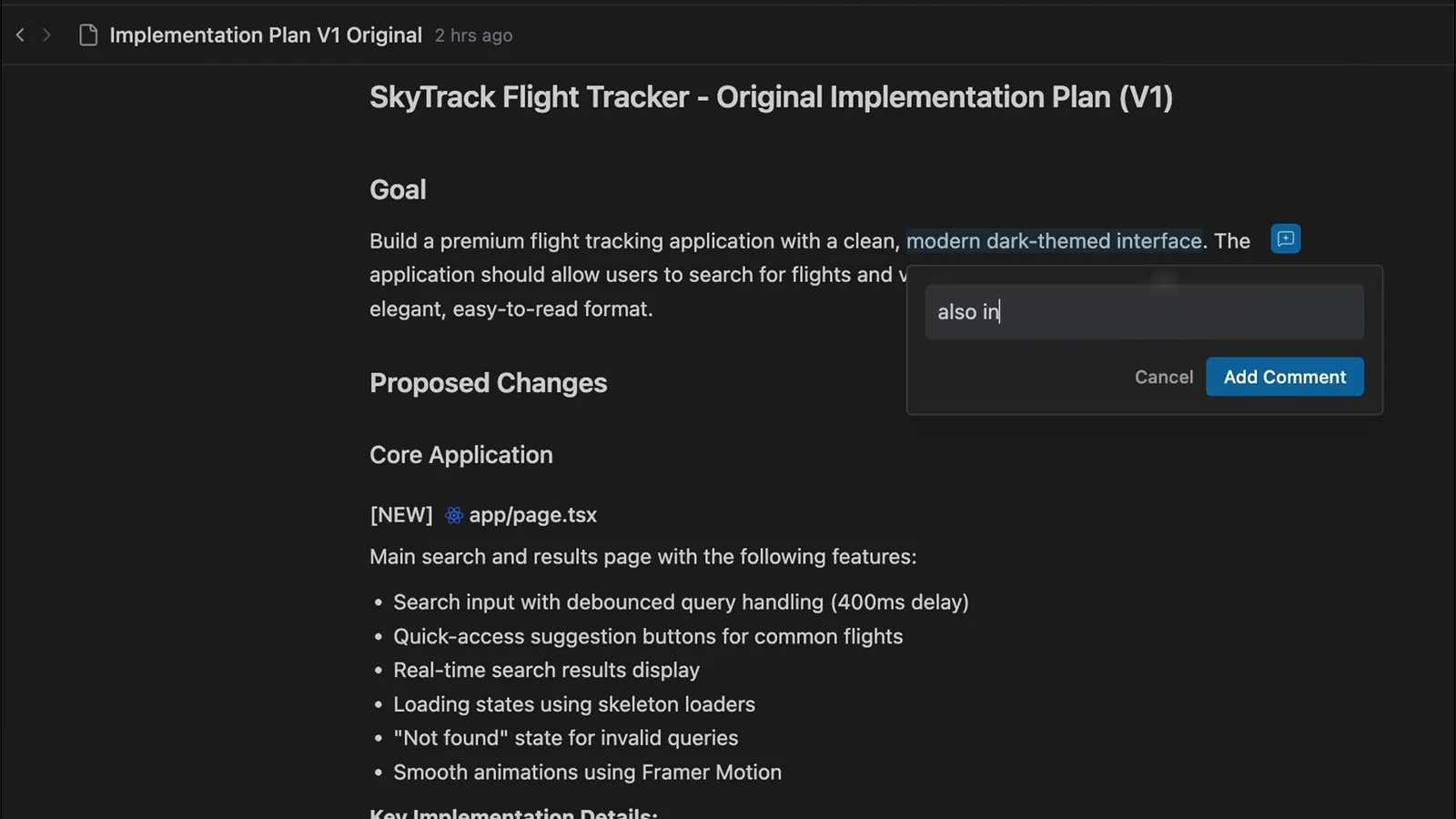
直接在 Implementation Plan 的目标段落上输入评论。在 1:06 观看 - 10
截图框选,做像素级反馈
视觉类的活儿,在工件的任意截图上拖选一块区域再评论——「这个内边距」「把这两处换色」。subagent 拿到的是精确坐标而不是含糊描述,省掉整轮来回。
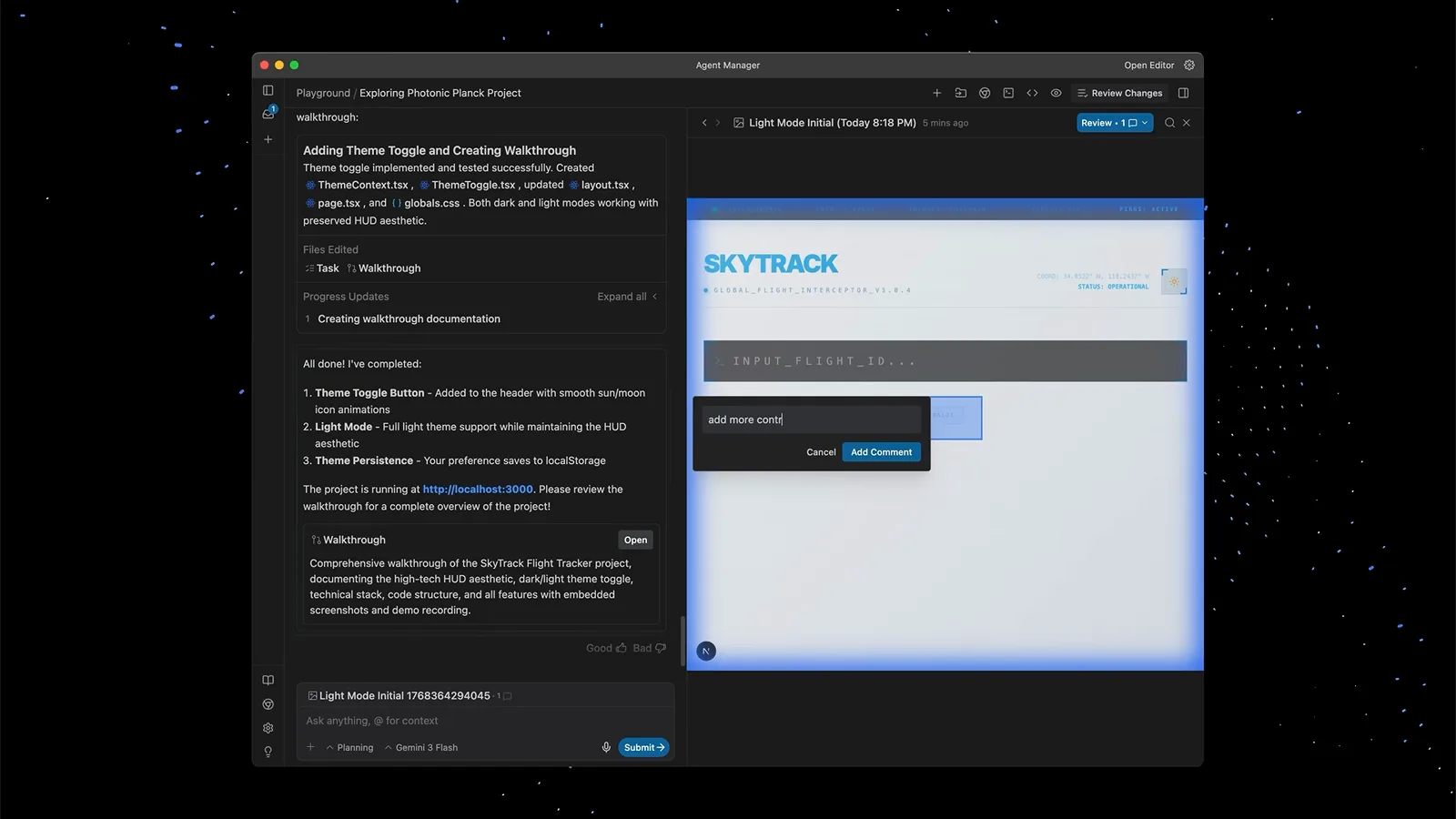
在浏览器截图上框选一块区域,直接附上评论。在 1:17 观看 - 11
预载第二个工作区,接住并行任务
上下文切换最杀心流。在 Agent Manager 里预载好第二个工作区,把插进来的杂事委派给那边的后台 agent,自己的工作区不受打扰——只有需要审核或批准时它才会回来找你。
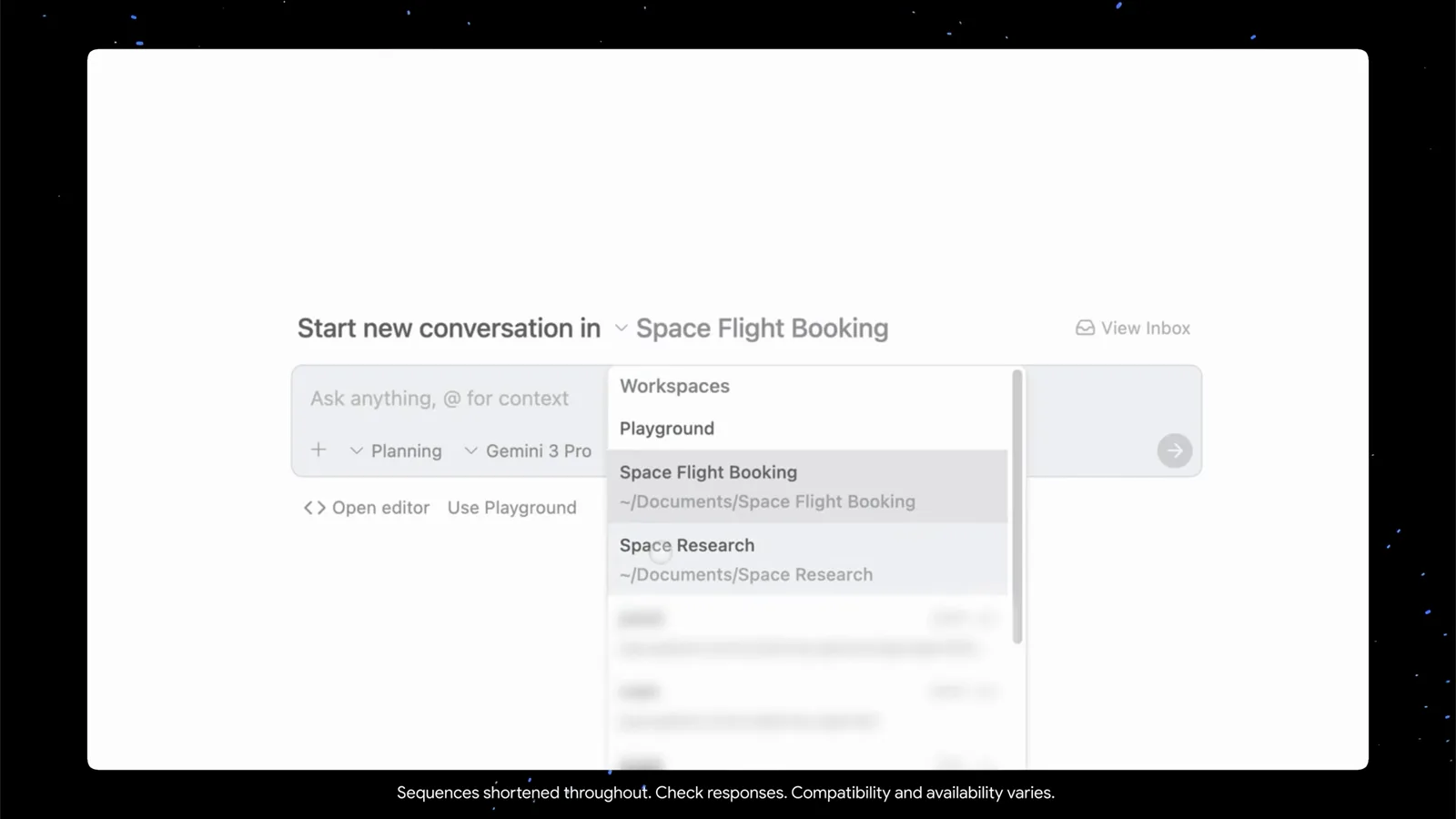
工作区切换器里 Playground、Space Flight Booking 与 Space Research 一键即达。在 0:34 观看 - 12
让 browser subagent 替你测 UI
用 /browser 斜杠命令调用浏览器 subagent——官方文档明说这是它唯一的入口。它在独立 profile 的沙箱 Chrome 里操作,把截图和操作录屏沉淀为工件,像 QA 一样过你的应用。如果 /browser 没反应,先查 Browser Tools 设置或组织的 tool-server 策略。
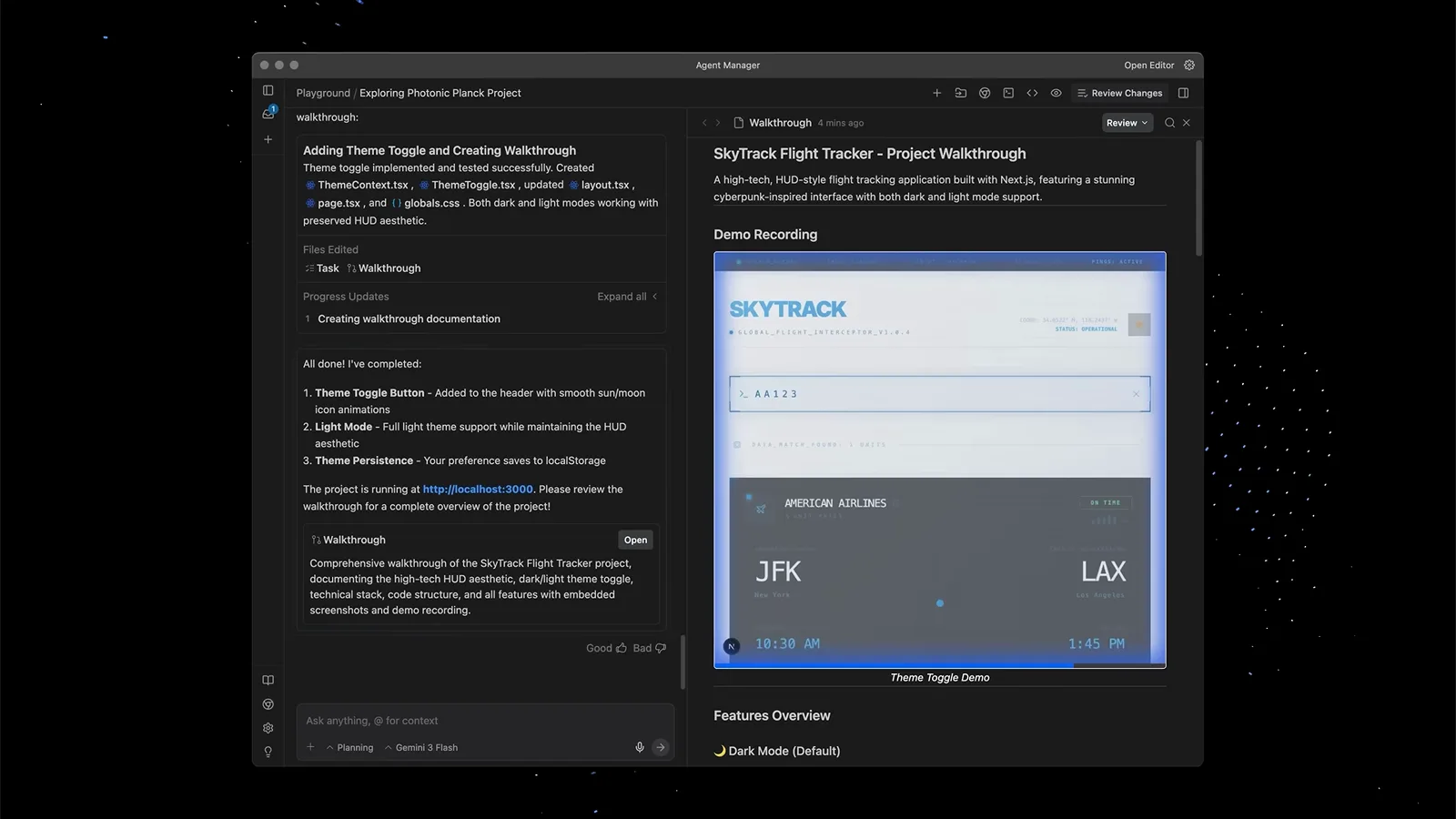
浏览器 subagent 的录屏就嵌在 walkthrough 里——深色模式在真实页面上验证过。在 0:46 观看
subagent 都住在哪:Agent Manager、CLI 与 @ 语法
两边都有。IDE 里它们是 Agent Manager 里的卡片与工件;终端里 CLI 的 /agents 打开同样的指挥舱:方向键高亮某个运行,Enter 进入详情视图(内部思考、工具调用、执行输出),Alt+J 跳到下一个等待批准的 subagent,k 取消高亮项。
@ 语法是 CLI 先有的,随 CLI 1.2.9(2026-09-23)上线:在提示符里敲 @,自动补全列出运行中和已完成的 subagent,选中后消息直达那个 subagent 的会话;给空闲 subagent 发消息会带着完整上下文把它唤醒。IDE 输入框提示的「Ask anything, @ to mention, / for workflows」是更早的 @ 提及,用于把上下文拉进提示词——相关,但不是同一套机制。
底层是父 agent 调用 invoke_subagent,带上角色与初始提示,并选一种工作区模式:inherit(同工作区)、branch(隔离 Git worktree)、share(共享目录)。嵌套上限 10 层;自 v2.6.0 起,停掉一个 subagent 会连带停掉它派生的一切。想要自己的专家?本站 Antigravity 自定义 agent 教程覆盖 Markdown + YAML frontmatter 格式。
浏览器 subagent 不工作?五步排障
大多数「浏览器 subagent 失灵」的报告都能归进下面五条,从上往下过一遍。
- 1先升级。带 running/waiting/completed 状态的 subagent 卡片自 v2.16.0(2026-09-22)才存在;老版本里 subagent 在后台隐身运行。先把桌面应用升到新版(CLI 升到 1.2.9+),再下「坏了」的结论。
- 2查 Browser Tools 开关。Antigravity 的浏览器工具可以在 User Settings 的 Browser 区整体关掉。/browser 没反应或 agent 声称用不了浏览器时,先确认开关是开的——官方文档记录了这个开关,但没有给出更深的排障矩阵。
- 3弹出陌生的空白 Chrome 是设计如此。浏览器 subagent 跑在独立的 Chrome profile 里保护你的个人数据,不会有你的扩展、登录态和书签。需要登录态的任务,直接告诉 agent 你希望怎么处理凭据,别等你的 profile 出现。
- 4公司管控机器:v2.6.0 修复了「组织限制可运行 tool server 时,内置浏览器检查工具被错误拦截」的问题。如果浏览器动作在公司管理的设备上被拦,优先对这条 changelog——或者申请策略豁免。
- 5无输出地卡死:官方 subagents 文档标记了一个已知问题——subagent 工具列表里写了未映射或拼错的工具名,可能导致进程在执行中挂起。「一直 running 但零工具调用」正符合这个特征,先逐个核对工具名拼写(schema 校验修复官方承诺中)。
还不行?官方暂未公布更完整的排障矩阵。带着 walkthrough 录屏复现问题,然后用应用里的 Provide Feedback 上报;社区帖子围绕同一症状的讨论,基本都绕回上面五条原因。