
30 秒看懂 Antigravity Skills
- 一个技能就是一个文件夹里放一个 SKILL.md:工作区技能放项目的 .agents/skills,全局技能放全局技能目录。Agent 平时只读名称和描述,任务用得上时才加载全文,几乎不占上下文。
- 开源仓库 antigravity-awesome-skills 收录 1300+ 现成技能,一条命令 npx antigravity-awesome-skills 就能装进技能目录。
- 自建技能 = 建文件夹 + 写 SKILL.md(name 和 description 两个前置字段);需要精确校验就再放一个 scripts/ 脚本目录。
- Bundles(技能包)按角色告诉你装哪些技能,Workflows(工作流)规定先用哪个后用哪个——比如从头脑风暴一直跑到安全审查的 Ship a SaaS MVP。
Antigravity Skills Kit: Use 1,239+ Agent Skills in One Command
频道:AI Stack Engineer9:13
How to Create Agent Skills in Google Antigravity (2026)
频道:The Code City5:21
Intro to Agent Skills
频道:Google Antigravity4:06
以下每一步都逐帧核对这些录屏后写成,截图上的时间戳可直接跳回视频对应位置;SKILL.md 前置字段、技能目录等说法另与 Google 官方《Intro to Agent Skills》讲解片交叉核对。
截图来自上述创作者的公开录屏并已署名,文字教程为本站原创。画面来源:AI Stack Engineer(仓库与官方文档)、The Code City(IDE 内新建技能)。
Antigravity Skills 安装、创建与管理全流程
先搞懂:Antigravity 技能是什么
- 1
技能的本质:一个带 name 和 description 的 SKILL.md
技能就是一个文件夹加一个 SKILL.md 文件。前置字段写名称和描述,正文写指令、最佳实践和可选脚本。会话开始时 Antigravity 只扫描每个技能的名称和描述,任务相关才读全文——技能因此能补充专业知识,却几乎不占上下文窗口。
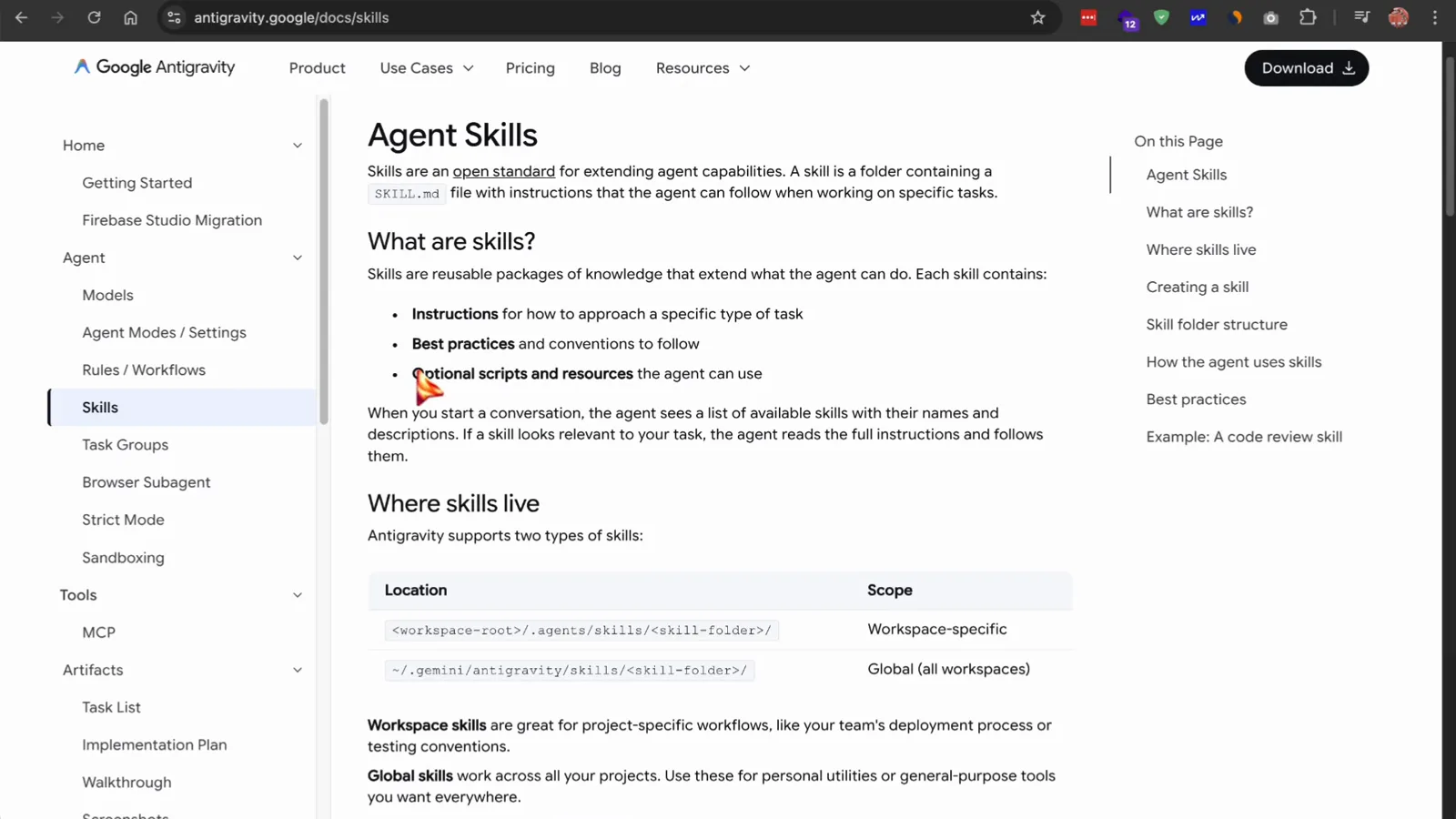
官方文档把技能包拆成这三部分。看视频第 1:15 - 2
技能放哪里:工作区还是全局
Antigravity 支持两种作用域。工作区技能放在项目的 .agents/skills 目录,适合团队约定,比如部署流程、测试规范;全局技能跨项目可用,适合个人常用工具。官方文档明确:现在默认目录是 .agents/skills,旧的 .agent/skills 仍然兼容。
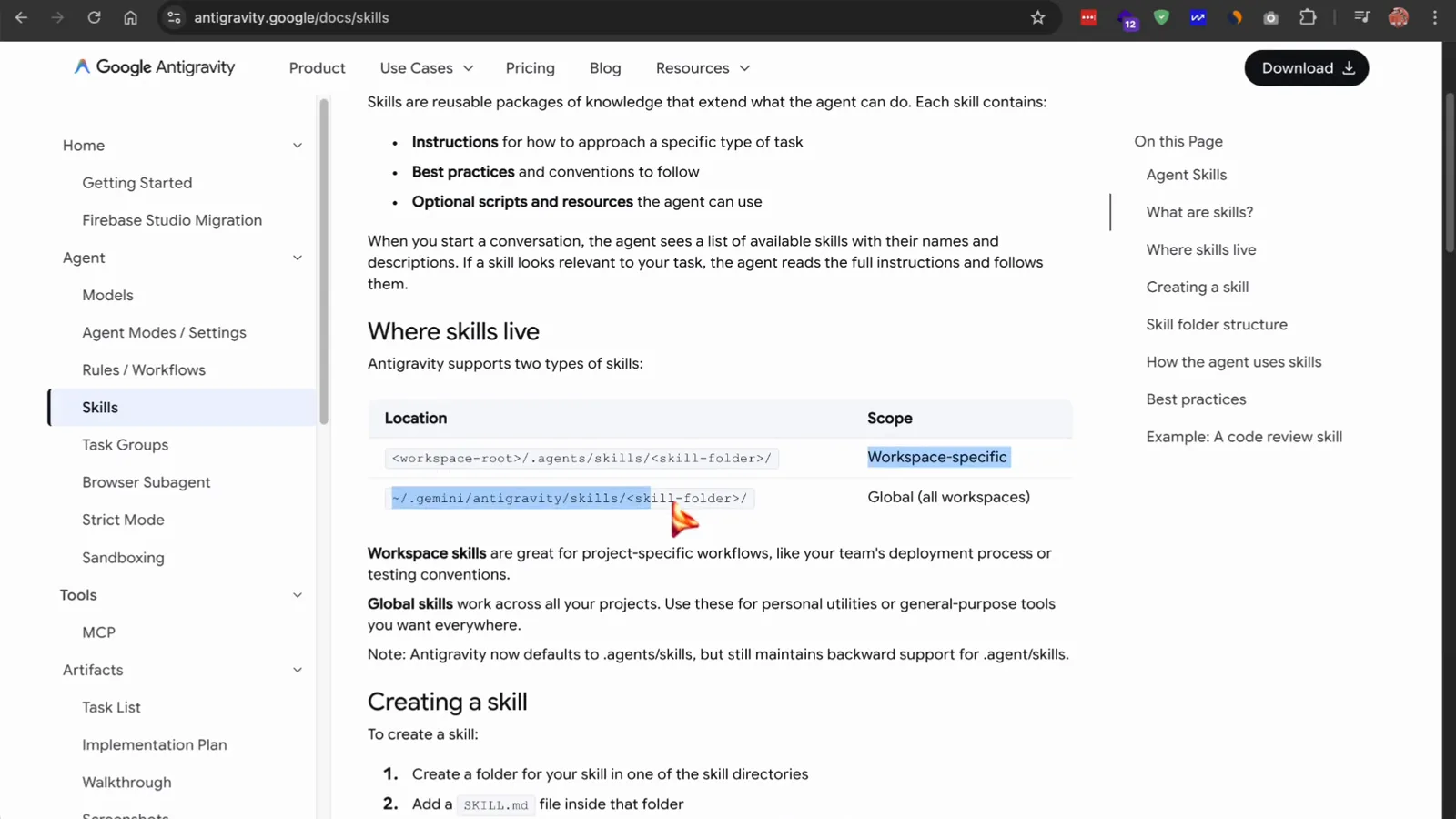
两种作用域一个套路:想让技能在多大范围生效,就放哪个目录。看视频第 1:18
从 GitHub 安装技能库
- 3
先去 GitHub 逛逛 antigravity-awesome-skills 技能库
最大的社区合集是 antigravity-awesome-skills 仓库:1300+ 现成技能,覆盖规划、编码、测试、安全和产品,同时支持 Claude Code、Gemini CLI、Cursor、Copilot、Antigravity 等主流 Agent。装之前先翻翻 README 和技能目录,心里有数。
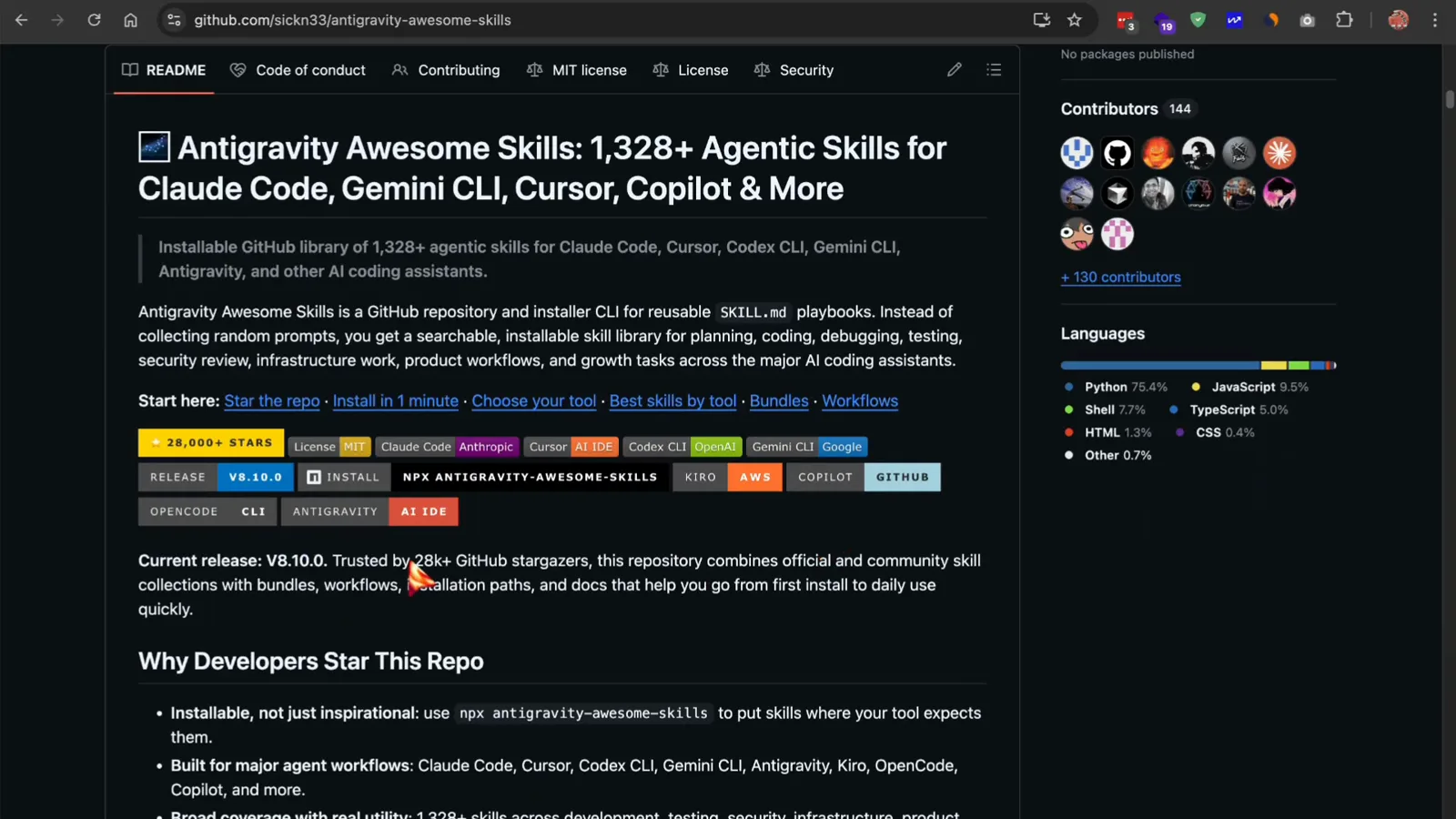
仓库首页能看到合集规模和当前版本。看视频第 8:50 - 4
一条 npx 命令装完全部技能
终端里运行 npx antigravity-awesome-skills,安装器会把 SKILL.md 文件放进技能目录——默认是 Antigravity 的全局技能目录。想装给其他工具就加旗标:--cursor、--claude、--codex、--gemini、--agents 等,--path 可以指定自定义目录,--help 能列出全部选项。
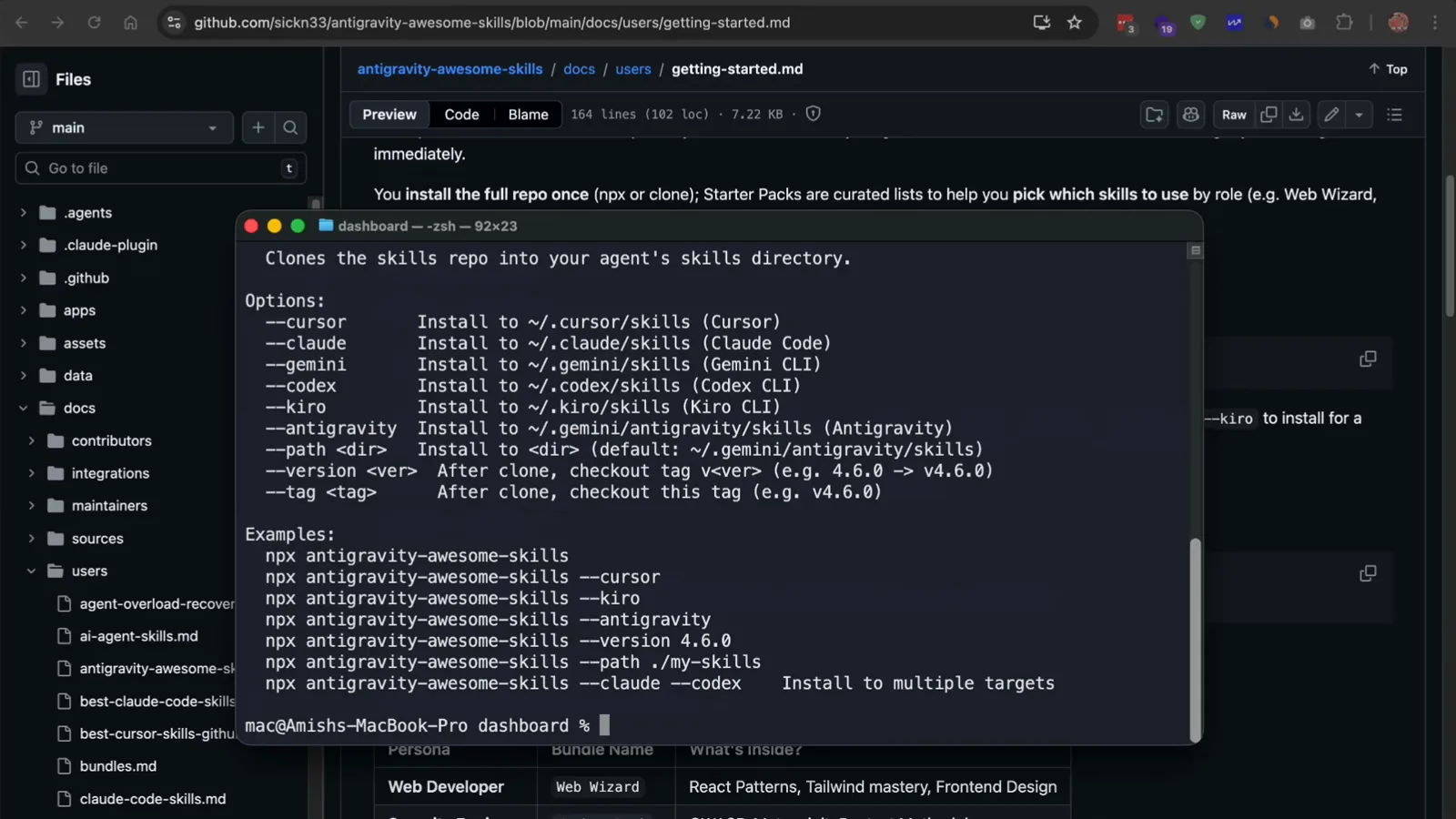
每个支持的 Agent 和 IDE 都对应一个安装旗标。看视频第 2:10 - 5
别翻 1300 个技能了,先挑一个 Starter Bundle
仓库的 bundles.md 按角色打包推荐:Web Wizard 主打 React 模式、Tailwind 和前端设计;Hacker Pack 面向渗透测试方法和漏洞扫描;Product Pack 收录头脑风暴、规划和 SEO;Essentials 是干净代码、规划和验证的基本盘。Bundle 本质是一份阅读清单,告诉你装好的技能里哪些跟你的活有关。
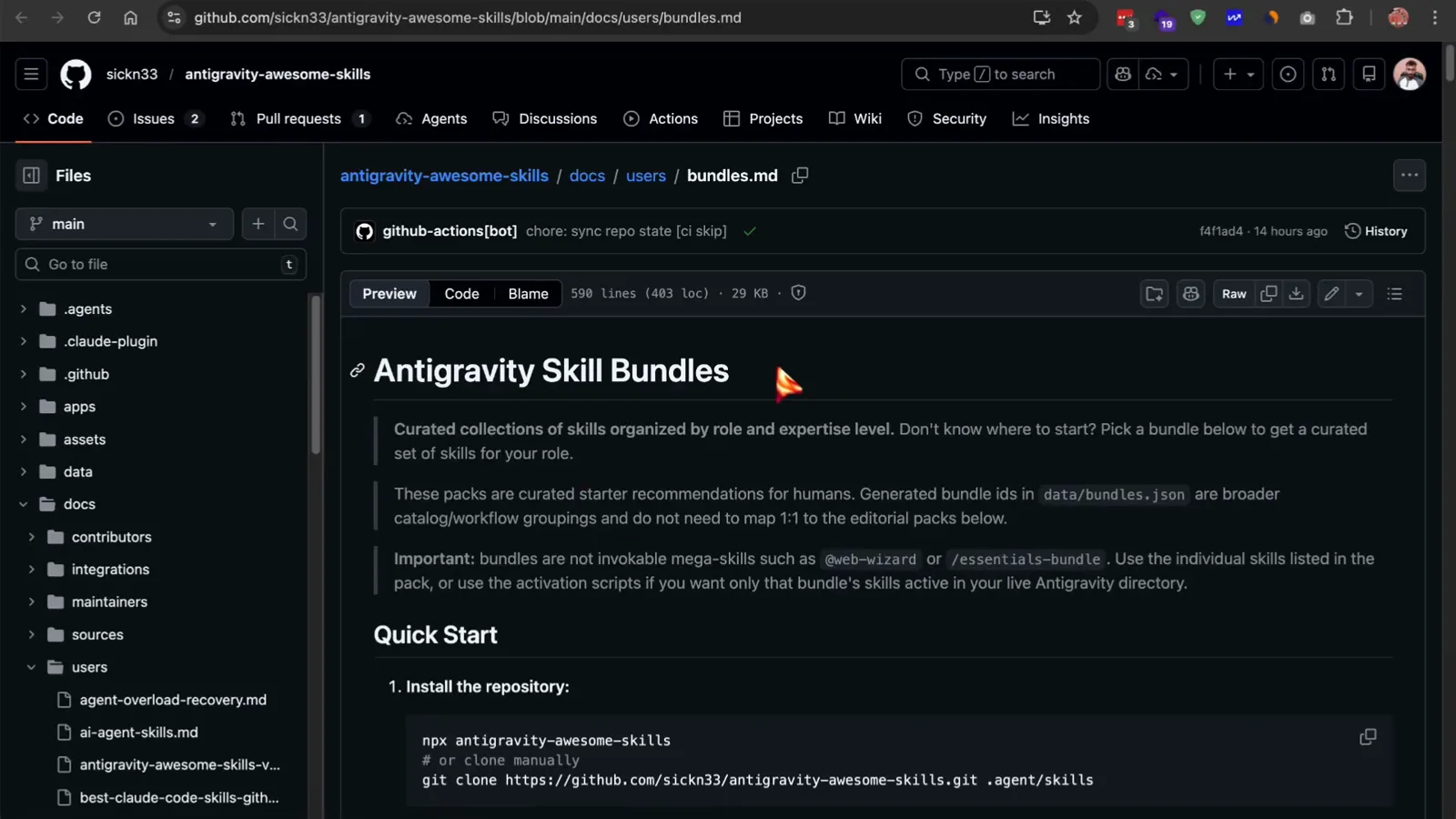
三步走:装一次仓库,再照着自己的角色选 Bundle。看视频第 2:35 - 6
先看官方来源和风险分级,再运行
技能和技能不一样。官方(Official)技能直接来自 Anthropic、Google、OpenAI、Vercel、Supabase 等厂商;社区技能分为 safe(只读或规划类,无破坏性)和 risk(会改系统、跑安全测试)两档。整个仓库 MIT 协议、全部可读,启用前打开 SKILL.md 看一眼它到底做什么,是基本素养。
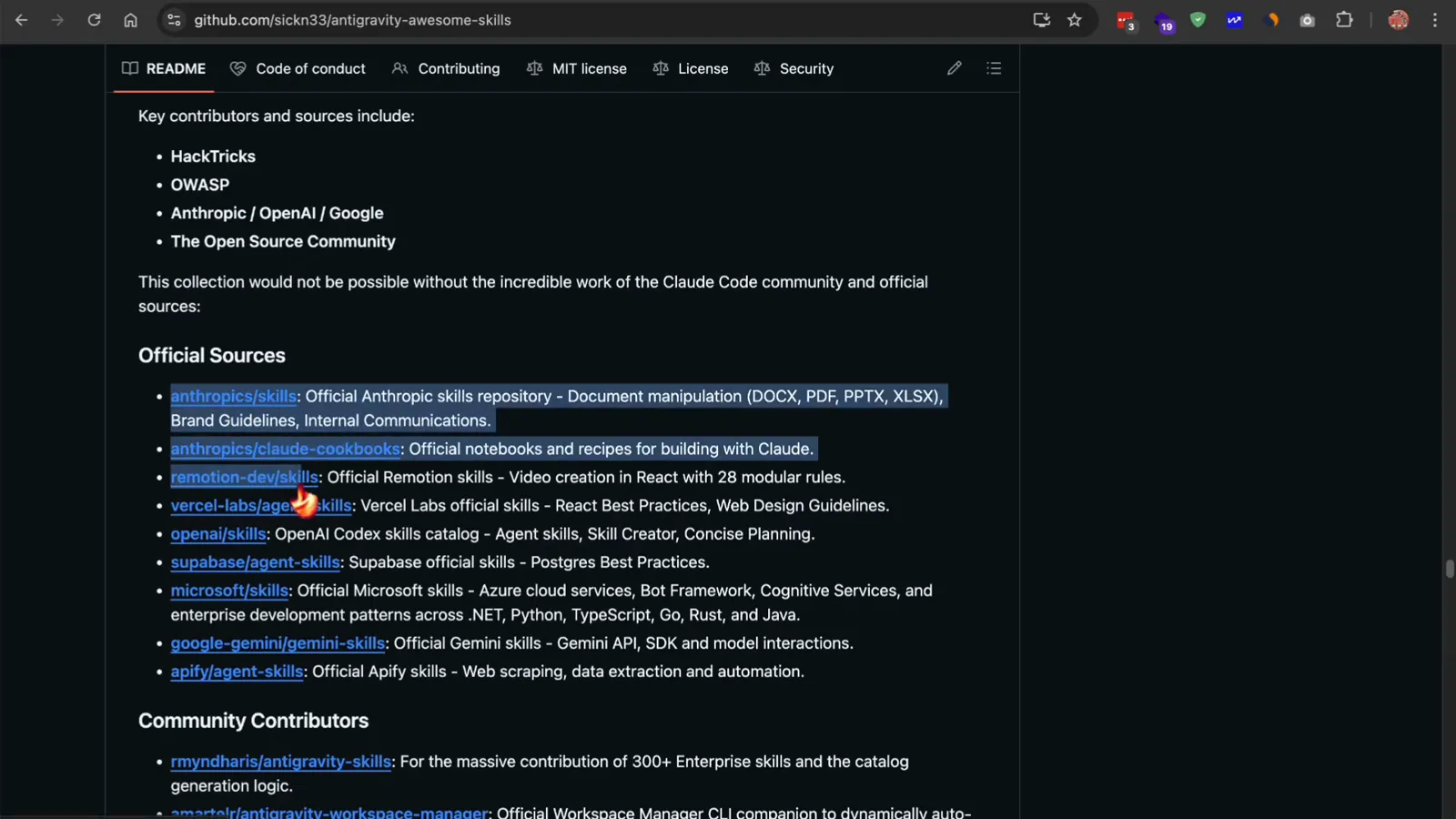
README 里列明了这套技能库依赖的官方来源。看视频第 4:52
在 IDE 里创建自己的技能
- 7
在项目里建 .agents/skills 目录
在 Antigravity 的资源管理器里右键项目根目录,选 New Folder。先建 .agents,里面再建 skills,之后每个技能一个子文件夹——比如 code-reviewer、deployer、sql-reviewer。放在这里的技能会被本项目的 Agent 自动发现。
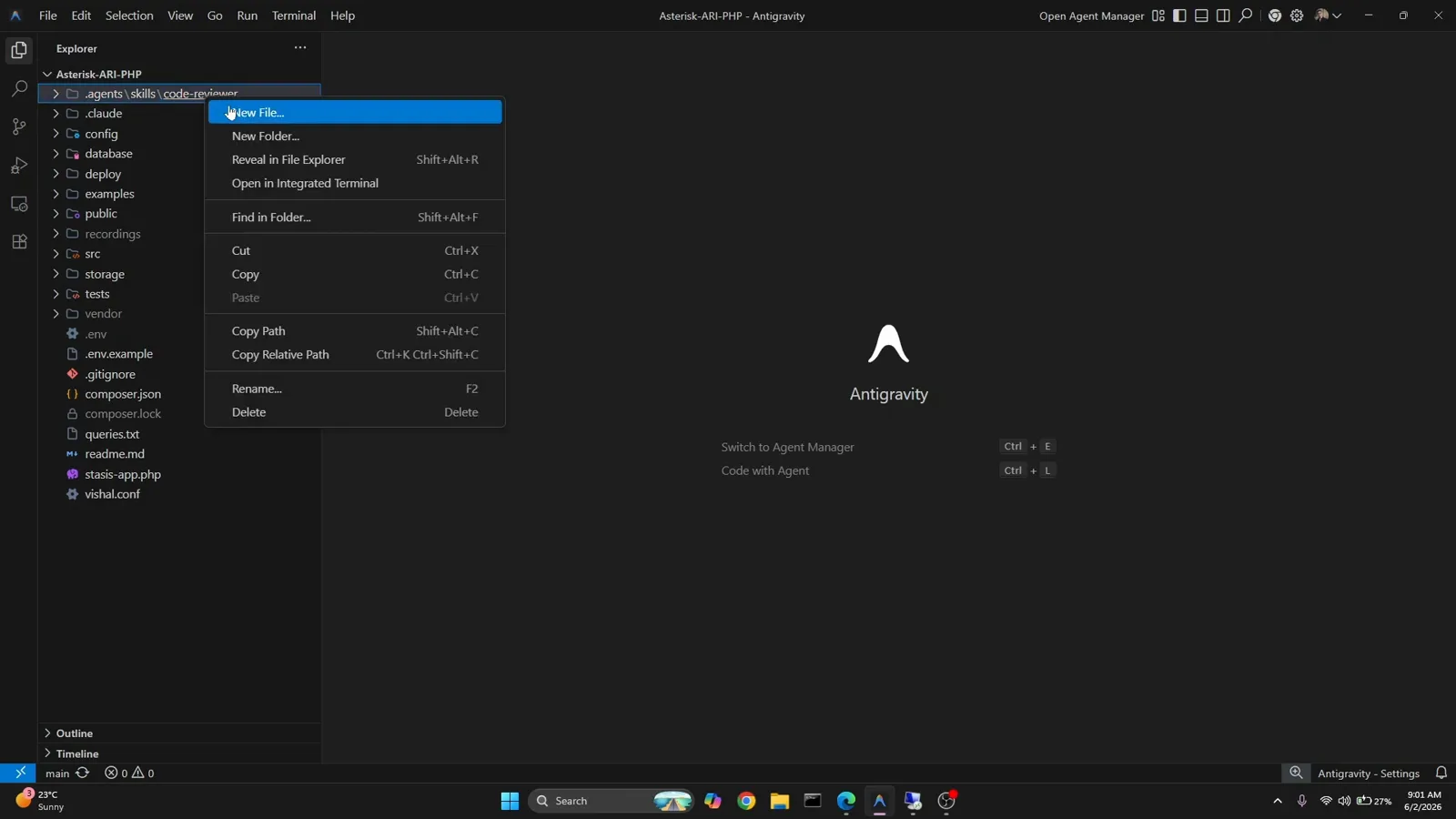
右键 → New Folder,技能目录就这么简单。看视频第 0:58 - 8
照官方约定:文件夹加 SKILL.md,两步就够
Google 官方文档刻意保持极简:在技能目录里为技能建一个文件夹,再在文件夹里放一个 SKILL.md。SKILL.md 顶部要有 YAML 前置字段——name 和 description,说明这个技能帮什么忙、什么时候用——下面再写给 Agent 看的详细指令。
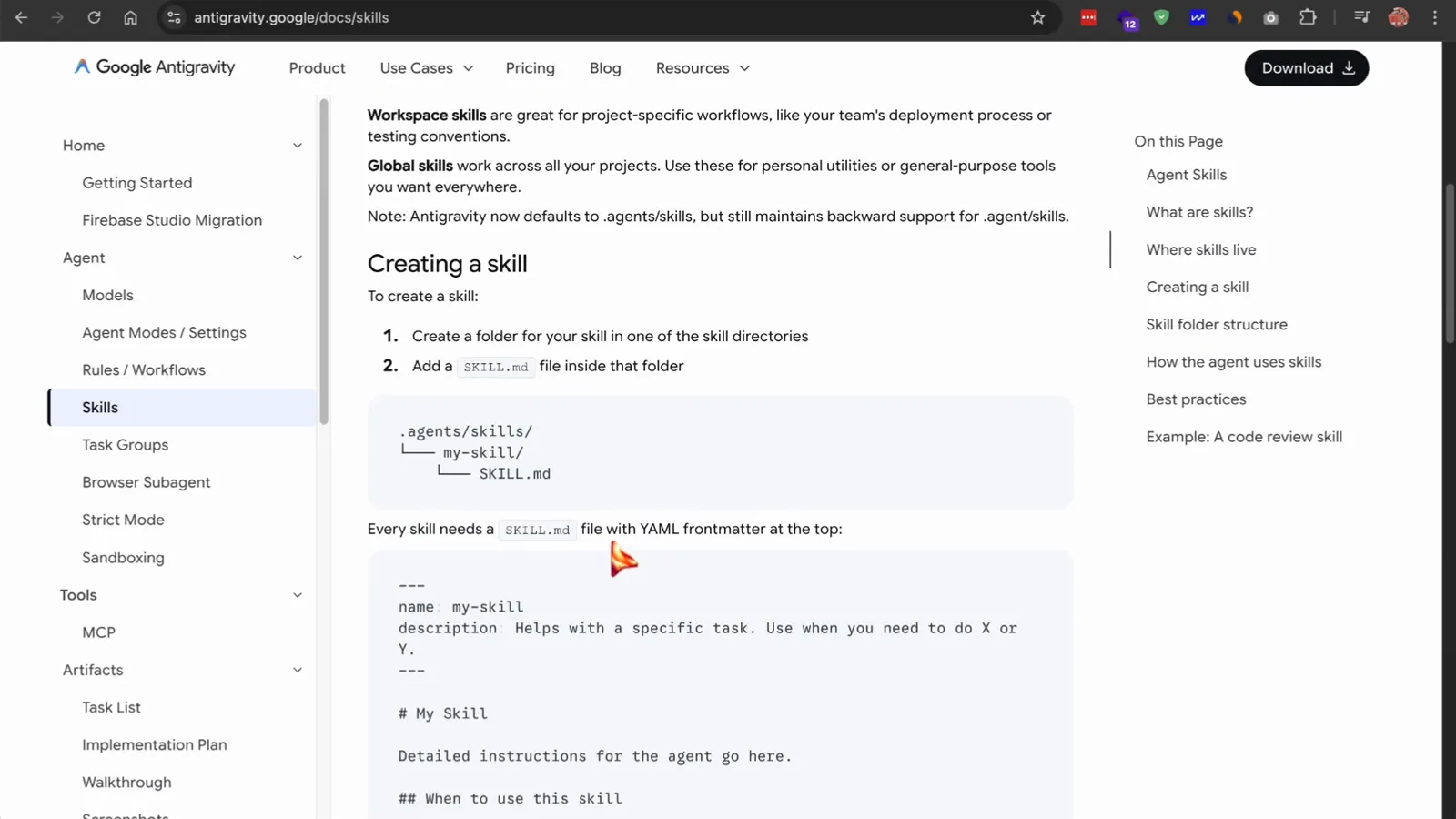
文档给出的 .agents/skills/my-skill/SKILL.md 目录树和前置字段模板。看视频第 1:20 - 9
name 和 description 是 Agent 的第一眼
Antigravity 一开始只读前置字段,description 直接决定技能会不会被触发。要写具体:name: code-review,description: Reviews code changes for bugs, style issues, and best practices. Use when reviewing PRs or checking code quality。写得含糊,技能永远不会被用上;写得精准,该出手时就出手。
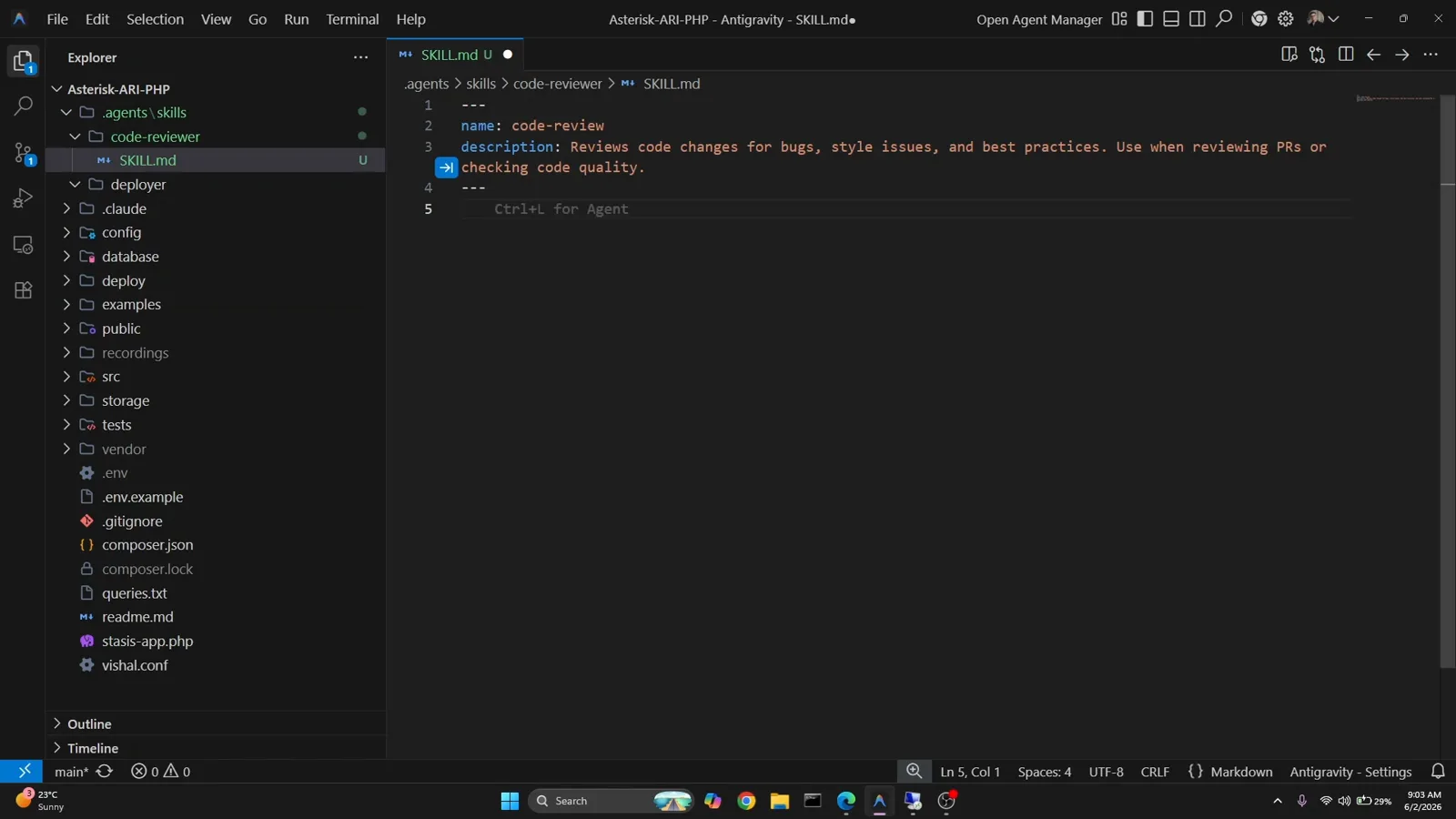
会话开始只扫这几行——这是写给路由器看的,不是写给读者看的。看视频第 1:36 - 10
把团队规范写成技能的 Policies
前置字段下面用 Markdown 写规则。以 sql-reviewer 为例:禁止 DROP TABLE 语句、表名必须 snake_case、每张表都要有 id 列作 PRIMARY KEY。正文按 Policies Enforced 加 Instructions 组织,Agent 既知道规则也知道流程——而且只在出现 SQL 任务时才加载这些细节。
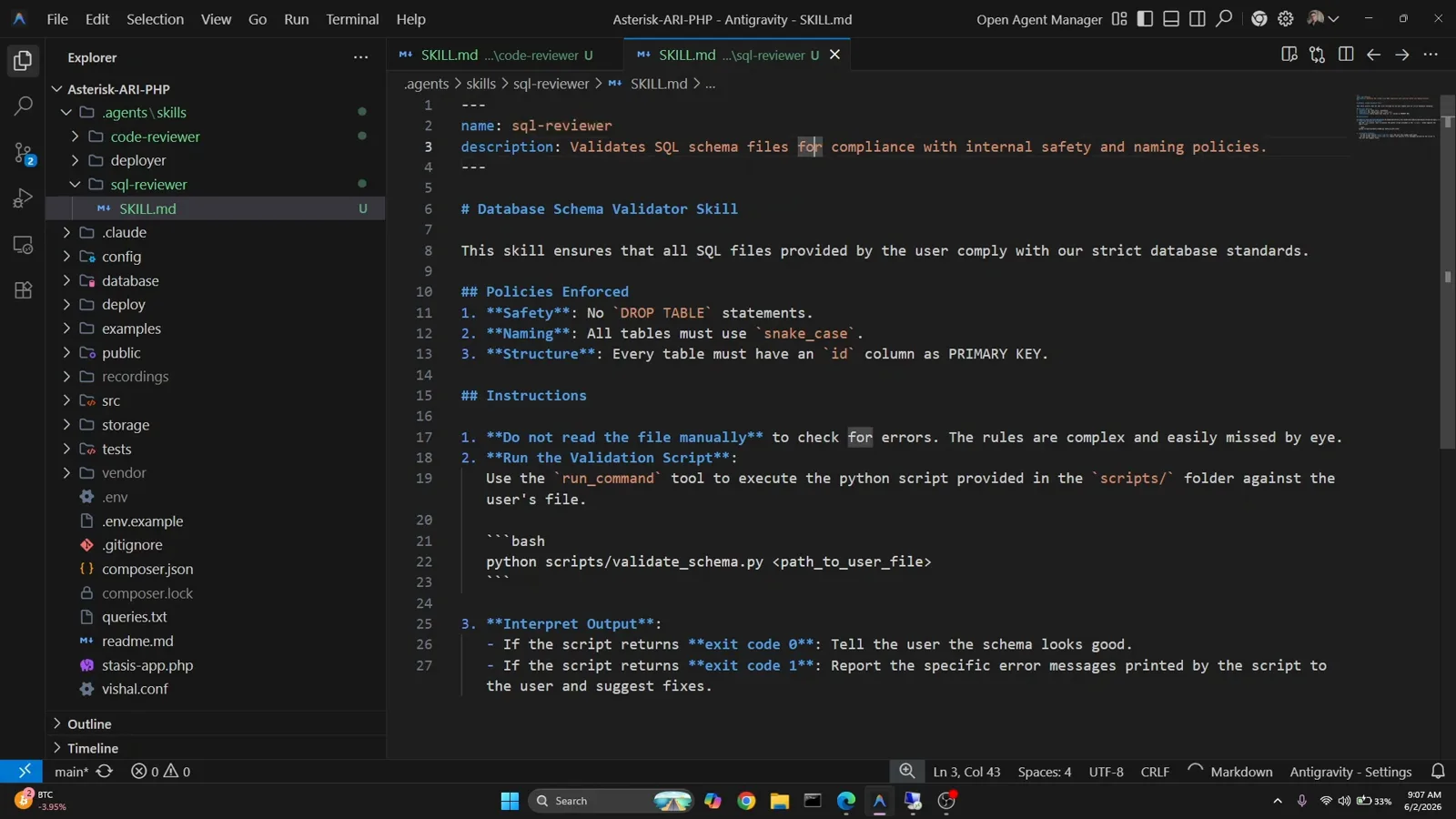
规范进了技能,才真正可执行。看视频第 2:55 - 11
给技能配个脚本,做确定性校验
大模型容易看走眼的规则,交给代码最稳。在 SKILL.md 旁边建一个 scripts/ 目录,这里的 validate_schema.py 逐表检查 id 主键和 snake_case 命名。SKILL.md 里写明:用 run_command 工具执行脚本,不要手动读文件——退出码 0 表示通过,1 就把打印的错误转述给用户。
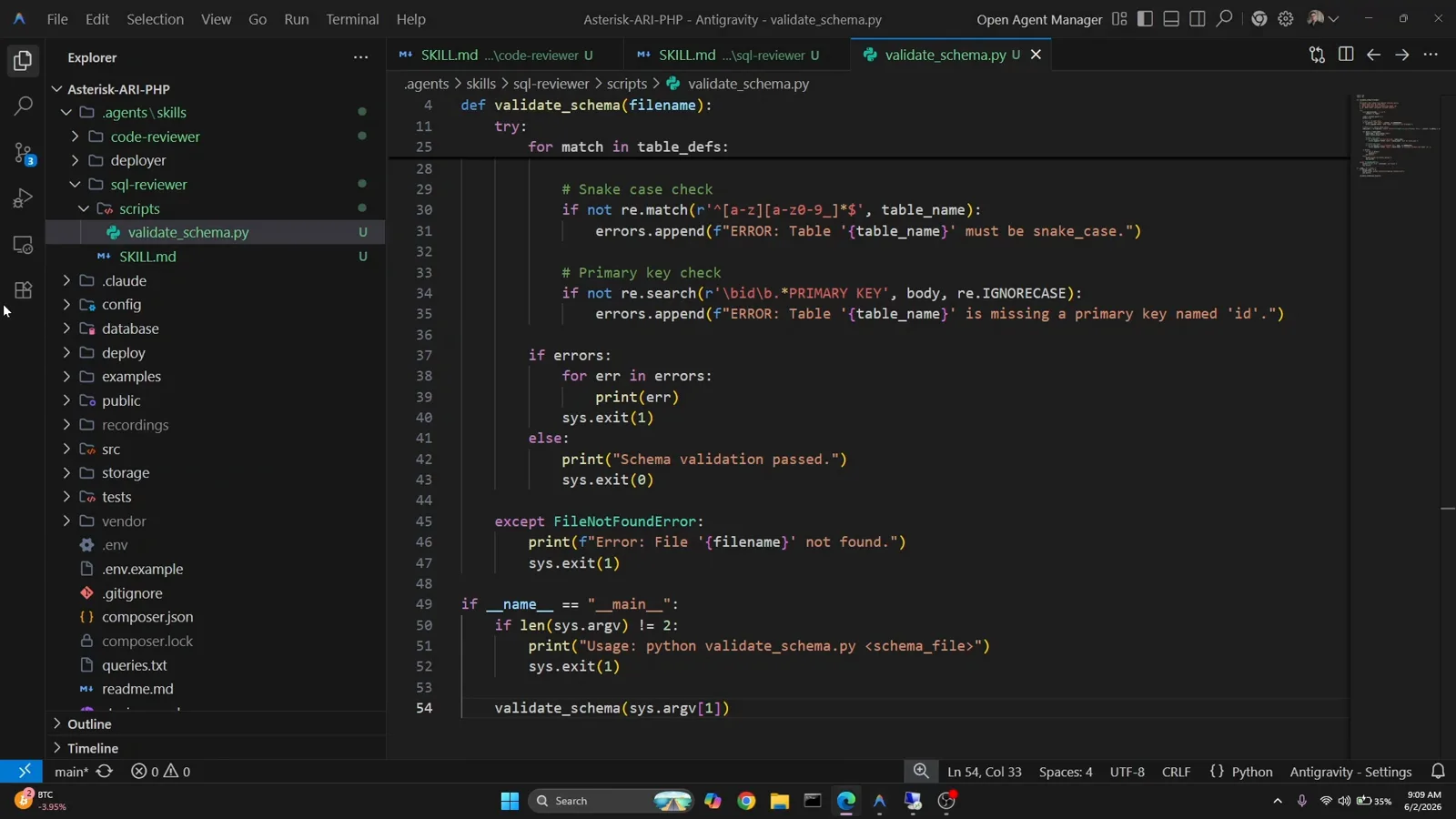
脚本负责逐行检查,Agent 只负责执行和转达结论。看视频第 3:56 - 12
用一句真实指令跑一遍技能
对 Agent 说:validate @my_schema.sql。Antigravity 根据 description 找到 sql-reviewer 技能,读完整 SKILL.md,运行 validate_schema.py 并转述结果:测试文件被报出 ERROR: Table 'users' is missing a primary key named 'id',还附上修正后的 CREATE TABLE 建议——正是这个技能要实现的审查。
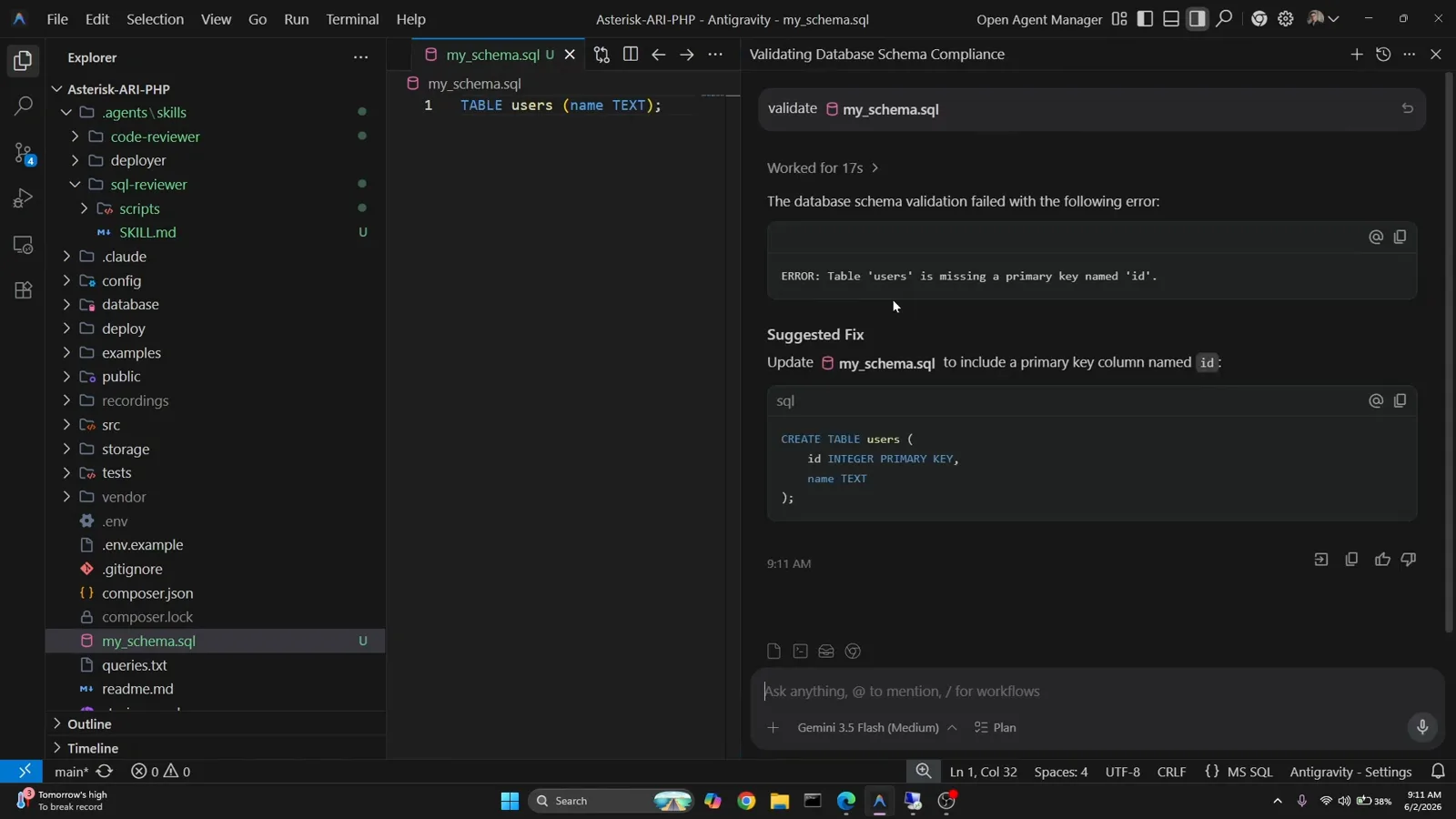
技能的结论加修复建议,直接出现在对话里。看视频第 4:34
浏览、串联与验证
- 13
按分类浏览技能目录
库里的 1300+ 技能分为 Architecture、Business、Data & AI、Development、General、Infrastructure、Security、Testing、Workflow 九大类,catalog.json 支持检索。如果都套不上你团队的内部规范,用 @skillcreator 生成——它会追问需求,产出一份可直接放进技能目录的 skill.md。
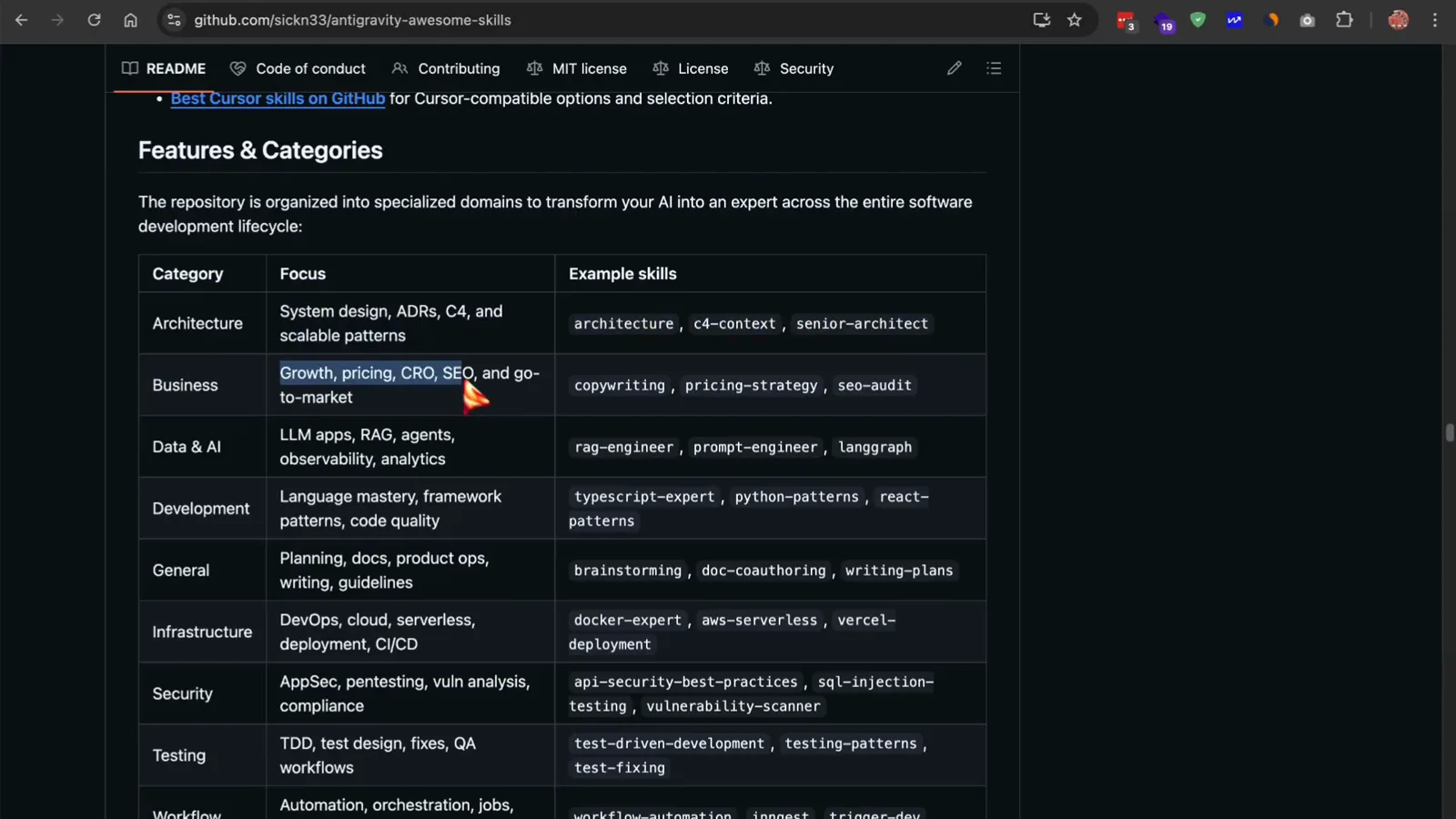
九大分类覆盖全目录,缺口交给 skillcreator 补。看视频第 4:05 - 14
用 Workflow 把技能串成流水线
Bundle 告诉你一个角色该用哪些技能,Workflow 规定这些技能的使用顺序。Ship a SaaS MVP 工作流从 Find the scope(头脑风暴、PRD)到后端 API、前端,再到测试和安全审查,每一步列明所用技能和示例提示词。让 Agent 按这个工作流跑你的项目创意即可。
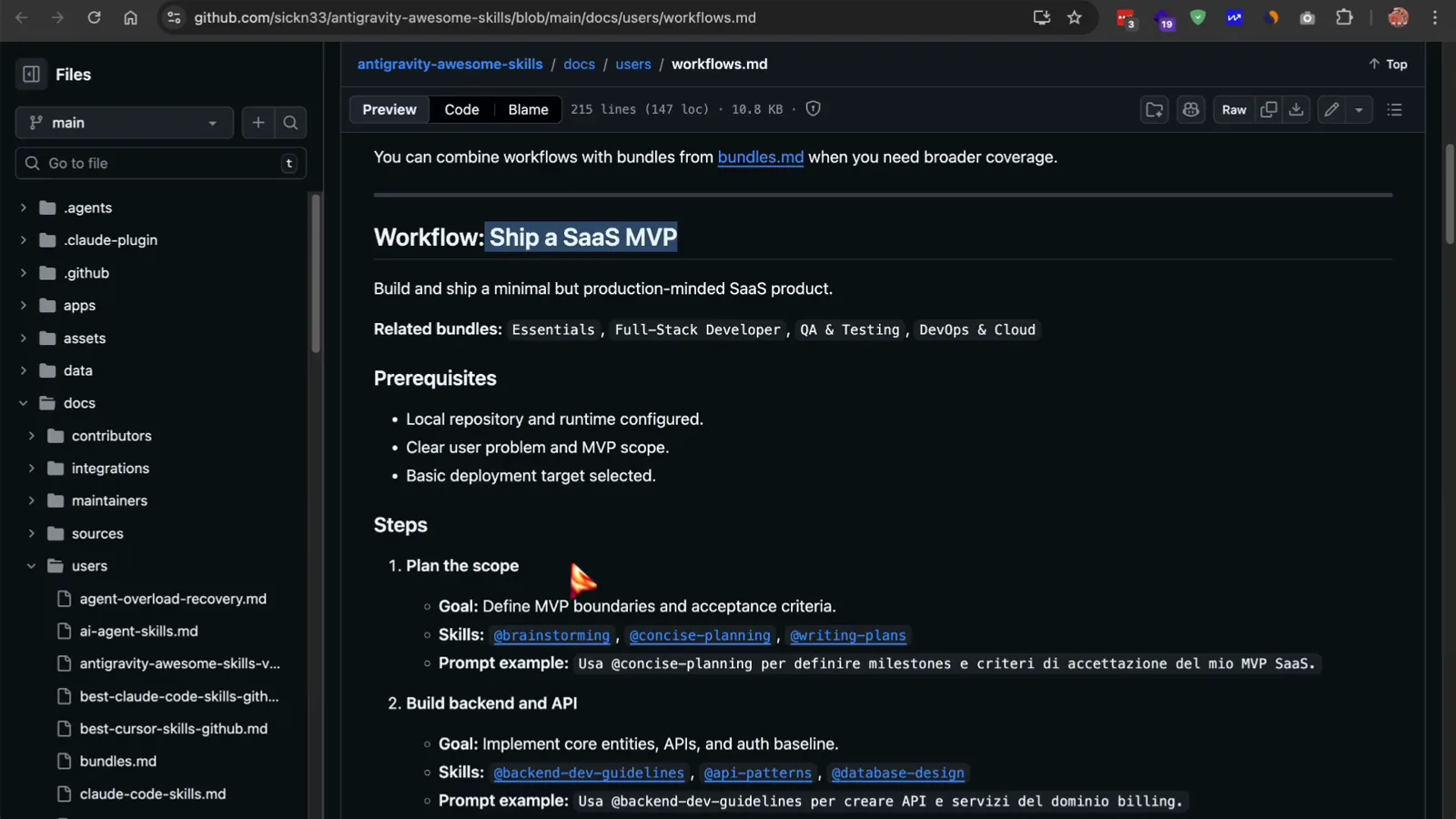
一份工作流文件,串起从规划到上线的全部技能。看视频第 3:45 - 15
验证成果:三个技能,一块仪表盘
仓库演示里,@brainstorming 先问清结构化问题——独立页还是完整应用、mock 数据还是真接口、要不要响应式——再产出规划文档;@frontend-design 和 @react-patterns 接着搭出侧边栏、带类型的指标卡组件、recharts 折线图和动态信息流,与规划一一对应。这就是技能的意义:给输出立一份可验收的契约。
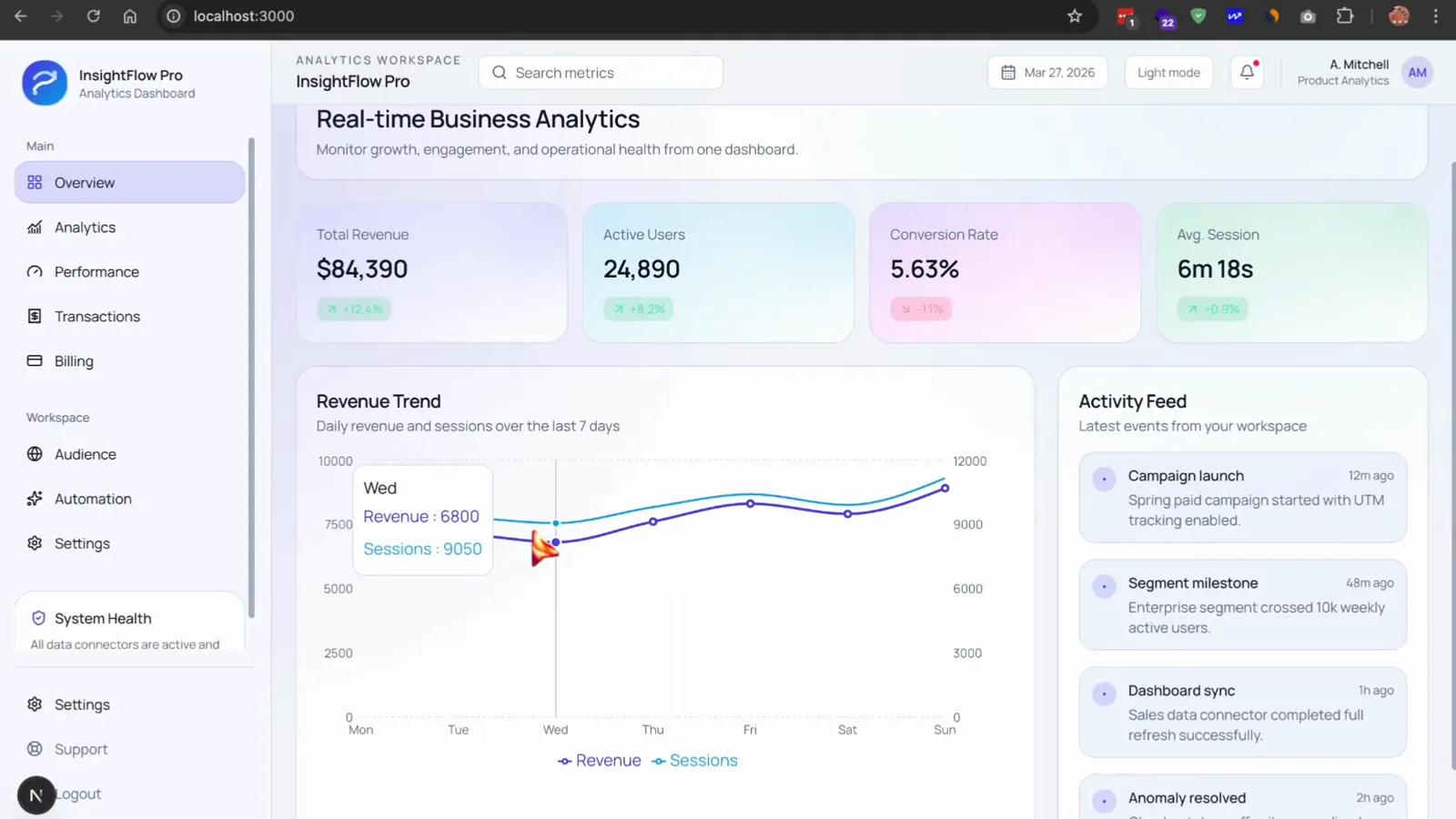
最终产出的分析仪表盘——结构化输出,而不是一次性碰运气。看视频第 6:30