
Devin Desktop Tutorial: How to Use Devin AI Step by Step
A screenshot-by-screenshot walkthrough of Devin's agent workspace — connect a GitHub repo, watch Devin plan and code inside its own cloud VM, approve the plan, then merge its pull request. Every step comes from a real recorded session.
TL;DR — Devin Desktop in 2026
- Windsurf was renamed Devin Desktop by Cognition on June 2, 2026, and the Cascade agent reached end-of-life on July 1, replaced by Devin Local. This tutorial walks through the Devin agent workspace at the core of the product.
- Devin connects to your GitHub repo, clones it into a fresh Ubuntu 22.04 cloud virtual machine for every session, and works autonomously with a browser, shell and editor.
- Every task ends in a GitHub pull request: Devin posts a plan overview you confirm, then a summary with a checklist and test credentials you verify before merging.
- Ask Devin searches your connected codebases (with a Deep toggle), DeepWiki auto-generates documentation with diagrams, and pricing starts at $20 pay-as-you-go.
Devin AI Tutorial - 2026 | How to Use Devin AI? (Step-by-step Guide)
Screens:Dan - Smart Tutorials8:48
Introducing Devin Desktop
Official facts:Cognition0:45
Screenshots come from the walkthrough video; product facts were cross-checked against Cognition's official launch video.
Frame thumbnails © Dan - Smart Tutorials / Cognition, used here to document the UI. Click through to watch the originals.
Devin Desktop walkthrough — 14 steps from login to merge
Part 1 · Connect your workspace
- 1
Open Devin and pick an agent mode
Sign in at app.devin.ai and you land on the “What do you want to get done?” prompt. Open the mode dropdown before typing: Agent runs your task end-to-end with browser, shell and editor tools, Deep Agent handles complex instructions for 30+ minute jobs, and Ask answers quick questions without interrupting Devin.
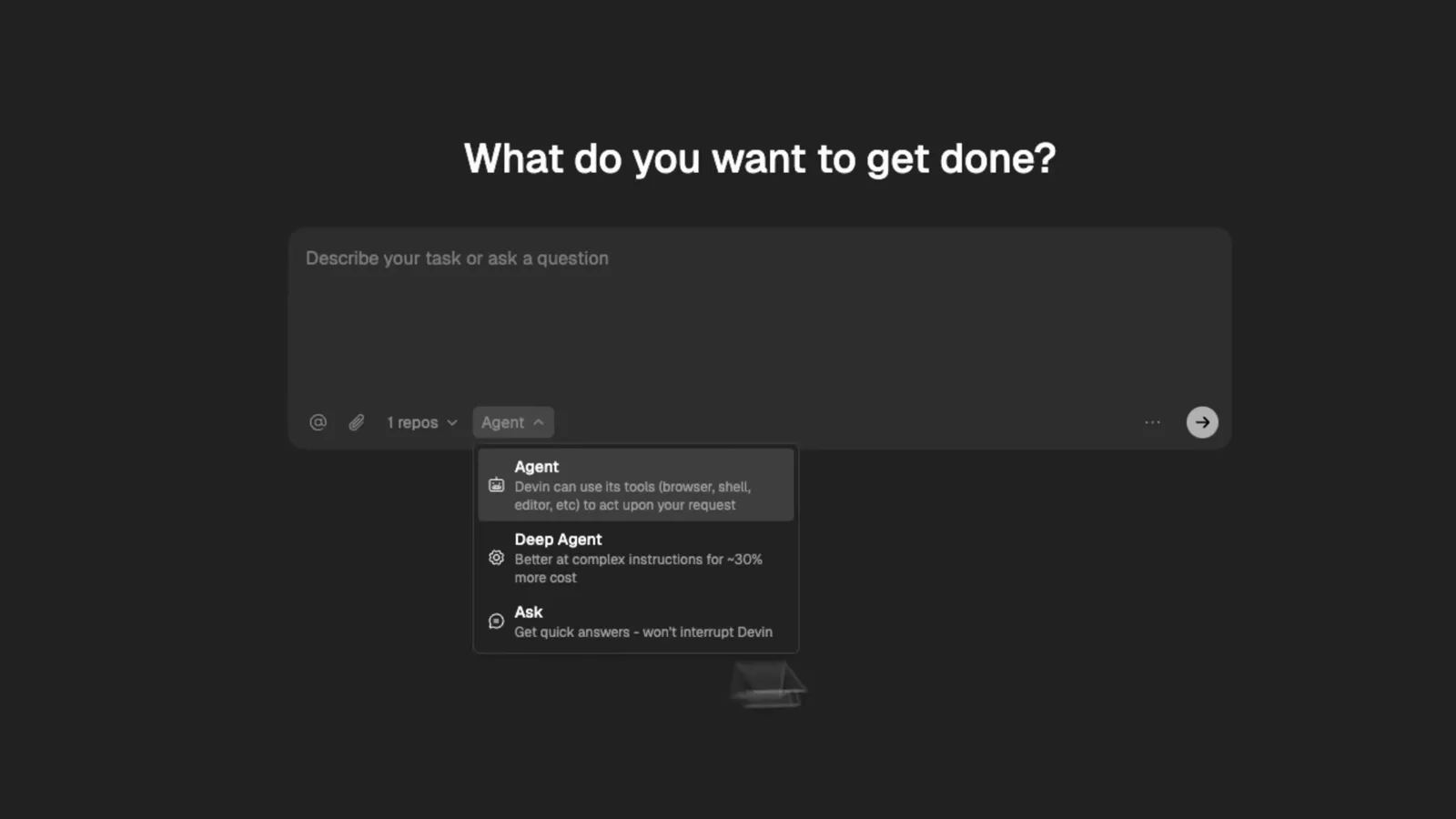
The agent picker on Devin's home screen — Agent for full runs, Deep Agent for long jobs, Ask for quick questions.Watch at 1:10 - 2
Connect the GitHub repo you want Devin to work on
In the video a demo PHP project called ecommerce-dashboard is connected from GitHub. Make sure the repository is accessible to your Devin account and select it as the target — Devin pins the chosen repository to each prompt through the repo chip.
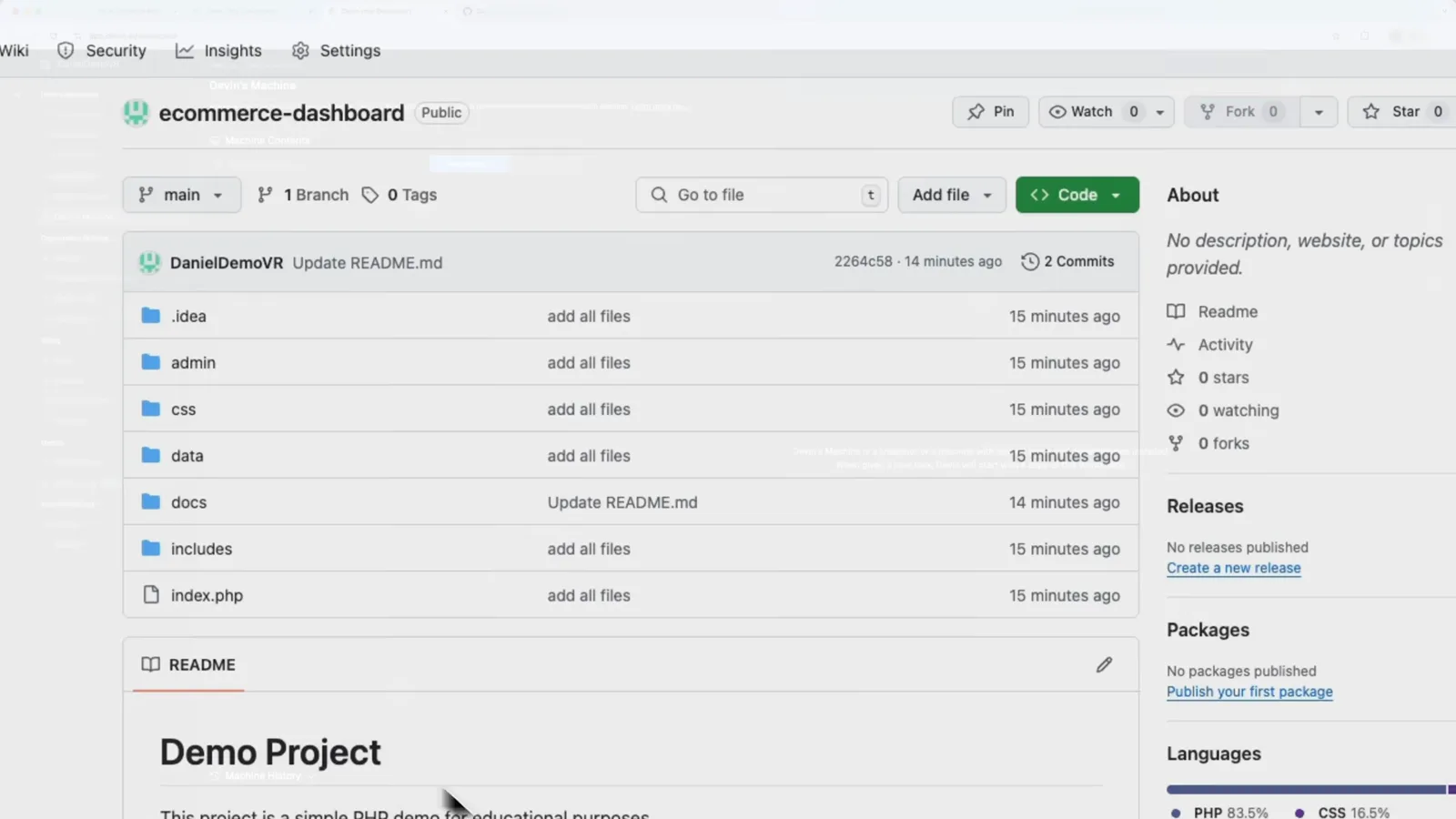
The ecommerce-dashboard repository on GitHub — the demo project Devin will clone and modify.Watch at 1:40 - 3
Add the repository to Devin's workspace
Under Settings → Devin's Machine, use “Add a New Repository to Devin's Workspace” and confirm the repo. Devin keeps one machine per workspace and gives every session a fresh copy of it, so your local setup stays untouched.
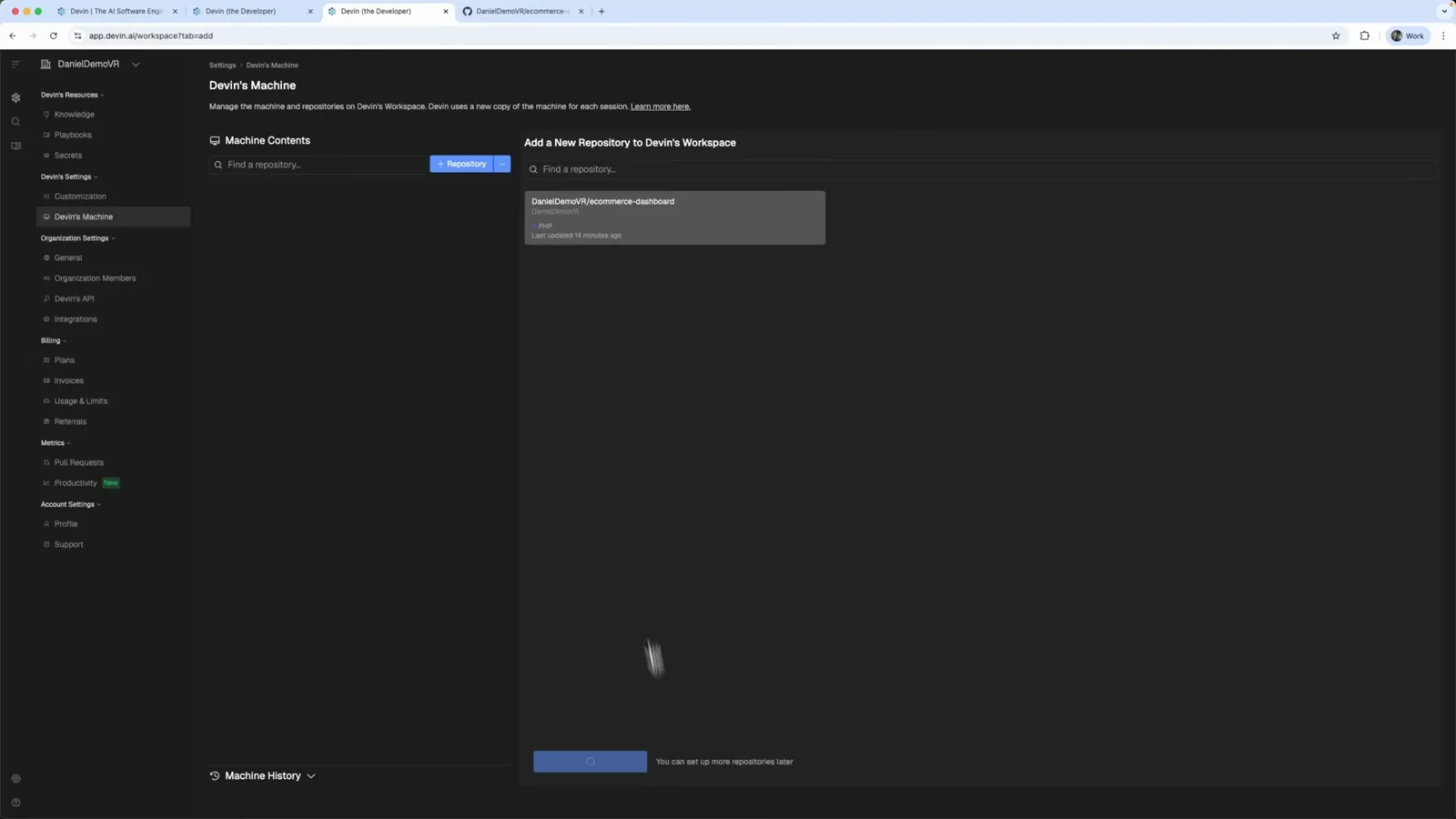
Devin's Machine settings — the ecommerce-dashboard repo is added to the workspace.Watch at 1:44 - 4
Watch Devin set up its virtual machine
Devin spins up a virtual machine running Ubuntu 22.04 (x86_64), clones your repo into it and snapshots the machine for reuse. A full VS Code with a terminal opens right in the browser — the video just sends “I'm ready” and Devin configures the project autonomously.
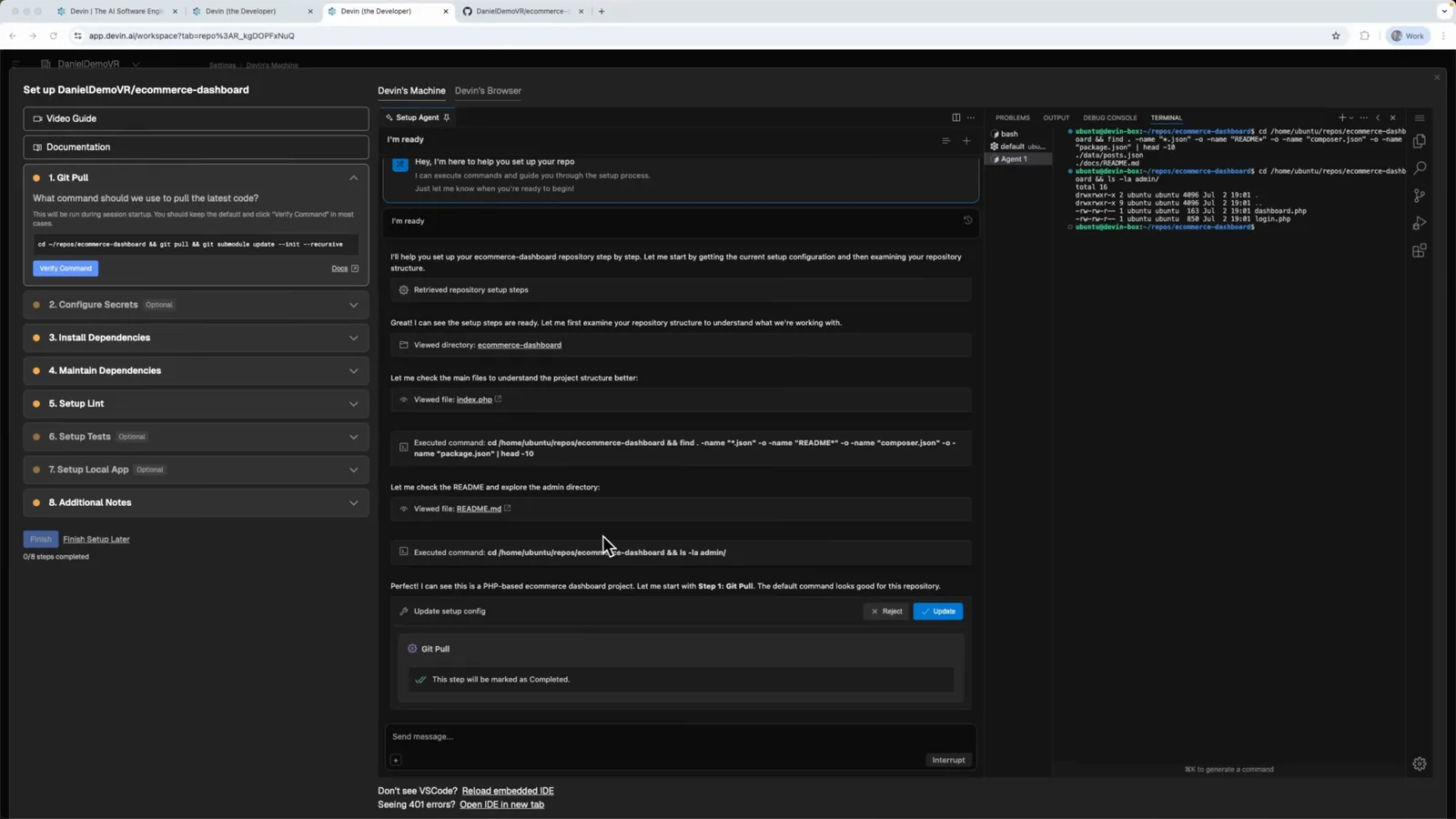
VS Code running inside Devin's Ubuntu VM while the setup checklist completes.Watch at 2:16
Part 2 · Run your first tasks
- 5
Check indexing and workspace settings
Once the repo is indexed, Devin's Machine shows “Indexing Completed” with update or delete options. Around the machine you also get organization settings — members, Devin's API, integrations — plus billing and usage metrics, which is where teams invite teammates or wire up Slack and Linear.
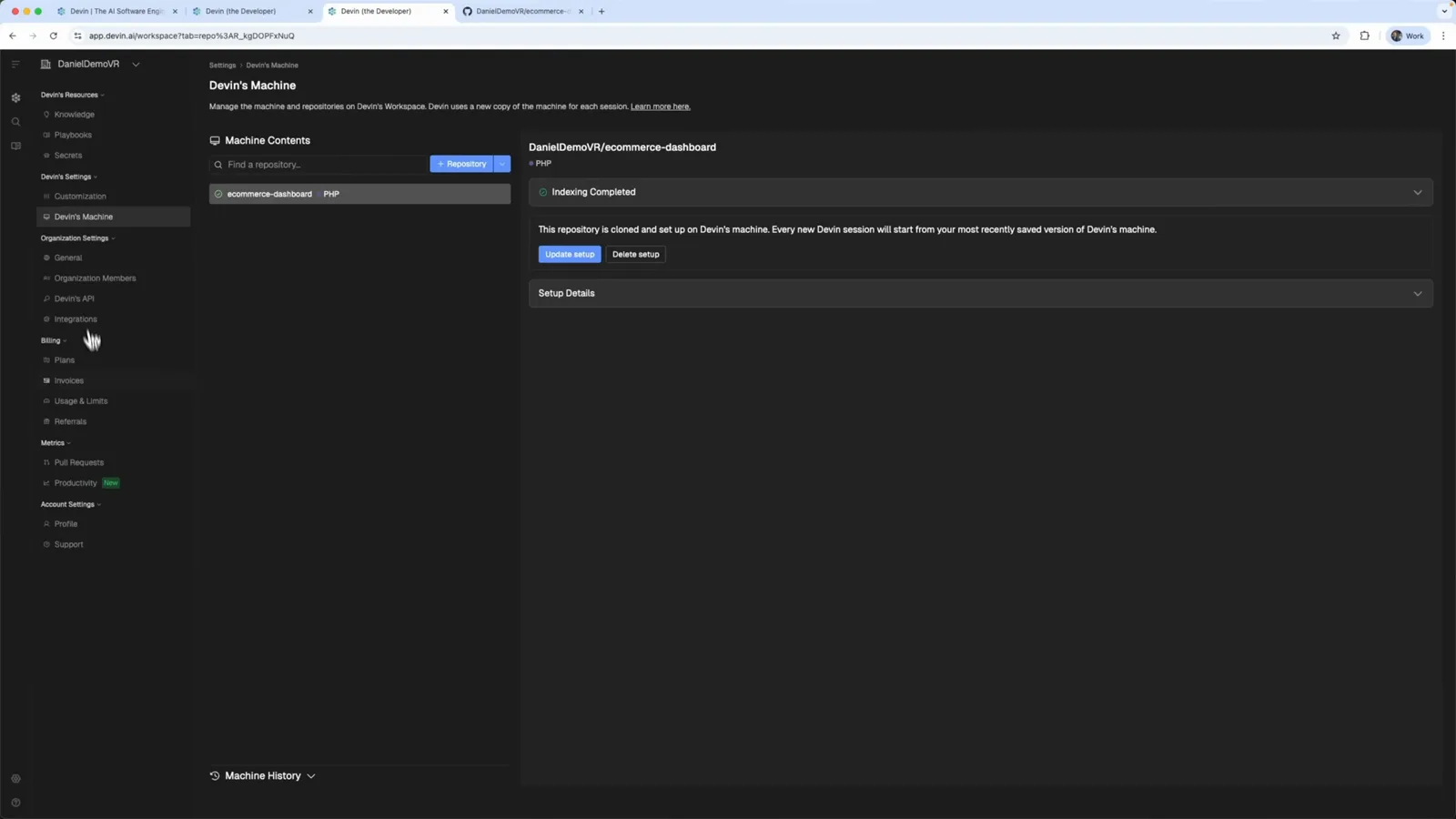
Indexing completed — the repo is cloned, set up and manageable from Devin's settings.Watch at 2:32 - 6
Let Devin prove itself with a docs pull request
The first task asks Devin to verify repo access by improving the README. It plans the work, pushes a feature branch and opens the “Enhance README documentation with project structure and features #1” pull request — complete with a diagram and a Task Completed summary linking to the PR.
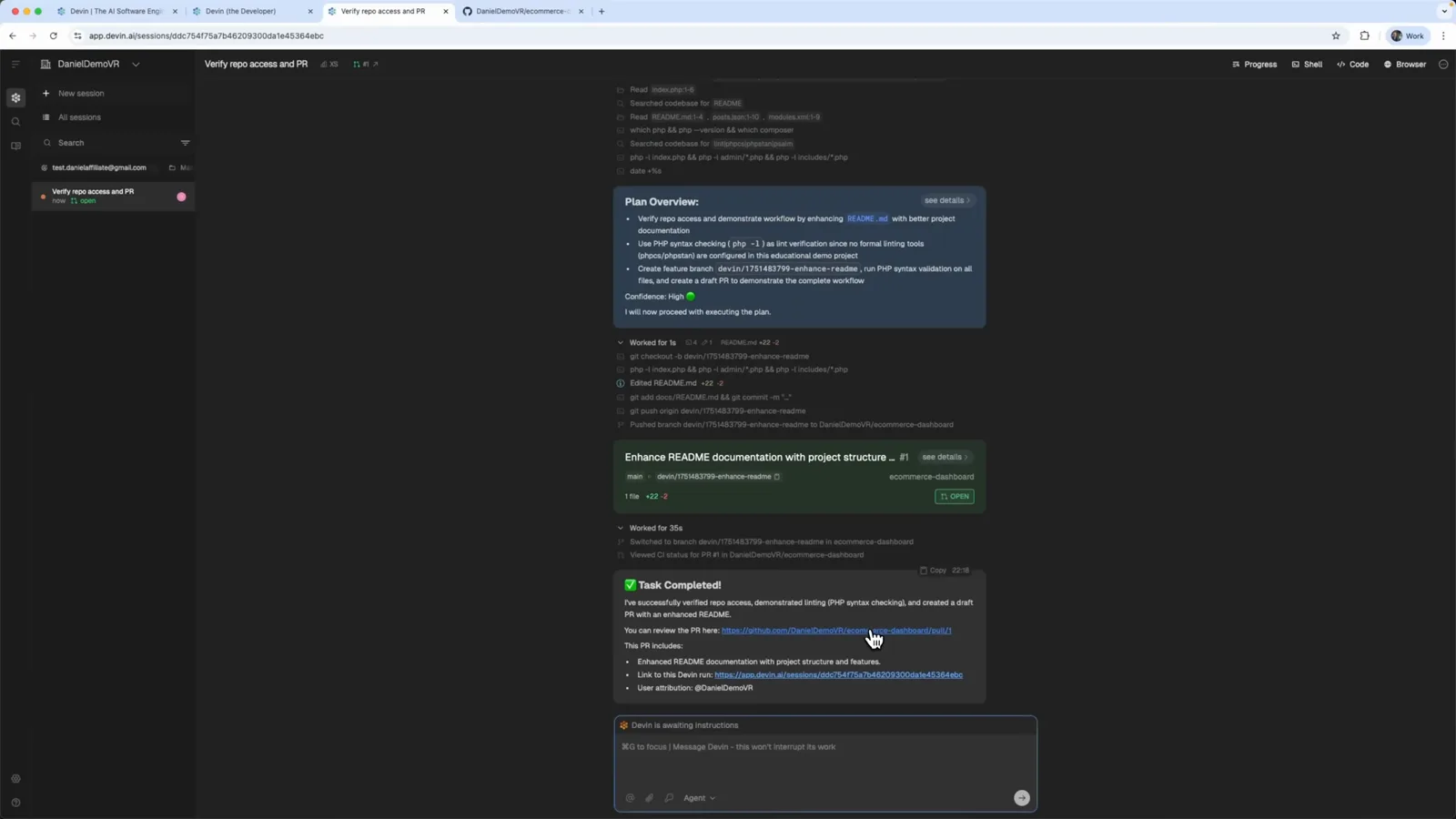
Plan overview, pull request card and Task Completed summary for Devin's README documentation PR.Watch at 2:56 - 7
Give Devin a real bug to fix
The tutorial asks Devin to fix authentication errors in login.php where users get validation errors. Type the task into the prompt with the ecommerce-dashboard repo chip selected and press Cmd+Enter to send it to Devin.
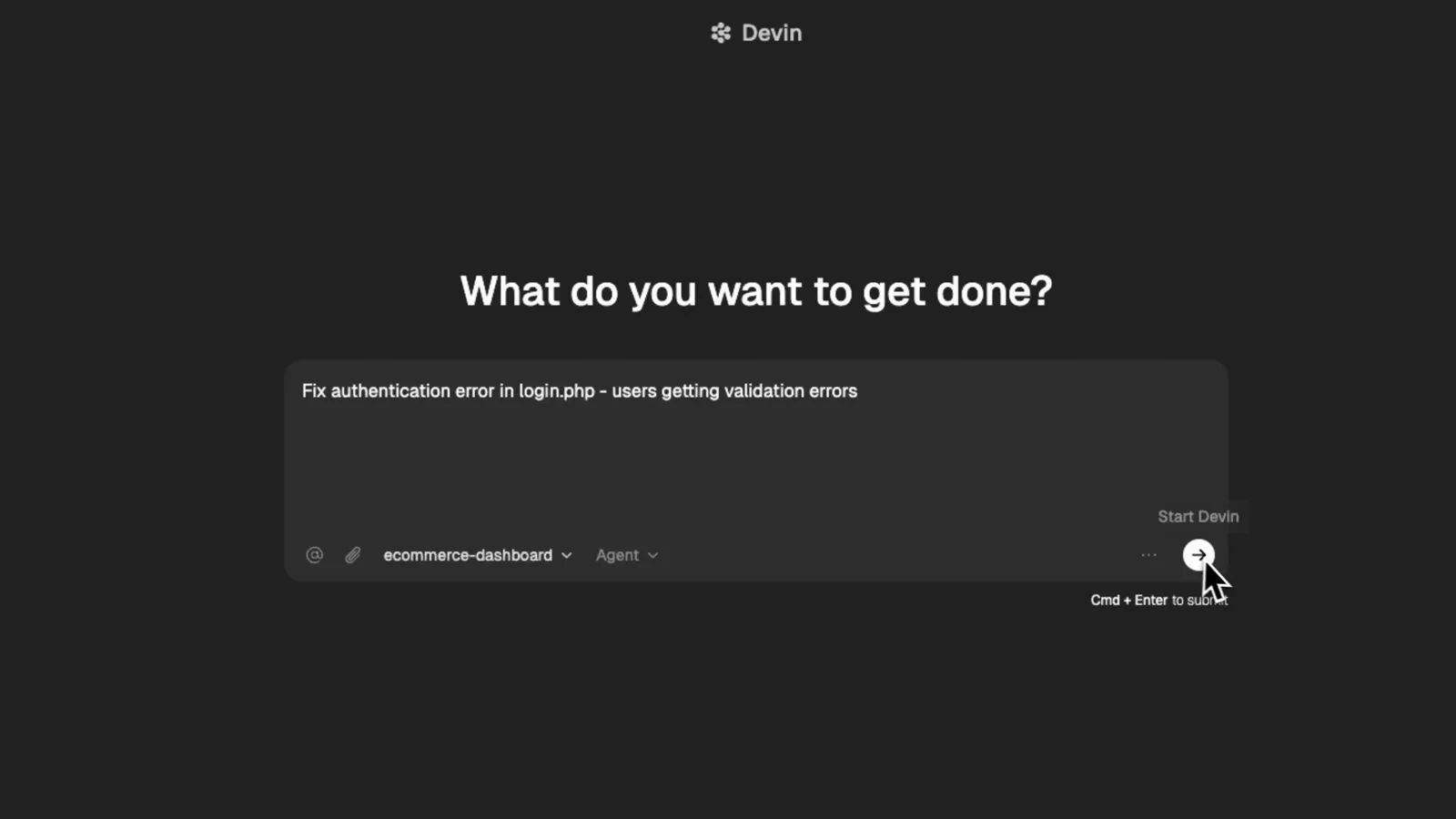
The login.php authentication bug typed into Devin's prompt, ready to send with Cmd+Enter.Watch at 3:36
Part 3 · Review, merge, search
- 8
Review the plan overview before Devin codes
Devin investigates first — it lists the validation logic, POST handler and session management it found, shows a confidence meter, then posts a Plan Overview: fix the PHP 8.x compatibility issue, add the missing password column, use CSV-based authentication for the demo, and test the login flow locally. Press Confirm to approve it.
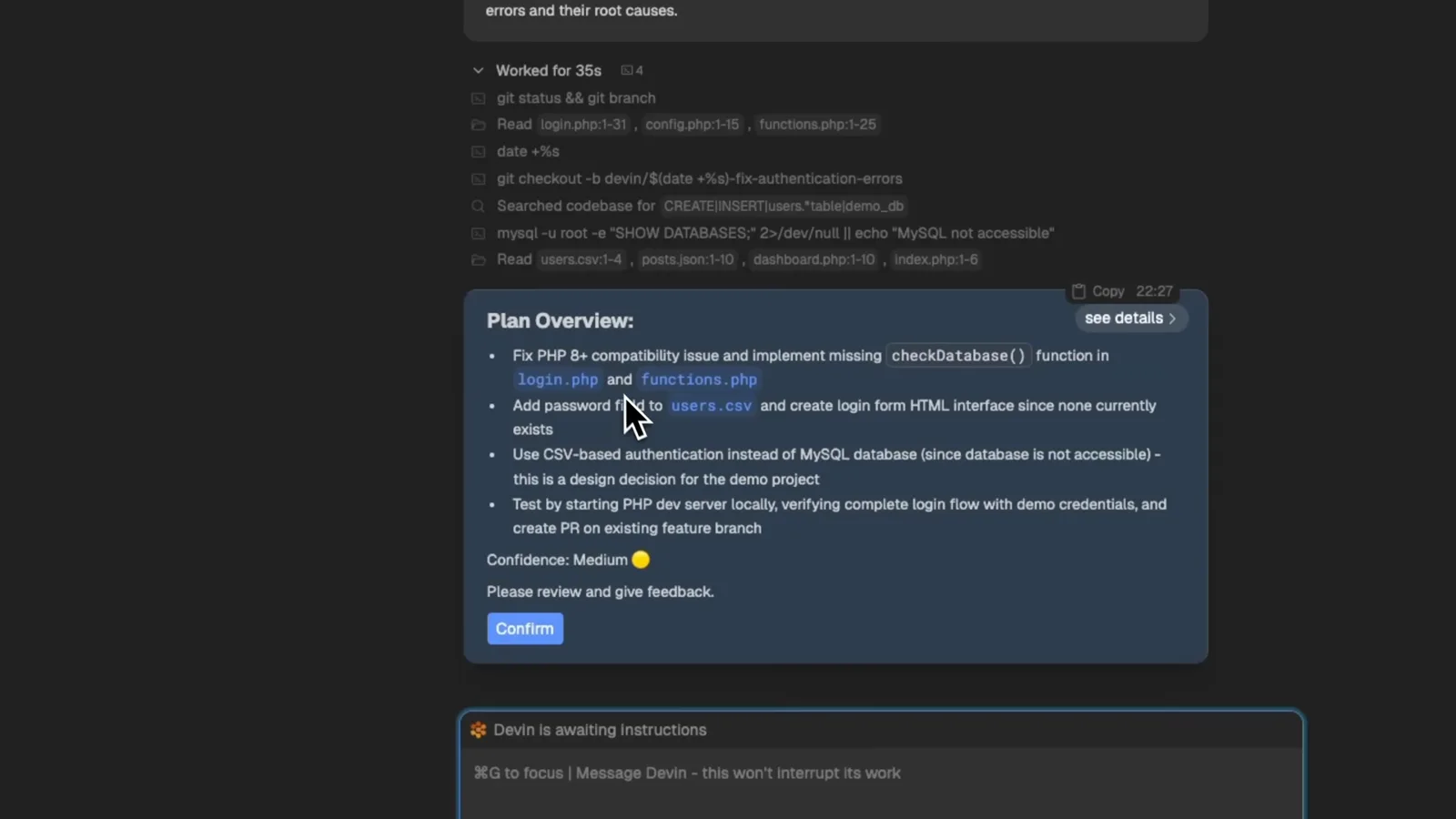
Devin's Plan Overview card with a confidence rating and a Confirm button for approval.Watch at 4:00 - 9
Review and merge the pull request on GitHub
Devin opens a pull request for the fix — the video shows “Fix authentication errors in login.php #2” with a comment from the devin-ai-integration bot explaining how to give feedback. GitHub reports no conflicts with the base branch, so the green Merge pull request button finishes the job.
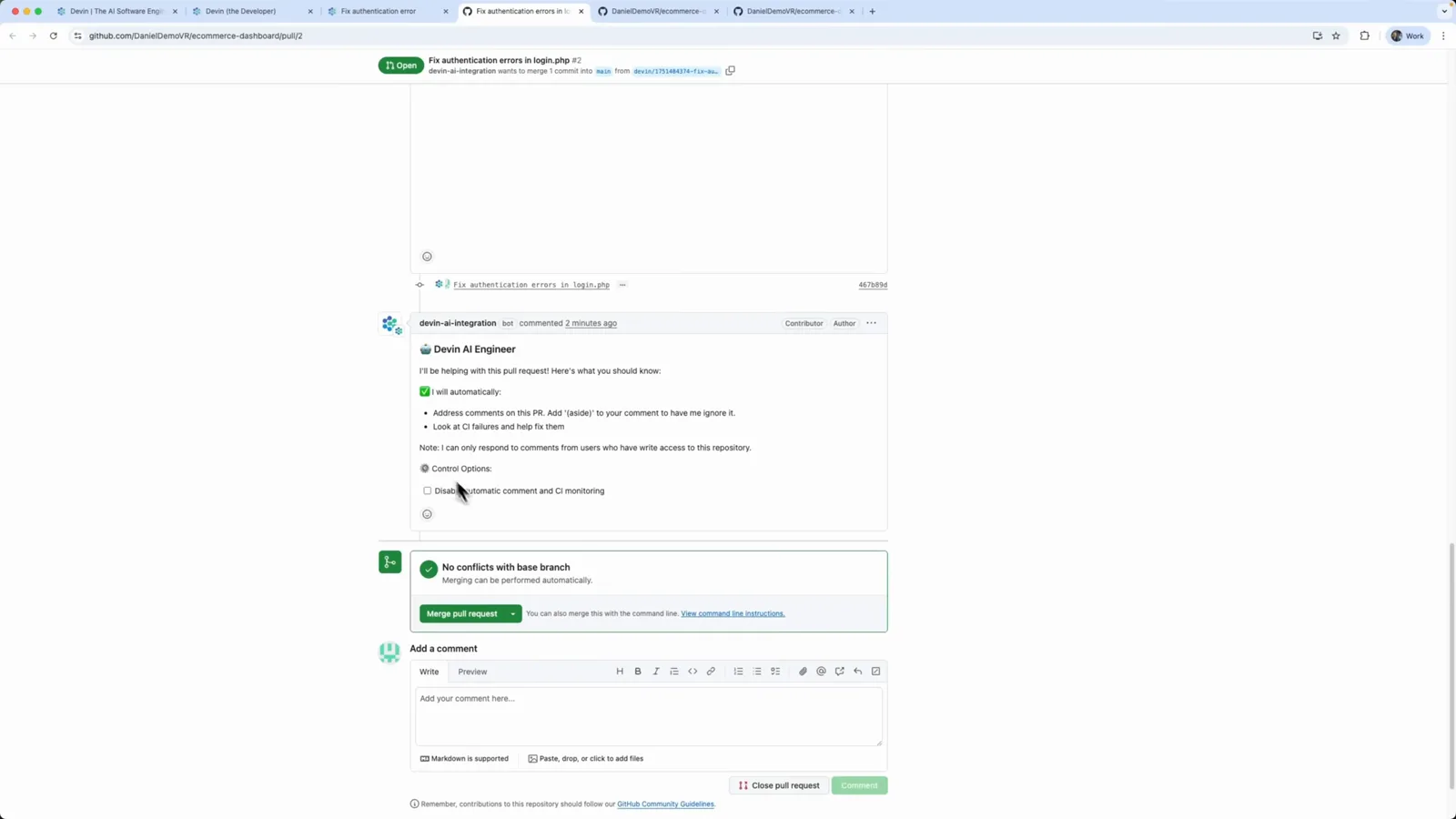
GitHub shows no conflicts on Devin's pull request — one click on Merge pull request ships the fix.Watch at 5:12 - 10
Read the completion summary and test credentials
Back in Devin, the session reports “Authentication errors in login.php are fixed” with the merged PR #2 link and demo credentials (username admin, password admin) for testing the live login form. The timeline lists every file edit — style.css, login.php, users.csv, functions.php — and the 4 minutes 24 seconds it took.
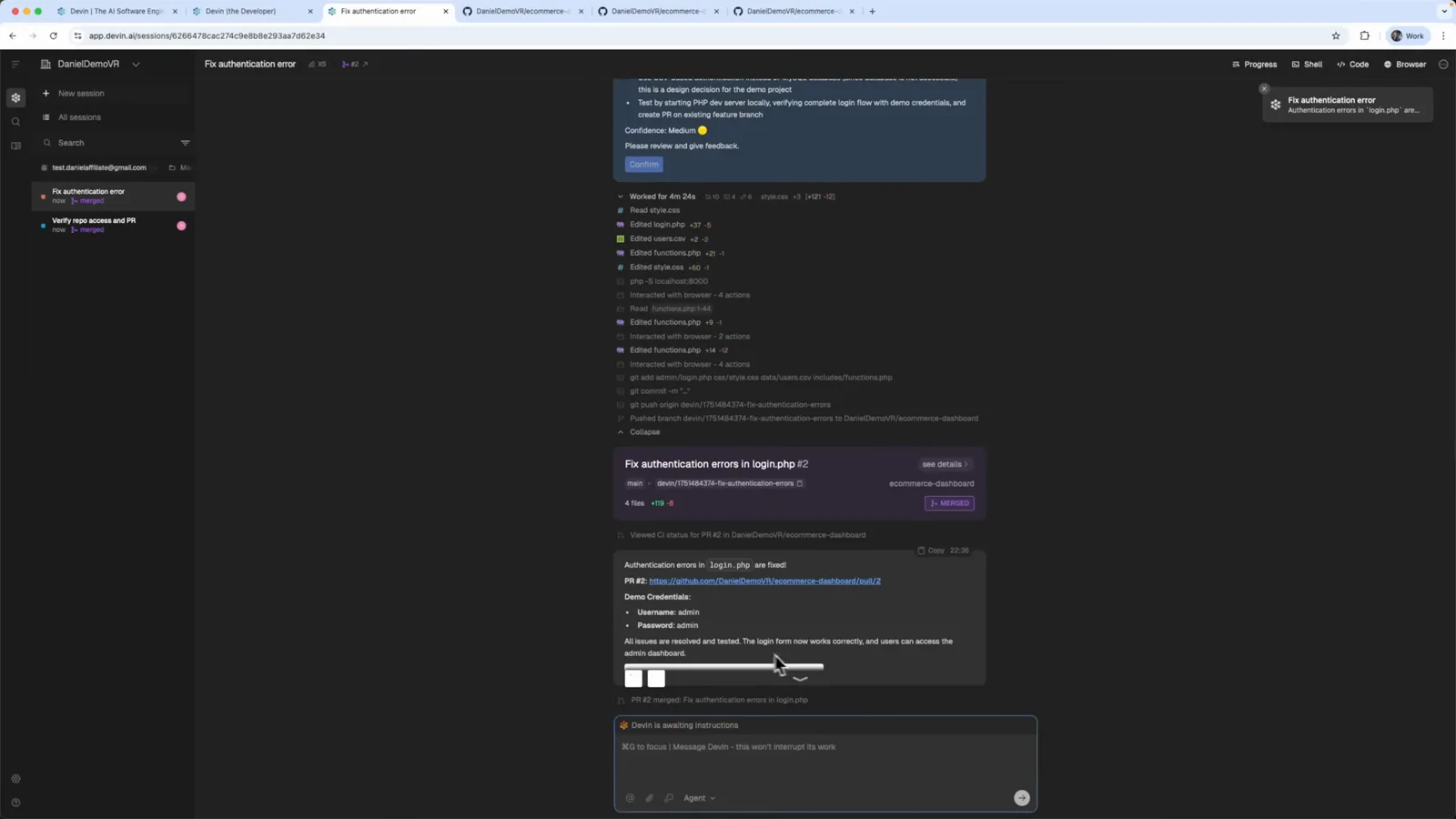
Devin's completion summary with the merged PR link, file edit timeline and demo admin credentials.Watch at 5:28 - 11
Search your codebase with Ask Devin
Ask Devin (beta) answers questions about connected repositories. The video types “Find all authentication functions in this codebase”, keeps the repository filter at 1 Repos: All, and enables the Deep toggle for deeper analysis before sending — you can also attach a screenshot to a query.
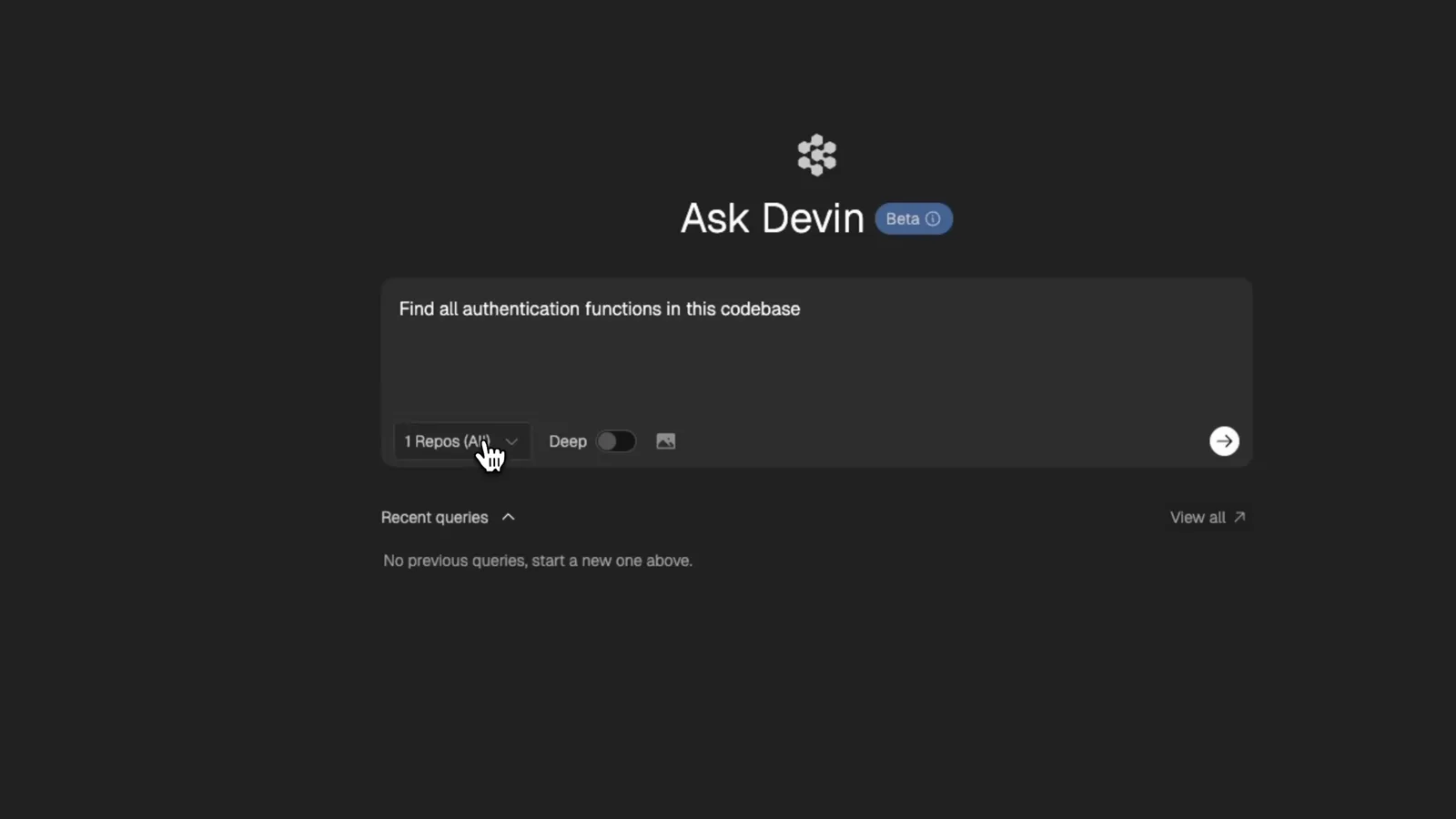
Ask Devin with a codebase question typed in and the Deep toggle enabled for deeper analysis.Watch at 6:08
Part 4 · Docs, wiki and pricing
- 12
Get structured, file-aware answers
With Deep enabled, Devin searches across repositories and returns grouped results: frontend authentication functions, backend middleware and JWT utilities, and authentication service functions — each with the relevant file references, like live documentation of the codebase.
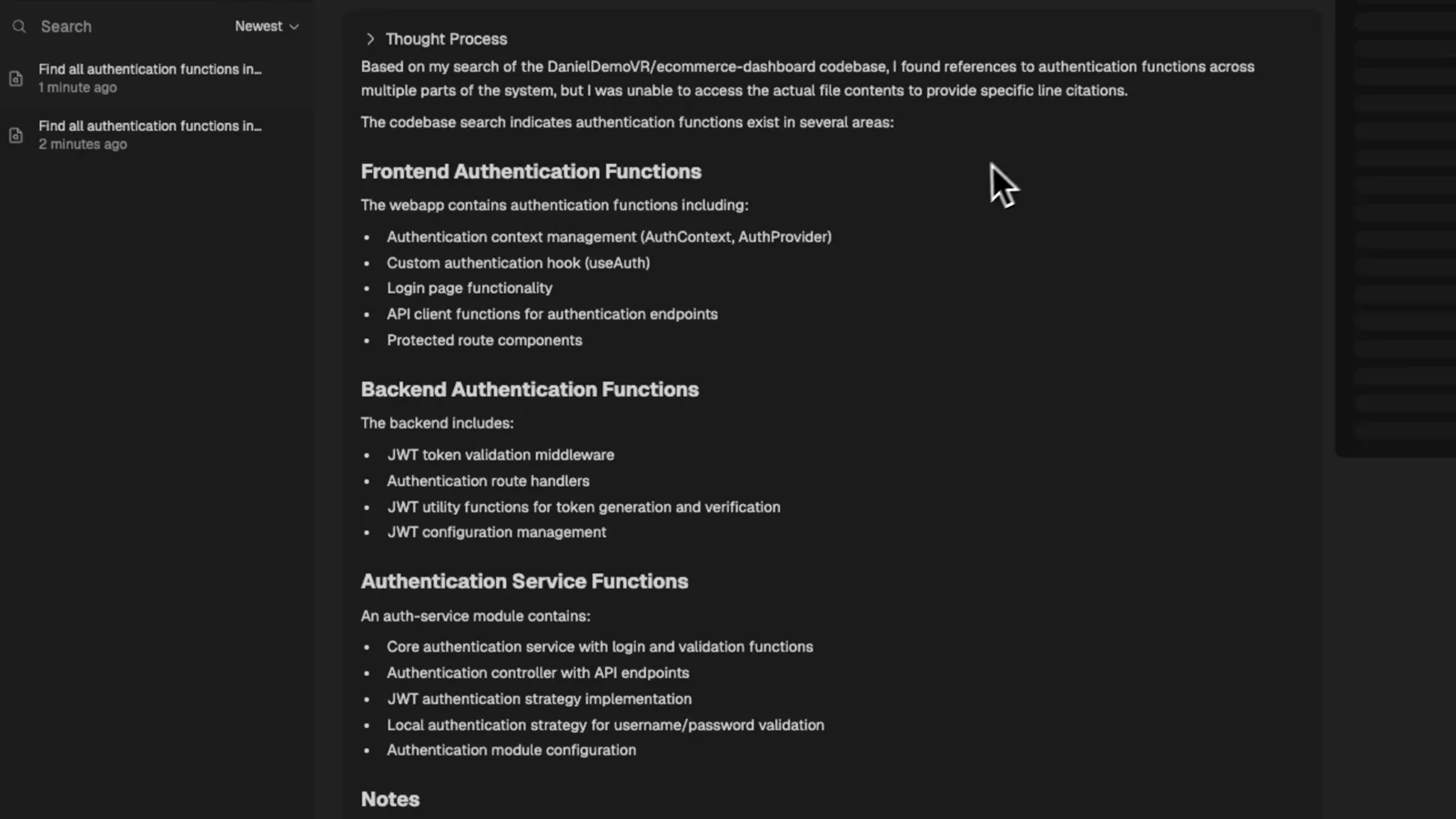
Ask Devin's Deep results grouping frontend, backend and service authentication functions with file references.Watch at 6:40 - 13
Auto-generate docs with DeepWiki
DeepWiki turns a connected repository into a documentation knowledge base. Open the wiki, pick the ecommerce-dashboard repo, and Devin generates an overview, project structure and diagrams — the tedious documentation work developers dread, done automatically.
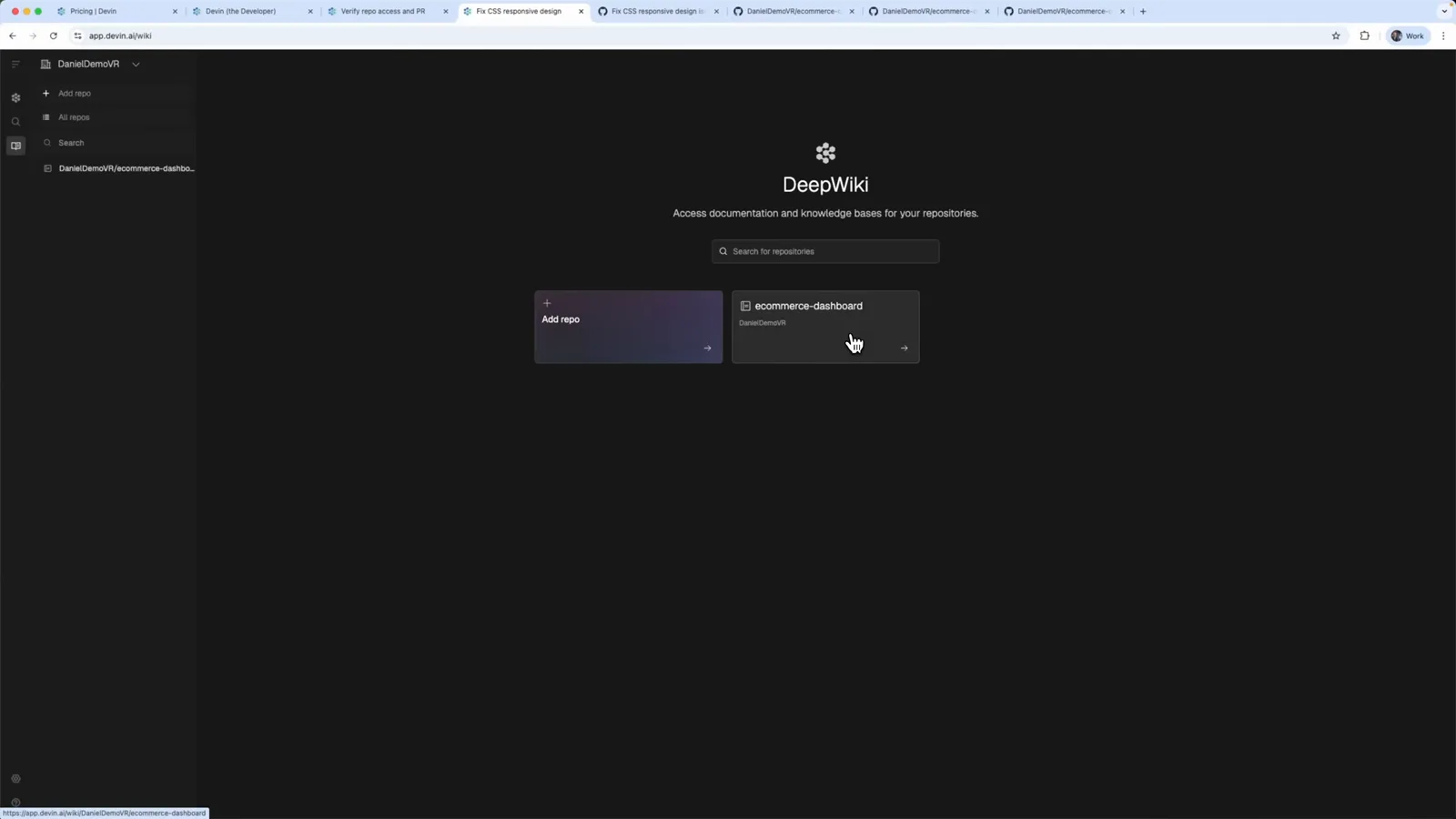
The DeepWiki home screen with the ecommerce-dashboard repository ready to generate documentation.Watch at 7:20 - 14
Pick a plan — Core starts at $20
The Compare plans page lists Core with pay-as-you-go ACUs starting at $20, Team at $500/month adding early feature releases and research access, and custom Enterprise pricing. Rows show exactly what differs: autonomous task completion, learning over time, Devin IDE, Ask Devin, DeepWiki and API access.
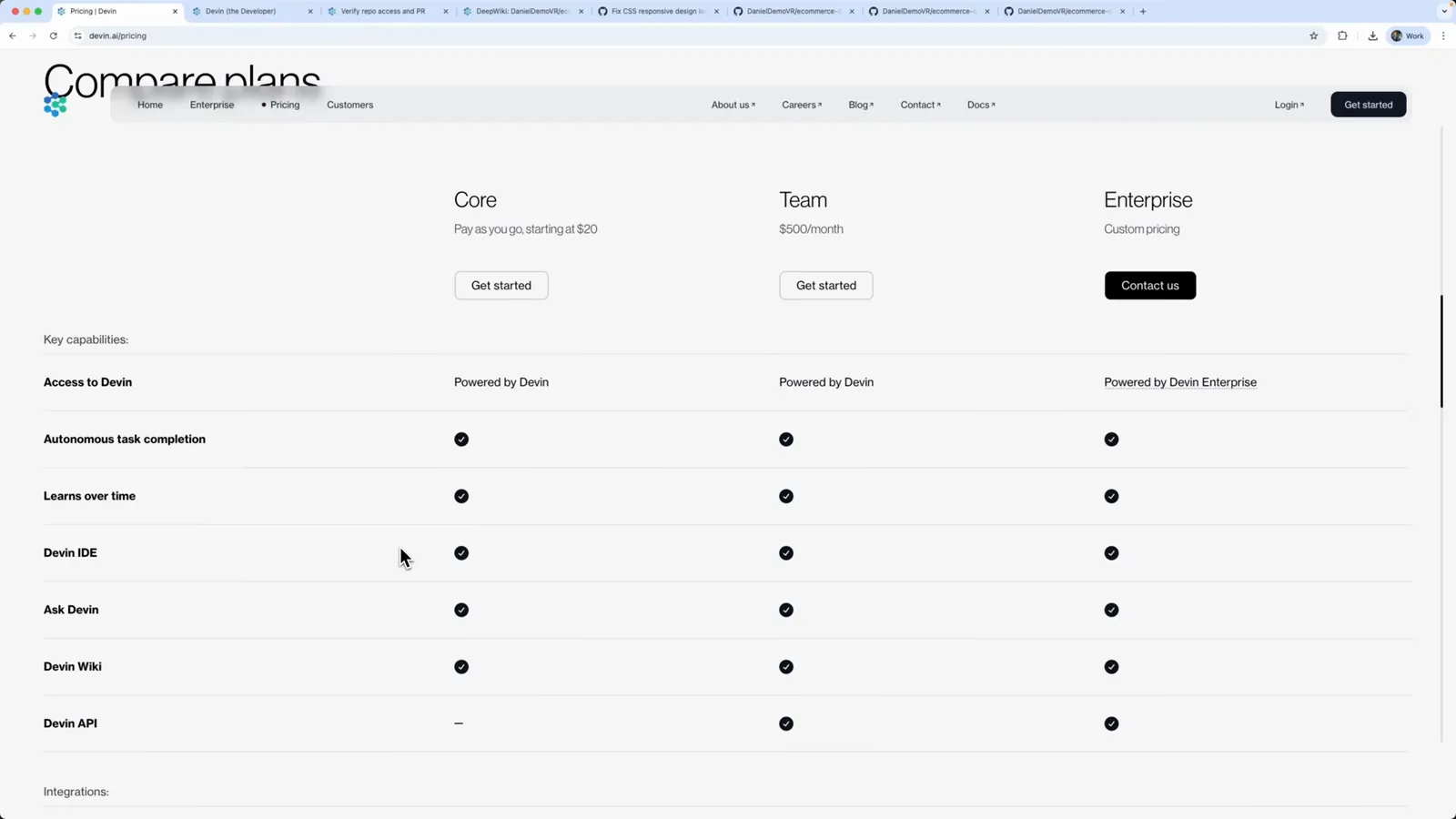
Devin's Compare plans page — Core from $20 pay-as-you-go, Team at $500/month, Enterprise custom.Watch at 7:44
From Windsurf to Devin Desktop
| Date | What happened |
|---|---|
| June 2, 2026 | Cognition renames Windsurf to Devin Desktop through a routine over-the-air update — same app, new brand. |
| July 1, 2026 | Cascade reaches end-of-life and is replaced by Devin Local as the agent inside the editor. |
| This tutorial | The Devin agent workspace — repo connection, cloud VM sessions, plan approval and pull request merges — shown step by step. |