
How to set up GitHub Copilot code review
Copilot can review every pull request on GitHub: request one manually, apply its suggested fixes in a click, then make it mandatory with rulesets. Sixteen illustrated steps from GitHub's own screencast.
Quick answer: set up Copilot code review in four moves
- Open a pull request and, under Reviewers → Copilot, click Request. Copilot's overview comment and inline suggestions usually land in under 30 seconds.
- Apply a fix with the Commit suggestion button — no IDE needed. After a Copilot Autofix commit, code scanning re-runs and closes the alert automatically.
- Make it mandatory: a ruleset with Require a pull request before merging plus the Automatically request Copilot code review checkbox puts Copilot on every new pull request.
- Teach it your standards in .github/copilot-instructions.md; AGENTS.md and path-specific .instructions.md files refine what Copilot checks per folder.
How to automate code reviews and testing with GitHub Copilot
Video:GitHub4:36
Configuring code review by GitHub Copilot
Docs:GitHub Docs
Every screenshot on this page comes from GitHub's official screencast of a demo repository; the walkthrough text was written independently and each setting was checked against GitHub Docs.
Source video by GitHub on YouTube, linked as timestamped deep links. Copilot comments visible in the stills are demo content from that recording.
Set up GitHub Copilot code review, step by step
Read Copilot's review on your pull request
- 1
Open the pull request and find Copilot under Reviewers
Copilot shows up in the Reviewers box as soon as a pull request opens — either because you added it or because your ruleset requested it automatically. The timeline entry "review requested due to automatic review settings" confirms the automation fired.
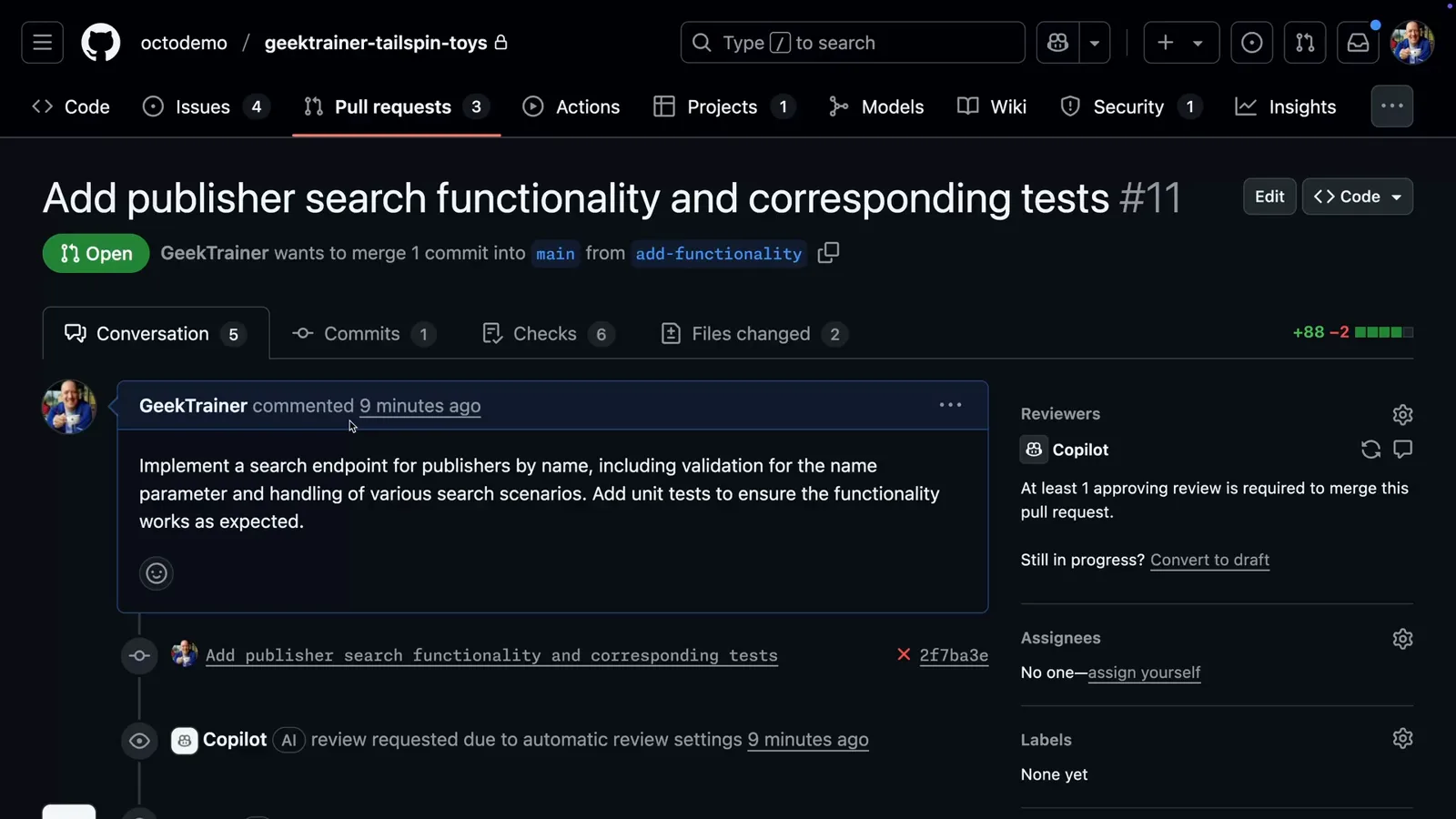
Copilot joined the review queue the moment this pull request opened.Watch at 0:10 - 2
Start from Copilot's Pull Request Overview
Copilot's first comment summarizes what the pull request does, which files it reviewed and how many comments it generated. Treat it as the table of contents for the rest of the review.
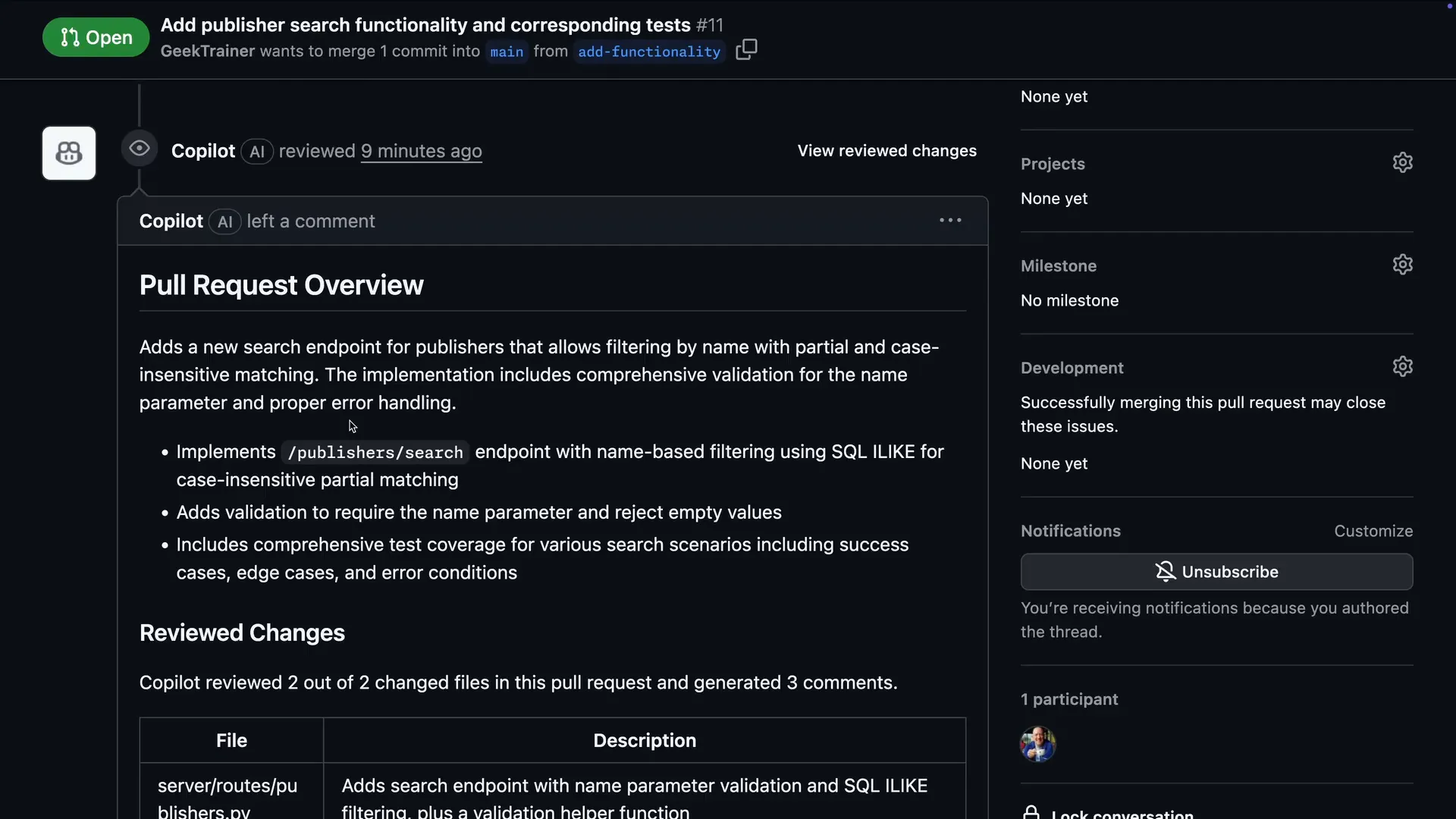
The overview comment tells you what Copilot looked at before you read a single inline note.Watch at 0:20 - 3
Read the inline comments with suggested fixes
Inline comments land on the exact lines. This one flags exec() with string formatting as a code injection risk and attaches a ready-to-apply suggestion block underneath.
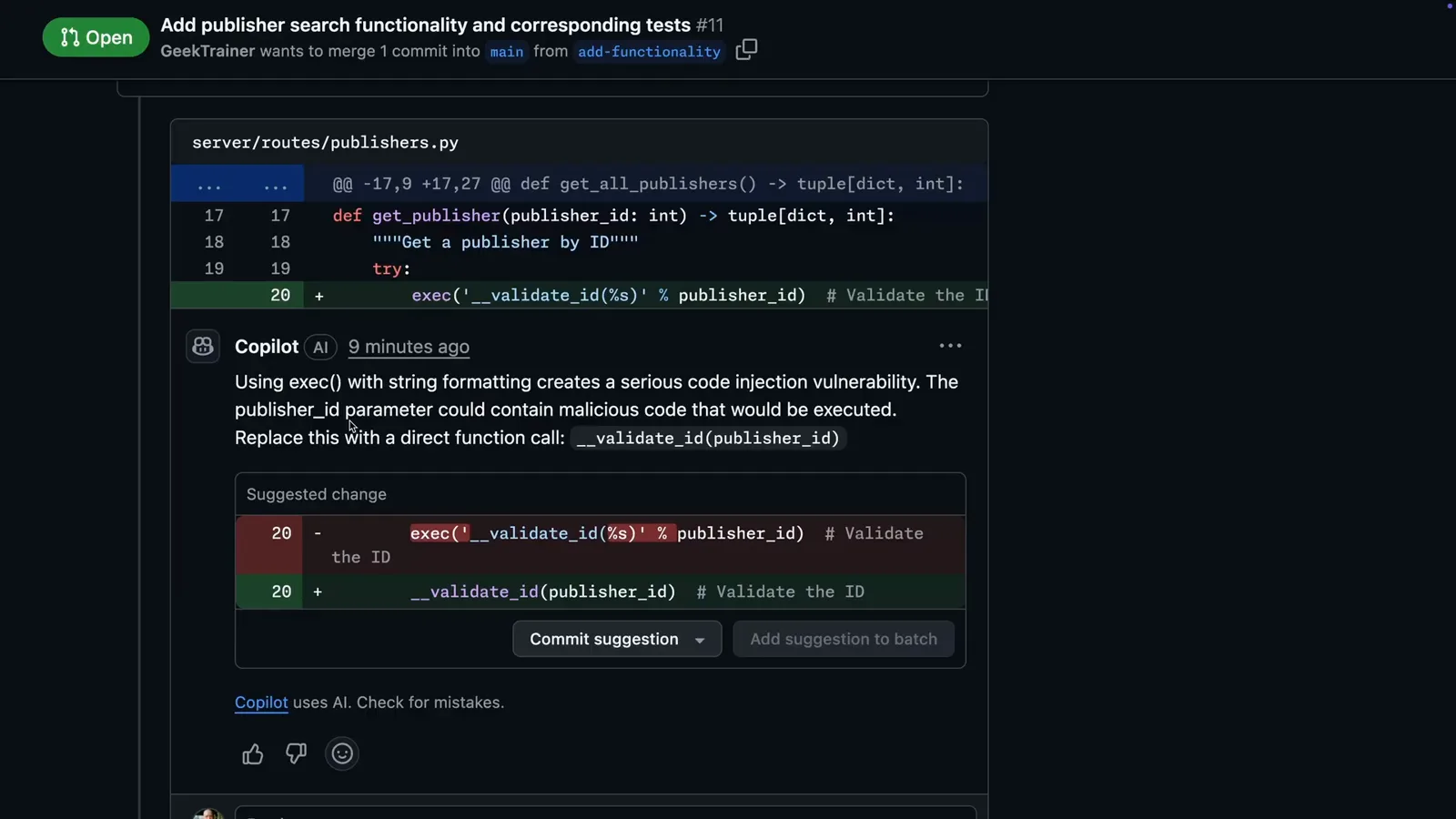
Severity first: the injection callout ships with a one-click suggested change.Watch at 0:32 - 4
Check the style and type-hint callouts
Copilot also enforces your repository's conventions — here it quotes the coding guidelines and proposes the exact annotation to add. The thumbs up and thumbs down buttons rate the comment and improve future reviews.
![Copilot review comment asking for a missing Python return type annotation with the exact code def search_publishers() -> tuple[dict, int] shown on a GitHub pull request diff](/images/guides/copilot-code-review-tutorial/copilot-code-review-tutorial-type-hint-comment.webp "Copilot review comment asking for a missing Python return type annotation with the exact code def search_publishers() -> tuple[dict, int] shown on a GitHub pull request diff")
Convention callouts quote your own guidelines back at you.Watch at 0:52
Fix what Copilot and code scanning flag
- 5
Compare Copilot's findings with code scanning
The github-advanced-security bot reports the same exec() call as a CodeQL code injection alert. Below it, Copilot Autofix adds an explanation of the vulnerability and a proposed fix.
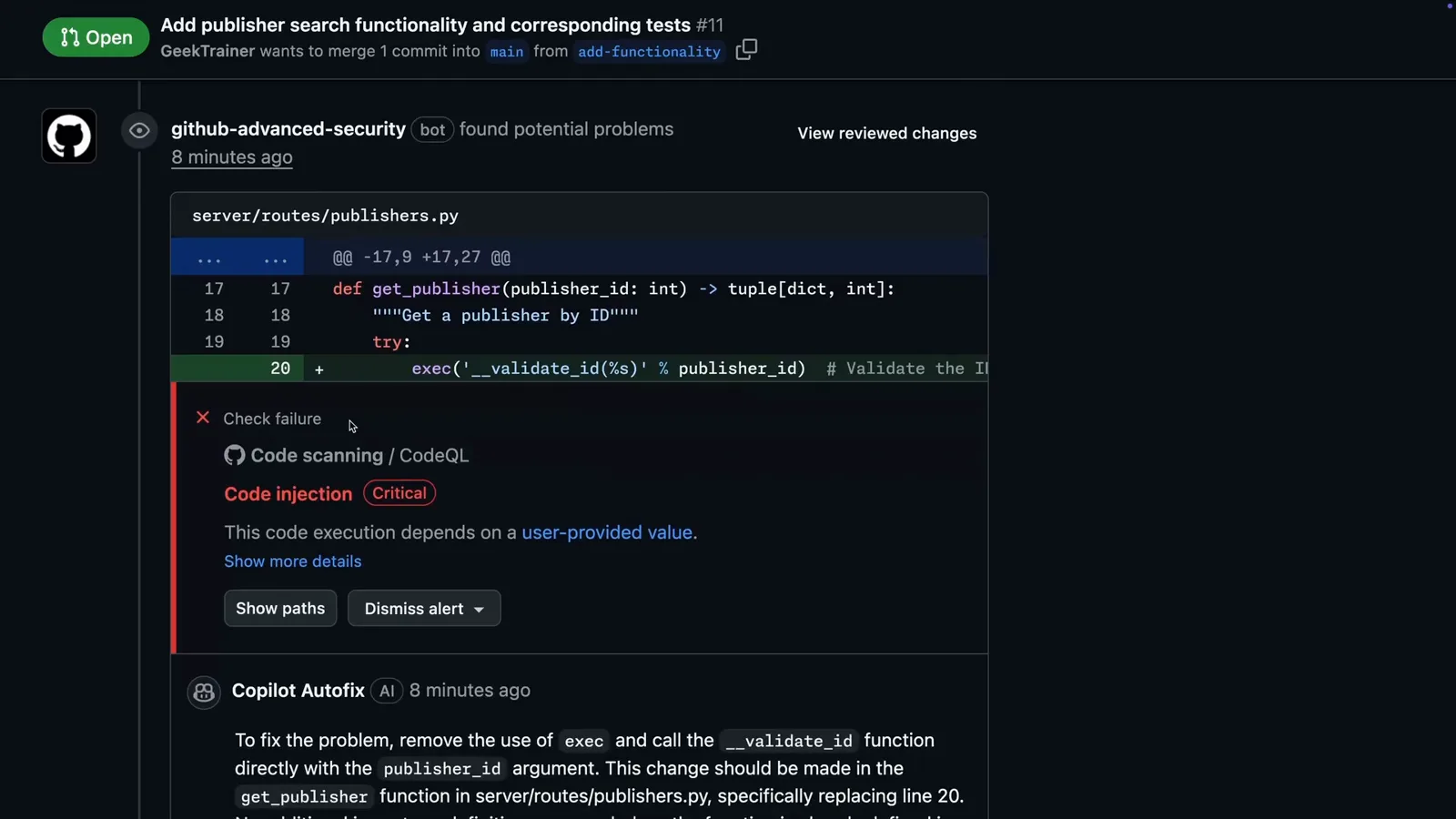
Two reviewers, one line: CodeQL raises the alert, Copilot Autofix drafts the cure.Watch at 1:08 - 6
Apply a suggested change in one click
Every suggestion block carries a Commit suggestion button — the fix lands as a new commit on the pull request branch without opening your IDE. You can also batch several suggestions into a single commit.
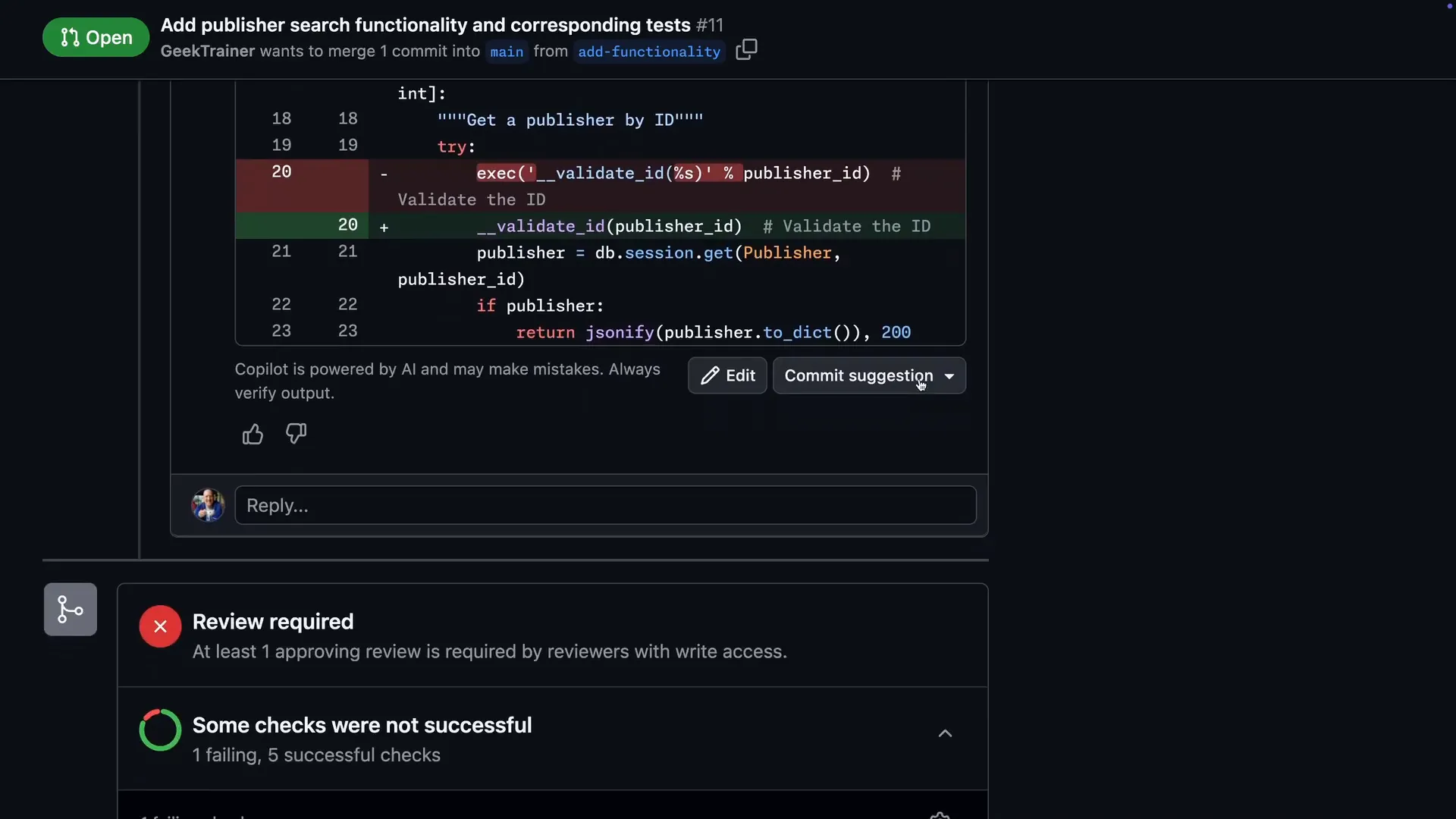
Commit suggestion writes the fix straight onto the pull request branch.Watch at 1:23 - 7
Watch code scanning re-run automatically
Committing the Autofix suggestion shows the "Alert fix successfully applied" banner, the pull request gains a second commit, and CodeQL re-scans the branch — closing the alert if the fix holds.
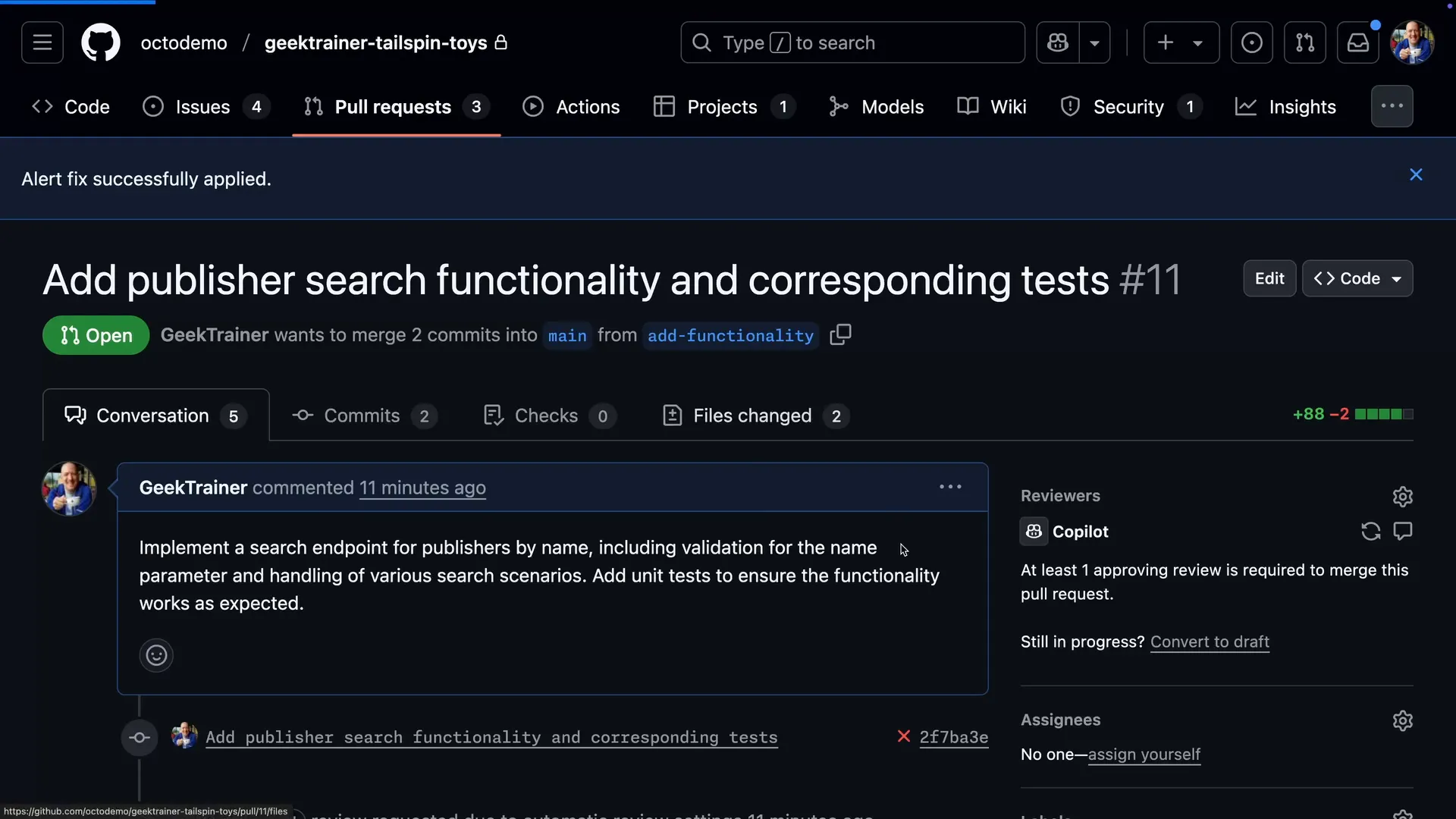
Fixed means re-scanned: CodeQL verifies the branch after the fix commit.Watch at 1:46 - 8
Clear the remaining comments from the Files tab
The Files changed tab shows Copilot's comments next to the diffs. Open Apply suggestion here, adjust the commit message if you like, and commit — no round-trip to your editor.
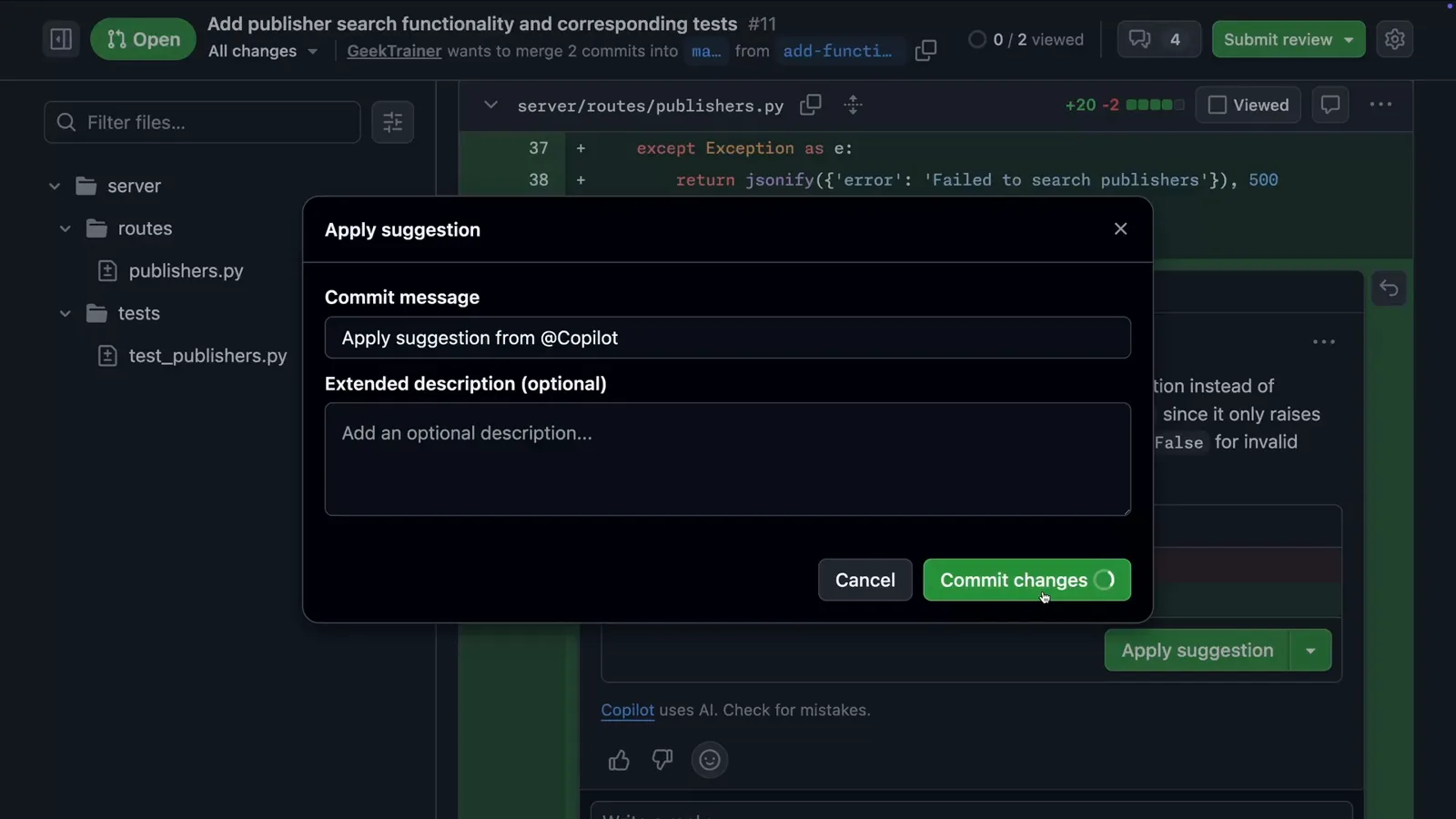
Review comments stay attached to the diff in the Files tab, suggestions included.Watch at 2:02
Require Copilot review with rulesets and instructions
- 9
Create a ruleset that requests Copilot automatically
In Settings → Rulesets → New ruleset, target your default branch, expand Require a pull request before merging, set Required approvals to 1, and tick Automatically request Copilot code review. Every new pull request now gets Copilot as a reviewer without anyone remembering to click Request.
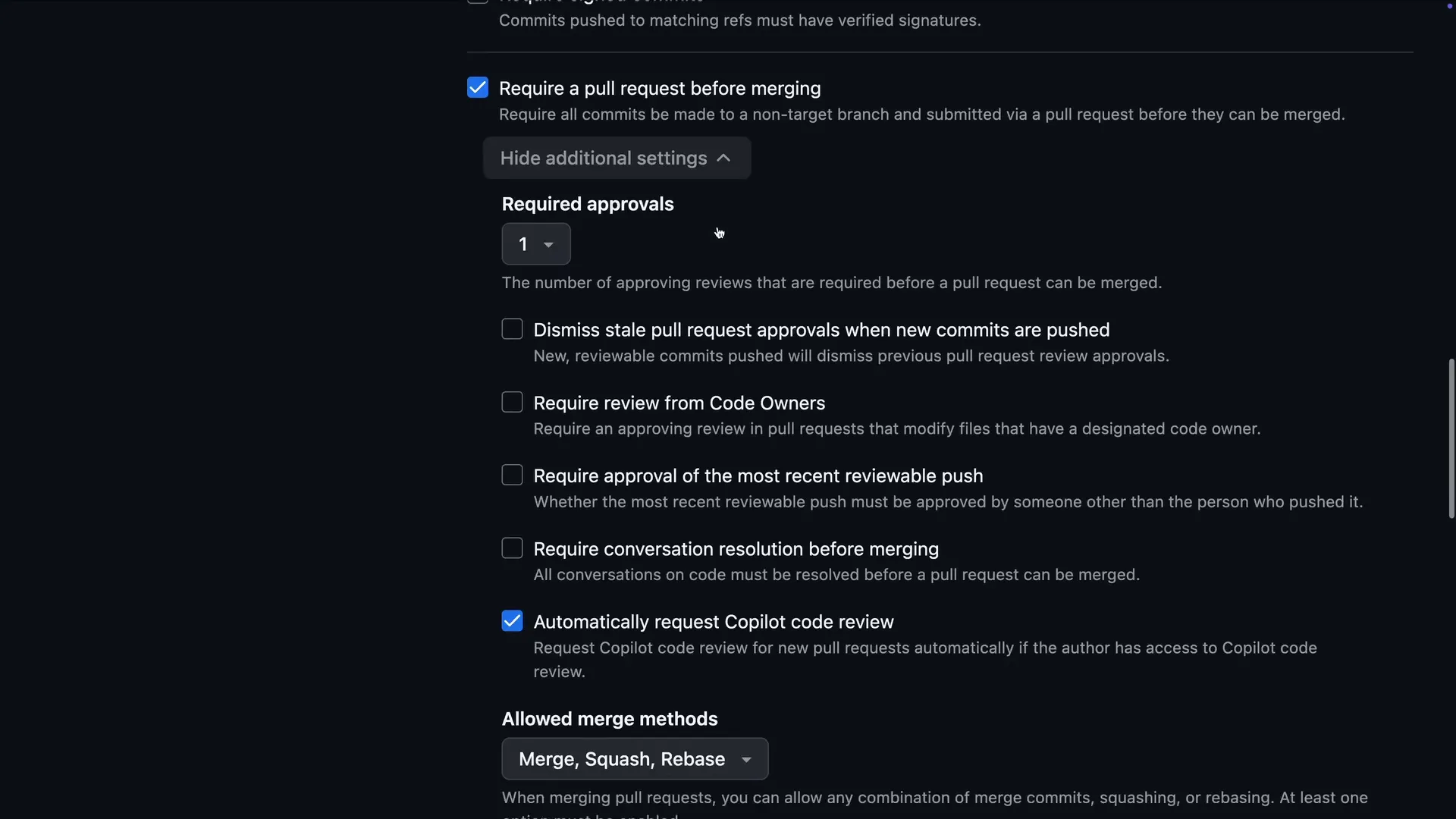
The checkbox that puts Copilot on every new pull request on the targeted branches.Watch at 2:26 - 10
Require the status checks that guard the merge
In the same ruleset, enable Require status checks to pass and add the backend-tests and frontend-tests jobs from your GitHub Actions workflow. Merges now wait for green.
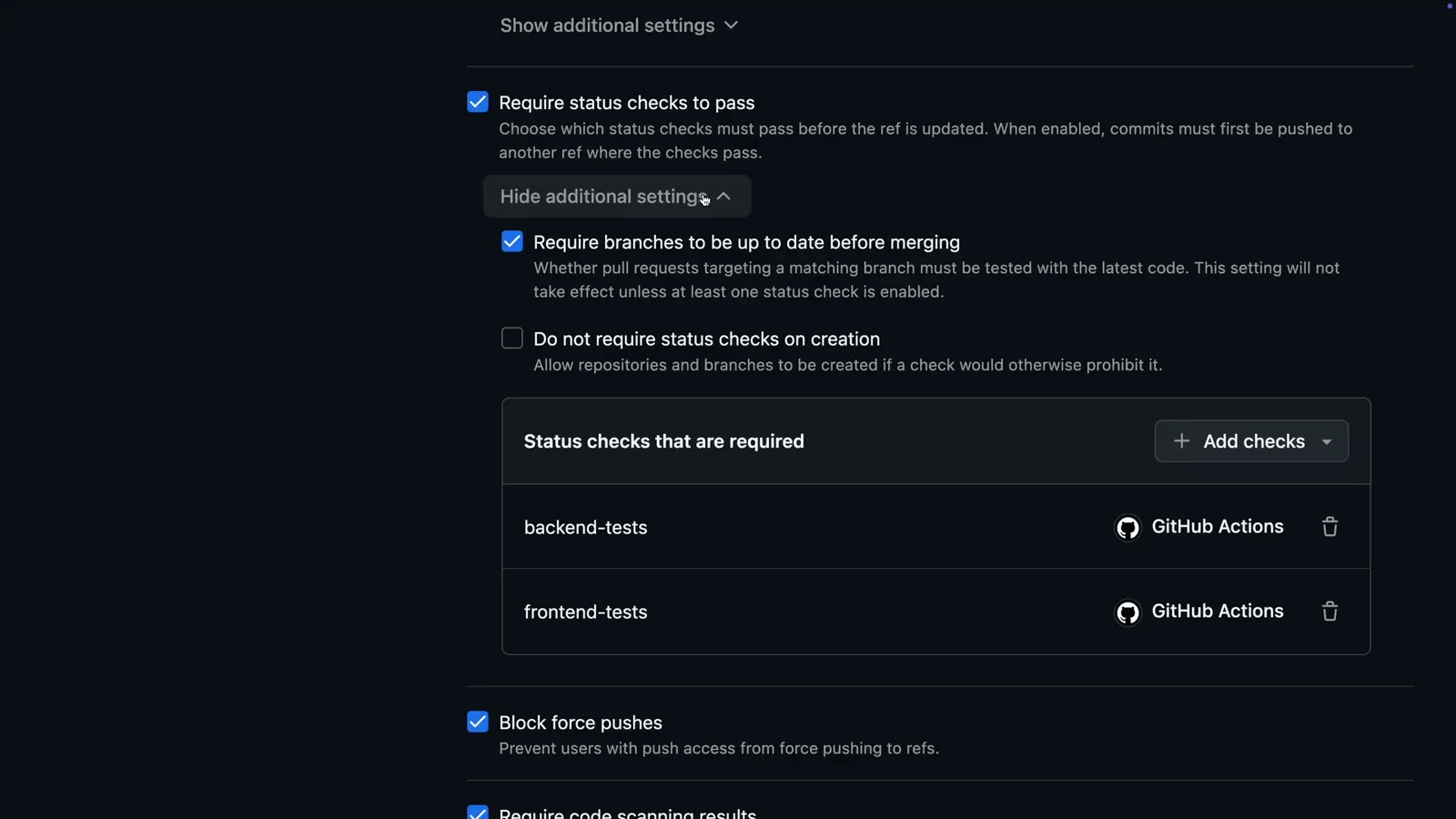
Two workflow jobs from the repository's Actions now gate every merge.Watch at 2:32 - 11
Block merges on open security alerts
Still in the ruleset, tick Require code scanning results and add CodeQL with a threshold — Security alerts: High or higher, Alerts: Errors. A high-severity finding now freezes the merge until it is fixed.
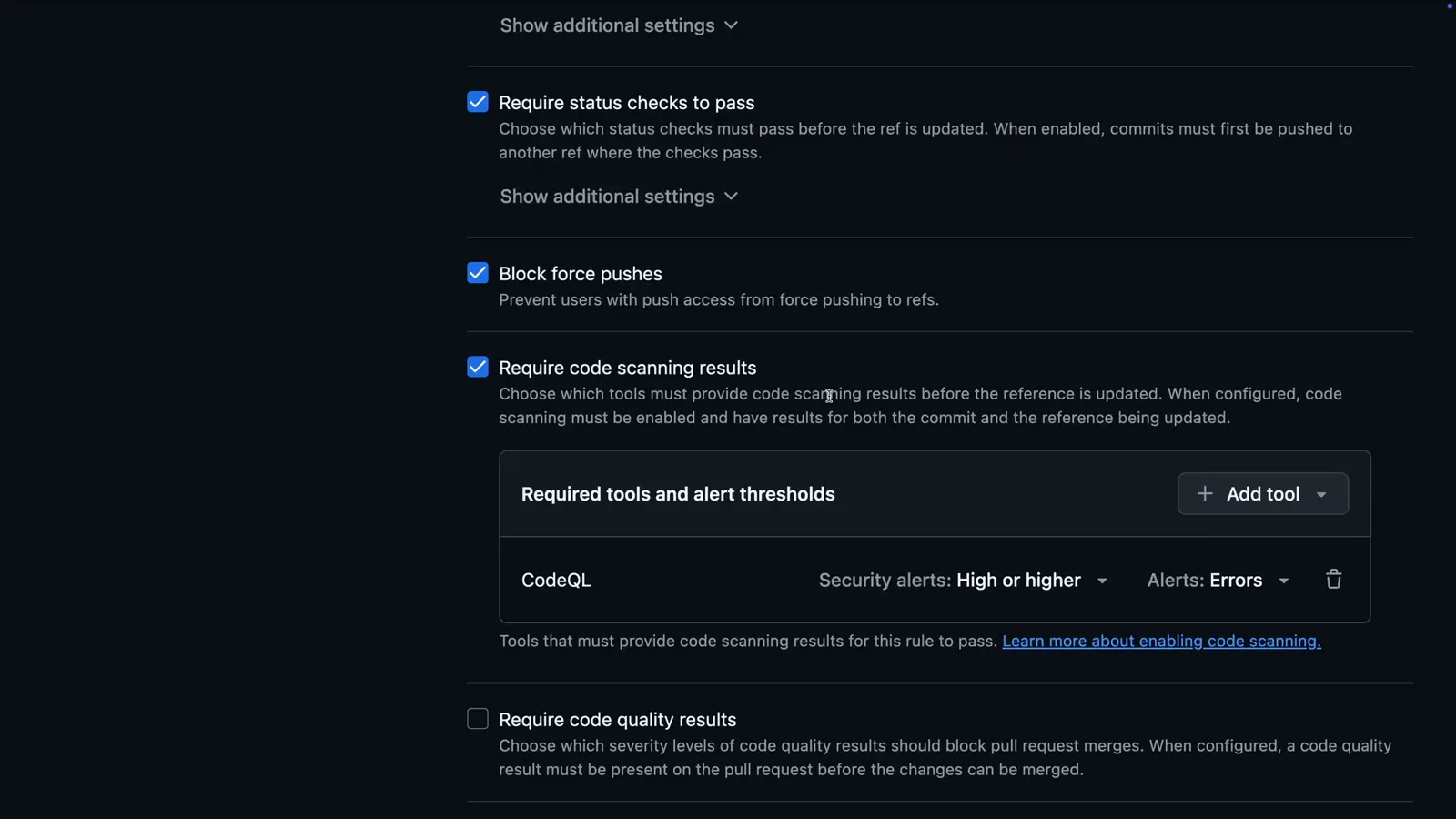
The CodeQL threshold decides which alerts freeze a pull request.Watch at 2:42 - 12
Give Copilot your standards in writing
Add .github/copilot-instructions.md to the repository and describe the stack plus the rules — Copilot Review reads this file on every review and cites your guidelines in its comments.
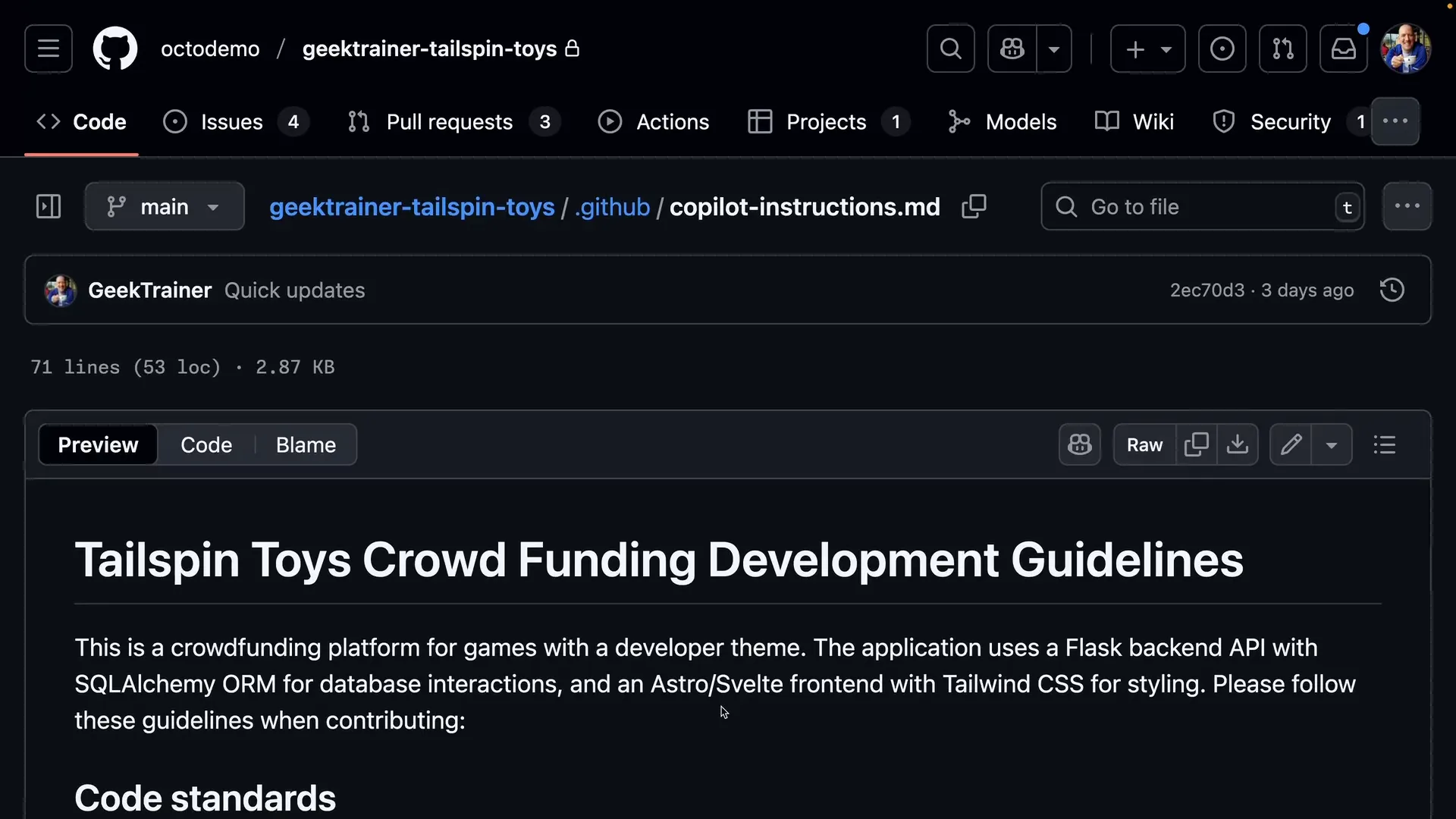
The file lives in .github and every Copilot review inherits it.Watch at 2:53
Review the pull requests Copilot authors itself
- 13
Treat Copilot's pull requests like any teammate's
Copilot authors pull requests too — and its code deserves the same scrutiny. Open its pull request, read the description it wrote, and confirm a human reviewer is required before merge.
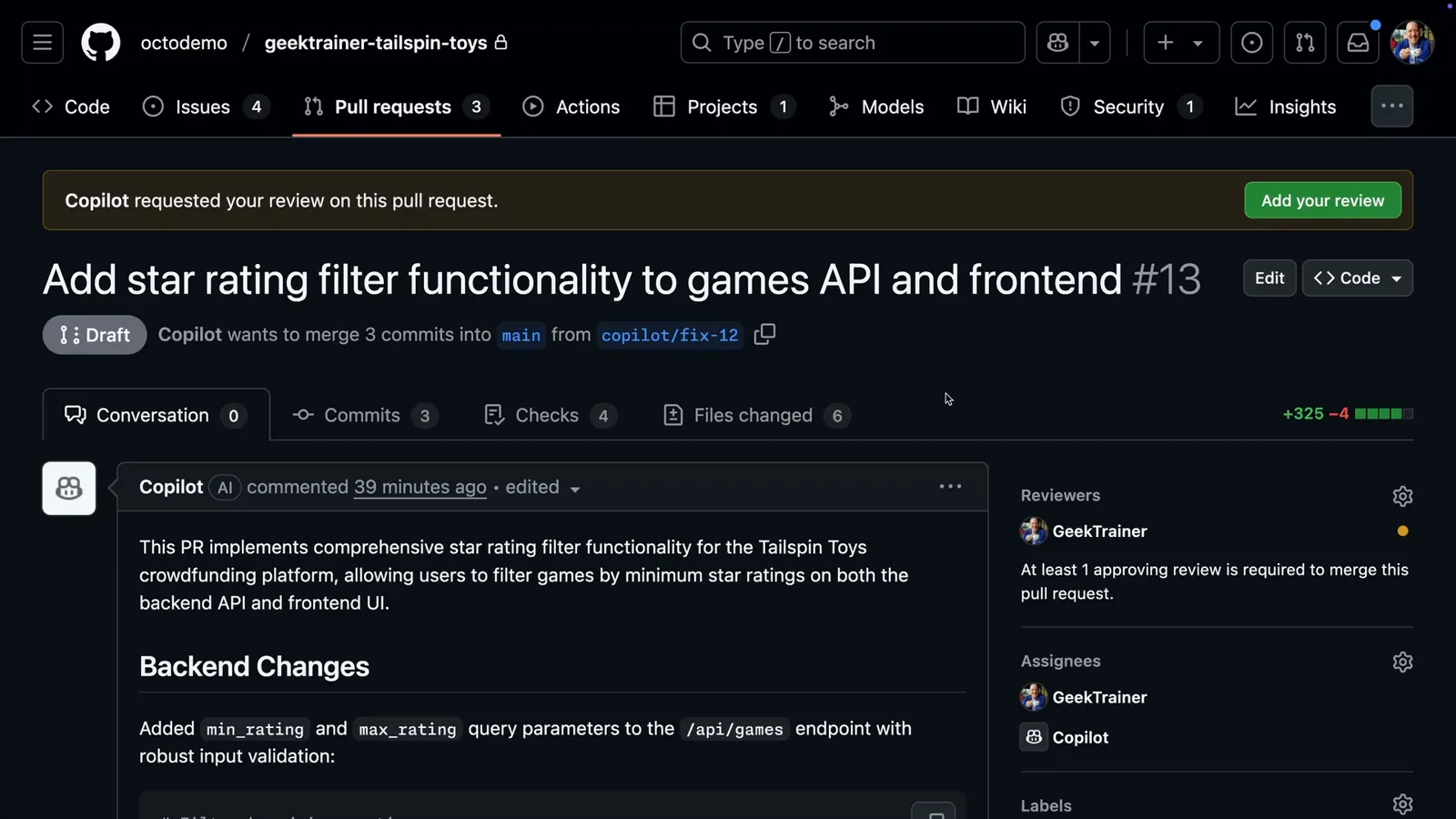
Copilot opened this pull request from branch copilot/fix-12 and asked for a human review.Watch at 3:12 - 14
Run the branch in a codespace before approving
Open a codespace on Copilot's branch and start the app. The star-rating filter Copilot built works — so exercise the feature instead of only reading the diff.
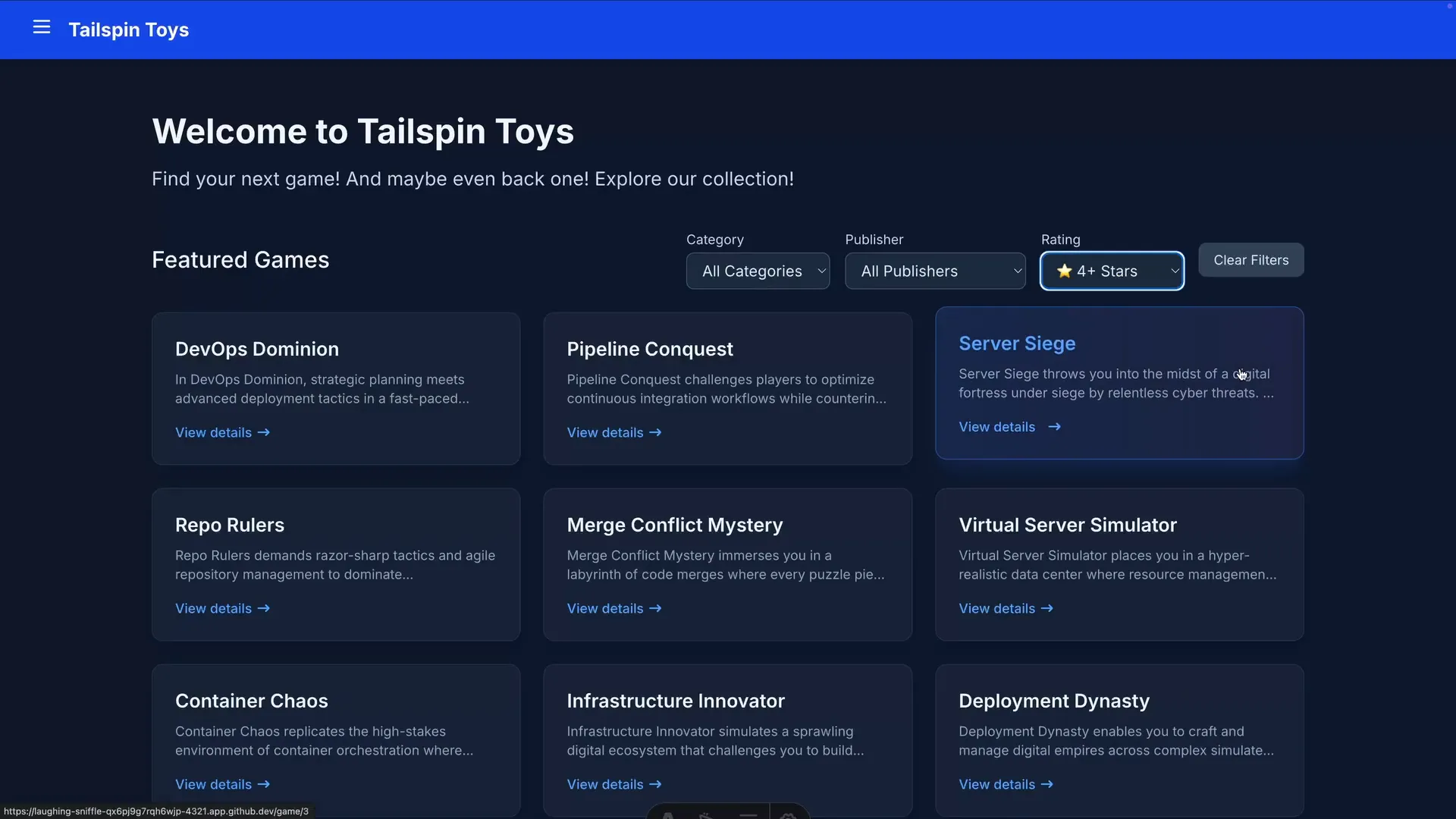
The codespace URL serves Copilot's branch live — filter set to 4+ stars.Watch at 3:42 - 15
Request changes by mentioning @copilot
Spot a gap? Comment on the pull request and mention @copilot with the specifics. Copilot pushes follow-up commits to the same pull request — no complaints about scope creep.
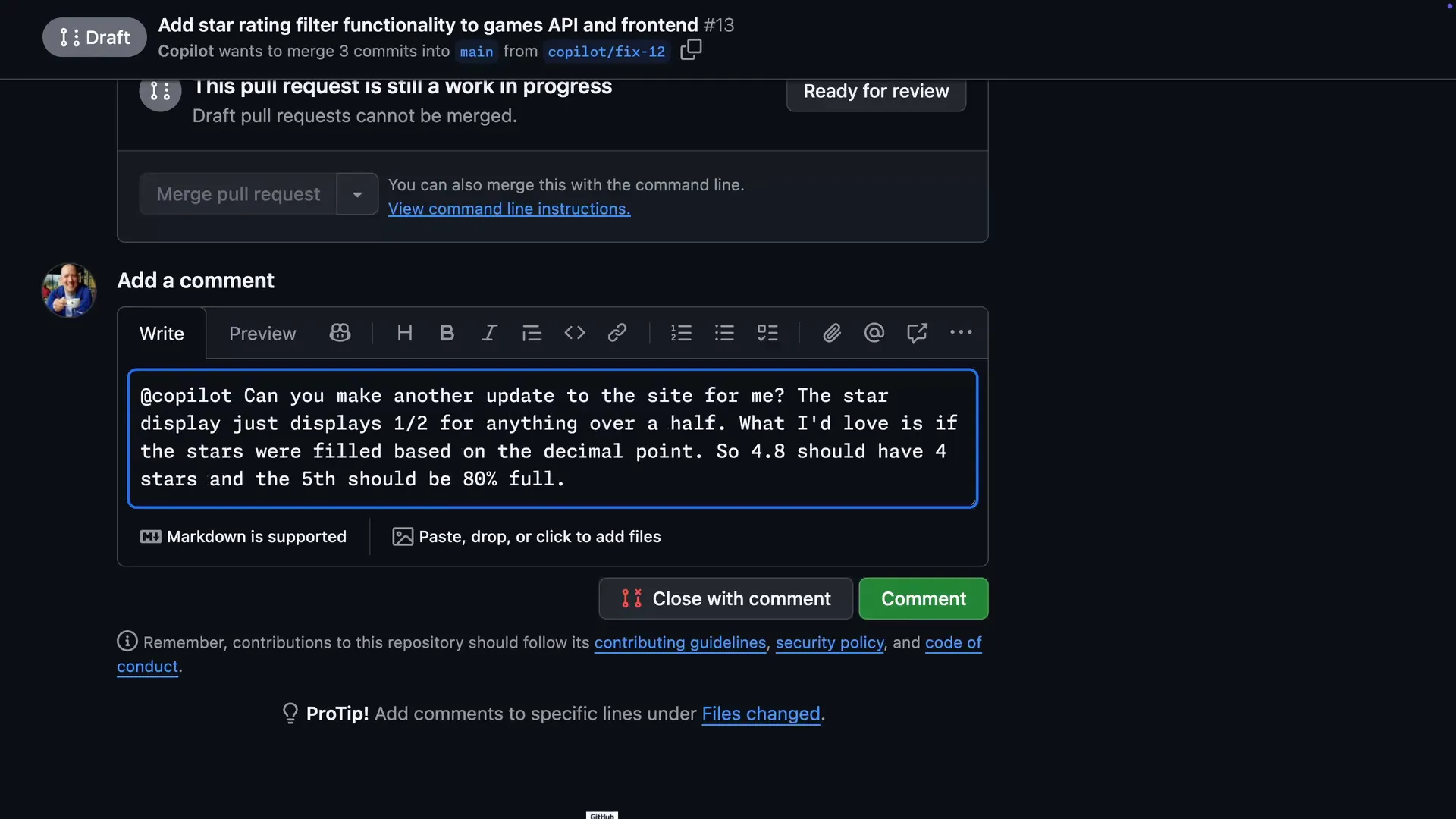
One @copilot comment is enough to send the agent back to work.Watch at 3:57 - 16
Approve the workflow runs on Copilot's pull requests
For security, Actions on a Copilot-authored pull request stay queued until a human approves them. Press Approve workflows to run, then let backend-tests, frontend-tests and CodeQL go green before merging.
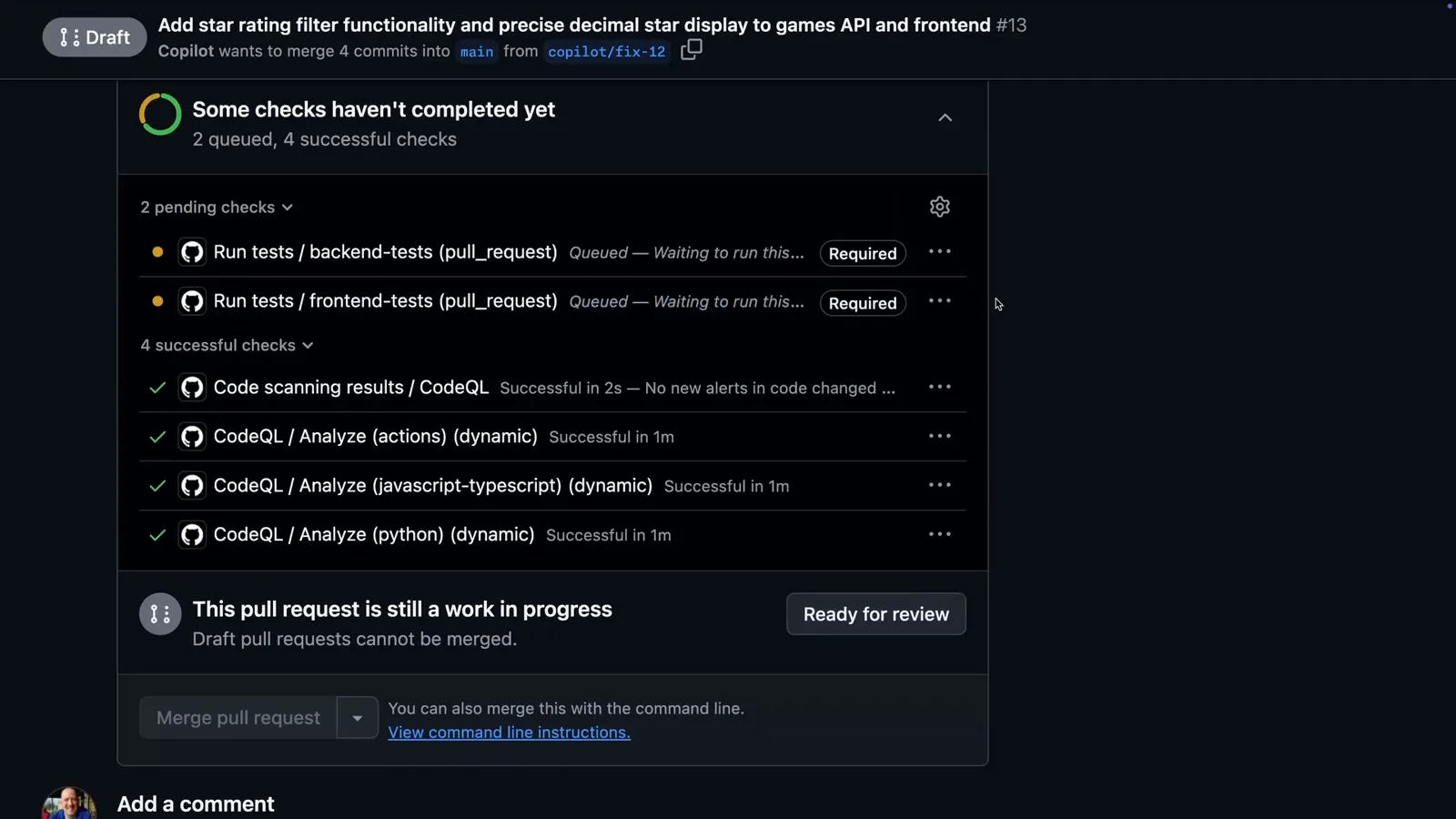
Queued means waiting for you: Copilot's pull requests need a human tap before Actions run.Watch at 4:18