
速览
- 在任意 Claude Code 会话里输入 /insights——它会分析本机最多 200 个未见过的会话,极短的会话会被跳过。
- 大约一分钟后,报告写在 ~/.claude/usage-data/report.html;每次运行还会另存一份带时间戳的副本。
- 报告涵盖你在做什么、怎么用 Claude Code、摩擦点在哪、有哪些功能值得试——每条都带链接或可直接粘贴的提示词。
- 让同一个会话把报告浓缩成「3 条最值得动手的建议」,再让 Claude 直接把修法写进 CLAUDE.md 和 hooks。
Claude Code Course 15 - The /insights Report
频道:Code Playbook5:09
Claude Code: 5 New "Minor" Features You May Have Missed
频道:AI Coding Daily6:31
Analyze your usage patterns (official docs)
文档:code.claude.com
本页事实均已对照 Claude Code 官方 changelog 与文档核实:/insights 分析本机最多 200 个此前未分析过的会话,跳过极短会话,报告写入 ~/.claude/usage-data/(超过 cleanupPeriodDays,默认 30 天,会在启动清理时删除)。
截图来自上面两支创作者录屏,摄像头画中画已裁掉;每一步都深链到源视频的精确秒数。
跑 /insights、读报告、把建议落地
运行命令(第 1–3 步)
- 1
先弄清 /insights 是什么
Anthropic 官方这样介绍 /insights:读取你过去一个月的消息历史,总结你的项目和 Claude Code 使用方式,并给出改进工作流的建议。它汇报的是你的工作方式,而不是 token 烧了多少。
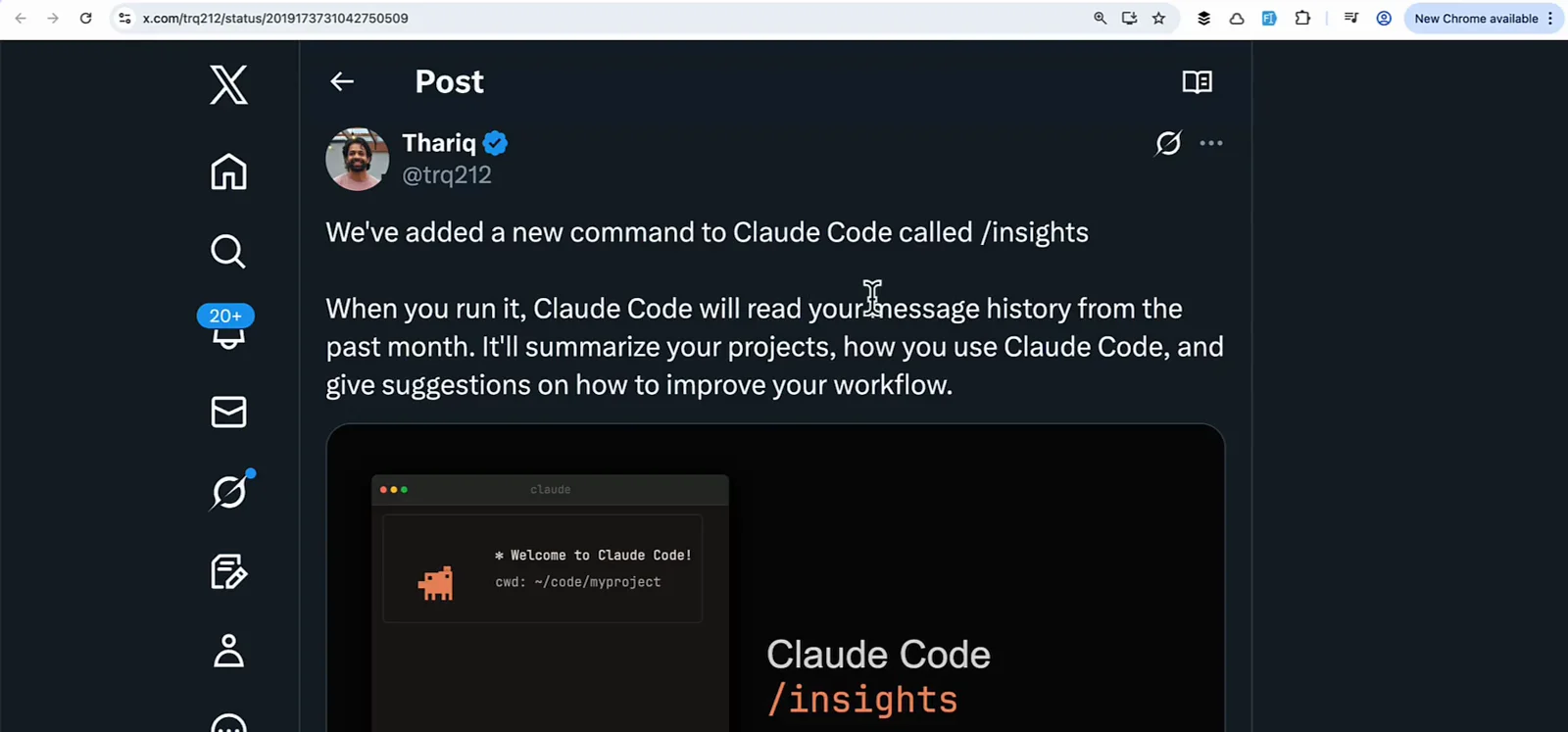
官方公告帖,截自 AI Coding Daily 的视频。看视频 0:35 处 - 2
在任意项目里输入 /insights
在任意文件夹打开 Claude Code,运行 /insights。分析覆盖这台机器上最近的全部会话,不只当前项目。Claude 读取历史时会有转圈动画,大约一分钟。
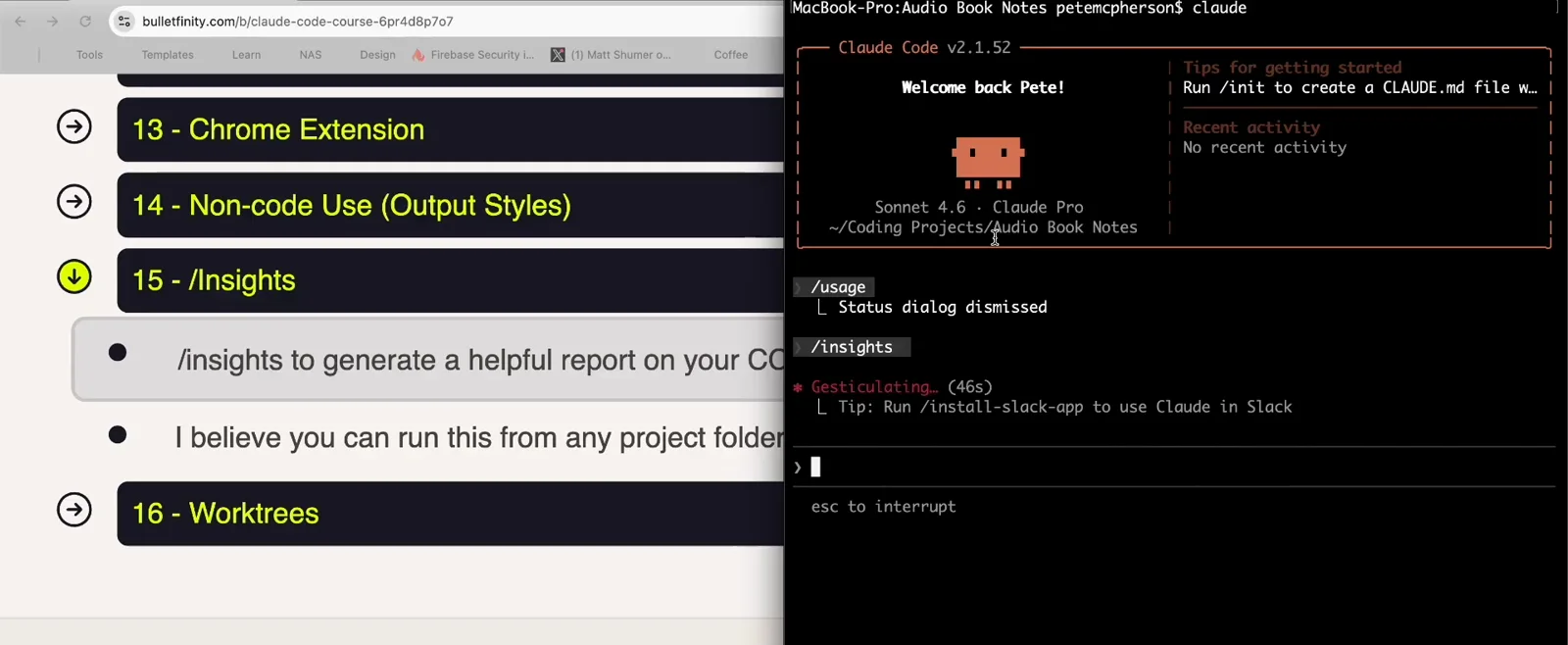
Code Playbook 录屏里运行中的 /insights,转圈计数表示分析进行中。看视频 0:50 处 - 3
等 report is ready 提示
跑完后 Claude Code 会打印报告路径:~/.claude/usage-data/report.html,并问你要不要深入某个章节、或者试试里面的建议——直接在会话里回答即可。
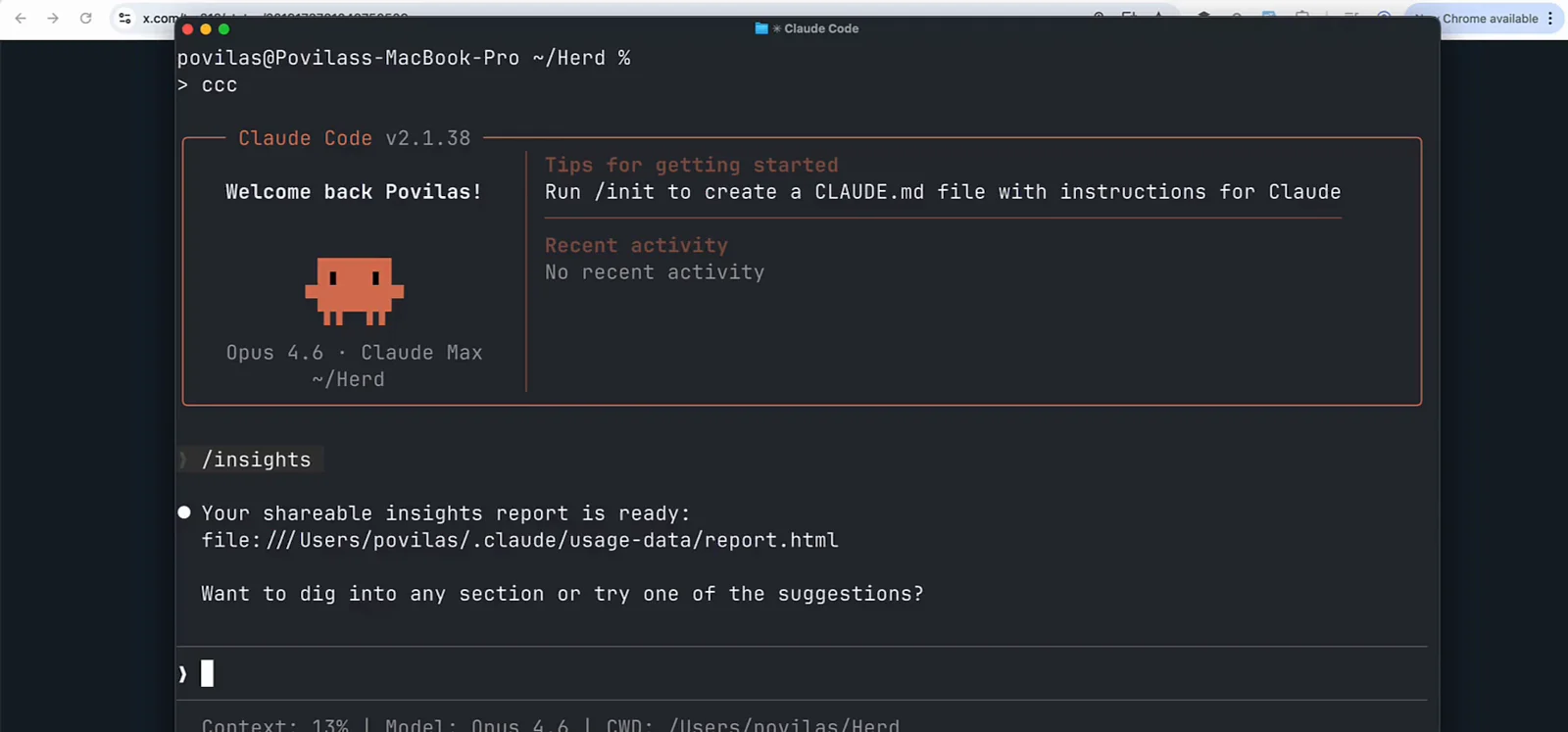
带 report.html 路径的完成提示,来自第二支录屏。看视频 0:45 处
读懂报告(第 4–8 步)
- 4
打开 report.html,先看头部
报告是单个本地 HTML 文件。头部是你的总量:消息数、增删行数、触碰文件数、活跃天数、日均消息数,下面是从 What You Work On 到 Team Feedback 的 8 个章节标签。
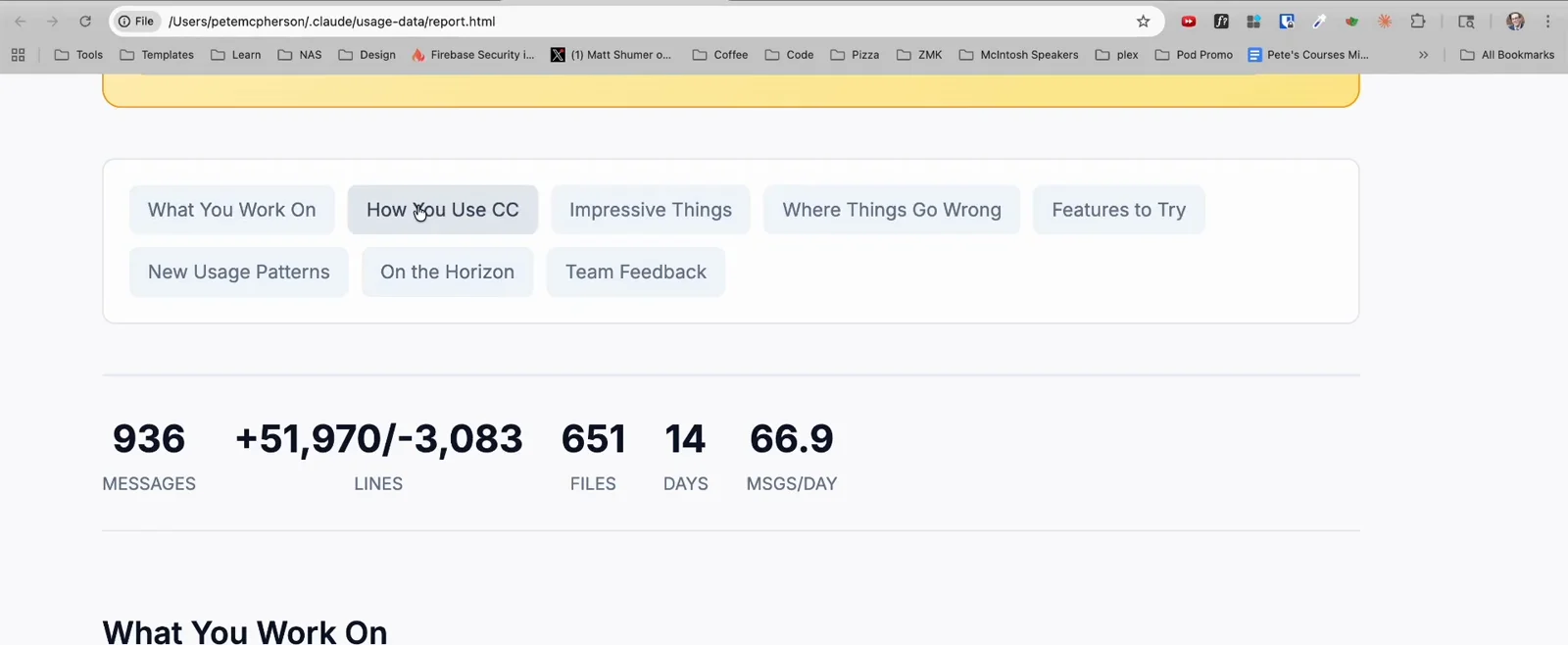
一次 176 个会话分析的头部数据:14 个活跃天里 936 条消息。看视频 2:10 处 - 5
先读 At a Glance 卡片
开篇卡片用四段话概括整份报告:什么在起作用、什么在拖后腿、马上能试的快赢、以及更大胆的工作流。例子里 Claude 点出了反复出现的语法摩擦,建议补 CLAUDE.md 约定和构建检查 hook。
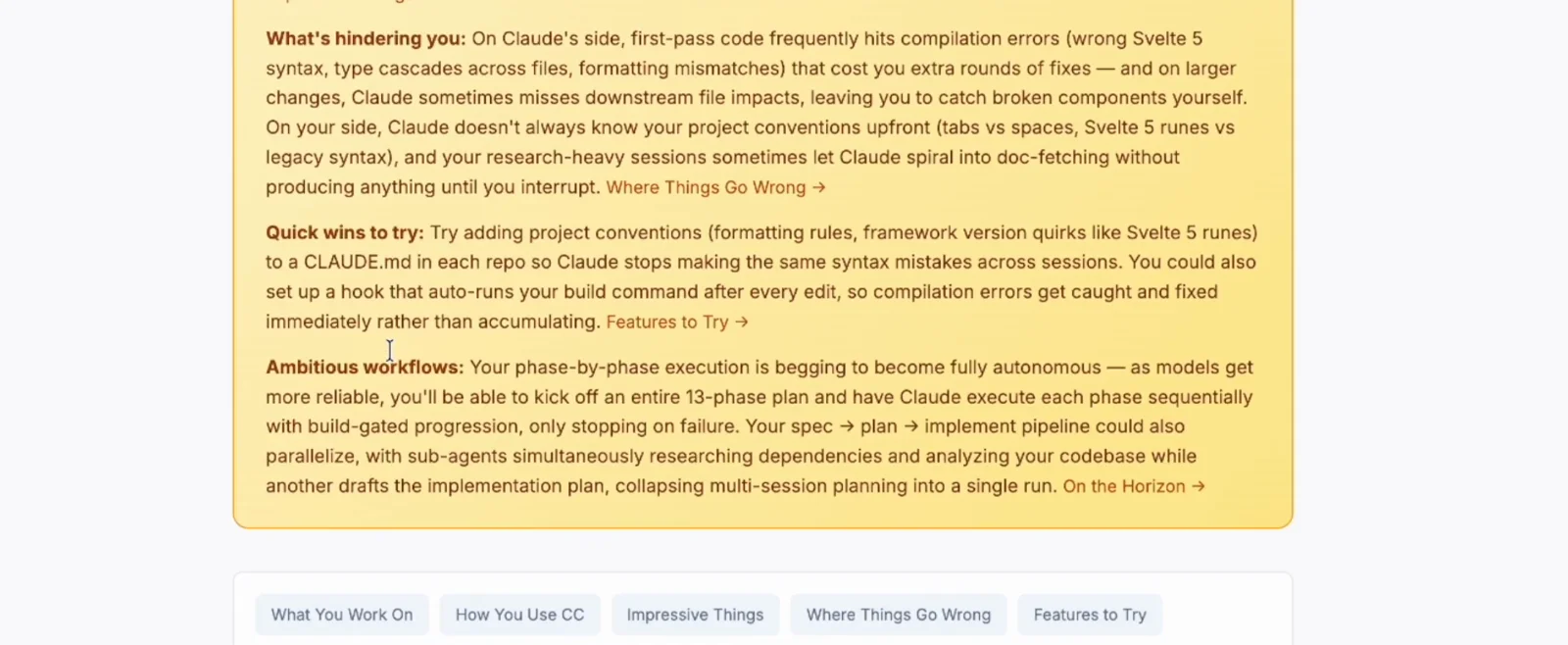
At a Glance 摘要——决定先动手哪条的最快入口。看视频 1:48 处 - 6
看清你究竟怎么用 Claude Code
How You Use CC 章节用柱状图展示你要求过什么、Claude 用了哪些工具(Read、Edit、Bash……)、你的语言构成和会话类型(单任务、迭代打磨等)。上面这位创作者就发现自己的「先规划后执行」工作流是最大亮点。
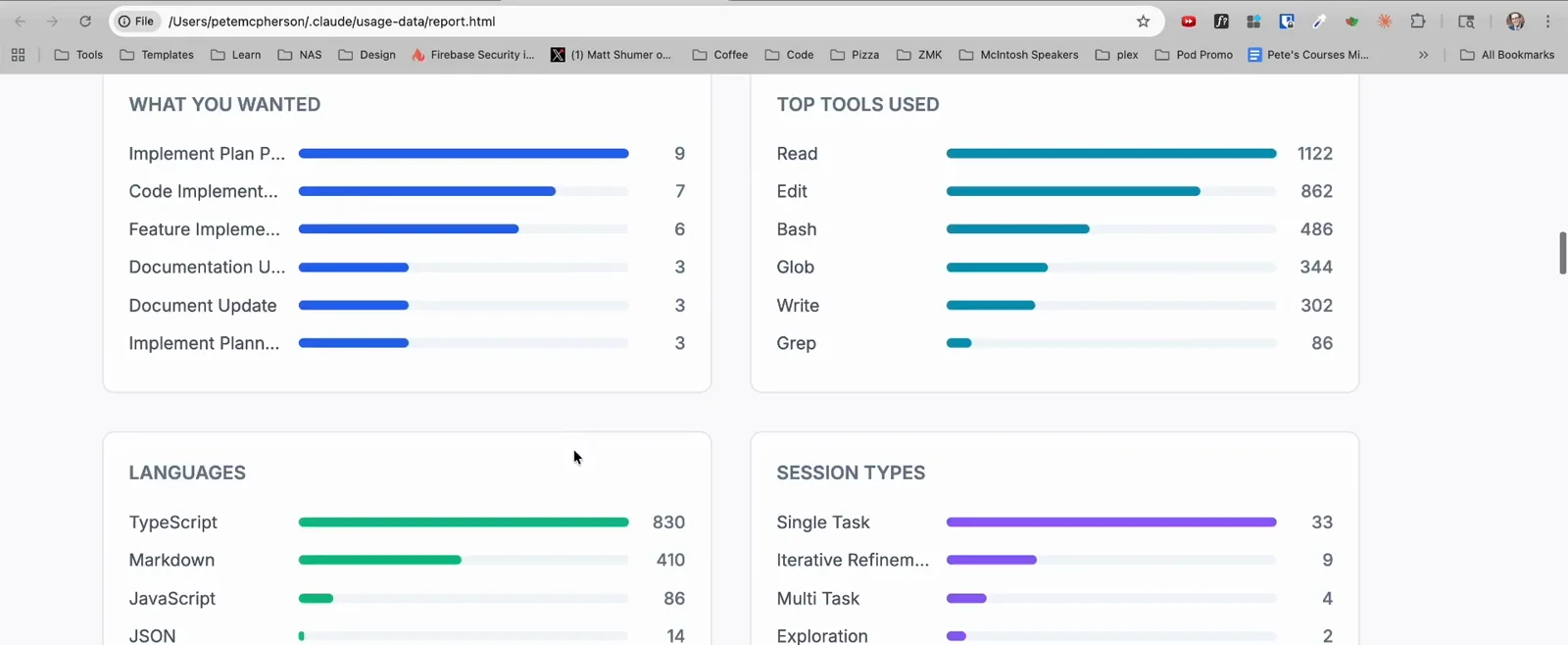
报告里的用量图表:常用工具、语言与会话类型。看视频 2:18 处 - 7
- 8
直面摩擦章节
报告会量化哪里出了问题:主要摩擦类型(代码有 bug、方向不对等)和模型估计的满意度。下面 Existing CC Features to Try 给出具体可加的东西——CLAUDE.md 规则、hook,甚至一个自定义 /plan skill。
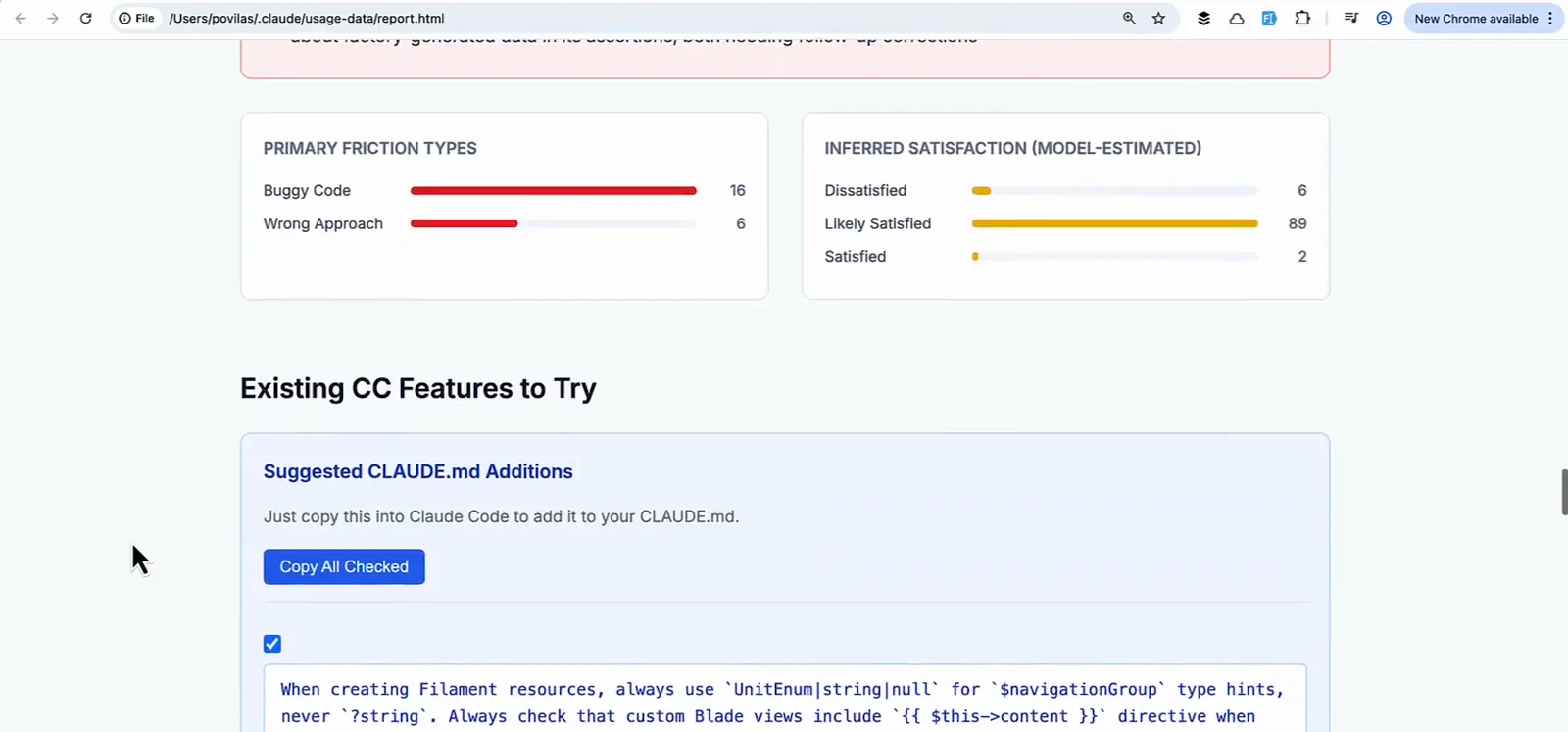
摩擦类型、满意度估计和功能建议。看视频 1:40 处
把发现变成修复(第 9–11 步)
- 9
用上 PASTE INTO CLAUDE CODE 代码块
不少建议直接给出现成提示词。图中这条定义了「构建-验证-修复」循环:每次编辑后跑类型检查、解析报错、全部修掉、重新构建,并对改动的类型 grep 全部调用点。点 Copy 粘进会话即可。
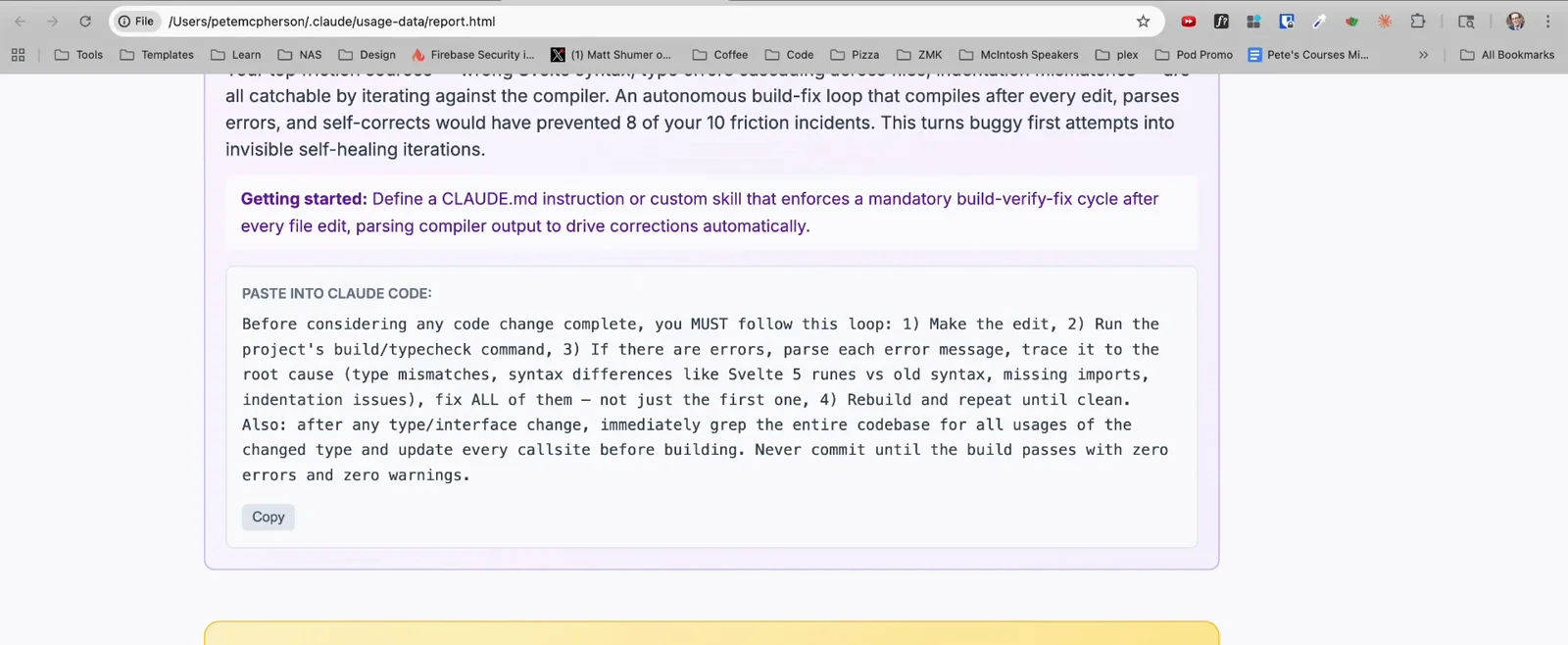
报告生成的可粘贴提示词——不用自己写提示词。看视频 2:35 处 - 10
让同一个会话帮你浓缩
报告很长。在同一个会话里问 Claude:「give me the top 3 actionable pieces of advice, summarized in less than 200 words」,就能拿到一份从报告提炼的短清单,还可以继续追问。
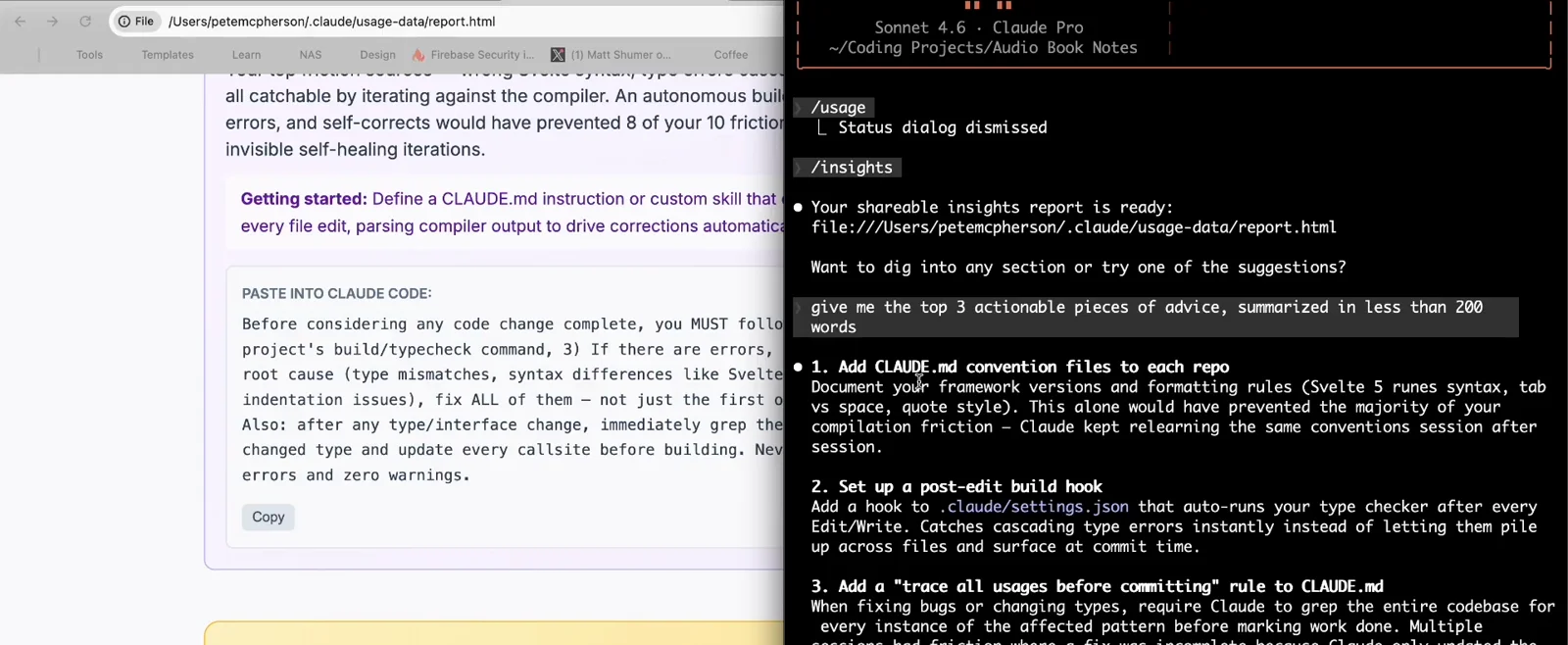
报告刚生成完就索要三条最关键的建议。看视频 2:55 处 - 11
让 Claude 把修复落地
典型的前三条:给每个仓库补 CLAUDE.md 约定文件、在 .claude/settings.json 配置编辑后自动跑构建的 hook、加一条「提交前追踪所有用法」规则。回个「好」,Claude 就替你把 CLAUDE.md 条目和 hook 配置写好。
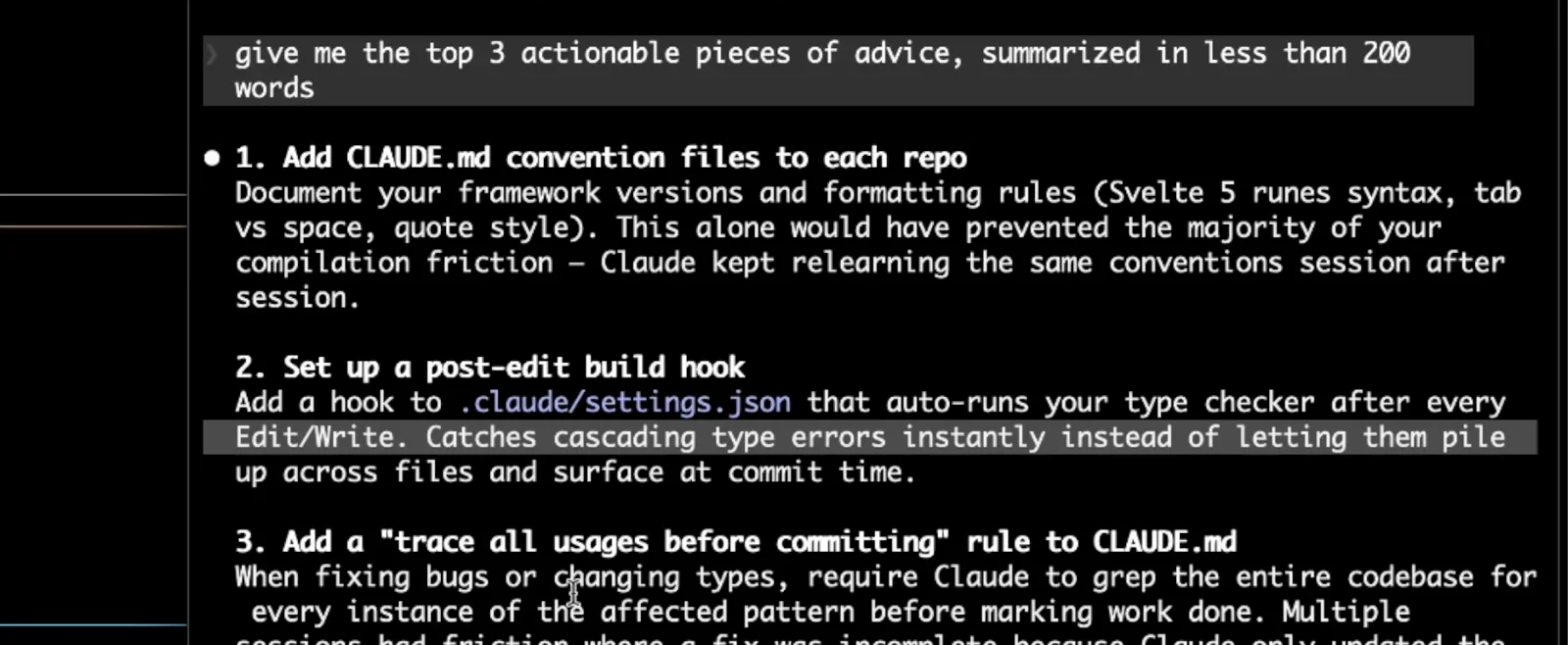
三条建议修复——每一条 Claude 都能直接帮你改。看视频 3:45 处
保存与分享报告(第 12 步)
- 12
保存或分享 HTML 文件
report.html 是自包含的本地文件——随时用浏览器再打开,或直接发给同事。每次运行都会另存一份带时间戳的新副本,旧报告不会被覆盖;超过清理周期(cleanupPeriodDays,默认 30 天)才会删。
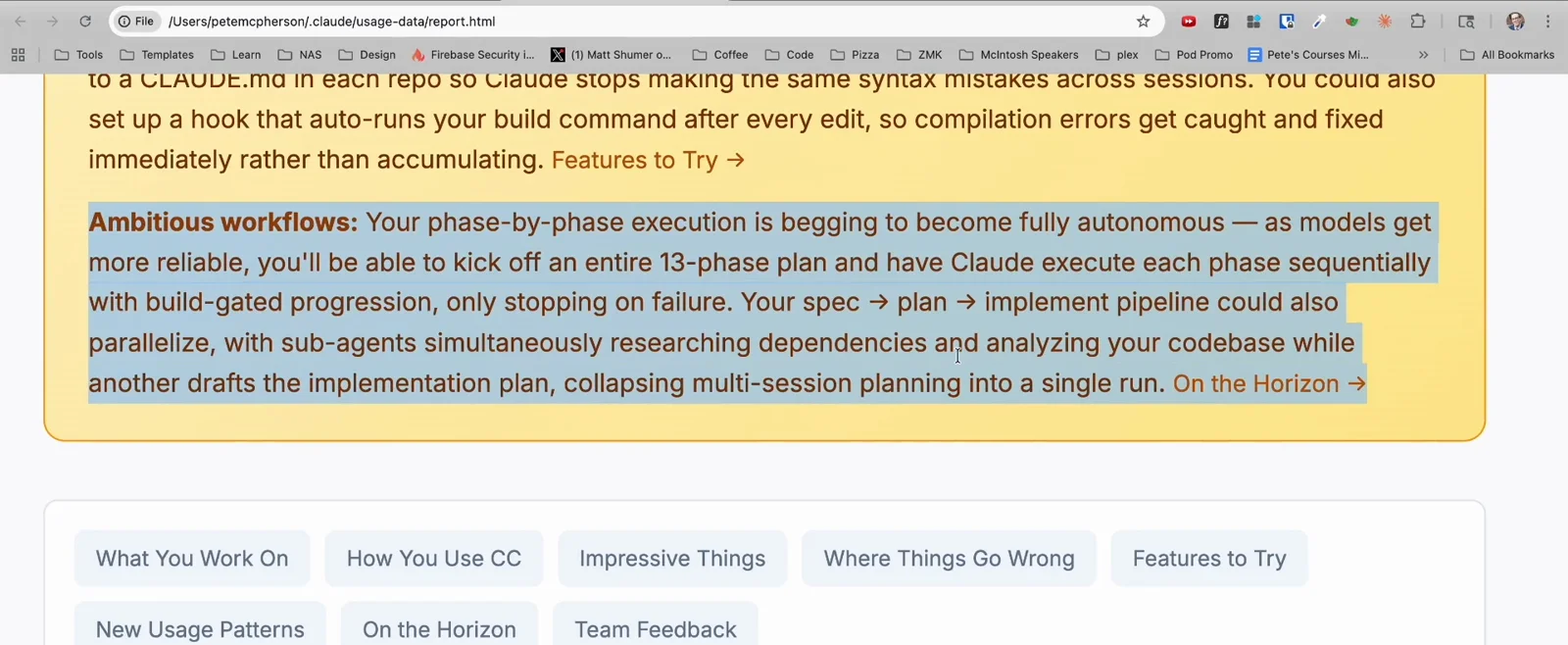
报告就是一个 file:/// 本地地址——离线也能打开。看视频 2:06 处
v2.1.281 新增:auto mode 建议
Claude Code v2.1.281 的 changelog 给 /insights 加了一条 auto mode 建议:报告会估算你最近的会话里有多少权限确认弹窗本来可以由 auto mode 处理。如果你天天在审批上被打断,升级后重跑一次 /insights,看看报告认为 auto mode 能替你消化多少弹窗。
阅读 v2.1.281 changelog