
Claude Code Agent Teams チュートリアル:セットアップから解散までの15ステップ
Agent Teams は各チームメイトに独立した Claude Code セッション、共有タスクリスト、そして相互の直接チャットを与えます。このスクリーンショット解説では、settings.json のフラグ、最初のスポーン、指揮方法、きれいな解散まで――そして誰も教えてくれない制限事項もカバーします。
要点だけ
- Agent Teams は実験的機能でデフォルト無効です。settings.json の env ブロックに "CLAUDE_CODE_EXPERIMENTAL_AGENT_TEAMS": "1" を追加し、Claude Code v2.1.32 以上で実行してください。
- 言葉にする必要があります――「create an agent team」と依頼し、チームメイトやモデルを指定しないと、Claude は普通のサブエージェントを黙ってスポーンします。
- チームメイトはあなたの会話履歴を決して引き継ぎません――コンテキストファイルを渡し、各タスクが1つの明確な成果物を出せる大きさに保ちましょう。
- 各チームメイトは独立した Claude Code インスタンスで独自のコンテキストウィンドウを持つため、トークンは倍増します――定型的なタスクは Sonnet や Haiku に下げ、実行のたびに /cost を確認しましょう。
Claude Code Agent Teams (Full Tutorial): The BEST FEATURE of Claude Code is HERE!
動画:AICodeKing13:58
Agent teams — Orchestrate teams of Claude Code sessions
公式ドキュメント:code.claude.comDocs
Agent Teams は実験的機能のため、セッション再開・タスク状態・解散のタイミングに粗い部分があります。このページのコマンド・設定キー・ショートカットはすべて、公開前に公式ドキュメントと照合済みです。
スクリーンショットは AICodeKing の録画から、Bart Slodyczka と Simon Scrapes の実践解説が追加の事実を提供しています。すべての出典はクレジットとリンク付きで、各ステップから動画の該当箇所へ直接ジャンプできます。
空のターミナルからチーム解散まで
1. Agent Teams を有効化して環境を確認する
- 1
Agent Teams のドキュメントを見つけ、実験的警告を読む
Agent Teams は公式ドキュメントの Build with Claude Code セクションにあります。ページ先頭にオレンジのバナーが表示されます:この機能は実験的でデフォルト無効、セッション再開・タスク調整・解散に既知の制限があります。フラグを触る前に必ず読みましょう。
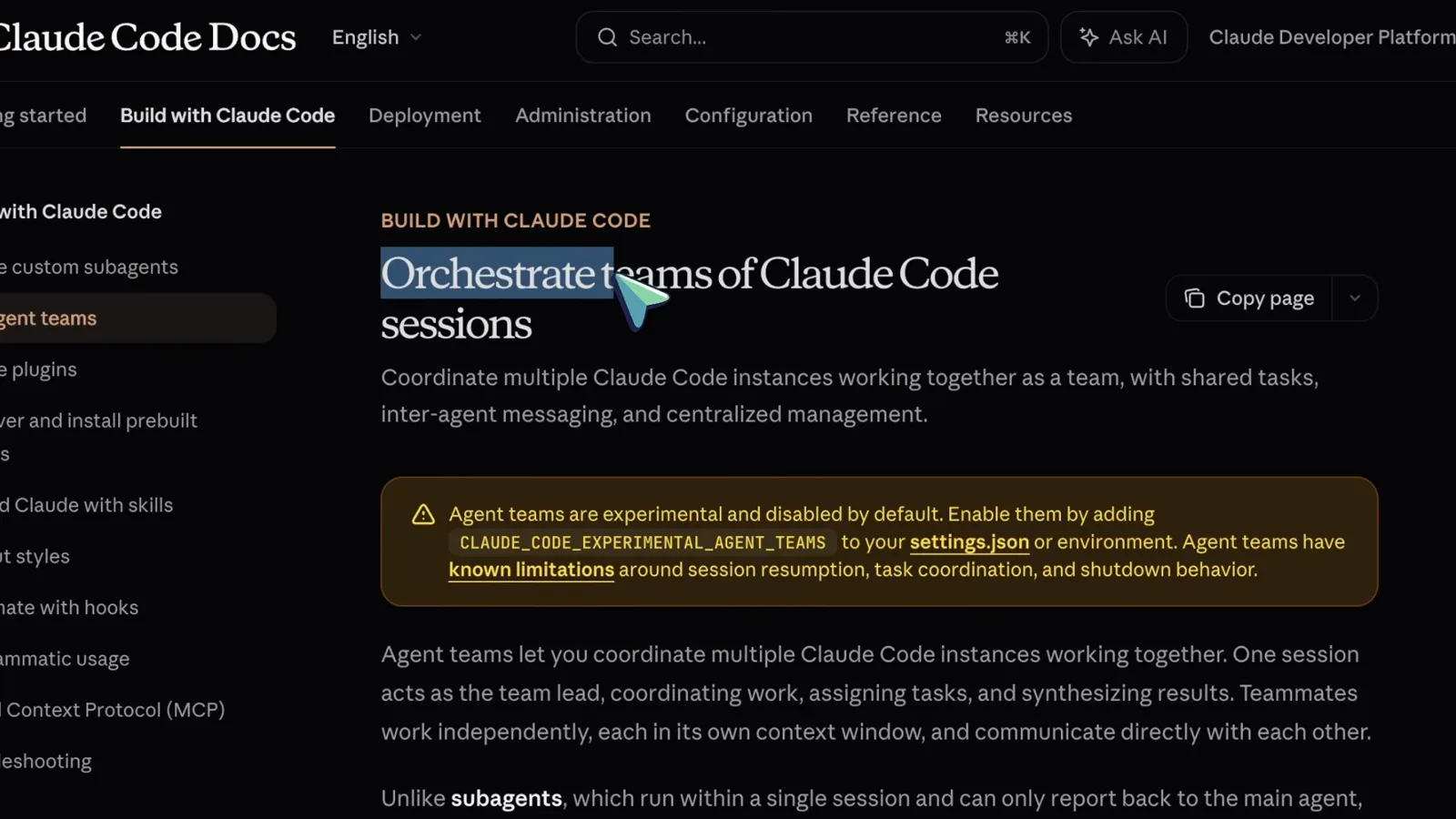
公式 Agent Teams ページと実験的機能の警告バナー。0:20 の映像を見る - 2
サブエージェントか Agent Teams かを決める
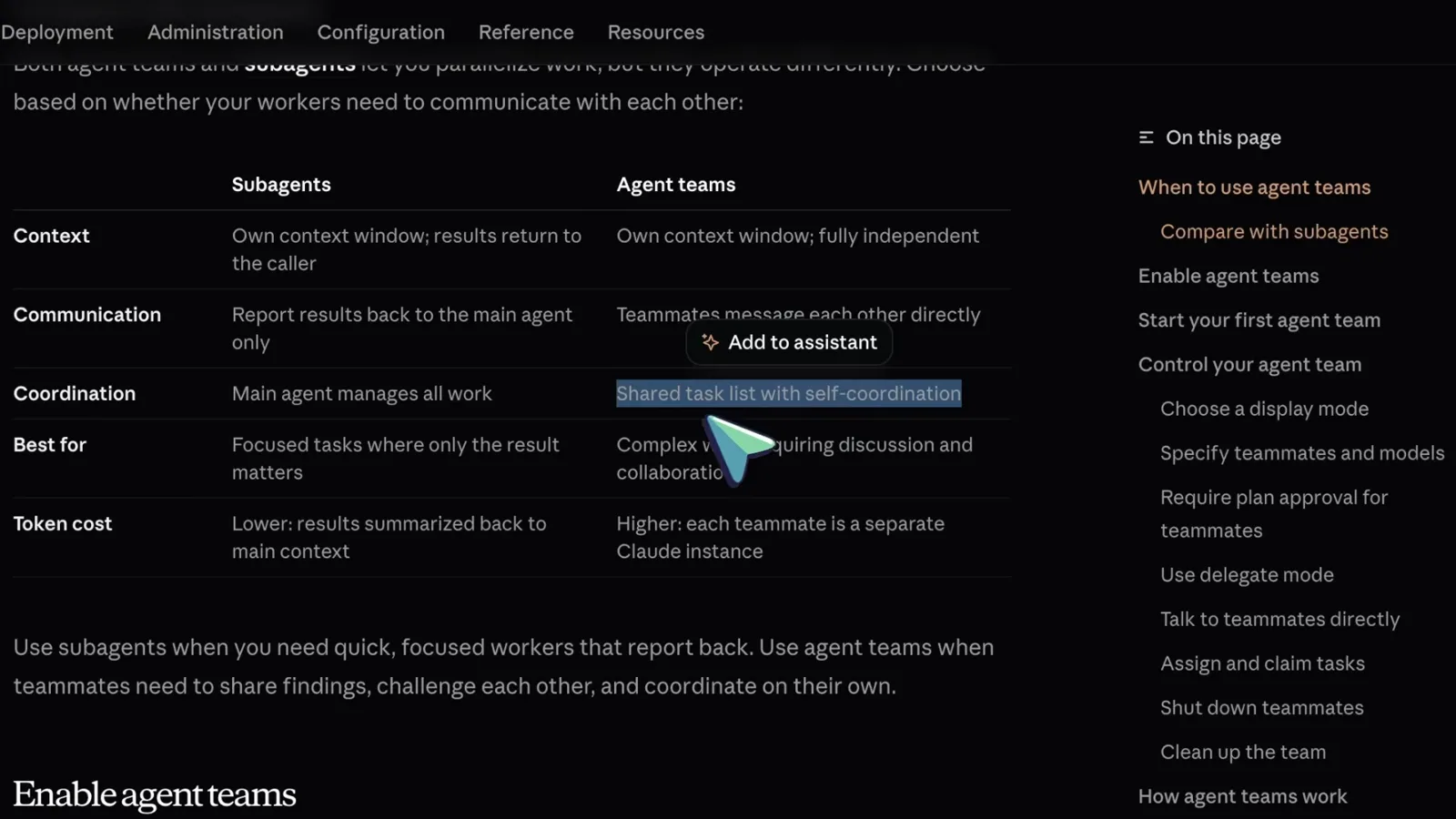
ドキュメントには比較表があります。サブエージェントは単一セッション内で動き、結果を呼び出し元に返し、トークン消費も抑えられます。チームメイトは独立した Claude Code インスタンスで、互いに直接メッセージを交換し、タスクリストを共有します――本物の協業にはトークンがかかります。結果だけが必要ならサブエージェント、ワーカー同士の議論が必要ならチームです。
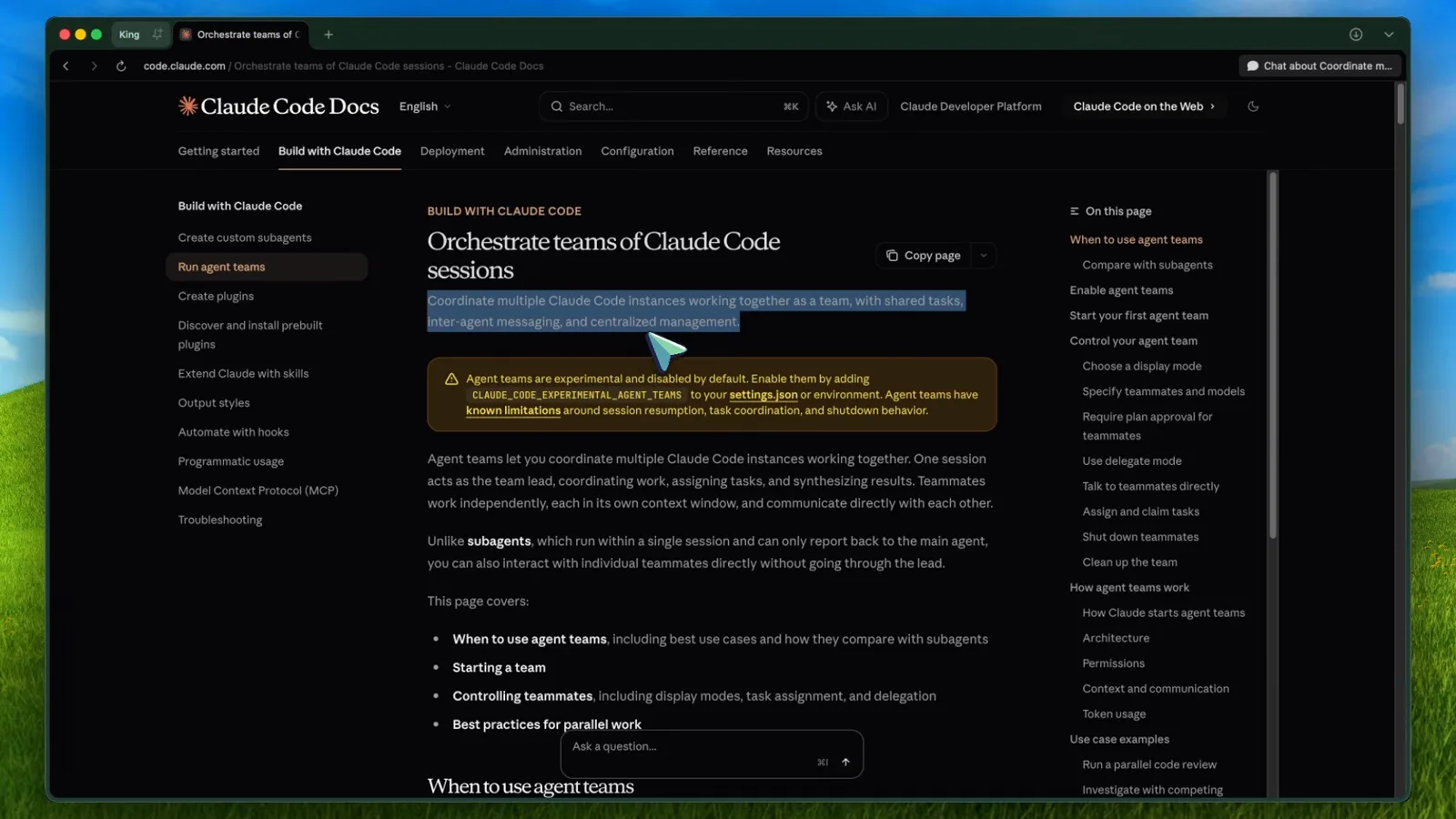
公式の比較表そのまま、サブエージェント vs Agent Teams。1:00 の映像を見る - 3
settings.json でフラグを有効にする
~/.claude/settings.json を開き(なければ作成)、env ブロックに "CLAUDE_CODE_EXPERIMENTAL_AGENT_TEAMS": "1" を追加します。プロジェクト級・ローカルの設定ファイルでも有効化でき、シェルのエクスポートでも動きます――ただしユーザー設定の "0" はシェルのエクスポートを上書きします。変更は再起動なしで実行中のセッションに反映されます。
Agent Teams をオンにする env ブロック。2:00 の映像を見る - 4
Claude Code を更新して起動し、普通の言葉でチームを頼む
まず claude update を実行――チーム機能には新しいビルド(2.1.32 以上)が必要で、古いバージョンはフラグを黙って無視します。Claude を起動し、モデルピッカーを確認し(動画では Claude Max の Opus 4.6)、おまじないを含むプロンプトを入力します:「Use the agent teams feature.」この一言がないと、Claude は普通のサブエージェントをスポーンしてしまいます。
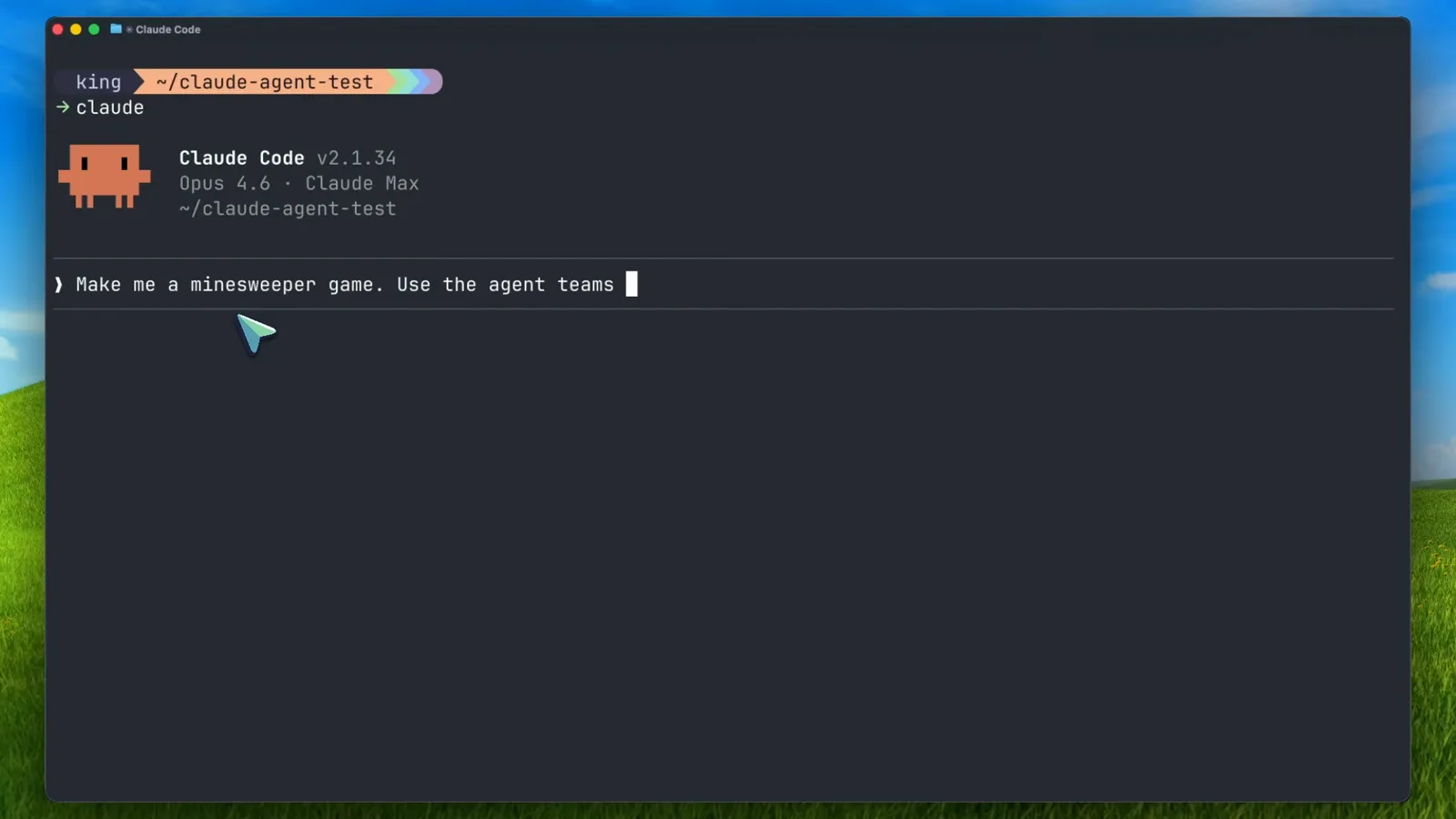
Agent Teams のプロンプトを受け取る Claude Code v2.1.34。3:30 の映像を見る
2. 最初のチームをスポーンする
- 5
リードが作業を共有タスクリストに分解するのを見る
リードはプロンプトをタスクに変換し、チームメイトをスポーンします。各エントリにはタスクと「shift+↑ to manage」が表示されます。依存マーカーに注目:「Build UI, styling, and user interaction > blocked by #1」――エンジニアリング担当が終わるまで UI 担当はタスクを取得できません。共有タスクリストはこれで二重作業を防ぎます。
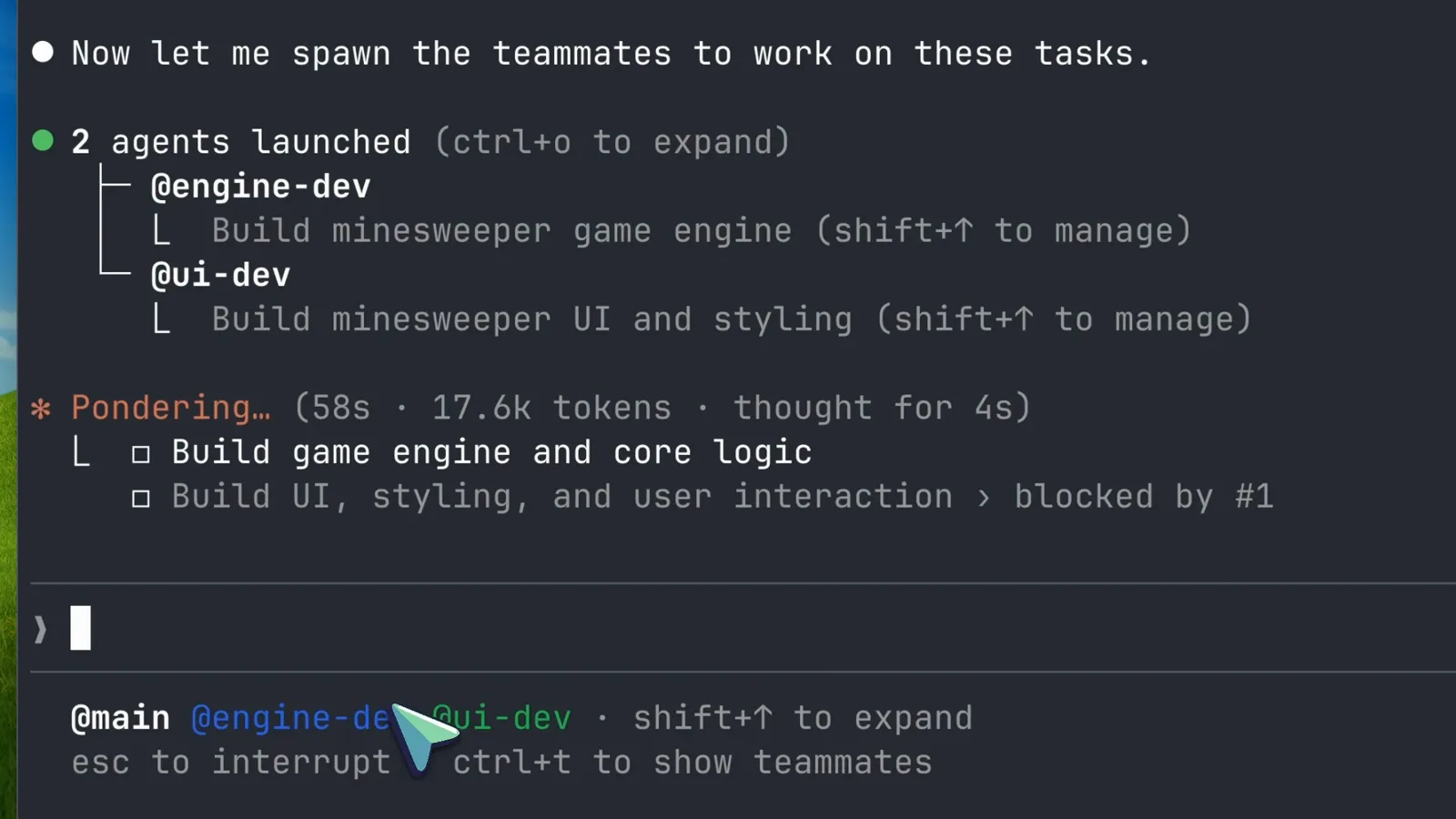
チームメイト2人が起動、タスク #2 は #1 にブロック。4:30 の映像を見る - 6
走らせたまま、リアルタイムの進捗を読む
チームメイトは各自のセッションで並行作業します。リードは状態を中継し――「Both agents are working」――各タスク行には担当者名・経過時間・トークン消費が付きます。ctrl+o で展開、ctrl+t でチームメイトパネルの表示をいつでも切り替えられます。
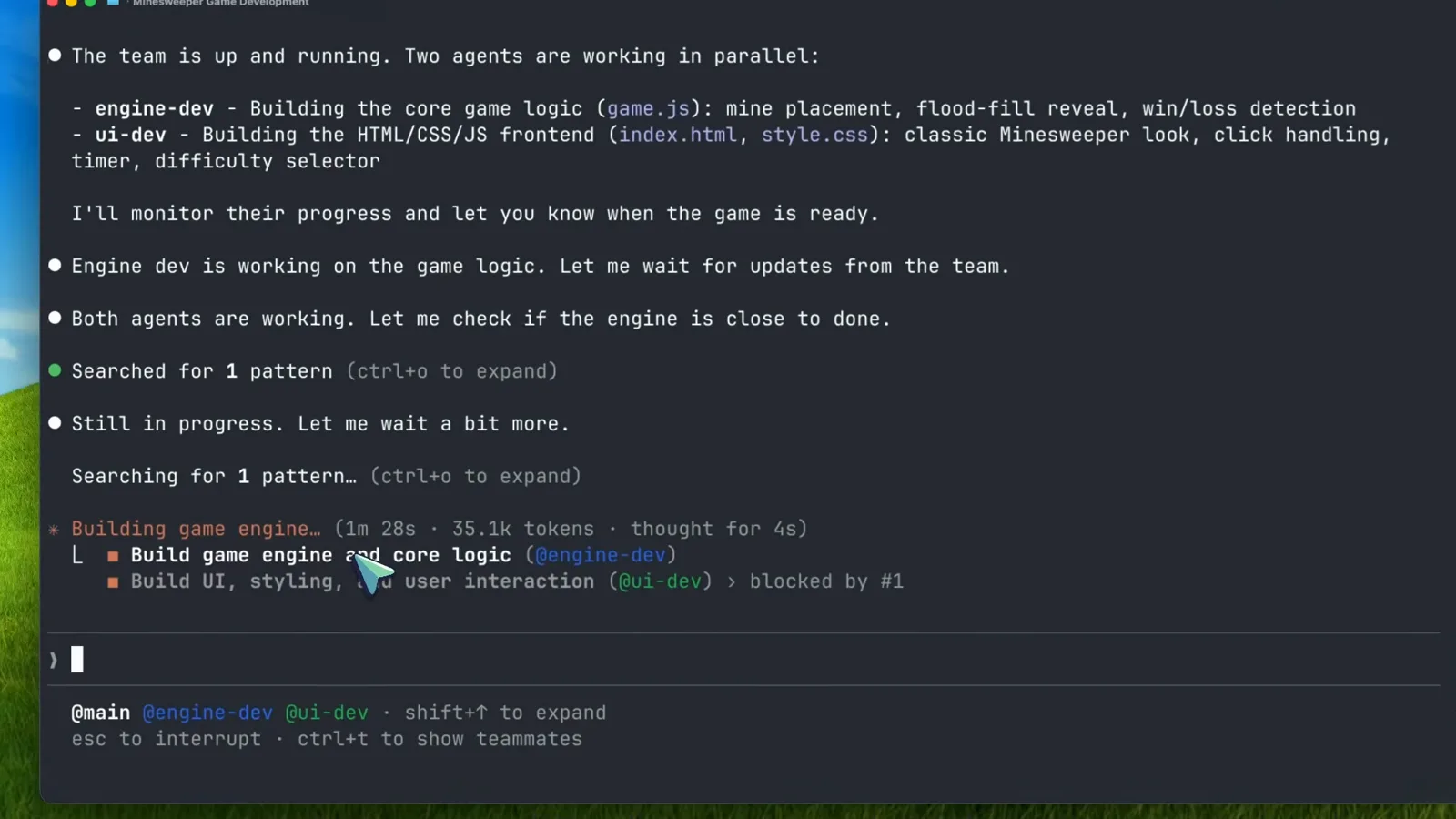
タスクごとのトークンと時間が見える並列作業。5:00 の映像を見る - 7
応用:チームメイトの数とモデルを指定する
具体的に指定できます:「Create a team with 4 teammates to refactor these modules in parallel. Use Sonnet for each teammate.」チームメイトに安いモデルを指定するのが最も効果的なコスト削減です――定型的な作業に Opus は不要です。リスクの高いタスクでは plan approval も要求し、コードを書く前に計画にサインをもらいましょう。
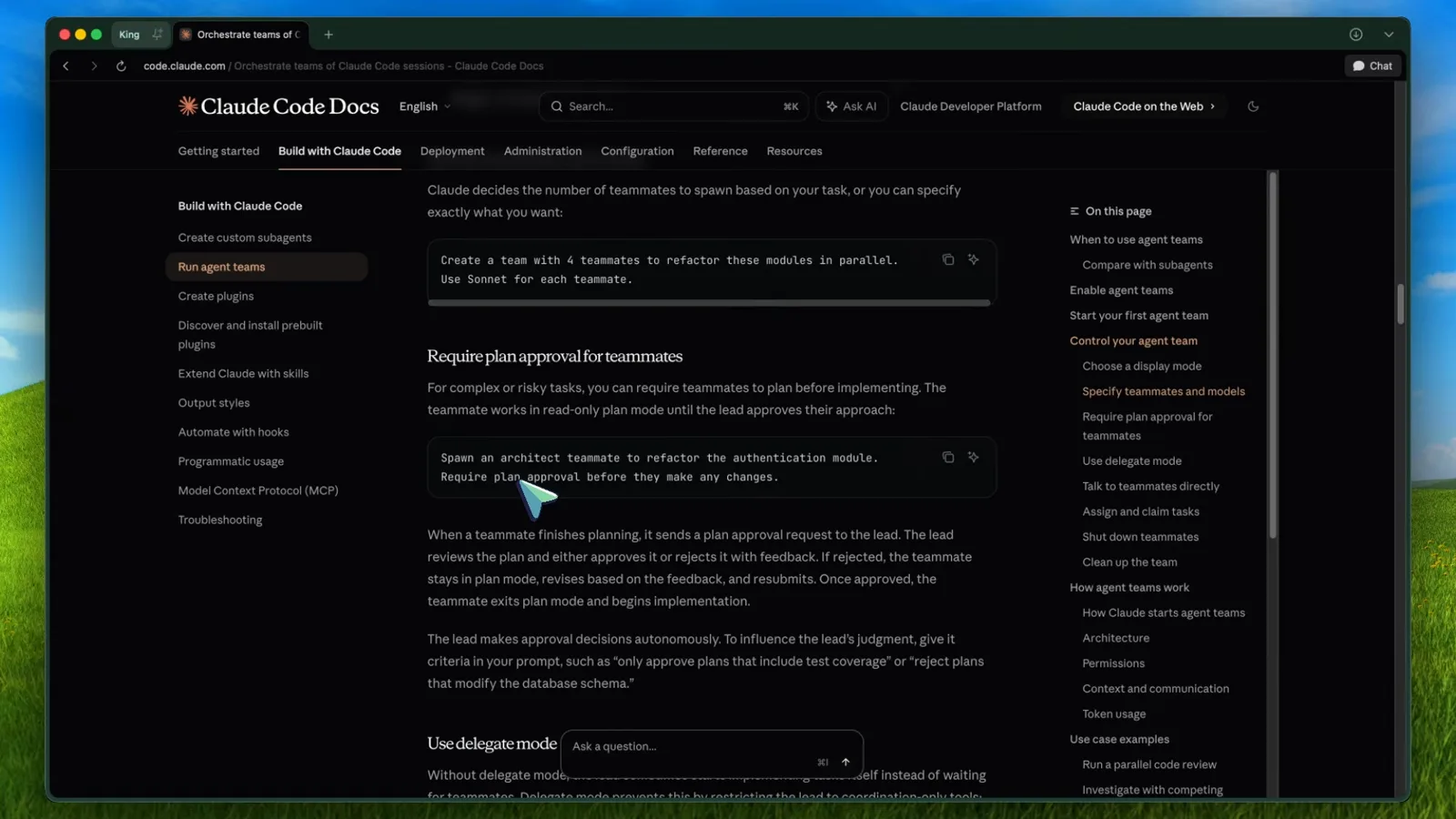
ドキュメント公式のチームメイト・モデル指定の例。6:30 の映像を見る
3. 指揮・検証・イテレーション
- 8
依存の引き継ぎとリードの最終レビューを追う
エンジニアリング担当が完了するとタスク #2 がブロック解除され、UI 担当がすぐ引き取ります。その後リード自身が変更ファイルを読み――「Let me shut down the teammates and do a final review of the code to make sure everything integrates properly.」――あなたは問題なさそうなら手を出しません。
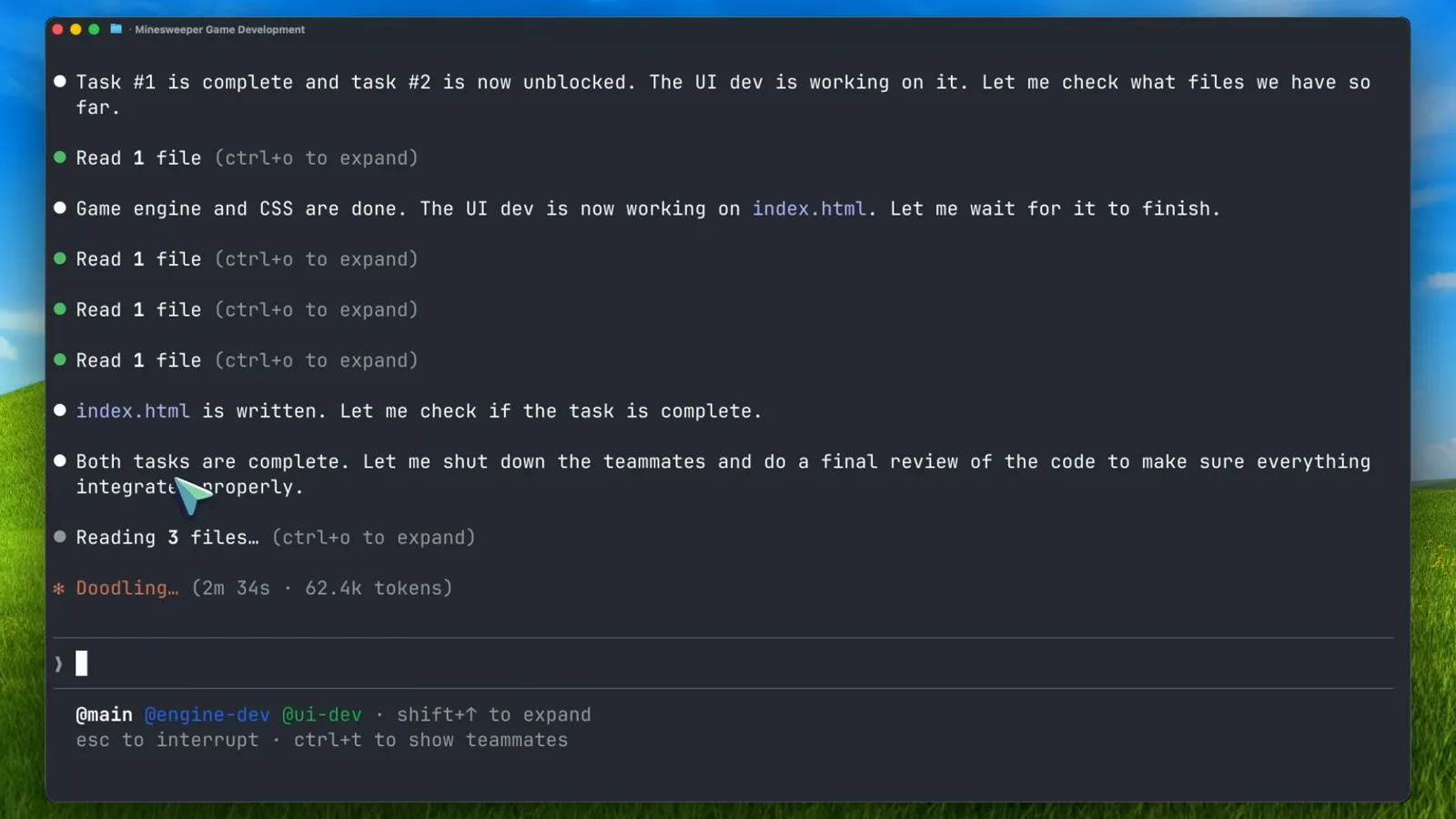
タスク #1 完了、#2 ブロック解除、最終レビュー開始。7:30 の映像を見る - 9
成果物を開いて自分で検収する
チームの出力はプロジェクト内の普通のファイルとして降りてきます――ここでは3段階の難易度、フラッドフィル開示、初回クリック安全設計のマインスイーパーです。チームを解散させる前にブラウザで実際に遊んで検収しましょう:エージェントは自分のコードを検証しますが、受け入れテストの責任はあなたにあります。
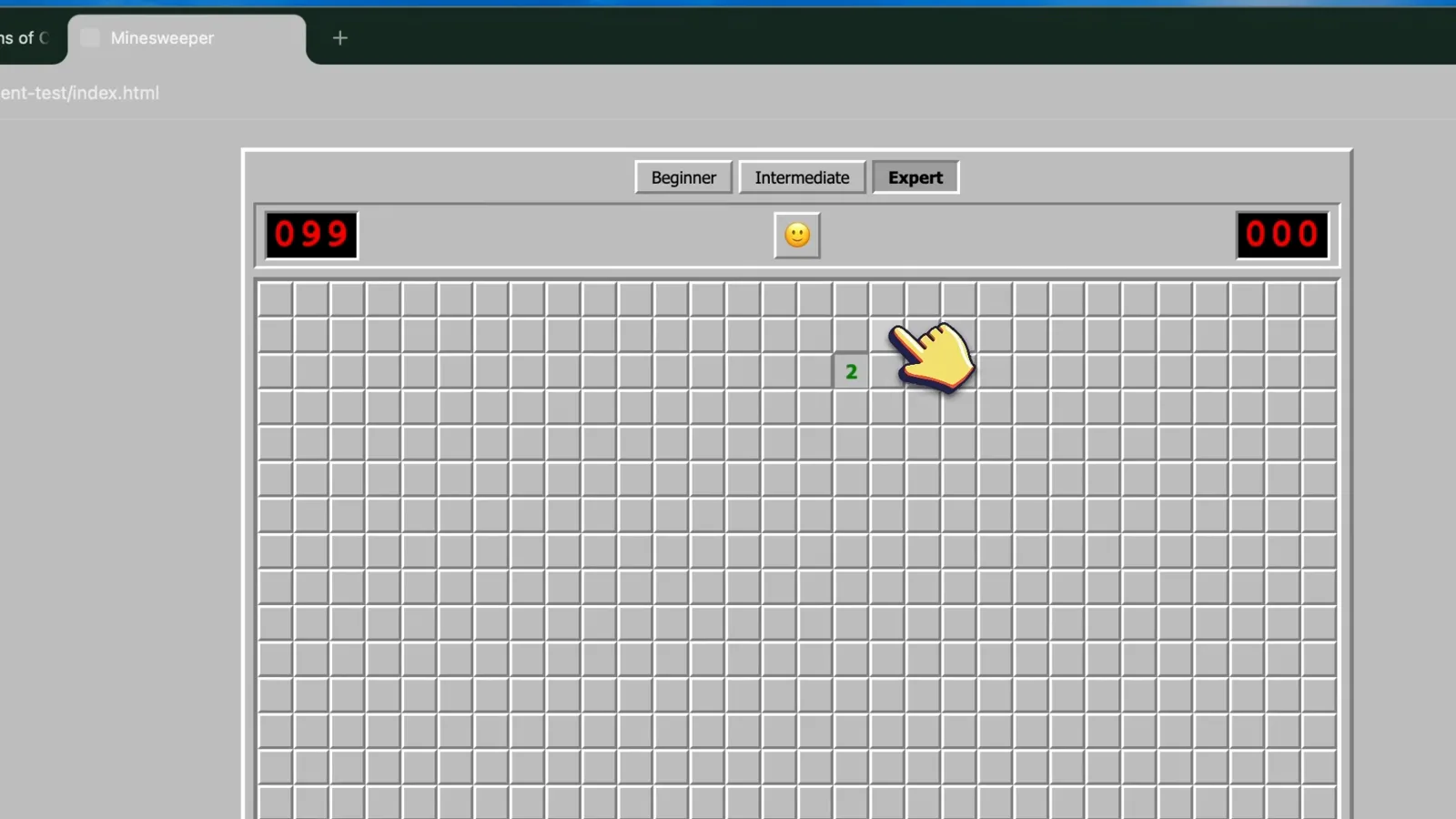
チームの成果物:実際に遊べるマインスイーパー。9:00 の映像を見る - 10
同じチームに次の一文でイテレーション
機能リストがすべて合格したので、動画ではもう一度:「Add more themes to it. Use team.」コーディング作業では、リードは解散せずチームメイトを待機させておくことが多く、フォローアップはそれまでの文脈を全部持ったまま届きます。ステータスバーの「accept edits on(shift+tab で切替)」にも注目。
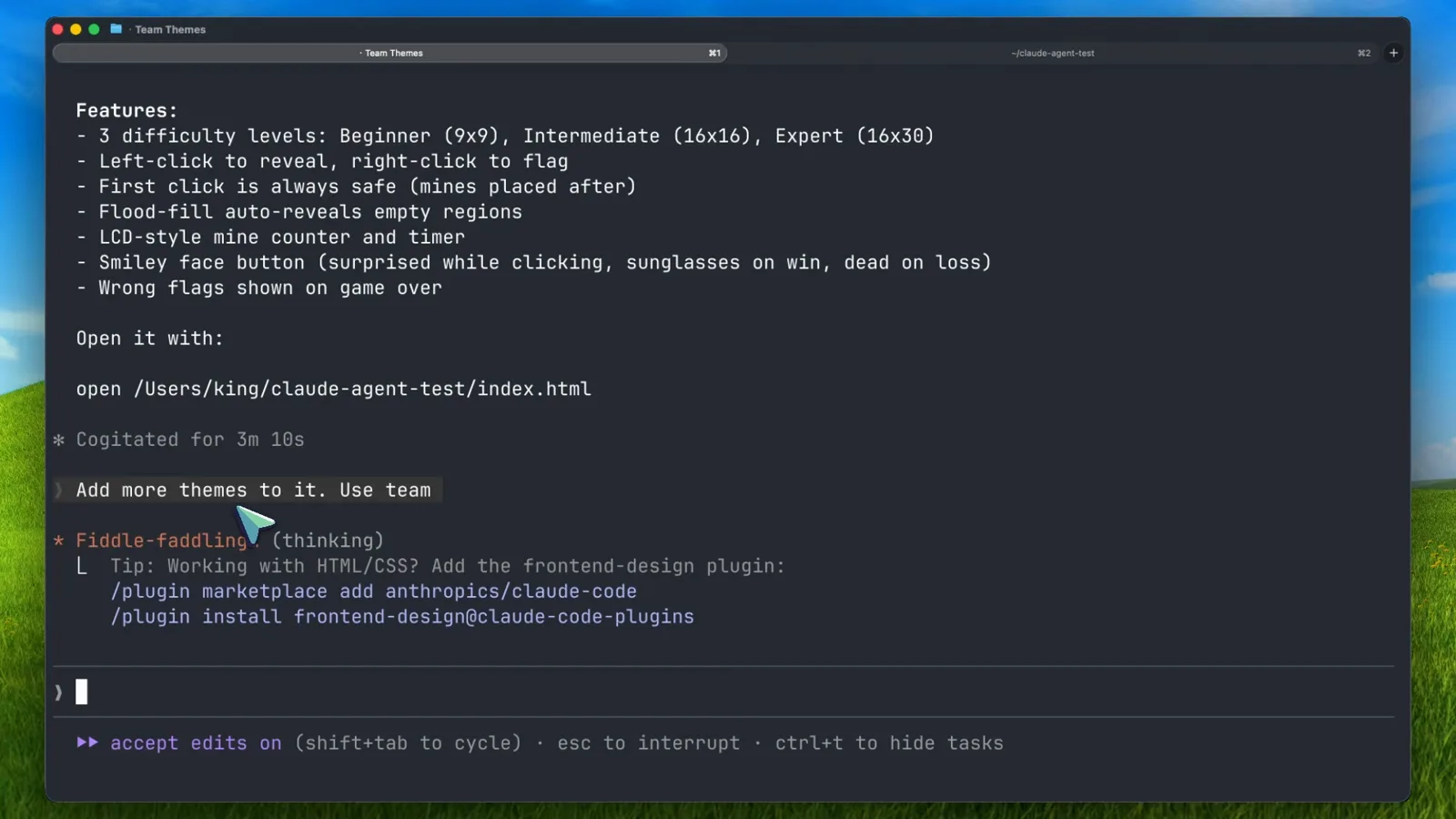
納品された機能リストと、第2ラウンドのプロンプト。10:00 の映像を見る - 11
チームメイトパネルで個人を指揮する
大きいチームでは(動画の2つ目のデモは6人のチームメイト)、パネルに各メンバーの名前・稼働状態・トークン消費が表示されます。shift+↑ / shift+↓ で選択し、Enter でそのメンバーのやり取りを開き、メッセージボックスは「Message @infra-dev…」のような @メンションに対応――リードを通さず一人に直接指示できます。
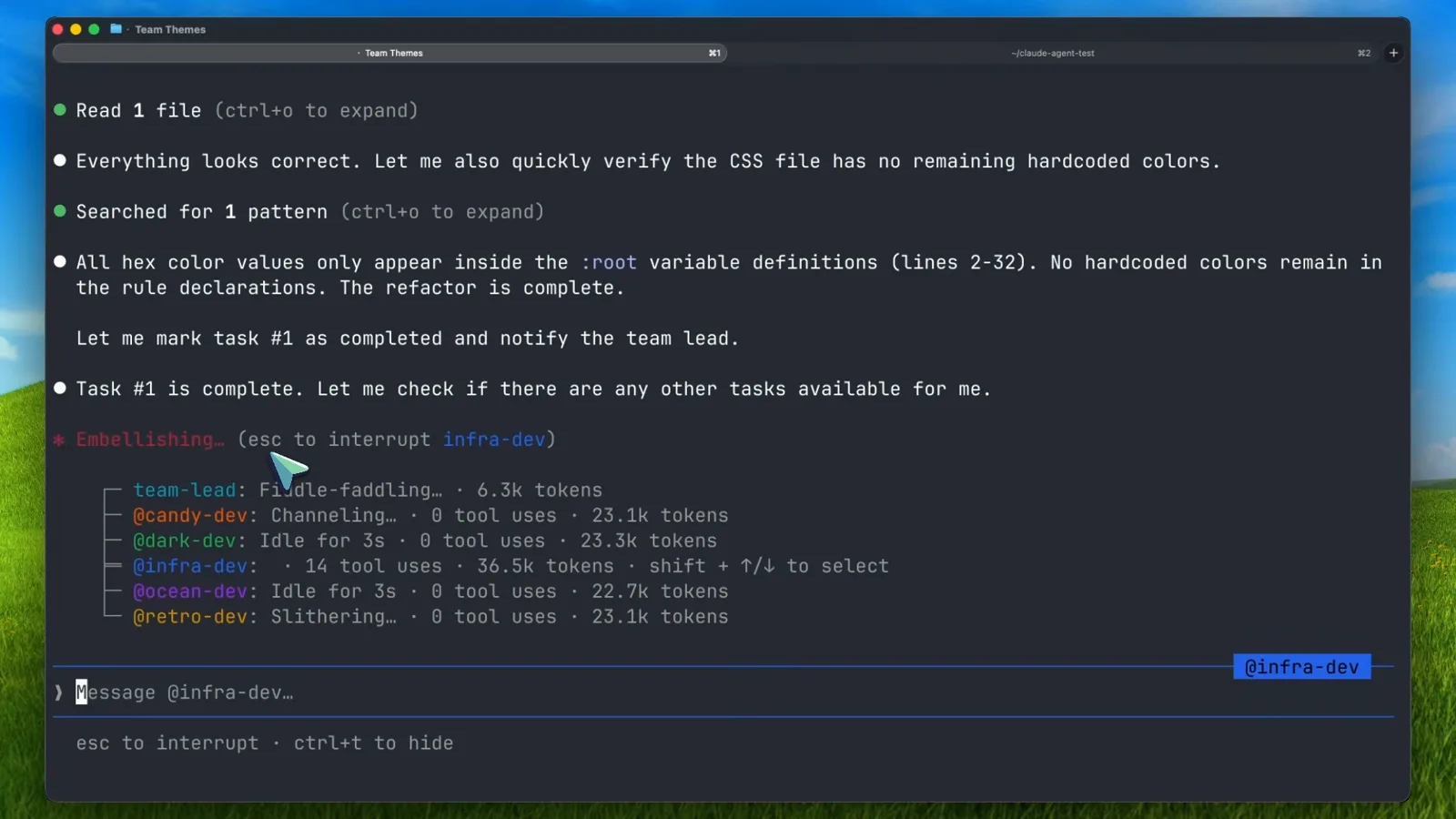
6人のチームメイト、リアルタイムのトークン数、@メンション入力欄。13:30 の映像を見る - 12
チームメイトを优雅に解散させる
リードに名指しで頼みます――「Ask the ui-dev teammate to shut down」――チームメイトは実行中のツール呼び出しを終えてから承認・退出します。自分の作業が不可欠だと考えるメンバーは、理由を添えて拒否することもできます。全部終わったら「clean up the team」で共有セッションを閉じ、ペインは1つに戻ります。
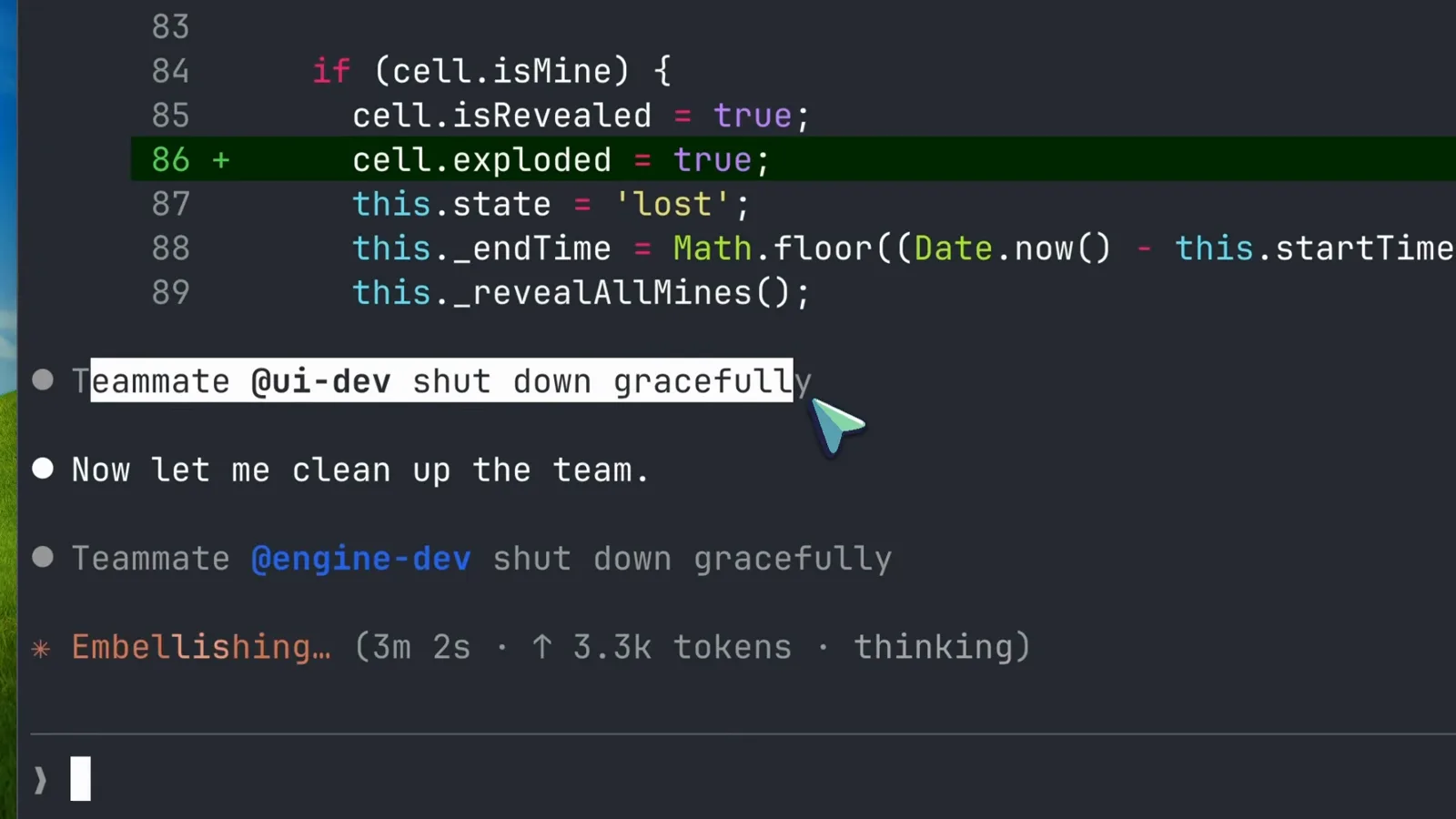
クリーンアップで2人のチームメイトが順に解散。8:00 の映像を見る
4. 拡大する前に限界を知る
- 13
拡大の前にコンテキストのルールを理解する
チームメイトは CLAUDE.md・MCP サーバー・スキルを自動で読み込みますが、リードの会話履歴は決して引き継ぎません。コンテキストは明示的に渡します――ドキュメントの例では、セキュリティレビュアーのスポーンプロンプトに対象ファイル・焦点・報告フォーマットまで書いています。タスクの大きさも正直に:小さすぎると調整コストが無駄、大きすぎると手戻りリスク、ちょうどいいのは1つの自己完結した成果物です。
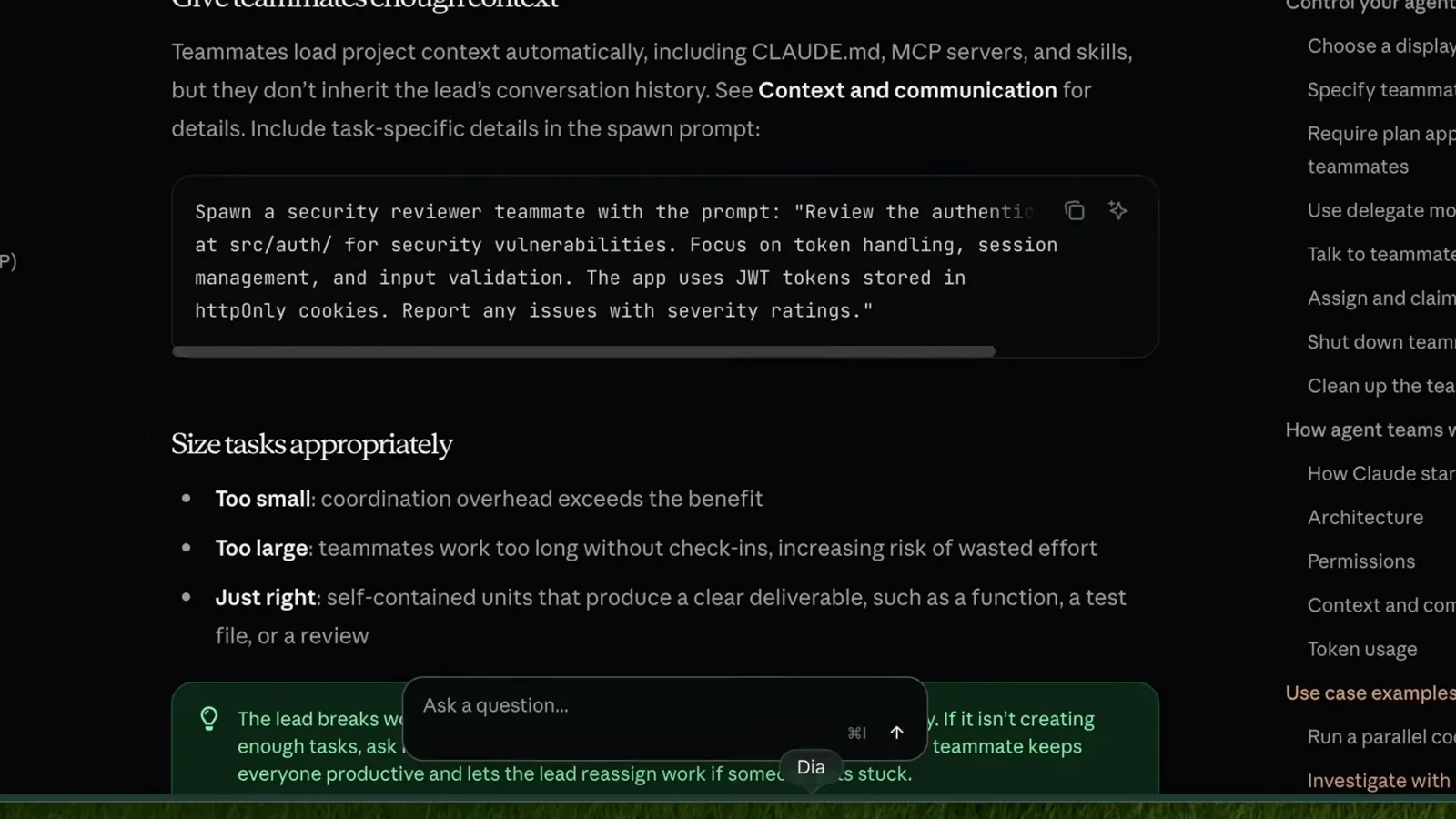
コンテキスト継承のルールと、タスクサイズのチェックリスト。10:15 の映像を見る - 14
チームはセッションを再開できないと受け入れる
最も人を驚かせる制限:/resume と /rewind は in-process のチームメイトを復元しません。セッション再開後、リードは存在しないチームメイトにメッセージを送ろうことがあります――その場合は新しいチームメイトのスポーンを指示しましょう。タスク状態の遅れも想定内:固まって見えるタスクは、実際に完了しているか確認して手動で更新します。
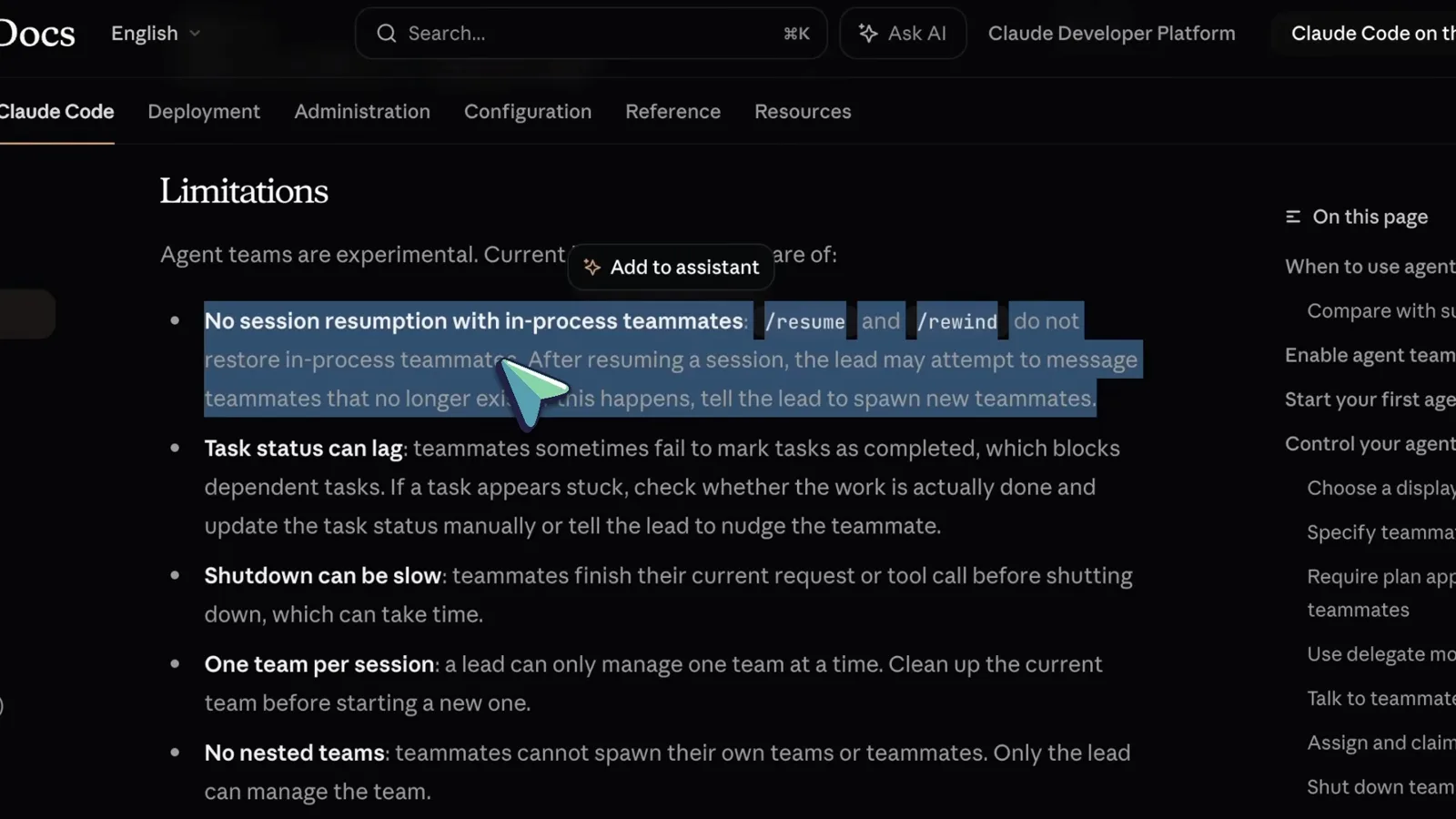
セッション再開不可と、タスク状態の遅れの注意。10:30 の映像を見る - 15
残りの制限を確認してから、本当の仕事を選ぶ
ドキュメントにはもう3つのルールがあります:リードは固定(チームメイトを昇格できない)、スポーン時の権限は全員に伝播――--dangerously-skip-permissions は全チームメイトに流れるので、レビュアーに編集されたくないなら後から個別に変更――そして分割ペインには tmux または iTerm2 が必要(VS Code の統合ターミナル・Windows Terminal・Ghostty は非対応)。そのうえで、3〜5人のチームメイトから、本当に協業が必要な仕事を選びましょう。
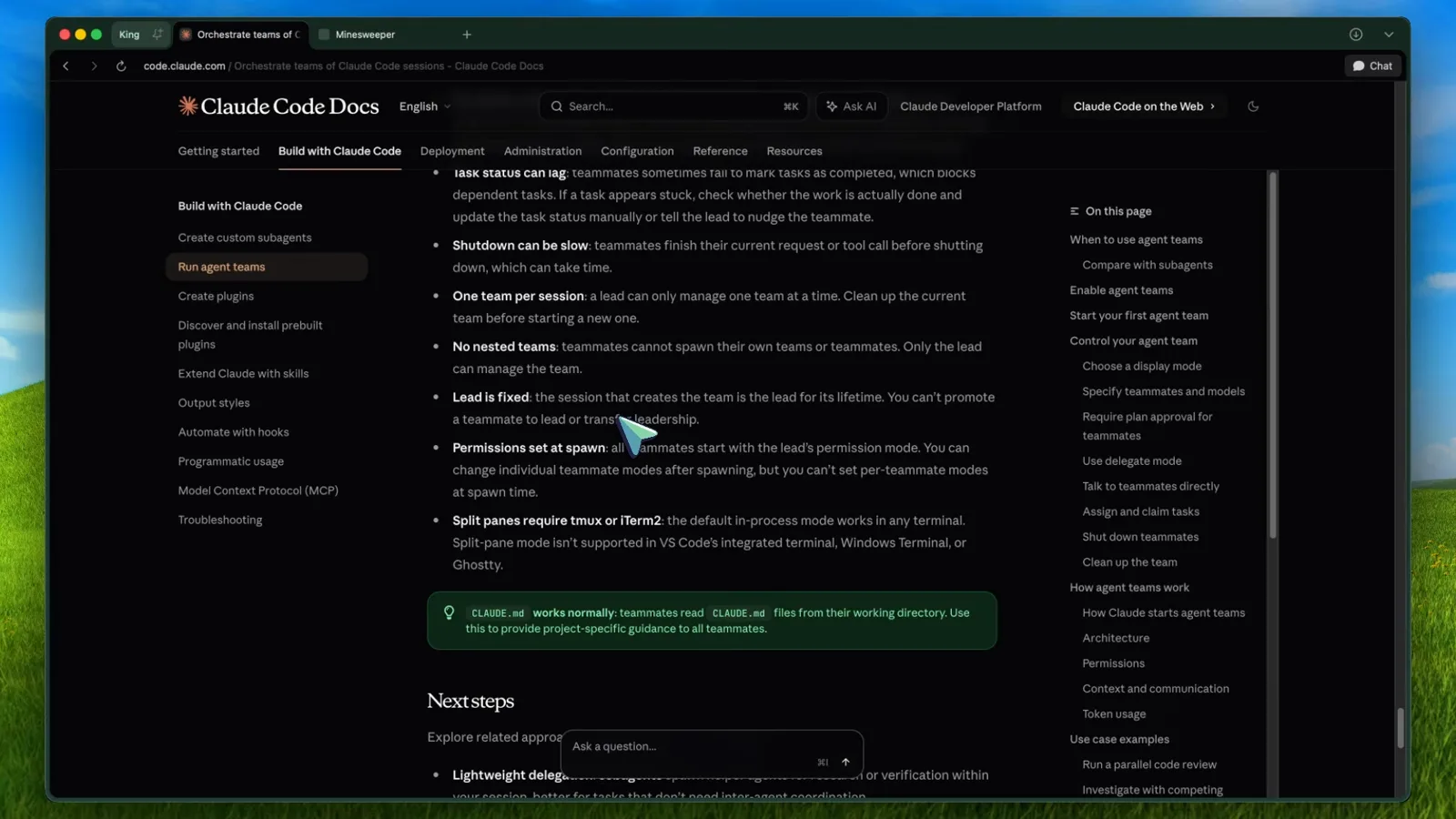
リードは固定、権限は伝播、分割ペインには tmux。11:30 の映像を見る