
Roomote 教程:Roo Code 关停后,部署你自己的云端编码代理
Roo Code 已于 2026 年 5 月 15 日正式关停。原班团队转向的新产品 Roomote 是一个几分钟就能部署、真正归你所有的云端编码代理——本教程全程基于官方素材,带你从零走到第一个通过审查的 PR。
要点速览
- Roo Code 的 VS Code 扩展、Roo Code Cloud 和 Router 已于 2026 年 5 月 15 日关停;原班团队现在做的是 Roomote——一个几分钟就能部署、真正归你所有的云端编码代理。
- Roomote 从 Slack、Teams、Telegram、Discord 或网页端接任务,把你的仓库克隆进一次性沙箱,写代码、跑测试,最后提交带截图和预览链接的 PR。
- 托管版 Roomote Cloud 约 2 分钟即可开通(7 天免费试用,无需信用卡);也可以一行命令自托管,10 人以内免费,另有 Coolify 和 Fly.io 部署指南。
- 模型自己带:可直接绑定 ChatGPT 订阅,或填入 OpenRouter、Anthropic、OpenAI、Moonshot Kimi、Z.AI 等 API 密钥,token 不加价。
Roomote — official GitHub repository
官方仓库:RooCodeInc/Roomote
Roo Code pivots to cloud-based agent, says IDEs aren’t the future of coding
报道来源:The New Stack · Paul Sawers · Apr 22, 2026
本页所有配图均来自官方素材:Roomote 官方仓库、roomote.dev 的官方演示视频以及公开网页,来源已在上方署名,没有任何摆拍或第三方截图。
图片:Roomote 官方 README、roomote.dev 演示视频与公开页面,来源已在上文署名;文字内容为本站原创。
从关停的扩展到你的第一个 Roomote PR
- 1
先弄清 Roo Code 发生了什么
2026 年 4 月 21 日,Roo Code 团队宣布整个套件停止服务:VS Code 扩展、Roo Code Cloud 和 Router 于 5 月 15 日下线,未消耗的付费余额已退款,GitHub 仓库挂上了只读归档横幅。约 300 万安装量需要找下一步——而原班团队早已把答案做好了。
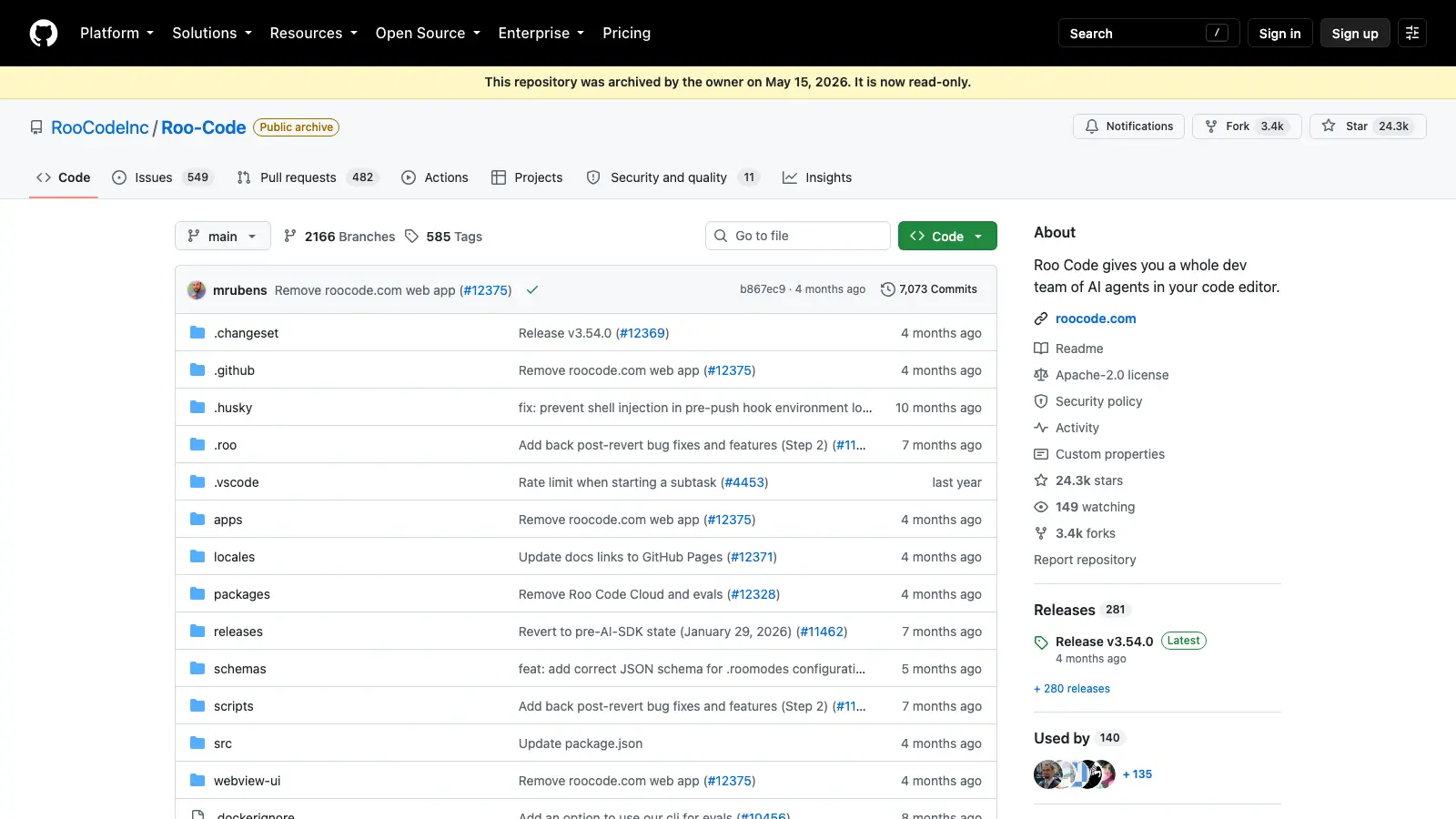
RooCodeInc/Roo-Code 仓库已于 2026 年 5 月 15 日归档并设为只读。 - 2
认识 Roomote:同一支团队的云端代理
Roomote 是一个完整的全栈应用,不是编辑器扩展。你在 Slack、Teams、Telegram、Discord 或网页端下发任务,它把仓库克隆进隔离沙箱,写代码、跑测试、截图,最后开出一个像同事提交一样供你审查的 PR。这就是它的全部主张:几分钟部署、真正归你所有的云端编码代理。
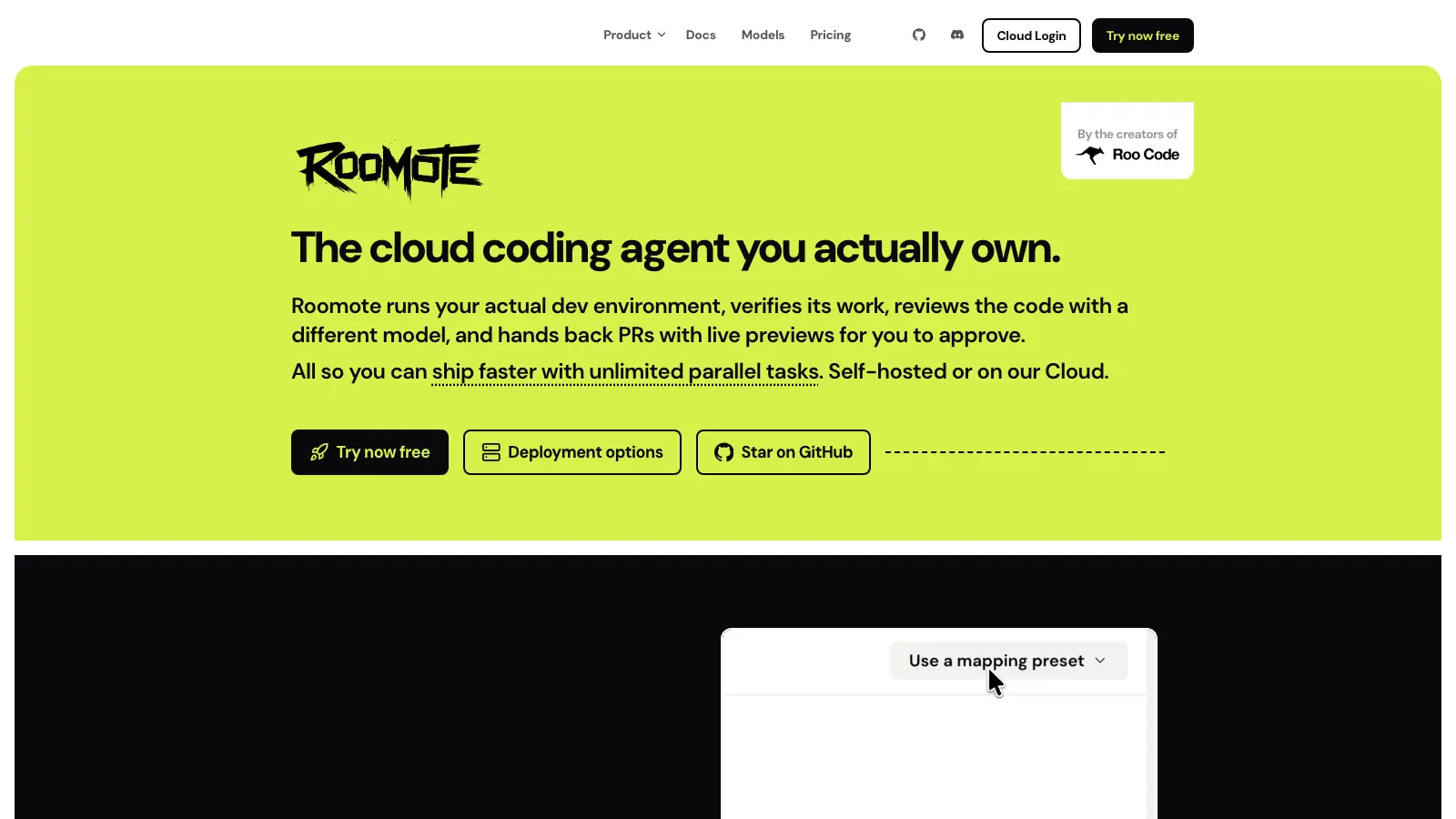
Roomote 官网首页:真正归你拥有的云端编码代理,出自 Roo Code 创始团队。 - 3
托管版:约两分钟开通 Roomote Cloud
最快的路径是 cloud.roomote.dev:用 Google 或邮箱注册,就能拿到自己的单租户实例——和自托管是同一个产品。试用 7 天免费、无需信用卡,随时可以迁到自己的服务器,试错零成本。
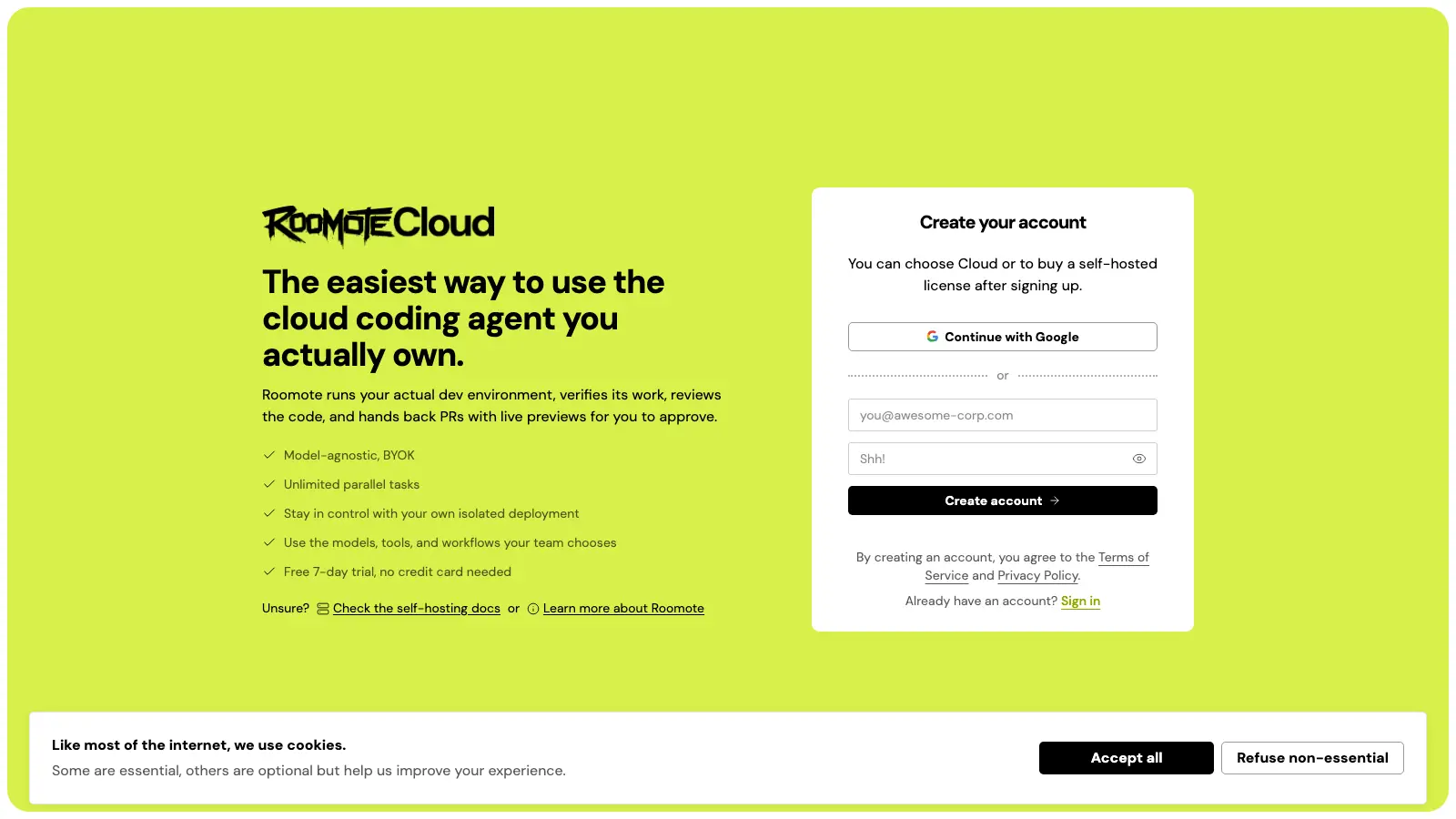
Roomote Cloud 注册页:7 天免费试用、无需信用卡、单租户实例。 - 4
或者一行命令自托管
想让代码留在自己手里?在一台全新 Ubuntu/Debian 机器(建议 4 GB 内存)上执行:curl -fsSL https://get.roomote.dev | sudo bash。安装脚本会搞定 Docker、密钥和 Compose 栈,并输出一个设置链接,在那里连接聊天渠道、Git 托管(GitHub、GitLab、Gitea、Azure DevOps 或 Bitbucket Cloud)、沙箱和模型。Railway 和 Render 的一键模板会替你备好 Postgres、Redis 和应用;自托管 10 人以内免费。
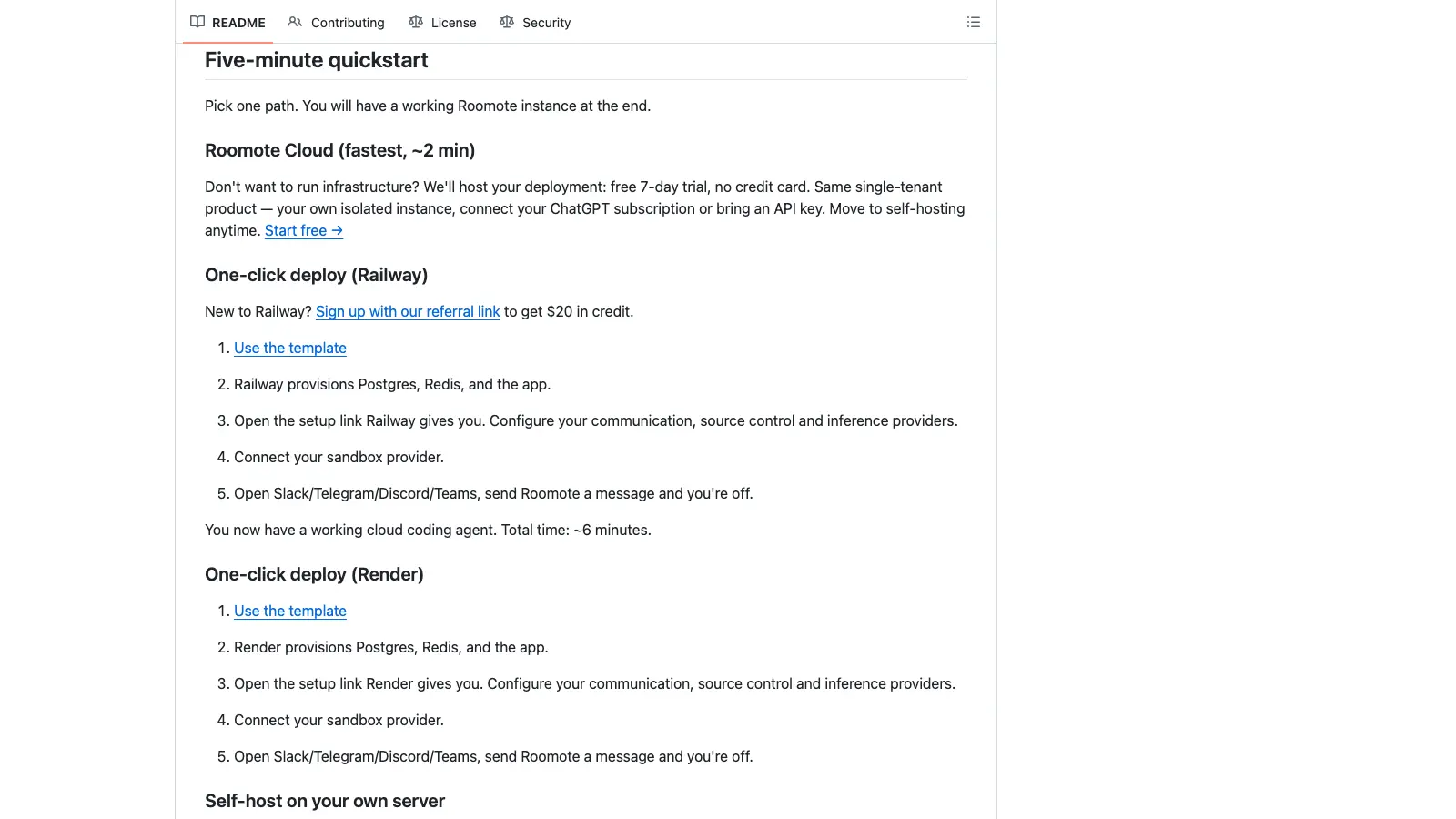
README 快速上手一节并列了 Cloud、Railway、Render 和自托管四种部署方式。 - 5
接入模型供应商
Roomote 本体不带模型——模型由你接入。既可以直接绑定 ChatGPT Plus/Pro 订阅(无需 API 密钥、不用单独付费),也可以在 Models 的 Add Provider 里粘贴密钥:OpenRouter、Anthropic、OpenAI、xAI、Google Gemini、Amazon Bedrock、Moonshot AI(Kimi)、MiniMax、Z.AI、Together AI、Vercel AI Gateway,以及兼容 OpenAI 接口的任意端点。token 按原价直付供应商,没有加价。
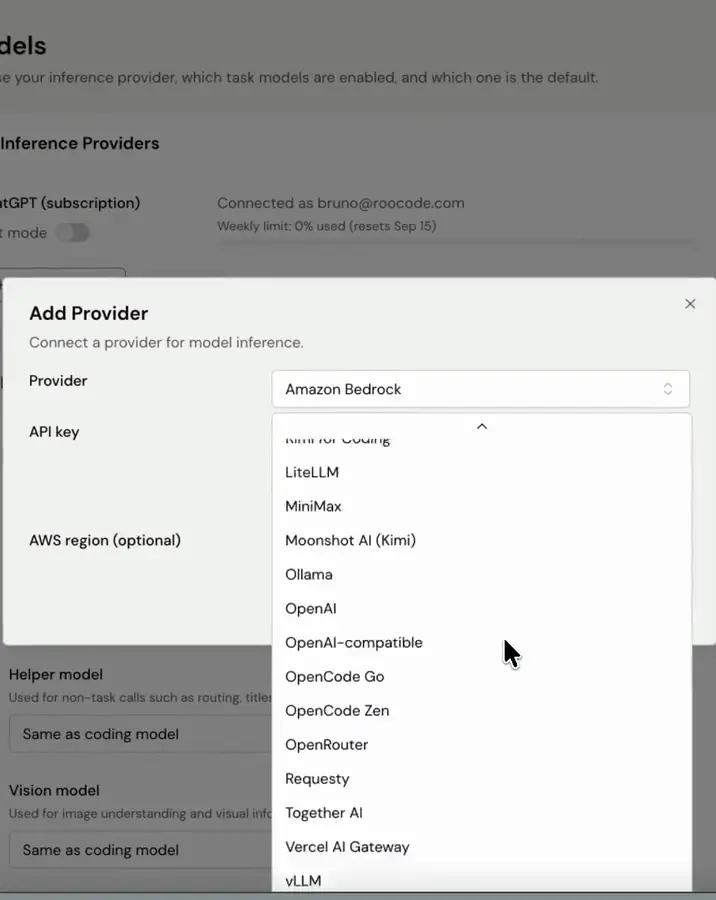
Models → Add Provider:粘贴 OpenRouter、Moonshot Kimi、Z.AI 等任意受支持供应商的密钥。 - 6
按角色配置模型映射
一个模型包打天下并不划算。模型映射会为默认编码模型之外的编排、辅助、视觉、代码审查、探索、顾问角色分别指定模型;可以直接套用 OpenRouter Balanced 之类的预设,也可以逐项自己调。让便宜的闪速模型做代码库探索、更强的模型负责编写和审查,按任务随时切换。
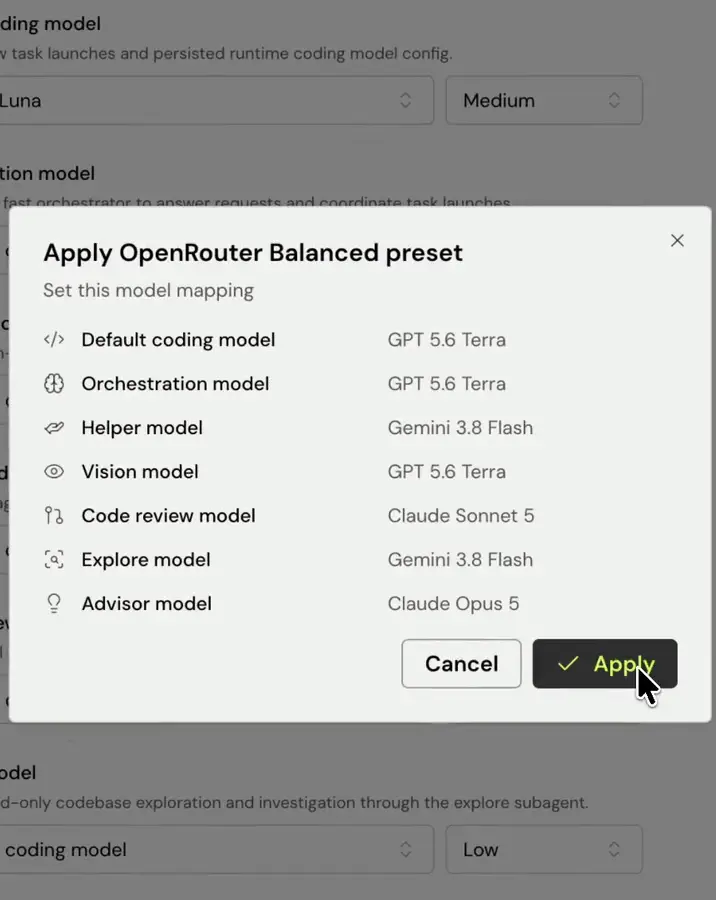
OpenRouter Balanced 预设把编码、辅助、审查和顾问模型分开指定。 - 7
从聊天窗口下第一个任务
打开设置时连接的聊天渠道——Slack、Microsoft Teams、Telegram 或 Discord——像给同事派活一样描述任务,例如“修一下年费套餐计费接口的 500 报错”。Roomote 接单后拉起带完整仓库的沙箱,并在线程里随时汇报进展。非工程师也能这样派活:“把定价页的错别字改了”就是一条合法指令。
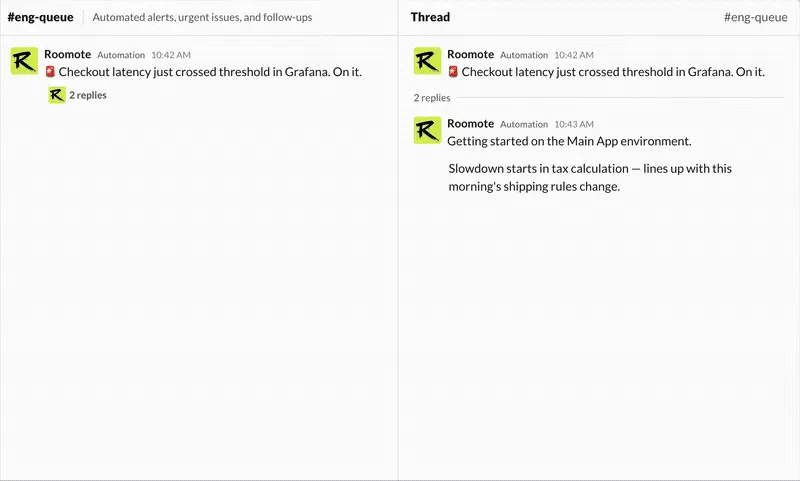
Roomote 在 Slack 线程里回应:哪里出了问题、从哪查起、以及它已经接手。 - 8
让它帮你分诊告警和工单
除了你手动输入的任务,Roomote 还会主动听。接入 Sentry、Grafana 或 PostHog 后,它会在渠道里响应异常;接入 Linear、Jira 或 GitHub Issues 后,它会读新工单、追问澄清问题然后开工,并把 PR 关联回工单。“不用人盯”的承诺就落在这里:你去开会,队列照样往前走。
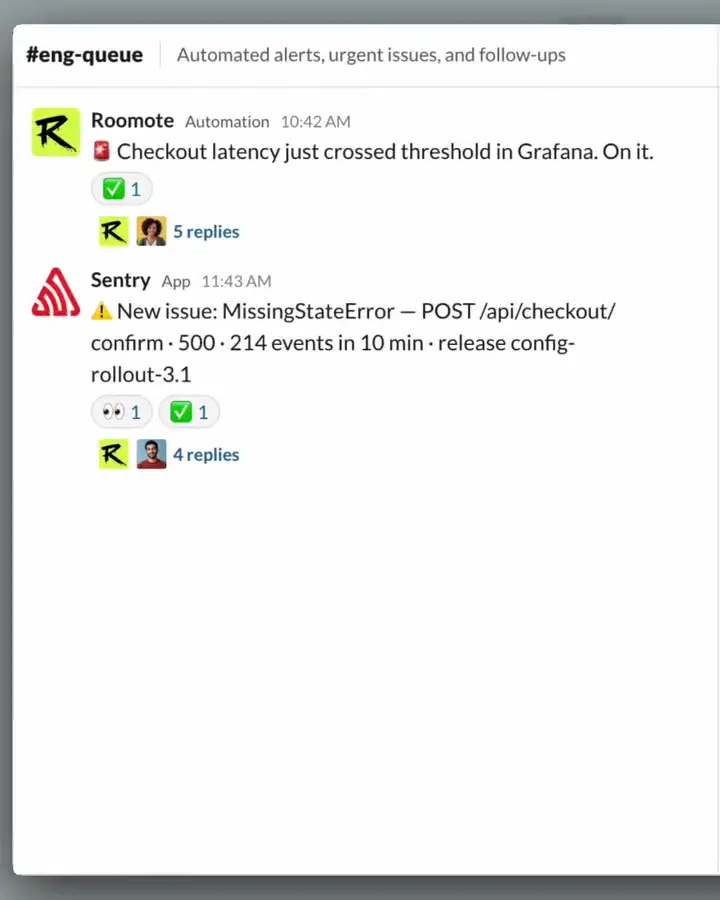
Sentry 的 500 告警进到 eng-queue 频道,Roomote 的自动化已经在回复。 - 9
围观执行——或者同时跑好几个任务
每个会话在网页端都可见,全团队都能看到对话、委派的工作和产出的 PR。会话彼此独立,可以跨仓库并行跑多个,各自在一次性沙箱里执行——完全不碰你的本机。中途插手也行:执行过程中随时给代理留言。
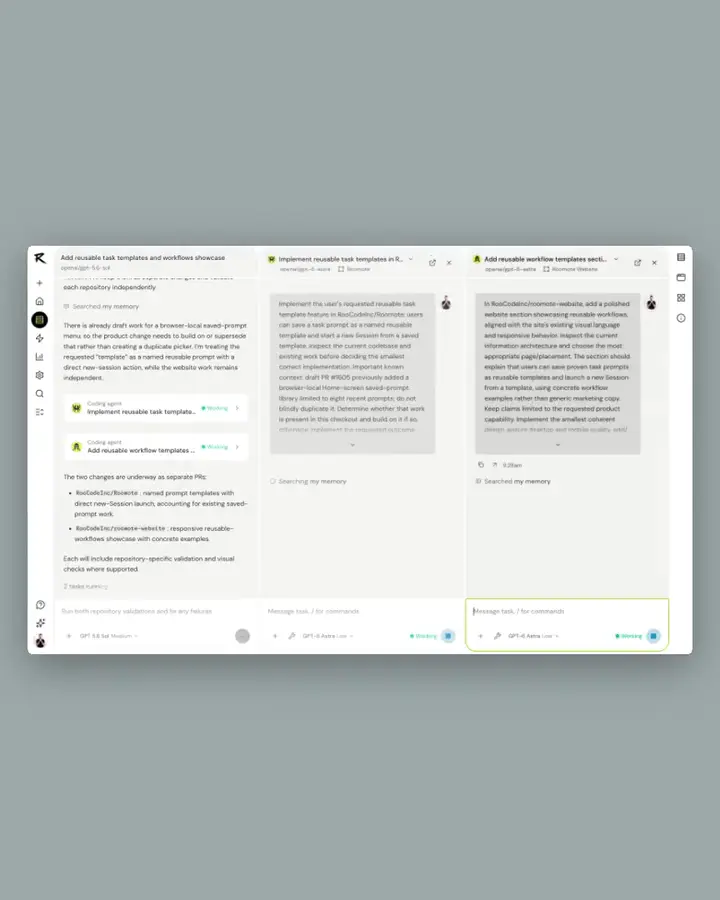
三个 Roomote 会话并行推进,各自的沙箱和模型互不干扰。 - 10
像审查同事的 PR 一样验收产出
代理完成后,你会拿到一个带 diff、运行截图和可点击预览链接的 PR,合并前可以亲自点开验证。每一步动作都有审计记录——用了哪个模型、调了哪些工具、写了什么代码——结束后沙箱自动清理。你要做的只是批准、打回或合并。
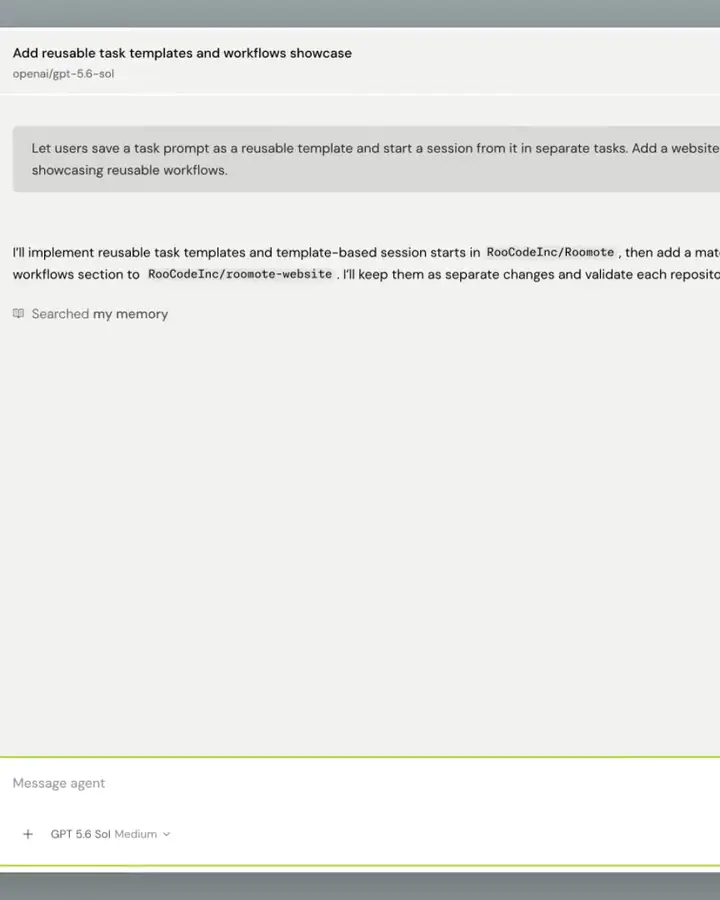
一个 Roomote 会话在说明它会改哪些仓库、如何逐一验证。 - 11
把重复劳动变成自动化
每周都要手打一遍的指令,就该配成自动化。给它起个名字、写好提示词——比如“翻一遍上周的 PR,挑出 5 个最有意思的改动”——再设好日程(每天、周五早上九点或自定义)和接收汇报的 Slack 频道。每次运行都是一个完整会话,结论和失败都会发回频道。
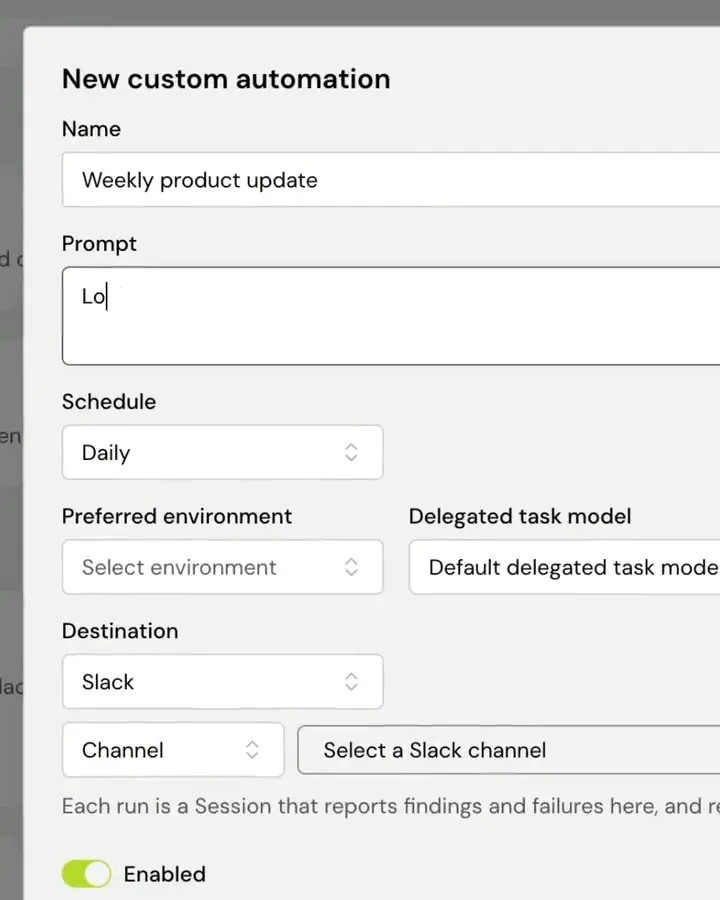
新建自定义自动化:名称、提示词、日程、首选环境和 Slack 目的地。 - 12
盯住花费与审计
Costs 仪表盘把推理开销按用户、类型、环境、来源、供应商和模型拆开,还给出每个 PR、每个任务、每个活跃用户的平均成本,支持数据导出。因为密钥是你自己的,这里的数字和供应商账单能一一对上——哪个任务用更便宜的模型划算,随时换。
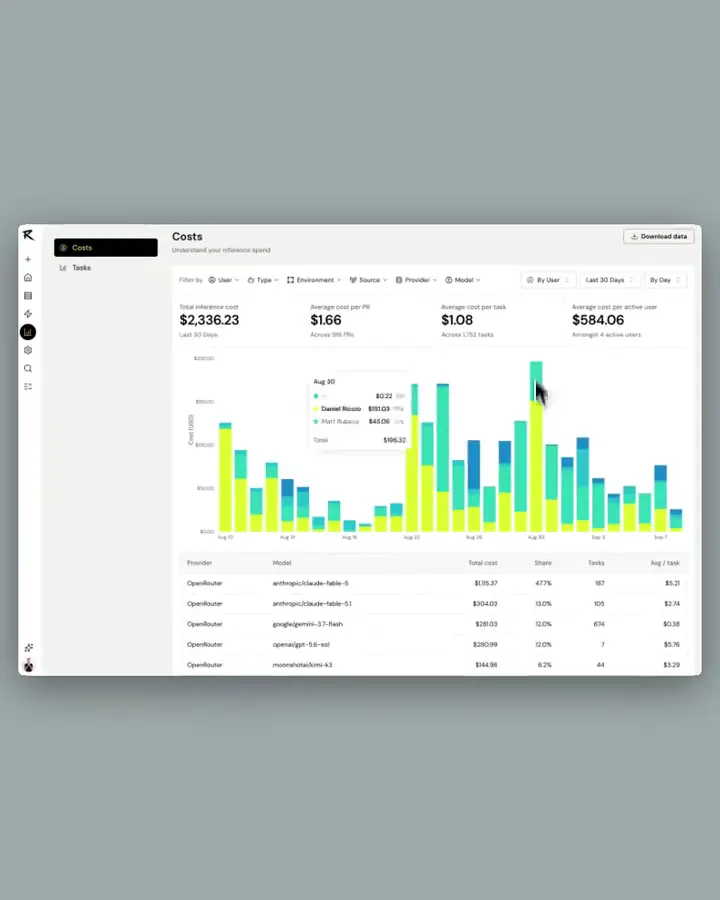
Costs 仪表盘:按模型的花费、每个 PR 和任务的成本,可导出数据。