
太长不看版——2026 年的 Devin Desktop
- Windsurf 已于 2026 年 6 月 2 日被 Cognition 正式改名 Devin Desktop,Cascade 智能体 7 月 1 日停止服务、由 Devin Local 接替。本教程走的就是如今产品核心的 Devin 智能体工作区。
- Devin 会接入你的 GitHub 仓库,把它克隆进每会话独立的 Ubuntu 22.04 云虚拟机,自带浏览器、Shell 和编辑器,全程自主干活。
- 每个任务都以 GitHub Pull Request 收尾:Devin 先给出计划概要等你确认,完成后附上清单和测试账号,你验收没问题再点合并。
- Ask Devin 支持带 Deep 开关的代码库语义搜索,DeepWiki 能自动生成带图表的文档,定价按量计费,20 美元起。
Devin AI Tutorial - 2026 | How to Use Devin AI? (Step-by-step Guide)
画面来源:Dan - Smart Tutorials8:48
Introducing Devin Desktop
官方事实:Cognition0:45
截图来自实机演示视频;产品事实已与 Cognition 官方发布视频交叉核对。
帧截图版权归 Dan - Smart Tutorials / Cognition 所有,此处仅用于界面说明。点击链接可观看原片。
Devin Desktop 实操:从登录到合并的 14 步
第 1 部分 · 接入你的工作区
- 1
打开 Devin,选好智能体模式
登录 app.devin.ai,你会看到“What do you want to get done?”输入框。动手前先点开模式下拉:Agent 带浏览器、Shell、编辑器全流程自主执行;Deep Agent 适合 30 分钟以上的复杂任务;Ask 只回答问题,不会打断 Devin 正在干的活。
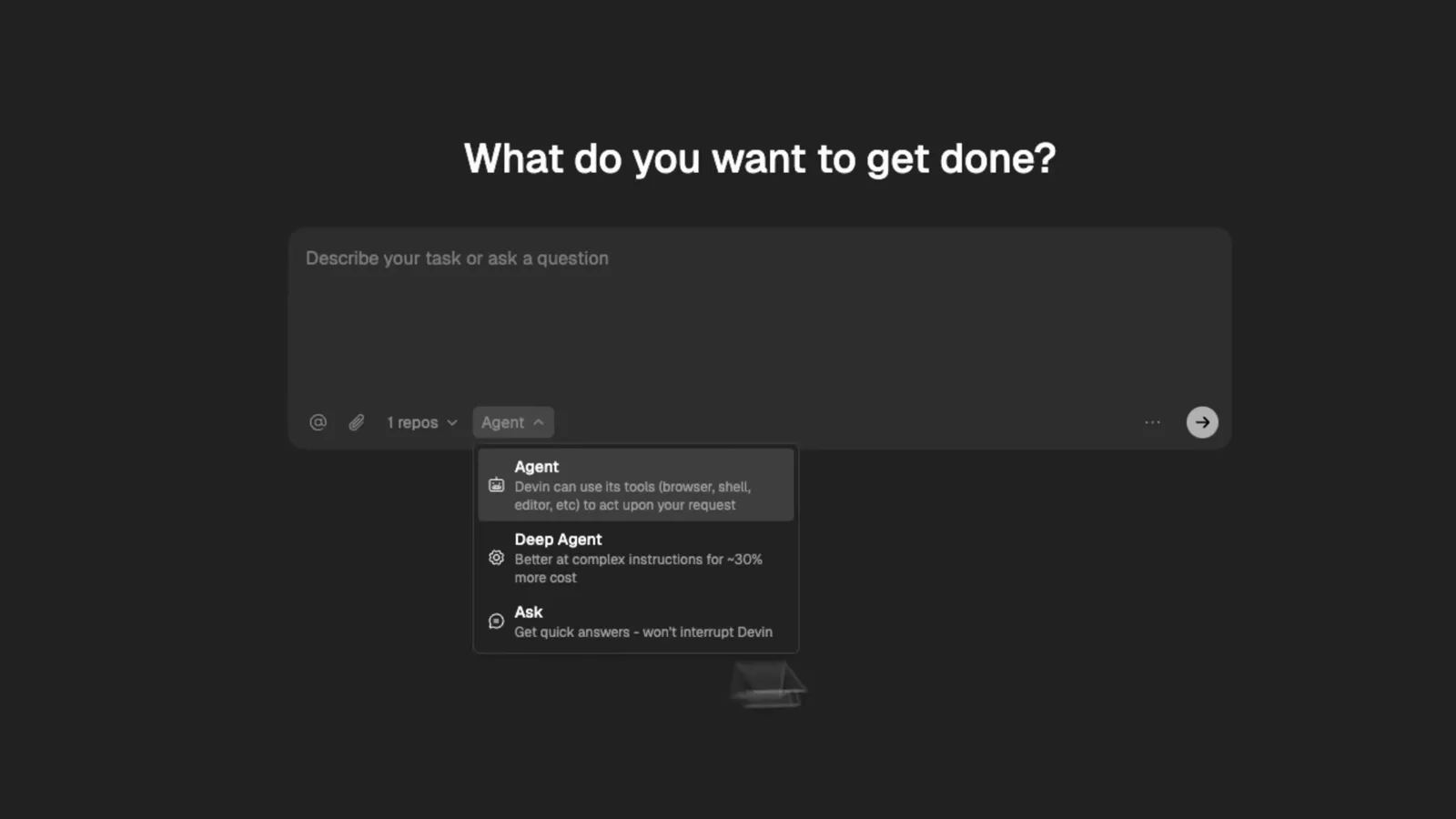
Devin 首页的智能体选择器——Agent 跑完整任务,Deep Agent 啃长任务,Ask 问答不打扰。在 1:10 处观看 - 2
接入要让 Devin 干活的 GitHub 仓库
视频里接入的是一个叫 ecommerce-dashboard 的 PHP 演示项目。确保你的 Devin 账号有权访问该仓库并选中它——之后每次下单任务,Devin 都会通过输入框旁的仓库标签锁定这个仓库。
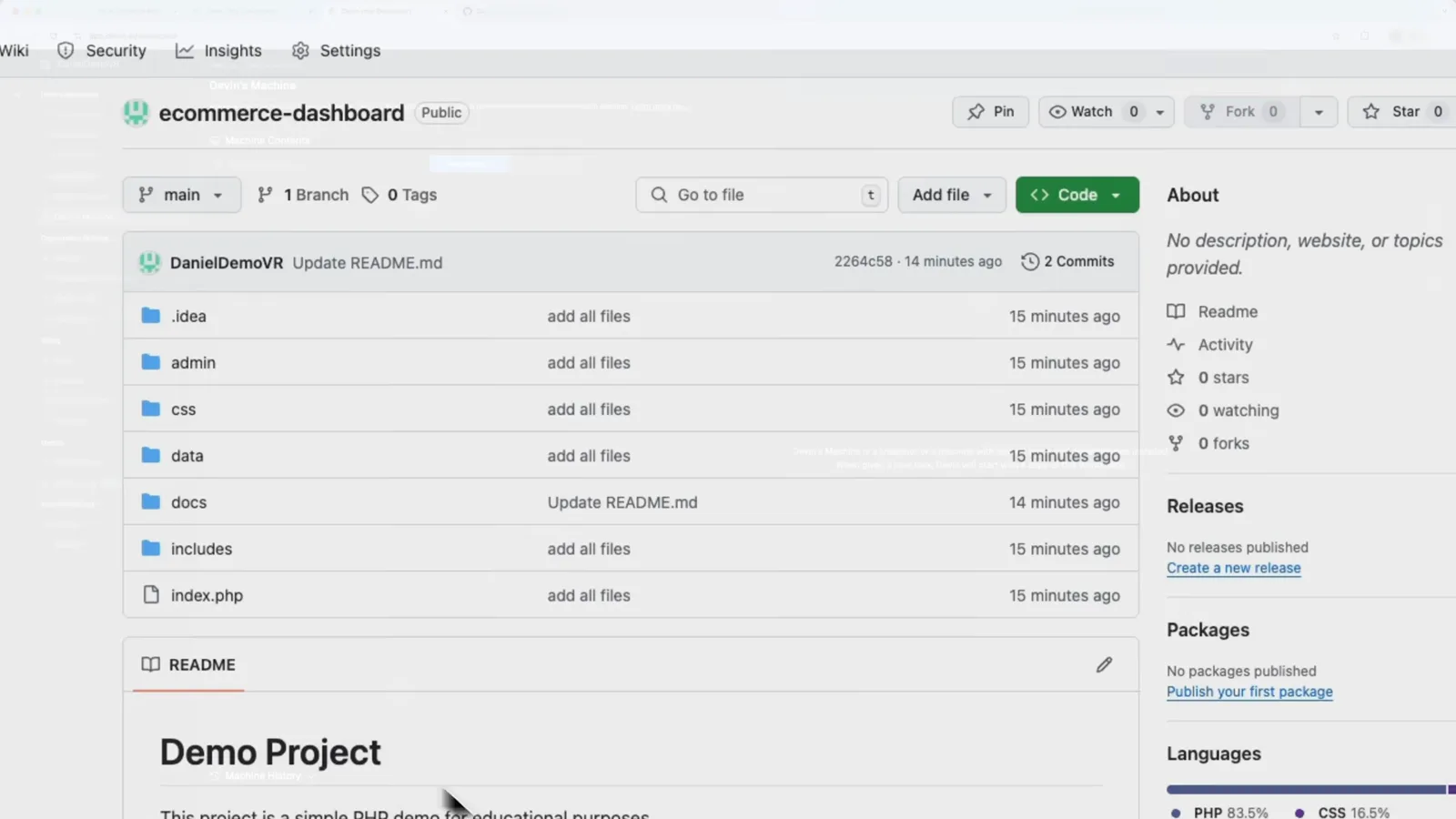
GitHub 上的 ecommerce-dashboard 仓库——Devin 接下来要克隆和修改的演示项目。在 1:40 处观看 - 3
把仓库加进 Devin 的工作区
进入 Settings → Devin's Machine,用“Add a New Repository to Devin's Workspace”选中仓库并确认。Devin 为每个工作区维护一台机器,每次会话都基于它的全新副本运行,本地环境完全不受影响。
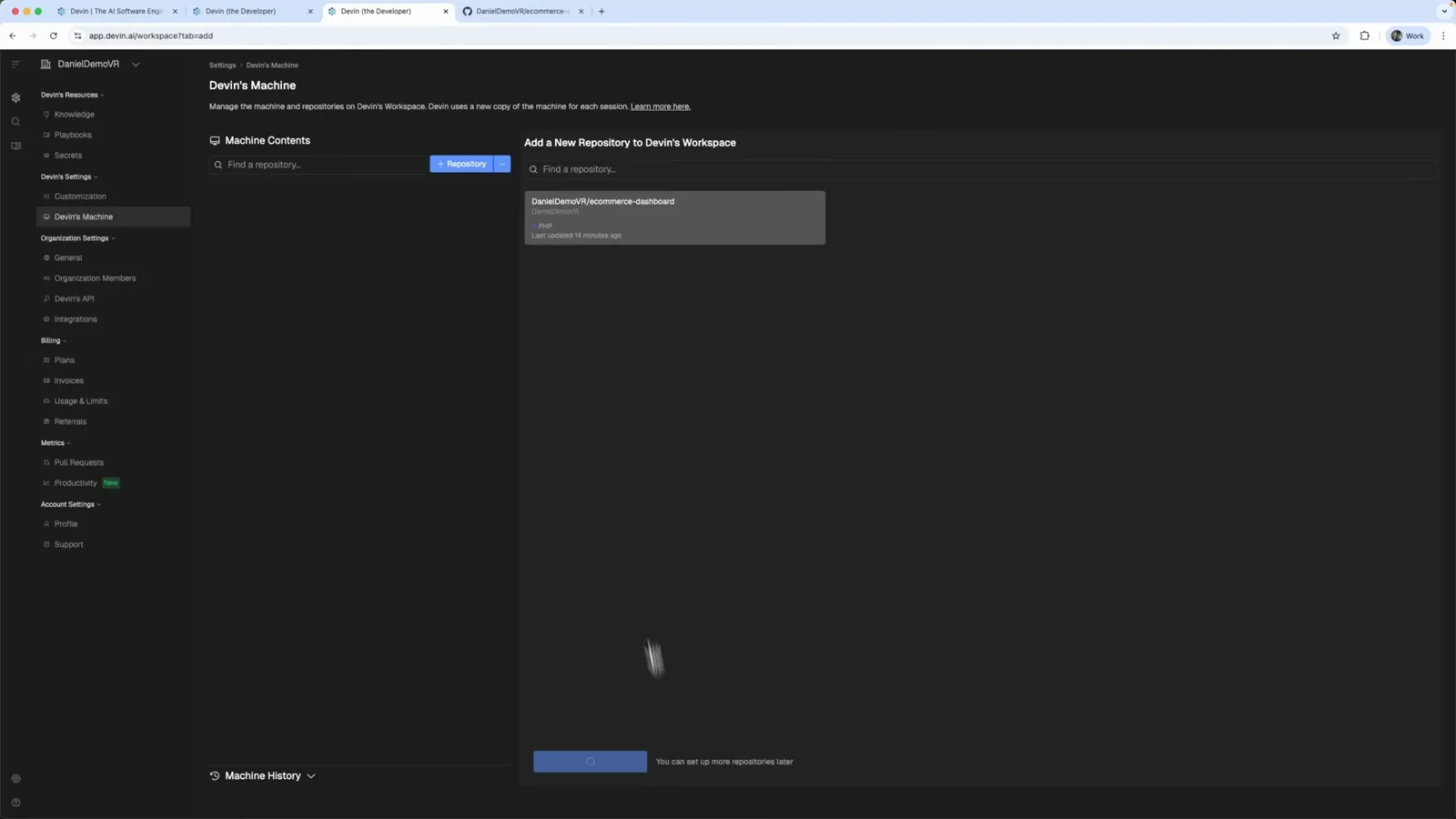
Devin's Machine 设置页——ecommerce-dashboard 仓库已加入工作区。在 1:44 处观看 - 4
围观 Devin 搭建它的虚拟机
Devin 会开一台 Ubuntu 22.04(x86_64)虚拟机,把仓库克隆进去并打快照复用。浏览器里直接打开带终端的完整 VS Code——视频里只需回一句“I'm ready”,Devin 就开始自主配置项目。
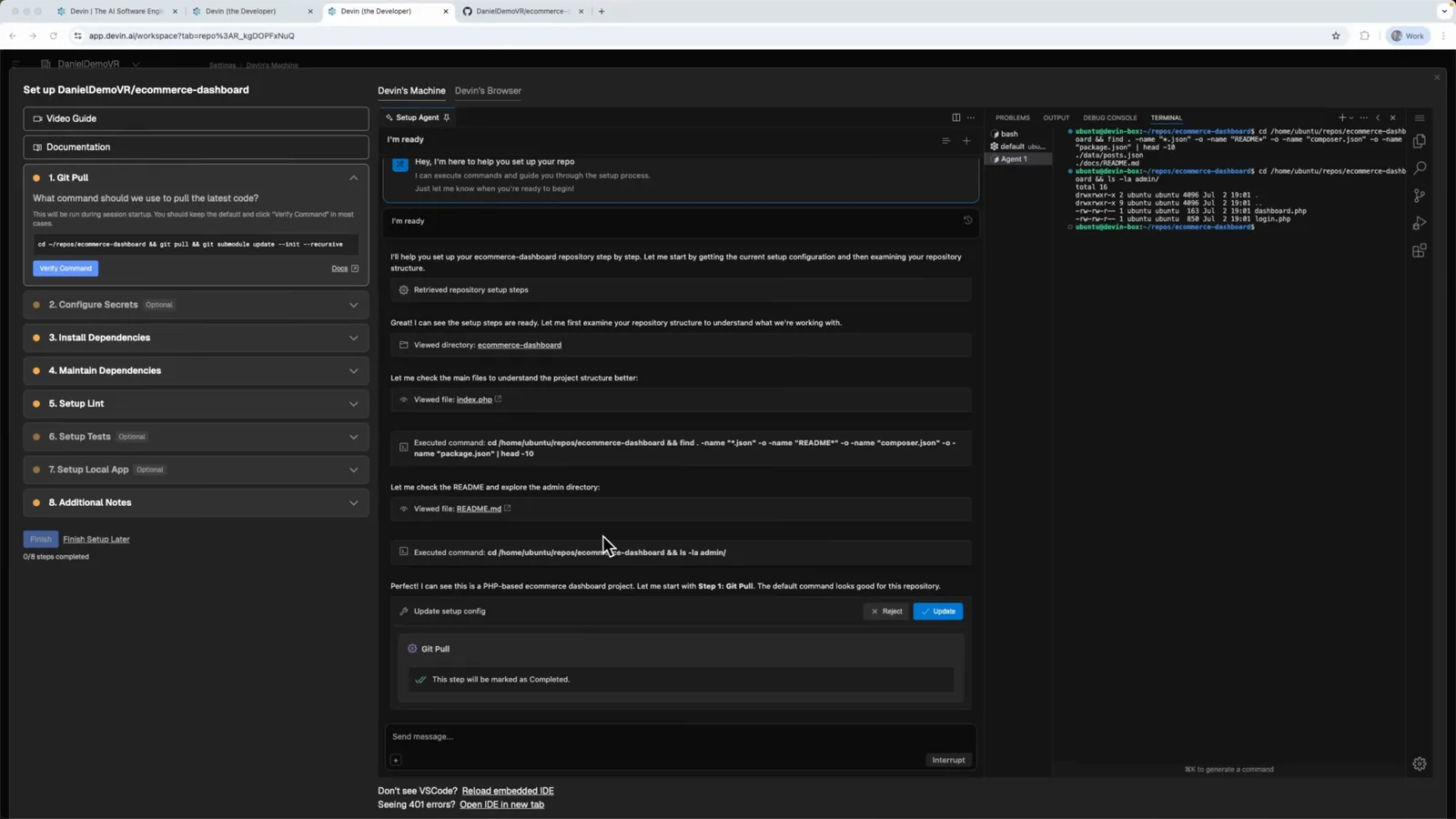
VS Code 跑在 Devin 的 Ubuntu 虚拟机里,安装清单正在自动完成。在 2:16 处观看
第 2 部分 · 跑起第一批任务
- 5
确认索引状态和工作区设置
仓库索引完成后,Devin's Machine 页会显示“Indexing Completed”,可随时更新或移除。机器之外还有组织设置——成员、Devin's API、集成——以及账单与用量指标,团队在这里邀请同事、接上 Slack 和 Linear。
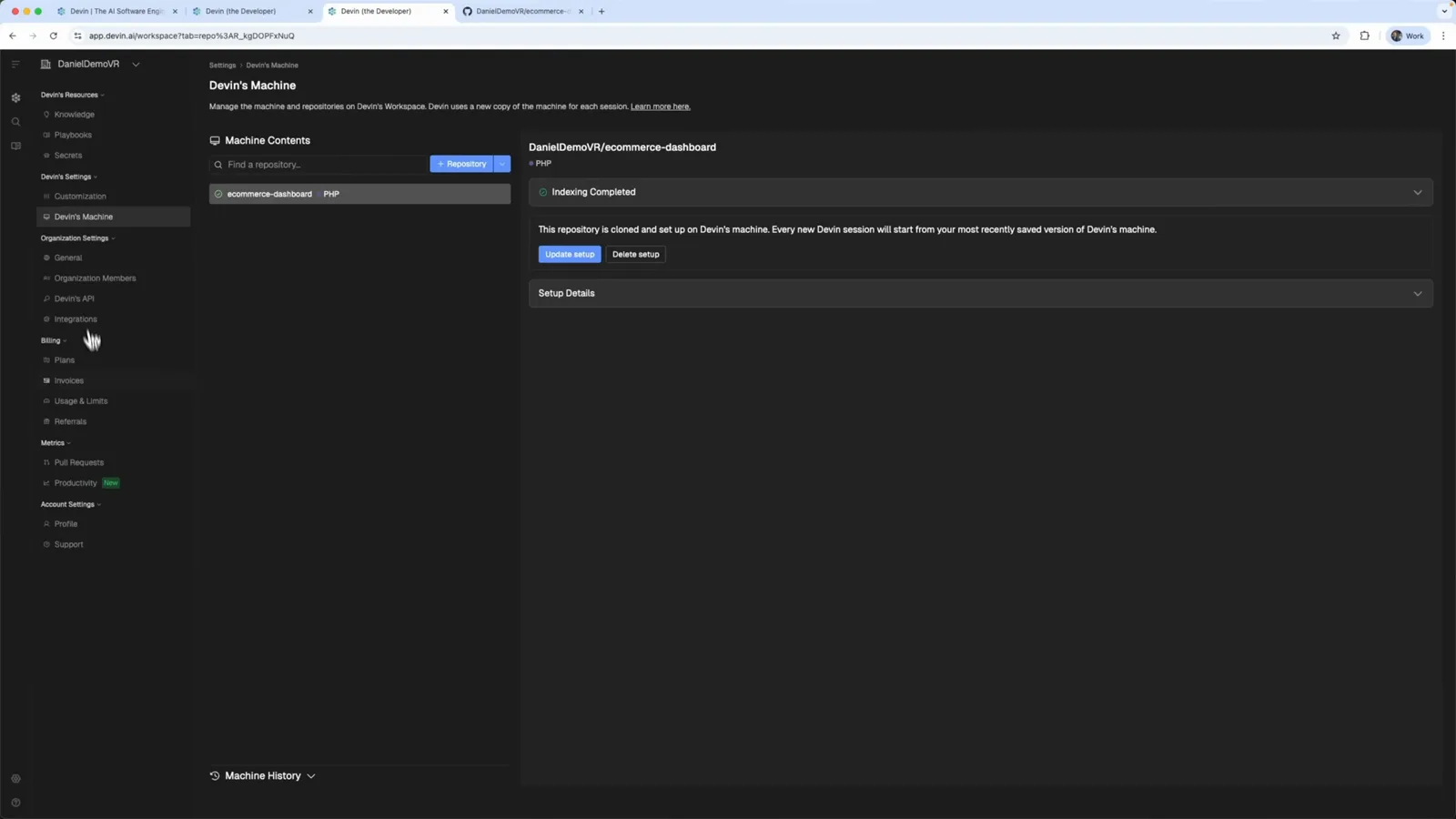
索引完成——仓库已克隆就绪,可直接在 Devin 设置里管理。在 2:32 处观看 - 6
先让 Devin 用一个文档 PR 证明自己
第一个任务是让 Devin 通过完善 README 来验证仓库访问。它先规划,再推送特性分支,然后开出“Enhance README documentation with project structure and features #1”这个 Pull Request——带架构图和 Task Completed 总结,附 PR 链接。
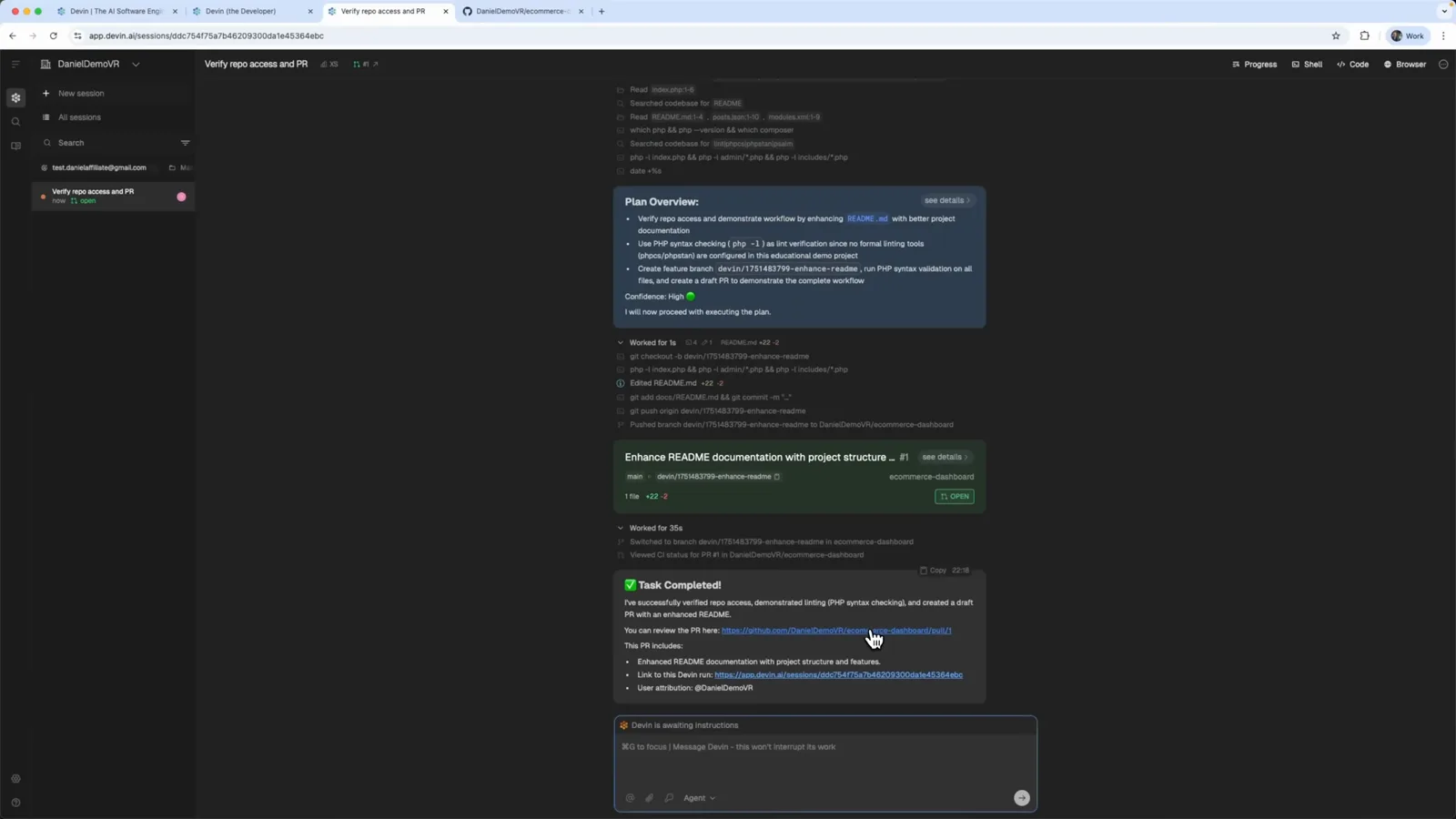
Devin 文档 PR 的计划概要、PR 卡片和 Task Completed 总结。在 2:56 处观看 - 7
给 Devin 一个真实 bug
教程让 Devin 修复 login.php 的认证报错:用户登录时总收到校验错误。把任务打进输入框,选好 ecommerce-dashboard 仓库标签,按 Cmd+Enter 发送。
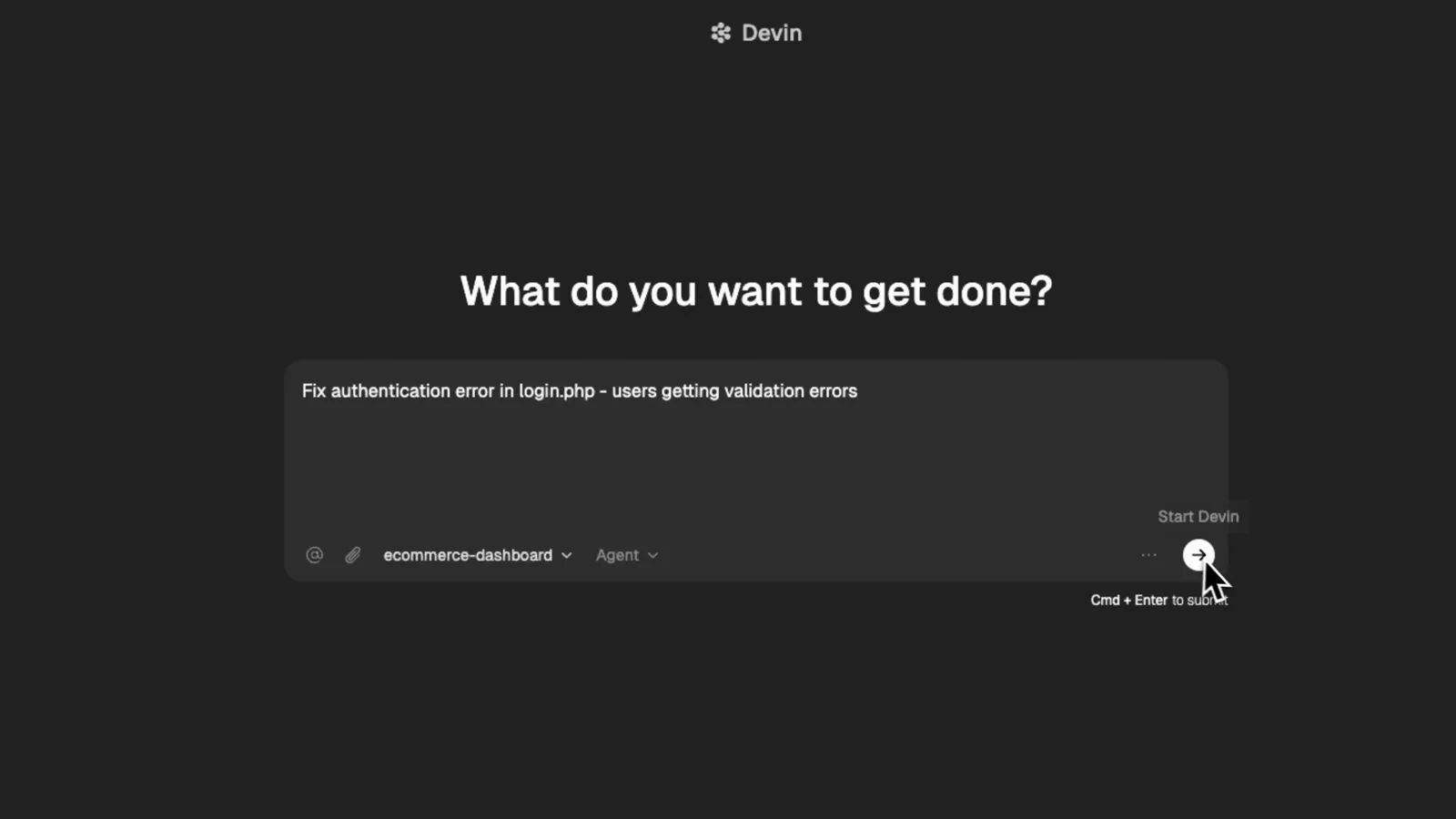
login.php 认证 bug 已输入 Devin 提示框,Cmd+Enter 一键发送。在 3:36 处观看
第 3 部分 · 审查、合并、搜索
- 8
Devin 写码前,先审它的计划概要
Devin 会先做调查——列出它找到的校验逻辑、POST 处理和会话管理,给出置信度,然后贴出 Plan Overview:修 PHP 8.x 兼容性问题、补上缺失的 password 字段、演示项目改用 CSV 认证、本地跑通登录流程。确认没问题就点 Confirm。
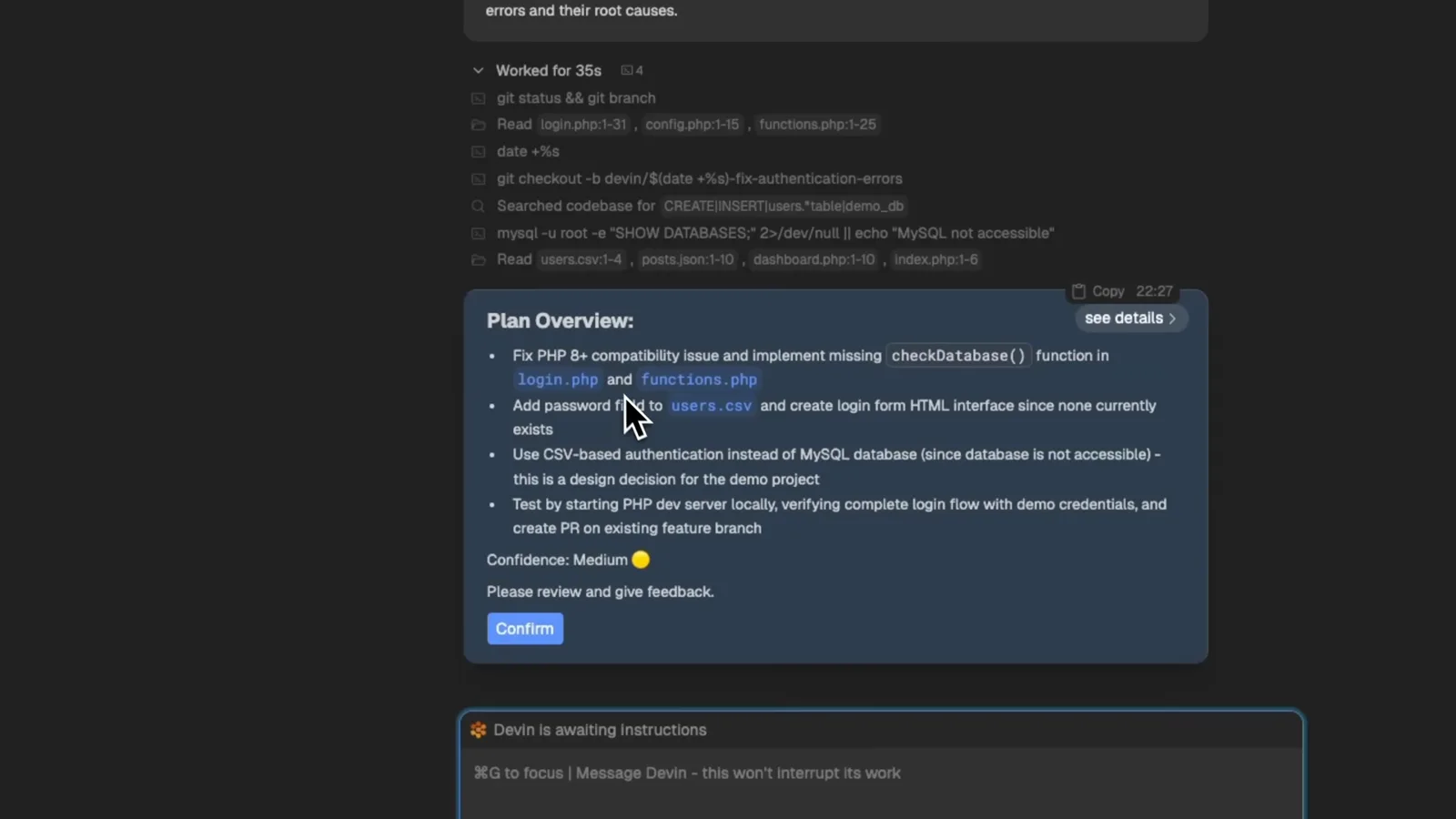
Devin 的 Plan Overview 卡片:带置信度评分和 Confirm 确认按钮。在 4:00 处观看 - 9
在 GitHub 上审查并合并 PR
Devin 为这个修复开出 Pull Request——视频里是“Fix authentication errors in login.php #2”,devin-ai-integration 机器人还会留言说明如何反馈。GitHub 显示与主分支无冲突,点绿色的 Merge pull request 按钮即可完成合并。
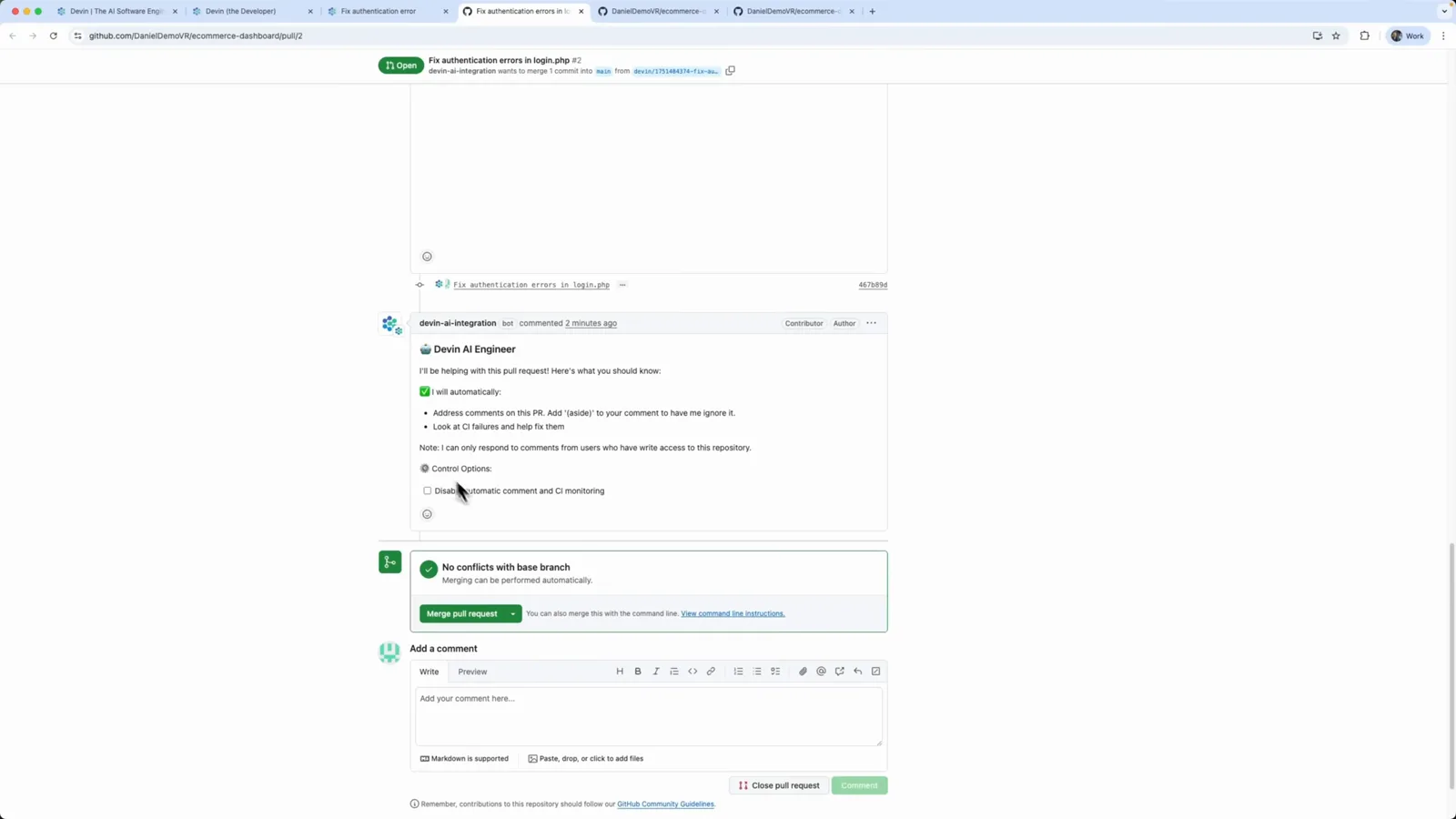
GitHub 显示 Devin 的 PR 无冲突——点一下 Merge pull request,修复即可上线。在 5:12 处观看 - 10
读完成总结,用测试账号验收
回到 Devin,会话报告“Authentication errors in login.php are fixed”,附合并后的 PR #2 链接和测试账号(用户名 admin、密码 admin),可直接验证登录表单。时间线列出每一次文件改动——style.css、login.php、users.csv、functions.php——总共耗时 4 分 24 秒。
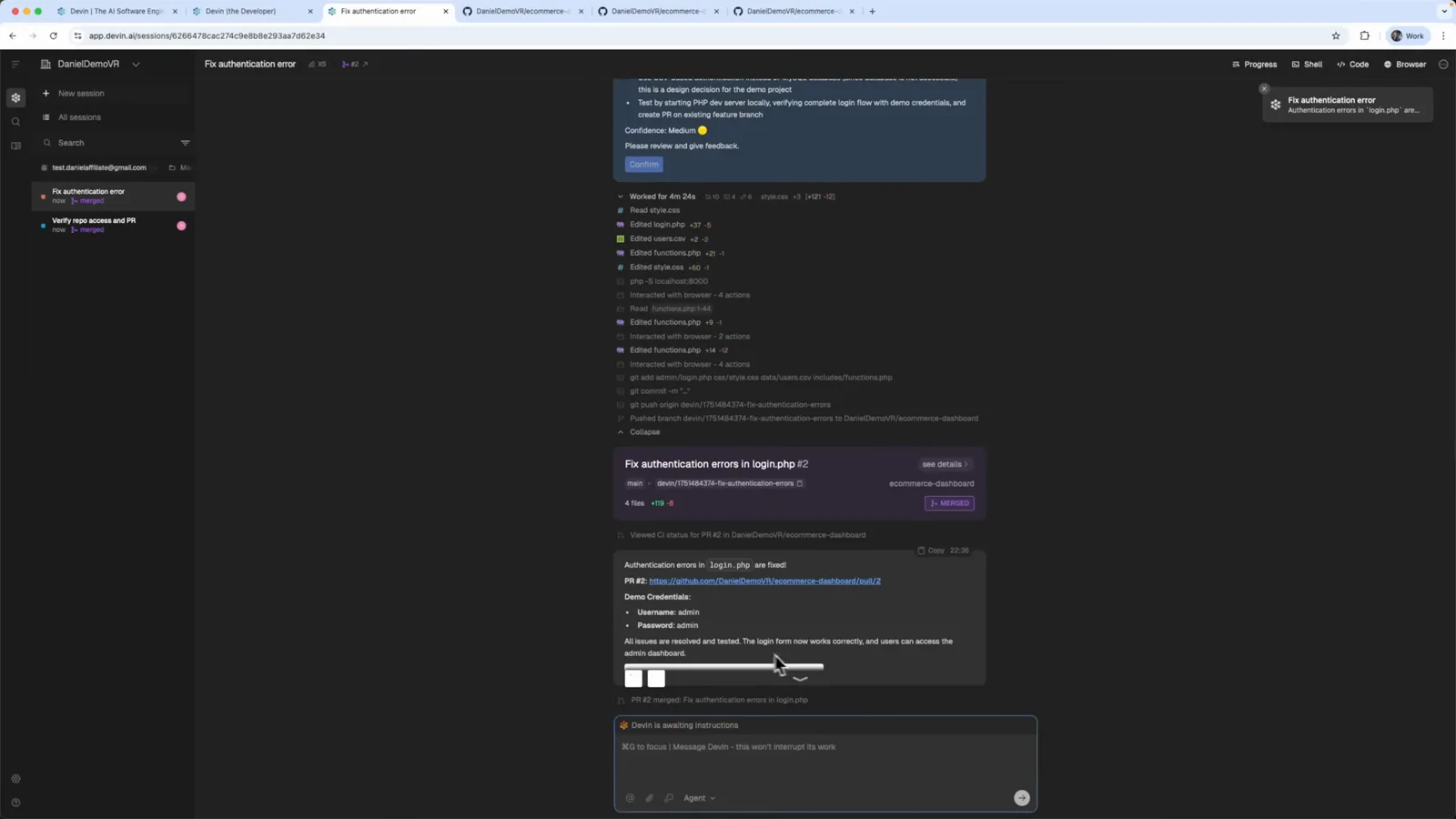
Devin 完成总结:合并后的 PR 链接、文件改动时间线和演示管理员账号。在 5:28 处观看 - 11
用 Ask Devin 搜索你的代码库
Ask DevIn(Beta)能回答与已接入仓库有关的问题。视频里输入“Find all authentication functions in this codebase”,仓库过滤保持 1 Repos: All,打开 Deep 开关做更深入的分析再发送——查询还可以附截图。
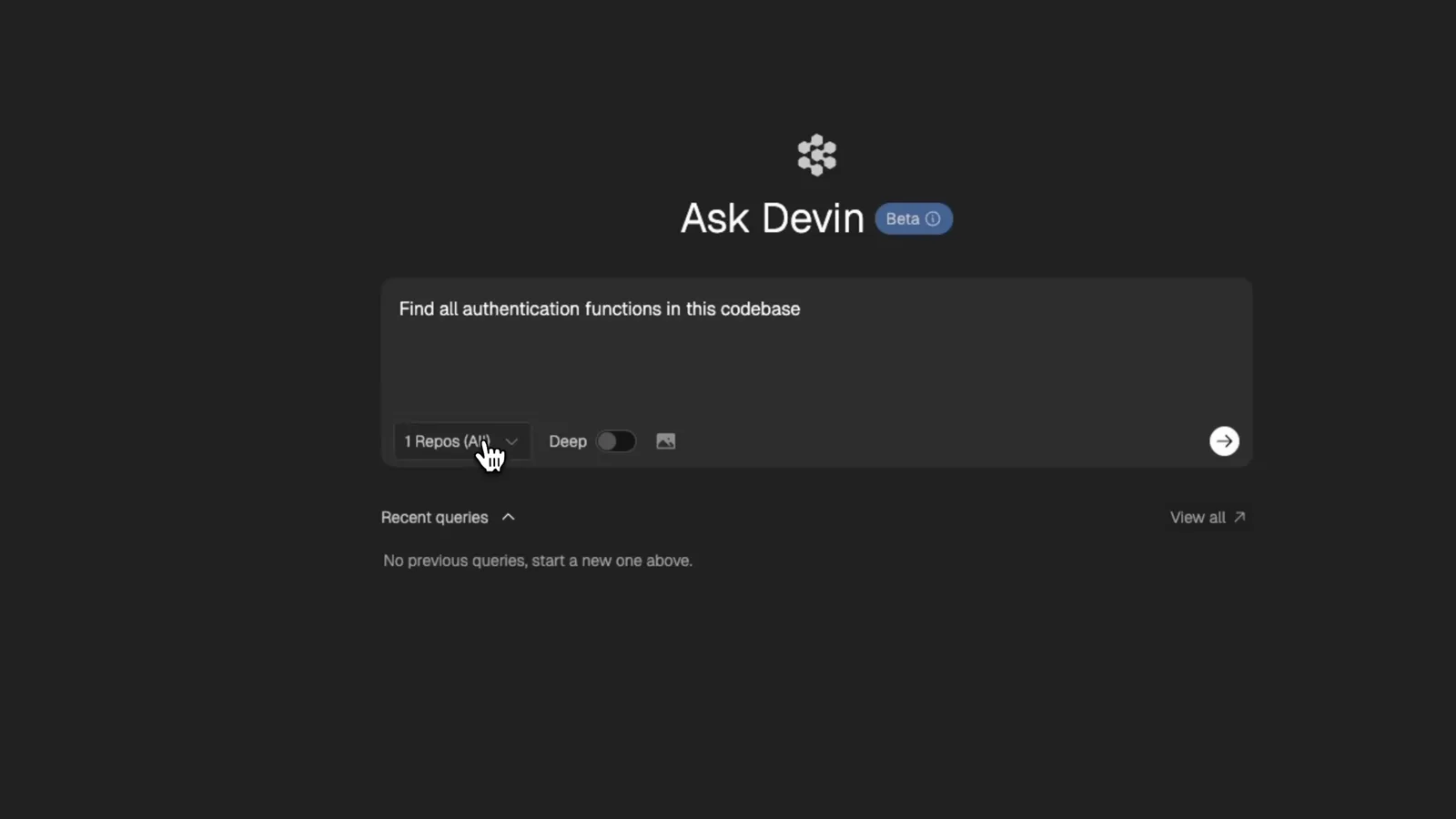
Ask Devin 里已输入代码库问题,Deep 开关已打开等待深度分析。在 6:08 处观看
第 4 部分 · 文档、Wiki 与价格
- 12
拿到按文件分组、可溯源的答案
开启 Deep 后,Devin 跨仓库检索并返回分组结果:前端认证函数、后端中间件与 JWT 工具、认证服务函数——每一组都带相关文件引用,就像一份实时更新的代码库文档。
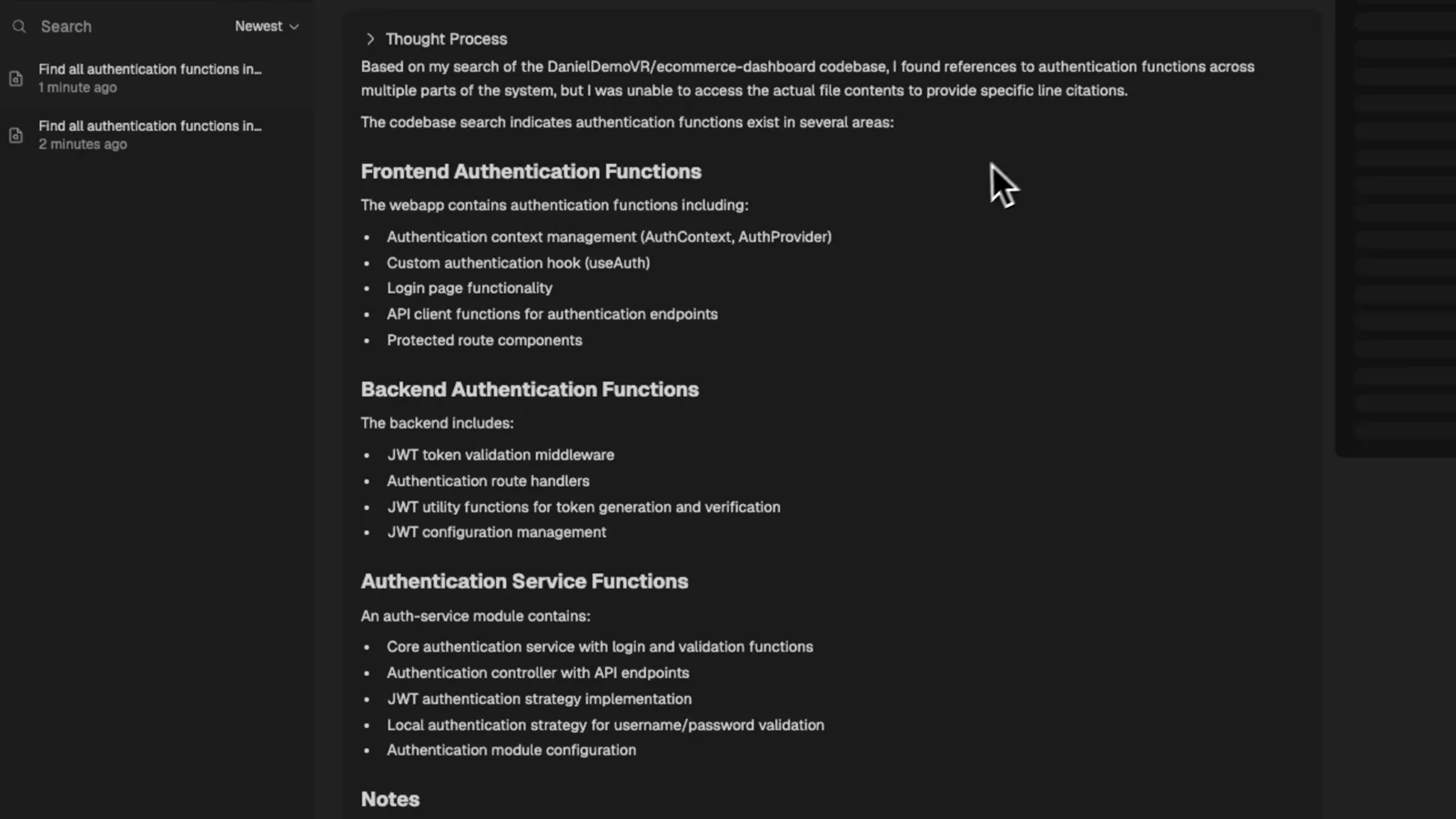
Ask Devin 的 Deep 结果:前端、后端、服务层认证函数按文件引用分组呈现。在 6:40 处观看 - 13
用 DeepWiki 自动生成文档
DeepWiki 能把已接入的仓库变成文档知识库。打开 Wiki、选中 ecommerce-dashboard 仓库,Devin 就会生成项目概览、结构说明和图表——开发者最头疼的文档活,全自动搞定。
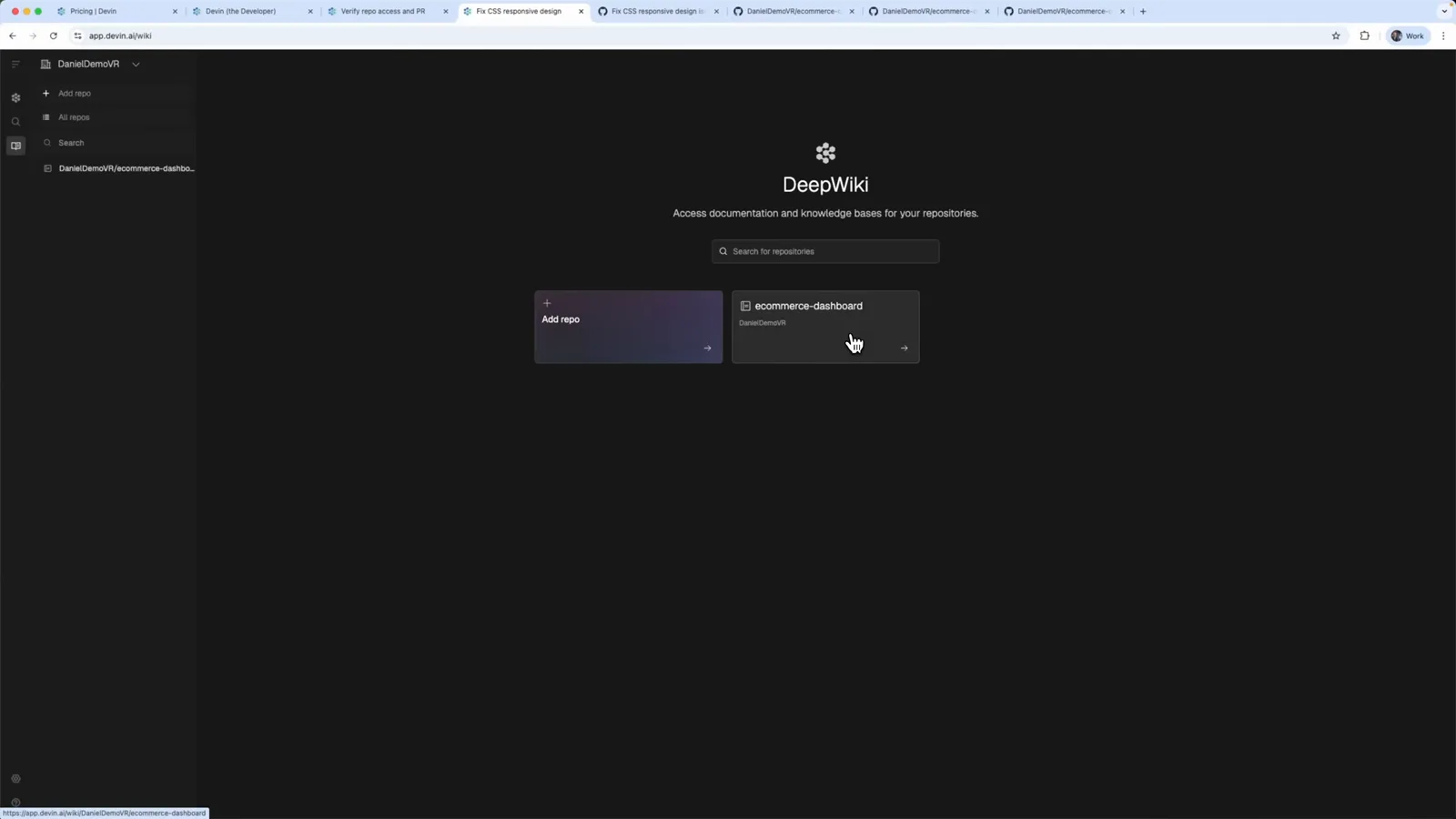
DeepWiki 首页:ecommerce-dashboard 仓库已就绪,可一键生成文档。在 7:20 处观看 - 14
选个套餐——Core 20 美元起步
Compare plans 页面列出:Core 按 ACU 量计费、20 美元起;Team 每月 500 美元,含新功能抢先体验和研究计划;Enterprise 定制报价。表格逐行列出各档差异:自主任务、持续学习、Devin IDE、Ask Devin、DeepWiki 和 API 访问。
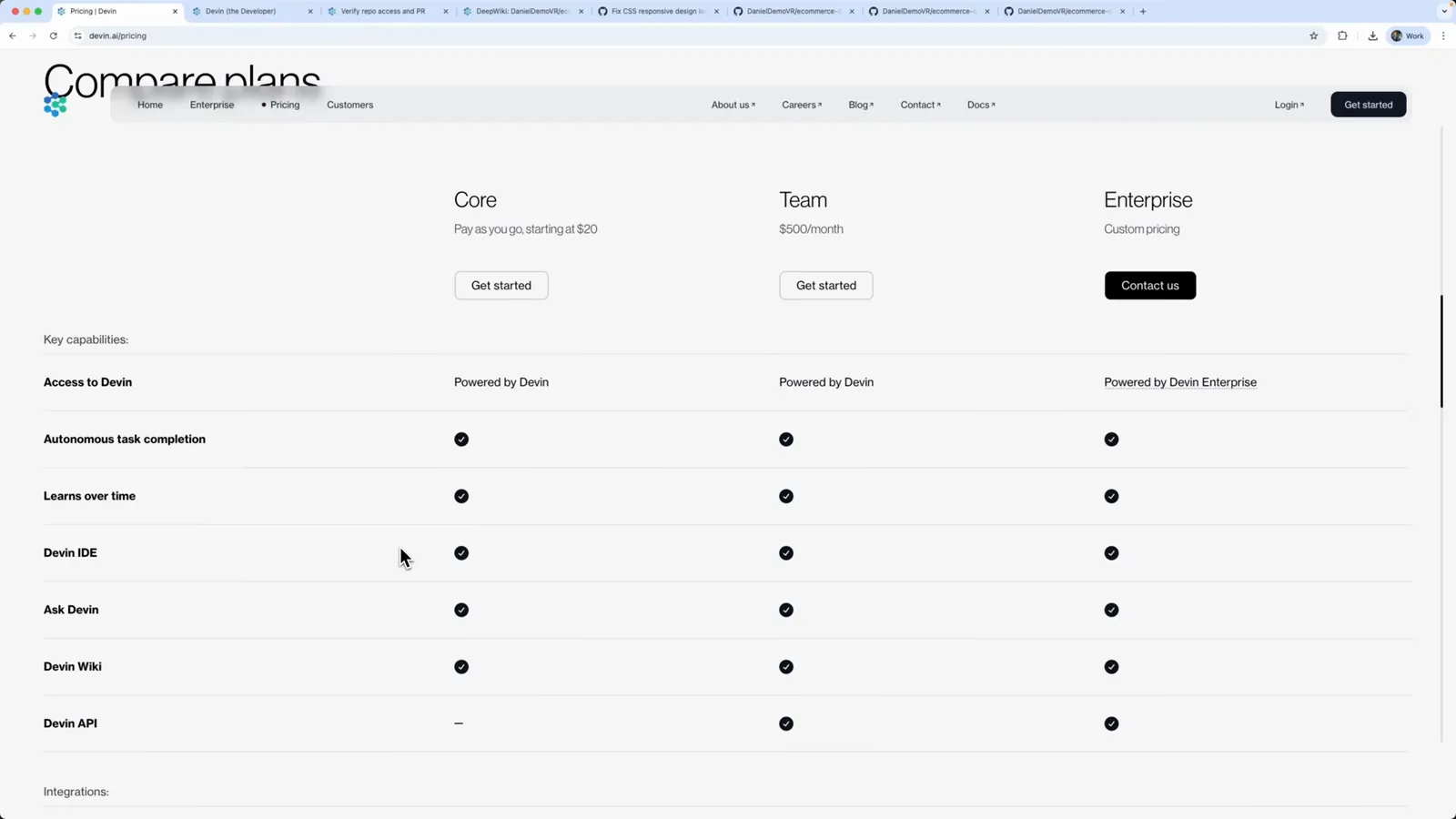
Devin 的 Compare plans 页——Core 20 美元按量起步,Team 每月 500 美元,Enterprise 定制。在 7:44 处观看
从 Windsurf 到 Devin Desktop
| 时间 | 发生了什么 |
|---|---|
| 2026 年 6 月 2 日 | Cognition 通过常规 OTA 更新把 Windsurf 改名 Devin Desktop——应用没变,牌子换了。 |
| 2026 年 7 月 1 日 | Cascade 停止服务,编辑器内的智能体由 Devin Local 接替。 |
| 本篇教程 | 一步步演示 Devin 智能体工作区:接入仓库、云虚拟机会话、确认计划、合并 PR。 |