
Codex worktrees:托管的 Git worktree,一步一步来
启用 worktrees 功能、让对话跑在托管的 Git worktree 里、用 Work here 把成果变成分支、直接从终端启动 codex --worktree——10 个步骤,来自一段干净的屏幕录制。
TL;DR
- Git worktree 是同一个仓库的第二份检出——每个 worktree 有自己的文件但共享 .git 目录,所以并行的 Codex 对话永远不会互相覆盖。
- worktrees 藏在功能开关后面:在终端跑 codex features enable worktrees,重启应用,composer 里就会出现 New local worktree 选项。
- 完工的 worktree 两下点击变分支——Create branch 把它命名为 codex/your-branch,随后提交面板把它推上去,你不用离开 worktree 就能开 PR。
- 托管的 worktree 以哈希命名的文件夹形式住在 $CODEX_HOME/worktrees。Codex 保留最近 15 个,清理前保存快照,并且可以从对话里恢复。创建/列出工具随 Codex 0.162.0 发布。
Codex Worktrees: The Best Feature Most Developers Ignore
频道:Software Engineer Meets AI4:56
Worktrees — official Codex documentation
文档:developers.openai.com/codex
截图帧来自一段干净的屏幕录制;命令和 UI 标签均与 Codex worktrees 官方文档核对过。托管 worktree 工具随 Codex 0.162.0(2026 年 10 月)发布:"Add tools for creating and listing managed Git worktrees from trusted local projects when the worktrees feature is enabled."
视频版权归其创作者所有,链接附此仅为注明出处。产品名称与界面元素归 OpenAI 所有。
Codex worktrees 是怎么工作的,一步一步看
启用 worktrees 并开一个
- 1
开启任何东西之前,先弄懂 worktree 是什么
Git worktree 是你仓库在自己文件夹里的完整第二份检出——每个 worktree 都有每个文件自己的副本,但所有 worktree 共享同一份 .git 元数据。这就是为什么多个并行 Codex 对话可以各自编辑自己的文件夹,而不会绊在彼此未提交的改动上。worktree 本来就是 Git 的普通功能;Codex 只是把周边杂活自动化了。
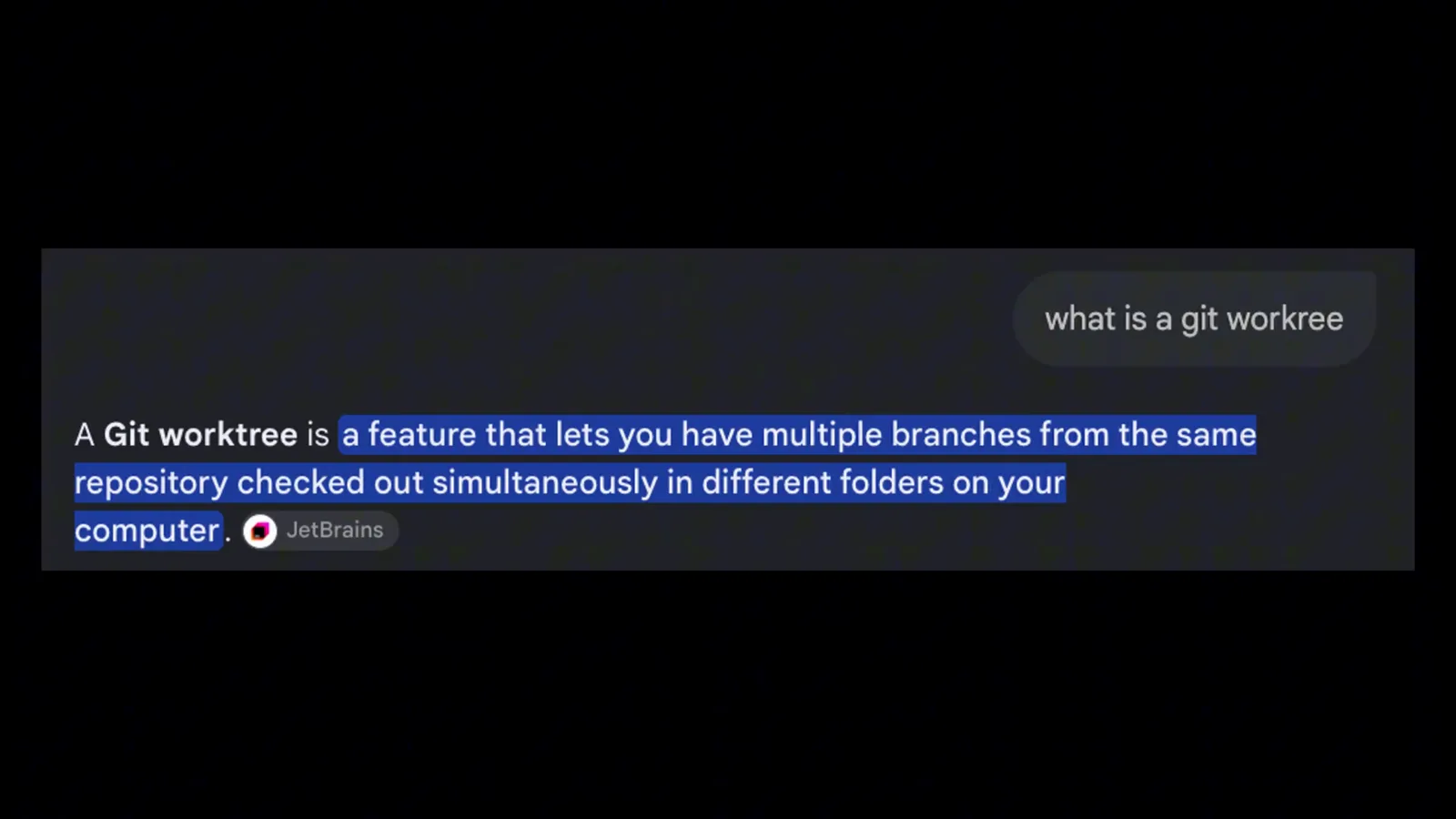
录制以一句话定义开场:同一个仓库的多个分支,同时检出到不同文件夹。在 0:28 观看 - 2
一次性启用 worktrees 功能
worktrees 在 Codex 里仍处于门控状态,所以第一步在终端完成。如录屏所示,演示者在应用的内置终端里跑 codex features enable worktrees,这会翻转 config.toml 里的开关——然后重启应用。重启之后,composer 里出现 New local worktree 选项。
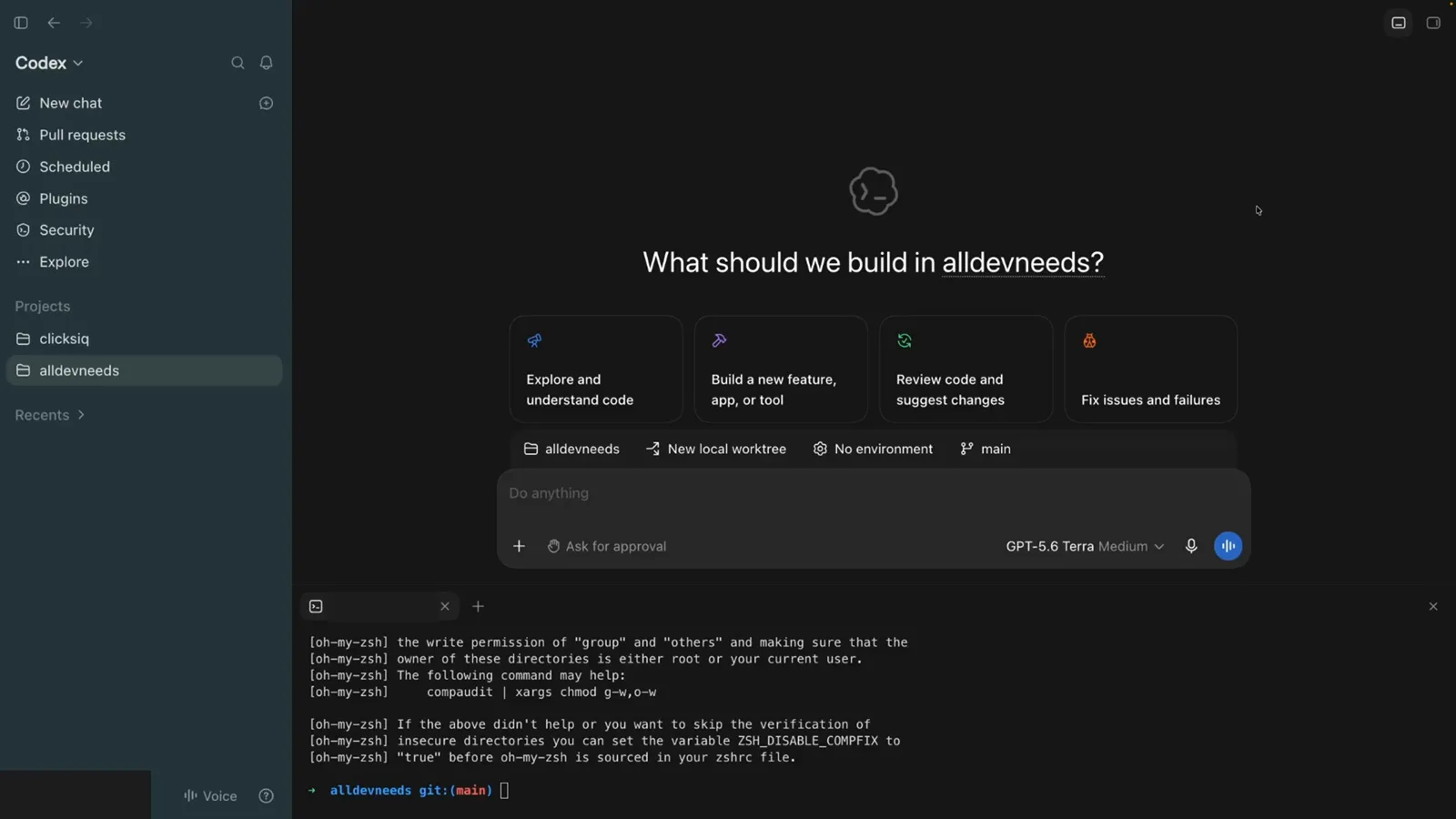
Codex 应用在 composer 下方开着终端面板,启用命令正是在重启前在这里执行。在 1:58 观看 - 3
在 New local worktree 上开一段对话
新对话里 composer 的标签写着:项目名、New local worktree、No environment、main——worktree 模式,以及 worktree 从哪个分支起步。保持 New local worktree 选中、main 作为起始分支,输入你的任务(演示里是 "change the background color to be blue"),然后发送。
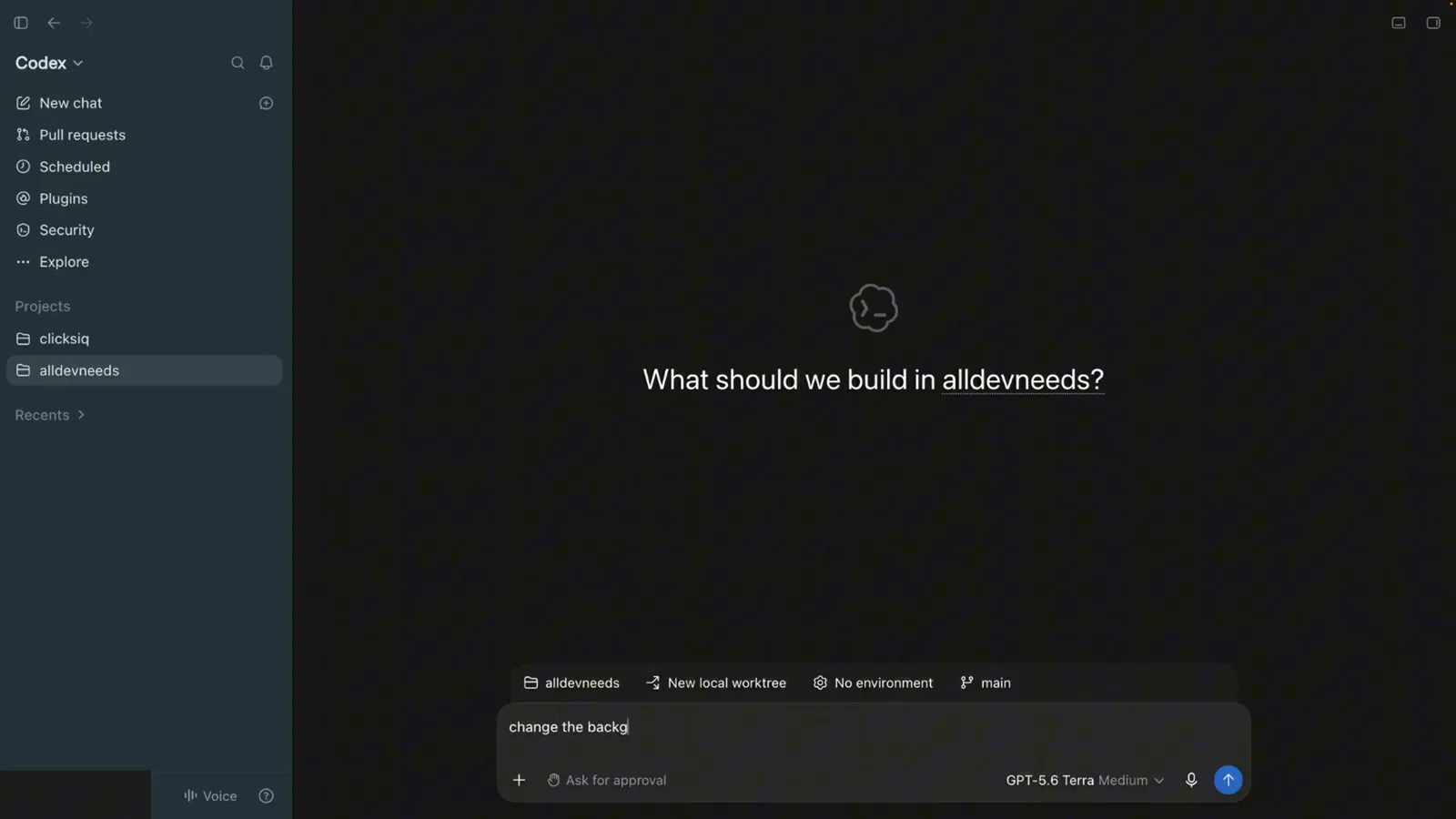
输入提示词时 composer 选中 New local worktree 和 main。在 3:00 观看 - 4
让智能体在它的 worktree 里干活
Codex 回复 "Worktree created" 并开始在隔离副本里工作——线程里能看到它跑 npm run type-check && git diff --check,而你继续用这个应用聊别的。你的主检出纹丝不动,Changes 计数器(录屏里是 +2 -2)跟踪智能体在 worktree 里改了什么。
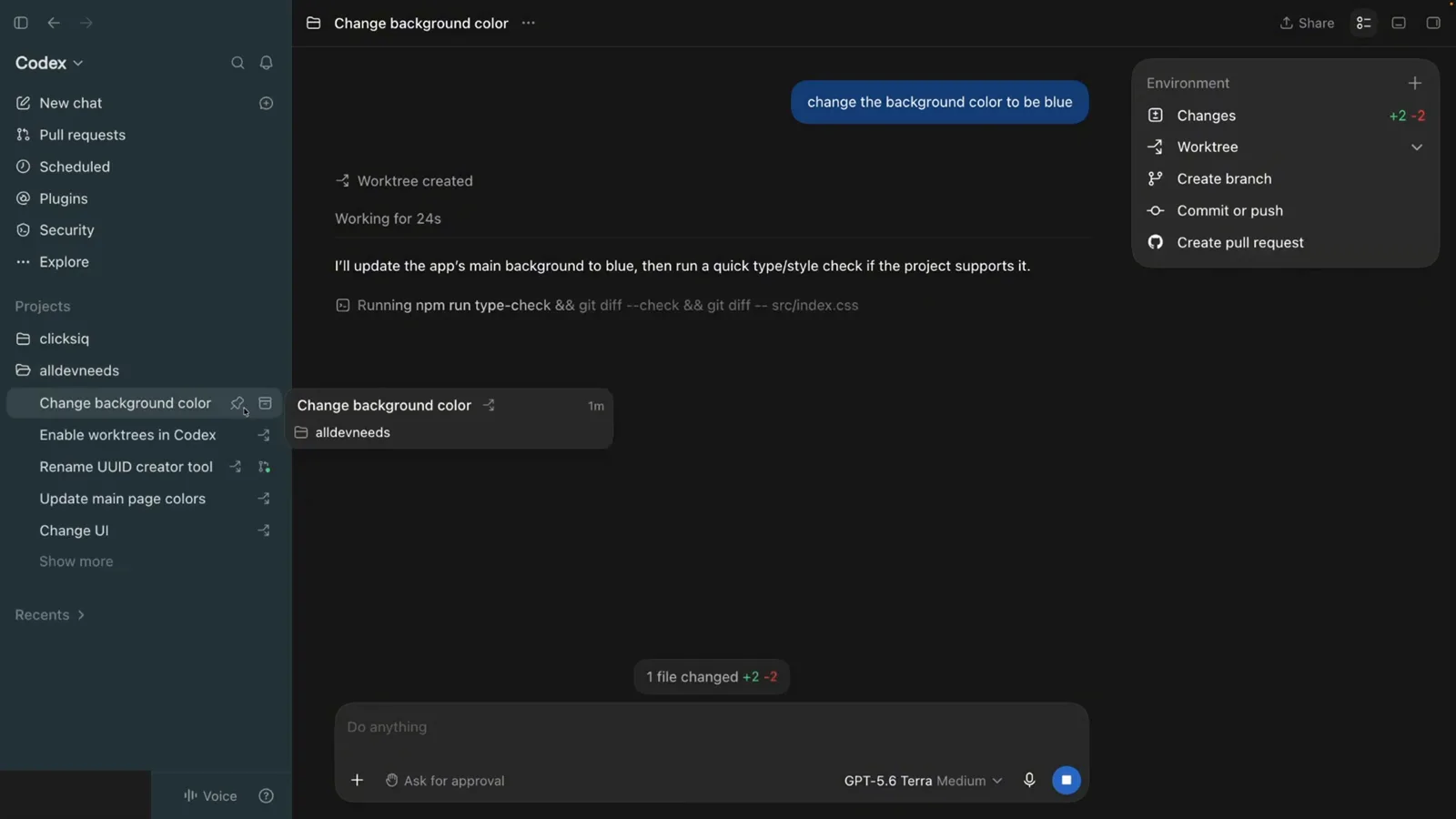
智能体在 worktree 里跑 type-check 和 diff 命令时,线程头部显示 Worktree created。在 3:17 观看
把 worktree 变成分支和 PR
- 5
找到 Codex 把 worktree 放在哪
托管的 worktree 不会丢在你的项目旁边。官方文档把它们放在 $CODEX_HOME/worktrees,录屏也证实了:cd 进 .codex/worktrees 后,ls 打出每个 worktree 一个哈希命名的文件夹(09bd、09ec、7b3a、d021、dd4e)。你可以在 Settings > Worktrees 里通过 Worktree root 设置搬迁这个根目录。
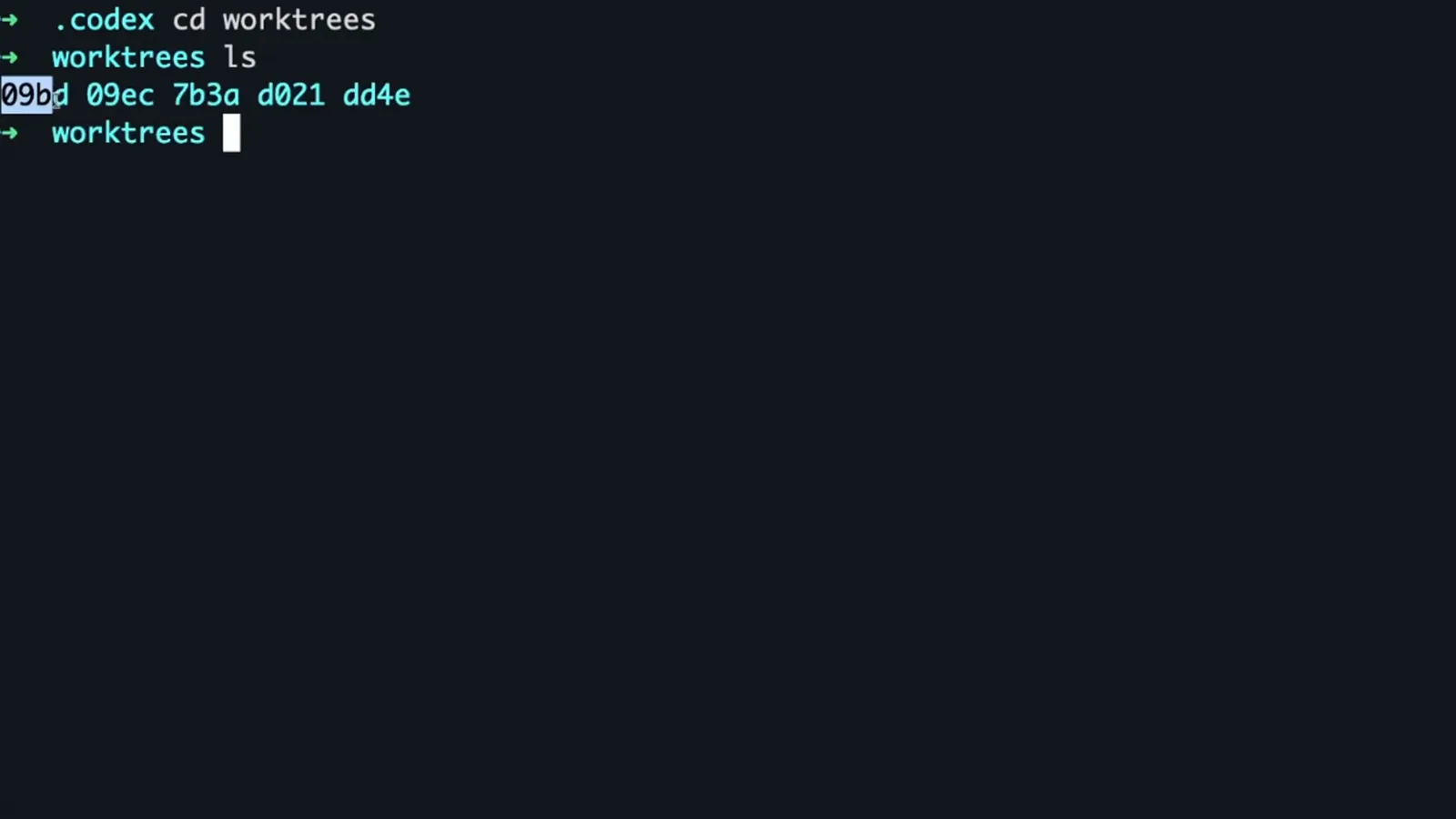
终端停在 .codex/worktrees 里,列出五个哈希命名的 worktree 文件夹。在 3:41 观看 - 6
打开线程菜单并创建分支
新 worktree 以 detached 状态起步——Codex 创建它时不挂任何分支。想留住成果,打开线程的 Environment 菜单:Changes(+2 -2)、Worktree、Create branch、Commit or push 和 Create pull request。Create branch 就是把这个文件夹变成真正命名分支的那一下。
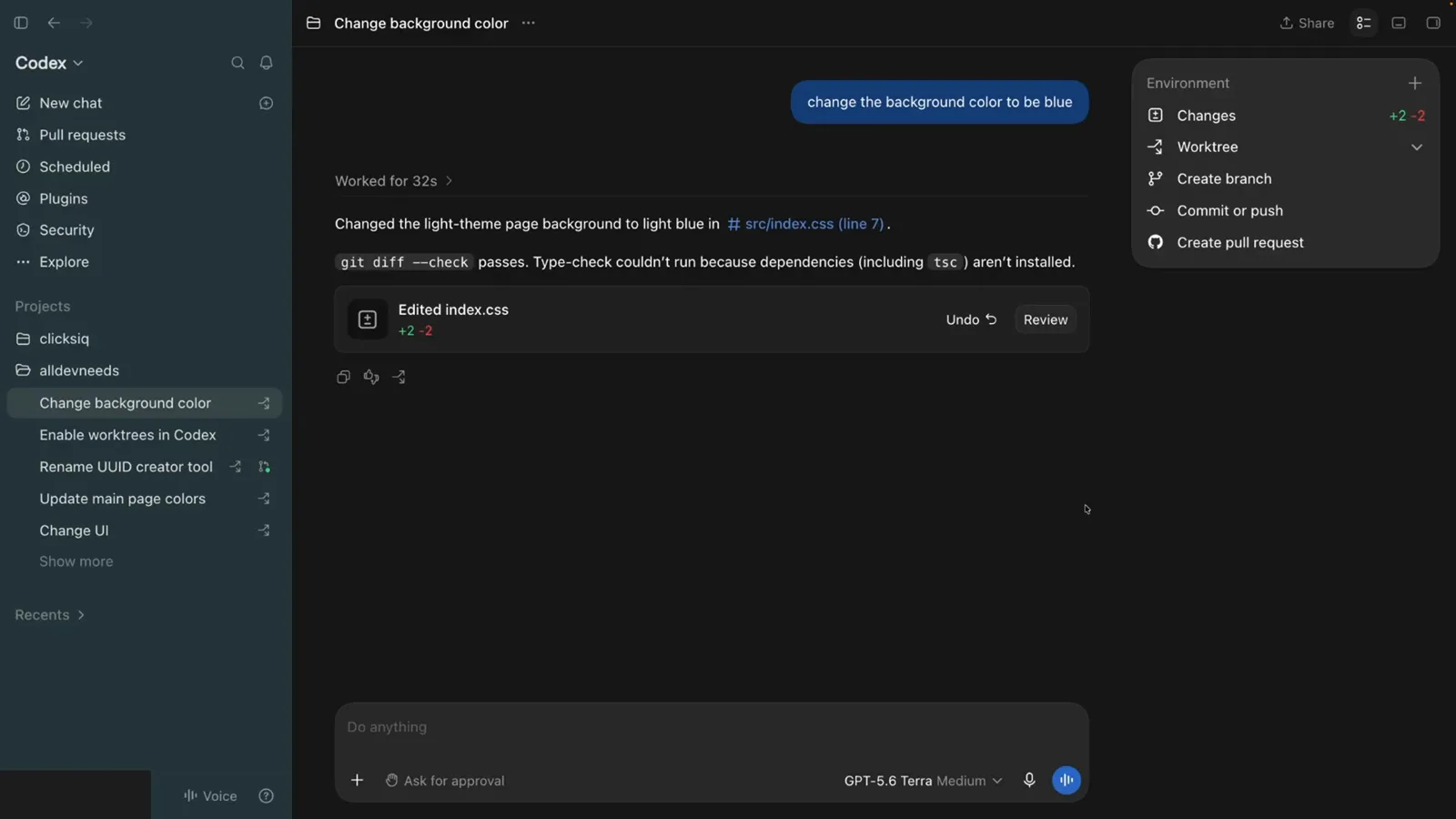
线程的 Environment 菜单,带 Changes、Worktree、Create branch、Commit or push 和 Create pull request。在 3:25 观看 - 7
在 Work here 对话框里确认分支
Create branch 打开 Work here 对话框:"Create a branch to commit changes, push, and create a PR from this worktree." Branch name 输入框已预填 codex/ 前缀——录屏里是 codex/change-background-color——点 Create,分支就挂到 worktree 上。Git 只允许一个分支同时检出在一个 worktree 里,这正是 Codex 替你盯着这层配对关系的原因。
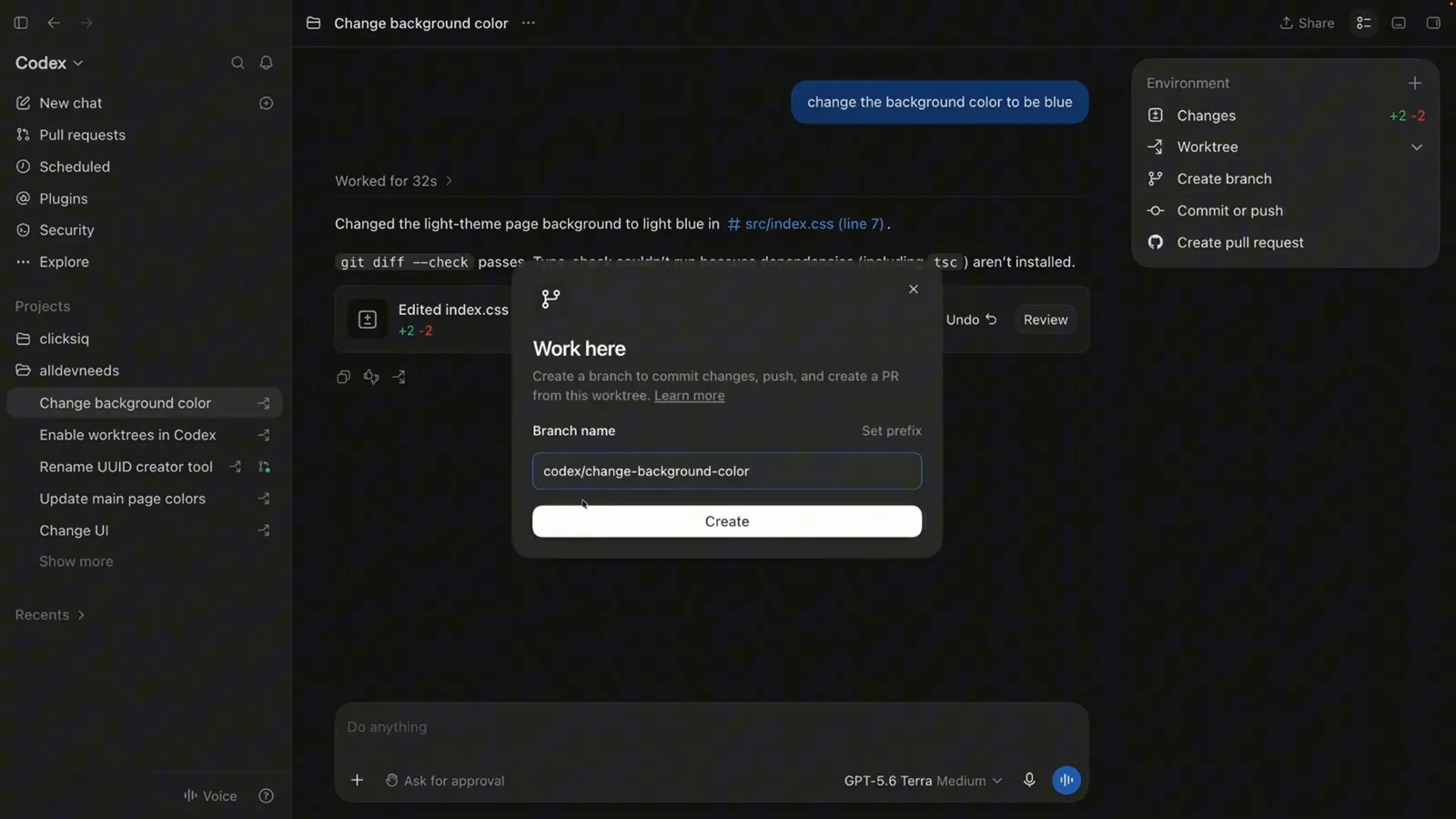
Work here 对话框,预填分支名 codex/change-background-color 和 Create 按钮。在 3:52 观看 - 8
从 worktree 里提交并推送
回到线程,Commit or push 在 codex/change-background-color 分支上打开提交面板:输入提交信息,保持 Include unstaged changes 勾选(+2 -2),选 Commit、Commit and push 或 Push。录屏随后直接开出了进 main 的 PR——整个流程没离开过 worktree 文件夹。
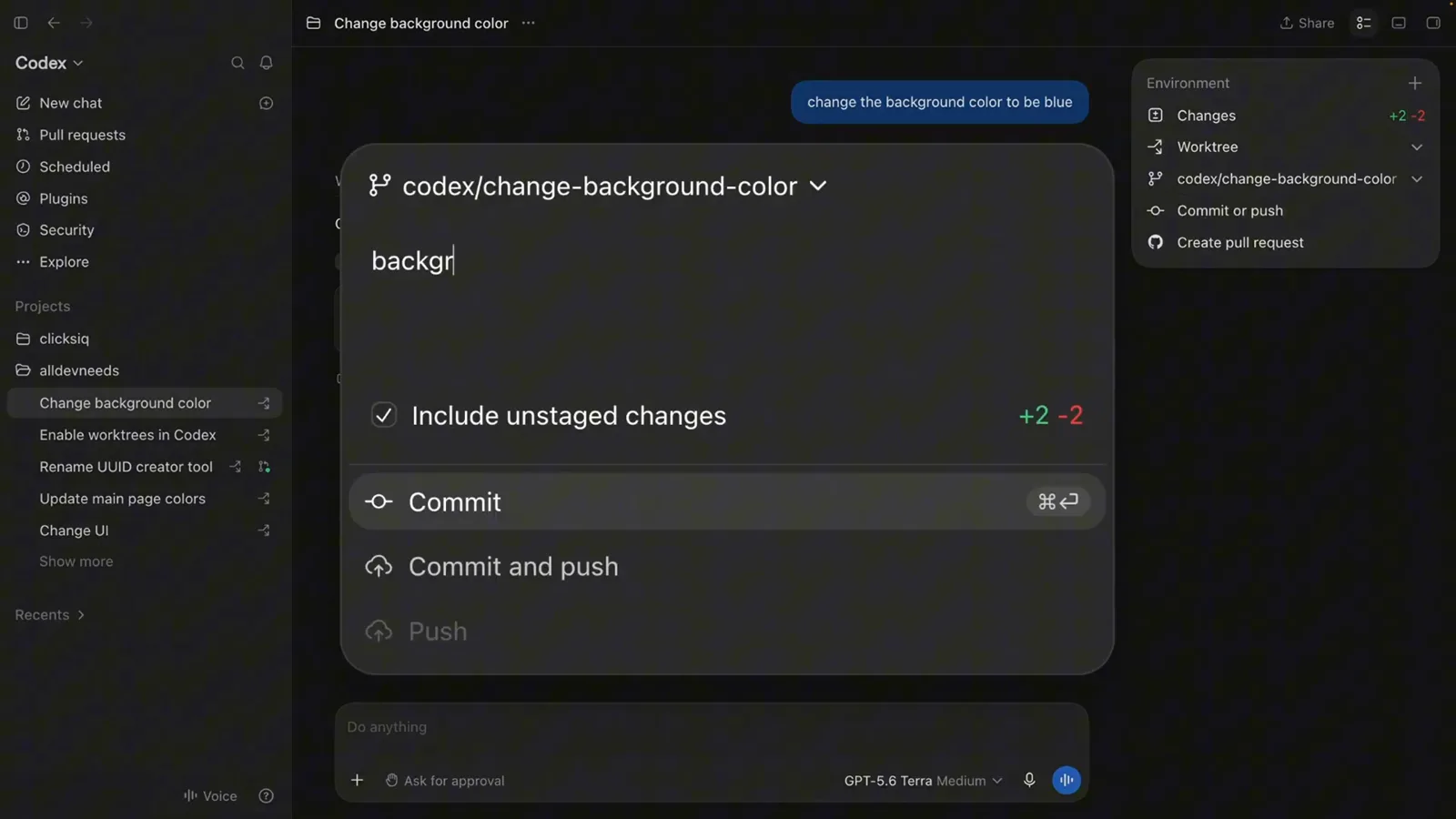
codex/change-background-color 分支上的提交面板,带 Include unstaged changes 和 Commit and push 选项。在 4:04 观看
CLI 路线与那些会咬人的规则
- 9
跳过应用:从 CLI 启动 worktree
同样的功能没有界面也能用。录屏里演示者在仓库内的 zsh 提示符敲下 codex --worktree "Implement the new feature"——Codex 为这段对话创建一个托管 worktree 并在那里跑任务,和应用里一样。这套创建/列出工具随 Codex 0.162.0 面向受信任的本地项目发布。
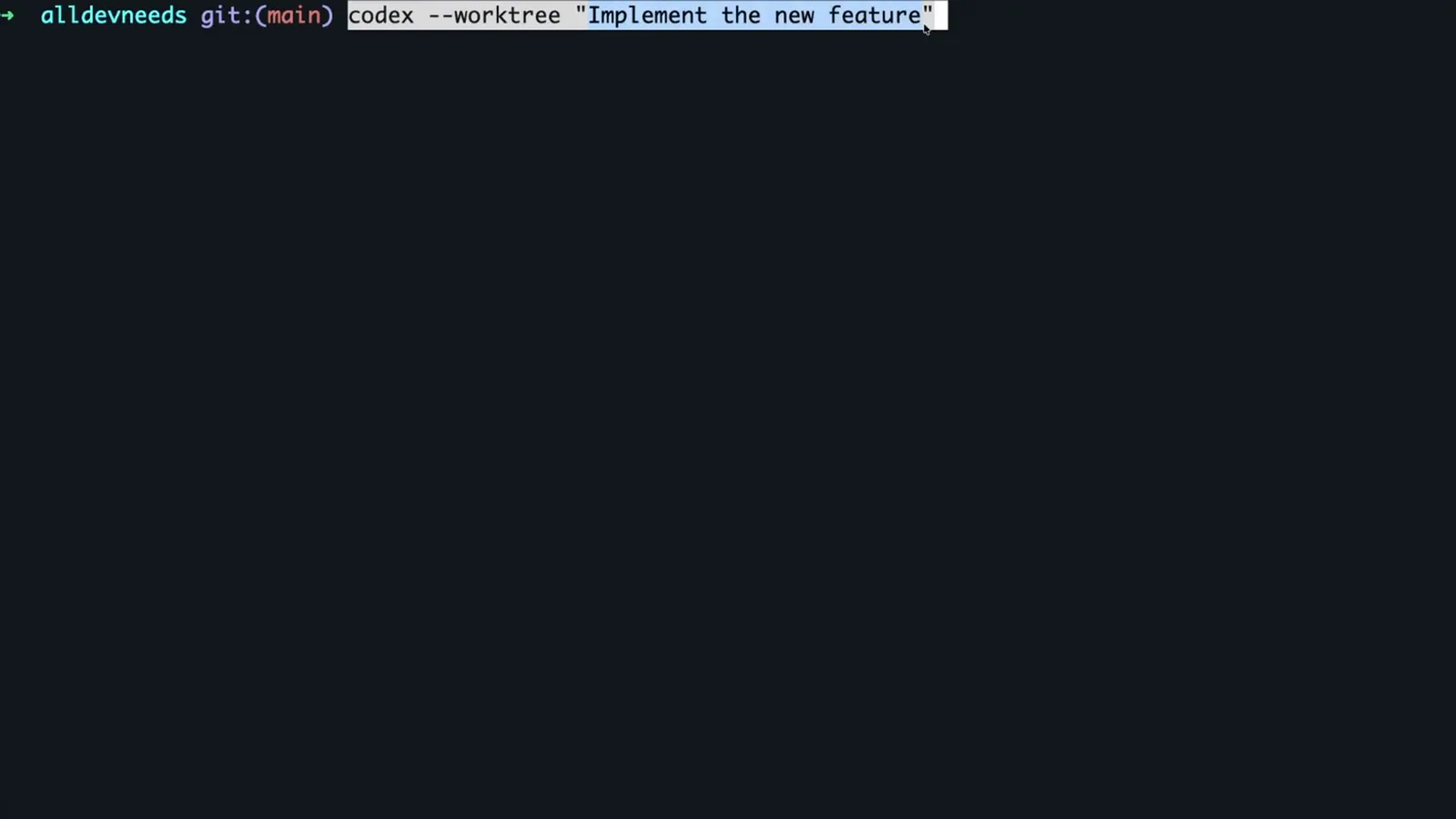
仓库 main 分支上的终端正在运行 codex --worktree "Implement the new feature"。在 4:38 观看 - 10
弄清清理规则和单分支限制
Codex 保留你最近 15 个托管 worktree,新的一来就修剪旧的——绝不修剪钉住的对话、进行中的对话或永久 worktree,而且总是在保存快照之后,你可以从对话里恢复。文档里的两条硬边界:一个分支同时只能检出在一个 worktree(想挪对话用 Handoff,别开第二份检出),以及 .env 这类被忽略的文件不会自动跟进 worktree,除非你在 .worktreeinclude 文件里列出它们。
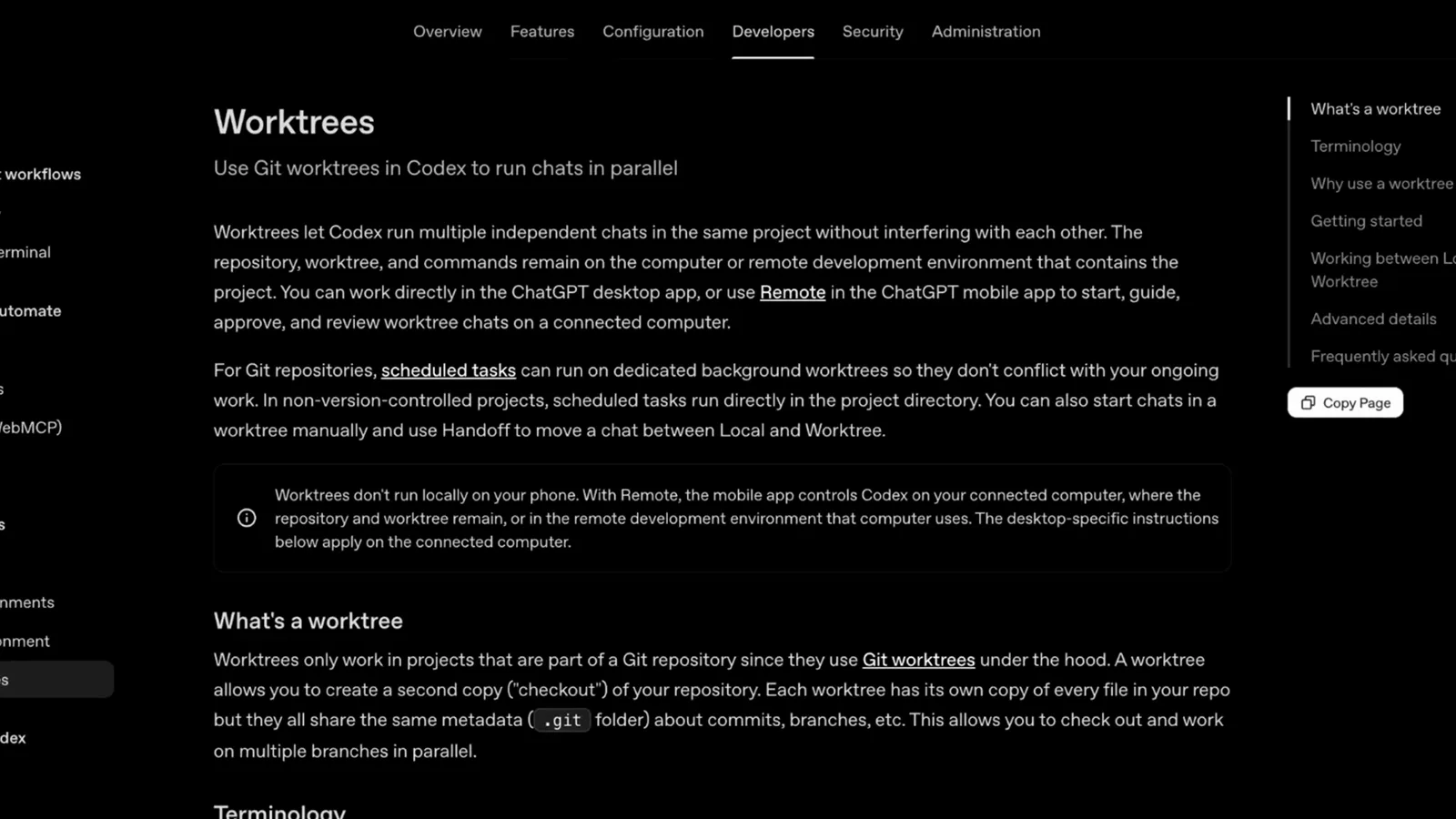
官方 Worktrees 文档:worktree 是什么、术语与清理行为。在 4:47 观看
Codex worktree 用不了?先查这些
大多数 worktree 失败是配置问题,不是 Git 问题。录屏和官方文档指向同一份短清单——从上到下过一遍,再去手动碰 .git。
- 1功能开关没开。worktrees 是门控功能:在终端跑 codex features enable worktrees,然后彻底重启 Codex 应用。composer 里少了 New local worktree 选项,几乎总是这一步——或者那次重启——没做。
- 2项目不是 Git 仓库。worktrees 只在属于 Git 仓库的项目里可用,而且 0.162.0 的发布说明把工具限定在 "trusted local projects"——普通文件夹或未受信任的新仓库不会出现 worktree 选项。
- 3起始分支已在别处检出。Git 每个分支只允许一个 worktree,选了被占用的分支就会失败并报 fatal: 'branch' is already used by worktree at ...。从 main 或其他空闲分支起步,或者用 Handoff 挪走对话。
- 4环境文件没出现在 worktree 里。Git 不跟踪 .env 及其同类,所以它们不会被复制。在仓库根目录建一个 .worktreeinclude 文件把它们列进去(一行一个路径),Codex 会把它们复制进新 worktree。
- 5应用版本太旧。录屏开场就说 "make sure you update yours to the latest version"——托管 worktree 工具只在新版里存在(CLI 的创建/列出工具要 0.162.0 或更新)。更新、开开关、重启、重试。
如果 worktree 已经没了但成果很重要,先打开它的对话——Codex 清理 worktree 前会保存快照,可以恢复。而如果整套模式都觉得重,普通的 git worktree add 依然好使:Codex 自动化的本来就是同一个 Git 底层功能。