
太长不看:输出风格速览
- 输出风格改写的是 Claude Code 在整个会话里每一次回复的角色、语气和格式——它改的是系统提示词,不是模型本身。
- 内置五个风格:Default、Proactive、Concise、Explanatory、Learning。用 /output-style 或 /config → Output style 切换。
- 自定义风格是 markdown 文件,放 ~/.claude/output-styles(用户级)或 .claude/output-styles(项目级)。默认会替换内置编码指令——想保留就写 keep-coding-instructions: true。
- 视频里的高阶玩法:按受众设计风格,套用 ASD-STE100 规则——一词一义、短句——让 PM、翻译、工程师各自读到能读懂的答案。
Claude Code Output Styles Made Opus 5 Readable Again
频道:Eric Tech15:40
Opus 5 Is Exhausting. Anthropic Reveals The Fix.
频道:Ray Amjad5:56
You Think Claude Got Dumber? You Are Actually Just Missing This Setting
频道:Gary Chen11:41
Output styles — Claude Code documentation
文档:code.claude.com
配图取自 Eric Tech 的输出风格深度讲解;走查文字为独立撰写,并对照官方输出风格文档核验(含内置风格清单与 keep-coding-instructions 行为)。
截图版权归原作者所有,此处以署名方式用作可视化文档。每一步都带深链,可跳回来源视频的对应时间点。
一步步改掉 Claude 的说话方式
1 · 问题和解法
- 1
先认准问题:能干活,但读不懂
视频开头一幅手绘概括了社区的吐槽:模型能把活干完,但答案是术语墙。Matt Pocock 也公开吐槽过——试用 Opus 5 时完全看不懂它在说什么。如果你也有同感,解药不是换模型。
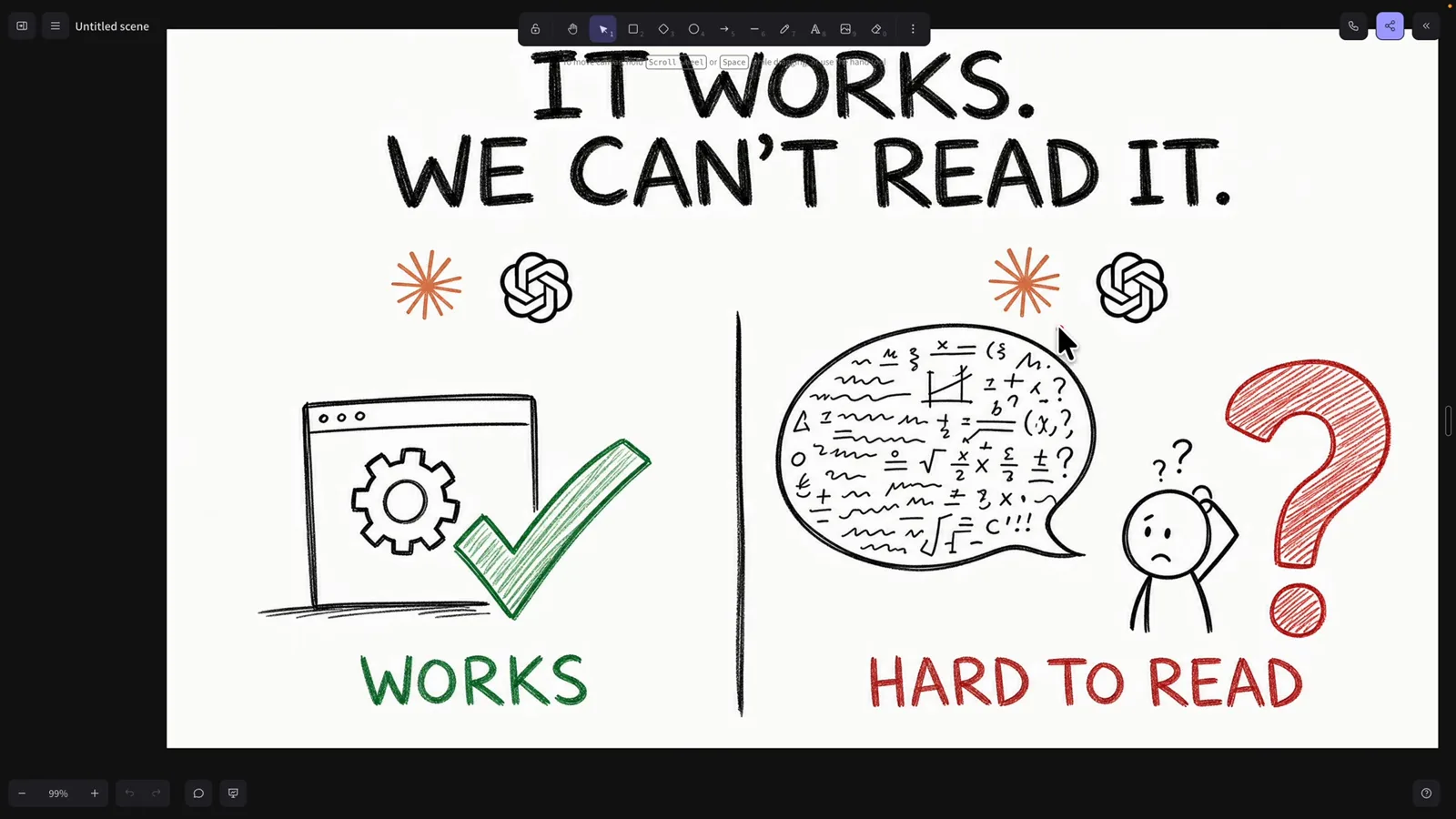
「It works. We can't read it.」——输出风格存在的理由。在 0:20 观看 - 2
解法来自 Anthropic 工程师
Lydia Hallie 的帖子两行讲完整个机制:把风格指令放进 ~/.claude/output-styles,然后跑 /config 选风格。她还分享了自己下班后最爱的风格——「explain it like I'm 5」,下一步我们全文精读。
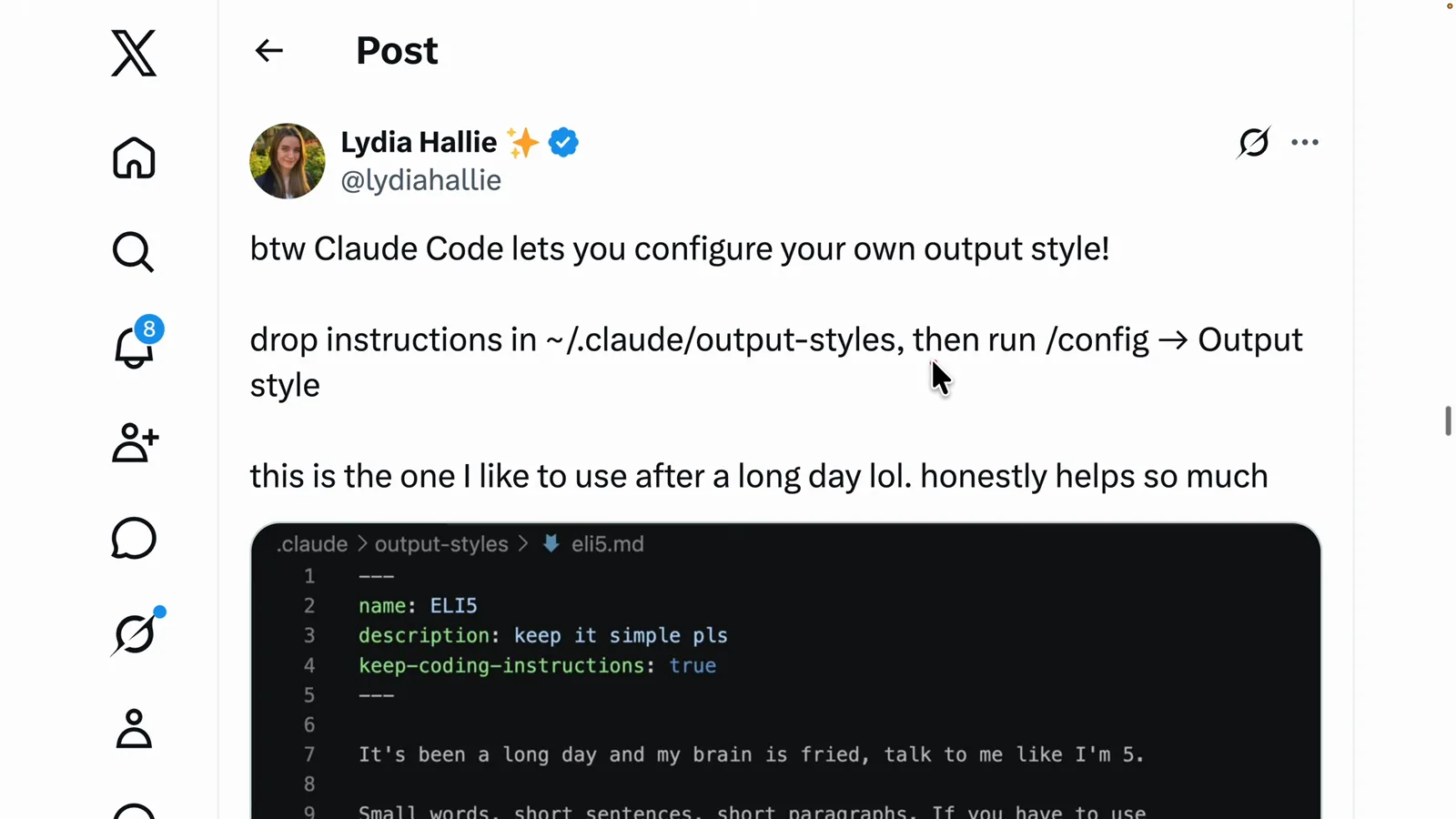
原帖:指令放 ~/.claude/output-styles,然后 /config → Output style。在 2:00 观看 - 3
从头到尾读一份真实的风格文件
风格文件就是 markdown:frontmatter 里写 name、description 和 keep-coding-instructions: true——这个开关让 Claude 保留编码指令而不是替换掉——正文是朴素的使用说明。这份风格给「累瘫的读者」定了契约:小词、短句、要决策时最多给两个选项、路径和命令必须精确,因为「我没剩几个脑细胞了」。
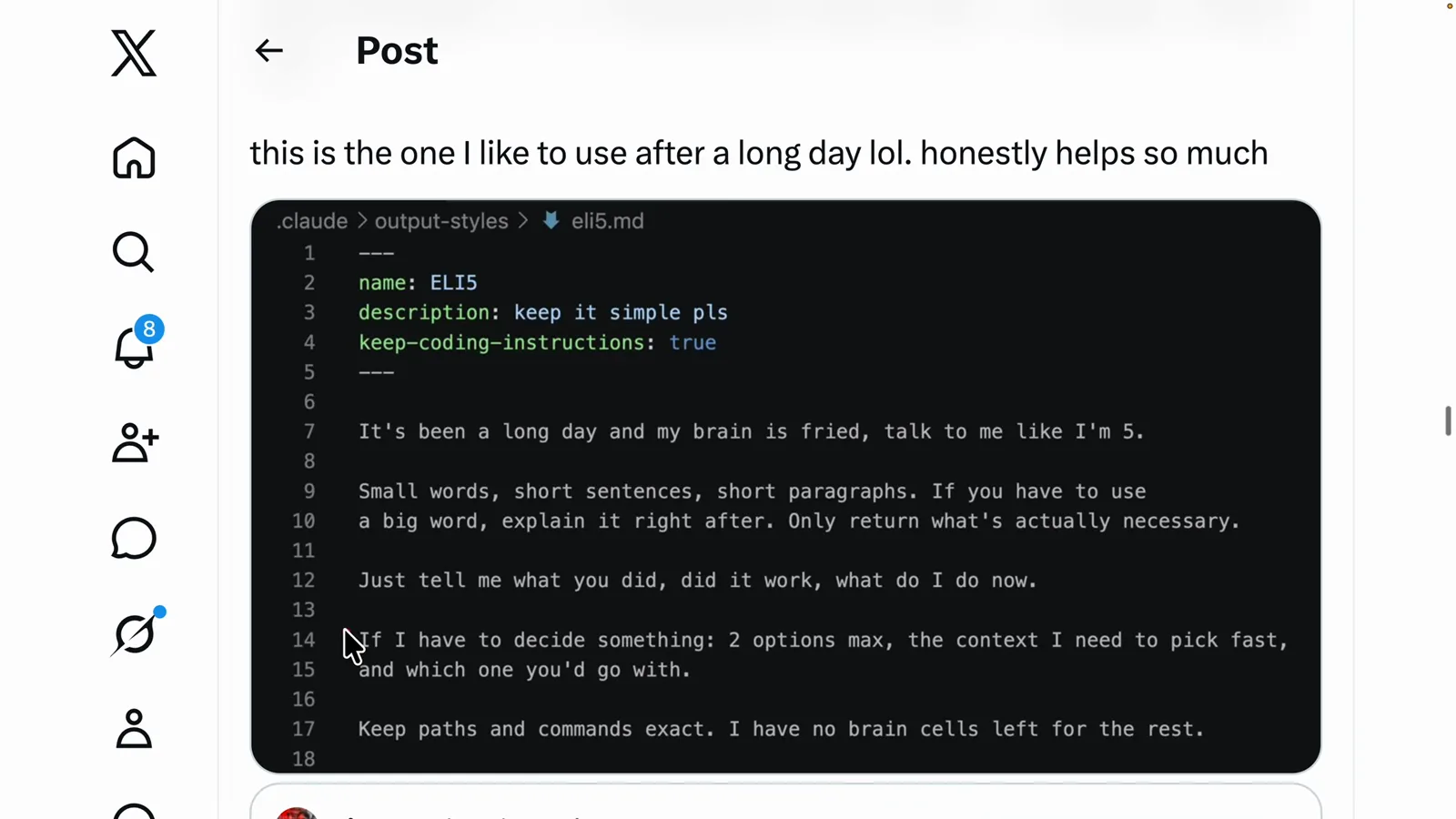
ELI5 风格:frontmatter + 累人也能执行的规则。在 2:20 观看
2 · 内置风格与第一个自定义风格
- 4
认识五个内置风格
打开 /config → Output style,Claude Code 列出默认自带的风格和各自的契约:Default 高效完成任务、回复简洁;Proactive 立即执行、少问多做;Concise 直接给结果、跳过铺垫;Explanatory 解释实现选择和代码库模式;Learning 会暂停并让你亲手写一小段代码练手。
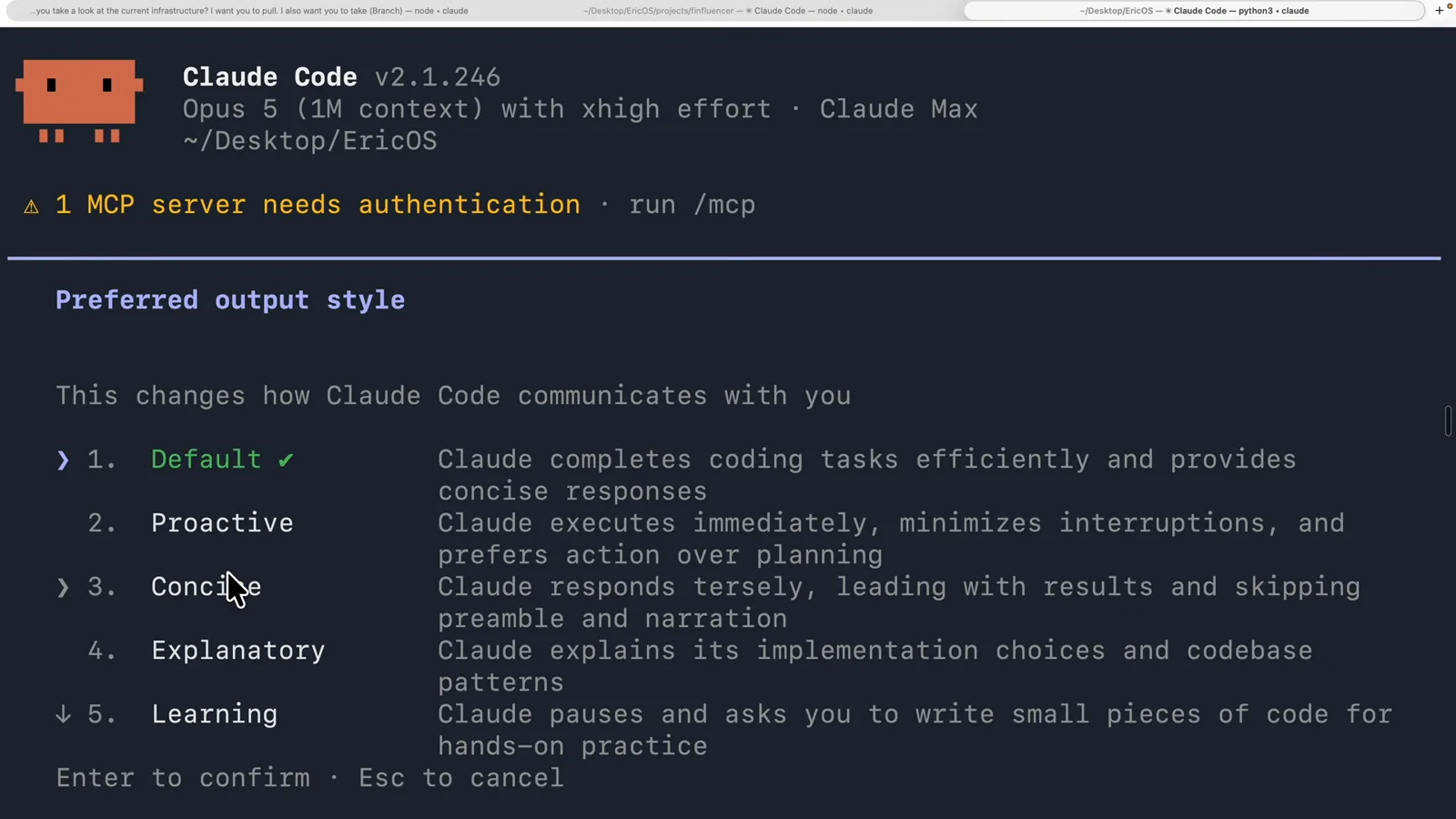
风格选择菜单——每个内置风格都带一行说明。在 5:20 观看 - 5
让 Claude 帮你起草自定义风格
不必从零写。视频的工作流:对某次输出不满意时,让 Claude 把同一个答案生成三四个变体,挑读起来最舒服的那个,再让 Claude 把它固化成一份可复用的输出风格存到本机。
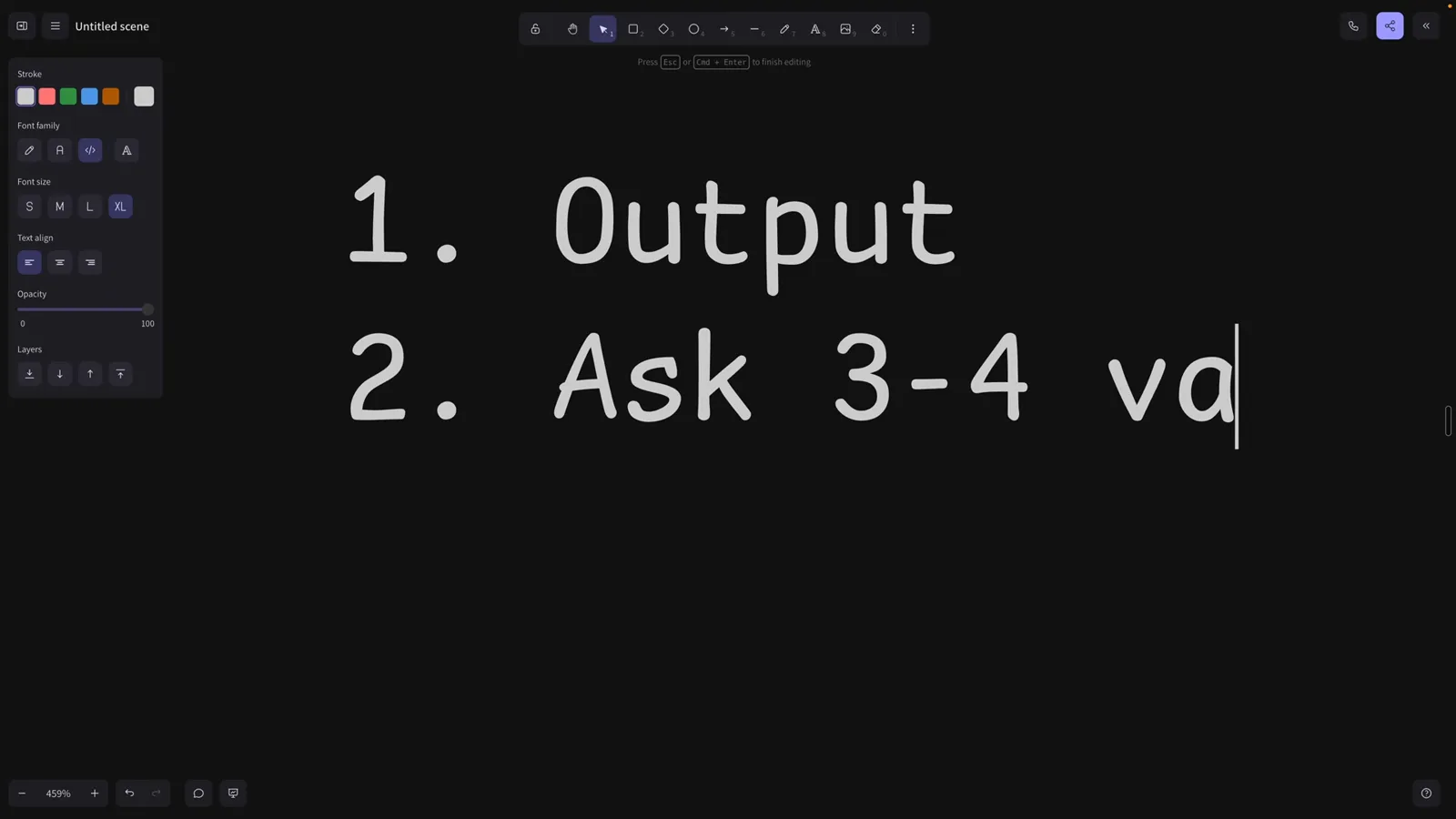
配方:输出 → 3-4 个变体 → 把最好的存成风格。在 4:20 观看 - 6
看看自定义风格住在哪里
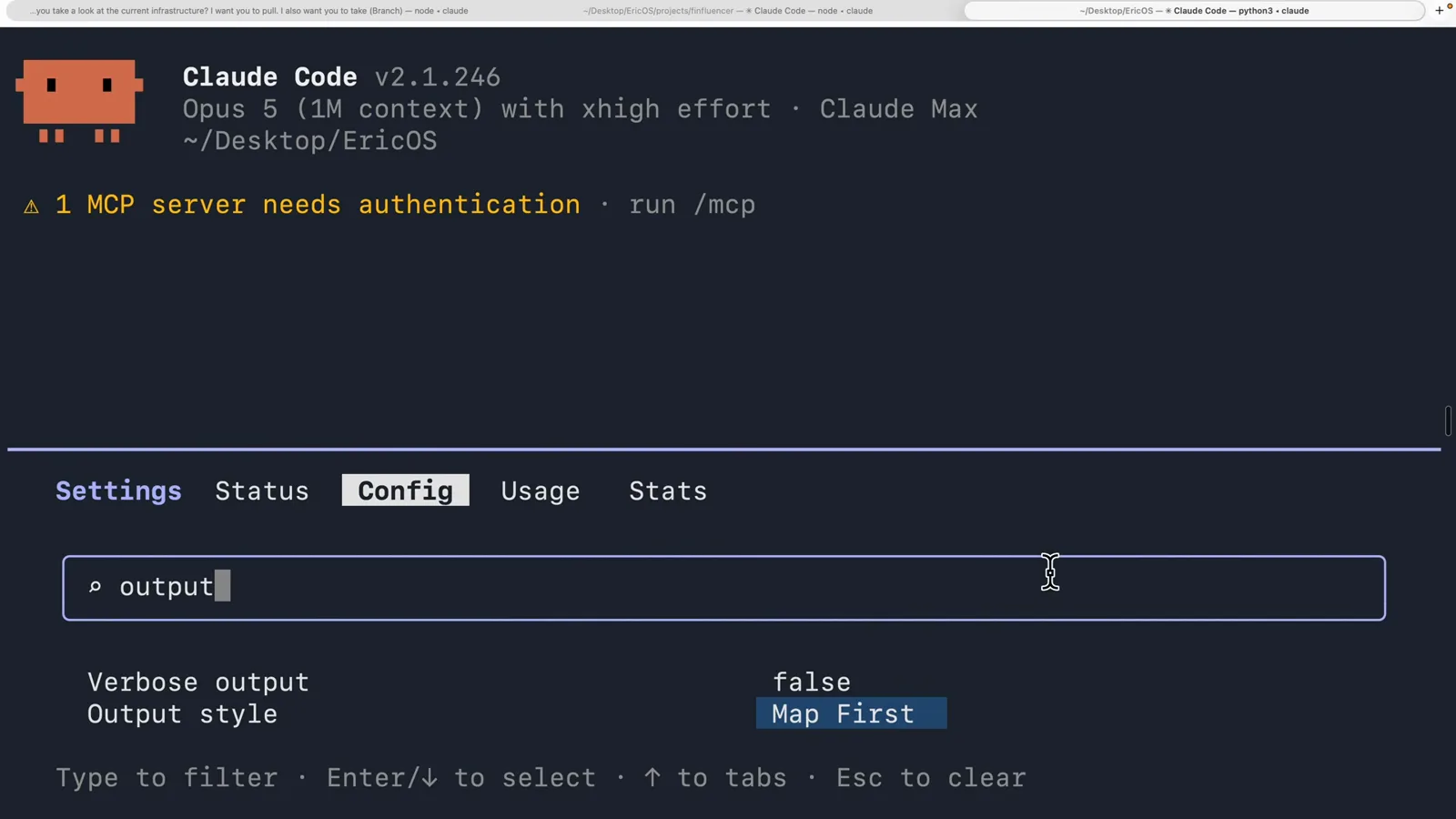
来个真实的:「Map First」,一个每次解释都先画架构图的风险。文件放在项目的 .claude/output-styles 目录里,再软链到 ~/.claude/output-styles——这样每个项目都能用,也是团队共享风格的好模式。
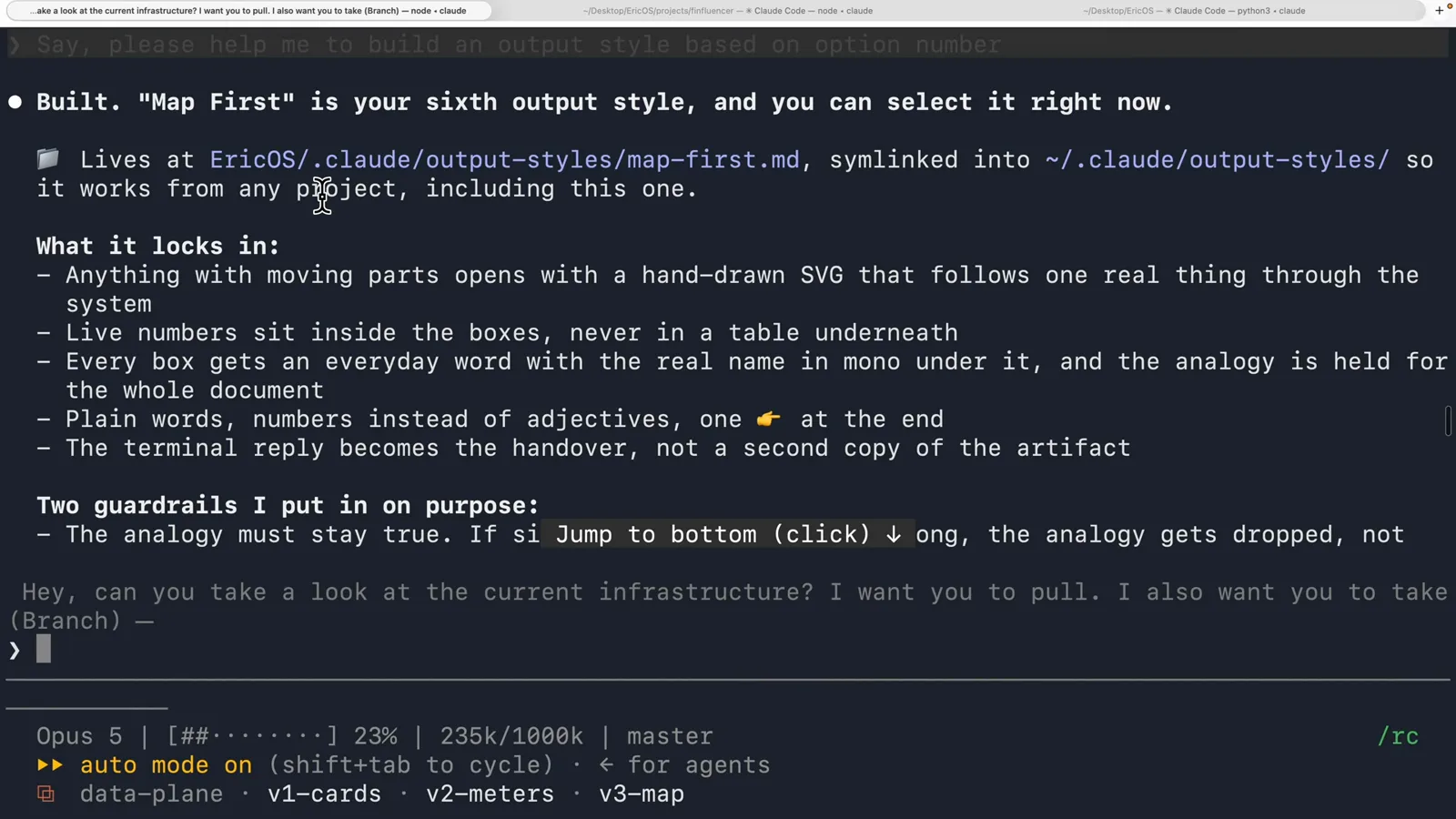
Map First:项目目录为真相源,软链到用户目录。在 5:00 观看 - 7
选中它,并让它常驻
在 /config 里过滤「output」,Output style 设置项就在眼前——已切到 Map First。设一次,重启也生效:新会话开场就是这个风格。也可以用 /output-style <名称> 随时切换,或在 settings 里写「outputStyle」字段作为跨项目默认值。
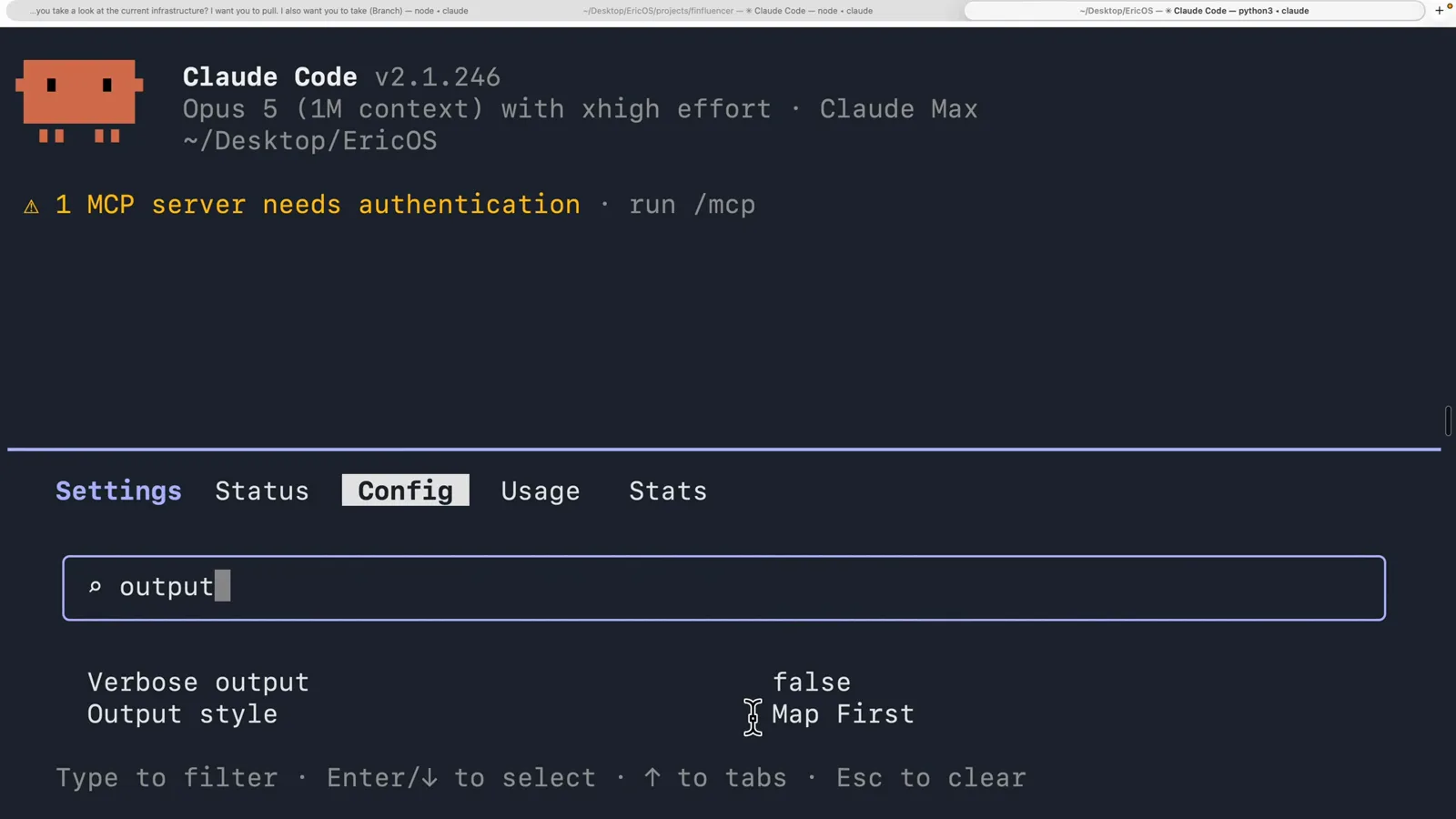
Output style: Map First——设一次,之后每个会话都生效。在 5:48 观看
3 · 像专家一样设计风格
- 8
分清风格与技能
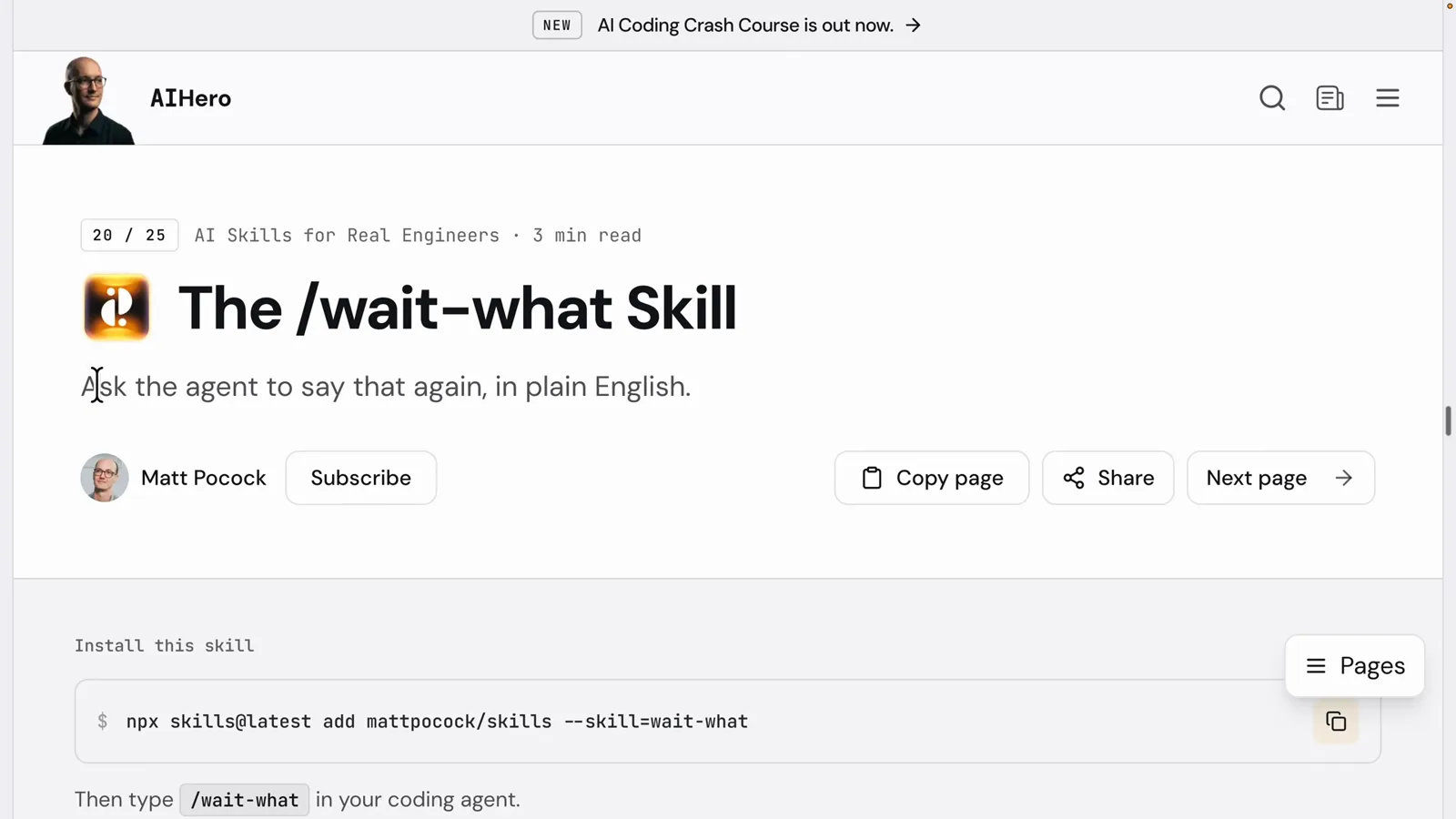
Matt Pocock 的 /wait-what 技能是让 agent 用大白话复述上一条消息——按需触发,调用才运行。输出风格是相反的契约:从每条回复的第一个字起就生效,不需要你要求就在塑造语气和格式。技能是你随手拿的工具,风格是你说话的声音。
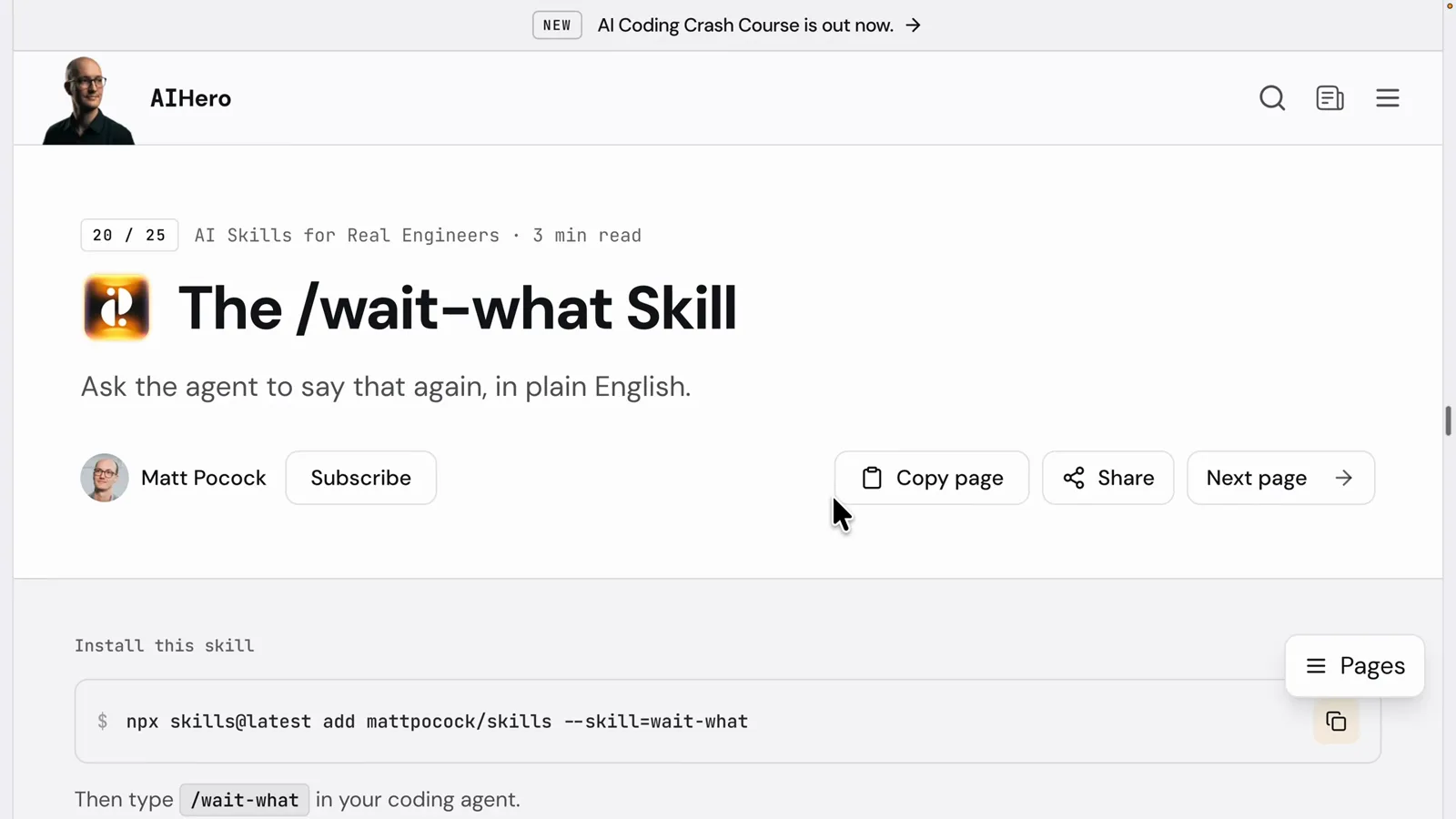
/wait-what——技能按需运行,风格常驻。在 6:09 观看 - 9
抄一个 1980 年代的航空标准来写风格
视频里最好的风格写作建议来自 ASD-STE100(简化技术英语)——当初为了让飞机机械师绝不误读维修步骤而生。规则:一个词只有一个含义、没有同义词(选定一个「启动」的用词就不要换)、指令句不超过 20 个词、一句只说一个动作。这恰好就是一份好风格需要的契约。
STE100:一词一义、不用同义词、指令句 ≤20 词。在 6:20 观看 - 10
按角色配风格
作者的团队为每种人设都配了风格,而且直接出现在菜单里:TPM 给懂 API、前端、后端、数据库但不写代码的技术项目经理——假设明确列出、决策以取舍加建议的形式给出;Technical Translator 给零技术背景的读者,每次回复配一个生活化类比,危险操作一律设卡;SDE 给想砍掉废话的工程师。
菜单长出了 TPM、Technical Translator、SDE——一种角色一个声音。在 6:00 观看 - 11
像切模式一样切风格
Output style: TPM——在 /config 里选中,下一句 hello 起就生效。回报,按视频的说法:让风格匹配任务(学代码库用 Explanatory、跑通宵任务用 Proactive、只想要结果用 Concise),全团队都能读懂答案——通常还省 token,因为风格明令禁止了空话。
Output style: TPM——非程序员的同事有了自己的声音。在 11:04 观看
五个内置风格,精确版
按官方文档,Claude Code 自带五个风格——Default 加四个增强:
- 1Default——不加任何风格指令,Claude 使用标准软件工程系统提示词;高效完成任务,回复简洁。
- 2Proactive——立刻开工,对常规决策做合理假设而不是反复询问;破坏性或影响生产环境的操作仍会先确认。
- 3Concise——回复以结果开头,跳过铺垫、旁白和总结。需要 Claude Code v2.1.237 或更新版本。
- 4Explanatory——工作中穿插简短的 Insight 块解释设计选择(只出现在对话里,不会写进你的文件)。
- 5Learning——同样有 Insight 块,还会留一些小段代码让你亲手写,以 TODO(human) 注释标记,并等你写完再继续。
随时切换:/output-style <名称>(不带参数则列出全部)、/config → Output style、VS Code 扩展的 / 菜单,或在 settings 里写 "outputStyle" 字段永久生效。文档里的一条提醒:子代理使用各自的系统提示词运行,所以你的风格只塑造主对话,不影响子代理的输出。