
Claude Cowork + DeepSeek 완벽 연동 가이드
Claude Cowork 데스크톱 에이전트를 DeepSeek API에 연결하면 파일 정리, 대시보드, Google Drive, Zapier MCP까지 Claude 구독 없이 실제 업무를 위임할 수 있습니다.
핵심 요약
- DeepSeek API는 Anthropic 프로토콜을 네이티브로 지원하므로 Cowork를 그대로 실행할 수 있습니다. 베이스 URL은 https://api.deepseek.com/anthropic, 인증은 DeepSeek API 키, 모델명은 deepseek-flash 또는 deepseek-v4-pro입니다.
- Cowork는 '일을 맡기는' 에이전트입니다. 폴더와 커넥터, 그리고 명확한 지시 한 건만 주면 질문에 답하는 대신 파일을 직접 처리합니다.
- 영상의 전체 흐름: 판매 데이터 폴더를 연결해 대시보드 아티팩트를 받고, Google Drive에서 데이터를 보강한 뒤, 매주 월요일 아침 자동 실행되는 스킬로 저장합니다.
- Cowork는 작업 전에 계획을 제시하고 승인을 기다리므로 검토 권한은 항상 사용자에게 있습니다. 세션은 로컬에 저장되며, 작업 중에는 데스크톱 앱을 열어 두어야 합니다.
Claude Cowork Tutorial for Beginners
영상 데모:Kevin Stratvert9:42
Getting started with Claude Cowork
공식 데모:Anthropic4:17
화면은 두 영상에서 가져왔으며, 단계의 모든 설정값은 DeepSeek 공식 문서로 대조했습니다.
스크린샷은 Kevin Stratvert(Claude Cowork Tutorial for Beginners)와 Anthropic 공식(Getting started with Claude Cowork) 영상에서 각 단계의 타임스탬프와 함께 인용했습니다. DeepSeek 설정값은 api-docs.deepseek.com 공식 문서를 참고했습니다.
DeepSeek 위에서 Cowork 실행하기
- 1
Claude 데스크톱 앱을 설치하고 Co-work 탭 열기
Claude Cowork는 macOS·Windows용 Claude 데스크톱 앱에 포함되어 있습니다. 웹 버전은 파일 업로드만 가능하고 로컬 폴더는 다루지 못합니다. 프로필 메뉴에서 앱을 설치하고 로그인한 뒤, 입력창을 Chat에서 Co-work로 전환하세요. Chat은 질문, Co-work은 실행의 영역입니다. 왼쪽 사이드바의 New task, Projects, Scheduled, Live artifacts가 작업 허브입니다.
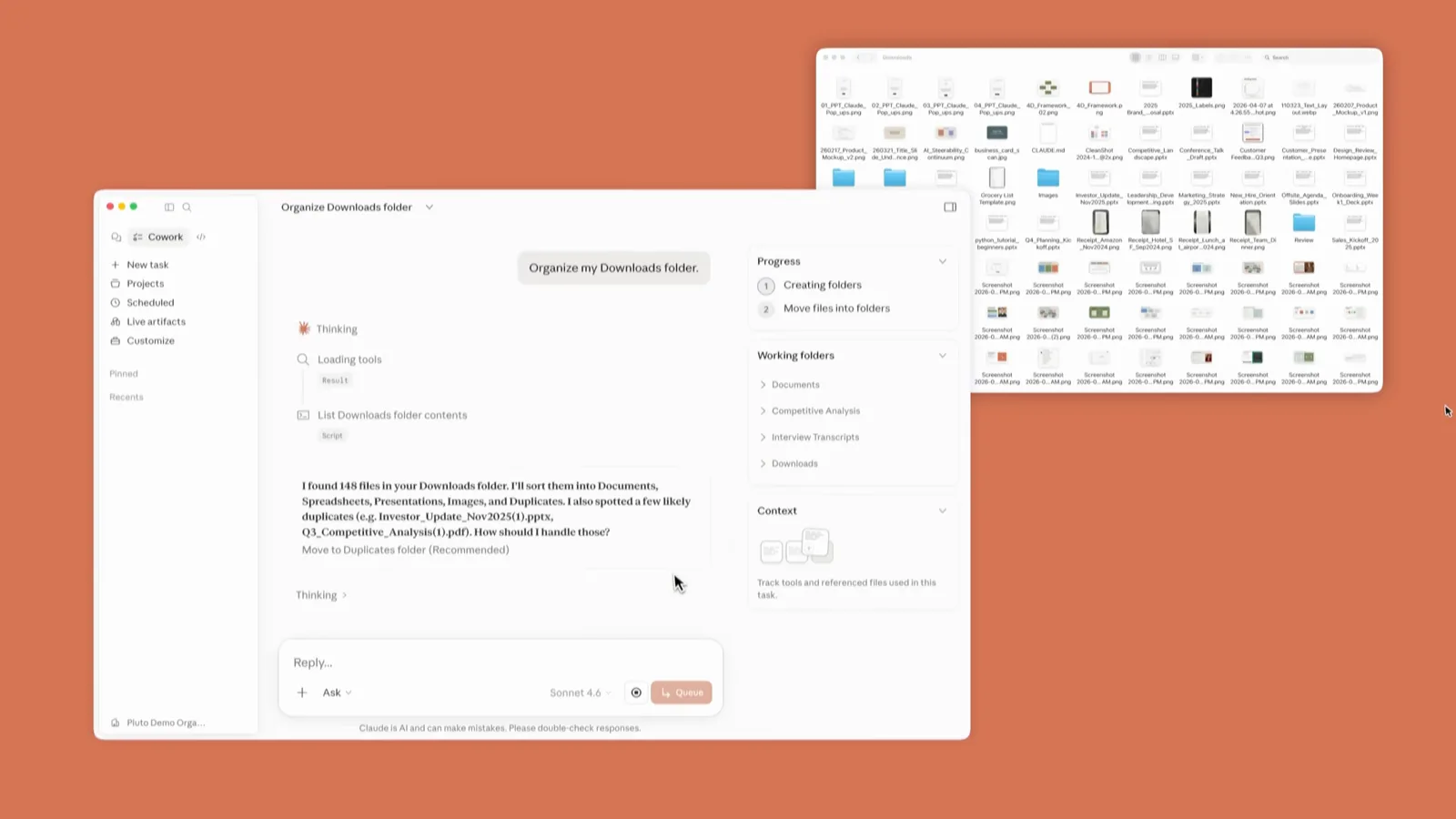
Co-work 홈 화면. Skills, Connectors, Plugins가 한 번의 클릭 거리에 있습니다.0:30 지점 보기 - 2
Cowork 모델 게이트웨이를 DeepSeek으로 향하게 하기
설정의 Cowork 섹션에서 추론 게이트웨이에 DeepSeek 자격 증명을 입력합니다. 베이스 URL은 https://api.deepseek.com/anthropic, 인증 토큰은 DeepSeek API 키, 모델명은 deepseek-flash(전부 최상위 모델을 쓰려면 deepseek-v4-pro)입니다. DeepSeek API는 Anthropic 프로토콜을 구현하므로 claude-sonnet이나 claude-opus로 요청해도 자동 매핑됩니다. opus는 deepseek-v4-pro로, sonnet과 haiku는 deepseek-flash로. 글로벌 지시(Global instructions)에 반복 설정을 넣으면 모든 Cowork 세션에 적용됩니다.
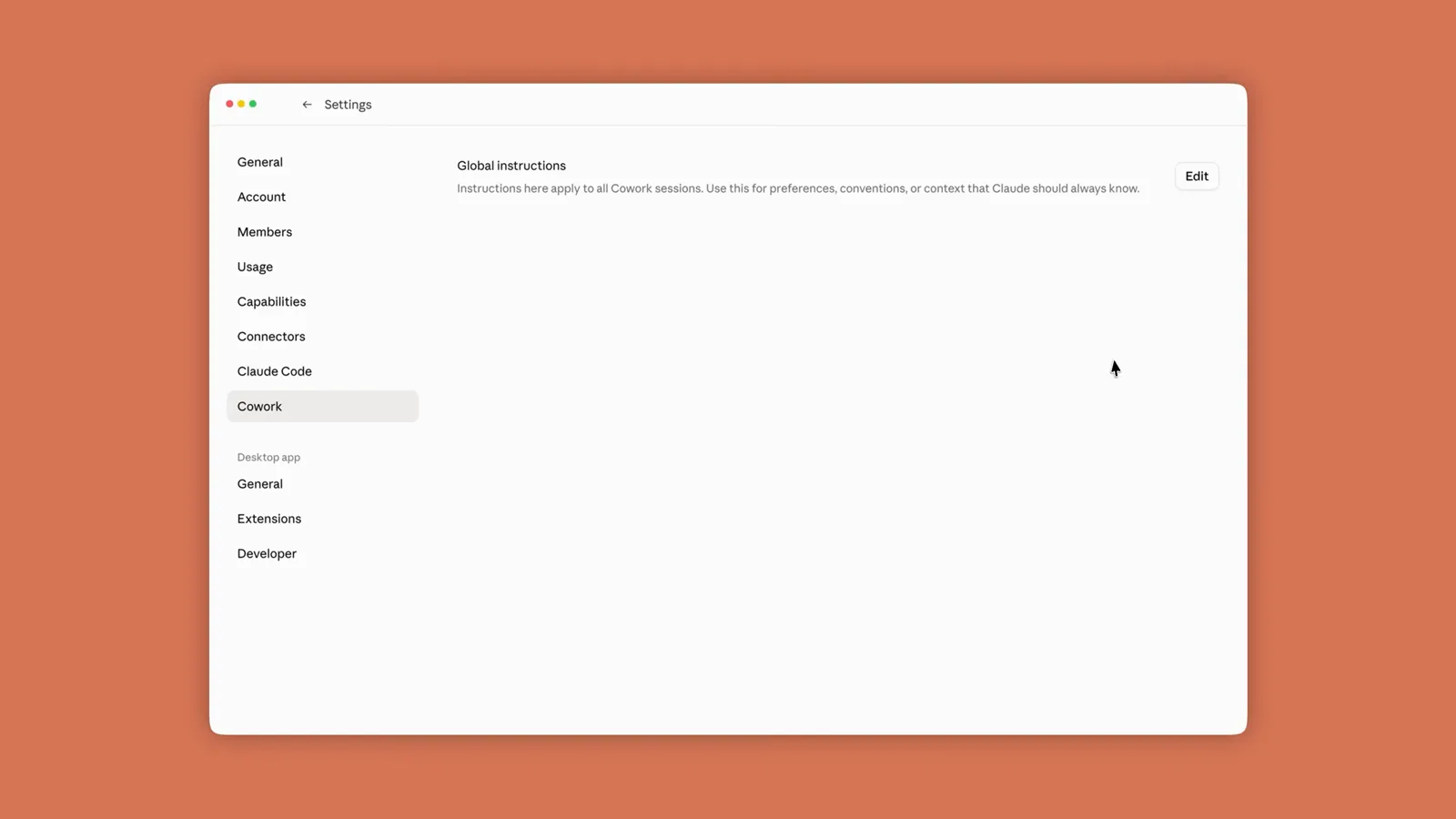
게이트웨이 자격 증명과 글로벌 지시가 있는 Cowork 설정 화면.1:45 지점 보기 - 3
Cowork에 작업 폴더 허용하기
입력창의 폴더 컨트롤을 클릭해 Cowork가 다룰 디렉터리를 고릅니다. 영상에서는 12주 치 판매 데이터를 텍스트·PDF·스프레드시트로 보관한 Sales Weeks 1 폴더입니다. Select Folder로 확정하고 권한을 요청하면 Allow를 누릅니다. 이후 이 폴더의 파일을 읽고 만들고 수정할 수 있으며, 자주 쓰는 폴더는 즐겨찾기하거나 여러 개를 연결할 수도 있습니다.
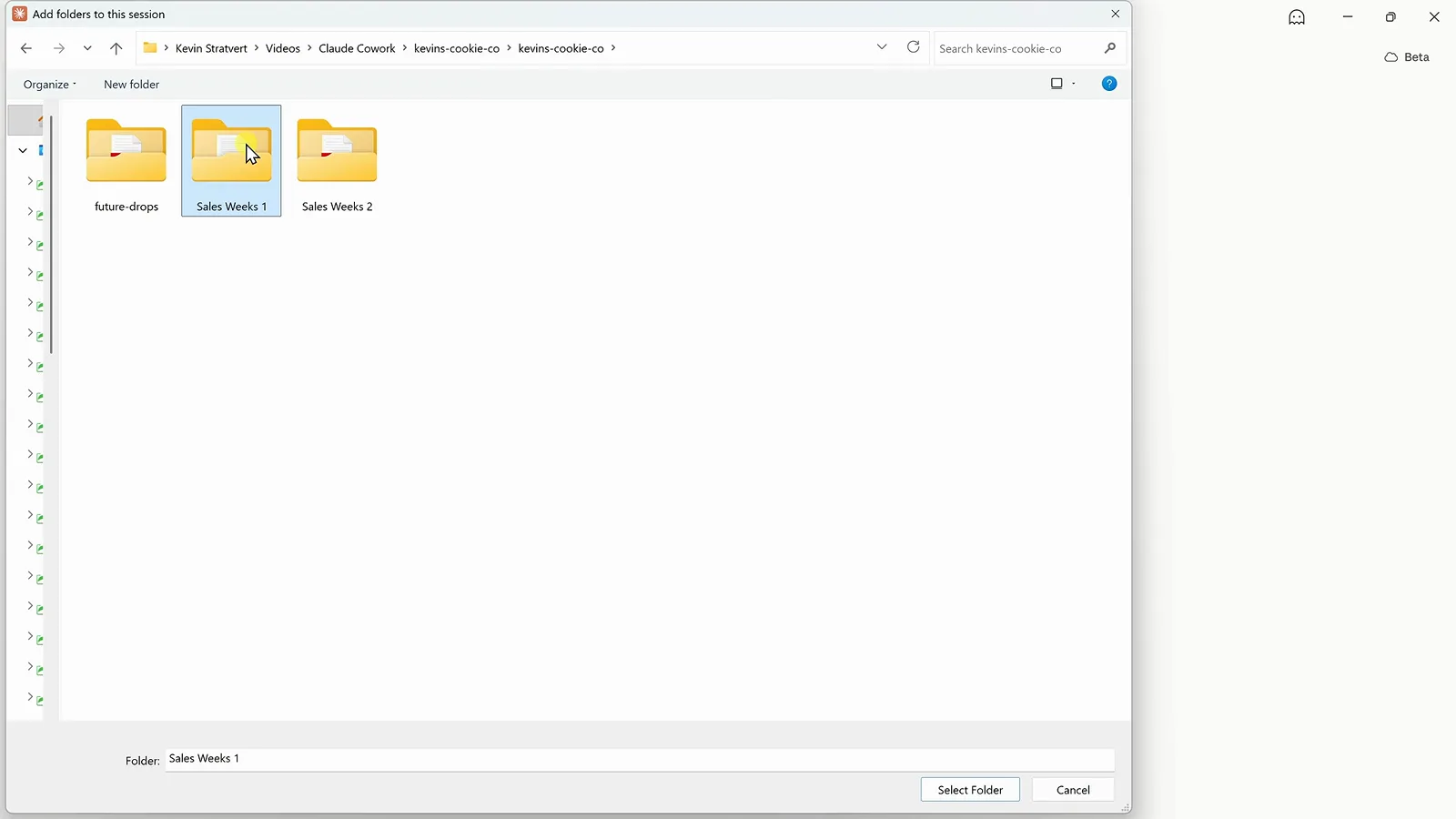
Add folders to this session 대화상자에서 Sales Weeks 1 선택.2:14 지점 보기 - 4
한 줄 프롬프트로 전체 업무 지시하기
클릭 경로가 아니라 결과를 적습니다. 데모 프롬프트는 "Analyze all of the sales data in this folder and create an interactive dashboard that shows how the business is performing. Include the most important KPIs, trends, and insights." Chat 옆의 Cowork 토글이 선택되고 폴더 경로가 입력창 아래 붙어 있는 점이 핵심입니다. 이 조합이 질문을 위임으로 바꿉니다.
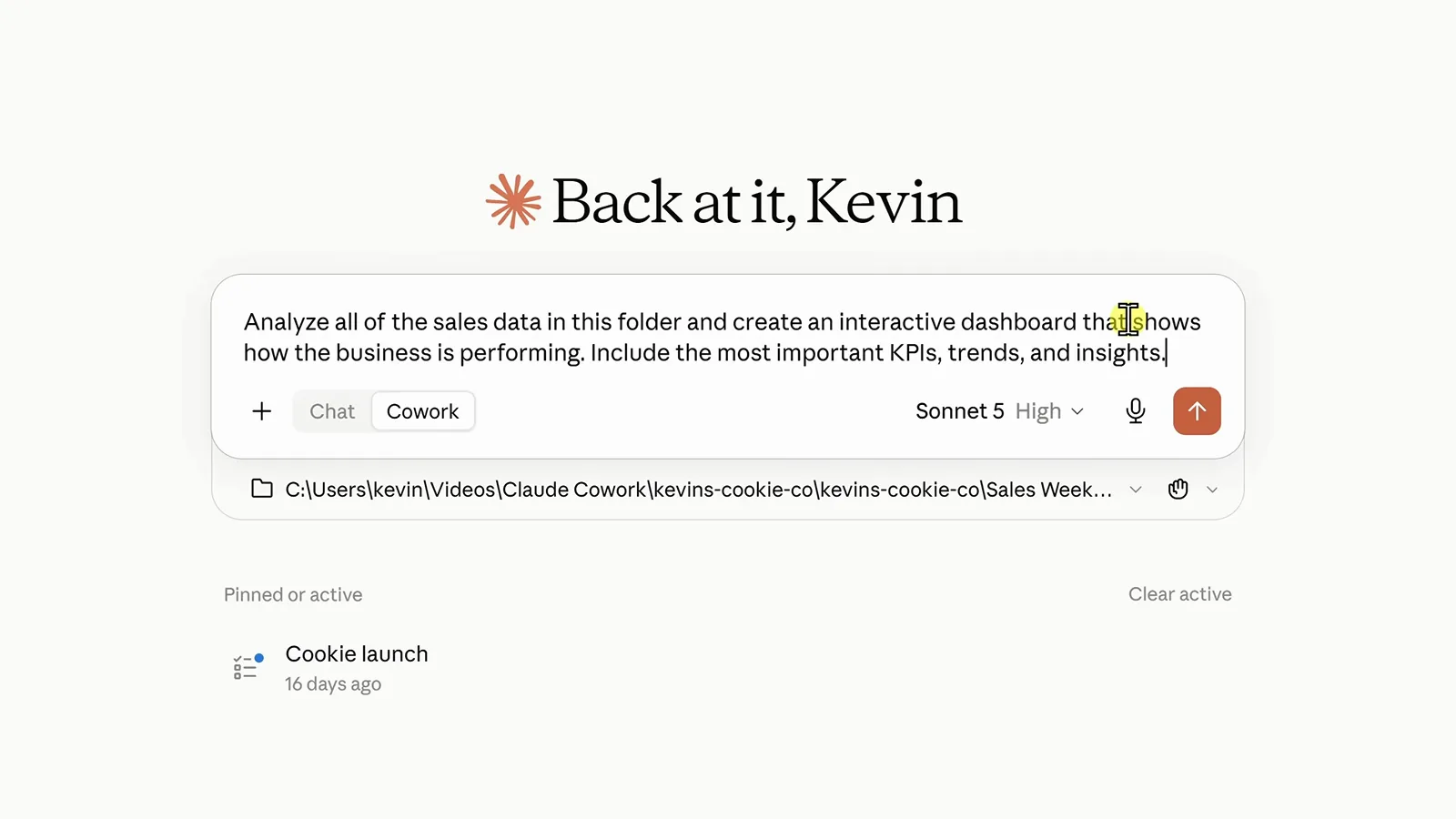
프롬프트 하나, 폴더 하나, Cowork 토글 ON — 보낼 준비 완료.2:30 지점 보기 - 5
Cowork의 작업 과정 지켜보기
Cowork는 보고서를 직접 열고 숫자를 합치며 진행 상황을 오른쪽에 표시합니다. 단계를 클릭하면 세부 내용도 볼 수 있습니다. 결과가 나오면 아티팩트(사이드바에 남는 인터랙티브 페이지)로 저장할 것을 제안합니다. Create로 승인하거나 먼저 방향을 제시하세요. 계획 제시 후 승인받는 이 루프가 핵심 안전장치입니다.
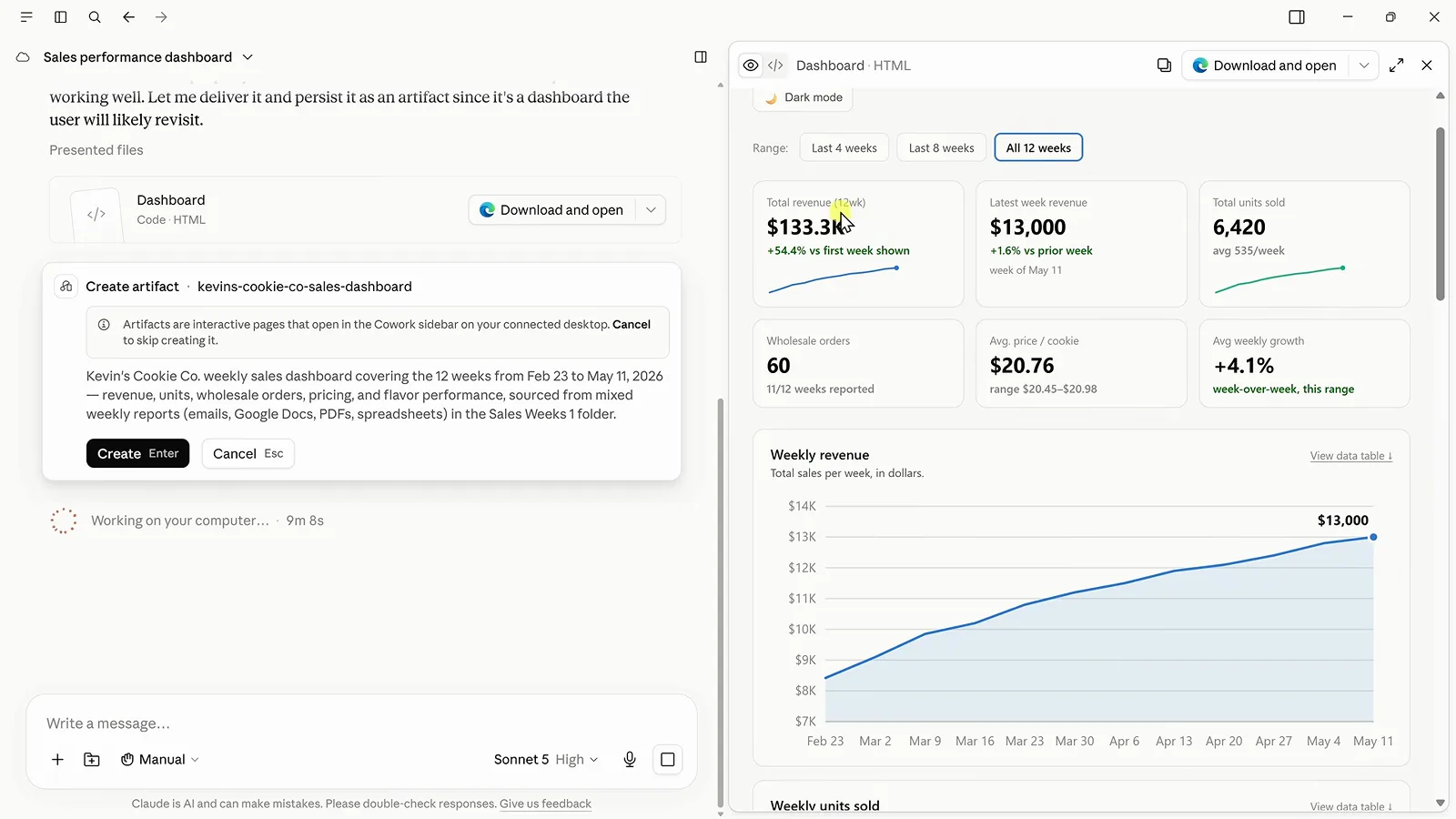
방금 조립한 대시보드를 설명하는 Create artifact 카드.3:00 지점 보기 - 6
대시보드와 인사이트 점검하기
완성된 아티팩트에는 KPI 카드 6장, 주간 매출 추이, 글로 정리된 인사이트가 담깁니다. 인사이트를 읽어보세요. Cowork는 4월 27일 보고서의 수치가 'Total Revenue'가 아닌 'Gross Sales'로 표기됐고 5월 11일 보고서는 도매 주문 수가 아예 빠져 있다는 점을 조용히 섞지 않고 표시했습니다. 모든 결과는 내보낼 수 있으며 Download and open으로 HTML을 저장해 Claude 밖에서도 쓸 수 있습니다.
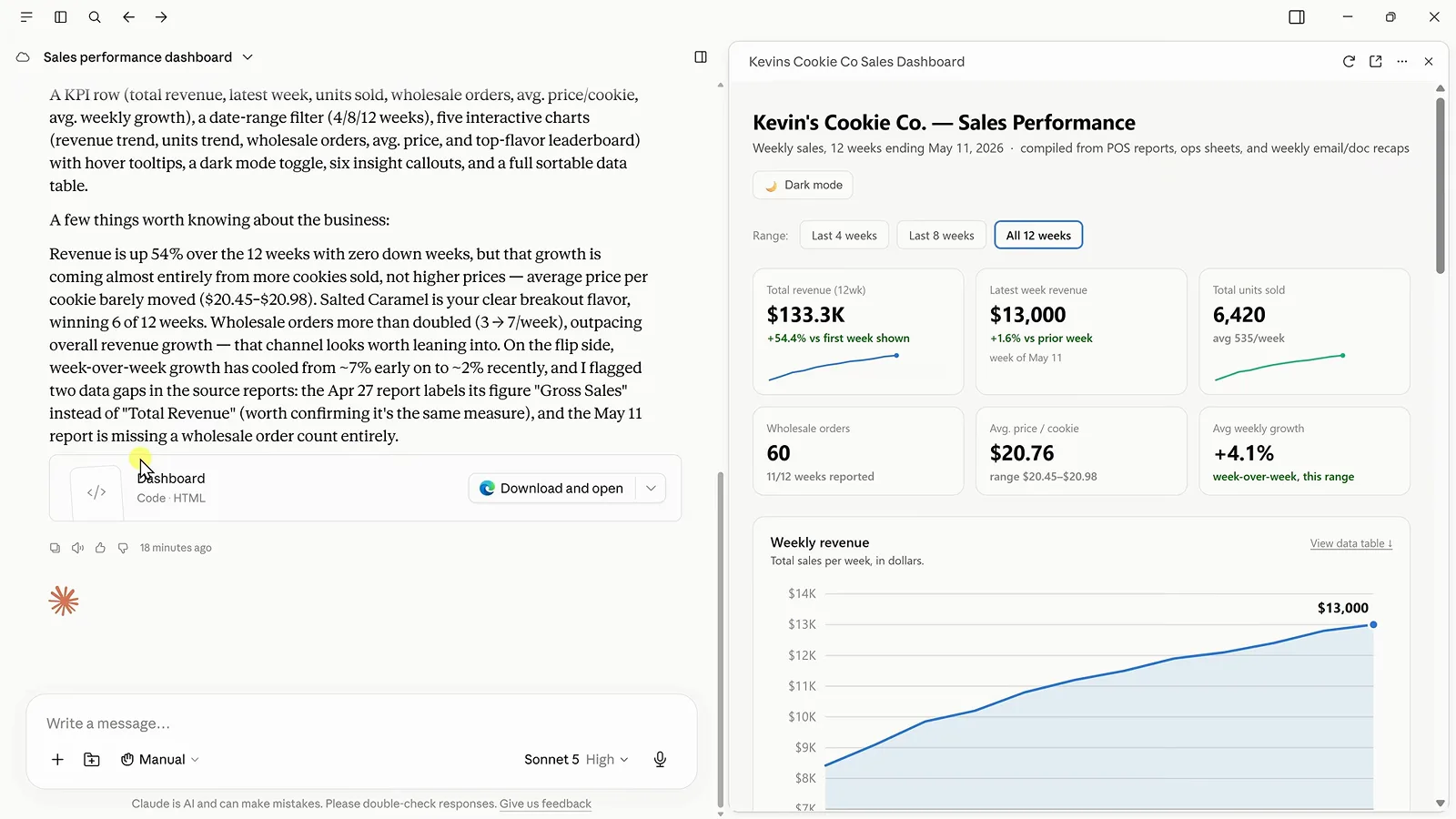
채팅 요약과 데이터 공백 지적 옆의 대시보드 아티팩트.3:30 지점 보기 - 7
클라우드 절반은 Google Drive로 연결
나머지 데이터는 Google Drive에 있습니다. 사이드바 메뉴에서 Customize → Connectors를 엽니다. Popular 행에 Google Drive, Slack, Google Calendar가 있어 Connect 버튼 한 번으로 연결되고, 아래 목록에는 연결된 서비스가 표시됩니다. Gmail은 연결됨, Zapier는 아직. Drive는 한 번 연결하면 이후 모든 세션에서 쓸 수 있습니다.
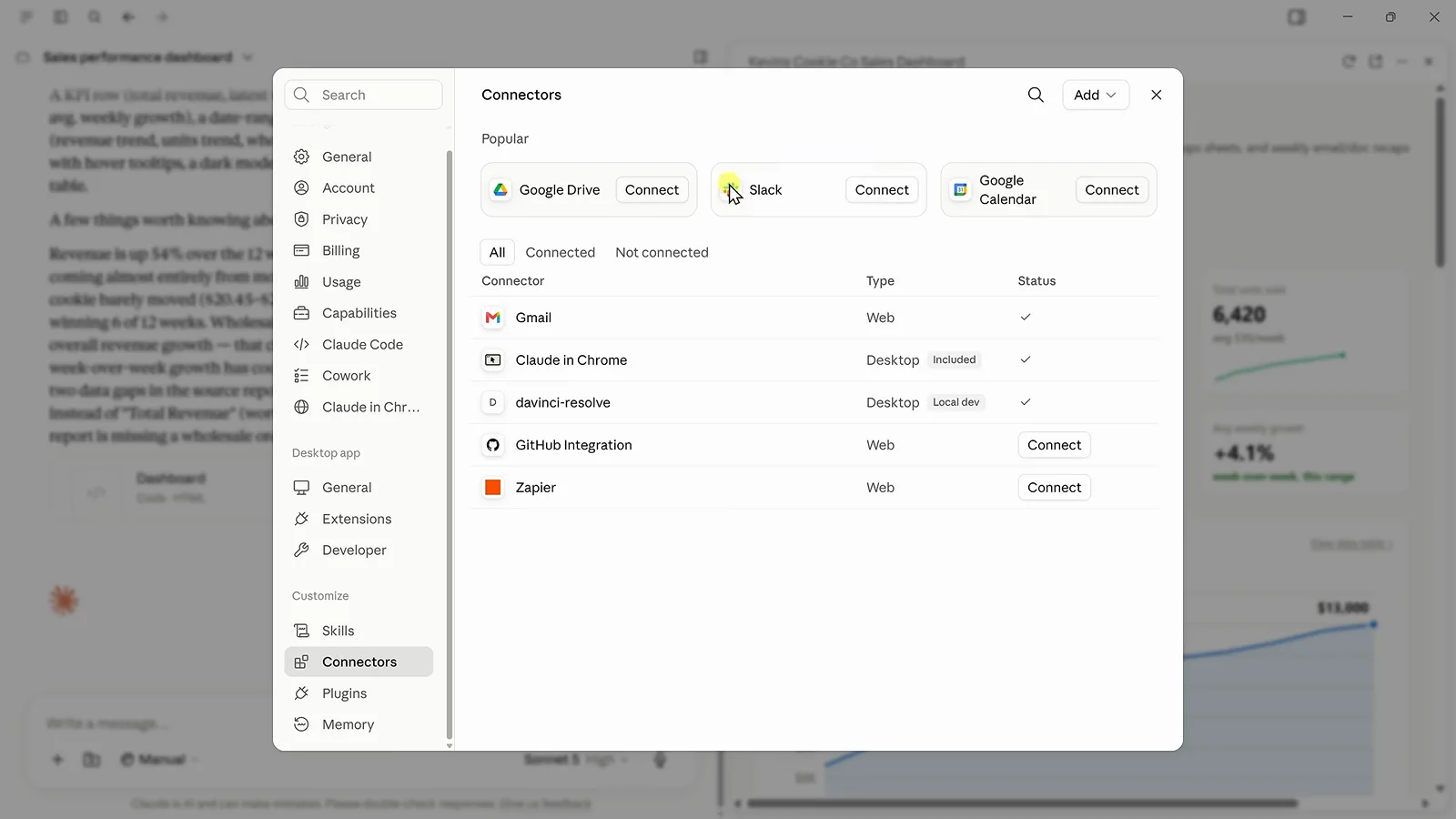
Popular 행에 Google Drive가 있는 Connectors 대화상자.4:43 지점 보기 - 8
클라우드 파일을 같은 아티팩트에 합치기
대화로 돌아가 이렇게 보냅니다. "Find the remaining Kevin Cookie Company sales data in Google Drive and use it to update our dashboard with the remaining 12 weeks of data." Cowork가 직접 Drive를 뒤져 폴더를 찾고 새 주를 병합하며 KPI, 차트, 인사이트를 그 자리에서 새로 고칩니다. 대시보드는 12주에서 24주로 늘어나고 파일은 한 개도 건드리지 않았습니다.
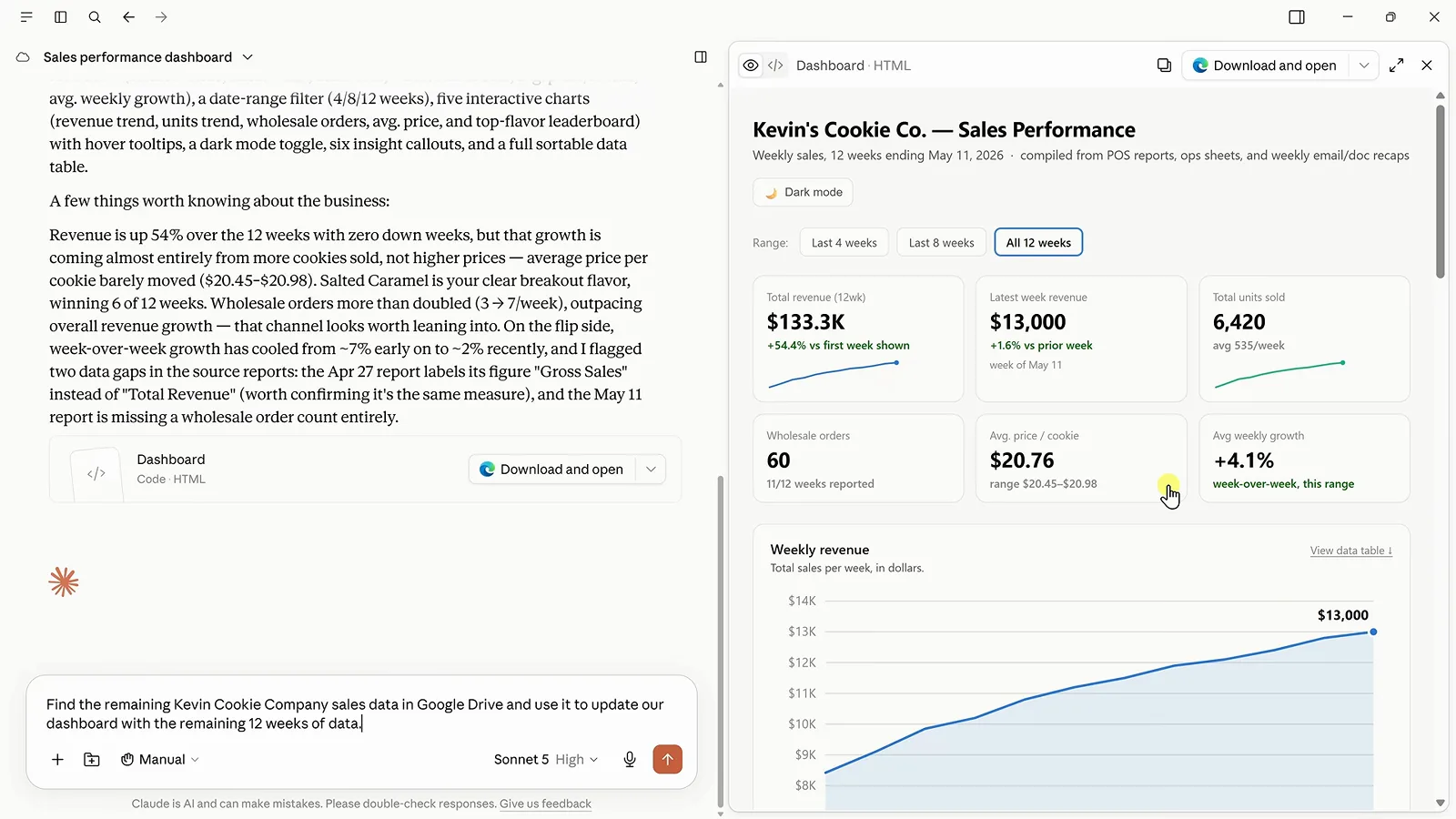
Drive 탐색을 지시한 프롬프트와 대기 중인 12주 대시보드.5:08 지점 보기 - 9
후속 프롬프트로 결과 다듬기
대시보드는 되었는데 브랜드 색이 아니라면 이렇게 말합니다. "Update the dashboard to use our brand colors of blue and maize." 답변도 볼거리입니다. Cowork는 밝은 톤이 색각 안전성 검사를 통과하지 못해 진한 골든로드 계열의 maize를 골랐고, 모든 막대를 무지개색으로 칠하는 대신 1위 맛을 파란색으로 강조했다고 설명합니다. 레이아웃, 문구, 차트 종류도 같은 방식으로 반복 조정할 수 있습니다.
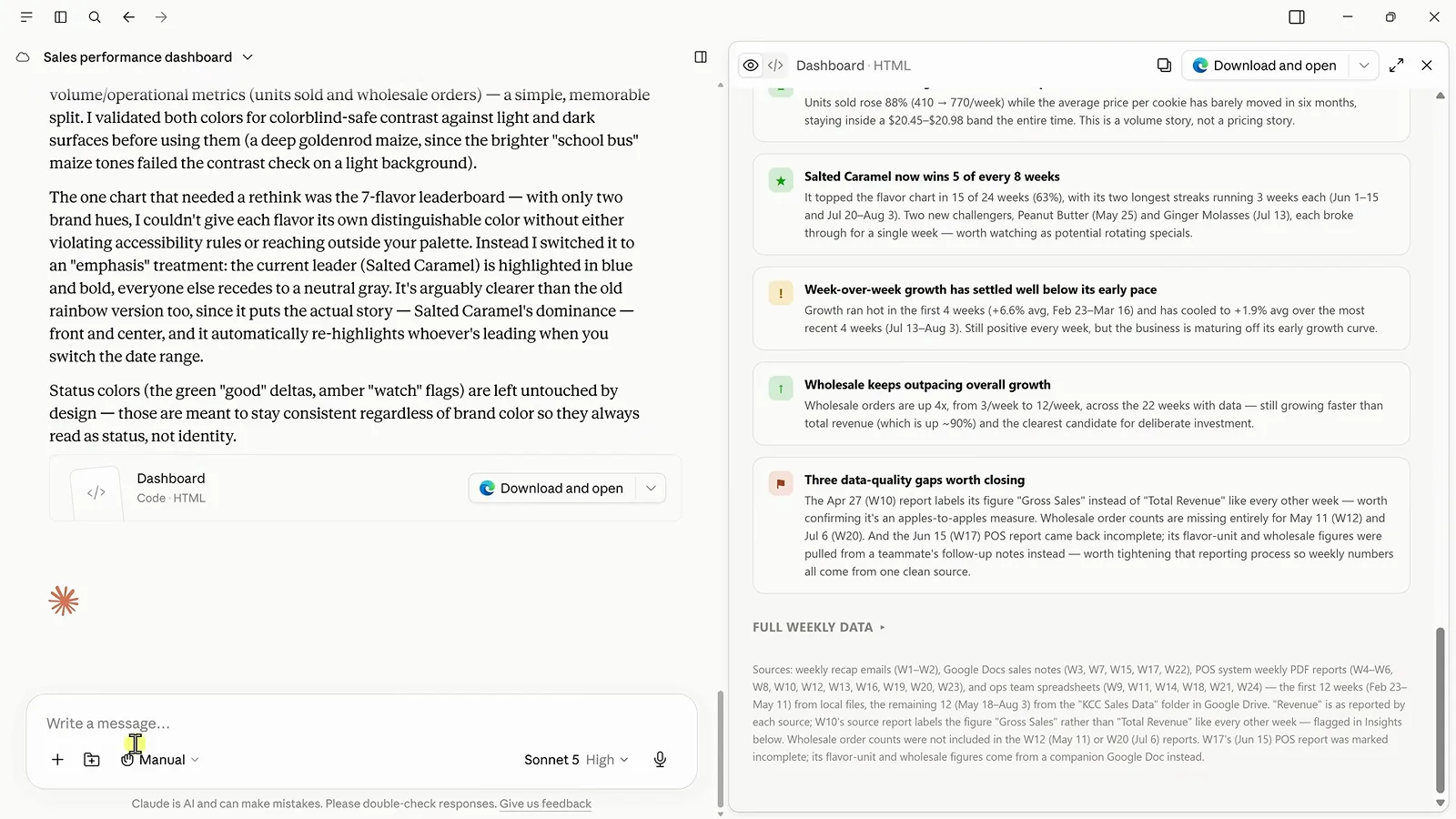
접근성을 고려한 파랑×maize 리디자인을 설명하는 Cowork.6:28 지점 보기 - 10
워크플로를 재사용 가능한 스킬로
스킬은 '이런 일은 앞으로 이렇게 해라'는 가르침입니다. 평문으로 "create a skill that checks for new sales data, compares it with the previous week, pulls out the most important insights, and updates our dashboard"라고 요청하면 Cowork가 SKILL.md를 대신 작성합니다. 검토하고, 답장으로 다듬고, 저장하세요. 저장된 스킬은 Gmail 주간 메일부터 Drive 폴더까지 매주 데이터의 위치까지 문서화합니다.
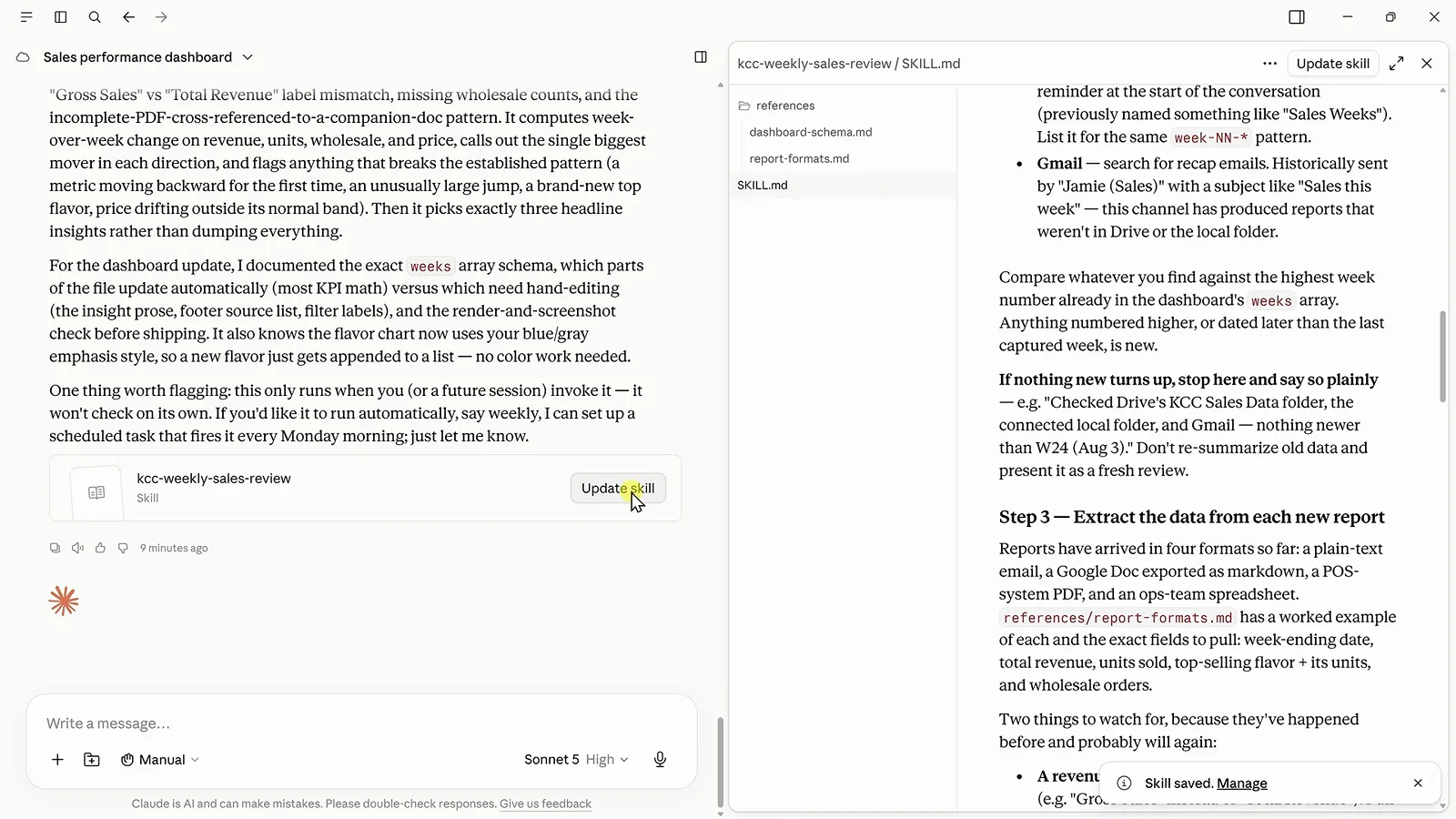
SKILL.md로 편집 가능한 저장된 kcc-weekly-sales-review 스킬.7:00 지점 보기 - 11
스킬을 주간 스케줄에 올리기
최신 데이터로 한 번 실행한 뒤("run my weekly sales review skill using the latest sales data") 스케줄을 걸면 Cowork가 "Created scheduled task: Weekly Sales Review … At 09:00 AM, only on Monday"라고 확인해 주고 대시보드는 전체 27주를 커버합니다. 영상이 짚은 주의점: 그 시각에 데스크톱 앱이 열려 있고 연결돼 있어야 로컬 폴더 검사가 실행되며, 아니면 실패 대신 Drive와 Gmail로 폴백합니다.
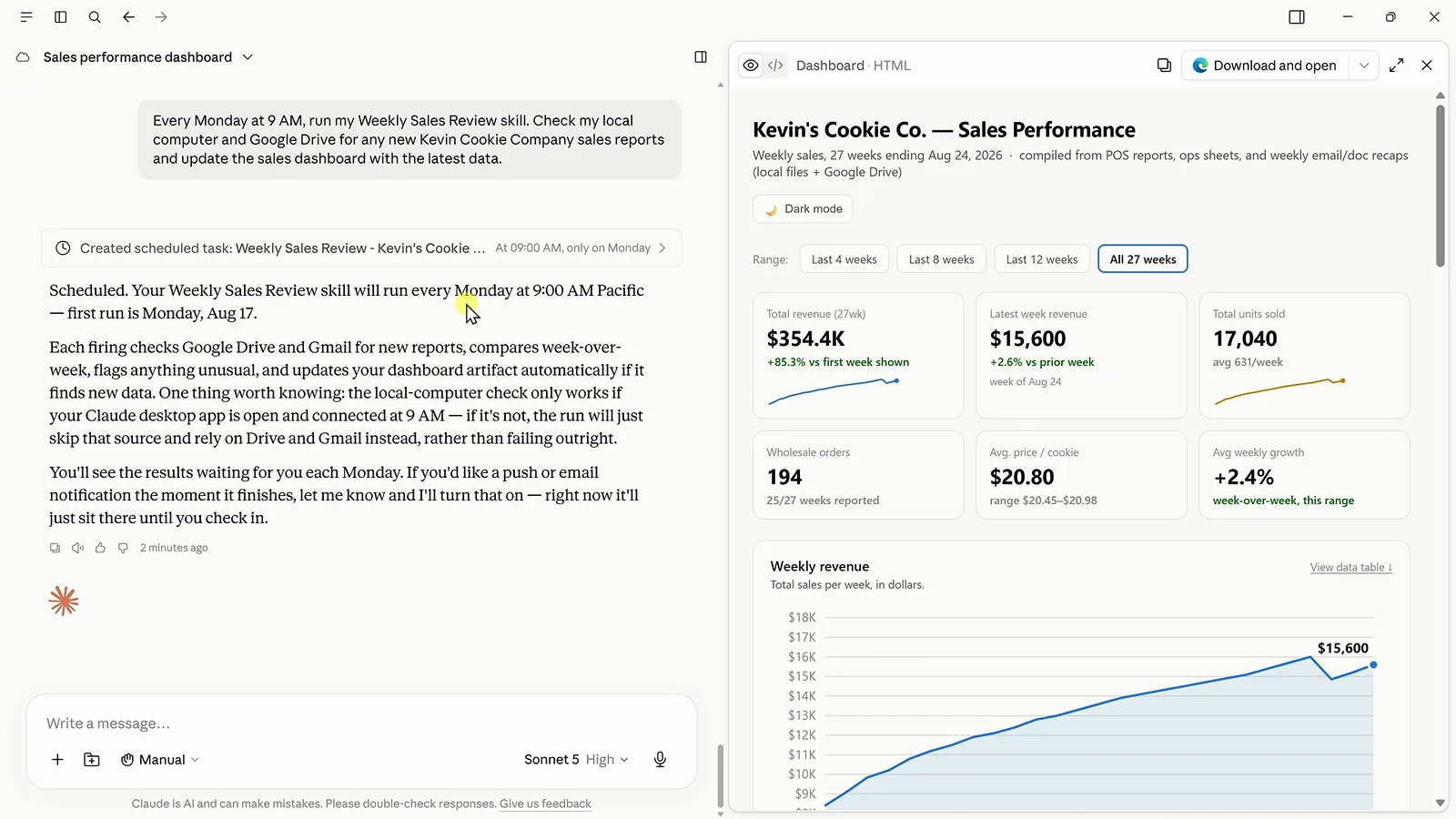
월요일 오전 9시 예약, 27주로 갱신된 대시보드.7:48 지점 보기 - 12
Zapier MCP로 수천 개 앱과 연결
주요 서비스는 내장 커넥터가, 롱테일은 Zapier MCP가 담당합니다. 무료 Zapier 계정을 만들고 MCP Servers(MCP는 Model Context Protocol의 약자로 AI 도구가 다른 앱을 호출하는 표준)를 연 뒤 Claude를 선택하고 생성된 프롬프트를 Cowork에 붙여 넣습니다. Zapier에서 Cowork가 쓸 수 있는 앱과 액션을 직접 고르므로 영향 범위도 사용자가 정의합니다.
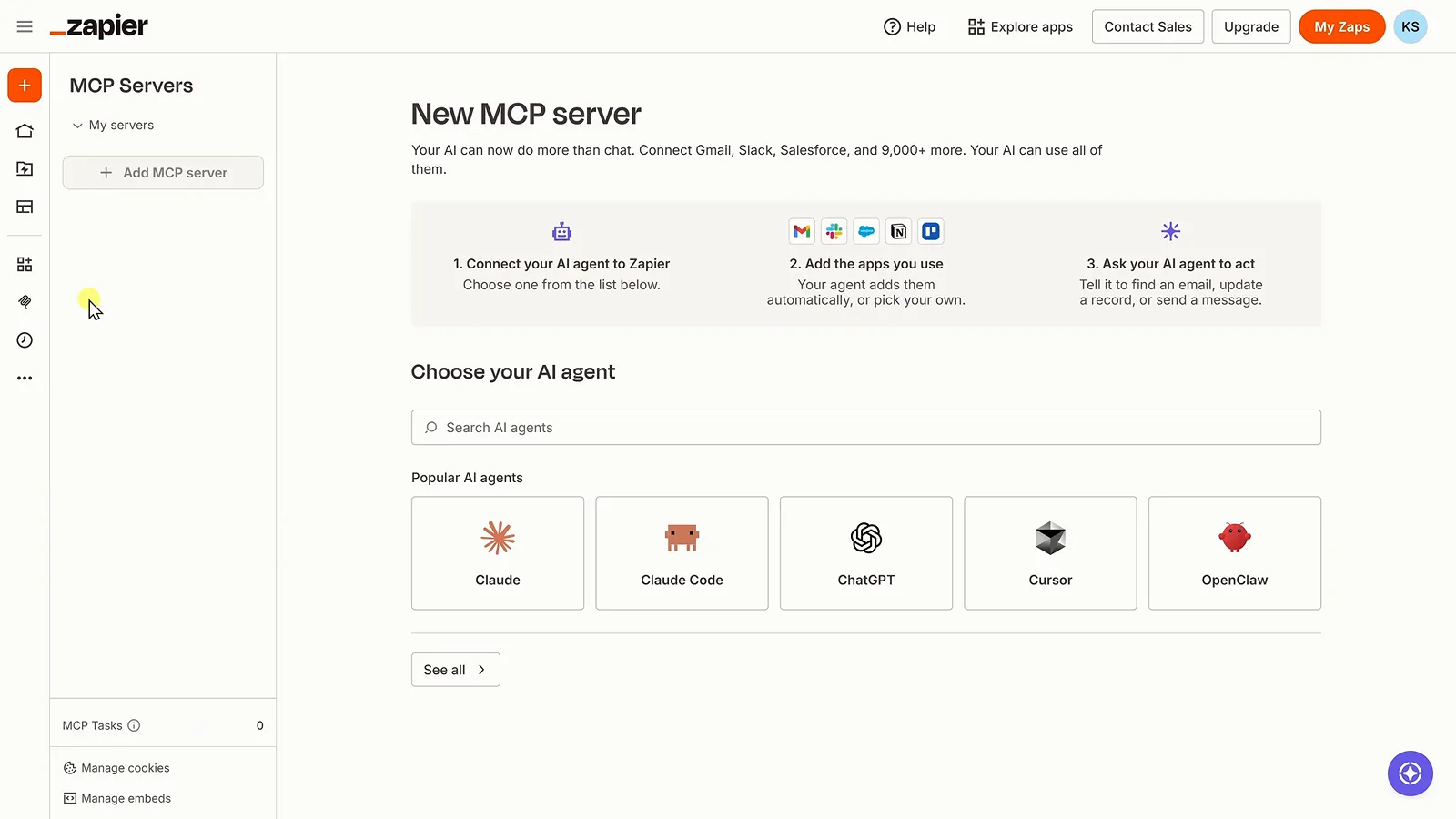
인기 에이전트에 Claude가 있는 Zapier MCP 설정 화면.8:32 지점 보기 - 13
답이 아니라 행동을 위임하기
마무리 프롬프트입니다. "Analyze our sales and create a marketing task in Trello." Cowork는 Snickerdoodle이 24주 동안 최고 판매 맛 자리를 놓쳤다는 걸 계산해 내고, 그 이야기와 마감일, 권장 실행 계획이 담긴 카드를 만듭니다. 분석이 완료된 업무가 됩니다. DeepSeek은 구독이 아닌 API 사용량 기반 과금이므로 이 전체 루프의 비용은 쓴 만큼입니다.
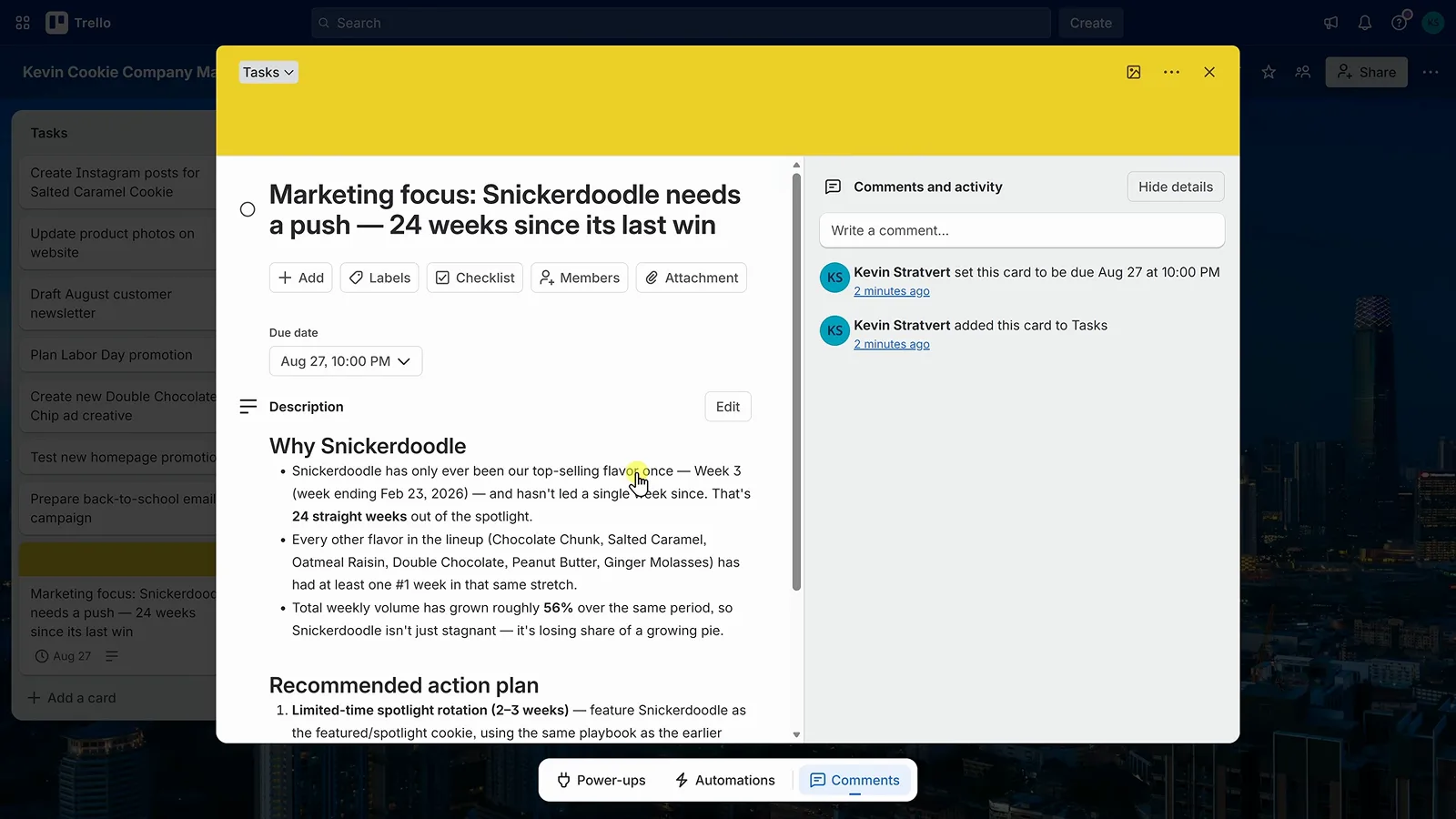
판매 분석으로 Cowork가 만든 Trello 카드.9:30 지점 보기