
Back to CategoryOpus Video
Inference Startup Launch Explainer
Modern, slick, punchy launch video for an inference startup—hook, proof, payoff from real product assets.
Visual Proof & Effect Showcase
60 FPS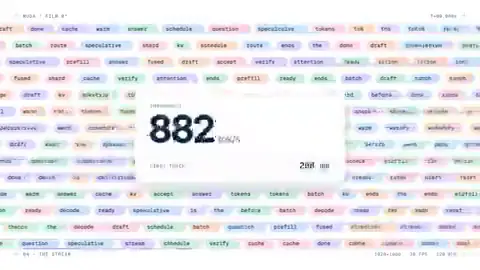
Remotion / Canvas
Render Dynamics & Highlights
High-energy 25s product launch film with token latency graphs, live engine benchmarks, and sleek dark UI.
Engine / RuntimeRemotion / Canvas
Target FPS60 FPS
Resolution1920×1080
InteractionPaced narrative
Parameters
Duration:20–30s
Aspect Ratio:16:9
Tools / Engine:Remotion, HTML, After Effects optional
Prompt Text
make a modern slick and punchy video for a modern startup that works on inference.

I will supply: product name, logo SVG/PNG, 3 UI screenshots, one-sentence value prop, brand colors.

Your tasks:
1. Turn this into hook (3s) → proof (latency/cost diagram, real UI) → payoff (CTA) for ~25s.
2. Do not invent customer logos, benchmarks, or compliance claims.
3. Render with Remotion or deterministic HTML/CSS animation; deliver MP4 + editable project if applicable.
4. Low-res preview first; list copy that legal must verify.
Implementation Guide
- Provide product name, logo, UI captures, core inference benefit.
- Use public direction: modern slick punchy video for inference startup.
- Preview → fix unreadable copy and weak pacing → export.
Recommended Ecosystem Tools & Guides
Related Prompts
Opus VideoFeatured
A Seamless UI Morph Loop
1440×1440 pure-time HTML UI loop: 8–12 states, closed-form springs, cursor-driven manipulation, NumPy beat grid, Playwright subframes + FFmpeg tmix.

Playwright + FFmpeg60 FPS
#UI Morph#Motion Graphics#Playwright+2
loop ~1 bar × 71:1
Use the full template for a beat-synced UI morph loop rendered from a single HTML scene with Playwright and FFmpeg.

Inputs I will provide: 8–12 UI states, one accent color (or monochrome), and a royalty-free track near 120 BPM.

Visual rules:
- 1440×1440 warm-gray canvas, Geist typography.
- ONE continuously morphing shell (never cut into separate layers); content swaps inside with short blur only.
- Visible cursor causes EVERY click and drag; drags set values from cursor position while held, release springs from current state.
- Restrained springs and camera zooms; NO bounce easing, particles, glow, chrome gradients, mismatched icon weights, dead air, or template SaaS look.

Beat map (7 bars): button → loader → check → dynamic island → player play/pause → scrubber drag → overextended volume slider → toggle → liquid tab indicator → self-drawing chart + tooltips → command palette type/filter → Enter → toast → return to starting button.

Engine:
- Single HTML file; seek(t) computes ALL properties; no CSS transitions, no setInterval, no hidden frame state.
- Closed-form spring step responses with superposition for multi-step targets; independent edge springs for tabs/toggles.

Render:
- Analyze audio in NumPy; start on downbeat; UI clicks on measured peaks.
- Playwright: 4 subframes per output frame; FFmpeg tmix → 60fps motion blur.
- Before full render: one still per beat; fix off-grid timing and legibility; avoid will-change on camera-scaled nodes; separate in/out text timing; last frame MUST match first (cursor pos + velocity).
twoclipping
Opus VideoFeatured
15-Second Motion-Design Showreel
Résumé-quality 15s motion reel; creator gave full creative freedom—agent picks type, transitions, and music.
Code-driven Motion60 FPS
#Motion Graphics#Showreel#Typography
15s16:9
制作一段 15 秒的 dynamic motion-design showreel,用于设计师作品集。请尽情发挥(go all out):自主决定视觉系统、字体排印、转场语言和配乐(可用 Web Audio 生成或我提供的音轨)。

约束:
- 前两秒必须有强钩子;全程避免超过 0.4s 的静止。
- 结尾 1 秒留 memorable logo/type moment。
- 优先用代码渲染(Canvas/SVG/HTML),单文件或可复现渲染脚本。
- 先给 480p 预览 + 分镜表(时间码 + 画面描述),我确认后再出 1080p 母版。
Stephan Livera
Opus VideoFeatured
Calculus Lesson Explainer with Manim
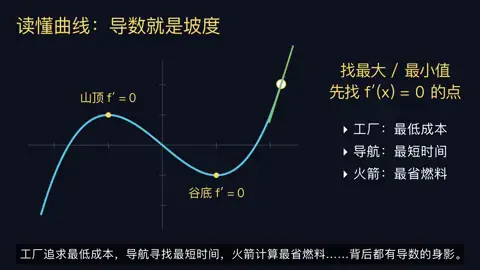
Manim + edge-tts derivative lesson; educational path with longest median preview among seven production routes.
Manim Community + LaTeX60 FPS
#Manim#Calculus#Education+2
3–5 min16:9
根据我提供的 [导数/积分] 课程提纲,做 3–5 分钟 Manim 微积分入门视频。

流程:
1. 列 3 项学习目标 + 引用来源;标注需确认的步骤。
2. 写逐镜讲稿:定义 → 几何直觉 → 极限式 → 求导法则示例 → 常见误区。
3. 用 Manim Community 渲染;旁白 edge-tts;生成 SRT 字幕与画面 lock。
4. 检查公式不被遮挡、字幕对齐、音轨不削波。
5. 交付:scene/*.py、render.sh、final.mp4、讲稿.md。若无法试听成片,标注「旁白需人工听审」。
LinearUncle