
Back to CategoryOpus 5.5
Retro Pixel Adventure — HTML5 Canvas Game Engine
Self-contained pixel platformer at low logical resolution, integer scaling, fixed palette, pooled particles, 60 Hz fixed step.
Visual Proof & Effect Showcase
60 FPS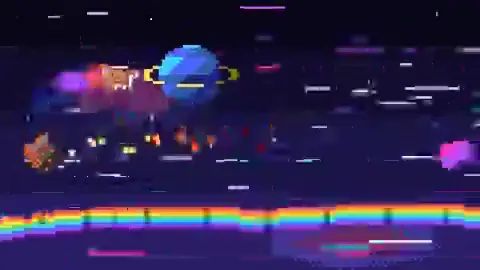
Canvas 2D Pixel Buffer
Render Dynamics & Highlights
8-bit procedural tilemap retro adventure engine with pixel sprite walk cycles and collision physics.
Engine / RuntimeCanvas 2D Pixel Buffer
Target FPS60 FPS
Resolution320×240 (Scaled)
InteractionArrow keys / WASD
Parameters
Duration:playable
Aspect Ratio:16:9
Target Resolution:160×90 logical → integer scale
Tools / Engine:HTML, Canvas 2D, vanilla JavaScript
Prompt Text
Create a self-contained retro pixel-art adventure platformer in one offline HTML file with vanilla JavaScript and Canvas 2D.

Specs:
- Logical resolution 160×90 (or 128×96); integer-scale to fit window; imageSmoothingEnabled = false; all drawing on integer coords.
- Fixed ~32-color palette; no gradients, rotation blur, or antialiasing cheats.
- Player: 12×8-ish sprite with idle/run/jump/fall cycles (quantized 8–12 fps feel on 60 Hz sim).
- One small dungeon level: tiles, crates, spikes, key-door, 2 enemy types with simple AI states.
- Physics: AABB grid collision, variable jump height, coyote time, jump buffer.
- Juice: screen shake, dust particles (pooled), hit stop 2 frames.
- UI: minimal hearts, coin count; restart on R.
- Deliver playable build + comment where to extend levels. Test Chrome desktop 1280×720. No external assets.
Implementation Guide
- Offscreen low-res buffer; integer scale to window; smoothing off; snap coords.
- Tile map + AABB collision + coyote time jump; enemy patrol state machine.
- Preallocate particles; zero allocations in game loop.
Recommended Ecosystem Tools & Guides
Related Prompts
Opus 5.5Featured
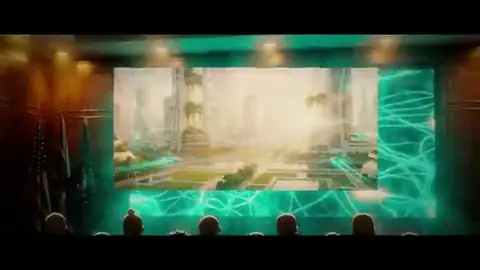
Interactive Transformer & Attention Visualizer
Build a self-contained HTML lesson that animates token embeddings, multi-head attention weights, and feed-forward blocks with scrubbable timeline controls.
Canvas 2D + SVG60 FPS
#Transformer#Attention#Explainer+3
interactive16:9
帮我使用 JavaScript 创建一个主题为「什么是 Transformer」的自包含交互讲解页面(可在浏览器中当作「视频式」分步播放,也可自由探索)。

要求:
1. 单个 HTML 文件,vanilla JS + Canvas 2D(必要时可用 SVG 叠层做文字),无外部图片/字体/视频模型。
2. 结构:输入句子 → Token 化 → Embedding + 位置编码 → 多头 Self-Attention(显示 Q/K/V 与 softmax 权重热力图)→ 残差与 LayerNorm → FFN → 输出 logits。每一步可点击或拖动时间轴 seek(t) 进入。
3. 交互:点击某个 token 高亮其对所有 token 的 attention 权重;切换 head 索引;显示数值矩阵的小窗(可缩放)。
4. 视觉:深色背景、高对比配色、等宽数字;动画用确定性函数计算,禁止 CSS transition 驱动核心数据。
5. 受众:有基础线性代数的大学生;附 3 条「看完应能解释」的学习目标。
6. 交付:完整源码 + 简短 README(如何本地打开、如何录屏导出 MP4 的建议帧率)。先渲染/预览前 20 秒等价的分步演示,检查公式与标签无溢出,再补全后续步骤。
YouMind community
Opus 5.5Featured
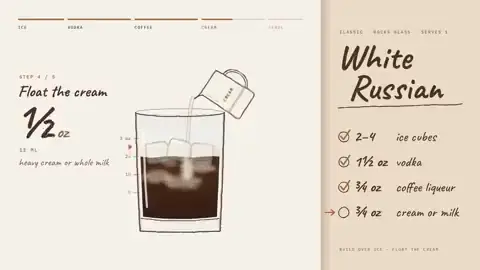
Dynamic Product Story — Single-Shape UI State Machine
One HTML file, one canvas, one draw(t): morph one element through 8–12 product UI states driven by a visible cursor with clicks, typing, and drag.
Canvas 2D seek(t)60 FPS
#UI Morph#Canvas 2D#Motion Graphics+2
15–30s loop1:1 / 16:9 / 9:16 (ask user)
请先向我询问:
• 我的产品 + URL
• 8–12 个能讲述其产品故事的 UI 状态
• 每个状态中显示的真实数据(禁止编造指标)
• 品牌颜色 + 字体 + 强调色
• 所需格式(1:1, 16:9, 9:16)

然后交付:
一个 HTML 文件。一个 canvas。一个 draw(t) 函数。
无 CSS 过渡。无 setInterval 计时器。帧与帧之间不保留未在 draw(t) 中计算的隐藏状态。
单一形状,永不切割成多个独立图层:每个状态都是同一元素在改变大小、圆角和颜色,同时内部内容发生切换。
由光标驱动序列,包含真实的点击、输入和一次拖拽;光标位置与速度在最后一帧必须与第一帧完全一致(若做循环)。

技术约束:
- 所有几何与颜色由 seek(t) 闭式计算;弹簧用阶跃响应叠加,不用 bounce easing。
- 使用 Geist 或我提供的品牌字体栈;暖灰背景。
- 先输出分镜表(每状态 1 句核心信息 + 停留时长),再写代码。
- 先导出 5 秒低清预览,检查文字可读性与状态衔接,再完成全片。
Martijn Verbove
Opus 5.5Featured
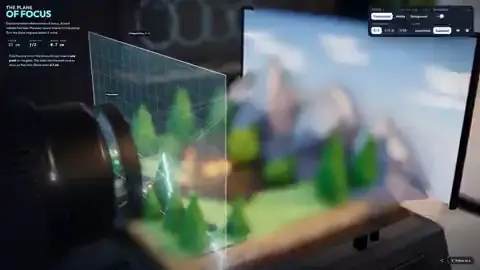
Interactive Camera Lens Optical Lab
Explain focus and depth of field by moving lens elements and the sharp plane through a scene via a focus-ring control.
Canvas 2D / WebGL60 FPS
#Camera#Optics#Explainer+2
interactive16:9
请用 Opus 5.5 构建一个「交互式相机镜头实验室」单页应用,向摄影初学者解释对焦与景深。

功能:
1. 侧视简化的镜头组(多片透镜)+ 场景中有近、中、远三个物体(带尺寸标注)。
2. 对焦环(或滑块)连续可调:拖动时镜片间距/焦点位置变化,画面实时更新景深——只有落在焦平面上的区域清晰,其余呈现可理解的虚化(可用 CoC 近似,而非物理级 ray tracing)。
3. 显示辅助线:焦平面位置、hyperfocal 提示(可选开关)、当前 f-number 与焦距(可用预设档位)。
4. 无外部图片;图形用 Canvas 2D 绘制;所有状态由参数 t 或对焦距离 d 确定性计算。
5. 底部 3 条文字提示对应「对焦在近处/远处」时环应如何旋转;支持键盘左右微调。

交付 HTML + 内联 JS。先自测对焦环全行程无跳变,再在 390px 宽手机视口检查控件不重叠。
Ryan Sael